作者归档 Alexander Wilson

Avatar photo 通过Alexander Wilson

AI Ghost Mannequin Generator: Create Invisible Mannequin Clothing Photos with AI

In fashion e-commerce, great product photos can directly impact sales. Customers want to see how clothing looks when worn, but traditional photoshoots with models or mannequins can be expensive and time-consuming.

That’s why ghost mannequin photography has become a popular solution. The invisible mannequin effect shows the natural shape of garments while keeping the focus on the product itself.

Today, an AI ghost mannequin generator makes this process even easier. With an AI fashion design tool, brands can remove mannequins and generate clean product images in minutes.

This guide explains what an AI ghost mannequin generator is, why fashion brands are adopting it, and how to create ghost mannequin clothes from an image using AI.
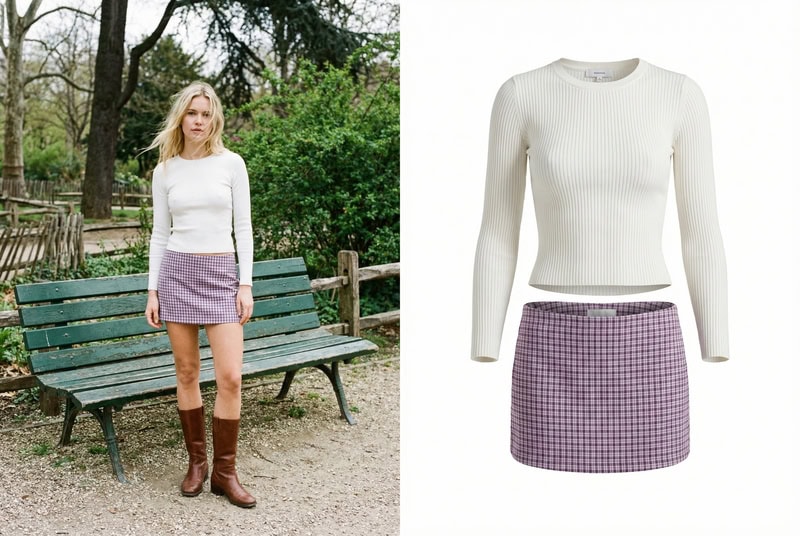
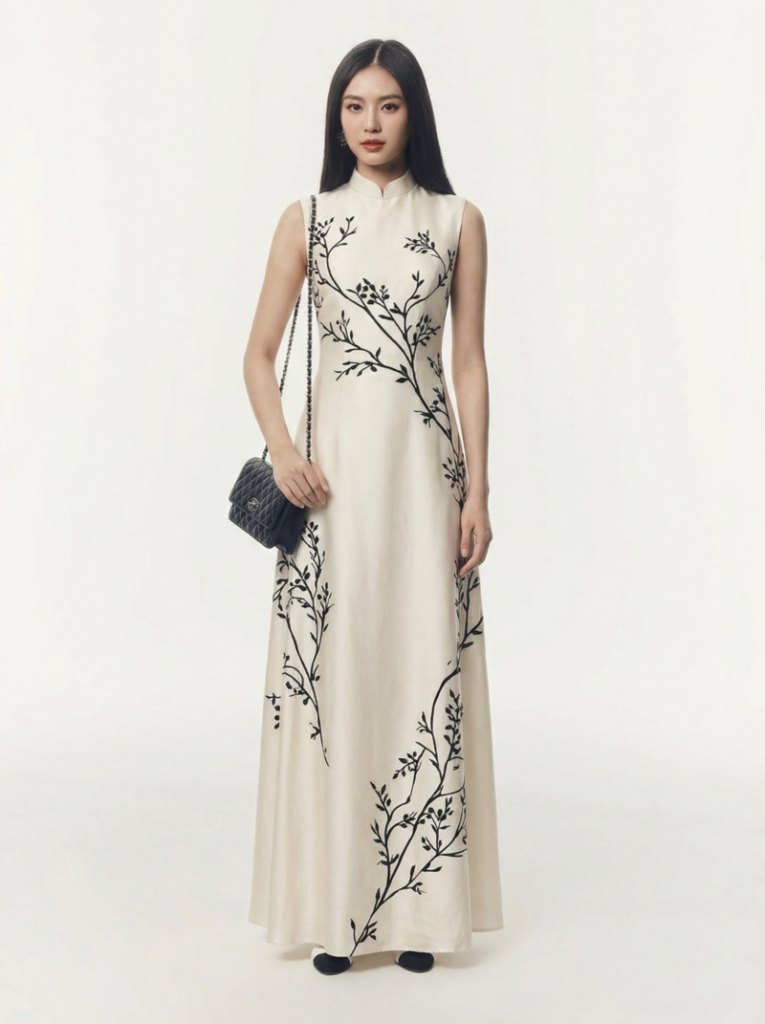
AI ghost mannequin generator transforming a model outfit into invisible mannequin clothing product image.
Fashion Diffusion AI-generated

What Is an AI Ghost Mannequin Generator

An AI ghost mannequin generator is a tool that uses artificial intelligence and computer vision to create clothing product images with an invisible mannequin effect. It automatically removes mannequins, models, or backgrounds from clothing photos, producing a three-dimensional “hollow” look that highlights the natural shape of the garment.

Many specialized AI ghost mannequin generators have emerged, and a growing number of fashion design tools also include this feature, enabling users to produce clean and realistic ghost mannequin results with minimal editing.

This technique, often referred to as ghost mannequin photography, invisible mannequin photography, or the hollow man effect, is widely used in fashion e-commerce to present garments in a clear and professional way.

AI Ghost Mannequin Generator vs Flat Lay vs Model Photography

Fashion brands use different types of product photography depending on their goals. Some images focus on simplicity, while others highlight how garments look when worn.

Today, clothing visuals can be created through methods such as flat lay photography, model photography, or AI ghost mannequin photography. In addition, emerging technologies like AI model generation are also expanding how fashion products can be presented online. Each approach has its own strengths and works best in different scenarios.

MethodKey FeatureAdvantagesBest For
Flat Lay PhotographyClothing photographed on a flat surfaceSimple, affordable, quick to produceSocial media, accessories, casual displays
Model PhotographyGarment worn by a real modelShows fit and lifestyle appealCampaigns, lookbooks, branding
AI Ghost Mannequin PhotographyInvisible mannequin effect showing garment shapeClean product focus, scalable with AIE-commerce product pages, catalogs

In practice, many fashion brands combine these methods, for example, using ghost mannequin images for product listings, model photos for marketing, and flat lay images for social media or detail shots.

Why Fashion Brands Are Switching to AI Ghost Mannequin Generators

As fashion e-commerce continues to grow, brands need to produce large volumes of consistent product images for online stores, catalogs, and marketplaces. Traditional ghost mannequin photography can effectively showcase the structure of garments, but the process often involves mannequins, multiple photos, and time-consuming editing.

With recent advances in computer vision and AI image editing, many brands are beginning to adopt AI ghost mannequin generators to simplify this workflow. These tools allow clothing images to be processed more efficien tly while maintaining a professional look.

Faster Product Image Production

Creating traditional ghost mannequin images usually requires photographing garments from multiple angles and carefully combining the images during post-production. AI fashion design tools significantly speed up this process by automatically removing mannequins and reconstructing hidden areas of the clothing.

Lower Photography and Editing Costs

Fashion product photography often involves studio setups, mannequins, photographers, and professional retouching. By automating parts of the editing workflow, AI ghost mannequin generators help reduce the amount of manual work required, making the overall production process more cost-efficient.

Scalable for Large Fashion Catalogs

Many fashion brands release seasonal collections with hundreds of products. Maintaining consistent visuals across such large catalogs can be challenging. AI ghost mannequin photography makes it easier to process large batches of clothing images and generate uniform ghost mannequin results across entire product lines.

Cleaner and More Consistent Product Images

Ghost mannequin photography focuses attention entirely on the garment, highlighting its shape and structure without distractions. AI-generated ghost mannequin images help brands maintain consistent backgrounds, lighting styles, and product presentation across their e-commerce platforms.
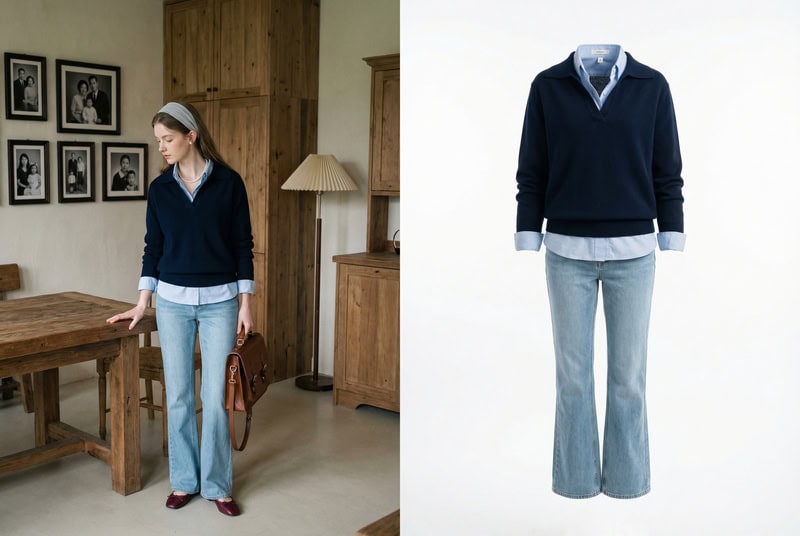
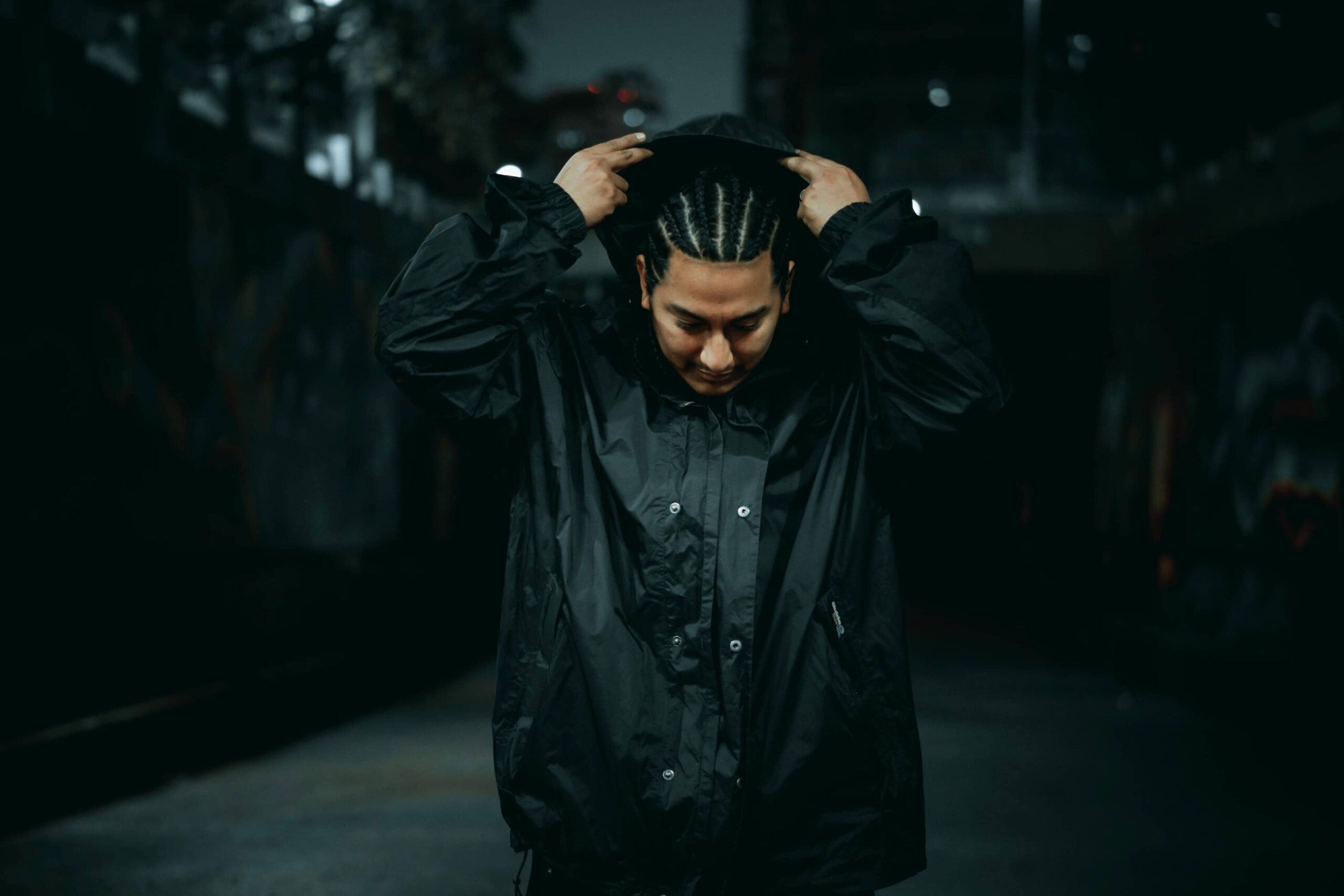
AI ghost mannequin generator example turning a styled outfit photo into clean clothing product image.
Fashion Diffusion AI-generated

How to Create Ghost Mannequin Images with Fashion Diffusion

Creating ghost mannequin product images with AI is simple with tools like Fashion Diffusion. By using the AI Inpainting feature, you can remove the mannequin or model from a clothing photo and generate a clean ghost mannequin effect in just a few steps.

Step 1: Upload a Clothing Image

Start by uploading a clothing photo to the AI Inpainting tool. You can choose images in different styles depending on the final look you want to create—for example, studio product photos, model shots, or fashion editorial images. Selecting a clear image with well-defined garment details will help the AI generate a more realistic ghost mannequin effect.
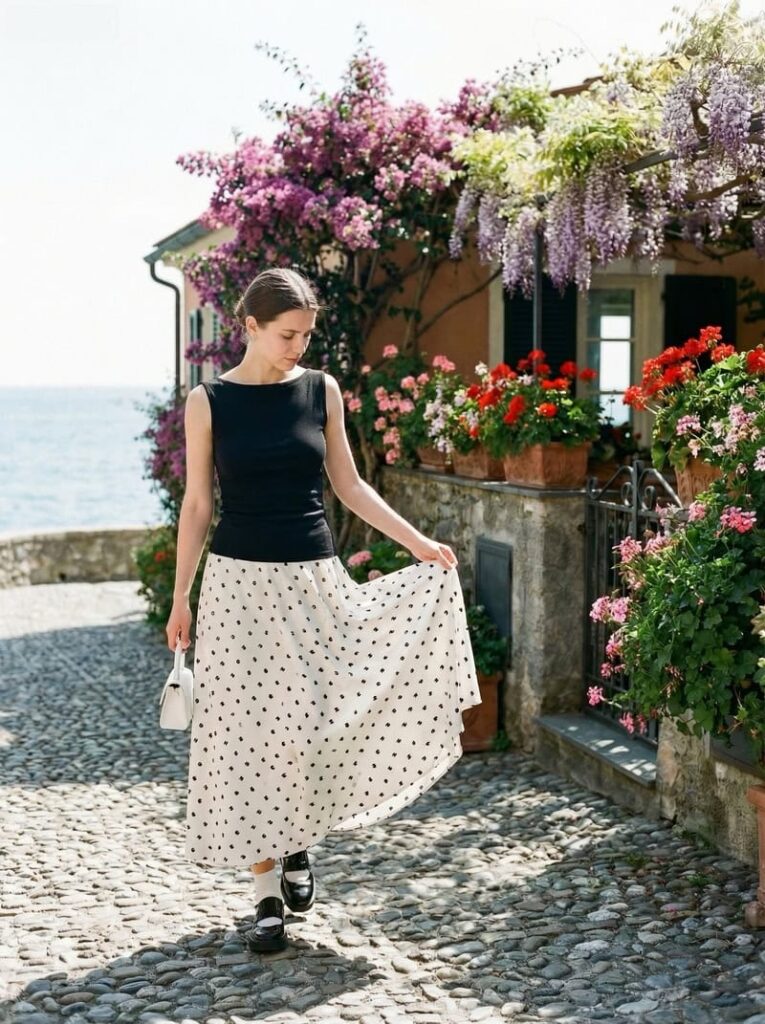
Select a style image before uploading it to the AI Inpainting feature.
Fashion Diffusion AI-generated

Step 2: Enter a Description Prompt

Next, enter a prompt describing the ghost mannequin effect you want to create.

Here is an example prompt:

professional ghost mannequin clothing photography, remove the model completely, hollow invisible mannequin effect, maintain natural garment shape, show inner collar, cuffs and hem details, floating clothing on a clean white studio background, soft studio lighting highlighting fabric texture and folds.

This description helps the AI understand how to reconstruct the garment and generate a realistic invisible mannequin effect.
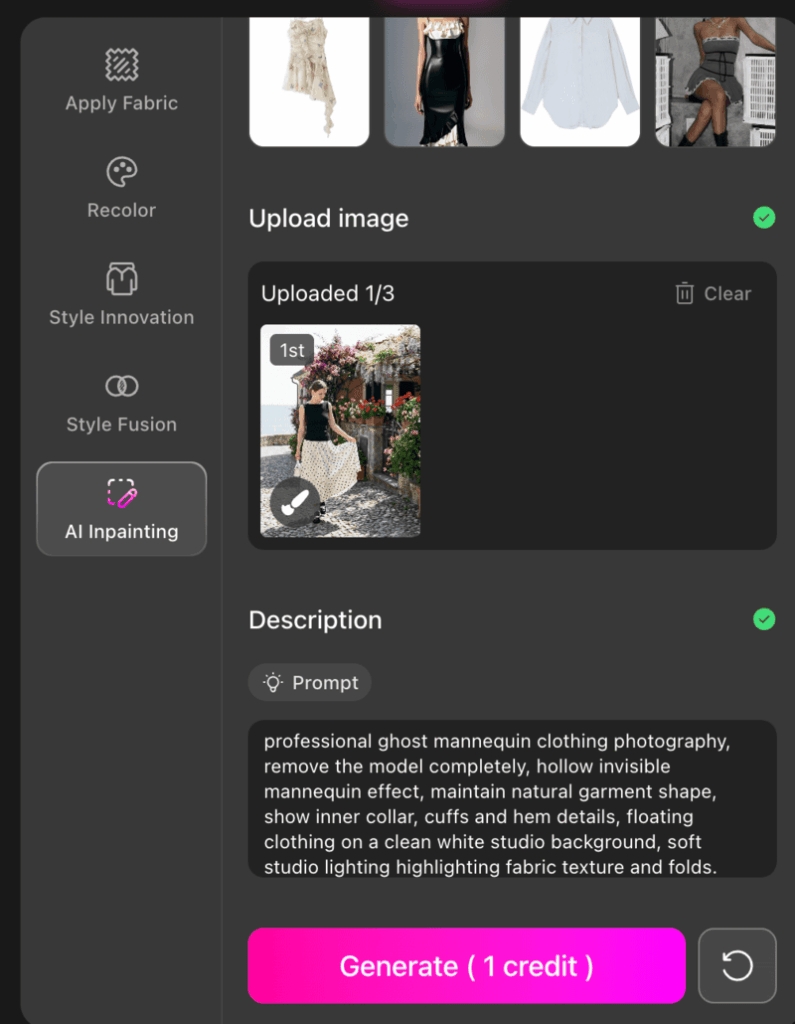
Fashion Diffusion's product page when entering the description prompt.

Step 3: Generate the Image

After entering the prompt, simply generate the image. You can create multiple variations and refine the results by adjusting your description, for example, adding details about image ratio, resolution, or lighting style. This allows you to gradually fine-tune the output until it matches the product photography look you want.
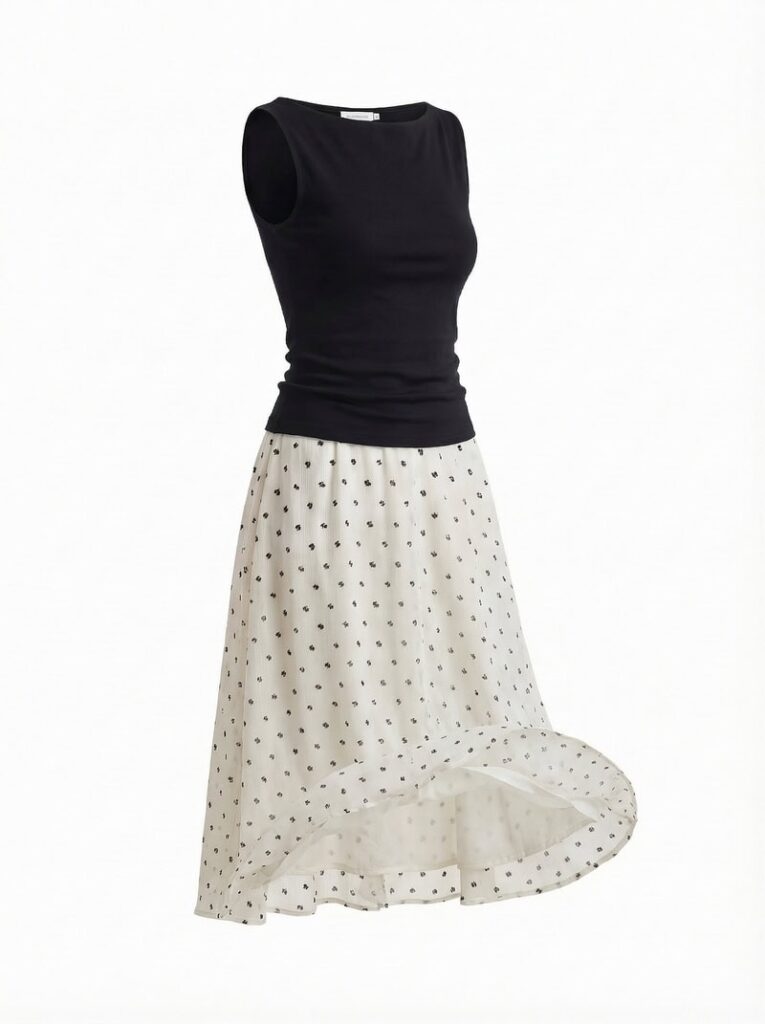
After result created with Fashion Diffusion's AI Inpainting feature.
Fashion Diffusion AI-generated

Best Use Cases for AI Ghost Mannequin Generators

Ghost mannequin images are widely used across fashion e-commerce because they present clothing in a clean, professional way while still showing the garment’s natural shape. In fact, industry surveys show that about 57.2% of fashion e-commerce brands use ghost mannequin photography as part of their product image strategy.

With the rise of AI image editing tools such as Fashion Diffusion, AI ghost mannequin generators are now being used in several key scenarios across the fashion industry.

E-commerce Product Pages

One of the most common uses for ghost mannequin images is on e-commerce product pages. These images highlight the structure of garments without distractions from mannequins or models. Clear product images are critical for online apparel stores, as 93% of consumers consider visual appearance a key factor in purchase decisions.

Because AI ghost mannequin clothes focus entirely on the garment, they are particularly effective for presenting items like jackets, shirts, dresses, and sweaters.

Large Product Catalog Production

Fashion brands often release seasonal collections that include dozens or even hundreds of products. AI ghost mannequin tools are particularly useful when processing large batches of clothing images, allowing teams to generate consistent product visuals across an entire catalog.

This makes them practical for brands that regularly update inventory or launch new collections.

Marketplace Product Standardization

Online marketplaces and multi-brand stores often require standardized product images. Ghost mannequin visuals provide a consistent presentation style that works well across product grids, making it easier for shoppers to compare garments.

Because the mannequin is removed and the focus remains on the clothing itself, the images appear clean and uniform across different product listings.

Digital Catalogs and Brand Websites

AI Ghost mannequin images are commonly used in digital catalogs and brand websites where the goal is to highlight garment design and structure. In these contexts, the invisible mannequin effect helps present clothing in a clear and professional format without the distraction of models or styling elements.

Tips for Getting Better Results with an AI Ghost Mannequin Generator

While an AI ghost mannequin generator can automate much of the image editing process, a few practical adjustments can significantly improve the final results. From selecting the right input image to refining prompts, these small details help produce more realistic ghost mannequin product photos.

Start with a Clear Garment Image

The quality of the input image directly affects the final result. Choose photos with clear lighting, minimal shadows, and visible garment edges. Images where the clothing structure is clearly defined will help the AI reconstruct the garment more accurately.

Use Detailed but Focused Prompts

When entering a description prompt, include key visual details such as lighting style, background, and garment presentation. However, keep the prompt concise so the AI can clearly interpret the intended effect.

For example, specifying elements like “white studio background”, “ghost mannequin effect”, or “soft studio lighting” can help generate more consistent product images.

Highlight Interior Garment Details

One characteristic of high-quality ghost mannequin photography is the visibility of inner garment details such as the collar interior, sleeve openings, or hems. Including these details in the prompt can help the AI generate more realistic results that resemble professional product photography.

Generate Multiple Variations

AI image generation often produces slightly different outputs each time. Generating several variations allows you to compare results and choose the version that best matches your desired product photography style.

The Future of AI Ghost Mannequin Generators in Fashion Ecommerce

AI ghost mannequin generators are reshaping how fashion brands create product images. This guide has covered what they are, why brands are adopting them, how to generate images with AI Inpainting using Fashion Diffusion, and best practices for professional results.

Looking ahead, AI-powered product photography will become faster, more consistent, and increasingly versatile. Advances in computer vision and generative AI will allow brands to produce high-quality ghost mannequin images at scale, reducing costs while maintaining a polished, professional look.

For designers, e-commerce teams, and creative professionals, exploring AI fashion design tools like Fashion Diffusion offers a simple way to generate realistic, clean, and flexible product visuals. Embracing AI ghost mannequin technology today is an opportunity to stay ahead in the competitive world of fashion e-commerce.

FAQ

What is an AI ghost mannequin generator?

An AI ghost mannequin generator is a tool that uses artificial intelligence and computer vision to create clothing product images with an invisible mannequin effect. It automatically removes mannequins or models from photos and reconstructs hidden garment areas to highlight the natural shape of the clothing.

Can I use AI ghost mannequin generators for all types of clothing?

Yes. AI ghost mannequin tools work best for garments with defined shapes, such as jackets, shirts, dresses, and sweaters. While they can process most clothing types, very loose or abstract designs may require additional prompt refinement to achieve the desired effect.

How can I improve the results of AI-generated ghost mannequin images?

Better results can be achieved by starting with high-quality, well-lit input images. When writing prompts, include specific visual descriptions so the AI can better understand the desired look. Finally, adjusting prompt parameters such as image ratio or resolution can further refine the outcome and better match your specific needs.

Why should fashion brands consider AI ghost mannequin generators?

AI ghost mannequin tools save time, reduce costs, and allow brands to scale product photography efficiently. They are ideal for e-commerce product pages, large catalogs, online marketplaces, and digital marketing materials. Tools like Fashion Diffusion make it easy for designers and e-commerce teams to produce professional, consistent, and realistic garment images.

How long does it take to generate ghost mannequin clothes from an image with AI?

With tools like Fashion Diffusion, generating a ghost mannequin image typically takes just a few minutes. You can also create multiple variations quickly, making it easy to compare results and select the best version for your product catalog or e-commerce listings.
Avatar photo 通过Alexander Wilson

How to Create T-shirt Designs with AI: The Future of Apparel Graphics

What if designing a T-shirt wasn’t about mastering software, but about exploring ideas?

Whether you are an independent creator testing print-on-demand ideas, a streetwear brand exploring rapid drops, or a fashion team experimenting with generative workflows, AI T-shirt design offers a scalable way to move from concept to visual validation.

AI T-shirt design shifts the focus from technical execution to creative experimentation. Instead of being limited by tools, designers can generate multiple graphic concepts instantly, test logo variations, and visualize finished shirts in realistic settings. All within a streamlined workflow.

In this article, you will discover how AI T-shirt design works, how it compares to traditional design methods, and how to create production-ready T-shirt graphics step by step using AI fashion design generators.

What Is AI T-shirt Design

AI T-shirt design refers to the process of using artificial intelligence tools to create and develop T-shirt graphics, logos, and visual concepts. Instead of relying entirely on manual illustration or complex design software, AI systems can generate design ideas based on text prompts, visual inputs, or stylistic references.

Rather than being a single tool, AI fashion design represents a broader shift in how apparel graphics are created, emphasizing speed, experimentation, and digital-first workflows. As demand for faster product cycles and flexible design processes continues to grow, AI-driven design is becoming an increasingly practical solution for creators and brands alike.

Why AI T-shirt Design Is Growing Rapidly

The rapid growth of AI T-shirt design is not accidental. It reflects larger shifts in the fashion and e-commerce landscape, where speed, flexibility, and digital efficiency have become competitive advantages.

Several key factors are driving this momentum:

1. Faster Product Cycles

Fashion trends move quickly, especially in streetwear and online retail. Brands that once launched seasonal collections now release new drops weekly or even daily. AI allows designers to generate and test concepts rapidly, reducing the time between idea and launch.

2. The Rise of Print-on-Demand

Print-on-demand businesses have lowered the barrier to entry for apparel entrepreneurship. However, they require a constant stream of new designs to stay competitive. AI makes it possible to experiment with multiple graphic variations without hiring external designers for every concept.

3. Demand for Customization and Niche Designs

Consumers increasingly expect personalized or niche-focused products. From micro-communities to fandom-based merchandise, small-batch creative output is in high demand. AI enables scalable experimentation across styles, aesthetics, and audience segments.

4. Lower Design Barriers

Traditional T-shirt design often requires advanced tools such as Illustrator or Photoshop. AI reduces the technical barrier, allowing creators to focus on ideas rather than software complexity.

AI T-shirt Design vs Traditional T-shirt Design

To understand why AI adoption is accelerating, it helps to compare it directly with traditional design workflows.

AspectTraditional DesignAI T-shirt Design
Concept DevelopmentManual sketching & draftingPrompt-based generation
Iteration SpeedSlow revision cyclesInstant regeneration
Color VariationsManual recoloringMultiple variations in seconds
Skill RequirementProfessional software knowledgeAccessible to beginners
Product PreviewManual mockup creationInstant on-garment previews

The key difference lies in iteration speed and flexibility. Traditional workflows are often linear, while AI-driven workflows are iterative. This shift is what makes AI design (including AI T-shirt, shirt, sweatshirt design) particularly suited for modern digital commerce environments.

How to Create an AI Tshirt Design (Step-by-Step Workflow)

Creating a high-quality AI T-shirt design can be structured into four focused stages: concept generation, graphic development, placement, and refinement.

Using Fashion Diffusion, you can move efficiently from initial idea to a production-ready T-shirt mockup within a streamlined workflow.

Step 1: Generate the Full T-shirt Concept

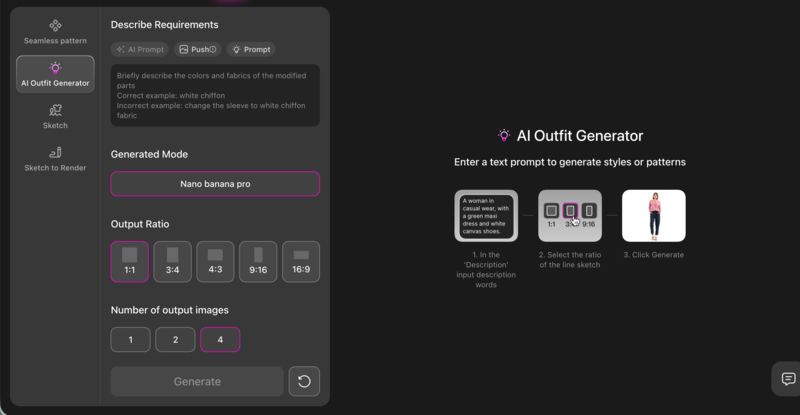
Begin with the AI Outfit Generator and define the overall design direction.

You can use Fashion Diffusion's AI Outfit Generator feature to define the overall design direction.

At this stage, the goal is to establish silhouette, fabric texture, graphic style, and presentation mood in one cohesive concept.

When writing your prompt, clearly describe:

  • Silhouette (oversized, boxy, relaxed, structured);
  • Fabric quality (heavyweight cotton, washed texture, smooth premium finish);
  • Graphic type (abstract, geometric, illustrated, experimental);
  • Presentation style (studio product shot, fashion editorial, ecommerce-ready).

Generate multiple variations and evaluate overall balance, composition, and visual clarity before moving forward.

Below are several strong graphic directions you can explore.

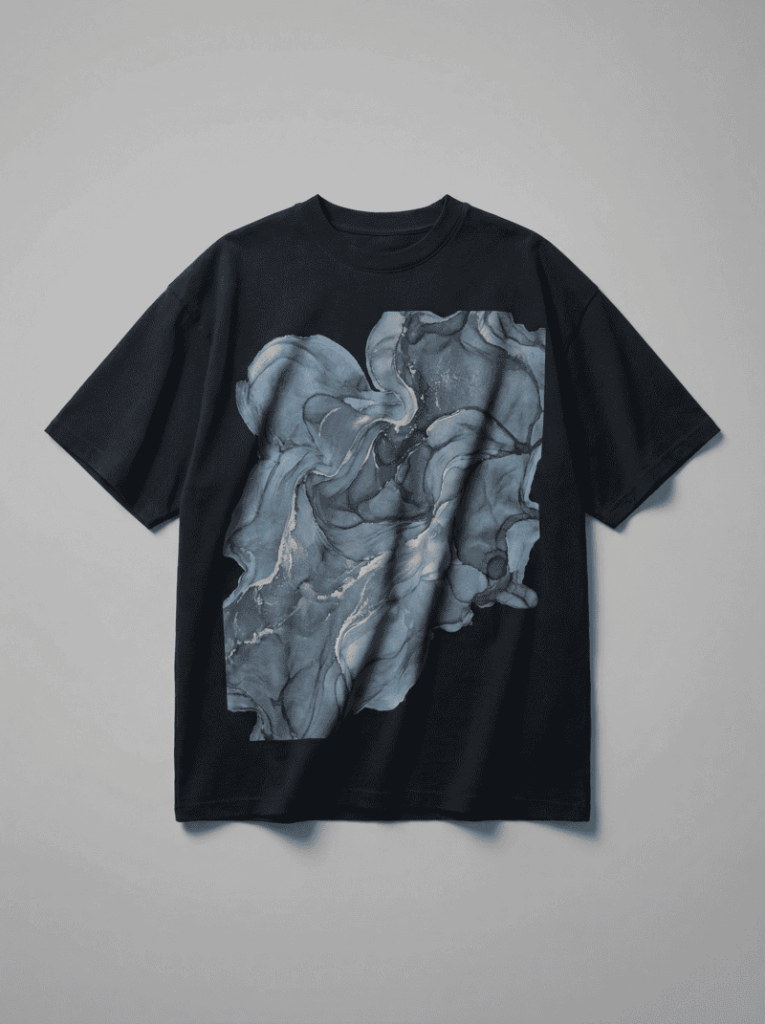
Option 1: Abstract Art Graphic Concept

This direction focuses on expressive abstract composition. Layered organic shapes, fluid transitions, and controlled color palettes create visual depth while maintaining balance. Muted tones or metallic accents can add refinement without overwhelming the garment.

Example prompt: oversized black streetwear t-shirt, large abstract fluid art print on chest, layered organic shapes in muted blue and silver tones, balanced composition, heavyweight cotton texture, realistic fabric folds, soft studio lighting, professional fashion product photography, ultra detailed.

Option 1: Use AI Outfit Generator feature for abstract art graphic concept.
Fashion Diffusion AI-generated

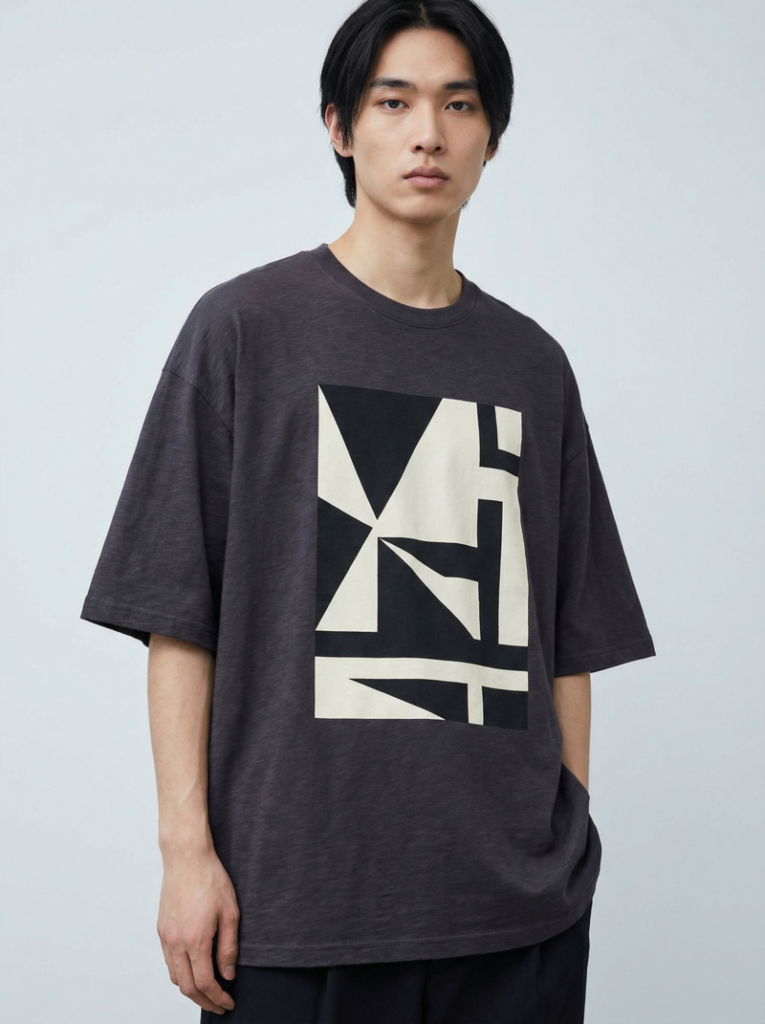
Option 2: Modern Geometric Graphic Design

Geometric compositions emphasize structure and clarity. Clean lines, bold shapes, and asymmetrical layouts create a strong focal point with minimal visual noise. High-contrast palettes enhance print sharpness and readability.

Example prompt: boxy oversized t-shirt in deep charcoal, bold geometric graphic print centered on chest, asymmetrical layout, high contrast black and off-white palette, premium cotton fabric texture, clean studio background, fashion lookbook photography, ultra realistic.

Option 2: Use AI Outfit Generator feature for modern geometric graphic design.
Fashion Diffusion AI-generated

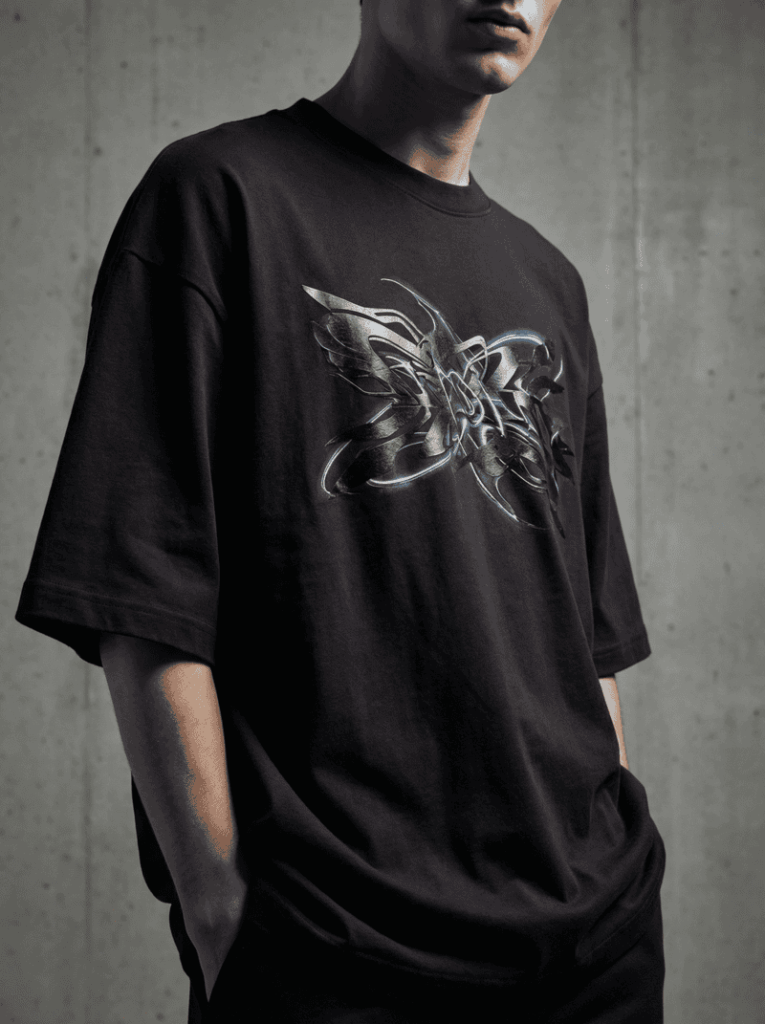
Option 3: Futuristic Abstract Pattern

This direction leans toward experimental and forward-looking aesthetics. Layered textures, metallic finishes, and controlled glow effects create a bold yet cohesive design suitable for contemporary streetwear collections.

Example prompt: oversized streetwear t-shirt in matte black cotton, futuristic abstract pattern print across chest, layered metallic textures and subtle glow accents, strong visual contrast, realistic fabric folds, cinematic studio lighting, fashion editorial photography, 4k detail.

Option 3: Use AI Outfit Generator feature for futuristic abstract pattern.
Fashion Diffusion AI-generated

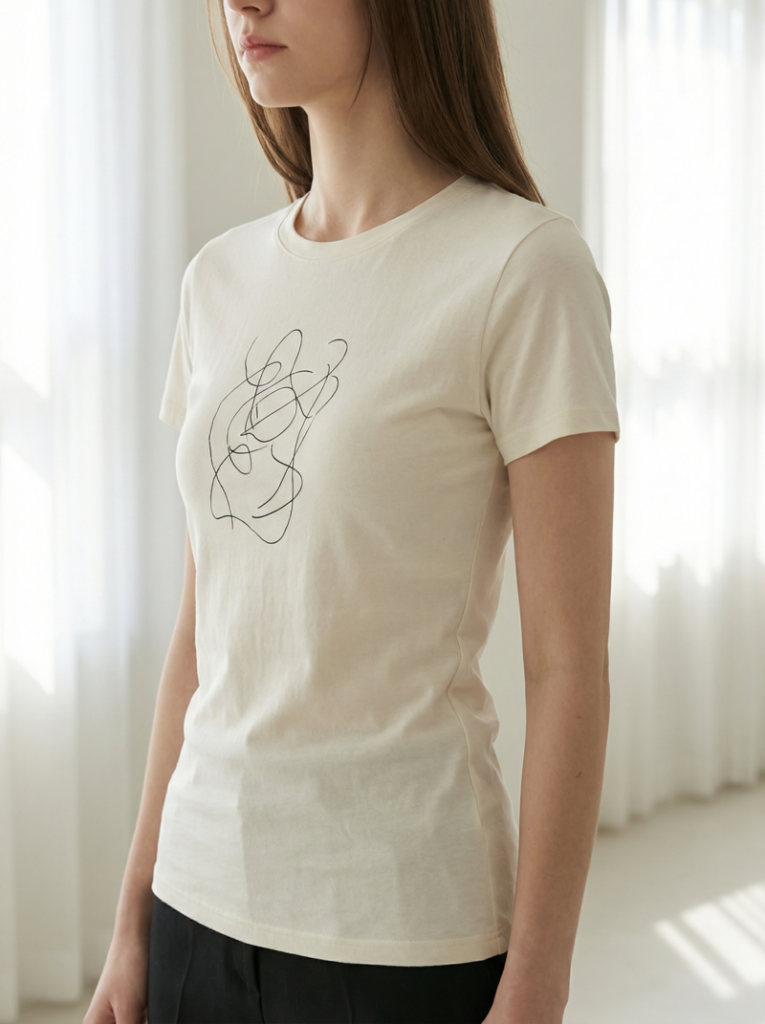
Option 4: Feminine Fitted Minimal

This direction focuses on a refined, body-contouring silhouette with subtle graphic expression. Clean waist shaping, lightweight cotton, and minimal line-based artwork create a modern and wearable design suitable for contemporary womenswear brands.

Example prompt: fitted women’s t-shirt in soft ivory cotton, subtle abstract line art print on chest, slim silhouette with clean waist shaping, smooth lightweight fabric texture, minimal composition, soft natural daylight, modern fashion, high detail.

Option 4: Use AI Outfit Generator feature for feminine fitted minimal vibe.
Fashion Diffusion AI-generated

Option 5: Y2K Cropped Baby Tee

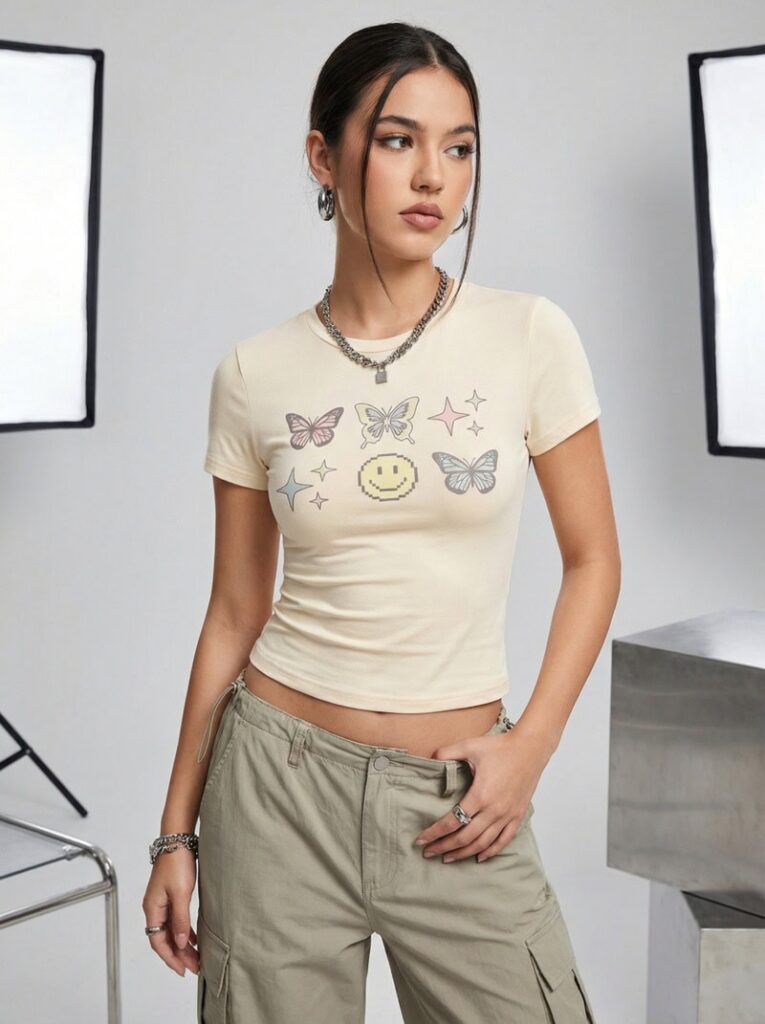
Inspired by early 2000s silhouettes, this direction features a cropped length, close fit, and playful graphic placement. Stretch cotton textures and youthful styling create a trend-driven yet commercially viable design.

Example prompt: cropped fitted baby tee in bright white cotton, bold playful graphic illustration centered on chest, slightly stretchy fabric, clean smooth texture, youthful Y2K aesthetic, studio lighting, fashion editorial photography, high resolution.

Option 5: Use AI Outfit Generator feature for Y2K cropped baby tee.
Fashion Diffusion AI-generated

Once a strong base concept is selected, proceed to refinement using AI Inpainting to enhance graphic clarity, adjust fit details, and elevate presentation quality.

Step 2: Develop the Graphic or Logo Structure

At this stage, the goal is to create a clear, scalable graphic mark that works as the visual focal point of the garment. Unlike large abstract prints, logo designs emphasize structure, typography, and recognizability.

When generating logo concepts with AI, define:

  • Logo style (minimal, badge, typographic, monogram, icon-based);
  • Typography direction (bold, condensed, modern sans-serif, etc.);
  • Icon concept or symbolic element;
  • Overall structure and balance.

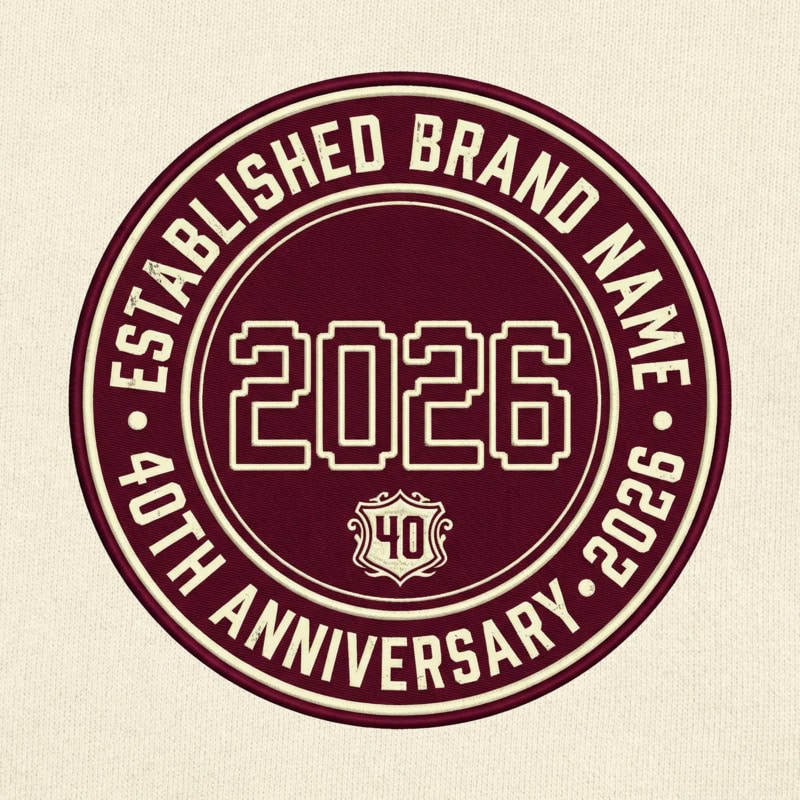
Logo-focused T-shirts are common in company culture shirts, team-building event apparel, startup anniversary tees, as well as campus or community group uniforms. Keep the logo clean, high-contrast, and vector-like to ensure scalability and print compatibility.

Example prompt: circular anniversary t-shirt logo, bold numeric year with brand name around outer ring, balanced badge composition, deep burgundy and cream palette, subtle vintage influence.

Use AI Outfit Generator feature to develop the logo structure.
Fashion Diffusion AI-generated

Generate multiple variations and select the version with the strongest clarity and composition.

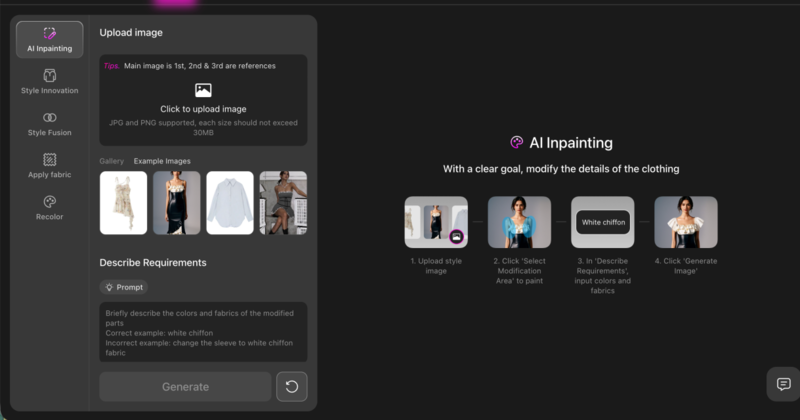
Step 3: Apply the Logo onto the T-shirt with AI Inpainting

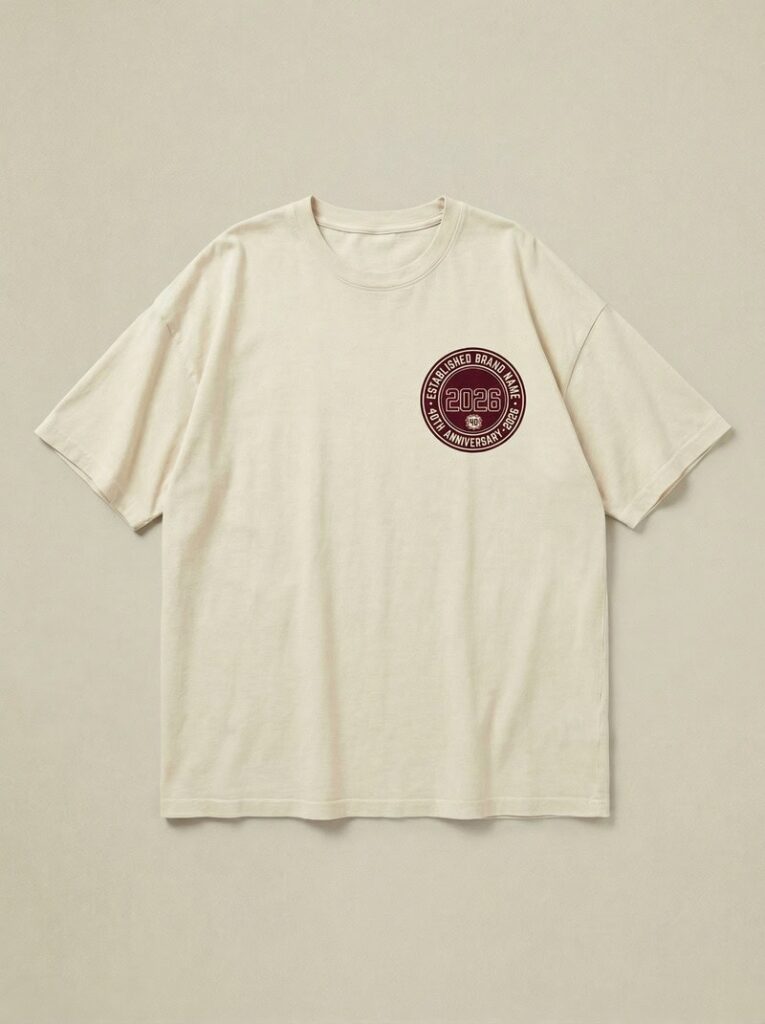
Once the logo is finalized, move to the garment image and use AI Inpainting to place the logo onto the T-shirt.

Select the print area (center chest, small left chest, or back placement) and insert the logo while maintaining realistic proportions and fabric interaction. Ensure the logo aligns naturally with the garment’s folds, lighting, and perspective.

You can apply the logo onto the T-shirt with Fashion Diffusion's AI Inpainting feature.
Fashion Diffusion AI-generated

At this stage, the focus is on correct placement, scale, and integration. The logo should feel printed on the fabric, not layered artificially on top.

Step 4: Refine the Graphic with AI Inpainting

Once a strong base concept is selected, move into targeted refinement.

At this stage, focus specifically on the printed area. Select only the graphic region and enhance clarity, contrast, and print realism.

You can refine the graphic with Fashion Diffusion's AI Inpainting feature.

Common refinement goals include:

  • Improving edge sharpness;
  • Increasing contrast between print and fabric;
  • Adjusting color intensity;
  • Enhancing texture realism (screen print, ink texture, subtle distressing).

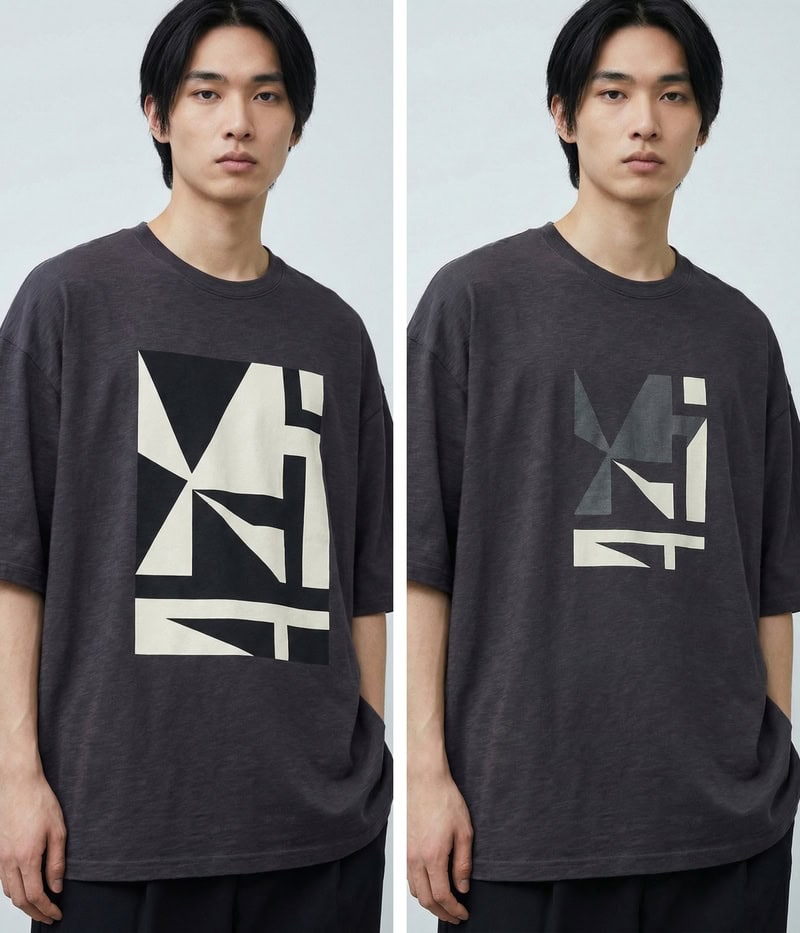
Example refinement prompt: The icons should be slightly smaller, and the edges and colors need a bit more gray tint.

Use AI Inpainting feature to make the logo smaller and modify its color.
Fashion Diffusion AI-generated

Step 5: Adjust Fit, Fabric, and Construction Details

After refining the print, shift attention to the garment structure.

Use AI Inpainting to select specific areas such as sleeves, neckline, hemline, or body silhouette. Refine these elements to align with your intended positioning.

You can adjust:

  • Sleeve length (short sleeve to extended sleeve);
  • Silhouette (relaxed to tailored fit);
  • Fabric finish (smooth cotton to washed texture);
  • Structural details (ribbed collar, thicker neckline, cropped length)

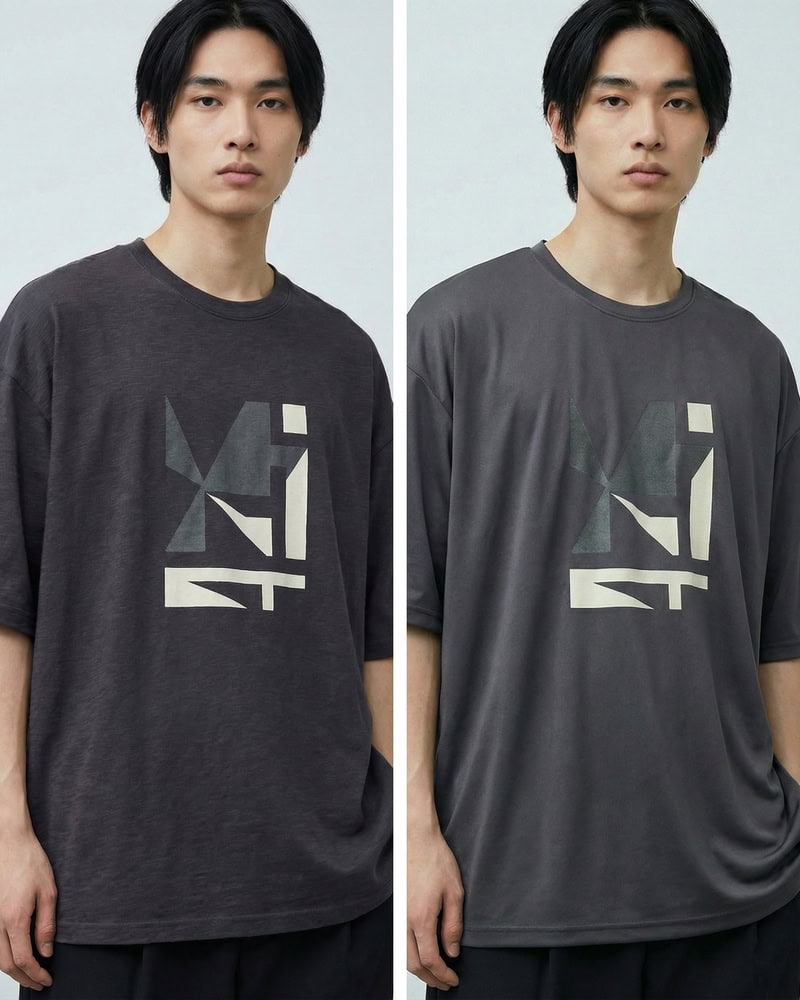
Example prompt 1: Lightweight and breathable fabric suitable for sweatshirts, with a drapey feel and skin-friendly comfort.

Use AI Inpainting to change the fabric of the T-shirt.
Fashion Diffusion AI-generated

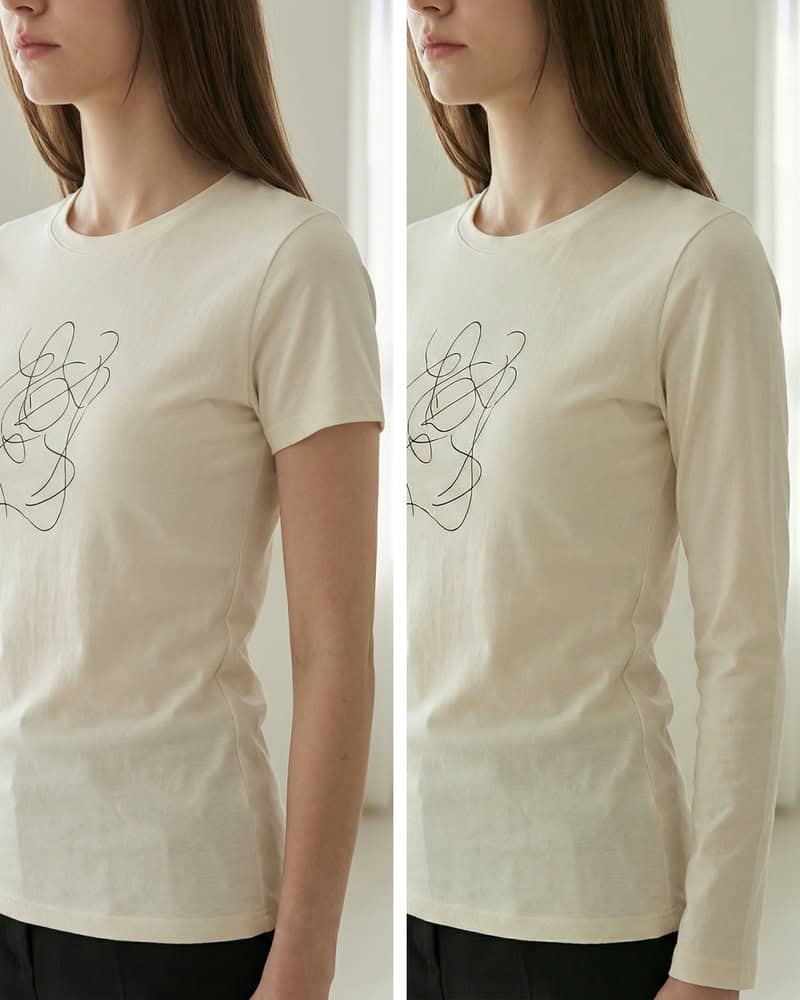
Example prompt 2: Turn short sleeves into long sleeves.

Use AI Inpainting to turn short sleeves into long sleeves.
Fashion Diffusion AI-generated

At this stage, the focus is no longer surface decoration, but garment evolution. By selectively refining sleeves, collars, fabric weight, and overall silhouette, you move from a simple mockup to a fully realized product concept. This is where an AI shirt design generator or an AI sweatshirt designer becomes especially powerful. Small structural adjustments can reposition the same graphic into a different market segment, season, or gender fit, giving your design greater commercial flexibility without starting from scratch.

Step 6: Refine and Regenerate for Final Output

After the logo has been placed onto the T-shirt, move into final refinement. At this stage, the focus is on precision and visual consistency.

Carefully evaluate the logo’s size, positioning, and proportion relative to the garment. Adjust scale if it feels too dominant or too subtle. Ensure alignment is clean and visually balanced with the neckline and overall silhouette.

Edges should appear sharp and print-ready, with strong separation between the logo and fabric color. If needed, slightly adjust color intensity to improve visibility while maintaining harmony with the garment base.

Finally, review the overall composition at different viewing distances. Zoom in to inspect detail quality and zoom out to assess impact. If the balance still feels off, regenerate subtle variations until the design feels cohesive, realistic, and ready for production.

RealWorld Examples: How Leading Fashion Brands Are Using AI Design

AI is no longer a future concept in fashion. Many well-known brands are already integrating generative AI into their creative workflows to spark design innovation and push creative boundaries. These real-world examples show how AI can complement human imagination, rather than replace it, making the design process more exploratory and expressive.

1. Alice + Olivia

Stacey Bendet, founder of Alice + Olivia, has openly embraced AI as a creative tool within her design team. The brand used generative AI platforms such as Leonardo AI and Adobe Firefly to create print designs for a recent collection, exploring new visual ideas based on earlier brand work and feeding those back into the design pipeline. This example shows how AI can spark fresh graphics that designers can refine further.

Alice Olivia used generative AI platforms to create print designs for a collection.
Photo from Alice + Olivia 

2. Levis

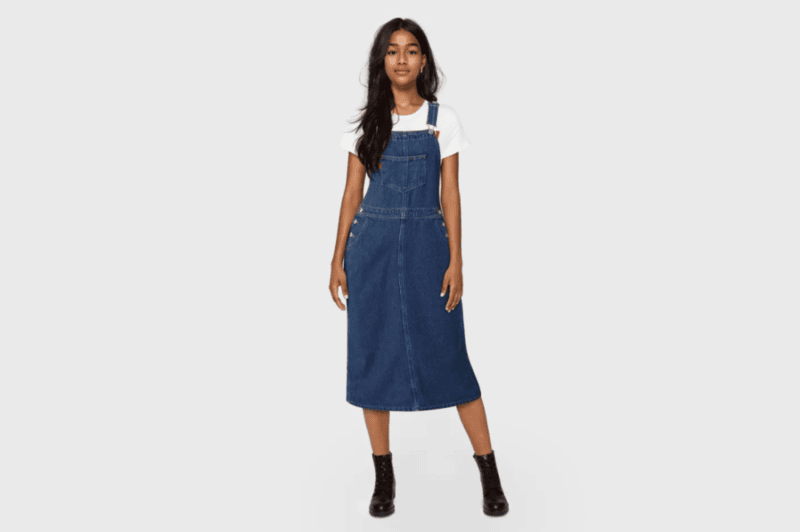
Iconic denim brand Levi’s has incorporated AI into its creative process to generate and refine denim styles. By using generative AI in early design stages, Levi’s can quickly test variations of textures, shapes, and garment concepts before finalizing prototypes, enabling faster iteration while keeping the brand’s heritage intact.

Levi’s incorporated AI into its creative process to generate and refine denim styles.
Photo from Levi Strauss & Co.

3. Moncler

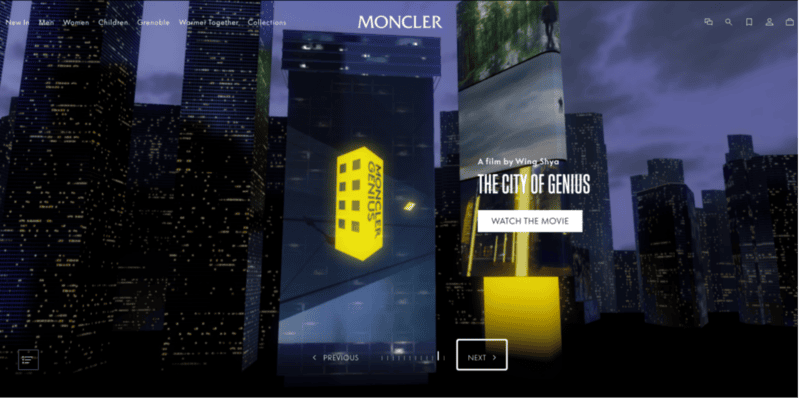
Italian luxury label Moncler worked with AI technology to explore novel garment concepts, including its AI-influenced Genius collection. Generative AI helped produce new ideas for quilted jacket textures and design elements that pushed boundaries beyond conventional methods, demonstrating how AI can influence the actual clothing design process rather than remaining a marketing gimmick.

Moncler worked with AI technology to explore novel garment concepts.
Photo from Moncler

4. Tommy Hilfiger

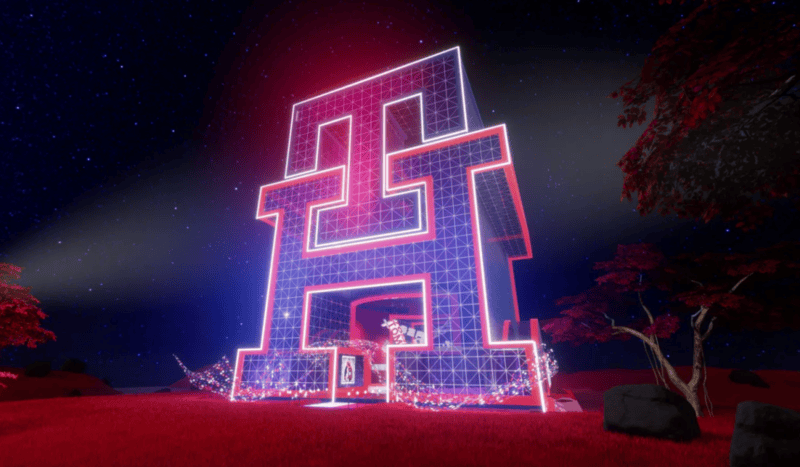
During the Metaverse Fashion Week, Tommy Hilfiger partnered with the Fashion Innovation Agency to let participants create preppy-style garments through prompt-based generative tools. The exercise generated diverse garment concepts and provided insights into emerging preferences, a form of AI-assisted co-creation that directly informs design thinking.

Tommy Hilfiger let participants create garments through prompt-based generative tools.
Photo from Tommy Hilfiger

What These Examples Tell Us

Across these brands, AI is used not as a shortcut to replace designers, but as a creative engine that:

  • Expands the range of design possibilities;
  • Accelerates ideation cycles;
  • Unearths unexpected concepts and visual directions;
  • Fosters collaborative experimentation between humans and machines.

By combining human intuition with generative tools, leading fashion labels are demonstrating that AI can enhance both imagination and output. This is a perspective that’s directly relevant to how you can approach your own AI T-shirt design workflows.

Common Mistakes in AI T-shirt Design

While AI dramatically accelerates the design process, strong results still depend on clarity, intention, and critical evaluation. Many unsatisfactory outputs are not caused by the tool itself, but by avoidable workflow mistakes.

Here are the most common pitfalls in AI T-shirt design, and how to avoid them.

1. Writing Overly Vague Prompts

Prompts like cool graphic t-shirt or modern streetwear design lack specificity. AI systems respond best to structured input.

Instead of general descriptions, define:

  • Silhouette;
  • Fabric type;
  • Graphic scale and placement;
  • Color relationship;
  • Intended presentation (ecommerce, editorial, product shot).

Specific prompts produce consistent, production-ready results.

2. Ignoring GarmentGraphic Balance

A strong graphic does not automatically make a strong T-shirt.

Common imbalance issues include:

  • Oversized prints overwhelming slim silhouettes;
  • High-detail graphics placed too small to read clearly;
  • Low contrast between print and base garment.

Always evaluate composition at both close range and thumbnail scale. A design must remain clear in product listings and mobile views.

3. Overcomplicating the Design

AI makes it easy to generate visually complex outputs. However, excessive layering, glow effects, or intricate textures may not translate well to physical printing.

If the design will be screen printed or DTG printed, consider:

  • Color count;
  • Edge sharpness;
  • Contrast clarity;
  • Print feasibility.

Simplification often improves commercial viability.

4. Neglecting Fabric Realism

Flat, textureless garments reduce perceived quality. If fabric weight, folds, or material finish are inconsistent, the design feels artificial.

Even subtle refinements, including adjusting cotton texture, adding natural fabric drape, or enhancing lighting consistency, significantly improve realism and perceived value.

5. Skipping Iterative Evaluation

AI design is not a one-click process. Strong results typically emerge through controlled iteration.

Instead of accepting the first output:

  • Generate multiple variations;
  • Compare composition and clarity;
  • Refine specific areas using targeted adjustments;
  • Reassess overall cohesion.

Professional AI T-shirt design relies on direction and decision-making, not randomness.

By avoiding these mistakes, you transform AI from a novelty tool into a structured creative system. The difference between average and production-ready output lies in intentional refinement.

Learn More About AI Fashion Design with Fashion Diffusion

AI fashion design is not about replacing creativity. It is about expanding it. The real advantage lies in how quickly ideas can be visualized, tested, refined, and repositioned within a structured workflow.

From graphic experimentation to silhouette adjustments, from fabric simulation to market-ready mockups, AI fashion generators enable designers to move beyond static concepts and explore dynamic iterations with unprecedented speed. As generative workflows continue to evolve, those who learn to direct AI tools effectively will gain a powerful competitive edge in modern apparel design.

If you are ready to push your creative boundaries, explore new graphic directions, and streamline your T-shirt development process, start experimenting with AI fashion design tools like Fashion Diffusion. The next breakthrough in your design workflow may begin with a single prompt.

FAQ

What is AI T-shirt design and how does it work?

AI T-shirt design refers to the use of generative AI systems to create apparel graphics, logos, and on-garment mockups through descriptive prompts or visual references. Instead of manually building artwork, designers guide the system with structured input describing silhouette, fabric, and graphic direction. The AI then produces visual concepts that can be refined through iterative adjustments.

Can AI-generated T-shirt designs be used for commercial purposes?

In most cases, AI-generated designs can be used commercially, but usage rights depend on the platform’s licensing policy. Before launching products, it is important to confirm that your chosen AI shirt design generator allows commercial use and provides sufficient image resolution for production. When properly licensed, an AI T-shirt design can support print-on-demand stores, independent brands, and e-commerce businesses.

Is an AI shirt design generator suitable for beginners?

Yes. One of the key advantages of an AI shirt design generator is accessibility. AI tools focus on structured prompting and refinement. Beginners can concentrate on defining aesthetic direction and garment style rather than mastering technical execution. However, achieving strong results still requires clear input and thoughtful evaluation.

How is an AI sweatshirt designer different from a standard AI T-shirt workflow?

An AI sweatshirt designer typically emphasizes heavier fabrics, thicker construction details, and seasonal silhouettes. While the core generative process is similar, sweatshirt design requires attention to ribbed collars, sleeve volume, fleece texture, and garment weight.

How can designers get better results from AI T-shirt design tools?

To improve results with AI T-shirt design, focus on clear concepts and small refinements. Define the silhouette, fabric, and graphic direction first, then generate multiple variations to compare. Instead of starting over each time, adjust placement, contrast, and texture step by step. This structured approach helps an AI shirt design generator produce more consistent and commercially usable outcomes.

Avatar photo 通过Alexander Wilson

How to Design a Garment:Step-by-Step for Beginners

Designing a garment can feel overwhelming at first—sketching, fabrics, patterns, fit… Where do you even begin? The good news is that garment design becomes much more approachable when you break it down into clear, manageable steps.

Today, many beginners also use different kind of AI fashion design tools to visualize ideas faster and reduce trial-and-error. In this guide, we’ll walk through how to design a garment step-by-step, combining classic fashion design principles with modern AI-assisted workflows.

Design a Garment Step-by-Step by using AI fashion design tools

1. Find Inspiration & Define your Concept

Every garment starts with a clear idea, but inspiration doesn’t come out of nowhere. Most designers collect references before sketching anything. Common inspiration sources include Pinterest, Instagram, runway shows, street style photos, fashion blogs, and vintage archives.

At this stage, focus on:

  • What type of garment you’re designing (dress, top, jacket, etc.)
  • Who it’s for and when it will be worn
  • The overall mood, silhouette, and style

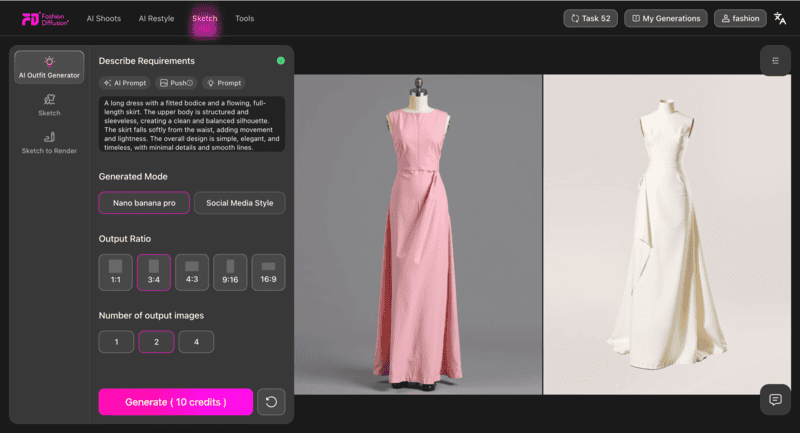
For beginners, AI tools can help organize scattered ideas into something visual. By combining reference images or keywords, Fashion Diffusion allows you to quickly explore different design directions and refine your concept before moving into sketching.

AI fashion design tools helps to organize scattered idea into visual.

2. Sketch the Garment

Sketching transforms your concept into a visual design. You don’t need advanced drawing skills—your sketch simply needs to show shape, proportion, and key details.

Traditionally, designers sketch on croquis templates. Today, beginners increasingly rely on AI sketch generator to speed up this process. If you’re still exploring different options, this overview of the best AI tools to design a dress online can help you understand which features matter most at this stage.

With AI-assisted tools, you can:

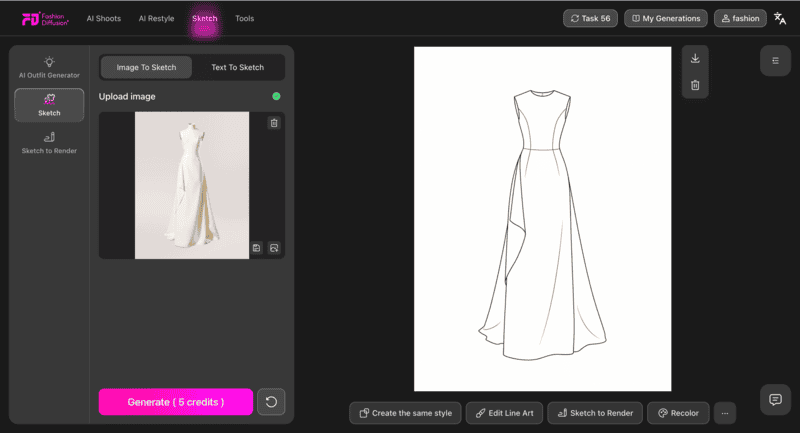
  • Generate garment sketches from text prompts
  • Convert reference images into clean fashion sketches
  • Explore multiple design variations in minutes

Using an AI sketch generator reduces the pressure of hand drawing and lets you focus on design decisions rather than illustration technique.

Generate garment sketches directly with an AI sketch generator

3. Choose Fabric & Materials

Fabric choice plays a major role in how a garment looks and feels. The same design can appear structured, flowing, casual, or formal depending on the material.

When choosing fabrics, consider:

  • Weight and drape
  • Texture and stretch
  • Comfort and seasonality

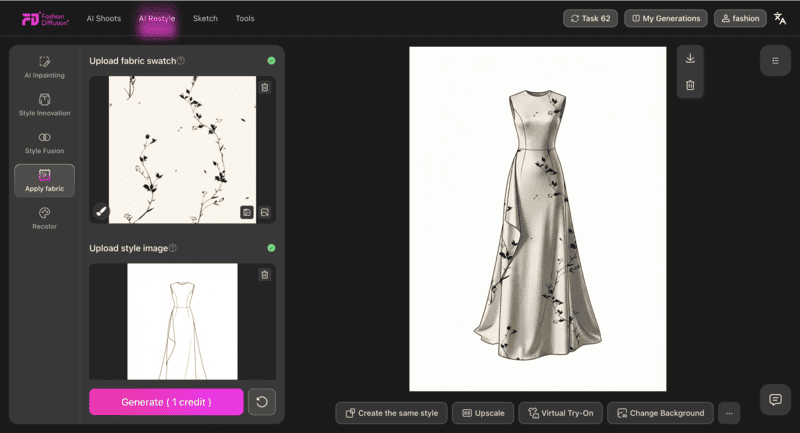
AI-powered visualization tools make this step much clearer for beginners. Instead of guessing, you can digitally apply different fabrics and colors to your design and immediately see how they affect the overall look—helping you make smarter decisions before physical sampling.

Apply different fabrics or color to your design and see the design look

4. Develop the Pattern & Structure

Pattern making turns your design into something wearable. This step defines how flat fabric becomes a three-dimensional garment.

For beginners, pattern development often feels abstract. Having a clear digital render generated with AI tools helps bridge that gap. Visual references allow you to better understand:

  • Garment structure and panel placement
  • Proportions and balance
  • Basic construction logic

Even if patterns are drafted manually, AI-generated visuals provide guidance and reduce trial-and-error during the technical phase.

Develop your design form flat fabric to 3D garment

5. Visualize Fit with Virtual Try-On

Before finalizing a garment, it’s crucial to understand how it fits on the body. Traditionally, this requires sewing a physical sample.

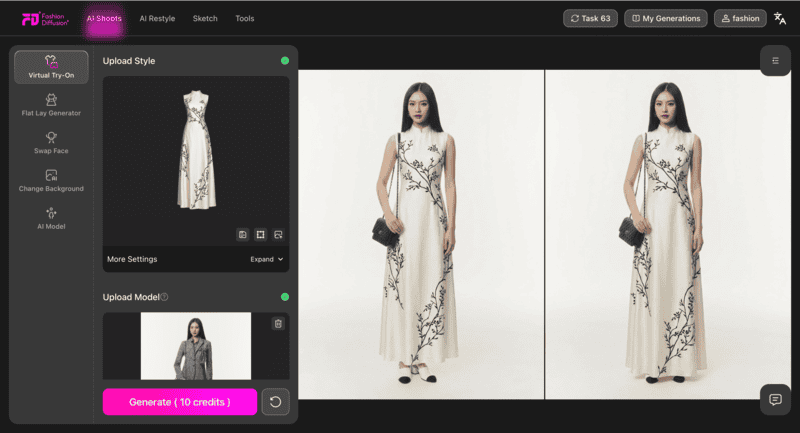
With Fashion Diffusion virtual try-on tool, designers can now preview fit and proportions digitally. Virtual try-on allows you to:

  • See how the garment looks on different body types
  • Evaluate length, volume, and silhouette
  • Identify potential fit issues early

This step is especially valuable for beginners who are still developing an eye for fit and proportion.

Virtual Try-On allows to see how the garment looks on models

6. Finalize the Garment Design

Once the design feels right, it’s time to finalize everything:

  • Lock in fabric, color, and design details
  • Refine construction elements
  • Prepare visuals for presentation or production

High-quality AI-generated renders can be used for portfolios, lookbooks, or online showcases, making your garment design feel complete—even before physical production begins. If you’d like to see a practical example of this workflow, this guide on how to design your own dress online walks through the entire process step by step using digital tools.

Finalized garment design and prepare visuals for production
Fashion Diffusion AI-generated

Tips for Beginners Designing Their First Garment

Start simple before attempting complex silhouettes

When designing your first garment, simplicity matters. Basic silhouettes like T-shirts, skirts, or simple dresses help you understand construction and proportion without getting lost in details. Mastering simple designs builds confidence and creates a solid foundation for more complex pieces later.

Focus on learning the process, not perfection

Beginner designers often get stuck trying to make everything perfect from the start. In reality, garment design is an iterative process. Early sketches, renders, and samples are meant to be improved, not finalized. Each version teaches you something new.

Use visual tools to test ideas quickly

Seeing a design is much more effective than imagining it. Visual tools—especially digital sketching, fabric application, and rendering—allow you to test ideas fast and make adjustments without starting over. This encourages experimentation and reduces hesitation.

Study existing garments to understand structure

Looking closely at real garments helps you understand how designs work in practice. Pay attention to seams, panels, and how fabric behaves on the body. Reverse-engineering existing pieces is one of the fastest ways to improve your design thinking.

Don’t skip fit visualizationit saves time later

Fit plays a huge role in whether a garment looks polished or unfinished. Even if you’re not sewing a physical sample yet, visualizing how a design sits on the body—through virtual try-on or renders—can reveal proportion and balance issues early on.

From Concept to Creation: Designing with Confidence

Learning how to design a garment is less about talent and more about understanding the process. By breaking garment design into clear steps, beginners can move from abstract ideas to realistic designs with much more confidence.

Today, combining traditional design thinking with digital tools makes this journey smoother. Visualizing sketches, fabrics, and fit early on helps reduce uncertainty and allows you to focus on creative decisions rather than technical roadblocks.

If you’re ready to take your first idea beyond imagination, start using Fashion Diffusion to experience your first garment design—from concept to visualization, all in one workflow.

Avatar photo 通过Alexander Wilson

10 Inspiring Pop Style Fashion Trends from K-Pop to Streetwear in 2025

Pop style fashion has become a significant influence in the global fashion industry. From the vibrant aesthetics of K-pop to the dynamic energy of streetwear, pop culture has shaped modern fashion trends. In this article, we explore 10 inspiring pop style fashion trends and how Fashion Diffusion’s AI Fashion Design Tool helps designers and brands bring these trends to life efficiently.

Top Pop Style Fashion Trends

Inspiring Pop Style Fashion Trends

1. K-Pop Inspired Outfits

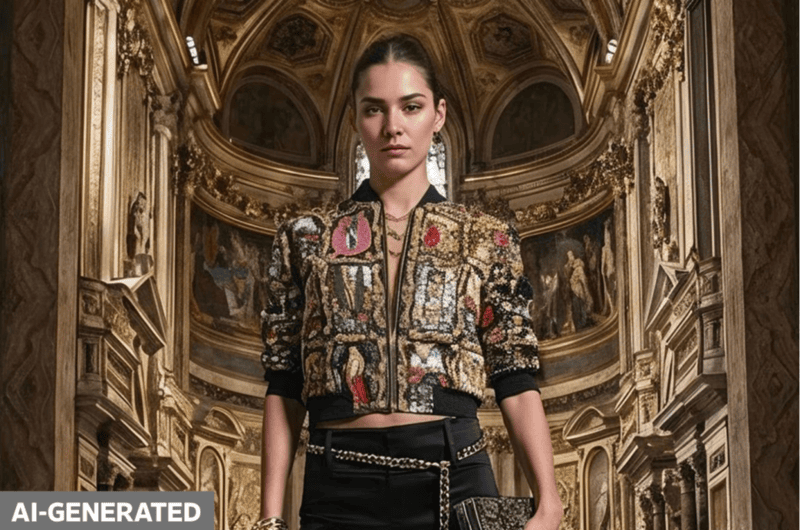
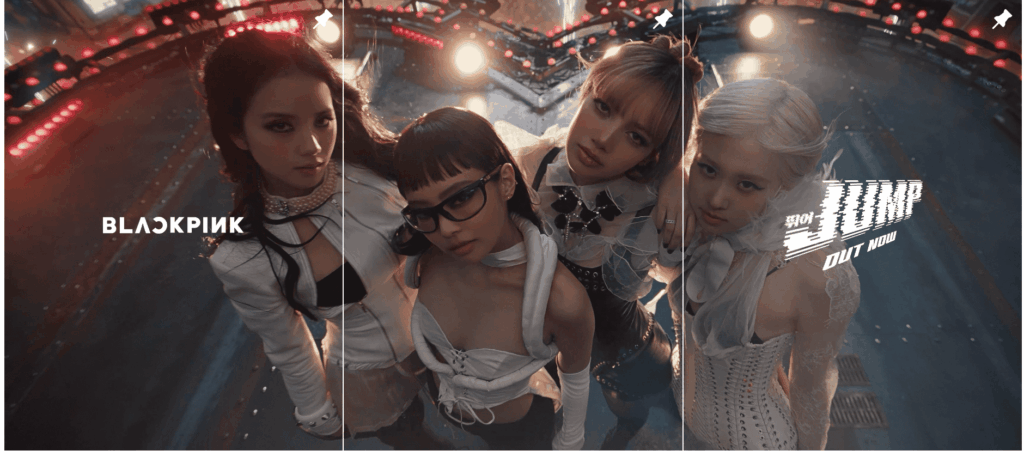
pop has turned fashion into a stage performance. Groups like BLACKPINK and BTS often wear custom pieces from brands such as Chanel, Dior, and Louis Vuitton during performances. Sequins, metallic fabrics, oversized jackets, and sneakers are now central to K-pop inspired fashion design.

K-Pop Inspired Outfits

2. Streetwear Meets Pop Culture

Streetwear now blends with anime, comic art, and gaming. Brands like Supreme and BAPE frequently collaborate with franchises such as Naruto or Marvel. Oversized hoodies, cargo pants, and graphic prints make these collaborations popular among Gen Z. This mix of streetwear and pop culture keeps designs fresh and widely recognizable.

3. Bright Color Blocking

Modern pop fashion trends often use strong contrasts. K-pop idols such as Red Velvet are known for outfits combining neon green with hot pink or red with cobalt blue during concerts. Color blocking is not limited to music idols—brands like Balenciaga and Versace also highlight this trend in runway shows.

4. Gender-Fluid Fashion

Pop fashion design is breaking gender rules. Idols like G-Dragon from BIGBANG wear skirts, oversized blazers, or pearl jewelry that blur gender lines. Luxury brands such as Gucci and Thom Browne promote unisex tailoring in their collections. This shows how pop culture in fashion design values freedom and inclusivity.

5. Retro 2000s Revival

Y2K fashion is back. Olivia Rodrigo and Dua Lipa have made crop tops, low-rise jeans, and shiny butterfly accessories trendy again. Retailers like Urban Outfitters and ASOS now sell capsule collections that directly reference the early 2000s. Nostalgia remains a strong driver of pop culture in fashion.

6. Layered Street Aesthetics

Layering is central to pop style clothing ideas. Artists like Billie Eilish often combine oversized hoodies, jackets, and baggy pants for her signature look. In Asia, layering jackets over hoodies with statement accessories is popular among streetwear fans in Tokyo and Seoul. This trend allows individuals to build flexible, unique pop style outfits.

7. Pop Icons as Fashion Symbols

Global stars influence collections worldwide. For example, NewJeans collaborated with Levi’s for its 150th anniversary, creating denim looks that went viral on social media. Similarly, BTS’s partnership with Louis Vuitton boosted luxury brand appeal among younger fans. These collaborations show how pop style outfits can shape global demand.

8. Bold Accessories and Statement Pieces

Modern pop fashion trends emphasize standout items. Rosé from BLACKPINK is known for pairing simple black dresses with oversized jewelry, while Travis Scott made chunky sneakers like the Nike Air Jordan 1 Cactus Jack iconic. Accessories define the outfit and often set new fashion waves.

9. Digital and Virtual Fashion

Pop culture in fashion design is entering the digital world. In 2022, Gucci launched virtual clothing on Roblox, and Nike introduced Nikeland for gamers to dress avatars in branded sneakers. Virtual fashion is now part of pop style clothing ideas, showing how Gen Z values digital identity as much as physical outfits.

10. Sustainability in Pop Style Fashion

Eco-conscious design is shaping pop fashion. Brands like Stella McCartney and Pangaia use recycled fabrics and eco-friendly dyes. In K-pop, groups like Twice have worn costumes made with sustainable materials during tours, highlighting how ethics and style can coexist. Pop style fashion is now linked with responsibility as much as creativity.

How Fashion Diffusion Transforms Pop Style Fashion for Brands

Fashion Diffusion is revolutionizing fashion design by providing brands with powerful AI tools to streamline the creative process. With its intuitive platform, designers can quickly transform concepts into market-ready visuals, enabling faster trend adaptation and more cohesive collections.

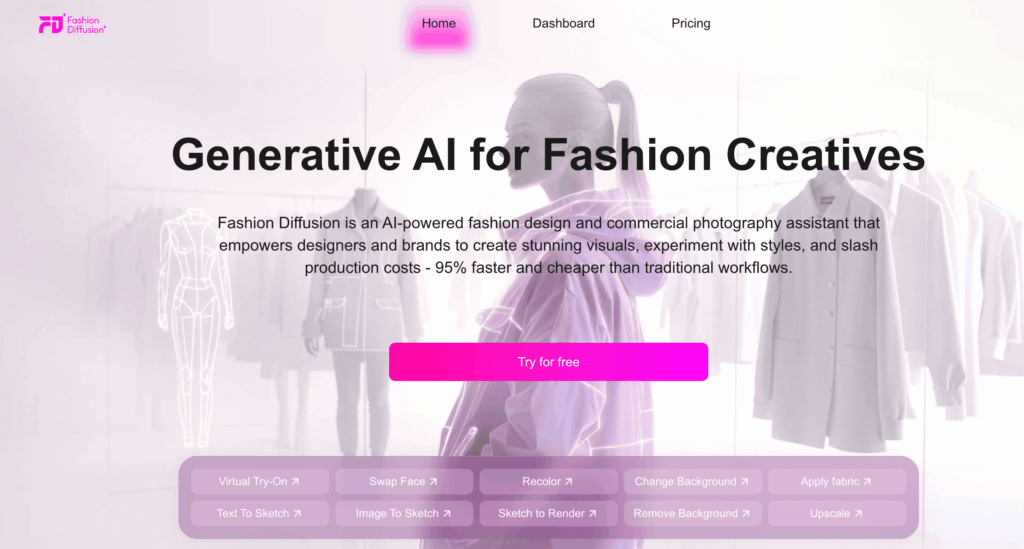
AI Fashion Design Tool | Fashion Diffusion

Core Features of Fashion Diffusion

Text-to-Sketch & Sketch-to-Render

Generate fashion sketches from text prompts or refine hand-drawn designs into polished digital illustrations. This accelerates the ideation process, allowing designers to explore multiple concepts rapidly.

Fabric Simulation

Upload fabric samples or textures to visualize them on your designs. This feature aids in assessing how different materials interact with various styles, enhancing the design’s realism.

Virtual Try-On

Create realistic model visuals by applying your designs to virtual avatars. This tool is invaluable for e-commerce, enabling customers to see how garments fit and move without physical samples.

Style Innovation & Fusion

Experiment with design transformations using the Style Innovation slider, or combine multiple references with Style Fusion to generate unique fashion concepts. These features encourage creative exploration and innovation.

AI Image Editing

Enhance your visuals with tools for background removal, recoloring, face swapping, and upscaling. These capabilities streamline the creation of marketing materials and product images.

Benefits for Brands to Use AI Fashion Design Tool

  • Accelerated Design Process: Reduce the time from concept to final design, enabling quicker response to emerging trends.
  • Cost Efficiency: Minimize expenses related to physical samples, photoshoots, and extensive revisions.
  • Enhanced Creativity: Access a suite of tools that foster innovation and experimentation within the design process.
  • Cohesive Collections: Maintain consistency across designs and marketing materials, ensuring a unified brand identity.

Final Thoughts

Pop style fashion is constantly evolving, shaped by music, street culture, digital trends, and sustainability. By understanding these key trends and leveraging tools like Fashion Diffusion’s AI Fashion Design Tool, brands can move faster from concept to collection, experiment with new styles, and create cohesive, market-ready outfits that resonate with global audiences.

Whether you’re drawing inspiration from K-pop, streetwear, or virtual fashion, integrating AI into your design workflow ensures creativity, efficiency, and relevance in today’s fast-paced fashion world.

👉 Explore Fashion Diffusion to turn pop style fashion trends into sellable products and elevate your brand with AI-powered design.

Pop Fashion Trends FAQs

What is pop style fashion?

Pop style fashion refers to clothing inspired by popular culture, music, and entertainment. It often includes bold colors, K-pop inspired outfits, and modern streetwear designs that appeal to younger generations.

How is K-pop influencing modern pop fashion trends?

K-pop idols such as BTS and BLACKPINK often wear unique stage outfits designed by luxury brands like Dior and Chanel. Their styles—oversized jackets, sequins, and bold sneakers—quickly become global pop style clothing ideas that fans adopt.

What are examples of pop culture in fashion design?

Pop culture influences fashion through collaborations and cultural references. For example, Supreme and Marvel, Gucci on Roblox, and NewJeans with Levi’s are examples of pop culture shaping fashion design.

How can brands create pop style outfits?

Brands can combine streetwear elements like hoodies and cargo pants with bold accessories, color blocking, or digital fashion designs. Adding sustainability, such as recycled fabrics, can also make pop style outfits more appealing to conscious consumers.

What are the key modern pop fashion trends in 2025?

The main trends include K-pop inspired fashion design, gender-fluid styles, Y2K revival, bold accessories, layered streetwear, digital fashion, and sustainable pop style clothing ideas.