月度归档 2025年12月31日

Avatar photo 通过Sophia Mille

Top 10 Online Fashion Sketch Tools for Modern Designers

Fashion sketching has always been central to design, turning ideas into visual direction. With online tools and AI fashion design tools like Fashion Diffusion, designers can now create sketches quickly—no complex setups or years of experience required.

AI is transforming the process, allowing designers to explore silhouettes, fabrics, and styles in minutes, making fashion design more accessible to a wider range of creators.

What Are Online Fashion Sketch Tools?

An online fashion sketch tool is a digital platform that helps designers create and refine fashion ideas without relying on traditional pen and paper. These tools make it easier to sketch, edit, and experiment with designs, whether you’re working on early concepts or more detailed visuals.

Some platforms now go a step further by using AI. An AI fashion sketch generator can turn text prompts or reference images into fashion sketches, helping designers explore ideas faster and with less manual effort. Together, traditional and AI-powered tools are making fashion sketching more flexible, efficient, and accessible for designers at every level.

10 Useful Tools for Fashion Sketching

There are plenty of tools out there to bring your fashion ideas to life. From AI-powered platforms to traditional drawing software, each one offers unique features to help you sketch, design, and experiment with ease. Here are 10 popular fashion sketching tools and what makes them stand out:

1. Fashion Diffusion
fashion diffusion

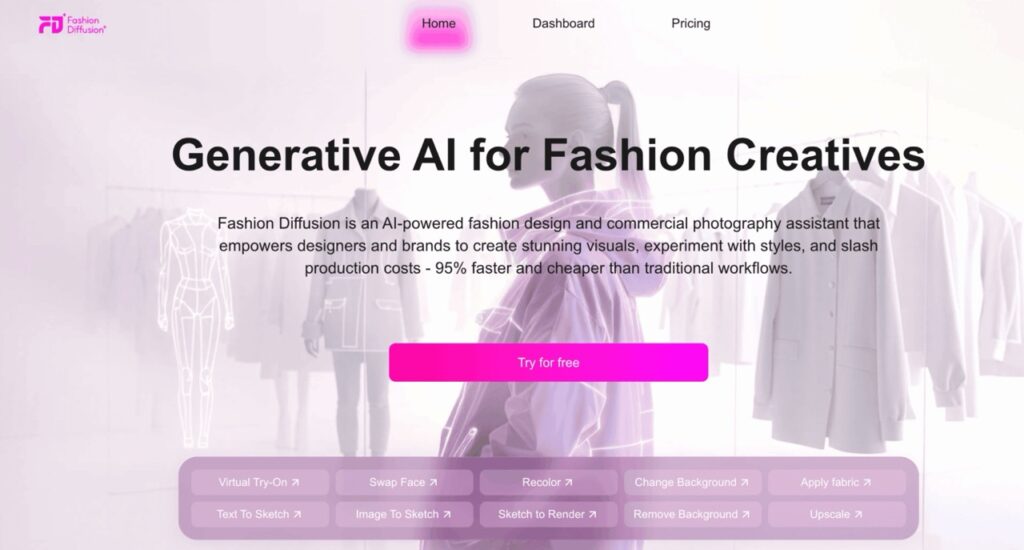
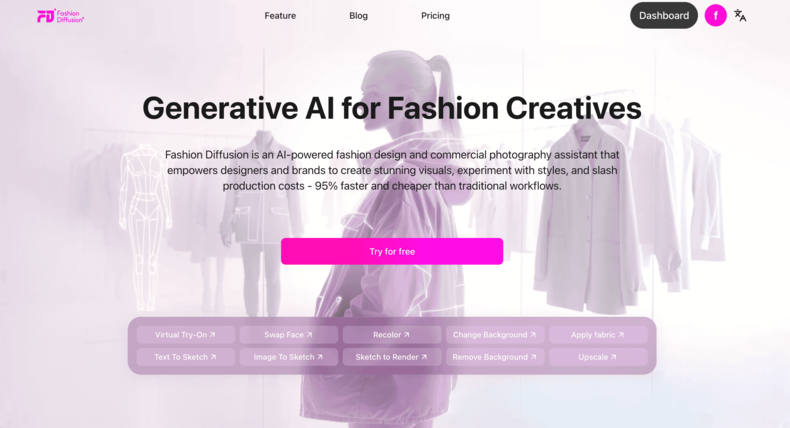
Fashion Diffusion is an AI-powered fashion design and visual creation platform for designers and brands. It helps teams create high-quality visuals faster and at a much lower cost than traditional workflows.

One of the main tools in Fashion Diffusion is the AI sketching tool. These tools are designed for the early concept stage, allowing designers to explore silhouettes, styles, and creative directions without starting from a blank page.

Rather than focusing on technical precision, the platform makes it easy to generate quick visual ideas through AI-powered sketching. This combination of speed, flexibility, and ease of use makes Fashion Diffusion a strong paid option for ideation and concept development.

How Fashion Diffusion supports sketching and concept development:

  • Designers can upload reference photos or garment images and use Image to Sketch to convert them into clean fashion line drawings, making it easier to rework existing styles or analyze structure.
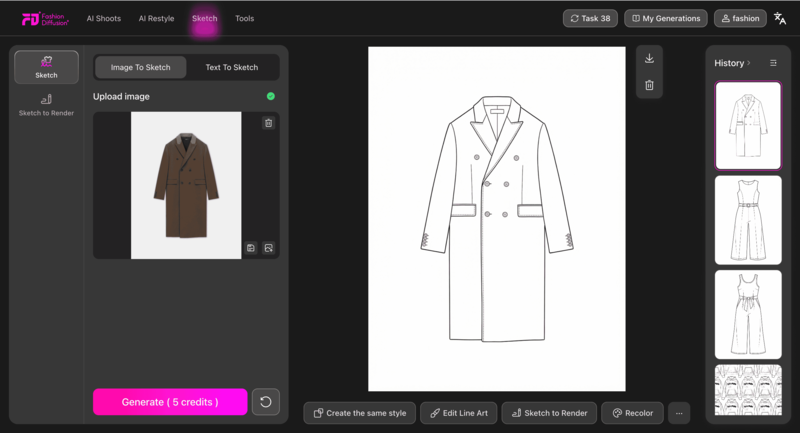
image to sketch
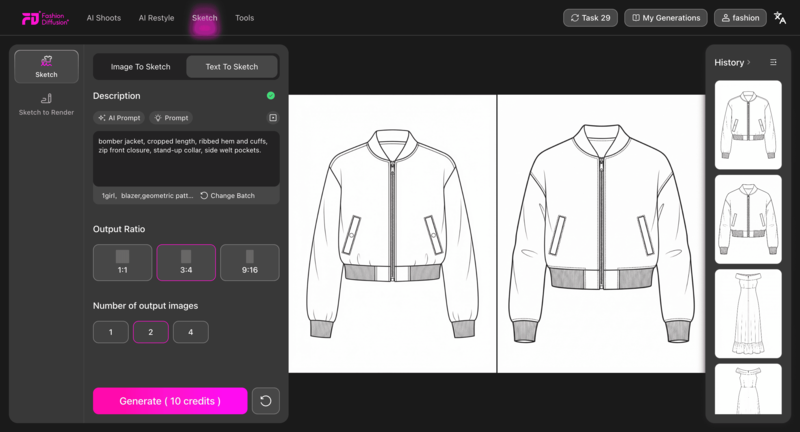
  • When starting from an idea rather than an image, Text to Sketch allows designers to generate sketches directly from written descriptions, such as silhouette, sleeve shape, or overall mood.
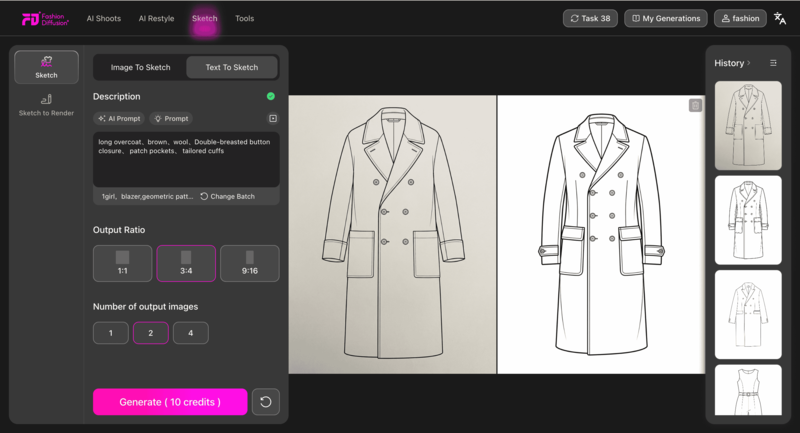
text-to-sketch
  • Once a line sketch is ready, Sketch to Render helps transform it into a more realistic visual by adding fabric, color, and texture details, making concepts easier to present and evaluate.
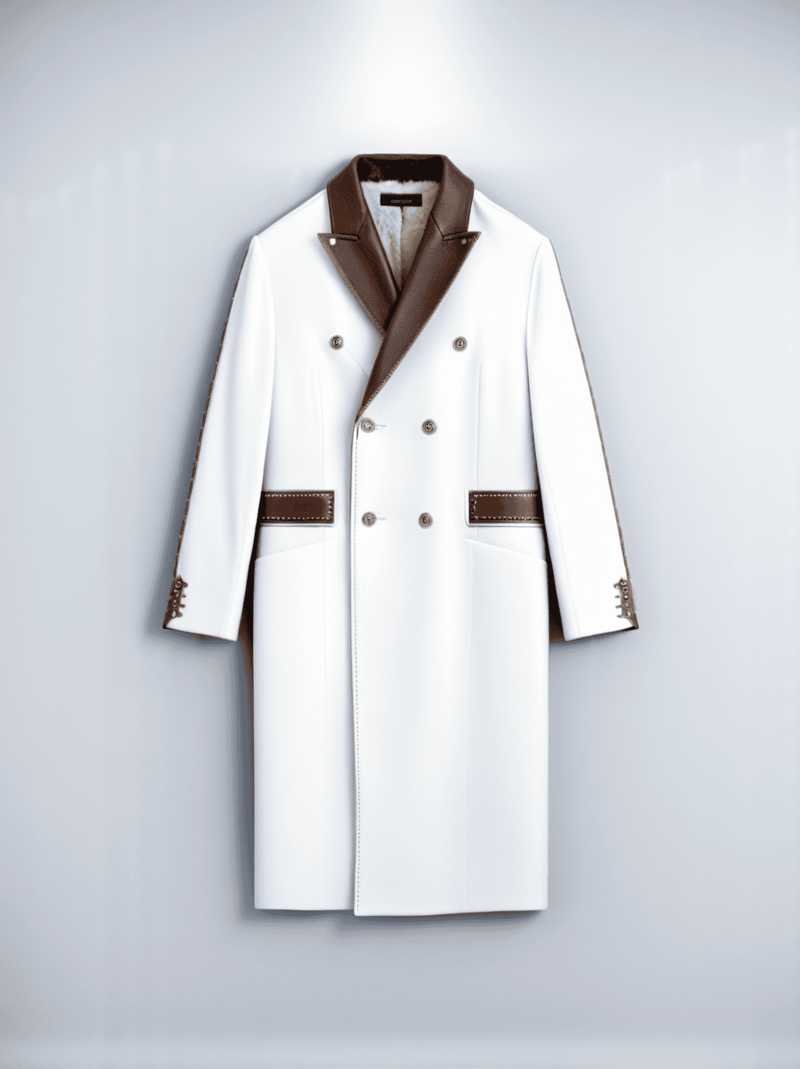
sketch to render
Fashion Diffusion AI-generated

2. Style3D AI

style3D

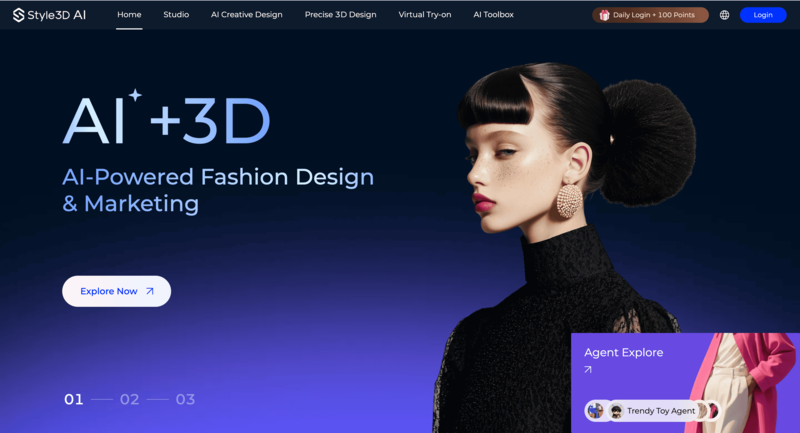
Style3D AI focuses on realistic 3D fashion visualization. It allows designers to see how garments look and behave in three dimensions, making it easier to understand proportions, fit, and fabric movement.

The tool has a moderate learning curve and is best suited for designers who want to move beyond flat sketches. As a paid platform, it works especially well during the visualization and prototyping stage.

How Style3D AI supports design visualization:

  • Designers can transform flat designs into 3D garments to better evaluate silhouette, fit, and overall balance before sampling.
  • Fabric drape and material behavior are simulated digitally, helping designers anticipate how a design might perform in real life.
  • The tool is useful for bridging the gap between concept sketches and production-ready visuals.

3. OpenArt
openart

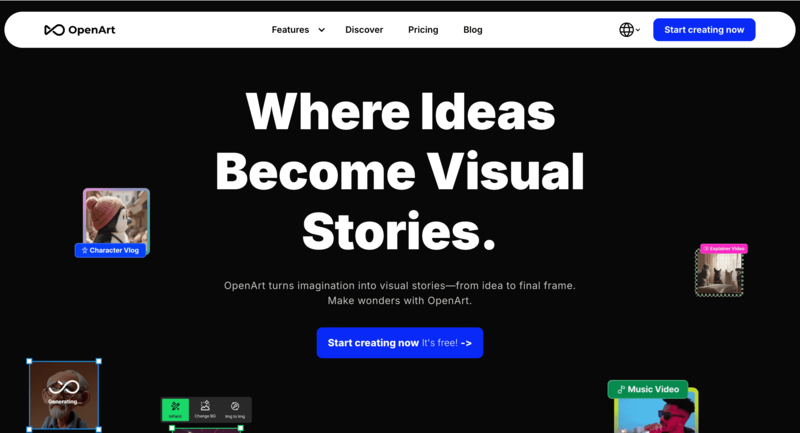
OpenArt is an AI-powered platform designed for creative exploration and visual inspiration. It helps designers experiment with styles, aesthetics, and ideas quickly without committing to a final direction. Its simple interface makes it accessible for beginners, and it fits naturally into the early concept and mood-building stage.

How OpenArt supports creative exploration:

  • Designers can generate visual concepts and sketches from text prompts, making it easy to explore different styles and design directions.
  • AI-generated imagery can be used to build mood boards or test visual themes before moving into detailed sketching.
  • The tool encourages fast experimentation, helping designers refine ideas through iteration rather than precision.

4. Adobe Illustrator

adobe illustrator

Adobe Illustrator is a classic tool for precision vector illustration. It’s widely used in the fashion industry for creating clean flats, technical drawings, and production-ready visuals. While it has a steeper learning curve and requires a subscription, it remains essential for detailed and accurate design work.

How Adobe Illustrator supports technical fashion design:

  • Designers use vector tools to create precise fashion flats and technical sketches with consistent proportions.
  • Editable paths and layers make it easy to refine details, adjust measurements, and prepare files for production.
  • Illustrator is best suited for later design stages where accuracy and clarity matter most.

5. Affinity Designer
affinity designer

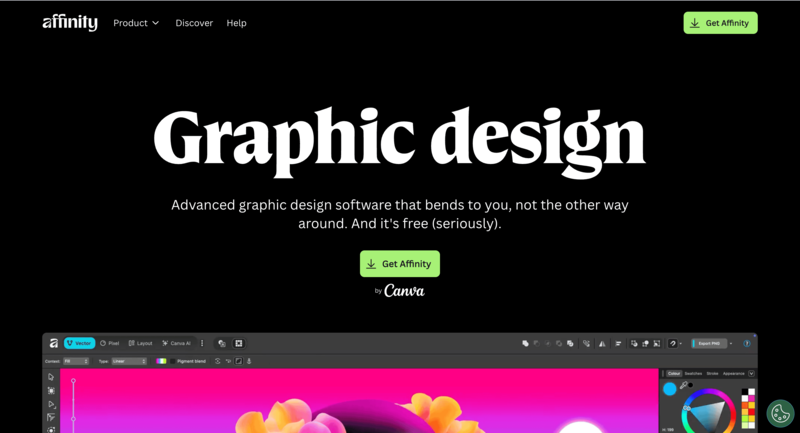
Affinity Designer offers many of the same vector illustration capabilities as Illustrator but with a lighter interface and a one-time purchase model. It’s a strong option for designers who want professional results without committing to ongoing subscription costs.

How Affinity Designer supports digital sketching:

  • Designers can create clean vector sketches and fashion flats with precise control over lines and shapes.
  • The streamlined interface makes it easier to learn while still supporting advanced illustration needs.
  • It works well for both refined concept sketches and technical drawings.

6. Sketchbook
sketchbook

Sketchbook is built specifically for freehand digital drawing. It’s popular among designers who prefer a natural, hand-drawn approach to sketching fashion ideas. The tool is intuitive and flexible, making it suitable for early-stage concept work.

How Sketchbook supports hand-drawn sketching:

  • Designers can use a wide range of brushes to create expressive, loose fashion sketches.
  • Layer-based drawing makes it easy to refine rough ideas into cleaner illustrations.
  • The app supports a natural drawing flow, especially when used with tablets and styluses.

7. MediBang Paint
mediBang paint

MediBang Paint is a lightweight and beginner-friendly digital drawing tool. It’s especially useful for designers who want to sketch quickly without complex setup. As a free tool, it’s accessible to students and independent creators alike.

How MediBang Paint supports quick fashion sketches:

  • Designers can create detailed sketches efficiently using simple brush and layer controls.
  • Cloud storage allows sketches to be accessed and edited across multiple devices.
  • The tool works well for early concept sketching and casual illustration.

8. Canva

Canva

Canva is a user-friendly design platform focused on visual presentation rather than technical drawing. It’s often used for mood boards, concept layouts, and design storytelling. Its drag-and-drop interface makes it easy to use, even without a design background.

How Canva supports concept presentation:

  • Designers can organize sketches, colors, and references into clear mood boards.
  • Pre-made templates help present design ideas in a polished and shareable format.
  • Canva is ideal for communicating concepts visually rather than creating detailed sketches.

9. Repsketch

Repsketch

Repsketch is a fashion-specific sketching tool designed to speed up the illustration process. It provides built-in templates that align with industry standards. This paid tool is best suited for designers working on refined concepts or professional sketches.

How Repsketch supports fashion illustration:

  • Designers can start from pre-built fashion templates instead of drawing base figures from scratch.
  • Fashion-focused tools help maintain consistent proportions and clean presentation.
  • The platform streamlines sketching for faster professional output.

10. Pret-a-Template
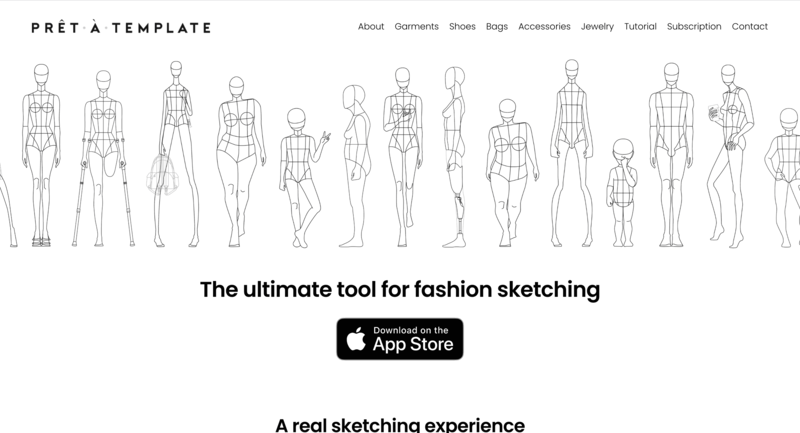
pret-a-template

Pret-a-Template offers ready-made fashion templates for sketching and pattern planning. It allows designers to focus on creativity rather than setup. With a low learning curve, it’s ideal for quick concept development.

How Pret-a-Template supports structured sketching:

  • Designers can use pre-designed body and garment templates to speed up sketch creation.
  • The tool helps maintain consistency across multiple design ideas.
  • It works well for early-stage planning and fast visual exploration.

When it comes to bringing fashion ideas to life, the right tool can make all the difference. From AI fashion sketch generators to traditional digital drawing software, each platform serves a unique purpose in the design process. To make it easier to see which tool fits your needs, here’s a handy overview of 10 popular fashion sketching tools.

ToolType / CategoryDifficultyPaid / FreeBest ForStage of Design
Fashion DiffusionAI fashion design platformEasyPaidDesigners seeking inspirationConcept / Idea generation
Style3D AI3D visualizationMediumPaidDesigners needing realistic fit & drapePrototype / Visualization
OpenArtAI inspirationEasyFree/PaidQuick mood boards & concept testingConcept / Idea generation
Adobe IllustratorVector illustrationHardPaidProfessionals creating technical drawingsTechnical design / Final illustration
Affinity DesignerVector illustrationMediumPaid (one-time)Designers wanting affordable vector toolsTechnical design / Final illustration
Sketchbook (Autodesk)Freehand digital drawingMediumFree/PaidHand-drawn concept sketchesConcept / Sketching
MediBang PaintFreehand digital drawingEasyFreeQuick, detailed sketchesConcept / Sketching
CanvaDesign / Mood boardsEasyFree/PaidQuick visuals and boardsConcept / Presentation
RepsketchTemplate-based sketchingMediumPaidFashion-specific professional sketchesConcept / Technical illustration
Pret-a-TemplateTemplate-based sketchingEasyPaidFocus on creativity over setupConcept / Pattern planning

How AI is Changing the Fashion Sketching Trend

AI is transforming the way designers approach fashion sketching, making the creative process faster, more flexible, and more experimental. What once took hours of manual drawing can now be generated in seconds, allowing designers to focus less on repetitive work and more on creative exploration.

Beyond speed, AI encourages experimentation. By suggesting new silhouettes, color palettes, and texture, AI tools help designers break out of familiar patterns and explore bolder, more innovative ideas that might not emerge through traditional sketching alone.

AI also makes fashion design more accessible. Emerging designers and hobbyists who may not have advanced drawing skills can now create professional-looking sketches and visualize their ideas with greater confidence. This lowers the barrier to entry and opens fashion sketching to a wider creative community.

As AI continues to evolve, it’s no longer just a convenience tool—it’s actively shaping design trends and influencing how fashion concepts move from imagination to visual reality. For designers looking to take the next step, this guide on how to turn a sketch into a render with AI shows how tools like Fashion Diffusion help transform early sketches into more polished, production-ready visuals.

Finding the Right Fashion Sketch Tool for Your Workflow

Choosing the right fashion sketch tool can make a huge difference in your creative process. With so many options available, it helps to understand which tools fit your style, workflow, and goals before diving in.

Understand Your Creative Style

Choosing the right fashion sketching tool starts with understanding how you like to create. If you enjoy exploring ideas quickly and visually, AI-powered tools can help generate concepts and inspiration in seconds, without the pressure of starting from a blank canvas.

Consider Your Skill Level

Your experience level plays an important role in tool selection. Beginners or non-designers may prefer platforms with templates and intuitive interfaces, while experienced designers often look for tools that offer more control over details, layers, and precisions.

Match the Tool to Your Workflow

Different tools serve different purposes. Some are great for fast concept sketches and mood boards, while others are better for technical drawings or design refinement. Think about whether your goal is inspiration, presentation, or production when choosing a tool.

Combine Tools for Better Results

You don’t have to stick to just one tool. Many designers use AI tools for brainstorming and idea generation, then switch to traditional illustration software to polish their sketches. The best setup is one that fits your workflow and helps you design with confidence.

The future of Fashion Sketching

Fashion sketching is evolving fast, driven by AI and digital tools that make the creative process quicker and more flexible. Designers today have more ways to explore ideas, experiment with styles, and turn concepts into visual without being limited by traditional methods.

Choosing the right tools is about finding what fits your workflow. AI fashion design tools like Fashion Diffusion make it easier to generate ideas, refine designs, and stay creative without getting stuck on the blank page. As fashion design moves forward, embracing tools like Fashion Diffusion is a smart step toward working faster, smarter, and more creatively.

FAQ

Where can I learn fashion designing for free?

You can find free fashion design courses on platforms like Coursera, edX, and Alison, offering basics in sketching, textiles, pattern making, and digital skills, often with audit options or trials for full content access, plus institutions like Parsons School of Design and FutureLearn provide free modules on digital fashion and branding, while places like Oxford Home Study Centre and eLearning College offer free short courses for beginners with certificates available, covering design principles, construction, and business fundamentals. 

Can I design clothes if I can’t draw?

Think through the functionality. Even if you can’t draw, imagine how the front, side, and back of your design will look and what detail you want where. Then you can walk others through your design showing your reference images, samples, and notes as you describe each side of the garment.

How to start drawing fashion sketches?

To draw fashion sketches as a beginner, start with a basic, elongated figure called a croquis (using shapes like ovals, triangles, cylinders for head, torso, limbs) as your template, focusing on the clothing’s flow and detail (pleats, folds) over perfect facial features, using pencils for outlining and light layers of color/shading to give dimension, and remember practice is key. 
Avatar photo 通过Sophia Mille

The history of the Bomber Jacket: From Aviation Legend to Street Style

Few jackets have stayed relevant across decades quite like the bomber jacket. What began as functional outerwear for military pilots has become a timeless style staple today.

Behind its simple silhouette lies a story shaped by aviation, culture, and fashion. This post explores the bomber jacket’s origins and its design evolution. It also looks at why it still feels modern today, with help from AI fashion design tools like Fashion Diffusion.

What is bomber jacket?

The bomber jacket was designed for military pilots in the early 20th century. It protected them from cold temperatures and strong winds at high altitudes.

Though born in the military, the bomber jacket later entered everyday wardrobes. Over time, it became a timeless fashion staple.

Its charm lies in this journey—from military uniform to streetwear, from functional gear to a fashion statement. The jacket carries a rich history while constantly being reinterpreted for modern style.

bomber jacket style
Fashion Diffusion AI-generated

What Makes a Bomber Jacket Stand Out

Despite changes in style and materials, classic bomber jackets share key features.

  • Cropped Length: Typically hitting around the waist or hips, it keeps your movement free and the overall look sharp.
  • Ribbed Collar, Cuffs, and Hem: These details block wind, retain warmth, and define the bomber’s iconic shape.
  • Front Zipper: Originally practical for quick wear and removal, it also adds to the jacket’s functional appeal.
  • Relaxed Fit: Originally made for cockpit movement, it’s now a staple of casual and street style.

These functional details help the bomber jacket stay relevant as trends change.

The History of the Bomber Jacket

Before it became a fashion icon, the bomber jacket was born out of necessity. Its origins lie in early aviation. Its design evolved alongside advances in flight technology.

Origins

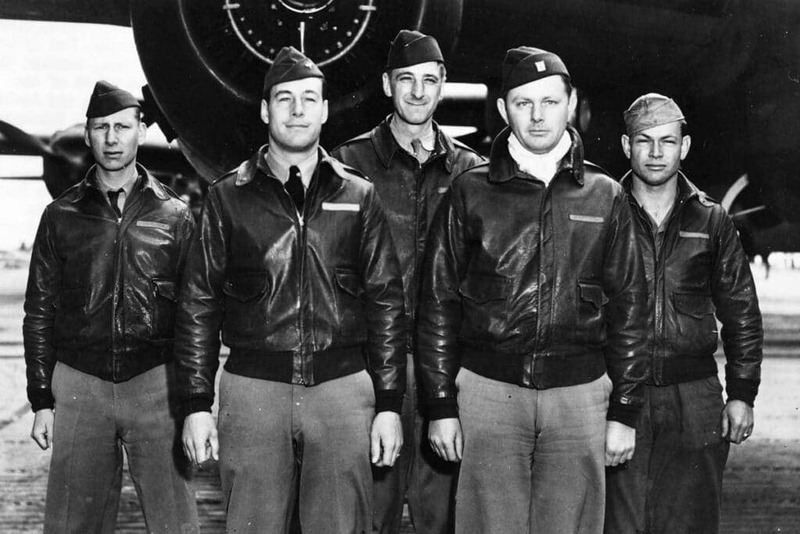
The bomber jacket first appeared in the early 20th century, born out of military aviation. During World War I, most aircraft had open cockpits. Pilots faced freezing temperatures and strong winds at high altitudes. Standard military uniforms just weren’t up to the task, so the military began designing specialized jackets for aviators.

Back then, practicality was everything. Thick leather, wool, or fur linings were used to keep pilots warm. A loose fit allowed for movement inside the cockpit. High collars and snug cuffs helped block out cold drafts. These rugged details laid the foundation for the bomber jacket’s original, functional design.

origin bomber jacket

Evolution Over Time

As aviation technology advanced, the design of the bomber jacket quietly evolved. By World War II, pilots flew higher and longer missions. Jackets needed warmth, lightness, and flexibility. Zippers gradually replaced buttons, while ribbed cuffs and hems improved both fit and comfort.

After the war, the rise of jet planes and enclosed cockpits completely changed the flying environment. Heavy leather was no longer the only option—lighter materials like nylon and other synthetics became mainstream. This shift made bomber jackets more practical and gave them a cleaner, more streamlined look.

During this period, bomber jackets entered everyday life and popular culture. They became a street-style staple while keeping their core spirit of durability and practicality.

How the Bomber Jacket Became a Fashion Staple

The bomber jacket became popular not only because of its design. Cultural and media influences also played a key role.

After World War II, many pilots retired, and these jackets gradually moved out of the military and into daily wardrobes. Durable, practical, and easy to wear, they quickly won over regular consumers, shedding their strictly military identity.

The Influence of Pop Culture

Movies and popular media played a big role too. On screen, characters often linked bomber jackets with bravery, freedom, and personality. This gave the originally functional jacket attitude and emotional appeal.

Over time, music, street culture, and youth subcultures reshaped the bomber jacket.
It evolved from a military relic into a symbol of personal style.

Fashion Brands’ Redesigns

When fashion brands started experimenting with it, the jacket’s potential grew even further. Designers kept the classic silhouette but experimented with new materials and colors. These updates made the bomber jacket suitable for more occasions and outfits.

From military gear to runways, streetwear, and everyday closets, the bomber jacket evolved naturally. Its transformation has been both lasting and influential.

Its enduring appeal lies in carrying history while constantly being reimagined.

The Current Trends of the Bomber Jacket

Today, the bomber jacket has gone far beyond its military roots, becoming a fashion staple that balances timelessness with trendiness. Several key trends stand out, many of which also align with broader fashion trend forecasts for the coming years.

More Fabric Options and Richer Colors

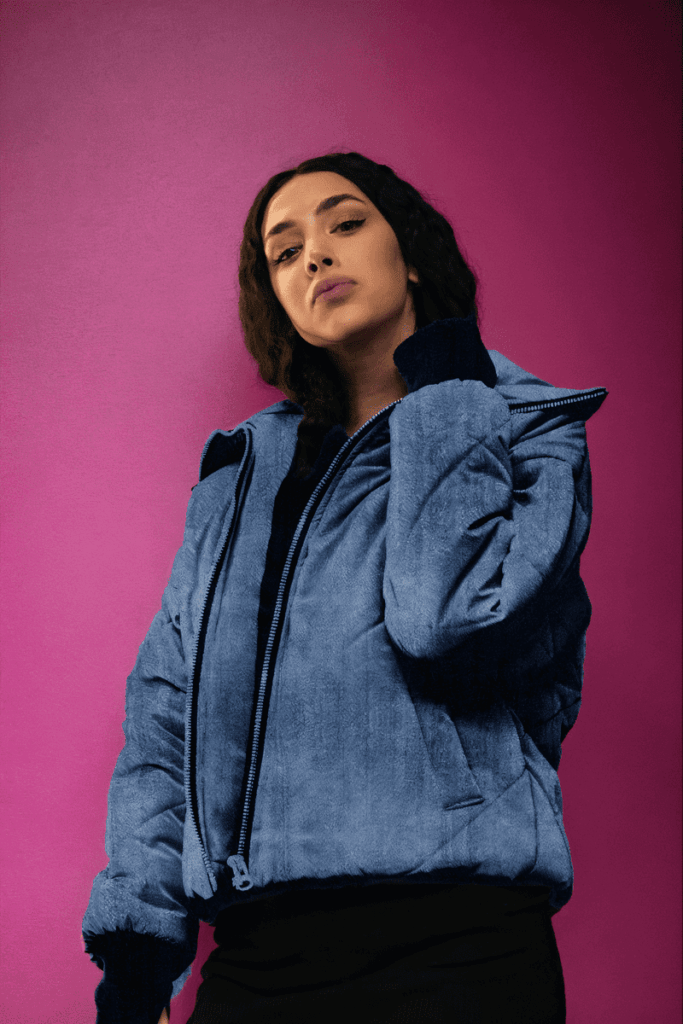
Designers now experiment with cotton, suede, denim, and mixed fabrics. Colors also go beyond classic greens, blacks, and khakis. Trending shades like deep blue or soft pink are becoming more common.

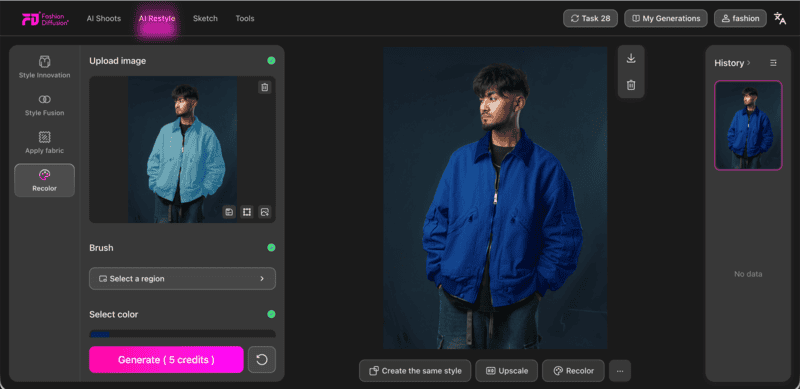
With AI tools like Apply Fabric & Recolor, these variations can be visualized in seconds. Designers can test materials and colors without physical samples. This makes it easier to adapt designs for different seasons and everyday wear.

denim bomber jacket
Fashion Diffusion AI-generated

Modernized Cuts and Fits

While respecting the classic silhouette, modern bombers feature cropped lengths, relaxed fits, and sharper tailoring. AI-powered Style Innovation helps designers explore new proportions and silhouettes early on.

It also allows quick testing of trend-inspired details. As a result, designers can iterate on fit and structure faster, without physical sampling.

croptop bomber jacket
Fashion Diffusion AI-generated

Frequent Crossovers

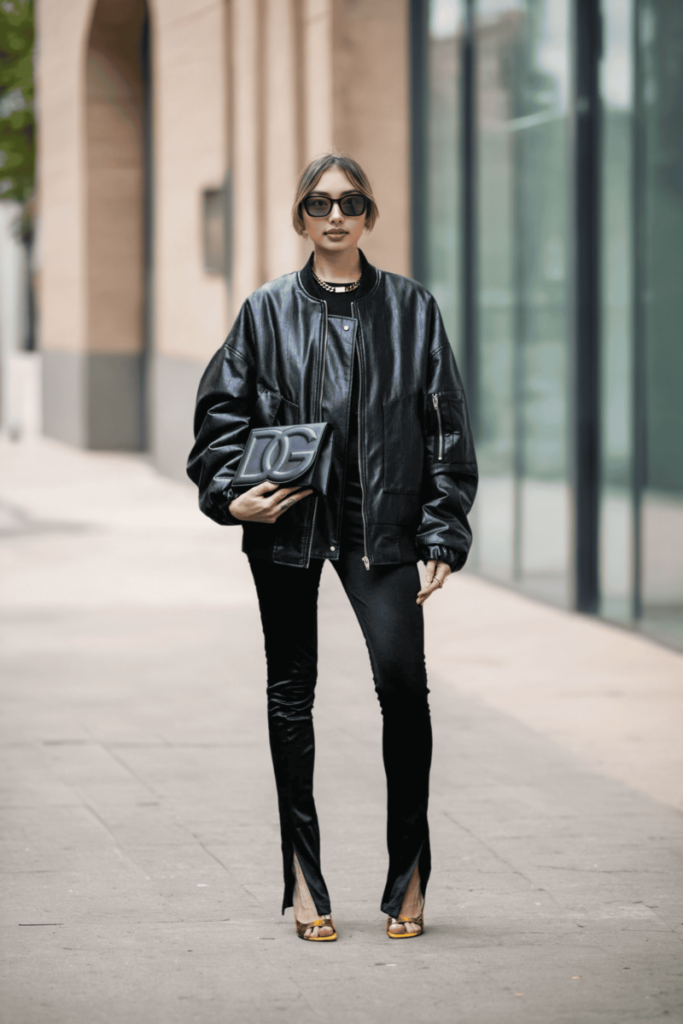
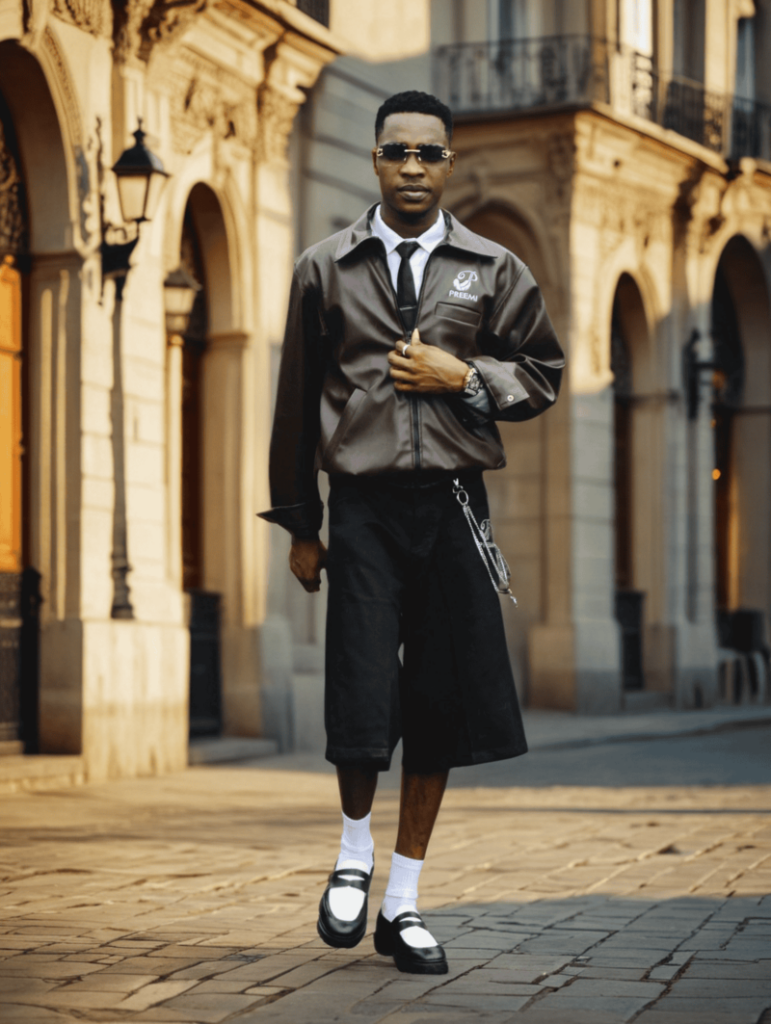
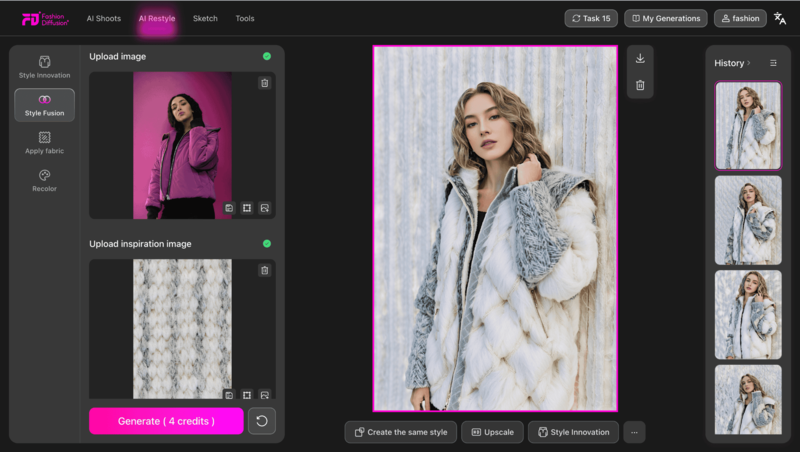
Bomber jackets now appear in collaborations, limited editions, and streetwear crossovers. Using Style Fusion, designers can mix street aesthetics with luxury tailoring, utility elements, or experimental graphics to create hybrid concepts. This helps generate fresh, culturally relevant designs quickly, while maintaining the jacket’s iconic appeal.

street style
Fashion Diffusion AI-generated

Together, these trends show how the bomber jacket remains a timeless yet adaptable piece—practical, stylish, and full of personality.

Designing Your Own Modern Bomber Jacket with AI Fashion Design Tools

With Fashion Diffusion, designing your own bomber jacket has never been easier or more fun.

Start by generating ideas with Text-to-Sketch, or refine your concept using Sketch-to-Render. These tools turn your imagination or hand-drawn sketches into polished digital designs in seconds.

Bomber-jacket-sketch

Next, experiment with fabrics, colors, and trims using Apply Fabric & Recolor. You can instantly see how satin, or knit panels work. Bold or trending color palettes can be test without physical samples.

recolor

Use Virtual Try-On to preview how your jacket fits different body types and pairs with various outfits. It’s like giving your design a magic mirror—you’ll see it in action before it even exists.

Finally, explore Style Innovation and Style Fusion to tweak silhouettes, merge aesthetics, or add creative details. These tools let you push your bomber jacket design beyond the ordinary, making it truly unique.

restyle

A Bomber Jacket with a story to tell

From its military roots to street style, the bomber jacket has made a remarkable journey. It has evolved from functional gear into a true fashion icon. Today, it’s more than a practical layer for warmth and protection. It’s also a statement of personality and attitude.

Next time you’re picking out an outer layer, consider reaching for this classic with a story to tell. A bomber jacket isn’t just about style—it carries a piece of history with it.

Bring your fashion ideas to life with Fashion Diffusion—experiment, visualize, and style your designs faster, smarter, and more creatively.

FAQ

Why do they call it a bomber jacket?

They are called bomber jackets because they were designed for pilots flying bomber aircraft in World War I and II. 
These pilots needed warm, durable jackets for cold, high-altitude cockpits. The airmen were often called“bomber boys,” which led to the jacket’s name. Styles like the B-3 and MA-1 later became iconic beyond the military.

Are bomber jackets still in style in 2025?

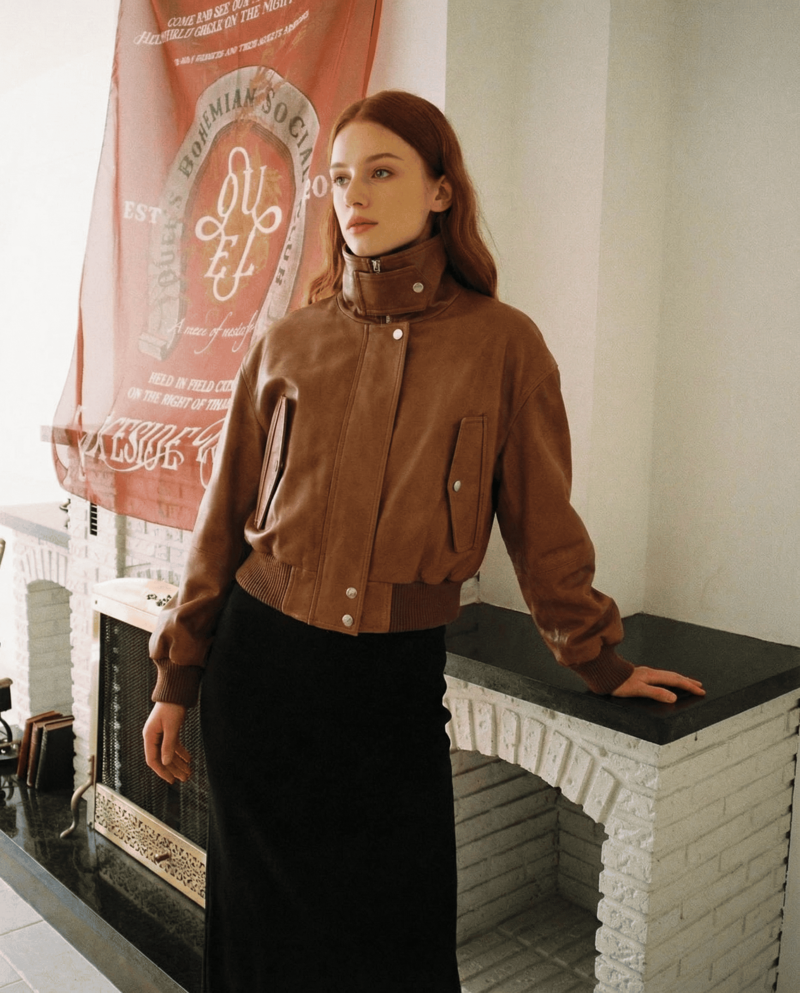
Yes, bomber jackets are still in style in 2025. They remain a versatile fashion staple across runways and street style. Popular trends include oversized fits, brown leather, sustainable fabrics, and technical materials. Their adaptable silhouettes make them a timeless investment.

What is a bomber jacket?

A bomber jacket is a waist-length, casual jacket that features a zippered front and fitted cuffs and waistband. Originally designed for military pilots in World War I, the bomber jacket was made for protection and mobility. Over time, it evolved from heavy leather and wool into lighter materials. Today, bomber jackets are made from nylon, satin, cotton, and other fabrics.

What body type looks good in a bomber jacket?

Bomber jackets work well on all body types. They can add volume to slim frames and highlight athletic builds. With the right fit, they also flatter curves and petite proportions.

Why do bomber jackets have orange inside?

The bright orange lining comes from the military MA-1 flight jacket. Downed pilots could reverse the jacket to increase visibility. This helped signal rescue teams in emergencies or crashes. This reversible, high-visibility feature made it a popular civilian fashion item, a nod to its practical, utilitarian origins.  

Avatar photo 通过Sophia Mille

12 Essential Clothing Design Tools for Every Fashion Designer

The fashion industry demands unprecedented speed and precision, and today’s digital design tools are ready to deliver. From early sketches to 3D simulations and final outputs, these tools enhance precision, accelerate iteration, and expand creative possibilities.

In this guide, we spotlight 12 essential tools that elevate every stage of the design process, enabling a smarter, more streamlined, and more innovative way to create.

1. Fashion Diffusion — AI-Powered Fashion Design 

Clothing Design Tool: Fashion Diffusion

If you’re looking for an all-in-one platform that supports the entire fashion design workflow, Fashion Diffusion stands out as the ultimate choice.

It brings AI into the clothing product development pipeline, allowing designers to accelerate style creation while cutting the cost of traditional commercial photography. 

By accurately recognizing key garment elements like silhouette, fabric, and construction details, Fashion Diffusion can generate clean sketches, polished renders, and PDP-ready virtual try-on images from simple text prompts or reference photos. 

The platform also excels as an inspiration engine. When you hit a creative block or fall into repetitive design patterns, its style innovation feature can instantly produce diverse variations using a short prompt or two contrasting garment references.

For designers aiming to design faster, explore more ideas, and increase output with less effort, Fashion Diffusion is a strong companion to add to the digital toolkit.

2. Vogue Runway — Fashion Inspiration

Clothing Design Tool: Vogue Runway

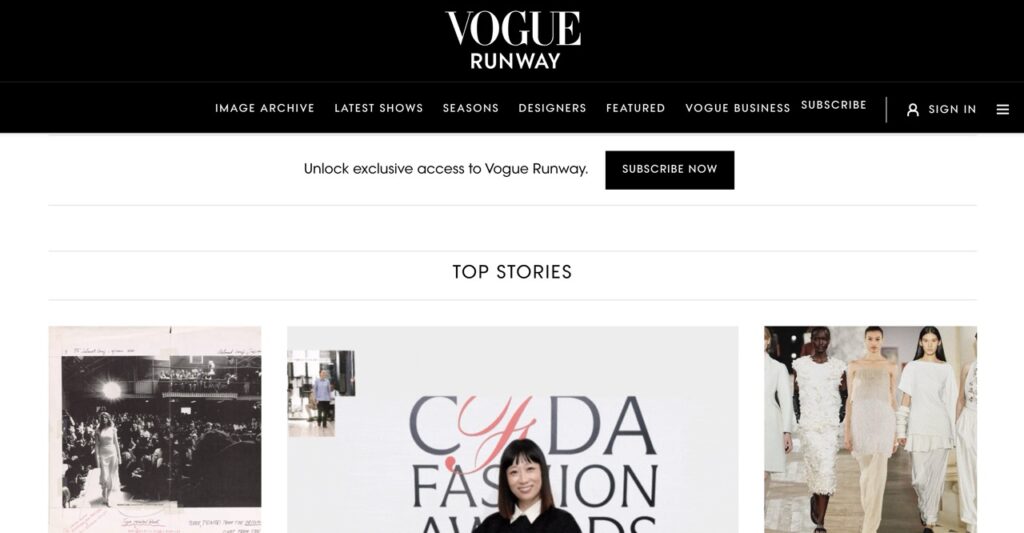
Vogue Runway is Vogue’s comprehensive digital platform and app dedicated to real-time fashion show coverage. It provides full runway collections, high-resolution look images, expert reviews, trend breakdowns, and an extensive archive of past seasons. All of these features establishes it as one of the most authoritative sources for tracking the trends of global fashion.

With instant access to thousands of shows across major fashion capitals, Vogue Runway gives designers a powerful way to stay ahead of seasonal shifts, identify emerging styles, and reference historical collections.

3. Heuritech — Trend Prediction

Heuritech is a fashion tech firm offering image recognition and predictive analytics to forecast trends in luxury and apparel.

Its AI analyzes vast volumes of visual content—from social media, runways, and e-commerce—to deliver clear, data-driven trend insights. By spotting trends before they go mainstream, Heuritech enables brands to forecast consumer demand with improved precision.

4. Make the Dot — Collaborative Moodboard

Clothing Design Tool: Make the Dot

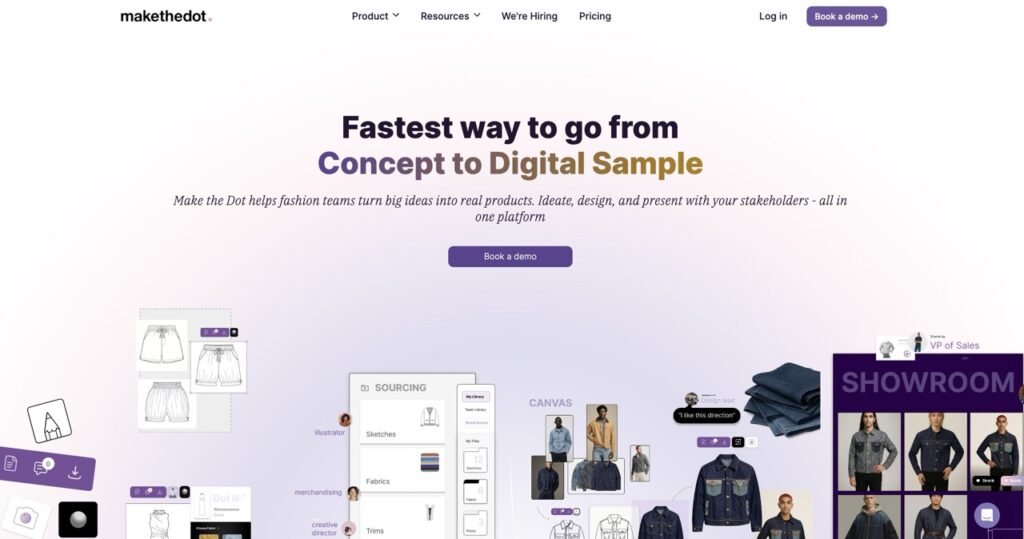
Make the Dot is a collaborative moodboarding tool designed specifically for fashion teams. With its collaborative design canvas, multiple stakeholders—designers, merchandisers, and creative directors—can work together on one board. This ensures faster alignment on themes, colors, silhouettes, and fabric direction.

For teams aiming to turn scattered inspiration into a unified creative vision, Make the Dot provides an intuitive workspace. It enhances clarity, speeds decision-making, and reduces back-and-forth during concept development.

5. Procreate — Digital Sketch & Illustration

Clothing Design Tool: Procreate

Procreate is a top digital illustration app for iPad, offering a fast, intuitive tool for sketching and concept development. With advanced brushes, layering tools, and gesture controls, Procreate combines the fluid, tactile feel of traditional drawing with the power and versatility of digital editing.

6. Adobe Illustrator — Precision Vector Drafting

Clothing Design Tool: Adobe Illustrator

Adobe Illustrator is an industry-standard vector graphics software widely used to create precise, scalable illustrations and technical flats. 

Illustrator offers robust tools for layering, path editing, typography, and color management. It enables designers to create precise line drawings, detailed garments, and complex design elements for both sketches and technical production.

7. Repsketch — Quick Fashion Sketch Templates

Clothing Design Tool: Repsketch

Fashion designers often lack the time required to produce detailed, hand-drawn sketches; consequently, a specialized rapid sketching platform becomes essential.

Repsketch addresses this with a large library of clean, customizable fashion templates. Designers can skip a blank page and dive directly into concept development, iterating freely on ideas.

8. CLO 3D — 3D Garment Design

Clothing Design Tool: CLO 3D

CLO 3D is professional 3D fashion design software, enabling designers to create realistic garments with accurate fabric, fit, and drape. Teams can visualize designs on virtual avatars, adjust patterns, and experiment with materials before making physical samples.

Equipped with tools like pattern drafter, texture editor, and avatar fitting, CLO 3D streamlines the prototyping process and reduces reliance on costly samples, providing a complete solution for digital garment creation.

9. Browzwear VStitcher — Virtual Prototyping

Clothing Design Tool: Browzwear

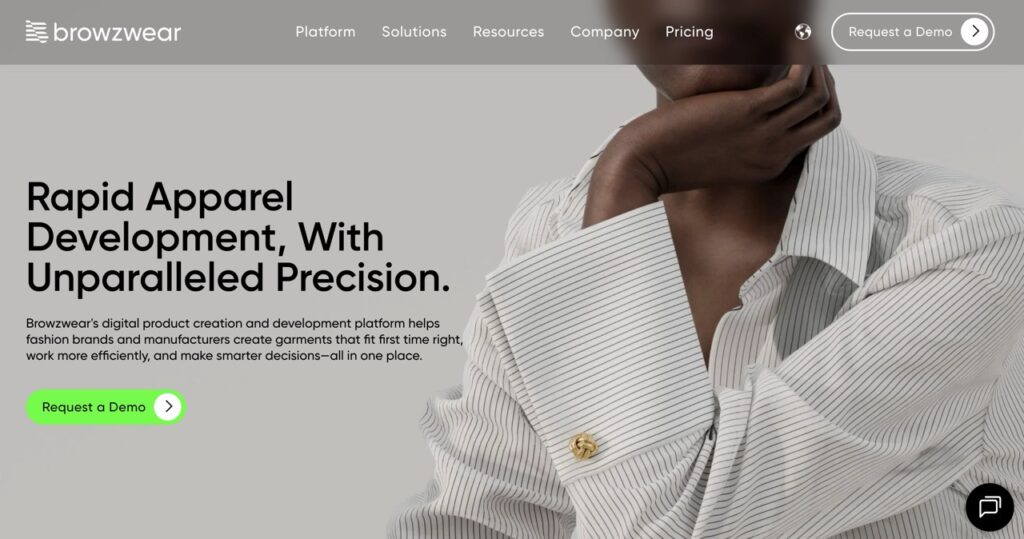
Browzwear is a leading platform for digital garment design, enabling brands, designers, and manufacturers to create, visualize, and optimize garments entirely digitally. It revolutionizes the traditional sampling process with its core product, VStitcher and Stylezone. 

VStitcher offers realistic 3D garment simulation, letting designers adjust patterns and test fabrics virtually to resolve fit issues early and reduce physical samples. Stylezone complements it with a cloud-based space for reviewing, approving, and sharing virtual samples in real time, keeping teams and manufacturers aligned.

Together, Browzwear delivers a comprehensive solution for faster, more accurate, and fully digital product development.

10. Techpacker — Tech Pack Management

Clothing Design Tool: Techpacker

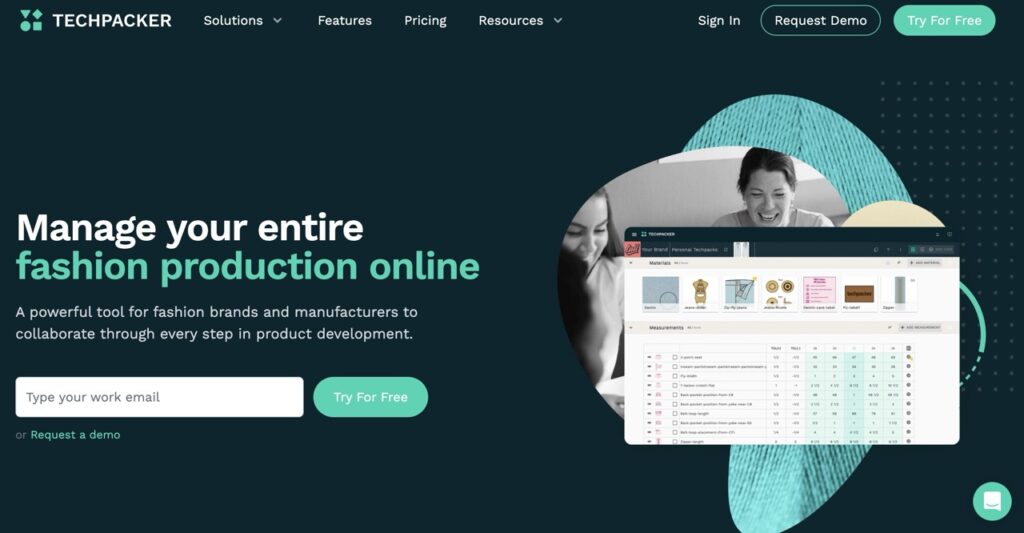
Creating accurate tech packs is crucial for smooth fashion production—but it can be time-consuming and error-prone. Techpacker simplifies this process by allowing designers to turn sketches or mock-ups into ready-to-use tech packs in minutes, collaborate with factories, and track production progress effortlessly.

Using a visual, card-based system, Techpacker organizes design details—sketches, materials, measurements, and more—making it easy for teams and manufacturers worldwide to collaborate, monitor changes, and accelerate the sampling process.

11. Sewport — Manufacturer Matching

Clothing Design Tool: Sewport

Finding the right manufacturer for your fashion brand isn’t easy, especially when you need quality, reliability, and efficiency. That’s where Sewport comes in. 

This B2B platform connects designers and brands with a global network of verified garment manufacturers, allowing you to browse factory profiles, request quotes, and manage production—all in one place.

Once you submit your finalized tech pack and design files, Sewport immediately matches you with suitable factories and centralizes your entire production workflow, offering full transparency from start to finish.

12. Mood Fabrics — Fabric Sourcing

Clothing Design Tool: Mood Fabrics

Mood Fabrics is a premier online fabric retailer known for its extensive selection of high-quality textiles used in fashion design, sewing, and costume creation. 

Based in New York City—with additional locations and a fully stocked e-commerce platform—it offers designers access to thousands of fabrics ranging from luxury silks and wools to denim, lace, and specialty materials.

The Essential Toolkit for Clothing Design

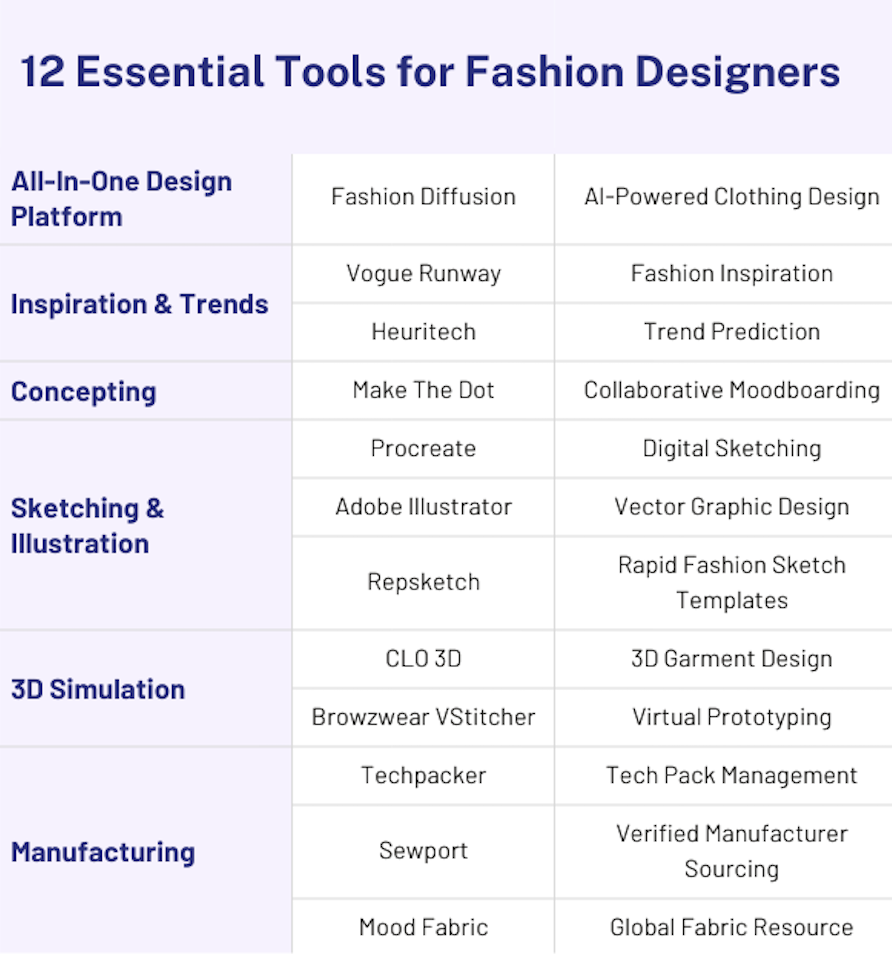
To wrap things up, here’s a simple, at-a-glance summary of all the tools we covered. Think of it as a quick cheat sheet to help you decide which platforms fit your design needs the best.

12 Essential Tools for Fashion Designers

For those seeking a single platform that brings the entire digital fashion workflow together, Fashion Diffusion offers unmatched speed, flexibility, and creative power.

By unifying multiple stages of the design process into one streamlined workspace, it eliminates tool-switching, reduces production costs, and helps teams move from concept to polished visuals in minutes rather than days.

As AI reshapes the industry, Fashion Diffusion gives you an all-in-one, future-ready workflow to design faster and smarter—starting now.

FAQs

What software do most clothing designers use?

Most designers today combine 2D sketching apps and 3D garment software for their work. Recently, many have begun using AI fashion design tools such as Fashion Diffusion to create ideas faster and produce higher-quality design assets.

What technology do fashion designers use?

Traditional technology used for fashion design includes digital drawing apps, 3D design software, and cloud collaboration platforms. Additionally, AI platforms are increasingly utilized to predict fashion trends and rapidly generate designs.

Which CAD software is mostly used in the apparel industry?

Many fashion companies rely on established CAD tools like CLO 3D and Browzwear’s VStitcher. Style3D has also emerged as a fast-growing option thanks to its AI-powered tools and cloud ecosystem.

Can I design clothes in Canva?

Canva allows you to put together simple apparel designs using its templates and design elements. For professional fashion design—like patterns, tech packs, or 3D samples—you’ll need dedicated tools such as CLO 3D or Fashion Diffusion.

Avatar photo 通过Ethan Davis

12 Best AI Tools to Design Your Own Dress Online (Updated 2025)

Ever dreamt of creating your own dress, but felt held back by a lack of design skills?

In 2025, AI has changed the game. What was once exclusive to designers is now accessible to anyone. Today’s AI fashion design tools can interpret your ideas, generate drafts, refine details, and even visualize the finished look.

In this guide, we’ll highlight the 12 best AI dress design tools of 2025. Whether you’re a beginner, hobbyist, or aspiring designer, these platforms offer an easier—and far more inspiring—way to bring your ideas to life.

Why Online Dress Design Is Exploding in 2025

Online dress design is experiencing a major surge in 2025, driven by a combination of shifting consumer expectations and rapid advances in Generative AI.

Shoppers today want pieces that feel personal—unique silhouettes, custom colors, and designs that reflect their own style rather than mass-produced products. This demand for personalization and made-to-order fashion has never been higher.

Meanwhile, AI has dramatically lowered the barrier to designing. Traditional formal design training is now replaced by AI fashion design platforms that guide users through the design process effortlessly. 

This shift has encouraged rapid adoption among D2C brands, emerging labels, and independent designers who are all looking for faster ways to prototype and refine ideas.

Together, these changes have sparked a surge in online dress design. And with online AI fashion design tools like Fashion Diffusion, anyone—from total beginners to seasoned creators—can produce professional-looking designs within minutes.

Top 12 AI tools for dress design in 2025

AI is reshaping fashion design end-to-end, from sketches and renders to final product visuals. As these capabilities mature, a new generation of specialized AI fashion design platforms has emerged.

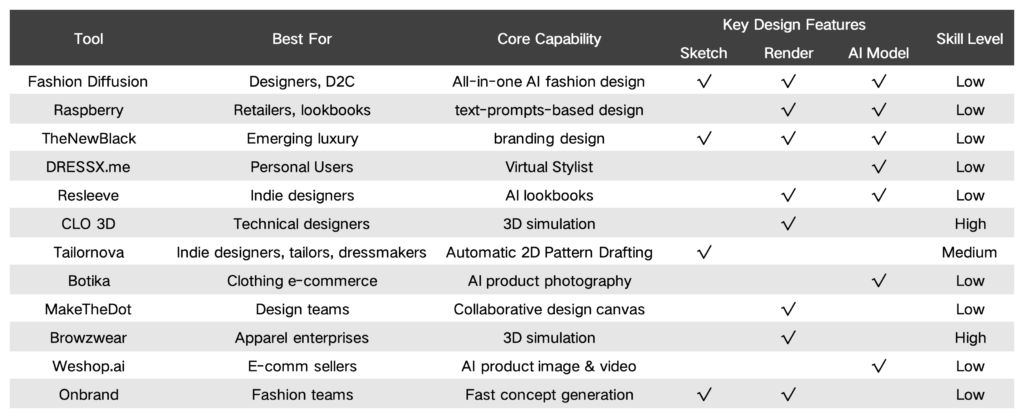
Below are the 12 best AI tools for dress design in 2025, chosen for their unique strengths, practical value, and ability to turn ideas into polished designs with ease.

comparison table

1. Fashion Diffusion

Top AI dress design tool: Fashion Diffusion

Best for: Designers and D2C brands who want a complete, end-to-end AI fashion design solution.

Unlike general-purpose image generators, Fashion Diffusion is an AI fashion design platform built specifically for apparel creation. Rigorously trained on a vast dataset of clothing images, it handles fabric details, textures, and styling with a high level of accuracy. 

By offering a full suite of design functions—concept sketching, rendering, recoloring, applying fabric, and virtual try-on—it establishes itself as the premier one-stop solution for online dress design.

Key features:

  • AI Sketch Generate professional fashion sketches using prompts, uploaded images, or rough outlines—no manual drawing needed.
  • Sketch-to-Render Turn any AI sketch or hand-drawn outline into a refined, detailed fashion render that clearly presents silhouette, construction, and material choices.
  • Photorealistic Visualization —Access virtual try-on, apply fabric, AI recolor, background change, and other visual enhancements that help you explore design variations quickly.

While many AI tools cover fragments of the fashion design workflow, Fashion Diffusion is the only solution that offers a complete end-to-end experience: sketch creation, AI model generation, and fully rendered on-body visuals—all in one place. 

This seamless design pipeline allows designers, creators, and beginners alike to turn ideas into production-ready imagery without juggling different platforms or losing consistency along the way.

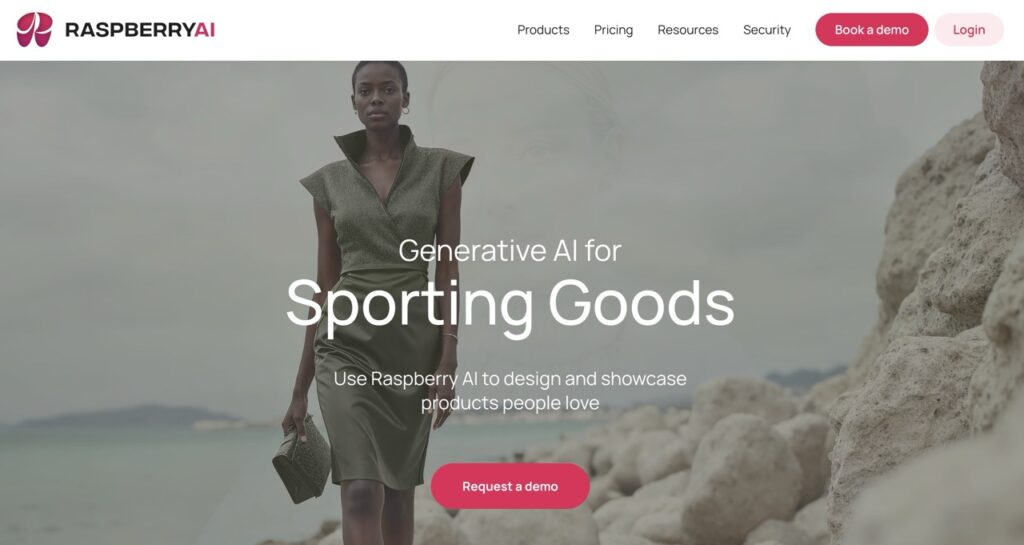
2. Raspberry AI

Top AI dress design tool: Raspberry

Best for: Apparel retailers that prioritize a quick product overview, all using text prompts.

Raspberry AI is an AI design-to-market platform built for fashion and retail. It supports sketch visualization, prototyping, and marketing assets generation. 

Primarily relying on text prompts, it allows fashion brands and retailers to generate product visuals quickly. However, extremely precise, pixel-level adjustments can be challenging using this platform.

Key features:

  • Sketch to Render Transform sketches into renders in seconds— no need to wait for physical samples or expensive photoshoots.
  • Design editor Upload an image and refine details using natural language commands, adjusting elements like buttons, trims, and colors.
  • Product & Lifestyle Photography — Describe the scene in plain text, and Raspberry generates product visuals or lifestyle shots that match your instructions.
  • On-body Try-on —Upload a model and product image, specify the fit, styling, or pose, and easily produce consistent try-on images in batches.

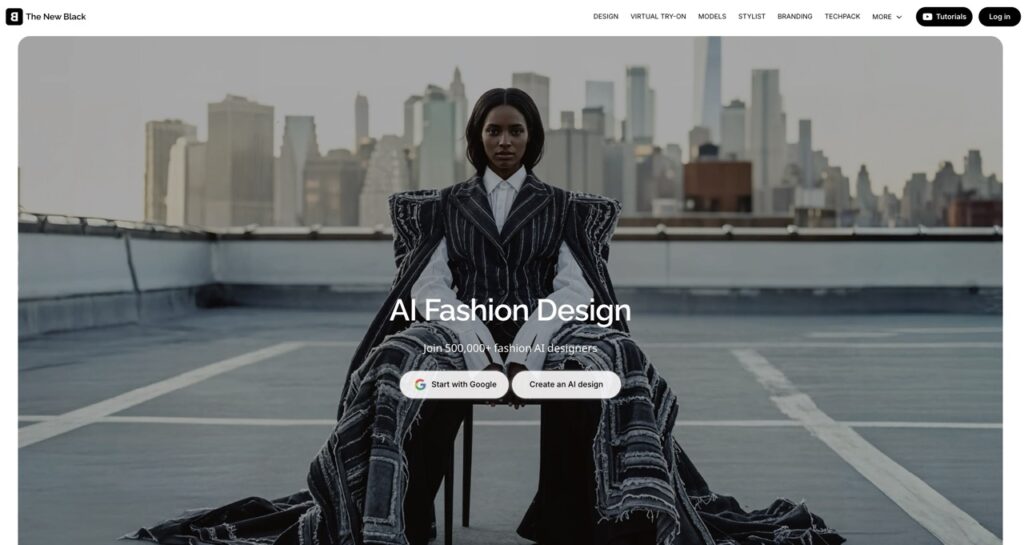
3. The New Black

Top AI dress design tool: The New Black

Best for: Fashion brands aiming to speed up ideation and produce designs that set their brand apart.

The New Black is an AI-driven platform for fashion design and brand creation, enabling users to generate apparel and accessory concepts from text prompts, craft cohesive brand identities, and showcase designs using virtual models.

Key features:

  • AI techpack maker Generate sketches, create back views, apply fabric patterns, and compile all necessary details into professional, printable PDF technical documents.
  • AI fashion design Transforms text, sketches, or reference images into realistic fashion designs and 3D clothing models.
  • AI fashion model & virtual try-on — Generate realistic AI models wearing the products, ideal for brands to showcase their collections and customers to try on outfits online.
  • AI Stylist — Recommend customized outfits for any occasion, tailored to the user’s body shape and style. 
  • AI Fashion Branding Manage cohesive AI mood boards, unique logos, brand names, and slogans to quickly define a brand’s visual and conceptual identity.

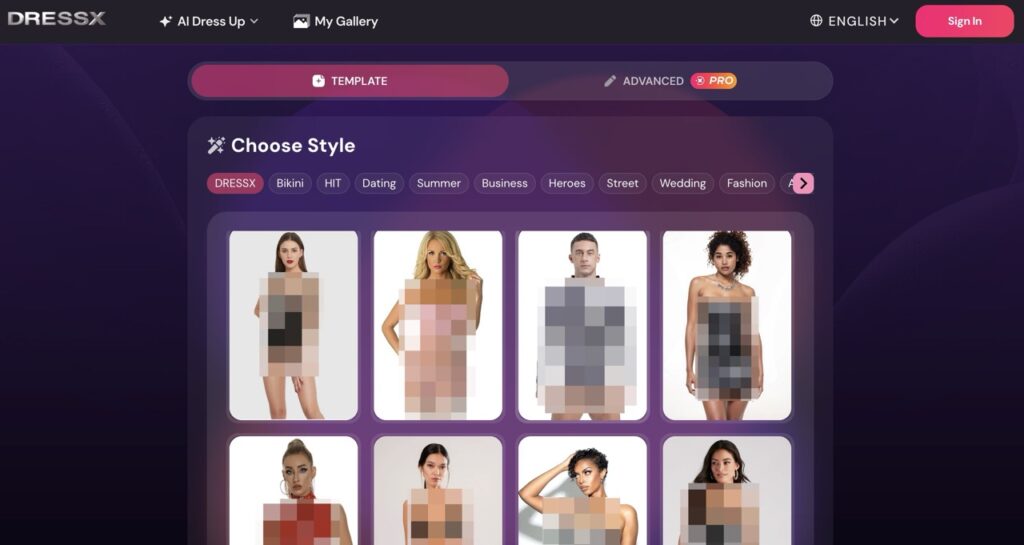
4. DRESSX.me

Top AI dress design tool: DRESSX.me

Best for: Personal users who want a simple, fast, and fun way to change outfits or try new styles.

DRESSX.me is an AI-powered “virtual stylist” platform that transforms your photos by changing outfits, face swapping, or generating entirely new styled looks based on your prompts or selections.

Key features:

  • AI Dress Up Upload a photo and either select from a large catalogue of predefined styles or describe what you want via text prompts. The AI then overlays a new outfit on your photo. 
  • Outfit Try-on — Upload your photo and a target style image to see how different clothes would look on your own body.

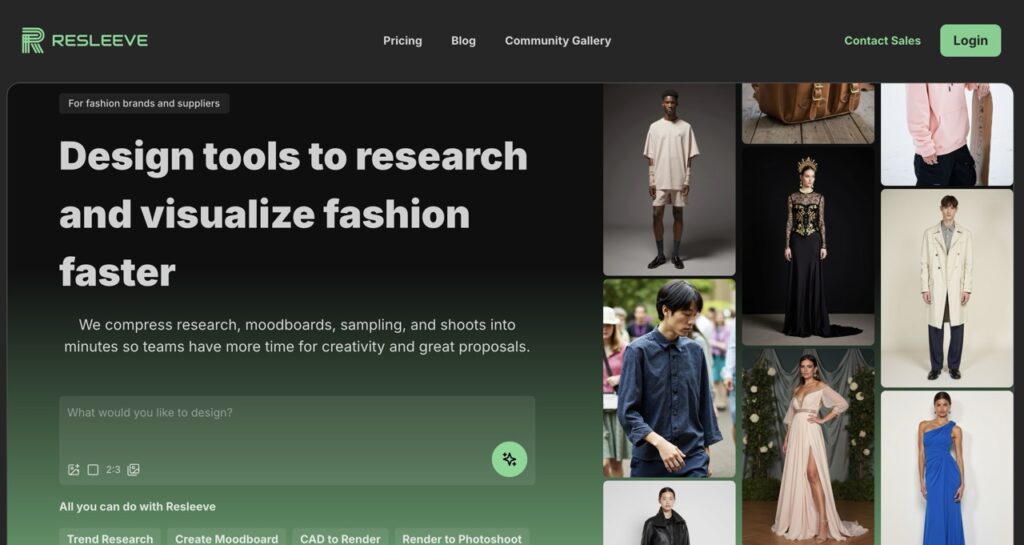
5. Resleeve

Top AI dress design tool: Resleeve

Best for: Indie designers and boutiques who need to compress research, design development, and visual production into a fast, fully digital workflow.

Resleeve is an AI fashion creation platform that aims to replace the slow, traditional design cycle—research, moodboards, sampling, and photoshoots—with an instant digital process. 

Built for the realities of modern fashion teams, Resleeve helps brands and indie designers explore trends, visualize ideas, create renders, and produce campaign-ready images.

Key features:

  • Trend Research Generate visual trend reports and decks to speed up early-stage creative exploration.
  • CAD to render — Turn flat sketches or CAD files into high-quality renders.
  • Render to photoshoot — Convert renders into photorealistic product or on-model shots.

6. CLO 3D

Top AI dress design tool: CLO 3D

Best for: Technical fashion designers that rely on industry-standard 3D garment simulation, pattern making, and virtual prototyping.

CLO 3D is one of the industry’s leading 3D garment design platforms, built to help fashion teams create, test, and refine clothing in a fully digital environment. Known for its hyper-realistic rendering, CLO3D allows users to visualize fit, drape, and construction long before producing physical samples.

Key features:

  • 3D Garment Simulation Create hyper-realistic garment models with accurate physics, draping, and fabric behavior.
  • Collaboration and Workflow Integration Bring global teams together with a connected digital workflow—from materials and design to 3D samples, reviews, and final market delivery.

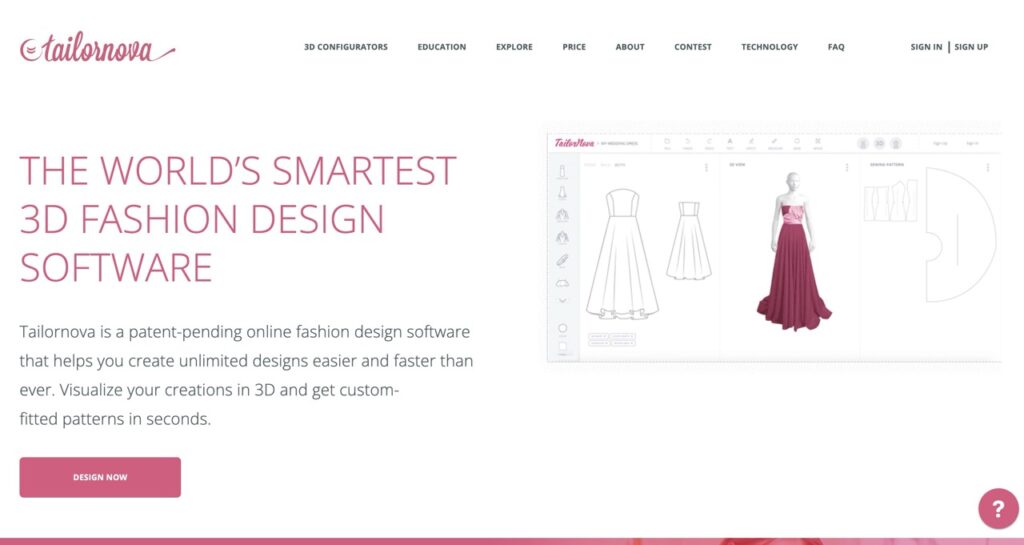
7. Tailornova

Top AI dress design tool: Tailornova

Best for: Indie designers and custom dressmakers offering made-to-measure or on-demand apparel in need of automated 2D Pattern Generation.

Tailornova is an online 3D fashion design and pattern-making platform. It uses automation to turn design ideas into production-ready patterns and 3D garment previews.  

Based on user-provided measurements, it creates personalized sewing patterns and allows for easy adjustment, all available for instant download, cutting, and sewing.

Key features:

  • 2D Flat Sketches Generate vector flat sketches you can download and open in Adobe Illustrator or CorelDRAW for further editing. Instantly apply colors or fabrics to preview your design ideas.
  • 3D FitModel(coming soon)— Generate patterns tailored to specific measurements and instantly get custom patterns ready to cut and sew.

8. Botika

Top AI dress design tool: Botika

Best for: Fashion entrepreneurs and small-to-medium clothing brands under pressure to rapidly generate clothing visuals.

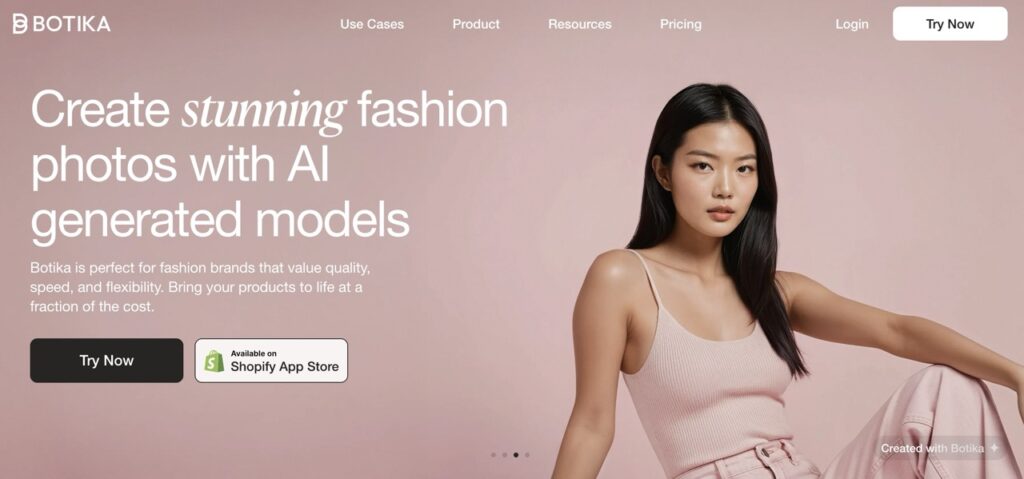
Botika is an online Generative AI platform that helps clothing brands and retailers optimize and scale product imagery for e-commerce. It quickly swaps new garments onto existing or AI-generated models, allowing brands to refresh catalogs with unprecedented speed and cost efficiency.

Key features:

  • AI fashion model Produce highly realistic visual effects of the product being worn on a selected AI virtual model.
  • AI Video generation Transform static photos into dynamic fashion videos that showcase how your products move, fit, and feel.

9. Makethedot

Top AI dress design tool: Makethedot

Best for: Design teams looking for a fast, collaborative, end-to-end digital workflow.

Makethedot is an integrated online fashion design platform that streamlines the entire design-to-sample process. It enables designers and teams to go from initial inspiration to design — all within one environment.

Key features:

  • Collaborative canvas A shared virtual workspace where teams can brainstorm ideas, gather inspiration, create moodboards, and collaborate in real time.
  • Style Builder / Sketch-to-Render Convert sketches into photorealistic design renders quickly.
  • Fabric Library & Textile Color Palette Browse, manage, and source fabrics and textile swatches directly in the platform.

10. Browzwear

Top AI dress design tool: Browzwear

Best for: Large fashion enterprises and supply chain partners seeking accurate 3D garment simulation, virtual sampling, and digital supply chain collaboration.

Browzwear is a professional 3D garment-design and visualization company that serves fashion brands and manufacturers through its core software, VStitcher and Lotta. 

It enables users to draft technical patterns, apply fabrics, simulate drape and fit in 3D, and create realistic digital garments — all before any physical prototype is made. 

Key features:

  • 3D Prototyping Design garments in 3D with realistic fabric behavior, drape, seams, and fit.
  • Efficiency and Collaboration Allow for real-time collaboration between designers, pattern makers, and suppliers.

11. Weshop AI

Top AI dress design tool: Weshop

Best for: Online fashion sellers who handle lots of SKUs and need to quickly generate product images in different sizes, model types, and poses.

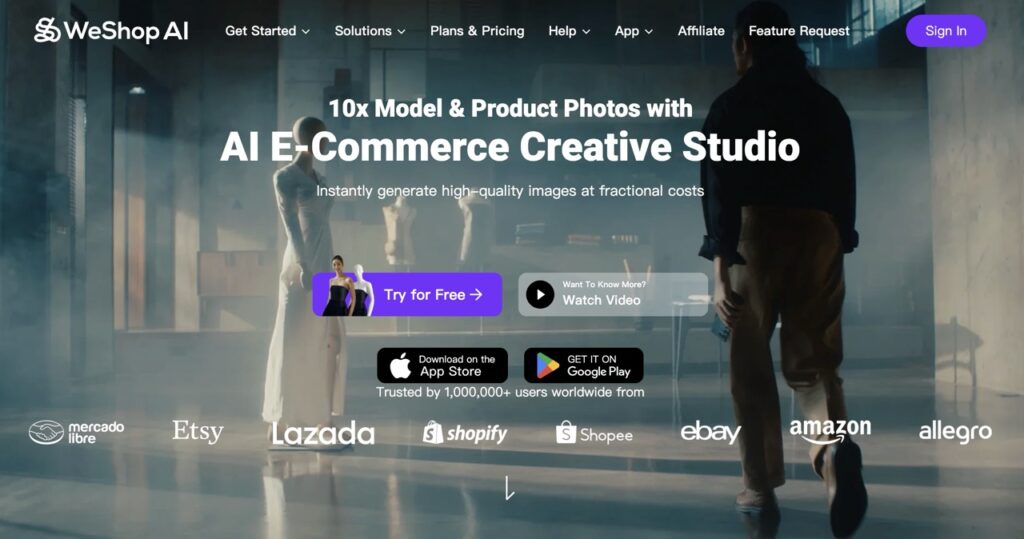
WeShop AI is an AI fashion e-commerce creative tool for generating product and model visuals without traditional photoshoots. It converts flat-lay images into polished on-model photos, helping e-commerce sellers cut production costs.

Key features:

  • Virtual Try-On Clothes Create images of virtual models wearing products. Easily swap backgrounds, adjust poses, and create multiple on-brand looks without reshoots.
  • AI Video Agent Generate professional videos from a single photo or a brief text prompt, ideal for showcasing product movement, storytelling, or marketing content at scale.

12. Onbrand

Top AI dress design tool: Onbrand

Best for: Fashion teams aiming to rapidly generate new styles, refine bestsellers, and collaborate on ideas.

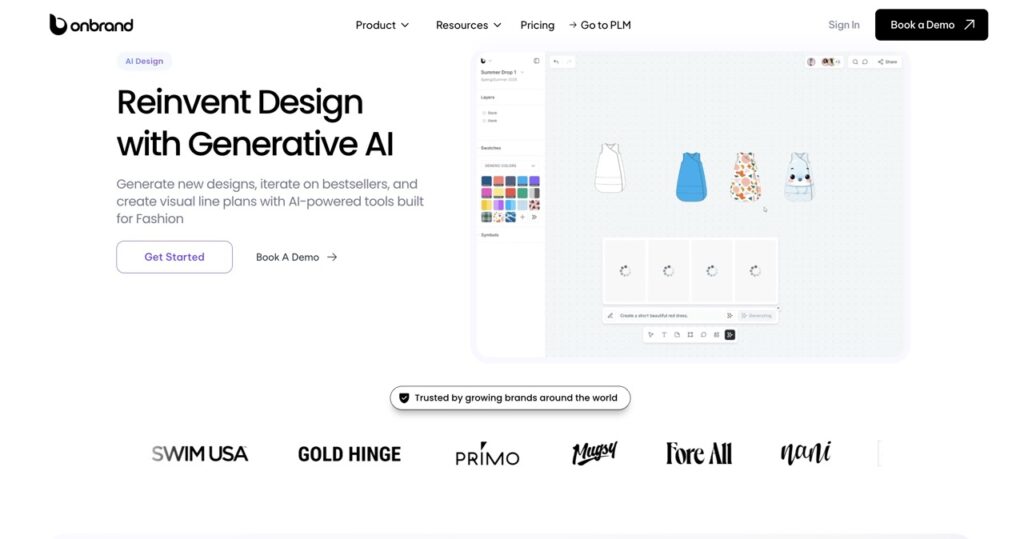
Onbrand AI design is a fashion-focused AI platform that produces photorealistic garments from text, sketches, or images, seamlessly integrated into PLM workflows.

Key features:

  • Design generation Transforms text or sketches into visual mockups to accelerate the entire fashion ideation process.
  • Design exploration — Skip the brainstorm. Instantly generate colorways, views, and design variations using text prompts.
  • Shared canvas One canvas for the whole team to work in. Leave feedback, exchange ideas, and compare different versions.
  • Connect to PLM —Allow one-click transfer of designs directly into Onbrand PLM, streamlining tech pack creation.

How to Design Your Own Dress Online with AI

Designing your own dress using AI is a straightforward process that converts a simple idea into a polished, professional dress design. Here is a practical, step-by-step guide  on how to leverage AI fashion design tools:

1. Start With a Clear Concept

Before accessing any tool, take a moment to define what you want, including style, silhouette, length, fabric, texture, vibe, or occasion, and so on.

You don’t need to sketch—just having a mental moodboard or short description helps the AI produce the right direction from the start.

2. Pick the Right AI Fashion Design Tool

Given that different AI dress design tools excel in distinct areas, choose your tool carefully based on your specific needs:

  • All-in-one workflow Sketch → Render → Virtual Try-On
  • Sketch-focused tools For quick concept drafts
  • Rendering tools For polished, photorealistic visuals
  • Try-on tools To see your design on models

For a true full-cycle design pipeline, choose a tool that supports multiple stages, like Fashion Diffusion, rather than just generating a picture.

3. Generate the Initial Draft

Fashion Diffusion offers two easy ways to produce a sketch:

  • Use a text prompt Describe your dress, e.g., “A satin midi slip dress with a draped neckline and open back, in champagne gold.”
  • Upload an inspiration image Let AI create a sketch or concept based on your reference.

This first step gives you a base visual—think of it as your digital rough draft.

4. Iterate and Refine the Design

Once your initial draft is generated, use Fashion Diffusion’s built-in refinement tools to polish the dress until it matches your vision. 

  • Adjust Details Use text prompts or specific AI tools to make precise changes. 

5. Convert the Concept into a Final Render

Once the design is finalized, utilize Fashion Diffusion’s AI rendering tool to transform the initial sketch or flat concept into a stunning visual. 

This step allows you to visualize the final product exactly as it would appear in real life.

6. Preview the Dress on an AI Model

With Fashion Diffusion’s virtual try-on feature, you can:

  • Upload your model image or select from the built-in model library
  • Apply your dress design
  • Swap face, or view multiple poses, angles, and change backgrounds

This “try-on” step bridges concept and execution, showing how the dress will look and feel when worn.

Pro Tips for AI Dress Design

Using AI tools can dramatically speed up your design process—but the best results come from knowing how to guide the AI design tool. 

Here are practical tips to help you get outputs that match your vision:

  • Write specific prompts Be highly specific in your descriptions. Add materials, construction details, and color palettes to get closer to the final look.
  • Use Reference Images wisely When providing a sketch or inspiration photo, be clear about what the AI should replicate and prevent it from mixing unwanted elements.
  • Understand Material Behavior AI visuals may look stunning, but not every design is production-ready. Keep in mind how real fabrics behave and refine unrealistic outputs.
  • Refine Details in Layers Avoid using one extremely long, complex prompt. Instead, generate the core design with a clear prompt, then use subsequent prompts or editing tools to refine details in layers.
  • Try Multiple Variations Don’t settle on the first result. Generate several options through the style innovation tool. Exploring variations often leads to your strongest final design.
  • Verify Technical Feasibility Remember that AI is a visualization tool. Always review the final design for real-world viability.

Conclusion

AI is reshaping how designers bring ideas to life, making dress design faster, more flexible, and more accessible than ever. With tools like Fashion Diffusion, you can sketch, refine, visualize on models, and explore endless variations—all in one platform. 

Whether you’re a beginner experimenting with your first concept or a professional streamlining your design workflow, AI gives you the freedom to create with more confidence and creativity.

The future of AI fashion design is open, hyper-personalized, and digitally driven. Try Fashion Diffusion now to transform your imagination into reality.

FAQs

What is the best AI tool for designing clothing?

The “best” AI tool depends on your needs. For an all-in-one workflow, Fashion Diffusion is highly recommended. It allows you to generate sketches, refine details, visualize fabrics, and explore multiple style variations in one platform.

Is there any free AI clothing generator?

Yes. Fashion Diffusion AI provides free tools for sketching, coloring, and visualizing dresses without requiring payment up front.

Can I design a dress online without any design experience?

Absolutely. AI design tools like Fashion Diffusion are built for all skill levels. You can start with simple text prompts or inspiration images, and the AI will generate professional-quality sketches and renders.

Can AI-generated designs be used for business or production purposes?

Yes, AI-generated designs can be used commercially, including for selling products, marketing, or manufacturing. 

Are AI design tools suitable for professional designers or only hobbyists?

They are suitable for both. Professionals can use AI to accelerate workflows, generate new concepts, and test variations quickly. Hobbyists and beginners can create polished designs without advanced technical skills.