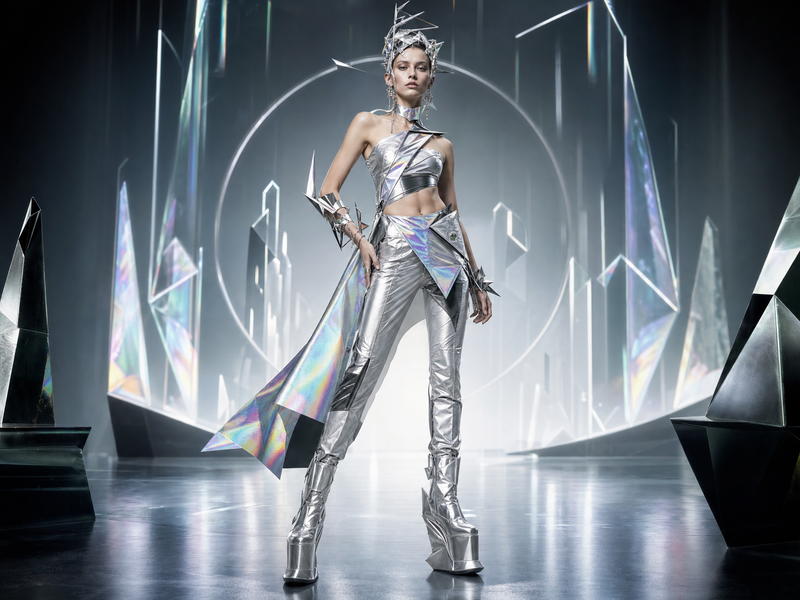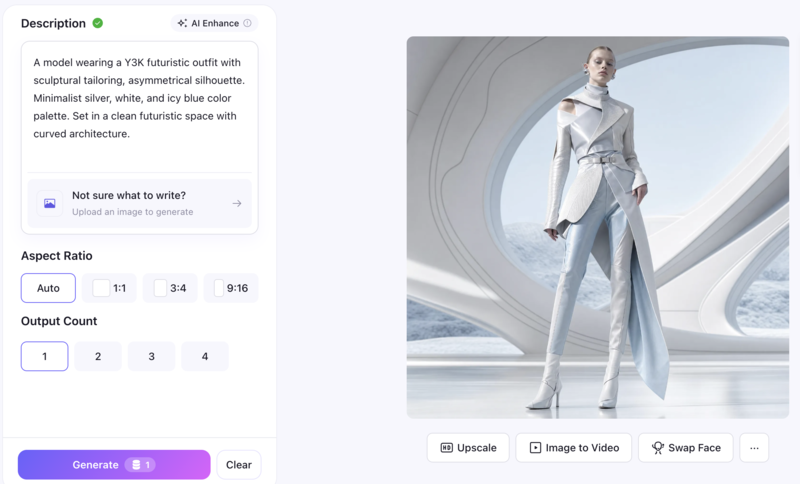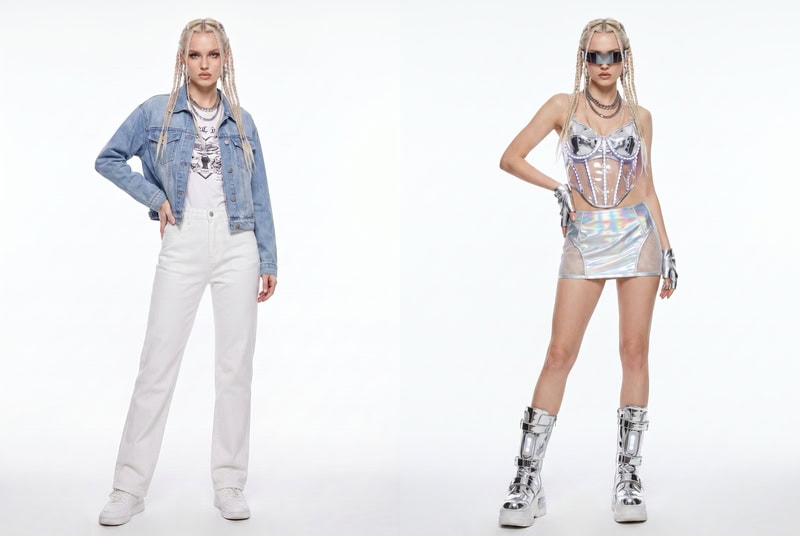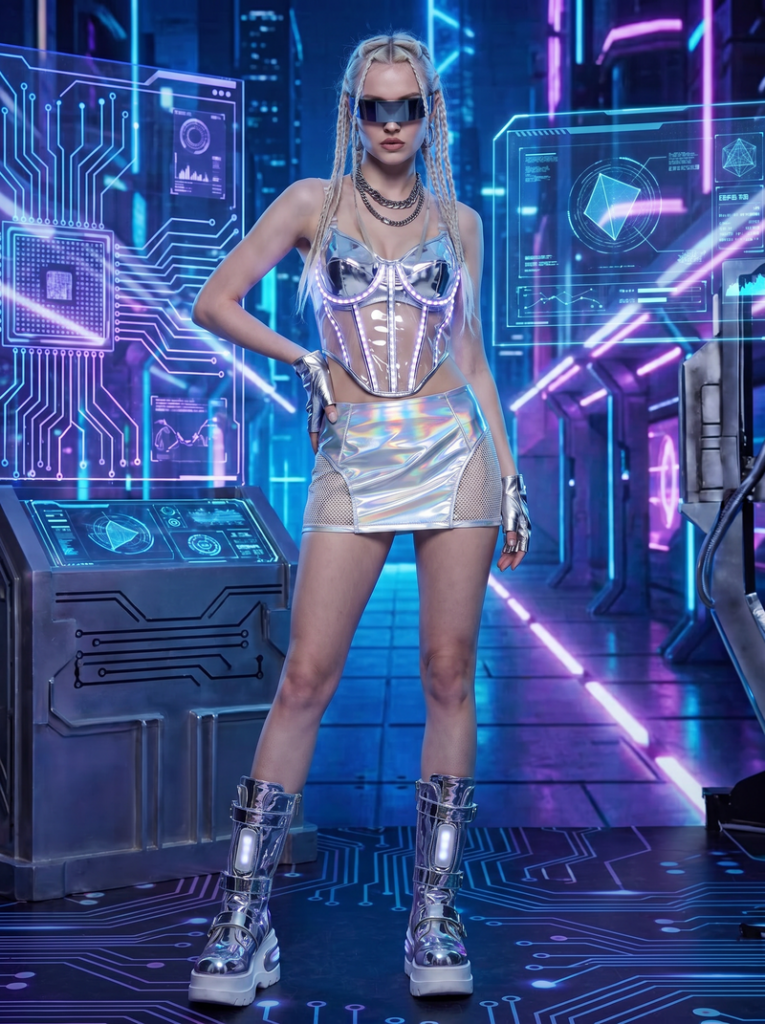
作者归档 Sophia Mille

Avatar photo 通过Sophia Mille

XXXL Size Fashion in 2026: Why Brands Can’t Ignore It (And How AI Fixes It)

A size XXXL shopper finds the perfect dress. The color is right. The silhouette looks good. But every model on the product page wears a size 6. She closes the tab.

This happens millions of times a day. The shopper wasn’t uninterested. She just couldn’t picture herself in it. For brands selling in XXXL and XXXXL sizes, that gap between what’s shown and who’s shopping is one of the most direct revenue leaks in e-commerce. The solution is a plus size AI model that reflects the actual body buying the product.

The XXXL Size Market Opportunity in 2026

The numbers make the case before anything else does. The global plus size clothing market is projected to reach $339.6 billion in 2026, expanding at a 6.2% CAGR through 2036. North America alone accounts for 44% of that figure. This is not a niche segment — it’s one of the largest and fastest-growing categories in fashion retail.

But the fashion content serving that market tells a different story. According to industry data, 58% of brand campaigns use no models above size 14. And 42% of plus size consumers say mainstream brands’ campaigns don’t represent them at all. The market exists and is growing. The content does not keep up.

That disconnect has a direct commercial consequence. Research from True Fit found that shoppers who could see accurate fit guidance converted at 7.4% from product page to cart. Those who couldn’t converted at 2.4%. The principle extends directly to body type representation. When XXXL and XXXXL size shoppers can see how a garment sits on a body like theirs, the guesswork disappears. Conversion follows.

Why Traditional Solutions Dont Scale

Brands that recognize this gap usually try one of three approaches. The first is booking dedicated plus size model shoots — high cost, low scalability. The second is adjusting body proportions in Photoshop — faster, but prone to garment distortion. The third is generating AI visuals — accurate, scalable, and cost-efficient.

 Traditional PhotoshootPhotoshop AdjustmentAI Generation
Cost per imageHighMediumLow
SpeedSlowMediumFast
Garment accuracyHighLow (distortion risk)High
ScalabilityLowLowHigh
Size range coverageLimited by modelProne to warpingXXXL to XXXXL

The fundamental problem with the first two approaches is the same. Both treat XXXL and XXXXL size content as an afterthought — handled manually, one image at a time. AI removes that constraint. The same workflow that produces a standard-size image produces a XXXL one, at the same speed and cost.

How to Generate XXXL and XXXXL Size Fashion Visuals with AI

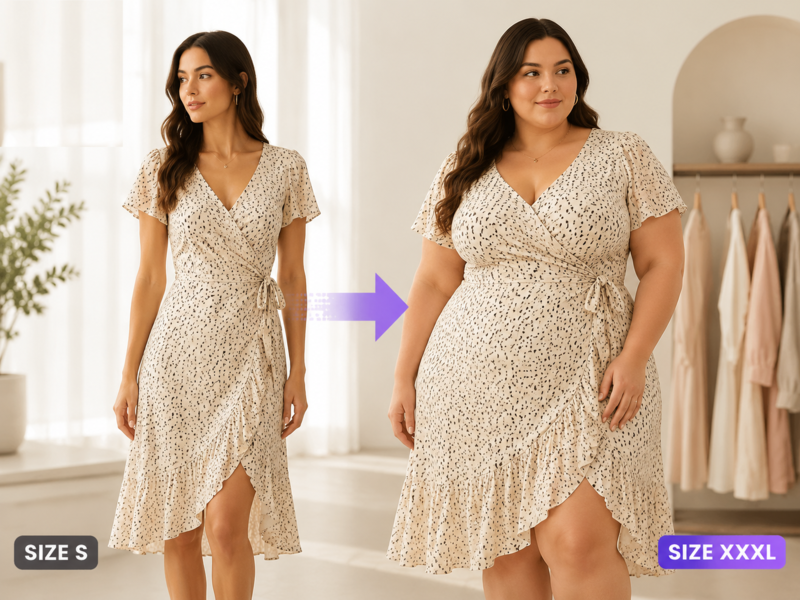
Generating XXXL size fashion visuals with AI doesn’t require a new photoshoot or any specialist software. Just an existing product image and a few inputs. Fashion Diffusion’s plus size AI tool produces realistic XXXL and XXXXL size visuals directly from that starting point. The workflow is straightforward.

Step 1: Prepare your input

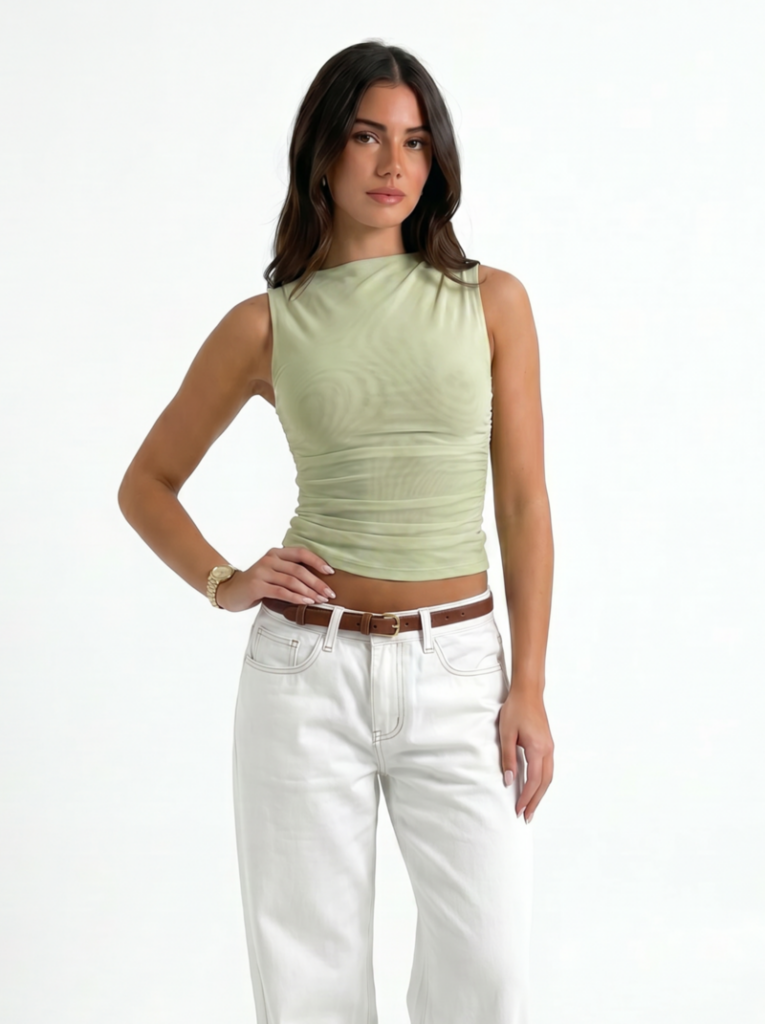
Start with a clear model shot. Clean product images with visible fabric detail and good lighting produce the most accurate outputs. The AI uses this as the basis for generating the plus size version, preserving garment color, texture, and construction details.

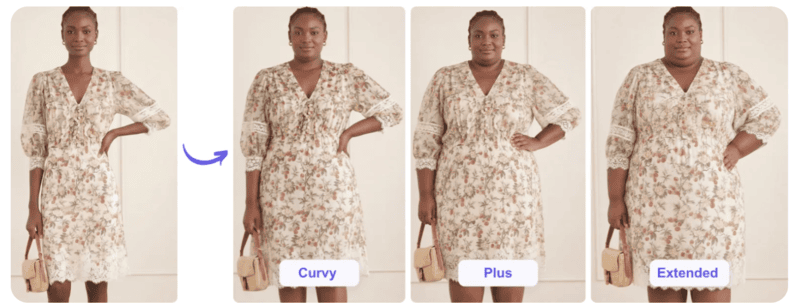
Upload your original model shot.
Fashion Diffusion AI-generated

Step 2: Specify the body type and output style

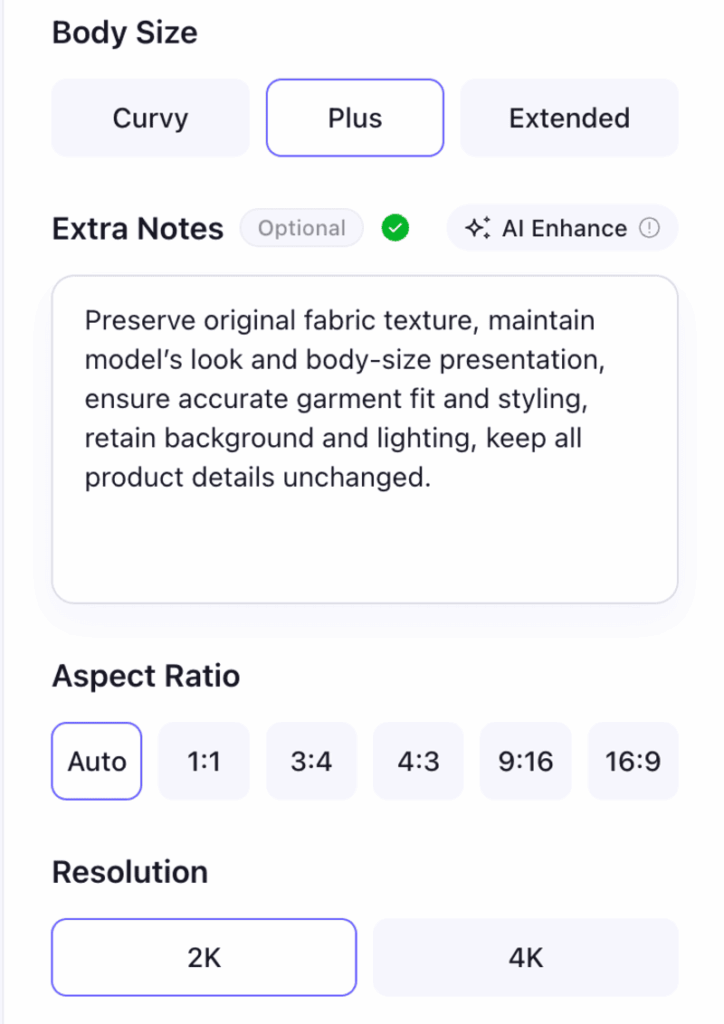
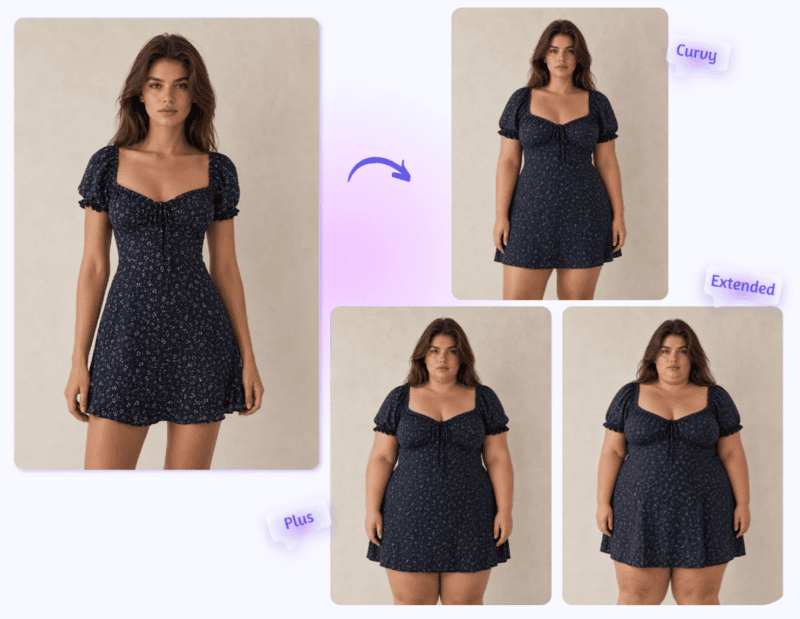
Choose a body size from three options: Curvy, Plus, or Extended. For XXXL and XXXXL size output, Plus or Extended will typically be the right fit. From there, add any extra notes to shape the result — background setting, lighting style, garment details, or any other specifics you want the AI to account for. The more precise the notes, the more consistent the output across a batch.

Choose body size, aspect ratio, and add your extra notes if needed.

Step 3: Generate, review, and export

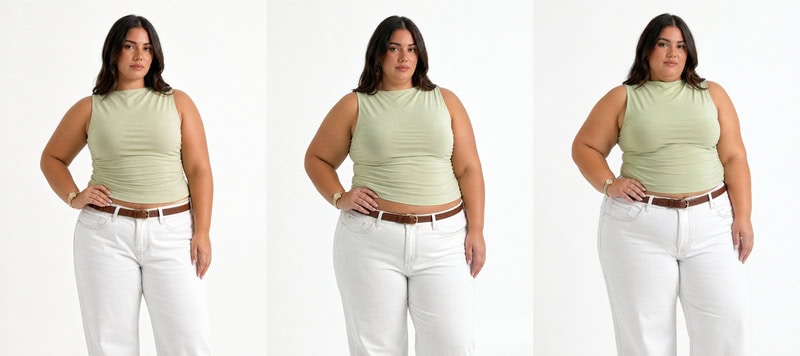
Results are ready in seconds. Review for garment accuracy — check that the fabric sits correctly at the waist, shoulders, and hem for the target size. Regenerate with adjusted inputs if needed. Export in high resolution for product pages, ads, or campaign materials.

Generate 3 plus type photos.
Fashion Diffusion AI-generated

What to Look for in AI-Generated XXXL/XXXXL Size Images

Not all AI-generated plus size images are equal. Whether you are producing XXXL size 2026 campaign visuals or XXXXL size 2026 product shots, check these four things before publishing:

  • Garment fit accuracy. The waistline, shoulder seams, and hem should look like the garment actually fits — not like a standard-size image that’s been scaled up. Distortion shows up at these points first.
  • Fabric behavior. A structured blazer should hold its shape. A jersey dress should drape. A silk blouse should flow. If the fabric looks wrong for the material, regenerate with a more specific prompt.
  • Body proportions. Shoulders, hips, and limbs should relate to each other naturally. A XXXL/XXXXL body that reads as a standard body with added volume will look off — even when the garment itself is accurate.
  • Lighting consistency. If the garment and background suggest different light sources, the image loses credibility. This matters most for lifestyle outputs; studio backgrounds are usually neutral enough to avoid the issue.

A result that passes all four is ready to use.

How Brands and Shoppers Use XXXL/XXXXL Size AI

The same tools serve different needs depending on who’s using them and what they are trying to achieve.

E-Commerce Brands and Retailers

For brands managing large catalogs, the core use case is consistent size representation across product listings. Rather than shooting each SKU separately on a plus size model, brands can use Fashion Diffusion’s plus size model generator to generate XXXL/XXXXL size model images from existing product shots. Visual style stays consistent across the catalog without additional photography sessions.

The output is used on product pages, size guides, and marketplace listings. For a significant share of shoppers, seeing a garment on a XXXL or XXXXL body is the deciding factor.

The output is used on product pages, size guides, and marketplace listings.

Content Creators and Social Media Teams

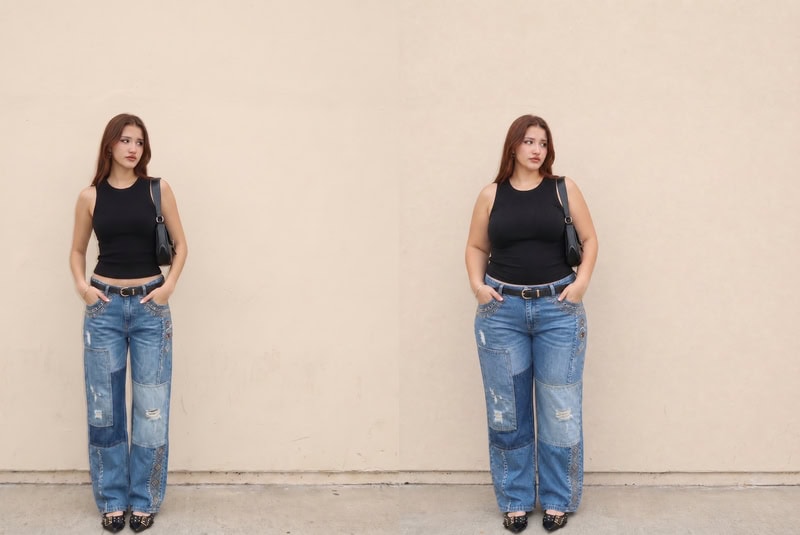
Content teams working with existing photo libraries use AI differently. They take a shoot that’s already been done — with a standard-size model — and generate XXXL and XXXXL versions of the same looks. All for inclusive content, without reshooting. Fashion Diffusion’s AI fat generator converts any existing model image into a realistic plus size version while keeping the identity, pose, and background intact.

This approach lets a team extend the reach of a single photoshoot across a much wider range of content without additional production cost.

Content creators use XXXL/XXXXL size AI for inclusive content, without reshooting.
Fashion Diffusion AI-generated

Fashion Designers and Product Teams

In the design and development stage, AI-generated plus size visuals help teams evaluate how a garment’s silhouette translates across size ranges — before samples are produced. Seeing a design on a XXXL or XXXXL body early in the process surfaces proportion and drape issues that wouldn’t show until a physical sample is made. That means fewer revision cycles and lower sample costs.

AI plus size visuals help teams evaluate how a garment’s silhouette translates across size ranges.

Plus Size Shoppers

For XXXL and XXXXL shoppers, the problem is simpler and more personal. Most product pages show clothing on bodies that look nothing like theirs. AI changes that dynamic directly. Instead of guessing how a dress will sit on a size XXXL frame, shoppers can see it on their own body before they buy. The uncertainty that causes hesitation, size bracketing, and returns gets removed at the point where purchase decisions are made.

Plus size shoppers see clothes on their own body before they buy.
Fashion Diffusion AI-generated

XXXL Size in 2026: Start Where the Market Already Is

The plus size market in 2026 is too large and too commercially significant to serve with one or two campaign images per season. For brands that need to show XXXL size in 2026 — and XXXXL size 2026 — at catalog scale, Fashion Diffusion’s AI tools generate realistic visuals from existing product shots. No additional photography budget required.

New accounts start with free credits. Start generating plus size AI model images on Fashion Diffusion and see what consistent size representation looks like across your product line.

FAQ

What is a XXXL size AI model?

A XXXL size AI model is a digitally generated fashion model rendered at XXXL proportions. As demand for XXXL size 2026 content grows, AI tools make it possible to create these from product images or text descriptions, producing realistic visuals of how a garment looks on a larger body type. No physical model or studio session required.

What’s the difference between XXXL and XXXXL size in fashion?

XXXL (3XL) typically corresponds to US sizes 22-24, with a chest/bust measurement of approximately 50-52 inches. XXXXL size — also written as 4XL — corresponds to US sizes 26-28, or approximately 54-56 inches. Both sit within the extended plus size range that most standard fashion campaigns still don’t represent.

Which brands benefit most from plus size AI model generation?

Any brand selling apparel in extended sizes benefits from accurate body representation. E-commerce brands with large catalogs, fast fashion retailers, and independent designers producing inclusive lines all use AI-generated plus size visuals — for sizes that would be impractical to shoot traditionally.

Can I use AI-generated XXXL size images for commercial purposes?

Yes. Images generated with Fashion Diffusion can be used commercially across product listings, advertising campaigns, social media, and marketing materials.

Is there a free way to try the XXXL size AI model generator?

Yes. New Fashion Diffusion accounts include free credits that can be used across tools including the plus size model generator and AI fat generator. Paid plans are available for higher volume generation.

Avatar photo 通过Sophia Mille

Y3K Outfit Ideas: The Futuristic Aesthetic Taking Over in 2026

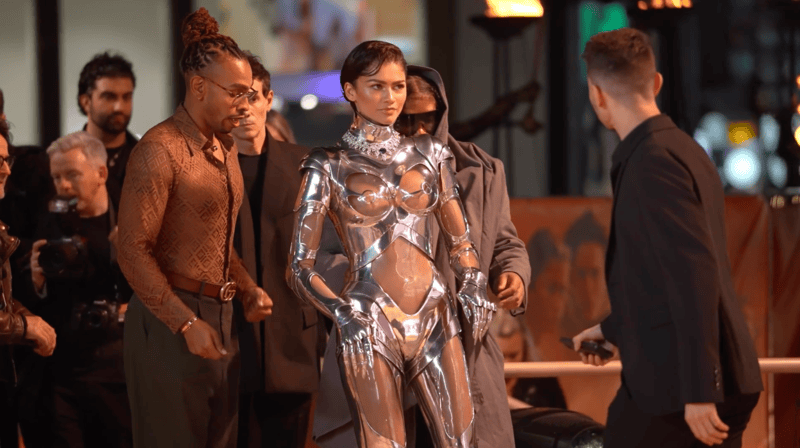
When Zendaya stepped onto the Dune: Part Two red carpet in London wearing an archival Thierry Mugler cyborg suit from 1995 — silver armor, plexiglass cutouts, built-in gloves — the internet lost its mind. The look wasn’t from a runway. It was pulled from Mugler’s archives, a piece of fashion history that somehow felt more relevant in 2024 than it did when it was made.

Zendaya's futuristic outfit onto the Dune red carpet.

That moment crystallized something that had been building for a while: the future is the new nostalgia. Y2K spent years looking backward. Y3K points the other direction — and in 2026, it’s arrived.

Not sure what Y3K actually looks like on you? Generate a few outfits first and work from there.

What Is Y3K Fashion

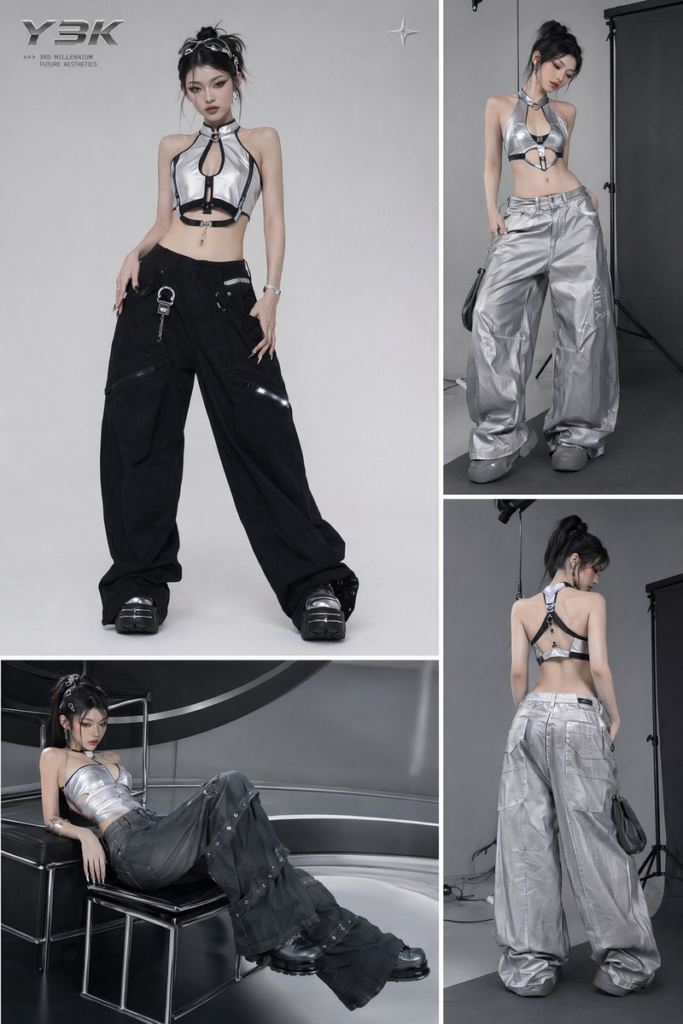
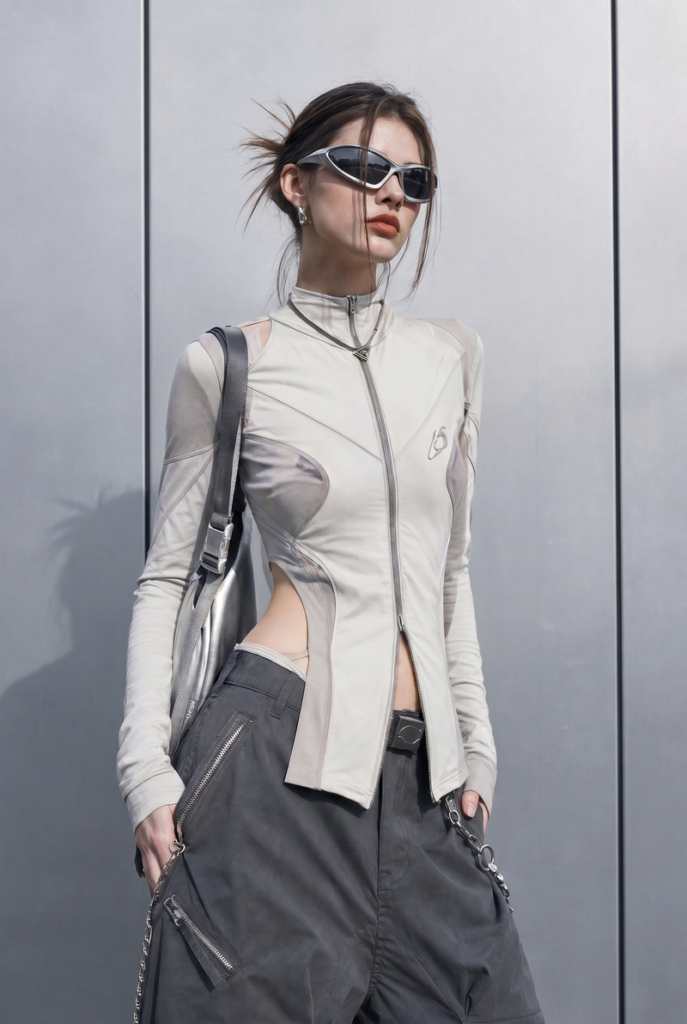
Y3K is short for Year 3000. As a fashion aesthetic, it imagines what clothing might look like a millennium from now: metallic fabrics, architectural silhouettes, holographic surfaces, tech-inspired cuts. The feeling is of someone who has access to materials that don’t quite exist yet.

It grew out of Y2K — they share some DNA, particularly the metallics and the nostalgia-adjacent energy — but the difference is directional. Y2K looks back at 1998-2004. Y3K looks forward, past the present, into a future that’s still being invented. Where Y2K is nostalgic, Y3K is speculative.

How K-Pop Brought Y3K to the Mainstream

K-pop has been one of the clearest vehicles for the aesthetic going mainstream.

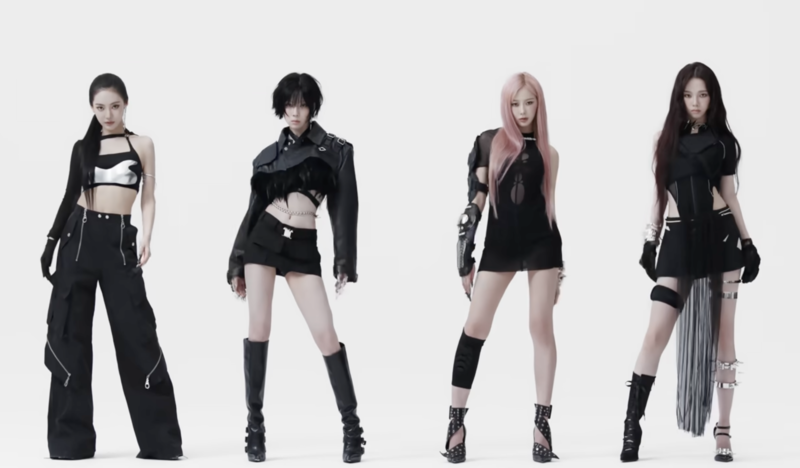
Aespa built an entire visual identity around it — their Whiplash era put chrome bodysuits, angular silhouettes, and cyborg-adjacent styling in front of a global audience.

Aespa's Whiplash MV screenshot.

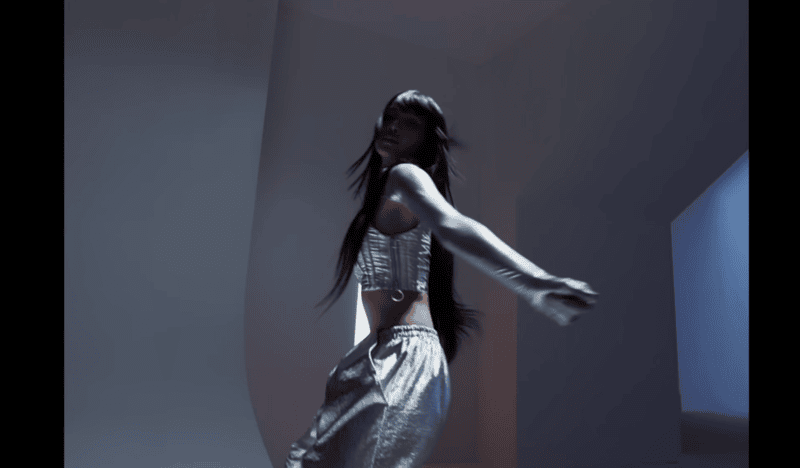
Lisa’s Rockstar video pushed similar territory: headpieces, metallic layering, and an overall look that reads more like a transmission from the future than a music video.

Lisa's Rockstar MV screenshot.

These aren’t just fashion moments — they are reference points that defined what Y3K looks like for an entire generation of fans who then carried the aesthetic into their own wardrobes and feeds.

The Key Elements of Every Y3K Outfit

Before getting into specific looks, it helps to understand the visual grammar of Y3K — the elements that make an outfit read as futuristic rather than just metallic or edgy.

Materials

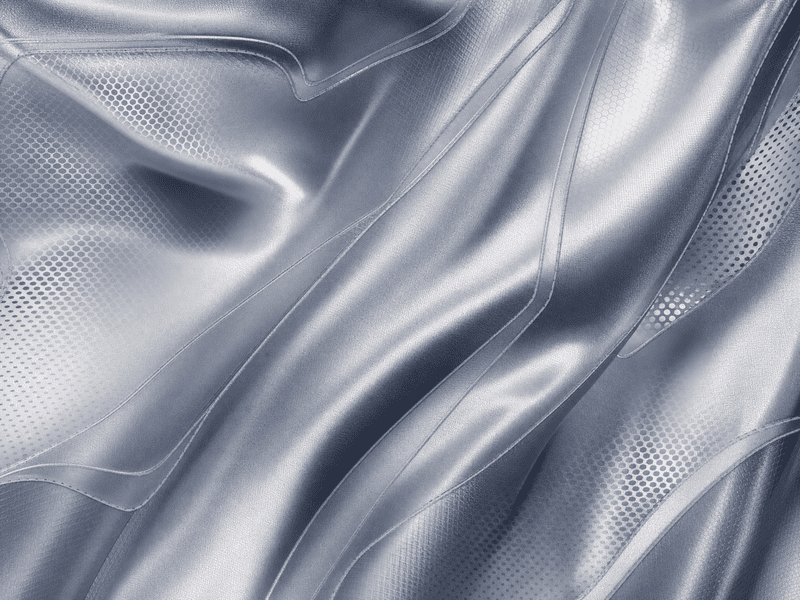
The material is usually where Y3K starts. Reflective fabrics, holographic surfaces, metallic weaves, technical mesh, and latex are all key. What these materials have in common is that they interact with light differently than standard fabrics — they catch it, reflect it, or change color as you move. That light-responsive quality is part of what gives Y3K its distinctly non-everyday feel.

The fabric and material of Y3K outfit clothes.
Fashion Diffusion AI-generated

Tech fabrics also play a role: structured neoprene, bonded materials, anything that holds its shape without softening. The feeling should be engineered, not draped.

Silhouette

Y3K silhouettes tend toward the deliberate and the extreme. Exaggerated proportions — a tiny structured top paired with oversized trousers, or a sculptural jacket over a barely-there skirt — appear constantly. Asymmetry is common: one sleeve, uneven hemlines, cut-outs placed precisely. The overall effect should feel like a decision was made about every line of the garment, not just the fabric.

Y3K silhouettes tend toward exaggerated proportions.
Fashion Diffusion AI-generated

Fitted bodysuit cuts are also central to the aesthetic, especially in silver or black. They read as a kind of base layer for the future — a second skin made of something that doesn’t exist in nature.

Color Palette

Silver is the defining color of Y3K. Black follows close behind, providing the contrast that makes metallics pop. Neon accents — acid green, electric blue, hot pink — appear as punctuation rather than main events. Chrome finishes, iridescent sheens, and mirror-like surfaces all fall within the palette.

Silver is the defining color of Y3K.
Fashion Diffusion AI-generated

Earth tones and muted neutrals are largely absent. If a color doesn’t look like it could have been generated by a computer or found in a spacecraft interior, it’s probably not Y3K.

Y3K Outfit Ideas for Every Occasion

Y3K doesn’t have one fixed entry point. The aesthetic scales from a single metallic piece in an otherwise minimal look, to a full head-to-toe statement. Here’s how it plays out across three different contexts.

Y3K at Work

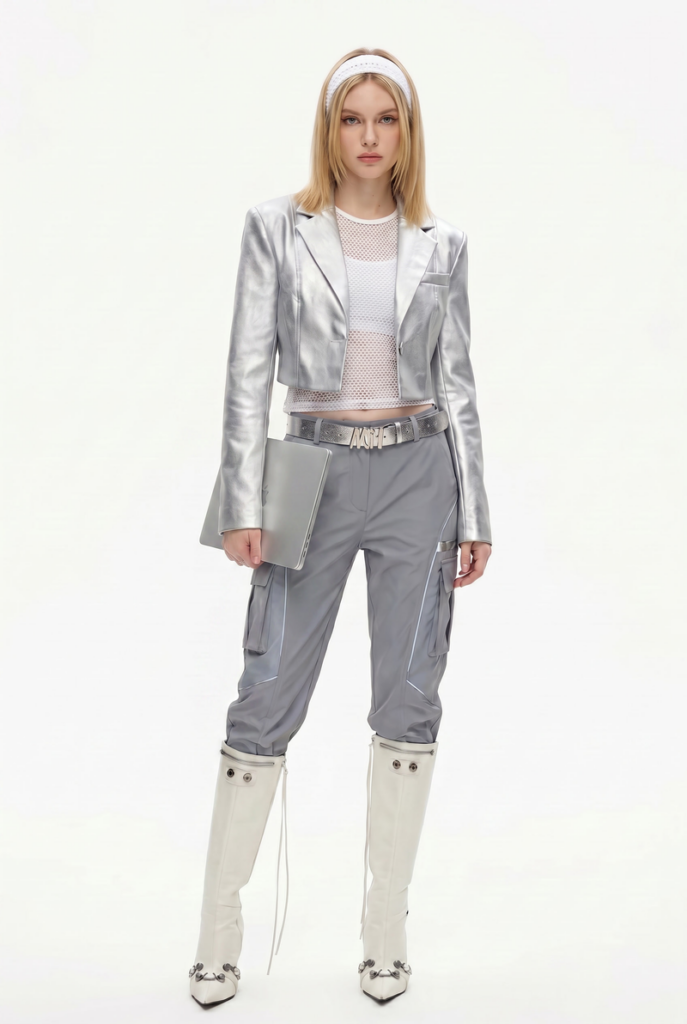
The workplace version is about restraint — one or two futuristic pieces against an otherwise structured outfit. A chrome-finish blazer over tailored black trousers. Metallic accessories — a structured silver bag, geometric earrings — against a muted base. Tech-fabric trousers in an interesting cut paired with a matte black top: the silhouette is futuristic, the palette keeps it professional.
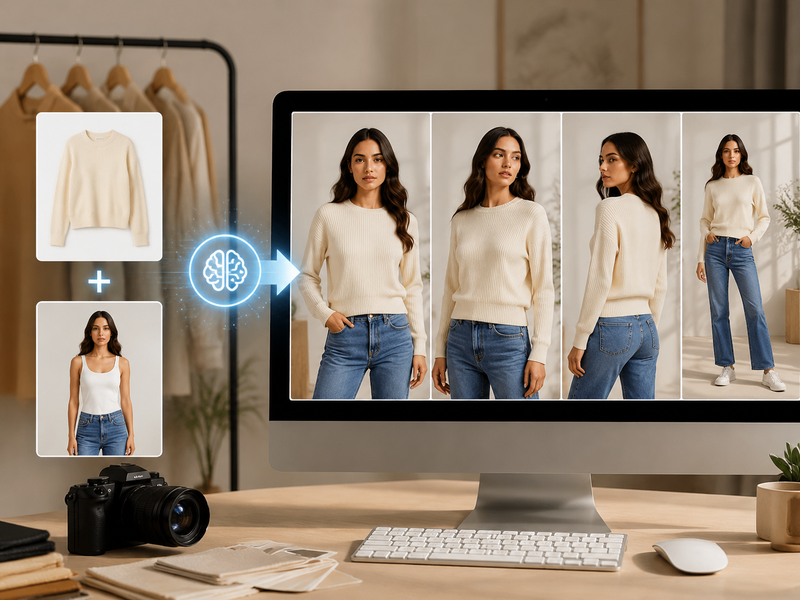
Y3K at work generated by Fashion Diffusion.
Fashion Diffusion AI-generated

Y3K for Content and Shoots

Metallic fabrics catch light in a way that photographs well, and strong silhouettes read clearly in an image. The contrast build works best here: matte base, shiny accent, deliberate proportions. A longline black coat over a silver bodysuit. Wide-leg tech-fabric trousers against a fitted chrome crop. One focal point per outfit — one element that holds the frame — rather than competing details across the whole look.

Y3K outfit ideas for content and shoots generated by Fashion Diffusion.
Fashion Diffusion AI-generated

Y3K for a Statement Night

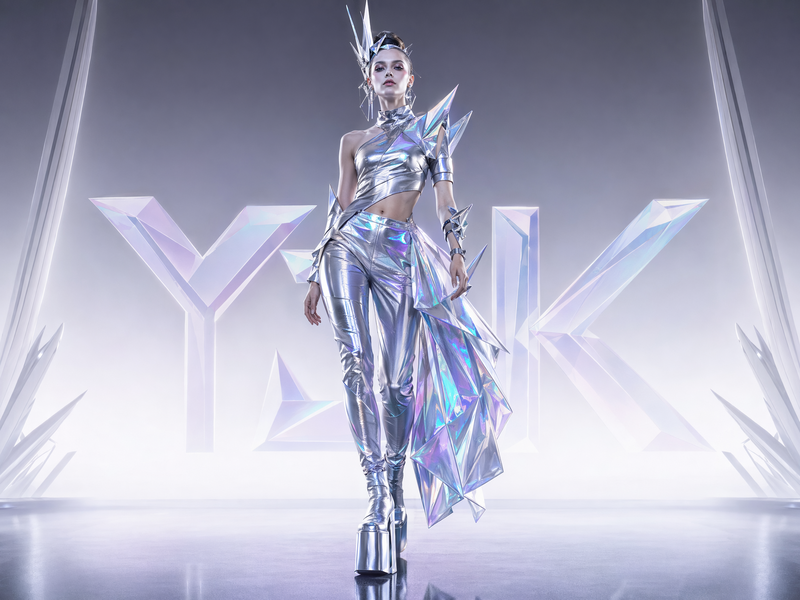
Full commitment. A head-to-toe metallic look — silver bodysuit, matching trousers, platform boots — held together by a single strong silhouette. An asymmetric holographic dress with angular accessories. A sculptural headpiece that makes the outfit read as a complete visual concept.

Y3K for a statement night generated by Fashion Diffusion.
Fashion Diffusion AI-generated

How to Dress Y3K with Fashion Diffusion

One of the genuine barriers to Y3K is uncertainty about whether it’ll actually work on you. The aesthetic looks confident on a runway or a red carpet. It can be harder to picture on your own body in your own life — especially before you’ve bought anything.

Start with a Generated Look

Instead of buying a silver bodysuit and hoping for the best, describe the Y3K look you have in mind — silhouette, materials, occasion — and generate it first with Fashion Diffusion’s AI Outfit Generator. See what the aesthetic actually looks like before spending anything.

Fashion Diffusion's AI Outfit Generator page.

Transform an Everyday Look into Y3K

Already have an outfit you like? Fashion Diffusion’s AI Clothes Changer lets you change your outfit into something Y3K — swap the jacket for something metallic, trade the plain trousers for a reflective cut, and see the same look transformed without starting over. The before-and-after is often more dramatic than you’d expect.

Fashion Diffusion transforms an everyday look into Y3K.
Fashion Diffusion AI-generated

Try It On Before You Buy

Once you’ve landed on a direction, the last step before buying is seeing it on yourself — not on a model with different proportions. Upload a photo to Fashion Diffusion’s Virtual Try-On, put the outfit on your actual body, and see whether it actually works.

Shooting and Sharing Your Y3K Outfit

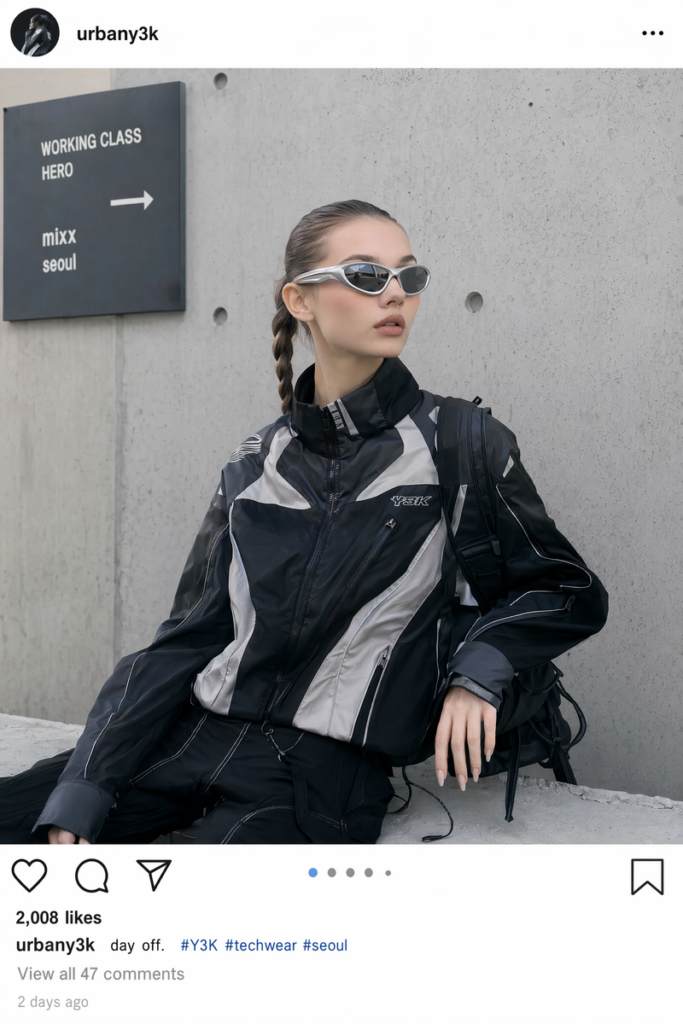
Y3K is one of the most photogenic aesthetics in fashion right now — the metallics catch light beautifully and the silhouettes read clearly in an image. But the background matters more than it does for most aesthetics. Industrial environments, empty parking structures, brutalist architecture, and minimalist studio settings all complement Y3K without competing with it.

For social content or editorial shots, swap in a backdrop that fits the aesthetic — a concrete environment, a dark studio, a subtle tech-infused scene. The look lands harder than it would against a neutral wall.

Change a Y3K background using Fashion Diffusion.
Fashion Diffusion AI-generated

Try a Y3K Outfit with Fashion Diffusion

Y3K is a forward-looking aesthetic in a cultural moment that’s ready for it. Metallics are trending, futuristic silhouettes are appearing across price points, and the visual language of the aesthetic is clearer than it’s ever been. The question isn’t whether the trend is real. It’s which version of it works for you.

Fashion Diffusion lets you work that out before you spend anything: generate the look, try it on, adjust until it’s right. Start with the AI outfit generator and describe the Y3K look you have in mind. The result is a starting point, not a final answer — but it’s a much better starting point than guessing.

FAQ

What is Y3K fashion?

Y3K is a futuristic aesthetic inspired by imagining what clothing might look like in the year 3000. It centers on metallic and holographic fabrics, architectural silhouettes, tech-inspired cuts, and a silver-and-black color palette. Unlike Y2K, which draws on actual 1998-2004 fashion, Y3K is forward-speculative — it’s not based on a real historical period.

What’s the difference between Y2K and Y3K?

Y2K is nostalgic: it references actual clothing trends from the late 1990s and early 2000s — low-rise jeans, baby tees, chunky sneakers, butterfly clips. Y3K is forward-looking: it imagines a future that hasn’t happened yet, using reflective materials, architectural shapes, and a palette that feels more digital than natural. They share an interest in metallics and chrome, but the references and the mood are different.

What are the key Y3K pieces to start with?

A reflective or metallic jacket is the easiest entry point — it adds a Y3K note to almost any outfit. After that: a structured silver or black bodysuit, tech-fabric trousers with an interesting cut, and footwear that reads as futuristic (platform boots, structured technical sneakers). Accessories in holographic or mirror finishes complete the look without requiring a full wardrobe overhaul.

Is Y3K hard to pull off if you are new to statement dressing?

Less so than it looks. Starting with a single reflective or metallic piece in a neutral outfit is genuinely low-risk — the piece does the work without the rest of the look needing to match it. The more you wear Y3K elements, the more intuitive the layering and proportion choices become.

Avatar photo 通过Sophia Mille

Change Clothes to a Bikini with AI — Free Virtual Try-On for Fashion Brands

Swimwear shoots are expensive, slow, and hard to scale. Booking a photographer, coordinating models, and styling dozens of bikini looks can take weeks — and the moment a colorway changes, the whole process starts over.

Fashion Diffusion removes that bottleneck entirely: upload a garment image, select an AI model, and the tool swaps the outfit in seconds. Brands use it to preview collections, generate lookbook content, and test styles across different model types — all without a studio session. Start with the Change Clothes to a Bikini tool to see it in action.

Fashion Diffusion Bikini Image

Why Fashion Brands Use AI to Change Clothes to a Bikini

Fashion brands are turning to AI clothes changers for swimwear production for several reasons:

Scale product visuals without scaling costs

A bikini that comes in eight colorways used to mean eight separate shots. With Fashion Diffusion, one base image generates all eight — same model, same pose, different colors,all in minutes.

Test styles before sampling

Design teams use the Virtual Try-On workflow to visualize how a new cut reads on a body before committing to a physical sample. Catching a proportion issue at the AI stage is far cheaper than catching it at the fitting stage.

Diversify model representation

Showing swimwear across different body types, skin tones, and aesthetics matters to today’s shoppers. Rotating AI models across the same garment makes inclusive imagery a standard part of production, not an add-on.
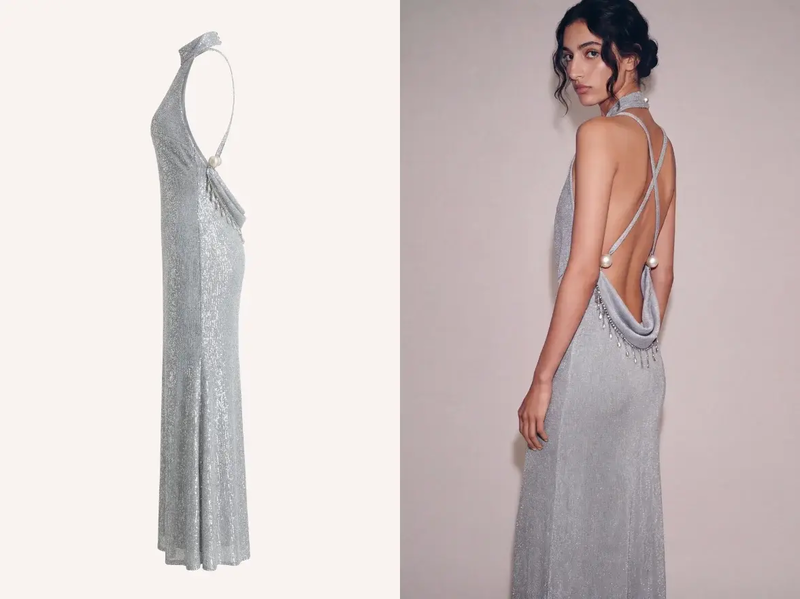
Feed social and campaign content continuously

Seasonal swimwear campaigns need a steady stream of fresh visuals. The AI Outfit Generator handles content variations — different backgrounds, styling details, model looks — fast enough to keep up with a weekly posting schedule.
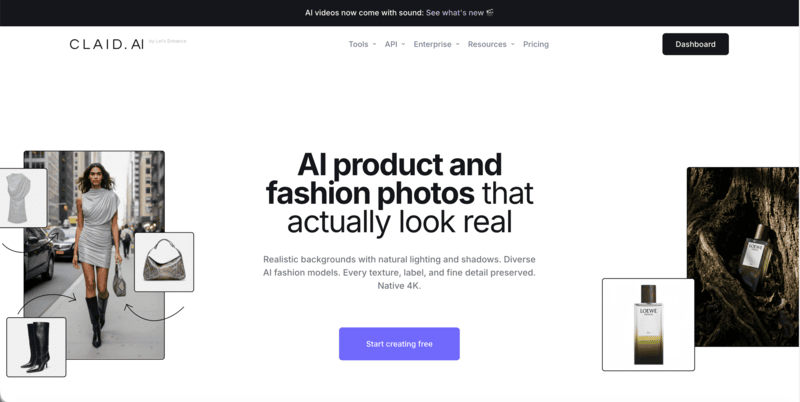
The result is a swimwear production workflow that moves at the speed of your creative decisions, not your logistics.

How to Change Clothes to a Bikini with Fashion Diffusion

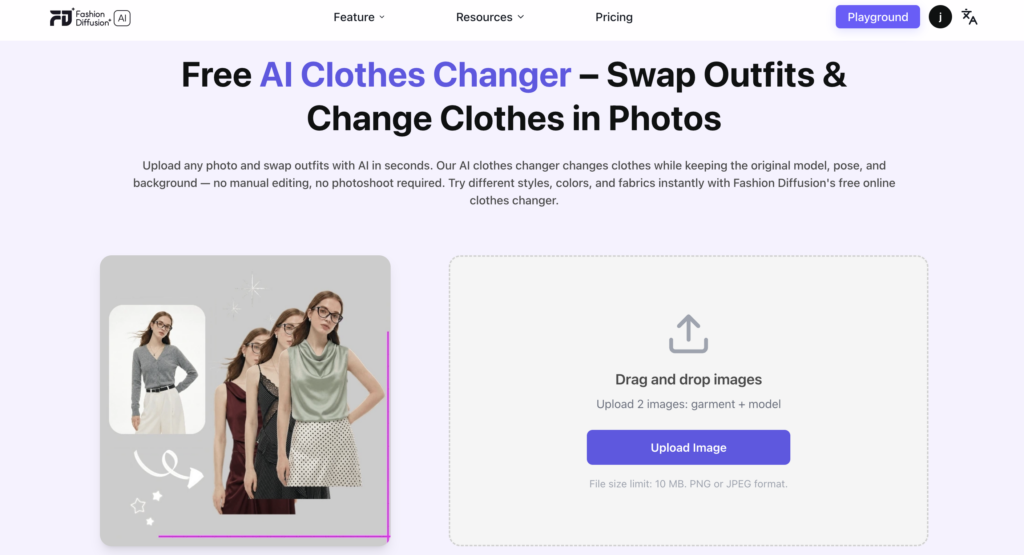
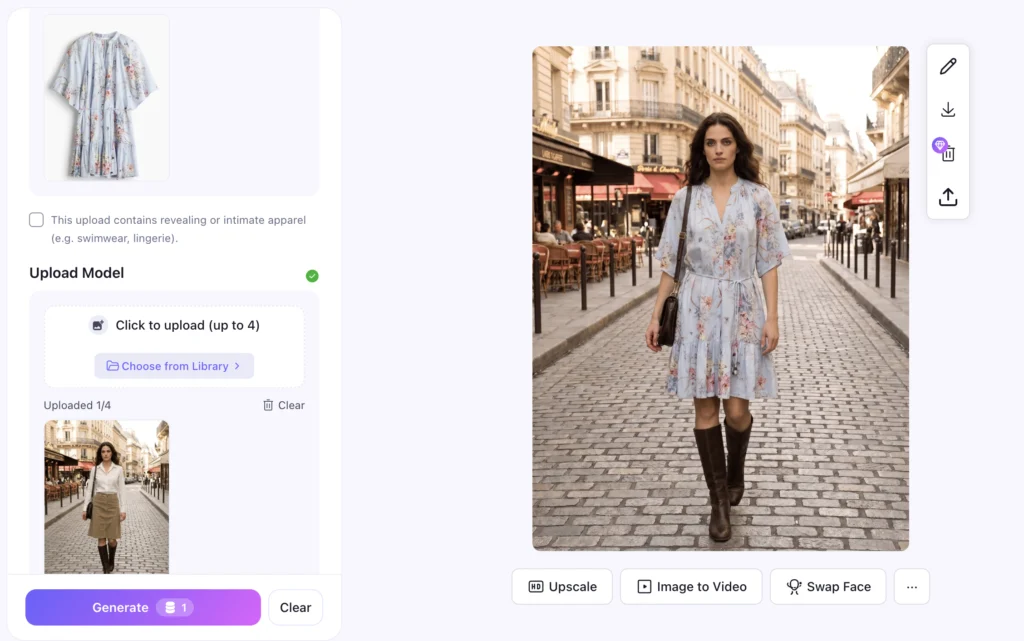
Fashion Diffusion AI Clothes Changer web page

The process takes under a minute from upload to result. Here’s how it works:

Step 1: Open the AI Clothes Changer

Open the tool from Fashion Diffusion’s main dashboard.

Step 2: Upload Two Images

One of the bikini or swimwear garment, and one of the model you want to dress. Both can be your own product photos or AI-generated references.

Step 3: Move to the Playground

Once both images are uploaded, the tool automatically carries them into the Virtual Try-On workspace, so nothing needs to be re-uploaded or reconfigured.

Step 4: Add Extra Notes

This is where you can direct the output: specify a bikini style detail (“keep the halter tie visible”), a fit preference, or a styling note like “beach setting, natural light.”

Step 5: Set Output Preferences

choose Aspect Ratio, Resolution, and Output Count based on where the image will be used (square for Instagram, portrait for PDP, high-res for print).

Step 6: Generate

Results come back in seconds, ready to download or iterate on.

Each generation keeps the garment’s original color, texture, and silhouette intact — so a white triangle bikini stays a white triangle bikini, fitted to the chosen model rather than distorted by the swap.

What Swimwear Styles Can You Generate

Fashion Diffusion’s AI Clothes Changer handles the full range of swimwear. The tool reads garment structure accurately, so different cuts and silhouettes render distinctly rather than blending into a generic “swimsuit” output.

Styles that work well include:

  • Bikinis — triangle, bandeau, halter, high-waisted, and sporty crop styles. Tops and bottoms are treated as a set or separately, so mix-and-match combinations are easy to preview across colorways.
  • One-piece swimsuits — racerback, plunge, cut-out, and wrap styles, structured or minimal. Useful for brands that want to show how a structured silhouette holds its shape across different body types.
  • Tankinis — two-piece with more torso coverage. Particularly practical for brands targeting a broader age range or modest swimwear segments.
  • Beach cover-ups — sheer kaftans, linen shirts, sarongs, and wrap skirts layered over swimwear. The tool renders layering and fabric transparency accurately, making cover-up styling easier to visualize.
  • Men’s swimwear — board shorts, swim trunks, and rash guards. The same garment-swap workflow applies, so a single trunk style can be shown across multiple model types quickly.

Tips for Better Bikini AI Try-On Results

The quality of your output depends heavily on the quality of your inputs. A few adjustments at the upload stage make a significant difference in how accurately the AI renders the final look.

Use clean garment images

Flat lays on a white or neutral background work best — the AI reads fabric edges, texture, and color most accurately when there’s no visual noise competing with the garment.

Choose a model photo with a clear body outline

Front-facing poses with arms slightly away from the torso give the tool the most surface area to work with.

Match the garment scale to the model frame

Uploading a macro close-up of a bikini top against a full-body model image creates a scale mismatch the AI has to compensate for.

Use Extra Notes to lock in specific details

If the bikini has a distinctive feature, a tie side, a specific strap configuration, a textured fabric — call it out in the notes field.

Run multiple outputs before selecting

Setting Output Count to 3 or more on the first generation gives you a range to choose from rather than committing to a single render.

Conclusion

Swimwear is a visual category, shoppers decide fast, and the image does most of the selling. Brands that move quickly on bikini visuals have a real edge, and that’s exactly what Fashion Diffusion is built for.

From early concept to final campaign asset, Fashion Diffusion AI covers the full production arc — at a fraction of the time and cost of a traditional shoot. Try the AI Clothes Changer and get your first result in under a minute.

FAQs

Can I use Fashion Diffusion’s AI clothes changer for free

Yes. Fashion Diffusion offers a free virtual try-on for swimwear — upload your garment and model images and generate your first result without a paid plan.

Does the AI keep the original garment color and design intact

The tool preserves the garment’s original color, texture, and silhouette throughout the swap. A printed fabric stays printed; a white bandeau stays white. The model changes, the garment does not.

What image formats and file sizes are supported

The tool accepts PNG and JPEG files up to 10 MB per image. For best results, use clean flat-lay garment shots and front-facing model photos with a clear body outline.

Avatar photo 通过Sophia Mille

How to Use an AI Clothes Editor — And Actually Get Realistic Results

This guide covers how AI clothes editors work, how to pick the right input photo for clothing edits, and a step-by-step walkthrough using Fashion Diffusion — plus the most common reasons AI clothing edits look unrealistic and how to fix them.

Written by the Fashion Diffusion team. Fashion Diffusion is an AI fashion tool for clothing swaps, virtual try-on, and e-commerce photo production.

What Is an AI Clothes Editor

image showing AI clothes editor before and after comparison — same model, two outfits

An AI clothes editor is a tool that replaces the clothing in a photo while leaving everything else — face, pose, skin tone, background, lighting — exactly as it was. You provide two inputs: a photo of a person and an image of the garment you want them to wear. The AI handles the rest, producing a result that looks like the person was photographed wearing that outfit. No studio. No model rescheduling. No Photoshop.

How Does an AI Clothes Editor Work

Stage 1: Segmentation

The process starts with segmentation: the AI identifies which pixels are clothing and which are skin, hair, and background. Whether you need to edit clothing in an AI workflow or swap a specific garment on a model photo, a clean segmentation mask is the foundation everything else depends on.

Stage 2: Inpainting

The AI then inpaints the clothing region with a new garment, conditioned on the surrounding image so the lighting, shadows, and body contour stay consistent. This is where quality lives or dies. If the segmentation mask is clean, the output looks natural. If the mask bleeds into hair, hands, or accessories, the output looks like a bad Photoshop job — regardless of which tool you use.

This means input quality controls output quality. More than the tool. More than the settings.

How to Pick the Right Input Photo for AI Clothing Edits

Before you upload anything, check your photo against this list. Getting this right eliminates most failure cases before they happen.

Pose

Front-facing or three-quarter angle works best. Crossed arms, turned backs, and extreme side profiles give the segmentation model less clothing surface to work with, so the result degrades fast.

Background

Plain or simple backgrounds. Busy backgrounds increase the chance the mask bleeds into areas it shouldn’t touch. If your best model photo has a complex background, use Fashion Diffusion’s background replacement tool to clean it up before running the clothes edit.

Lighting

Even, diffused light — studio, window, or overcast outdoor. Harsh directional shadows on the clothing area confuse the inpainting model when it tries to match the new garment’s shadow angles.

Clothing Visibility

The full garment should be visible from neckline to hem. Cropped photos that cut off the waist or lower half produce incomplete results.

Accessories

Heavy jewelry, scarves, or bags overlapping the clothing area are common failure points. Remove them from the photo or choose a photo where they don’t cross the clothing region.

Step-by-Step: Edit Clothes in a Photo with Fashion Diffusion

  1. Go to Fashion Diffusion’s AI clothes editor and sign in to your free account.
  2. Upload your model photo — apply the input checklist above before uploading.
  3. Upload the garment image. Flat-lay photos and product images on white backgrounds give the most accurate results. On-model garment photos also work if the clothing area is clearly visible.
  4. Click Generate. Fashion Diffusion maps the garment onto the model while preserving pose, skin tone, and background.
  5. Download your result. If the output has edge artifacts around the neckline or sleeves, try a cleaner input photo rather than regenerating with the same images.
How to Use an AI Clothes Editor

The full process takes under 30 seconds per image.

Based on our internal testing across thousands of generations, white-background flat-lay garment images combined with front-facing model photos produce the highest quality results — clean edges, accurate fabric texture, and no segmentation bleed in over 90% of cases. Complex backgrounds and crossed-arm poses are the two most common causes of failed outputs, accounting for the majority of regeneration requests from new users.

5 Reasons Your AI Clothes Editor Results Look Fake

Most failed outputs come down to the same handful of input mistakes — not the tool itself. Here’s what to look for and how to fix each one before you regenerate.

1. The Mask Bled into Hair or Hands

Fix: use a photo where the clothing boundary is clearly separated from hair and accessories. This issue is especially common with dark long hair against dark clothing — the segmentation model struggles to distinguish the two. Pull hair back, or choose a model photo where hair color contrasts clearly with the garment.

2. The Garment Photo Is Low Resolution

Fix: use the highest resolution product image available. The inpainting model samples texture detail from the garment image — a blurry source produces a blurry result.

3. The Lighting in the Model Photo and Garment Photo Conflict

Fix: match light direction roughly — both from the left, or both from the front. The AI corrects for some discrepancy, but extreme conflicts show up in the final shadow rendering.

4. The Pose Obscures Part of the Garment Area

Fix: choose a straighter, more frontal pose. The AI can’t inpaint what it can’t see.

5. You’re Using a General-Purpose Image Editor

General editors treat clothing edits as image generation prompts. Purpose-built tools like Fashion Diffusion are trained specifically on garment-to-model mapping, so fabric drape, body contour matching, and edge handling are significantly more accurate.

Try Fashion Diffusion’s clothes changer →

AI Clothes Editor vs Virtual Try-On — Which One Do You Need

Both tools change clothing in photos, but they solve different problems.

AI Clothes Editor

Works with an existing photo of a person and replaces what they’re wearing. You control the model — it’s your photo, your team’s model shot, or a customer’s selfie. Use this when you need to update a specific existing image or show a specific person in a different outfit.

Virtual Try-On

Virtual try-on places a garment on a model — AI-generated or uploaded — and is optimized for e-commerce product display, where consistency across hundreds of SKUs matters more than using a specific person’s photo. Use this when you need to generate product listing images at scale from a garment photo alone.

Start Getting Realistic AI Clothes Editor Results

The difference between a realistic AI clothing edit and a fake-looking one is almost always in the inputs — not the model, not the settings, not luck. Clean model photo, high-resolution garment image, matched lighting: get those three right and the output takes care of itself.

Fashion Diffusion is built specifically for garment-to-model mapping — not adapted from a general image editor. That means better edge handling, more accurate fabric rendering, and consistent results across large batches of product photos.

Try the AI clothes editor free →

How do I edit clothing in a photo with AI?

Upload two images to Fashion Diffusion: a model photo and a garment image. The AI segments the clothing region, replaces it with the new garment, and renders the result with matching lighting and body contour. The full process takes under 30 seconds. For best results, use a front-facing model photo and a flat-lay or white-background garment image.

How is an AI clothes editor different from Photoshop?

Photoshop requires manual masking and compositing — a skilled editor can spend 20–30 minutes on a single clean swap. An AI clothes editor automates the entire process, producing a comparable result in under a minute with no design skills required. For high-volume e-commerce workflows, the difference in production speed is significant.

Can I use AI to change clothes in a photo for e-commerce?

Yes, and it’s one of the most common use cases. Upload one model photo and swap in multiple garments to generate a full product listing page without scheduling a photoshoot. Fashion Diffusion keeps the model’s pose, skin tone, and background consistent across every variation — making the output ready for Shopify, Amazon, and independent store listings.

Is the AI clothes editor free to use?

Yes. Sign up for a free Fashion Diffusion account and you’ll get free credits to start editing clothes in photos right away. No credit card required for the free tier. Paid plans unlock higher resolution exports, batch processing, and watermark-free downloads for commercial use.

Avatar photo 通过Sophia Mille

How to Create Fashion Videos for TikTok Using AI no Filming: A Step-by-Step Guide for Brands

Fashion brands creating fashion videos for TikTok face a specific problem: the platform rewards frequency. Posting once a week isn’t enough. The algorithm favors accounts that publish consistently — ideally daily — and the content that performs best tends to be short, visually immediate, and product-forward.

The traditional answer to this was a production team. A camera, a model, a location, a lighting setup, and an editor. That workflow costs time and money most brands don’t have available on a daily basis.

AI fashion video changes the equation. One product photo becomes a TikTok-ready video in minutes — no crew, no filming, no editing software. This guide covers exactly how to do it, and how to build a content workflow around it.

Why Fashion Brands Need More TikTok Video Content Than They Can Film

TikTok’s algorithm is built around consistency and recency. A single high-production video published once a month will consistently underperform compared to simpler content published daily. For fashion brands, this creates a real operational tension.

A standard product photoshoot produces 20–40 images and maybe one or two short video clips. Those assets get spread across a full season of content — and they run out fast. Brands that publish video content daily see meaningfully higher organic reach than those on a weekly cadence. When they do, most brands go quiet, post recycled content, or fall back on generic trending audio with static images. None of these work as well as fresh product video.

The math doesn’t favor traditional production. But it does favor AI.

What an AI Fashion Video Generator Does for Fashion Brands

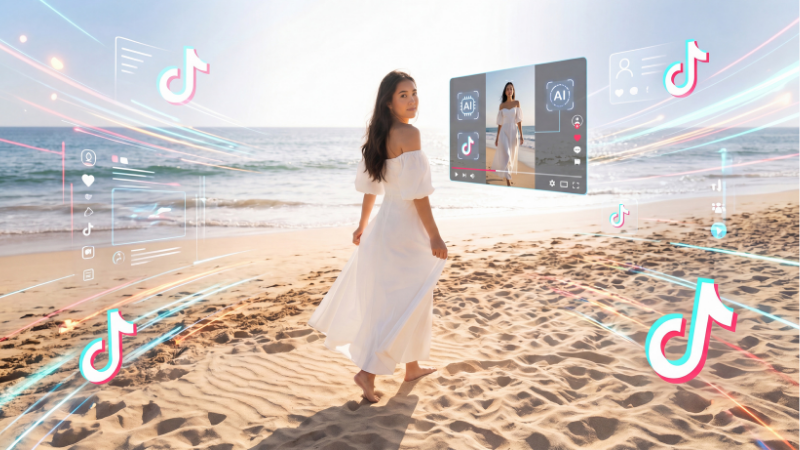
An AI fashion video generator is a tool that converts a static product image into a short animated video with realistic motion — ready to publish on TikTok, Instagram Reels, or product pages without filming or editing. The garment moves, the scene is animated, and the output looks like it was filmed, not generated.

Fashion Diffusion’s AI Fashion Video tool is built specifically for this workflow. You upload an existing product image, and it generates a short video ready for TikTok, Instagram Reels, or your product pages. No camera. No crew. No editing.

The key difference from general AI video tools: garment fidelity. General video AI tools often distort fabric texture, change print patterns, or blur detail when animating. Fashion-specific tools are trained to keep those details intact — which matters for e-commerce, where the video has to accurately represent the product.

Step-by-Step: How to Create TikTok Fashion Videos with AI

Upload a product photo to Fashion Diffusion‘s AI Fashion Video tool, choose a motion style (fabric movement, camera pan, or model walk), generate a 5–15 second clip, then add hook text and trending audio in TikTok’s native editor. No crew, no filming, no editing software required.

Step 1: Choose Your Source Image

Your input determines your output quality. For TikTok, the best source images are:

  • On-model shots — a model wearing the garment, ideally with a clean or simple background
  • Flat-lay photos — garments laid flat with clear fabric texture and color
  • Existing campaign images — repurpose photography you already have

Avoid heavily cropped images, very dark backgrounds, or shots with multiple people — the AI has less to work with and quality drops accordingly.

For a 9:16 vertical output (TikTok native format), a portrait-orientation source image gives better results than a landscape crop.

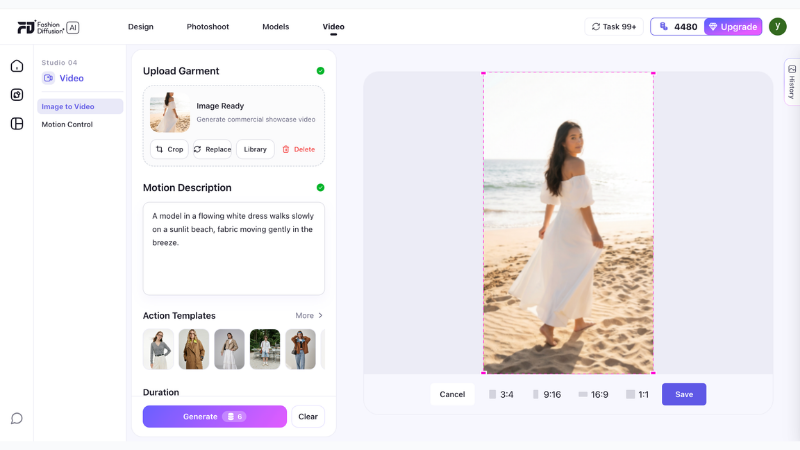
Step 2: Open Fashion Diffusion’s AI Fashion Video Tool

Navigate to AI Fashion Video and upload your image. Sign up for a free account and you’ll receive free credits to test the output quality on your specific product before committing.

Navigate to AI Fashion Video and upload your image

Step 3: Set Your Output Parameters

Choose the motion style and duration. For TikTok, the effective range is 5–15 seconds — long enough to show the product clearly, short enough to hold attention.

Write a prompt to describe the scene, mood, and motion you want. Be specific about the setting and movement. The more detail you give, the closer the output matches your creative direction.

Motion styles to consider:

  • Fabric movement — subtle wind or body movement, fabric flows naturally. Works best for dresses, lightweight tops, and flowing garments.
  • Camera pan — slow zoom or pan across the product. Works well for structured pieces like jackets and tailored separates.
  • Model walk — the model moves through the scene. Strong for full-look shots and outfit reveals.

Pick one motion style per video. Mixing motion types in a 10-second clip tends to feel rushed.

Step 4: Generate and Review

The AI produces your video clip in seconds. Watch it through once and check:

  • Does the fabric texture look accurate — no warping or distortion?
  • Is the color consistent with your source image?
  • Does the motion feel natural, not mechanical?

If anything looks off, adjust the motion parameters and regenerate. Iteration is instant.

Step 5: Add Your Hook and Audio in TikTok

AI fashion video gives you the visual. TikTok’s native editor adds the rest:

  • Hook text — overlay text in the first 2 seconds. The hook is what stops the scroll. Make it specific: “This dress sold out in 48 hours” performs better than “New arrival.” Tell people something they need to know.
  • Audio — use trending audio that fits the visual mood. TikTok’s algorithm surfaces content with trending sounds more aggressively. Check the Sounds tab for trending audio in your category.
  • Captions — TikTok auto-generates captions from any voiceover. Add a voiceover describing the product (fabric, fit, occasion) and let TikTok caption it. This improves accessibility and boosts discoverability.

Below are examples of TikTok videos created with our AI fashion video tool:

5 TikTok Fashion Video Formats That Drive Engagement

The AI video handles the product visual. What you do with it determines performance. These are the five formats that consistently drive engagement for fashion brands on TikTok.

Outfit Reveal

Start with a flat-lay or packshot, then cut to the AI-generated on-model video. The format creates a before/after moment that naturally drives replays and saves.

Length: 8–12 seconds.  Hook: “Wait until you see this on” / “The flat lay doesn’t do it justice.”

New Drop Announcement

A 6–10 second AI fashion video of a new product, with hook text announcing the drop date or availability. Simple, high-frequency, effective for building anticipation.

Length: 6–10 seconds.  Hook: Drop date + “only X left” or “launching [day].”

Colorway Series

Generate the same garment in multiple colorways using Recolor, then animate each version as an AI fashion video. Cut them together as a fast-paced colorway reveal. One product, one shoot day, multiple pieces of content.

Length: 10–15 seconds.  Hook: “Which colorway are you?” or show all colorways with a “pick yours” text overlay.

Behind-the-Brief

Show your AI-generated design concept next to the finished product. Brands that show their process consistently outperform those that only show finished looks — TikTok’s audience has developed strong filters for promotional content.

Length: 15–30 seconds.  Hook: “This started as an AI sketch.”

Trend Styling

Take an existing product video and restyle it around a TikTok trend — a specific aesthetic, occasion, or cultural moment. Use Change Background to adapt the setting, then animate with AI Fashion Video.

Length: 8–15 seconds.  Hook: Reference the trend directly in the first frame.

Building a High-Volume TikTok Content Workflow

The value of AI fashion video isn’t producing one video — it’s producing enough to post consistently without a production team.

Here’s a weekly workflow for a brand posting 5 days per week:

DayContent TypeSourceTool
MondayNew drop announcementProduct photoAI Fashion Video
TuesdayColorway revealSame product, recoloredRecolor → AI Fashion Video
WednesdayOutfit on modelFlat-lay → model shotVirtual Try-On → AI Fashion Video
ThursdayBackground variantMonday’s video baseChange Background → AI Fashion Video
FridayBehind-the-briefSketch or concept imageSketch to Render → AI Fashion Video

Every piece of content starts from a single product photo. The AI handles the variations — model, color, background, motion. The brand handles the hook text and audio selection.

This workflow produces 20+ pieces of unique content per month from what might be 4–5 source images. Traditional production can’t match that economics at the same quality level.

TikTok Video Specs for AI Fashion Content

Get these right before publishing your AI fashion videos. Wrong specs reduce quality and can hurt distribution.

SpecRecommended
Aspect ratio9:16 (vertical)
Resolution1080 × 1920px minimum
Duration5–30 seconds for discovery content
File formatMP4
Hook text positionUpper third of frame, first 2 seconds
Product visibleBy second 1 — don’t bury the lead

TikTok’s algorithm penalizes low-resolution uploads. Make sure your AI video output is at full resolution before uploading. Fashion Diffusion outputs at production-ready resolution by default.

What Makes a Good AI Fashion Video Generator for E-Commerce

Not all AI video tools produce usable fashion content. The distinction matters for fashion brands and e-commerce sellers:

  • Garment accuracy: Does the fabric texture remain consistent through the motion? Does a floral print stay a floral print, or does it blur and shift? Fashion-specific AI tools handle this. General video tools often don’t.
  • Motion appropriateness: A chiffon dress needs different motion treatment than a structured leather jacket. Fashion-trained AI understands these distinctions. Generic AI applies the same motion parameters regardless of material.
  • Output for e-commerce: The video needs to accurately represent the product — not just look good. A beautiful AI video that misrepresents the fabric color or garment silhouette creates returns and erodes trust.

Fashion Diffusion’s AI Fashion Video is built for fashion e-commerce, not general video production. The difference is visible in the output.

Create TikTok Fashion Videos with AI

Most fashion brands already have the raw material — product photos, campaign images, flat-lays. The gap isn’t content ideas or creative direction. It’s production capacity. AI fashion video closes that gap: one image becomes multiple formats, every product in your catalog becomes publishable video, and your TikTok presence stops being limited by how often you can book a shoot.Start with one product photo. See what it becomes.

Try AI Fashion Video free →

FAQs

What is an AI fashion video generator?

An AI fashion video generator takes a static image — a product photo, flat-lay, or model shot — and produces a short animated video with realistic motion. For fashion brands, this means turning existing product photography into TikTok and Instagram Reels content without filming new footage.

How long should TikTok fashion videos be?

For discovery content (reaching new audiences), 5–15 seconds consistently performs best. Longer videos (15–30 seconds) work for formats where storytelling is the point — behind-the-scenes, process content, or tutorial-style posts. Hook text in the first 2 seconds is critical regardless of length.

Do I need a studio or camera to create TikTok fashion videos with AI?

No. AI fashion video tools like Fashion Diffusion’s AI Fashion Video generate video from a product photo you already have. If you have product images — flat-lays, on-model shots, or campaign photography — you have everything you need to start.

Can AI fashion video accurately show my product’s fabric and color?

Yes, if you use a fashion-specific AI video tool. General AI video generators often distort fabric texture and shift colors during animation. Fashion Diffusion is trained on fashion imagery and designed to preserve garment details — fabric texture, print accuracy, and color — through the motion generation process.

How many TikTok videos can I create from one product photo?

Using Fashion Diffusion’s full toolkit: multiple motion styles from the same image, multiple colorways via Recolor, multiple background settings via Change Background, and multiple model variants via AI Model Generator. A single product image can realistically produce 8–12 unique pieces of TikTok content.

What’s the best TikTok format for fashion brands in 2026?

Outfit reveals, new drop announcements, and colorway series consistently perform well for fashion brands. The common thread: the product is the main character, the hook is specific (not generic), and the video is short enough to replay without friction. AI fashion video works particularly well for these formats because you can produce them in volume without a production crew.

Avatar photo 通过Sophia Mille

How to Create a Fashion Lookbook with AI: A Complete Guide for Fashion Brands

A great fashion lookbook used to require weeks of production: a photographer, a model, a studio, a stylist, and a post-production team. The result was expensive, inflexible, and slow to update when the collection changed.

In 2026, brands are producing full AI fashion lookbooks in days — on-model, story-driven, and ready to publish — directly from a browser. This guide walks through exactly how, using Fashion Diffusion’s AI Lookbook Generator.

What Is an AI Fashion Lookbook Generator

An AI fashion lookbook generator is a tool that creates a complete set of on-model lookbook images from a single photo — multiple poses, backgrounds, and scenes — while keeping the model, garment, and visual style consistent throughout.

The key distinction from a standard AI image tool: it’s not generating a new model each time. It’s generating multiple variations of the same model in the same outfit. That consistency is what makes a set of images read as a cohesive lookbook rather than a collection of unrelated photos.

user-interface-AI-generated fashion lookbook images featuring the same garment across multiple poses, locations, and editorial fashion photography scenes.

Why Brands Are Switching to AI Lookbook Production

The shift isn’t just about cost. It’s about what becomes possible when the production barrier drops — faster seasonal cycles, more colorway coverage, and the ability to test creative directions before committing to a full campaign. These are the three reasons brands are making the switch.

Traditional fashion lookbook production process using printed editorial layouts and professional fashion campaign photography.

Dramatically Lower Production Cost

A traditional lookbook shoot for a 20-piece collection runs $5,000–$25,000. It takes 4–8 weeks from brief to final images. Every time a colorway changes or a new piece is added, the process starts again.

Turnaround in Hours, Not Weeks

AI lookbook production changes the unit economics. You generate from one photo per garment. Turnaround is hours, not weeks. When a product changes, you regenerate that item — not the whole shoot.

Iterate Your AI Lookbook Until It’s Right

Traditional shoots give you one chance to get the creative direction right. AI keeps the process open: adjust the prompt, swap the background, regenerate until you’re satisfied. It’s no coincidence that McKinsey’s State of Fashion 2026 names AI as the single biggest operational opportunity for fashion brands this year, with 35% of executives already using generative AI for image creation.

How to Write a Mood Brief for Your AI Fashion Lookbook

The biggest mistake in AI lookbook production is skipping the brief. Without one, you generate images that look individually strong but don’t cohere as a brand story.

Write a single paragraph that captures the world your lookbook lives in:

  • Season and occasion  — summer resort? autumn workwear? festive eveningwear?
  • Emotional tone  — aspirational and minimal? vibrant and playful? moody and editorial?
  • Setting  — white studio? sun-drenched coast? urban street? countryside?
  • Customer  — who is wearing these clothes, and what does their world look like?

Example brief:

“Late summer on the Italian coast. White-washed walls, terracotta tiles, late afternoon light. Relaxed and effortlessly stylish. Linen fabrics, natural shadows, warm Mediterranean palette.”

This becomes the anchor for every prompt you write. Every image should feel like it belongs to the world in that paragraph.

Step 1: Prepare Your Photo for the AI Lookbook Generator

Input garment image prepared for an AI Fashion Lookbook Generator before creating model-based fashion lookbook visuals.
Fashion Diffusion AI-generated

The quality of your output depends on the quality of your input. Fashion Diffusion’s AI Lookbook Generator works from a single model photo — here’s what makes a strong one:

  • Clean, well-lit photo  — natural or studio lighting works best; avoid heavy shadows across the garment
  • Full garment visible  — the AI needs to read fabric, construction, and fit accurately; partial or obscured garments produce inconsistent results
  • Neutral or plain background  — the AI generates new backgrounds, and a plain input makes that process more accurate
  • One garment per generation  — run each outfit separately to maintain per-item consistency across your full catalog

You don’t need a professional shoot for the input. A clean product photo on a model — even from a fitting session — is enough to start.

Step 2: Set Your AI Lookbook Style Direction

Go to  the AI Lookbook Generator and describe the visual direction you want. This is where your mood brief becomes a prompt.

Your style prompt should specify:

  • Setting:  ‘sun-drenched rooftop’, ‘minimalist white studio’, ‘urban street at golden hour’
  • Mood:  ‘editorial’, ‘lifestyle’, ‘relaxed’, ‘aspirational’
  • Lighting:  ‘soft natural light’, ‘golden hour side lighting’, ‘clean studio fill’
  • Tone:  ‘cinematic’, ‘warm’, ‘high-fashion’, ‘approachable’

Prompt examples that produce strong results:

“Relaxed Mediterranean lifestyle, sun-drenched terrace, late afternoon golden light, warm and editorial”

“Clean minimalist studio, white background, soft fill lighting, e-commerce product focus”

“Urban street style, overcast natural light, documentary editorial aesthetic”

“Aspirational beach resort, soft sea breeze, lifestyle photography, warm tones”

The same input photo produces completely different results depending on the prompt — which is why the brief you wrote in the previous step matters. Use it directly.

Step 3: Generate Your AI Fashion Lookbook Images

AI-generated fashion lookbook images featuring the same garment across multiple poses, locations, and editorial fashion photography scenes.
Fashion Diffusion AI-generated

Click generate. Fashion Diffusion produces a full set of lookbook images from your single photo:

  • Multiple poses  — standing, seated, walking, turned profile, detail crop
  • Multiple backgrounds  — matching your style direction
  • Consistent model  — same face, body, and garment throughout
  • Consistent style  — all images match the visual direction you described

For each garment, generate 3–5 variations. Select the best 1–2 per piece. Edit your selections together before finalizing — images that work individually may not flow as a sequence. Adjust the prompt and regenerate if anything feels off; the iteration cost is zero. If you need the same garment on a different model, AI Model Generator handles that as a separate step without reshooting.

Step 4: Extend Your Lookbook with Additional Tools

The AI Lookbook Generator produces your core image set. Fashion Diffusion’s broader toolkit lets you extend it further.

Adapt for Different Platforms

Use Change Background to create platform-ready versions from a single model shot. Your main lookbook might use a Mediterranean setting. Your product pages need a clean white background. Your Instagram needs a lifestyle urban scene. One image, three destinations.

Test Colorway Variations

Use Recolor when the same garment comes in multiple colors. Apply each colorway to the same image — same model, same pose, same setting — and get a consistent set across your full range without additional production time.

Add Short-Form Video

Use AI Fashion Video to animate any lookbook image — fabric movement, camera pan, lifestyle moment — into a publish-ready clip for TikTok, Reels, and product page embeds.

Generate Flat Lay Alternatives

Use Flat Lay Generator when a channel requires flat lay or ghost mannequin format alongside on-model shots. Generate both from the same workflow without a separate production run.

Step 5: Arrange Images Into a Narrative

A lookbook is a story. The order of images matters as much as the images themselves.

Classic lookbook structure:

PositionPurpose
OpeningEstablish mood — hero shot, wide environment, aspirational
EarlyIntroduce key pieces — let each item read clearly
Mid-sectionOutfit combinations, styling range, brand depth
ClimaxYour strongest look — the centerpiece of the collection
ClosePull back to mood — lifestyle close-out, brand statement

Practical arrangement tips:

  • Alternate between full-length and close-up or detail shots — it creates visual rhythm
  • Balance color distribution — don’t cluster all your neutrals or all your statement pieces
  • Let images breathe — resist filling every space; restraint reads as editorial
  • Create transitions — adjacent images should share a visual element (color, setting, tone)

For a 20-image lookbook, aim for 8–10 paired spreads with 2–3 single-page hero moments.

How to Keep Your AI Lookbook Visually Consistent

Traditional fashion lookbook production with printed editorial spreads showcasing model photography, styling concepts, and campaign imagery.

This is where many AI lookbooks fall apart. Individual images look strong in isolation, but together they feel like five different aesthetics.

When selecting images from each generation, check: does the garment detail (fabric texture, color, stitching) look accurate? Does the lighting match your brief? Does the pose feel on-brand? Does the setting match your intended world? If any of these are off, adjust and regenerate before moving on.

Across the full set, keep these variables locked:

  • Color temperature  — warm-toned or cool-toned throughout, not mixed
  • Lighting style  — soft diffused or directional, pick one and keep it
  • Background palette  — similar tones and environments across every image
  • Pose energy  — don’t mix high-drama editorial with casual street-snap energy
  • Full look styling  — the whole image (not just the hero garment) should signal your brand

The brand test:  Cover your logo on every page. Would your regular customer still know it’s you? If not, the consistency work isn’t done.

Seasonal vs. Evergreen AI Fashion Lookbooks: Which to Make First

Not all lookbooks serve the same purpose. Understanding the difference helps you plan production and prioritize.

Seasonal Lookbooks

Tied to SS (Spring/Summer), AW (Autumn/Winter), or retail moments like holiday or back-to-school.

  • Typically 20–40 images
  • Anchor asset for broader campaign: ads, email, social
  • Higher stakes, longer shelf life (3–6 months)
  • AI advantage: iterate the seasonal narrative before full campaign launch; swap a colorway or setting that isn’t working without reshooting

Evergreen Lookbooks

Core collection lookbooks for timeless or perennial products — basics, workwear, staples.

  • Typically 8–16 images
  • Used as ongoing sales tools, wholesale assets, website resources
  • Updated as the core range evolves
  • AI advantage: extremely low cost to produce and update; add a new colorway and regenerate in hours

Where to start:  If you’re new to AI lookbook production, begin with an evergreen lookbook for your core collection. The workflow is simpler, the creative pressure is lower, and it builds the brand consistency practice before you tackle a high-stakes seasonal campaign.

Common AI Fashion Lookbook Mistakes to Avoid

Most AI lookbook problems don’t come from the tool — they come from the workflow. These are the five mistakes that consistently show up in first-time productions, and how to sidestep each one.

Skipping the Mood Brief

The fastest way to produce a beautiful mess. Images with no brief behind them look individually strong but fall apart as a set.

Changing the Prompt Between Garments

If your first garment used ‘warm Mediterranean lifestyle’ and your fifth uses ‘editorial studio,’ the two images will look like they’re from different campaigns. Lock your base prompt before you start generating.

Not Culling Aggressively

A 15-image lookbook where every spread is strong beats a 30-image lookbook padded with B-tier shots. Edit ruthlessly.

Ignoring the Full Look

The hero garment is only part of the image. Background, setting, and general styling signal your brand world. Include these in your prompt, not just the clothing description.

Skipping the Narrative Pass

Even great images can feel random without intentional sequencing. Spend time on the arrangement — it’s the difference between a product grid and a lookbook.

AI Fashion Lookbook vs. Traditional Photoshoot

Traditional photography still has its place — for high-end editorial campaigns where the shoot itself is part of the brand story, or for hero imagery that will run across a full season of advertising. For everything else — catalog updates, colorway expansions, platform-specific variations, and pre-season concepting — AI is faster, cheaper, and easier to iterate. The comparison below reflects where the difference is most significant.

 Traditional ShootAI Lookbook (Fashion Diffusion)
Cost$5,000–$25,000 per collectionFraction of traditional cost
Turnaround4–8 weeks6–11 hours
IterationsOne chance to get it rightAdjust and regenerate instantly
Colorway updatesFull re-shoot requiredRegenerate with Recolor
Video contentSeparate productionAnimate stills with AI Fashion Video
ConsistencyDepends on crew and conditionsControlled variables throughout

Create Your First AI Fashion Lookbook

You don’t need a production budget to tell your brand story visually. One photo per garment, a clear mood brief, and the right tools are enough to produce a seasonal lookbook that competes with brands spending 10 times more on production.

Try Fashion Diffusion’s AI Lookbook Generator free →

FAQ

What is an AI fashion lookbook generator?

An AI fashion lookbook generator takes a single model photo and produces a complete set of lookbook images — multiple poses, backgrounds, and scenes — with the model’s face, body, and garment staying consistent throughout. Fashion Diffusion’s AI Lookbook tool generates a full image set from one upload in seconds.

Can I create lookbook images without a model?

Yes. Fashion Diffusion’s Virtual Try-On generates on-model images from a flat-lay or packshot — so you don’t need a model photo as input at all. You can start from a flat garment and get a full lookbook image set.

Is Fashion Diffusion’s AI Lookbook Generator free?

Yes. Fashion Diffusion offers a free trial that covers the AI Lookbook Generator. No credit card required. Paid plans unlock higher volume.

Can I create video content from my lookbook images?

Yes. Fashion Diffusion’s AI Fashion Video animates any lookbook image into a short-form video — fabric movement, camera pan, lifestyle moment. Output is ready to publish directly to TikTok, Instagram Reels, or embed on product pages.

What’s the difference between a lookbook and a product catalog?

A product catalog shows each item clearly and consistently — it’s a reference document. A lookbook tells a brand story — it creates an aspirational world and shows how pieces fit together. Both serve different purposes. AI makes it practical to maintain both: the AI Lookbook Generator for narrative imagery, and standard product generation for catalog-format shots.

Do I need professional photos to use the AI Lookbook Generator?

No. A clean, well-lit model photo is enough — even from a fitting session or a simple indoor shoot. The AI generates new backgrounds and poses from your input. The main requirement is that the garment is clearly visible and not obscured.

How do I keep all my lookbook images consistent?

Use the same base prompt for every garment in your collection — only change the garment description. Keep your lighting, setting, and mood descriptors identical across every generation. If a prompt variation produces images that feel off, return to your locked base prompt.

Avatar photo 通过Sophia Mille

Best 5 WeShop Alternatives for AI Fashion and Product Photography (2026)

If you’ve been using WeShop AI for product photography and feel like it’s not quite matching your fashion workflow needs — you’re not alone. Many apparel brands and online sellers are actively looking for a WeShop AI alternative that offers deeper specialization, more creative control, or better value per image.

This guide covers five of the strongest options, with verified pricing, real trade-offs, and a decision framework to help you pick the right fit.

What Is WeShop AI

WeShop AI is a broad platform for creating e-commerce images and videos, with a focus on fashion products and presentation. Its fashion tools let sellers generate model photos from garment shots, swap model appearances, adjust poses, and clean up product images. The most-used features for fashion sellers include:

  • Virtual Try-On — place garments onto selected AI models from uploaded product photos
  • AI Fashion Model — showcase clothing on a diverse model library spanning body types and ethnicities
  • AI Product Photography — generate styled product images from flat-lay or raw garment shots
  • Change Pose — switch model poses to create varied, natural-looking catalog shots
  • Model To Mannequin — convert on-model images into ghost mannequin outputs for cleaner catalog presentation
WeShop AI dashboard interface showing product photography tools for ecommerce sellers

WeShop AI’s pricing ranges from a Free Trial, Pro ($9.99/month), Ultra ($45/month), to Enterprise ($457/month). The entry plan is relatively affordable, but programmatic API access is structured by tier. Only the Enterprise plan includes access to both Standard and Premium Agents APIs. For fashion photography–focused brands, this is an important consideration when comparing alternatives.

Why Look for a WeShop AI Alternative

Split screen showing limitations of general AI fashion tools including limited creative control, API restrictions, and lack of compliance features

The platform is generalist, not fashion-first. WeShop combines apparel photography tools with general AI features like face effects, third-party model integrations (Midjourney, Kling), and video generation. An apparel brand running seasonal catalog shoots often ends up paying for capabilities it doesn’t use, while the fashion-specific tooling stays less developed than on dedicated platforms.

Creative control is limited for art-directed work. A fashion label needing specific lighting setups, controlled camera angles, or consistent model identity across collections will find WeShop’s output less predictable. Structured fashion photography platforms expose those controls explicitly; WeShop’s interface doesn’t.

Enterprise pricing is the unlock for meaningful API use. An e-commerce operation wanting to automate virtual try-on or AI model generation at catalog scale needs API access — which on WeShop starts at $457/month. Most competitors in this comparison provide API access at significantly lower tiers.

Best 5 WeShop AI Alternatives — A Brief Overview

ToolKey StrengthStarting PriceBest For
Fashion DiffusionFull fashion pipeline from sketch to e-commerce photography$12/monthFashion brands and designers needing design + photography in one workflow
Claid.aiHigh-volume catalog automation with API-first batch processing$9/month (API: $0.059/credit)Enterprise teams automating thousands of SKUs programmatically
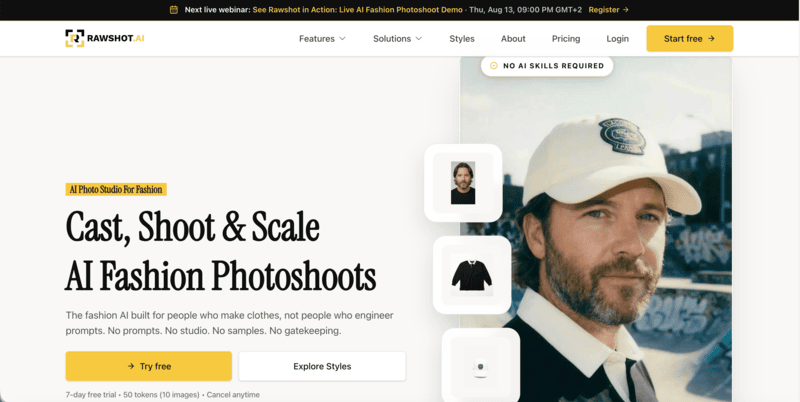
Rawshot AIClick-driven creative control with C2PA compliance built in$9/monthFashion brands needing structured direction and EU-compliant AI imagery
SellerPicFast model imagery with Shopify sync for marketplace sellersFree tier; from $29/monthAmazon and Shopify sellers needing quick, scalable product visuals
Vue.aiFull enterprise retail automation across content, personalization, and inventoryCustomLarge omnichannel retailers with full tech stacks and integration resources

How WeShop AI Compares to the Top Alternatives

The table below compares feature availability across its five alternatives.

FeatureFashion DiffusionClaid.aiRawshot AISellerPicVue.ai
On-model image generationYesYesYesYesYes
Virtual try-onYesYesYesYesYes
Sketch-to-renderYesNoNoNoNo
Flat lay / ghost mannequin inputYesYesYesYesYes
Consistent ModelsYesYesYesNoYes
Pose controlYesYesYesNoYes
Background removalYesYesNoYesNo
AI video generationYesYesYesYesNo
API accessNoYesYesNoYes
Shopify integrationNoNoNoYesYes
Free TrialYesYesYesYesDemo only
Starting price$12/month$15/month$9/monthFree tier; from $29/monthCustom

1. Fashion Diffusion — Best Overall for Fashion Brands and Designers

Where WeShop covers apparel photography as one module among many general AI tools, Fashion Diffusion treats the full fashion visual creation pipeline as its entire product. It’s more of a fashion workflow tool that brings everything together—sketching, turning sketches into renders, virtual try-ons, recoloring, applying fabrics, creating AI models, and editing images—all in one place.

Capterra’s listing flags virtual try-on, sketch-to-render, and background editing as its standout differentiators in the Generative AI category.

Fashion Diffusion AI interface showing sketch-to-render, virtual try-on, and fashion model generation workflow

Key Features

  • AI model generator: control body type, skin tone, pose, and regional variants for market-specific catalogs
  • Virtual try-on + mix-and-match styling across body types
  • AI Sketch tools, outfit design, and inpainting for upstream design validation
  • Flat lay generator, background change, remove background, and 4K upscaling
  • AI fashion video at 1080p included on all plans

Best Use Cases

  • Independent fashion labels and mid-market brands producing seasonal catalogs without booking studios
  • Designers testing colorways and garment concepts before committing to physical samples
  • E-commerce teams and agencies that need design-stage and photography-stage tools in a single subscription

Pricing 

  • Starter: $12/mo — 50 credits (~50 images)
  • Creator: $29/mo — 160 credits (~160 images)
  • Pro: $59/mo — 380 credits (~380 images)
  • Studio: $199/mo — 1,400 credits (~1,400 images)

Pros

  • Fashion-native AI covers the full production pipeline, not just on-model generation
  • A broad feature set combining both AI photography and design tools within a single platform.
  • AI video (1080p) included on all plans.
  • Provides a low-cost entry point at $12/month with a relatively broad set of tools.

Cons

  • No Shopify or marketplace native integration for direct listing sync
  • Team collaboration not prominently featured in public plan details.

2. Claid.ai — Best for Fashion Production and Catalog-Scale Automation

Compared to WeShop, Claid.ai places stronger emphasis on automation and API-driven workflows, while also offering a broader set of generation tools beyond traditional image editing. Claid.ai helps e-commerce teams enhance product images—background removal, lighting, upscaling, color fixes—and even offers AI fashion models and photoshoot features.

It’s API-first and great for large catalogs. Toolradar’s April 2026 review highlights its specialization in product photography — preserving prints, and logos when generating on-model variants. However, if you need fabric-level editing, Claid.ai isn’t built for that. Its pricing is credit-based, with API usage at approximately $0.059 per credit.

Claid AI dashboard showing AI product and fashion photos

Key Features

  • AI Fashion Models: 100+ diverse models including plus-size and kid
  • Flat-lay / Ghost Mannequin to On-Model Conversion
  • AI Background Generation for studio and lifestyle scenes
  • Enhances image quality, removes backgrounds, and corrects colors

Best Use Cases

  • Enterprise e-commerce operations running automated image pipelines for thousands of monthly SKUs
  • Marketplace sellers (Amazon, Zalando) who need platform-compliant images processed programmatically
  • Technical teams embedding product photography into their existing retail management systems

Pricing 

  • API: $0.059 per credit (pay-as-you-go)
  • Web app: from $9/mo (credit-based);
  • Professional from $39/mo with custom background templates and outpainting
  • Enterprise: custom pricing and SLAs

Pros

  • Automates image editing at scale
  • Offers advanced control with brand-approved backgrounds and colors.
  • API available for large-scale automation

Cons

  • Creative mode might alter product angles or compositions, which may not always be desired.
  • Some features, such as AI Photoshoot, may not offer unlimited image generation.
  • Creative outputs may require refinement for strict brand guidelines

3. Rawshot AI — Best for Structured Creative Direction and EU Compliance

Rawshot AI replaces text prompts with a click-driven interface that exposes camera angle, lighting, pose, background, and visual style through buttons, sliders, and presets. That structure makes outputs predictable and repeatable without prompt engineering — a friction point fashion teams frequently raise with WeShop and other prompt-based platforms. Built and hosted in the EU, it includes C2PA-signed provenance metadata, cryptographic watermarking, and GDPR-compliant processing that no other tool in this comparison offers.

On production volume, Rawshot covers 600+ synthetic models, 150+ camera styles, and 1,500+ background templates.

Rawshot AI interface showing AI Fashion Photoshoots

Key Features

  • Click-driven creative controls: camera, pose, lighting, background, and visual style via UI — no prompts
  • 600+ synthetic models with diverse body types, ethnicities, and ages
  • 150+ camera styles and 1,500+ background templates across photography categories
  • C2PA provenance metadata, AI labeling, cryptographic watermarking, and audit-ready generation logs
  • Multi-product compositions (up to 4 items), AI video generation, and API access

Best Use Cases

  • Fashion brands that need structured creative direction without prompt engineering overhead
  • EU-based or regulated brands that require C2PA-compliant AI imagery and GDPR-hosted processing
  • Mid-market brands building consistent model identity across large seasonal catalogs

Pricing 

  • Starter: $9/mo — 80 tokens (~16 images)
  • Growth: $39/mo — 400 tokens (~80 images)
  • Pro: $89/mo — 960 tokens (~192 images)
  • Business: $179/mo — 2,000 tokens (~400 images)

Pros

  • Only platform in this comparison with C2PA provenance and full compliance infrastructure
  • Click-driven interface produces predictable, art-directed outputs without prompt experimentation
  • Tokens never expire; 7-day free trial with no credit card

Cons

  • less emphasis on advanced creative control or high-end fashion studio requirements.
  • No upstream design tools

4. SellerPic — Best for Marketplace Sellers Who Need Speed and Shopify Sync

SellerPic is optimized for e-commerce sellers who need model imagery quickly and want it connected directly to marketplace listings. Its Shopify native sync — which no other tool in this comparison provides — reduces the steps between asset creation and a live product page. which accurately frames its positioning relative to deeper fashion-photography tools.

Where SellerPic falls short versus Fashion Diffusion is creative depth: there’s no sketch-to-render, no inpainting, and limited pose control. Credits also reset monthly with no rollover, which creates pressure for teams with irregular production schedules.

sellerpic UI showing E-commerce photos and shoppable videos

Key Features

  • AI Model Image: generate on-model shots from flat-lay or ghost mannequin inputs
  • AI Product Image: lifestyle scenes and styled backgrounds for product listings
  • Virtual Try-On: visualize clothing on AI models for direct listing use
  • Shopify native integration: sync AI-generated images directly to storefronts
  • AI Video: short product videos, lip-sync, and 20+ video templates (Growth plan+)
  • UHD downloads and commercial usage rights on all paid plans

Best Use Cases

  • Shopify sellers who need direct storefront sync from image creation to live listing
  • Amazon and marketplace sellers managing regular new arrivals with quick turnaround requirements
  • Small fashion brands testing AI photography at accessible entry pricing with a free tier available

Pricing 

  • Free: 20 credits/mo, 1 video at a time, 1 custom model
  • Starter: $29/mo — 200 credits, UHD, commercial use
  • Growth: $79/mo — 600 credits, lip-sync video, 20+ video templates, 5 custom models
  • Advanced: $99/mo — 3,000 credits, priority support

Pros

  • Shopify native sync is unique in this comparison — reduces steps between creation and live listing
  • Fast, accessible interface designed for non-designers and solo sellers

Cons

  • Credits expire monthly
  • Built primarily for ecommerce image  generation rather than high-end fashion creative production
  • No pose control, consistent model identity below Growth tier, or garment recoloring

5. Vue.ai — Best for Enterprise Retailers Running Omnichannel Operations

Vue.ai is not a dedicated fashion photography tool, but an enterprise retail AI platform where on-model imagery is one module within a broader system that includes personalization, styling, catalog automation, and inventory intelligence.

Its relevance as an alternative to WeShop AI is primarily in enterprise environments. For most small and mid-sized apparel sellers, Vue.ai’s enterprise deployment model and integration requirements make it less suitable as a direct plug-and-play photography solution.

Enterprise retail automation platform combining AI product imagery, personalization, and inventory systems

Key Features

  • On-model imagery
  • Size variant generation: display a single product on multiple body sizes without separate shoots
  • Color variant generation from a single source image
  • Mix-and-match outfit styling
  • Virtual dressing room for shopper-facing size visualization and try-on
  • AI product tagging, catalog automation, personalized journeys, and inventory forecasting

Best Use Cases

  • Large-scale omnichannel retailers needing AI across content, personalization, and inventory in one platform
  • Enterprise teams with dedicated IT and integration resources that can deploy and maintain a complex system

Pricing: Custom

Pros

  • Covers content production, personalization, and inventory automation
  • Documented conversion improvements from customer deployments
  • Multi-size and multi-color variant generation from a single input image

Cons

  • Enterprise-only pricing puts it out of reach for small and mid-market fashion brands
  • Requires significant technical resources to deploy and integrate

Which AI Fashion Photography Platform is Right for You

If you need end-to-end fashion visuals

Choose Fashion Diffusion to go from concept validation to production-ready catalog visuals in a single workflow. It combines sketch-to-render, virtual try-on, AI model photography, and 4K output — with credits that carry over rather than resetting each month.

If you need scalable catalog automation

Claid.ai is the right fit for teams processing thousands of SKUs through automated workflows. Its API pricing is transparent and accessible without an Enterprise paywall, and its custom model training enforces brand consistency at scale.

If you need consistent models across many products

Rawshot AI suits fashion teams that want click-driven control over camera settings, lighting, poses, and model presentation without relying heavily on prompt engineering.

If you need affordable e-commerce fashion visuals

SellerPic works well for Shopify-native sellers who need model imagery quickly and want direct sync with Shopify listings. Its free tier and accessible interface lower the barrier to entry for smaller operations.

If you need full retail automation

Vue.ai fits large omnichannel retailers that need AI across content production, personalization, merchandising, and inventory operations — and have the resources to support a broader retail AI platform.

How to Switch from WeShop AI to a Better Alternative

Teams switching from WeShop AI to Fashion Diffusion or similar tools should first align their shot types, including on-model, flat lay, and ghost mannequin, with the closest formats in the new platform. Export key garment assets in a clean, consistent background so they can be used immediately.

Next, set up AI model profiles early. Define basic attributes such as body type, skin tone, and demographic settings to keep outputs consistent across the catalog. Before scaling, test garment fidelity on a small set of core SKUs to confirm quality and consistency.

With Fashion Diffusion’s low-cost entry, teams can explore AI fashion image generation risk-free, with no large upfront commitment. Fashion teams can check the official site for the latest features, pricing, and output examples to decide if it fits their needs.

FAQ

WeShop vs Fashion Diffusion: which is better for fashion?

WeShop AI approaches apparel tools as one use case within a broader general AI suite. Fashion Diffusion is purpose-built for fashion with 10 design tools and 12 fashion photography tools including virtual try-on, AI models and fashion videos. If you focus primarily on AI Fashion Photography, Fashion Diffusion is the better choice. If you want a broader e-commerce image tool for virtual try-on, mannequin conversion and background editing, WeShop AI may suffice. 

Which WeShop AI alternative offers AI fashion models?

Several WeShop AI alternatives offer AI fashion models, including Fashion Diffusion and Rawshot AI. Fashion Diffusion stands out by combining AI models, virtual try-on, and fashion design tools in a single platform, making it easier for brands to create consistent on-model product images.

What is the cheapest alternative to WeShop AI?

SellerPic currently offers a free plan, making it one of the cheapest WeShop AI alternatives. For paid options, Rawshot AI starts at around $9/month and supports on-model image generation from flat-lay or ghost mannequin inputs. Fashion Diffusion starts at $12/month and includes its all AI fashion tools such as AI fashion models and 4K image generation & upscaling.

Which WeShop AI alternative is best for Shopify stores?

For Shopify sellers, the best WeShop AI alternative depends on workflow priorities. SellerPic is ideal for direct Shopify integration and fast product publishing. Fashion Diffusion, Claid.ai, and Rawshot AI are better for AI fashion photography, offering higher model consistency, stronger visual quality, and scalable catalog generation for conversion-focused Shopify stores.

Do WeShop AI alternatives support bulk product image generation for e-commerce?

Yes. Tools like Claid.ai and Rawshot AI are designed for high-volume SKU processing, making them suitable for large catalogs. Fashion Diffusion also supports scalable generation with consistent AI models and 4K outputs, making it suitable for brands needing both bulk efficiency and strong brand-level visual consistency.

Avatar photo 通过Sophia Mille

Futuristic Fashion: Outfit Ideas and How to Design Them with AI (2026)

Futuristic fashion in 2026 isn’t about costume or sci-fi theatrics. It’s a wearable aesthetic — metallic fabrics, architectural silhouettes, holographic prints, and smart materials — that sits at the intersection of design precision and technological possibility.

This guide covers what futuristic fashion actually looks like today, the five defining outfit directions of 2026, and how to use AI to design and visualize your own futuristic looks — from first concept to photorealistic model shot.

What Is Futuristic Fashion?

what is Futuristic Fashion
Fashion Diffusion AI-generated

Futuristic fashion is a design aesthetic built around clean lines, advanced materials, and subtle technology — not the exaggerated, dystopian look of science fiction. Think of it as dressing for a version of tomorrow that is still elegant and wearable today.

The simplest way to understand it:

Futuristic Fashion = Minimalism + Advanced Materials + Precision Tailoring

It’s defined by what it removes as much as what it adds. Excessive ornamentation is replaced by structural form. Traditional fabrics give way to metallics, iridescent weaves, and smart textiles. Hardware becomes invisible or architectural.

How Futuristic Fashion Differs from Sci-Fi or Cyberpunk Style

A common confusion is treating futuristic fashion and cyberpunk as the same aesthetic. They’re not.

Futuristic FashionCyberpunk / Sci-Fi Style
WearabilityHigh — designed for real-world luxury contextsLow — theatrical, often costume-like
AestheticClean, minimalist, polished, tailoredGritty, dystopian, maximalist
TechnologySubtly integrated, enhances functionOvert — exposed wires, visible tech
MaterialsMetallics, smart fabrics, sustainable techIndustrial, raw, synthetic

Futuristic fashion belongs in luxury showrooms and editorial shoots. Cyberpunk belongs on a film set. Both are interesting — but they serve completely different creative purposes.

Key Elements of Futuristic Fashion

1. Clean Lines and Architectural Silhouettes

Futuristic fashion favors precision. Cuts are sharp. Silhouettes are structural. The garment’s form is the statement — not embellishment, not print, not layering.

This is where AI design tools are particularly useful. Generating clean architectural silhouettes from a prompt or sketch takes seconds, letting designers explore dozens of structural variations before committing to a direction.

2. Metallic and Iridescent Fabrics

Chrome, liquid silver, holographic weaves, and color-shifting iridescent fabrics are the signature materials of the aesthetic. They interact with light dynamically — the garment looks different from every angle, in every setting.

For e-commerce and editorial use, these materials are notoriously difficult to photograph accurately. Apply Fabric lets you upload a metallic or iridescent fabric swatch and apply it directly to any garment silhouette, making it possible to see how a holographic piece will look without a physical sample.

3. Smart and Sustainable Materials

In 2026, tech-integrated clothing is moving from novelty to function. Smart fabrics can regulate temperature, respond to movement, and wick away moisture without changing how clothes look or feel — through conductive yarns, responsive fibers, and embedded sensors.

Futuristic fashion incorporates these materials into elevated silhouettes: lab-grown silk with thermal regulation, recycled ocean plastics engineered to a luxurious finish, biodegradable polymers cut like high-end tailoring.

4. A Disciplined Color Palette

The base is almost always neutral: deep black, glowing white, refined gray. Color comes from metallics and holographic effects — not from print or pigment. The contrast between the neutral structure and the light-reactive surface treatment is what gives the look its signature tension.

5 Futuristic Fashion Outfit Ideas for 2026

The aesthetic spans a wide range — from understated metallic minimalism to bold holographic statements. What follows are five distinct directions, each grounded in the core principles of clean silhouettes, advanced materials, and deliberate restraint. Use them as a starting point for your own designs, or as a reference for what’s shaping the futuristic fashion conversation in 2026.

1. Minimalist Metallic Ensemble

The look: A sleek silver column dress or chrome-finish trouser suit in liquid metal fabric. Minimal seaming. No visible hardware. The garment’s surface does all the work.

Styling direction: Keep accessories architectural — geometric earrings, a single cuff. Let the fabric be the focus.

Minimalist Metallic Ensemble
Fashion Diffusion AI-generated

2. Holographic and Digital Print Statement

The look: A structured jacket or dress in holographic fabric that shifts between iridescent blue, silver, and pale gold as it moves. Paired with clean matte black separates underneath to let the surface effect breathe.

Styling direction: One holographic piece per outfit. Pair with matte, structural separates — the contrast makes the iridescent piece hit harder.

Holographic and Digital Print Statement
Fashion Diffusion AI-generated

3. Architectural Smart-Fabric Suiting

The look: A precisely tailored suit in temperature-regulating or adaptive fabric — structured enough for formal settings, technical enough to signal the futuristic aesthetic. Sharp lapels, clean trouser break, no excess fabric.

Styling direction: Minimal hardware, invisible closures. The sophistication is in the construction, not the accessories.

Architectural Smart-Fabric Suiting
Fashion Diffusion AI-generated

4. Eco-Tech Layered Look

The look: A biodegradable polymer outerwear piece over a recycled-material base layer — both in the futuristic neutrals palette (white, pale gray, off-black). The construction shows deliberate sustainability: visible seam structure, functional pockets, no decorative elements.

Styling direction: Let the construction details tell the sustainability story — visible seams, raw edges treated with precision rather than hidden.

Eco-Tech Layered Look
Fashion Diffusion AI-generated

5. Digital Pattern and 3D-Print Detailing

The look: A garment featuring AI-generated geometric patterning or 3D-printed structural detailing — textures that couldn’t exist with traditional manufacturing. The base form is clean and minimal; the surface complexity is the design statement.

Styling direction: Let the pattern or texture carry the outfit. Keep silhouette simple — fitted, column, or structured — so the surface complexity reads clearly.

Digital Pattern and 3D-Print Detailing
Fashion Diffusion AI-generated

How to Create Futuristic Fashion Looks with AI

The five outfit directions above illustrate what’s possible. Here’s a practical workflow for building your own futuristic fashion visuals from start to finish using Fashion Diffusion.

Step 1: Generate the Concept

Start with a text description of the look you want. Be specific about silhouette, fabric, color, and construction:

“A structured midi dress in holographic silver-blue iridescent fabric, architectural neckline, invisible seaming, editorial fashion photography quality, soft studio lighting.”

Use AI Outfit Generator for full-look generation, or AI Text to Sketch if you want to start with a line drawing you can develop further.

Use Fashion Diffusion AI to develop creative concepts

Step 2: Develop the Design

Once you have a base concept, iterate:

  • Sketch to Render — Convert a hand-drawn or digital sketch into a photorealistic fashion image
  • Apply Fabric — Test metallic, holographic, or smart fabric swatches on your design
  • Recolor — Explore the neutral + metallic accent palette without redrawing
  • Seamless Pattern Generator — Create geometric or AI-generated prints to apply to the garment
Use Fashion Diffusion AI to develop the design

Step 3: AI try on a Model

Take the finished design into Virtual Try-On. Upload a flat-lay of the garment, pick a model, and generate a studio-quality on-model photo in seconds.

Visualize on a Model

Step 4: Create Campaign Visuals

For editorial or social content, use Change Background to place the model in a minimalist studio, urban architecture setting, or abstract digital environment — whichever fits the campaign direction.

Turn the final image into video content with AI Fashion Video: describe the motion (slow pan, fabric ripple, structural turn) and generate a publish-ready clip for TikTok or Instagram Reels.

Create Campaign Visuals
Fashion Diffusion AI-generated

Why AI Is the Right Tool for Futuristic Fashion Design

Futuristic fashion is hard to design conventionally. The materials don’t exist in swatchbooks. The silhouettes require precision that sketching by hand approximates at best. Physical sampling of metallic or smart-fabric garments is expensive and slow.

AI removes these friction points:

  • Speed: A new silhouette concept takes seconds to generate, not hours to sketch and render manually
  • Material visualization: Metallic, holographic, and iridescent fabrics render accurately without physical samples
  • Iteration cost: Testing 10 colorways or 5 silhouette variations costs the same as testing one
  • Photography: On-model product shots and campaign visuals are generated within the same platform, without a studio

For designers working in this aesthetic, the creative bottleneck isn’t ideas — it’s production. AI closes that gap.

Design Your Own Futuristic Fashion Look with AI

Whether you’re developing a collection concept, creating product visuals for a metallic capsule, or exploring new silhouette directions — AI removes the friction between the idea and the image.

Fashion Diffusion covers the full futuristic fashion workflow: from text prompt to finished design, on-model photography, and campaign video. No studio, no samples, no waiting.

Start designing with Fashion Diffusion — free trial →

Futuristic Elegance FAQs

What is futuristic fashion?

Futuristic fashion is a wearable aesthetic built around clean architectural silhouettes, metallic and iridescent fabrics, smart materials, and subtle technology integration. Unlike sci-fi or cyberpunk style, it prioritizes sophistication and real-world wearability over theatrical effect.

What are the key futuristic fashion trends for 2026?

The dominant directions in 2026 are metallic minimalism (chrome, liquid silver, holographic fabrics), smart-fabric suiting with performance properties, eco-tech layering using sustainable advanced materials, AI-generated geometric patterning, and architectural 3D-printed detailing. All share the same foundation: clean silhouettes with technically advanced surfaces.

How is futuristic fashion different from cyberpunk?

Futuristic fashion is polished, minimalist, and luxury-adjacent — designed for real-world wear in elevated contexts. Cyberpunk is gritty, maximalist, and dystopian — closer to costume than clothing. The two aesthetics share an interest in technology and the future, but diverge entirely in execution and intention.

What fabrics are used in futuristic fashion?

The signature materials are metallics (chrome, liquid silver, foil-printed fabrics), iridescent and holographic weaves that shift color with light and movement, smart fabrics with thermal regulation or adaptive properties, and sustainable innovations like lab-grown silk and biodegradable polymers finished to a luxury standard.

Can I design futuristic fashion outfits with AI?

Yes — AI tools like Fashion Diffusion are well-suited to this aesthetic. You can generate metallic and holographic garment visuals from text prompts, apply specific fabric swatches to silhouettes, create AI-generated geometric patterns, and visualize the finished look on a realistic AI model. The full workflow from concept to photorealistic model shot takes minutes.

Avatar photo 通过Sophia Mille

6 Best AI Fashion Video Generators for Ecommerce (Real Cost Per Clip Tested in 2026)

Your product photos are doing most of the work. Your competitors’ videos are doing the rest.

AI fashion video generators can turn any garment image into a publish-ready clip in minutes — no studio, no crew. But not every tool delivers what ecommerce actually needs: garment detail that holds under motion, formats that publish without reformatting, and licensing that covers paid ads.

We tested the 6 best AI fashion video generators against real ecommerce workflows — product pages, TikTok, catalog scale, and paid social — and scored each on garment fidelity, workflow fit, commercial licensing, and true cost per usable clip. Here is what actually works.

What to Look for in an AI Fashion Video Generator

Infographic showing six evaluation dimensions for AI fashion video generators: garment fidelity, input flexibility, output channel fit, workflow integration, licensing, and cost per asset
The six dimensions we used to evaluate every tool

Not all AI video tools are built for fashion ecommerce. These are the six dimensions that actually determine whether a tool fits your workflow.

  • Garment fidelity. Does garment detail — logos, prints, fabric texture — hold under motion? This is where fashion-specific tools consistently outperform general models.
  • Input flexibility. Can it accept flat-lays, on-model photos, and AI-generated renders? The wider the input range, the less upstream prep work required.
  • Output-to-channel fit. Does it natively support 1:1 for product pages and 9:16 for TikTok? Reformatting after generation adds friction and time.
  • Workflow integration. Can it process existing assets without a separate import step? For high-SKU brands, per-asset manual preparation is the real bottleneck.
  • Commercial licensing. Is the output cleared for paid ads and marketplace listings? Licensing terms vary significantly between tools and pricing tiers.
  • Cost per usable asset. Headline price divided by credits tells you little. What matters is how many publish-ready videos you actually get per month, after iteration.

We used these six dimensions to evaluate every tool below. Here is what we found.

Best AI Fashion Video Generators: A Quick Overview

We reviewed the most widely used tools on the market and selected six that are purpose-built — or genuinely proven — for fashion ecommerce video production.

ToolBest ForKey StrengthEcommerce FitVideo Generation PricingCost per clip(depends on plan)
Fashion DiffusionTeams with existing AI image workflowPrompt-Driven Motion ControlGarment-First Animation;Asset continuityExcellentFree trial; From $12/month ≈ $1.20–$1.40 
WearViewTemplate-driven catalog videoTemplate-based fashion video with flexible model and pose controlExcellentFrom $40/month≈ $1.5–$3.0 
ModeliaShopify brandsNative Shopify app — photo, video, and publish in one flowVery GoodFrom $12/month5s: $6 10s: $9–10  
Pic CopilotPaid social and TikTok ShopCommercial licensing; built-in musicVery GoodFrom $7.99/month≈ $0.056
RAWSHOTAgencies and large catalogsClick-driven UI, C2PA compliant,team project managementVery GoodFrom $9/month$1.12 – $2.25  
Kling AI 3.0Cinematic lookbook and hero videoHigh-quality fabric motion and realistic texture rendering for cinematic-style fashion contentGoodFrom $6.99/month≈ $0.21 / clip (720p)

The 6 Best AI Fashion Video Generators for Ecommerce

1. Fashion Diffusion — Best for Teams With an Existing Model Image

Fashion Diffusion turns garment images into video using text prompts — no re-upload needed.

Fashion Diffusion is an AI fashion design and photography platform. Its AI fashion video feature animates any garment image into a publish-ready video using a short text prompt.

Upload a flat-lay, model shot, virtual try-on image. Describe the motion and camera style you want. The video is ready in minutes.

The key advantage: any image generated elsewhere in Fashion Diffusion feeds into the video step without re-uploading. Same session, no extra steps.

Key Features (Ecommerce Workflow)

  • Image-to-video from any garment input: flat-lay, model shot, or any AI-generated image
  • Prompt-driven motion control: describe camera style, motion type, and mood in plain text — runway stride, fabric reveal, lifestyle moment
  • Direct publish formats: product page (1:1, 4:3) and social (9:16) aspect ratios, high resolution, no reformatting needed
  • Session continuity: Integrated with Fashion Diffusion’s AI virtual try-on and Model generation
  • Multiple variations per session: different motion prompts on the same image produce different video outputs in one sitting

Pricing: Free trial available. Tiered plans for solo designers to brand teams. From $12.00/ month

Who it’s for: Ecommerce teams generating product imagery with AI who want video from the same assets. DTC brands managing catalog video at volume. Not for: long-form brand film.

gif image showing a garment animated as an AI fashion video using Fashion Diffusion
Fashion Diffusion AI-generated

Ecommerce Workflow Assessment

DimensionRatingWhat it means for your workflow
Garment fidelityStrongFabric texture and silhouette preserved; optimised for fashion inputs
Input flexibilityExcellentAll major garment image types accepted natively
Output-to-channel fitStrongProduct page and social formats supported; direct publish, no reformatting
Workflow integrationExcellentUnique on this list: own-platform assets feed in without export
Commercial licensingIncludedCommercial use covered on paid tiers
Cost per usable assetEfficientLow iteration rate when input quality is good; free trial available

2. WearView — Best for Template-Driven On-Model Video at Catalog Scale

WearView AI fashion video generator interface showing pre-built animation templates including walk cycle and pose transition options for ecommerce product video

WearView is a fashion ecommerce platform for AI model creation, virtual try-on, and video. Its video feature uses pre-built animation templates designed for garment presentation.

Choose a walk cycle, pose transition, or turn template. Generate a structured, repeatable video from your model image. Output is consistent across every SKU.

If you already use WearView for AI model photos, the video feature uses the same model — no identity mismatch between your stills and your videos.

Key Features (Ecommerce Workflow)

  • Fashion animation templates: walk cycles, pose transitions, and turns built for garment showcase — no random motion
  • Consistent model identity: same AI model appears in stills and video; visual coherence across your full catalog
  • Multiple aspect ratios: 1:1, 3:4, 4:3, 9:16, 16:9 — product page and social formats in one generation
  • Resolution options: 720p standard; 1080p on Pro and Advanced plans
  • Integrated workflow: connects to WearView’s model creation and virtual try-on — no asset export needed

Pricing: From $40/month for video generation (720p); $82/month for 1080p.

Who it’s for: Brands using WearView for AI model photography who want video from the same models. Teams that need visual consistency across stills and video at catalog scale.

Not for: free-form motion control or brands outside the WearView ecosystem.

Ecommerce Workflow Assessment

DimensionRatingWhat it means for your workflow
Garment fidelityStrongTemplate-controlled motion keeps garment detail stable
Input flexibilityStrongWorks from WearView models or imported on-model photos
Output-to-channel fitStrongAll major aspect ratios built in; 720p and 1080p options
Workflow integrationStrongFully integrated with WearView model creation and try-on
Commercial licensingIncludedCommercial use covered
Cost per usable assetPlan-dependent10 credits (720p) or 20 credits (1080p) per video

3. Modelia — Best for Shopify Brands Combining Photo and Video in One Flow

Modelia AI fashion video generator showing garment image input and video output options with Shopify integration for ecommerce product publishing

Modelia is a Shopify-native fashion AI tool. Upload a garment image, generate an on-model photo, and animate it into a 5 or 10-second video.

The native Shopify app connects directly to your product listings. Generated stills and videos publish to your store without leaving the platform.

The AI model stays consistent between the photo and the video, so your product page imagery is visually coherent without any manual coordination.

Key Features (Ecommerce Workflow)

  • Flat-lay to on-model photo and video: full content generation from a single garment image
  • 5-second and 10-second clip options: practical lengths for product pages and social snippets
  • Native Shopify app: generated content publishes directly to product listings — no manual upload
  • Consistent character identity: same AI model in stills and video across the catalog
  • Pose variation and background options: additional content types from the same session

Pricing: Free plan available (non-commercial, watermarked). Paid plans from $35/month. One-time credit pack at $12 (50 credits)”. Video: 25 credits for 5 seconds, 40 credits for 10 seconds. Credits roll over on paid plans.

Who it’s for: Shopify brands that want AI model photography and video with direct store publishing in one workflow. Not for: non-Shopify stores, long-form video, or editorial-quality motion.

Ecommerce Workflow Assessment

DimensionRatingWhat it means for your workflow
Garment fidelityGoodFashion-trained; test complex prints before committing at scale
Input flexibilityGoodFlat-lay, mannequin, and on-model inputs accepted
Output-to-channel fitGood5s and 10s clips; Shopify-native publishing; social formats available
Workflow integrationExcellentBest Shopify integration on this list — photo, video, publish in one flow
Commercial licensingIncludedCommercial use covered on paid plans
Cost per usable assetMonitor usage25 credits (5s) or 40 credits (10s); plan credit limits apply

4. Pic Copilot — Best for Paid Social and TikTok Shop Campaigns

Pic Copilot Fashion Reels interface showing AI avatar selection, video template options, and built-in music for social commerce video generation

Pic Copilot‘s Fashion Reels feature turns garment photos into short-form video built for social commerce. AI avatars, licensed music, and commercial rights are included in the output.

It is optimised for TikTok Shop, Instagram Reels, and marketplace platforms. The output is ad-ready on download — no separate licensing or music rights step.

Key Features (Ecommerce Workflow)

  • Fashion Reels: garment photos to social-ready video with AI avatar models in one step
  • Built-in licensed music: music included in the output — no separate music rights management
  • Commercial licensing at output: among the clearest ad-use documentation of any tool on this list
  • Platform-optimised exports: TikTok, Instagram Reels, and YouTube Shorts formats natively
  • Credit refund policy: Pcoins refunded for low-quality results — reduces wasted spend on testing

Pricing: Free plan with basic tools. Video generation starts from $7.99/month. 7-day free trial on paid plans.

Who it’s for: Brands running paid social and TikTok Shop campaigns who need commercially licensed video without a separate rights step. Not for: product page video or multi-platform workflows beyond social commerce.

Ecommerce Workflow Assessment

DimensionRatingWhat it means for your workflow
Garment fidelityGoodSufficient for social commerce; less suited for product page close-ups
Input flexibilityGoodStandard garment photo inputs; AI avatar generation built in
Output-to-channel fitExcellentSocial-optimised exports natively; TikTok and Reels formats built in
Workflow integrationModerateStrong for social and marketplace; no Shopify or product page workflow
Commercial licensingExplicitStrongest commercial licensing clarity on this list
Cost per usable assetEfficientRefund policy on poor outputs; free plan for initial testing

5. RAWSHOT — Best for Agencies and High-Volume Catalog Production

RAWSHOT AI fashion video generator showing click-driven interface with dropdown controls for model selection, camera style, motion type, and aspect ratio — no text prompts required

RAWSHOT is a B2B fashion photography and video platform built for scale. Every creative variable — model, camera style, background, lighting, motion — is a UI control, not a text prompt.

This click-driven approach means no prompt engineering skill is required. Outputs are consistent across large catalogs because the same settings reproduce the same results.

Every output carries C2PA metadata — machine-readable provenance that satisfies EU AI Act labelling requirements coming into effect August 2026.

Key Features (Ecommerce Workflow)

  • Click-driven interface: model, camera, background, and motion selected from menus — no text prompts needed
  • 600-plus synthetic models: 28 configurable body attributes; 150-plus camera styles; 1,500-plus background templates
  • Video formats: 9:16, 1:1, 4:5, 16:9; 720p and 1080p; PDP and social formats in one session
  • Collaborative approval workflow: collaborative project and approval workspace
  • C2PA compliance: every output carries embedded provenance metadata for EU AI Act requirements (August 2026)

Pricing: From $9/month. 7-day free trial with 50 tokens.

Who it’s for: Agencies managing fashion clients and brands with 200-plus SKUs that need structured, team-based content production. Not for: solo operators who want free-form creative motion control.

Ecommerce Workflow Assessment

DimensionRatingWhat it means for your workflow
Garment fidelityStrongGenerate-from-scratch architecture preserves fabric drape and detail
Input flexibilityStrongStandard garment photos; all major input formats supported
Output-to-channel fitStrongAll major aspect ratios; PDP and social formats covered
Workflow integrationExcellentBatch processing, team approvals, and API — built for scale
Commercial licensingFull rightsFull commercial rights included; C2PA metadata for compliance
Cost per usable assetEfficient~$0.22 per second of video; pay for actual usage, not a fixed seat

6. Kling AI 3.0 — Best for Cinematic Lookbook and Hero Campaign Video

Kling AI 3.0 image-to-video interface showing garment photo upload, motion prompt input, and generated fashion video output with fabric movement

Kling AI 3.0 is a general-purpose video model that ranks among the top performers in AI video benchmarks. For fashion, its fabric physics are the strongest available — drape, fold, and flow under motion look physically real.

It supports both image-to-video and text-to-video. The Multi-Shot feature connects up to six shots with consistent lighting and character identity — useful for short fashion films.

It is not built for ecommerce workflows. There is no model management, no batch processing, and no format presets. Expect to iterate 2-3 times per clip to get a publish-ready result.

Key Features (Ecommerce Workflow)

  • Best-in-class fabric physics: drape, weight, and movement that reads as physically real — the quality gap versus fashion-specific tools is visible
  • Image-to-video and text-to-video: animate an existing product photo or generate a fashion scene from a description alone
  • Multi-Shot: up to six connected shots with consistent lighting and character identity — for short fashion films
  • Native audio generation: sound effects, ambient audio, and dialogue in one pass — useful for social campaign content
  • Character reference: upload up to four reference images to lock visual identity across multiple generations

Pricing: Free tier available for non-commercial use only. Standard plan: $6.99/month (1080p).

Who it’s for: Creative teams producing lookbook video or campaign hero content where motion quality justifies iteration cost. Not for: catalog-scale product video, high-volume social content, or teams without prompt experience.

Ecommerce Workflow Assessment

DimensionRatingWhat it means for your workflow
Garment fidelityBest-in-classStrongest fabric physics on this list; complex motion handled realistically
Input flexibilityStrongImage-to-video and text-to-video; character reference for consistency
Output-to-channel fitManualNo ecommerce format presets; aspect ratio set manually per generation
Workflow integrationLimitedNo batch, no fashion workflow; assets managed externally
Commercial licensingCoveredCommercial use included on Standard plan and above
Cost per usable assetHigh3 iterations of 10s at 1080p costs ~360 credits; Standard plan covers ~2 polished clips/month

How to Choose the Right Tool

 Every tool on this list works. The question is which one fits how your team actually operates. Match your situation below.

Your situationBest matchWhy
Already generating AI product imagesFashion DiffusionYour existing assets feed into video — no new workflow or re-upload
Need consistent on-model video across a catalogWearViewTemplate animations lock model identity across every SKU
On Shopify — want photo, video, and publish in one flowModeliaNative Shopify app connects content creation to your store directly
Running paid social or TikTok Shop campaignsPic CopilotCommercial licensing confirmed at output; music included
Agency or 200-plus SKU catalog productionRAWSHOTBatch workflow, team approvals, and C2PA compliance built in
Cinematic lookbook or hero campaign videoKling AI 3.0Strongest fabric physics on this list — worth the prompt investment
No prompt experience neededWearView or RAWSHOTBoth use templates or click-driven controls — no text prompts required

The Bottom Line

Use the comparison table and workflow assessments above to match your situation to the right tool.

If you are already generating product imagery with AI, using an ecommerce video content tool is the natural next step — same assets, no new workflow.


It helps e-commerce teams create and test visual content faster, while keeping product storytelling consistent across channels.

About Fashion Diffusion: Fashion Diffusion is an AI-powered fashion design and visual creation platform. It helps designers and brands create campaign-ready visuals 95% faster than traditional production.

Explore the AI fashion video feature →

FAQs

What is an AI fashion video generator?

An AI fashion video generator turns static garment images into short, publish-ready videos — no studio, no crew, no editing software. Upload a product photo, describe the motion or style you want, and the AI produces a clip ready for your product page, TikTok, Instagram Reels, or paid ads. Fashion-specific tools preserve fabric texture and garment detail in motion, making them more reliable for ecommerce than general-purpose AI video models.

Can AI fashion videos preserve logos and print patterns in motion?

Yes, but it depends on motion complexity and tool type. Prompt-driven tools like Fashion Diffusion and Kling give more creative range per asset — useful when motion variety matters more than pattern precision. Template-driven tools like WearView and click-driven tools like RAWSHOT constrain movement by design, making them the safer choice for logo-heavy and pattern-heavy SKUs. For any tool, always QA your most complex SKUs before publishing at scale.

What input type produces the best results?

Clean, well-lit on-model photos with simple backgrounds work best across all tools. Flat-lays perform well in fashion-specific tools like Fashion Diffusion, RAWSHOT, and Modelia. Ghost mannequin inputs can introduce animation artefacts — convert to on-model first if possible.

Are AI fashion videos cleared for paid advertising?

Commercial licensing is included on paid tiers for all six tools on this list. Pic Copilot provides the clearest documentation at the point of output. For all other tools, verify that your specific plan tier covers paid advertising before running any commercial placement.

How do I calculate the real cost of an AI fashion video?

Divide your monthly plan cost by the number of publish-ready videos you actually get, not the number of generations. Tools with consistent first-pass quality like Fashion Diffusion, WearView, and RAWSHOT waste fewer credits per usable output. Prompt-driven tools like Kling typically need 2-3 iterations per polished clip, which multiplies the effective cost. For token-based tools like RAWSHOT, cost per second of video ($0.22) gives you a more accurate budget figure than the monthly subscription price alone.

Does EU AI Act compliance matter for AI fashion video?

From August 2026, EU AI Act requirements include machine-readable labelling for AI-generated content. Of the six tools on this list, RAWSHOT is the only one that publicly documents C2PA implementation. Worth factoring in now if you sell into EU markets.

Avatar photo 通过Sophia Mille

AI Bikini Generator: How to Design and Visualize Swimwear Online with AI (2026)

Creating swimwear content used to mean booking a studio, flying in models, and waiting weeks for edited shots. Today, you can get design concepts, on-model photos, diverse body type variations, and campaign visuals — all from a browser, in minutes.

This guide covers the full AI bikini workflow using Fashion Diffusion: how to generate designs from scratch, visualize them on AI models, create product-ready photography, and turn images into video content.

What Is an AI Bikini Generator?

fashion diffusion AI bikini design generator screenshot

An AI bikini generator uses artificial intelligence to create swimwear visuals — either as original design concepts, or as on-model product photos from existing garment images.

Most tools only handle one of these. The distinction matters:

  • Design generators take a text prompt and produce bikini concepts: silhouette, fabric, color, and print. Useful for ideation and exploring new directions before sampling.
  • Photography generators take an existing garment photo (flat lay or mannequin) and place it on a realistic AI model. Used for product listing images and catalog photography.

Fashion Diffusion covers both. You can design a swimwear concept from a text prompt, then take it directly into Virtual Try-On to see it on a model — without switching tools.

How to Create Swimwear Designs with the AI Bikini Generator

Step 1: Generate a Bikini Design from a Text Prompt

Open the AI Bikini Generator and describe the swimwear you want. The AI produces a photorealistic design concept based on your description.

Your prompt should specify:

  • Silhouette: triangle bikini, bandeau top, one-piece, high-waist bottom, cut-out swimsuit
  • Fabric and texture: matte, metallic, ribbed knit, mesh, neoprene, sustainable recycled material
  • Color palette: specific colors, gradients, bold contrasts
  • Print or pattern: tropical, geometric, solid, tie-dye, abstract
  • Details: ring hardware, lace-up ties, ruching, underwire, adjustable straps
  • Styling direction: minimalist, resort, editorial, sport, vintage-inspired

Example prompts:

A halter bikini top with adjustable gold ring details and high-waist bottoms, in deep terracotta with ribbed texture. Resort-ready, clean studio background.

A structured bandeau bikini in glossy black with architectural boning and minimal hardware. Editorial fashion photography, soft studio lighting.

A sustainable one-piece in sage green recycled fabric, with asymmetric cut-out at the waist and wide straps. Minimalist luxury aesthetic.

A Brazilian-cut bikini with tropical watercolor print, string ties, and sarong wrap bottom. Lifestyle beach photography mood.

Generate multiple variations from the same prompt. Small changes — matte to metallic, string ties to clip hardware — produce meaningfully different designs.

AI generating multiple bikini design variations from text prompt
Fashion Diffusion AI-generated

Step 2: Refine Colors, Fabrics, and Patterns

Once you have a base design, iterate without starting over:

  • Recolor — Change the color palette while keeping the silhouette and fabric intact. Test the same cut in five colorways in minutes.
  • Apply Fabric — Upload a fabric swatch and apply it to your design to see how a specific print looks on the actual garment shape.
  • AI Inpainting — Edit specific areas: change strap style, adjust hardware, or modify the cut without regenerating the whole image.

Step 3: Put Your Bikini on an AI Model

When the design is ready, use Virtual Try-On to place it on a realistic AI model. Upload the design, select your model parameters, and generate. Fashion Diffusion renders the garment with accurate fabric behavior — drape, texture, print alignment, and strap placement.

For product listings, use a white or neutral background with a full-body shot. This meets format requirements for Amazon, Shopify, and most marketplaces.

For editorial and campaign content, use Change Background to place your model in a beach setting or poolside environment after generating the on-model shot.

Virtual try-on of orange bikini on realistic AI model
Fashion Diffusion AI-generated

Step 4: Show Your Swimwear on Diverse Body Types

AI model generation lets you show a design across different body types, skin tones, and sizes — without booking multiple models.

Using the AI Model Generator, specify:

  • Body type and size range
  • Skin tone and ethnicity
  • Hair style and length
  • Pose and framing (full body, waist up, detail crop)
  • Background and lighting

The bikini design stays consistent — same fabric, same print, same hardware — while the model changes. This is the most practical way to build a size-inclusive catalog without extra shoots.

Same bikini design shown on different body types and skin tones
Fashion Diffusion AI-generated

Step 5: Turn Your Swimwear Photos into Video Content

Static photos get you onto a marketplace listing. Video drives engagement on TikTok, Instagram Reels, and product pages.

Fashion Diffusion’s AI Fashion Video takes any bikini image — a flat lay, a model shot, a Virtual Try-On result — and animates it into a publish-ready video. No filming, no editing, no production team.

How it works:

  1. Upload your swimwear image (the on-model shot from Step 3 works directly)
  2. Describe the motion — fabric movement, camera style, scene direction
  3. Generate and publish

Prompt examples for swimwear video:

“Slow camera pan across the model, fabric rippling gently in a beach breeze, golden hour light, lifestyle mood”

“Model turns to show the back of the swimsuit, poolside setting, soft natural light”

“Close-up of fabric texture moving in wind, showcasing the print detail, white background”

The AI preserves garment detail — fabric texture, print, strap placement — through the motion. Customers can see how the swimwear moves and drapes, which static images can’t show.

One image can produce multiple video variations in a single session — different motions, different moods, different crops. A single bikini shot becomes a full week of content.

Who Benefits Most from an AI Bikini Generator

Complete AI generated swimwear collection with multiple designs and models
Fashion Diffusion AI-generated

E-Commerce Sellers: Product Photography at Scale

For sellers managing large catalogs, traditional photography doesn’t scale — one round of on-model shots can cost $5,000–$15,000 and repeats every season. AI reduces per-image cost to under $1, and you can update imagery for a single colorway or restocked style without scheduling a new shoot.

Fashion Designers: Concept to Presentation in Hours

Traditional swimwear design means hand-sketching, mood boards, and physical sampling before presenting to buyers. With Sketch to Render, upload a hand-drawn sketch and get a photorealistic rendering in seconds.

Now designers can stay ahead of trends. They can quickly respond to looks like those featured in ELLE’s 2026 swimwear trends report.

Swimwear Startups: Launch Visuals Before Production

You don’t need manufactured products to launch. AI-generated imagery lets you build a complete visual collection — multiple designs, on-model photos, diverse sizing — before committing to production. Use it for crowdfunding campaigns, pre-orders, or investor pitches.

Content Creators: Campaign Visuals Without a Shoot

Describe the styling direction, generate the visuals, and adapt them for different platforms within the same session. No location, no crew, no scheduling.

AI Bikini Generator Prompt Guide: How to Get Better Results

Put the Garment First

Describe what the bikini is before describing the model or background. The AI prioritizes garment accuracy when garment details come first.

Weak: “A model on the beach wearing a stylish bikini”

Strong: “A string bikini with gold O-ring hardware, burnt orange with subtle tiger print, model on white sand beach. Natural light. Full body shot.”

Use Fabric Names, Not Just Adjectives

Specific fabric names produce more accurate texture rendering.

Instead ofTry
“shiny”metallic spandex, foil-printed lycra
“flowy”chiffon sarong, lightweight mesh overlay
“sporty”matte neoprene, compression knit
“textured”ribbed pointelle knit, crochet cotton

Add a Photography Style

Photography context helps the AI calibrate lighting, framing, and background.

  • “E-commerce product photo, white background, full body, natural studio light”
  • “Editorial fashion photography, beach location, golden hour light, lifestyle crop”
  • “Lookbook image, poolside setting, soft fill light, upper body framing”

Keep Collections Consistent

When generating multiple designs, use one base prompt and vary a single element at a time. This creates a cohesive catalog look while still showing range.

AI Bikini Generator vs. Traditional Swimwear Photography

AI bikini generator vs traditional photoshoot comparison
 Traditional PhotoshootAI Bikini Generator
Cost per image$50–$200+Under $1 at scale
Time to first imageDays to weeksMinutes
Model diversityLimited by budgetUnlimited variations
Design iterationPhysical samples requiredInstant from prompt
Platform adaptationRe-shoot or extensive editingOne-click background change
Seasonal updatesFull production cycleUpdate individual SKUs same day
Pre-production visualsNot possibleFull collection before manufacturing

Traditional photography still has a role — for influencer collaborations and high-end editorial work where the photography itself is the brand signal. For product listings, catalog photography, size representation, and design iteration, AI is faster and significantly cheaper.

Start Designing Your Swimwear Collection with AI

Create bikini designs, AI model photos, and videos in minutes.

No studio. No photographer. No physical samples needed.

👉Try AI Bikini Generator free

FAQ

Can I create video content from my AI bikini photos?

Yes. Fashion Diffusion’s AI Fashion Video tool animates any bikini or swimwear image into a publish-ready video. Upload the on-model shot, describe the motion, and generate. Output publishes directly to TikTok, Instagram Reels, YouTube Shorts, or embeds on product pages.

Is there a free AI bikini generator?

Fashion Diffusion offers a free trial covering the core bikini generation tools — AI Bikini Generator, Virtual Try-On, and AI Model Generator. No credit card required. Paid plans unlock higher volume and resolution exports.

Can I use AI-generated bikini photos for Amazon or Shopify?

Yes. AI-generated product photography is permitted on Amazon, Shopify, and most major marketplaces, provided the images accurately represent the product and comply with platform content policies. For marketplace listings, use a clean white background, full-body framing, and the garment filling at least 85% of the frame.

How do I write better prompts for an AI bikini generator?

Very specific prompts produce significantly better results. Include cut, fabric, color, print, hardware, and photography style. A vague prompt like “a nice bikini on the beach” produces generic output. A detailed prompt like “structured bandeau top with underwire, matte terracotta ribbed fabric, high-waist bottoms, gold clip hardware, white studio background, full body e-commerce shot” produces results close to a professional brief.