月度归档 2026年10月22日

Avatar photo 通过Alexander Wilson

16 Best ChatGPT Halloween Photo Prompts for Couples Going Viral Right Now

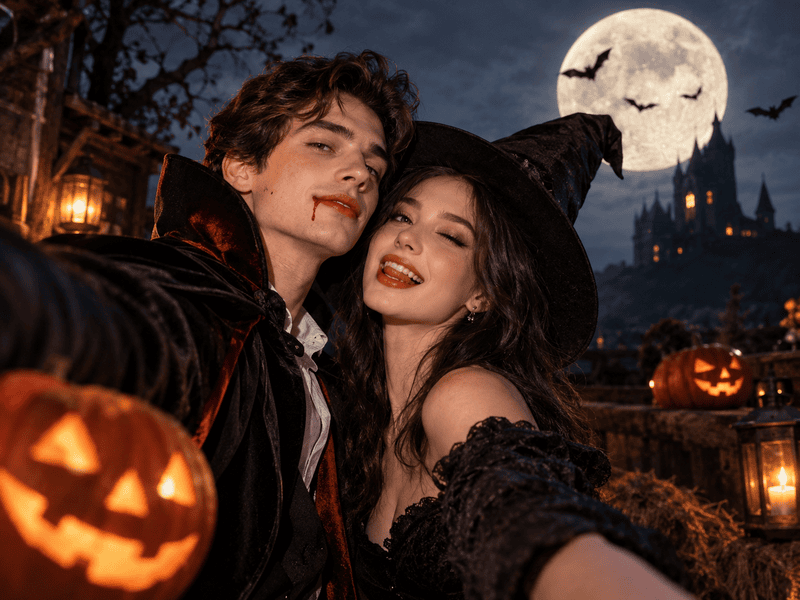
Halloween couple photos used to mean matching costumes and one blurry shot by the party door. Now a single prompt can turn a casual photo of the two of you into a gothic portrait, a cozy pumpkin patch date or a full movie poster.

This guide collects 16 ChatGPT Halloween photo prompts for couples, ready to copy and paste. Each one describes both people, how they interact, what they wear and how the scene is lit.

The list mixes this year’s costume trends with timeless Halloween classics, so there is a look for every kind of couple.

16 ChatGPT Halloween Photo Prompts for Couples

Each prompt below works on its own, so you can paste it straight into Fashion Diffusion or ChatGPT. The looks run from laugh-out-loud funny to jaw-dropping cinematic, with one properly bloody pick for horror fans.

Every example below starts from the same original couple photo, so you can compare the styles side by side.
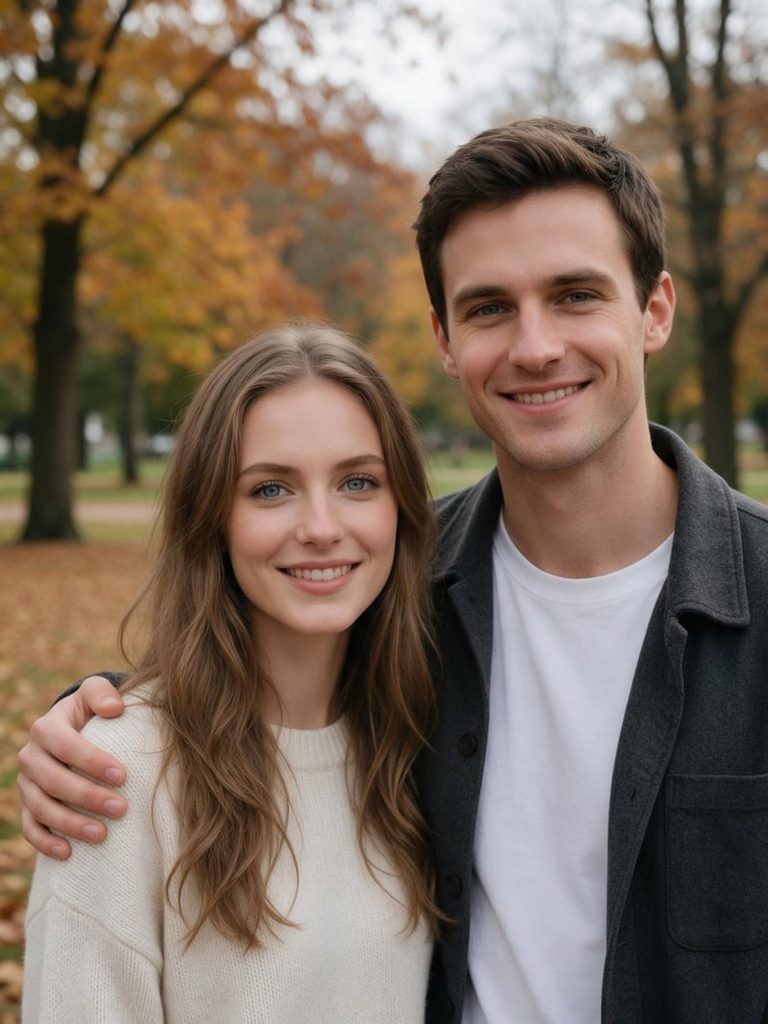
Source couple image.
Fashion Diffusion AI-generated

1. Monster and Bride in a Gothic Lab

A classic monster pairing, styled like a horror film still.

A cinematic portrait of the couple as a monster and his bride in a gothic lab. Her hair is teased into a towering updo with one white streak, faint stitches mark his temple, and she straightens his collar with a sly smile. Sparks and cold blue light behind them. Faces true to the reference photo.
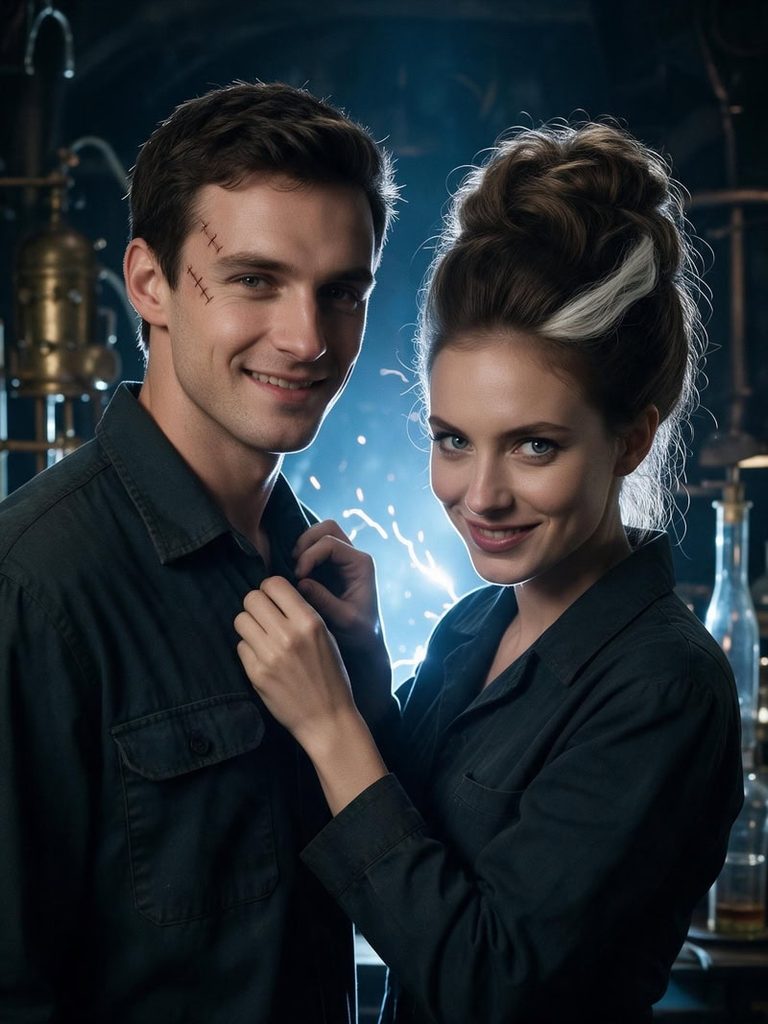
Monster and Bride in a Gothic Lab
Fashion Diffusion AI-generated

👉 Create now for free

2. Tiny Couple Inside a Jack-o’-Lantern

Shrink the two of you down and move into the pumpkin.

A magical photo of the couple shrunk to tiny size, sitting inside a glowing carved jack-o’-lantern. She dangles her legs over the carved mouth and waves, while he peeks out through one triangle eye. Warm candlelight spills through the cutouts into the dark night. Faces true to the reference photo.
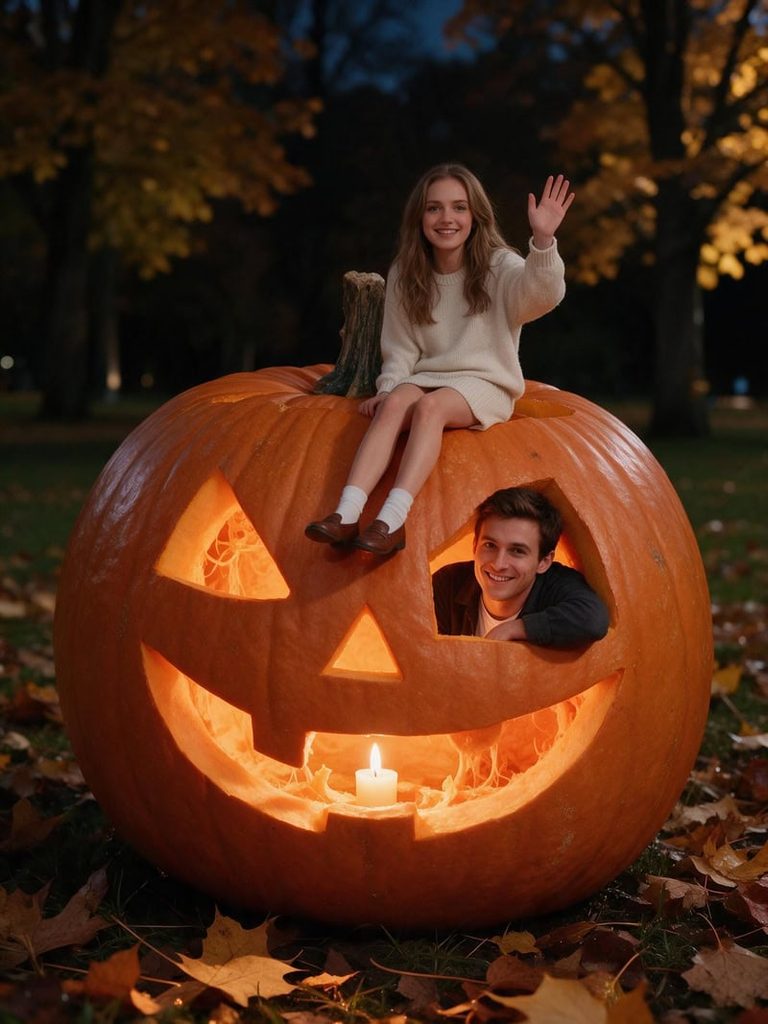
Tiny Couple Inside a Jack-o'-Lantern
Fashion Diffusion AI-generated

👉 Create now for free

3. Vampires at a Midnight Diner

Even vampires need a late-night snack, as long as it is after sunset.

A retro diner photo of the couple as vampires at midnight, sharing one milkshake through two straws. Both wear dark sunglasses indoors. She has a sleek black bob and red lips, he has slicked-back hair and a cape over a varsity jacket. A neon sign reads “OPEN ALL NIGHT”. Faces true to the reference photo.
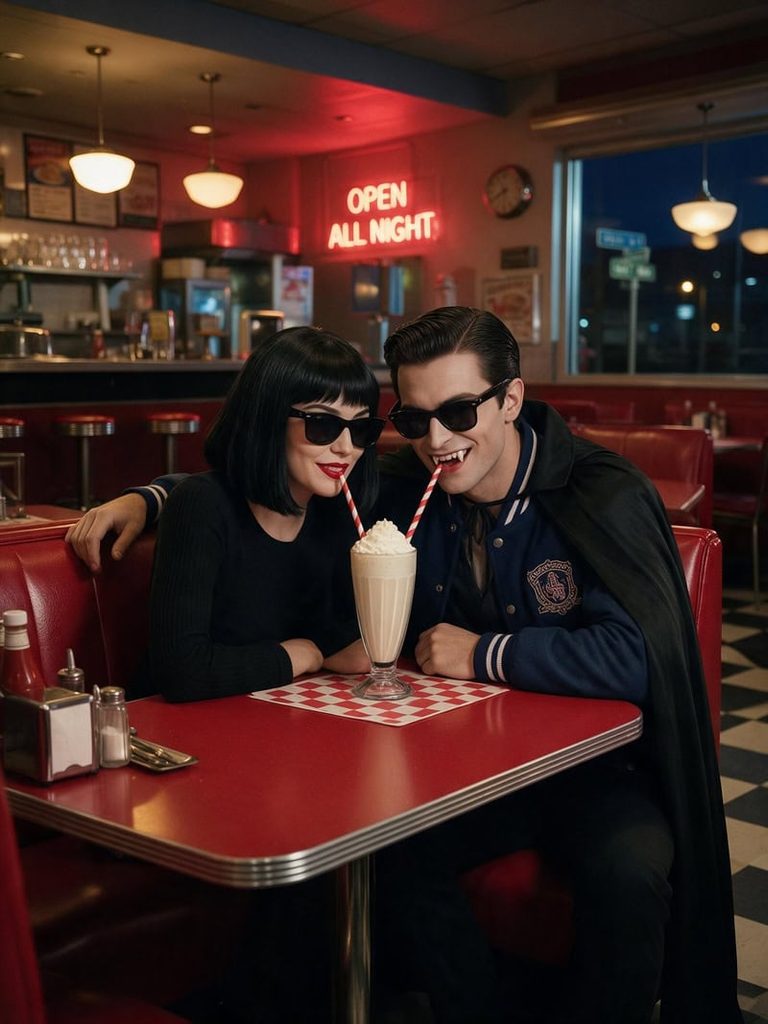
Vampires at a Midnight Diner
Fashion Diffusion AI-generated

👉 Create now for free

4. Ghost Sheets on a Fancy Dinner Date

The cheapest costume on the list, taken somewhere very expensive.

A funny photo of the couple as two bedsheet ghosts on a fancy dinner date. The sheets are pulled back just enough to show their grinning faces. She leans in with her chin on one hand, and he slides a single red rose across the white tablecloth. A waiter pours wine in the candlelight. Faces true to the reference photo.
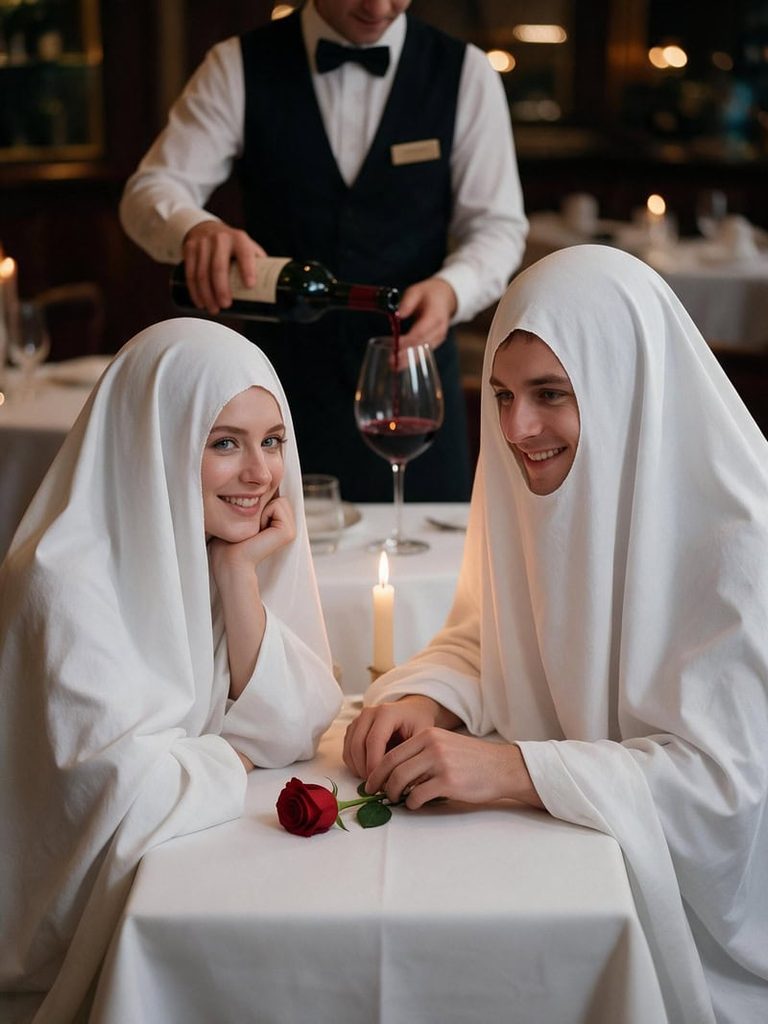
Ghost Sheets on a Fancy Dinner Date
Fashion Diffusion AI-generated

👉 Create now for free

5. Blood-Splattered Bride and Groom

For couples who want their Halloween photo to actually scare people.

A horror film still of the couple as a blood-splattered bride and groom in an abandoned chapel. She grips a torn veil, mascara smeared, theatrical blood streaking her white gown, glaring straight at the camera. He stands behind her with a cold, menacing stare, blood spattered across his cheek and collar. Red backlight, flickering candles, deep shadows. Faces true to the reference photo.
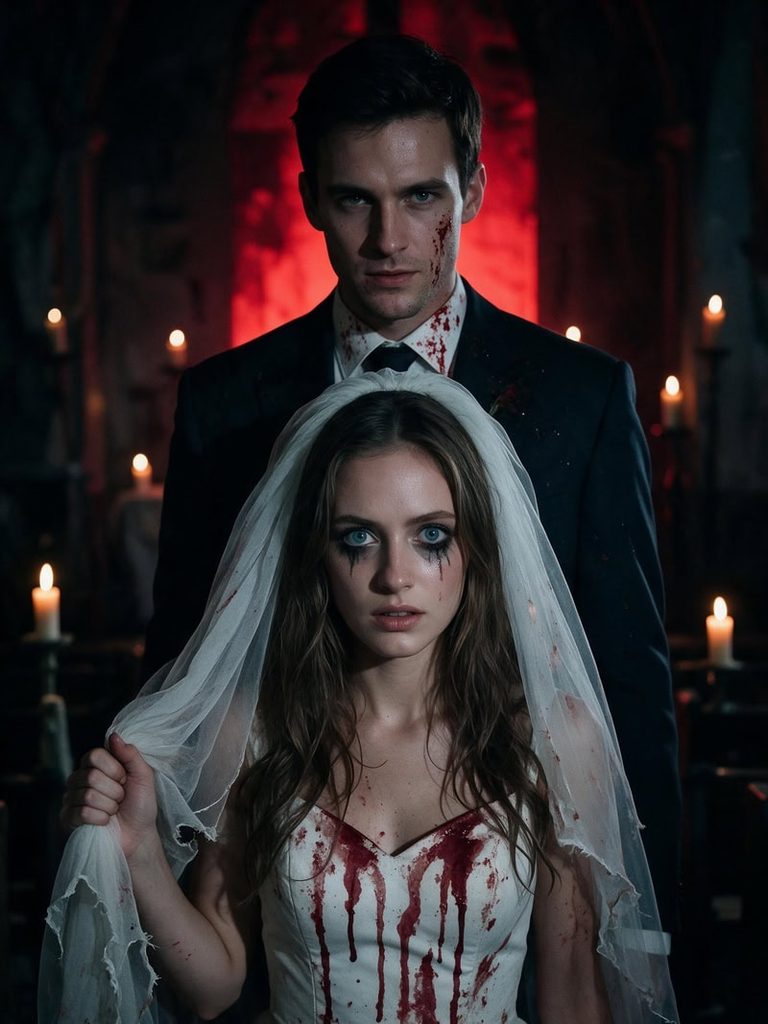
Blood-Splattered Bride and Groom
Fashion Diffusion AI-generated

👉 Create now for free

6. Slow Dance with Skeleton Shadows

Romantic at first glance, then you notice the wall behind them.

An elegant photo of the couple slow dancing in an empty candlelit ballroom, her cheek on his chest and his hand on her lower back. On the wall behind them, their shadows are two dancing skeletons. She wears a black velvet gown, he wears a black tuxedo, and the room glows deep red. Faces true to the reference photo.
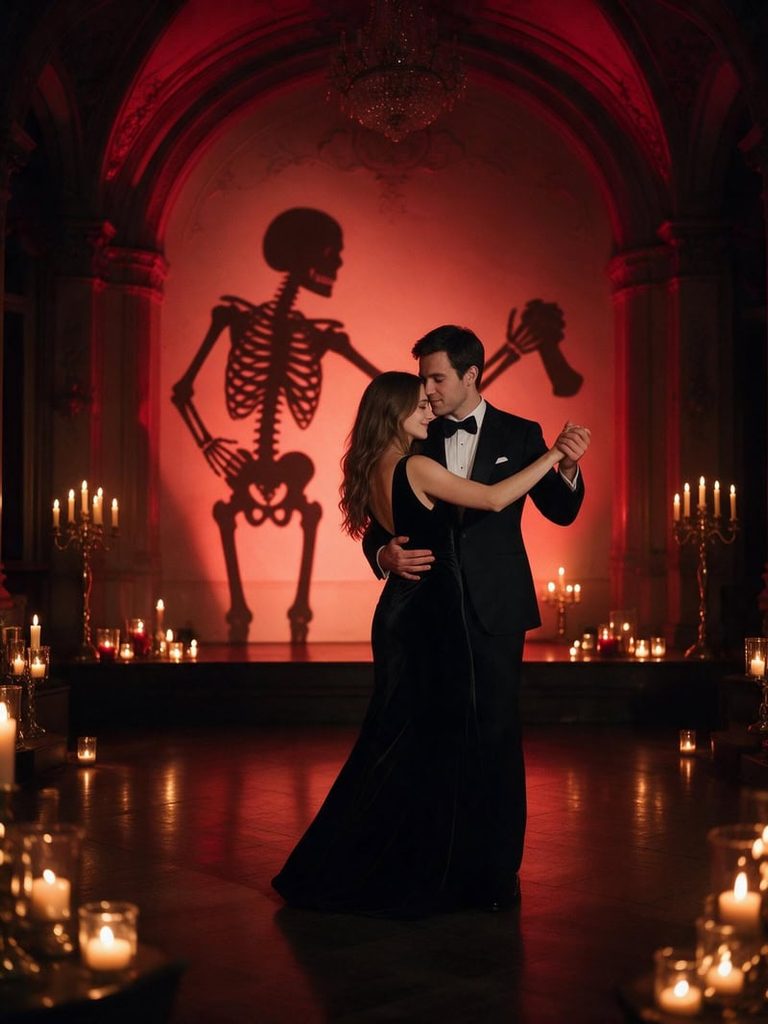
Slow Dance with Skeleton Shadows
Fashion Diffusion AI-generated

👉 Create now for free

7. 80s Slasher Movie Poster

Your relationship, recast as a cult horror classic.

A 1980s horror movie poster starring the couple. She screams toward the viewer in a red varsity jacket and feathered hair, while he holds a flashlight and glances over his shoulder. Full moon, a cabin in the woods and chrome title text that reads “LAST NIGHT AT CAMP”. Airbrushed style, no gore. Faces true to the reference photo.
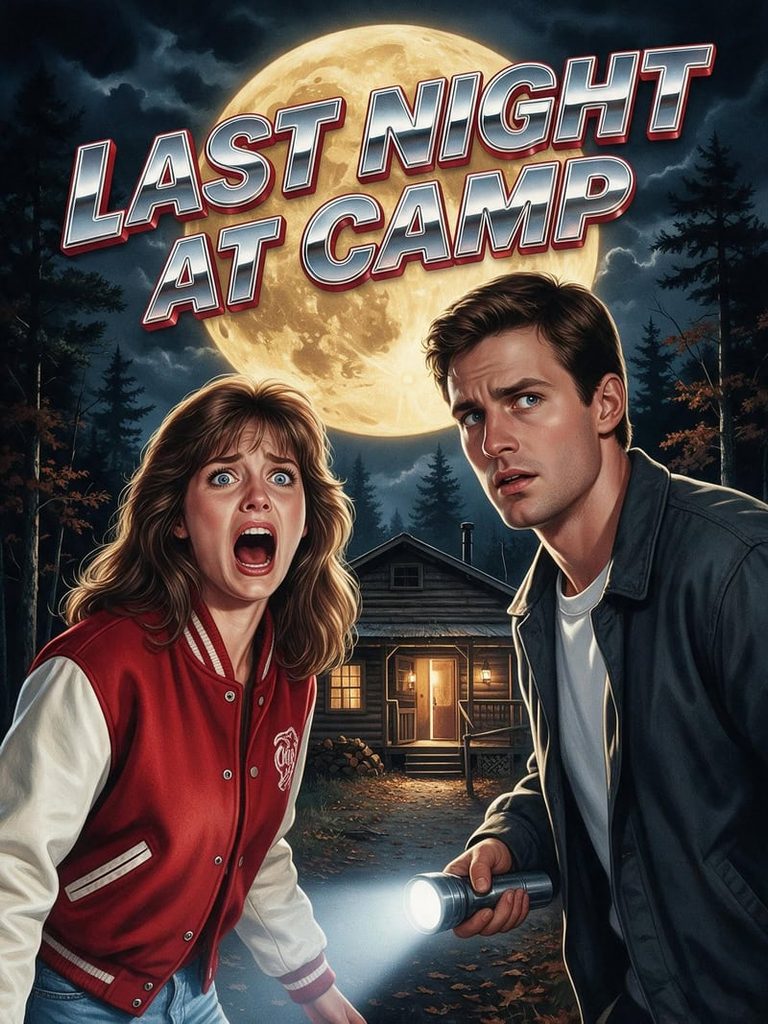
80s Slasher Movie Poster
Fashion Diffusion AI-generated

👉 Create now for free

8. Flying Across the Full Moon

The kind of image people stop scrolling for.

A breathtaking photo of the couple flying on one broomstick across a giant full moon. She sits in front in a black witch hat, laughing as her hair whips back. He hugs her waist with his cape flaring, looking down at the glowing town below. Moonlight on their faces, starry sky. Faces true to the reference photo.
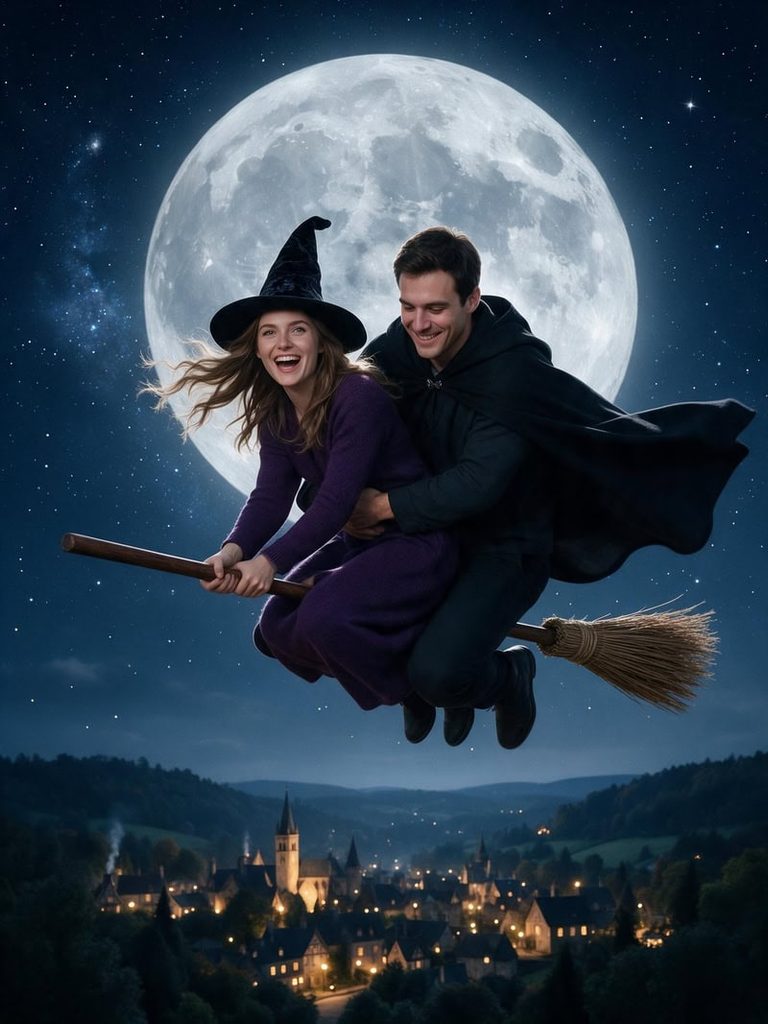
Flying Across the Full Moon
Fashion Diffusion AI-generated

👉 Create now for free

9. Living Portrait in a Haunted Mansion

A painting whose eyes follow you down the hall.

A haunted mansion photo of the couple as a living oil painting in an ornate gold frame. She sits in Victorian lace, he stands behind her in a frock coat, and both turn their eyes to follow the viewer. A candelabra flickers on the dusty hallway table below. Faces true to the reference photo.
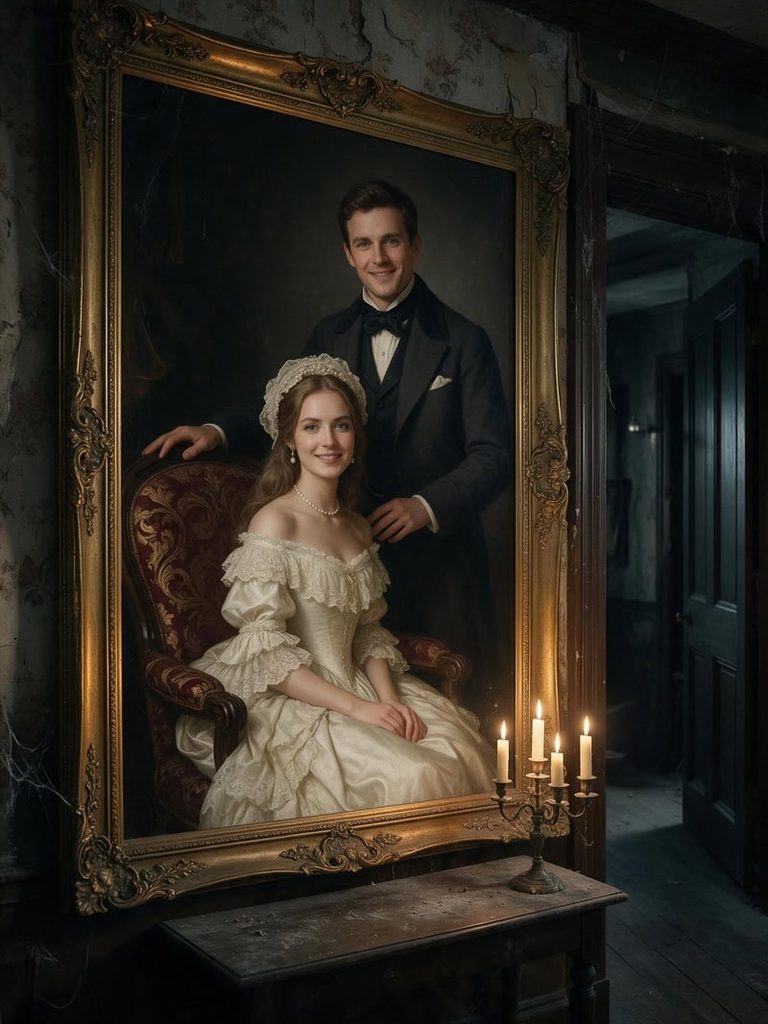
Living Portrait in a Haunted Mansion
Fashion Diffusion AI-generated

👉 Create now for free

10. Sitting on a Giant Prize Pumpkin

A cozy fall photo with a ridiculous sense of scale.

A playful farm photo of the couple sitting on top of a giant prize-winning pumpkin taller than a car. She waves a blue ribbon over her head while he gives a proud thumbs up, both in flannel and denim. Golden hour light, hay bales and a tiny tractor parked beside it. Faces true to the reference photo.
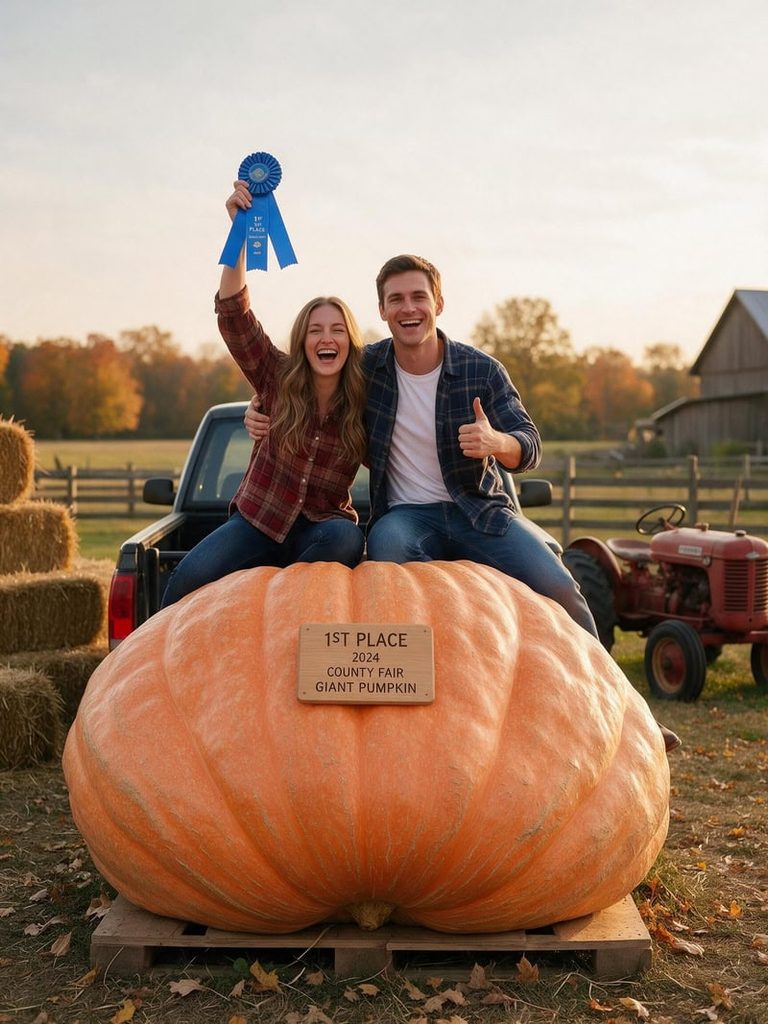
Sitting on a Giant Prize Pumpkin
Fashion Diffusion AI-generated

👉 Create now for free

11. Mummy Couple Mid-Wrap

One of you got a little too into the bandages.

A comedic photo of the couple as mummies halfway through wrapping each other. She holds the bandage roll and bursts out laughing, while he is wrapped up to his chin with his arms pinned to his sides. Dusty tomb set, flickering torchlight and loose bandages everywhere. Faces true to the reference photo.
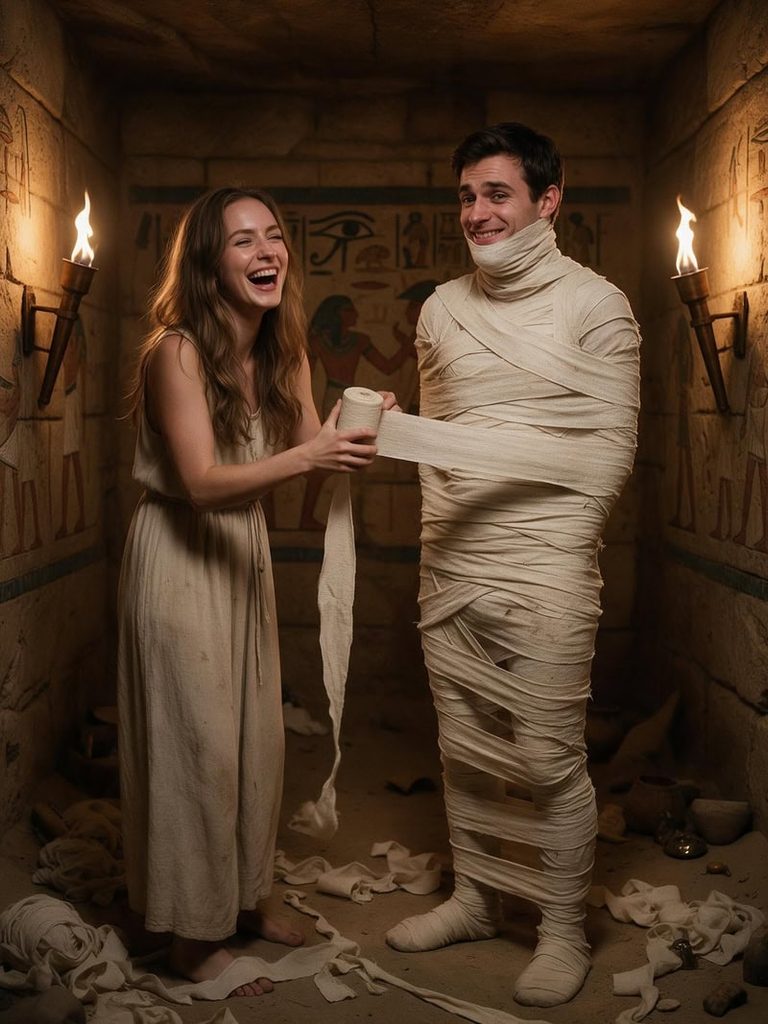
Mummy Couple Mid-Wrap
Fashion Diffusion AI-generated

👉 Create now for free

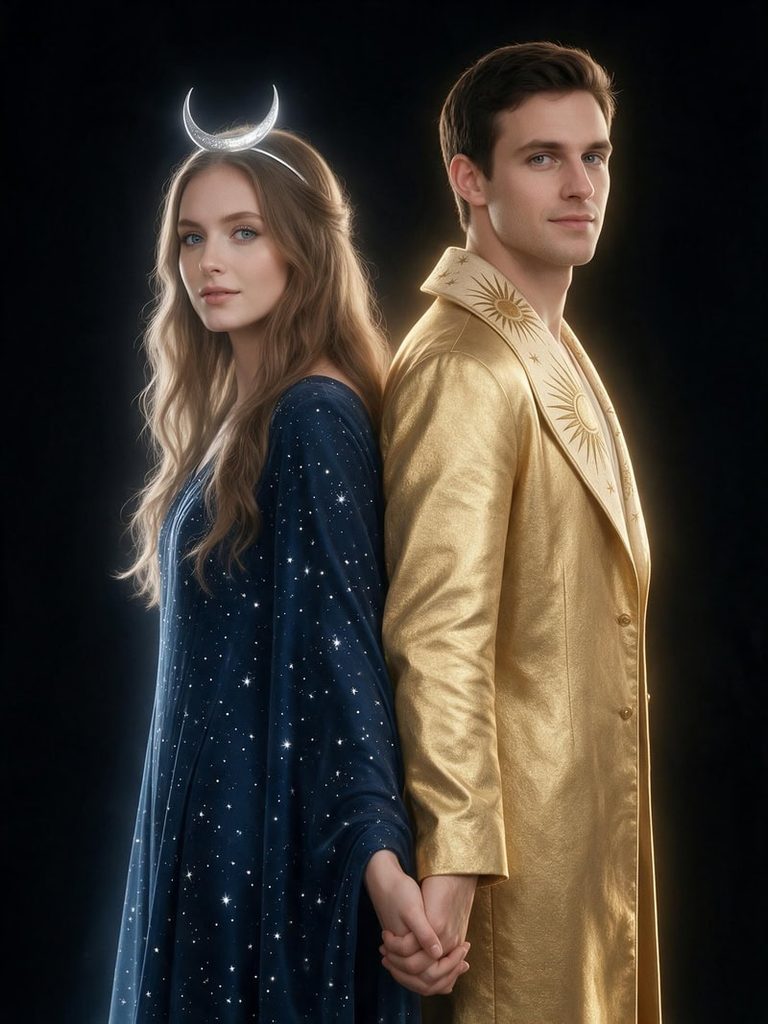
12. Sun and Moon Celestial Pair

Halloween without the horror, and still a showstopper.

A fine-art portrait of the couple as the sun and the moon, standing back to back with fingers interlaced. She wears a midnight-blue starry gown and a crescent moon headpiece in loose waves. He wears a gold jacket with a sunburst collar. Gold light on him, silver light on her, black backdrop. Faces true to the reference photo.
Sun and Moon Celestial Pair
Fashion Diffusion AI-generated

👉 Create now for free

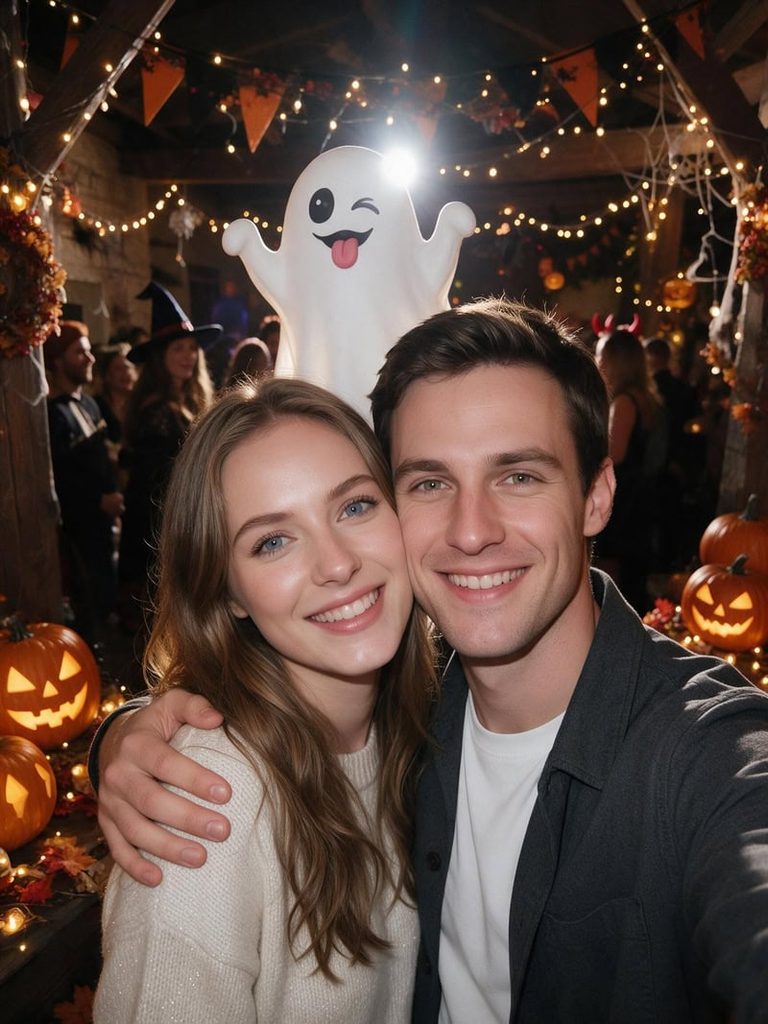
13. Ghost Photobomb Selfie

A normal party selfie, until you zoom in.

A candid phone selfie of the couple at a Halloween party, cheek to cheek and grinning. Behind them, a cute cartoon ghost photobombs with its tongue out. Fairy lights, carved pumpkins, a little flash glare and a vertical phone frame. Faces true to the reference photo.
Ghost Photobomb Selfie
Fashion Diffusion AI-generated

👉 Create now for free

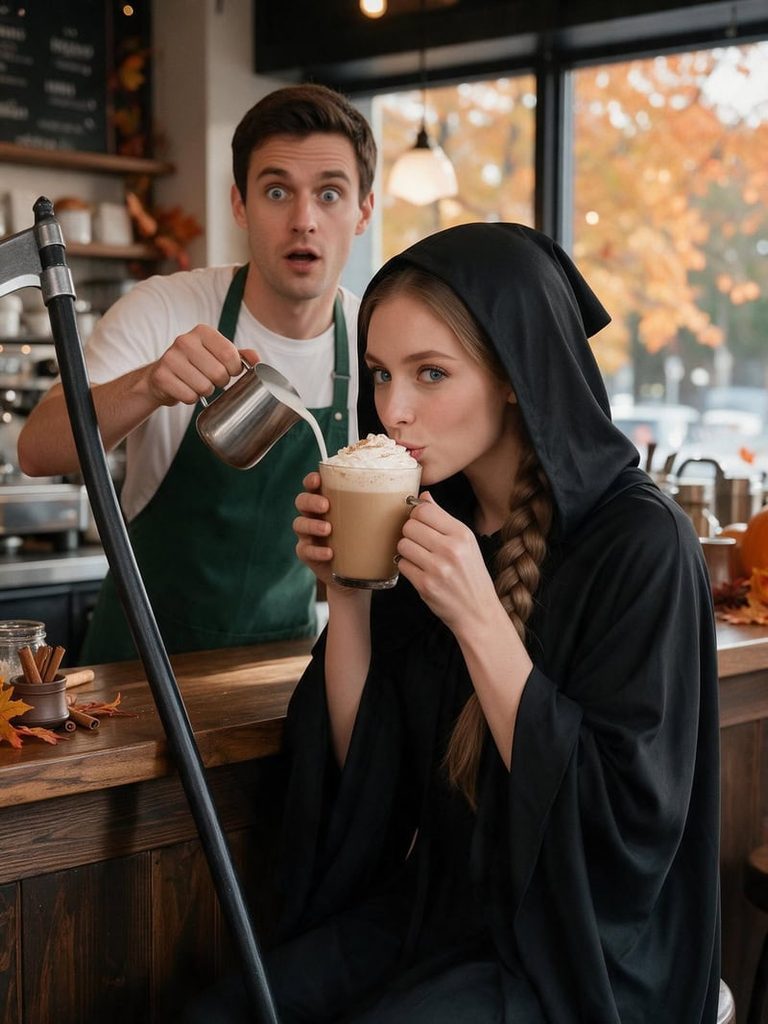
14. The Grim Reaper’s Coffee Break

Even the Reaper needs a pumpkin spice latte.

A funny café photo of the couple where she is the Grim Reaper on a coffee break, hood down, long braid, scythe leaning on the counter, sipping a pumpkin spice latte. He is the barista in a green apron, frozen mid-pour with wide eyes. Cozy autumn café, warm light. Faces true to the reference photo.
The Grim Reaper's Coffee Break
Fashion Diffusion AI-generated

👉 Create now for free

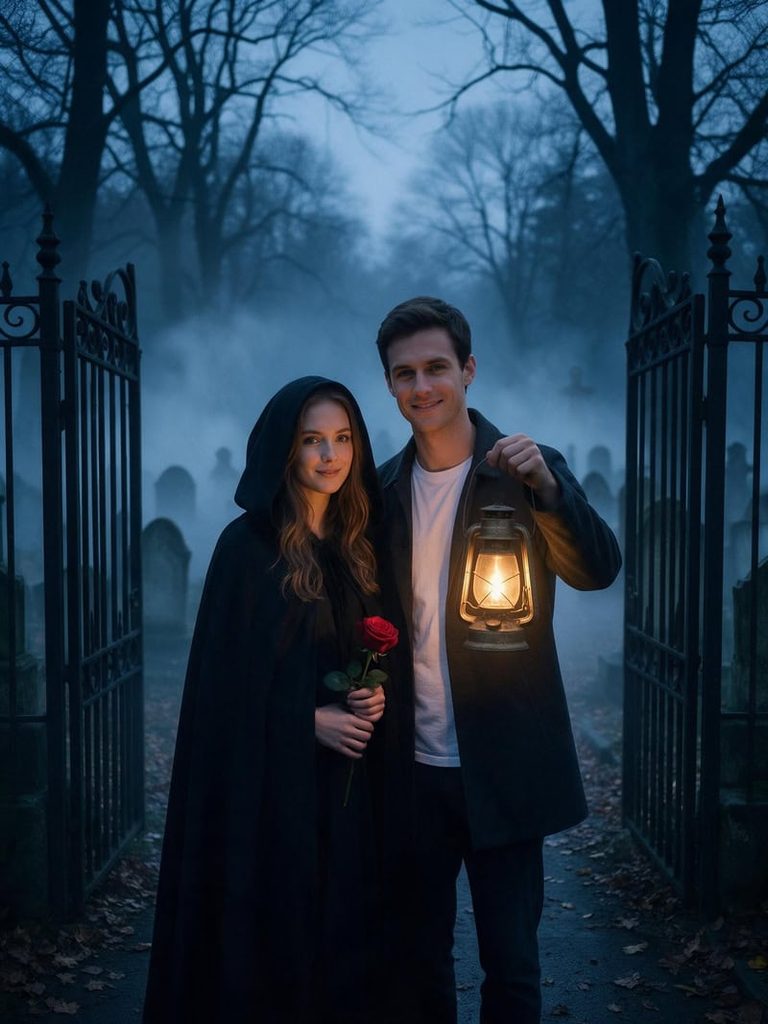
15. Lantern at the Cemetery Gate

Moody, quiet and lit by a single flame.

A haunting photo of the couple at a wrought-iron cemetery gate at blue hour. She wears a black hooded cape and holds a red rose. He raises an old brass lantern that lights both of their faces. Thick fog rolls between leaning headstones. Cool blue tones, warm lantern glow. Faces true to the reference photo.
Lantern at the Cemetery Gate
Fashion Diffusion AI-generated

👉 Create now for free

16. Werewolf Surprise Under the Full Moon

A cute couple selfie that takes a sudden turn.

A surprise selfie of the couple under a full moon. He is mid-transformation into a werewolf, with fluffy ears, glowing eyes and one hairy hand, but his face is still recognizable. She laughs and keeps snapping photos. Porch light and autumn leaves, playful rather than scary, no gore. Faces true to the reference photo.
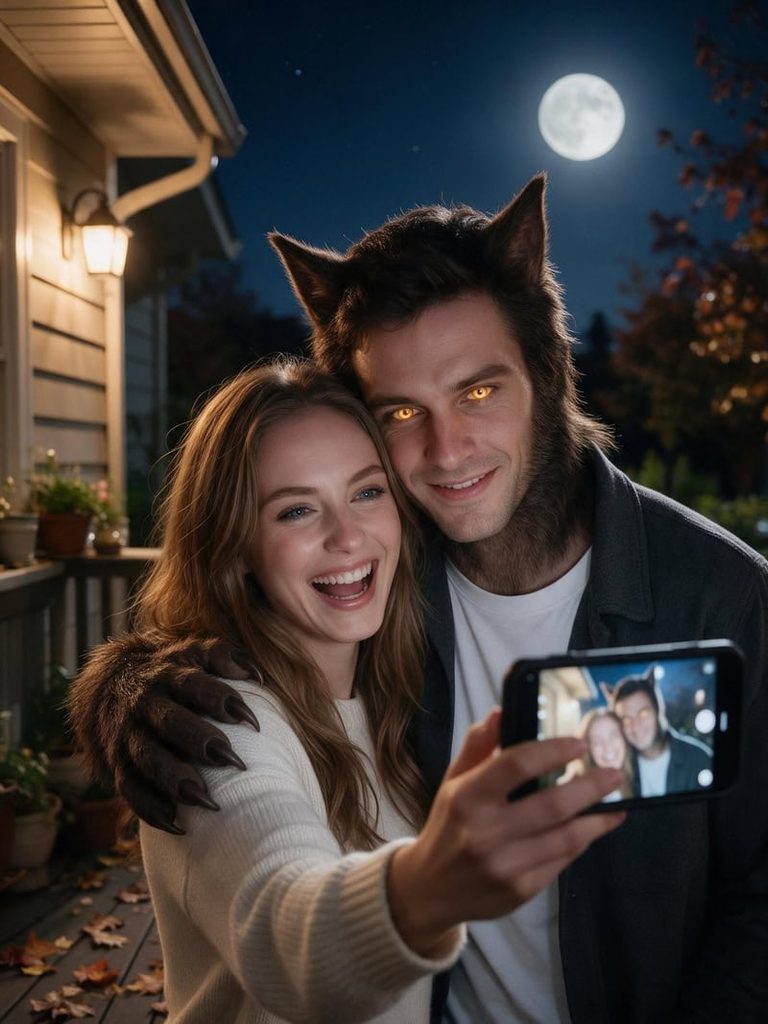
Werewolf Surprise Under the Full Moon
Fashion Diffusion AI-generated

👉 Create now for free

How to Use ChatGPT Halloween Photo Prompts on Fashion Diffusion

Every prompt in this guide runs directly in the Fashion Diffusion Agent, with no ChatGPT account needed. It works like a chat: you share a couple photo, paste a prompt and get your Halloween look back in seconds. The same prompts also work in ChatGPT if you already use it.

Step 1: Pick a Prompt That Fits Your Style

Go back through the 16 looks and choose the mood you both like. Some lean romantic, some lean funny and a few lean properly spooky. Copy the one you want and swap any costume detail that does not suit you.

Step 2: Paste It into the Agent

Open the Fashion Diffusion Agent and add a clear photo of the two of you. Paste the prompt into the chat and click Generate. You can switch between image models such as GPT Image 2 and Nano Banana. The result keeps both faces while the costume, pose and scene change.

Step 3: Refine It in the Chat

If the first result is close but not quite right, reply in the same chat with one change. Ask for warmer lighting, a different pose or a single costume swap. Small edits keep the rest of the image stable.

What Makes a Couple Prompt Work

A solo portrait prompt only has to describe one person. A couple prompt has to describe two people and the space between them. That extra layer is where most prompts fall apart.

Each prompt above follows the same pattern: both people, how they interact, costumes, setting, lighting and an identity line. The interaction is the part most people skip. A hand on a waist, a shared glance or a whisper in an ear makes the photo feel like a real moment.

The identity line at the end matters just as much. It tells the AI to keep both faces true to your photo.

Couple Fail Lab: Fix the Most Common Problems

Two people in one frame give AI twice as many chances to slip. The good news is that most problems repeat, and each one has a simple fix. Add the fix line to the end of your prompt, or send it as a follow-up message.

ProblemWhy It HappensFix Line to Add
Faces swapped or blendedThe AI mixes features between partners, especially when they look alikeKeep the woman’s face as she appears on the left of the reference photo and the man’s face as he appears on the right.
Hands melted togetherHand-holding and hugs are the hardest poses to renderOne hand rests on her waist, fingers clearly separated and natural.
One person looks blurryShallow focus leaves one partner softBoth faces in equally sharp focus and evenly lit.
Height difference disappearedThe AI tends to make couples the same heightKeep their real height difference from the reference photo.
Costume details on the wrong personBoth outfits were described in one long sentenceOnly she wears the veil; he wears no headwear.

Preview a Real Costume Before You Buy It

A prompt shows you an idea. Once a specific costume is in your cart, you may want to see that exact piece on you before you order it.

Fashion Diffusion’s AI clothes changer takes two images: a photo of the costume and a photo of you. It places the costume onto your photo while keeping your pose, background and lighting. There is no prompt to write. Run it once for each of you to check that both costumes work as a pair.
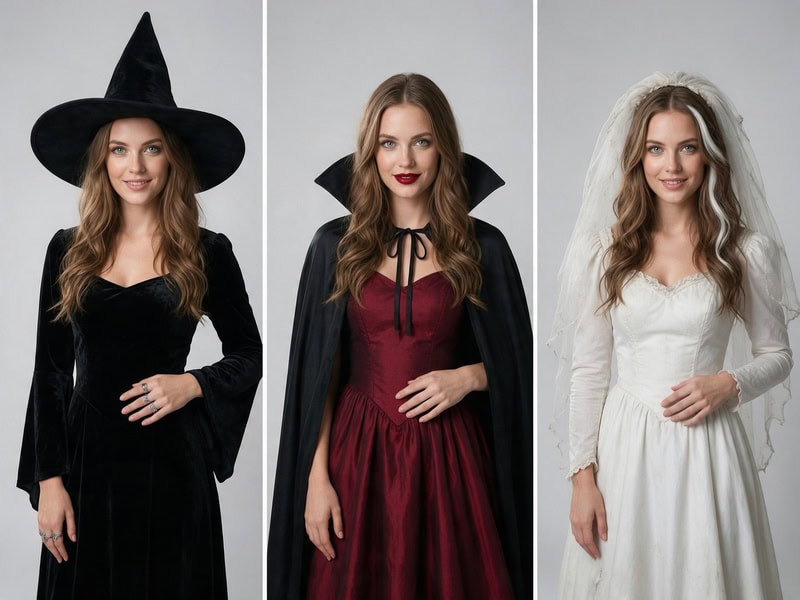
Preview a real costume before you buy it using AI clothes changer.
Fashion Diffusion AI-generated

Create Your Halloween Couple Photo Tonight

Halloween is only days away, and one photo of the two of you is all it takes. Pick your favorite of these ChatGPT Halloween photo prompts for couples, then bring it to life on Fashion Diffusion. Swap the costume, tweak the mood and generate as many versions as you like until one feels like you.

FAQ

Can ChatGPT make a Halloween photo of my partner and me?

Yes. Paste one of the prompts into ChatGPT or the Fashion Diffusion Agent and add a clear photo of you both. The AI uses the photo as a reference for your faces and builds the costume and scene around you. They also work in tools like Gemini. Results vary between attempts, so generate a few versions and keep the best one.

Do I have to upload a photo to get these results?

To see the two of you in the costumes, yes. Every prompt ends with “Faces true to the reference photo,” so the AI needs a clear couple photo to copy your faces from. One photo of you both together works best. Without a photo, the prompts still run, but the AI invents a new couple to match the description. That can help when you are only testing costume ideas.

How do I keep both of our faces looking realistic?

Start with a sharp, well-lit photo where both faces point toward the camera. Skip heavy filters and sunglasses. Keep the identity line at the end of each prompt, and ask for small changes rather than full rewrites.

Can I make a prompt scarier or cuter?

Yes. Change the mood words and keep the rest. Swap “smiling” for “glaring” and add theatrical blood for a horror look, or switch to soft pastel light and big grins for a cute one.

Is it okay to post AI couple photos on social media?

It is fine as long as your partner agrees to it. Use photos you both have permission to share, and add an AI label if the platform asks for one.
Avatar photo 通过Sophia Mille

1980s AI Photo Trend: How to Create Retro Portraits with Prompts

The 1980s AI photo trend is taking over social feeds, turning ordinary photos into nostalgic, studio-lit portraits straight out of a vintage yearbook or a retro fashion magazine. Whether it’s high-volume blowouts, bold neon lighting, soft-focus glamour shots, or oversized denim jackets, people are obsessed with the golden age of analog photography. While basic generators can struggle with realistic textures, modern tools like Fashion Diffusion make it effortless to transform modern photos into authentic 1980s fashion statements using an advanced AI fashion generator.

If you want to catch this viral wave, you don’t need an actual vintage camera or a closet full of thrifted outfits. All you need are the right prompt formulas, an understanding of retro visual cues, and smart AI workflows. In this complete guide, we will break down the essential aesthetic elements of the 1980s, share copy-and-paste prompt templates, and show you how to apply retro styling to your own photos.

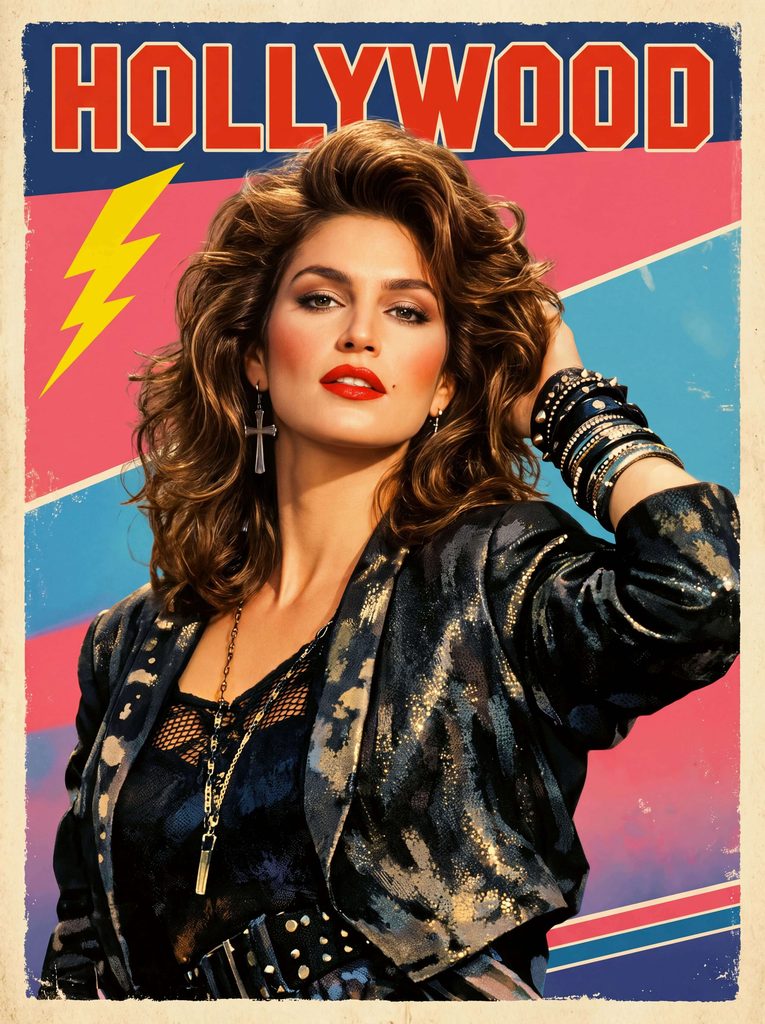
Fashion Diffusion AI generated 1980s vintage Hollywood poster featuring a blonde woman in a black leather jacket

Why the 1980s Aesthetic Is Going Viral Again

Trends move in cycles, but the 80s aesthetic holds a special place in visual culture. Unlike the hyper-sharp, ultra-processed digital photography of today, 80s visual imagery was defined by analog imperfections. The popularity of the 1980s AI photo trend relies heavily on a few distinct nostalgic elements:

  • Tactile Texture and Grain: Analog film stocks like Kodak Gold and Fujifilm produced natural grain, rich color saturation, and soft contrast that instantly feel warm and human.
  • Dramatic Studio and Environmental Lighting: From harsh camera flashes in dark rooms to multi-colored neon backdrops, 80s photography embraced dramatic light play.
  • Iconic Fashion Statements: Oversized leather jackets, padded shoulders, bright windbreakers, acid-wash denim, and athletic wear give the decade an unmistakable wardrobe identity.
  • Unapologetic Hair and Makeup: Voluminous hair, heavy blue or pink eyeshadow, bold lipstick, and strong blush define the portrait look of the era.

When people use AI to generate 80s-style photos, they are looking to capture that specific mood—a blend of high energy, cozy nostalgia, and cinematic drama.

Key Elements of an Authentic 1980s AI Portrait

To get realistic results from your prompts, you need to understand the visual vocabulary that AI engines use to replicate vintage imagery. Including specific camera models, lighting setups, and wardrobe details prevents your images from looking like generic modern photos with a cheap filter.

1980s VISUAL AESTHETIC CHEATSHEET

LightingDirect camera flash, blue and pink neon, laser backdrops, soft-focus glamour diffusion filters
Film & Camera35mm film grain, Polaroid instant film, Kodak Gold 400, slight lens flare, subtle motion blur
Fashion & StylingAcid-wash denim, leather jackets, neon windbreakers, oversized blazers with shoulder pads, leg warmers
Hair & BeautyFeathers, big blowouts, mullet styles, bright eyeshadow, matte skin, bold red or pink lipstick

When writing prompts, mixing at least one element from each category ensures your output feels authentic rather than artificial.

Best 1980s AI Photo Prompts (Copy & Paste Formulas)

Here are ready-to-use prompt templates for generating 80s portraits. You can copy these directly into your generator or adapt them with your own details.

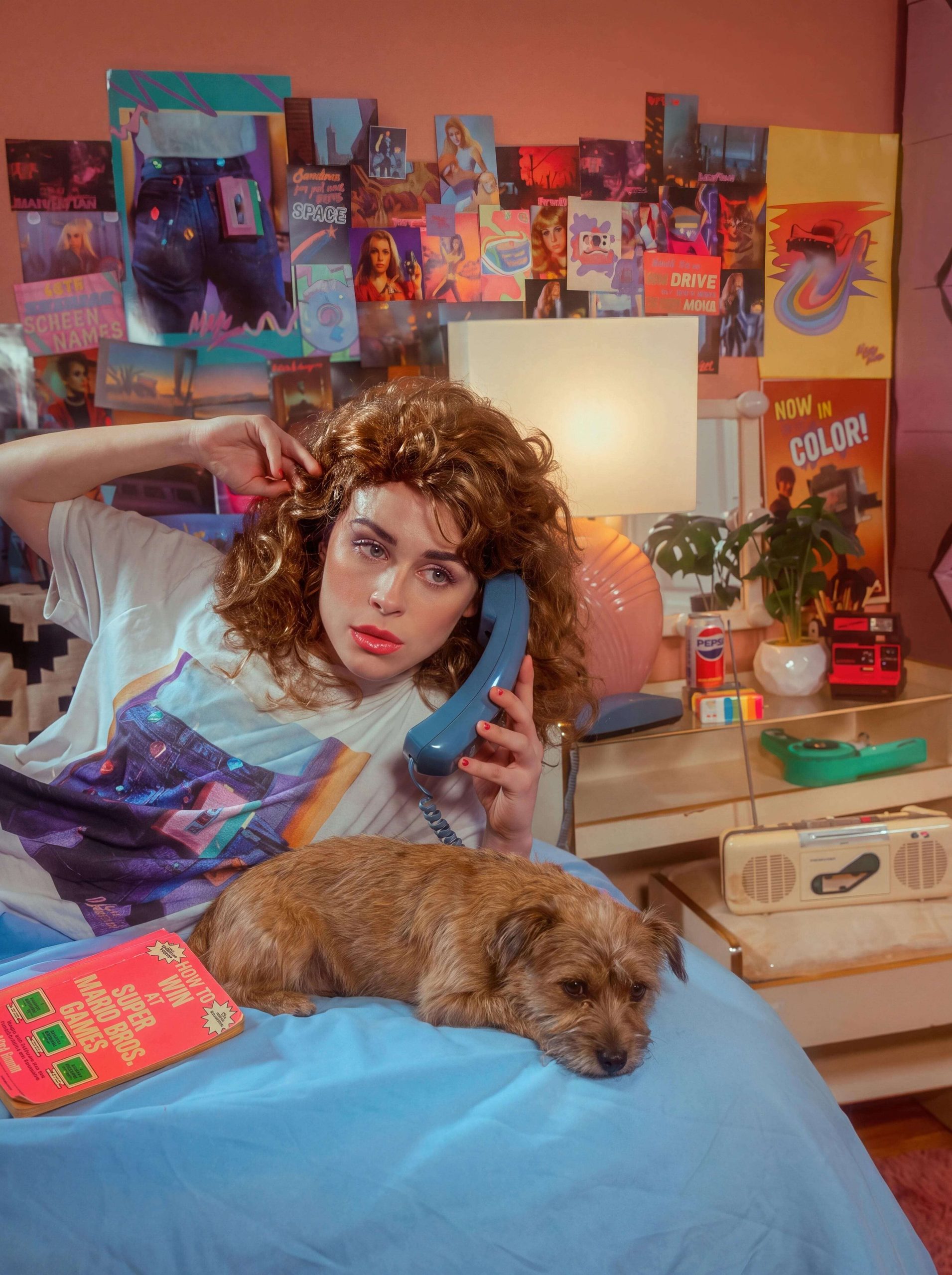
1. The 1980s Cozy Bedroom & Poster Vibe

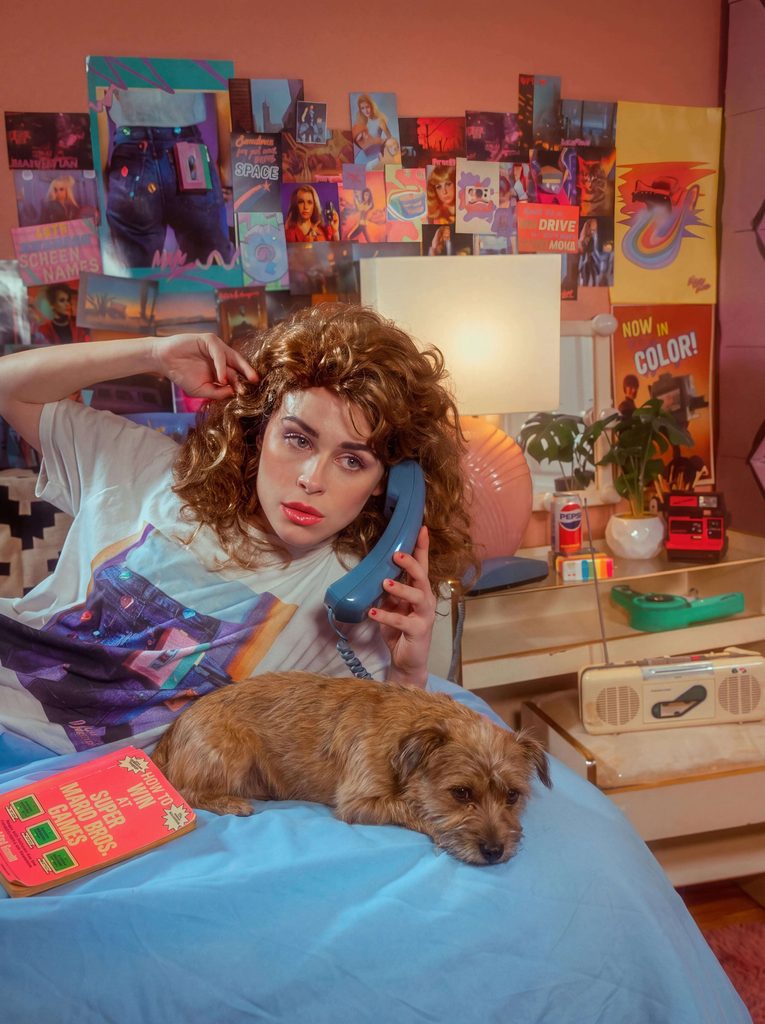
This style captures the relaxed, intimate aesthetic of an 80s American teenager in her bedroom, complete with wall posters and cozy analog lighting.

A 1980s American teenage high school girl lying comfortably on her stomach on a bed, looking up with a cheerful smile. She has voluminous 80s teased hair with soft bangs, wearing a relaxed oversized retro sweater. In the background, her vintage bedroom walls are covered with blurred 1980s pop culture posters and warm ambient room lights. Captured on a 35mm film camera, direct camera flash effect, authentic Kodak film grain, soft lens flare, nostalgic vintage colors, photorealistic, high detail.

Fashion Diffusion AI generated 1980s vintage scene of a relaxed high school girl lying on a bed in an American-style bedroom

2. Red Leather Jacket & Urban Street Style

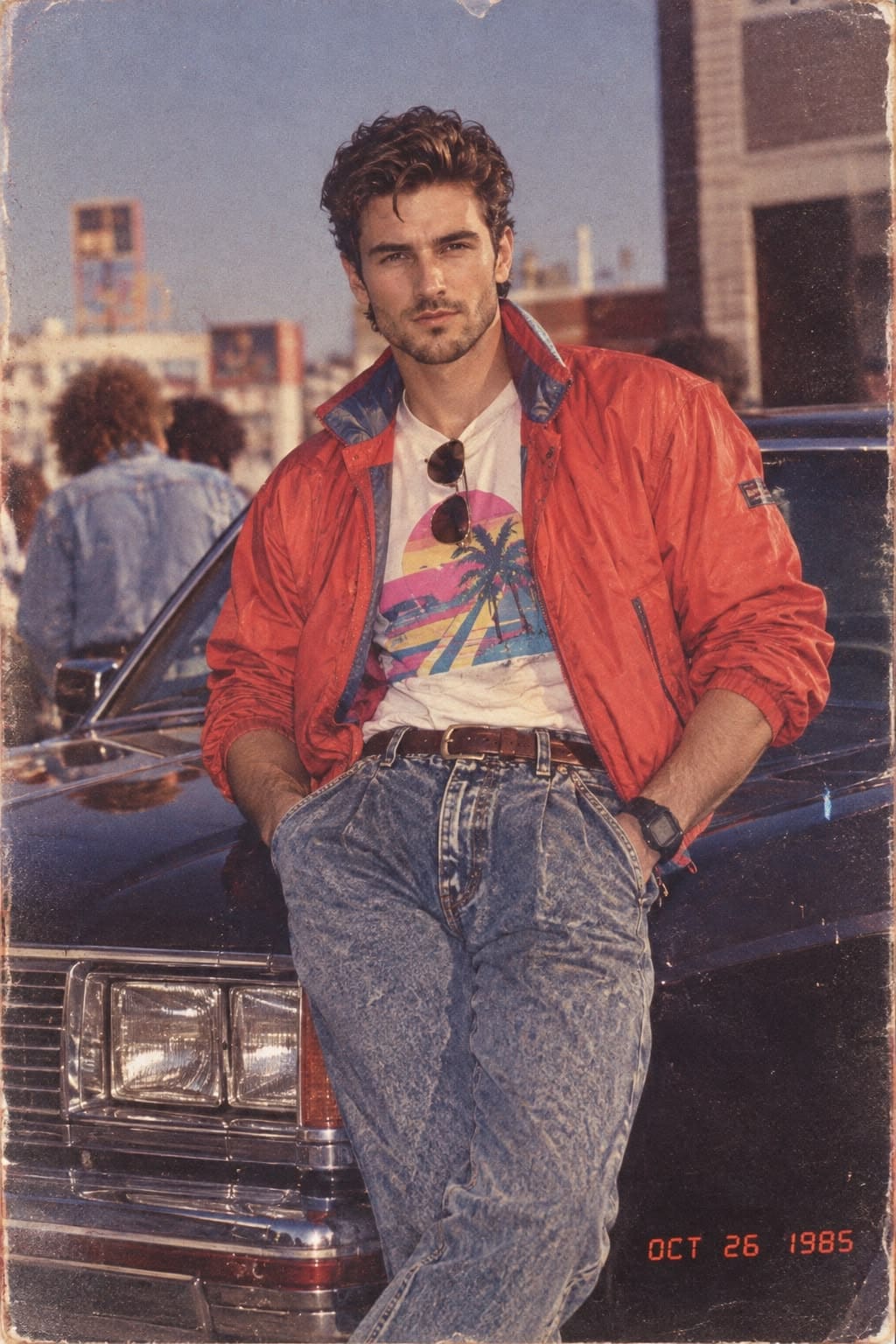
If you want a classic yet effortlessly cool urban aesthetic, focus on bold red leather, relaxed denim, and a city-street backdrop.

A cinematic portrait of a handsome white man leaning casually against a car on a city street. He is wearing a vibrant red leather jacket over a plain white t-shirt, paired with relaxed blue jeans. The urban surroundings create a stylish, effortless atmosphere, with natural city light and subtle reflections adding depth to the scene. Captured on 35mm film, direct flash photography, rich contrast, authentic analog film grain, dramatic shadows, photorealistic.

Fashion Diffusion AI generated 1980s vintage portrait of a handsome white man in a red leather jacket leaning against a black car

3. The Vintage 80s Rock Glamour Shot

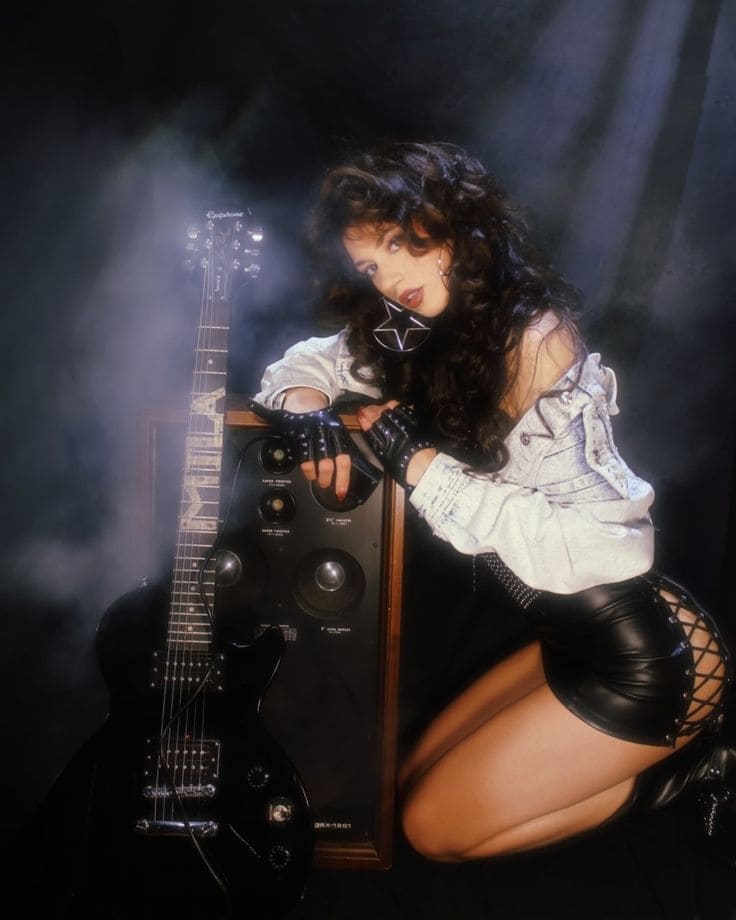
For a bolder, more rebellious look, capture the edgy glamour of an 1980s rock band with leather, electric guitars, and dramatic vintage lighting.

A vintage 1980s rock glamour portrait of a beautiful woman with voluminous hair and confident attitude. She is wearing a fitted black leather mini skirt, casually resting her arm on a large vintage amplifier, with an electric guitar leaning beside her. Moody stage-inspired lighting, warm analog tones, subtle flash photography, soft-focus highlights, rich shadows, authentic 35mm film grain, vintage rock-and-roll atmosphere, highly detailed skin texture, photorealistic, 1980s music magazine aesthetic.

Fashion Diffusion AI generated 1980s vintage portrait of a sexy brunette woman leaning against an amplifier with an electric guitar beside her

4. The Vintage 80s Fashion Magazine Cover

For a polished editorial look, channel the glamour of an iconic 1980s fashion magazine with bold typography and cinematic styling.

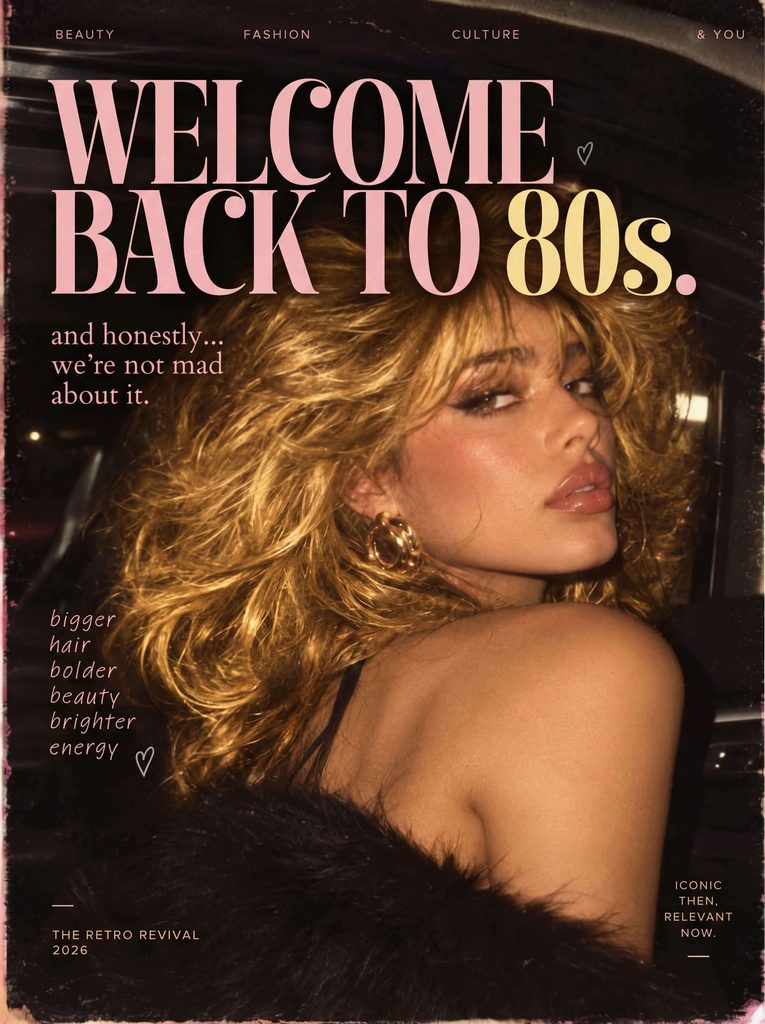
A high-fashion editorial portrait of a glamorous blonde woman looking back over her shoulder with a confident, alluring expression. She is styled in sophisticated 1980s-inspired fashion, with voluminous blonde hair and polished makeup. Dramatic studio lighting, rich vintage tones, strong editorial composition, subtle film grain, crisp magazine-quality photography, luxurious retro atmosphere, authentic 1980s fashion editorial aesthetic. Bold headline typography across the poster reads “WELCOME BACK TO 80S”, designed like a vintage fashion magazine cover.

Fashion Diffusion AI generated 1980s vintage fashion magazine cover featuring a blonde white model

5. The 1980s Power Blazer & Gold Accessories

This style captures the confident, high-power corporate and street fashion of the mid-80s, combining bold tailoring with classic gold jewelry.

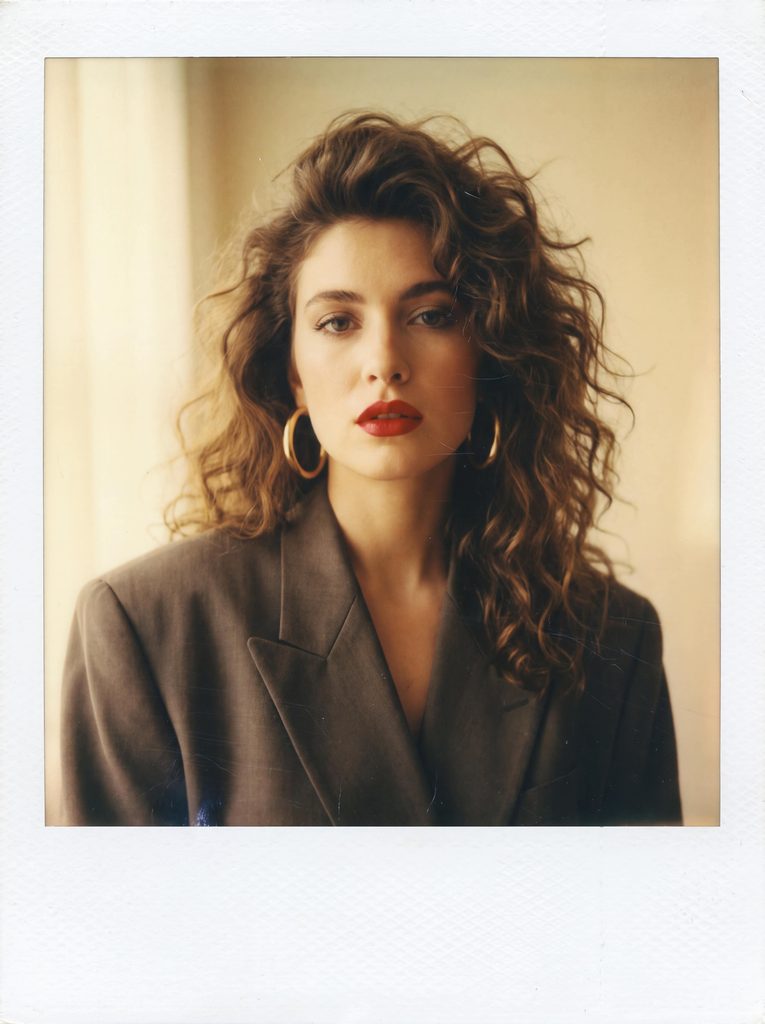
A casual vintage 1980s Polaroid candid snapshot of a stylish woman with bold red lipstick and voluminous wavy hair. She is wearing an oversized blazer with padded shoulders and chunky gold hoop earrings. Soft-focus indoor lighting, warm yellow undertones, visible polaroid frame edge effect, slight motion blur, authentic analog texture, matte skin finish, high-resolution texture details, photorealistic.

1980s Polaroid portrait of a stylish woman in an oversized blazer, generated by Fashion Diffusion.

6. The 1980s Sunlit Varsity & Nostalgic Street Scene

This look captures the effortless, sun-drenched collegiate aesthetic of the 1980s, combining classic varsity sportswear with rich Kodachrome film tones.

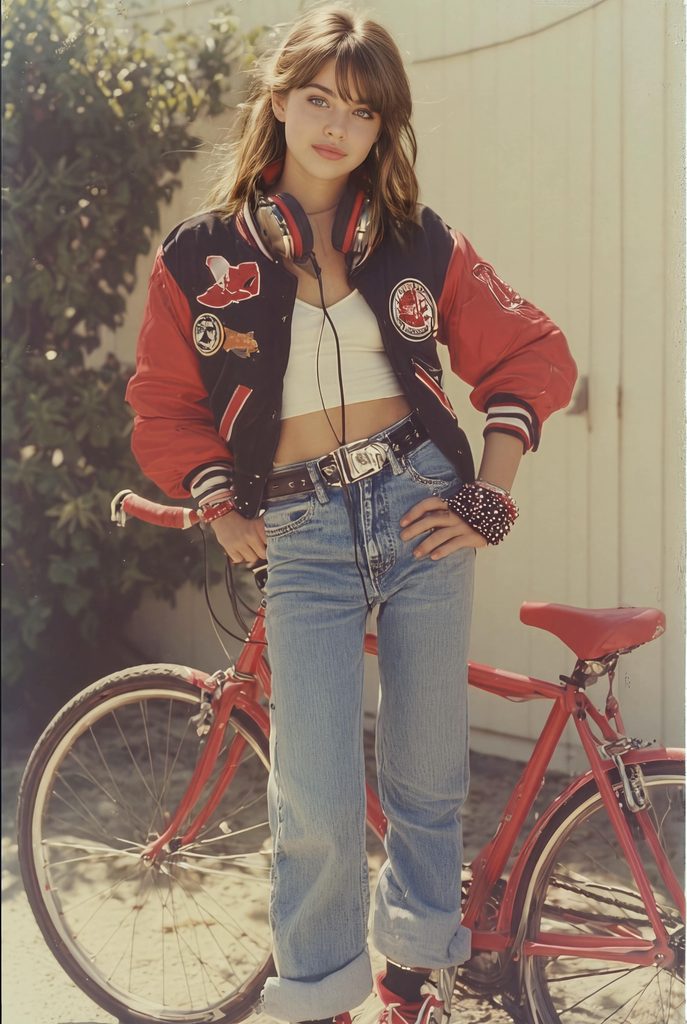
1980s vintage fashion portrait of a beautiful brunette female model with voluminous retro wavy hair. She is wearing an oversized red-and-white retro varsity jacket and high-waisted blue denim jeans. Behind her stands a classic vintage red bicycle. Warm sunlit street corner background. Nostalgic yellow-dominated color grading, shot on 35mm Kodachrome film, direct warm sunlight, heavy film grain, subtle light leak, muted vintage tones, soft vignetting, authentic 1980s photo aesthetic.

1980s vintage fashion portrait of a model with a red bicycle, generated by Fashion Diffusion.

7. The 1980s Vintage Childhood & Denim Overalls Portrait

This style captures the heartwarming, classic studio portrait look of 80s children’s photography, emphasizing natural expressions, striped cotton knits, and timeless denim overalls.

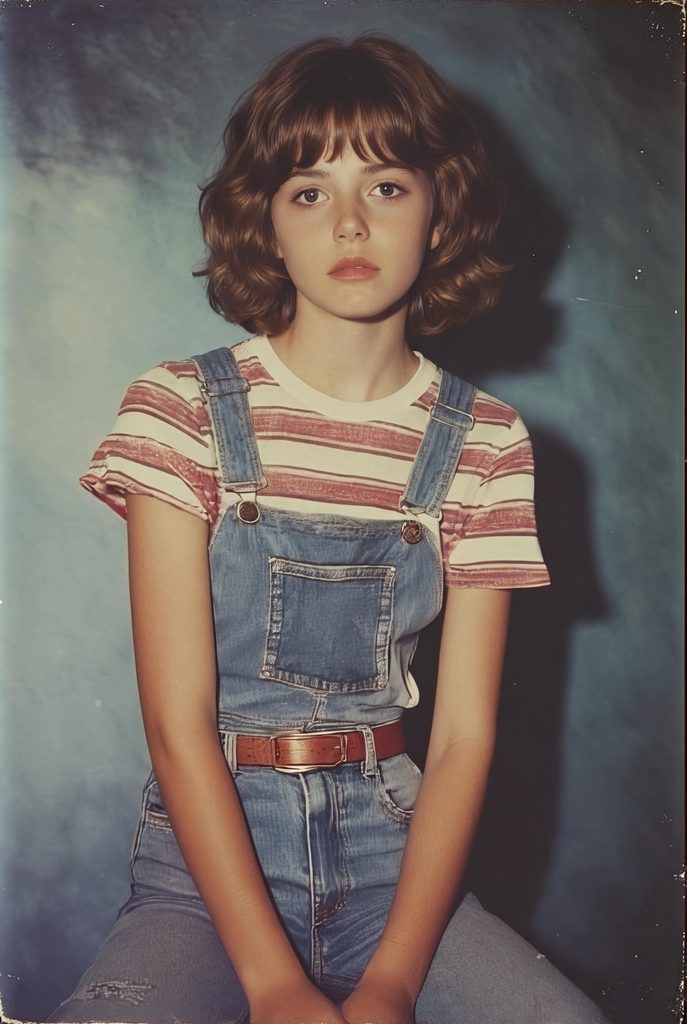
A charming portrait photograph of a little girl with short hair, sitting quietly on a classic wooden chair. She is wearing a red-and-white striped short-sleeve t-shirt and classic blue denim overalls. Looking softly at the camera, gentle natural indoor lighting, capturing fine facial details and fabric textures. Softly blurred background, warm and natural color tones, photorealistic studio portrait, shot on 85mm lens, high resolution.

Studio portrait of a young girl in denim overalls on a chair, generated by Fashion Diffusion.

8. The 1980s Editorial Power-Dressing Street Style

This look emphasizes the iconic 1980s “power dressing” trend—featuring sharp corporate tailoring set against the chaotic, high-contrast energy of a busy city street.

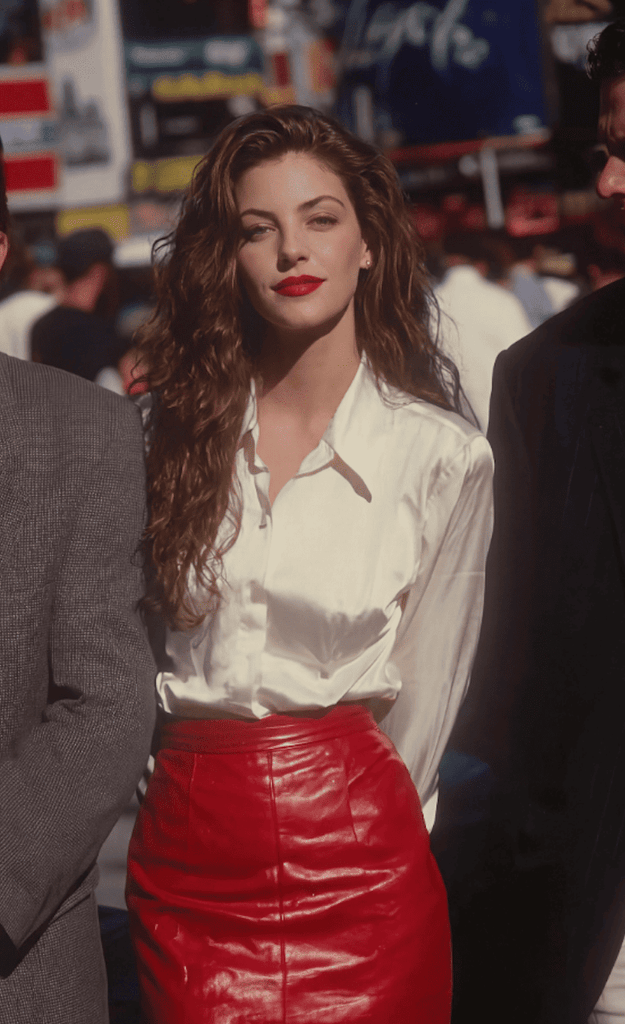
candid editorial street photography, a stunning business woman with long voluminous wavy hair standing in a bustling city street, wearing a crisp white button-down shirt and a vibrant vibrant red pencil skirt. She looks poised and elegant, gently looking at the camera with a subtle smile. Behind her, an incredibly dense crowd, a sea of people, tightly packed and bustling, forms a chaotic, dynamic, dynamic background with a super shallow depth of field. The crowd is completely blurred into abstract shapes, colors, and motion blur, emphasizing her as the focal point. Bright daylight, side lighting, raw texture, detailed face and fabric, shot on 85mm lens, f/1.4 aperture for extreme background bokeh, photorealistic, 8k resolution, documentary style.

Editorial street photo of a businesswoman in a red pencil skirt, generated by Fashion Diffusion.

9. The 1980s Double-Denim Highway Road Trip

This style showcases the iconic “Canadian Tuxedo” (acid-wash denim-on-denim) trend, bringing back the warm, sun-soaked nostalgia of an 80s California road trip with classic cars and Kodachrome film tones.

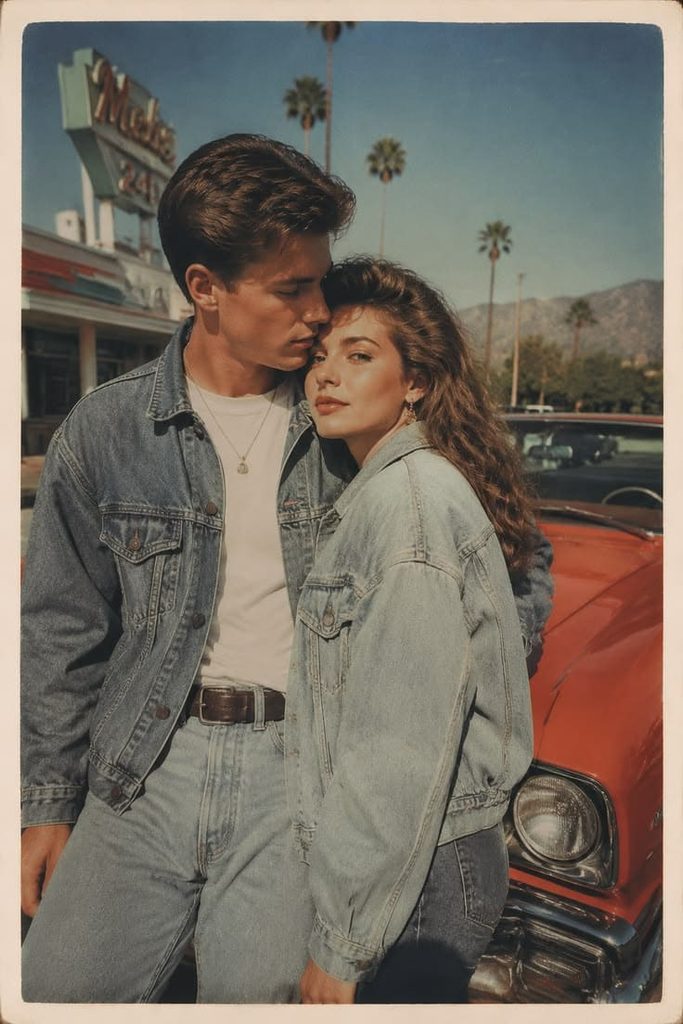
Authentic 1980s vintage photo, a beautiful woman wearing a matching denim-on-denim outfit (acid-wash denim jacket and high-waisted jeans), leaning gently against a handsome man’s shoulder. Behind them stands a classic vibrant bright red 1980s American vintage car. Background features an iconic California highway lined with tall palm trees under a bright sunny sky. Faded yellow and warm sepia tones, shot on 35mm Kodachrome film, sun-drenched warm light, heavy film grain, subtle light leak, aging paper texture, muted soft focus, nostalgic 1980s road trip aesthetic.

1980s vintage photo of a couple in denim near a red car, generated by Fashion Diffusion.

10. The 1980s Retro Poster Wall & Soft-Focus Glamour

This look captures the edgy yet dreamy editorial style of 80s pop culture, combining vibrant red lips, voluminous hair, and a nostalgia-filled background of faded vintage music and movie posters.

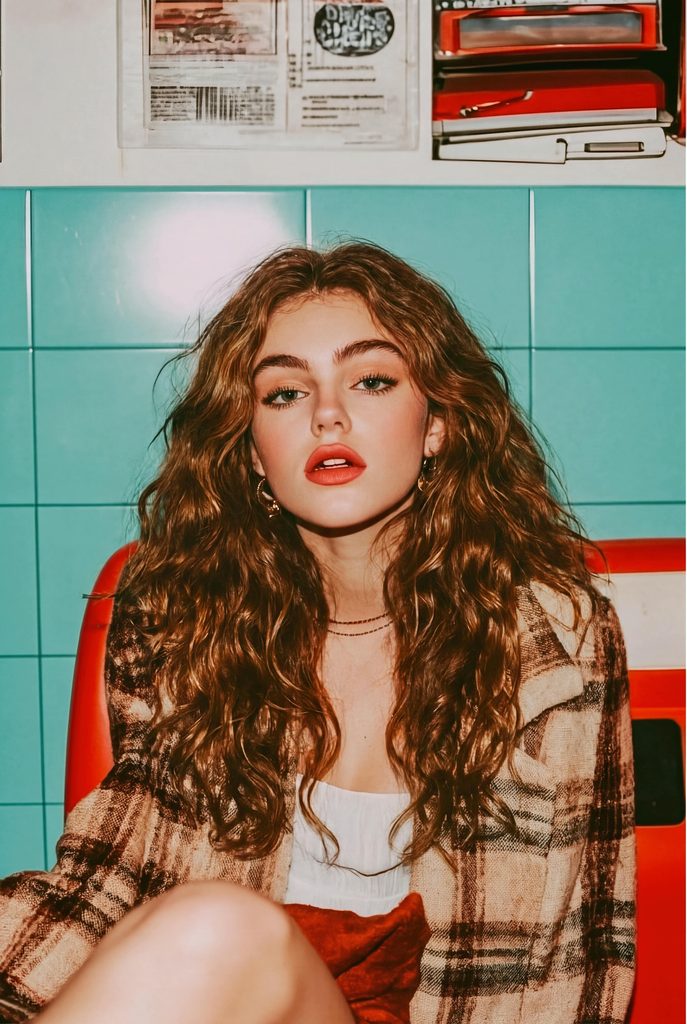
1980s vintage fashion editorial portrait of a stunning woman with long voluminous dark wavy hair and bold vibrant red lipstick. She is leaning her back against a blue ceramic tiled wall, gazing directly into the camera with an intense, captivating expression. The blue tiled wall is adorned with aged, faded 1980s vintage movie and music posters. Soft studio lighting with a subtle direct flash effect. Shot on vintage 35mm Kodachrome film, rich retro colors, warm muted undertones, soft-focus dreamy filter, heavy film grain, subtle light leak, authentic 1980s vintage photograph aesthetic.

1980s editorial portrait of a woman against a blue tiled wall, generated by Fashion Diffusion.

How to Avoid the Modern “AI Plastic Look”

One common frustration with the 1980s AI photo trend is that images can come out looking too smooth, glossy, or plastic. Modern AI models often default to ultra-sharp digital rendering, which ruins the vintage feel.

Here is how to fix common prompt issues:

  1. Specify Film Texture: Words like 35mm film grain, analog noise, Kodak Gold 400, or Polaroid texture force the AI to introduce natural imperfections.
  2. Describe Lighting, Not Quality: Avoid buzzwords like “hyperrealistic” or “8K resolution”—they often cause the artificial plastic skin look. Instead, describe light sources like direct camera flash, soft studio diffuser, or ambient neon glow.
  3. Detail Wardrobe Textures: Mention specific materials like distressed leather, heavy cotton denim, chunky knit wool, or satin. This gives the AI clear surface details to render.

How to Try 80s Vintage Fashion on Your Own Photos

Writing text prompts from scratch is great for creative exploration, but what if you want to see yourself—or your brand’s clothing inventory—in 80s style?

Relying purely on text prompts makes it difficult to maintain face accuracy or preserve specific outfit details. The easiest way to get consistent results is by using a dedicated virtual try-on tool.

Instead of guessing text descriptions, a virtual try-on workflow allows you to:

  • Keep Face Details Intact: Apply retro hairstyles and lighting without altering your core facial features.
  • Test Vintage Wardrobe Styles: Instantly swap your modern outfit for 80s leather jackets, acid-wash jeans, or retro blazers.
  • Save Time and Studio Costs: Generate entire retro fashion lookbooks using simple flat-lay photos or basic portraits.

Start Creating Your 1980s AI Photos Today

The 1980s AI photo trend is more than just a fleeting viral phase—it’s a creative way to explore vintage styling, bold lighting, and nostalgic aesthetics. Whether you’re generating fun yearbook headshots for social media or building a retro campaign for an apparel brand, combining the right prompts with specialized AI tools makes all the difference.

Ready to transform your photos? Visit Fashion Diffusion to generate photorealistic AI model images, try on retro outfits, and bring vintage fashion ideas to life in seconds.

FAQs

What is the best camera keyword to use for 1980s AI photos?

Mentioning specific analog camera types like 35mm film camera, vintage Polaroid, Kodak Gold 400, or Fujifilm Superia gives the best retro color profiles and natural grain.

Can I use the 1980s AI photo trend for commercial fashion marketing?

Yes! Retro aesthetics are popular in fashion marketing. Many DTC apparel brands use AI to render modern clothing items in vintage-inspired editorial contexts to create engaging social ads.

Why do my 80s AI portraits look too modern?

If your image looks too modern, your prompt is likely missing lighting and texture cues. Try adding direct camera flash, 35mm film grain, or soft-focus glamour lens to break up the harsh digital sharpness.

Can I swap faces onto retro 80s model templates?

Yes. If you have an 80s image style you love, you can use an AI face swap tool to place your face onto the vintage body while maintaining the retro lighting and background seamlessly.

Avatar photo 通过Ethan Davis

Editing Prompt Guide: 12 Trend-Driven Prompts for Fashion & Product Photos

Hand a coat to a tailor and say “make it brown,” and you’ll get a brown coat. Just maybe not the one you pictured. Suede or wool? Shearling collar or plain? Same length? Keep the lining?

AI photo editors work the same way. Vague instructions get guesses, and guesses are where changed faces and redrawn backgrounds come from.

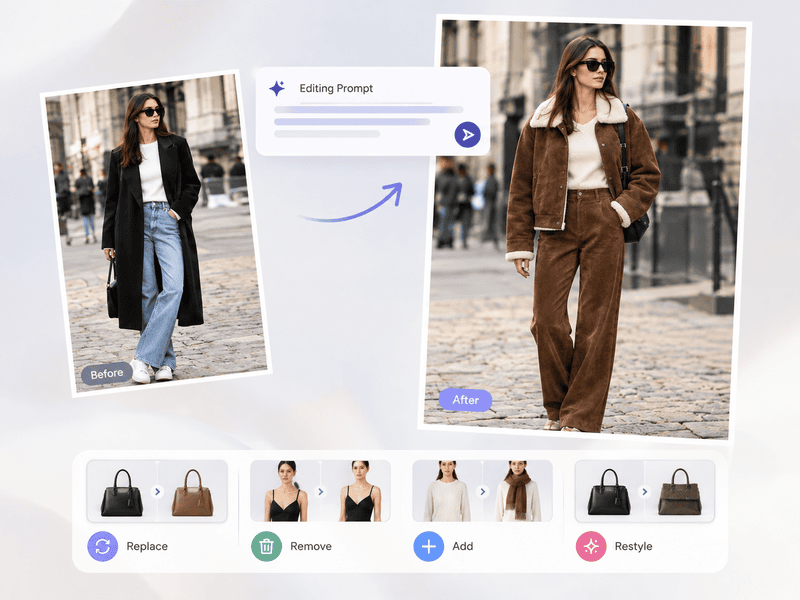
An editing prompt is how you brief the editor: what to change, described in detail, and what to leave alone. Below are 12 you can copy, grouped by six types of edit, plus a quick fix list for when an edit goes sideways.

What Is an Editing Prompt

An editing prompt is a text instruction that tells an AI image tool how to change an existing photo, rather than create a new one from scratch. A strong editing prompt names what to change in detail, what to keep untouched, and the style or lighting the change should match, so the edit stays local and the rest of the image stays intact.

The Editing Prompt Formula

Most failed edits have the same cause: the prompt says what to change but never says what to protect. Every prompt in this guide follows four parts:

PartWhat it doesExample
EditDescribes the exact change in detailChange only the coat to chocolate-brown suede with a faux-shearling collar
KeepLocks what must not moveKeep face, pose and background identical
StyleMatches light, mood or textureMatch the existing soft window light
ConstraintRules out unwanted extrasDo not add new elements

4 Types of Editing Prompts

Almost every edit falls into one of four types: Replace, Remove, Add, Restyle. Learn the pattern for each, then adapt the prompts below to your own photos. Each prompt lists what it locks and one tip to make it more reliable.

To show how the same prompt logic works on different kinds of images, every example below edits one of two photos:

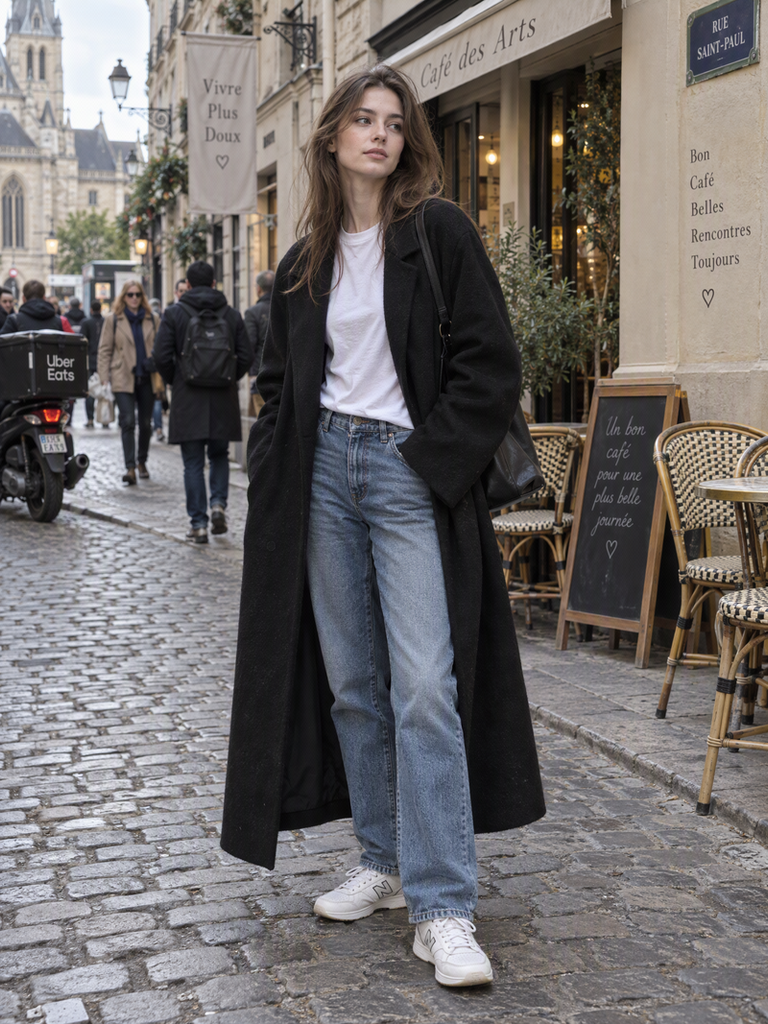
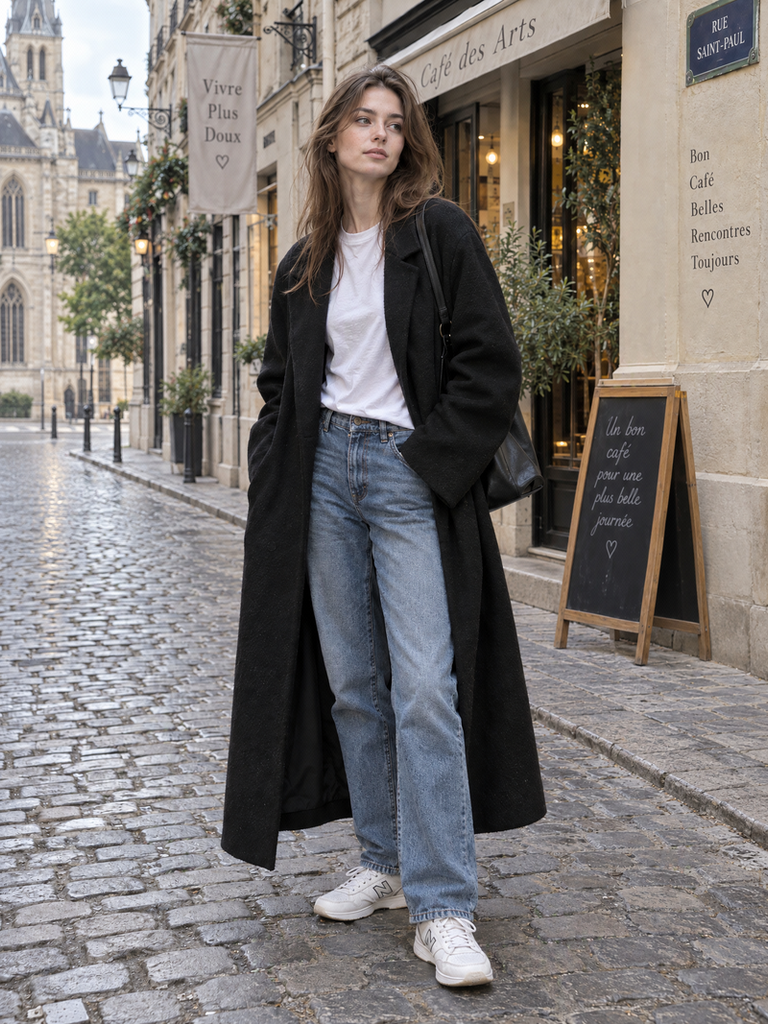
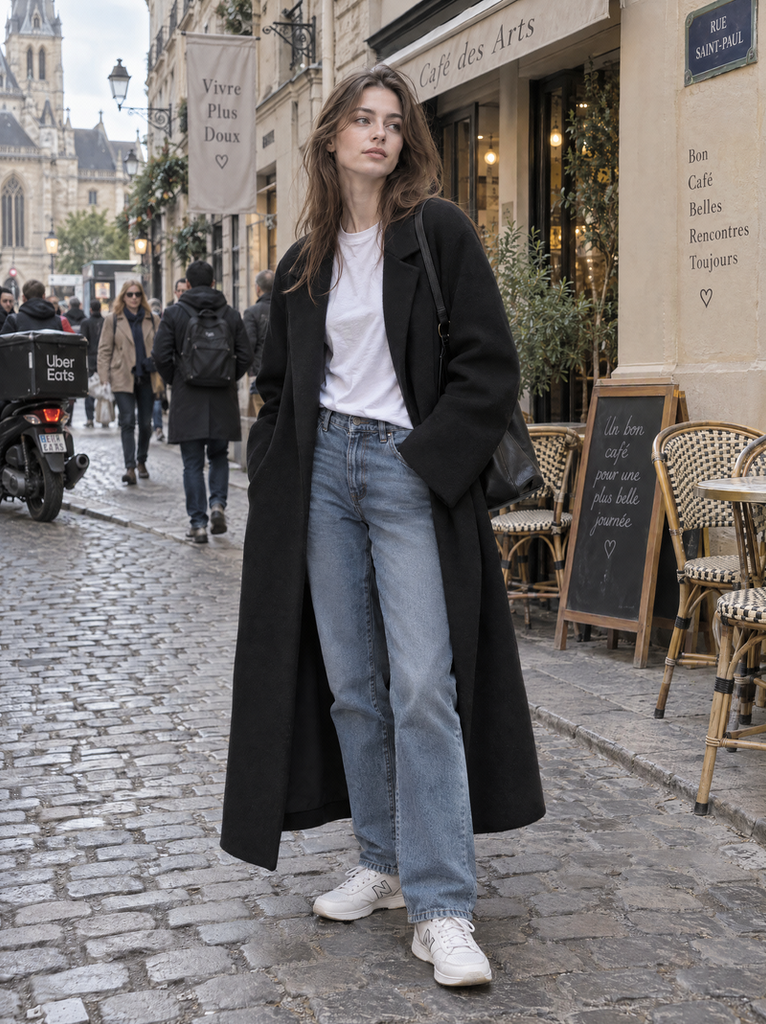
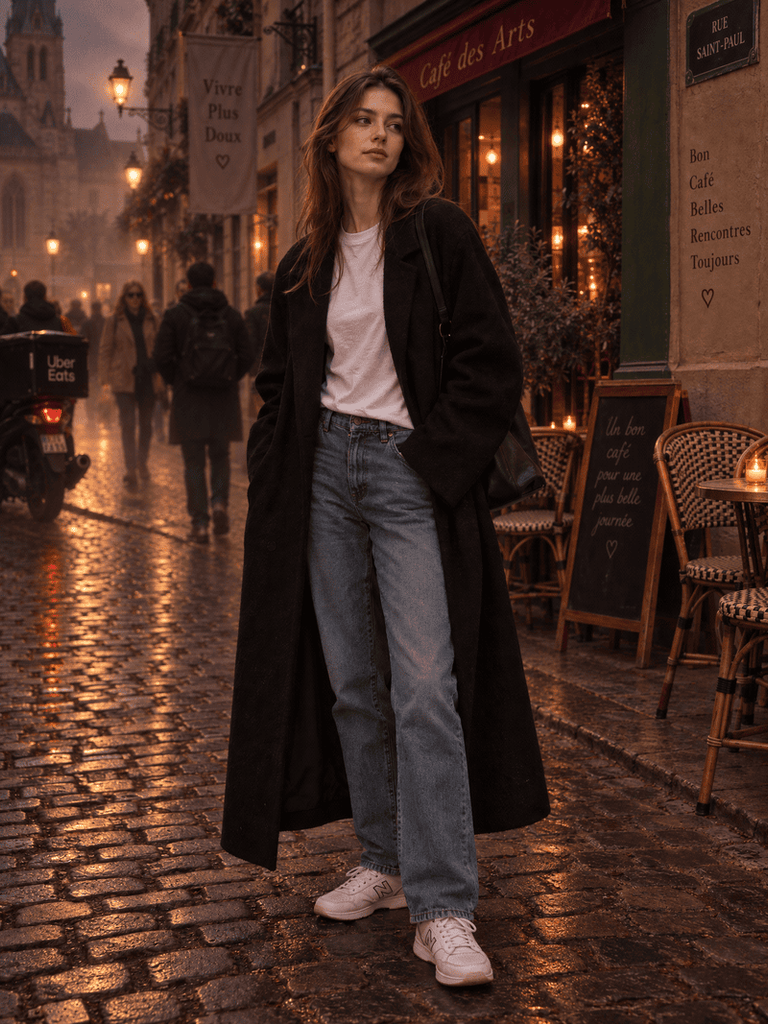
Photo A (outfit): a full-body shot of a model in a plain black wool coat, white tee, straight jeans and white sneakers, standing on a busy cobblestone street.

Original outfit photo.
Fashion Diffusion AI-generated

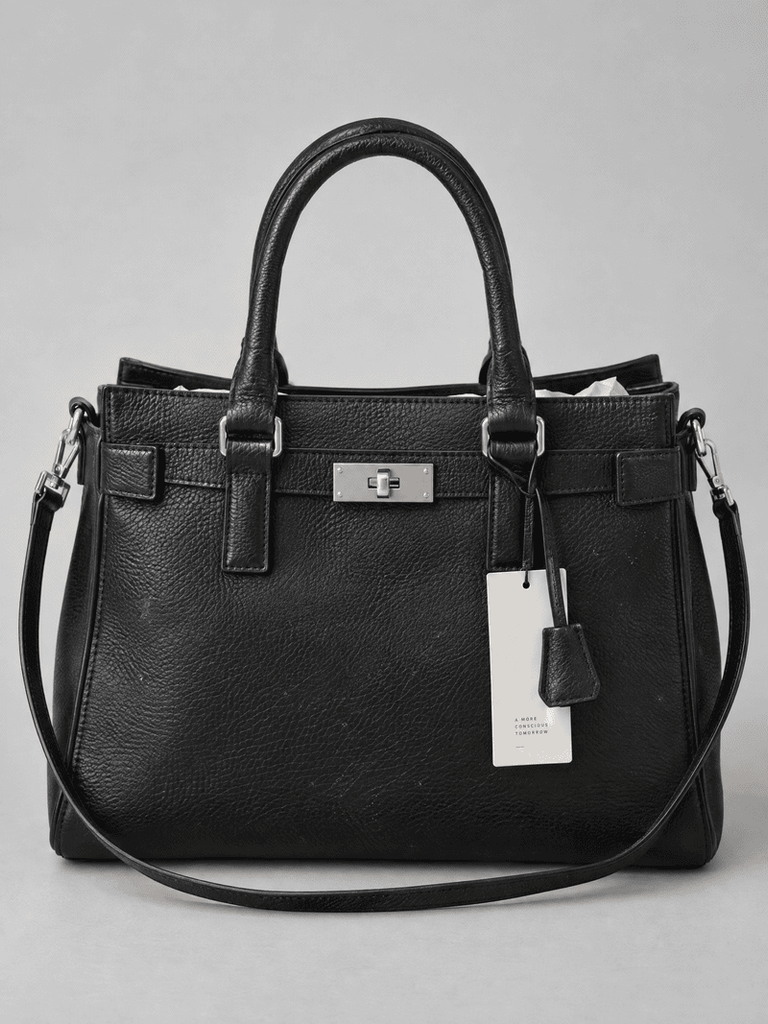
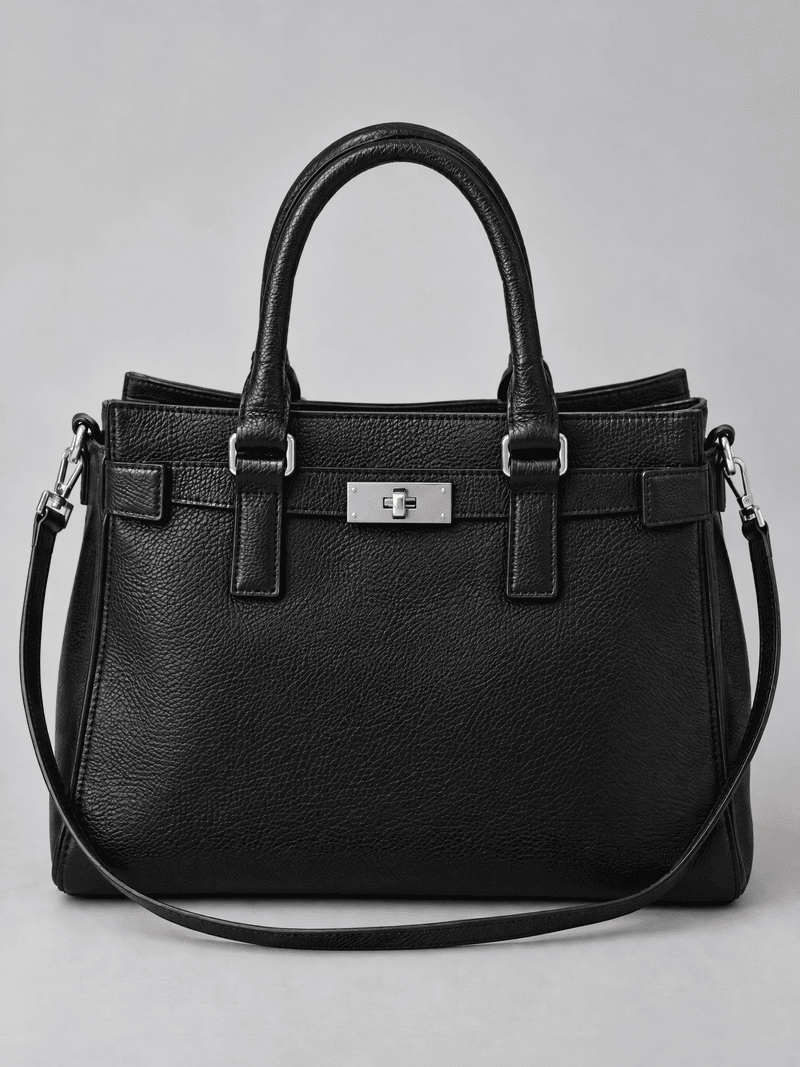
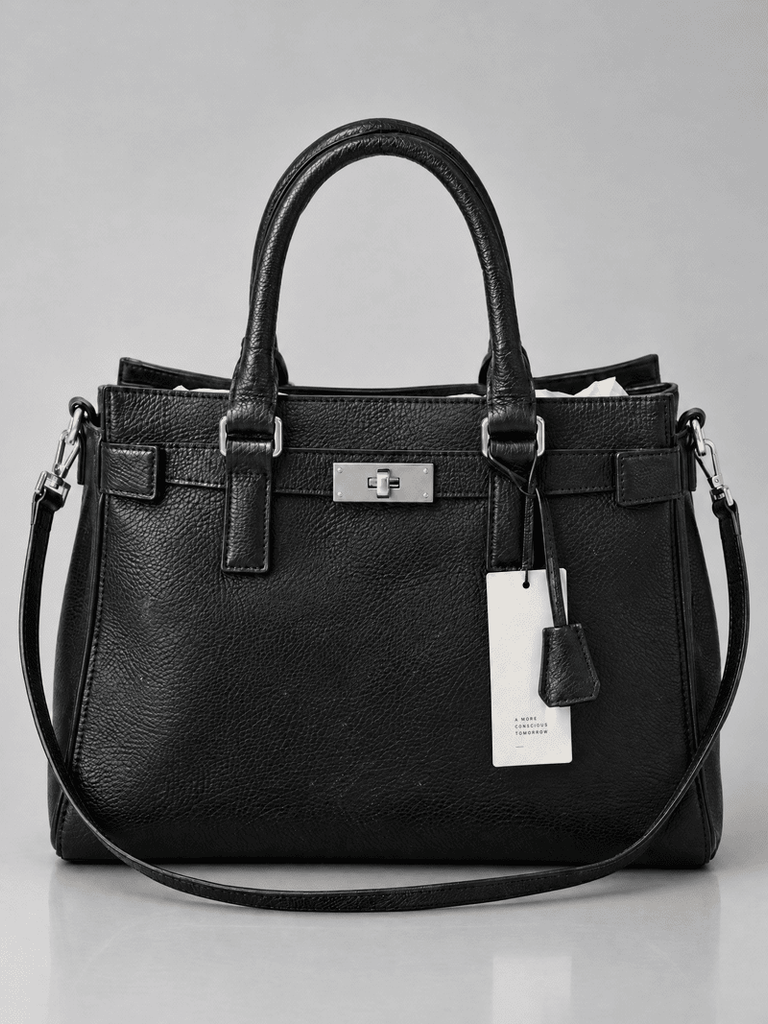
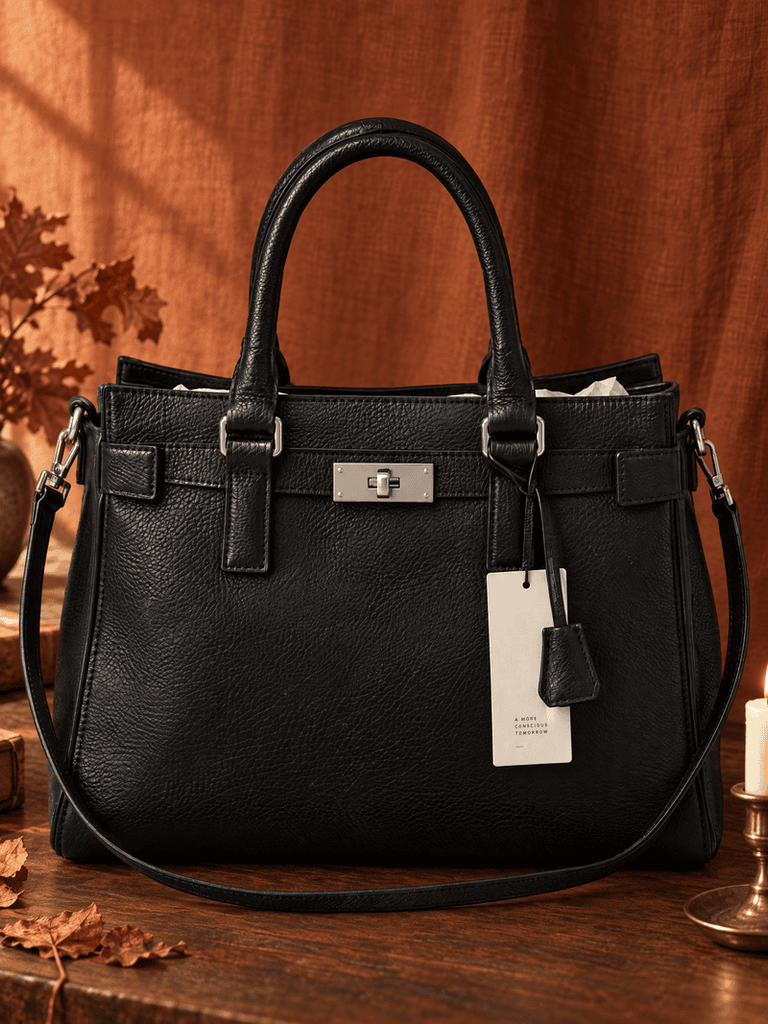
Photo B (product): a structured black leather handbag on a plain light-gray background, with the hang tag and paper stuffing still visible.

Original product photo.
Fashion Diffusion AI-generated

Using your own photos? Keep the structure of each prompt and swap in the garments, products and backgrounds you actually have.

Type 1: Replace

Use Replace when you are swapping one element for another, such as a garment, a material or a color. Name the old element specifically, describe the new one in detail, and lock everything else.

Pattern: Replace [A] with [detailed B]. Keep [everything else] unchanged.

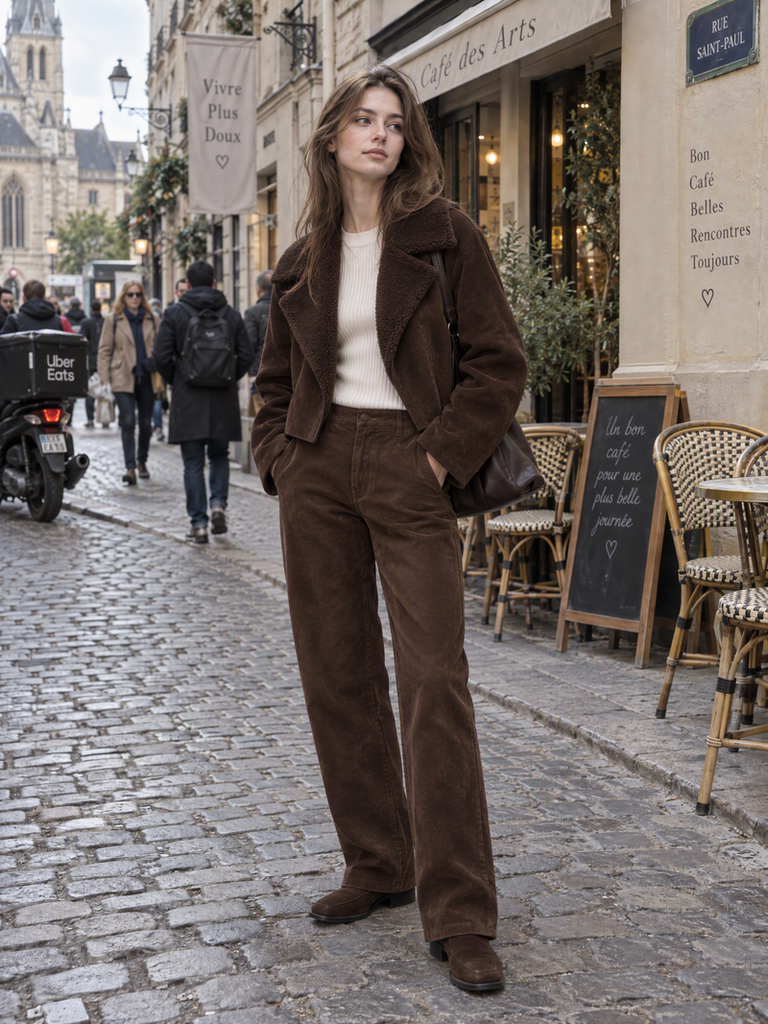
1. Swap the whole outfit for a chocolate-brown suede look (Photo A)

Change only the outfit to a head-to-toe chocolate-brown look: a boxy cropped suede jacket with a faux-shearling collar and wide lapels, worn over a fitted cream ribbed knit top, with matching straight-leg suede trousers. Keep the suede matte with a soft visible nap and natural folds at the elbows. Keep the model’s face, hair, pose, body proportions and background identical.

Locked: face, hair, pose, proportions, background

Tip: Name the finish (“matte suede with a soft nap”). Without it, the fabric can come out shiny like leather.

Swap the whole outfit for a chocolate-brown suede look using editing prompt 1.
Fashion Diffusion AI-generated

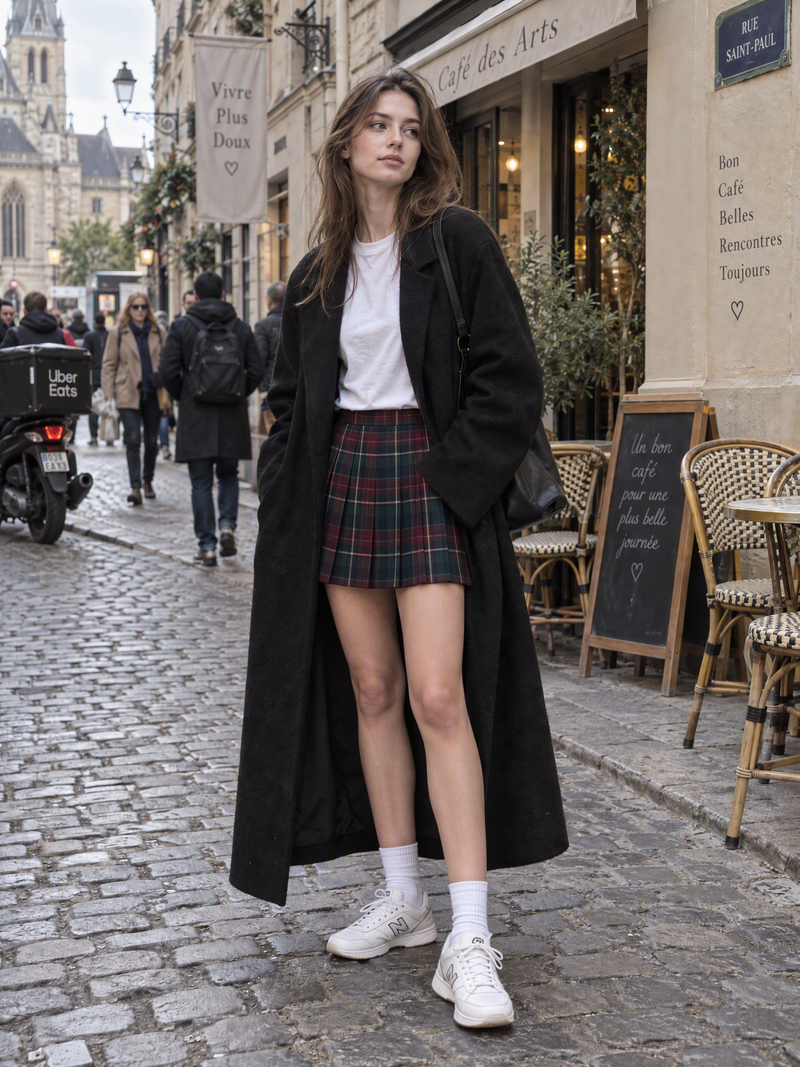
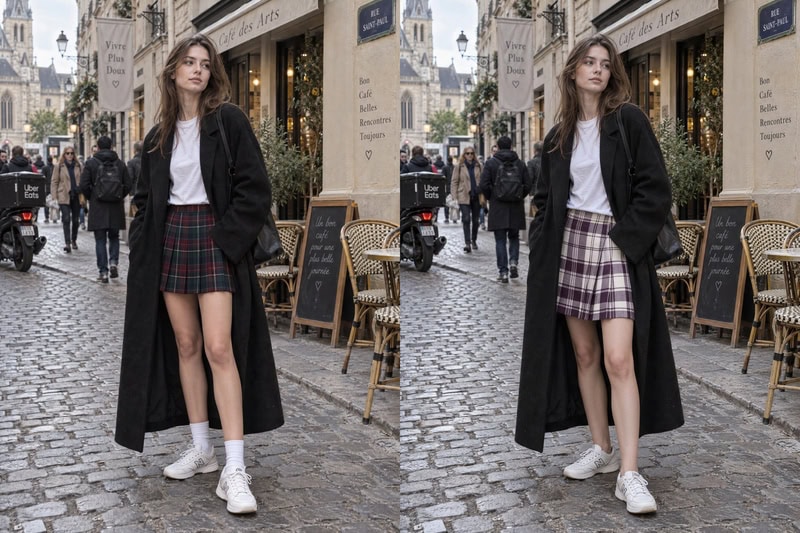
2. Turn the jeans into a tartan mini skirt (Photo A)

Change only the jeans to a high-waisted pleated tartan wool mini skirt in burgundy, forest green and navy with thin cream pinstripes. Keep the pleats crisp and the pattern lines straight, following the natural folds of the fabric, with a soft wool twill texture. Keep the coat, top, sneakers, face, pose and background exactly the same.

Locked: coat, top, sneakers, face, pose, background

Tip: Say how the pattern should behave (“straight lines, following the folds”). That’s what separates a believable print from a flat sticker.

Turn the jeans into a tartan mini skirt using editing prompt 2.
Fashion Diffusion AI-generated

Want to swap outfits like prompts 1 and 2 on your own photos? Try the AI clothes changer.

3. Preview the bag in a new colorway (Photo B)

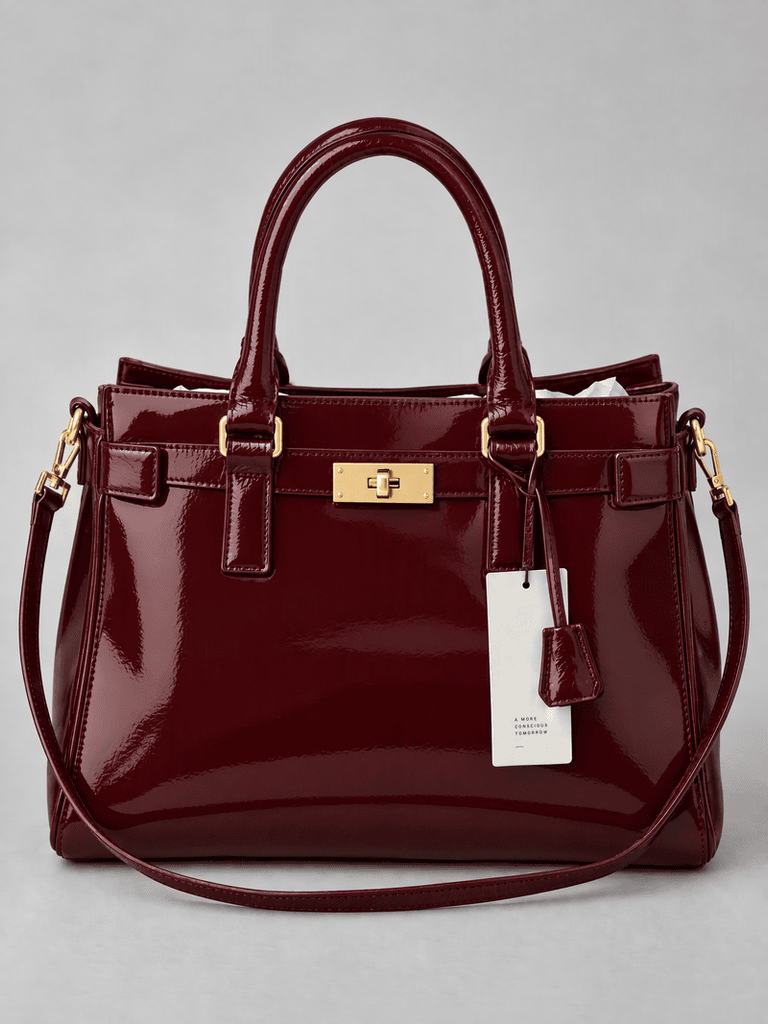
Change only the handbag to deep burgundy patent leather with polished gold hardware. Keep the structured shape, stitching, handles, strap and proportions exactly the same, with crisp soft reflections along the glossy surface. Keep the plain gray background unchanged.

Locked: shape, stitching, handles, proportions, background

Tip: Lock the construction details. Product edits only work if the bag still looks like the same bag. Use this for concept boards or colorway previews, not as a listing photo of a color you don’t sell.

Preview the bag in a new colorway using editing prompt 3.
Fashion Diffusion AI-generated

Type 2: Remove

Use Remove to clean up a photo: distracting objects, people in the background, tags or wrinkles. Always tell the AI how to fill the gap, or the result can look smudged.

Pattern: Remove [specific objects]. Rebuild [what should appear instead] to match [surroundings].

4. Clear a busy street (Photo A)

Remove all pedestrians, the delivery scooter and the café chairs from the street behind the model. Rebuild the cobblestone pavement and the storefront facades with consistent shadows and perspective. Keep the model, outfit, pose and lighting unchanged.

Locked: model, outfit, pose, lighting

Tip: Tell the AI what replaces the objects (cobblestones, facades). “Remove and fill” alone often leaves ghost shapes.

Clear a busy street using editing prompt 4.
Fashion Diffusion AI-generated

5. Clean up a product shot (Photo B)

Remove the hanging price tag, the paper stuffing visible at the bag opening, and the dust specks and fingerprints on the leather. Keep the leather grain, stitching, hardware and the bag’s shape exactly as they are.

Locked: leather grain, stitching, hardware, shape

Tip: Name each item to remove. “Clean up the bag” can end up smoothing the leather texture too.

Clean up a product shot using editing prompt 5.
Fashion Diffusion AI-generated

6. Steam-smooth the coat (Photo A)

Smooth the creases across the front and sleeves of the black wool coat as if it had just been steamed, keeping the natural drape and the wool texture. Do not change the color, length or buttons. Keep face and pose unchanged.

Locked: color, length, buttons, face, pose

Tip: Say “as if steamed.” It’s clearer than “remove wrinkles,” which can flatten the drape.

Steam-smooth the coat using editing prompt 6.
Fashion Diffusion AI-generated

Type 3: Add

Use Add to place a new element into a photo: an accessory, a shadow, even a product from a second image. The risk is that the new element looks stuck on, so specify the position, the material and the lighting.

Pattern: Add [detailed element] at [position], matching the existing lighting.

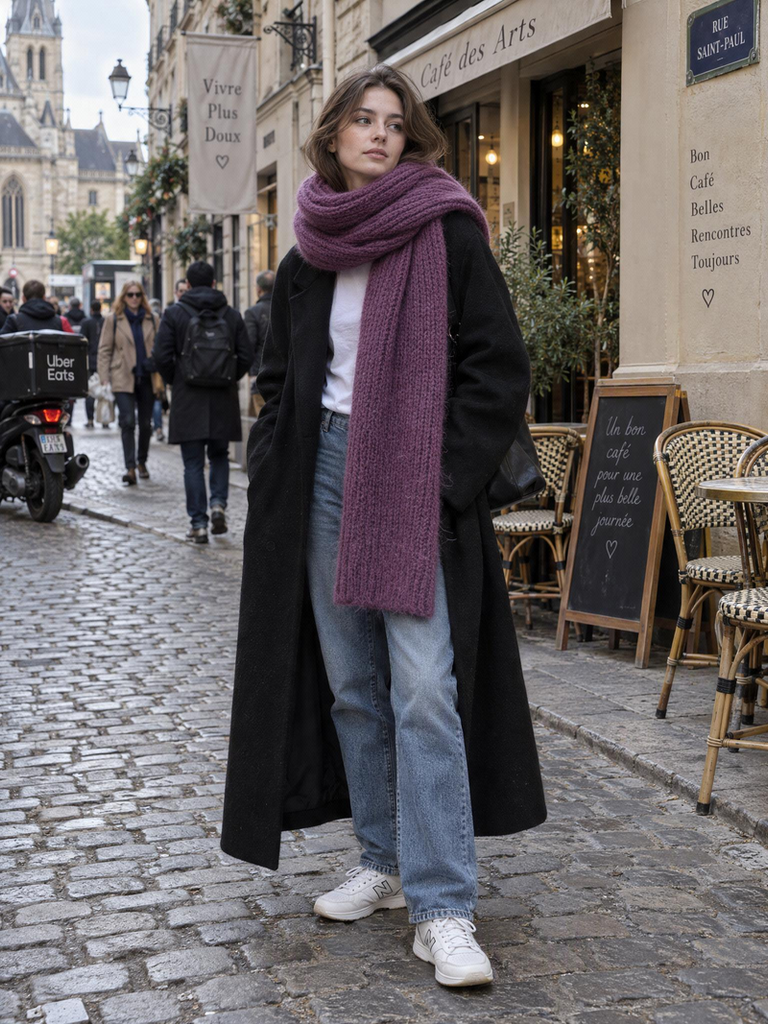
7. Add a chunky scarf (Photo A)

Add an oversized chunky-knit scarf in plum purple, looped once loosely around the neck with one end falling over the front of the coat. Show a visible rib-knit texture and soft wool fuzz. Match the existing light and keep the face, hair and coat unchanged.

Locked: face, hair, coat

Tip: Say how the scarf is worn. “Loosely looped, one end in front” prevents it from reshaping the neckline.

Add a chunky scarf using editing prompt 7.
Fashion Diffusion AI-generated

8. Add a natural shadow and surface reflection (Photo B)

Add a soft, natural contact shadow under the handbag and a faint reflection of its base on the surface, lit from the upper left. Keep the bag’s shape, color, hardware and position unchanged, and keep the plain gray background otherwise untouched.

Locked: shape, color, hardware, position, background

Tip: A believable shadow is one of the fastest ways to make a product image look grounded instead of cut out.

Add a natural shadow and surface reflection using editing prompt 8.
Fashion Diffusion AI-generated

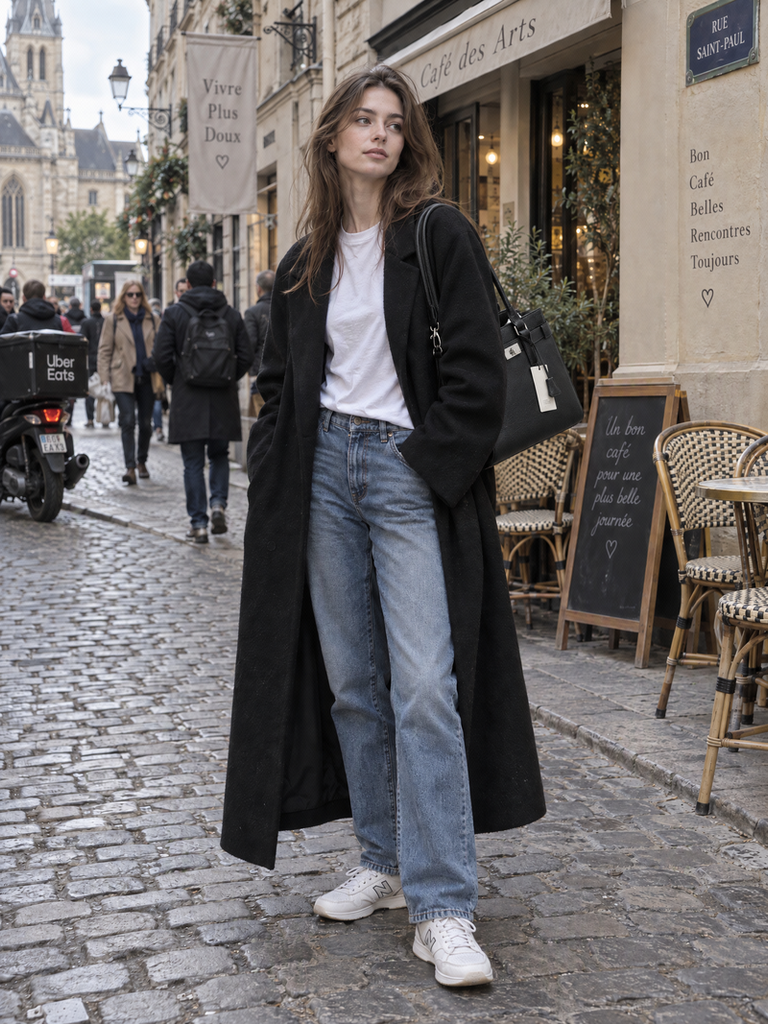
9. Put the bag on the model (Photo A + Photo B)

Use the handbag in image 2 as the reference. Place it on the model’s left shoulder in image 1, keeping its exact shape, color, hardware and stitching. Let it hang naturally and cast a soft shadow on her coat. Keep her face, pose, outfit and the background from image 1 unchanged.

Locked: image 1’s face, pose, outfit and background

Tip: Always label “image 1” (the photo being edited) and “image 2” (the reference). Mixing up the roles is the most common reference-edit mistake.

Put the bag on the model using editing prompt 9.
Fashion Diffusion AI-generated

Want to try putting products on a model in your own photos? Use the mix and match online free tool.

Type 4: Restyle

Use Restyle to change the mood of a photo without changing what’s in it: lighting, setting, color grade. The risk is that style words trigger a full redraw, so be specific about the look and lock the subject.

Pattern: Change the [lighting / setting / mood] to [detailed new state]. Preserve [subject details].

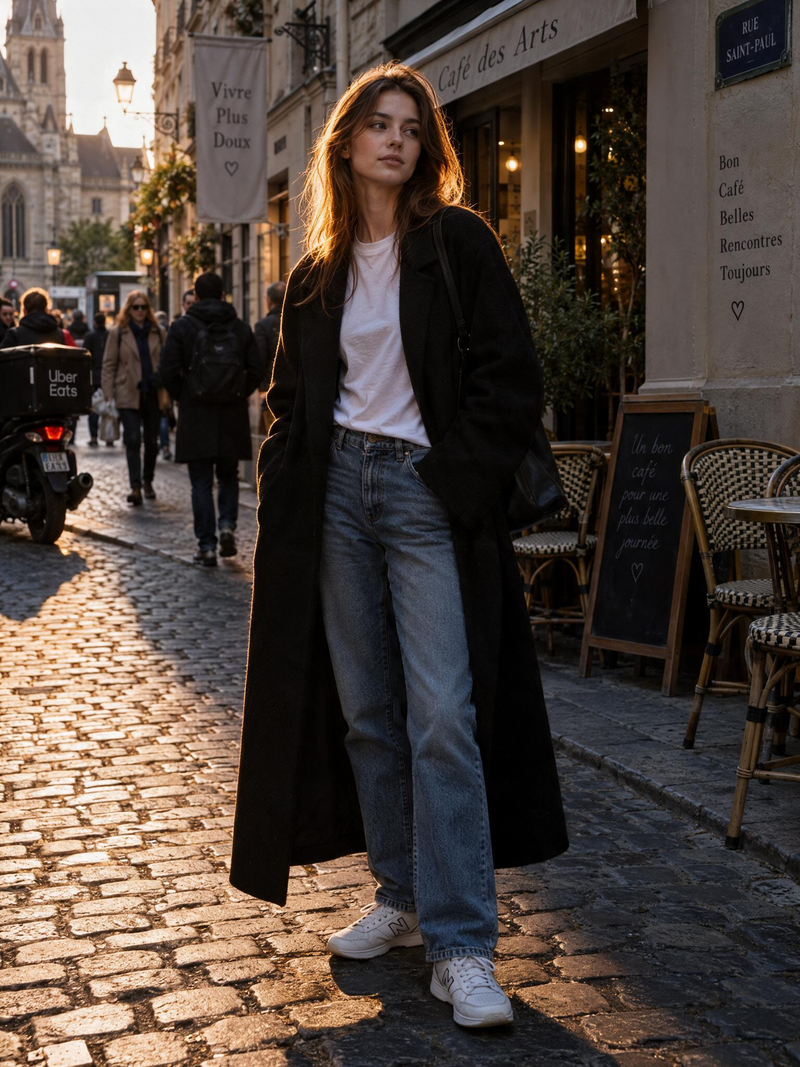
10. Relight with amber evening light (Photo A)

Change the lighting to low, warm amber evening light coming from camera-left, with a soft rim light along the hair and shoulder and gentle falloff into deeper shadow on the right. Keep the face, outfit shape, skin tones and pose identical.

Locked: face, outfit shape, skin tones, pose

Tip: Name the direction and the shadow side. “Warm light” alone doesn’t change where the shadows fall.

Relight with amber evening light using editing prompt 10.
Fashion Diffusion AI-generated

11. Style the bag in an autumn still life (Photo B)

Replace the plain gray background with an autumn still-life setting: a rust-colored linen backdrop, a dark walnut tabletop, a few dried ochre leaves and a small brass candleholder at the edge of the frame, lit by soft low window light from the left. Keep the handbag’s shape, color, hardware and position untouched, with a natural contact shadow on the table.

Locked: handbag shape, color, hardware, position

Tip: List three or four specific props and put them at the edges. Props near the product can steal attention or hide its details.

Style the bag in an autumn still life using editing prompt 11.
Fashion Diffusion AI-generated

If the background is the only thing you want to change, like in prompt 11, the AI background changer is built for exactly that.

12. Restyle into a dark-romance mood (Photo A)

Restyle the photo into a dark romantic mood: deep burgundy and bottle-green tones, a soft candlelight glow on the skin, subtle film grain and a faint mist in the air. Keep the model’s face, outfit, pose and the composition unchanged, and do not add any new objects.

Locked: face, outfit, pose, composition

Tip: The final constraint (“do not add objects”) keeps mood prompts from filling the scene with candles and props.

Restyle into a dark-romance mood using editing prompt 12.
Fashion Diffusion AI-generated

Trend Swap Table: Make These Prompts Your Own

Every prompt above follows the same recipe, so you can swap in other elements. Here is a vocabulary table built from fall/winter 2026 trend reports. Replace the highlighted pieces in any prompt and keep the rest.

ElementTrending options to swap in
Colorschocolate brown, burgundy, plum purple, bottle green, ochre, scarlet, electric teal and turquoise
Prints & patternstartan, check and gingham, argyle, tapestry-style jacquard
Fabrics & texturessuede, shearling, faux fur, appliqué, beaded and fringed trims
Silhouettesoversized shoulders, dropped waist, peplum, mini skirt with a high-low train
Footwear & legwearover-the-knee boots, patterned or opaque tights
Bags & accessoriesslouchy shapeless bags, fringe
Moodsdark romance, gothic glamour, sporty and athleisure

Example swap: take Prompt 2 and replace “pleated tartan wool mini skirt in burgundy, forest green and navy” with “pleated gingham wool-blend mini skirt in plum and cream”. The Keep and Style parts stay the same.

Example swap effect comparison.
Fashion Diffusion AI-generated

Trends move fast. Treat this table as a seasonal starting point and refresh it each season.

Prompt Leveling: How One Edit Gets Better

The prompts above aren’t magic. They work because each one adds a layer of information. Here’s the same edit, turning a plain black coat into a chocolate-brown shearling coat, at four levels of detail.

LevelPromptWhat usually happens
L1Make the coat brown.The color can spill over the image, and skin or background may shift
L2Change only the coat to chocolate brown. Keep the face, hair and background the same.The edit stays local, but the fabric looks flat and generic
L3Change only the coat to a chocolate-brown suede coat with a faux-shearling collar and cuffs, keeping the original length and fit. Keep face, hair, pose and background identical.The garment becomes recognizable and the details survive
L4Change only the coat to a chocolate-brown suede coat with a faux-shearling collar and cuffs, a matte soft-nap finish and deep folds at the elbows, keeping the original length and fit. Match the existing soft overcast light. Do not change the face, pose, proportions or background. Do not add any new elements.The most stable result, with fabric, light and extras controlled

Each level adds one kind of information: scope (only the coat), detail (fabric, collar, finish), protection (what to keep) and constraints (light and no extras). When an edit goes wrong, ask which of those four is missing.

Fail Lab: Why Your Edits Go Wrong

Even good prompts fail sometimes. Here are the six most common symptoms, what usually causes them, and how to rewrite the prompt.

  • The face changed. This usually happens when the prompt has no keep instruction, or leans on heavy style words. Add keep the face and hairstyle identical and cut back on the style words.
  • The outfit lost its shape. The prompt changed the color or material but never locked the cut. Add keep the original cut, length and silhouette.
  • The whole background was redrawn. The scope was too vague. Say exactly what to change and add leave the background untouched.
  • The new item looks pasted on. The prompt didn’t ask for a lighting match. Add match the existing lighting and shadows.
  • The edits conflict with each other. Too many changes were packed into one prompt. Split them into two or three sequential edits.
  • The wrong image was edited. The roles of the two images weren’t clear. Label image 1 as the base and image 2 as the reference.

You’re Ready to Write Editing Prompts That Work

The best editing prompt does two jobs: it describes the change in detail, and it protects everything else. Use the four-part formula, pick the right type for your edit, borrow from the trend table, and when something goes wrong, check which layer of information is missing.

If you’ve rewritten a prompt several times and the result is still unstable, the problem is often the tool rather than the wording. A tool built for editing, such as Fashion Diffusion, keeps the face, outfit and background protected while it changes only what you ask for.

Bookmark this page, copy the prompts you need, and try them on your own photos in Fashion Diffusion. New accounts get free credits, so you can try it at no cost.

FAQ

What is an editing prompt?

An editing prompt is a written instruction that tells an AI image tool how to change an existing photo. It names what to change, what to keep, and the style the change should follow, so the rest of the image stays the same.

How do I write a good editing prompt?

Describe the change in detail, then say what must stay the same, and add the lighting or style it should match. For example: “Change only the coat to chocolate-brown suede with a shearling collar. Keep face, pose and background identical. Match the existing light.”

Can I use the same editing prompt in different tools?

Often yes, but results vary. Tools interpret instructions differently, so you may need to adjust wording or add stronger keep instructions when switching.

How do I edit only one part of an image?

Name that part precisely, use “only,” and list what must remain untouched. Splitting complex changes into separate steps also helps.

How detailed should an editing prompt be?

Detailed enough to describe the result the way a stylist would: color, fabric, cut and one or two defining details. Short prompts leave the AI guessing, and guesses are where generic results come from.

When should I use a dedicated editing tool instead of prompts alone?

Use one when accuracy matters: faces, garment fit, product shape or many images that need consistent results. Fashion Diffusion is built for these edits.