月度归档 2026年8月20日

Avatar photo 通过Alexander Wilson

Try On Necklaces, Earrings & Bracelets Virtually — Full AI Try-On Guide

Jewelry is one of the hardest product categories to shop online. A necklace in a product photo tells you almost nothing about how it will actually sit on your neckline. Earrings that look delicate in isolation can overwhelm a face — or disappear entirely. A bracelet that reads as bold on a model’s wrist can look understated on a different one.

Virtual jewelry try-on changes what’s possible before you buy. Upload any jewelry image alongside a photo, and the AI generates a realistic preview showing how the piece actually looks when worn.

This guide covers everything: how the technology works, how to get the best results from each jewelry type, and how to use virtual try-on to make faster, more confident decisions whether you’re shopping or sourcing.

What Is Virtual Jewelry Try-On

Virtual jewelry try-on uses AI to place a jewelry image onto a photo of a person, generating a realistic preview of how that piece looks when worn. You upload two inputs — a jewelry product image and a person photo — and the AI renders the piece at accurate scale, correctly positioned for the jewelry type: at the neckline for necklaces, at the earlobe for earrings, at the wrist for bracelets.

The output isn’t a sticker overlay. The jewelry is rendered with proportional accuracy relative to the body, with lighting consistent with the source photo. Metal finish, gemstone detail, and chain structure all carry over from the product image.

How Does AI Jewelry Try-On Work

The AI reads two things: the jewelry’s physical characteristics from the product image, and the relevant body landmarks from the person photo. It then renders the piece at accurate scale with natural positioning — at the neckline for necklaces, at the earlobe for earrings, at the wrist for bracelets. The result reflects the specific proportions in your photo, not a generic model’s. That’s the difference between seeing whether a piece looks good, and seeing whether it looks good on you.

How to Try On Jewelry Online with AI

Now that you know what the technology does, here’s how to actually use it. The process is straightforward — two inputs, one result, ready in seconds. Fashion Diffusion’s virtual jewelry try-on handles necklaces, earrings, bracelets, and rings, all in the browser with no software to install.

Step 1: Find and upload your jewelry image

Start with a clean product photo — a packshot on a plain background, a brand site image, or a screenshot from anywhere online. The clearer the image, the more accurately the AI reads the jewelry’s details. Fashion Diffusion accepts PNG, JPG, JPEG, and WebP files up to 10MB.

Upload your jewelry image.
Fashion Diffusion AI-generated

Step 2: Upload your model or personal photo

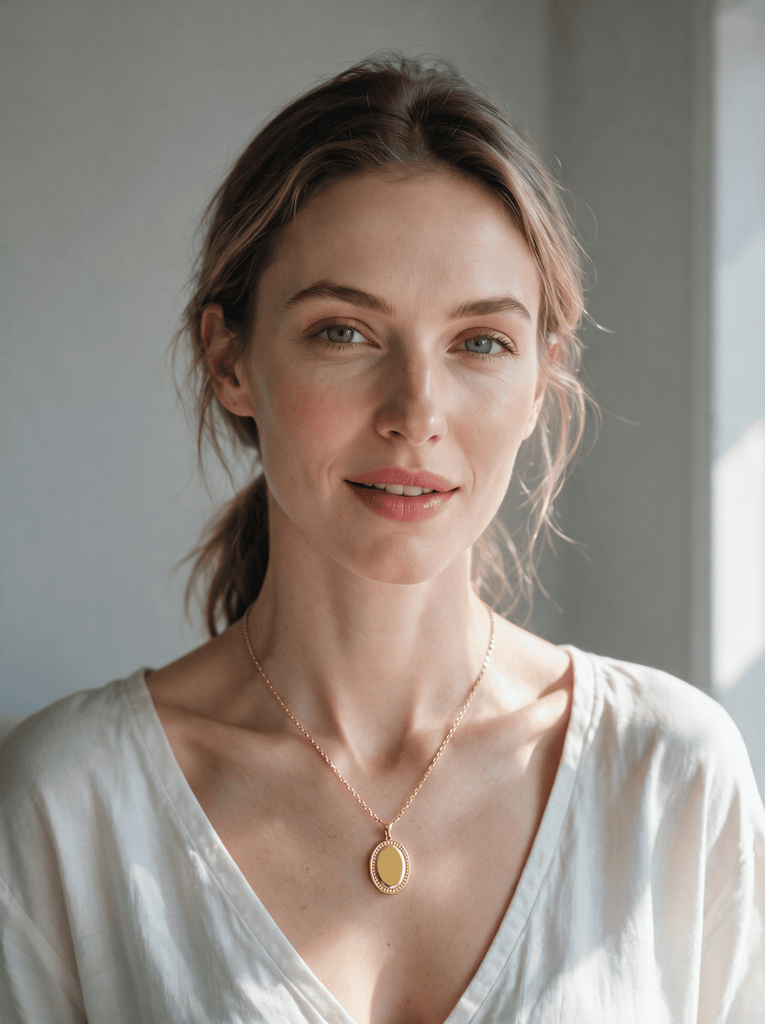
Upload a photo of yourself or a model. For necklaces, use a photo that shows the neckline clearly — a slight neckline exposure works better than a high collar. For earrings, use a face-forward photo with ears visible and hair pulled back or to one side. For bracelets, use a photo with the wrist clearly visible, ideally in a neutral, relaxed position.

Upload your model image.
Fashion Diffusion AI-generated

Step 3: Generate and compare

The AI processes both images and generates the result in seconds. The jewelry appears at accurate scale, correctly positioned, consistent with the lighting in the person photo. For the most useful session, run the same person photo with multiple jewelry images — chain lengths, pendant sizes, earring styles, bracelet widths. Because the person is consistent across all comparisons, what you are evaluating is genuinely the jewelry, not lighting or model differences.

Final jewelry try-on effect.
Fashion Diffusion AI-generated

How to Get Better AI Jewelry Try-On Results

The quality of the output depends on the quality of the inputs. These four adjustments make the most consistent difference.

  • Use even, diffused lighting. Harsh shadows make it harder for the AI to place jewelry accurately. Natural window light works best.
  • Match the photo to the jewelry type. Face-forward for earrings, neckline visible for necklaces, wrist in frame for bracelets.
  • Use clean product images. Plain-background product shots give the AI the most to work with. Avoid heavily styled or cluttered images.
  • Compare on the same photo. Run three or four pieces against one person photo — the consistent background makes the differences genuinely comparable.

Try On Different Jewelry Styles with AI

Each jewelry type has its own visual logic — what makes a necklace work on one person doesn’t apply to earrings, and bracelets have different proportion relationships altogether. Here’s what to look for when you try on each type.

If you are shopping for rings specifically, we have a dedicated guide to virtual engagement ring try-on that covers the ring-buying process in depth.

Necklaces

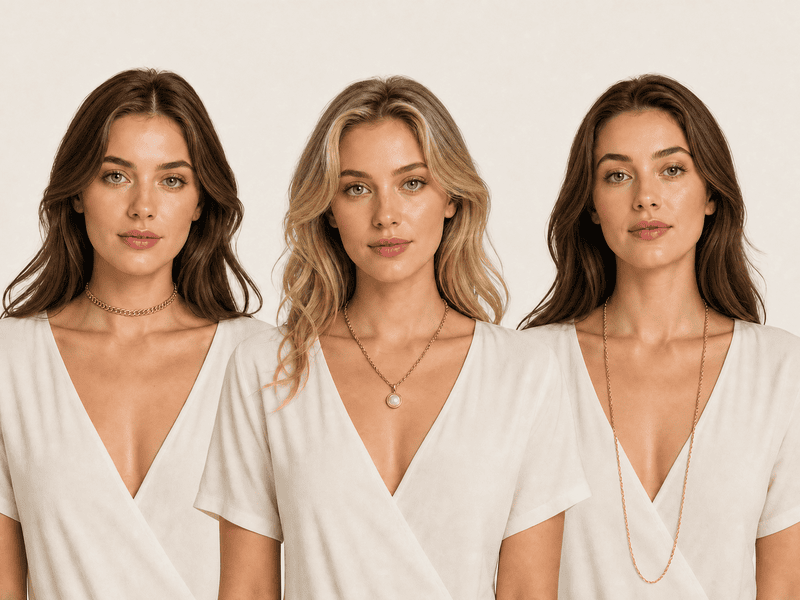
Of the three jewelry types, necklaces have the most direct relationship with outfit. The same chain looks completely different depending on what neckline it’s worn with — a long pendant disappears under a crew-neck, and a choker that reads as elegant with a V-neck can feel tight with a collared shirt. Drop length is the variable that changes everything: a choker creates a high, defined horizontal line; a princess length (around 18 inches) sits just below the collarbone; an opera or rope length falls dramatically lower and reads as maximalist or layered.

What to check in the try-on:

  • Where the pendant or chain falls relative to the outfit neckline — this is the single most useful thing the try-on reveals that a product photo can’t.
  • Whether the chain weight reads as proportional to the face and frame, or disappears against it.
  • How the metal color interacts with the skin tone in the photo — warm gold reads very differently against cool or warm skin undertones.
AI necklaces try-on comparison.
Fashion Diffusion AI-generated

Try on necklace online AI tools like Fashion Diffusion accept any saved product image from a brand site or Pinterest save. The AI places it at accurate drop length based on the person photo.

Earrings

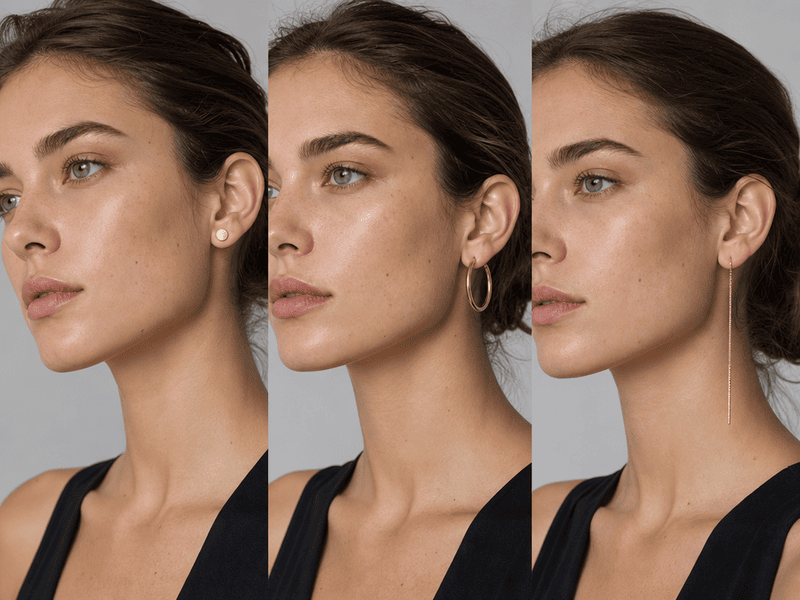
Earrings are the only jewelry type that frames the face directly — which makes them uniquely hard to evaluate without trying them on. A product image shows you the earring in isolation. What it doesn’t show is whether that earring makes your face look longer, wider, more balanced, or more crowded. A drop earring that photographs as delicate can visually shorten a round face. A bold hoop that reads as confident on one face shape can read as overwhelming on a narrower one.

What to check in the try-on:

  • Whether the earring extends below the jawline — length below the jaw elongates, length above it adds width, and the difference is only visible when you see it on an actual face.
  • How the earring width relates to the face width — wider than the cheekbone reads as statement; narrower reads as accent.
  • Whether the hair interferes — the same earring reads completely differently with hair up versus hair framing the face; try-on with the hairstyle you’d actually wear.
AI earrings try-on comparison.
Fashion Diffusion AI-generated

Try on earrings online AI — use a face-forward photo with visible ears. Pull hair back or to one side to get the most useful result. The AI positions the earring at the earlobe with accurate scale.

Bracelets

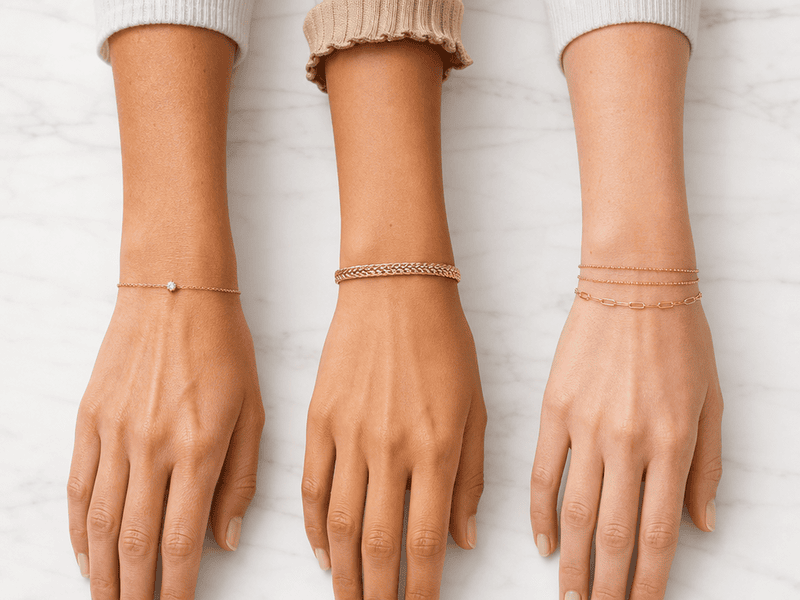
Bracelets have a dynamic quality that necklaces and earrings don’t — they move with the wrist, and they’re often worn in stacks. That makes proportion and combination the two things most worth evaluating before buying. A wide cuff that reads as sculptural on a wider wrist can look costume-heavy on a narrower one. A delicate chain that reads as understated can almost disappear. And with stacking, the visual weight compounds quickly — two or three bracelets that look good individually can read as cluttered together, or can look perfectly considered.

What to check in the try-on:

  • Whether the width reads as proportional to the wrist — this is harder to judge than it sounds, and the try-on makes it immediate.
  • For stacking: whether the combination feels intentional — layering different textures, metals, and widths is harder to visualize than a single piece.
  • The gap between the bracelet and the wrist edge — a bracelet that fits loosely reads differently from one that sits closer; the try-on shows how much visual presence the piece has at rest.
AI bracelets try-on comparison.
Fashion Diffusion AI-generated

Try on bracelet online AI tools work best with a wrist photo in a relaxed, neutral position. The AI places the bracelet at accurate width and position based on the wrist in the photo.

AI Jewelry Try-On for Shoppers and Jewelry Brands

The same tool serves two different workflows depending on who’s using it.

For shoppers, virtual jewelry try-on answers the questions product pages can’t. Does this necklace length work with how I dress? Do these earrings suit my face? Is this bracelet too wide for my wrist? Seeing the answer before purchasing reduces uncertainty and the returns that come from it.

For jewelry brands and e-commerce sellers, the tool generates on-model product visuals. No photoshoot needed. Upload a product image, choose or upload a model photo, and the AI produces a realistic on-model image ready for product pages, social content, or campaign materials. The same piece can appear on multiple models with different skin tones and proportions, without booking additional sessions.

Try On Any Jewelry with Fashion Diffusion

Knowing how a piece looks in a product photo and knowing how it looks on you are two different things. Fashion Diffusion‘s virtual jewelry try-on puts any necklace, earring, or bracelet on your photo in seconds — upload a product image from any source, add a person photo, and see the result before you decide.

New accounts start with free credits. Try the first piece and see whether the result changes how you shop for jewelry.

FAQ

What is virtual jewelry try-on?

A tool that places a jewelry product image onto a person photo using AI, generating a realistic preview of how the piece looks when worn. It shows accurate scale, natural positioning, and realistic rendering of metal finish and gemstone detail.

Does it work for necklaces, earrings, and bracelets?

Yes. Fashion Diffusion’s virtual jewelry try-on supports necklaces, earrings, bracelets, rings, and layered combinations. The AI positions each jewelry type correctly based on the person photo — at the neckline, earlobe, or wrist as appropriate.

What kind of photo gives the best result?

A well-lit photo where the relevant body area is clearly visible. For necklaces, a photo showing the neckline. For earrings, a face-forward photo with ears visible. For bracelets, a wrist photo in a relaxed position. Even, diffused lighting produces the most accurate AI rendering.

Can jewelry brands use this for product photography?

Yes. Brands and e-commerce sellers use Fashion Diffusion’s virtual jewelry try-on to create on-model product images without a photoshoot — placing pieces on AI models or uploaded photos to generate catalog and campaign visuals at scale.

Can I use it to try on jewelry for free?

Yes. New Fashion Diffusion accounts start with free credits that can be used on the virtual jewelry try-on tool.

Avatar photo 通过Ethan Davis

Try On Engagement Rings Virtually Before You Propose — Here’s How

Choosing an engagement ring is harder than it looks. You are not shopping for yourself. You are trying to picture a ring on someone else’s hand, in a size you may not know, in a style you hope she’ll love. The ring in the display case — or on a model’s hand in a product photo — tells you almost nothing about how it will look on the person you are proposing to.

That gap is exactly what a virtual engagement ring try on closes. Try on ring online lets you do exactly that. Upload a photo of the ring and a photo of her hand. The AI shows you how the ring looks on her — before you buy, before you propose.

Why the Ring Looks Different on a Hand Than in a Display Case

Product photography is designed to show a ring at its absolute best. Studio lighting maximizes diamond brilliance. The angle is chosen to flatter the setting. A white or velvet background removes all visual competition.

Professional jewelry photography uses LED lighting and controlled setups specifically to enhance sparkle in ways that natural daylight doesn’t replicate. The stone in the product image is showing you its best-case performance, not its everyday appearance on an actual hand.

Proportion is the other variable that photos don’t convey. The same ring reads completely differently depending on the width of the finger wearing it. A stone that looks confidently sized in isolation can appear modest on a wider finger, or unexpectedly bold on a very narrow one. There’s no way to know which side of that equation you are on without seeing the ring in context, which is exactly what a virtual try-on provides.

What Is Virtual Engagement Ring Try-On

Virtual engagement ring try-on uses AI to place a ring onto a photo of a hand, generating a realistic preview of how that specific ring looks when worn. You upload two inputs: an image of the ring and a photo of a hand. The AI renders the ring at accurate scale, with natural light behavior and realistic positioning on the finger.

Unlike AR try-on tools built into specific jeweler websites, virtual try on engagement ring online tool works with any ring image from any source — a screenshot from a jeweler’s website, a Pinterest save, a photo from a magazine. And from any hand photo you already have, including a photo of your partner’s hand.

A Note on the Photo You Use

The quality of the try-on result depends significantly on the hand photo. A few things make a meaningful difference.

For your own hand: Take a photo in natural daylight, palm facing down, fingers relaxed and slightly spread. A plain, neutral background removes distractions. Avoid heavy shadow across the fingers.

For your partner’s hand: You probably have more photos than you think. A photo where her hand is clearly visible, can be cropped to isolate the hand. If the background is cluttered, run it through an AI background remover before uploading to get a cleaner result. The AI doesn’t need a posed hand photo to produce a useful result. What it needs is a clear view of the finger the ring will sit on, with enough detail to read skin tone, finger width, and natural positioning.

If the photo is taken at an angle, the ring preview will reflect that perspective. A straight-on, slightly downward angle produces the most useful result for judging proportions.

How to Try On an Engagement Ring Virtually

With your ring image and hand photo ready, the process takes less than a minute. Fashion Diffusion’s AI virtual try-on ring tool runs entirely in the browser — nothing to install, free to start.

Step 1: Find and Save the Ring Image

Start by saving the ring image you want to try. This can be a screenshot from any jeweler’s website — James Allen, Brilliant Earth, Blue Nile, a local jeweler, anywhere. It can also be an image you’ve saved from Pinterest, a magazine, or a ring you’ve photographed in a store. The AI reads the ring’s setting, stone shape, band width, and metal from the product image, so a clear, well-lit product photo gives the most accurate result.

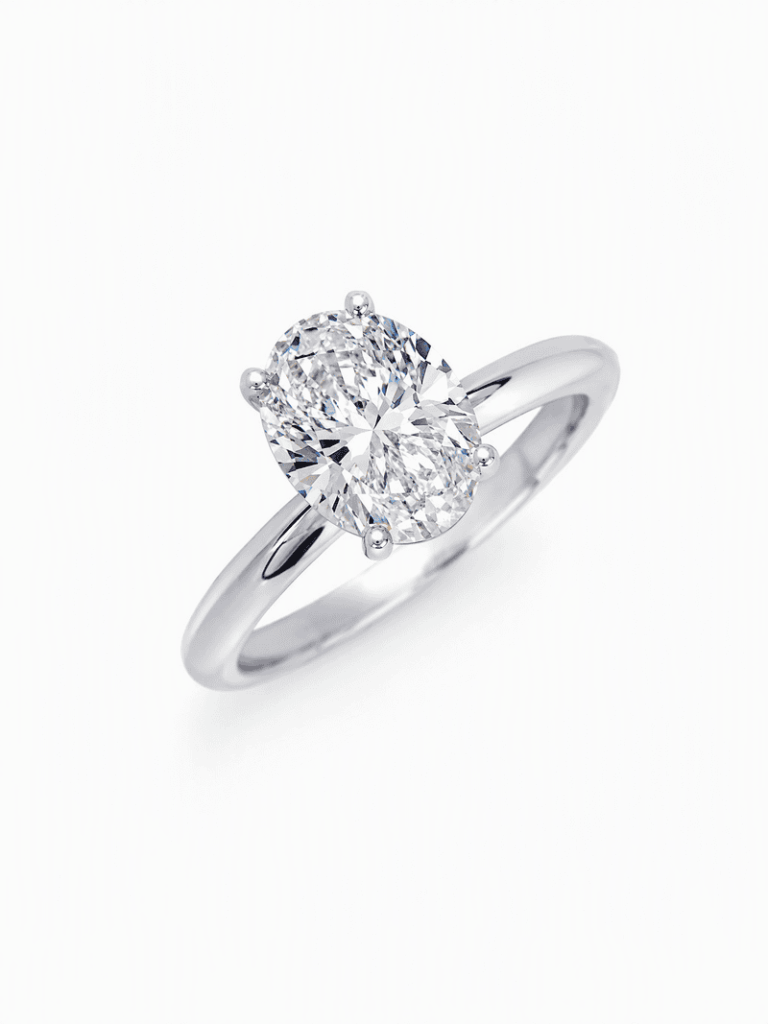
Upload your ring photo.
Fashion Diffusion AI-generated

Step 2: Upload the Hand Photo

Upload the hand photo alongside the ring image. The AI uses the hand photo to determine finger proportions and skin tone, then places the ring at accurate scale on the ring finger. See the section above for guidance on what makes a good hand photo — the same advice applies whether you are using your own hand or your partner’s.

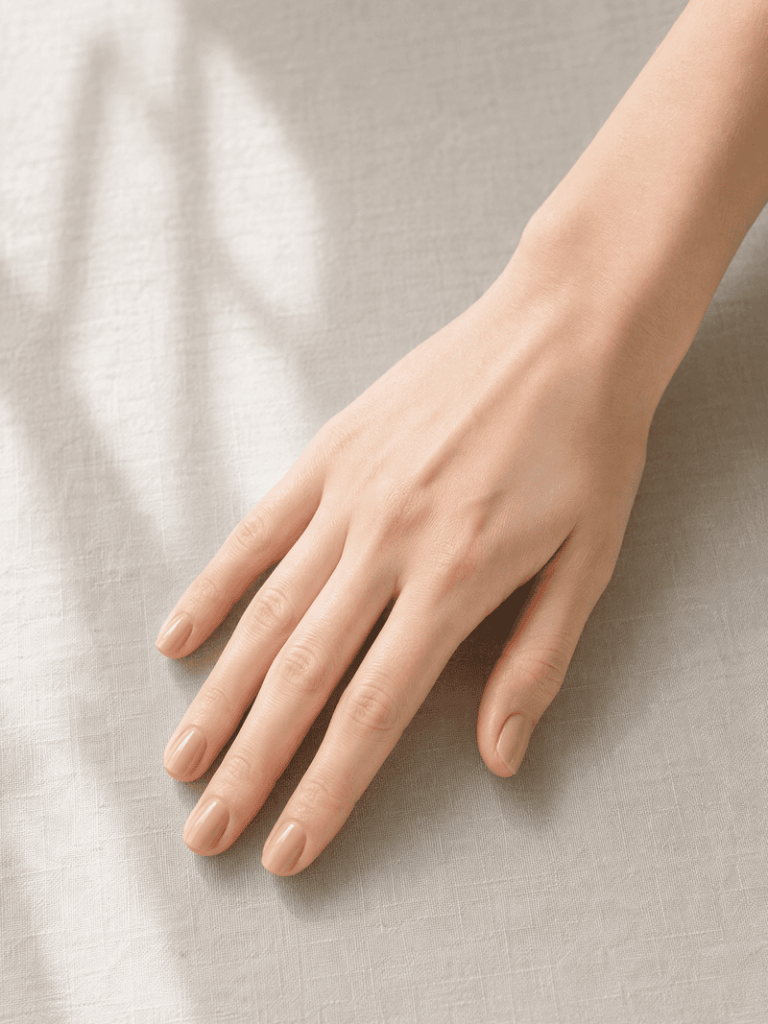
Upload your hand image.
Fashion Diffusion AI-generated

Step 3: Generate and Compare

The AI generates the result in seconds. The ring appears at realistic scale, positioned naturally on the finger, with lighting consistent with the hand photo. If the result isn’t what you expected — the ring reads larger or smaller than anticipated, or the metal color isn’t landing right — adjust the input and try again.

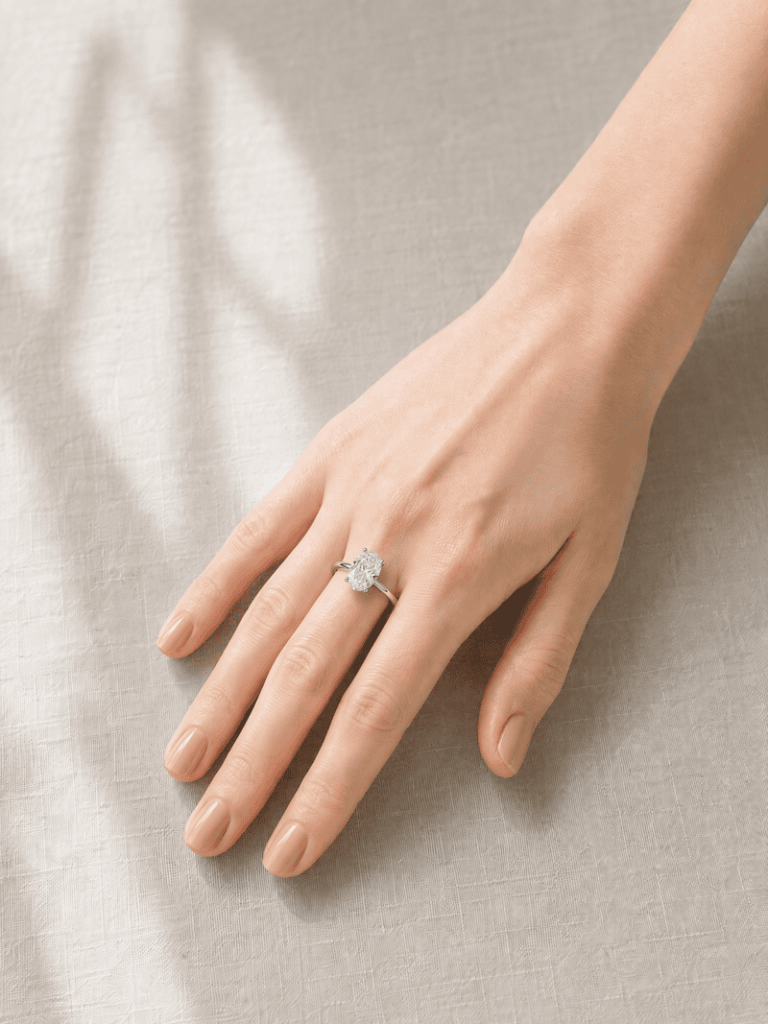
Ring try-on effect generated by Fashion Diffusion.
Fashion Diffusion AI-generated

What to Look For in the Result

Generating the engagement ring try on is the first step. Knowing what to evaluate in the result is what makes it useful.

Ring-to-Hand Proportion

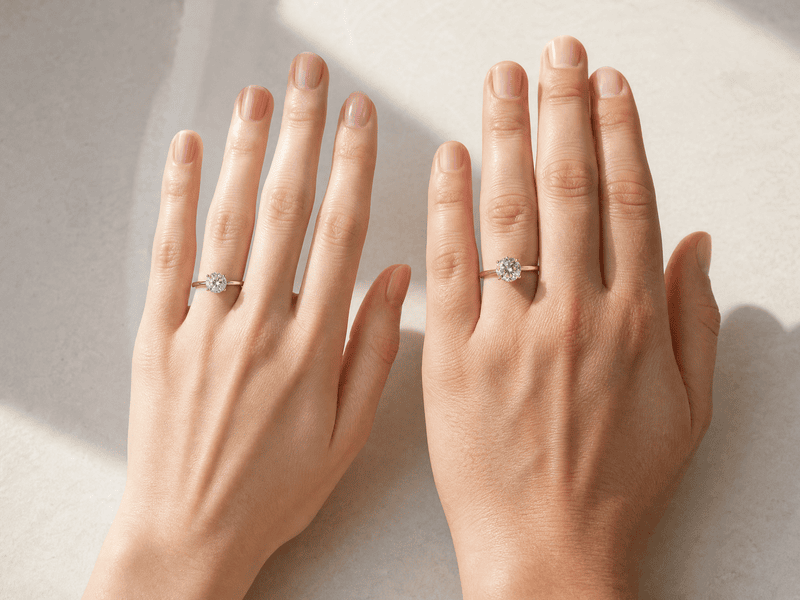
The ratio of the ring’s visual size to the width of the finger is the most important thing to assess. A stone that looks generously sized in a product image can appear modest on a wider finger. And a stone marketed as subtle can look bold on a very narrow one. The try-on shows you this relationship directly — use it to calibrate your expectations before purchasing.

Two hands of different sizes wearing the same ring showcase different proportional effects.
Fashion Diffusion AI-generated

Stone Shape and Visual Presence

Different cuts create different visual footprints on the hand. An oval elongates the finger. A round sits more centrally. A pear points in a direction that draws the eye. A toi et moi creates two focal points across the width of the finger. These are differences you can read in a product image, but seeing them in the context of an actual hand makes the choice much more concrete.

Metal Color Against Skin Tone

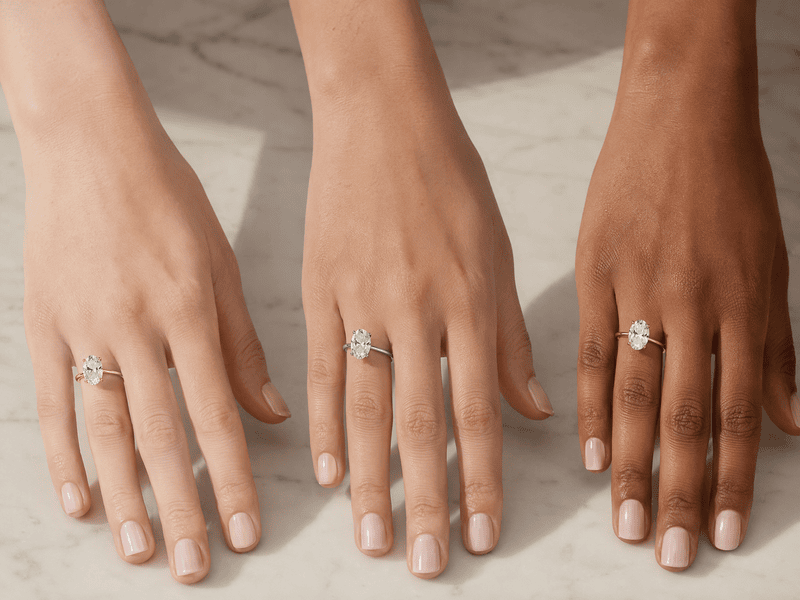
Yellow gold, white gold, and rose gold interact with skin tone in ways that are difficult to judge from a product image shot on a white background. Yellow gold reads warmer and more vintage against most skin tones. White gold reads cooler and more contemporary. Rose gold sits between the two, with a softness that works across a wide range. Seeing the metal color against the actual skin tone of the hand you are shopping for is a more reliable guide than any rule of thumb.

Different skin tones complement different ring materials and colors.
Fashion Diffusion AI-generated

Compare Multiple Rings Side by Side

The single most effective use of a virtual try-on tool is systematic comparison. Choose three to five rings that appeal to you, and run each one against the same hand photo. Because the hand is consistent across all comparisons, the differences you see are genuinely about the ring. Not about lighting, model, or camera angle variations between product photos. Save each result, then look at them together. The one that keeps drawing your eye is usually the right answer.

Try On Any Ring Before You Propose with Fashion Diffusion

The decision you are making is one of the most significant purchases of your life, and you are making it with limited information. Fashion Diffusion’s virtual engagement ring try-on puts the ring on the right hand before you commit — any ring, from any jeweler, on any photo you already have.

Propose with the right ring after trying Fashion Diffusion's AI virtual try-on ring tool.
Fashion Diffusion AI-generated

New accounts start with free credits. Upload a ring image and a hand photo and see the result before you make a decision.

FAQ

What is virtual engagement ring try-on?

A tool that places a ring image onto a hand photo using AI, generating a realistic preview of how the ring looks when worn. It shows accurate proportions, metal color, and stone presence on a specific hand, so you can evaluate the ring in context before purchasing.

Can I use a photo of my partner’s hand?

Yes. Use any photo where her hand is clearly visible—a candid shot, a photo cropped from a group picture. The AI doesn’t need a posed photo, just a clear enough view of the finger the ring will sit on.

What if I don’t know her ring size?

Ring size doesn’t affect the virtual try-on. The AI places the ring visually on the hand photo without needing size information. The try-on evaluates style, proportion, and visual fit—you’ll still need to determine her ring size separately before ordering.

Does it work with rings from any jeweler?

Yes. Upload any ring image—a screenshot from a jeweler’s website, a photo from a magazine, a Pinterest save—and the AI uses that image as the input. There’s no requirement to use a specific catalog or brand.

How accurate is the result?

The try-on generates a realistic visualization of the ring’s proportions, metal color, and stone shape on the hand. It accurately answers the questions product photos can’t—how the ring reads in scale, and how it looks against the specific skin tone and finger proportions you are shopping for.

Can I try on engagement rings online for free?

Yes. New Fashion Diffusion accounts start with free credits that can be used on the virtual engagement ring try-on tool.

Avatar photo 通过Alexander Wilson

Virtual Sneaker Try-On: See How 8 Popular Styles Look Before You Buy

Buying sneakers online means making a decision from a product photo. The shoe looks great flat on a white background. Then it arrives, you put it on, and something is off — the proportion isn’t what you expected, the colorway reads differently in real light, or it just doesn’t work with the way you actually dress.

Try your shoes on before you buy them — upload a photo of yourself and a photo of the sneakers, and see how they actually look on your feet, on your outfit, before you spend anything.

Why Sneakers Are Surprisingly Hard to Buy Online

Footwear has an 18% online return rate — the second-highest return category in e-commerce, after apparel. A significant portion of that is down to one problem: the shoe on a flat white background looks nothing like the shoe on an actual foot, in an actual outfit.

Sneaker product photography is deliberately idealized. The angle is chosen to show the shoe at its most flattering. The colorway is shot under optimal lighting. The scale is set by the photographer, not by a body. None of that tells you whether the chunky trainer that looks so good in the product image will overwhelm your frame, or whether the low-profile runner that seems subtle online will disappear into an outfit.

And the question product photos can’t answer at all: does this work with how you actually dress? A sneaker doesn’t exist on a white background. It exists with jeans, with a dress, with the specific proportions of your body. A virtual sneaker try on closes that gap — showing you the shoe on your own body, your own outfit, before you buy. That’s the core value of being able to try on shoes online with AI.

What Is AI Virtual Sneaker Try-On

AI sneaker try-on takes two inputs — a photo of a sneaker and a photo of a person — and generates a realistic image of that person wearing that shoe. The AI reads the sneaker’s shape, sole height, colorway, and construction from the product image, then places it naturally on the feet in the person photo, consistent with the outfit and proportions in the original.

The result isn’t a sticker dropped on top of a photo. The shoe is rendered at accurate scale relative to the body, in natural position, with lighting consistent with the source image. Try on shoes online with AI and you see the actual sneaker integrated into a real-looking scene.

How to Try On Sneakers Virtually with Fashion Diffusion

Fashion Diffusion’s free AI virtual try-on shoes tool runs in the browser. No app to download, no account required to get started.
Step 1: Upload a Sneaker Image

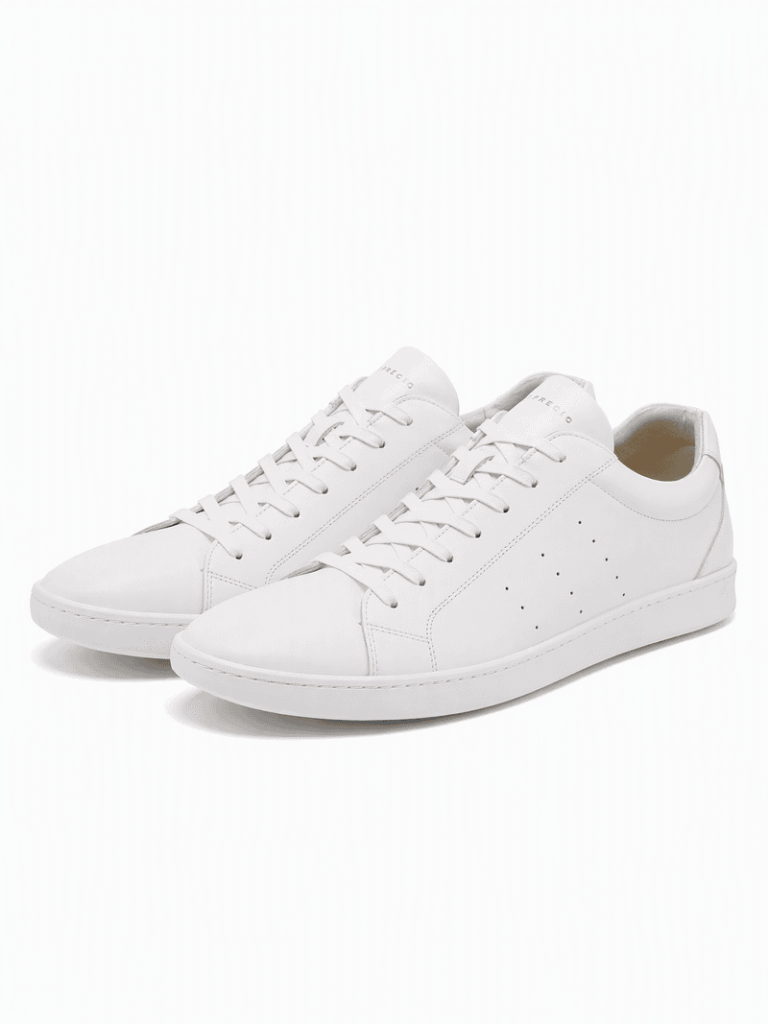
Use any sneaker product photo — a brand site image, a screenshot, or a saved photo from your wishlist. The AI reads the shoe’s shape, sole, colorway, and details automatically.

Upload your sneaker image.
Fashion Diffusion AI-generated

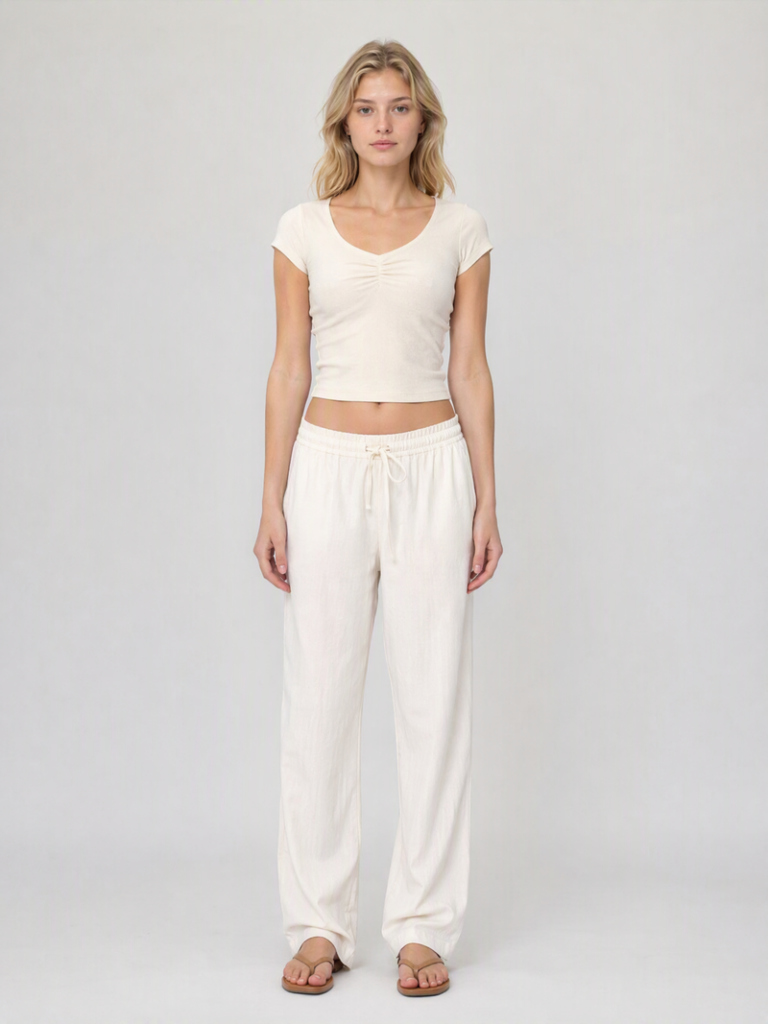
Step 2: Upload Your Photo

Upload a full-body or three-quarter photo of yourself. Even lighting and a clear background give the best result. The AI uses your proportions to place the shoe at accurate scale — which is where the useful information comes from.

Upload your model image.
Fashion Diffusion AI-generated

Step 3: See the Result

The AI generates a realistic on-foot preview in seconds. You see the sneaker at real scale, on your actual proportions, against your outfit. If you want to compare styles, upload the same personal photo with different sneaker images — the consistency makes the comparison useful.

Virtual sneaker try-on result generated by Fashion Diffusion.
Fashion Diffusion AI-generated

8 Sneaker Styles to Try On Virtually

These are the eight styles making the most noise in 2026 — and the things worth checking in a virtual try-on before you commit to buying.

Low-Profile / Skinny Sneakers

Low-profile, slim silhouettes are dominating 2026 — a deliberate move away from the chunky sneakers of recent years, with flat soles, quiet branding, and sleek materials leading the charge. Brands like Puma Speedcat, adidas Tokyo, and New Balance 204 are the reference points.

Low-Profile / Skinny Sneakers try-on result.
Fashion Diffusion AI-generated

What to check in the try-on: Low-profile sneakers look very different depending on the height of the person wearing them. On a taller frame, the flat, minimal silhouette reads as intentionally understated. On a shorter frame, they can disappear into the outfit. See how the proportions read against your actual height before buying.
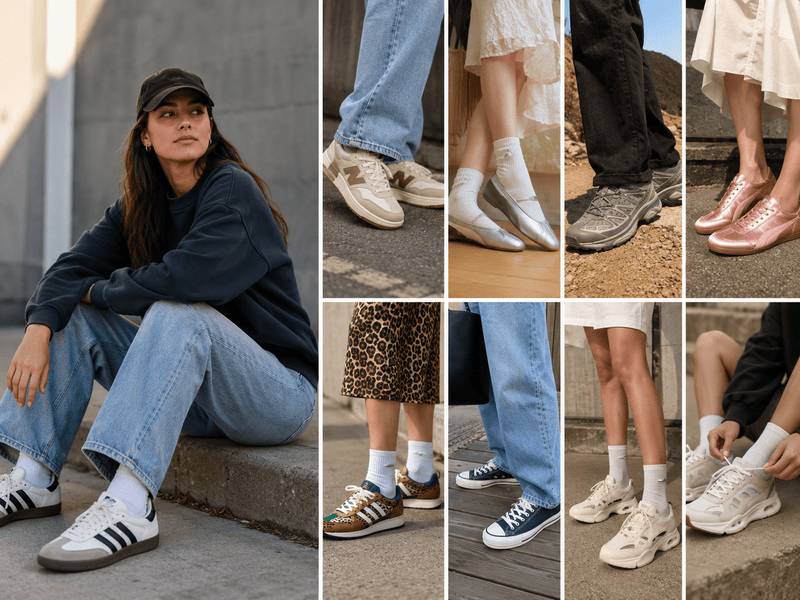
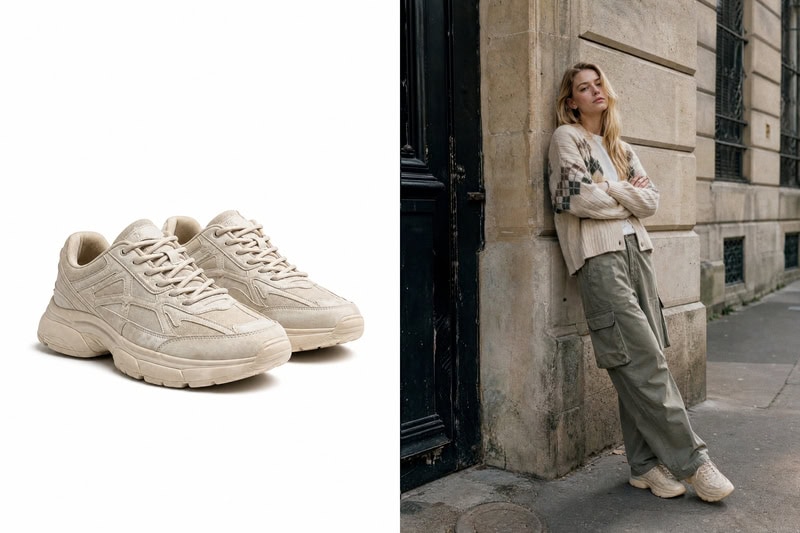
Retro Runners

Retro sneakers are in their main character era — throwback silhouettes and worn-in finishes leading the charge in the fashion space, with just enough nostalgia to make even the simplest outfit feel styled.
Retro runners try-on result.
Fashion Diffusion AI-generated

What to check in the try-on: Retro runners often have more sole height and bulk than they appear in product photos. The worn-in colorways also read differently against different outfit tones — a cream-and-gum sole can look warm and intentional with neutrals, or slightly muddy against cooler tones. A try-on against your actual wardrobe tells you which.

Sneakerinas / Ballet Sneakers

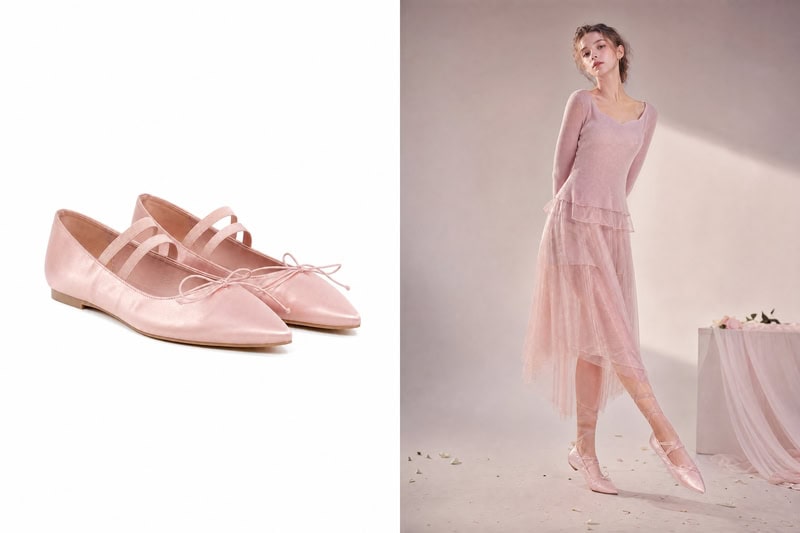
The breakout trend of 2026: sneakers that split the difference between a ballet flat and a traditional trainer. Skinny sneakers were all over the spring and summer runways — at Dries Van Noten in prints of pool blue, banana yellow, and turquoise, as well as solid cherry red and juicy pink, often styled with slouchy socks.

Sneakerinas / Ballet Sneakers try-on result.
Fashion Diffusion AI-generated

What to check in the try-on: The slim, pointed silhouette of a sneakerina reads very differently depending on outfit length. Against cropped trousers or a midi skirt, the proportions are elegant. Against full-length wide-leg trousers, the shoe can get lost. Try it against the specific outfit you are planning to wear it with.

Trail / Hiking Sneakers

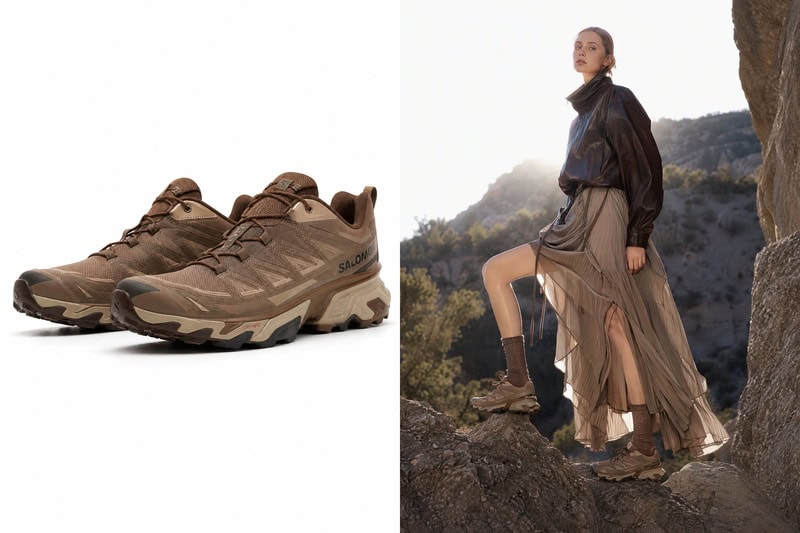
The Salomon XT-6 has become the cool girl sneaker of the season — trail runners crossing over from fitness into everyday fashion, and expected to get more popular into 2026. The chunky, technical sole is the defining visual.

Hiking sneakers try-on result.
Fashion Diffusion AI-generated

What to check in the try-on: Trail sneakers carry significant visual weight. The thick sole and technical construction that looks sharp in a product image can overwhelm a delicate outfit — but pair perfectly with tailored shorts, relaxed trousers, or a long skirt. See the contrast before you buy.

Satin / Luxury Finish Sneakers

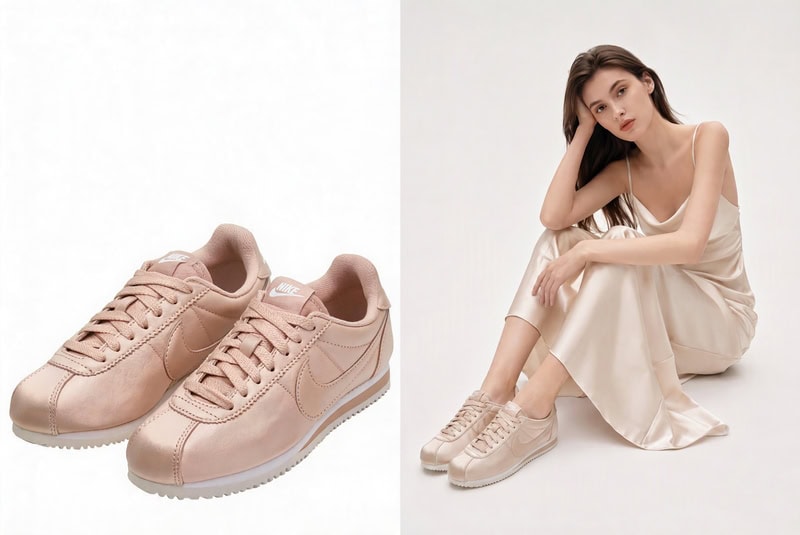
Iridescent finishes, satin uppers, and materials borrowed from eveningwear are having a moment. Who What Wear flagged satin sneakers as a key summer 2026 trend, with It girls styling them with dresses and skirts.

Satin sneakers try-on result.
Fashion Diffusion AI-generated

What to check in the try-on: Satin and iridescent finishes catch light in a way that reads completely differently in a product photo versus in real wear. The reflective surface also interacts with outfit color in ways that are hard to predict. A try-on against the actual outfits you’d wear them with is particularly useful here.

Mixed Media / Colorblock Sneakers

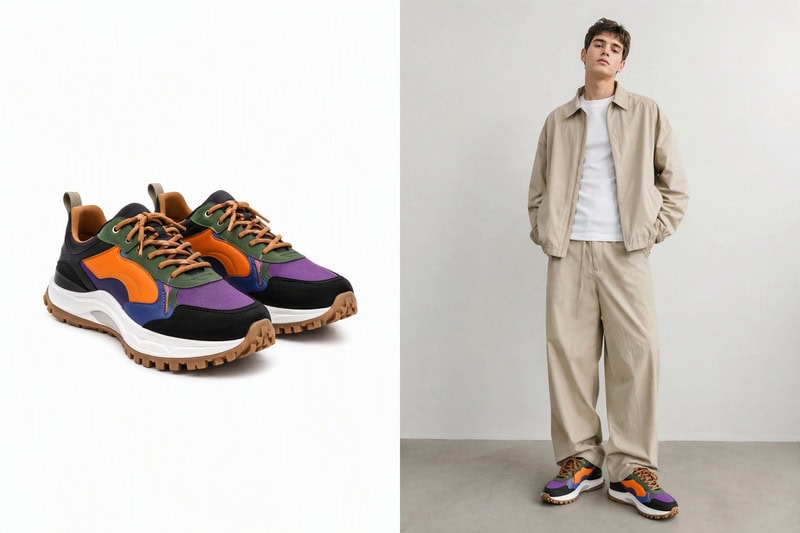
Bold colorways and material combinations — nylon with suede, leopard print with bright-green accents — are where 2026 sneaker design is getting interesting. Business Insider’s stylist panel called out mixed-media sneakers as a major 2026 trend, driven by a desire for something expressive after years of quiet luxury.

Colorblock sneakers try-on result.
Fashion Diffusion AI-generated

What to check in the try-on: The statement is the point — but a bold colorblock sneaker needs to work with your wardrobe, not against it. A try-on shows you immediately whether the color combination reads as intentional and pulled-together, or like it’s competing with everything else in the outfit.

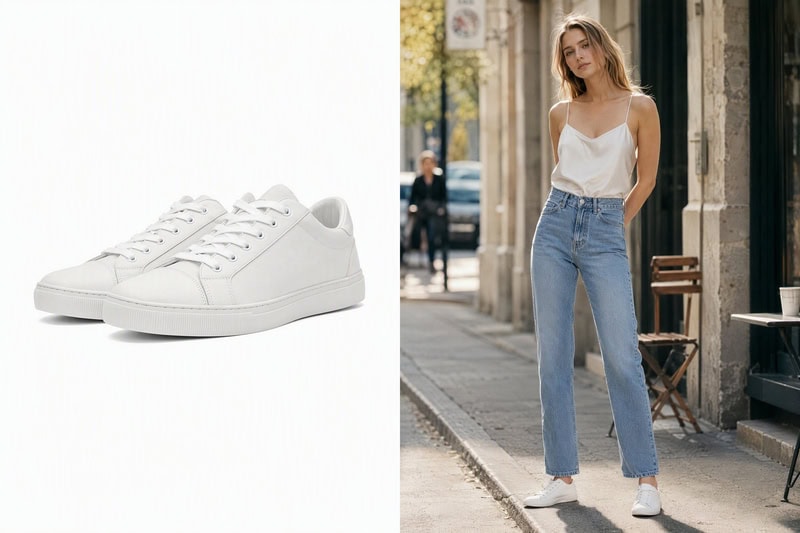
Canvas Low-Top Sneakers

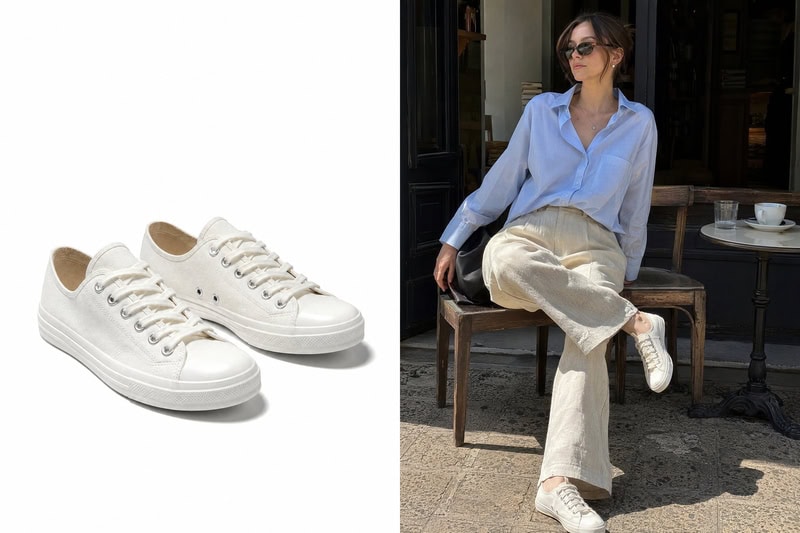
The Row, Jacquemus, and Veja have all brought the everyday canvas sneaker back onto serious fashion radars. Canvas sneakers are putting the everyday silhouette back on the radar this season — defined by a low-profile, lace-up look, these are the everyday pairs you can wear with just about everything.

Canvas low-top sneakers try-on result.
Fashion Diffusion AI-generated

What to check in the try-on: Canvas low-tops look clean and versatile in product photos. In wear, the visual effect depends heavily on the specific canvas color and outfit pairing. An off-white canvas toe reads very differently from a natural ecru against denim. The try-on is most useful here for color matching.

Cutout / Platform Athletic Sneakers

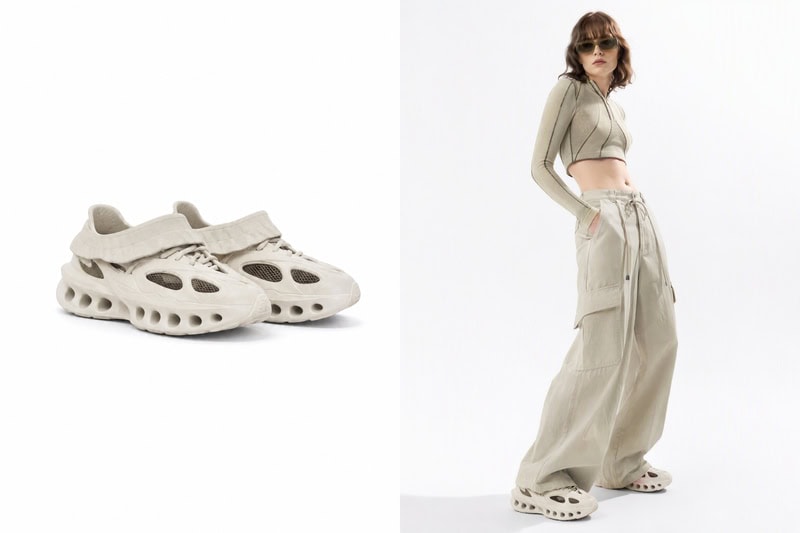
Sculptural soles, cutout details, and airy foam construction give this style a distinctive silhouette. Cutout kicks with airy, foamy soles and exposed socks are one of 2026’s more playful and irreverent sneaker directions — bold but still genuinely wearable.

Cutout athletic sneakers try-on result.
Fashion Diffusion AI-generated

What to check in the try-on: The platform adds height, which changes how proportions read across the whole outfit. The cutout details also vary significantly in how bold they look depending on the specific model — some read as subtle and architectural, others as very statement-forward. See how the sole height works with your actual height before committing.
Try On Any Sneaker Before You Buy with Fashion Diffusion

The question you are really asking when you look at a sneaker online isn’t whether the shoe looks good in the photo. It’s whether it looks good on you, with the clothes you actually wear.

Fashion Diffusion’s AI sneaker try-on tool puts any shoe on your photo in seconds — upload a sneaker image from any brand or retailer, add a photo of yourself, and see the result before you decide. New accounts start with free credits.

FAQ

What is a virtual sneaker try-on?

An AI sneaker try on tool that places a sneaker product image onto a photo of a person using AI, generating a realistic preview of how the shoe looks when worn. It shows accurate scale and proportion relative to your body, so you can see whether the silhouette, colorway, and sole height actually work for you before buying.

What kind of photo do I need?

A full-body or three-quarter photo with even lighting and a simple background gives the most accurate result. The AI uses your proportions to place the sneaker at accurate scale, which is where the useful visual information comes from.

Can I try on shoes online with AI for free?

Yes. New Fashion Diffusion accounts start with free credits that can be used on the AI sneaker try-on tool.

How accurate is the AI try-on result?

The tool generates a realistic visualization showing the sneaker’s silhouette, sole height, colorway, and proportion relative to your body. It’s a visual preview, not a physical fitting — but it answers the questions product photos can’t, including how the shoe reads against your outfit and proportions.

Does it work for all sneaker types?

Yes. The AI shoe try-on supports sneakers, trainers, retro runners, platform sneakers, canvas low-tops, and other footwear styles — any sneaker image you can save or screenshot from a brand site works as an input.

Avatar photo 通过Sophia Mille

10 Best AI Hot Girl Generators in 2026 (Realistic & Free AI Girl Creators)

AI hot girl generators have moved well past novelty. In 2026, fashion brands use them to produce campaign-ready visuals without a studio booking. Creators use them to generate bold, high-impact female imagery for social content without casting. The tools have matured — and so has the range between them.

This guide compares the 10 best options in 2026 across output quality, use case fit, pricing, and free availability. Whether you need fashion-specific campaign imagery — like what Fashion Diffusion’s AI hot girl generator produces for brands and e-commerce — or versatile portrait generation for creative projects, there’s a tool here for your workflow.

What Makes the Best AI Hot Girl Generator in 2026

An AI hot girl generator is a tool that creates bold, high-impact female images from a text prompt, a reference photo, or both — producing everything from fashion campaign visuals to stylized digital characters in seconds. The category has expanded fast, and the tools vary significantly in what they are actually good at.

A few criteria matter most when choosing one.

Output quality for your use case. Fashion-trained models handle garment drape, skin texture, and lighting consistency at a different level than general-purpose generators. If the output is going into commercial content, match the tool to your actual standard — not just the best demo image on the landing page.

Customization options. The best tools let you control more than just the style. Pose, outfit, background, facial features, lighting direction — the more variables you can specify, the closer the output gets to what you actually have in mind. Some tools expose these as prompt controls; others build them into UI selectors. Either way, more control means fewer regenerations before you get something usable.

Workflow fit. The best generator is the one you’ll actually use consistently. A standalone browser tool, a CapCut-integrated platform, and a multi-model API all suit different types of creators and teams.

At a Glance: 10 AI Hot Girl Generators Compared

Here’s a quick overview before the full breakdown below.

ToolBest ForStyle Range
Fashion DiffusionFashion brands and e-commerceFashion-specific, realistic
Media.ioRealistic portraits with editing workflowRealistic, photorealistic
Live 3DAnime and VTuber creatorsAnime, waifu
Ima StudioGuided adult character generationGlamour, lingerie, intimate
GlobalGPTMulti-model access with video outputPhotorealistic, stylized, cinematic
FotorFree watermark-free with preset templatesRealistic, anime, CGI, artistic
PixelbinBrowser-based with photo-to-image and videoRealistic, anime, fantasy, chibi
DreaminaText and image input with built-in retouchingRealistic, editorial, avatar
PicLumenFree with photo-to-anime transformationRealistic 3D, anime
SeaArtBroad style range with advanced controlsPhotorealistic, cyberpunk, VTuber, anime

The 10 Best AI Hot Girl Generators in Detail

Each tool below is assessed on output quality, best use case, pricing, and the one thing it does better than any other option on this list.

Fashion Diffusion

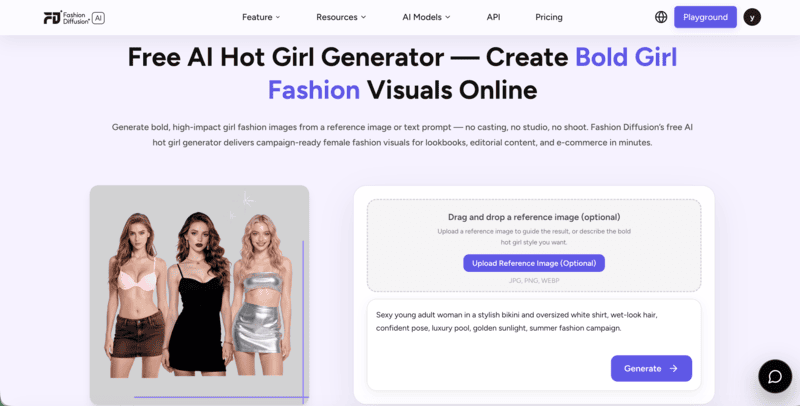
Fashion Diffusion’s AI hot girl generator stands out on this list for its fashion-specific focus. Its AI hot girl generator produces bold, campaign-ready female fashion visuals from a text prompt or a reference image — trained on fashion-specific data, so garment detail, styling accuracy, and visual confidence come through at a level general-purpose generators don’t match.

Fashion Diffusion' free AI hot girl generator interface.

Upload a reference image to guide the aesthetic, or describe the look directly in the prompt. Output is ready for e-commerce, lookbooks, and paid advertising without additional retouching.

The tool sits within a broader fashion platform — virtual try-on, AI Lookbook, background changing, AI fashion video — making it the natural choice for brands that need hot girl generation as part of a larger content workflow.

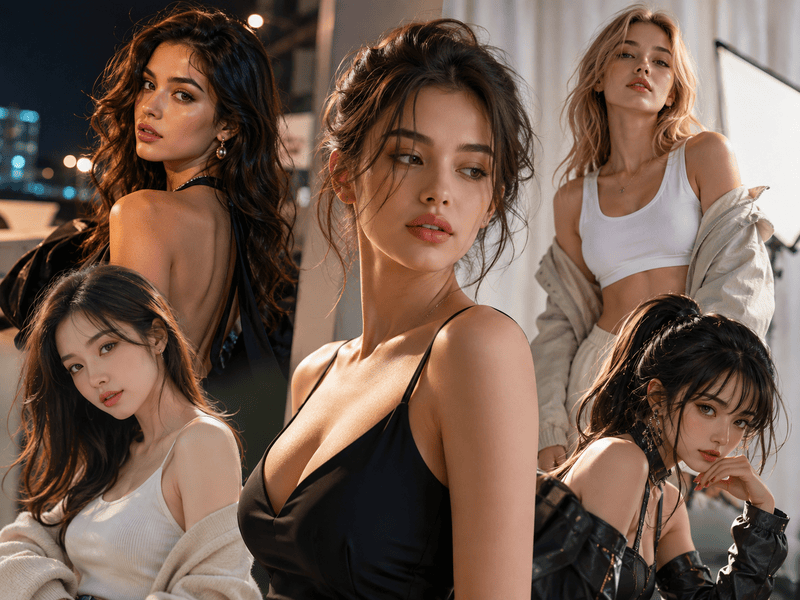
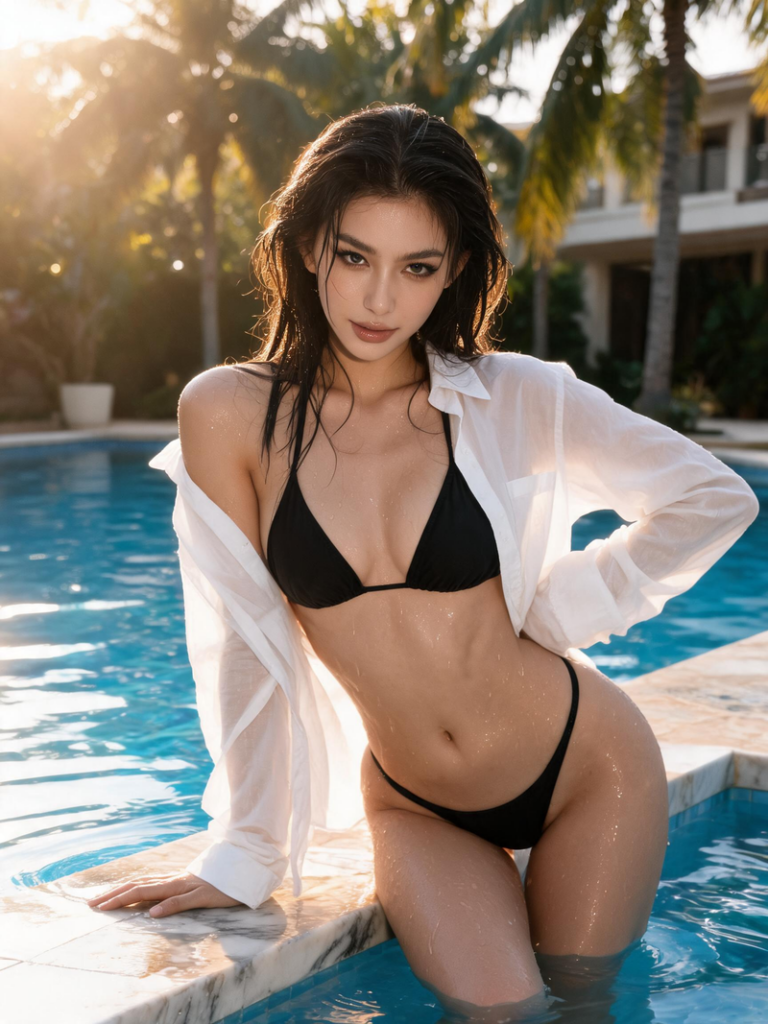
AI hot girl generated by Fashion Diffusion
Fashion Diffusion AI-generated

Best for: Fashion brands, e-commerce teams, and content creators who need campaign-ready female fashion visuals.

Pricing: Free credits on signup; paid plans for commercial use and higher volume.

Key strength: Fashion-specific training produces garment-accurate, campaign-ready output.

Media.io

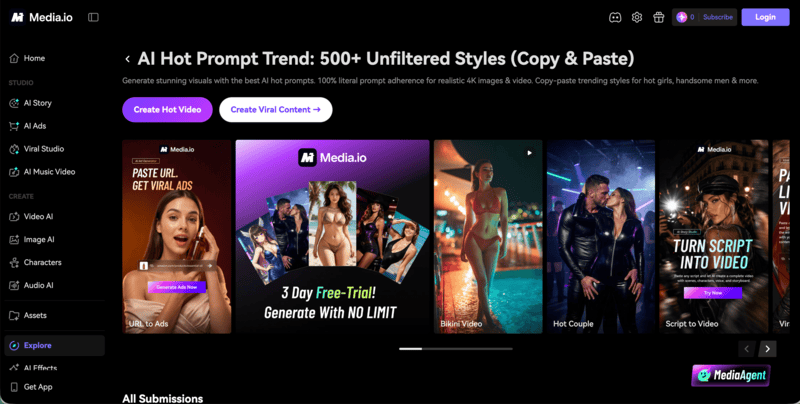
Media.io generates super-realistic AI hot girl images across diverse styles, with a built-in editing workflow that takes the output from generation to final asset in one place. The platform is designed for users who want to generate, edit, and export without switching tools — background removal, upscaling, and video capabilities are all included alongside the image generator.

Media.io's AI hot girl generator interface.

Best for: Creators and marketers who want realistic AI hot girl images with a streamlined generate-to-export workflow.

Pricing: Free tier available; paid plans for higher resolution and commercial licensing.

Key strength: End-to-end workflow from image generation to editing and export in one platform.

Live 3D

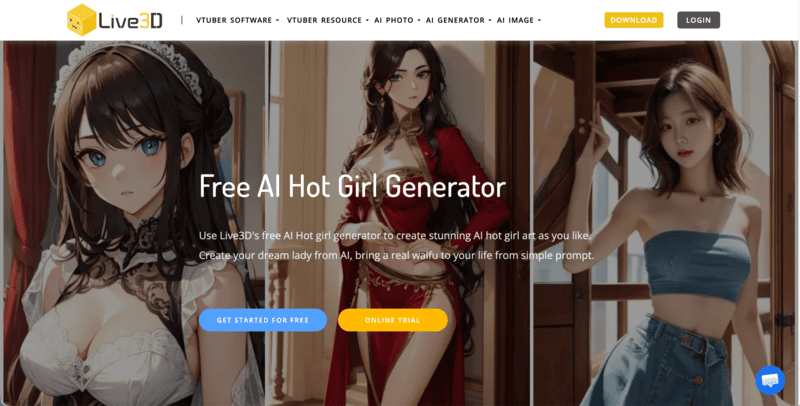
Live 3D’s AI hot girl generator is built around anime and waifu-style female character art, producing high-definition illustrations from text prompts without any drawing skill required. The output leans strongly toward stylized anime aesthetics — characters in varied outfits and settings — rather than photorealistic imagery. It sits within Live 3D’s broader VTuber and virtual character ecosystem, which suits creators already working in that space.

Live 3D's free AI hot girl generator interface.

Best for: Anime and VTuber creators who want stylized female character art from simple text prompts.

Pricing: Free to start via the online playground; paid plans for higher volume and advanced features.

Key strength: Strong anime and waifu-style output with a beginner-friendly prompt-based workflow.

Ima Studio

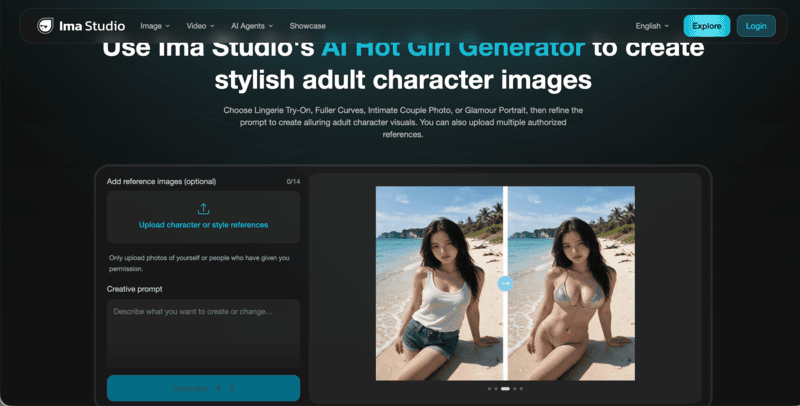
Ima Studio’s AI hot girl generator is built specifically for adult character image creation. It offers four guided directions — Lingerie Try-On, Fuller Curves, Intimate Couple Photo, and Glamour Portrait — each with an editable prompt and optional reference image upload. Users can upload up to 14 character or style references to guide the output. 

Ima Studio's AI hot girl generator interface.

Best for: Creators who want guided adult character image generation with preset style directions and reference image support.

Pricing: Free plan available; premium plans for higher volume and advanced model access.

Key strength: Four preset adult content directions with editable prompts and multi-reference image upload.

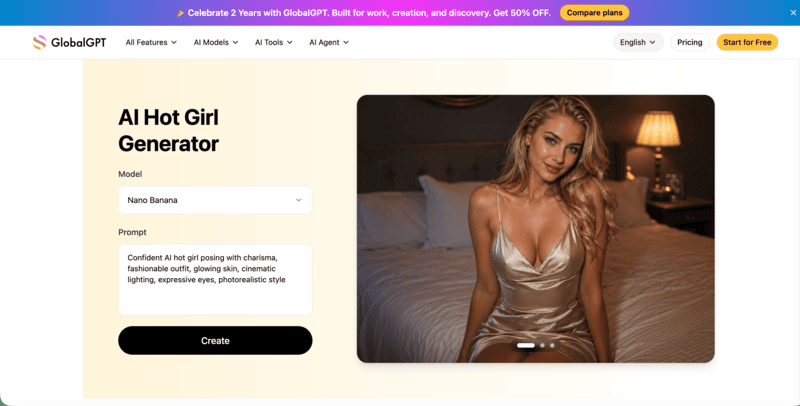
GlobalGPT

GlobalGPT’s AI hot girl generator provides access to 20+ advanced AI models for generating photorealistic, stylized, or cinematic female portraits. It supports text-to-image creation and image refinement, with controls for facial expression, hairstyle, clothing, pose, lighting, and background — covering urban scenes, studio portraits, and cinematic environments. A video generation feature also lets users animate static AI hot girl images into short video clips for social media or digital campaigns.

GlobalGPT's AI hot girl generator interface.

Best for: Creators, designers, and storytellers who want multi-model access with detailed character control and video output in one platform.

Pricing: Free to try; paid plans for higher volume and advanced model access.

Key strength: 20+ AI models plus Sora 2 Pro video animation — from static portrait to short video in one workflow.

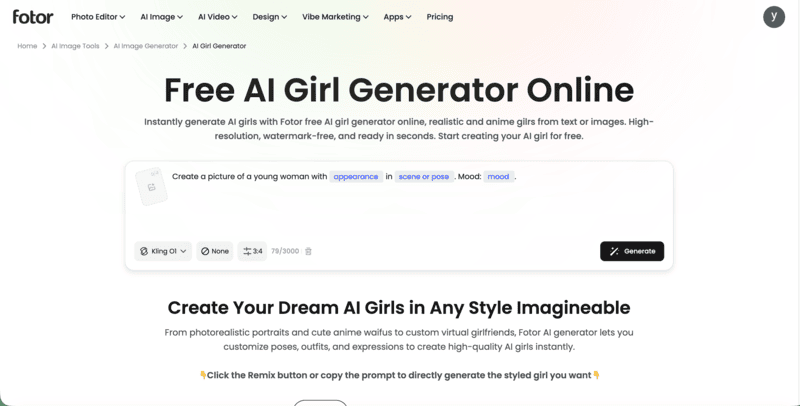
Fotor

Fotor’s AI girl generator produces realistic and anime-style female portraits from text prompts and uploaded reference photos. The platform includes a library of preset prompt templates across four categories — Realistic, Anime, CGI, and Artistic — with Remix buttons that let users load and modify existing prompts rather than starting from scratch. Output is watermark-free and high-resolution across all styles on the free plan. Hair, expression, outfit, and age are all adjustable.

Fotor's free AI girl generator online interface.

Best for: Creators who want a free AI girl generator with remixable prompt templates across multiple styles.

Pricing: Free across all styles, watermark-free; paid plans for higher volume.

Key strength: Watermark-free output on the free plan, with remixable templates spanning realistic, anime, CGI, and artistic styles.

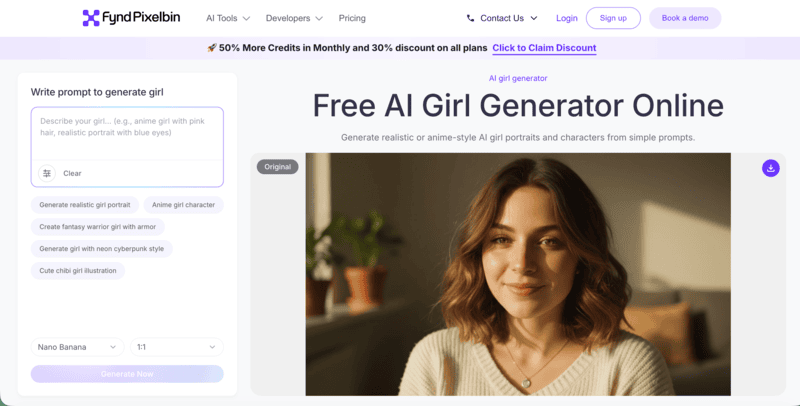
Pixelbin

Pixelbin is a browser-based AI girl generator that converts text prompts into realistic or anime-style female portraits across multiple aspect ratios. It offers built-in prompt templates covering popular directions, alongside flexible model selection and ratio options. Output can be enhanced, edited, or converted to video within the same platform. The free tier includes three generations per month.

Pixelbin's free AI girl generator online interface.

Best for: Creators who want a browser-based generator with built-in prompt templates, multiple styles, and a built-in editing and video suite.

Pricing: 3 free generations per month; paid plans for higher volume and API access.

Key strength: All-in-one suite — generate, enhance, edit, and convert to video in one browser-based platform.

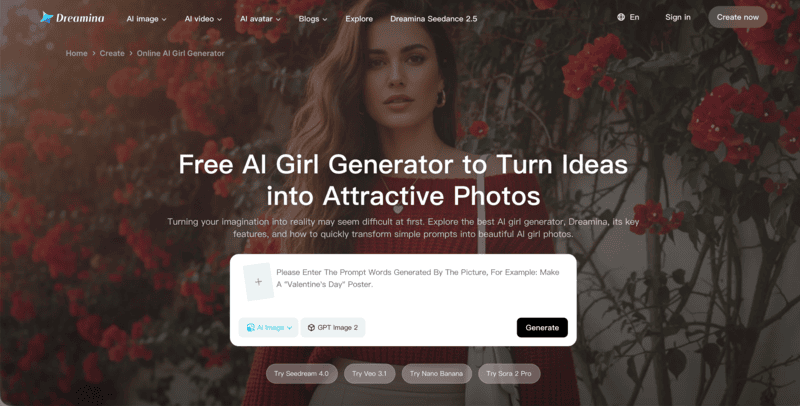
Dreamina

Dreamina is CapCut’s AI image platform, supporting both text-to-image and image-to-image generation for AI girl creation. Upload a reference photo to guide the output, or describe the look entirely in text — adding prompts like “bold fashion editorial, confident expression, dramatic lighting, striking features” produces the kind of high-impact hot girl imagery the tool handles well. Built-in post-generation tools include Remove, Inpaint, Retouch, and Upscale, letting users refine the output without leaving the platform.

Dreamina's free AI girl generator interface.

Best for: Social-first creators who want text and image input, built-in retouching tools, and CapCut workflow integration in one platform.

Pricing: Free daily credits; paid Premium Services for higher volume.

Key strength: Four image variants per generation plus built-in Remove, Inpaint, Retouch, and Upscale tools for post-generation polish.

PicLumen

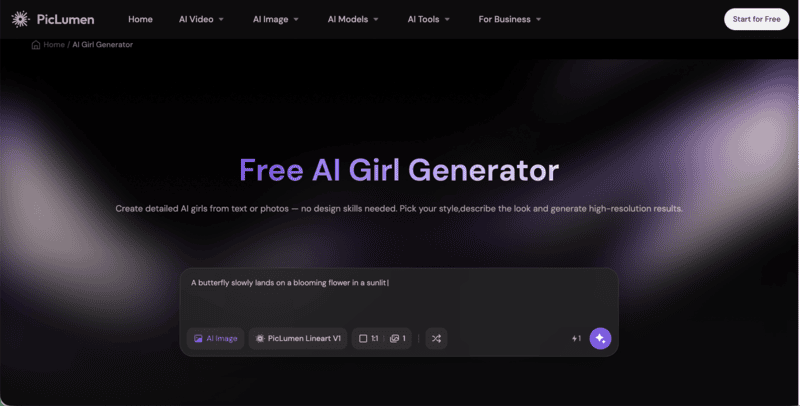
PicLumen is a free AI girl generator that supports both text-to-image and photo-to-image generation, covering realistic 3D and anime styles. Users can describe the look they want in a text prompt, or upload a photo to transform it into an anime-style AI girl. The platform is positioned for social media avatar creation and personal creative projects — from lifelike portraits to stylized dream girl characters.

PicLumen's free AI girl generator interface.

Best for: Creators who want a free generator that handles both realistic and anime styles with photo-to-anime transformation and commercial licensing included.

Pricing: Free Basic plan with daily credits; Standard from $10/month; Pro for higher volume.

Key strength: Photo-to-anime transformation alongside text-to-image, with commercial licensing available at every tier including free.

SeaArt

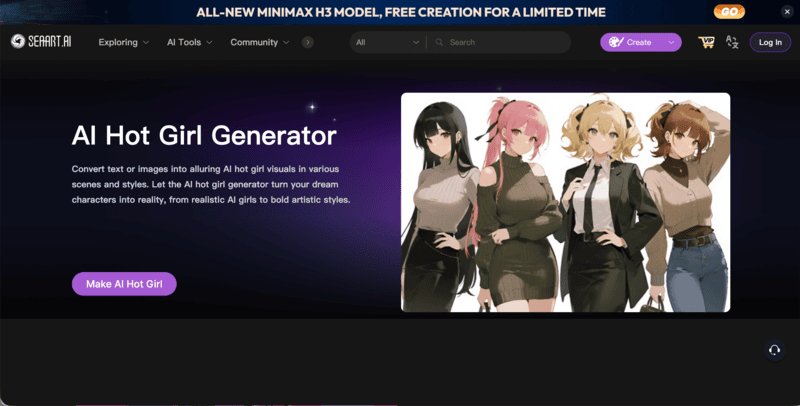
SeaArt’s AI hot girl generator supports both text-to-image and image-to-image generation, converting descriptions or uploaded photos into AI hot girl visuals across a wide style range — photorealism, cyberpunk, superhero, VTuber character design, and more. The platform positions itself for creators building social media profiles, virtual influencer accounts, and streaming channel characters, with enough style variety to cover both commercial and creative use cases.

SeeArt's AI hot girl generator interface.

Best for: Creators who want broad style range — from photorealistic hot girls to cyberpunk and VTuber character aesthetics — with advanced controls available for power users.

Pricing: Free daily Stamina allowance; paid Credits for advanced features; subscription plans available.

Key strength: Wide style range from photorealism to cyberpunk and superhero, plus community model ecosystem and LoRA training for advanced users.

How to Choose the Right AI Hot Girl Generator

The right tool depends on what you are making and where it’s going. Here’s how the options break down by use case.

For fashion brands and e-commerce

If the output is going into product pages, campaigns, or lookbooks, Fashion Diffusion is the purpose-built choice. General-purpose generators produce female figures, but they are not trained on fashion-specific data — which shows in garment accuracy and visual consistency across a catalog.

For social media creators

Dreamina suits creators already in the CapCut workflow. Fotor is the go-to for anime-style content. Ima Studio or PicLumen work well for creators who want fast, low-barrier generation without a technical learning curve.

For advanced creative control

SeaArt is the strongest option for users who want to train custom LoRA models, access community-generated model checkpoints, and control every generation parameter. It requires more investment in learning the platform, but the output range is wider than any other tool here.

For anime and VTuber creators

Live 3D is the natural fit. Its hot girl generator is built around anime and waifu aesthetics, and sits within the same ecosystem as its VTuber tools — useful for creators who want stylized female character art without learning complex image generation workflows.

Try Fashion Diffusion’s AI Hot Girl Generator Free

AI hot girl generators have matured into genuinely capable tools for creators and brands. Whether you are building a social media presence, producing fashion campaign imagery, designing virtual characters, or creating content for e-commerce — the right tool turns a text description or a reference image into polished, high-impact female visuals in seconds. The range across this list reflects how diverse the use cases have become.

For fashion brands and creators whose work ends up in campaigns, lookbooks, or product pages, Fashion Diffusion is trained specifically on fashion content — which shows in garment accuracy, styling consistency, and the visual confidence of every output. No studio, no model, no photographer. New accounts start with free credits. Generate your first image and see whether the output quality fits your workflow.

FAQ

What is an AI hot girl generator?

A tool that uses artificial intelligence to create bold, high-impact female images from a text prompt, a reference image, or both. Output quality and style vary significantly across tools. Fashion-specific generators like Fashion Diffusion produce garment-accurate campaign imagery, while general-purpose tools produce broader portrait styles.

Which AI hot girl generator produces the most realistic results?

For fashion-specific realism — garment drape, styling detail, and visual consistency — Fashion Diffusion is purpose-built for that output. For general portrait realism across diverse styles, Media.io and Dreamina both produce high-quality photorealistic results.

Are there free AI hot girl generators?

Yes. Every tool on this list offers a free tier or free credits. Fashion Diffusion includes free credits on signup, so you can generate your first AI hot girl image and evaluate the output quality before committing to a paid plan.

Can I use AI-generated images commercially?

It depends on the tool and plan. Fashion Diffusion includes commercial licensing on paid plans. PicLumen includes it at every tier including free. Check the specific terms of service for each platform before using generated images in paid advertising or product listings.

What’s the difference between a fashion-specific and a general-purpose AI girl generator?

Fashion-specific tools like Fashion Diffusion are trained on fashion imagery and produce output optimized for garment accuracy, and e-commerce standards. General-purpose tools produce female portraits across many styles but are not tuned for fashion content standards — the difference shows in how accurately the garment renders and how consistent the visual language is across a full catalog.

Avatar photo 通过Ethan Davis

See How a Bag Actually Looks on You Before Buying — AI Try-On Tested

You’ve found a bag you love online. The photos look great. But the model carrying it is six feet tall with a completely different frame than yours. Is it actually the right size? Will it sit at the right height on your shoulder? Does the strap length work for how you carry bags?

These are questions a product photo can’t answer. Now you can try on handbag online with AI — and see exactly how that bag looks on your own photo, before you buy. Fashion Diffusion’s virtual bag try-on makes that possible.

Why Bags Are Harder to Buy Online Than Clothes

Clothing has a built-in reference system. Sizes, measurements, model dimensions — most fashion brands give you enough to make an educated guess about fit. Bags don’t. And that’s exactly why virtual try-on bag tools have become a genuinely useful decision-making tool, not just a novelty.

Product photography makes the problem worse. A bag shot on a marble surface looks different from the same bag on a model. A bag photographed at a slight angle reads smaller or larger than it is. A bag shown on a tall, thin model tells you almost nothing about how it will sit in proportion on a different body.

The questions that matter most can’t be answered by a product image at all. How high does it sit when worn crossbody? Does the drop length work for shoulder carry? Does the structured silhouette feel balanced with your proportions, or does it read as too small? Bags have a 19% online return rate, driven largely by fit uncertainty and the inability to visualize scale before purchasing.

AI virtual bag try-on closes that gap. Upload your photo and the bag’s product image, and you see it on your own body — not on a model, not on a surface, but on you.

What Is a Virtual Bag Try-On

AI bag try-on takes two inputs — a photo of a bag and a photo of a person — and generates a realistic image of that person carrying that bag. This is what makes AI bag try on different from simply browsing product images: the output is specific to your body, not to a brand’s sample model. The AI reads the bag’s shape, strap structure, and hardware detail from the product image, then places it naturally against the body proportions and outfit in the person photo.

The result isn’t a sticker placed on top of a photo. The bag is rendered at accurate proportion relative to the body, in a natural position for the carrying style, with consistent lighting that matches the original photo. Leather grain, chain links, zipper pulls, and hardware finish all carry over from the source image. Try on handbag online with AI and you see the actual product — not a generic bag shape applied to a figure.

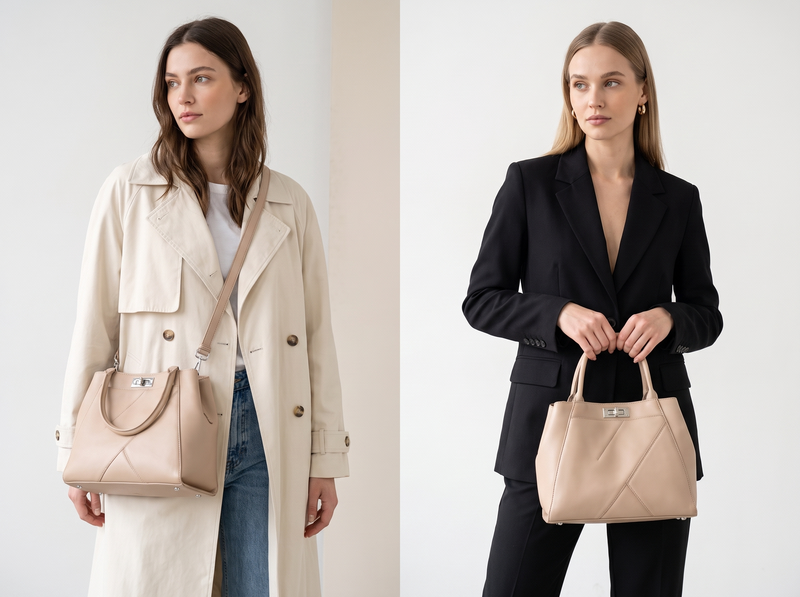
Virtual bag try on - two models comparison.
Fashion Diffusion AI-generated

How to Try On a Bag Virtually with Fashion Diffusion

Fashion Diffusion’s AI virtual try-on bags is one of the most straightforward virtual bag try-on tools available — it runs in the browser with no software needed. Upload two images and the result is ready in seconds.

Step 1: Upload a Bag Image

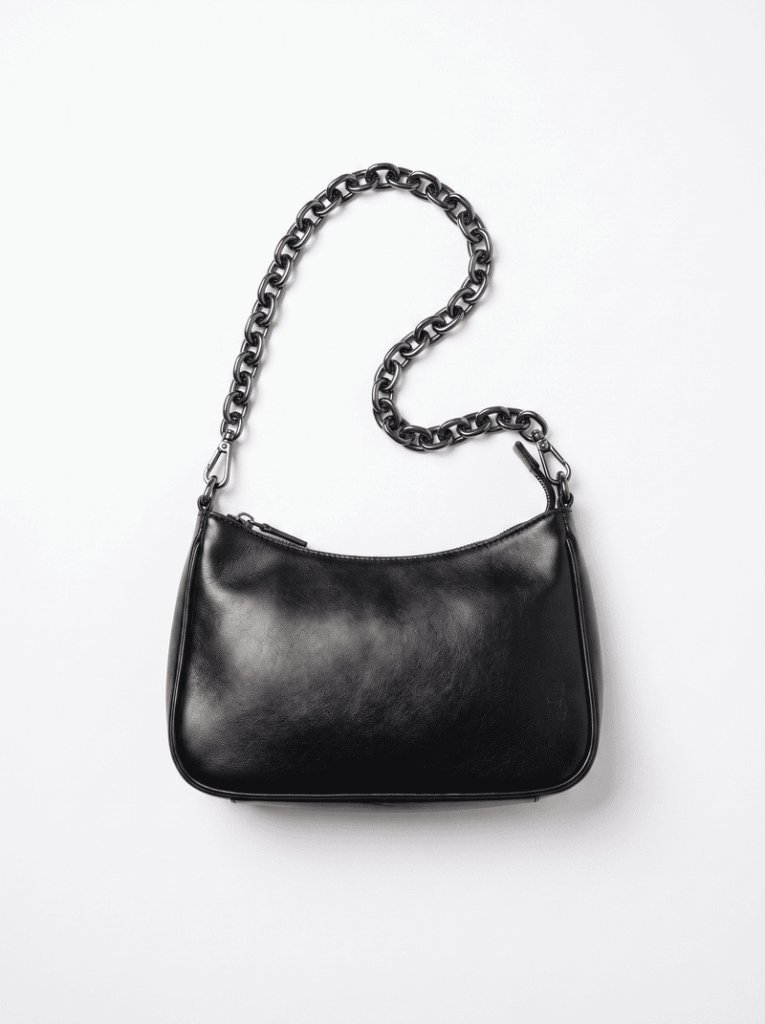
Use any bag product photo — a packshot, a flat lay, or a picture saved from the brand’s website. The AI identifies the bag’s shape, strap structure, and hardware automatically. You don’t need to prepare the image in any specific way.

Upload your bag photo.
Fashion Diffusion AI-generated

Step 2: Upload a Model Photo

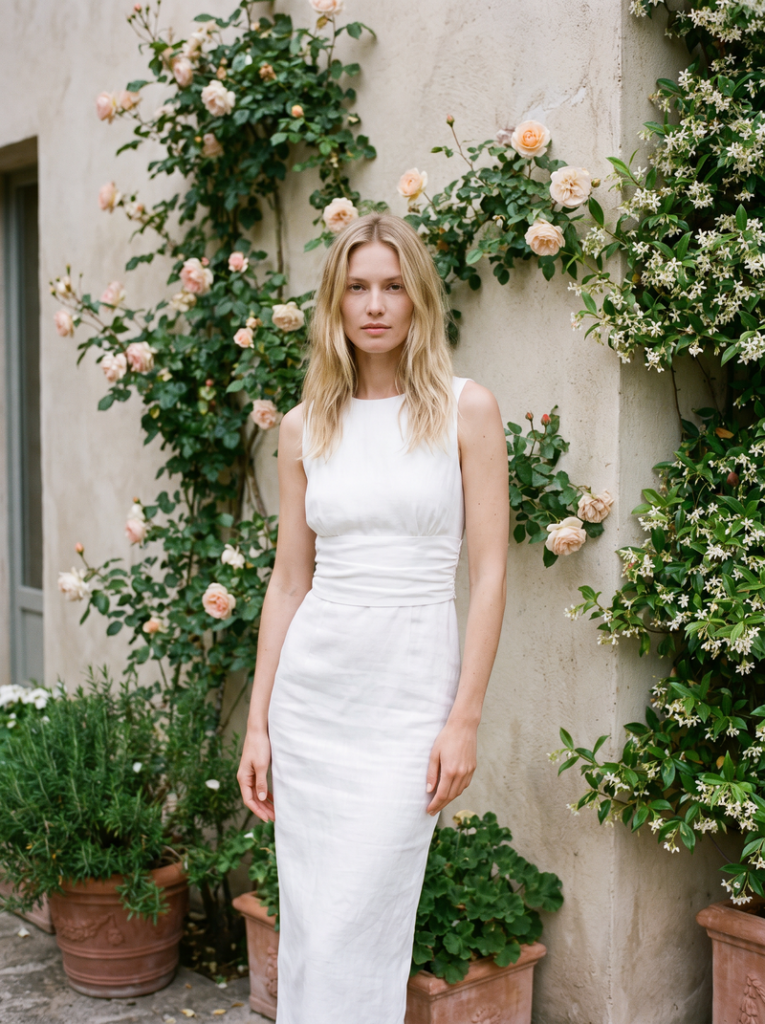
Upload a front-facing photo of yourself or a model. Even lighting and a simple background give the most accurate result. Full-body photos show how the bag sits against the full silhouette. Half-body photos work well for shoulder and crossbody carry preview.

Upload your model photo.
Fashion Diffusion AI-generated

Step 3: See the Result and Compare

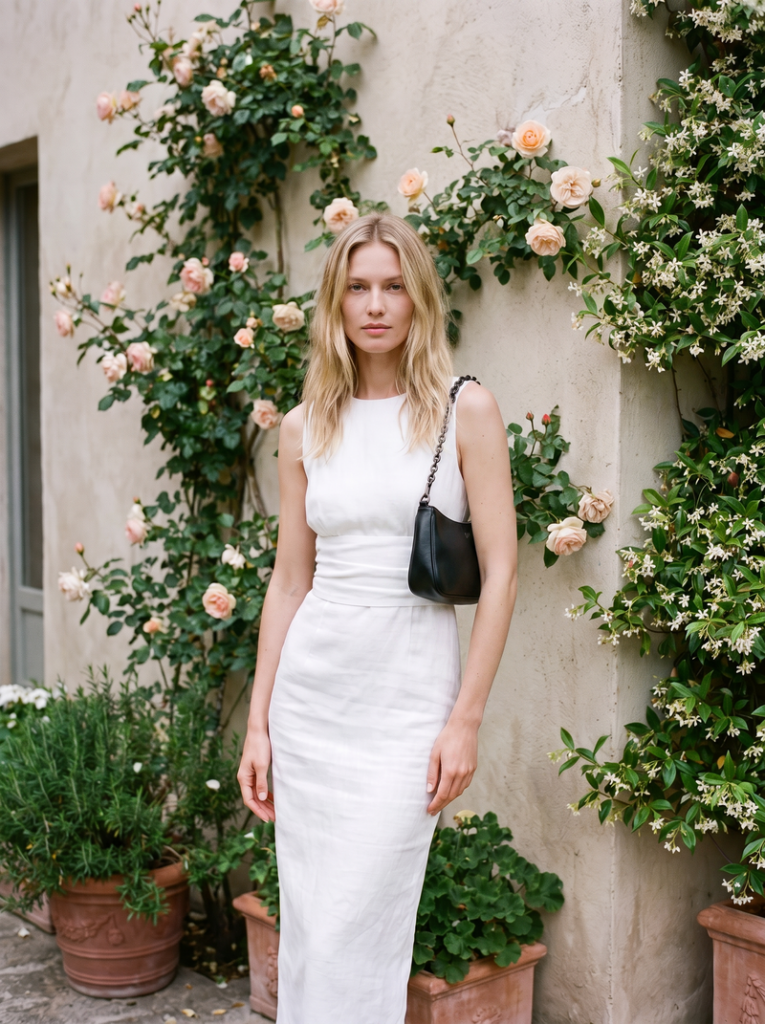
The AI generates a realistic on-model preview in seconds. The bag appears at accurate scale, in natural position, consistent with the outfit and lighting in your photo. Try the same bag in different carrying positions by uploading different model photos — one for shoulder height, one crossbody, one hand-carried — to see how each carrying style reads before you decide.

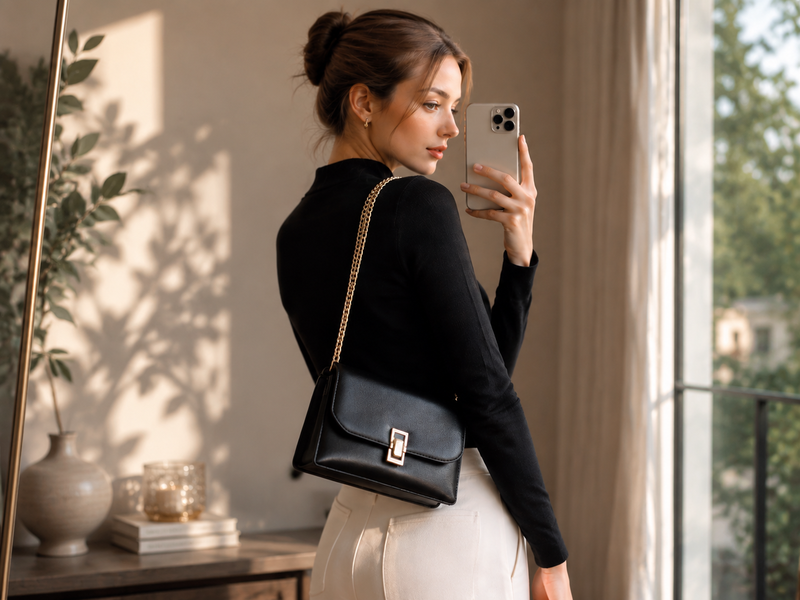
Final bag try-on result generated by Fashion Diffusion.
Fashion Diffusion AI-generated

What the Try-On Actually Shows You

This is where AI bag try-on delivers its real value — not just “does the bag look nice,” but the specific questions a product page can’t answer.

Size and Proportion

Scale is the hardest thing to read from a product photo. A bag that looks mid-sized on a tall model may read as clutch-sized on a different frame, or as an oversized tote on another.

The AI places the bag at accurate scale relative to your body. You see immediately whether it reads as the size you thought it was. A structured tote that seemed just right in the product photos may be clearly too large or too small against your actual proportions. That’s useful information to have before purchasing.

Carrying Position and Drop Length

The same bag looks completely different depending on how it’s carried. Drop length is almost impossible to judge from a product listing.

A shoulder bag with a long drop sits at the hip and reads as a casual daytime bag. The same bag with a shorter strap sits at the armpit and reads as more structured and polished. Upload a photo in the carrying position you want to preview, and the AI places the bag accurately for that hold.

Style and Outfit Match

A bag doesn’t exist in isolation — it’s part of a look. Upload a model photo wearing an outfit you’d actually pair with the bag, and the AI shows you how the two work together.

Whether the colors coordinate, whether the bag’s shape suits the silhouette, and whether the overall combination reads the way you want it to. Testing a structured leather bag against tailored clothing versus the same bag against a casual outfit produces a completely different visual result. Seeing both before you buy is more useful than seeing the bag on its own.

Beyond Try-On — Design Your Own Bag with AI

If you’ve tried multiple bags virtually and none of them quite match what you are looking for, Fashion Diffusion’s AI bag design generator takes things a step further. Describe the bag you have in mind — the shape, the hardware, the material, the color — and the AI generates a visual concept.

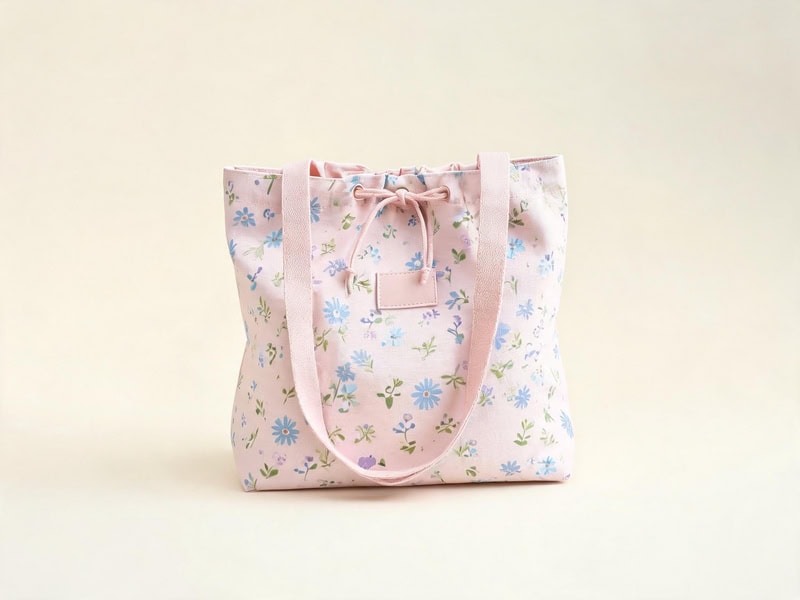
AI bag design generator output.
Fashion Diffusion AI-generated

It’s a way to explore what you actually want before searching for it, or to visualize a bag that doesn’t exist yet. Useful for shoppers with a specific aesthetic in mind, and for designers and brands looking to concept new styles before sampling.

Try On Any Bag Before You Buy with Fashion Diffusion

The question you are actually asking when you look at a bag online isn’t “does this bag look good?” It’s “does this bag look good on me?” Those are different questions, and only one of them can be answered by a product photo.

Fashion Diffusion’s virtual bag try-on puts any bag on your photo in seconds, free to try. Upload any bag image from any online store, add a photo of yourself, and try on handbag online with AI before you decide. New accounts start with free credits.

FAQ

What is AI bag try-on?

A tool that places a bag product image onto a model photo using AI, producing a realistic preview of how the bag looks when carried. It shows accurate scale, natural positioning, and outfit context — for handbags, totes, shoulder bags, crossbody bags, clutches, and backpacks.

What kind of photo do I need to upload?

A front-facing photo with even lighting and a simple background gives the most accurate result. Full-body photos work best for seeing overall proportion. Half-body photos are useful for shoulder and crossbody carry preview. The bag image can be any product photo — a packshot, a flat lay, or a screenshot from the brand’s website.

Does the AI preserve the bag’s details — logos, hardware, material texture?

Yes. Fashion Diffusion’s AI virtual try-on bags is built for fashion accessories. Logos, metal hardware, chain straps, zipper pulls, and material texture are all preserved in the output. The result reflects the actual product, not a generic bag shape.

Can I try on handbags online for free?

Yes. New Fashion Diffusion accounts start with free credits, which can be used on the AI bag try-on tool. Paid plans are available for higher-volume use.

Can I see the bag in different carrying positions?

Yes. The virtual handbag try-on supports different carrying styles. Use different model photos in different positions — shoulder-carry, crossbody, hand-carry — and the AI places the bag accurately for each hold. This is the most direct way to see how drop length and strap placement actually read on your body.

Avatar photo 通过Alexander Wilson

AI Fashion Video Generator: How to Create Fashion Videos Without Filming

Video sells fashion better than photos. Shoppers who watch a product clip are significantly more likely to add it to their cart — by as much as 144% — than those who only see static images. And yet most fashion brands still rely on photography alone, because traditional video production is expensive, slow, and logistically heavy. A single filming day with a model, a crew, and a studio costs thousands of dollars before editing even starts.

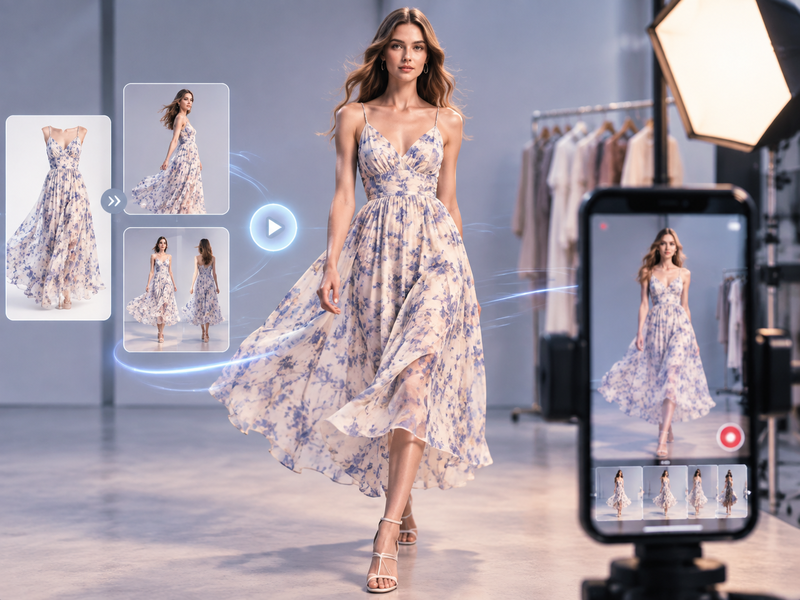
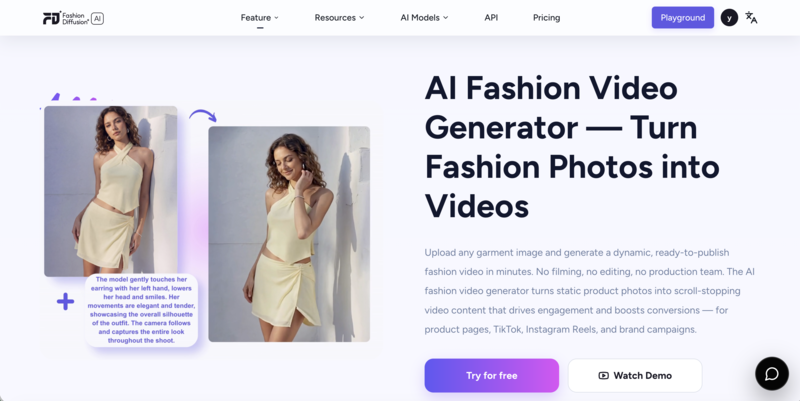
AI fashion video generators have changed that equation. Fashion Diffusion’s AI fashion video tool turns existing on-model photos into publish-ready video clips for TikTok, Instagram Reels, Amazon listings, and paid ads. No camera, no crew, no editing suite.

Why Fashion Brands Are Ditching the Film Crew in 2026

The demand for fashion video content has outpaced what traditional production can deliver. Instagram Reels now account for half of all time spent on the platform, and fashion is the most searched category on Instagram. TikTok Shop reached $66 billion in global GMV in 2025, with $23.4 billion projected for the US market alone in 2026. Short-form video ad spending hit $111 billion in 2025, the fastest-growing category in digital advertising.

Every major channel is prioritizing video. The brands that can’t keep up are leaving conversions on the table.

The production math doesn’t work for most brands. A full catalog shoot takes weeks to book, execute, and deliver. By the time finished video assets are ready, the product may have already sold through. Creating fashion video without filming — by using existing on-model photos as the source — solves both the timing and the cost problem. The same photo already in your asset library becomes a video clip in minutes, ready to go live the same day.

What You Need Before You Start

The quality of an AI-generated fashion video depends almost entirely on the source image. Getting the input right is more important than any tool setting.

  • Resolution matters. AI video generation stretches pixel data across motion frames, which means low-resolution images produce blurry, artifact-heavy results. 2500px or higher produces noticeably better results, especially in slow-motion sequences or close-up fabric shots.
  • Lighting should be even and diffused. Harsh shadows, backlighting, or uneven exposure confuse the AI’s reading of fabric texture and garment edges. Natural window light or soft studio lighting gives the AI clean data to work with. The lighting in the source image becomes the baseline for the entire video.
  • The background should be simple. Cluttered or busy backgrounds compete with the garment in motion. A plain, neutral background keeps the focus on the clothing throughout the clip.

How to Create Fashion Videos Without Filming — Step by Step

There are several best AI fashion video generators worth knowing about, but for a workflow built around on-model photography, Fashion Diffusion’s AI fashion video tool is purpose-built for the job. It runs in the browser with no software to install and no editing experience required.

Fashion Diffusion's AI fashion video generator interface.

Step 1: Upload Your On-Model Photo

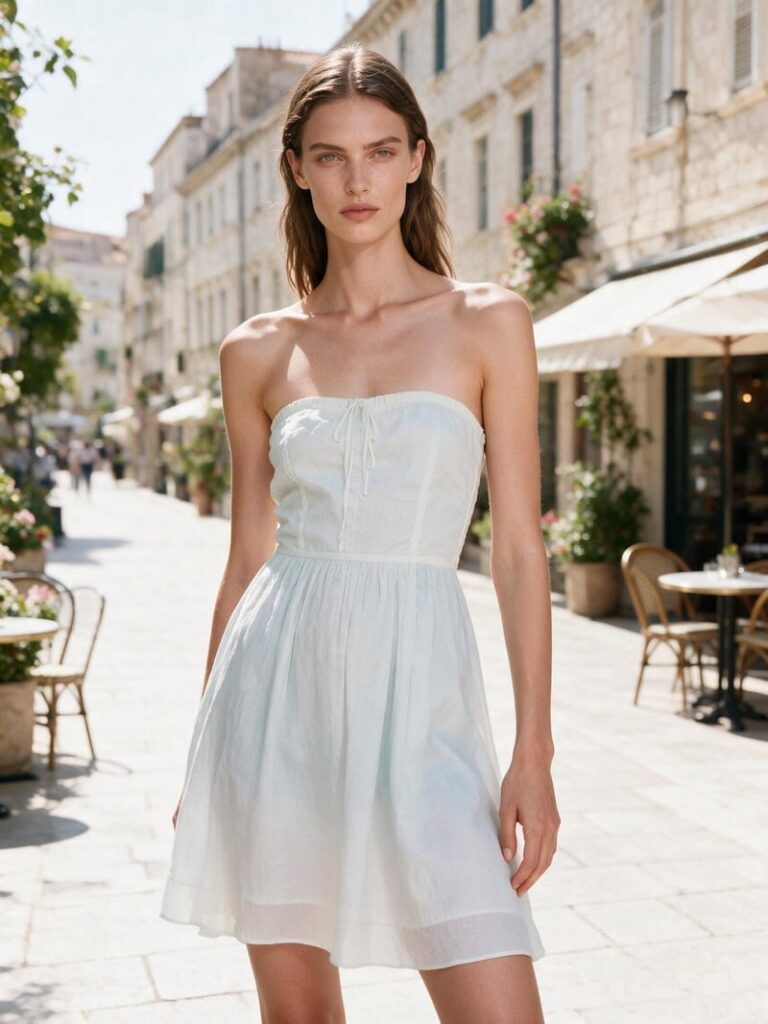
Upload a clear, high-resolution on-model image. The garment should be fully visible, the model’s pose should be natural, and the background should be clean. The AI uses this image as the foundation for the entire video. Output quality reflects input quality directly.

Upload your model image.
Fashion Diffusion AI-generated

Step 2: Add a Description

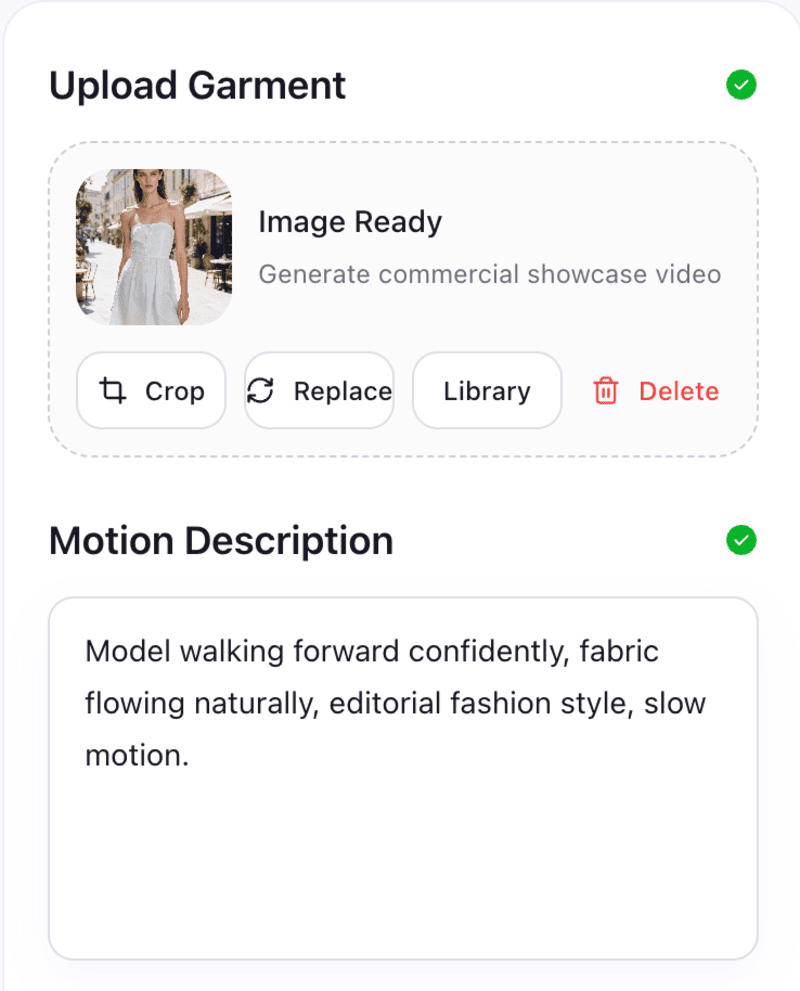
Describe the motion and style you want. Name the movement type, the camera style, and the mood or aesthetic. The more precise the description, the closer the output will be to what you have in mind.

A few prompt examples:

  • Model walking forward confidently, fabric flowing naturally, editorial fashion style, slow motion.
  • Gentle fabric movement on a standing model, soft lighting, lifestyle mood, close-up on the hem detail.
  • Model turning slowly, 360-degree rotation, clean white background, ecommerce product style.
Add your motion description.

Step 3: Generate and Download

The AI produces the video in seconds. Review for fabric accuracy and natural movement — check that the garment moves realistically at the hem, sleeves, and neckline. If the first result isn’t right, adjust the description and regenerate. Once the output matches what you need, download in high resolution ready for direct upload to any channel.

Extend Your Video Library Without Extra Shooting

If you need more variety — different outfits, different poses, different model looks — you don’t need to go back to a shoot. Fashion Diffusion’s virtual try-on lets you generate on-model photos of any garment on any model from a single product image. Those AI-generated photos become new inputs for additional video clips, multiplying your video output from the same original asset.

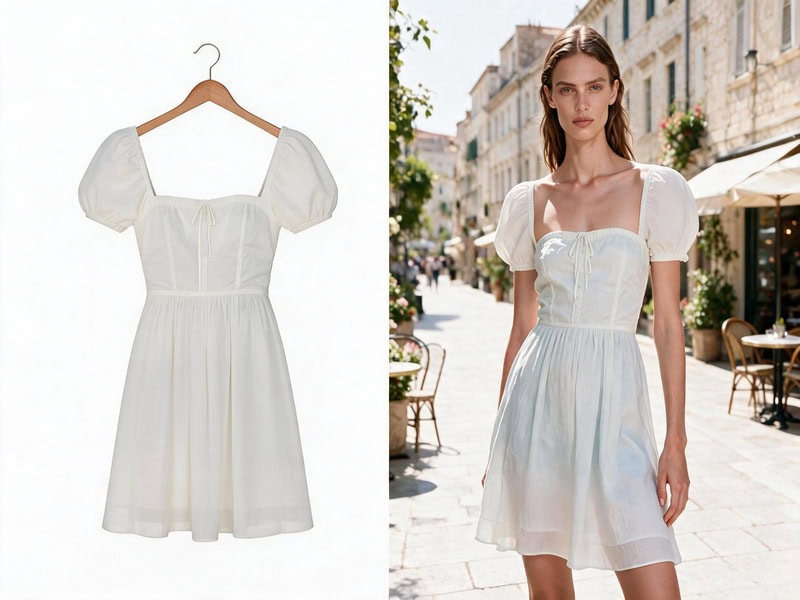
Virtual try-on comparison photo.
Fashion Diffusion AI-generated

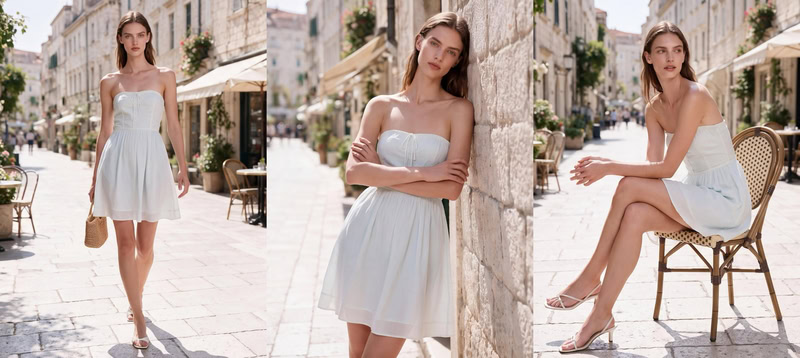
For brands that need a full multi-pose set from one image, the AI Lookbook generates a series of different poses and angles in one workflow. Each frame becomes a separate video source — giving you a varied video set that looks like it came from a multi-angle shoot.

Multi-angle e-commerce fashion photo generated by Fashion Diffusion's AI Lookbook.
Fashion Diffusion AI-generated

Where to Use AI Fashion Videos

The same AI-generated video clip can serve multiple channels with minimal adaptation. Here’s where fashion brands are putting them to work.

TikTok and Social Media

TikTok’s algorithm rewards volume and freshness. A brand that can produce multiple video variants from a single product photo can test more creative angles and post more consistently. Generate vertical 9:16 clips directly from your existing on-model photography and post the same day the product goes live.

For Instagram Reels and Stories, the same workflow applies. The visual language is slightly different — Reels can carry a more polished aesthetic than TikTok — but the source material and generation process are identical.

E-commerce Product Pages

Static product images are still the default on most product pages, which means video is still a competitive differentiator. A short 15-30 second clip showing fabric movement and garment drape communicates fit and quality in a way no still image can. For Amazon listings, Shopify product pages, and brand websites, a generated fashion video can be added directly alongside existing photography.

Paid Advertising

Video ads on Meta and TikTok consistently outperform static image ads for fashion categories. AI-generated video also makes creative testing practical at scale — generate three or four variants of the same product clip, run them against each other, and let performance data determine which direction to invest in for real production.

Start Generating AI Fashion Videos with Fashion Diffusion

The brands winning on video right now aren’t necessarily the ones with the biggest production budgets. They are the ones that can move fast — publishing the day a product launches, testing multiple creative angles in the same week, keeping their feeds and product pages fresh without waiting weeks for a shoot to deliver.

Fashion video no longer requires a filming day, a crew, or an editing timeline. Fashion Diffusion turns your existing on-model photography into publish-ready video clips for every channel, in minutes, from the photos you already have.

New accounts start with free credits. Upload your first on-model photo and see what the AI produces.

FAQ

What is an AI fashion video generator?

A tool that turns static fashion photos into short video clips using generative AI. You upload an on-model product image, describe the motion or style you want, and the AI produces a finished video ready for TikTok, Instagram, e-commerce listings, or paid ads — without a camera or editing software.

What kind of photo works best as input?

A high-resolution on-model photo with clean, even lighting and a simple background produces the best results. Aim for 2000×2000 pixels minimum — higher resolution produces noticeably better video quality, especially in slow-motion or close-up clips.

How long are the generated videos?

Fashion Diffusion’s AI fashion video generator produces clips in either 5 or 10 seconds — you choose the length before generating. Both formats work well for TikTok, Instagram Reels, and product page video.

Can I use AI-generated fashion videos for paid advertising?

Yes. Videos generated with Fashion Diffusion can be used commercially, including in paid ads on Meta, TikTok, and other platforms.

How does AI fashion video compare to a real filming session?

AI-generated video works best for catalog content, social media, and product pages where fabric movement and garment presentation are the goal. Traditional filming still has advantages for hero campaign content that needs human direction, specific locations, and editorial storytelling. For day-to-day catalog and social video, AI generation is faster, cheaper, and more scalable.

Is there a free way to try the AI fashion video generator tool?

Yes. New Fashion Diffusion accounts include free credits that can be used on the AI fashion video generator. Paid plans are available for higher-volume generation.

Avatar photo 通过Sophia Mille

10 Best AI Tools for On-Model Photography in 2026

On-model photography is the highest-converting product visual format in fashion e-commerce, and also the most expensive to produce at scale. A single studio shoot with a model, photographer, and retoucher can cost thousands of dollars and take weeks from booking to delivery. For brands managing hundreds of SKUs across seasons, that equation doesn’t add up.

AI on-model photography tools have changed the math. This guide compares the 10 best AI tools for on-model photography in 2026, with pricing, key strengths, and which type of brand each one fits best.

Why On-Model Photography Matters More Than Ever in 2026

According to research by Pixelphant, 95.6% of leading fashion e-commerce brands use on-model photography, making it the most widely used product presentation format in the industry, ahead of flat-lay, ghost mannequin, and lifestyle imagery. The reason is straightforward: shoppers buy clothing they can picture themselves wearing, and a model shot communicates fit, drape, and styling in a way no other format does.

The challenge in 2026 is volume. Most brands now sell across multiple channels — their own store, Amazon, Shopify, Instagram Shopping, TikTok Shop — each with different image requirements and refresh cycles. A single product might need a clean white-background shot for Amazon, a lifestyle image for Instagram, and a campaign visual for paid ads. Producing all of that through traditional photography for every SKU in a catalog is operationally impossible for most brands.

AI on-model tools make that volume achievable. The same garment can appear on multiple models, in multiple settings, for multiple channels. Generated in seconds from one source image, without rebooking a studio.

At a Glance: 10 AI On-Model Photography Tools Compared

Here’s a snapshot of all 10 tools across the dimensions that matter most for on-model photography decisions. Use this as a starting point before diving into the detailed breakdowns below.

ToolInput TypePlatformAPIFree Option
Fashion DiffusionGarment + model photoMulti-category virtual try-onYesYes
ClaidFlatlay / packshotFull e-commerce photo editing suiteYesYes
WearViewFlatlay / on-modelComplete fashion platform with videoYesNo
FASHNGarment + model photoDeveloper API integrationYesNo
ModeliaFlatlay / mannequinShopify sellersNoYes
BotikaFlatlay / mannequinShopify brands needing video outputNoYes
UwearFlatlayLow-volume and seasonal sellersYesYes
SellerPicOn-model swapSocial commerce and video contentNoYes
RawshotFlatlay / mannequinAgency-scale with compliance needsNoNo
VModel.AIFlatlay / mannequinSmall sellers and developersYesNo

The 10 Best AI On-Model Photography Tools: Full Breakdown

The on-model AI tools below cover a range of workflows, price points, and use cases. Each listing includes the core capability, who it suits best, and what to watch out for.

Fashion Diffusion

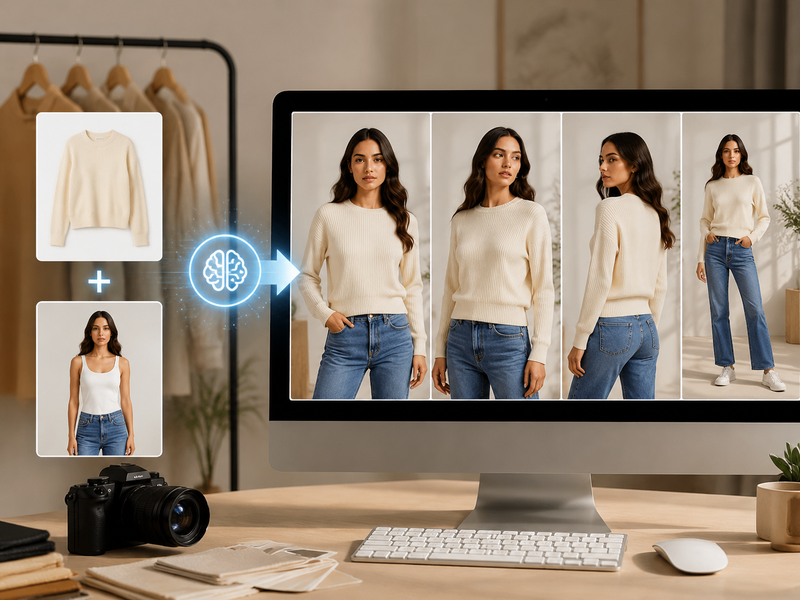
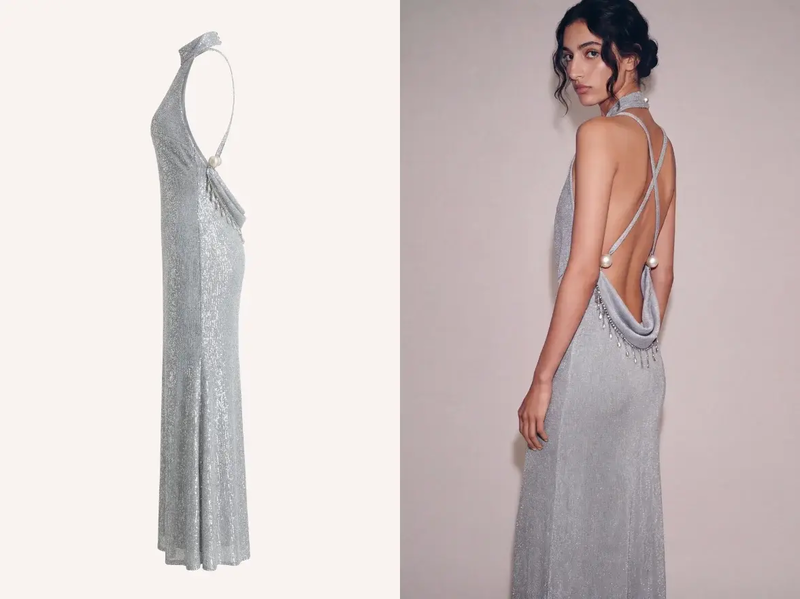
Fashion Diffusion is an AI fashion design and photoshoot platform covering virtual try-on across multiple product categories: clothing, shoes, jewelry, wedding dresses, and lingerie. The virtual try-on tool generates on-model images from a garment photo and a model photo. Results preserve fabric detail, fit, and color accuracy.

Fashion Diffusion's Virtual try-on comparison photo.
Fashion Diffusion AI-generated

What sets Fashion Diffusion apart is its category range. Beyond apparel, it supports shoes, jewelry, wedding dresses, and lingerie. The platform also includes a full suite of supporting tools: flat-lay generation, background changing, upscaling, AI model generation, and AI fashion video.

Best for: Fashion brands and e-commerce teams that need virtual try-on across both apparel and accessories, plus a broader design and photoshoot workflow in one platform.

Pricing: Free credits included on signup; paid plans available for higher volume.

Key strength: Multi-category try-on (clothing, shoes, jewelry, wedding dresses, lingerie) in a single platform with a full supporting photoshoot toolkit.

Claid

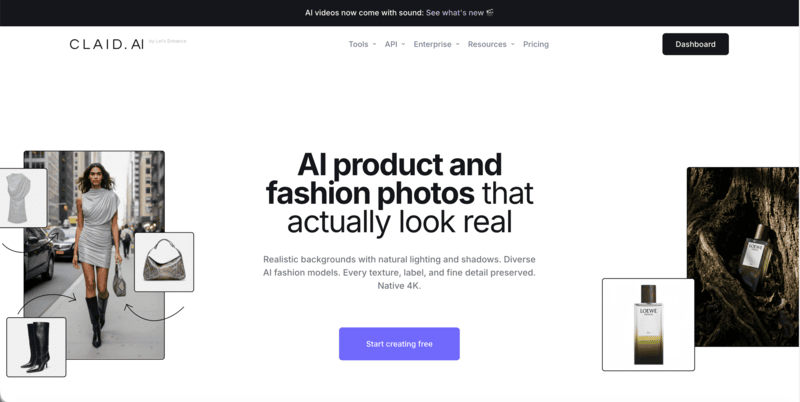
Claid is a full AI product photography suite built around e-commerce workflows. Its on-model generation feature turns flatlay or packshot images into on-model photos using a library of virtual models, with output up to 4K resolution.

Claid's homepage.

Where Claid differentiates is in what comes after the generation. Background removal, image upscaling, object removal, and generative fill are all available in the same workspace. There’s no need to move between tools during the editing process.

Best for: E-commerce brands that need on-model generation alongside a full range of product image editing in one platform.

Pricing: ~$9/month (Essentials); 50 free credits on signup.

Key strength: On-model generation plus comprehensive product photo editing in one place.

WearView

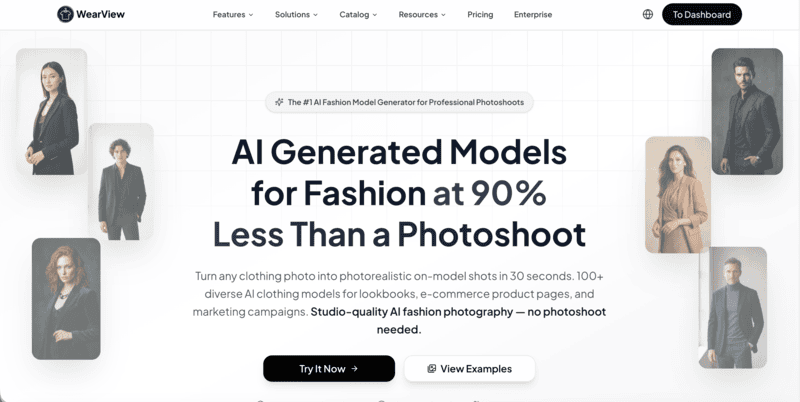
WearView is a dedicated AI fashion photography platform with one of the most complete feature sets on this list. The product-to-model tool turns flatlay, ghost mannequin, or existing on-model images into new on-model photos in under 15 seconds.

WearView's homepage.

Pose control via reference images, a diverse model library covering different body types and ethnicities, ghost mannequin generation, and AI fashion video are all included.

Best for: Fashion brands managing full catalogs across PDP, hero, lifestyle, and video formats who want everything in one platform.

Pricing: $29/month (Lite, 50 credits); $49/month (Pro, 200 credits); $99/month (Advanced, 500 credits).

Key strength: Most complete on-model feature set — product-to-model, pose control, ghost mannequin, and AI video in one workspace.

FASHN

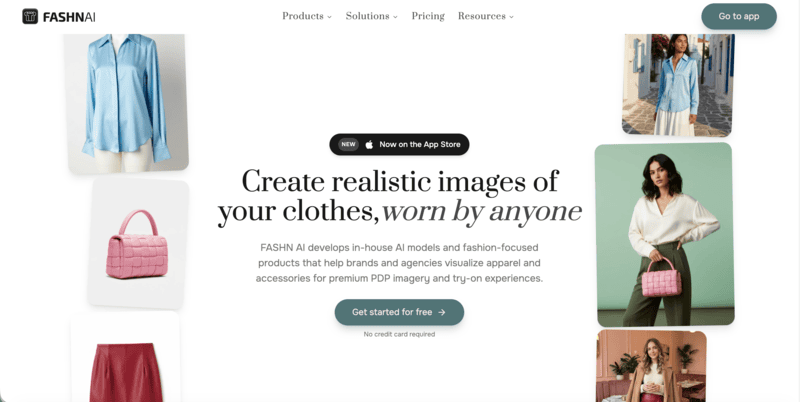
FASHN is built specifically for virtual try-on pipelines with a developer-first architecture. The core output — placing a garment on a model with realistic drape and fabric preservation — is among the most accurate in this category.

FASHN's homepage.

API access is available with transparent per-generation pricing, making it straightforward to embed try-on into existing workflows or build custom pipelines around it.

Best for: Developer teams building virtual try-on features into their own product, and brands with technical resources who need API-first integration.

Pricing: ~$19/month (Basic).

Key strength: High garment fidelity on try-on, developer-friendly API with transparent per-call pricing.

Modelia

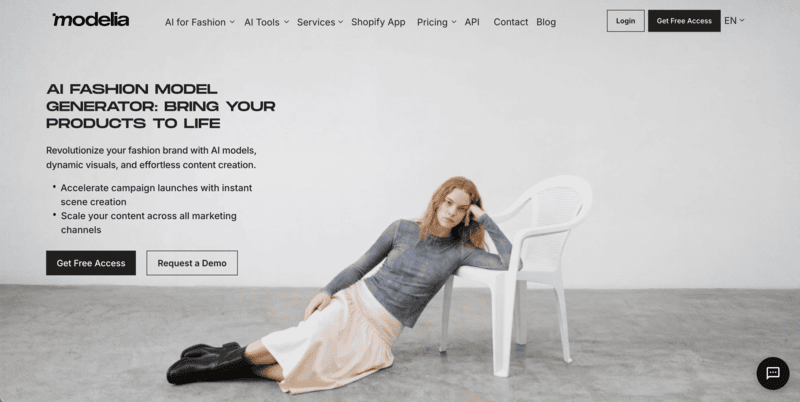
Modelia is built around the Shopify workflow. Upload a flatlay or mannequin shot, select a model, and the tool generates on-model images and short video variations directly inside Shopify.

Modelia's homepage.

No export-heavy steps or separate tools required. The platform also includes a video generator for animating AI model images into short clips for social and ads.

Best for: Shopify sellers who want fast flatlay-to-model results and video output without leaving their store admin.

Pricing: ~$12/50 credits; free tier available with watermark.

Key strength: Native Shopify integration with both image and video generation in one app.

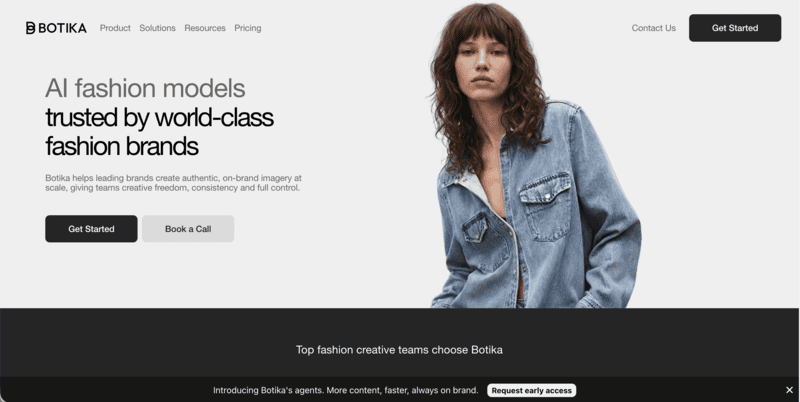
Botika

Botika follows a similar Shopify-first pattern to Modelia, with one addition: a human review layer on higher tiers. A team reviews output before delivery, adding a quality control step that self-serve tools don’t offer.

Botika's homepage.

Video generation is also included, making Botika a practical option for Shopify brands that need both on-model images and short video content without leaving their store admin.

Best for: Shopify brands that want a structured review workflow alongside on-model and video generation, and don’t need high-volume output.

Pricing: ~$22-33/month (Lite); 8 free credits on signup.

Key strength: Human quality review on Advanced tier; Shopify-native with video output.

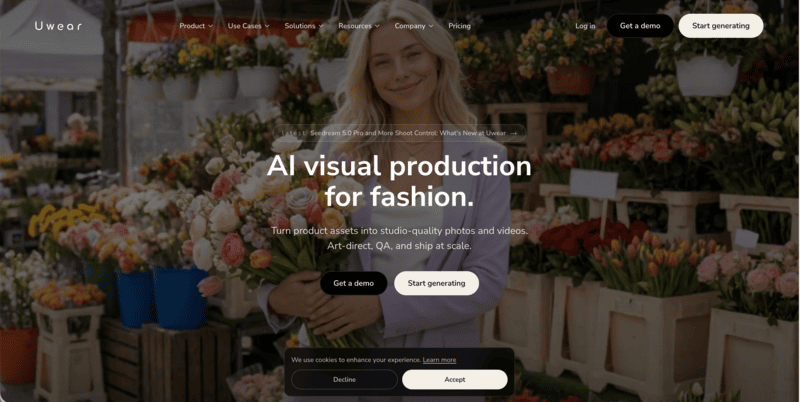
Uwear

Uwear operates on a pay-as-you-go credit model with no subscription requirement. Upload a flatlay, generate on-model photos, and pay per credit used.

Uwear's homepage.

Credits don’t expire, which makes Uwear practical for seasonal brands or low-frequency users who don’t generate enough volume to justify a monthly subscription. An API is available for larger-scale integrations.

Best for: Small sellers, seasonal brands, and teams with variable generation volume who want to avoid subscription overhead.

Pricing: $0.10/credit, pay-as-you-go; no monthly subscription required.

Key strength: No subscription lock-in; credits don’t expire; API available for custom integrations.

SellerPic

SellerPic combines fashion model swaps with AI video generation. It’s a practical tool for social sellers who need both product images and short video content from the same workflow.

SellerPic's homepage.

Upload a flatlay or ghost mannequin photo, select from a diverse model library, and generate on-model images. The video generation layer turns those images into short clips for TikTok, Instagram Reels, and social ads.

Best for: Social commerce sellers and content teams that need both on-model images and short video content in one tool.

Pricing: ~$29/month (Starter).

Key strength: On-model generation combined with AI video output for social commerce workflows.

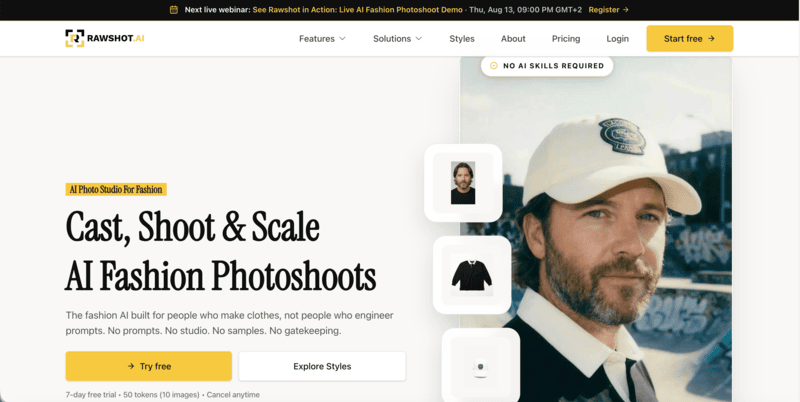
Rawshot

Rawshot is built for agency-scale and brand production workflows where compliance and garment accuracy are both priorities. The platform uses attribute-based synthetic models with C2PA content authentication — embedding provenance metadata in AI-generated images. This is relevant for brands selling in markets where AI disclosure requirements apply.

Rawshot's homepage.

The model library covers 600+ synthetic models and 150+ camera styles. Per-image tokens don’t expire.

Best for: Agencies and brands producing fashion content at scale with collaborative approval workflows, and brands where AI content compliance matters.

Pricing: ~$9/month; tokens don’t expire.

Key strength: C2PA content authentication for AI compliance; 600+ model library; collaborative approval workflows.

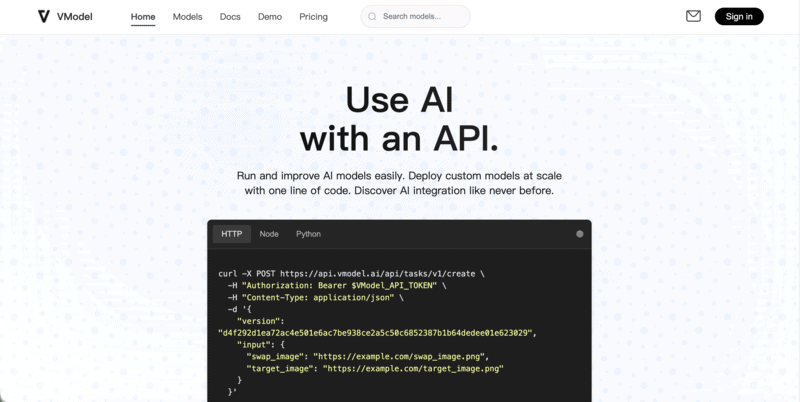
VModel.AI

VModel.AI is a straightforward flatlay-to-model tool built for ecommerce sellers who want a low-commitment entry point. Upload a mannequin or flatlay image, choose from 30+ model styles, and generate on-model photos in minutes. A Chrome extension lets users generate directly while browsing other sites, and API access is available for teams building custom pipelines.

VModel.ai's homepage.

Pricing is pay-as-you-go with no monthly subscription required, which suits seasonal sellers or anyone testing AI on-model photography before committing to a full platform.

Best for: Small sellers and developers who want mannequin-to-model generation without a subscription, or teams building custom API-based workflows.

Pricing: pay-as-you-go credits available.

Key strength: No-commitment pricing with API access; Chrome extension for quick generation without leaving your browser.

How to Choose the Right AI On-Model Photography Tool

The right tool depends on your input format, generation volume, and the platform you sell on. Here’s how to think through each dimension.

By Input Type

The two main input workflows in AI on-model photography are meaningfully different.

Flatlay or packshot to model: You photograph the garment flat and the AI generates a model wearing it. This is the more common workflow, supported by Claid, WearView, Modelia, Botika, Uwear, SellerPic, Rawshot, and VModel.AI. It works well when you have a clean product shot but no model photography at all.

Garment photo plus model photo: You provide both the garment image and a model photo, and the AI places the garment on that specific model. This tends to produce more precise results when the output needs to match a specific person. It’s also useful when you have existing model photography you want to reuse across different products. Fashion Diffusion and FASHN both use this approach.

By Volume and Budget

For low-volume or seasonal use, pay-as-you-go pricing avoids subscription overhead when you don’t generate consistently enough to justify a monthly plan. Fashion Diffusion’s free credits are also a practical starting point. They let you test output quality across multiple categories before committing to a paid plan.

For mid-volume use (roughly 50-200 images per month), subscription tools offer better unit economics than pay-per-image at those quantities. WearView Lite or Claid Essentials are practical options at this range.

For catalog-scale production at 500+ images per month, the most cost-efficient options depend on whether you need a managed platform or a custom pipeline. WearView Advanced suits managed workflows. Rawshot’s per-token model and FASHN’s API suit teams building their own pipelines.

By Platform

For Shopify stores, Modelia and Botika offer the tightest integration — both run as Shopify apps with output deployable directly to product pages. For stores on other platforms or with custom storefronts, any of the tools on this list work through manual or batch upload.

For developer-built pipelines, FASHN’s API and Rawshot’s token model offer the most flexible integration options. Fashion Diffusion, WearView, Claid, and Uwear also offer API access at various tiers.

How to Generate On-Model Photos with Fashion Diffusion

Fashion Diffusion’s virtual try-on generates on-model photography from two inputs: a garment photo and a model photo. The process runs in the browser in under a minute.

Step 1: Upload the Garment Photo

Use a flat-lay or clean product photo on a plain background. The garment should be fully visible with clear fabric detail — the AI uses this to understand construction, texture, and color.

Upload your garment photo.
Fashion Diffusion AI-generated

Step 2: Upload the Model Photo

Upload a photo of the model you want to use. A front-facing, full-body image with even lighting works best. Fashion Diffusion’s AI model generator can also produce a model from scratch if you don’t have a photo.

Upload your model photo.
Fashion Diffusion AI-generated

Step 3: Generate and Review

The AI places the garment on the model and produces a finished image in seconds. Review for garment accuracy at the waist, shoulders, and hem. Regenerate with adjusted inputs if needed.

Virtual try-on output generated by Fashion Diffusion.
Fashion Diffusion AI-generated

Fashion Diffusion supports virtual try-on across apparel, shoes, jewelry, wedding dresses, and lingerie. It’s one of the few platforms where brands selling across categories can manage all on-model photography in one place.

Replace Your Studio Shoot with AI On-Model Photography

On-model photography at catalog scale doesn’t require a studio anymore. Fashion Diffusion generates on-model images across apparel, accessories, and specialty categories from a garment photo and a model photo. In seconds, without a shoot.

New accounts start with free credits. Try the virtual try-on with your own garment photo and see the result.

FAQ

What is AI on-model photography?

AI on-model photography uses generative AI to produce images of clothing or accessories worn by a virtual or AI-generated model. It replaces the studio shoot and human model traditionally needed for catalog imagery. You upload a garment image, provide or choose a model, and the platform generates a finished on-model photo in seconds.

Which AI on-model photography tool is best for Shopify?

Modelia and Botika both run as native Shopify apps, making them the most integrated options for Shopify stores. Other tools on this list work with Shopify through manual upload or batch processing.

Are there free AI on-model photography tools?

Most tools offer limited free credits rather than a permanent free tier. Fashion Diffusion, Claid, and Botika include free credits on signup. Modelia has a free tier with watermarked output. Uwear and FASHN offer pay-as-you-go pricing with no subscription required.

Can I use AI-generated on-model images for commercial purposes?

Yes, on paid plans for most tools on this list. Some tools gate commercial licensing behind higher tiers — check the specific plan terms before publishing AI-generated images in paid ads or marketplace listings.

How does AI on-model photography compare to a real photoshoot?

For catalog and ecommerce work, AI-generated on-model imagery now meets the requirements of major platforms including Amazon, Shopify, and Instagram. Real photoshoots still offer advantages for hero campaign imagery and editorial work where human direction and physical styling matter. For day-to-day catalog production, AI is faster, cheaper, and scalable in ways traditional shoots aren’t.