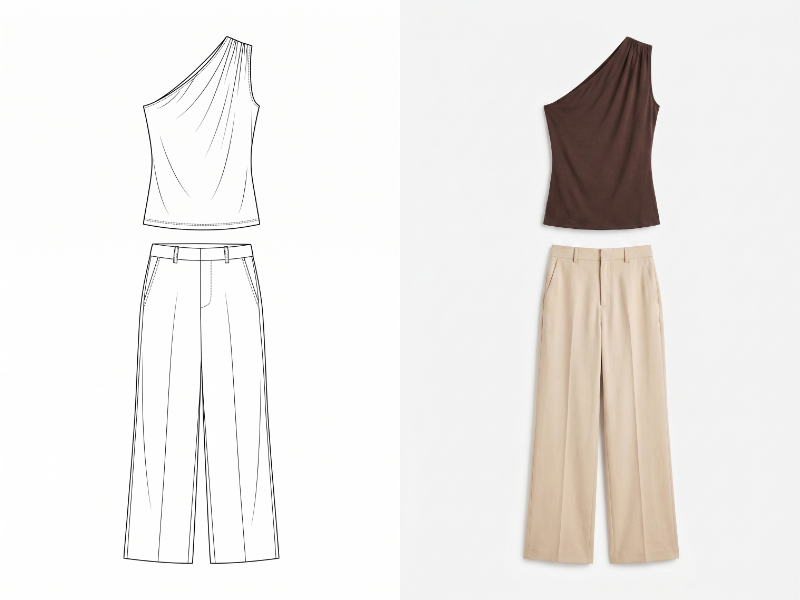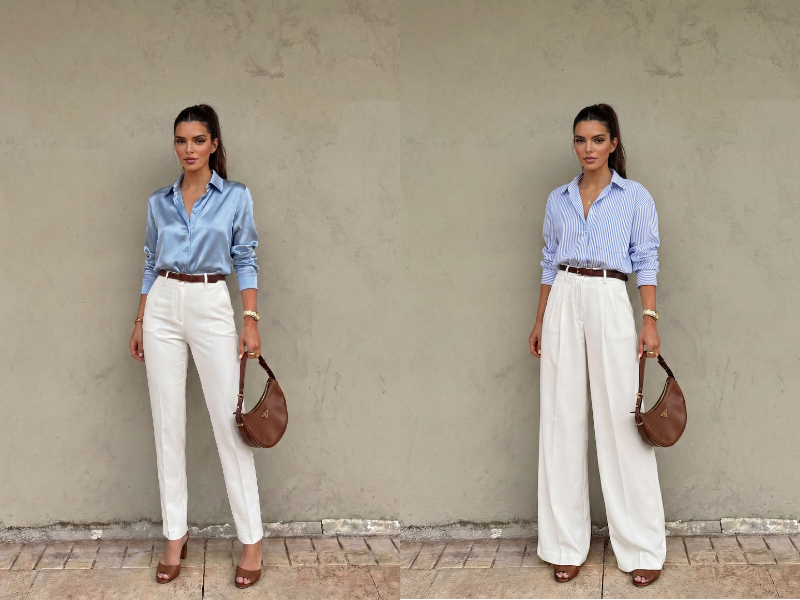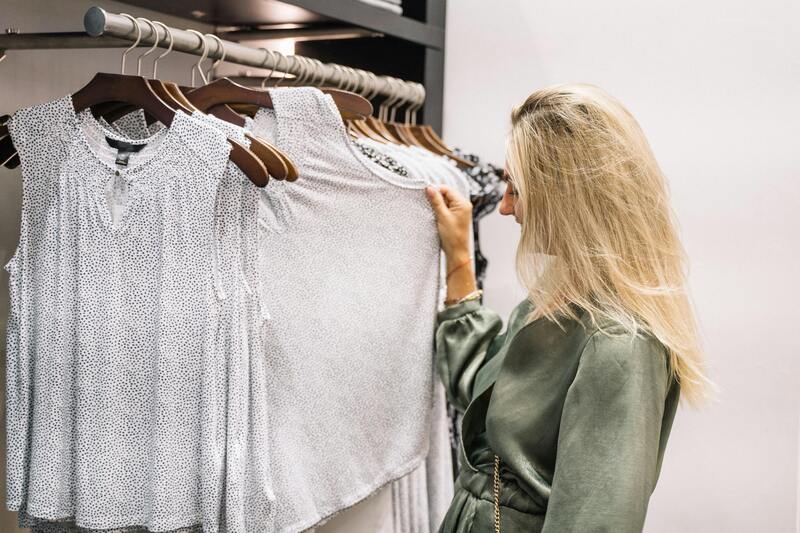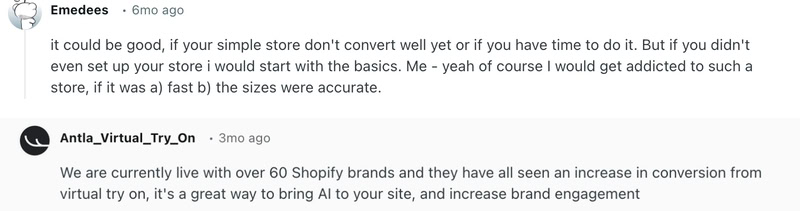
月度归档 2026年4月10日

Avatar photo 通过Sophia Mille

The Best AI Virtual Try-On tools in 2026 and How to Choose the Right One

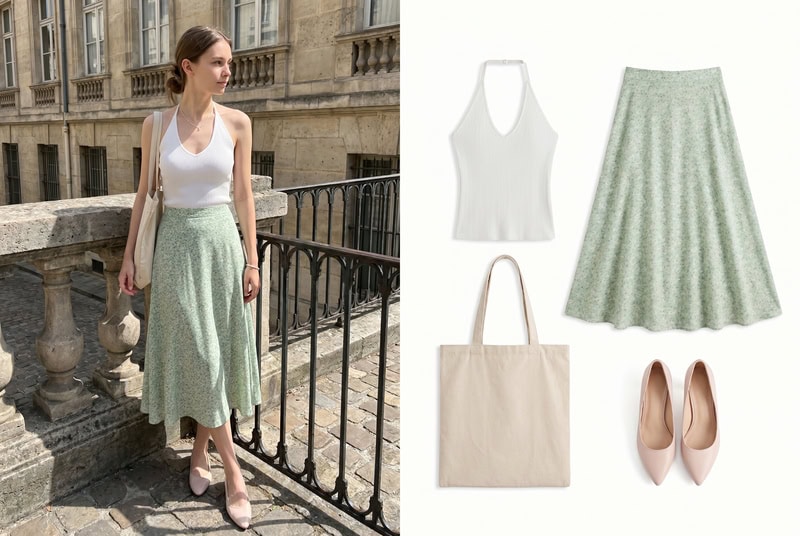
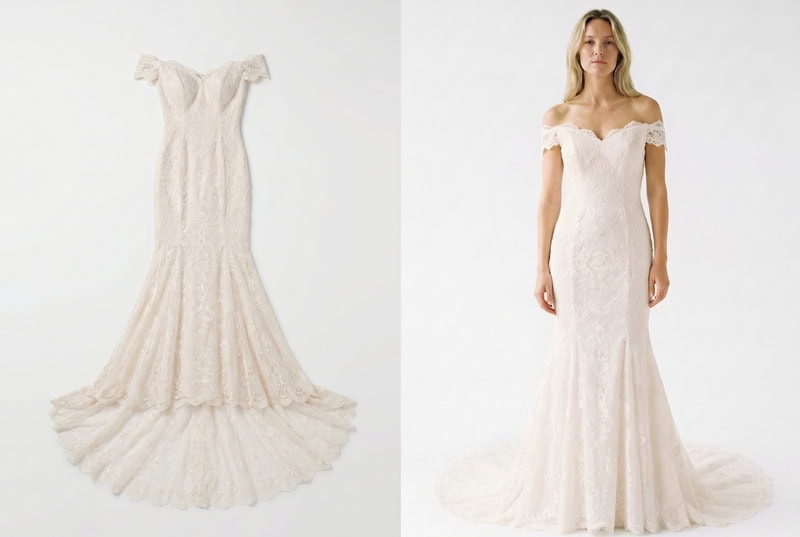
Virtual try-on has come a long way in recent years, transforming what used to be a guess-and-check shopping experience into a visual and interactive one. From spending on product photography to letting customers “try before they buy” from their phones, these tools are changing the way we shop for clothes. In 2026, with so many tools available, knowing which one fits your needs can be tricky. Let’s break it down and explore the best virtual try-on tools this year.
What is Virtual Try-on

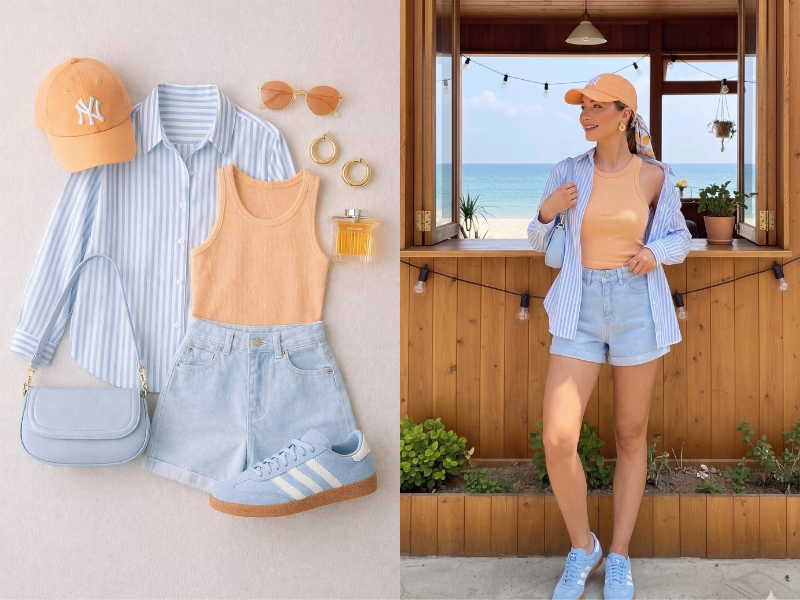
Virtual try-on is a technology that lets you see how clothing, accessories, or even makeup would look on a person—or on yourself—without physically trying them on. It combines computer vision, AI, and sometimes augmented reality to simulate fit, style, and appearance in real time.

For brands, this means creating model images or lookbooks without expensive photoshoots. For consumers, it allows trying clothes from the comfort of home, reducing the uncertainty of online shopping.

As its core, virtual try-on bridges the gap between imagination and reality, giving a realistic preview that was impossible just a few years ago.

2 Types of Virtual Try-on

Not all virtual try-on tools are built the same. Depending on who is using them and what the goal is, these tools fall into two main categories. Understanding the difference can help brands create content more efficiently and help shoppers find the best try-on experience.

Brand-Side Model Generation

This type of virtual try-on is designed primarily for brands and content creators. Instead of photographing real models, brands can generate images of clothing on virtual models with different body types, poses, and styles. It saves time, reduces cost and allows for rapid experimentation with new designs.

Typical use cases include product lookbooks, marketing images for social media, and online store galleries. The focus is on creating visually appealing, realistic content that showcases the product effectively.

Customer-Facing Virtual Try-On

Customer-facing virtual try-on is made for shoppers themselves. Users can see how clothes or accessories would look on their own bodies using a phone, webcam, or uploaded photo. This helps shoppers make more confident purchase decisions and reduces the likelihood of returns

These tools are usually integrated directly into e-commerce platforms or apps, providing an interactive experience. The focus here is on realism and personalization, letting each customer visualize the product on themselves.

Best Virtual Try-On tools in 2026
Fashion Diffusion AI-generated

Best Virtual Try-On tools for Brand-Side Model Generation

For brands, virtual try-on isn’t just about “trying clothes on”, it’s about generating scalable, consistent visuals that replace or reduce traditional photoshoots. The tools below all approach this from a slightly different angle, but they share one goal: helping you visualize garments on models quickly and realistically.

Fashion Diffusion

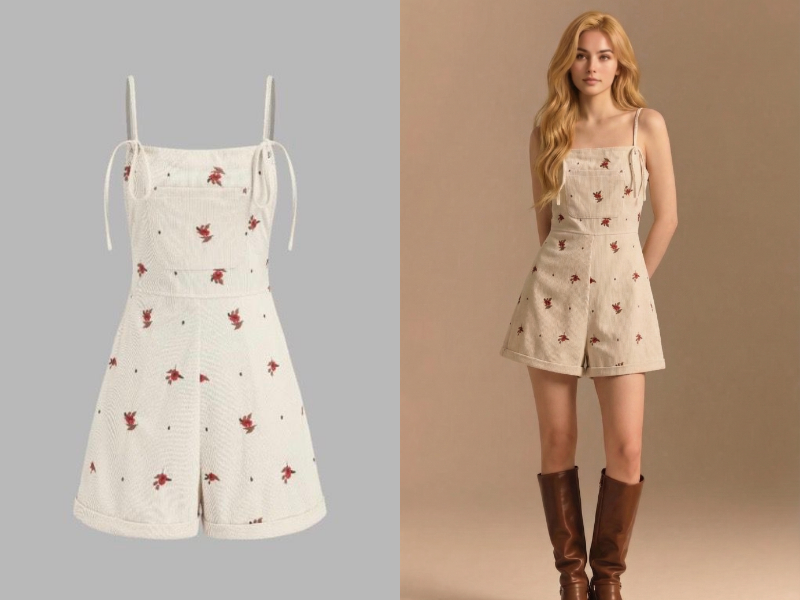
Fashion Diffusion‘s virtual try-on stands out for how it blends generation and styling. Instead of simply placing a garment on a model, it allows you to experiment with full outfit variations while maintaining a realistic try-on effect.

Fashion Diffusion's AI virtual try-on generating realistic model outfits from a single clothing input.
Fashion Diffusion AI-generated
  • Garment-to-model try-on with style variation control
  • Ability to generate multiple outfit versions from one piece
  • Strong consistency across poses and looks
  • Works well for both concept and final visuals

Claid.ai

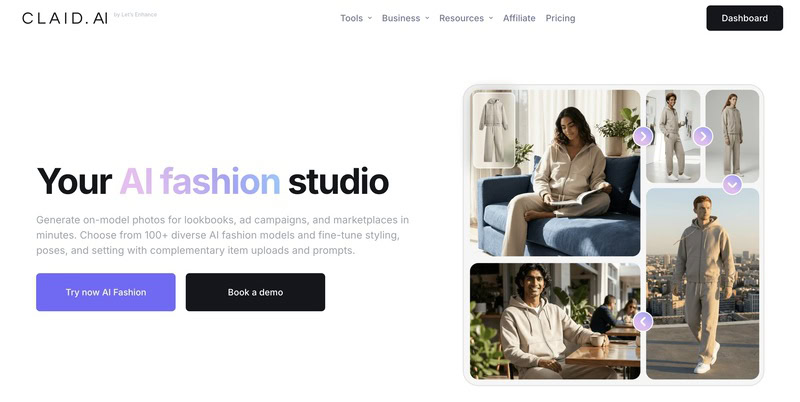
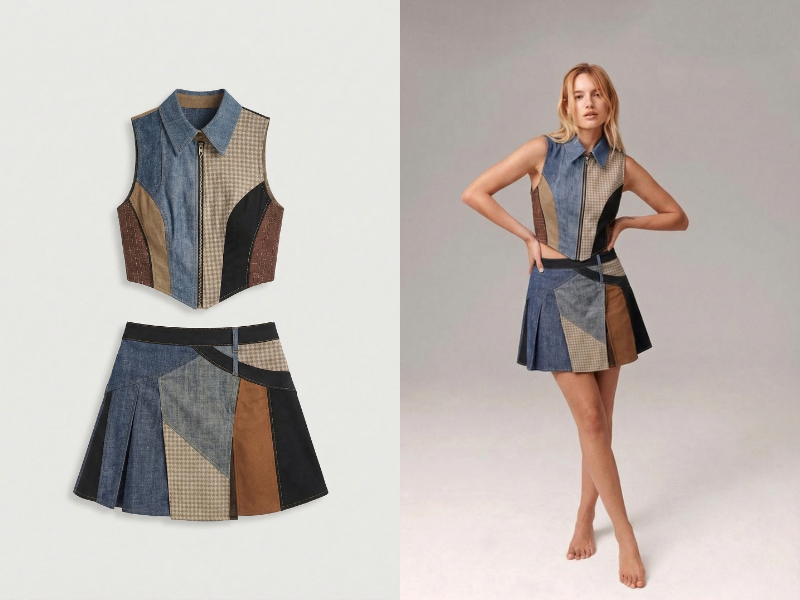
Claid.ai approaches virtual try-on from an optimization angle. It’s try-on functionality is designed to take existing product images and convert them into clean, model-based outputs suitable for e-commerce.

Claid.ai virtual try-on converting product images into clean model-based visuals for e-commerce.
  • Converts flat-lay or product images into model try-on visuals
  • Clean, commercial-ready outputs
  • Maintains product accuracy (color, shape)
  • Optimized for catalog consistency

FASHN.ai

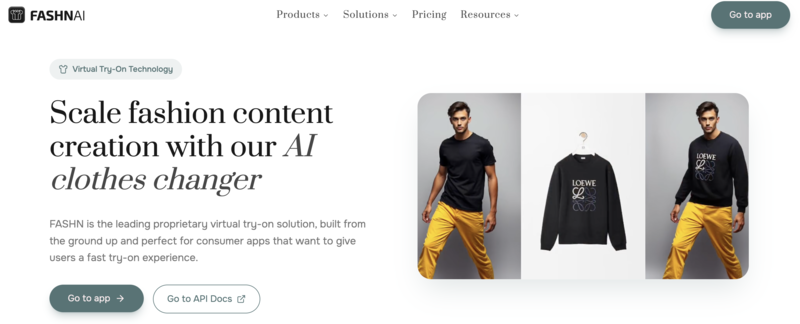
FASHN.ai focuses on scalable virtual try-on for apparel catalogs. Its strength lies in producing consistent model imagery across large volumes of products.

Scalable AI virtual try-on for generating consistent apparel images across large catalogs.
  • Batch virtual try-on generation
  • Consistent model styling across collections
  • Reliable garment placement on different poses
  • Built for high-volume product visualization

Botika

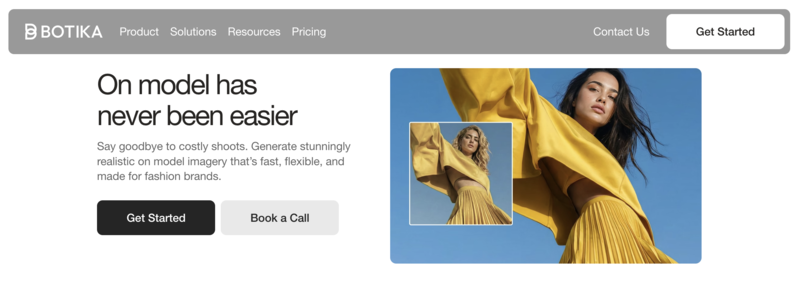
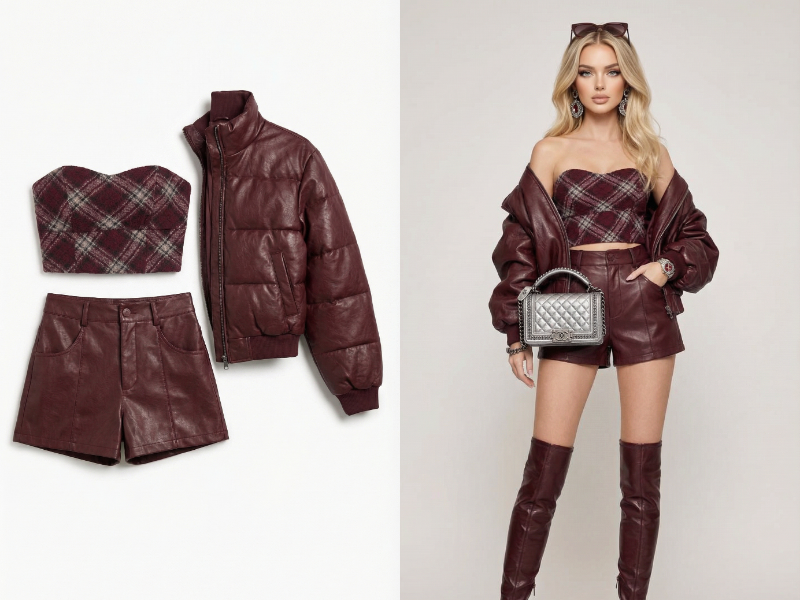
Botika’s virtual try-on is built around realism. It produces outputs that closely resemble traditional fashion photography, making it suitable for brands that prioritize a premium look.

Photorealistic AI virtual try-on showcasing garments on diverse digital models.
  • Highly realistic garment fitting on AI models
  • Natural draping and body alignment
  • Multiple model types for the same product
  • Studio-like visual results

The New Black

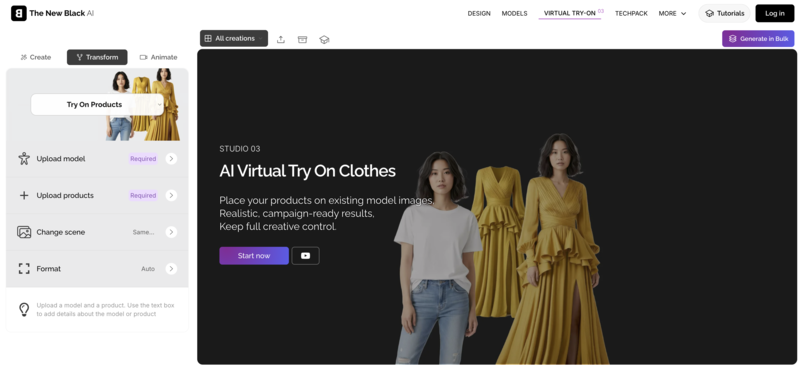
The New Black takes a more creative approach to virtual try-on. Instead of strict realism, it allows for more experimental styling and visual interpretation of garments.

Creative AI virtual try-on tool for generating experimental and styled fashion visuals.
  • Concept-driven try-on visuals
  • Flexible styling beyond standard product display
  • Useful for moodboards and campaigns
  • Less constrained by strict realism

DesignKit

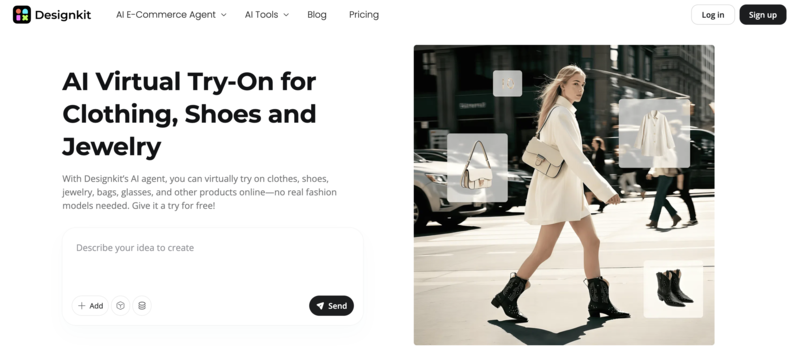
DesignKit combines design tools with virtual try-on, making it useful for quick prototyping. Its try-on is less about final polish and more about rapid visualization.

AI virtual try-on for quickly visualizing clothing concepts on digital models.
  • Fast garment-to-model visualization
  • Integrated with design workflow
  • Useful for early-stage concept testing
  • Flexible but less realism-focused

While all these tools offer virtual try-on capabilities, the difference come down to how they balance realism, scalability, and creative control.

ToolTry-On FocusStrengthScalabilityOutput Style
Fashion DiffusionStyling + generationFlexibilityMediumCreative + realistic
Claid.aiProduct accuracyClean outputsHighCommercial
FASHN.aiCatalog consistencyBatch processingHighRealistic
BotikaPhotorealismVisual qualityMediumStudio-quality
The New BlackCreative explorationStyling freedomLowArtistic
DesignKitPrototypingSpeedMediumConceptual

Best Customer-Facing Virtual Try-On Tools

Customer-facing virtual try-on tools are designed around one thing: helping users make better decisions. Whether it’s seeing how a piece looks on their body or understanding fit and size, the experience is meant to reduce uncertainly and make online shopping feel more intuitive.

Veesual

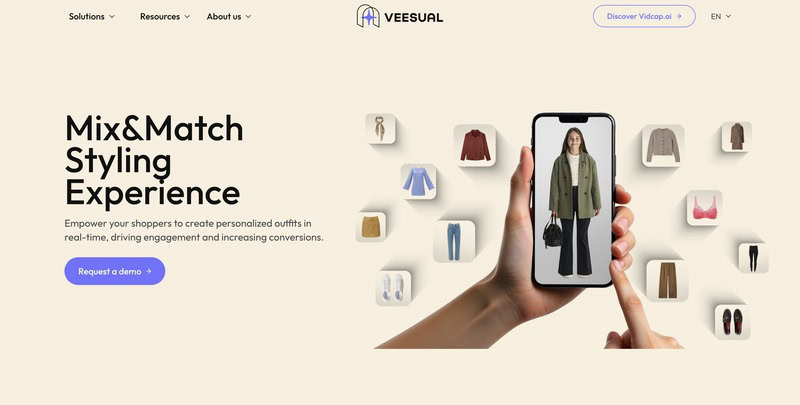
Veesual’s try-on experience focuses on combining garments onto real people with a high level of visual realism. It’s especially strong when users want to see how multiple pieces work together in a full outfit.

Virtual try-on tool enabling realistic mix-and-match outfit visualization on models.
  • Mix-and-match try-on across multiple garments
  • Realistic layering of clothing on the body
  • Maintains proportions and alignment
  • Strong visual consistency across outfits

Genlook

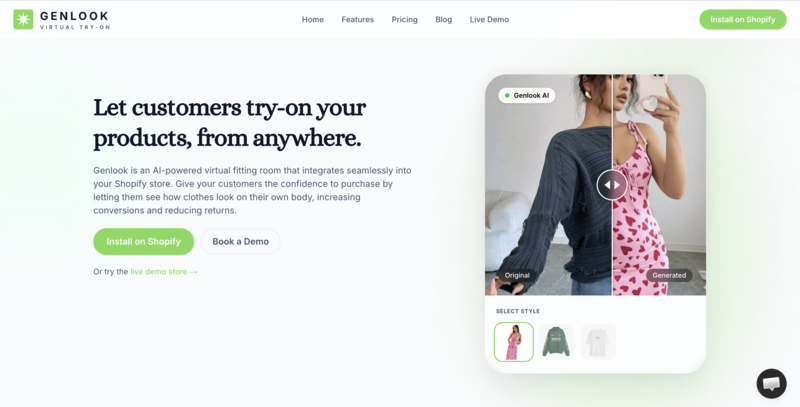
Genlook leans into personalization by generating avatars that reflect different body types and identities. Its try-on experience feels more tailored compared to generic model-based previews.

Personalized virtual try-on using AI-generated avatars reflecting diverse body types.
  • Avatar-based try-on tailored to user profiles
  • Representation across body types and styles
  • Personalized visualization instead of generic models
  • Focus on lifestyle and relatability

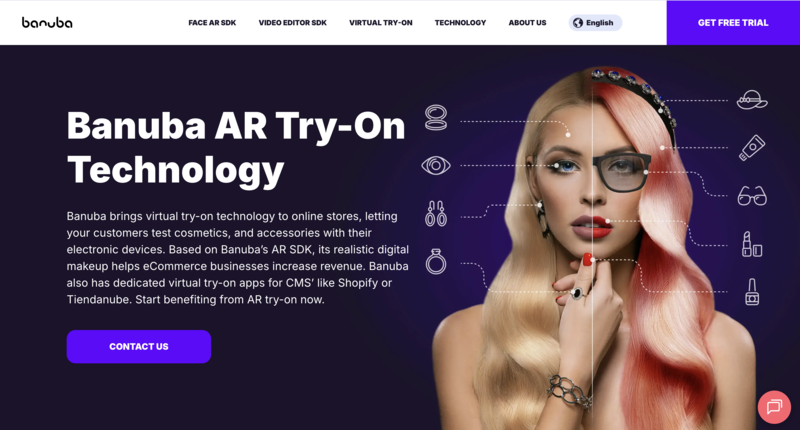
Banuba

Banuba brings virtual try-on into a more interactive, real-time experience using AI. It allows users to see products directly through their camera, making the experience feel immediate and engaging.

Real-time AR virtual try-on allowing users to try products through their camera.
  • Real-time AI try-on via mobile camera
  • Instant interaction and movement-based feedback
  • Lightweight integration for apps and web
  • Strong focus on user engagement

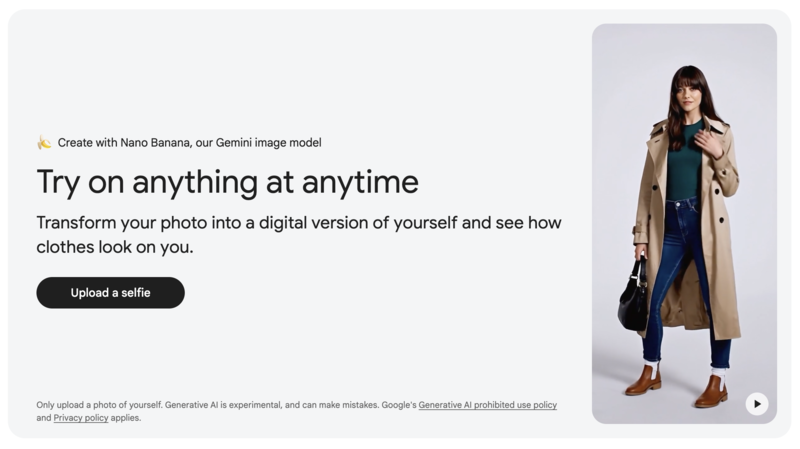
Google Shopping Try-On

Google’s try-on feature is built for accessibility. Instead of a full personalized experience, it allows users to quickly preview clothing on a range of models directly within search results.

Lightweight virtual try-on integrated into search for quick model-based previews.
  • Integrated directly into search and shopping flow
  • Model-based try-on across different body types
  • Fast and frictionless experience
  • No setup required for users

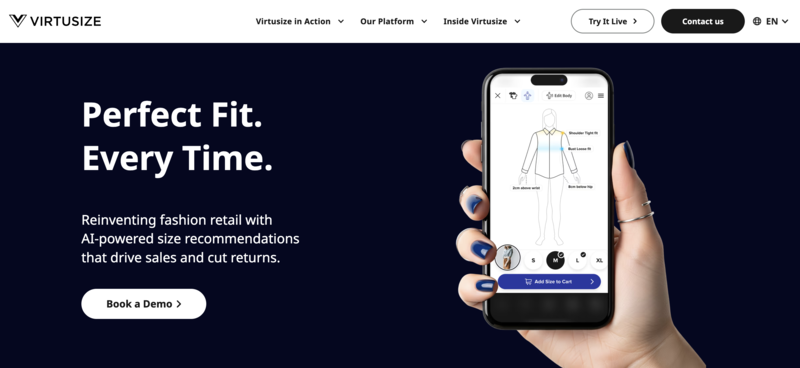
Virtusize

Virtusize approaches try-on differently by focusing on fit rather than visuals. Instead of showing how clothes look, it helps users understand how they will fit compared to items they already own.

Fit-focused virtual try-on comparing garment sizes with users’ existing clothing.
  • Size and comparison instead of visual try-on
  • Uses user’s existing garment data
  • Reduces sizing uncertainly
  • More data-driven than visual-based

These tools differ mainly how they balance realism, personalization, and usability. Some prioritize visual experience, while other focus on fit accuracy or ease of access.

ToolTry-On TypeStrengthPersonalizationExperience Style
VeesualVisual try-onOutfit realismMediumImage-based
GenlookAvatar try-onPersonalizationHighGenerated avatars
BanubaAR try-onReal-time interactionMediumCamera-based
Google Try-OnModel-basedAccessibilityLowLightweight
VirtusizeFit-basedSize accuracyHighData-driven

Which Type Should you Choose

By this point, the difference between the two types is probably clear, but choosing the right one really comes down to what you’re trying to achieve. Not every tool is built for the same goal, and picking the wrong type can lead to wasted time or underwhelming results.

If you’re a fashion brand, designer, or marketer focused on creating visuals, launching products, or scaling content, brand-side tools will give you far more flexibility. They’re built for speed, creativity, and volume, especially when traditional photoshoots aren’t practical.

On the other hand, if your goals is to improve the shopping experience, reduce returns, or help customers make better decisions, customer-facing try-on tools are the better fit. They focus less on aesthetics and more on personalization and accuracy.

In short, one helps you show the product, while the other helps users see themselves in it.

Key Trends in Virtual Try-On

Virtual try-on isn’t standing still. Over the past year, the technology has been evolving quickly—not just in how realistic it looks, but in how it’s being used across the entire fashion workflow. Here are a few trends that are shaping where things are going next.

More Realistic Fabric Simulation

Clothing is no longer just “placed” onto a body—tools are getting better at simulating how fabrics actually behave. Think wrinkles, stretch, and how materials fall depending on movement or pose. This makes try-on results feel much closer to real life, especially for more complex garments.

From Static Images to Video Try-On

We’re starting to see a shift from still images to short-form video outputs. Instead of a single pose, users can view garments in motion, which gives a better sense of fit and flow. This is especially relevant for social content and product demos.

Integration with Generative AI

Virtual try-on is increasingly being combined with generative tools. Instead of just trying on existing clothes, users and brands can generate entirely new outfits and instantly visualize them. This opens up new possibilities for both design and personalization.

Hyper-Personalization

Generic models are becoming less relevant. Tools are moving toward body-specific and preference-based outputs, where users can see clothing on avatars, or versions of themselves—that actually reflect their shape and style.

Blending AR and AI Experiences

Augmented reality is being layered with AI to create more interactive experiences. This includes real-time try-on through mobile cameras, where users can move and see garments adjust instantly. It’s a step closer to bridging online and in-store shopping.

End-to-End Fashion Workflow

Virtual try-on is no longer just a “feature”, it’s a becoming part of a larger system. From design to marketing to sales, brands are starting to use AI tools across the entire pipeline, reducing the gap between concept and customer.

The Future of Virtual Try-On Starts Now

Virtual try-on is no longer just a “nice-to-have” feature, it’s quickly becoming a core part of how fashion is created, presented, and sold. Whether you’re a brand looking to scale content or a platform aiming to improve customer experience, the right tool can make a noticeable difference.

What stands out in 2026 isn’t just the number of tools available, but how differently they approach the problem. Some focus on helping brands move faster, while others are built to make shopping more intuitive and personal. Understanding the difference is what really helps you choose wisely.

If you’re leaning toward the content and design side, Fashion Diffusion are pushing things further by combining outfit generation, virtual try-on, and creative control in one place. It’s a good example of how these tools are evolving beyond simple try-on into something much more flexible.

At the end of the day, virtual try-on isn’t about replacing reality, it’s about making decisions easier before you ever get there.

FAQ

What is the main purpose of virtual try-on?

The main goal of virtual try-on is to help people visualize how a product will look before making a decision. For brands, it’s about creating content more efficiently. For consumer, it’s about reducing uncertainty when shopping online.

Is virtual try-on actually accurate?

It depends on the tool. Some focus more on visual realism, while others prioritize fit and sizing. While it’s not a perfect replacement for trying clothes in person, the accuracy has improved a lot, especially with newer AI models and better body mapping.

What’s the difference between brand-side and customer-facing try-on?

Brand-side tools are used to generate images of clothing on models for marketing and product display. Customer-facing tools, on the other hand, let users see how those same clothes would look on themselves. One is about content creation, the other is about decision-making.

Can small brands use virtual try-on tools?

Yes, and that’s actually where a lot of value comes in. Many tools today are designed to be accessible without large budgets or production teams. This makes it easier for smaller brands to create professional-looking visuals without traditional photoshoots.

Will virtual try-on replace traditional photoshoots?

Not completely, at least for now. But it’s becoming a strong alternative, especially for fast-moving brands and digital-first campaigns. Many teams are already using it alongside traditional shoots to save time and cost.

Avatar photo 通过Sophia Mille

AI Fashion Design Tools: How AI is Transforming Fashion Creation in 2026

The integration of Artificial Intelligence (AI) is fundamentally reshaping the fashion design landscape. Moving beyond hype, 2026 sees sophisticated AI fashion design tools empowering designers and brands to achieve unprecedented levels of efficiency, creativity, and cost-effectiveness. If you’re exploring how AI can revolutionize your workflow, understanding the current tool ecosystem is crucial.

What Is AI in Fashion Design?​

AI in fashion design (or AI for fashion design) refers to software powered by artificial intelligence that helps designers create, refine, and visualize fashion concepts. These tools use machine learning and generative AI to turn ideas into tangible designs. Common uses include generating initial design concepts from text descriptions, converting rough sketches into polished visuals, simulating fabric textures, and even creating 3D models for prototyping.

For example, a designer with a vague idea like “lavender sleeveless gown with unique details” can use an AI fashion design generator to turn that text into multiple design options in minutes. This speeds up the early stages of creation, letting designers focus on refining ideas instead of starting from scratch.

How AI is Revolutionizing Fashion Design

AI fashion design tools address core industry challenges:

  • Accelerated Concept Generation: Transform text prompts or mood boards into diverse design sketches and variations in seconds.
  • Enhanced Visualization & Prototyping: Convert simple sketches into realistic product images or photorealistic on-model visuals, eliminating the need for early-stage physical samples.
  • Streamlined Production: Generate technical flats, pattern suggestions, and material visualizations, significantly speeding up the transition from design to production.
  • Personalization & Trend Forecasting: Analyze vast datasets (social media, sales, runway) to predict trends and enable hyper-personalized design recommendations.
  • Cost Reduction: Drastically cut expenses associated with traditional photoshoots (models, locations, photographers) and physical sampling.

Top 12 AI Fashion Design Tools in 2026

The market for AI fashion tools has grown rapidly, with tools tailored to different needs, from idea generation to 3D modeling. Here are 12 leading options:

ToolBest ForCategorySkill LevelKey Benefit
Fashion DiffusionDesigners, D2CCreative generationLowFast concept + visuals
The New BlackEmerging luxuryCreative brandingLowArtistic identity
ResleeveD2C, boutiquesAI lookbooksLowFashion shoots
CLO 3DTechnical teamsDigital samplingHighPattern accuracy
BrowzwearEnterprise3D productionHighSupply-chain integration
BotikaE-comm sellersAI modelsLowProduct imagery
YesPlzRetail platformsAI shopping UXMediumConversion lift
DesignovelR&D, strategyTrend insightMediumData-driven design
MakethedotBrand opsTech packs & collaborationMediumFaster specs & workflows
AbloSmall teamsCreative boardsLowFast ideation
HeuritechMerch & forecastingTrend AIMediumDemand planning
Yoona.aiDesigners & brandsAI fashion design + planningLow-MediumTrend-aligned AI design + faster concept-to-market

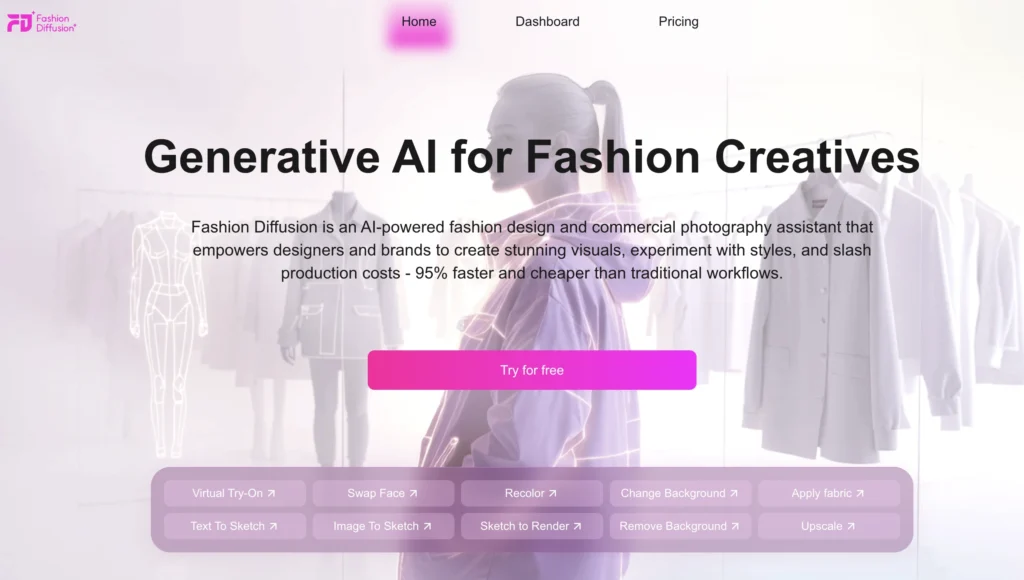
1. Fashion Diffusion​

🎯 Best For: Brands and designers needing an all-in-one solution for fast design iteration, virtual sampling, and high-quality marketing visuals without photoshoots.

Fashion Diffusion is an AI fashion design tool

Fashion Diffusion is built specifically for fashion workflows — not generic image generation. It understands silhouettes, draping, textiles, garment structures, and seasonal aesthetics, making it ideal for fast concept iteration and realistic visual output.

Key features include:​

  • Sketch Enhancement: Turn hand-drawn or digital sketches (Image To Sketch, Sketch to Render) into polished, production-ready visuals instantly.
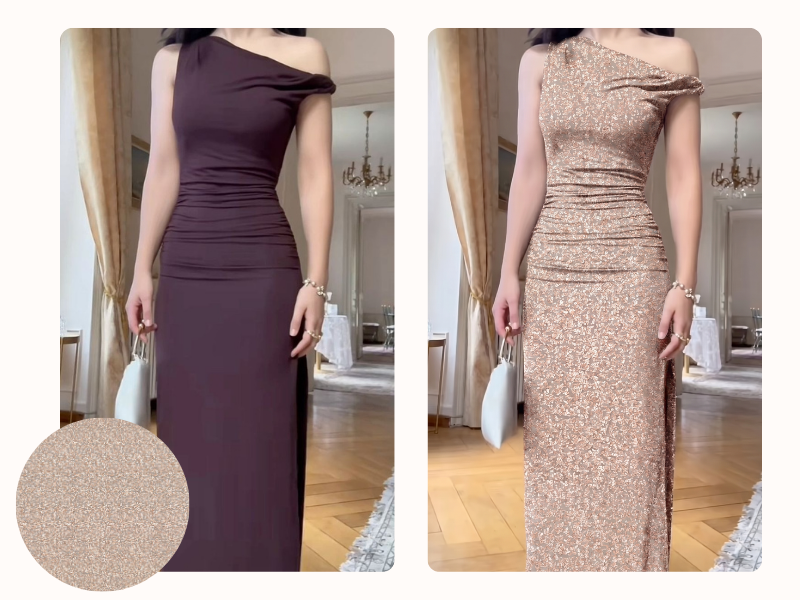
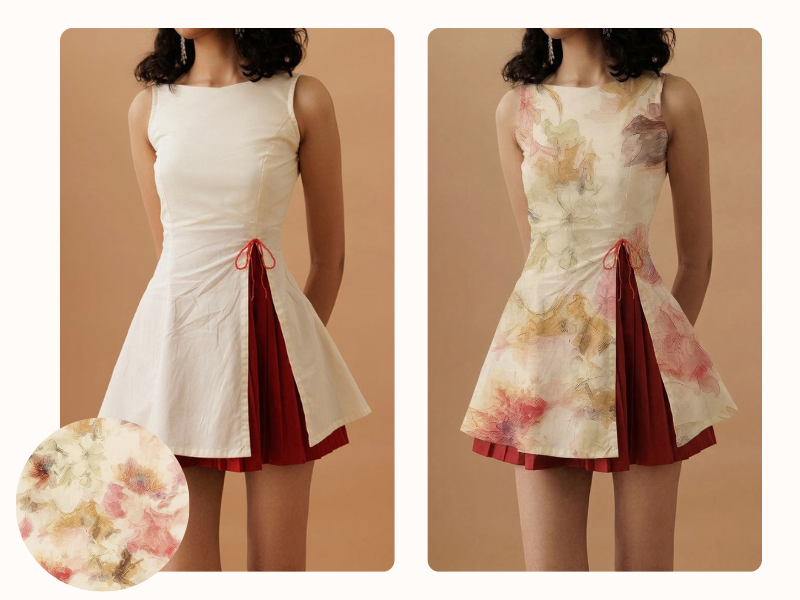
  • Photorealistic Visualization: Generate studio-quality images (Virtual Try-On, Recolor, Change Background, Apply Fabric) without costly photoshoots.
  • Creative Exploration: Rapidly iterate on styles, fabrics, and colors directly from initial concepts (Text To Sketch).
  • Efficiency: Offers tools like Remove Background and Upscale for quick image editing. Ideal for designers and brands seeking a comprehensive, design-focused platform to cut costs and accelerate time-to-market.​

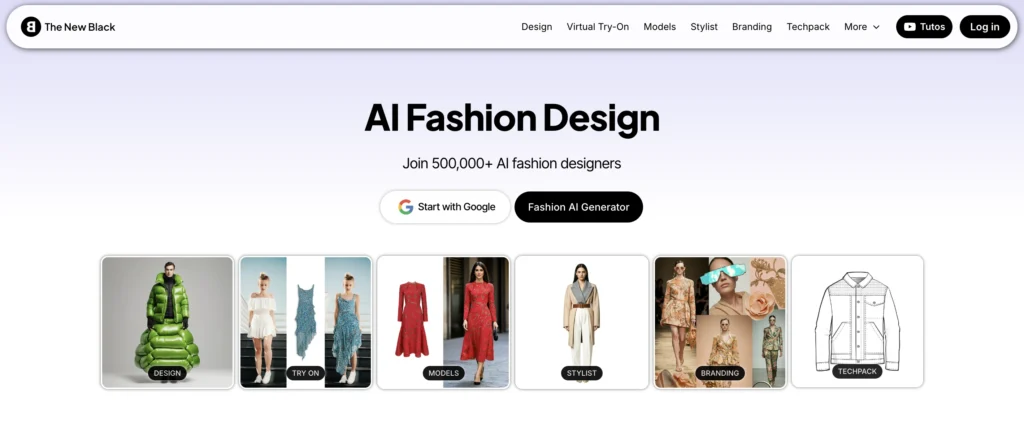
2. The New Black

The New Black is an AI fashion design tool

🎯 Best For: Designers seeking rapid concept generation and unique, brand-defining pieces.

The New Black focuses on creative identity and unique visual language. It helps build signature aesthetics and campaign-ready artistic concepts — a strong tool for fashion houses prioritizing storytelling.

Standout strengths:

  • Highly stylized creative outputs
  • Strong for moodboards and brand identity exploration
  • Great for emerging fashion aesthetics & luxury visual direction

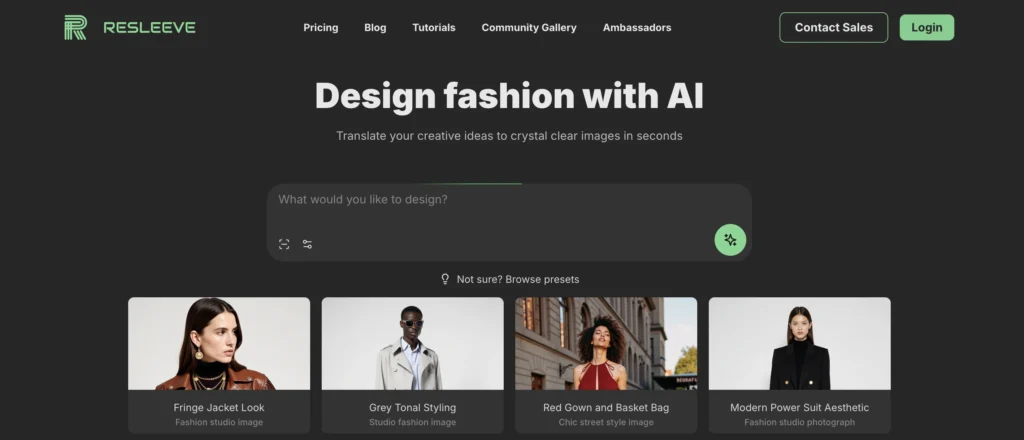
3. Resleeve

Resleeve is an AI fashion design tool

🎯 Best For: Indie designers and brands prioritizing photorealistic quality for marketing, sales, and reducing physical sampling.

Resleeve generates high-fashion editorial visuals aligned to brand style. It accelerates lookbook creation and marketing concepts without requiring full production planning.

Strengths:

  • Technical precision: realistic garment simulation, drape, fit, fabric physics.
  • Helps reduce physical sampling, improves fit validation early, supports production workflows.

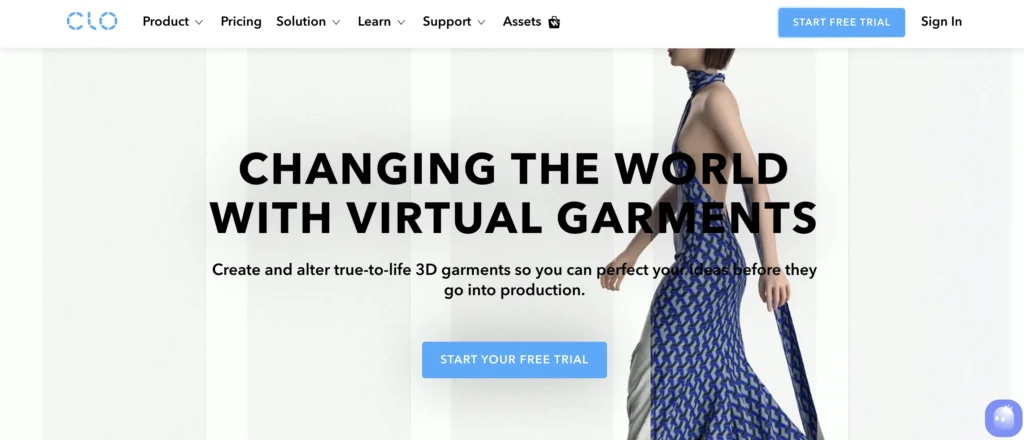
4. CLO 3D

CLO 3D is an AI fashion design tool

🎯 Best For: Technical designers, pattern makers, and brands focused on perfecting fit, construction, and reducing physical sampling dependency.

CLO is a leading technical 3D fashion tool used by global brands to minimize physical sampling cycles. It supports pattern-accurate garment construction and realistic physics simulation.

Standout strengths:

  • True-to-pattern 3D garment development
  • Fabric drape simulation, fit evaluation
  • Integration with manufacturing pipelines

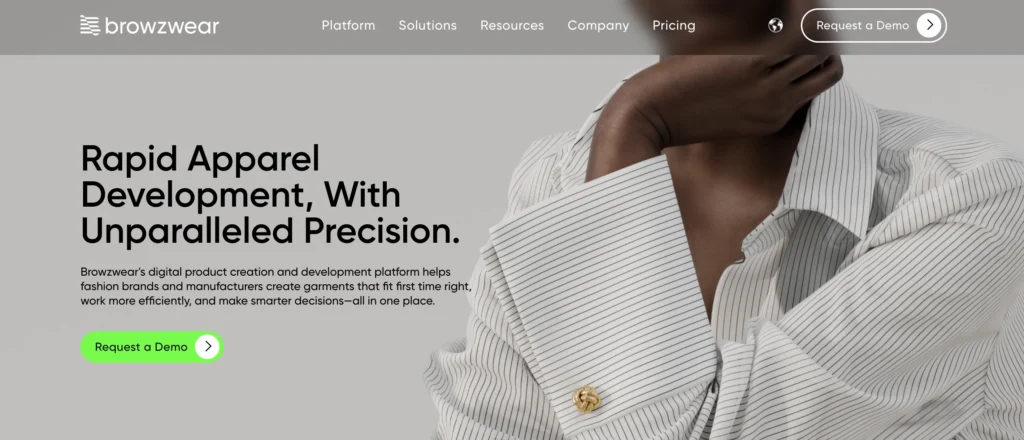
5. Browzwear

Browzwear is an AI fashion design tool

🎯 Best For: Brands requiring a comprehensive 3D solution from design through production and sales.

Browzwear is another powerhouse for 3D fashion design, development, and merchandising. Focuses on accurate fabric behavior, fit, and seamless integration into production workflows.

Strengths:

  • End-to-end capability, strong for supply chain, manufacturing integration.
  • Helps reduce errors, improve collaboration across global teams, bring digital sampling into production.

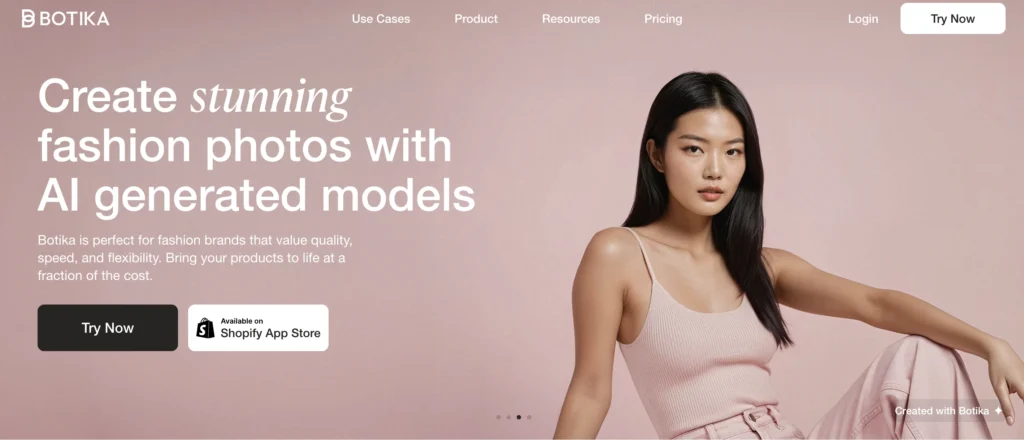
6. Botika

Botika is an AI fashion design tool

🎯 Best For: Brands with many SKUs, e-commerce-first, need high throughput of product images across sizes/models/poses.

Botika is an AI platform aimed at generating large volumes of on-model or styled apparel visuals at scale—automating imagery which traditionally required photo shoots, model hires, etc.

Strengths:

  • Enables large SKU catalogs to have diverse model visuals, variations, backgrounds, etc with less cost/time.
  • Useful for e-commerce brands, marketplace sellers.

7. YesPlz

🎯 Best For: Online retailers aiming to boost engagement, reduce returns, and offer superior customer experiences.

YesPlz is an AI fashion design tool

YesPlz is a fashion-focused AI platform designed to help e-commerce brands improve product discovery and shopping experiences. It combines visual understanding, text-based search, and automated fashion tagging to deliver smarter filters, virtual styling, and personalized recommendations.

Strengths:

  • Improves user shopping experience, product discovery, may reduce returns, enhance engagement.
  • Useful for retail platforms/multi-SKU stores rather than purely design workflows.

8. Designovel

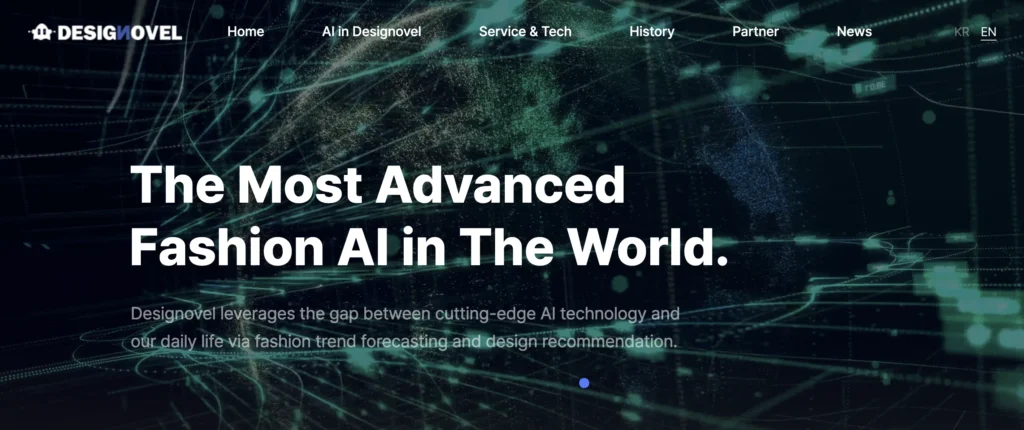
AI fashion design tool-Designovel

🎯 Best For: Designers and brands seeking data-backed validation for design decisions and staying ahead of trends.

Designovel is an AI solution for design teams focusing on trend analytics, market‐driven design recommendation, combining data collection (on/offline) and AI to guide design decisions.

Strengths:

  • Helps designers understand market direction, aligns design strategy to trends/data rather than intuition.
  • Suitable for brands that want to use data to reduce risk of mis-aligned design decisions.

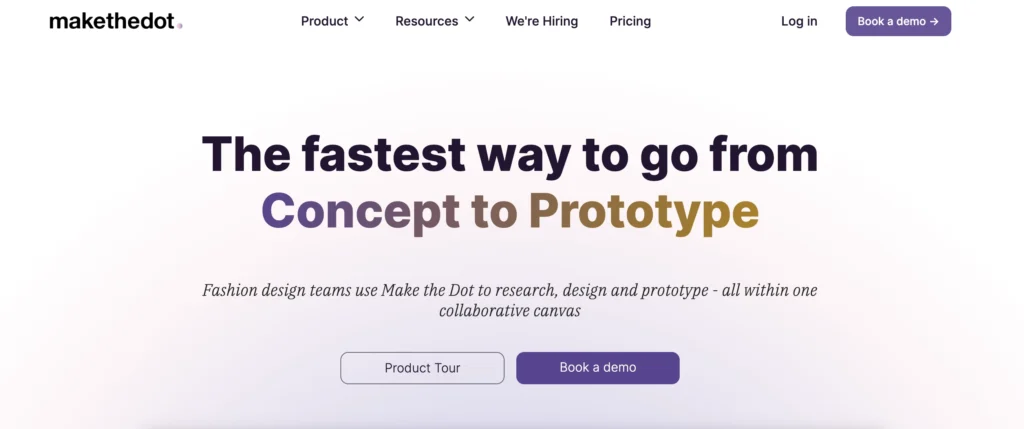
9. Makethedot

AI fashion design tool-Makethedot

🎯 Best For: Technical designers and production teams looking to increase efficiency and accuracy in pattern making.

Makethedot is an AI-powered design platform for fashion product development teams — assisting from concept/inspiration through digital sample/tech pack handoff and collaboration.

Strengths:

  • Enables collaborative workflow: concept boards, inspiration gathering, digital samples, real-time feedback across merchandising/design/development/sales.
  • Speeds time-to-market: some case studies show reduced sample cycles and faster design-to-production handoff.

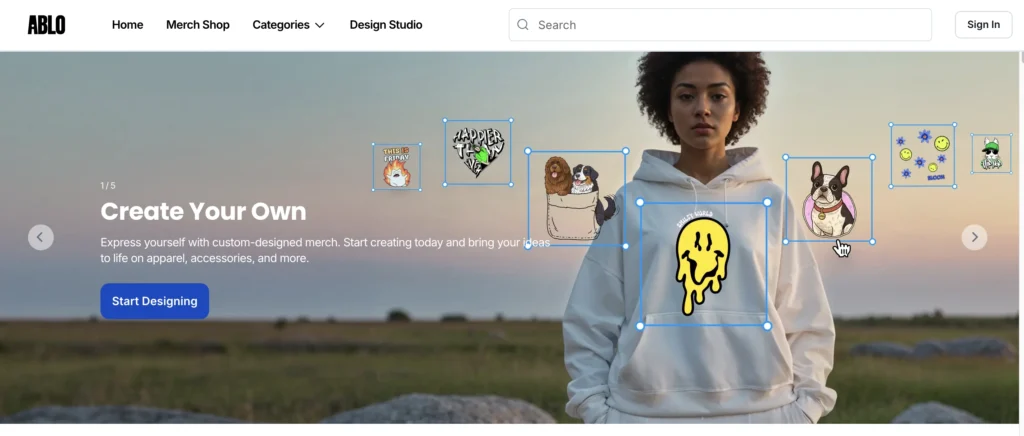
10. Ablo.ai

AI fashion design tool-Ablo

🎯 Best For: Independent designers, startups, and teams focused on collaborative design processes.

Ablo.ai is a collaborative AI fashion design/brand creation tool (less widely cited, but positioned for early-stage brands, design teams).

Strengths:

  • Lightweight AI fashion design assistant for creatives
  • Fast brainstorming & visual ideation tool
  • Supports collaborative brand creation & boards

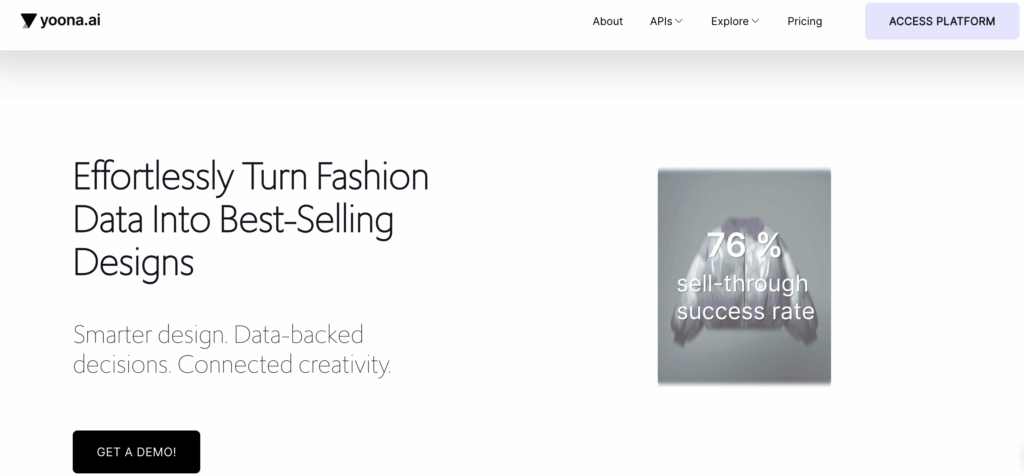
11. Yoona.ai

AI fashion design tool-Yoona

🎯 Best For: Fashion brands and designers who want fast, data-driven AI design generation and trend-aligned product development.

Yoona.ai is an all-in-one AI fashion design platform tailored for designers and brands. It merges generative AI with real-time trend & market data to help fashion teams generate designs, plan collections, and reduce waste.

Strengths:

  • Empowers designers by transforming text, sketches or data into fashion-ready designs in minutes.
  • Leverages market-trend insights and data-analysis to increase the chances of product success.
  • Supports sustainability by reducing wasted samples and speeding up the design-to-market process.

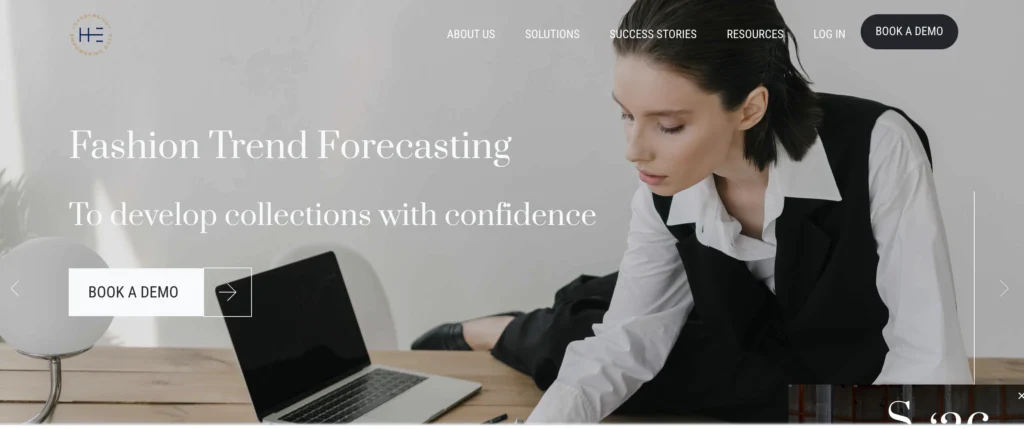
12. Heuritech

Heuritech

🎯 Best For: Trend departments, designers, and retailers needing deep consumer insights and predictive accuracy.

Heuritech is an AI trend-forecasting and consumer-insight tool for fashion brands: uses image recognition, social-media analysis, extracts signals for trends (colors, prints, silhouettes) ahead of market.

Strengths:

  • Computer-vision-based fashion trend forecasting
  • Analyzes consumer signals & emerging style patterns
  • Helps brands align designs to real market demand

How to Choose the Best AI Tool for Your Needs

Select strategically by evaluating:

  • Primary Objective: Precisely define your core need (Concept Generation, 3D Prototyping, Tech Packs, Trend Data, Marketing Imagery, e-Commerce Personalization).
  • User Experience: Assess the learning curve. Tools like Fashion Diffusion, Resleeve.ai, and Botika prioritize intuitive interfaces. CLO 3D and Browzwear offer immense power but require deeper investment in learning.
  • Integration Capabilities: Check compatibility with your existing ecosystem (Adobe Suite, CAD software, PLM systems like Centric, e-commerce platforms like Shopify or Magento). Seamless data flow is crucial.
  • Scalability & Budget: Match tool pricing models (subscriptions, pay-per-use credits, enterprise licensing) to your expected usage volume and financial constraints. Explore free trials/tiers.

The Future of AI in Fashion Design

AI in fashion design is only growing more powerful. As tools like Fashion Diffusion improve, we’ll see more personalized designs, faster production cycles, and a shift toward more sustainable practices. For designers, the key is to embrace these tools as collaborators, using their speed and data to free up time for creative thinking.

Whether you’re an indie designer launching your first collection or a brand looking to stay competitive, the right AI fashion design tool can transform how you work. Start with clear goals, test tools like Fashion Diffusion with your ideas, and see how AI can turn your vision into reality.

Ready to try? Explore Fashion Diffusion today and experience the next step in digital fashion design.

FAQs

What is AI fashion design?

AI fashion design uses machine learning models to generate, visualize, and analyze apparel concepts, fabrics, trends, and product images.

Which AI tool is best for converting sketches to designs?

Fashion Diffusion’s Sketch to Render tool is specifically designed for this, transforming hand-drawn or digital sketches into polished, production-ready visuals instantly.

Which AI tool is best for generating virtual model photos?

Resleeve.ai, Botika, and Fashion Diffusion (via Virtual Try-On/Background tools) are leaders, offering high-quality, diverse, and customizable on-model imagery without photoshoots.

Are there free AI fashion design tools?

Yes, options exist. Tools like Fashion Diffusion and Resleeve.ai typically offer free trials or limited free credits to test core functionalities. Many provide affordable entry-level plans.

How do fashion designers use AI practically?

Key applications include: Rapid concept exploration & mood boarding, generating sketches & variations, creating technical flats, simulating fabrics & draping in 3D, virtual prototyping & fit testing, predicting trends, developing marketing visuals (lookbooks, e-commerce images), personalizing customer styling recommendations, and optimizing patterns for sustainability.

Is AI replacing human fashion designers?

No. AI is a transformative augmentation tool. It automates repetitive tasks (sketching variations, grading, basic imagery) and provides data insights, freeing designers to focus on high-level creativity, strategic decision-making, emotional storytelling, and the nuanced cultural understanding that defines true style – areas where human ingenuity remains irreplaceable.

Avatar photo 通过Sophia Mille

AI Virtual Try-On vs. Traditional Photoshoots: Cost, Speed, and Quality Compared

Fashion brands are rethinking their visuals as the debate between AI virtual try-on and traditional photoshoots heats up. Facing rising costs and slow production times, many clothing brands are turning to AI virtual try-on as a faster, more flexible, and cost-effective alternative. But how does it really compare to classic studio shoots in terms of cost, speed, and quality? Let’s break it down.

What is Virtual Try-On

AI virtual try-on is a technology that allows brands to create realistic on-model images without relying on a traditional photoshoot. Instead of booking models, studios, and photographers, you simply upload a garment image, and the system generates a fully styled look on a digital model.

What is Virtual Try-On
Fashion Diffusion AI-generated

At its core, this process uses advanced image genearation (often diffusion-based) to understand how fabric fits, drapes, and interacts with lighting. The result is a visual that looks close to a real studio shot—without the usual production complexity.

In fact, many brands are already using this approach as a practical photoshoot alternative for clothing brands, especially when they need to scale content quickly. If you’re curious how this works in practice, this guide on AI fashion photos without photographer explains how to create on-model images without hiring models or setting up a shoot.

What makes AI virtual try-on so appealing is the flexibility. You’re no longer limited by model availability, location, or time—you can instantly test different body types, poses, and backgrounds, all from a single product image.

Fashion Diffusion make this even more accessible. With its virtual try-on feature, you can turn one clothing image into multiple high-quality visuals in minutes, making it easier to scale content without scaling production effort.

Cost Comparison: Virtual Try-On vs Photoshoot

Let’s start with the biggest concern for most brands: cost. When comparing virtual try-on cost comparison with traditional shoots, the gap is not just noticeable—it’s massive.

A typical studio photoshoot involves multiple layers of spending: model fees, photographer rates, studio rental, styling, makeup, lighting setup, and post-production. Even for a small shoot, costs can quickly add up to hundreds—or even thousands—per look. And if something needs to be changed? That often means reshooting.

AI virtual try-on flips this model completely. There’s no need for a physical setup, which removes most of the fixed costs. Instead, brands can generate on-model images at a fraction of the price, making it one of the most effective ways to reduce fashion photography cost.

Another hidden factor is scalability. With traditional photography, costs grow linearly with the number of SKUs. More products = more shoots. But with AI, once you have the garment image, generating additional visuals becomes significantly cheaper.

This is where tools like Fashion Diffusion become especially practical. Instead of planning multiple shoots, you can create different model looks, backgrounds, and variations instantly—without increasing your budget.

Cost Comparison: Virtual try-on vs photoshoot
Fashion Diffusion AI-generated

Here’s a simple breakdown:

FactorTraditional PhotoshootAI Virtual Try-On
Cost per image$150 – $500+$0.5 – $2
Setup costsHigh (studio, team, logistics)None
Reshoot costExpensiveMinimal
Scaling (more SKUs)Cost increases linearlyLow incremental cost
FlexibilityLimitedHigh

In short, if your goal is to reduce fashion photography cost while still producing high-volume content, AI virtual try-on offers a much more scalable solution.

Speed Comparison: From Weeks to Minutes

If cost is the biggest concern, speed is a close second—especially for brands operating in fast-moving markets. When looking at AI virtual try-on vs traditional photoshoot, the difference in turnaround time can directly impact how quickly you go to market.

A traditional photoshoot is rarely “just a shoot”. It involves planning, casting models, booking studios, preparing samples, and coordinating teams. Even under ideal conditions, the full process—from concept to final edited images—can take anywhere from 2 to 4 weeks.

And delays are common. A missed delivery, a scheduling conflict, or a last-minute change can easily push timelines further.

AI virtual try-on, on the other hand, removes most of these bottlenecks. Once you have a garment image ready, you can generate on-model visuals in minutes. There’s no need to wait for availability, no logistics to manage, and no post-production queue.

This speed doesn’t just save time—it changes how brands operate. You can launch products faster, respond to trends in real time, and continuously update your visuals without slowing down your workflow.

With Fashion Diffusion, this process becomes even more seamless. You can upload a single item and instantly generate multiple variations—different models, poses, or backgrounds—within the same session.

Speed Comparison: From Weeks to Minutes
Fashion Diffusion AI-generated

Here’s how it compares:

FactorTraditional PhotoshootAI Virtual Try-On
Time to plan & prepareSeveral days to weeksNone
Shooting & production1–3 daysMinutes
Editing & deliverySeveral daysInstant / near-instant
Total turnaround time2–4 weeksMinutes to hours
Speed for new variationsRequires reshootInstant regeneration

In a landscape where timing can define success, AI virtual try-on offers a clear advantage. It’s not just faster—it enables a completely different, more agile way of creating fashion content.

Quality Comparison: Can AI Replace Studio Photography?

Cost and speed are easy wins—but quality is where most brands hesitate. When discussing AI vs studio photography fashion, the real question is: can AI-generated images truly match the visual standards of a professional shoot?

Traditional photoshoots still set the benchmark for high-end visuals. You get full control over lighting, styling, art direction, and model performance. For campaigns, editorials, or luxury branding, that level of control is hard to fully replace.

That said, AI virtual try-on has improved dramatically. Modern systems can now generate highly realistic fabric draping, lighting consistency, and natural-looking poses. For most e-commerce use cases, the difference is becoming harder to notice—especially at standard viewing sizes.

Another advantage of AI is consistency. Instead of dealing with variations across different shoots, you can maintain a unified look across all product images. This is especially useful for brands managing large catalogs.

Of course, AI isn’t perfect. Complex garments, intricate textures, or avant-garde designs may still require real photography to capture every detail accurately. But for everyday fashion items, AI is already covering a large portion of visual needs.

Fashion Diffusion are pushing this even further. With more advanced rendering of fabric behavior and lighting, the results feel closer to studio-quality outputs—without the need for physical production.

Quality Comparison: Can AI Replace Studio Photography?
Fashion Diffusion AI-generated

Here’s a side-by-side comparison:

FactorTraditional PhotoshootAI Virtual Try-On
Visual realismExcellent (human-level)High (near-realistic)
Lighting controlFull manual controlAI-generated, increasingly accurate
Fabric & texture detailHighly accurateGood, improving rapidly
Consistency across imagesCan vary by shootHighly consistent
Creative controlUnlimitedFlexible, but tool-dependent

In reality, AI isn’t fully replacing studio photography—it’s redefining where it’s necessary. For many brands, especially in e-commerce, AI virtual try-on already delivers “good enough” quality at a fraction of the cost and time.

Use Cases: When to Use AI and Traditional?

By now, it’s clear that both approaches have their strengths. The real question isn’t AI virtual try-on vs traditional photoshoot—it’s knowing when to use each.

For most fashion brands, AI virtual try-on works best in high-volume, fast-paced scenarios. If you’re running an e-commerce store with dozens (or hundreds) of SKUs, creating visuals through traditional shoots quickly becomes expensive and slow. This is where AI becomes a practical photoshoot alternative for clothing brands.

It’s especially useful for:

  • Product listing images
  • Social media content (frequent posting)
  • Testing different styles, models, or backgrounds
  • Launching new collections quickly
When to Use AI virtual try-on and Traditional photoshoot?
Fashion Diffusion AI-generated

On the other hand, traditional photoshoots still play an important role—just in more specific situations. When brand image and storytelling matter more than scale, the control of a real shoot is hard to replace.

Traditional works best for:

  • Campaign shoots and lookbooks
  • High-end or luxury branding
  • Editorial content
  • Collaborations with influencers or celebrities

In reality, most brands are moving toward a hybrid approach. They use AI to handle the bulk of content production, while reserving traditional shoots for key moments that require a stronger visual impact.

Fashion Diffusion make this balance easier to manage. You can rely on virtual try-on for everyday content, and still complement it with occasional studio shoots when needed.

In short, AI isn’t here to replace everything—it’s here to take over the parts that slow brands down.

How Leading Brands Are Combining Both

What’s interesting is that most leading fashion brands aren’t choosing between AI and traditional photography—they’re combining both in a much smarter way.

A common approach is simple: use AI for scale, and traditional shoots for impact. Brands rely on AI virtual try-on for product listings, variants, and social content, allowing them to move faster and reduce fashion photography cost. At the same time, they still invest in traditional shoots for campaign, branding, and storytelling.

This hybrid workflow also makes teams more agile. They can launch products instantly with AI-generated images, then follow up with a full shoot when needed. It also enables quick experimentation—testing different looks first, then bringing the best ideas into production.

Tools like Fashion Diffusion fit naturally into this process, helping brands create, test, and scale content without unnecessary cost or delays.

Why Fashion Diffusion Stands Out?

With so many tools entering the space, choosing the best AI virtual try-on tool isn’t just about features—it’s about how well it fits into a real workflow.

Fashion Diffusion stands out by focusing on what brands actually need: speed, realism, and simplicity. Its virtual try-on produces natural-looking fits with consistent lighting, making the results usable for real e-commerce—not just demos.

It’s also highly efficient. You can upload a single garment and generate multiple variations in minutes, without complex setup. This makes it easy to scale content while staying flexible across styles, models, and markets.

Fashion Diffusion stands out by focusing on what brands actually need. Its virtual try-on produces natural-looking fits, making the results usable for real e-commerce.
Fashion Diffusion AI-generated

More importantly, it fits perfectly into a hybrid workflow—handling everyday content while traditional shoots are reserved for high-impact visuals.

For brands looking for a practical photoshoot alternative for clothing brands, Fashion Diffusion offers a strong balance of quality, speed, and cost efficiency.

Redefining Fashion Visuals: The AI Advantage

AI virtual try-on is transforming fashion content creation by offering faster turnaround, lower costs, and greater flexibility — all while producing realistic, high-quality visuals. The smartest brands are building a hybrid system where AI-powered virtual models handle volume and traditional shoots handle prestige.

If you want to streamline production and stay competitive, exploring Fashion Diffusion’s virtual try-on feature is a highly practical step forward.

FAQ

How much can I save using AI virtual try-on?

Brands typically reduce photography costs by up to 90% for high-volume content, especially when generating multiple SKUs or variations.

Is Fashion Diffusion easy to use for non-technical teams?

Yes. Its interface is designed for simplicity—you can upload a garment image and generate multiple on-model variations within minutes, without coding or advanced design skills.

Can I test different models, poses, or backgrounds with Fashion Diffusion?

Absolutely. One of its biggest strengths is flexibility—you can quickly create different looks to suit campaigns, markets, or A/B testing.

What’s the best way to integrate AI with existing workflows?

Many brands use AI virtual try-on for bulk content first, then complement it with traditional shoots for key campaigns. Fashion Diffusion makes this hybrid workflow smooth and scalable.

Avatar photo 通过Alexander Wilson

How to Create On-Model Fashion Photos Without Hiring a Photographer

Creating professional on-model photos for your fashion products can be both expensive and time-consuming.

A small fashion brand planning to launch a 10-piece collection might spend hundreds or even thousands of dollars just to hire models, book a studio, and pay a photographer for a single day of shooting. Multiply that across multiple color variants, seasonal updates, or additional SKUs, and the costs and logistics quickly become overwhelming.

Fortunately, today’s AI fashion design tools make it possible to create on-model fashion photos without photographers, saving you time, money, and effort while producing images that actually drive sales.

Why On-Model Photos Convert Better Than Flat Lay Product Images

Industry benchmarks show that on-model images outperform flat-lay photos in click-through rate and conversion. For example, listings featuring on-model photos can achieve 25-35% higher CTR on collection pages and 20-30% higher conversion rates on product pages compared with flat-lay images.

This performance gap highlights a clear trend: customers prefer seeing clothes on a real or virtual model rather than just flat or mannequin shots. But why is that the case?

Customers Need to Visualize Fit and Silhouette

Shoppers want to see how clothing drapes, fits, and moves on a body. On-model images communicate proportions much more effectively than flat-lays.

On-Model Images Reduce Purchase Uncertainty

By seeing the garment on a model, customers can better imagine themselves wearing it. This lowers hesitation and reduces the likelihood of returns.

Real-Life Wear Drives Engagement

Customers naturally engage more with visuals that demonstrate clothing in context—showing pose, movement, and styling cues that flat-lays simply cannot provide.

Why Traditional Fashion Photography No Longer Scales for E-commerce Sellers

Traditional fashion photography may work for a small number of products, but it quickly becomes difficult to scale as your catalog grows. For e-commerce sellers managing frequent product launches, multiple colorways, and seasonal updates, the traditional workflow often means higher costs, longer timelines, and inconsistent results.

Every new SKU typically requires model booking, studio rental, photographer fees, styling, and post-production. When multiplied across dozens or even hundreds of products, the cost and effort increase rapidly.

High Cost Per SKU

Each product variation often needs its own shoot. Different colors, styles, or campaign needs can all mean additional model and studio costs, making photography one of the biggest operational expenses for fashion sellers.

Slow Turnaround Time

Traditional shoots take time to plan, schedule, edit, and deliver. This can delay product launches and make it harder to respond quickly to market trends.

Difficult to Maintain Consistency

Different models, lighting setups, and photographers can lead to inconsistencies across product pages, which may affect the overall look and professionalism of your store.

The Best Fashion Photography Alternative: AI Virtual Try-On

For e-commerce sellers, the biggest advantage of AI virtual try-on is how simple the workflow is compared with a traditional photoshoot.

Instead of coordinating a model, studio, photographer, and post-production team, the process can be completed in just a few steps:

Upload your product image → Choose a model → Generate the final result.

In most cases, the entire process takes only a few minutes, making it a much faster and more scalable fashion photography alternative for growing product catalogs.

This simplicity is especially valuable for brands that need to launch new SKUs quickly or test multiple styles and colorways at scale.

Quality Comparison: From Flat Lay to On-Model in Seconds

The biggest question for most sellers is: Can AI-generated results actually look professional enough for e-commerce?

The answer is increasingly yes.

Recent virtual try-on examples from commercial tools show highly realistic outputs, including preserved fabric texture, print details, drape, and garment proportions.

For example, WeShop AI demonstrates a clear before-and-after workflow where a flat-lay product image is transformed into a studio-style model photo in around 30 seconds.

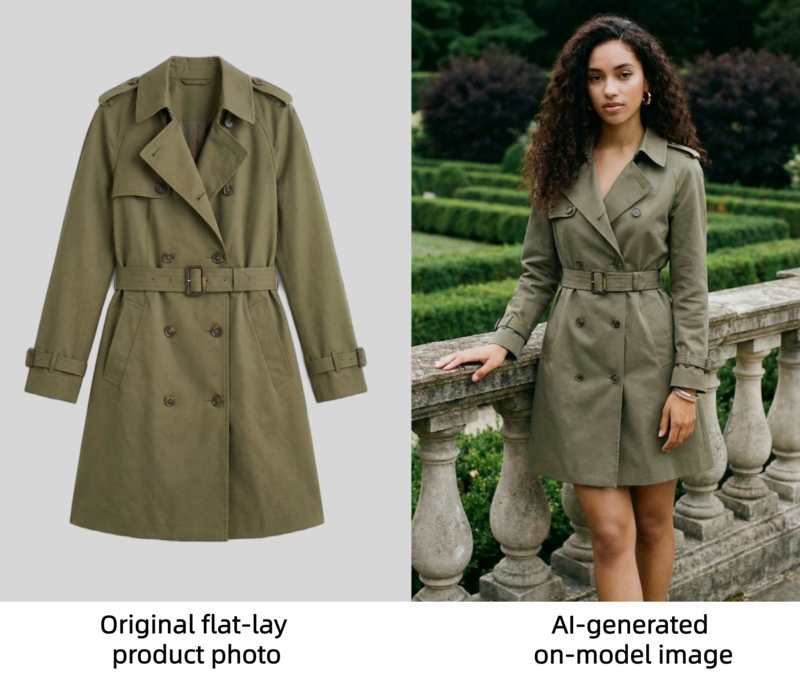
For additional inspiration, platforms like Fashion Diffusion also show how AI can generate photo-realistic clothing visuals across different body types and sizes. Below is a direct comparison: the texture of the clothing in the AI-generated on-model image clearly captures the details from the flat lay image.

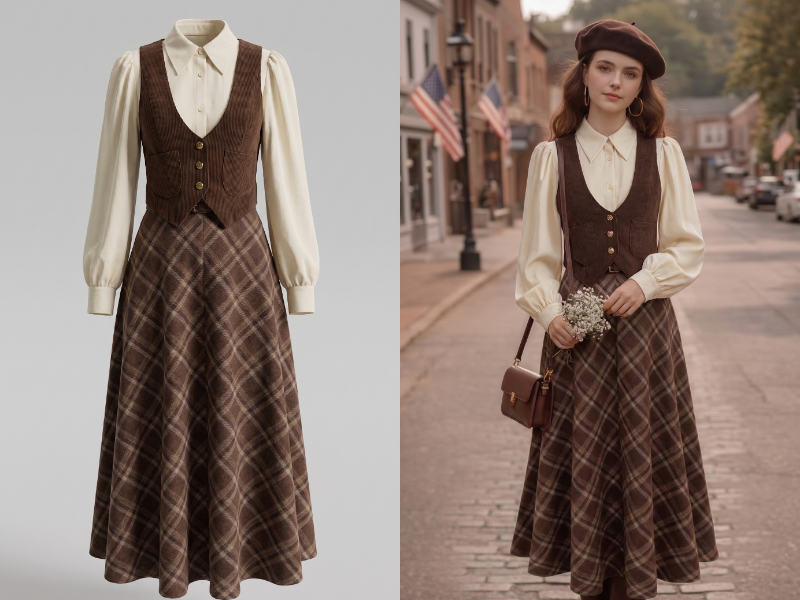
A comparison showing an original flat-lay product photo of a trench coat next to an AI-generated on-model image.

Supported Garment Types

AI virtual try-on tools now support a wide range of fashion categories, including:

  • dresses;
  • tops and blouses;
  • T-shirts and hoodies;
  • jackets and coats;
  • pants and denim;
  • skirts;
  • knitwear;
  • activewear;
  • two-piece sets.

Many tools also work well with:

  • ghost mannequin photos;
  • flat-lay images;
  • clean white-background product photos.

This makes AI clothing photography especially practical for fashion brands, Shopify sellers, and marketplace stores.

Step-by-Step: How to Create AI Model Photos for Clothing with Fashion Diffusion

Now that you’ve seen how simple AI virtual try-on can be, let’s walk through the actual process step by step.

Using Fashion Diffusion, you can turn a flat-lay or product image into a professional on-model photo online in just a few clicks.

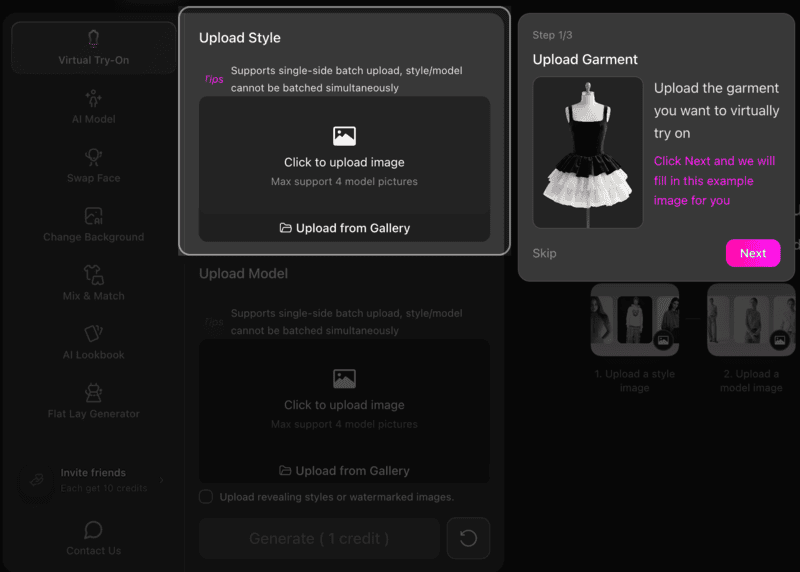
Step 1: Upload Your Product Image

Start by uploading a clear product photo.

For the best results, use:

  • a flat-lay image;
  • a ghost mannequin image;
  • a clean white-background product photo.
Interface of Fashion Diffusion showing the Upload Garment step for virtual try-on.

Make sure the garment is fully visible and front-facing. High-resolution images with clear fabric details will help the AI preserve texture, shape, and fit more accurately.

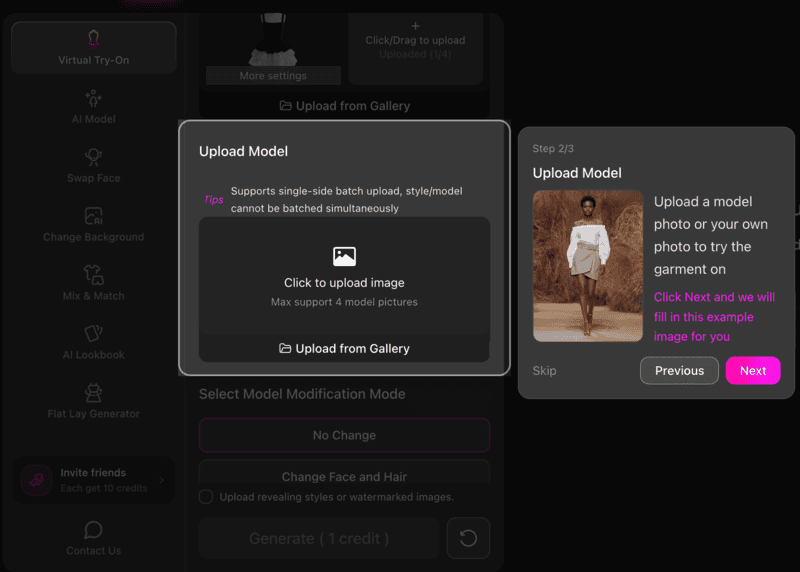
Step 2: Select a Model

Next, choose the model image or model style you want to use.

This is where the AI virtual try-on workflow becomes especially useful for e-commerce sellers.

You can quickly test:

  • different poses;
  • body types;
  • genders;
  • campaign aesthetics.
Interface of Fashion Diffusion showing the Upload Model step to select a model for the garment.

This makes it easy to create visuals for different audiences without reshooting the product.

Step 3: Generate the On-Model Result

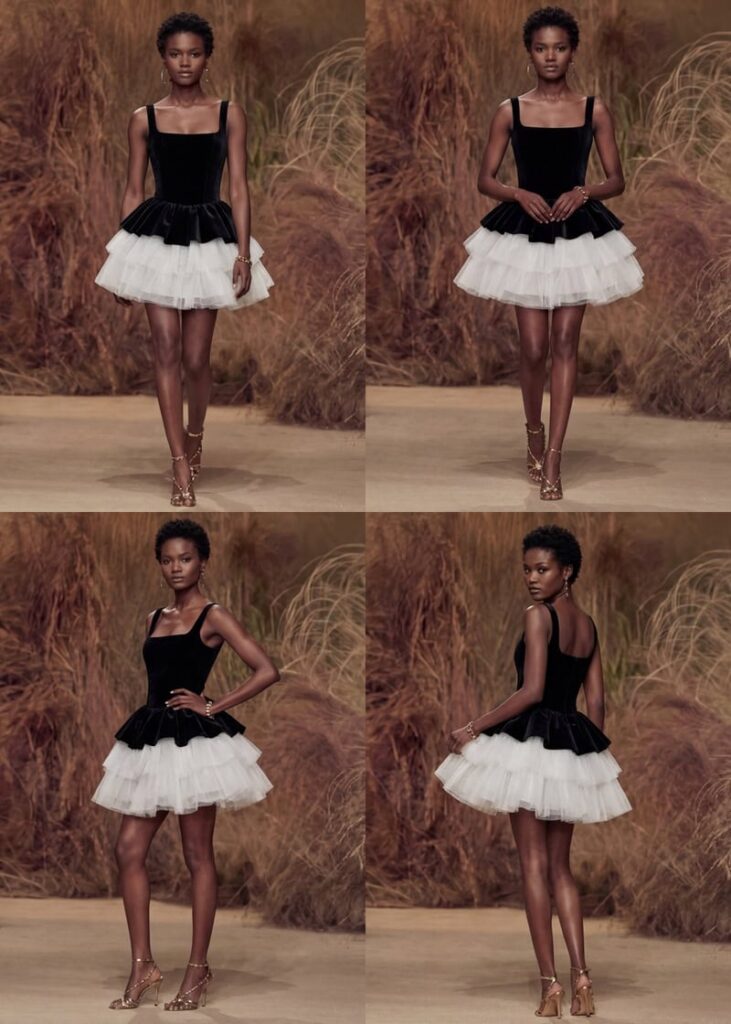
Once both images are uploaded, click generate. You may choose the generation mode before. Generating a single image or a set of 4 business photos with different angles is supported.

The AI will automatically place the garment onto the selected model and create a realistic on-model image. In most cases, the result is ready within seconds.

A set of AI-generated professional photos showing a black and white dress on a model from different angles.
Fashion Diffusion AI-generated

This is one of the fastest ways to try on clothes online for product photography and catalog creation.

Tips for Better Results

To get the most realistic output from an AI fashion photography tool, keep these best practices in mind:

  • Use bright, evenly lit product images;
  • Keep the clothing centered;
  • Avoid folded garments;
  • Preserve sleeves, collars, and hems clearly;
  • Use clean background images.

The better the input, the more realistic the generated model photo will look.

Step 4: Refine and Export

After generation, review the output and make any necessary refinements.

For example, you may want to:

  • Adjust the fit;
  • Improve garment alignment;
  • Regenerate with another model;
  • Create multiple angles for listing pages.

If you need more precise control, Fashion Diffusion also offers advanced features such as Style Fusion, AI Inpainting, and Recolor, allowing you to further refine the styling, modify specific garment details, or test different color variations until the final result matches your expectations.

Once satisfied, export the image for use across Shopify, Amazon, TikTok Shop, social ads, and PDP pages.

Best Use Cases for AI Virtual Try-On in E-Commerce

AI-generated on-model fashion photos without photographers are particularly valuable for e-commerce sellers who need professional-looking product visuals without the cost and complexity of traditional photography. Here’s who benefits most:

Small e-commerce brands with limited photography budgets

For new or boutique brands, hiring models and booking studios for every SKU can be expensive. AI virtual try-on lets these sellers create professional on-model images at a fraction of the cost, helping them compete with larger retailers visually.

Independent sellers looking to scale quickly

Independent sellers often launch new products frequently. Traditional photography can’t keep up, but AI tools enable sellers to generate multiple on-model images in minutes. Today, many AI platforms specifically support sellers on marketplaces by turning a single product photo into multiple on-model images within minutes.

Stores with multiple SKUs or color variants

Fashion items often come in multiple colors and styles, each requiring separate photography. AI virtual try-on makes it easier to generate consistent visuals across all variants without photographers. Platforms built for large fashion catalogs now specifically position this as a solution for scaling product imagery.

Marketing and social media campaigns

AI-generated on-model images are also ideal for social media, lookbooks, and ad campaigns. Brands can quickly produce content for different platforms without scheduling multiple photoshoots, maintaining consistent style and quality.

Start Creating High-Converting On-Model Photos Today

Creating high-converting fashion product images no longer needs to involve expensive photoshoots, model bookings, and long production timelines.

With AI virtual try-on, e-commerce sellers can now turn flat-lay product photos without models into realistic on-model images in minutes.

Whether you are a growing Shopify brand, an independent marketplace seller, or a team managing large-scale product launches, AI clothing photography offers a faster, more scalable way to produce professional visuals that help drive clicks, conversions, and customer confidence.

If you are ready to create on-model fashion photos without photographers, now is the perfect time to explore AI virtual try-on. Try Fashion Diffusion’s AI fashion photography tool today, and see how quickly you can transform a single product image into high-quality virtual model photos e-commerce for your store, ads, and social campaigns!

FAQ

Do AI-generated model photos work for e-commerce stores?

Yes, AI-generated model photos work extremely well for e-commerce. They are widely used for Shopify stores, Amazon listings, TikTok Shop, and other online marketplaces. By showing how garments fit and drape on a real or virtual model, these images help customers better visualize the product, which can improve conversions.

What types of clothing can be used with AI virtual try-on?

AI virtual try-on tools support a wide range of clothing categories, including dresses, tops, T-shirts, hoodies, jackets, pants, skirts, knitwear, and activewear. In most cases, any product with a clear front-facing image and visible garment details can be used.

How long does it take to generate an AI on-model photo?

In most cases, generating an AI on-model image takes only a few seconds to a few minutes, depending on the platform and the selected output mode. Some tools like Fashion Diffusion also allow you to generate multiple professional business photos with different angles in a single workflow, which further speeds up catalog production.

Can I edit the AI-generated fashion photos after creation?

Yes. After the initial image is generated, you can continue refining the result using advanced features. These features allow you to adjust the fit, improve garment alignment, modify specific design details, and test multiple color variations until the final output meets your expectations.

Is AI virtual try-on better than traditional fashion photography?

For many e-commerce sellers, AI virtual try-on is often the more practical option. It is faster, more scalable, and significantly more affordable than traditional photoshoots, especially for brands managing multiple SKUs and frequent product launches. While traditional photography may still be suitable for campaign-level editorial content, AI is often the better solution for everyday product listings and catalog expansion.

Avatar photo 通过Sophia Mille

Master AI Prompts for Fashion Photography: 12 Examples to Elevate Your Visuals

Why wait for the perfect shoot when you can generate it? Skip the costly production and go straight to the “wow” factor with our AI fashion photography prompts. Using Fashion Diffusion’s AI outfit generator, content creators and designers can experiment with wild ideas and high-fashion looks without any barriers. Ready to transform your creative process? Let’s dive in.

What is Fashion Photography

Fashion photography is all about telling a story through clothing—it captures mood, identity, and style in a single frame. But behind those polished images, traditional shoots often require large budgets, full teams, and hours (or even days) of coordination just to get one perfect shot.

That’s where things start to shift. In a fast-moving digital world, brands and creators don’t always have the time or resources for that kind of process. The demand for faster content, constant experimentation, and lower production costs has made traditional photography feel increasingly limiting.

What are AI Prompts for Fashion Photography

AI prompts for fashion photography are detailed text instructions that guide tools like an AI outfit generator to create visuals from scratch. Today, creators can even design fashion clothes with AI before turning those ideas into full visuals, making the entire process more flexible and accessible.

Instead of setting up a studio, you simply describe the outfit, lighting, pose, and mood—and the AI builds the image for you.

The biggest advantage? Speed and freedom. You can test multiple concepts in minutes, explore styles that would be impossible (or too expensive) to shoot in real life, and refine ideas without starting from zero every time. It turns fashion photography from a production process into a creative playground.

When should you Use AI Fashion Photography

AI fashion photography isn’t just a replacement—it’s a smarter way to create, test, and explore ideas before committing to a full shoot. Here are a few moments where it really shines:

  • Concept Testing Before Production: Quickly visualize ideas before investing in a real photoshoot. It’s perfect for testing styles, colors, and creative directions without the upfront cost.
  • Social Media & Content Creation: Need fresh visuals consistently? AI helps you generate scroll-stopping fashion images in minutes, keeping your content pipeline consistent and on-trend.
  • Lookbook & Campaign Mockups: Create draft versions of campaigns or lookbooks to present ideas to clients or teams before final production.
  • Creative Experimentation: Try bold concepts—futuristic outfits, surreal environments, or unusual lighting—that would be difficult or expensive to achieve in real life.
  • E-commerce & Quick Visual Assets: Generate clean, styled product visuals without setting up a full studio, especially useful for small brands or early-stage collections.

12 AI Prompts for Fashion Photography

Here are 12 diverse and detailed AI prompts you can use with Fashion Diffusion’s AI Outfit Generator to create stunning fashion visuals. Each prompt focuses on a different style, mood, or concept—perfect for experimenting and inspiring your own creative visuals.

1. High-Fashion Editorial Studio

Style: Bold, editorial look suitable for magazines.
This style emphasizes drama, elegance, and visual storytelling. It focuses on striking poses, exaggerated garments, and controlled studio lighting to create images that feel cinematic and magazine-ready.

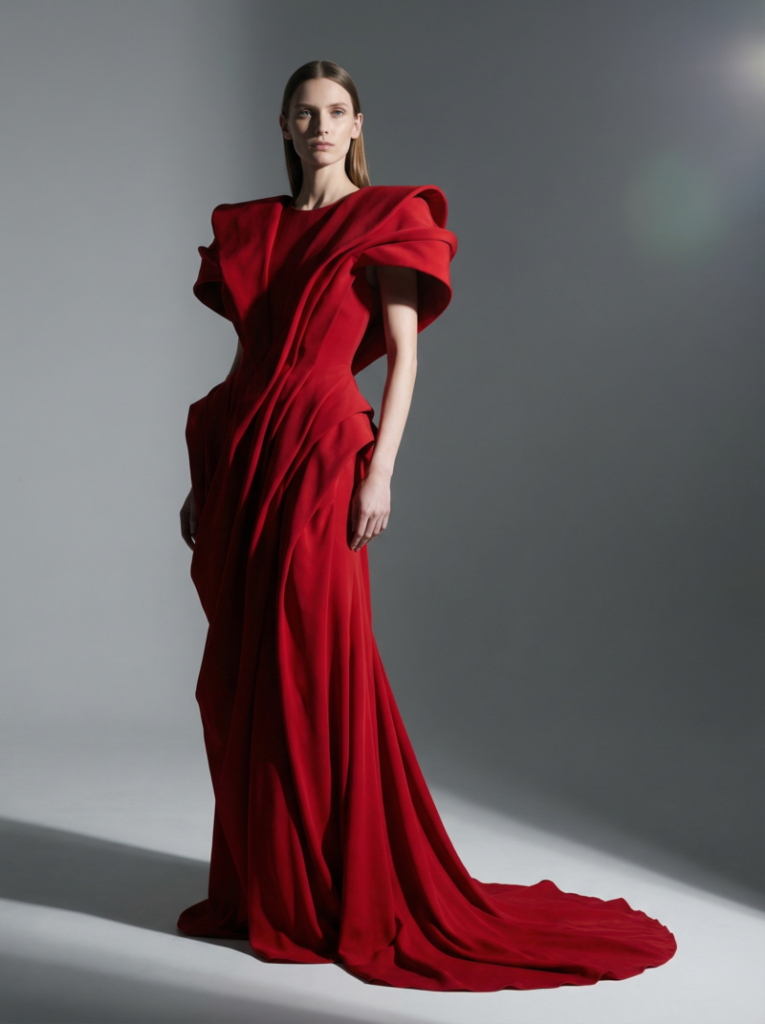
Female model wearing a dramatic red avant-garde gown with exaggerated shoulders, captured in a minimalist studio with sharp studio lighting and a gray background, fashion editorial style.
Fashion Diffusion AI-generated

Prompt: “A tall female model posing in a minimalist studio, wearing a dramatic avant-garde red gown with exaggerated shoulders and flowing fabric, sharp studio lighting highlighting textures, neutral gray background, cinematic shadows, full-length shot, glossy high-fashion editorial style, 85mm lens, shallow depth of field, subtle lens flare.”

2. Streetwear Candid Urban

Style: Casual street fashion, urban vibe.
Streetwear photography captures the energy of everyday urban life, highlighting casual clothing, dynamic movement, and authentic street settings. The mood is lively, approachable, and trend-focused, often using natural light and candid poses.

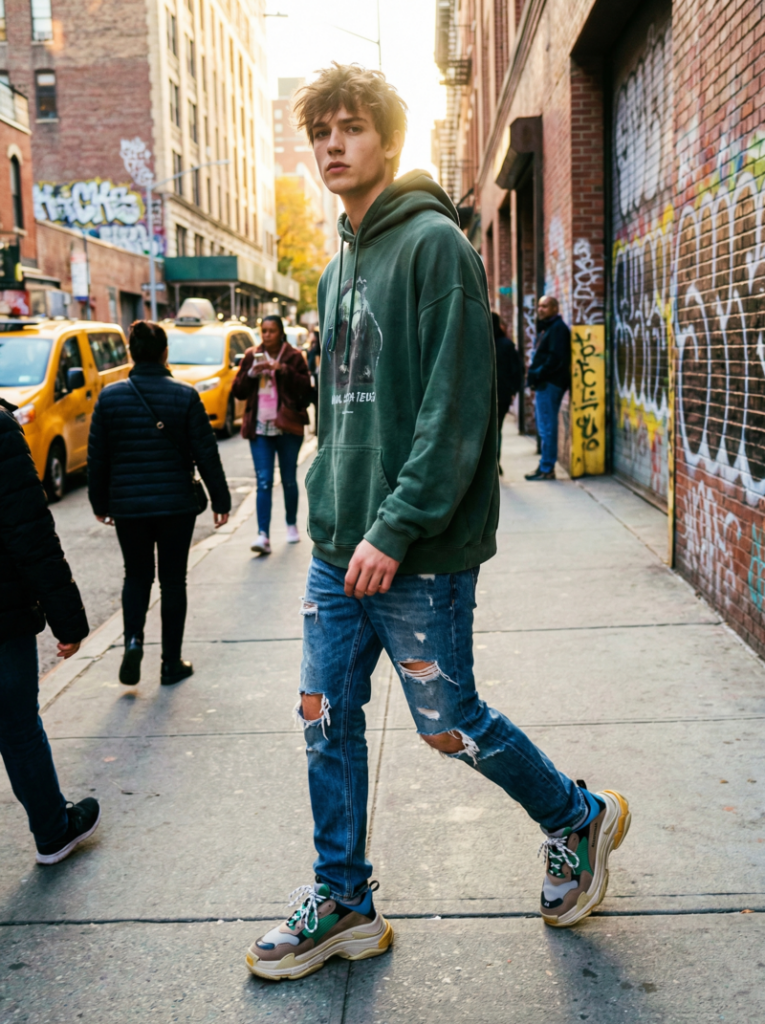
Young male model walking in an urban street, dressed in an oversized hoodie, distressed jeans, and chunky sneakers, with vibrant graffiti walls and natural sunlight highlighting the scene
Fashion Diffusion AI-generated

Prompt: “Young male model walking on a busy city street, wearing oversized hoodie, distressed jeans, chunky sneakers, natural daylight, urban graffiti walls in the background, candid photography style, slight motion blur, low-angle shot, vibrant colors, lens flare from sun, capturing a dynamic streetwear mood.”

3. Vintage 90s Throwback

Style: Retro fashion inspired by the 1990s.
This style brings nostalgia with iconic 90s clothing, colors, and accessories. The images often have warm tones, soft film-like textures, and playful poses reminiscent of the era’s fashion photography.

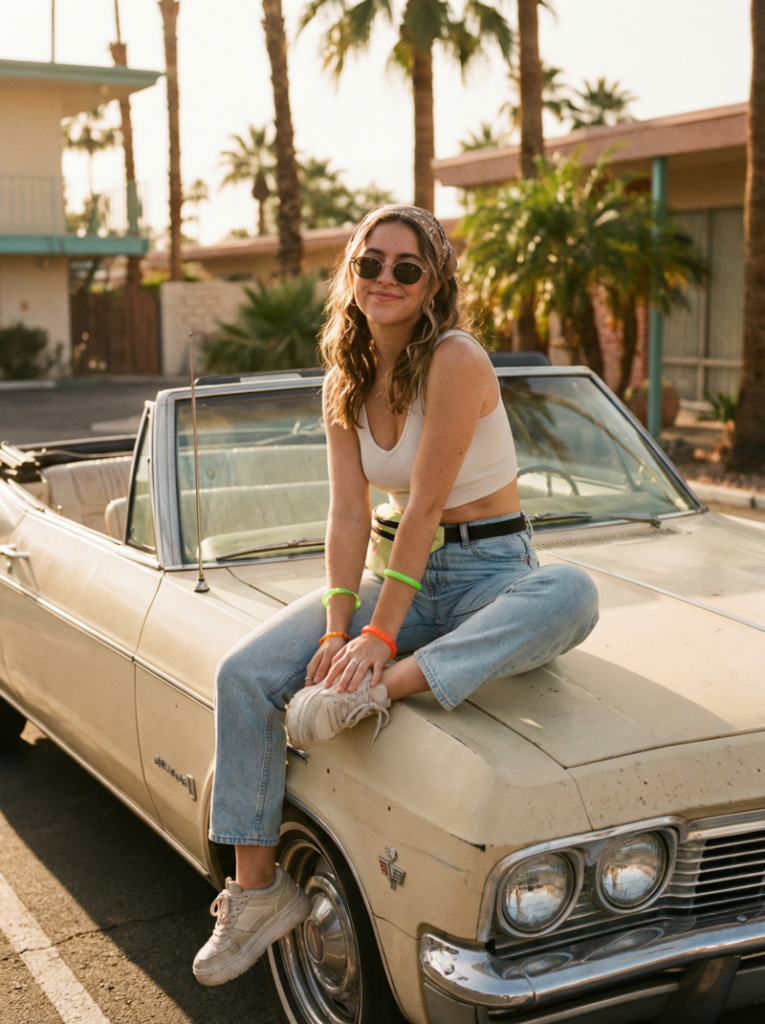
Female model sitting on a vintage convertible car, wearing high-waist denim jeans, crop top, and platform shoes, with a retro 90s vibe and sunlit afternoon setting.
Fashion Diffusion AI-generated

Prompt: “Female model sitting on a vintage convertible car, wearing high-waist denim jeans, crop top, platform shoes, bright neon accessories, sunlit afternoon, retro 90s film photography look, warm color grading, slightly grainy texture, soft natural shadows, 50mm lens, playful pose.”

4. Futuristic Cyberpunk

Style: Sci-fi, edgy, neon-soaked fashion.
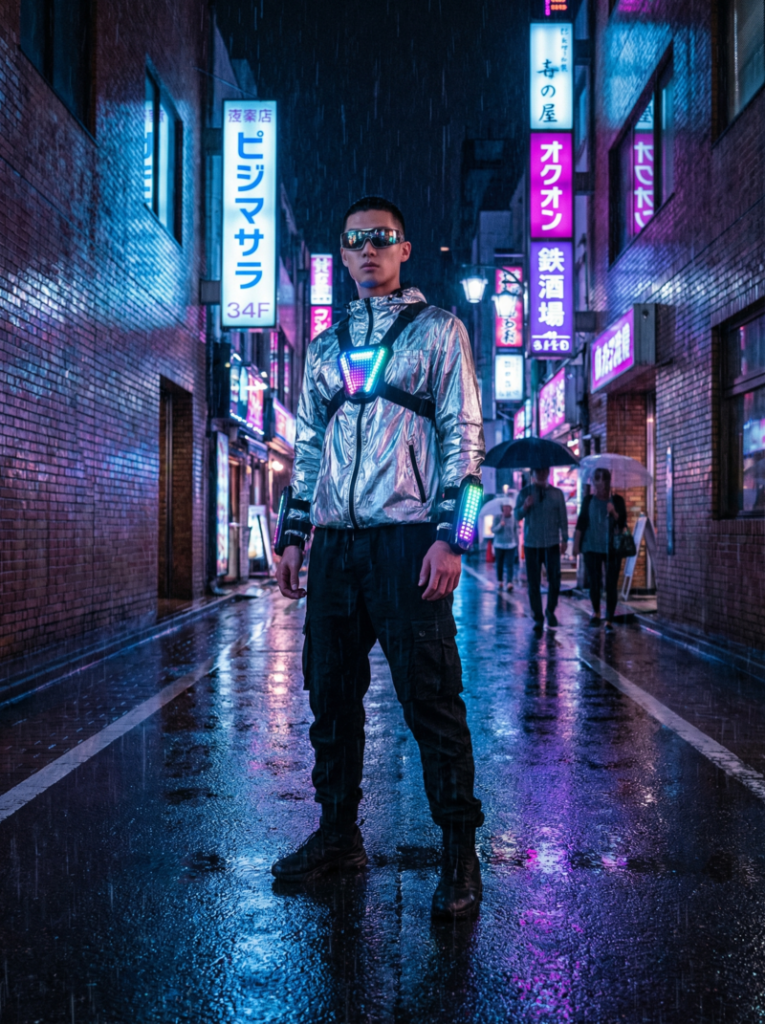
Cyberpunk fashion combines high-tech aesthetics with gritty urban environments. Neon lights, reflective fabrics, and dramatic contrasts create a futuristic, edgy, and highly stylized look.

Male model standing under neon lights in a rainy cyberpunk city alley, dressed in a metallic silver jacket, black cargo pants, with reflective sunglasses and dramatic lighting.
Fashion Diffusion AI-generated

Prompt: “Male model standing under neon signs in a rainy city alley, wearing metallic silver jacket, black cargo pants, reflective sunglasses, cyberpunk accessories, blue and magenta neon reflections, dramatic wet street reflections, cinematic wide-angle, moody lighting, futuristic high-fashion editorial.”

5. Luxury Runway Glamour

Style: High-end couture, classic runway look.
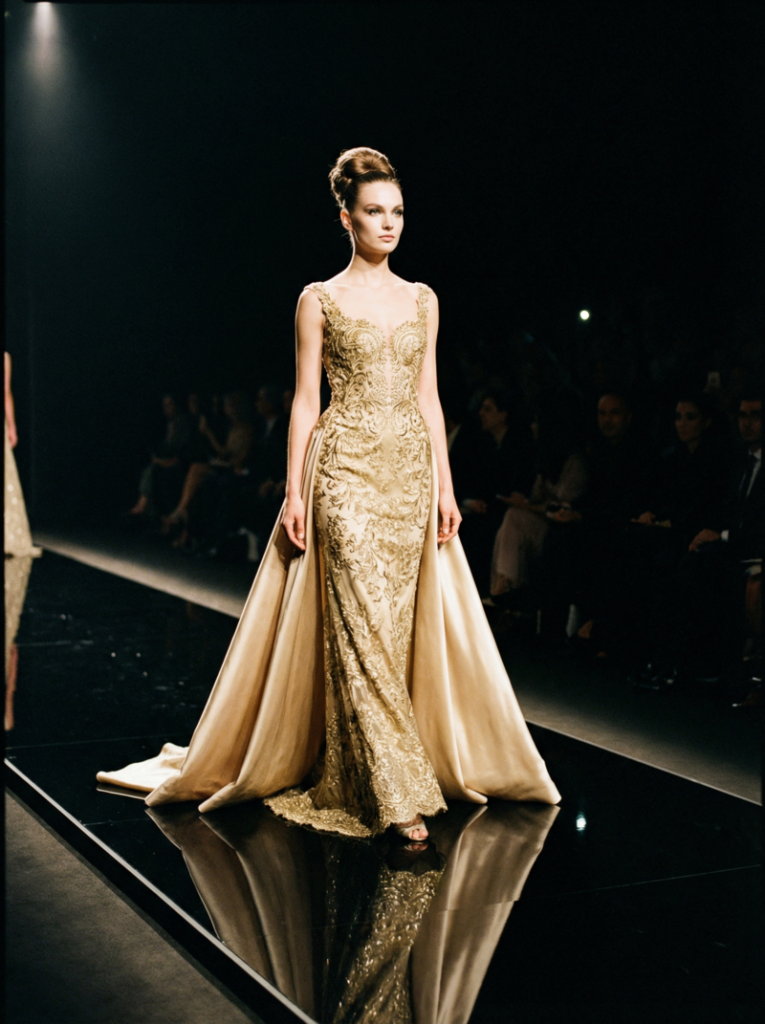
This style focuses on elegance, sophistication, and luxury. The garments are opulent, the lighting is dramatic, and the composition emphasizes grace, posture, and the exclusivity of high-fashion runway imagery.

Female model walking down a luxurious runway in a gold-embroidered gown with a silk train, spotlight on the model with a dark audience silhouette in the background.
Fashion Diffusion AI-generated

Prompt: “Female model walking down an opulent runway, wearing gold embroidered gown with silk train, elegant updo hairstyle, spotlight on model, dark background with subtle audience silhouettes, glossy runway reflection, dramatic high-fashion lighting, full-length shot, sophisticated and glamorous mood.

6. Minimalist Studio Portrait

Style: Clean, simple, modern minimalism.
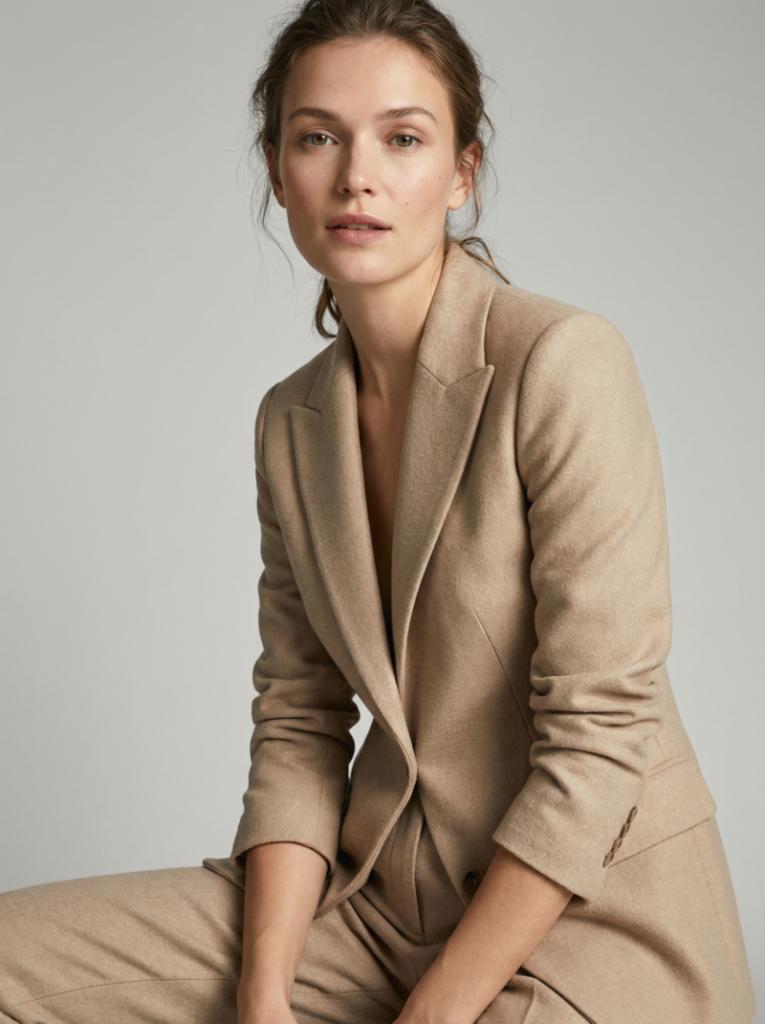
Minimalist fashion photography strips away distractions to highlight the outfit and model. Soft, diffused lighting, neutral backgrounds, and straightforward compositions emphasize clean lines, textures, and modern style.

Close-up portrait of a female model in a white studio, wearing a sleek beige blazer and tailored trousers, with soft diffused lighting highlighting her natural beauty and minimalist style.
Fashion Diffusion AI-generated

Prompt: “Close-up of a female model in a white studio, wearing a sleek beige blazer and tailored trousers, soft diffused light, neutral seamless background, minimal makeup, sharp focus on face and outfit details, high-resolution fashion photography, natural pose, contemporary editorial style.”

7. Bohemian Outdoor

Style: Free-spirited, nature-inspired fashion.
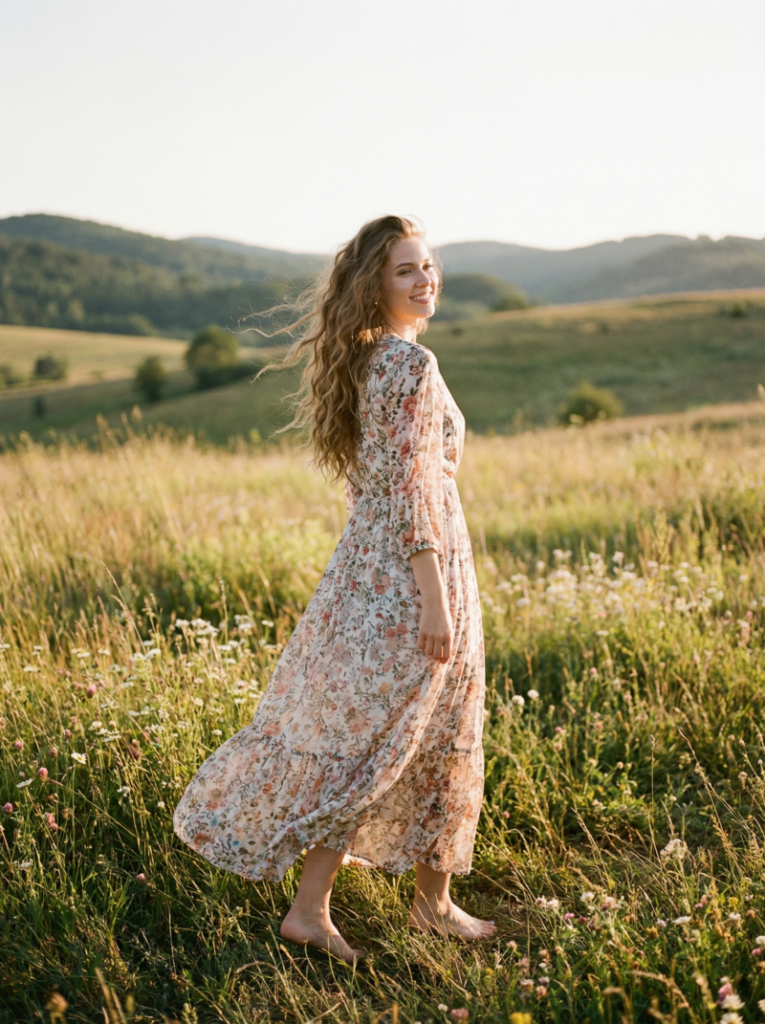
Bohemian fashion photography captures a carefree and romantic mood. Flowing garments, natural settings, and warm sunlight create a dreamy, relaxed, and earthy aesthetic.

Female model standing in a sunlit meadow, wearing a flowy floral maxi dress, barefoot, with long wavy hair, captured during golden hour with a warm, bohemian vibe.
Fashion Diffusion AI-generated

Prompt: “Female model in a flowy floral maxi dress standing in a sunlit meadow, barefoot, long wavy hair, golden hour light, soft wind movement, natural shadows, candid lifestyle fashion photography, warm earthy tones, wide-angle shot capturing landscape and outfit, bohemian romantic vibe.

8. Avant-Garde Conceptual

Style: Experimental, artistic, imaginative fashion.
Avant-garde photography pushes boundaries and explores abstract ideas. It often uses unconventional garments, props, and poses to create striking, artistic, and thought-provoking visuals.

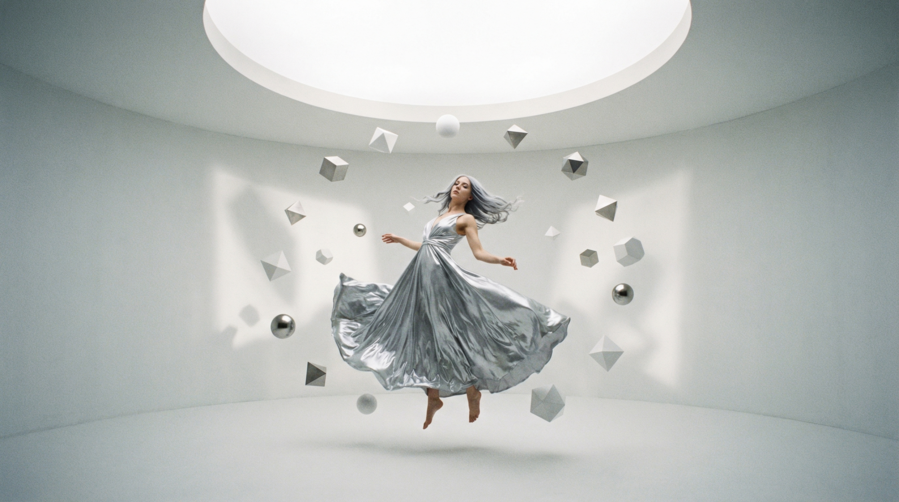
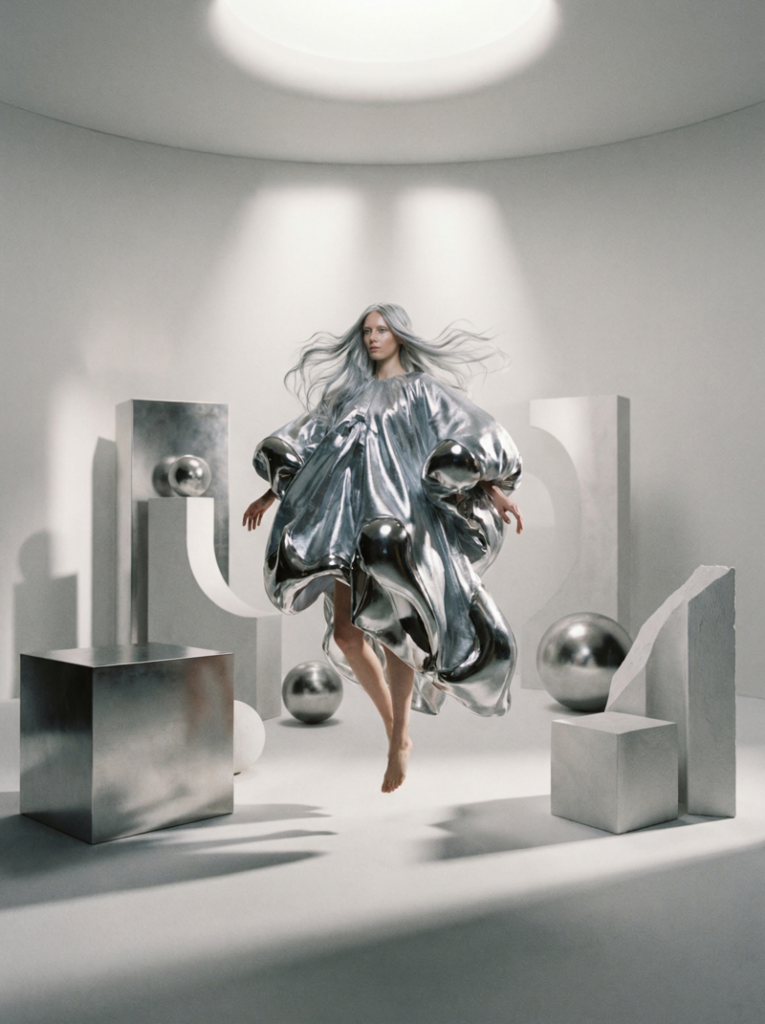
Female model in a surreal, abstract white room, wearing an oversized sculptural metallic garment, surrounded by geometric props and soft spotlighting for an avant-garde fashion look.
Fashion Diffusion AI-generated

Prompt: “Female model floating in a surreal white room, wearing oversized sculptural garment made of metallic fabric, abstract geometric props around, soft spotlighting creating dramatic shadows, ethereal fashion photography, futuristic avant-garde styling, full-body shot, high-detail textures, artistic editorial concept.”

9. Beach Resort Summer

Style: Light, breezy, vacation-ready fashion.
This style is bright, relaxed, and vibrant. The focus is on light fabrics, warm sunlight, and natural landscapes, evoking a carefree summer or holiday vibe.

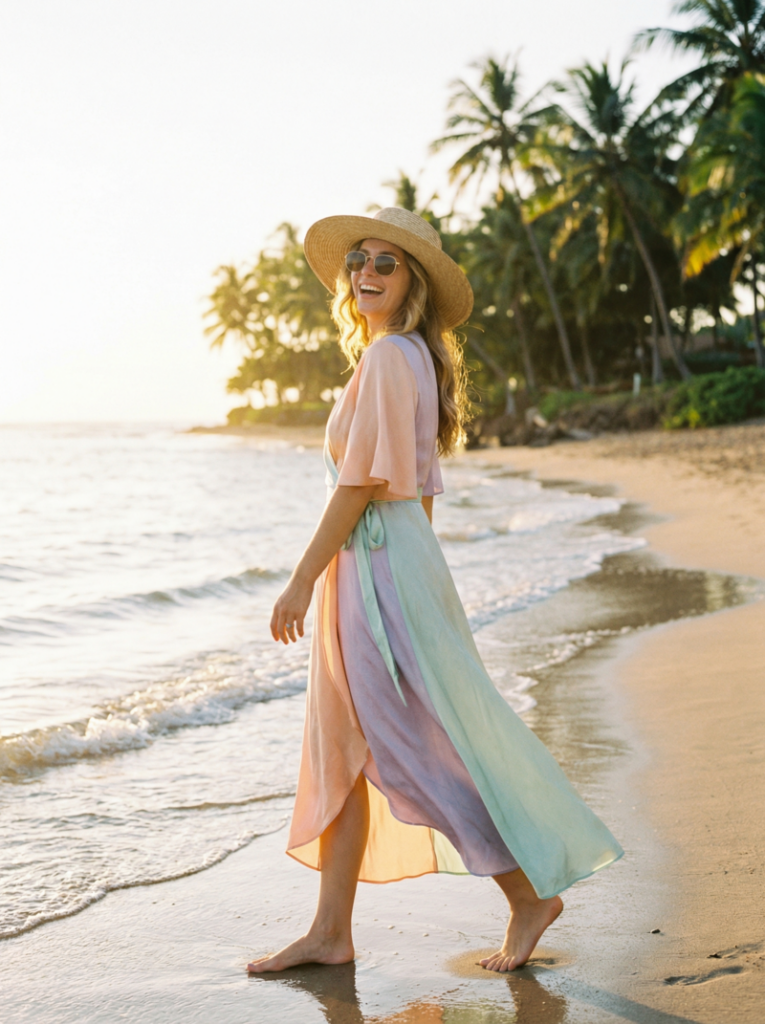
Female model walking along a tropical beach in a pastel-colored silk wrap dress, wearing a straw hat and sunglasses, with the sun casting a warm glow on the ocean background.
Fashion Diffusion AI-generated

Prompt: “Female model walking along a tropical beach, wearing a pastel-colored silk wrap dress, straw hat, sunglasses, sunlit afternoon, gentle ocean waves in the background, soft natural lighting, golden hour highlights, candid lifestyle photography, relaxed summer vibe, 35mm lens.”

10. Dark Moody Portrait

Style: Gothic, mysterious, cinematic.
Dark, moody fashion photography uses shadows, contrast, and muted tones to create dramatic, intense, and emotionally charged imagery. The aesthetic often feels cinematic or storytelling-focused.

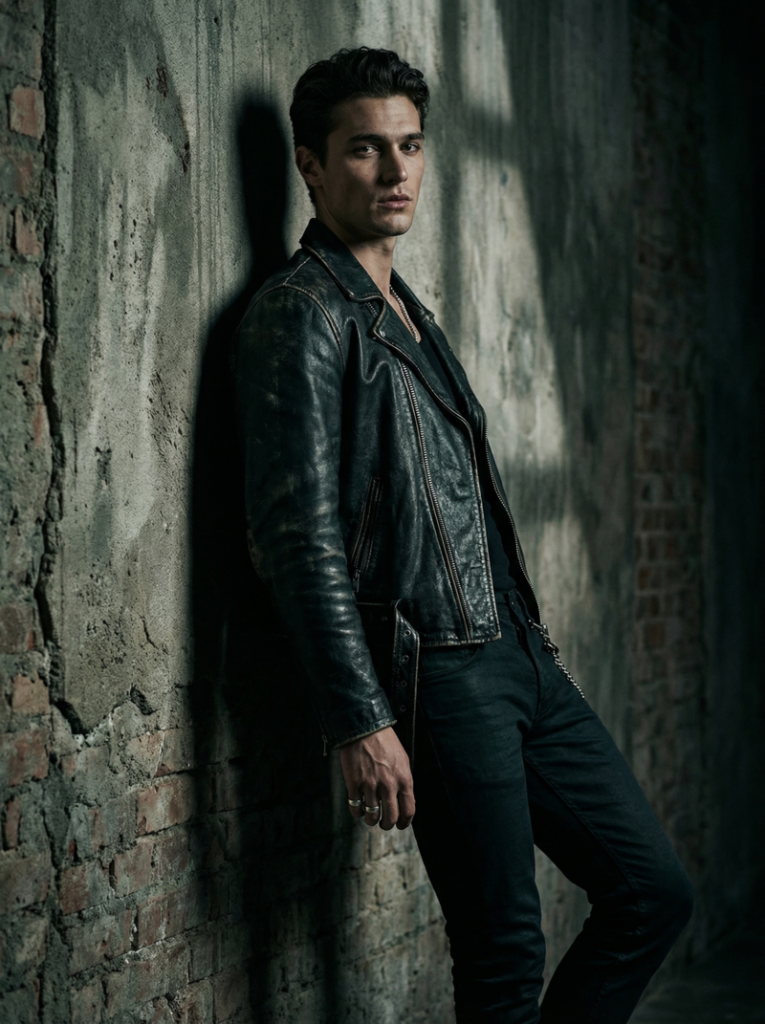
Male model leaning against a textured wall in dim light, wearing a black leather jacket and fitted trousers, with dramatic shadows and moody lighting creating a gothic, cinematic feel.
Fashion Diffusion AI-generated

Prompt: “Male model leaning against a textured wall in dim light, wearing black leather jacket, fitted trousers, subtle accessories, dramatic shadows, moody cinematic lighting, deep contrast, high-detail textures, close-up fashion portrait, mysterious high-fashion editorial style.”

11. Cultural Fusion Fashion

Style: Blending traditional and modern fashion elements.
This style combines heritage garments or motifs with contemporary silhouettes and styling. The result is visually rich, culturally inspired, and modernly wearable fashion photography.

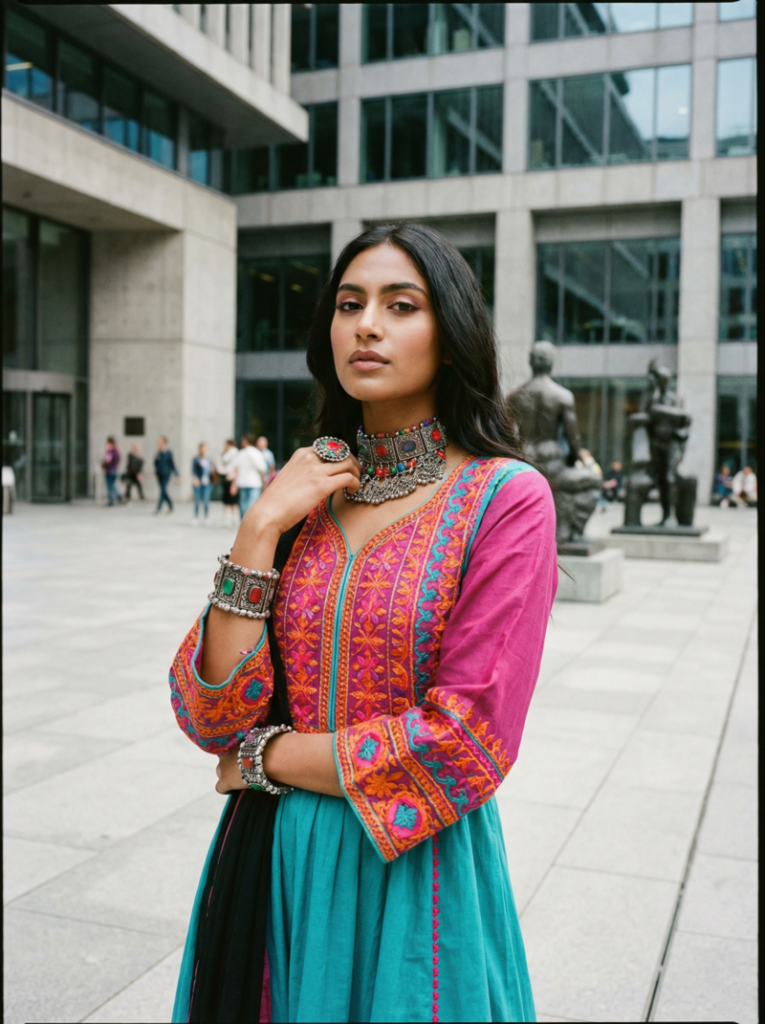
Female model in an urban square, wearing a modern dress inspired by South Asian traditional embroidery, with bold accessories and a mix of vibrant colors, blending cultural influences with contemporary style.
Fashion Diffusion AI-generated

Prompt: “Female model posing in a modern urban square, wearing a contemporary dress inspired by South Asian traditional embroidery, bold accessories, vibrant colors, soft natural daylight, medium shot capturing outfit details, fashion editorial photography style, cultural fusion aesthetic, stylish and eye-catching.”

12. Athleisure Action Shot

Style: Sporty, dynamic, energetic fashion photography.
Athleisure photography captures movement, energy, and casual sporty style. It highlights functional clothing in dynamic poses, often outdoors or in urban environments, conveying vitality and modern lifestyle.

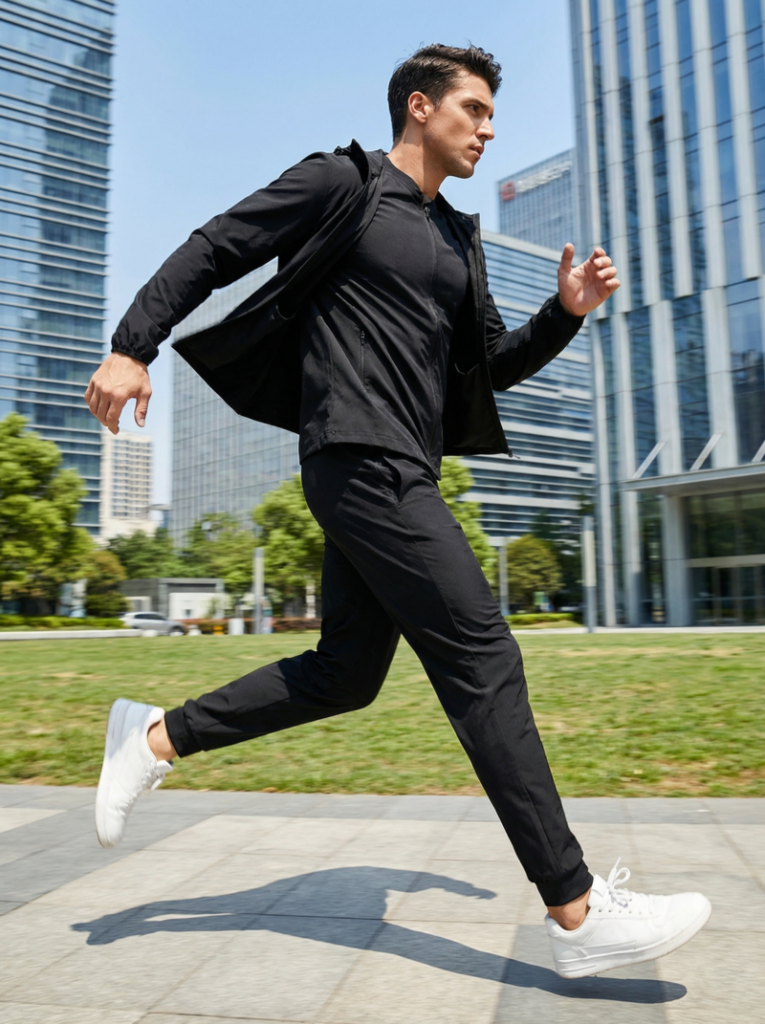
Male model running in a city park, wearing a sleek black tracksuit and white sneakers, with dynamic motion blur and bright daylight highlighting his energetic athleisure outfit.
Fashion Diffusion AI-generated

Prompt: “Male model in a sleek black tracksuit and white sneakers running in a city park, wide-angle shot in bright daylight, dynamic motion blur, modern urban background; energetic athleisure fashion photography emphasizing sharp focus on movement and fabric flow, capturing outfit details and action.”

How to Write Better AI Prompt

Writing a good prompt isn’t about being fancy—it’s about being clear and intentional. The more specific you are, the better your result will match your vision. Here are some practical tips you can apply right away:

  • Be Specific with Details: Instead of saying “a model in a dress”, describe the fabric, color, fit, and styling. Small details like “silk”, “oversized”, or “structured” make a huge difference.
  • Describe the Lighting Clearly: Lighting sets the entire mood of the image. Use terms like “soft diffused light”, “golden hour”, or “dramatic studio lighting” to guide the AI.
  • Include Camera & Composition: Mention angles and lenses such as “low-angle shot”, “close-up portrait”, or “85mm lens”. This helps create more realistic, photography-style results.
  • Define the Mood or Aesthetic: Words like “Moody”, “minimalist”, “editorial”, or “cinematic” help shape the overall feeling of the image. Think about how you want the viewer to feel.
  • Layer Your Prompt (Don’t Keep it Flat): Combine multiple elements: outfit + environment + lighting + mood. This creates richer, more visually interesting outputs.
  • Iterate and Refine: Don’t expect perfection in one try. Adjust your prompt step by step—change lighting, tweak styling, or refine the setting to improve results.
  • Avoid Being Too Vague: Prompts like “cool outfit” or “nice background” won’t give strong results. The AI needs direction, so clarity always beats simplicity.

From Idea to Image: Why AI Prompts Matter

AI is changing how fashion visuals are created—but the real power lies in how you describe your ideas. Strong AI prompts for fashion photography give you control over every detail, from styling to lighting to mood, without the usual limits of time, budget, or location.

With Fashion Diffusion’s AI Outfit Generator, what used to take an entire tea, can now start with a single sentence. You can explore more ideas, iterate faster, and bring concepts to life almost instantly.

At the end of the day, it’s not about replacing creativity—it’s about unlocking more of it. The better your prompts, the closer your vision becomes reality.

FAQ

Can AI replace traditional fashion photography?

Not entirely. AI is best used for concept creation, experimentation, and fast content generation, while traditional photography still plays a role in final production and branding.

Do I need design experience to use AI outfit generators?

No. That’s one of the biggest advantages—anyone can create professional-looking fashion visuals with the right prompts.

What is the best way to improve my AI-generated images?

Start by refining your prompts, then iterate. You can also enhance results further using additional tools like editing, recoloring, or detail adjustments.