月度归档 2026年5月15日

Avatar photo 通过Sophia Mille

Botika Alternatives for AI Fashion Photography: Best Tools for Virtual Model Shoots & Ecommerce Campaigns

In recent years, AI-driven visual production has quietly reshaped how fashion brands create campaign imagery, especially for virtual model shoots and ecommerce visuals. Among the tools in this space, Botika has become a well-known option for generating studio-quality fashion photos without traditional photoshoots.

But as brands scale and visual demands become more diverse, many are exploring Botika Alternatives that offer greater flexibility, creative control, and production efficiency for commercial virtual photography workflows.

What is Botika AI

Botika AI is an AI-powered tool that helps fashion brands generate professional model photography without traditional photoshoots. Instead of hiring models, booking studios, and coordinating production teams, brands can create realistic, studio-ready fashion visuals digitally in much less time. It specializes in ecommerce product images and in generating consistent virtual models.

Botika AI is an AI-powered tool that helps fashion brands generate professional model photography without traditional photoshoots.

How Botika Works for Fashion Brands

At its core, Botika simplifies the process of producing fashion campaign visuals. Brands typically upload their product images, and the AI places them onto virtual models in clean, styled environments.

Botika simplifies the process of producing fashion campaign visuals. Brands typically upload their product images, and the AI places them onto virtual models in clean, styled environments.

A typical workflow looks like this:

  • Upload clothing product photos (flat lay or mannequin shots).
  • Select model types, poses, and backgrounds.
  • Generate AI-powered fashion images.
  • Download ready-to-use ecommerce visuals.

This makes it especially useful for brands that need frequent content updates for online stores or seasonal campaigns.

Why Brands Choose Botika

Many fashion ecommerce teams turn to Botika because it removes much of the traditional production friction. Instead of coordinating logistics, they can focus on speed and scalability.

Key advantages include:

  • Faster turnaround compared to traditional photoshoots.
  • Lower production costs for model photography.
  • Consistent visual style across product catalogs.
  • Scalable output for large SKU collections.

For growing brands, this balance between quality and efficiency is often the main reason they adopt AI virtual photoshoot tools.

When Botika Might Not Be Enough

While Botika is effective for standard ecommerce imagery, it can feel limiting in more creative or brand-driven campaigns. As brands evolve, they often look for more flexibility in styling and visual storytelling.

Common limitations include:

  • Less control over highly creative or editorial-style scenes.
  • Limited customization in complex fashion narratives.
  • Visual outputs can feel similar across different brands.
  • Not always ideal for high-concept campaign storytelling.

This is exactly where many teams start exploring Botika alternatives that offer more creative freedom and advanced AI fashion production capabilities.

Key Considerations When Choosing an Alternative

When exploring alternatives to Botika, brands should keep several factors in mind to ensure the tool aligns with their production and creative goals:

  • Customization Options: Look for platforms that let you tweak model appearance, poses, backgrounds, and lighting to match your brand identity.
  • Scalability & Speed: The tool should handle large product catalogs efficiently without compromising visual quality.
  • Creative Flexibility: Consider solutions that support both standard ecommerce shots and more editorial or campaign-driven visuals.
  • Ease of Integration: Seamless compatibility with your existing workflow, design software, ecommerce platforms, or marketing tools can save significant time.

By evaluating alternatives through these lenses, brands can find a solution that combines efficiency with richer creative potential.

Top Botika Alternatives for AI Fashion Photography in 2026

When looking beyond Botika, several AI-powered platforms are emerging as strong options for fashion brands. Among them, Fashion Diffusion stands out for its comprehensive capabilities in commercial virtual photoshoots, while other alternatives offer complementary strengths for specific use cases.

Fashion Diffusion

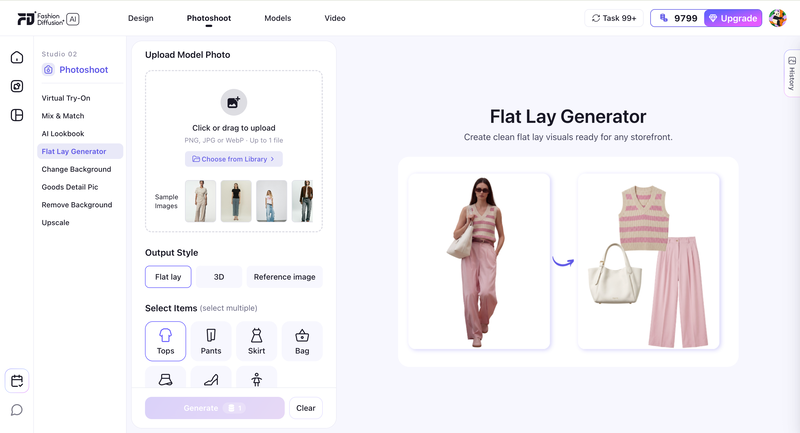
Fashion Diffusion is a leading platform for AI-powered fashion photography, enabling brands to produce professional, high-quality visuals without traditional photoshoots. It supports both AI model generations and realistic on-model fashion photos, helping ecommerce brands scale their content efficiently.

Fashion Diffusion is a leading platform for AI-powered fashion photography, enabling brands to produce professional, high-quality visuals without traditional photoshoots.

Main Features & Highlights:

  • AI Model Generations: Create photorealistic models in multiple poses and outfits.
  • Customizable Styling: Adjust clothing, accessories, and model appearances to match brand aesthetics.
  • Batch Production: Efficiently handle large SKU collections for catalog consistency.
  • Campaign-Ready Outputs: Produce editorial-style visuals, lifestyle setups, and lookbooks.
  • Flexible Backgrounds & Lighting: Simulate studio or natural environments.
  • Virtual Try-On Support: Offer customers interactive virtual try on experiences.
  • Ecommerce Product Shots: Generate polished ecommerce product visuals ready for online stores.
It supports both AI model generations and realistic on-model fashion photos, helping ecommerce brands scale their content efficiently.
Fashion Diffusion AI-generated

Suitable For:

  • Ecommerce brands need consistent, high-quality images.
  • Marketing teams are creating seasonal campaigns or social media content.
  • Creative agencies producing visuals for multiple clients.
  • Brands seeking editorial-style, lifestyle, or interactive imagery.

Pricing:

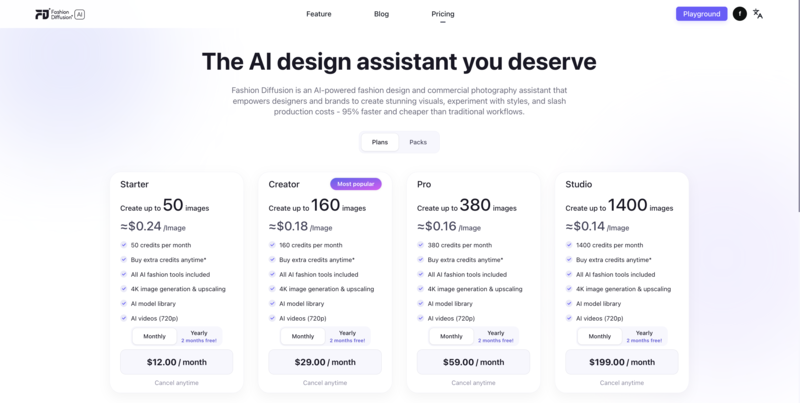
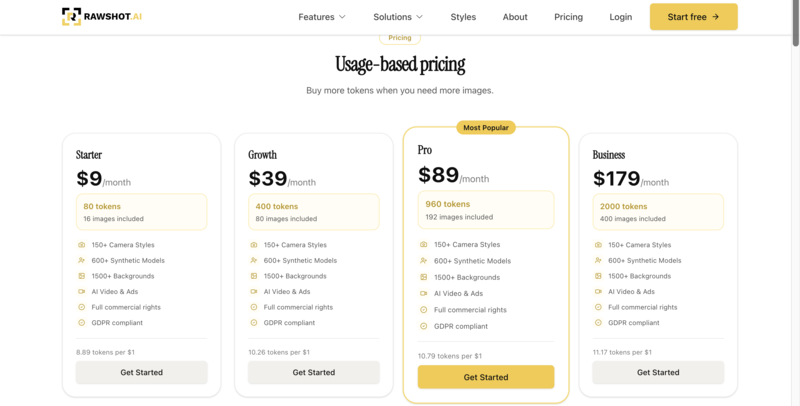
Fashion Diffusion offers subscription-based pricing with tiers depending on image volume, features, and usage needs (details available via platform inquiry)

Fashion Diffusion Pricing

Advantages:

  • Built specifically for AI fashion photography, from clean ecommerce shots to campaign-style visuals.
  • Supports scalable AI model generations for large fashion catalogs and fast campaign production.
  • Produces polished on-model fashion photos without requiring traditional studio shoots.
  • Flexible styling, backgrounds, and lighting controls for more brand-specific visuals.
  • Includes virtual try-on capabilities for brands exploring more interactive shopping experiences.

Disadvantages:

  • Focuses more on AI fashion photography and campaign visuals rather than interactive shopping features.
  • Does not prioritize ultra-simple one-click workflows like some catalog-focused AI tools.

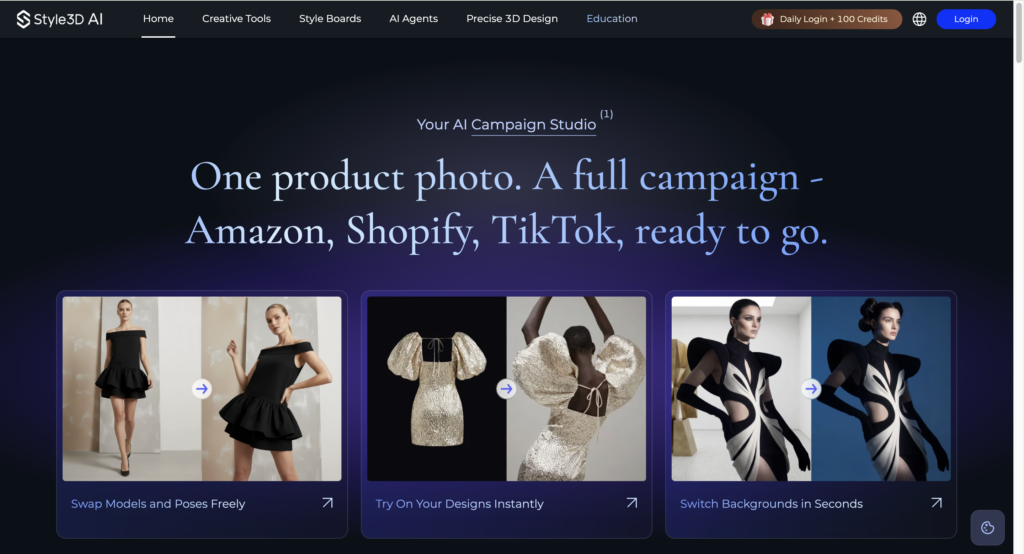
Style3D

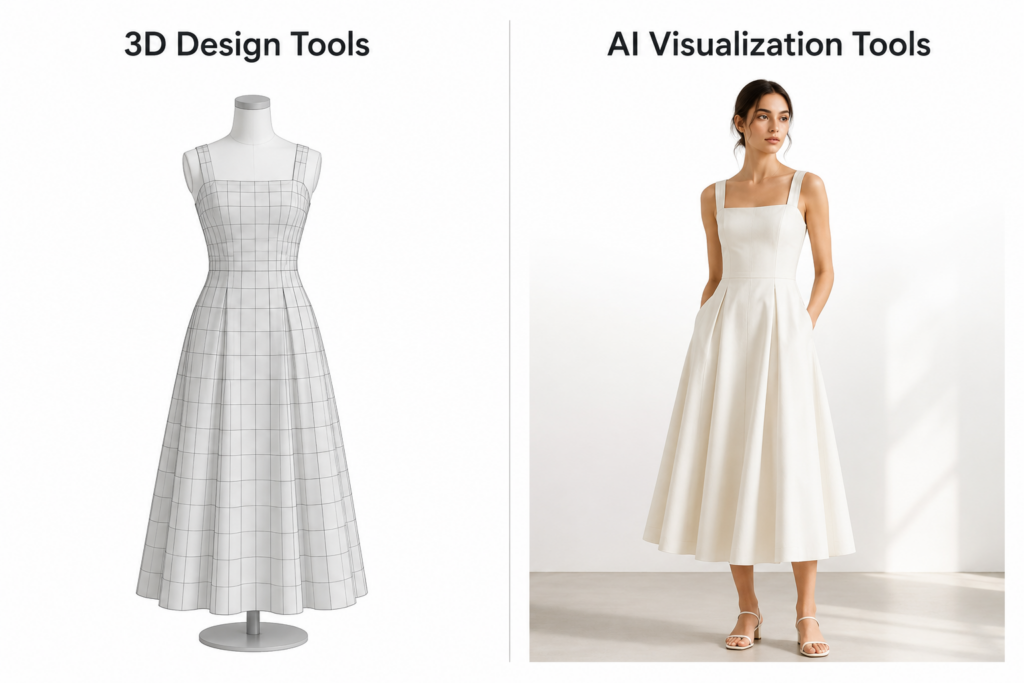
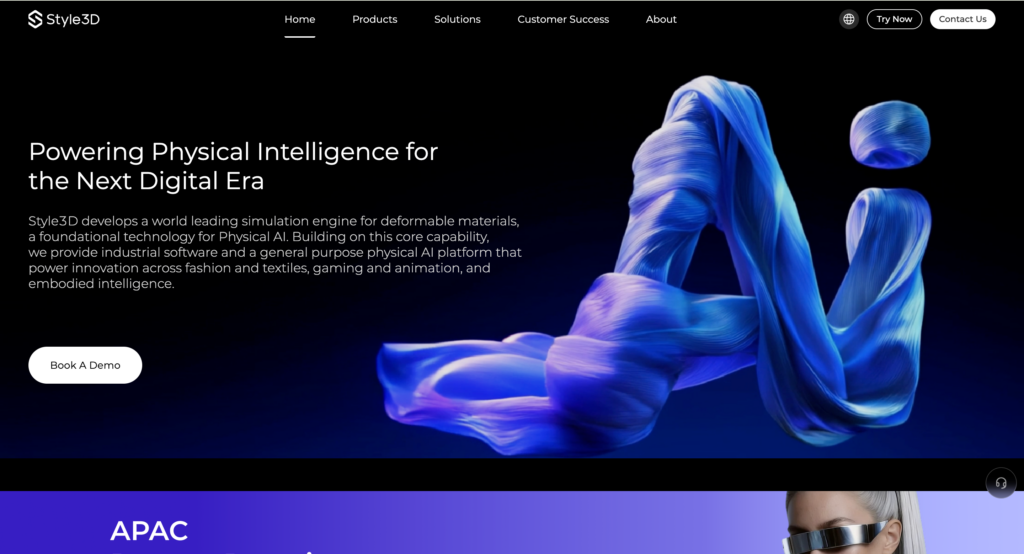
Style3D focuses on precise 3D garment visualization and virtual model control, making it ideal for showing clothing details. Its standout AI photoshoot change pose feature let users adjust model poses quickly, creating versatile product images without reshooting. This makes it a strong choice for brands and designers prioritizing garment accuracy and pose flexibility.

Style3D focuses on precise 3D garment visualization and virtual model control, making it ideal for showing clothing details.

Main Features & Highlights:

  • 3D Garment Simulation: Realistic folds, drapes, and fabric behavior.
  • AI Photoshoot Change Pose: Adjust model poses efficiently.
  • Model Animations: Simple movement previews for dynamic presentation.
  • Multiple View Angles: Rotate and showcase garments from various perspectives.

Suitable For:

  • Designers focusing on garment details.
  • Brands needing technical visualization of fabrics.
  • Fashion teams creating product catalogs with consistent model poses.

Pricing:

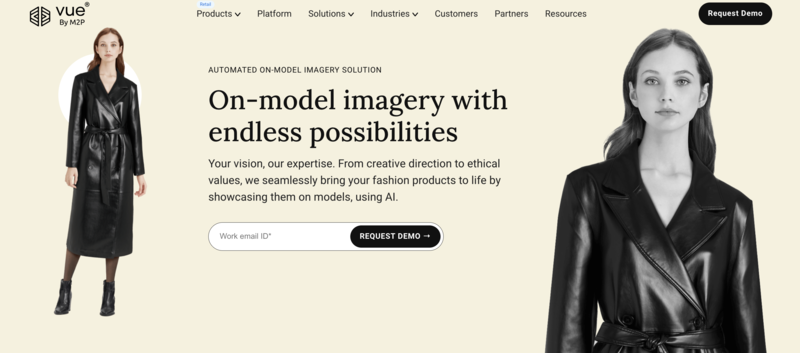
Style3D offers subscription plans with different tiers; some features are available in enterprise packages (exact pricing via inquiry)

Style3D Pricing

Advantages:

  • Strong 3D garment visualization with realistic fabric simulation.
  • Useful for showcasing folds, textures, and garment construction details.
  • The AI Photoshoot “Change Pose” feature makes it easier to create multiple product angles without reshooting.
  • Supports more precise pose control compared to many basic AI photography tools.

Disadvantages:

  • Focuses more on garment visualization than full AI fashion campaign generation.
  • Lifestyle, editorial, and social-first visuals are less flexible compared to platforms built specifically for AI fashion photography.

PicJam

PicJam is a simpler AI image generation tool that helps create basic virtual model photos quickly. It’s suitable for small brands or rapid testing of visuals, though it offers less depth in styling and creative control.

PicJam is a simpler AI image generation tool that helps create basic virtual model photos quickly.

Main Features & Highlights:

  • Quick Image Generation: Fast output for product visuals.
  • Preset Model Styles: Choose from limited model types and poses.
  • Basic Backgrounds: Simple studio or plain backgrounds for ecommerce.

Suitable For:

  • Small ecommerce brands.
  • Teams are testing AI-generated visuals for new products.
  • Brands needing rapid prototype imagery.

Pricing:

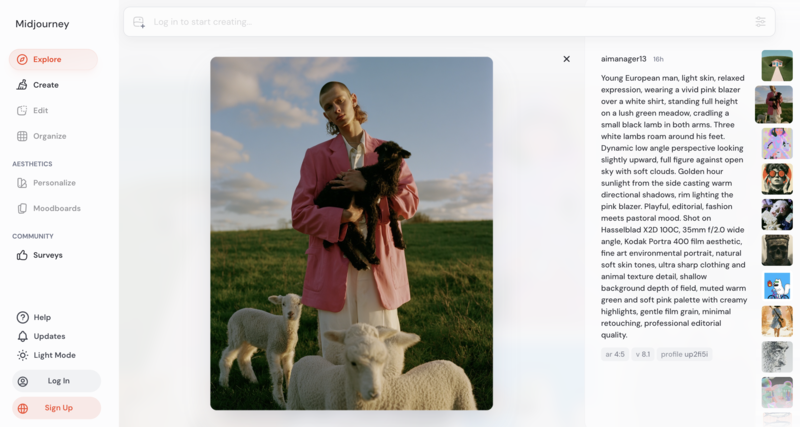
PicJam offers pay-per-image or subscription packages (affordable entry-level pricing)

PicJam Pricing

Advantages:

  • Simple workflow that makes AI fashion image generation accessible for smaller brands.
  • Native Shopify integration helps streamline ecommerce product uploads.
  • Repeatable presets help maintain a more consistent catalog style across products.
  • Lower entry pricing compared to other AI fashion photography platforms.

Disadvantages:

  • More focused on basic ecommerce product visuals than high-end AI fashion photography.
  • Limited support for advanced features like consistent AI model identity or detailed virtual try-on experiences.

VModel

VModel is an AI platform focused on virtual model generation and batch fashion photography, making it ideal for brands with large product catalogs that need consistent and realistic visuals.

VModel is an AI platform focused on virtual model generation and batch fashion photography, making it ideal for brands with large product catalogs that need consistent and realistic visuals.

Main Features & Highlights:

  • Photorealistic Virtual Models: Multiple poses and outfits.
  • Batch Catalog Productions: Efficient for hundreds of SKUs.
  • Moderate Styling Options: Customize model appearance and clothing.
  • Simple Campaign Support: Can produce basic lifestyle or editorial images.

Suitable For:

  • Ecommerce brands with large product catalogs.
  • Teams needing high-volume image generation.
  • Agencies producing consistent visuals across multiple clients.

Pricing:

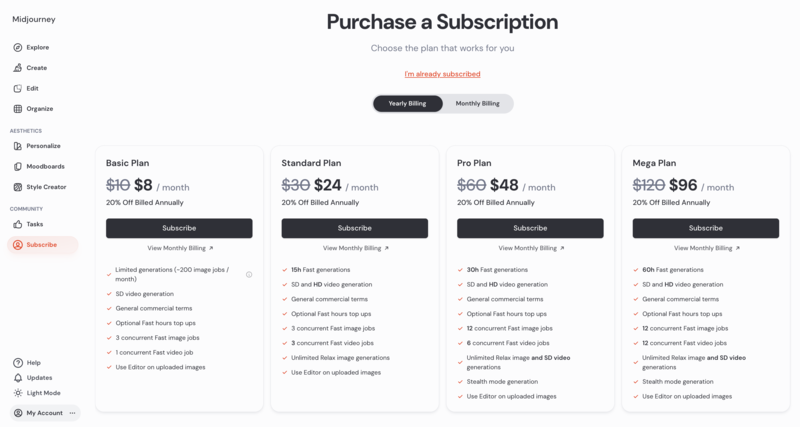
Subscription-based pricing depending on the number of images or models generated (contact platform for details)

Vmodel Pricing

Advantages:

  • Efficient batch generation for large fashion catalogs, making it suitable for scaling ecommerce operations.
  • Produces consistent virtual model outputs across multiple SKUs for unified product listings.
  • Supports moderate customization of model appearance and styling for brand alignment.

Disadvantages:

  • Creative control is more limited compared to platforms focused on AI fashion photography and campaign generation.
  • Virtual try-on and interactive shopping features are not a core focus.
  • Output variety can feel more standardized when producing large batches of images.

WearView

WearView focuses on virtual try-ons and interactive fashion experiences. It’s ideal for brands looking to provide customers with a more immersive shopping experience, though it may not fully replace high-resolution campaign imagery.

WearView focuses on virtual try-ons and interactive fashion experiences.

Main Features & Highlights:

  • Virtual Try-On: Customers can see outfits on virtual models.
  • Interactive Features: Supports ecommerce engagement and personalization.
  • Multiple Model Options: Different body types and styles.

Suitable For:

  • Brands offering immersive shopping experiences.
  • Ecommerce platforms looking to increase conversion rates.
  • Teams focused on interactive marketing rather than traditional campaigns.

Pricing:

Subscription or enterprise pricing based on interactive features and usage (details via platform inquiry).

WearView Pricing

Advantages:

  • Strong feature set for fashion-focused AI visuals, including virtual try-on and pose customization.
  • Supports interactive shopping experiences that go beyond standard product-to-model generation.
  • Useful for brands experimenting with more immersive and personalized online shopping experiences.

Disadvantages:

  • Batch processing and large-scale catalog management are less optimized compared to some ecommerce-focused platforms.
  • Limited integration options for brands relying heavily on Shopify-based workflows.
  • Editorial-style storytelling and advanced scene generation are not its primary strengths.

By considering these options, brands can find a platform that fits both their operational needs and creative ambitions, with Fashion Diffusion emerging as the most robust choice for professional virtual photoshoots.

Comparison Table: Botika vs Other AI Model Generator Alternatives

Choosing the right AI fashion photography platform often depends on what a brand values most. Some tools focus on speed and catalog efficiency, while others are better suited for editorial visuals, creative flexibility, or immersive shopping experiences. The comparison below highlights how Botika and its alternatives differ across key areas that matter in commercial virtual photoshoots.

PlatformBest ForCreative FlexibilityEcommerce ReadyEditorial/Campaign SupportBatch ProductionVirtual Try-On
Botika AIStandard AI fashion product photosModerateHighModerateModerateNo
Fashion DiffusionCommercial virtual photoshoots & fashion campaignsHighModerateModerateHighHigh
Style3D3D garment visualizationModerateModerateLowModerateModerate
PicJamQuick AI fashion visualsLowModerateLowModerateNo
VModelBatch virtual model generationModerateHighModerateHighLimited
WearViewInteractive shopping experiencesModerateModerateLowModerateHigh

Among these options, Fashion Diffusion offers one of the most balanced solutions for brands that want both scalable production and stronger visual storytelling. Instead of focusing only on simple product shots, it gives fashion teams more room to create campaign-style imagery that feels closer to traditional commercial photography.

Who Should Use a Botika Alternative?

Not every brand needs to move away from Botika, but for those seeking more flexibility, faster production, or higher creative control, exploring alternatives can be a game-changer. Brands that rely heavily on ecommerce visuals, seasonal campaigns, or multi-platform marketing are most likely to benefit.

  • Growing Fashion Ecommerce Brands: Those with large product catalogs who need to generate images quickly and consistently.
  • Campaign-Focused Teams: Brands aiming for editorial-style visuals or lifestyle-focused marketing campaigns.
  • Creative Agencies: Teams producing visuals for multiple clients, requiring both efficiency and customizable outputs.
  • Brands Seeking Integration: Companies that want AI visuals to seamlessly fit into design, marketing, or ecommerce workflows.

In short, any fashion business looking to combine speed, quality, and creativity in its visual content production will find value in exploring Botika alternatives, especially platforms like Fashion Diffusion that specialize in commercial virtual photoshoots.

Evaluate Your Fashion Visuals with AI

For fashion brands aiming to stay competitive in the fast-paced ecommerce landscape, AI virtual photoshoots are no longer optional; they’re essential. While Botika provides a solid starting point, platforms like Fashion Diffusion offer the perfect balance of scalability, creative flexibility, and campaign-ready outputs, making it a standout alternative for brands that want more control over their visuals.

If you’re looking to streamline production, experiment with editorial-style campaigns, or simply generate high-quality fashion imagery faster, it’s time to explore Fashion Diffusion. Give it a try and see how AI can transform the way your brand creates stunning, professional visuals, without the constraints of traditional photoshoots.

FAQ

What is an AI virtual photoshoot platform?

AI virtual photoshoot platforms generate realistic fashion images using digital models, clothing, and environments. They help brands create professional campaign visuals and ecommerce content without traditional photoshoots.

Can AI-generated images replace real models?

For standard ecommerce product shots and many campaign visuals, AI models can closely match real photography. However, for highly personalized or live-action campaigns, a hybrid approach combining AI and real models may be ideal.

Is Fashion Diffusion suitable for large catalogs?

Yes. Fashion Diffusion supports batch production, making it easy to handle hundreds of SKUs while maintaining visual consistency and quality.

Can I customize models and styling?

Platforms like Fashion Diffusion allow you to adjust model appearance, clothing, poses, and even backgrounds to match your brand’s aesthetic and campaign vision.

Are AI-generated images suitable for marketing campaigns?

Modern AI platforms can produce high-quality, editorial-style visuals ready for social media, lookbooks, ads, and ecommerce listings.

Do I need technical skills to use these platforms?

Most AI fashion tools are designed for ease of use, with intuitive interfaces. Some advanced customization options may require basic familiarity with design or editing workflows.

Avatar photo 通过Ethan Davis

12 Best AI Tools to Design Your Own Dress Online (Updated 2026)

Ever dreamt of creating your own dress, but felt held back by a lack of design skills?

In 2026, AI has changed the game. What was once exclusive to designers is now accessible to anyone. Today’s AI fashion design tools can interpret your ideas, generate drafts, refine details, and even visualize the finished look.

In this guide, we’ll highlight the 12 best AI dress design tools of 2026. Whether you’re a beginner, hobbyist, or aspiring designer, these platforms offer an easier—and far more inspiring—way to bring your ideas to life.

Why Online Dress Design Is Exploding in 2026

Online dress design is experiencing a major surge in 2026, driven by a combination of shifting consumer expectations and rapid advances in Generative AI.

Shoppers today want pieces that feel personal—unique silhouettes, custom colors, and designs that reflect their own style rather than mass-produced products. This demand for personalization and made-to-order fashion has never been higher.

Meanwhile, AI has dramatically lowered the barrier to designing. Traditional formal design training is now replaced by AI fashion design platforms that guide users through the design process effortlessly. 

This shift has encouraged rapid adoption among D2C brands, emerging labels, and independent designers who are all looking for faster ways to prototype and refine ideas.

Together, these changes have sparked a surge in online dress design. And with online AI fashion design tools like Fashion Diffusion, anyone—from total beginners to seasoned creators—can produce professional-looking designs within minutes.

Top 12 AI tools for dress design in 2026

AI is reshaping fashion design end-to-end, from sketches and renders to final product visuals. As these capabilities mature, a new generation of specialized AI fashion design platforms has emerged.

Below are the 12 best AI tools for dress design in 2026, chosen for their unique strengths, practical value, and ability to turn ideas into polished designs with ease.

comparison table

1. Fashion Diffusion

Best for: Designers and D2C brands who want a complete, end-to-end AI fashion design solution.

Unlike general-purpose image generators, Fashion Diffusion is an AI fashion design platform built specifically for apparel creation. Rigorously trained on a vast dataset of clothing images, it handles fabric details, textures, and styling with a high level of accuracy. 

By offering a full suite of design functions—concept sketching, rendering, recoloring, applying fabric, and virtual try-on—it establishes itself as the premier one-stop solution for online dress design.

Key features:

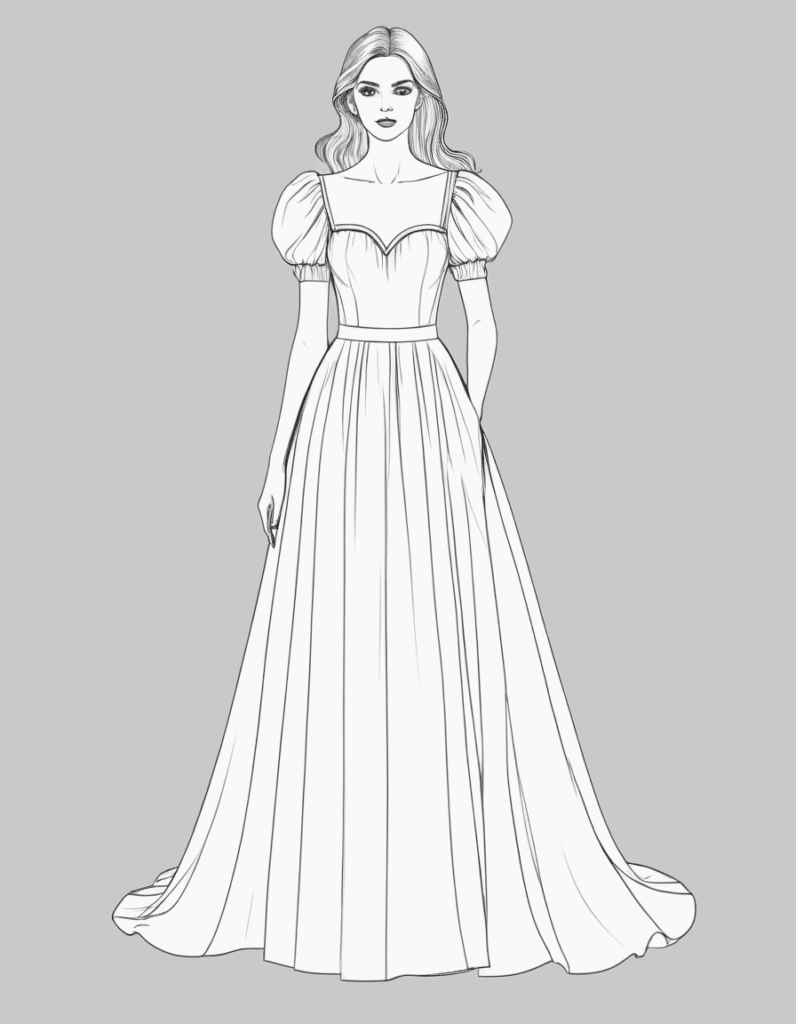
  • AI Sketch Generate professional fashion sketches using prompts, uploaded images, or rough outlines—no manual drawing needed.
  • Sketch-to-Render Turn any AI sketch or hand-drawn outline into a refined, detailed fashion render that clearly presents silhouette, construction, and material choices.
  • Photorealistic Visualization —Access virtual try on, apply fabric, AI recolor, background change, and other visual enhancements that help you explore design variations quickly.

While many AI tools cover fragments of the fashion design workflow, Fashion Diffusion is the only solution that offers a complete end-to-end experience: sketch creation, AI model generation, and fully rendered on-body visuals—all in one place. 

This seamless design pipeline allows designers, creators, and beginners alike to turn ideas into production-ready imagery without juggling different platforms or losing consistency along the way.

2. Raspberry AI

Top AI dress design tool: Raspberry

Best for: Apparel retailers that prioritize a quick product overview, all using text prompts.

Raspberry AI is an AI design-to-market platform built for fashion and retail. It supports sketch visualization, prototyping, and marketing assets generation. 

Primarily relying on text prompts, it allows fashion brands and retailers to generate product visuals quickly. However, extremely precise, pixel-level adjustments can be challenging using this platform.

Key features:

  • Sketch to Render Transform sketches into renders in seconds— no need to wait for physical samples or expensive photoshoots.
  • Design editor Upload an image and refine details using natural language commands, adjusting elements like buttons, trims, and colors.
  • Product & Lifestyle Photography — Describe the scene in plain text, and Raspberry generates product visuals or lifestyle shots that match your instructions.
  • On-body Try-on —Upload a model and product image, specify the fit, styling, or pose, and easily produce consistent try-on images in batches.

3. The New Black

Top AI dress design tool: The New Black

Best for: Fashion brands aiming to speed up ideation and produce designs that set their brand apart.

The New Black is an AI-driven platform for fashion design and brand creation, enabling users to generate apparel and accessory concepts from text prompts, craft cohesive brand identities, and showcase designs using virtual models.

Key features:

  • AI techpack maker Generate sketches, create back views, apply fabric patterns, and compile all necessary details into professional, printable PDF technical documents.
  • AI fashion design Transforms text, sketches, or reference images into realistic fashion designs and 3D clothing models.
  • AI fashion model & virtual try-on — Generate realistic AI models wearing the products, ideal for brands to showcase their collections and customers to try on outfits online.
  • AI Stylist — Recommend customized outfits for any occasion, tailored to the user’s body shape and style. 
  • AI Fashion Branding Manage cohesive AI mood boards, unique logos, brand names, and slogans to quickly define a brand’s visual and conceptual identity.

4. DRESSX.me

Top AI dress design tool: DRESSX.me

Best for: Personal users who want a simple, fast, and fun way to change outfits or try new styles.

DRESSX.me is an AI-powered “virtual stylist” platform that transforms your photos by changing outfits, face swapping, or generating entirely new styled looks based on your prompts or selections.

Key features:

  • AI Dress Up Upload a photo and either select from a large catalogue of predefined styles or describe what you want via text prompts. The AI then overlays a new outfit on your photo. 
  • Outfit Try-on — Upload your photo and a target style image to see how different clothes would look on your own body.

5. Resleeve

Top AI dress design tool: Resleeve

Best for: Indie designers and boutiques who need to compress research, design development, and visual production into a fast, fully digital workflow.

Resleeve is an AI fashion creation platform that aims to replace the slow, traditional design cycle—research, moodboards, sampling, and photoshoots—with an instant digital process. 

Built for the realities of modern fashion teams, Resleeve helps brands and indie designers explore trends, visualize ideas, create renders, and produce campaign-ready images.

Key features:

  • Trend Research Generate visual trend reports and decks to speed up early-stage creative exploration.
  • CAD to render — Turn flat sketches or CAD files into high-quality renders.
  • Render to photoshoot — Convert renders into photorealistic product or on-model shots.

6. CLO 3D

Top AI dress design tool: CLO 3D

Best for: Technical fashion designers that rely on industry-standard 3D garment simulation, pattern making, and virtual prototyping.

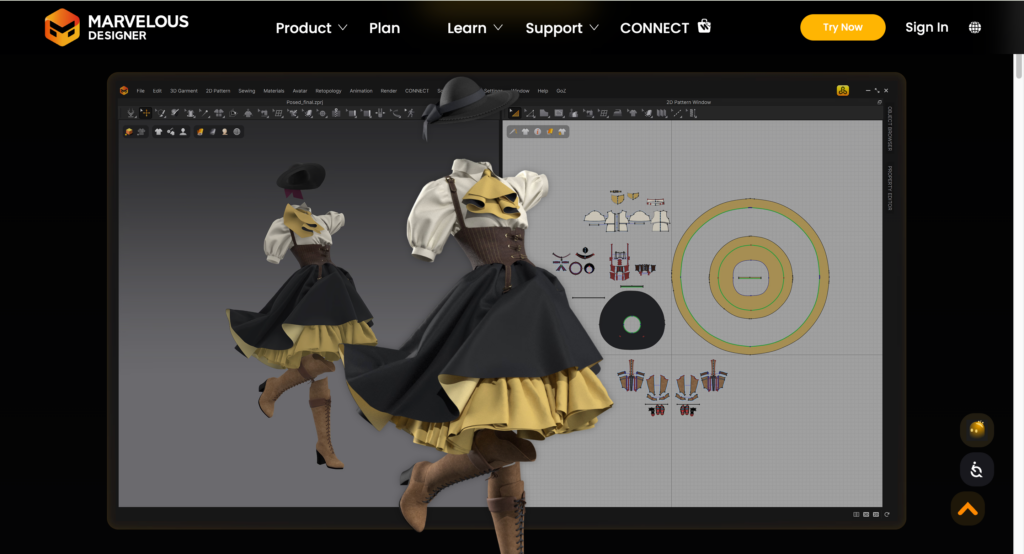
CLO 3D is one of the industry’s leading 3D garment design platforms, built to help fashion teams create, test, and refine clothing in a fully digital environment. Known for its hyper-realistic rendering, CLO3D allows users to visualize fit, drape, and construction long before producing physical samples.

Key features:

  • 3D Garment Simulation Create hyper-realistic garment models with accurate physics, draping, and fabric behavior.
  • Collaboration and Workflow Integration Bring global teams together with a connected digital workflow—from materials and design to 3D samples, reviews, and final market delivery.

7. Tailornova

Top AI dress design tool: Tailornova

Best for: Indie designers and custom dressmakers offering made-to-measure or on-demand apparel in need of automated 2D Pattern Generation.

Tailornova is an online 3D fashion design and pattern-making platform. It uses automation to turn design ideas into production-ready patterns and 3D garment previews.  

Based on user-provided measurements, it creates personalized sewing patterns and allows for easy adjustment, all available for instant download, cutting, and sewing.

Key features:

  • 2D Flat Sketches Generate vector flat sketches you can download and open in Adobe Illustrator or CorelDRAW for further editing. Instantly apply colors or fabrics to preview your design ideas.
  • 3D FitModel(coming soon)— Generate patterns tailored to specific measurements and instantly get custom patterns ready to cut and sew.

8. Botika

Top AI dress design tool: Botika

Best for: Fashion entrepreneurs and small-to-medium clothing brands under pressure to rapidly generate clothing visuals.

Botika is an online Generative AI platform that helps clothing brands and retailers optimize and scale product imagery for e-commerce. It quickly swaps new garments onto existing or AI-generated models, allowing brands to refresh catalogs with unprecedented speed and cost efficiency.

Key features:

  • AI fashion model Produce highly realistic visual effects of the product being worn on a selected AI virtual model.
  • AI Video generation Transform static photos into dynamic fashion videos that showcase how your products move, fit, and feel.

9. Makethedot

Top AI dress design tool: Makethedot

Best for: Design teams looking for a fast, collaborative, end-to-end digital workflow.

Makethedot is an integrated online fashion design platform that streamlines the entire design-to-sample process. It enables designers and teams to go from initial inspiration to design — all within one environment.

Key features:

  • Collaborative canvas A shared virtual workspace where teams can brainstorm ideas, gather inspiration, create moodboards, and collaborate in real time.
  • Style Builder / Sketch-to-Render Convert sketches into photorealistic design renders quickly.
  • Fabric Library & Textile Color Palette Browse, manage, and source fabrics and textile swatches directly in the platform.

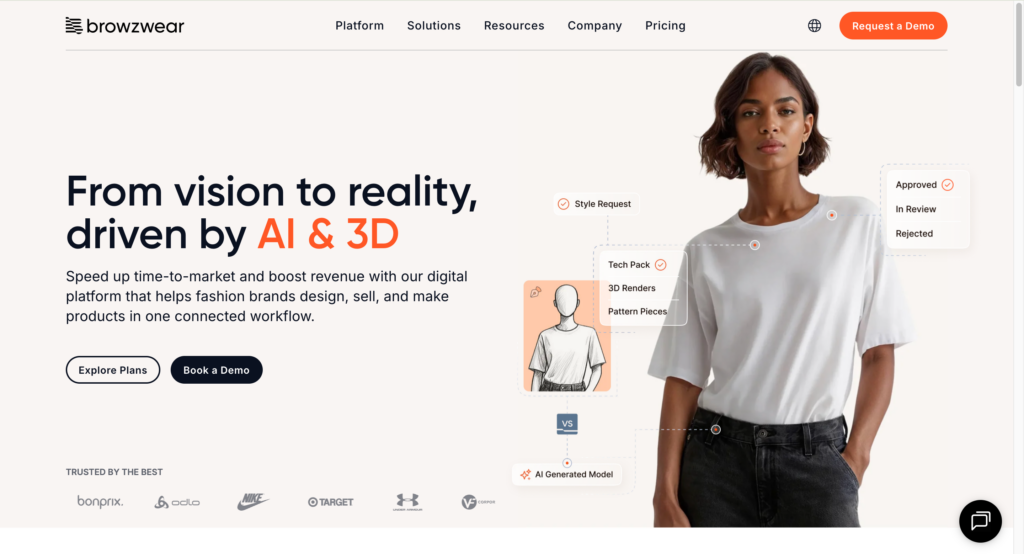
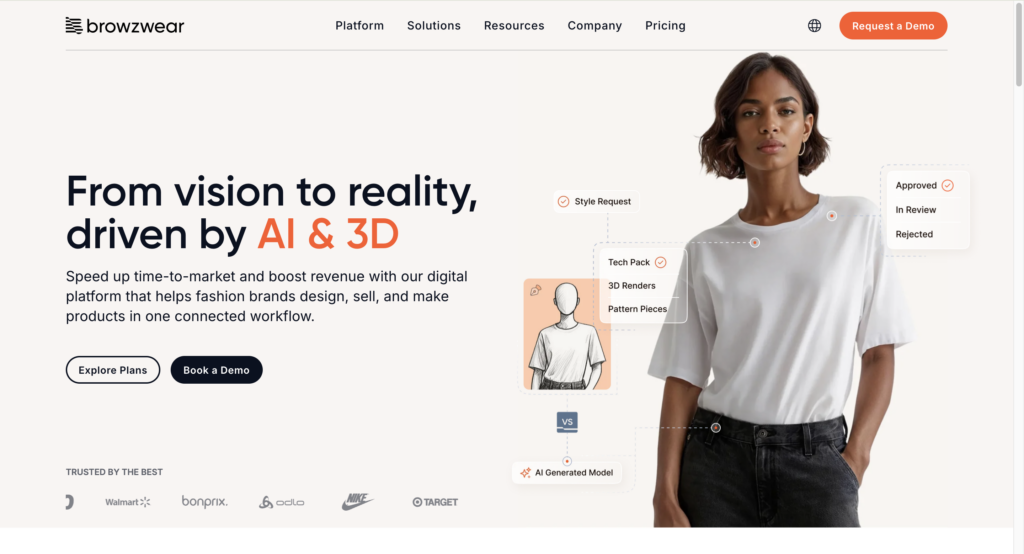
10. Browzwear

Top AI dress design tool: Browzwear

Best for: Large fashion enterprises and supply chain partners seeking accurate 3D garment simulation, virtual sampling, and digital supply chain collaboration.

Browzwear is a professional 3D garment-design and visualization company that serves fashion brands and manufacturers through its core software, VStitcher and Lotta. 

It enables users to draft technical patterns, apply fabrics, simulate drape and fit in 3D, and create realistic digital garments — all before any physical prototype is made. 

Key features:

  • 3D Prototyping Design garments in 3D with realistic fabric behavior, drape, seams, and fit.
  • Efficiency and Collaboration Allow for real-time collaboration between designers, pattern makers, and suppliers.

11. Weshop AI

Top AI dress design tool: Weshop

Best for: Online fashion sellers who handle lots of SKUs and need to quickly generate product images in different sizes, model types, and poses.

WeShop AI is an AI fashion e-commerce creative tool for generating product and model visuals without traditional photoshoots. It converts flat-lay images into polished on-model photos, helping e-commerce sellers cut production costs.

Key features:

  • Virtual Try-On Clothes Create images of virtual models wearing products. Easily swap backgrounds, adjust poses, and create multiple on-brand looks without reshoots.
  • AI Video Agent Generate professional videos from a single photo or a brief text prompt, ideal for showcasing product movement, storytelling, or marketing content at scale.

12. Onbrand

Top AI dress design tool: Onbrand

Best for: Fashion teams aiming to rapidly generate new styles, refine bestsellers, and collaborate on ideas.

Onbrand AI design is a fashion-focused AI platform that produces photorealistic garments from text, sketches, or images, seamlessly integrated into PLM workflows.

Key features:

  • Design generation Transforms text or sketches into visual mockups to accelerate the entire fashion ideation process.
  • Design exploration — Skip the brainstorm. Instantly generate colorways, views, and design variations using text prompts.
  • Shared canvas One canvas for the whole team to work in. Leave feedback, exchange ideas, and compare different versions.
  • Connect to PLM —Allow one-click transfer of designs directly into Onbrand PLM, streamlining tech pack creation.

How to Design Your Own Dress Online with AI

Designing your own dress using AI is a straightforward process that converts a simple idea into a polished, professional dress design. Here is a practical, step-by-step guide  on how to leverage AI fashion design tools:

1. Start With a Clear Concept

Before accessing any tool, take a moment to define what you want, including style, silhouette, length, fabric, texture, vibe, or occasion, and so on.

You don’t need to sketch—just having a mental moodboard or short description helps the AI produce the right direction from the start.

2. Pick the Right AI Fashion Design Tool

Given that different AI dress design tools excel in distinct areas, choose your tool carefully based on your specific needs:

  • All-in-one workflow Sketch → Render → Virtual Try-On
  • Sketch-focused tools For quick concept drafts
  • Rendering tools For polished, photorealistic visuals
  • Try-on tools To see your design on models

For a true full-cycle design pipeline, choose a tool that supports multiple stages, like Fashion Diffusion, rather than just generating a picture.

3. Generate the Initial Draft

Fashion Diffusion offers two easy ways to produce a sketch:

  • Use a text prompt Describe your dress, e.g., “A satin midi slip dress with a draped neckline and open back, in champagne gold.”
  • Upload an inspiration image Let AI create a sketch or concept based on your reference.

This first step gives you a base visual—think of it as your digital rough draft.

4. Iterate and Refine the Design

Once your initial draft is generated, use Fashion Diffusion’s built-in refinement tools to polish the dress until it matches your vision. 

  • Adjust Details Use text prompts or specific AI tools to make precise changes. 
  • Generate Variations —Explore alternative design directions using Fashion Diffusion’s Style Innovation features.

5. Convert the Concept into a Final Render

Once the design is finalized, utilize Fashion Diffusion’s AI rendering tool to transform the initial sketch or flat concept into a stunning visual. 

This step allows you to visualize the final product exactly as it would appear in real life.

6. Preview the Dress on an AI Model

With Fashion Diffusion’s AI virtual try on feature, you can:

  • Upload your model image or select from the built-in model library
  • Apply your dress design
  • Swap face, or view multiple poses, angles, and change backgrounds

This “try-on” step bridges concept and execution, showing how the dress will look and feel when worn.

Pro Tips for AI Dress Design

Using AI tools can dramatically speed up your design process—but the best results come from knowing how to guide the AI design tool. 

Here are practical tips to help you get outputs that match your vision:

  • Write specific prompts Be highly specific in your descriptions. Add materials, construction details, and color palettes to get closer to the final look.
  • Use Reference Images wisely When providing a sketch or inspiration photo, be clear about what the AI should replicate and prevent it from mixing unwanted elements.
  • Understand Material Behavior AI visuals may look stunning, but not every design is production-ready. Keep in mind how real fabrics behave and refine unrealistic outputs.
  • Refine Details in Layers Avoid using one extremely long, complex prompt. Instead, generate the core design with a clear prompt, then use subsequent prompts or editing tools to refine details in layers.
  • Try Multiple Variations Don’t settle on the first result. Generate several options through the style innovation tool. Exploring variations often leads to your strongest final design.
  • Verify Technical Feasibility Remember that AI is a visualization tool. Always review the final design for real-world viability.

Conclusion

AI is reshaping how designers bring ideas to life, making dress design faster, more flexible, and more accessible than ever. With tools like Fashion Diffusion, you can sketch, refine, visualize on models, and explore endless variations—all in one platform. 

Whether you’re a beginner experimenting with your first concept or a professional streamlining your design workflow, AI gives you the freedom to create with more confidence and creativity.

The future of AI fashion design is open, hyper-personalized, and digitally driven. Try Fashion Diffusion now to transform your imagination into reality.

FAQs

What is the best AI tool for designing clothing?

The “best” AI tool depends on your needs. For an all-in-one workflow, Fashion Diffusion is highly recommended. It allows you to generate sketches, refine details, visualize fabrics, and explore multiple style variations in one platform.

Is there any free AI clothing generator?

Yes. Fashion Diffusion AI provides free tools for sketching, coloring, and visualizing dresses without requiring payment up front.

Can I design a dress online without any design experience?

Absolutely. AI design tools like Fashion Diffusion are built for all skill levels. You can start with simple text prompts or inspiration images, and the AI will generate professional-quality sketches and renders.

Can AI-generated designs be used for business or production purposes?

Yes, AI-generated designs can be used commercially, including for selling products, marketing, or manufacturing. 

Are AI design tools suitable for professional designers or only hobbyists?

They are suitable for both. Professionals can use AI to accelerate workflows, generate new concepts, and test variations quickly. Hobbyists and beginners can create polished designs without advanced technical skills.

Avatar photo 通过Ethan Davis

How to Create Shopify Clothing Photos with AI – No Photoshoot Needed

Creating Shopify clothing photos used to be one of the biggest bottlenecks in our launches.

Every new collection meant booking studios, waiting for samples, and scheduling models. We also spent days editing images for PDP pages, ads, emails, and social media. As a Shopify DTC brand, repeated photoshoots consumed 60–70% of our content budget and delayed launches by 10–14 days.

The bigger our catalog grew, the harder it became to keep up.

That’s why we switched to an AI-powered workflow. We now use Fashion Diffusion AI to create high-quality Shopify clothing photos from a single flat lay or product image. This helps us avoid organizing new photoshoots for every collection launch.

In this guide, we’ll share the 4-step workflow we use as a Shopify operator: building clean flat lays, creating AI models, localizing for different audiences, and preparing final images ready for our store.

This approach has helped us cut photography costs by over 65% and launch new collections 2–3 times faster.

Why AI Shopify Clothing Photos Are Replacing Traditional Ecommerce Shoots

For most Shopify clothing brands, traditional product photography stops being scalable once the catalog starts growing. What works for a small monthly launch quickly becomes difficult to maintain when you’re managing dozens of SKUs, multiple colorways, and weekly campaigns.

A single product no longer needs just one clean studio photo. Every item now needs more than one studio photo. Brands need model shots, detail close-ups, and lifestyle images. They also need vertical creatives for TikTok and Reels, homepage banners, email assets, and multiple crops for Meta ads. One approved hoodie photo can easily turn into 15–20 different assets across channels.

For small ecommerce teams, the bottleneck is no longer product sourcing — it’s content production. Coordinating photographers, models, editing, retouching, and reshoots slows down launch cycles and increases costs fast. Even minor issues like missing angles or inconsistent lighting can delay campaigns by days.

That’s why many Shopify apparel brands are moving toward AI-generated product photography workflows. Instead of organizing new shoots for every product update or ad variation, teams can now generate lifestyle images, model photos, and campaign creatives in minutes at a fraction of the traditional production cost.

For a detailed comparison, see our guide: AI vs Traditional Photoshoots – Cost, Speed, and Quality.

How to Create Shopify Clothing Photos with AI

After testing multiple AI tools, we found the real advantage wasn’t creating completely new images — it was reusing one solid product shot to generate everything the store needed. We now rely on a repeatable workflow using Fashion Diffusion AI. It has become our main platform for turning a single flat lay into dozens of high-converting AI Shopify product images. 

It helps us launch faster, cut photography costs, and show our clothes on diverse models without scheduling endless photoshoots.

Step 1: Start with a Clean Flat Lay

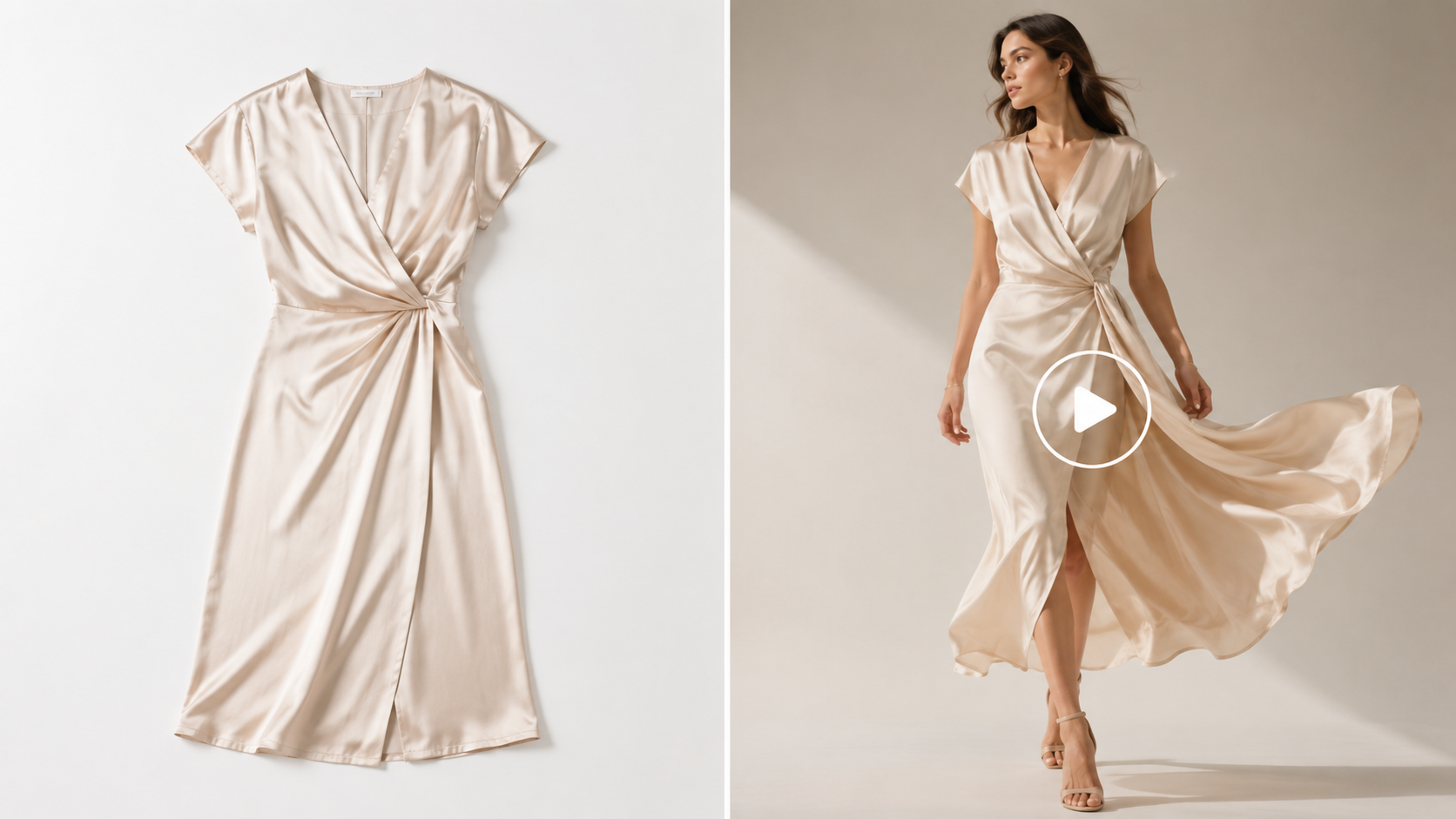
For most Shopify stores, a strong foundation is everything. We always begin with a clean, well-lit flat lay or product photo. If we don’t have studio shots yet (especially during pre-order or sample stages), we use the Flat Lay Generator to create consistent overhead shots quickly.

Flat lay apparel image created with AI for ecommerce product photography
Fashion Diffusion AI-Generated

This step is crucial for Shopify sellers. A clean, well-lit flat lay helps the AI capture fabric texture, stitching, and drape more accurately. One strong product image can then generate dozens of model photos. This saves time and reduces the need for repeated photoshoots when adding new colors or sizes.

For small DTC teams, this single asset becomes the foundation for entire product launches.

Step 2: Try Clothes on AI Models

Next, we upload the flat lay to AI Virtual Try-On tool. This creates realistic on-model visuals that shoppers actually want to see.

Virtual try-on image of a white t-shirt on an AI-generated model
Fashion Diffusion AI-Generated

This step is incredibly valuable for DTC brands. Customers need to visualize how a garment drapes and fits on a real body before buying.

We select poses based on the product type. Front views work best for t-shirts and hoodies. Side or back views are ideal for pants and jackets. The result? Lower return rates and higher PDP conversion rates. Shoppers can make confident decisions faster — no waiting for real model photos.

Step 3: Create Models That Match Your Target Customers

AI fashion model generator creating ecommerce models for a clothing brand

This is the part we use most. With the AI Model Generator, we can create models that actually look like our target audience.

We can control age, ethnicity, body type, skin tone, and hairstyle through simple prompts. For example: “26-year-old Latina woman, athletic build, warm tan skin, long curly hair, casual studio lighting.”

AI fashion model library showing multiple model options for ecommerce clothing brands

The tool only borrows facial features from their library and follows your description for everything else. This lets us create inclusive, relatable product photos for different markets without booking multiple models or reshooting.

If the body looks perfect but the facial expression feels off, we use the Face Swapper to fine-tune it. This small tweak makes a big difference. It helps build trust and boosts click-through rates (CTR) on product collection pages.

We can easily create inclusive, relatable product photos for different markets. The result? Higher international sales and way better engagement on our collection pages.
Step 4: Add Background Context & Upscaling

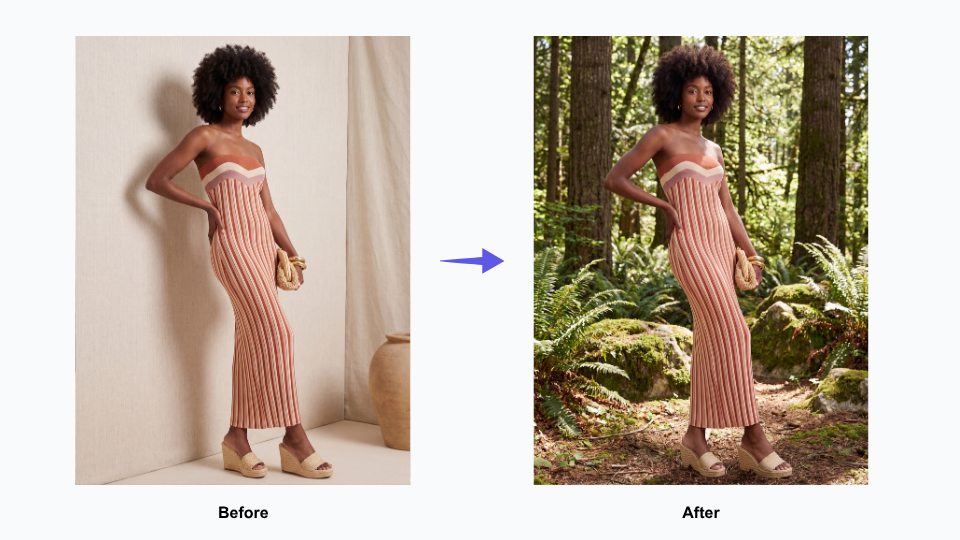
Once the model looks right, we replace backgrounds with AI. We place the outfit in real-life scenes like city streets, cozy homes, beach settings, or clean studio spaces. This helps tell a lifestyle story that resonates with our customers.

ecommerce clothing image with AI-generated urban background
Fashion Diffusion AI-Generated

Finally, we enhance every visual with AI to create high-resolution fashion imagery that looks crisp across Shopify product pages and mobile devices. Crisp images matter a lot for Shopify’s zoom feature and mobile shopping experience.

Step 5: Final Review and Shopify Sync

One mistake we see often is over-styling AI product photos. We found that flashy, dramatic AI images often reduce buyer trust and lower conversion rates on product pages. Customers prioritize understanding the fabric texture, fit, and silhouette over artistic flair. Stick to clean lighting and realistic presentation to ensure your brand remains professional and trustworthy.

Checklist for checking apparel details in AI-generated ecommerce images

Before uploading anything to your store, do a quick quality check. Look closely at stitching, sleeve shape, fabric folds, and logo placement to make sure everything looks natural and accurate. Small visual mistakes are much easier to notice on mobile, where most customers browse and zoom into product images. A quick review prevents costly returns caused by visual mismatches between the photo and the physical product.

Before exporting, make sure your visuals follow common ecommerce image optimization practices for sizing, compression, and image consistency across your store.

We typically use square 2048×2048 px images because they stay sharp enough for zoom without making the page unnecessarily heavy. JPEG works well for most apparel photos, while PNG is only needed for transparent backgrounds. Compress every file before upload so mobile pages still load smoothly.

Finally, don’t skip your alt text. Clear descriptive alt text helps with accessibility and give search engines more context about your products. Simple things like fast-loading images, consistent formatting, and accurate product visuals can make a noticeable difference in both SEO and conversion rates.

Results: What Actually Improved After Switching to AI Photos

After a few launches, the biggest change was not getting “better-looking” product photos. It was how much easier product launches became. Once we had one approved Shopify product image, we could reuse it across PDPs, collection banners, Meta ads, email campaigns, and short-form social content instead of creating separate assets for every channel.

AI fashion product visual used for Shopify PDPs, Meta ads, and social content

This saved a surprising amount of time for a small ecommerce team. We spent less time coordinating shoots, resizing assets, or waiting on revisions, especially during larger product drops. Different crops, backgrounds, and campaign variations could all be generated from the same base image, which made launches feel much more manageable operationally.

Over time, we also noticed that AI reduced a lot of the hidden production costs around sampling and reshoots. Instead of producing multiple physical samples just to test colors, fabrics, or styling directions, we could review many of those decisions digitally first. That helped us avoid unnecessary revisions and sped up parts of the approval process before launch.

AI tools also helped us launch campaigns earlier. For preorder collections or weekly drops, we no longer had to wait for every final sample to arrive before building marketing assets. In many cases, flat lays or on-model photos were enough to prepare ads, landing pages, and email creatives ahead of launch.
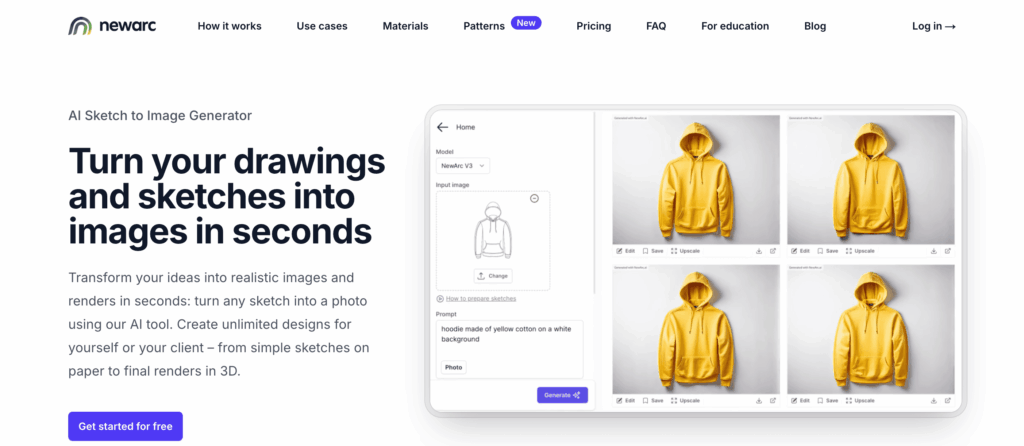
We also found that combining AI models with virtual try-on tools made styling much faster, especially when showing multiple outfits or colorways in the same launch.

Instead of waiting for every sample and model shoot to be ready, we could test different looks much earlier in the process. The workflow felt very similar to the way smaller brands are adopting AI models for fashion stores to produce product imagery more efficiently.

Using AI to Create Shopify Product Images

AI Shopify clothing photos are no longer just a trend — they are becoming the standard workflow for modern Shopify fashion brands.

For us, AI worked best as a practical production tool, not a replacement for creativity or photography. It simply made product launches easier to manage when timelines were tight and content demands kept growing.

We still use traditional shoots when needed, but AI helped fill the gaps between launches, sample delays, and constant content updates. Even small things like generating extra model variations or retouching saved more time than we expected.

If you run a Shopify fashion store, start small. Start with AI fashion ecommerce tools and explore how AI-generated clothing photos fit into your existing workflow. That’s usually enough to see where it actually helps.

Even testing AI on a single product drop can make content production faster, more flexible, and easier to scale.

FAQ

How do Shopify sellers create clothing photos without photoshoots?

Many Shopify sellers now use AI Shopify clothing photos instead of organizing traditional studio shoots. They upload a flat lay or product image into AI tools to generate model photos, virtual try-ons, and ecommerce-ready visuals for product pages, ads, and collection banners. This workflow helps brands launch products faster while reducing photography and sampling costs.
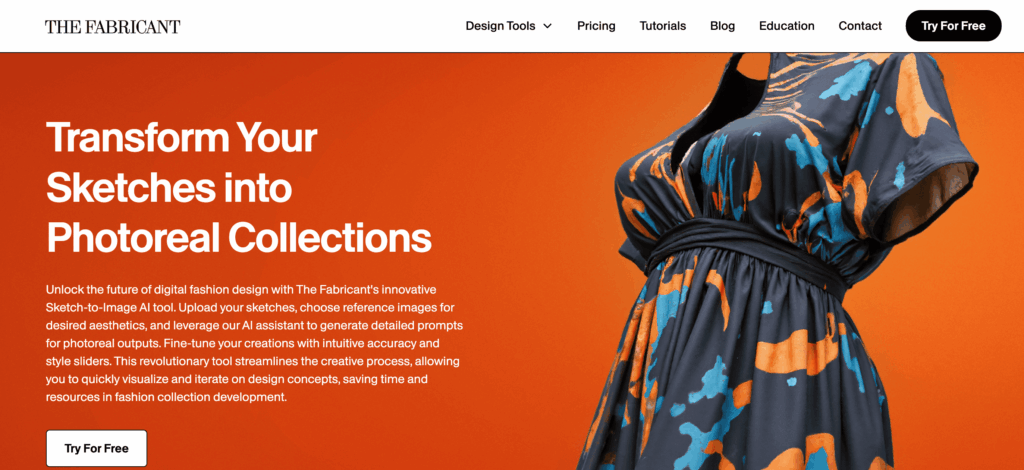
Can AI Shopify Clothing Photos Improve Ecommerce Conversion Rates?

Yes. AI Shopify clothing photos can improve ecommerce conversion rates when the images accurately show fit, fabric texture, and product details. Shopify brands often use AI-generated model photos and clean PDP images to create more consistent storefronts, improve mobile shopping experiences, and help customers visualize products before purchase.

How do AI model generators work for Shopify Clothing stores?

AI model generators allow Shopify clothing stores to create realistic on-model product photos from a single clothing image or flat lay. Sellers can generate different poses, body types, and styling variations without reshooting products. Many ecommerce brands use AI model generators to scale weekly product drops and create localized marketing assets more efficiently.

Are AI-Generated Product Photos Allowed on Shopify?

Yes. Shopify allows AI-generated product photos as long as the images accurately represent the product being sold. Many fashion ecommerce brands use AI Shopify clothing photos for product pages, lookbooks, and ads. The most important requirement is maintaining realistic product details so customers clearly understand the item before purchasing.

Avatar photo 通过Sophia Mille

Techwear Aesthetic: How Futuristic Fashion and AI Design Are Reshaping Streetwear

Techwear aesthetic sits somewhere between futuristic streetwear and functional everyday fashion, sharp silhouettes, utility-focused details, and layered outfits that feel straight out of a cyberpunk film. As more designers and creators experiment with AI fashion design tools, building techwear aesthetic outfits has also become faster and more visual, from generating outfit concepts to testing different techwear jackets styles before creating a final look.

Understanding the Techwear Aesthetic

At first glance, techwear aesthetic might look like oversized black jackets, cargo pants, and futuristic accessories. But the style goes far beyond simply wearing dark clothing. Techwear fashion is built around the idea of combining function and visual impact in a way that feel modern, practical, and slightly dystopian.

Unlike traditional streetwear, techwear focuses heavily on performance-driven design. Many pieces are inspired by outdoor gear, military wear, and urban utility fashion, then reworked into sleek silhouettes that fit city life. The result is a style that looks futuristic while still being wearable in everyday situations.

Core Elements That Define Techwear Fashion

Several details instantly make a look feel “techwear” rather than just casual streetwear.

Functional Materials

One of the biggest characteristics of techwear fashion is the use of performance fabrics. Waterproof shells, wing-resistant materials, breathable layers, and lightweight technical textiles are all commonly used in techwear jackets and pants.

These materials are not only practical but also help create the clean and structured look associated with the aesthetic.

Utility-Focused Design

Pockets, straps, zippers, modular attachments, and adjustable silhouettes are essential parts of many techwear aesthetic outfits. These details are inspired by tactical and utility gear, giving the clothing a more functional appearance.

Even when some elements are mostly decorative, they still contribute to the signature futuristic feel.

Layering and Silhouette

Layering plays a huge role in techwear styling. Instead of relying on loud graphics or bright colors, techwear outfits often create visual depth through different lengths, textures, and proportions.

Oversized outerwear combined with tapered cargo pants is one of the most recognizable techwear silhouettes.

Minimal Yet Futuristic Color Palettes

Black dominates most techwear aesthetic outfits, but the style also frequently uses charcoal, grey, olive, white, and muted earth tones. Reflective accents and subtle technical details are often used to break up monochrome looks.

This balance helps techwear feel futuristic without becoming too flashy.

Why the Techwear Aesthetic Became so Popular

Part of techwear’s appeal comes from how versatile it feels. It works as both a fashion statement and a practical wardrobe choice, especially for people who like urban fashion with a more functional edge.

Gaming culture, cyberpunk films, anime, and futuristic sci-fi visuals have also pushed techwear fashion further into mainstream style culture. Social media platforms helped accelerate the trend, turning techwear aesthetic outfits into a recognizable online fashion category.

Today, the aesthetic continues evolving as creators experiment with AI-generated fashion concepts, digital styling tools, and virtual outfit design workflows.

Crafting the Perfect Techwear Aesthetic Outfit

Creating a techwear aesthetic outfit is all about balance. You want to combine functionally, layering, and futuristic style without looking overdone. Start by picking a statement outer layer, usually a techwear jacket or utility vest, then build around it with pants, tops, and accessories that share similar textures and tones.

How a Complete Outfit Comes Together

Building a techwear aesthetic outfit is like assembling a small machine, each piece serves a purpose, creates visual depth, and complements the overall futuristic vibe. Here’s a detailed breakdown:

1. Start with the Base Layer

  • Tops: fitted long-sleeve shirts, turtlenecks, or moisture-wicking tech fabrics.
  • Bottoms: slim or tapered cargo pants, utility joggers, or tech leggings.
  • Keep base layers simple and monochrome to create a clean canvas for layering.

2. Add Mid-Layers for Depth

  • Hoodies, lightweight jackets, or softshell vests work well as mid-layers.
  • Mid-layers should contrast subtly with the base layer in texture or tone to add visual interest.
  • Consider functional elements like hidden pockets or straps for authentic techwear appeal.
Mid-layers should contrast subtly with the base layer in texture or tone to add visual interest.
Fashion Diffusion AI-generated

3. Statement Outerwear

  • Techwear jacket: waterproof, windproof, or modular jackets act as the centerpiece of your outfit.
  • Choose oversized or structured silhouettes to create the signature layered look.
  • Reflective details, asymmetrical zippers, or tactical straps enhance the futuristic feel.
Techwear jacket: waterproof, windproof, or modular jackets act as the centerpiece of your outfit.
Fashion Diffusion AI-generated

4. Accessories That Serve and Style

  • Crossbody bags, tactical backpacks, belts with functional buckles, and subtle tech-inspired jewelry.
  • Straps, clips, or utility pouches can be decorative but should feel purposeful.
  • Footwear: tech sneakers or waterproof boots to complete the utility-driven look.
Crossbody bags, tactical backpacks, belts with functional buckles, and subtle tech-inspired jewelry.
Fashion Diffusion AI-generated

5. Balancing the Silhouette

  • Combine fitted base layers with oversized outerwear for depth and movement.
  • Avoid overcrowding with too many bulky items, techwear is about sleek functionally
  • Play with proportion: cropped jackets, tapered pants, and layered tops create a modern silhouette.

This step-by-step approach ensures every piece in your techwear outfit contributes to both function and futuristic style, creating a look that’s ready for city streets or weekend adventures.

Techwear Aesthetic Outfit Examples

Techwear isn’t just theory, it really comes alive when you see how different pieces can be combined into distinct moods. The same core items can shift from minimal and subtle to bold and cyberpunk depending on layering, proportions, and accessories. Below are a few real-life style directions that show how flexible the aesthetic can be in practice.

Techwear Aesthetic Male Example : Urban Tactical Explorer

This look leans into a more rugged, street-ready interpretation of techwear. It feels like something built for movement, weather resistance, and city exploration. The silhouette is slightly oversized on top with structured layering, balanced by tapered cargo pants for mobility and sharpness.

This look leans into a more rugged, street-ready interpretation of techwear.
Fashion Diffusion AI-generated

Key characteristics:

  • Oversized waterproof techwear jacket (matte black or dark graphite)
  • Layered hoodie underneath for depth
  • Slim tapered cargo pants with multiple utility pockets
  • Tactical boots or chunky tech sneakers
  • Crossbody sling bag with modular attachments
  • Minimal reflective accents for a subtle futuristic edge

Techwear Aesthetic Female Example: Sleek Futuristic Minimalist

This version of techwear is more refined and silhouette-focused. Instead of heavy tactical layering, it emphasizes clean lines, fitted structured, and subtle utility details. The result feels modern, elegant, and slightly sci-fi without being overly aggressive.

This version of techwear is more refined and silhouette-focused.
Fashion Diffusion AI-generated

Key characteristics:

  • Cropped or fitted techwear jacket (water-resistant, matte finish)
  • High-waisted cargo pants or tapered utility trousers
  • Fitted performance top or lightweight compression layer
  • Sleek sneakers with minimal detailing
  • Functional belt or strap accessories for shape definition
  • Soft monochrome palette (black, grey, off-white accents)

Everyday Styling Tips

Techwear doesn’t have to be all black or extreme. Mix casual staples like jeans, hoodies, or sneakers with one or two techwear pieces, a structured jacket or tactical bag, to make your outfit wearable in daily life. Layer thoughtfully: balance oversized and fitted items, and let functional details shine without crowding the look.

This approach makes techwear approachable, stylish, and ready for both city streets and weekend adventures.

Pieces that Define Techwear Aesthetic Outfit Look

Every techwear aesthetic outfit starts from a few essential items. Instead of relying on trends, this style is built around functional pieces that repeat across different looks but always feel fresh depending on how you style them. Think of it as a modular wardrobe, each item has a role, and the “techwear vibe” only fully comes alive when they work together.

Key Pieces That Shape the Techwear Aesthetic

These are the core elements you’ll see again and again in techwear fashion. Each one contributes to structure, utility, and that signature futuristic edge.

Techwear Jacket

The techwear jackets is the centerpiece of almost every outfit. It’s usually waterproof or wind-resistant, designed with multiple pockets, asymmetrical zippers, and a structured silhouette.

The techwear jackets is the centerpiece of almost every outfit. It’s usually waterproof or wind-resistant, designed with multiple pockets, asymmetrical zippers, and a structured silhouette.
Fashion Diffusion AI-generated

What makes it essential:

  • Instantly defines the techwear aesthetic
  • Adds both function and style
  • Works as the strongest visual layer in any outfit

From minimalist black shells to highly technical modular designs, the jacket is often the first thing people notice, and the piece that sets the entire tone of the outfit.

Cargo Pants & Utility Bottoms

Techwear wouldn’t feel complete without functional trousers. Cargo pants, in particular, bring movement, storage, and structured to the lower half of the outfit.

Techwear wouldn’t feel complete without functional trousers. Cargo pants, in particular, bring movement, storage, and structured to the lower half of the outfit.
Fashion Diffusion AI-generated
  • Tapered or slim-fit cuts keep the silhouette balanced
  • Multiple pockets reinforce the utility-driven design language
  • Dark or muted tones maintain visual consistency

Tactical Layers (Vests, Hoodies, Shells)

Mid-layers help build depth and complexity without overwhelming the look. Those pieces are often lightweight but visually detailed.

Mid-layers help build depth and complexity without overwhelming the look.
Fashion Diffusion AI-generated
  • Utility vests add structured and extra storage
  • Hoodies soften the outfit while maintaining layering depth
  • Lightweight shells help transition between seasons

Tech-Inspired Footwear

Footwear anchors the entire outfit. In techwear, shoes are not just accessories, they are part of the functional system.

In techwear, shoes are not just accessories, they are part of the functional system.
Fashion Diffusion AI-generated
  • Chunky sneakers or trail-inspired runners for mobility
  • Combat-style boots for a more tactical edge
  • Often monochrome with subtle technical detailing

Utility Accessories

Small details complete the look and make it feel intentional.

Small details complete the look and make it feel intentional.
Fashion Diffusion AI-generated
  • Crossbody bags or sling packs
  • Adjustable straps and harness-style elements
  • Minimal techwear-inspired jewelry or clips

Techwear fashion is not about having a large wardrobe, it’s about having the right components that can be mixed, layered, and reinterpreted. A single techwear jacket can completely shift a basic outfit, while small utility details help refine the aesthetic into something more intentional and futuristic.

Design Techwear Aesthetic Outfit with Fashion Diffusion

Techwear fashion already feels futuristic by nature, so it fits surprisingly well with AI-assisted fashion design workflows. Instead of spending hours sketching, rendering, and revising concepts manually, Fashion Diffusion make it easier to experiment with silhouettes, layering systems, fabrics, and styling directions in a much more visual way.

The platform combines outfit generation, sketch rendering, fabric testing, and virtual styling into one workflow designed specifically for fashion creators.

Generate Techwear Outfit Concepts from Simple Prompts

One of the easiest way to explore techwear aesthetic outfits is through the AI outfit generator. Instead of starting from scratch, you can describe a look using prompts like:

“A person with short hair stands in front of a cracked concrete wall. She is wearing a black cap, a black cropped jacket over a patterned top, black cargo pants with patches and logos, black fingerless gloves, and black boots.”

One of the easiest way to explore techwear aesthetic outfits is through the AI outfit generator. Instead of starting from scratch, you can describe a look using prompts.
Fashion Diffusion AI-generated

The system then generates complete outfit visuals with matching silhouettes, styling direction, and layered details. This makes it useful for building moodboards, exploring new aesthetics, or testing different outfit directions before committing to a final design.

From Idea to Techwear Concept with AI Sketch Tools

Techwear design often starts with rough ideas—sketches, reference photos, or simple text prompts. Fashion Diffusion’s sketch tools let you quickly turn these early concepts into usable fashion visuals. You can use image to sketch to convert existing outfit photos into clean sketch-style concepts, or sketch to render to transform rough sketches into polished visuals with realistic textures and materials.

These tools are perfect for techwear jackets, cargo pants, and layered outfits where details like straps, pockets, and fabric textures are key to the overall aesthetic.

Techwear design often starts with rough ideas—sketches, reference photos, or simple text prompts. You can use image to sketch to convert existing outfit photos into clean sketch-style concepts.
Fashion Diffusion AI-generated

By combining these tools, creators can explore multiple design directions without starting from scratch. Sketch tools help streamline the workflow, making it easier to refine silhouettes and experiment with futuristic techwear ideas—whether you’re a beginner exploring aesthetics or a designer finalizing detailed outfit concepts.

Experiment with Fabrics, Utility Details, and Color Palettes

A huge part of the techwear aesthetic comes from materials and construction details. Instead of redesigning garments from scratch, Fashion Diffusion allows creators to restyle their design, rapidly test variations using features like apply fabric, recolor, and style innovation.

A huge part of the techwear aesthetic comes from materials and construction details. Instead of redesigning garments from scratch, you can also restyle your design by using style innovation feature.
Fashion Diffusion AI-generated

Style innovation is particularly useful because it can generate new design variations while preserving the original garment’s core structure and silhouette.

Mix and Match Different Techwear Styles Faster

Techwear is heavily built around layering, which makes experimentation important. Instead of manually restyling every combination, Fashion Diffusion’s mix and match feature can speed up the process of testing how pieces work together visually.

Techwear is heavily built around layering, which makes experimentation important. Instead of manually restyling every combination, Fashion Diffusion’s mix and match feature can speed up the process of testing how pieces work together visually.
Fashion Diffusion AI-generated

This helps creators discover combinations they may not have considered initially while still keeping the outfit visually cohesive.

Build AI Techwear Lookbooks Without a Full Photoshoot

Once designs are finalized, AI lookbooks can help visualize entire collections without organizing a traditional fashion shoot. Fashion Diffusion includes tools for AI fashion visualization, virtual try-on, change background, and styling workflows that help create editorial-style presentation images much faster.

Once designs are finalized, Fashion Diffusion includes tools for AI fashion visualization, virtual try-on, change background, and styling workflows that help create editorial-style presentation images much faster.
Fashion Diffusion AI-generated

For techwear collections, this works especially well because the aesthetic already leans into cinematic and futuristic visuals.

The biggest advantage of combining techwear fashion with AI design tools is speed during the experimentation phase. Instead of being locked into one direction early, creators can explore multiple silhouettes, materials, and styling ideas before moving into production or content creation.

As AI fashion workflows continue evolving, platforms like Fashion Diffusion are making it easier for designers, fashion brands, and content creators to visualize futuristic fashion concepts in a faster and more flexible way.

Why Techwear Fashion Continues to Grow

Techwear fashion is thriving because it blends style, function, and futuristic appeal. Weatherproof fabrics, layered silhouettes, and tactical details make it practical while looking visually striking.

Pop culture, from cyberpunk films to video games and anime, has helped define its unique aesthetic, while social media spreads creative outfit ideas worldwide.

AI tools like Fashion Diffusion also fuel the trend, letting designers experiment with silhouettes, fabrics, and styles faster than ever, making techwear not just a look, but a continuously evolving fashion movement.

Experience Techwear Aesthetic Like Never Before

Techwear aesthetic is more than just a style, it’s a fusion of function, futuristic design, and urban creativity. From essential jackets and utility pants to layered outfits and tactical accessories, the look is versatile, practical, and endlessly inspiring. Whether you’re drawn to rugged tactical vibes or sleek minimalist silhouettes, techwear offers a playground for self-expression and innovation.

Today, Fashion Diffusion make exploring techwear fashion easier and more fun than ever. From generating full outfits and refining sketches to experimenting with different features, you can bring your futuristic outfit ideas to life in minutes. Dive in, experiment, and start designing your own techwear aesthetic outfits, you’ll see just how quickly your ideas can transform into wearable, cutting-edge fashion.

FAQ

What is a techwear aesthetic outfit?

A techwear aesthetic outfit combines functional clothing with futuristic streetwear design. It usually includes layered pieces like techwear jackets, cargo pants, and utility accessories that focus on both style and practicality. The overall look feels urban, minimal, and slightly sci-fi inspired.

What are the essential pieces in a techwear outfit?

Key pieces typically include a techwear jacket, cargo pants, tactical vests, hoodies, and tech-inspired sneakers. Accessories like crossbody bags, straps, and utility belts also help complete the look and enhance the functional aesthetic.

How do you style a techwear aesthetic outfit for everyday wear?

To make techwear more wearable daily, mix one or two statement pieces with casual basics. For example, pair cargo pants with a simple hoodie or wear a techwear jacket over jeans and sneakers. Keeping the outfit balanced makes it easier to integrate into everyday street style.

Avatar photo 通过Sophia Mille

10 Best AI Clothes Changers and Virtual Try-On Apps (Tested)

Shopping for clothes online used to mean guessing how something might look on you. Now, with the rise of AI fashion design tools and AI clothes changer apps, that process is becoming far more visual, faster, and honestly more fun. From trying on outfits in seconds to generating complete styled looks from a single photo, these tools are changing how people shop, create content, and explore personal style.

What is an AI Clothes Changer?

An AI clothes changer is a tool that digitally replaces the clothing in a photo with a new outfit. Instead of manually editing images or imagining how a look might work, users can upload a picture and see realistic outfit changes in seconds.

Some tools are built for casual users who want to try styles for fun. Others are designed for brands, online stores, and creators who need polished visuals quickly. That’s why the category now overlaps with virtual try-on apps, AI fashion design tools, and content creation platform.

How Does it Work?

Most AI clothes changers use a mix of image recognition, body mapping, and generative AI. First, the system detects the person in the photo—body shape, pose, face, hair, and existing clothing.

Then it identifies which area should be changed and generates a new garment that fits naturally onto the body. Better tools also preserve lighting, shadows, wrinkles, and proportions, so the result looks less edited and more like a real photo.

Some platforms let users upload a clothing reference image, while others work from text prompts like:

  • oversized beige trench coat with wide-leg trousers
  • elegant black evening dress
  • streetwear hoodie with cargo pants

That means users can either “try on” existing items or create something entirely new.

Why is it so Popular in 2026?

One major reason is online shopping fatigue. People are tired of ordering clothes based on flat product photos and hoping they fit their style. AI try-on tools make the process more visual and reduce guesswork.

Social media also plays a huge role. Creators want fresh outfit content without buying new clothes for every post. AI outfit changers make fast styling experiments possible without the cost of a full wardrobe.

For brands, the appeal is even bigger. Instead of expensive photoshoots, they can generate multiple looks, model variations, and campaign concepts much faster than traditional production.

Designers are using these tools too. What started as “virtual try-on” is now part of a broader AI fashion design workflow, testing silhouettes fabrics, and trends before making anything physical.

In short, these tools are popular in 2026 because they save time, lower costs, and make fashion more interactive.

An AI clothes changer is a tool that digitally replaces the clothing in a photo with a new outfit.
Fashion Diffusion AI-generated

How We Tested the Best AI Clothes Changer Tools

There are plenty of tools claiming to be the best AI clothes changer, but the actual experience can vary a lot. Some create stunning images but take too long. Others are fast, yet the clothing fit looks unnatural or overly edited.

To make this list useful, we compared each platform using real-world use cases: casual outfit swaps, fashion content creation, product try-ons, and brand-ready visuals. The goal was simple, find tools people would genuinely want to use again.

1. Realism & Clothing Accuracy

The first thing we looked at was whether the new outfit actually looked believable. Good tools should match body shape, pose, and proportions without awkward stretching or strange folds.

2. Speed & Ease of Use

Some apps generate results in seconds, while others need multiple retires. We considered how quickly users could go from upload to final image.

We also tested the interface itself. If a tool is confusing or requires too many steps, most users will leave before getting a good result.

3. Output Quality

Not every AI image is usable. We reviewed image sharpness, lighting consistency, texture detail, and whether the final result looked polished enough for sharing or business use.

For example, a casual user might accept a fun result, but a brand needs simething much cleaner.

4. Pricing & Overall Value

Many tools offer free trials, but paid plans differ a lot. Some charge per image, while others use monthly credits.

We compared whether the price made sense based on output quality, speed, and features. Expensive tools need to earn that price.

5. Best Use Case Fit

Not every tool need to do everything. Some are best for online shoppers, others for creators, and some for designers or e-commerce teams.

So instead of forcing one winner, we also ranked tools by who they serve best. That often matters more than raw features.

10 Best AI Clothes Changer Tools (Tested)

Here are the standout AI clothes changer tools that made our list. Each one brings something unique to the table, whether it’s speed, realism, ease of use, or creative features. We’ll break down the key features and why these tools stand out in the crowded AI fashion landscape.

1. Fashion Diffusion

Fashion Diffusion is a standout tool for designers and content creators who need more than just virtual try-ons. It allows users to generate entire outfits, explore creative fashion concepts, and simulate different fabrics and textured. This tool gives a high degree of control over styling, making it a great choice for professional projects.

Fashion Diffusion allows users to generate entire outfits, explore creative fashion concepts, and simulate different fabrics and textured.
Fashion Diffusion AI-generated

What Makes it Special:

  • Ideal for designers creating fashion collections or marketing visuals
  • Strong fabric and texture simulations for realistic garment appearance
  • Customizable AI prompt for precise control over design.

Fashion Diffusion is more than just a virtual try on tools, it’s an AI-powered platform for complete outfit creation and digital fashion exploration, perfect for professional fashion workflows.

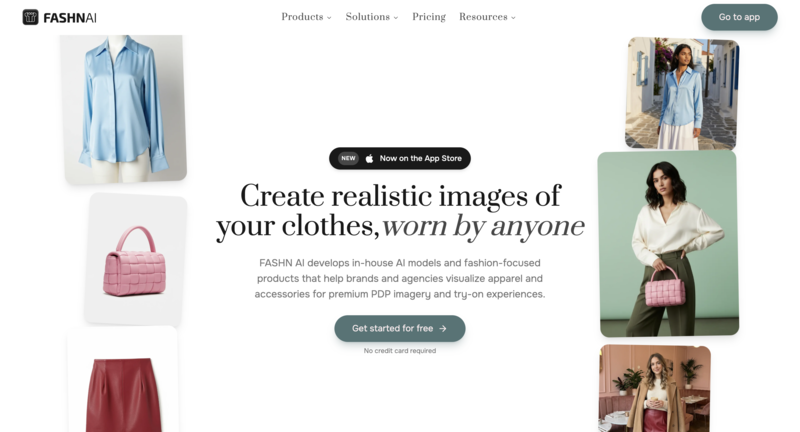
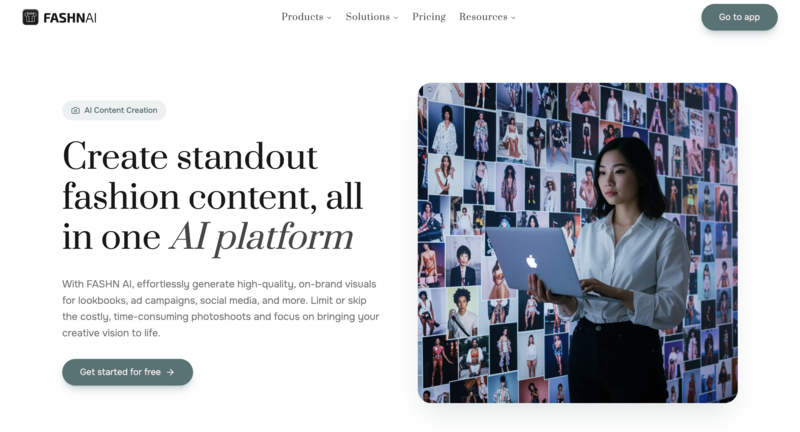
2. FASHN AI

FASHN AI excels in offering highly accurate and fast virtual try-ons, ideal for e-commerce brands looking to enhance their shopping experience. It’s designed to make the process of showcasing products seamless, providing customers with a realistic idea of how clothes will fit and look.

10 Best AI Clothes Changer Tools (Tested)-Fashn

What Makes it Special:

  • Quick and efficient virtual try-on technology
  • Customizable body types for diverse model representation
  • Seamless integration with e-commerce platforms for real-time updates

With  a focus on accuracy and speed, FASHN AI helps streamline their virtual fitting rooms, making it an essential tool for brands with large product catalogs.

3. KLING AI

KLING AI is perfect for social media creators who need quick and visually appealing outfit changes for their content. With its simple interface and fast output, it’s a great choice for influencers or content creators looking to stay on top of trends without spending hours on editing.

10 Best AI Clothes Changer Tools (Tested)-Kling AI

What Makes it Special:

  • Super-fast outfit generation for social media content
  • Focus on trendy styles that resonate with younger audiences
  • Easy-to-use interface that requires no technology skills

KLING AI allows content creators to quickly test multiple outfits, making it the go-to choice fro generating fast, dynamic fashion content without the need for professional photo shoots.

4. DressX

DressX brings a futuristic twist to the fashion world by focusing on digital-only clothing designed for the metaverse and virtual spaces. It offers users the chance to experiment with digital garments that can be worn in online worlds or featured in social media content.

10 Best AI Clothes Changer Tools (Tested)-DressX

What Makes it Special:

  • Exclusive focus on virtual-only clothing for digital wearables
  • Innovative and forward-thinking designs that push the boundaries of traditional fashion
  • Integration with virtual platforms and gaming environments

Perfect for those exploring virtual fashion, DressX provides a unique opportunity to engage with the growing world of digital-only wearables.

5. Veesual

Veesual is designed for retail brands looking to enhance their customer experience by offering digital model try-ons. It’s a reliable, fast solution for showcasing clothing on models without the need for a photoshoot, making it ideal for large-scale fashion operations.

10 Best AI Clothes Changer Tools (Tested)-Veesual

What Makes it Special:

  • Allows virtual try-ons with customizable models of various body types
  • Excellent for high-volume e-commerce stores
  • Enables quick creation of product images for catalogs

Veesual’s focus on high-volume retail environments makes it a top choice for brands that need to quickly generate multiple outfit images without sacrificing quality.

6. Pippit

Pippit is an innovative virtual try-on tool that helps users mix and match outfits from their digital wardrobe. It focuses on allowing users to experiment with different styles and combinations without needing to try on clothes physically.

10 Best AI Clothes Changer Tools (Tested)-Pippit

What Makes it Special:

  • Virtual wardrobe management with outfit mixing and matching
  • Great for users who want to experiment with various combinations before deciding on an outfit
  • Focuses on personal style exploration and fashion creation

Pippit is more than just a virtual try-on tool, it helps users organize their wardrobe digitally and allows for easy outfit experimentation, making it perfect for those who enjoy exploring different styles or want to visualize their closet in a new way.

7. Canva

Canva has integrated AI tools that allow users to generate fashion visuals quickly. While it’s not solely focused on virtual try-ons, it lets users create promotional posts, fashion mockups, and more using AI-powered outfit generation features.

10 Best AI Clothes Changer Tools (Tested)-Canva

What Makes it Special:

  • Combines AI fashion tools with Canva’s design capabilities
  • Idea for content creators and marketers creating visually engaging fashion posts
  • Quick and easy integration with Canva’s other design elements

Canva is perfect for creators who need a simple yet powerful tool to generate fashion-related content without the steep learning curve of more complex software.

8. Airbrush

Airbrush is a versatile mobile app designed to offer quick and accessible virtual try-ons for everyday users. It allows users to try on different outfits virtually with just a few clicks. It’s perfect for those who want to experiment with their wardrobe quickly without the hassle of physical try-ons.

10 Best AI Clothes Changer Tools (Tested)-Airbrush

What Makes it Special:

  • Quick outfit swaps with real-time results
  • User-friendly, mobile-focused interface
  • Great for casual users and those on-the-go who want a fast fashion experiment

Airbrush is an ideal choice for users looking for a simple and fun way to try on clothes virtually, especially if they want fast results without needing to spend too much time on complex features.

9. Stylist AI

Stylist AI is a tool focused on personal style recommendations, offering virtual try-ons based on users preferences and body types. It’s a great option for anyone looking for personalized outfit suggestions, as the AI generates curated looks that match your style.

10 Best AI Clothes Changer Tools (Tested)-Stylist

What Makes it Special:

  • Personalized style recommendations based on your preferences
  • Virtual try-ons that adapt to your body type
  • Great for those seeking fashion inspiration or specific outfit suggestions

Stylist AI is perfect for users who want tailored, intelligent styling suggestions that go beyond simple outfit swaps. It’s a great tool fro exploring new looks or getting help building a wardrobe that suits your personal taste.

10. Pincel

Pincel is a designer-focused tool that allows users to create and experiment with fashion designs. Whether you’re working on sketching new garments or testing fabric combinations, Pincel provides the flexibility to visualize concepts before bringing them to life.

10 Best AI Clothes Changer Tools (Tested)-Pincel

What Makes it Special:

  • Focus on fashion design, from sketching to fabric testing
  • Offers detailed customization for users to iterate on designs
  • Great for designers looking to digitally visualize their concepts

Pincel is perfect for those who want to turn fashion sketch into more polished, digitally rendered designs, making it an essential tool for fashion students and independent designer.

Best AI Clothes Changer Comparison Table

Here’s a comparison table for the Best AI Clothes Changer Tools. This table highlights key features to help you quickly compare the tools and see which one fits your needs best:

ToolKey FocusIdeal ForKey FeaturesBest For
Fashion DiffusionFashion design, creative outfit generationDesigners, marketers, content creatorsCustomizable AI prompts, fabric simulations, high-quality visualsHigh-end fashion design & marketing
FASHNAIE-commerce virtual try-onsRetailers, e-commerce brandsQuick virtual try-ons, model customization, seamless integration with online storesRetail product visualization
KLINGAIFast outfit swaps for content creatorsSocial media influencers, creatorsQuick outfit generation, trendy styles, easy-to-use interfaceSocial media content creation
DressXVirtual-only fashion for the metaverseVirtual fashion enthusiasts, gamersDigital wearables, futuristic designs, metaverse integrationVirtual fashion & digital wearables
VeesualVirtual try-on for retailOnline retailers, fashion brandsCustomizable virtual models, seamless integration, quick resultsE-commerce virtual fitting rooms
PippitVirtual wardrobe management & outfit creationFashion enthusiasts, casual usersVirtual wardrobe, mixing and matching outfits, style explorationPersonal style experimentation
CanvaFashion content creation & designContent creators, marketersAI outfit generation, easy-to-use design tools, integration with Canva’s platformFashion design & marketing posts
AirbrushCasual virtual try-onsCasual users, mobile usersQuick outfit swaps, real-time try-ons, user-friendly mobile interfaceQuick fashion experiments on mobile
Stylist AIPersonalized outfit suggestions & virtual try-onsFashion explorers, style seekersPersonalized styling, virtual try-on for body types, curated looksPersonalized fashion recommendations
PincelFashion design and garment creationDesigners, studentsOutfit sketching, fabric testing, digital design toolsFashion design & visualization

This comparison should help you easily identify the best tool based on your specific needs, whether you’re looking for a quick outfit try-on, personalized styling, or full fashion design capabilities.

Best AI Clothes Changer Tools for Different Use Cases

Not all AI clothes changers are created equal. Depending on your specific needs, whether you’re a fashion designer, content creator, or e-commerce retailer, different tools will suit you better. Here’s a breakdown of which tools are best for different scenarios:

1. Best for Fashion Designers:

Fashion Diffusion

Great for exploring and generating complete outfits with custom prompts. Ideal for designers working on collections or campaigns with a focus on creativity and fabric simulations.

Pincel

Perfect for sketching and testing digital designs. Allows designers to experiment with fabrics and garment structures before physical creation.

2. Best for E-commerce Retailers:

FASHN AI

A fast and accurate virtual try-on tool, great for e-commerce platforms. It integrates seamlessly with online stored, improving the shopping experience.

Veesual

Perfect for online retailers with large catalogs. Quickly generates virtual try-ons across models and integrates well into product pages for an enhanced shopping experience.

3. Best for Content Creators:

KLING AI

Fast outfit changes for influencers and creators. The app’s trendy looks and quick result make it ideal for social media content creation.

Airbrush

Simple, quick virtual try-ons for content creators on the go. Great for mobile users who want fast, fun outfit experiments for social media.

4. Best for Fashion Exploration:

Stylist AI

Offers personalized outfit recommendations and virtual try-ons based on your preferences and body type. Ideal for exploring new styles and building cohesive wardrobes.

Pippit

A digital wardrobe management tool that allows users to experiment with various outfit combinations and discover new styles without buying new clothes.

5. Best for Virtual-Only Fashion and Metaverse:

DressX

For virtual fashion lovers, DressX offers digital-only garments for the metaverse. Perfect for exploring the future of fashion in digital spaces.

Why Fashion Diffusion Deserve a Spot on this list

Fashion Diffusion stands out in the AI clothes changer category due to its unique combination of creativity, flexibility, and professional-grade features. It’s not just about virtual try-ons; it’s a comprehensive tool for fashion exploration and design. Here’s why it deserves a spot on the list:

Creative Control

Fashion Diffusion allows users to generate complete outfits using customizable AI prompts. You can fine-tune the style, fabric, and even the color palette, making it ideal for designers who need complete control over their creative process.

High-Quality Output

Whether you’re designing for marketing campaign or creating a lookbook, the output is polished and realistic, with a high level of detail. The garment simulation, down to texture and fabric, looks lifelike and professional.

Versatility for Multiple Use Cases

Fashion Diffusion serves not only designers but also marketers, content creators, and fashion enthusiasts. Its ability to create compelling fashion visuals makes it perfect for various scenarios, from online marketing to personal styling.

Fabric and Texture Simulations

Unlike many other tools, Fashion Diffusion excels at fabric and texture simulations. This makes it a powerful asset for fashion designers looking to experiment with materials and see how different fabrics interact in a virtual environment.

User-Friendly yet Powerful

Despite its advanced capabilities, Fashion Diffusion is accessible to users with varying levels of expertise. Whether you’re a professional designer or a beginner, the intuitive interface ensures a smooth experience.

With these features, Fashion Diffusion combines creativity and professionalism, making it a top choice for anyone looking to design, experiment with, or market fashion in 2026.

Embrace the Future of Fashion with AI Clothes Changers

AI clothes changers are transforming how we design, shop, and experiment with fashion. From professional designers to everyday users, these tools provide a unique blend of creativity, efficiency, and accessibility. Whether you’re creating stunning fashion visuals, enhancing customer shopping experiences, or exploring new outfits, AI-powered solutions are leading the charge in revolutionizing the fashion industry.

Among these tools, Fashion Diffusion stands out as a must-have for anyone serious about fashion design or content creation. Its ability to generate realistic, customizable outfits with advanced fabric simulations makes it a powerful tool for professionals. Whether you’re designing for a campaign, experimenting with new styles, or visualizing your next collection, Fashion Diffusion offers the control and quality you need. Embrace the future of fashion today and start experimenting with Fashion Diffusion to elevate your creative process.

FAQ

How does AI clothes changer technology work?

AI clothes changer use advanced computer vision and machine learning algorithms to analyze body shapes, sizes, and textures. They then overlay clothing onto images of users or virtual models, adjusting for fit, color, and fabric details. The technology can also generate outfits from scratch based on user input or trends.

What are the benefits of using AI clothes changers?

Time-saving: You can try on multiple outfits instantly without needing to physically change clothes.
Convenience: Ideal for e-commerce customers, fashion designers, and content creators who want quick access to fashion visuals.
Personalization: AI can provide tailored outfit suggestions based on personal preferences, body type, and style.
Sustainability: By experimenting with virtual outfits, users can reduce physical waste, which is especially beneficial for fashion designers and brands.

Can AI clothes changers be used by anyone, or are they just for professionals?

AI clothes changers are designed for users of all skill levels. Fashion designers and marketers use them for professional tasks, but casual users can also enjoy experimenting with their wardrobe or finding outfit inspiration without needing specialized knowledge.

Are AI clothes changers only for virtual try-ons?

No, while many AI clothes changers focus on virtual try-ons for customers and e-commerce, others are used for creating digital fashion designs, testing different fabrics, or generating promotional content. The range of uses varies by tool, from fashion creation to shopping experiences.

Can AI clothes changers be used for custom clothing design?

Yes. AI tools allow users to create and visualize custom clothing designs. These tools let designers experiment with different styles, fabrics, and textures to bring their concepts to life digitally before committing to physical samples.

Avatar photo 通过Alexander Wilson

Flat Lay vs. On-Model Photos: Which Converts Better for Fashion E-Commerce?

When it comes to fashion e-commerce, if your product images aren’t converting, your image format might be the reason.

Most fashion sellers struggle with the same question: should you use flat lay images or on-model photos? The answer directly affects click-through rate, conversion rate, and even return rates.

Flat lays are fast, clean, and scalable—especially with an AI flat lay generator. On the other hand, on-model visuals build trust and help customers understand fit, which is why many brands now rely on AI virtual try-on to create realistic on-model fashion photos without the cost of traditional shoots.

But here’s the real problem: choosing the wrong format can quietly hurt your sales.

In this guide, we break down what actually works—based on conversion data, product types, and real e-commerce use cases—so you can choose the right strategy and start creating the best product photos for clothing immediately.

Flat Lay vs. On-Model Photos: Key Differences

Before diving into performance, it’s important to understand what each format does best.

  • Flat lay photography presents clothing laid out on a surface, focusing on shape, texture, and details.
  • On-model photos show garments worn by a person, highlighting fit, movement, and styling.

In terms of fashion product photography types, flat lays are typically used for clarity and efficiency, while on-model images are used for emotional connection and context.

This distinction is key when thinking about on-model photos vs flat lay performance in e-commerce.

What the data says about conversion rates

When comparing flat lay vs on-model photos in fashion e-commerce, multiple industry studies show a consistent pattern:

On-model images tend to increase conversion rates for apparel, while flat lay images perform better in browsing and discovery contexts.

According to BigCommerce, 78% of online shoppers want photographs that bring products to life, such as images showing items in use or on a model, as these visuals help them better understand the product before purchasing.

Similarly, research cited by Shopify shows that high-quality product images are one of the most important factors influencing purchase decisions, with better visual presentation directly impacting conversion rates and reducing hesitation.

User behavior data from Salsify further reinforces the importance of product imagery: consumers say product content is extremely or very important when deciding to buy, with 61% of them considering images and videos ranking as the most influential elements on product pages.

Category Differences

While the impact of flat lay and on-model photography varies across fashion e-commerce, the effectiveness of each format largely depends on the product type. Different categories require different levels of context, fit visibility, and detail emphasis to maximize conversion.

Here’s how performance typically breaks down:

  • Dresses and fit-dependent apparel: On-model photos perform best because customers need to evaluate fit, silhouette, and movement. These products rely heavily on visualizing how the item behaves on a real body, making contextual imagery essential for conversion.
  • Tops and everyday apparel: A combination of flat lay and on-model images works best. Flat lays help users quickly compare styles and details, while on-model photos provide clarity on fit and styling, supporting final purchase decisions.
  • Accessories and detail-focused products: Flat lay images often perform equally well or better. Since these products are less dependent on fit, customers focus more on design, texture, and visual details, making clean, distraction-free imagery more effective.

When Flat Lay Photos Win

Flat lay photography conversion rate is most effective when the priority is clarity, scalability, and fast visual understanding rather than emotional or lifestyle storytelling. It is widely used in catalog-heavy and browsing-driven environments where users need to quickly compare products.

Detail-Focused Products (Texture, Print, Pattern)

Flat lay images work particularly well for showcasing fabric quality, surface detail, and print accuracy without visual distraction from styling or environment.

Flat lay clothing image highlighting fabric texture and details.

This is especially useful in categories like basics, streetwear, or textile-driven designs where material clarity influences purchase decisions more than fit visualization.

Marketplace Thumbnail Optimization

In grid-based environments such as Amazon, Etsy, or search result pages, products are often first evaluated at very small sizes. Flat lay or clean product-centered images improve readability and help products stand out during fast scanning behavior.

Fashion marketplace product thumbnail with clean flat lay presentation.

This aligns with general e-commerce image guidelines that emphasize clarity and simplicity for small-format product discovery.

Cost Efficiency for Large Catalogs

Flat lay photography is widely used in large-scale product catalogs because it significantly reduces production complexity, time, and cost compared to model-based shoots.

Large fashion catalog flat lay product photography workflow.

This makes it a practical choice for brands managing high SKU volumes where consistency and operational efficiency are more important than lifestyle storytelling.

When On-Model Photos Win

On-model photography becomes more effective when the goal is to increase purchase confidence, communicate fit, and create emotional or aspirational context around the product.

It is the dominant format in most modern fashion product detail pages.

Fit and Proportion Communication

On-model images help customers understand how clothing behaves on the body, including silhouette, length, drape, and proportion, which are key factors that cannot be communicated through flat lay alone.

Model wearing fashion apparel for fit and silhouette visualization.

This reduces uncertainty, which is one of the primary drivers of hesitation in fashion e-commerce.

Lifestyle and Brand Storytelling

Many fashion brands use on-model photography to create a visual identity and emotional connection beyond the product itself.

Brands such as Everlane, COS, and Reformation consistently rely on model-based imagery across their product pages to reinforce brand positioning and styling context.

Lifestyle fashion photography for brand storytelling and styling context.

This approach shifts the product from a standalone item to part of a broader aesthetic narrative.

Higher-Ticket Items

For premium or higher-priced fashion products, on-model imagery plays a critical role in reducing perceived purchase risk and increasing conversion confidence.

Premium fashion item displayed with on-model photography.

Customers are more likely to convert when they can clearly visualize how a high-value item looks in real-world usage conditions.

A High-Converting Product Image Strategy for Fashion E-Commerce

Instead of choosing between flat lay and on-model photos, the highest-performing fashion e-commerce brands structure their product images to guide users through the buying journey.

That is, on-model images attract and convert, while flat lays and detail shots support evaluation and decision-making.

This layered approach is widely used across modern product pages, where the first image captures attention, and subsequent images provide clarity and reassurance.

Fashion e-commerce product gallery combining on-model and flat lay images.

Use On-Model Images as Your Primary Visual

Your primary image should focus on immediate impact and clarity.

On-model photos work best here because they:

  • Show fit and proportion instantly;
  • Create a stronger first impression;
  • Help users visualize the product in real life.

This is especially important in feeds, ads, and product listings where users decide in seconds whether to click.

Support with Flat Lay and Detail Images

After the initial click, users shift from browsing to evaluating. This is where flat lay and detail images play a critical role.

They help:

  • Highlight fabric, texture, and construction;
  • Provide clean, distraction-free views;
  • Reinforce product quality and accuracy.

Together, these images reduce uncertainty and support the final purchase decision.

Make It Scalable with AI

One of the biggest barriers to implementing this strategy has always been cost and production complexity.

Now, AI makes it practical.

With an AI flat lay generator, you can produce consistent flat lay images across large catalogs without manual setups. And with AI virtual try-on, you can generate realistic on-model fashion photos without organizing photoshoots or hiring models.

This allows brands to build a complete, conversion-focused image system—without the traditional overhead.

How to Generate High-Converting Product Images with AI

Creating both flat lay and on-model product images used to require separate photoshoots, multiple teams, and significant production time.

Now, with AI fashion design tools like Fashion Diffusion, you can generate both formats from a single product image, reducing production time from days to minutes.

Step 1: Generate Flat Lay Images for Catalog and Detail Views

Start by creating clean, high-quality flat lay images that can be used for product galleries, marketplace listings, and detail-focused views.

With Fashion Diffusion, there are two practical ways to generate flat lay visuals depending on your needs.

Option 1: Generate Clean White-Background Flat Lays Instantly

Use the AI flat lay generator to quickly convert your original product image into a clean, white-background flat lay.

The product page of Fashion Diffusion's Flat Lay Generator feature.

This approach is ideal for:

  • Marketplace listings (Amazon, Etsy);
  • Standardized product catalogs;
  • Bulk image generation.

Time Consumption: about 40 seconds per image.

AI-generated flat lay clothing images for fashion catalogs.
Fashion Diffusion AI-generated

Option 2: Create Flat Lay + Detail Shots with AI Lookbook

For more visually rich outputs, you can use the AI Lookbook feature in Fashion Diffusion.

Simply select the Flat Lay with Detail Shots template and upload a product image to generate a set of flat lay visuals along with close-up detail images.

The product page of Fashion Diffusion's Goods Detail Pic feature.

This approach works best for:

  • Product detail pages;
  • Marketing visuals;
  • Showcasing texture and craftsmanship.

Time consumption: 1 to 2 minutes per image.

AI Lookbook flat lay and detail shots for fashion products.
Fashion Diffusion AI-generated

Step 2: Create On-Model Photos with AI Virtual Try-On

Next, generate on-model images to support conversion-focused use cases such as product detail pages, ads, and hero visuals.

Using AI virtual try-on, you can place your product onto a model and generate realistic on-body images that show fit, proportion, and styling.

The product page of Fashion Diffusion's Virtual Try-On feature.

Time comparison:

  • Traditional model shoot: 1–2 days (casting, shooting, coordination);
  • AI virtual try-on: about 1 minute per image.

This eliminates the need for reshooting across different models, poses, or variations.

AI virtual try-on fashion model visualization.
Fashion Diffusion AI-generated

Step 3: Combine Both into a High-Converting Product Page

Once both image types are generated, structure them strategically to guide users through the buying journey.

  • Primary image → on-model (for clicks and conversion);
  • Secondary images → flat lay + detail shots (for evaluation).

Time impact:

  • Traditional workflow (planning + shooting + editing): several days;
  • AI workflow: complete image set in under an hour.

This makes it possible to test, iterate, and scale visual content much faster.

Start Creating High-Converting Product Images Today

Choosing between flat lay and on-model photos isn’t really the goal.

The most effective fashion e-commerce brands combine both—using on-model visuals to capture attention and drive conversions, and flat lay images to provide clarity, detail, and product understanding.

The challenge has always been production—until now.

With tools like an AI flat lay generator, you can quickly create clean, consistent product images for catalogs and listings at scale. And with AI virtual try-on, you can generate realistic on-model fashion photos that help customers better understand fit and styling.

Instead of choosing one format over the other, you can now build a complete, high-performing product image system—faster, more affordably, and at scale.

Start generating your first flat lay or on-model image today and see the difference it makes!

FAQ

What type of photos sell best online?

The best-selling photos online often feature authentic, high-quality images of people in candid, emotional, or diverse scenarios, alongside versatile business, technology, and lifestyle content. Popular stock often features authentic, high-quality images.

What is the 20-60-20 rule in photography?

The 20-60-20 rule in photography, popularized by wildlife photographer Paul Nicklen, is a time-management and creative strategy designed to maximize the quality and artistic value of a photoshoot. It involves spending the first 20% of time getting safe, technically perfect shots, the middle 60% exploring creative experiments, and the final 20% taking high-risk, artistic risks.

What are common flatlay mistakes?

Common flatlay mistakes include using harsh, direct lighting, overcrowding the frame, and neglecting to create a clear focal point or narrative. Other errors, as outlined in some e-commerce clothing photo guides, involve poor focus, distracting background clutter, and improper editing (e.g., over-sharpening or wrong white balance).

What are the two types of photography for e-commerce?

The two primary types of e-commerce photography are studio (white background) shots and lifestyle photography. These approaches cover both practical product clarity and emotional, brand-driven storytelling, essential for enhancing sales.