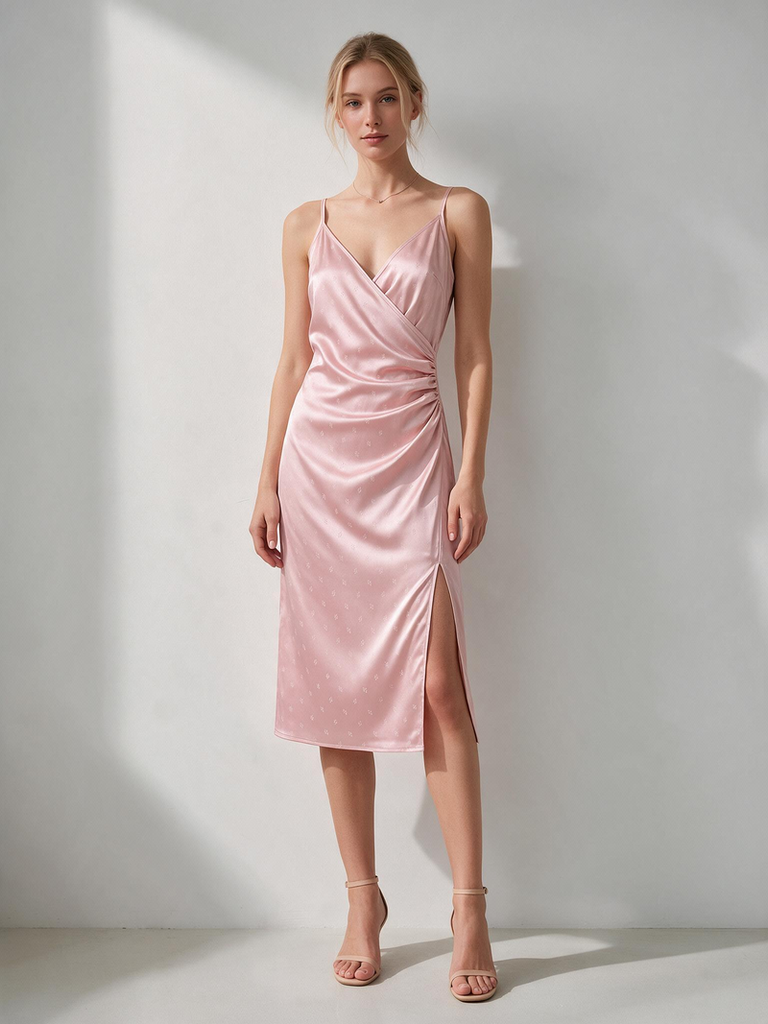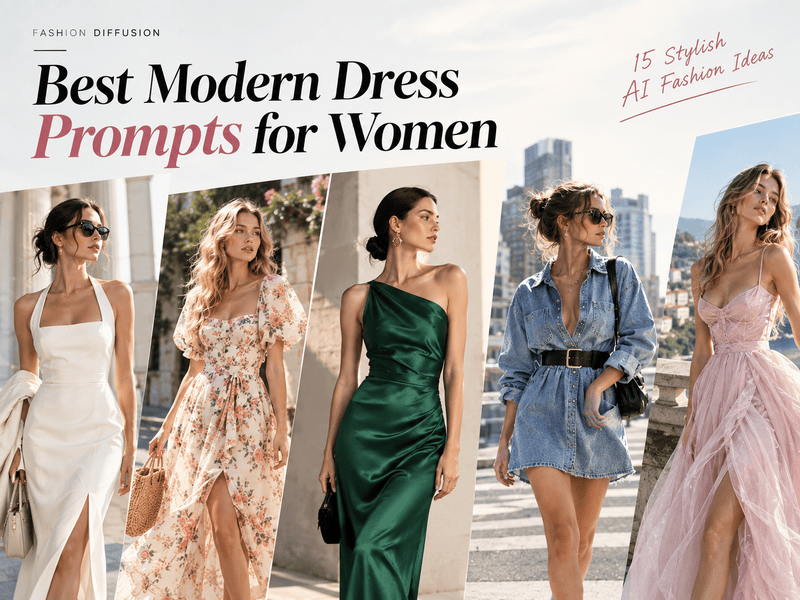
月度归档 2026年9月15日

Avatar photo 通过Sophia Mille

Best Gemini AI Photo Prompts for Fashion and Portraits in 2026

Over 30 ready-to-use prompts. That’s what this guide gives you. If you just want to copy a Gemini AI photo prompt, drop it into your generator, and get a realistic model shot, skip straight to the list below.If you want to know why some prompts produce high-end fashion shots while others give you a plastic-looking mannequin, the quick breakdown below will show you how to structure every line.

Gemini has gotten insanely good at real human features, natural skin textures, and fabric details. But to get studio-quality results, you need the right words.

Below, you’ll find copy-and-paste prompts for streetwear, editorial portraits, and vintage aesthetics. Planning a summer campaign? Check out our dedicated Gemini AI prompt for bikini library for instant beachwear visuals.

From reading to your first generated fashion photo: about two minutes. Let’s dive in.

The Secret Formula for a Perfect Gemini AI Photo Prompt

Copying prompts works, but knowing how to build them gives you full control. When a generated photo looks off, it is usually because one core element is missing from the text.

A commercial-grade Gemini photo prompt relies on four basic building blocks:

  • Subject & Pose: Define the model clearly. Specify ethnicity, hair style, expression, and action (e.g., “A 25-year-old East Asian female model, slight smile, candid relaxed stance, hands in pockets”).
  • Clothing & Texture: Name the garments and their materials. AI needs texture cues to avoid a flat look (e.g., “Oversized heavy-wool coat, ribbed knit turtleneck, raw denim jeans with visible stitching”).
  • Lighting & Environment: Set the mood and light source. Light shapes the face and fabrics (e.g., “Golden hour sun, soft golden glow, subtle rim light, muted minimalist urban alley background”).
  • Camera & Film Type: Instruct the engine to shoot like a camera, not a 3D renderer (e.g., “Shot on 35mm lens, f/1.8 aperture, Kodak Portra 400 film grain, subtle depth of field”).

Combine these four pieces into a simple paragraph, and Gemini will yield clean, photorealistic visuals every time.

Top Gemini AI Photo Prompts for Realistic Fashion & Portraits


Here is the ultimate lookbook. Each section below features a ready-to-use prompt designed around specific lighting, styling, and camera settings. Copy them, tweak the details, and drop them into Gemini to generate instant fashion visuals.

1. High-Fashion & Editorial Studio Shots

For high-end fashion brands, clean contrast and dramatic studio lighting are essential. Using the best Gemini AI photo prompts for high-end fashion helps you skip synthetic renders and achieve a polished, magazine-cover aesthetic.

Prompt: High-fashion editorial portrait of a tall female model wearing an asymmetrical avant-garde black satin blazer and tailored trousers. Sharp studio lighting, dramatic softbox shadow on one side, clean off-white background. Model standing with a confident, calm gaze looking directly at the camera. Shot on 85mm lens, f/2.8, hyper-detailed fabric sheen and crisp tailoring, sharp focus.
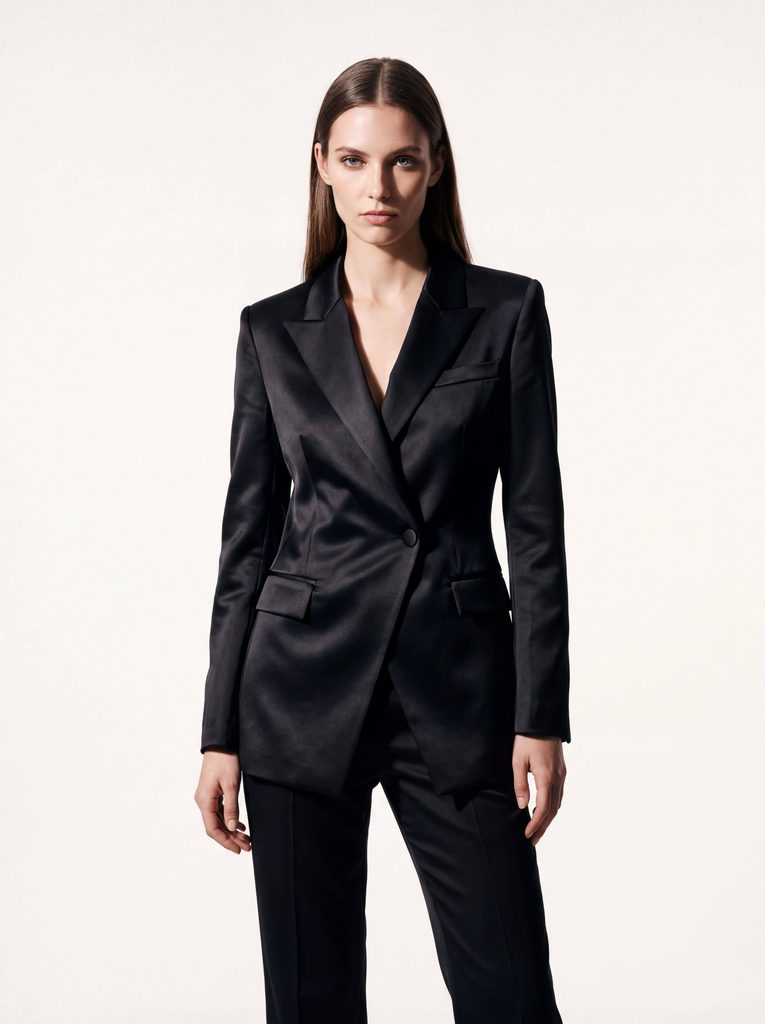
A female model wearing a tailored black suit, generated by Fashion Diffusion.

2. Summer Vacation & Swimwear Photography

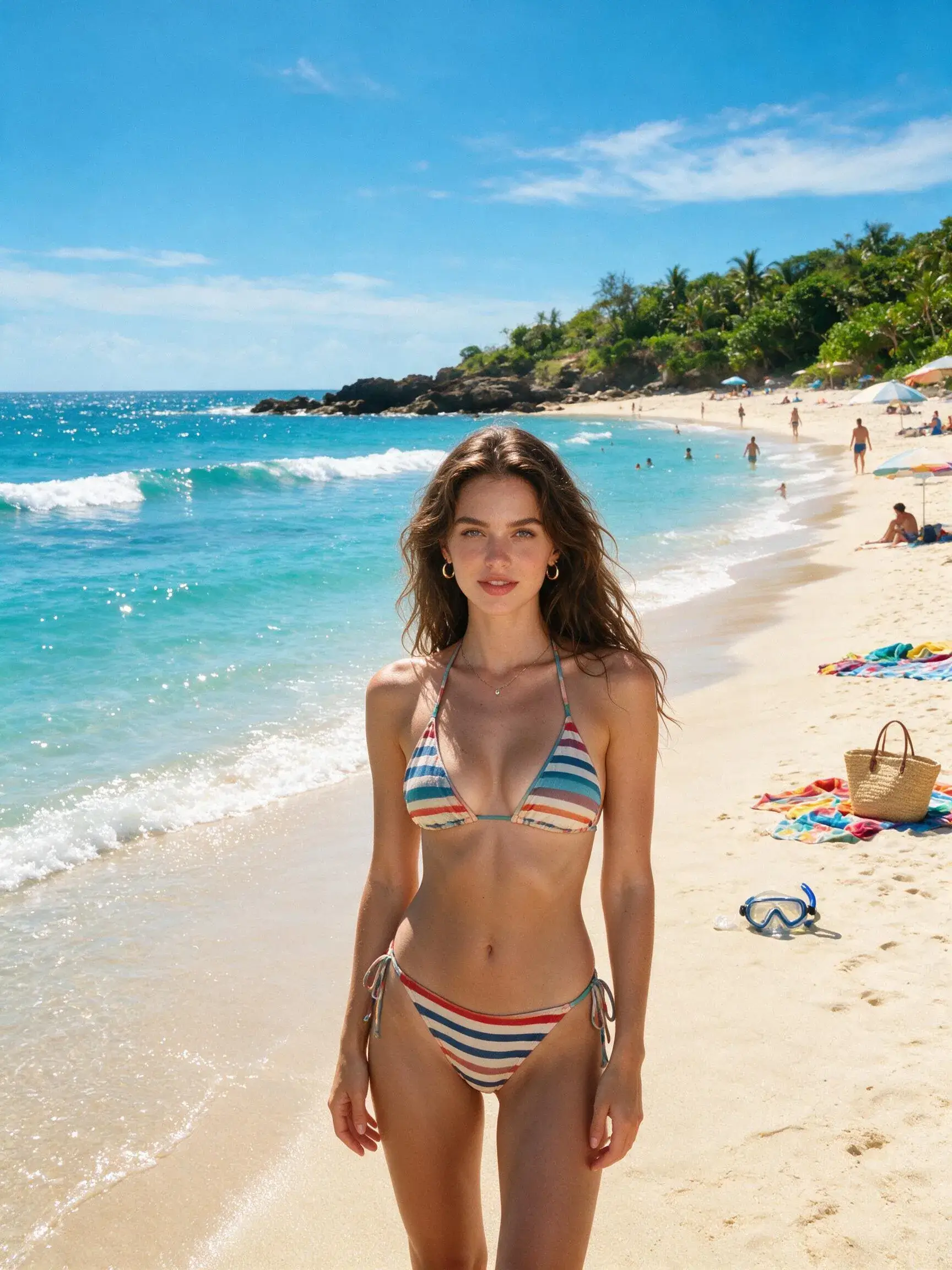
Natural sunlight, ocean reflections, and light fabrics require precise prompt engineering to keep textures realistic and skin tones warm without looking over-processed. If you are specifically building summer campaigns, explore our curated bikini prompts for Gemini AI to quickly generate high-converting swimwear visuals.

Prompt: Full-body beach photo of a female model on a sun-drenched tropical shore at golden hour. Warm sunlight reflecting off gentle ocean waves, soft lens flare. Candid relaxed pose standing near shoreline. Shot on 35mm lens, natural skin texture with subtle water droplets, vibrant yet natural color grading, Kodak Portra 400 warmth.
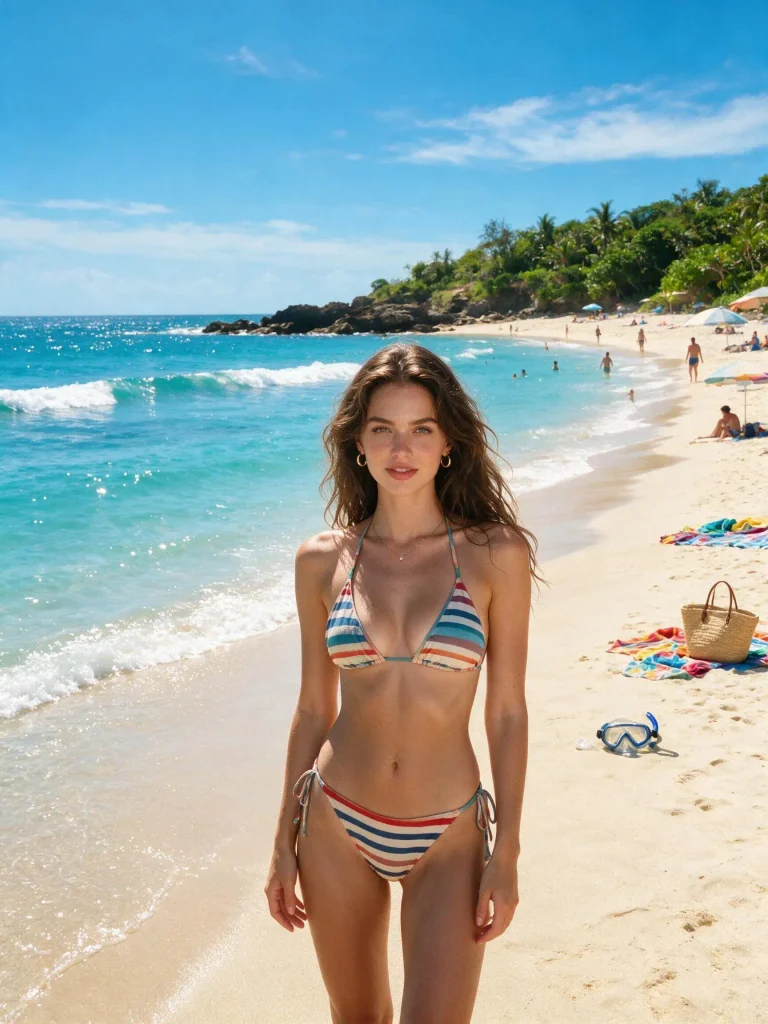
A beautiful woman in a colorful bikini standing on a sunny beach, generated by Fashion Diffusion.

3. Street Style & Urban OOTD

Urban photography thrives on movement and real-world background blur. Capturing motion blur and authentic streetwear textures gives your e-commerce lookbooks an organic, social-first vibe.

Prompt: Candid street style photography of a male model walking across a SoHo crosswalk in New York City. Wearing an oversized vintage bomber jacket, dark relaxed cargo pants, and retro sneakers. Subtle background motion blur of city traffic and blurred pedestrian neon signs. Natural cloudy daylight, shot on 50mm lens, f/1.8 aperture, realistic street texture.
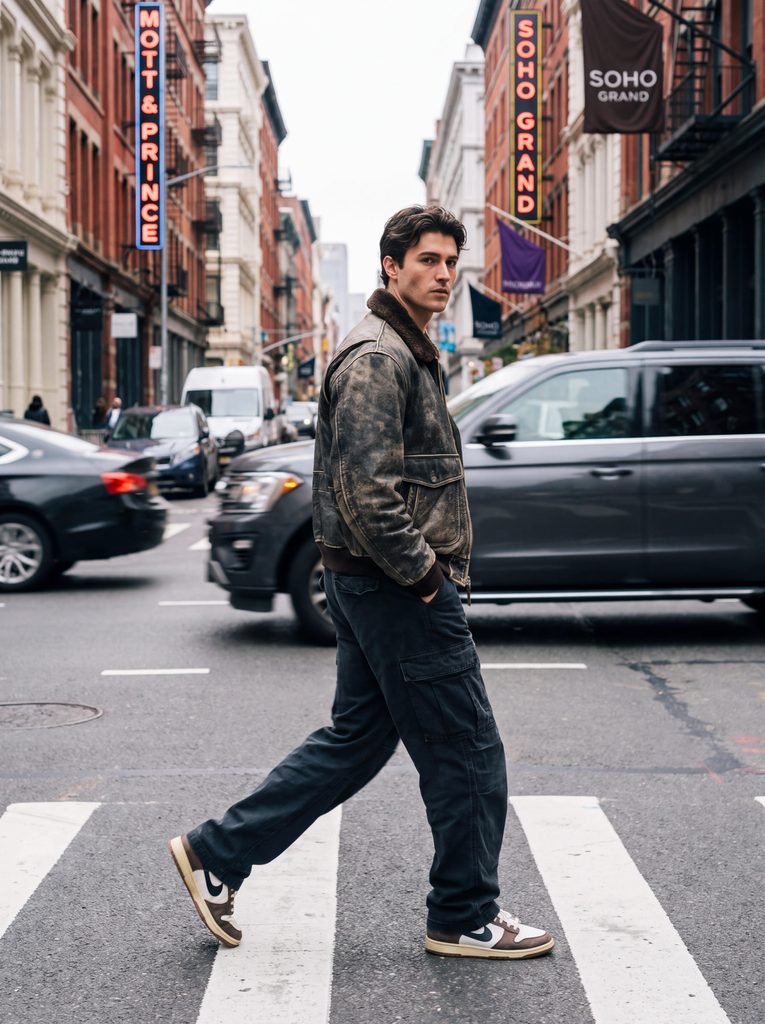
A man wearing a stylish brown jacket walking down the middle of a street, generated by Fashion Diffusion.

4. Extreme Close-Up Beauty Portraits

Close-up beauty shots leave no room for AI hallucinations or smooth “plastic” filters. Gemini excels at hyper-detailed skin textures, pores, and cosmetic details when prompted correctly.

Prompt: Extreme macro beauty portrait of a female model showcasing glossy nude lip color and subtle golden shimmer eyeshadow. Soft ring light reflection in the eyes, ultra-realistic skin texture showing fine pores and natural freckles, clean studio background. Shot on 100mm macro lens, sharp focus on eyes and lips, f/4 aperture, crystal clear detail.
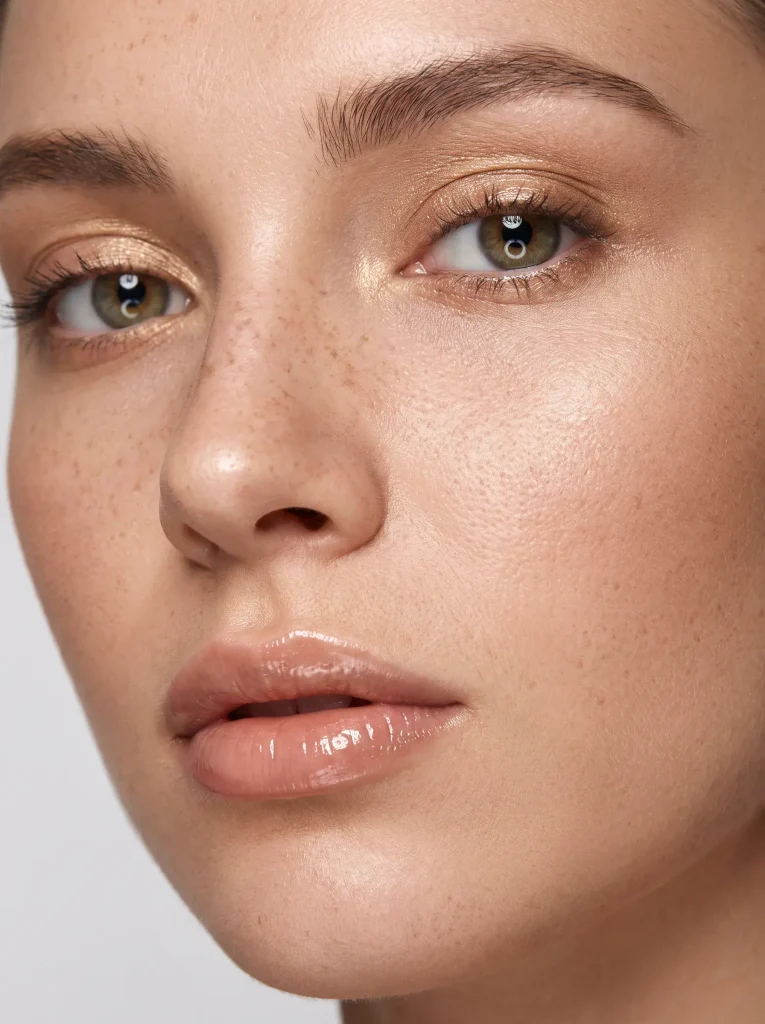
A close-up portrait highlighting detailed beauty makeup, generated by Fashion Diffusion.

5. Cozy Autumn/Winter & Layered Outerwear

Winter collection campaigns rely heavily on tactile materials—chunky wools, matte leathers, and soft knits. Warm lighting against cold, natural backgrounds creates an instant seasonal contrast.

Prompt: Medium shot of a model wearing a heavy cream turtleneck sweater layered under a thick wool trench coat. Standing in a park during late autumn, fallen golden leaves blurred in the background. Soft diffused afternoon light, subtle wind blowing hair strands, shot on 85mm lens, f/2.0, detailed knit weave and coat texture.
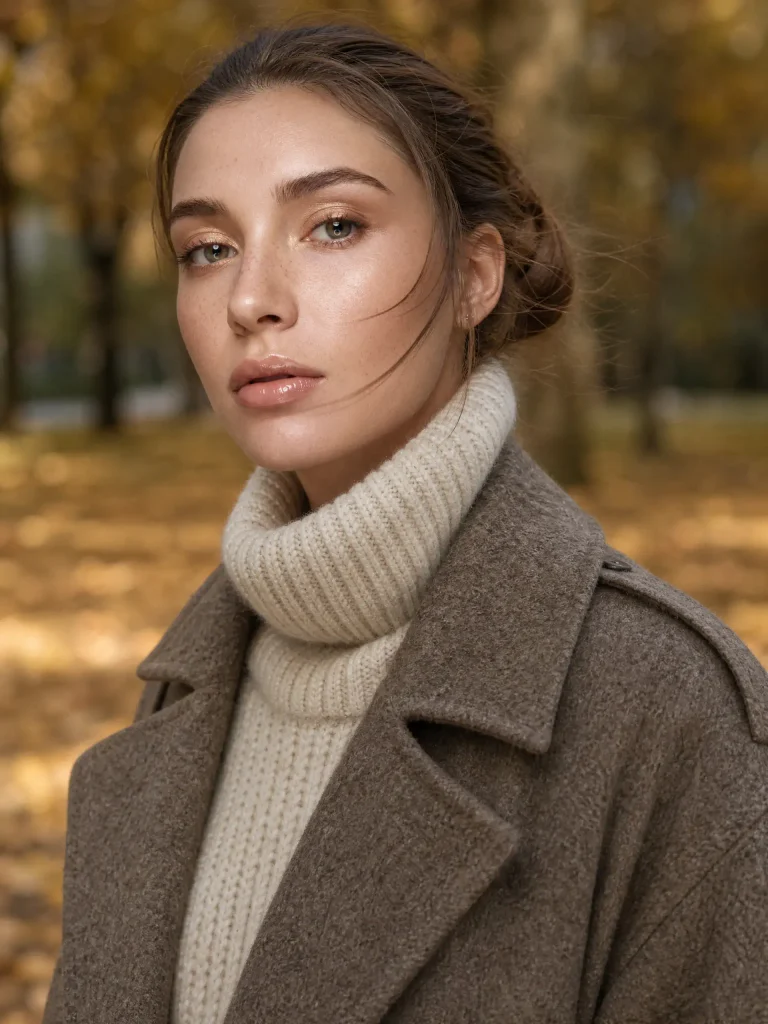
An autumn fashion outfit featuring a wool coat, generated by Fashion Diffusion.

6. Activewear & Fitness Lifestyle Shots

Dynamic motion and athletic energy require prompts that emphasize action, crisp highlights, and realistic sweat or muscle definition without looking exaggerated.

Prompt: Action shot of a female athlete tied in mid-stride on an outdoor track during early morning sunrise. Wearing a sleek slate-grey activewear matching top and leggings set. Low-angle shot, side rim light highlighting athletic form and fine beads of sweat, soft atmospheric morning mist. Shot on 70-200mm lens, 1/2000s shutter speed, tack-sharp freeze frame.
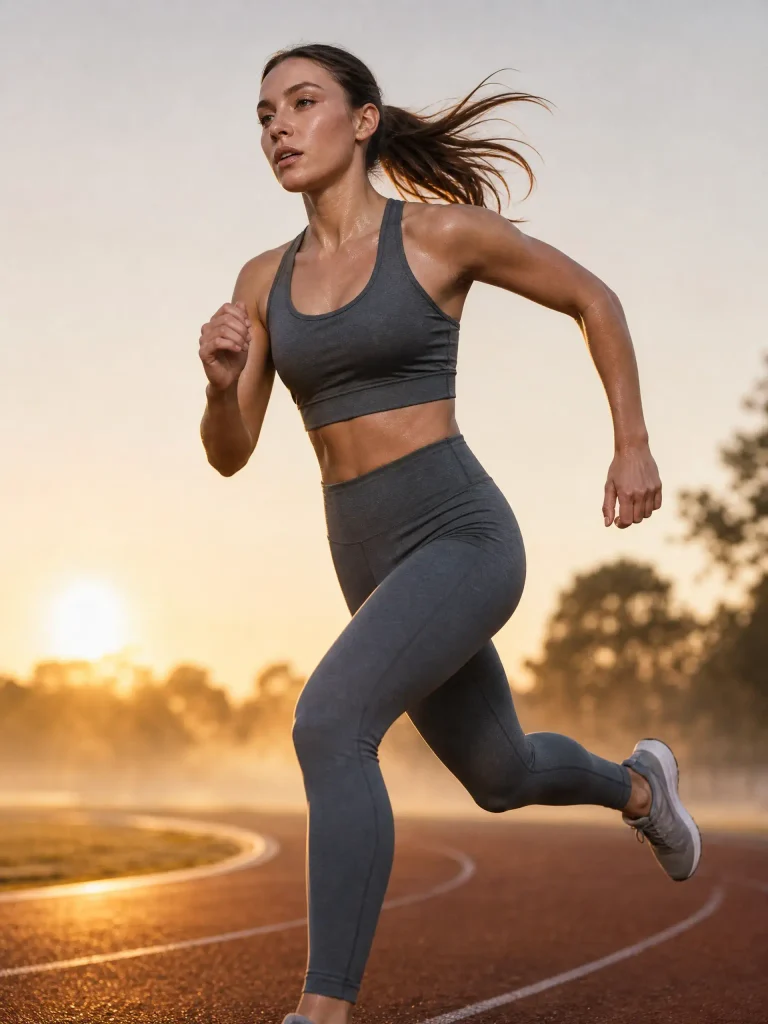
A woman running while wearing a grey sports tank top and yoga pants, generated by Fashion Diffusion.

7. Hot Girl Aesthetic

Capturing high-energy, flattering glamour shots requires a balance of vibrant contrast, warm highlights, and confident posing. If you are looking for even more trending portrait styles, explore our curated list of AI hot prompts to generate viral, social-ready visuals in seconds.

Prompt: A captivating woman, dressed in a bunny girl outfit and wearing a headband adorned with black plush bunny ears, is photographed from the waist up while wearing tight black stockings. She stands seductively in a bar, with a vintage liquor cabinet in the background. Captured in a natural, confident pose, the photo was taken with a 50mm lens at an aperture of f/1.4, creating a creamy bokeh effect in the background and a strong, cinematic contrast.
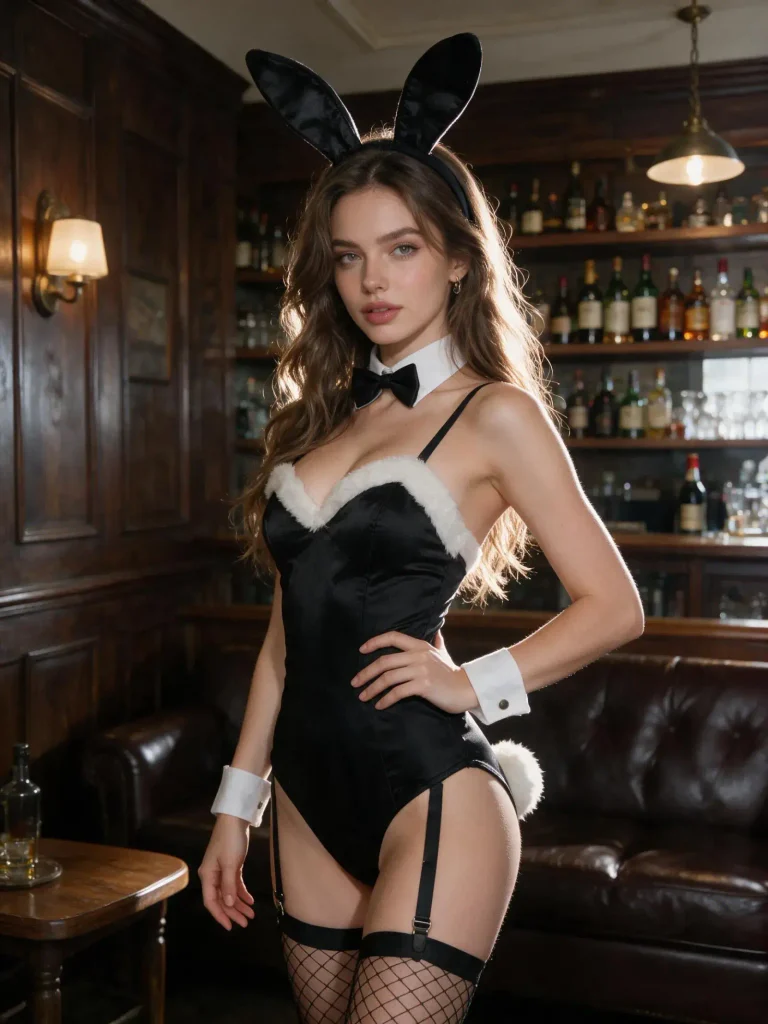
A model in a sexy bunny girl costume, generated by Fashion Diffusion.

Common Mistakes When Writing Gemini Image Prompts

Even with a strong prompt formula, minor oversights can turn a promising generated portrait into an awkward synthetic mess. Avoid these three frequent pitfalls to keep your fashion renders photorealistic:

  • Keyword Stuffing & Buzzword Overload: Avoid piling on vague quality buzzwords like “ultra-realistic, 8k resolution, trending on ArtStation, masterpiece.” Gemini responds far better to specific visual descriptions—such as “visible skin pores,” “subtle fabric weave,” or “shallow depth of field”—than to generic hype words that clutter the prompt.
  • Contradictory Lighting & Style Cues: Mixing conflicting instructions confuses the image generator. For instance, prompting “soft morning haze with harsh studio directional shadows” or “vintage film grain on a clean modern vector background” forces Gemini to blend opposing physics, often resulting in unnatural lighting artifacts. Stick to one cohesive lighting atmosphere per render.
  • Ignoring Hand and Limb Distortion: While Gemini handles anatomy better than earlier generations, hands and awkward posture folds can still glitch when relying purely on text. Instead of lengthening your prompt with massive negative prompt lists, keep it simple: specify clean poses like “hands in jacket pockets” or “relaxed arms at side.” If you want guaranteed, production-ready body proportions without prompt wrestling, using a modern AI fashion generator like Fashion Diffusion bypasses these text-to-image limitations completely.

FAQs

Can Gemini AI generate realistic human faces?

Yes. Gemini has significantly upgraded its ability to render human anatomy and facial features. By specifying details like “natural skin pores,” “subtle freckles,” and exact lighting in your prompt, you can bypass the smoothed-out, plastic look and generate faces that look entirely photorealistic.

How do I make Gemini AI photos look less fake?

Drop overused buzzwords like “8k resolution” or “CGI.” Instead, talk to the AI like a photographer. Add real film types (such as Kodak Portra 400), specify camera lenses (like an 85mm or 35mm lens), and include natural visual imperfections like “subtle film grain” or “soft background motion blur.”

Are Gemini generated images free for commercial use?

In most cases, images generated through Google’s paid AI tiers (like Gemini Advanced or Workspace) allow for commercial use. However, policies vary depending on your specific account type.

What is the difference between standard Gemini prompts and FashionDiffusion?

Standard Gemini prompts rely purely on text to generate randomized clothing on randomized models. If you are an e-commerce brand or fashion seller who needs to showcase your actual garment inventory, text prompts cannot reliably replicate your physical apparel. Using a dedicated AI fashion workflow like Fashion Diffusion allows you to upload flat-lay photos of your real products and seamlessly map them onto realistic AI models, preserving exact textures, cuts, and brand aesthetics without trial-and-error prompt writing.

Can I generate specific clothing patterns or exact brand logos in Gemini?

Text-to-image prompts in Gemini are ideal for generating general styles, aesthetics, and garment textures (e.g., “ribbed knit cardigan” or “distressed denim”). However, standard text generators struggle to replicate precise, complex brand logos, unique custom graphics, or exact pattern placements consistently across multiple renders.
Avatar photo 通过Alexander Wilson

How to Visualize Fabric on a Garment Before Ordering a Single Sample

A fabric can look perfect as a flat swatch and still surprise you once it is cut and sewn into an actual garment. Color shifts under different lighting. Drape changes completely on a bias-cut skirt versus a structured blazer. A print that looked balanced on a swatch card can stretch or compress once it wraps around a real silhouette. That gap between swatch and garment is why so many fashion samples get reordered.

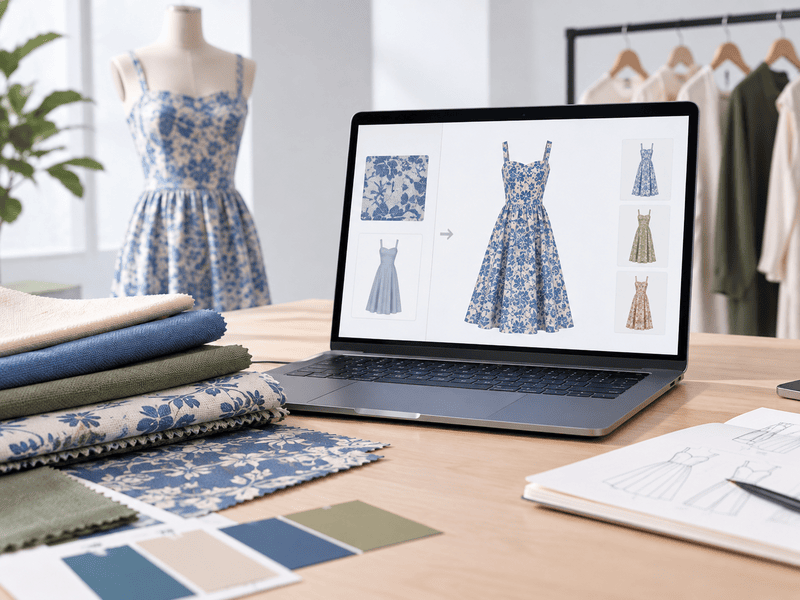
Fabric to garment AI is built to close that gap before a single sample goes into production. Instead of guessing from a flat swatch, you can apply fabric directly onto a garment photo with AI. The result comes back in seconds, well before any cutting, sewing, or shipping happens.

This guide covers what AI fabric visualization can help you evaluate, how to use it step by step, and where it fits alongside physical sampling.

AI Visualization vs Physical Fabric Sampling

Physical sample costs vary widely depending on the garment, fabric, construction, and sampling location. What makes the difference is not just any single step, but how many steps and rounds happen before a decision gets made. Laying the two processes side by side against each other shows where the time actually goes.

StepTraditional Sampling ProcessAI Visualization Process
1Order a fabric swatch and wait for it to arrive, typically a few days to over a weekUpload a photo of the fabric and a reference garment
2Evaluate color and hand feel from the swatch alone, without seeing it on the garmentGenerate a preview of the fabric on the garment in seconds
3Order a full physical sample and wait, commonly one to three weeks or more per roundCompare multiple fabrics or colorways on the same garment instantly
4Review the sample and request revisions, often across two or more roundsNarrow the options down to the fabrics worth ordering as a physical sample
TotalDays to several weeks before the first full sample is even reviewedMinutes to preview and compare, with physical sampling reserved for a short list

The traditional process only shows you the finished result after fabric has already been ordered and a garment has already been sewn. The AI process moves that same decision earlier, so the fabrics that clearly will not work get filtered out before any material or labor is spent on them.

What AI Fabric Visualization Can Help You Evaluate

Before getting into the steps, it helps to know what this kind of tool is actually good at showing you. AI fabric visualization is not a lab test. It is a fast way to preview how a material choice will read on a garment. That way you can rule out options that clearly will not work before spending time and money on a physical sample.

Color and Colorways

The same garment can look completely different in five colorways, and judging that from a swatch card alone is unreliable. Applying each color option to the same garment reference makes it easier to compare how a shade reads on the actual silhouette rather than on a small flat piece of fabric.

Print Scale and Placement

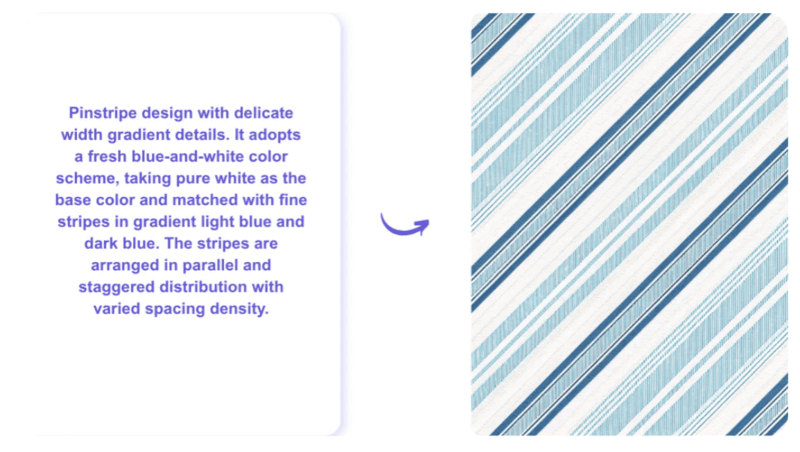
A print that looks balanced on a small swatch can look oversized or cramped once it repeats across a full garment. Fabric to garment AI can preview how a print scales and lands on seams and panels, so you catch scale problems before fabric goes to print. If the print itself still needs to be designed, Fashion Diffusion’s seamless pattern generator can turn a reference image or text description into a repeat-ready fabric pattern. You can then preview that pattern on a garment.

Fashion Diffusion's seamless pattern generator can turn text description into a fabric pattern.

Texture and Surface Appearance

Sheen, weight, and surface texture all affect how a fabric photographs on a finished garment. Visualizing a fabric on a garment reference gives a sense of how a shiny satin or a matte cotton will read visually. That makes it useful for deciding between similar-looking fabric options before committing to one.

Fabric and Garment Compatibility

Not every fabric suits every silhouette. A heavy brocade on a fitted slip dress and a lightweight chiffon on a structured coat both tend to look off. Previewing the combination on a garment reference makes that mismatch obvious early, instead of after a sample has already been cut.

How to Visualize Fabric on a Garment With AI

The process behind fabric to garment AI is simpler than most people expect. You do not need 3D modeling software, a photography studio, or design experience. You need two images and a few seconds of processing time.

Step 1: Upload a Fabric Reference

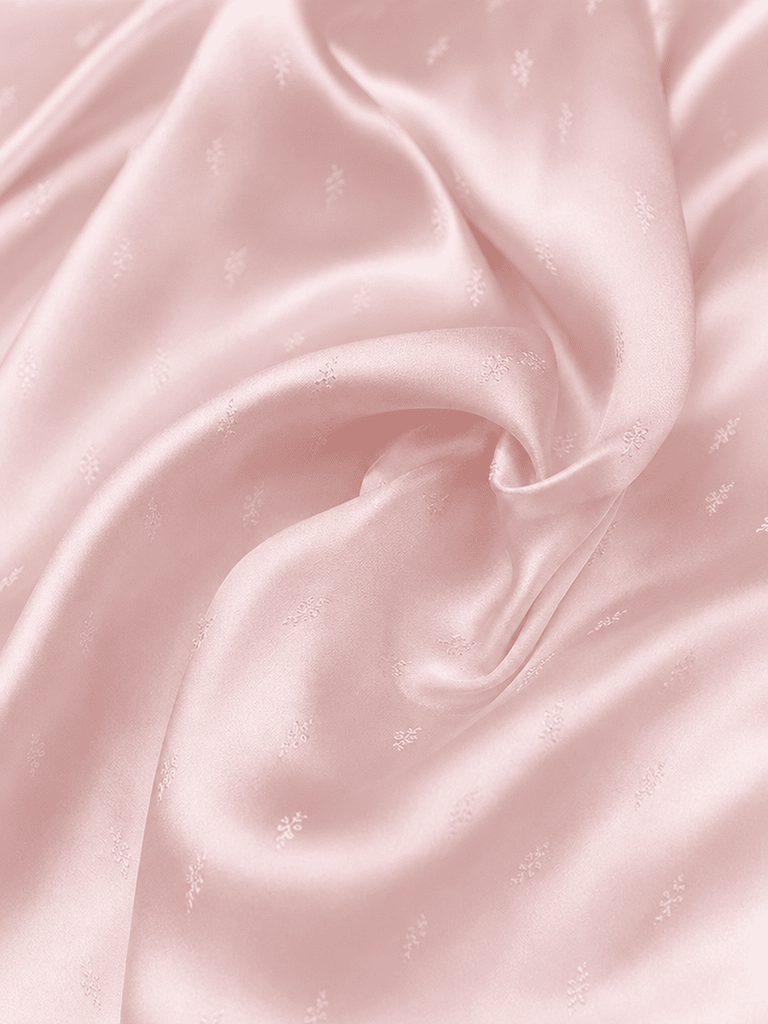
Start with a clear photo of the fabric itself. This can be a textile sample, a scanned swatch, a printed pattern, or any material reference you already have on hand. Fashion Diffusion’s Apply Fabric accepts PNG, JPG, and WebP files. It also includes a built-in library of sample fabrics if you want to test the tool before uploading your own material.

Upload a fabric photo.
Fashion Diffusion AI-generated

Step 2: Upload a Garment Reference

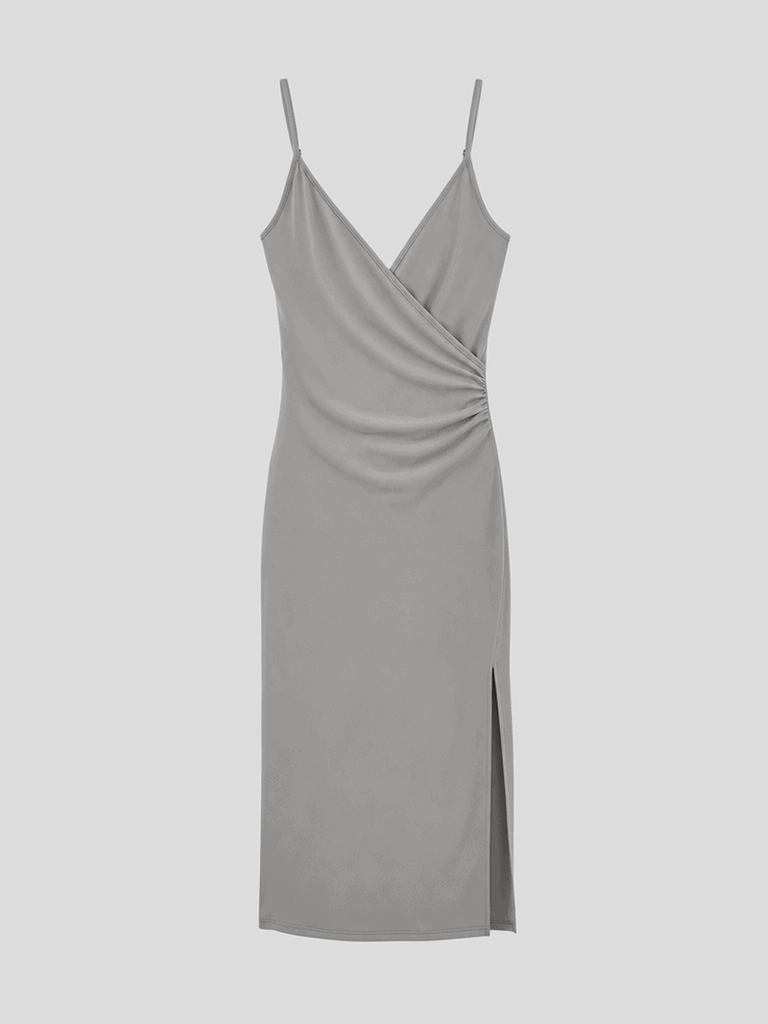
Next, upload a photo of the garment you want to visualize the fabric on. This can be a flat lay, a product photo, or a sketch-style reference. The tool uses the garment reference to preserve its silhouette, seams, folds, and overall structure while applying the new fabric on top of it.

Upload a garment photo.
Fashion Diffusion AI-generated

Step 3: Generate and Compare the Results

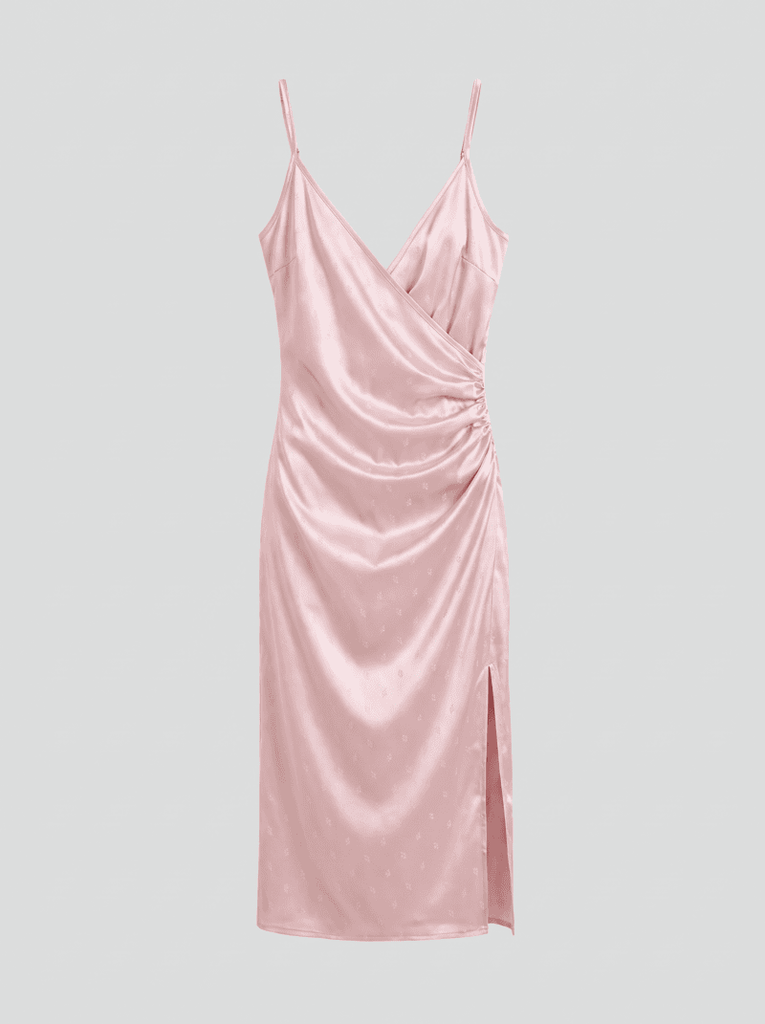
Once both images are uploaded, the AI generates a realistic preview of the fabric’s texture, color, pattern scale, and overall appearance on the garment. From here you can compare multiple fabric options on the same garment shape. You can also test the same fabric across several silhouettes, all without producing a single physical piece.

Generate a realistic preview of the fabric's appearance on the garment.
Fashion Diffusion AI-generated

To take the result further, feed the fabric-applied garment into Fashion Diffusion’s virtual try-on tool. That lets you see how the finished piece looks worn by a model before making a final call.

See how the finished piece looks worn by a model.
Fashion Diffusion AI-generated

Who Uses Fabric to Garment AI

Fabric visualization is not limited to one type of fashion business. The people who benefit most tend to fall into four groups, each using the same core workflow for a different purpose.

Independent Designers

For a designer working alone or with a small team, sampling budgets are tight and every wasted round matters. Testing how silk drapes on a slip dress or how a bold print scales on a t-shirt before ordering fabric helps designers commit to a direction with more confidence. It also frees up physical sampling budget for the options that already look right.

Brand Buyers and Merchandisers

Buyers often need to evaluate several fabric options across a season’s line before committing to a purchase order. Seeing a fabric applied to the actual garment shape, instead of judging it from a swatch card, makes it easier to compare options. It also helps the whole team move faster toward a final decision.

Fabric Suppliers

Suppliers traditionally rely on physical sample books to show buyers and design teams how a new textile performs. Applying a new fabric to several garment styles digitally lets suppliers demonstrate range and versatility without producing and shipping physical books for every account.

E-commerce Sellers

Offering a garment in multiple fabric or colorway options usually means ordering and photographing a separate sample for each variation. Generating fabric variations digitally from a single garment reference lets sellers expand their product listings without multiplying production and photography costs. Sellers who also need to show a garment styled as a full outfit, rather than just a fabric change, can pair this with Fashion Diffusion’s AI clothes changer. It swaps entire looks on the same model photo.

When You Still Need a Physical Sample

AI fabric visualization shows how a material may look on a garment. It does not measure the fabric’s physical properties or guarantee how it will behave in production. Fit, stretch recovery, colorfastness, wash performance, and durability still require an actual sample in hand before a style moves into production.

The value of visualizing fabric on a garment first is that it narrows the field. Instead of ordering several physical samples to compare several fabric options, a brand can visualize them digitally and eliminate the ones that clearly do not work. That leaves physical sampling for the options that are genuinely worth the time and cost.

See Your Fabric on a Garment Before You Sample

Guessing from a flat swatch is no longer the only option. With Fashion Diffusion‘s Apply Fabric, you can upload a fabric photo and a garment reference and see a preview in seconds instead of waiting weeks for a physical sample. Compare fabric options digitally before deciding which ones are worth sampling. Free to start!

FAQ

Can AI accurately show how a fabric will drape on a garment?

AI fabric visualization gives a strong visual estimate of how a fabric will appear on a garment, including how heavier and lighter materials tend to fall differently. It previews appearance rather than measuring physical properties, so final fit and hand feel still need a physical sample.

Does fabric visualization work for prints and patterns, not just solid fabrics?

Yes. AI fabric tools can map printed textiles, allover patterns, and placement prints onto a garment with estimated scale and placement. That makes it useful for spotting scale issues before a print goes to production.

Can I visualize different fabrics on the same garment?

Yes. Using the same garment reference, you can test multiple fabrics and compare color, texture, print scale, and overall appearance side by side.

Can I preview a print or pattern on a garment before it goes into production?

Yes. You can generate or upload a pattern and apply it to a garment reference to see how the repeat and scale look before committing to yardage.

Is AI fabric visualization free to use?

Fashion Diffusion offers free credits to get started with Apply Fabric. Therefore, you can test the workflow before committing to a paid plan for higher volume use.

Does this replace working with a fabric mill or manufacturer?

No. It replaces some of the guesswork in the early decision-making stage. Sourcing, fabric testing, and final production sampling still go through your usual suppliers and manufacturers.

Avatar photo 通过Ethan Davis

The Best Modern Dress Prompts for Women: 15 Examples & Writing Techniques

Generating the perfect AI fashion image starts long before you hit “create” — it starts with the prompt. If you’ve ever typed “woman in a modern dress” and gotten something flat, generic, or off-brand, the problem usually isn’t the AI model. It’s the prompt.

This guide breaks down what makes a great modern dress prompt for women, with real example prompts you can copy, tweak, and use to generate the outfit right away, plus the underlying structure and techniques that make them work.

15 Modern Dress Prompts You Can Use Today

Here are 15 ready-to-use prompts spanning everyday, going-out, trending-material, and editorial styles, so there’s something to copy no matter the look you’re after.

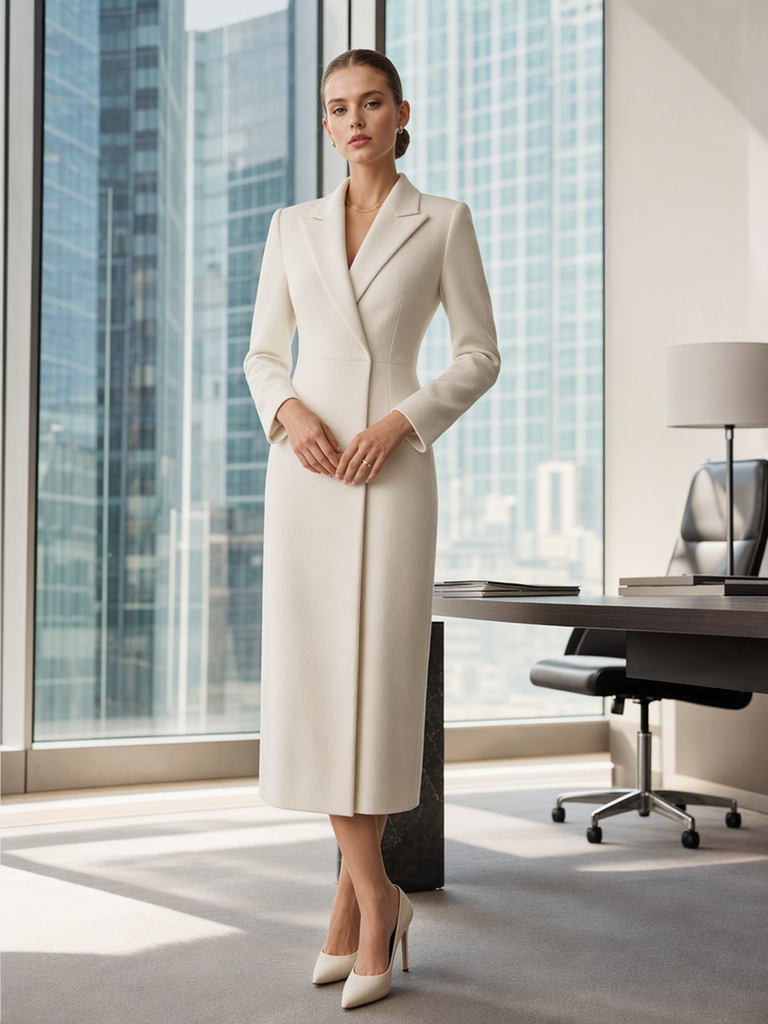
1. Minimalist Office Wear

Prompt: Young woman standing confidently in a tailored midi dress with a structured blazer collar, ivory color, straight silhouette, subtle wool texture, minimal gold jewelry, sleek low bun. Standing in a bright modern office with floor-to-ceiling windows, soft natural daylight, shot on 50mm lens, editorial fashion photography style.

Minimalist Office Wear
Fashion Diffusion AI-generated

Why it works: It defines a clear silhouette, a specific fabric cue, and pairs the minimalist mood with a matching environment instead of leaving the setting generic.

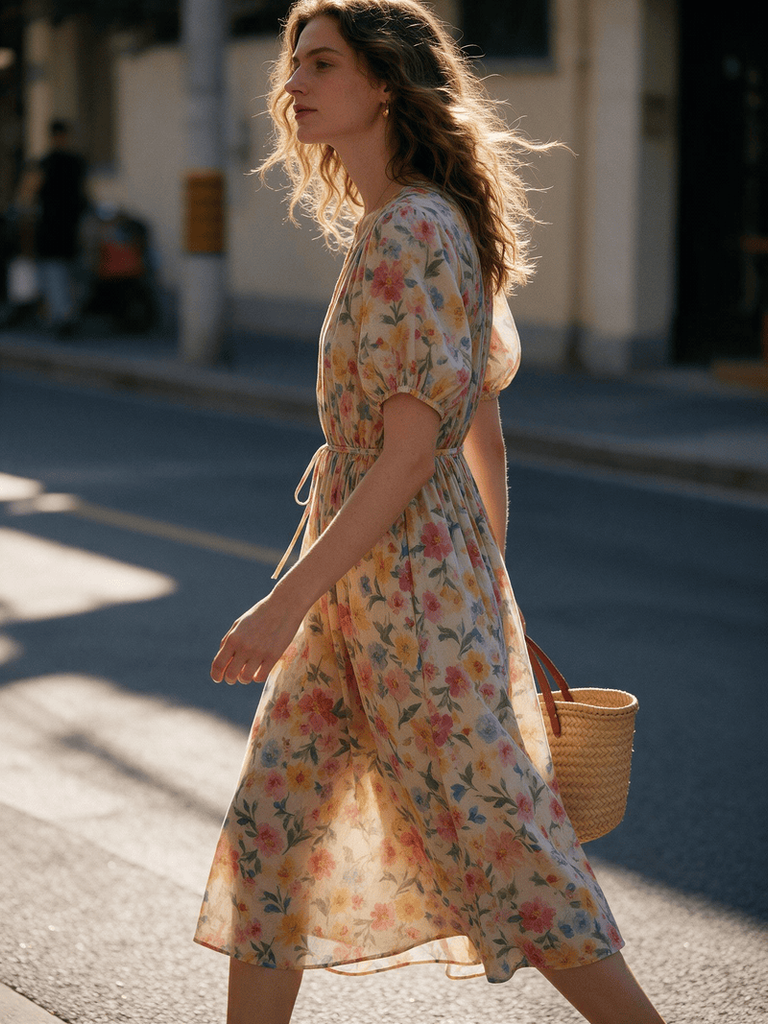
2. Flowy Summer Dress

Prompt: Woman walking along a sunlit street in a flowing floral midi dress. Lightweight cotton fabric, cinched waist, short puff sleeves, wavy loose hair, straw tote bag, golden hour lighting, warm tones. Candid street style photography, shallow depth of field.

Flowy Summer Dress
Fashion Diffusion AI-generated

Why it works: Movement words like “walking” and “flowing” tell the model to render fabric with motion, which is essential for lightweight materials.

3. Evening Cocktail Dress

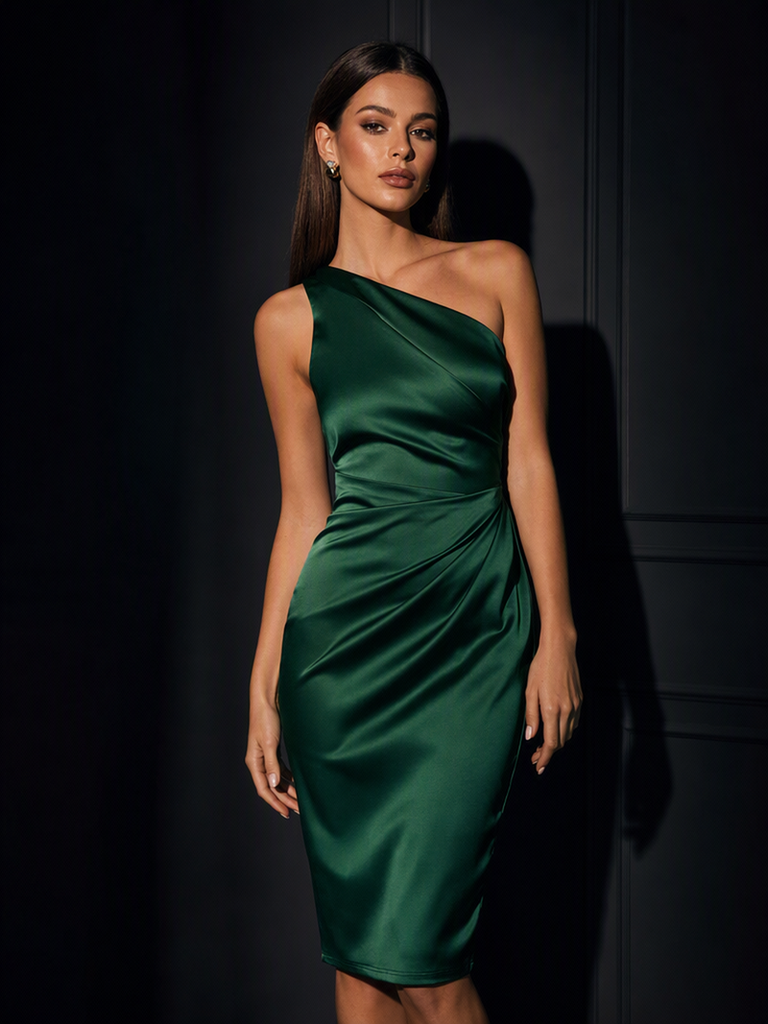
Prompt: Elegant woman in a fitted satin cocktail dress. Deep emerald green, one-shoulder design, knee-length hem, soft glam makeup, sleek straight hair, standing against a dark moody background with dramatic side lighting, high-fashion studio photography, glossy finish.

Evening Cocktail Dress
Fashion Diffusion AI-generated

Why it works: Color and fabric are named together since sheen and color interact visually, and the lighting direction is specified because studio shots depend heavily on it.

4. Streetwear-Inspired Dress

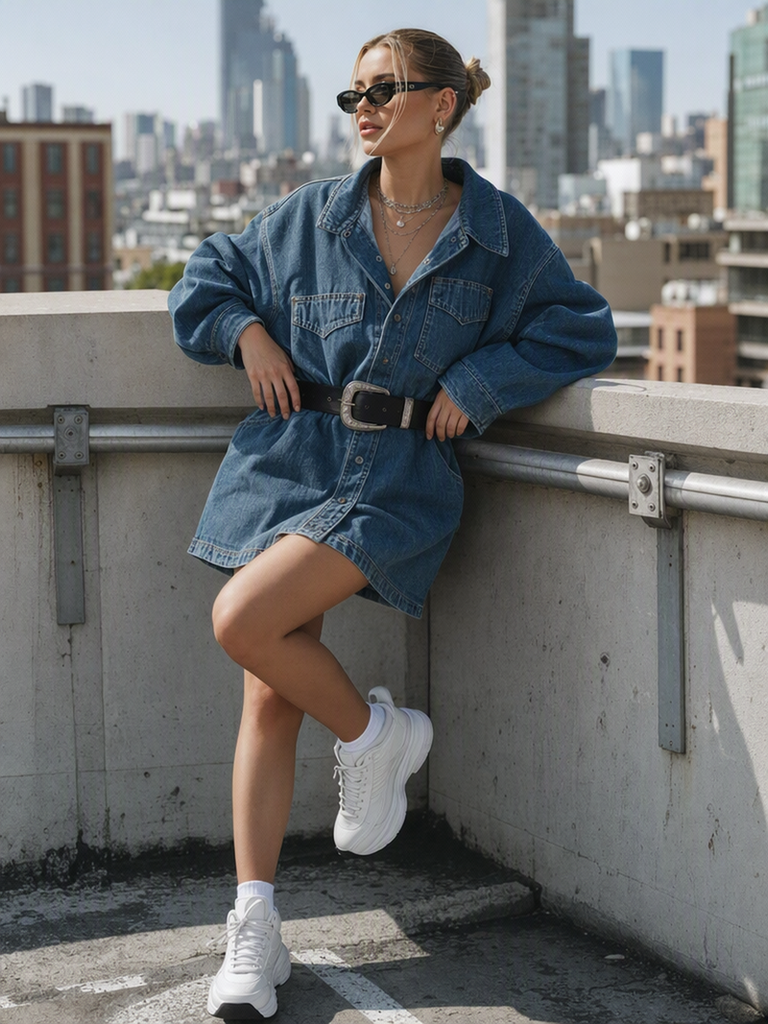
Prompt: Confident woman wearing an oversized denim shirt dress, cinched with a wide belt, chunky white sneakers, layered necklaces, urban rooftop background, city skyline in soft focus, natural daylight, casual editorial photography, Gen Z fashion aesthetic.

Streetwear-Inspired Dress
Fashion Diffusion AI-generated

Why it works: Naming an aesthetic category helps the model pull from a consistent visual vocabulary rather than mixing unrelated style cues.

5. Quiet Luxury Brunch Dress

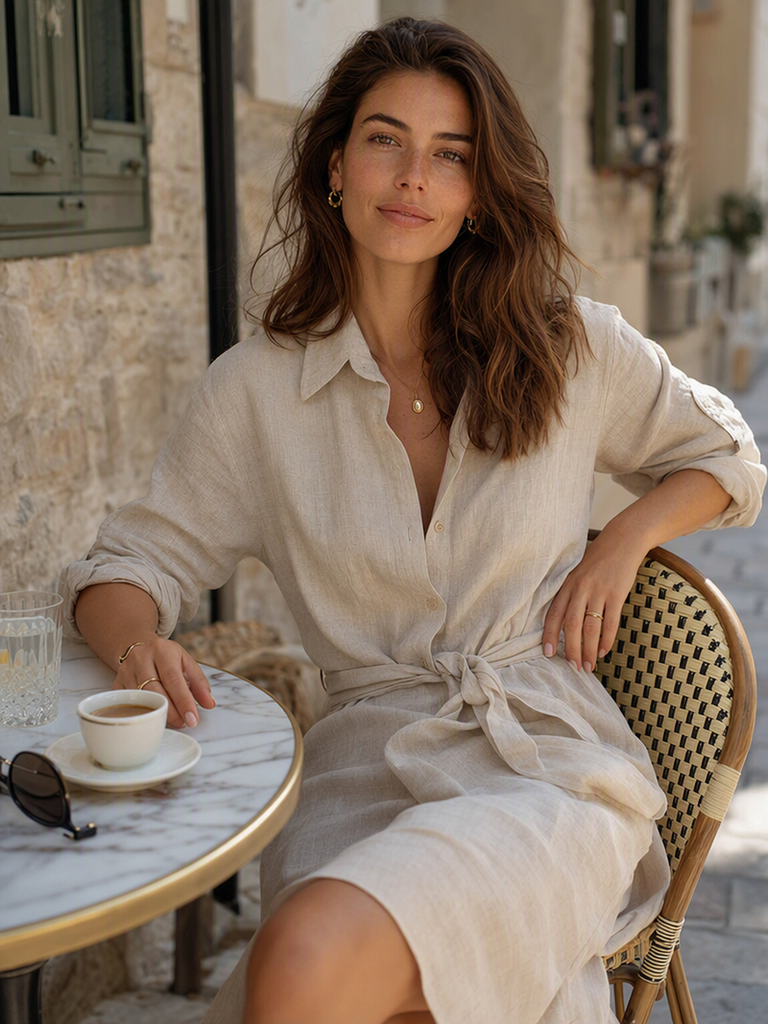
Prompt: Woman seated at a sunlit outdoor café table, wearing a relaxed linen shirt dress in a soft oatmeal tone, oversized collar, rolled sleeves, tied waist, minimal gold jewelry, natural loose waves, soft neutral makeup, warm morning light, shallow depth of field, quiet luxury lifestyle photography, calm and understated mood.

Quiet Luxury Brunch Dress
Fashion Diffusion AI-generated

Why it works: Naming the “quiet luxury” aesthetic directly steers the model away from logos or flashy details, while pairing “linen” with a specific tone (“oatmeal”) keeps the fabric read as relaxed rather than stiff.

6. Sheer Organza Dress

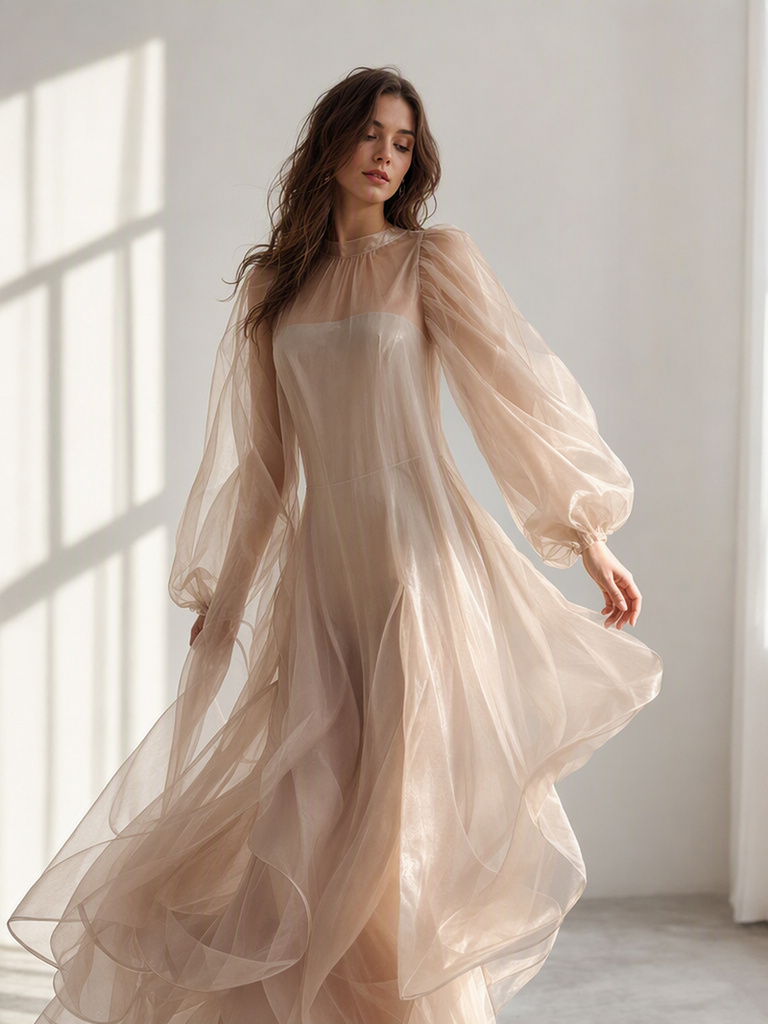
Prompt: Elegant woman in a sheer silk organza dress, beige nude tone, voluminous puffed sleeves, layered translucent fabric with a subtle sheen, delicate slip lining underneath, soft romantic makeup, loose waves. Standing in a light-filled minimalist studio, diffused window light, high-fashion editorial photography, dreamy and airy mood.

Sheer Organza Dress
Fashion Diffusion AI-generated

Why it works: Sheer fabric is tricky to render, so the prompt separates the translucent outer layer from the slip lining underneath instead of describing one ambiguous garment.

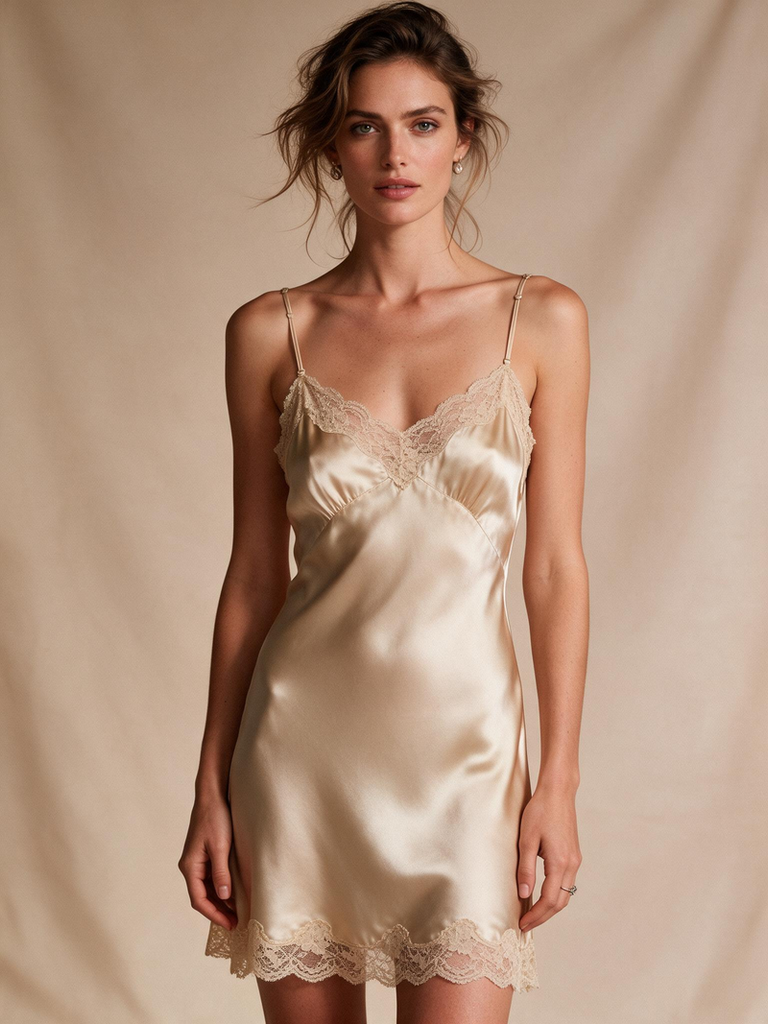
7. Lace-Trim Silk Slip Dress

Prompt: Woman in a vintage-inspired silk slip dress, champagne color, delicate lace trim along the neckline and hem, bias-cut silhouette, thin adjustable straps, soft glossy finish, natural tousled hair, minimal jewelry. Standing against a warm beige backdrop, soft diffused lighting, retro-glam editorial photography.

Lace-Trim Silk Slip Dress
Fashion Diffusion AI-generated

Why it works: Naming the construction detail “bias-cut” tells the model how the fabric should fall and cling, which gives slip dresses their signature drape.

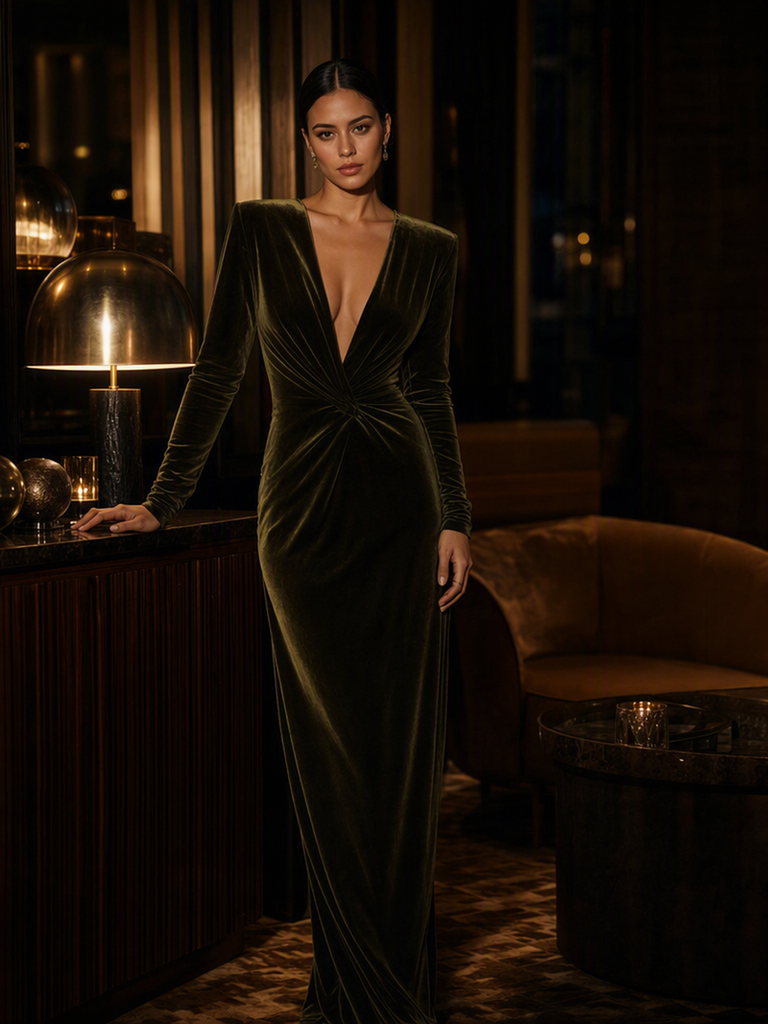
8. Velvet Evening Dress

Prompt: Woman in a deep olive green velvet dress, fitted long sleeves, plunging V-neckline, floor-length column silhouette, rich matte-to-shadow texture, sultry smoky-eye makeup, sleek center-part hair. Standing in a dimly lit lounge setting, warm ambient lighting with deep shadows, luxury editorial photography, moody atmosphere.

Velvet Evening Dress
Fashion Diffusion AI-generated

Why it works: Describing velvet’s matte-to-shadow texture and pairing it with deep shadows helps the model render the fabric’s light absorption instead of defaulting to a shiny finish.

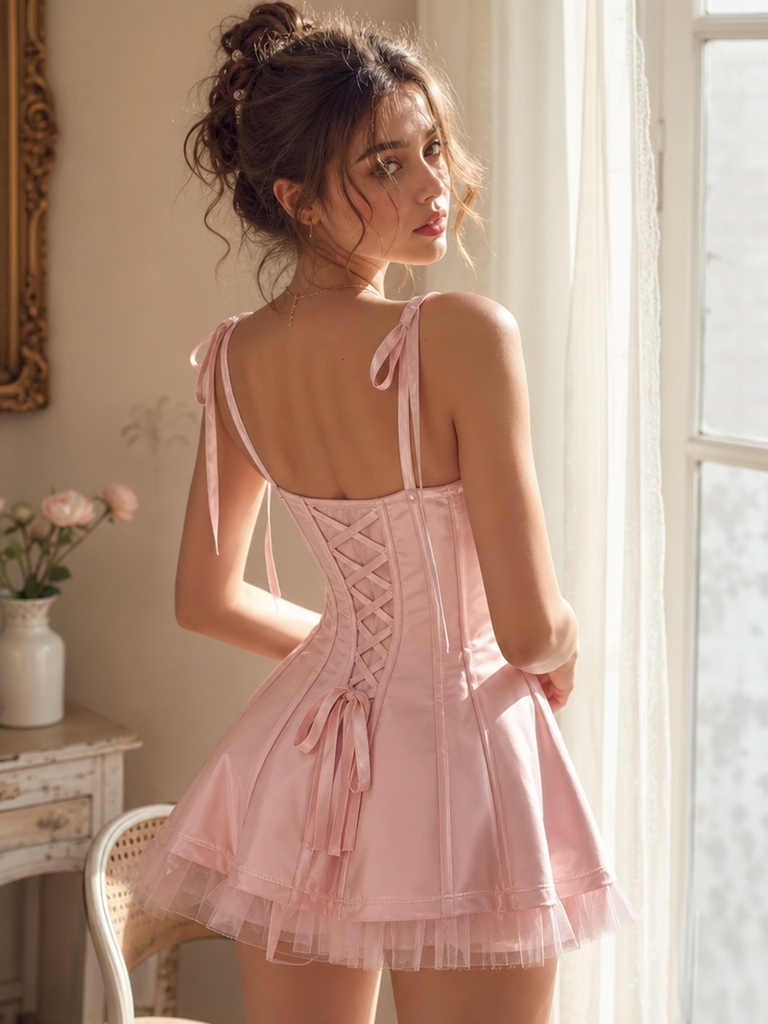
9. Balletcore Corset Mini Dress

Prompt: Young woman in a soft pink balletcore corset mini dress, structured bodice with visible boning seams, ribbon lace-up back detail, a sheer tulle underlay peeking beneath the hem, delicate ribbon straps, soft glowing skin, loose face-framing curls. Standing in a sunlit room with sheer curtains, warm soft natural light, dreamy Pinterest-aesthetic photography, high-detail fabric texture, youthful and romantic mood.

Balletcore Corset Mini Dress
Fashion Diffusion AI-generated

Why it works: Naming precise construction details like “visible boning seams” and “ribbon lace-up back” gives the model concrete garment structure to render instead of a generic “corset dress,” while the soft natural light keeps the mood dreamy and youthful rather than harsh or clinical.

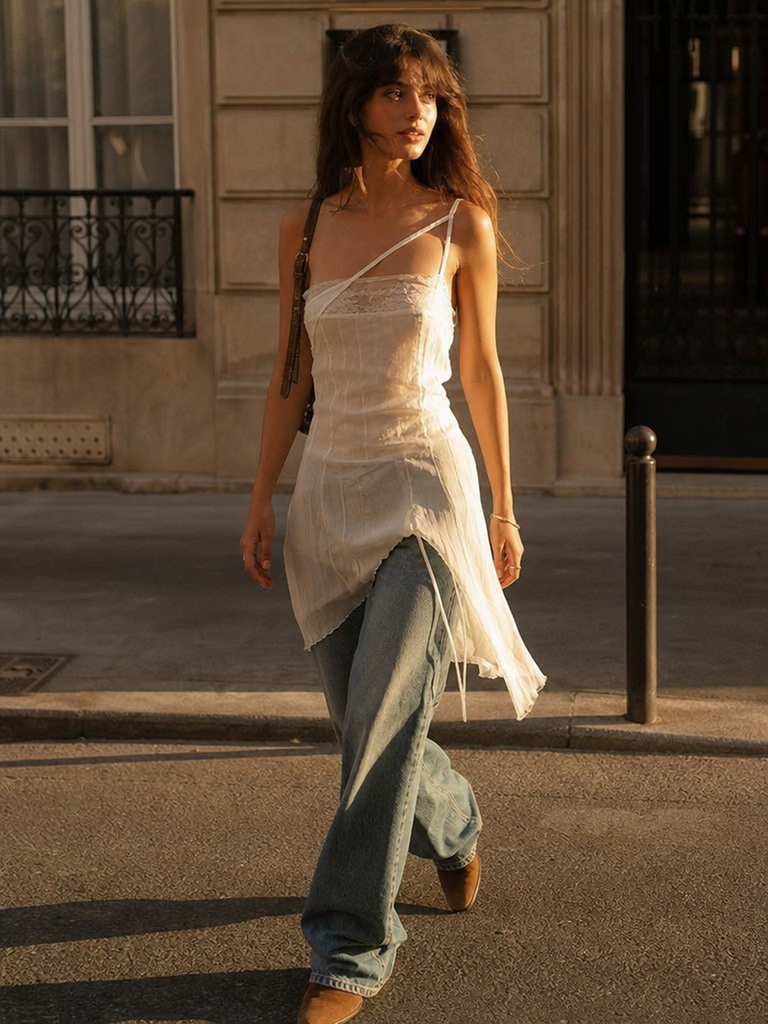
10. Sheer Slip Dress Over Denim

Prompt: Sheer ivory slip dress with an uneven asymmetric strap, layered over wide-leg jeans with a loose stacked pooling effect, tucked into brown suede ankle boots. Walking down a sunlit city sidewalk, tousled beachy waves, soft dewy makeup, golden hour light, candid Pinterest-style photography, effortless youthful mood.

Sheer Slip Dress Over Denim
Fashion Diffusion AI-generated

Why it works: Naming the dress-over-jeans pairing directly, rather than just describing the dress alone, tells the model this is an intentional styling combination and keeps the sheer fabric from getting lost against denim.

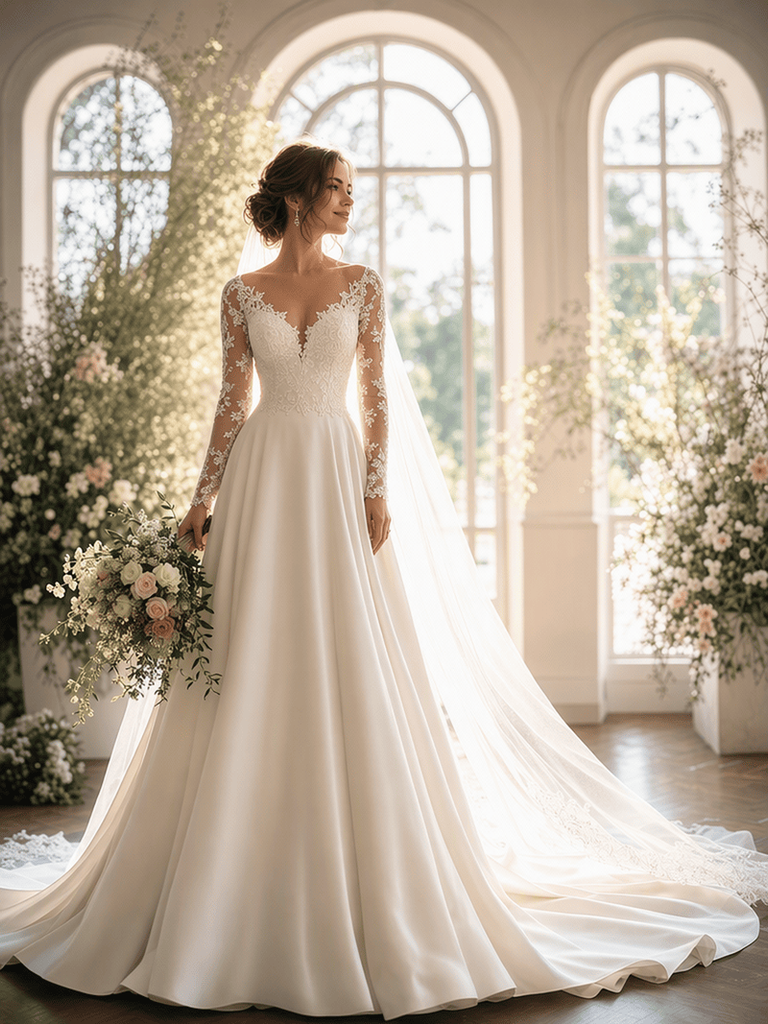
11. Wedding Dress

Prompt: Bride in an elegant modern wedding dress, ivory silk with a fitted bodice and flowing A-line skirt, delicate lace appliqué along the neckline, sheer long sleeves, soft cathedral-length veil, natural bridal makeup, loose romantic updo, standing in a light-filled venue with large arched windows, soft golden backlighting, romantic bridal editorial photography, dreamy and elegant mood.

Wedding Dress
Fashion Diffusion AI-generated

Why it works: Separating structural elements like the fitted bodice from decorative ones like the lace appliqué keeps the model from blending them into one vague “lacy dress.” Want more wedding-specific styling combinations? Check out our full guide on virtual wedding dress try-on styles.

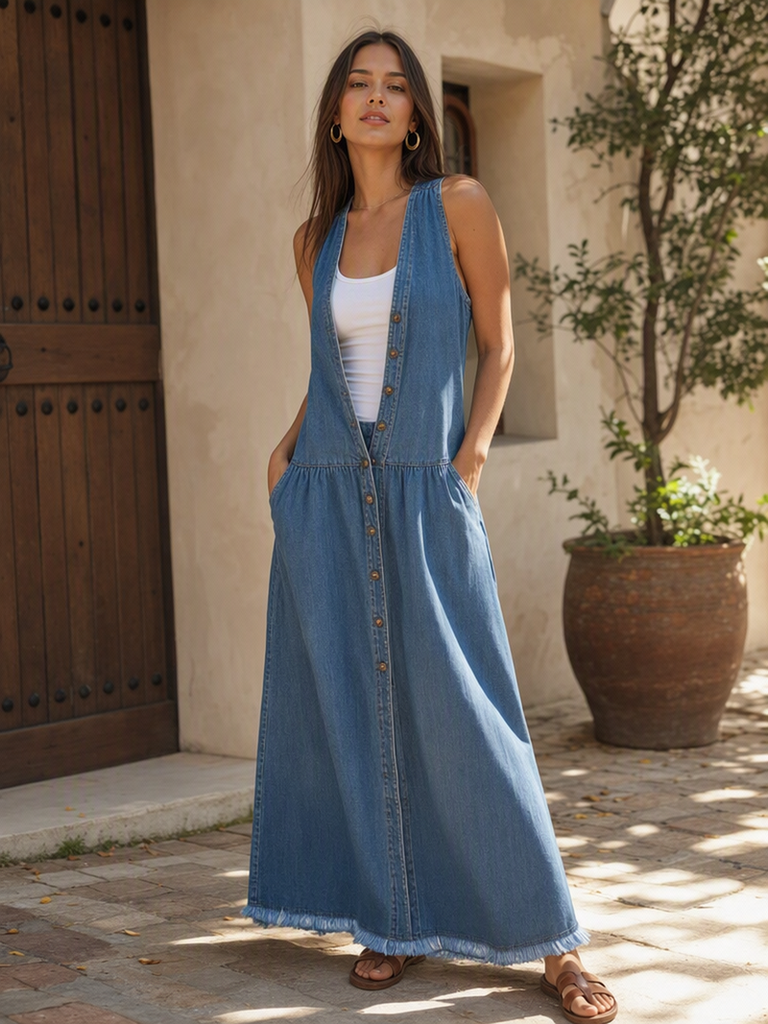
12. Denim Maxi Dress

Prompt: Woman in a relaxed denim maxi dress, medium-wash blue, drop-waist silhouette, button-front detailing, frayed hem, tucked-in fitted white tank underneath, gold hoop earrings, straight center-part hair. Standing in a sunlit outdoor courtyard, warm natural daylight, laid-back editorial photography, effortless everyday-luxury mood.

Denim Maxi Dress
Fashion Diffusion AI-generated

Why it works: Naming construction details like “button-front” and “frayed hem” gives the model concrete cues instead of leaving “denim” to be interpreted as a flat color block.

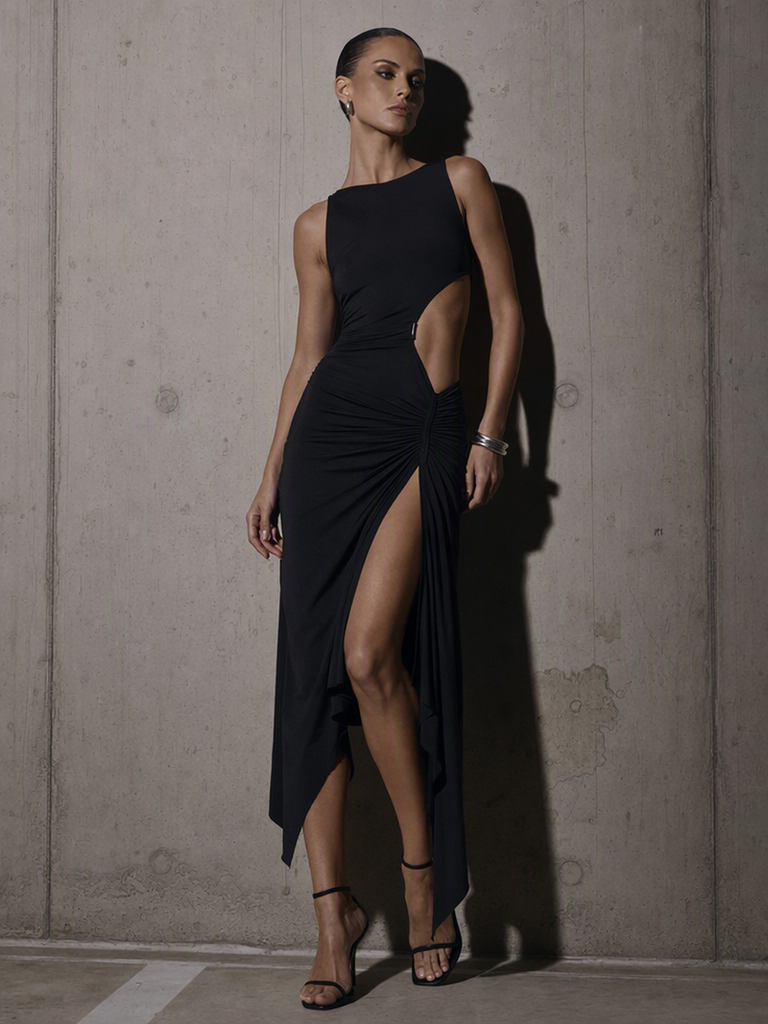
13. Asymmetric Cut-Out Dress

Prompt: A sculptural black cut-out dress with an asymmetric hem and a single waist cut-out, worn by a confident woman with slicked-back hair, minimal silver jewelry, sharp contour makeup, standing against a raw concrete wall, hard directional lighting, high-contrast fashion photography, avant-garde mood.

Asymmetric Cut-Out Dress
Fashion Diffusion AI-generated

Why it works: Leading with the garment instead of the subject puts the design detail front and center, which helps when the cut-out or asymmetry is the whole point of the look.

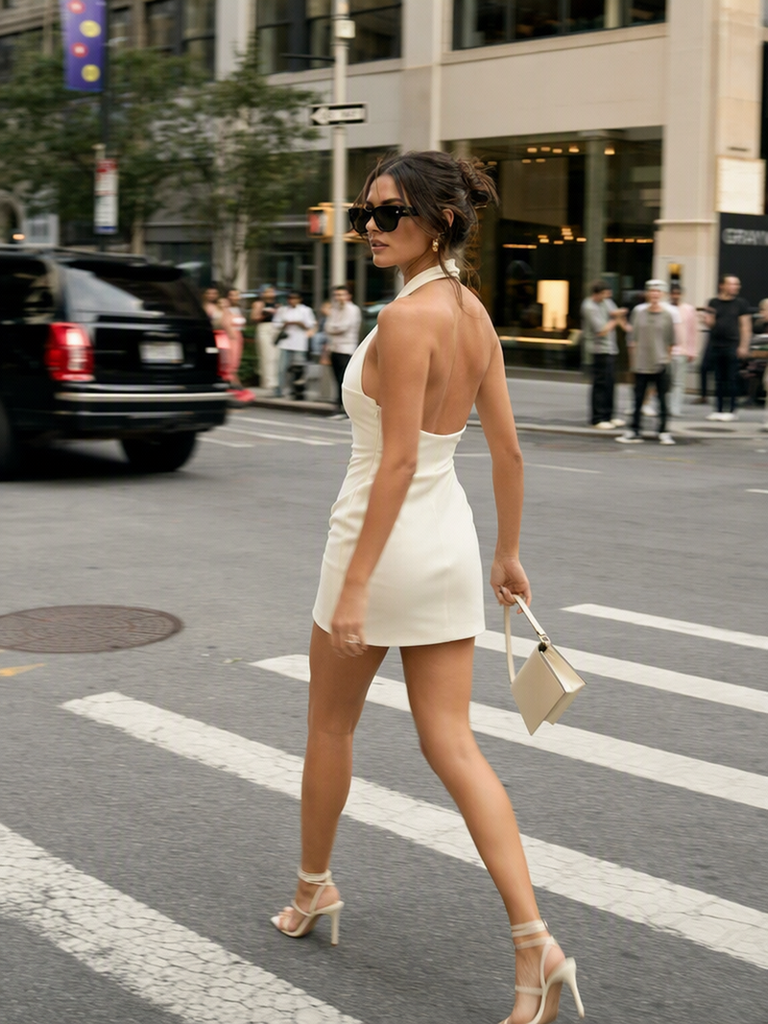
14. Modern Halter Mini Dress

Prompt: Candid street-style photograph of a woman crossing a city intersection in a fitted ivory halter mini dress with a low back, structured neckline, strappy heels, oversized sunglasses, soft afternoon light, slight motion blur in the background, downtown fashion week energy.

Modern Halter Mini Dress
Fashion Diffusion AI-generated

Why it works: Opening with the photography style and scene rather than the subject sets the energy of the whole shot before a single garment detail is introduced.

15. Sculptural Editorial Column Dress

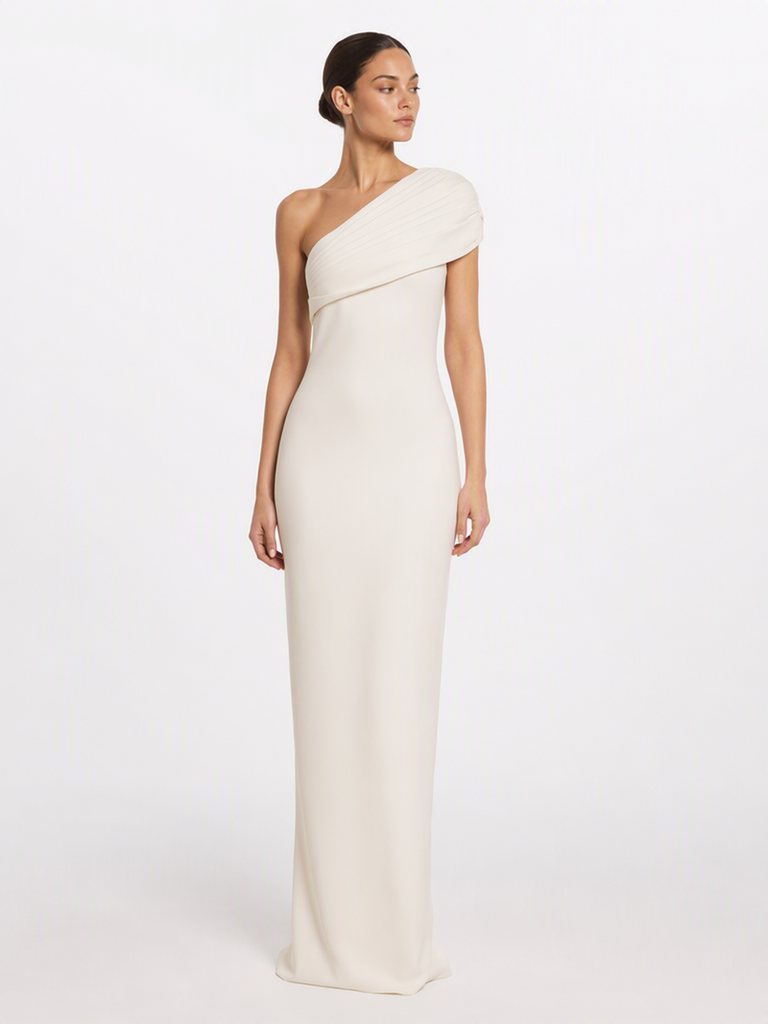
Prompt: Full-body fashion photograph showcasing a contemporary ivory column dress with architectural pleating along one shoulder, worn by a poised model with a slicked-back ponytail and no visible jewelry, set against a plain white cyclorama background, bright even studio lighting, minimalist quiet-luxury aesthetic.

Sculptural Editorial Column Dress
Fashion Diffusion AI-generated

Why it works: Framing the prompt as a “photograph showcasing” the dress, rather than a woman wearing it, shifts focus toward the garment’s construction, which suits product-style editorial shots.

How to Write a Modern Dress Prompt

Not every well-written prompt reads as current. Modern results tend to favor clean silhouettes, asymmetric or sculptural details, understated colors, minimal styling, and an editorial photography style over busy, predictable ones. The steps below turn that idea into a repeatable process, from structure to vocabulary to a ready-to-use template.

Layer your prompt in the right order

A strong dress prompt usually layers information in a consistent order, which makes it easier to edit later without rewriting the whole thing:

  1. Subject & pose — who, and what they’re doing
  2. Garment details — silhouette, fabric, color, construction
  3. Styling — hair, accessories, makeup
  4. Setting & lighting — where the shot takes place and how it’s lit
  5. Camera & photographic style — lens, angle, mood, reference aesthetic

You don’t have to start with the subject every time. As examples 13 to 15 show, leading with the garment or the scene instead can work just as well, especially when the design detail or the setting is the main point of the image.

Apply a few key techniques

Once that order feels familiar, a handful of techniques separate a decent prompt from one that reads as modern and editorial:

  • Anchor with a photography style. Terms like “editorial fashion photography,” “studio photography,” or “candid street style” do more work than any single adjective. They tell the model how to frame, light, and compose the whole image at once.
  • Be specific about fabric behavior, not just fabric name. “Satin” alone is ambiguous. “Satin with a glossy finish” or “lightweight cotton with natural drape” gives the model a texture and movement cue to work from.
  • Pair color with material. Color reads differently on different fabrics. Specifying both, such as “deep emerald satin” instead of “deep emerald” alone, produces more predictable results.
  • Use silhouette vocabulary deliberately. Words like “fitted,” “A-line,” “straight,” “oversized,” and “cinched waist” define shape far more reliably than vague terms like “flattering” or “stylish.”
  • Match lighting to mood, not just to time of day. “Golden hour” suggests warmth and softness, while “dramatic side lighting” suggests contrast and edge. Choose lighting language that supports the emotional tone you want.
  • Keep one clear focal point. Avoid stacking too many competing style keywords, such as minimalist and boho and streetwear at once. One dominant aesthetic per prompt produces a cleaner, more coherent result.

Pull from a modern vocabulary

With the order and techniques in place, building new prompts is mostly a matter of swapping in different descriptive words within each category below.

CategoryExamples
Silhouettefitted, column, A-line, oversized
Necklinesquare, halter, asymmetric
Fabricsatin, silk, linen, organza
Detailsdraping, pleats, cut-outs
Colorivory, burgundy, chocolate brown
Aestheticminimalist, editorial, quiet luxury, balletcore, Pinterest-aesthetic

Put it all together with a template

[Subject + pose], wearing a [silhouette] [dress type] in [color], made of [fabric/texture], with [notable design detail]. [Hair/makeup/accessories]. Set in [location/background], with [lighting description]. Shot in [photography style], [camera/lens detail if desired].

Fill in each bracket using the vocabulary above, and you’ll consistently produce prompts with the structure that modern dress generation responds to best. For more ready-to-use ideas beyond dresses, our trending prompt collection is also worth a look.

Create Your Own Modern Dress Designs

Reading through prompt examples is a great starting point, but the fastest way to find your own style is to experiment directly. Take any of the prompts above, swap in your own colors, fabrics, or settings, and see how small wording changes shift the final look.

Ready to turn these prompts into real images? Head over to Fashion Diffusion and start generating your own modern dress looks today.

FAQ

What are the best modern dress prompts for women?

The strongest ones pair a clear silhouette and fabric with a defined color and a specific photography style, covering looks like sculptural editorial dresses, halter minis, and structured column silhouettes rather than relying on vague style words alone.

How do I create a modern dress design with AI?

Start with the garment’s silhouette and fabric, add one strong design detail such as a cut-out or pleating, then specify lighting and a photography style. This structure consistently produces sharper, more editorial-looking results.

What makes a dress prompt “modern” rather than generic?

A modern dress prompt combines a clear silhouette, a named fabric with texture cues, and a specific photography style instead of vague words like “trendy” or “stylish.”

Do I need to specify a camera or lens in every prompt?

Not always. Lens details help with close-up portraits, but for full-body looks, naming a photography style like “editorial fashion photography” is usually enough.

Why do my dress prompts sometimes produce the wrong fabric texture?

This usually happens when fabric behavior isn’t described. Adding a texture cue, such as “glossy finish” for satin or “soft drape” for chiffon, gives the model a clearer target.

Can I combine multiple dress styles in one prompt?

It’s best to keep one dominant aesthetic per prompt. Mixing several strong style keywords together tends to produce a less coherent image than focusing on one clear direction.

How specific should color descriptions be?

Pairing a color with its material, such as “deep emerald satin” instead of just “green dress,” produces more predictable results, since the same color reads differently on different fabrics.

Avatar photo 通过Sophia Mille

Which Hat Style Suits Your Face Shape Best — AI Try-On

Not sure which hat suits your face shape? The right crown height, brim width, and overall silhouette can make a noticeable difference in how a hat looks on you.

An oval face may work with almost any hat style, while a round face can benefit from extra height and structure. Square faces often pair well with softer, curved shapes, and heart-shaped faces can look balanced with medium-width brims.

But face shape is only a starting point. Your hairstyle, hat proportions, and the way you wear a hat can all change the final look. This guide breaks down the best hats for oval, round, square, and heart-shaped faces—and shows how to use an AI virtual try-on tool to test different styles on your own photo.

How to Choose the Best Hat for Your Face Shape

Choosing a hat is less about following strict fashion rules and more about understanding proportions. Three details can make the biggest difference: crown height, brim width, and the overall shape of the hat.

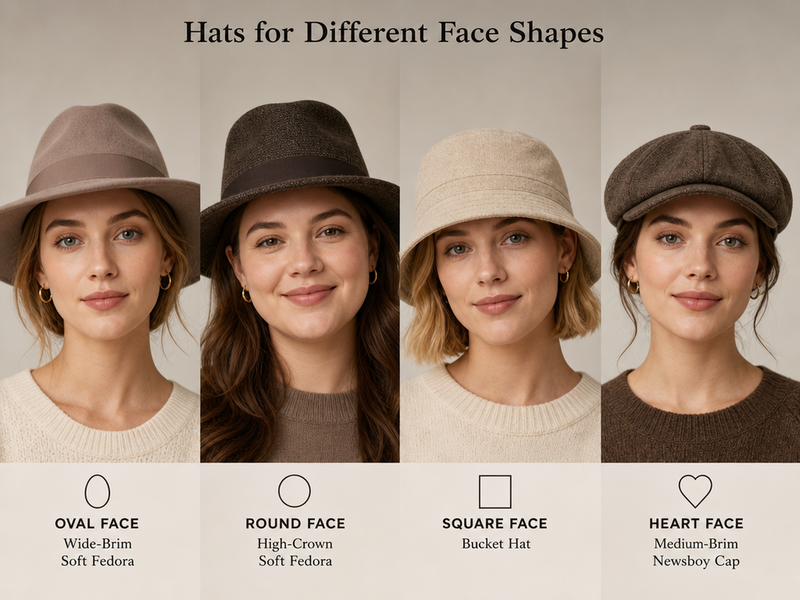
Hats for different face shapes.
Fashion Diffusion AI-generated

Crown Height

The crown is the part of the hat that sits above your head. Its height can change the perceived proportions of your face. A taller crown adds vertical height and can make the overall silhouette appear longer. A low crown creates a more compact look, while a medium crown tends to work across a wide range of face shapes.

For example, adding some crown height can be useful when you want to create more vertical balance with a round face.

Brim Width

The brim changes how much horizontal space the hat creates around your face. Narrow brims tend to create a more streamlined look, while medium and wide brims create more visual width. The best choice depends on both your face shape and the size of the hat relative to your features.

A brim that is too small can sometimes make a wider face appear more prominent, while an oversized brim can overwhelm smaller features.

Shape, Structure, and Angle

The shape of the crown and brim matters just as much as their size. Structured, angular hats can add definition to softer facial contours. Rounded crowns and curved brims can create contrast with a strong jawline. Even the angle at which you wear a hat can change the overall effect.

Instead of looking for one universally best hat, think about whether the hat adds the kind of proportion and contrast you want. AI virtual try-on is especially useful when you want to compare specific products rather than general hat styles.

Best Hat Styles for Oval Faces

Some styles to experiment with include:

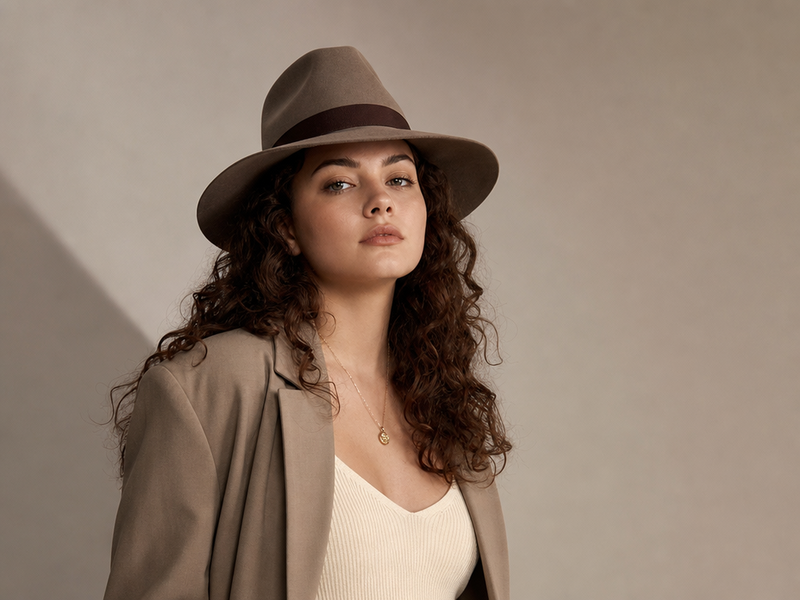
  • Fedora
  • Wide-brim hat
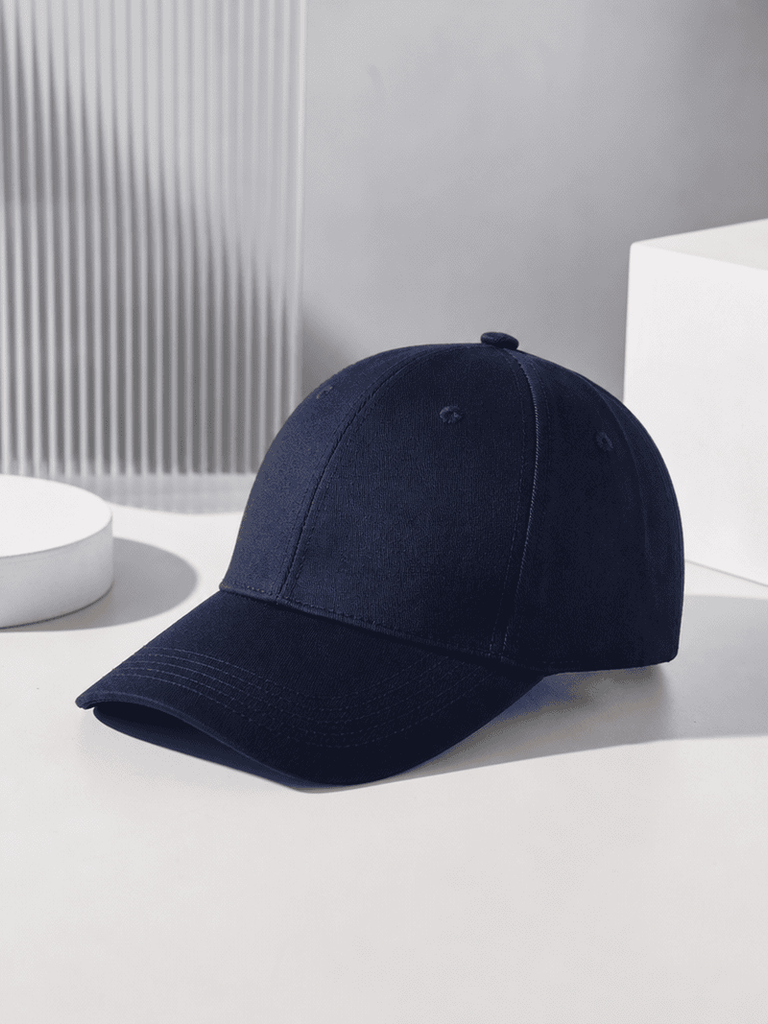
  • Baseball cap
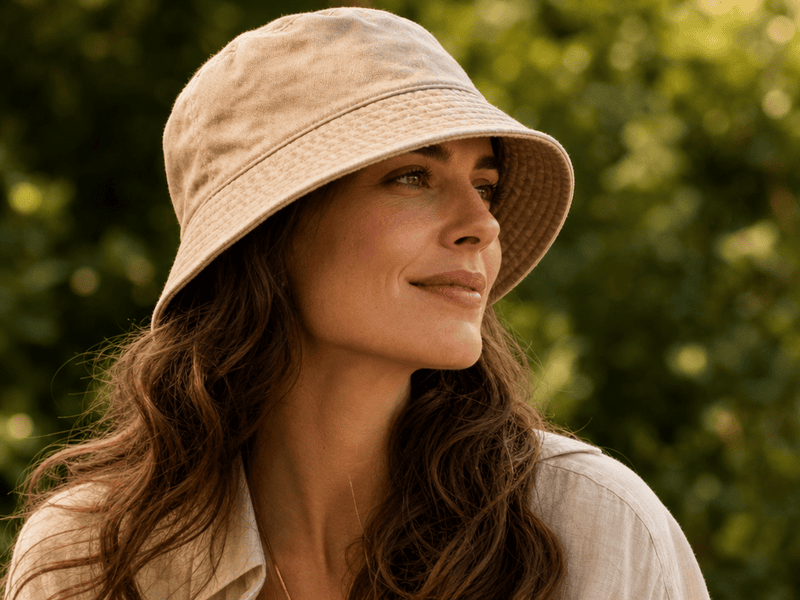
  • Bucket hat
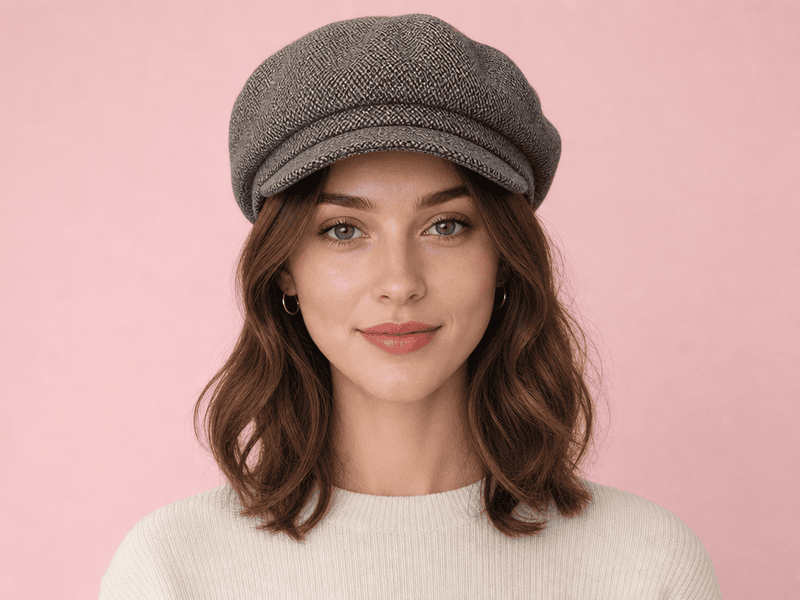
  • Beret
  • Panama hat

There is no need to limit yourself to one specific silhouette. Different crown heights and brim widths can work well on an oval face, making it one of the easiest face shapes for experimenting with hats.

Best hat styles for oval faces.
Fashion Diffusion AI-generated

Why These Hats Work

The natural balance of an oval face gives you more freedom to change the proportions of the hat. A classic fedora can add structure without making the face look overly long. A bucket hat creates a softer, casual silhouette, while a wide-brim hat can give the outfit a more dramatic fashion look.

If you are looking for the best hat for an oval face, the most useful approach is to experiment with different proportions rather than following a single rule.

Hat Styles to Experiment With

Oval faces are particularly suitable for statement styles. Try comparing a structured fedora, an oversized bucket hat, and a wide-brim hat to see which one fits your personal style best.

The difference can be surprisingly noticeable even when the face and outfit remain exactly the same.

Best Hat for a Round Face

A round face tends to have similar width and length, with softer contours and a less angular jawline. When choosing a hat for a round face, adding some vertical height or structure can help create more definition.

Best Hat Styles for Round Faces

Good styles to experiment with include:

  • Fedora
  • Trilby
  • Structured baseball cap
  • Cowboy hat
  • Baker boy or newsboy cap
  • Panama hat

The exact effect depends on the proportions of the individual hat, so the same style can look quite different from one person to another.

Best hat styles for round faces.
Fashion Diffusion AI-generated

Why Height and Structure Work

A taller crown can add verticality to the overall silhouette, while a structured shape introduces more definition. 

For example, a fedora with a medium or taller crown can create a longer visual line. A structured baseball cap can provide a more defined shape than a very soft, low-profile cap. A medium or slightly wider brim can also create useful contrast with the rounded contours of the face.

Hat Styles to Be Careful With

Very low-profile, tightly fitted, or extremely rounded hats may emphasize the natural roundness of the face.

That doesn’t mean you need to avoid these styles completely. If you like a low-profile cap or beanie, hairstyle, color, and how high you wear the hat can all change the result. The goal is to understand the effect rather than follow a strict list of rules.

Best Hat for a Square Face

Square faces are typically characterized by a defined jawline, broader proportions, and more angular facial contours. If you want to create a softer overall look, rounded and curved hat shapes can provide useful contrast.

Consider trying:

  • Bucket hat
  • Beret
  • Cloche
  • Rounded-crown fedora
  • Soft floppy hat
  • Newsboy cap

These styles introduce curves and softer lines around the face.

Best hat styles for square faces.
Fashion Diffusion AI-generated

Why Rounded Shapes Work

A rounded crown or curved brim can create a visual counterpoint to a strong jawline.

For example, a bucket hat can soften the overall silhouette, while a beret creates a relaxed shape without adding too much height. A rounded-crown fedora can provide structure while keeping the silhouette from looking overly angular.

If you are searching for the best hat for a square face, look beyond the name of the hat and pay attention to the actual shape of the crown and brim.

What to Watch Out For

Very boxy crowns, flat geometric shapes, and extremely sharp angles can emphasize the angular quality of a square face.

However, structured hats are not automatically a bad choice. A structured hat with a curved brim or rounded crown can still create a balanced result.

Best Hat for a Heart-Shaped Face

A heart-shaped face is typically wider around the forehead and cheekbones and becomes narrower toward the chin. The goal when choosing a hat is often to create a balanced relationship between the upper and lower parts of the face.

Some styles worth trying include:

  • Medium-brim fedora
  • Trilby
  • Newsboy cap
  • Cloche
  • Baseball cap
  • Panama hat

Medium proportions are often a useful starting point because they can add definition without making the upper part of the face feel disproportionately wide.

Best hat styles for heart-shaped faces.
Fashion Diffusion AI-generated

Why Medium Brims Work

A medium-width brim can help create balance between a wider forehead and a narrower chin. A fedora with a moderate brim can add structure without overwhelming the face. A newsboy cap or cloche can create a softer silhouette, while a classic baseball cap offers a more casual option.

When choosing a hat for a heart-shaped face, consider the entire silhouette rather than focusing only on the brim.

Hat Styles to Experiment With Carefully

Extremely wide brims or very tall crowns can sometimes draw additional attention to the upper part of the face.

Again, these are guidelines rather than strict rules. The right size, hairstyle, color, and styling can make a significant difference.

Hat for Face Shape: Quick Comparison Chart

Use this chart as a starting point, then consider how the actual hat proportions work with your hairstyle and overall look.

Face ShapeWhat to Look ForHat Styles to Try
OvalBalanced proportions and flexible silhouettesFedora, bucket hat, beret, wide-brim hat
RoundHeight, structure, and definitionFedora, trilby, cowboy hat, structured cap
SquareCurved and softer shapesBucket hat, beret, cloche, rounded fedora
HeartBalanced, medium proportionsMedium-brim fedora, newsboy cap, cloche

How to Try On Hats for Your Face Shape with AI

Fashion Diffusion’s virtual hat try-on lets you test any hat on your own photo in seconds. No app to download, no account required to start.

Step 1: Find the Hat You Want to Try

Save any product image from a brand’s website, Pinterest, or anywhere online. A clean product shot works best — the AI reads the hat’s shape, crown height, and brim width automatically from the image.

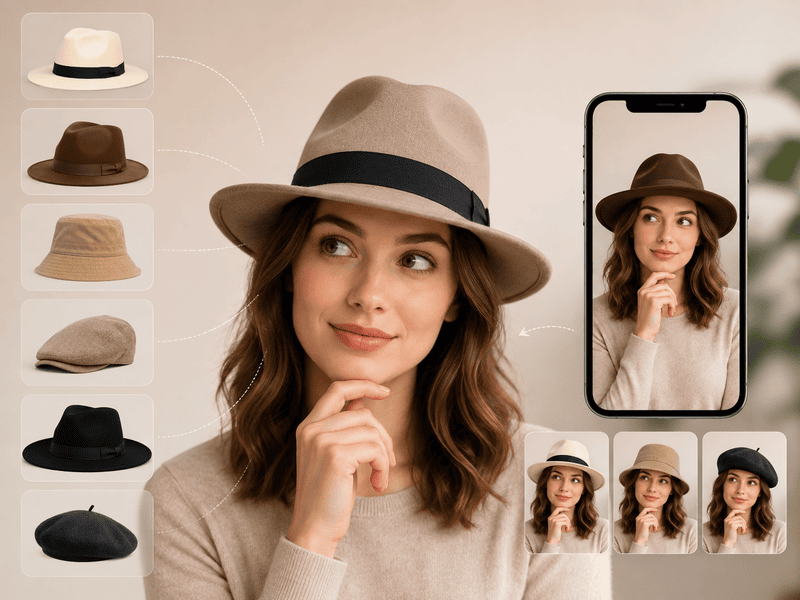
Upload your hat image.
Fashion Diffusion AI-generated

Step 2: Upload Your Photo

Use a well-lit, face-forward photo with the top of your head clearly visible. The AI uses your actual face proportions to place the hat at accurate scale — which is exactly what the written guidelines are trying to approximate. Using your own photo rather than a model’s removes the guesswork entirely.

Upload your own photo.
Fashion Diffusion AI-generated

Step 3: Generate and Compare Styles on the Same Photo

Upload the same photo with different hat images to compare how each style reads on your face. A bucket hat versus a fedora on the same photo tells you more than any written guide. Because the proportions are consistent across comparisons, the differences you see are genuinely about the hat — not about lighting, model choice, or photography angle.

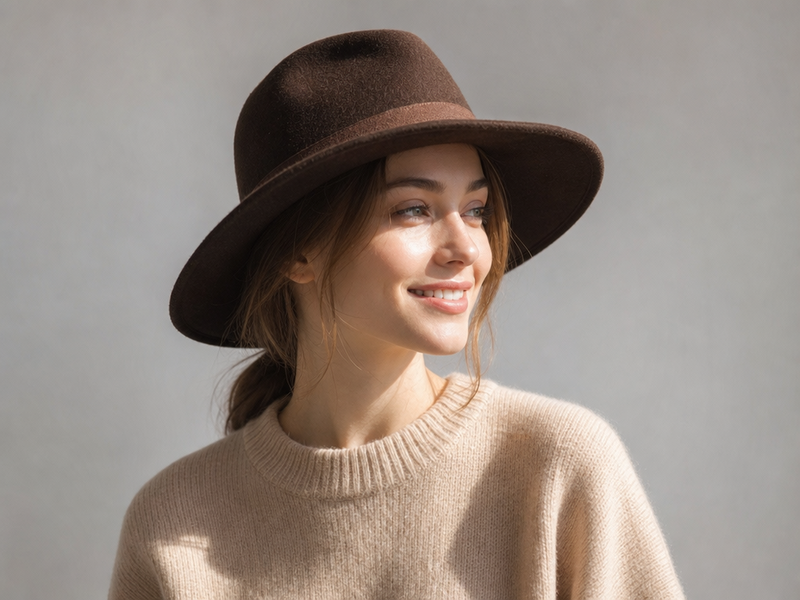
Final hat try-on effect generated by Fashion Diffusion.
Fashion Diffusion AI-generated

What Else Affects How a Hat Looks on You

Face shape is useful, but it isn’t the only factor that determines whether a hat looks good.

Hairstyle

Your hairstyle can change how much of your face and head is visible around the hat.

Long, voluminous hair can create a very different silhouette from short hair. Bangs, curls, and layered hairstyles can also change how a hat frames the face.

That’s why a hat that looks ideal on a face-shape chart may still look different when paired with your actual hairstyle.

Hat Size and Proportion

A hat should also make sense in relation to your overall proportions.

A very large wide-brim hat can overwhelm a smaller frame, while a tiny hat may look visually insignificant on someone with a larger frame or fuller hairstyle.

When testing hats, compare the size of the hat with your head, face, hair, and outfit—not just the face shape itself.

Outfit and Personal Style

A hat should also work with the rest of the outfit.

A structured fedora might suit a tailored outfit, while a bucket hat can feel more natural with casual streetwear. A wide-brim hat can create a stronger fashion statement with a flowing dress or minimalist resort look.

If you want to confirm the pairing before committing, you can use the same photo to change clothes in a photo with AI and see how a hat sits against a different top, jacket, or dress before deciding on the final look.

Find Your Best Hat by Trying, Not Guessing

Face-shape guides are a useful starting point, but there is no single hat that automatically works for everyone with the same face shape. Use face shape to narrow down your options, then compare different crown heights, brim widths, and silhouettes on your own photo — the guidelines here are meant to point you in a direction, not lock you into one.

Try different hats with Fashion Diffusion and see which style actually fits your look. New accounts start with free credits.

FAQ

Which hat style suits most face shapes?

The fedora is the most versatile option—it works well on oval, round, and heart-shaped faces, with crown height and brim width determining the exact effect. A medium-crown, medium-brim fedora is the safest starting point for most people.

Can I try on hats virtually before buying?

Yes. Fashion Diffusion’s virtual hat try-on lets you upload any hat product image alongside a photo of yourself to see how it looks on your face before you buy. New accounts start with free credits.

Does hair type affect how a hat looks?

Yes, significantly. Thick hair adds volume under the hat and can change how it sits. Fine hair may cause some hats to slide. Your hairstyle—up, down, or pulled back—also changes the overall effect, which is why using a photo with your actual hair is more useful than any written guideline.

What if I don’t know my face shape?

Look at your face straight-on in a mirror or a photo. If the width and length are similar, likely round. If it’s longer than wide with balanced proportions, likely oval. If the jawline is strongly defined and wide, likely square. If the forehead and cheekbones are wider than the chin, likely heart-shaped. When in doubt, try on a few styles virtually and trust what you see.

Are face shape rules strict?

No. Face shape guidelines are a starting point for understanding proportion and contrast—not rules to follow rigidly. Hairstyle, hat size, angle, and personal style all affect the result. The most useful thing you can do is try options on your own photo and see what actually works.