作者归档 Sophia Mille

Avatar photo 通过Sophia Mille

Lilla P × Fashion Diffusion AI: How to a Women’s Fashion Brand Turns On-Model Photos Into Flat Lay With AI

Your product photos are already an asset. Here’s how one contemporary women’s label used Fashion Diffusion AI to get more formats — and more value — out of photography it had already produced.
What Is Lilla P?

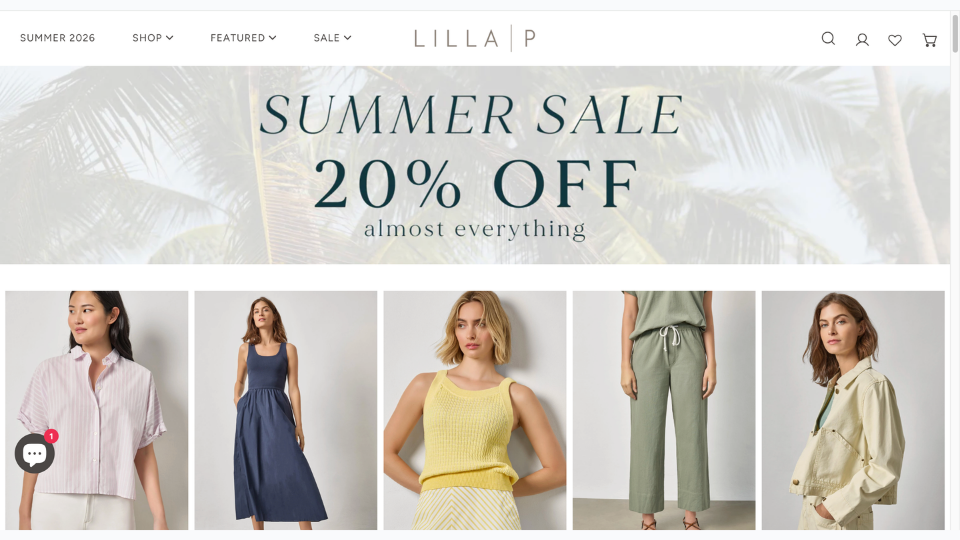
Lilla P webshop

Lilla P is a women’s fashion brand founded in New York in 1998. Built around elevated basics and relaxed contemporary styling — tops, knits, dresses, trousers, and outerwear — the brand has grown into a full seasonal collection with a loyal following across the US market.

Like most fashion brands at this stage, Lilla P produces regular product photography to support its seasonal catalog. Every new piece needs to be shot, edited, and made ready for use — a continuous production commitment that grows as the collection grows.

The Challenge: The Same Garment, Multiple Format Requirements

Product photography is not a one-size-fits-all deliverable. A single garment may need to appear in several different formats depending on how and where it is being presented — and not every format can be repurposed from another.

On-Model Photography Doesn’t Always Transfer

On-model photography is the standard format for direct-to-consumer channels. It shows the garment in context, on a body, in a way that helps customers understand fit, proportion, and styling. For a brand’s own webshop and marketing materials, it is the obvious choice.

On-model photography introduces more variables. The model, background, and styling can all affect consistency. This makes the images harder to reuse across different channels. When brands need a clean and neutral product image, on-model photos often need to be replaced instead of repurposed.

Flat Lay Photography Has Always Required a Separate Shoot — Until Now

Flat lay imagery — a clean, overhead photograph of the garment laid flat — is the format that removes those variables. The garment is the subject. Nothing else competes for attention. Fabric texture, construction detail, and silhouette are all clearly readable.

Historically, producing flat lay meant a separate shoot. Different setup, different lighting, different post-production requirements. For brands that need both formats across a full catalog, that has traditionally meant running two parallel production tracks — doubling the time and cost of imagery for every piece in the collection.

A Growing Catalog Makes the Problem Bigger

Lilla P releases new pieces continuously across the season. Every new arrival adds to the production queue. The broader the catalog, the more the dual-format requirement compounds — and the more pressure it puts on the team to keep imagery current without proportionally expanding the photography budget.

How Lilla P Uses Fashion Diffusion AI to Extend Its Photography

Lilla P uses a single Fashion Diffusion AI feature — the Flat Lay Generator — to derive flat lay imagery directly from existing product photography. It is a practical application of the broader shift toward AI-driven fashion workflows that allows brands to produce more from the assets they already have.

AI Flat Lay Generator — Convert Any Product Photo Into a Clean Flat Lay

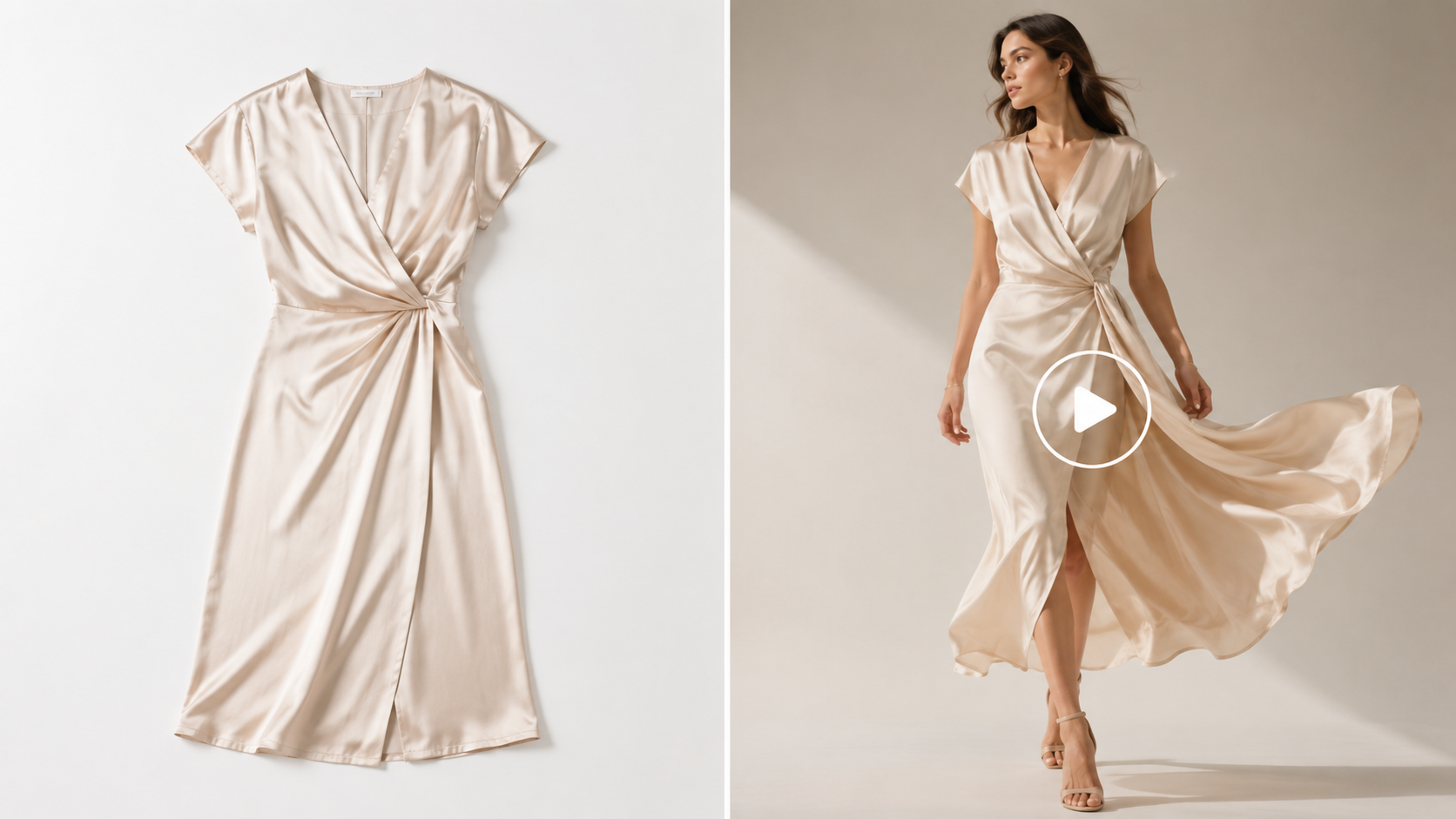
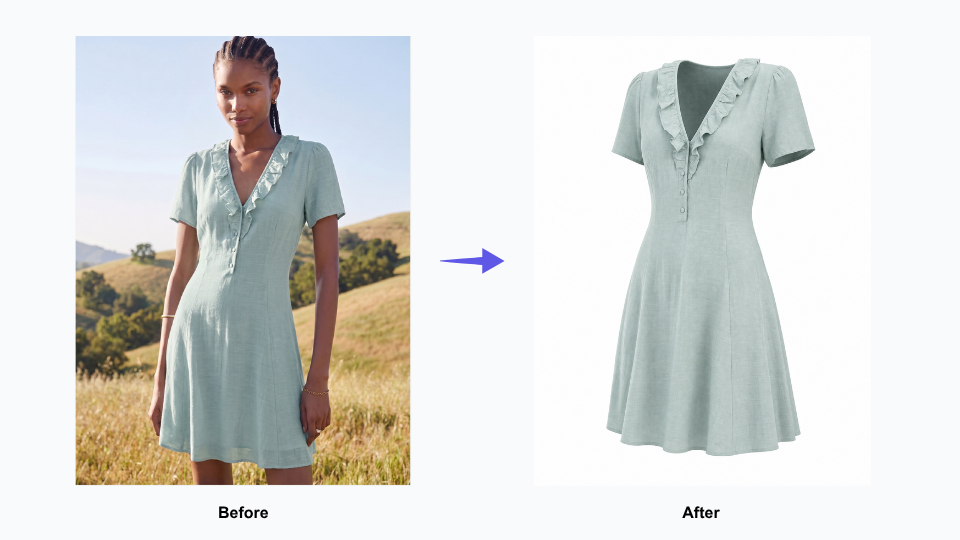
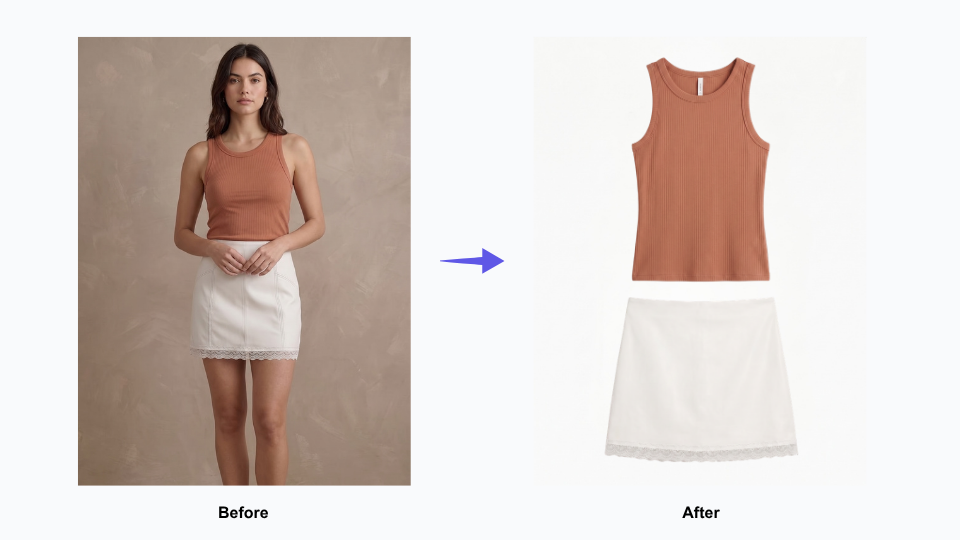
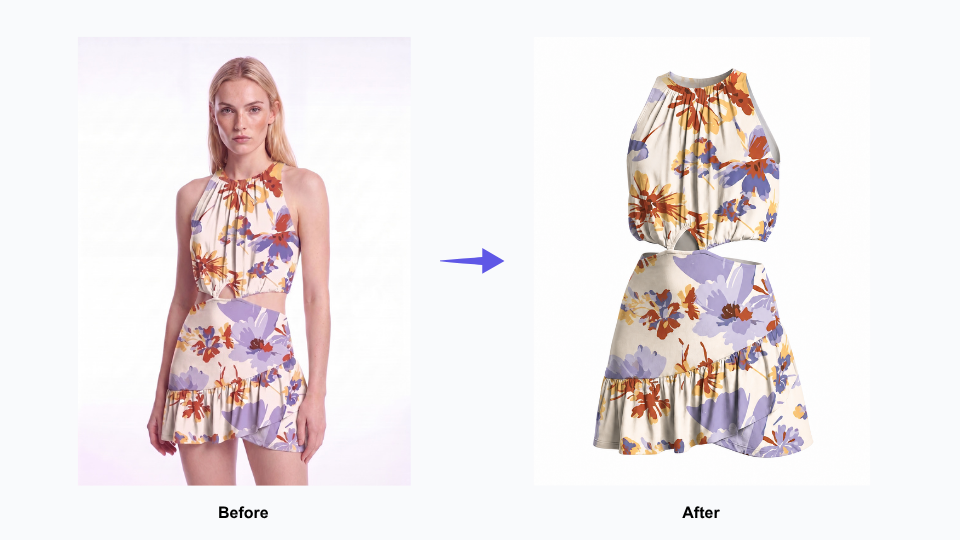
Flat Lay Generator takes an existing garment image — including on-model shots — and renders a clean, realistic flat lay version. Accurate fabric texture, clear construction detail, consistent presentation. The output reads as a purpose-shot flat lay, not a processed version of the original.

This is not background removal. It is not a crop. It is a generated flat lay built from an existing image — a new format derived from a source that already existed.

Flat Lay Generator — More Formats From Photography You Already Have

Before: Every Product Required Two Separate Photography Sessions

Previously, getting both an on-model image and a flat lay for the same piece meant two separate production sessions. Two different setups, two rounds of editing, twice the time per SKU. For a single garment, manageable. Across a full seasonal catalog, it adds up quickly — and creates a continuous scheduling dependency that slows down how fast new pieces can be fully ready.

The New Workflow: One Product Shoot, On-Model and Flat Lay Both Ready

Now, a garment gets photographed once. The flat lay version is generated from that same source image using the Flat Lay Generator. Both formats come from a single shoot, processed in sequence rather than in parallel — turning what used to be two separate production sessions into one continuous workflow.

Consistent Flat Lay Imagery Across Every Product Category

One practical advantage of AI-generated flat lay is consistency across different product types. A knit cardigan, a woven shirt, a structured jacket — each presents differently as a physical garment, and human photographers inevitably approach each one slightly differently. AI applies the same rendering logic to every piece, producing a consistent visual presentation across the full catalog.

For brands managing multiple product categories across every season, consistency matters. A cohesive image library makes every product feel connected. It creates a stronger brand identity, even when items were photographed at different times or in different formats.

Getting More From Photography Already Produced

The core outcome for Lilla P is straightforward: existing product photography now yields two usable formats instead of one.

Existing Product Photography Yields More Than One Format

Every on-model photograph in Lilla P’s archive is now a potential source for flat lay imagery. Photography that was produced for one purpose can serve a second purpose — without being reshot, restaged, or re-edited from scratch. The value of the original shoot extends beyond its original use.

New Arrivals Get Both Image Formats Ready at the Same Time

When flat lay is derived from on-model photography rather than shot separately, both formats are ready at the same time. New pieces don’t wait in a queue for a second production session. They move through the workflow once and come out ready for every context they need to appear in.

Fashion Catalog Management Gets Simpler as SKU Volume Grows

Eliminating a parallel production track doesn’t just save time on individual pieces — it reduces the coordination overhead that compounds across a full season. Fewer scheduling dependencies, fewer post-production queues, fewer handoffs between teams. As the catalog grows, the workflow stays manageable rather than becoming proportionally more complex.

Your product photography is already an investment. The question is how much you’re getting out of it — and whether the same image could be doing more than one job.

Generate 3D clothing images with Flat Lay Generator

Start Generating Flat Lay From Your Existing Product Photos

Lilla P is one of a growing number of fashion brands using Fashion Diffusion AI to extend the value of photography they have already produced.

If you have a catalog of on-model or hanging product shots and need clean flat lay versions, the Flat Lay Generator derives them directly — without a second shoot.

Pair it with Change Background to adapt the same imagery for different presentation contexts, or Upscale to bring generated assets to full web-ready resolution. For a broader view of how brands are rethinking their imagery workflows with AI, the Fashion Diffusion design guide covers the wider landscape.

Try Fashion Diffusion AI free →

Some details have been presented as representative of typical use patterns and may not reflect the full scope of Lilla P’s operations. If you have questions about the content of this article or would like to clarify any information, please contact us at support@fashiondiffusion.ai.

Avatar photo 通过Sophia Mille

Katherine Hooker × Fashion Diffusion AI: How a Luxury Coat Atelier Replaced Swatch Guesswork With AI Fabric Visualisation

From swatch books to instant visualisation — how one of London’s most celebrated custom outerwear designers brought the fabric selection process into the digital age with Fashion Diffusion AI.

What Is Katherine Hooker?

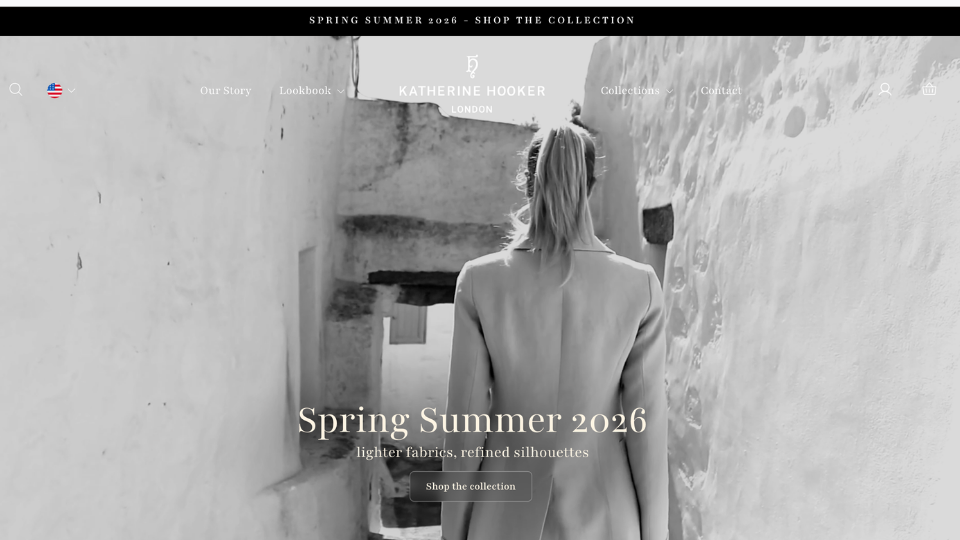
Katherine Hooker

Katherine Hooker London is a British luxury fashion house specialising in custom-made coats and jackets, handcrafted one at a time in an East London studio. The brand has built its reputation on exceptional natural materials — British wool, Italian cashmere, washed linen, and silk — sourced from small-batch mills and selected by hand each season. Every piece is cut and tailored by the same small team who have worked with Katherine for over twenty years. It is a brand defined by a timeless, fabric-led aesthetic — structured, considered, and built to last.

The business runs on consultation. Clients visit the studio or attend one of the brand’s trunk shows — held across the UK and the United States — where they choose from over 150 fabric swatches and work with the team to design a coat that reflects their personal style. There is no off-the-shelf equivalent. Each garment is made once, for one person, from first appointment to delivery in four to six weeks.

The Challenge: Clients Are Choosing a Fabric They Can’t Yet See on a Coat

The custom clothing process is built on trust. A client selects a style and a fabric, agrees on trimmings, and then waits four to six weeks for a garment they have never seen on a body. Unlike ready-to-wear, where a customer can see a garment on a body before buying, bespoke clients are committing to a finished piece they can only imagine. That gap between decision and delivery is where client uncertainty lives — and managing it is one of the central challenges of any made-to-order fashion business.

Clients Are Choosing a Fabric They Can't Yet See on a Coat

Fabric Is the Design — But a Swatch Can’t Show the Full Picture

At Katherine Hooker, fabric choice isn’t a finishing detail. It defines the entire character of a coat. A structured tweed reads formal and architectural. A draped cashmere feels entirely different on the body. A washed linen has its own weight and movement. None of that comes through in a swatch.

When a client is choosing between two similar fabrics — two wools, two tweeds — the decision often comes down to instinct rather than a clear visual reference. Some clients walk away confident. Others don’t, and that uncertainty sits with them for the full four to six weeks until their coat arrives.

Remote Clients Make High-Stakes Decisions Without Physical Reference

The challenge is sharper still for clients who order online or attend trunk shows in the US. They may never have visited the London studio or handled the physical swatches. They are committing to a significant investment based on digital images and a designer’s guidance alone. The higher the price point, the more that gap between selection and delivery matters.

A Visual Library That Traditional Photography Can’t Solve

The natural fix would be a comprehensive sample archive — every fabric photographed on every coat style. But with 150+ fabrics and multiple coat styles, the permutations are too many and the costs too high. And any archive would be outdated the moment a new fabric arrived. What the brand needed was a way to show any fabric — and any colorway variation — on any coat style, on demand, without making the garment first.

How Katherine Hooker Uses Fashion Diffusion AI

Katherine Hooker uses a single Fashion Diffusion AI feature — Apply Fabric — with a clarity of purpose that reflects how the brand operates: one tool, used precisely, in service of a well-defined problem.

The Tool: AI Apply Fabric

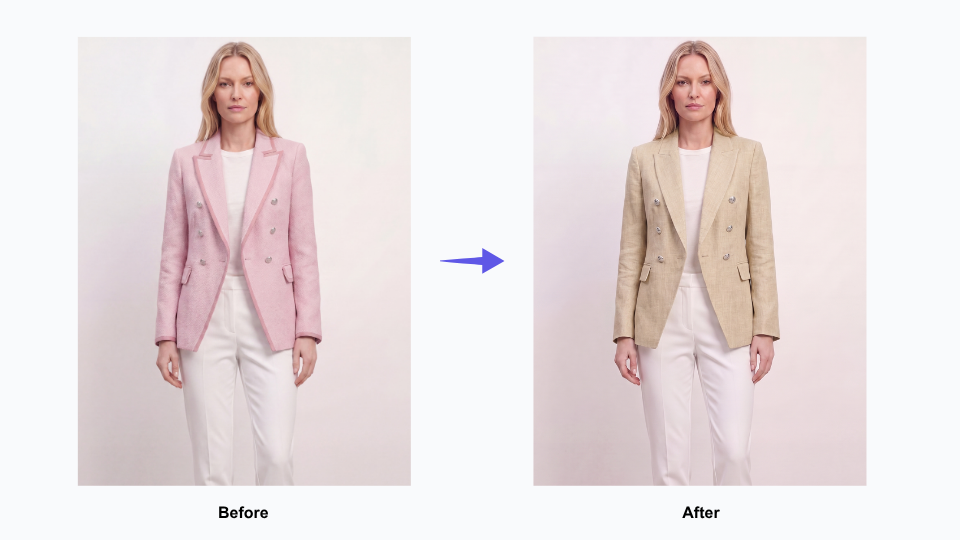
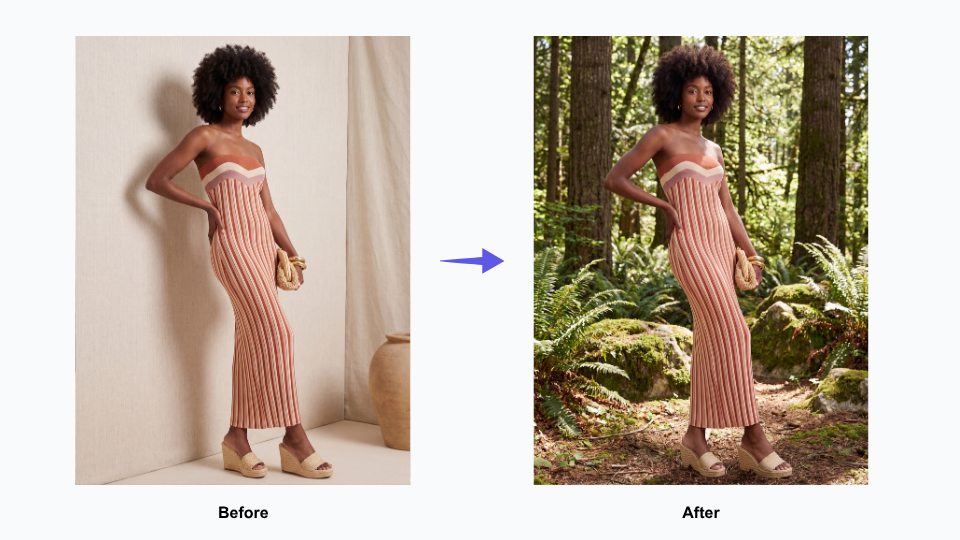
Apply Fabric takes an existing garment image and renders it in a different fabric. The output isn’t a flat colour overlay — it shows the texture, drape, and weight of the chosen material on the actual coat silhouette. The way a tweed sits at the shoulder. The way cashmere falls at the hem. The way linen creases at the sleeve. It is part of Fashion Diffusion’s broader AI Design capability — a set of tools designed to help brands experiment with fabric, colour, and style without making physical samples.

For a brand whose entire process hinges on fabric selection, this is a direct answer to the most consequential step in the consultation.

Apply Fabric takes an existing garment image and renders it in a different fabric

Before: What the Consultation Used to Rely On

Previously, the team worked with what bespoke fashion has always used: physical swatches, reference photographs of past garments, and years of expertise guiding clients toward the right choice. This worked — but it asked clients to make a leap. From a fabric square on a table to a finished coat on their body. For confident clients, that leap is manageable. For those who were less certain, or ordering remotely, it was a real source of doubt.

The New Workflow: Building a Visual Reference Library

Rather than generating visualisations reactively per client, the Katherine Hooker team used Apply Fabric to build a reference library — systematically applying the full range of available fabrics to their core coat styles. The usage data reflects this: multiple sessions over several weeks, each applying a different fabric to the same base garment, working through the entire material palette.

The result is a growing set of images that shows the same coat in navy tweed, olive cashmere, rust linen — each rendered with enough fidelity to make a genuine comparison. A resource that simply didn’t exist before, and couldn’t have been built through traditional photography at any reasonable cost.

In the Consultation: From Description to Demonstration

With this library in place, the consultation shifts. When a client hesitates between two fabrics, the team can show both — side by side, same style, same scale. When a remote client asks what a particular tweed looks like on the Braid coat, the answer is an image. Not a description, not a reassurance — an image.

The conversation moves from “I think you’d love how this tweed looks on the coat” to showing the client the coat in that tweed. That’s a meaningfully different kind of conversation.

What Changes When Clients Can See Before They Commit

The impact here isn’t measured in units or cost savings. It shows up in the quality of the moment when a client says yes.

Clients Decide With Confidence, Not Hope

A client who has seen a rendered image of their coat — in their exact fabric, on their exact style — arrives at their decision differently. The uncertainty that normally sits between selection and delivery narrows. They have a visual reference they can return to during the four to six weeks of production. What they receive feels like what they chose, because they actually saw it first.

Remote Consultations Become Genuinely Visual

For international clients, the shift is more significant. A client in New York who can see a rendered image of their coat, shared digitally before the order is placed, has a very different experience from a client working from swatches alone. The distance between London studio and US client shrinks. The investment feels better-anchored.

The visualisation doesn’t replace the consultation — it deepens it. It gives the team a shared visual language with clients who can’t be in the same room.

The Website Gains a New Kind of Content

The library built through Apply Fabric isn’t just a consultation tool. It’s content. A potential client browsing the Katherine Hooker website who can see the same coat rendered across multiple fabrics — navy tweed, ivory cashmere, sage linen — has a richer experience of the brand’s range. Images that start as studio reference assets become part of the full customer journey, from first discovery to order confirmation. And with Upscale, those assets can be brought to full web-ready resolution before they go live — making them ready for the kind of AI fashion photography workflow that high-end brands now use to produce professional imagery at scale.

Bring Your Custom Fabric Consultations to Life

Katherine Hooker is one of a growing number of bespoke and made-to-order fashion brands using Fashion Diffusion AI to help clients visualise custom orders before production begins.

Whether you run studio appointments, trunk shows, or an online custom order process, Apply Fabric gives you a way to show every client what their garment will look like in their chosen material — before the first stitch is made.

Try Fashion Diffusion AI free →

Some details have been presented as representative of typical use patterns and may not reflect the full scope of Mayo Chix’s operations. If you have questions about the content of this article or would like to clarify any information, please contact us at support@fashiondiffusion.ai.

Avatar photo 通过Sophia Mille

Mayo Chix × Fashion Diffusion AI: How a Fashion Brand with 60+ Stores Stopped Waiting on Photography

From studio bottleneck to same-day publishing — how a 35-year-old fashion brand with 60+ stores rebuilt its content production workflow with Fashion Diffusion AI.

What Is Mayo Chix?

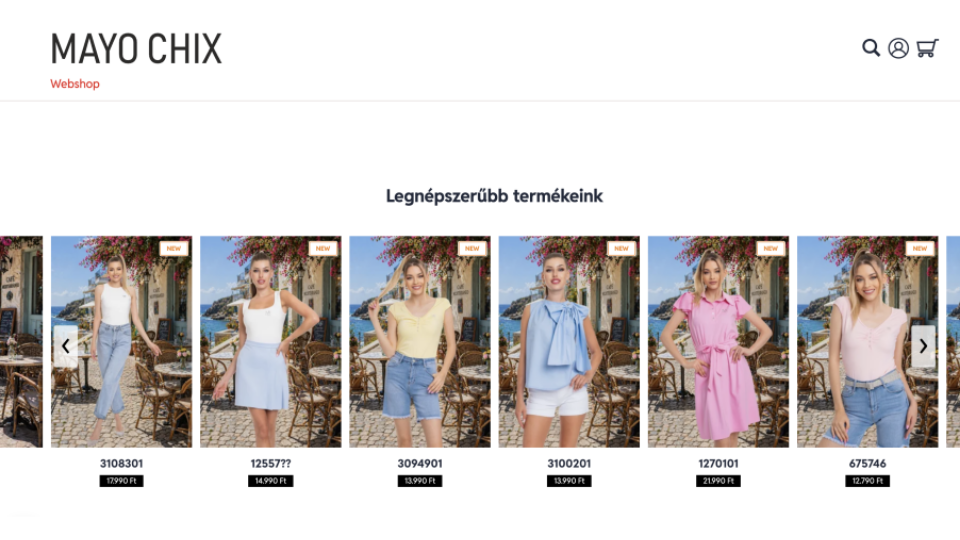
Mayo Chix webshop

Mayo Chix is Hungary’s largest homegrown women’s fashion brand. Established in 1989, the brand has grown steadily for more than 30 years. It now runs over 60 standalone stores covering all major shopping malls in Hungary, plus nearly 120 wholesale partners throughout Central and Eastern Europe.

Unlike most fashion brands that rely on external manufacturers and suppliers, Mayo Chix handles all design and production in-house. Its team of three designers creates original styles across multiple lines: dresses, denim, knitwear, blazers, outerwear and event outfits New arrivals hit the catalog on a rolling basis throughout the season.

Thanks to its in-house design process, vast product range and extensive sales network, creating product visuals has become one of the most challenging operational tasks for the brand.

The Challenge: Studio Photography Can’t Keep Pace With a Growing Catalog

With in-house collection design, plus a retail network of 60+ stores and 120 wholesale partners, Mayo Chix faces nonstop demand for product visuals. Every new style requires more than basic white-background product shots. It needs fully styled, contextual imagery and complete outfit pairings to show shoppers exactly how to wear each piece.

For Mayo Chix, the traditional studio photography model created three compounding problems.

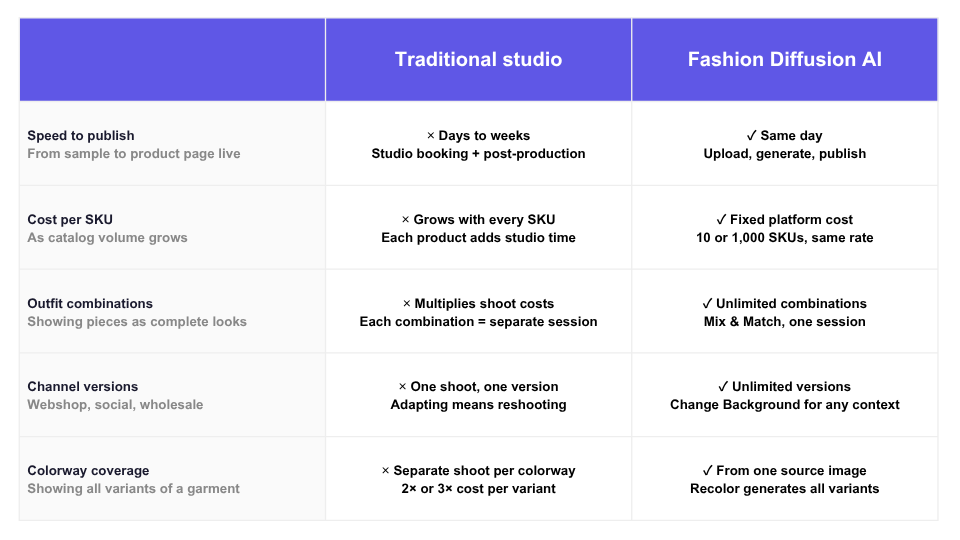
Traditiona Fashion Product Photography Takes Days

Booking a studio, coordinating models and stylists, and completing post-production takes days — sometimes longer. For a brand pushing new arrivals continuously, that delay means products sitting in a queue while demand builds. Wholesale partners waiting on assets can’t activate new listings. The gap between a piece being ready and its imagery being finished has a direct cost.

Studio Photography Costs Scale With Every SKU

Traditional photography costs scale linearly with output. Every additional SKU adds to the budget. Showing outfit combinations — the same blouse styled three different ways with different bottoms from the same collection — multiplies the requirement again. At studio rates, comprehensive outfit merchandising is simply not viable across a full catalog.

One Product Shoot Produces One Version

Once a studio shoot is done, the imagery is fixed. Adapting it for different channels — a clean white background for the webshop, a lifestyle scene for social media, a seasonal setup for wholesale partner materials — means either reshooting or compromising on quality.

For a brand competing in a regional market alongside multinational fast-fashion chains with substantially larger production budgets, these constraints weren’t just inconvenient. They were a structural disadvantage.

Traditional Studio vs Fashion Diffusion AI

How Mayo Chix Uses Fashion Diffusion AI

Mayo Chix integrated Fashion Diffusion AI into their product content workflow in May 2026, using it to process a full batch of new season arrivals across multiple categories in under a week. Here is how each feature contributes to the workflow.

1. Virtual Try-On — Show the Garment, Not Just the Product

On-model imagery is the highest-converting format in fashion e-commerce — but it has always been the most expensive to produce. The moment a customer can see how a garment fits, drapes, and moves on a body, the purchase decision becomes real. Without that, a product page is asking shoppers to imagine too much.

Virtual Try-On makes on-model photography available for every piece in the catalog, without any of the costs that have traditionally made it selective. New arrivals no longer have to wait in a queue until a studio session can be arranged.

Conversion-ready product imagery is available the same day a product is cleared for listing. For brands constantly rolling out new inventory across 60+ stores and a wholesale network, this changes the economics of their entire content operation.

Virtual try on clothing online with Fashion Diffusion AI

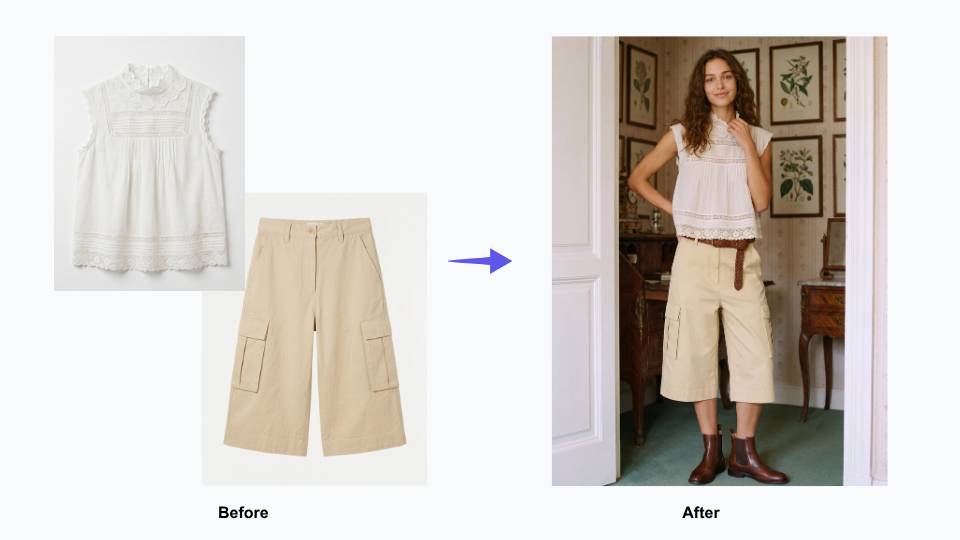
2. Mix & Match — Turn Individual Pieces Into Shoppable Outfits

Fashion customers do not buy garments in isolation. They buy outfits. The product page that shows a blouse on its own communicates less than the page that shows it paired with three different bottoms from the same collection — and converts accordingly.

Outfit merchandising has always been the part of fashion content production that gets cut when budgets are tight, because shooting every possible combination multiplies studio costs quickly. Mix & Match removes that constraint. We can create full outfit visuals for every item in the catalog, not just key styles. These visuals clearly show how pieces from the latest collection match perfectly as complete looks.

At Mayo Chix, shoppers browse a wide range of items across different categories. This lets every product page deliver more value: it helps customers find matching pieces and gives them clear styling context to make purchases easily.

Mix & Match — Turn Individual Pieces Into Shoppable Outfits

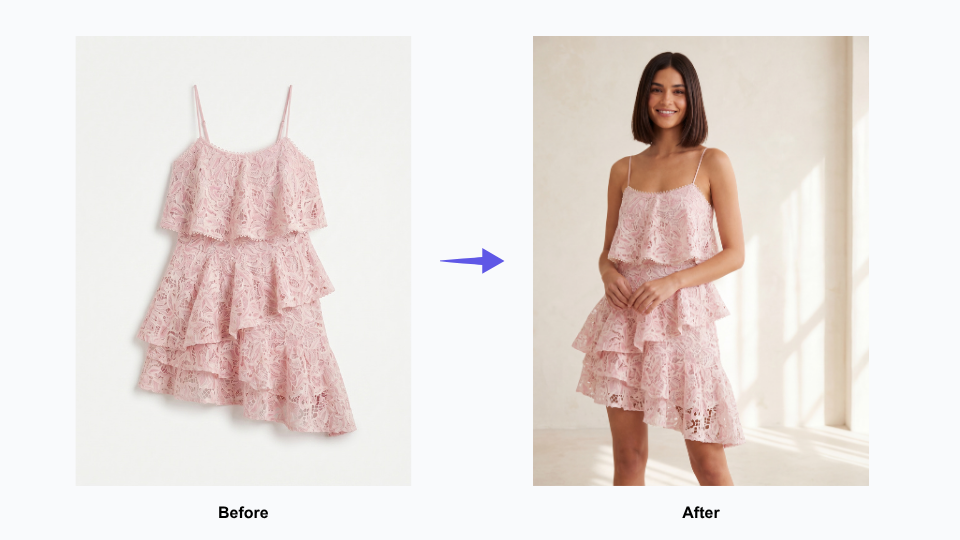
3. Flat Lay Generator — Professional Catalog Imagery for Every Category

Not every garment tells its story best on a model. Knitwear, accessories, fabric-forward pieces, and wardrobe basics often communicate more clearly as a flat lay — where the texture, pattern, and construction of the garment are the focus, without a body competing for attention. Wholesale partners, too, frequently prefer flat lay imagery for catalog listings and lookbooks.

Flat lay production has traditionally required its own studio setup, separate from model photography — adding cost and time to an already complex workflow. Having AI-generated flat lay imagery as part of the same pipeline means Mayo Chix can cover every category of their catalog in the format that suits it best, without managing two separate production tracks.

Flat Lay Generator — Professional Catalog Imagery for Every Category

4. Change Background — One Shoot, Every Channel

A strong product image should work across every channel a fashion brand uses — from ecommerce stores and social media to seasonal campaigns and wholesale marketing materials. But in reality, brands often have to choose between expensive reshoots or reusing images that were never designed for those different contexts.

Change Background gives Mayo Chix’s existing product imagery a second and third life without any additional photography. A clean webshop image becomes a lifestyle scene for social. A lifestyle scene becomes a seasonal backdrop for a wholesale partner’s campaign.

For a brand distributing assets to 120 wholesale partners — all with different channel and content requirements — this flexibility has a major operational impact. It helps partners launch new products faster, keeps branding more consistent across every sales channel, and reduces the constant need for custom reshoots and reformatted assets.

Change Background with AI

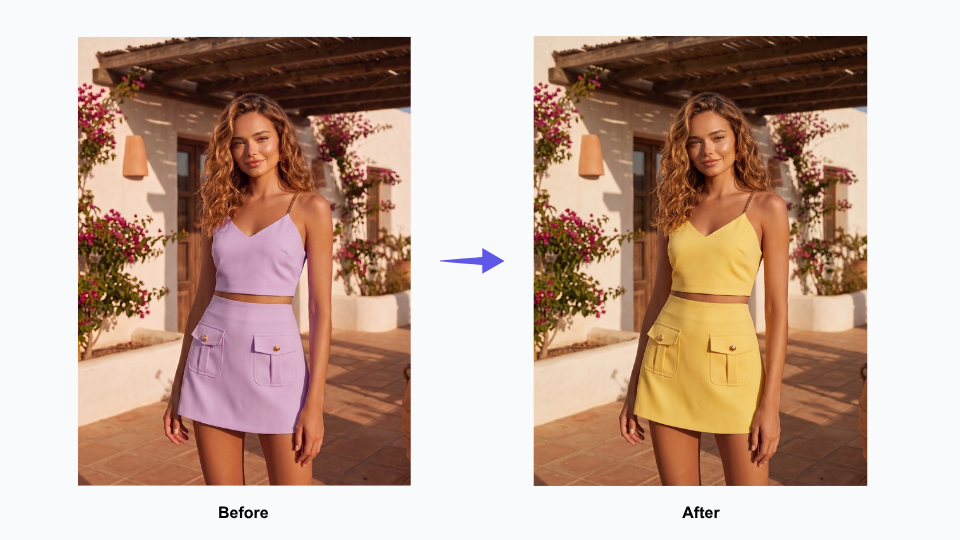
5. AI Recolor — Explore Colorways Without a Second Shoot

When a garment comes in multiple colorways, showing each one properly has traditionally meant shooting each one separately — doubling or tripling the photography requirement for a single SKU. For brands planning pre-season presentations or updating webshop pages to reflect full colorway availability, that cost adds up quickly.

Fashion Diffusion’s Recolor tool generates accurate colorway variations from a single source image, making it practical to show every version of a product without additional studio time. For Mayo Chix’s wholesale presentations and webshop listings, this means colorway pages can be complete from launch — rather than filling in as additional photography becomes available.

AI Recolor — Explore Colorways Without a Second Shoot

From Multi-Week Backlog to a Streamlined AI Photography Workflow

The most significant outcome from Mayo Chix’s Fashion Diffusion AI workflow is one that doesn’t show up in a single metric: the compression of the entire content production cycle.

Under a traditional studio photography model, processing a batch of new season arrivals across multiple categories — dresses, denim, knitwear, outerwear, occasion wear — would require multiple studio days, model bookings, and a post-production window before a single image is ready to publish. The imagery for a full new arrivals batch might take two to three weeks from sample availability to webshop-ready assets.

Mayo Chix delivered its full catalog asset set—including Mix & Match outfit looks, flat lay catalog shots, channel-specific background variations, virtual on-model try-on imagery, and all colorway variants—through one streamlined workflow, managed entirely by a single team member.

The downstream effects compound from there. New arrivals go live on the webshop faster. Wholesale partners receive assets sooner, which means faster listing activation across the partner network. The in-house design team can see how a new collection looks in finished imagery earlier in the process, creating more room to adjust styling direction before stock hits the stores.

For a 35-year-old brand with a regional footprint competing in a fast-moving market, speed to imagery is speed to market — and that matters.

Start Your Own AI Imagery Workflow

Mayo Chix joins countless fashion brands that leverage Fashion Diffusion AI. It helps create high-quality product visuals far more quickly, while slashing costs compared to traditional studio photography.

No matter you have 50 or 5,000 products in your catalog, this solution fits perfectly with your business scale. The all-in-one platform supports full-featured needs: outfit matching, flat lay shots, model wear visuals, background adjustment and different color variant previews.

Try Fashion Diffusion AI free →

Some details have been presented as representative of typical use patterns and may not reflect the full scope of Mayo Chix’s operations. If you have questions about the content of this article or would like to clarify any information, please contact us at support@fashiondiffusion.ai.

Avatar photo 通过Sophia Mille

How to Turn a Fashion Sketch into a Stunning Render in 2026

Creating professional fashion renders from simple sketches used to require advanced drawing skills or expensive 3D software. Today, artificial intelligence rendering is changing the game. With modern sketch to render AI tools, designers can convert a hand-drawn sketch to photo-realistic render in minutes.

This technology helps fashion designers, students, and even brands bring their ideas to life in realistic detail—without needing deep technical expertise.

What is an AI Sketch-to-Render Tool?

An AI sketch to render tool uses machine learning to understand the lines and shapes in your drawing. It then generates a high-quality, realistic image from that input.

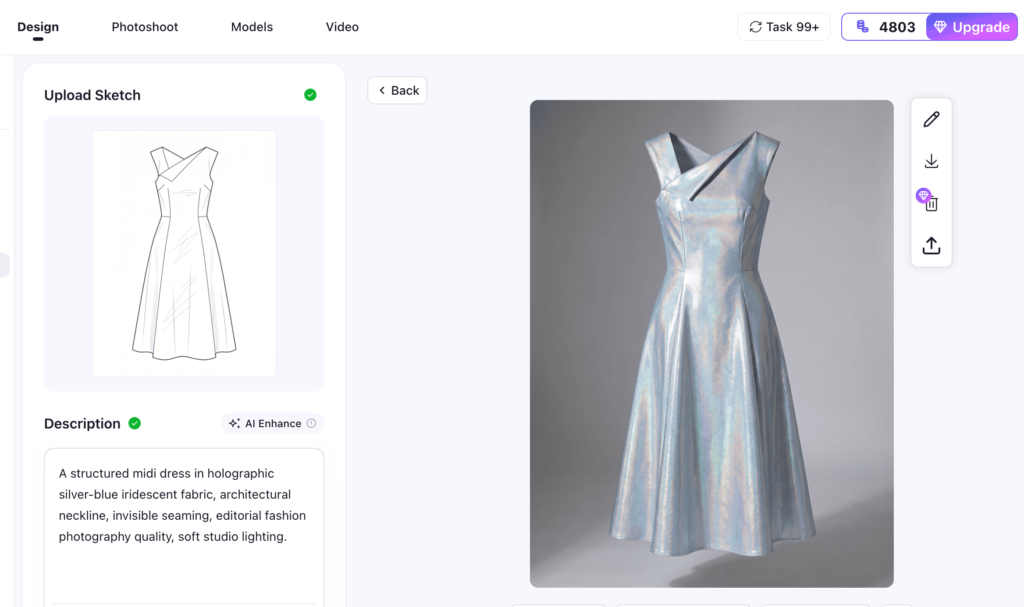
For fashion, this means you can upload a simple garment sketch, and the AI from sketch to render engine will produce a photorealistic render with textures, shadows, and lighting.

These platforms are not only for professionals. Many now offer sketch to render AI free versions so that anyone can experiment. The workflow is simple: upload a sketch, add details such as fabric type or color, and let AI rendering do the rest.

5 AI Fashion Tools to Turn a Sketch into Render

There’s a vibrant ecosystem of tools tailored specifically for sketch-to-render workflows:

1. Fashion Diffusion

Accepts sketches, mood boards, or text descriptions and converts them into high-quality fashion visuals quickly.

Fashion Diffusion

Main Features:

  • Accepts sketches, mood boards, or text prompts as inputs.
  • Produces high-quality fashion renders quickly.
  • Prioritizes fabric realism and commercial usability.
  • Simple, user-friendly interface.

Best for: E-commerce sellers, fast-fashion brands, and design teams needing visuals for lookbooks, ads, or sketch to image market testing.

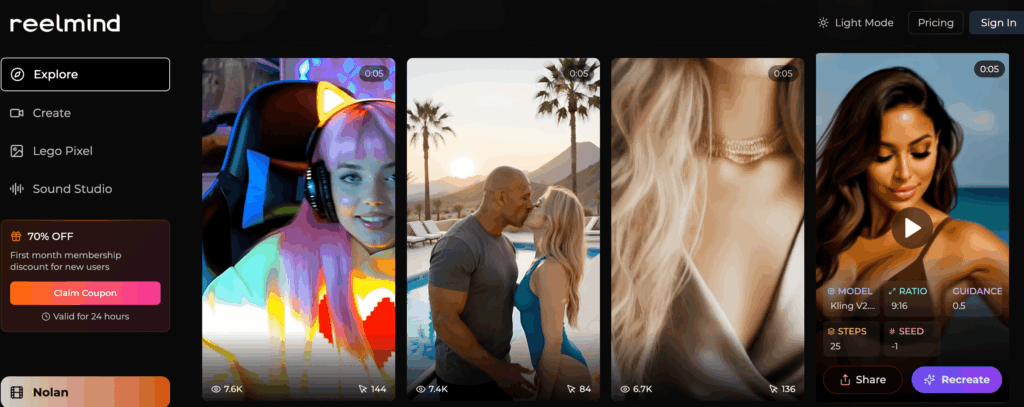
2. Reelmind.ai

Transforms rough sketches into polished designs, supports multi-frame visuals, style experimentation, and even custom model training.

ReelMind

Main Features:

  • Transforms hand-drawn sketches or CAD flats into polished renders.
  • Supports multi-frame visualization (different angles or poses).
  • Offers style experimentation (textures, fabrics, artistic directions).
  • Allows custom model training, ideal for brands with a consistent design language.

Best for: Professional designers, studios, and brands that need customized sketch to render AI.

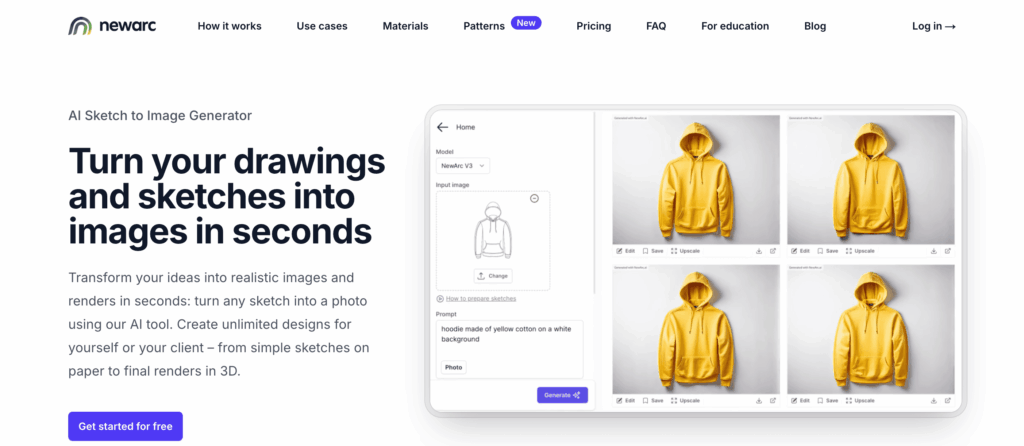
3. NewArc.ai

Lets you upload simple line sketches and enrich them with text prompts (e.g., “emerald silk evening gown with sheer overlay”).

NewArc

Main Features:

  • Upload hand sketches or CAD drawings to generate renders.
  • Uses Stable Diffusion + ControlNet for accurate sketch alignment.
  • Text prompts for fabrics (e.g., silk, denim), colors, and style details.
  • Built-in brush and eraser tools for fine-tuning outputs.

Best for: Independent designers, students, and startups needing fast, low-entry AI sketch to render.

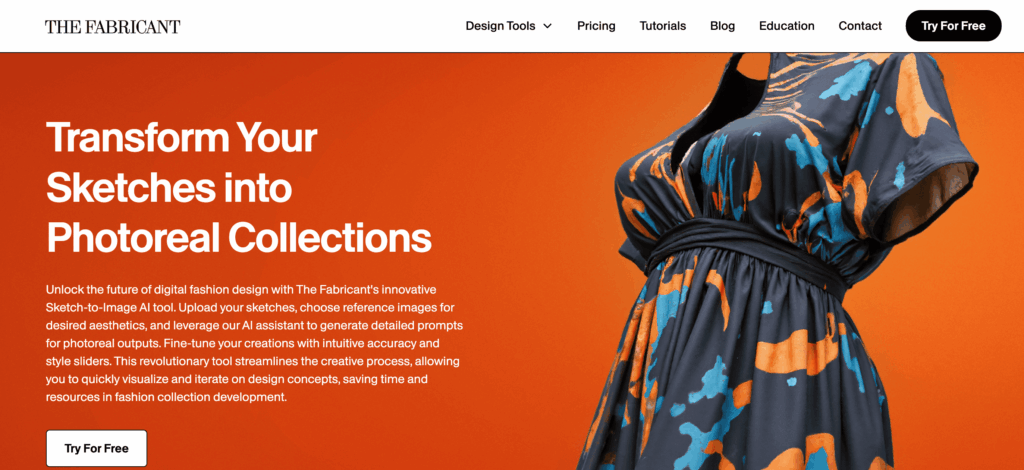
4. The Fabricant

Upload sketches, add reference aesthetics, then tweak with style sliders and AI prompts for refined, photoreal outcomes.

The Fabricant

Main Features:

  • Upload sketches and combine them with aesthetic reference images (mood boards, fashion photography).
  • Provides style sliders and AI prompts for iterative refinement.
  • Focuses on artistic, high-fashion visuals (suitable for digital fashion shows).
  • Generates virtual fashion assets for integration with 3D avatars.

Best for: High-fashion designers, digital artists, and brands working on virtual wearables, NFTs, and AI rendering architecture projects.

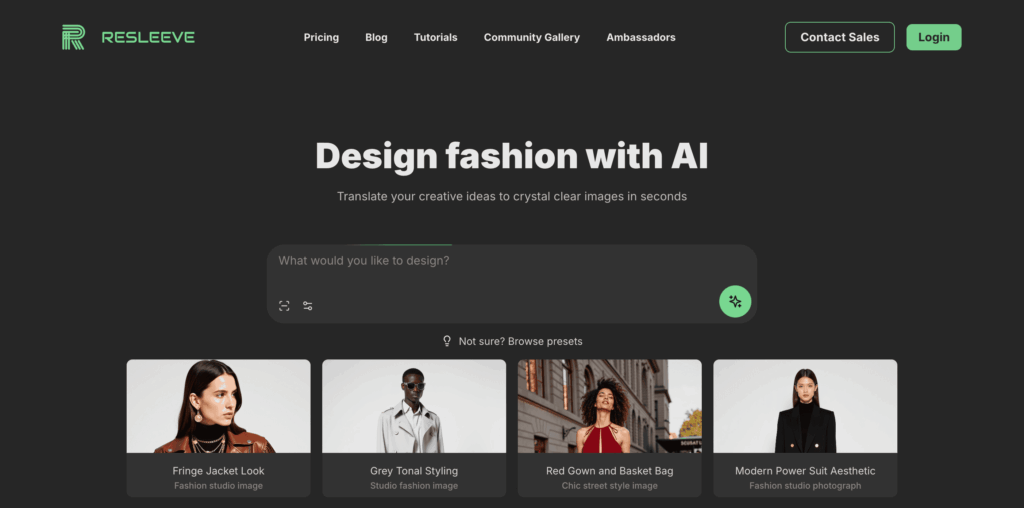
5. Raspberry AI

A fast, intuitive AI tool for turning 2D sketches into lifelike renders.

Resleeve

Main Features:

  • Easy-to-use workflow for turning sketches into photorealistic 2D renders.
  • Outputs are close to real-life garment photography.
  • Beginner-friendly interface, minimal learning curve.
  • Gaining investor traction, with strong future potential.

Best for: Indie designers, startups, and studios that want AI from sketch to render results for presentations or client pitches.

How to Use Fashion Diffusion to Convert Your Fashion Sketch

Turning your fashion ideas into reality with Fashion Diffusion AI is a straightforward process. With just two steps, you can transform your creative vision into professional-quality results.

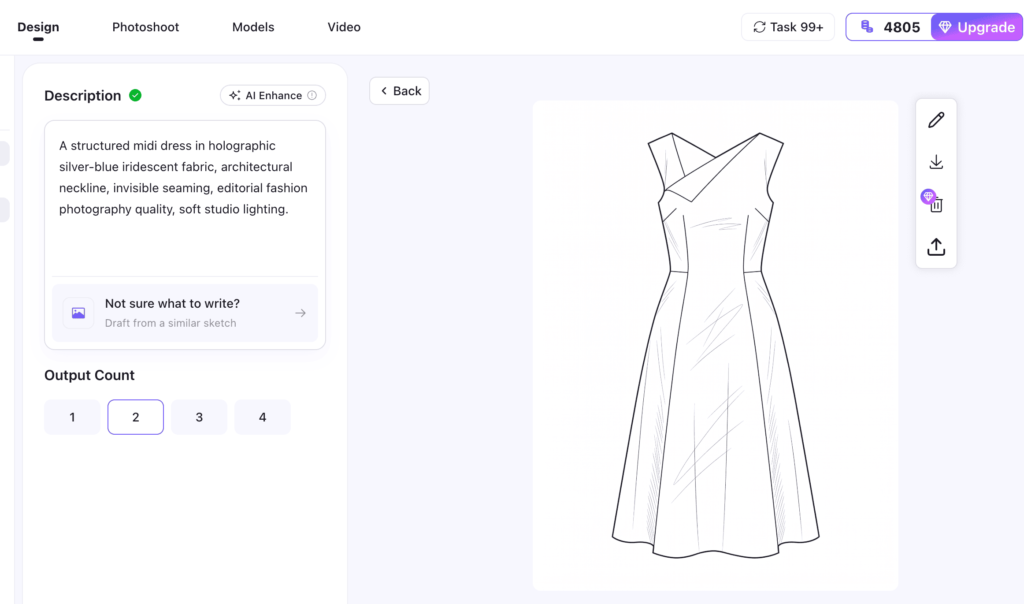
Step 1: Prepare Your Fashion Sketch

Start with a clear sketch. You can either use a line drawing you’ve already created, or generate one instantly with Fashion Diffusion’s Sketch AI Tool. This tool supports two powerful methods:

Image to Sketch

If you already have a photo of a garment, this feature instantly converts it into a precise fashion sketch. The AI extracts key visual elements and creates clean, customizable line art—no advanced editing skills required.

Text to Sketch

If you don’t have an existing sketch or garment photo, the text-to-sketch tool will surprise you. Simply describe your design idea, and our AI will generate a professional fashion sketch in seconds. This speeds up your creative process and allows you to explore multiple design directions.

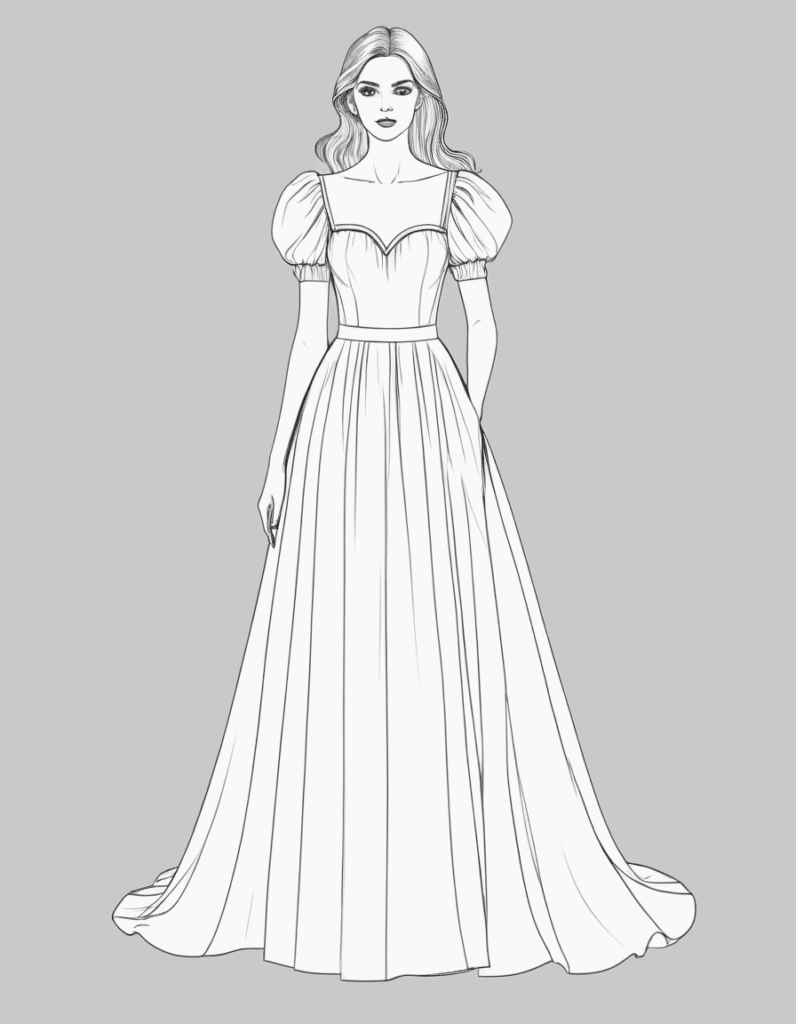
Example: Enter a prompt like “A long dress, flowing skirt, puff sleeves, fitted bodice, sweetheart neckline, floor-length hem, sleeveless design, draped silhouette, minimalistic style.”

Using Fashion Diffusion to Convert Your Fashion Sketch
Fashion Diffusion AI-generated

Step 2: Generate a Fashion Render

Once your sketch is ready, use the Sketch to Render AI tool to create a high-quality fashion render. Just upload your sketch, add a description of your desired fabrics, colors, or style, and let the AI bring your concept to life. If the first result isn’t perfect, you can easily refine your inputs and regenerate the image until you achieve the exact look you want.

This process saves time and effort. It allows designers to test different ideas and share concepts with clients quickly.

Why AI-Enhanced Sketch Rendering Is a Game-Changer in Fashion

AI-powered sketch rendering is revolutionizing the fashion industry, making the design process faster and more flexible. This technology offers several key benefits:

  • Accelerated Ideation: Quickly generate countless variations of a single design in seconds. This allows for rapid prototyping and faster decision-making.
  • Increased Accessibility: AI tools lower the barrier to entry, so you don’t need to be an expert artist or 3D modeler. A simple sketch is all you need to get a photorealistic render.
  • Enhanced Realism: AI adds complex details like realistic textures, shadows, and lighting. This high level of detail helps designers and clients visualize the final product with greater accuracy.
  • Cost and Time Efficiency: The traditional rendering process is expensive and time-consuming. Using AI saves money and frees up time for designers to focus on other creative tasks.

Co-creating the Future of AI Fashion Design with Fashion Diffusion

AI tools are becoming smarter and more accessible. Whether you’re using sketch to render AI free versions or advanced platforms, the goal is the same: to enhance creativity, not replace it.

The ability to go from sketch to render with AI means fashion designers can spend more time innovating and less time on technical work. The rise of sketch to image AI is making the industry more efficient, affordable, and creative than ever.

👉 Try Fashion Diffusion today—see how effortlessly you can go from sketch to stunning render, experiment with fabrics, style variations, and visualization, and create visuals that inspire and sell.

Frequently Asked Questions

What is Fashion Diffusion AI and how does it work?

Fashion Diffusion AI is an all-in-one AI fashion design tool that helps designers, brands, and students turn creative ideas into professional-quality fashion visuals. Instead of relying on costly photoshoots, manual rendering, or advanced 3D modeling skills, Fashion Diffusion uses generative AI to transform sketches, text prompts, or reference images into realistic clothing designs and campaign-ready imagery.

Can I create a fashion sketch without drawing skills?

Yes. With the text-to-sketch generator, you don’t need any drawing experience. Simply describe your design (e.g., “silk blouse with puff sleeves and ruffled collar”), and the AI will instantly create a professional fashion sketch for you.

How accurate are the AI-generated fashion renders?

The AI fashion render is highly realistic and customizable. By refining prompts (fabrics, colors, style details), you can adjust the output to match your vision. Designers often use the tool to quickly explore multiple variations before finalizing their collection.

Can I edit or refine the AI-generated designs?

Yes. After generating a fashion render, you can modify your sketch or text prompts and regenerate the image. This iterative process ensures you get the exact look, fabric, and silhouette you need.

Avatar photo 通过Sophia Mille

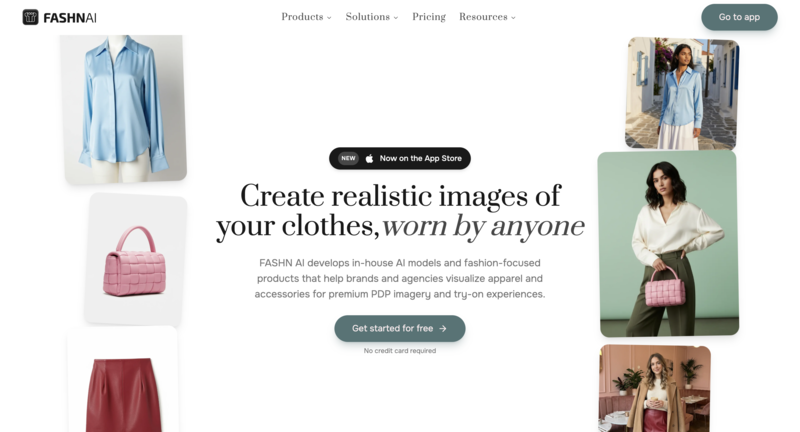
Top 5 Fashn AI Alternatives for Commercial Virtual Fashion Shoots in 2026

In fashion ecommerce, creating eye-catching product visuals quickly is key. Fashn AI helps generate outfits and styling ideas, but many brands seek alternatives with higher-quality outputs or advanced virtual try-on features. Exploring Fashn AI alternatives can open new creative possibilities for commercial virtual shoots, from photorealistic 3D renders to studio-ready visuals.

What is Fashn AI

Fashn AI is an AI-powered platform designed for fashion creators, brands, and ecommerce businesses. It focuses on generating outfit combinations, visualizing new designs, and producing high-quality product imagery. The tool allows users to experiment with styles without needing professional photography setups. Essentially, it’s a creative assistant that brings fashion ideas to life digitally.

Fashn AI is an AI-powered platform designed for fashion creators, brands, and ecommerce businesses.

How Fashn AI Powers Virtual Fashion Shoots

Fashn AI goes beyond simple outfit suggestions. Its intelligent style matching, virtual models, and pose customization allow brands to create realistic on-model imagery digitally. Users can upload garments, mix and match pieces, and instantly generate visuals suitable for marketing or online catalogs. This workflow saves time, reduces production costs, and gives teams more creative flexibility.

Why Brands Choose Fashn AI

Brands appreciate Fashn AI for its ability to:

  • Quickly generate multiple outfit options while maintaining brand aesthetics.
  • Produce consistent, high-quality visuals for ecommerce and social media.
  • Test new designs or concepts without investing in full photoshoots.
  • Combine virtual models and custom poses to showcase garments realistically.
Fashn AI goes beyond simple outfit suggestions. Its intelligent style matching, virtual models, and pose customization allow brands to create realistic on-model imagery digitally.

When Fashn AI Might Not be Enough

Despite its strengths, some brands encounter limitations:

  • Virtual try-on options are limited compared to platforms with 3D fitting rooms.
  • Complex fabrics or intricate textures may not render perfectly in some scenarios.
  • Output resolution may not meet high-end commercial photography standards.
  • Beauty product try-on (makeup, skincare, hair) sits outside Fashn AI’s clothing-focused scope — brands selling these categories typically integrate a separate AR SDK like Makeup Software Virtual Try-On from Banuba for real-time try-on of lipstick, eyeshadow, foundation, and other makeup products.

Why Users are Exploring Fashn AI Alternatives

Even though Fashn AI offers a solid starting point, many brands and creators look for alternatives to better fit their workflow. The goal is often faster, more flexible, and higher-quality virtual product creation.

The key reasons include:

  • Advanced Virtual Try-On: Some tools offer realistic 3D fittings and pose control for a more lifelike presentation.
  • Higher-Resolution Outputs: commercial ecommerce often demands studio-grade images that are crisp and polished.
  • Creative Flexibility: Brands want more options for customizing fabrics, patterns, and complex styles.
  • Workflow Integration: Tools that integrate seamlessly with ecommerce platforms or design pipelines save time.

Exploring alternatives allows brands to enhance their virtual shoots, experiment with new styles, and deliver visuals that truly stand out in a crowded online market.

Top 5 Fashn AI Alternatives for Commercial Virtual Fashion Shoots in 2026

For brands and creators looking to elevate their fashion visuals, exploring alternatives to Fashn AI can unlock new possibilities. Whether it’s generating photorealistic product images, experimenting with virtual try-on, or producing creative concept designs, the right AI tool can save time and enhance quality.

In this section, we’ll dive into five standout platforms that offer unique features to help fashion businesses create stunning commercial visuals efficiently.

Fashion Diffusion

Fashion Diffusion is a versatile AI platform designed to streamline fashion photography and virtual product visualization. It allows brands to create high-quality outfit renders, virtual try-on experiences, and photorealistic 3D images without a full studio setup. From conceptual designs to ready-to-publish visuals, Fashion Diffusion caters to both small creators and large ecommerce brands looking to scale their content production efficiently.

Fashion Diffusion is a versatile AI platform designed to streamline fashion photography and virtual product visualization.

Main features & Highlights:

  • AI-powered virtual try-on with realistic fitting and draping.
  • High-resolution studio-quality output for ecommerce and marketing.
  • AI outfit generator and styling suggestions for creative flexibility.
  • Seamless workflow from concept to final images.

Suitable for:

  • Ecommerce brands need professional product visuals.
  • Fashion designers are testing new concepts without photoshoots.
  • Content creators producing social media-ready fashion visuals.
  • Teams looking to scale virtual photoshoots efficiently.

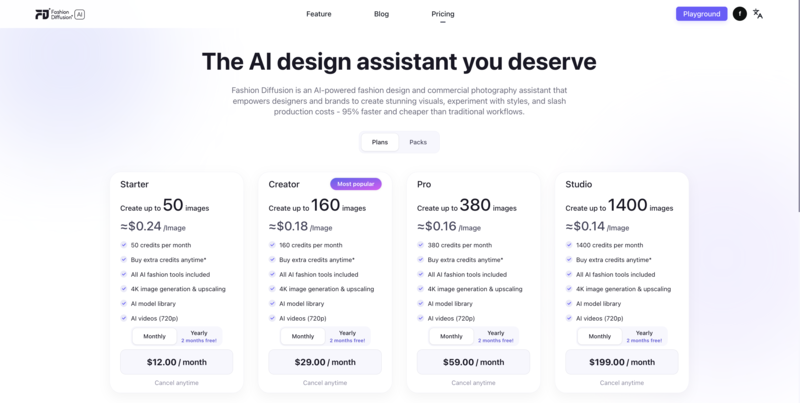
Pricing:

Fashion Diffusion offers tiered plans based on output resolution and usage volume, including options for individual creators and enterprise users.

Fashion Diffusion Pricing

Advantages:

  • Produces high-resolution, photorealistic images suitable for commercial use.
  • Virtual try-on is highly realistic, allowing garments to be visualized on different body types and poses.
  • Supports flexible outfit generation, letting teams test multiple combinations with consistent style.
  • Streamlined workflow reduces production time and the need for traditional photoshoots.

Disadvantages:

  • Initial users may need to manually experiment to achieve the desired outfit combinations.
  • Prioritizing visual quality over rapid concept generation, making it less suitable for quickly testing a large number of outfit ideas.

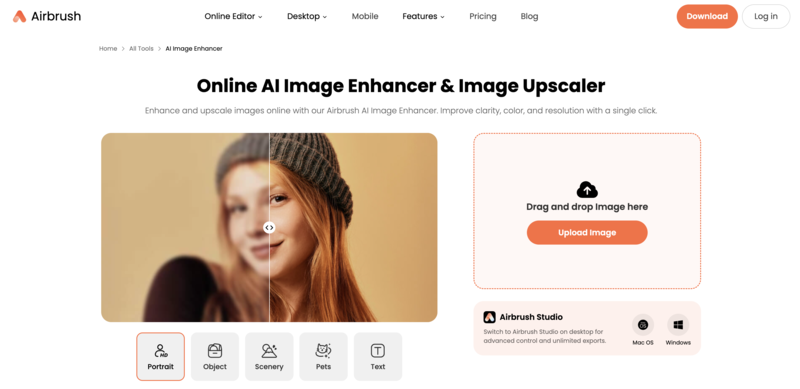
Airbrush

Airbrush is a versatile AI-powered platform designed to enhance fashion visuals with ease. It offers image enhancement, AI retouch, and other tools, allowing brands and creators to polish product photos, refine textures, and quickly improve visual quality. Perfect for editing clothing images, Airbrush helps fashion teams save time while maintaining professional visuals.

Airbrush is a versatile AI-powered platform designed to enhance fashion visuals with ease.

Main Features & Highlights:

  • AI-powered image enhancer to improve clarity, lighting, and color balance.
  • AI retouch for garment details, skin, and background adjustments.
  • Quick edits for style, color, and pattern variations.
  • Intuitive interface for both desktop and web users.

Suitable for:

  • Fashion brands are experimenting with style variations.
  • Social media content creators need quick edits.
  • Designers testing multiple patterns or colors.
  • Small businesses without access to large photo studios.

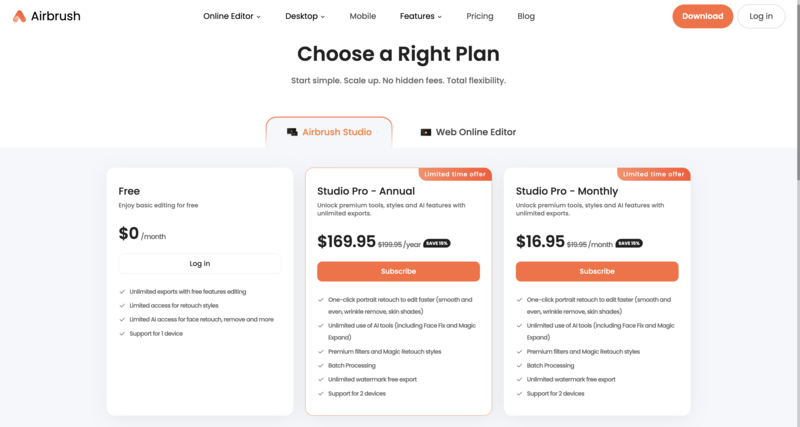
Pricing:

Airbrush offers two main options:

  • Airbrush Studio—a full-featured desktop application for advanced edits.
  • Web Online Editor—a lightweight online editor for quick retouching and image enhancement.
Airbrush Pricing

Advantages:

  • Quick and easy garment edits.
  • Supports creative experimentation without photoshoots.
  • User-friendly interface for beginners.
  • Efficient workflow for social media content.

Disadvantages:

  • Virtual try-on realism is limited.
  • Some advanced features are limited in the web version.

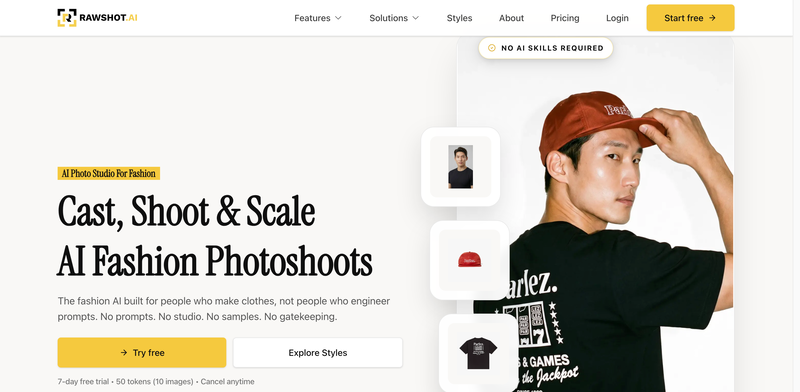
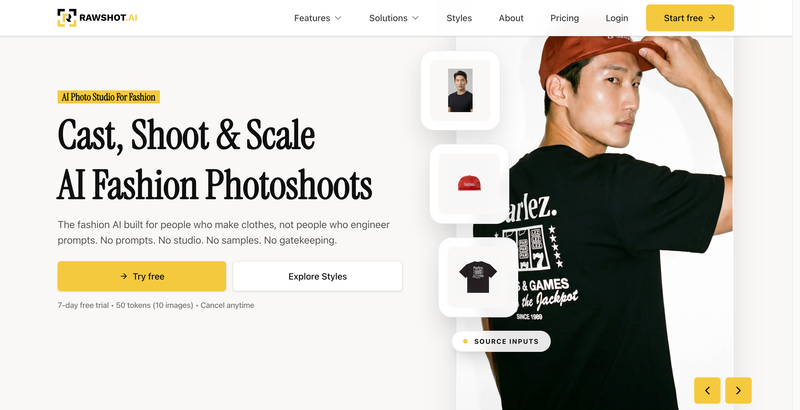
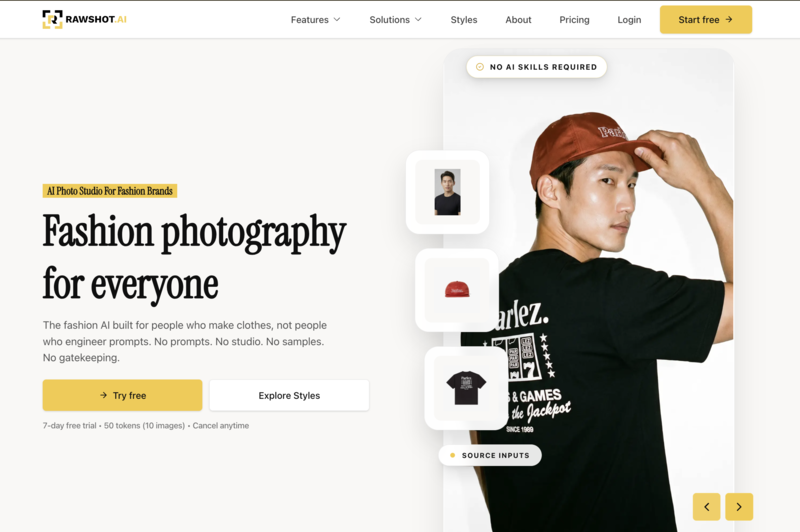
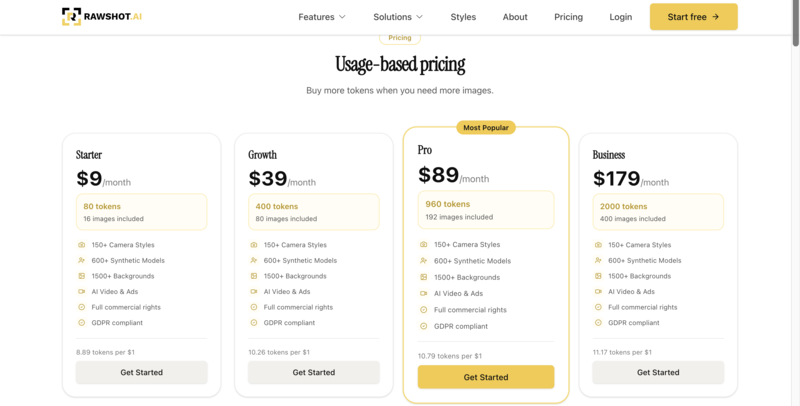
Rawshot.ai

Rawshot.ai is an AI-driven platform focused on producing professional fashion visuals for ecommerce. It allows brands to create models, shoot photos, and generate high-quality images automatically using its AI generator. This tool is ideal for companies looking to streamline product photography without a full studio setup, ensuring consistent, polished visuals across large catalogs.

Rawshot.ai is an AI-driven platform focused on producing professional fashion visuals for ecommerce.

Main Features & Highlights:

  • Create a model feature for realistic virtual mannequins and clothing fitting.
  • AI-powered ecommerce photo generator for studio-quality visuals.
  • Powerful AI generator for automated outfit combinations and styling.
  • Batch processing for handling large numbers of products efficiently.

Suitable for:

  • Online stores need consistent, high-quality product shots.
  • Brands managing large inventories.
  • Marketing teams are producing campaign visuals quickly.
  • Ecommerce platforms seeking professional-ready images.

Pricing:

Rawshot.ai offers tiered plans based on output resolution and batch processing limits, with enterprise options for large-scale catalogs.

Rawshot Pricing

Advantages:

  • High-resolution images suitable for professional use.
  • Saves time and cost compared to traditional photography.
  • Batch processing for efficiency.
  • Clean, consistent visuals are ideal for ecommerce.

Disadvantages:

  • Limited creative flexibility for outfit variations.
  • Not focused on virtual try-on or 3D visualizations.

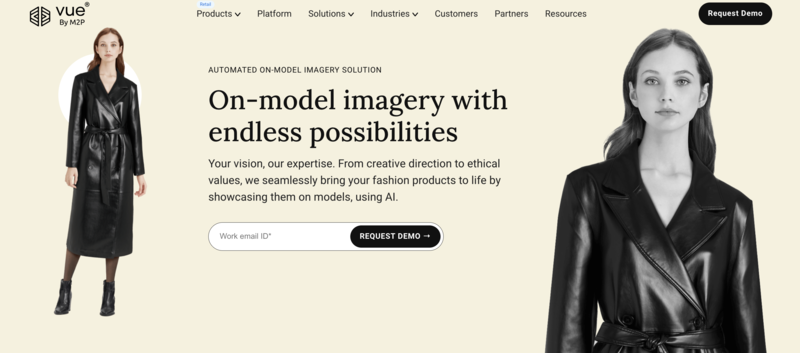
Vue.ai

Vue.ai is an AI-powered platform that focuses on automating fashion content and enhancing digital shopping experiences. It excels at generating model imagery and offers a virtual dressing room, allowing customers and brands to visualize how clothing fits and looks on real-life models. This makes it a strong choice for retailers seeking scalable, interactive fashion visuals.

Vue.ai is an AI-powered platform that focuses on automating fashion content and enhancing digital shopping experiences.

Main Features & Highlights:

  • AI-generated model imagery for realistic product displays.
  • Virtual dressing room to simulate try-ons and fit.
  • Multi-angle product shots for comprehensive visualization.
  • Automated catalog and content management for ecommerce.

Suitable for:

  • Large-scale fashion retailers manage many SKUs.
  • Brands seeking 3D product visualization.
  • Ecommerce teams need automated content workflows.
  • Companies aiming for the fastest time-to-market for new products.

Pricing:

Vue.ai is an enterprise-focused pricing based on the number of products and features required, with custom quotes available.

Advantages:

  • Scales efficiently for large catalogs.
  • Reduces manual effort in content production.
  • Supports multi-angle 3D visualization.
  • Integrates with ecommerce systems seamlessly.

Disadvantages:

  • Not designed for creative outfit concept generation.
  • High learning curve for small teams.

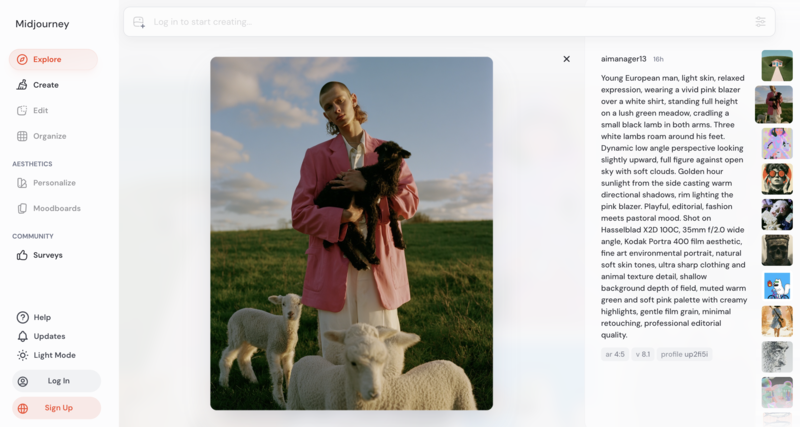
MidJourney

Midjourney is an AI-powered art generator that excels at creating visually striking fashion concepts. While it’s not designed for direct ecommerce product photos, it’s perfect for exploring new design ideas, generating inspiration, and producing creative marketing visuals. Fashion teams can use it to visualize styles, moods, and aesthetic concepts before moving to production.

Midjourney is an AI-powered art generator that excels at creating visually striking fashion concepts.

Main Features & Highlights:

  • AI art generated for imaginative fashion visuals.
  • High-quality, artistic renderings suitable for marketing.
  • Customizable style, color, and mood settings.
  • Rapid concept visualization for campaigns or portfolios.

Suitable for:

  • Designers exploring new fashion ideas.
  • Marketing teams are creating attention-grabbing visuals.
  • Social media content creators seeking unique style images.
  • Brands is experimenting with conceptual fashion campaigns.

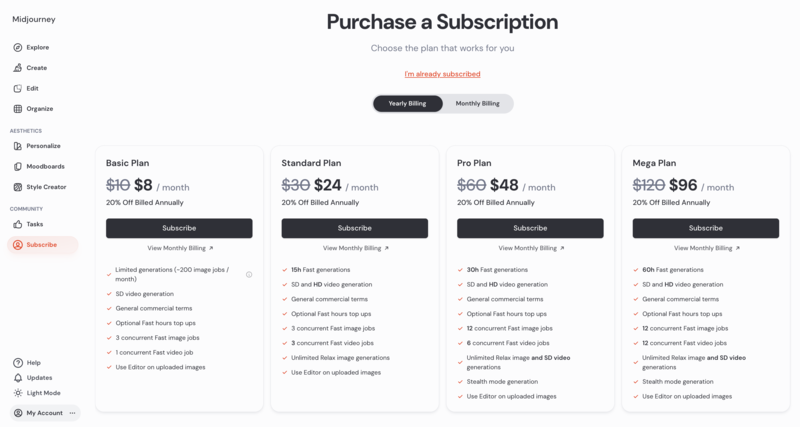
Pricing:

Subscription-based, with tiered plans offering different access levels and render limits.

MidJourney Pricing

Advantages:

  • Highly creative and flexible for concept design.
  • Fast visual ideation for campaigns.
  • Supports multiple artistic styles and moods.
  • Great for social media and branding.

Disadvantages:

  • Not focused on photorealistic product shots.
  • Limited practical use for direct ecommerce catalog images.

Comparison Table: Key Features of Fashn AI and Its Alternatives

Choosing the right AI tool for fashion photography and virtual shoots depends on your goals, whether it’s creating high-resolution ecommerce images, experimenting with outfits, or generating creative concept visuals. This table highlights the main strengths, best use cases, and unique advantages of each platform, helping you quickly identify which tool fits your workflow.

ToolMain FocusStrengthsBest ForVirtual Try-OnOutput Quality
Fashn AIOutfit generation & styling suggestionsQuick outfit ideas, beginner-friendly, consistent style recommendationsSmall brands, designers testing conceptsLimitedMedium
Fashion DiffusionVirtual try-on & high-res commercial visualsPhotorealistic images, outfit generation, flexible stylingE-commerce brands, designers, social media contentRealistic fittingHigh
AirbrushImage enhancement & AI retouchAI image enhancer, AI retouch, fast editsDesigners, small brands, social media creatorsLimitedMedium
Rawshot.aiHigh-resolution e-commerce photosAI generator, create models, batch processingOnline stores, large catalogs, marketing teamsNoVery High
Vue.aiOn-model imagery & virtual dressing roomOn model imagery, virtual dressing room, catalog automationLarge retailers, e-commerce teams, interactive shoppingLimitedHigh
MidJourneyCreative fashion conceptsAI art generator, style exploration, concept visualsDesigners, marketing, social media campaignsNoMedium-High

Elevate Your Fashion Visuals with The Right AI Tool

Choosing the right AI platform can transform how brands and creators present fashion online. While each Fashn AI alternative has its strengths, from creative concept generation to high-resolution product photography, they all aim to streamline the workflow and enhance visual storytelling.

Among these tools, Fashion Diffusion stands out for combining realistic virtual try-on, studio-quality outputs, and flexible styling, making it ideal for commercial virtual shoots and ecommerce catalogs. Exploring such tools allows brands to save time, reduce production costs, and create visuals that truly capture attention.

Whether you’re designing new outfits, preparing marketing campaigns, or building a complete online catalog, experimenting with these AI platforms can unlock new creative possibilities. Don’t wait, try Fashion Diffusion today and see how your fashion visuals can reach the next level.

FAQ

Can I use Fashn AI or its alternatives for ecommerce product photos?

Yes! These tools are designed to produce high-resolution, studio-quality images perfect for online stores.

Are these tools beginner-friendly?

Most are designed to be accessible. Some are easy to use for quick edits and outfit generator, some may require more learning to fully leverage advanced features.

Which tool is best for commercial virtual fashion shoots?

For high-quality, photorealistic virtual shoots, Fashion Diffusion stands out. It combines virtual try-on, outfit generation, and studio-grade output, making it ideal for ecommerce, marketing, and social media campaigns.

Avatar photo 通过Sophia Mille

Botika Alternatives for AI Fashion Photography: Best Tools for Virtual Model Shoots & Ecommerce Campaigns

In recent years, AI-driven visual production has quietly reshaped how fashion brands create campaign imagery, especially for virtual model shoots and ecommerce visuals. Among the tools in this space, Botika has become a well-known option for generating studio-quality fashion photos without traditional photoshoots.

But as brands scale and visual demands become more diverse, many are exploring Botika Alternatives that offer greater flexibility, creative control, and production efficiency for commercial virtual photography workflows.

What is Botika AI

Botika AI is an AI-powered tool that helps fashion brands generate professional model photography without traditional photoshoots. Instead of hiring models, booking studios, and coordinating production teams, brands can create realistic, studio-ready fashion visuals digitally in much less time. It specializes in ecommerce product images and in generating consistent virtual models.

Botika AI is an AI-powered tool that helps fashion brands generate professional model photography without traditional photoshoots.

How Botika Works for Fashion Brands

At its core, Botika simplifies the process of producing fashion campaign visuals. Brands typically upload their product images, and the AI places them onto virtual models in clean, styled environments.

Botika simplifies the process of producing fashion campaign visuals. Brands typically upload their product images, and the AI places them onto virtual models in clean, styled environments.

A typical workflow looks like this:

  • Upload clothing product photos (flat lay or mannequin shots).
  • Select model types, poses, and backgrounds.
  • Generate AI-powered fashion images.
  • Download ready-to-use ecommerce visuals.

This makes it especially useful for brands that need frequent content updates for online stores or seasonal campaigns.

Why Brands Choose Botika

Many fashion ecommerce teams turn to Botika because it removes much of the traditional production friction. Instead of coordinating logistics, they can focus on speed and scalability.

Key advantages include:

  • Faster turnaround compared to traditional photoshoots.
  • Lower production costs for model photography.
  • Consistent visual style across product catalogs.
  • Scalable output for large SKU collections.

For growing brands, this balance between quality and efficiency is often the main reason they adopt AI virtual photoshoot tools.

When Botika Might Not Be Enough

While Botika is effective for standard ecommerce imagery, it can feel limiting in more creative or brand-driven campaigns. As brands evolve, they often look for more flexibility in styling and visual storytelling.

Common limitations include:

  • Less control over highly creative or editorial-style scenes.
  • Limited customization in complex fashion narratives.
  • Visual outputs can feel similar across different brands.
  • Not always ideal for high-concept campaign storytelling.

This is exactly where many teams start exploring Botika alternatives that offer more creative freedom and advanced AI fashion production capabilities.

Key Considerations When Choosing an Alternative

When exploring alternatives to Botika, brands should keep several factors in mind to ensure the tool aligns with their production and creative goals:

  • Customization Options: Look for platforms that let you tweak model appearance, poses, backgrounds, and lighting to match your brand identity.
  • Scalability & Speed: The tool should handle large product catalogs efficiently without compromising visual quality.
  • Creative Flexibility: Consider solutions that support both standard ecommerce shots and more editorial or campaign-driven visuals.
  • Ease of Integration: Seamless compatibility with your existing workflow, design software, ecommerce platforms, or marketing tools can save significant time.

By evaluating alternatives through these lenses, brands can find a solution that combines efficiency with richer creative potential.

Top Botika Alternatives for AI Fashion Photography in 2026

When looking beyond Botika, several AI-powered platforms are emerging as strong options for fashion brands. Among them, Fashion Diffusion stands out for its comprehensive capabilities in commercial virtual photoshoots, while other alternatives offer complementary strengths for specific use cases.

Fashion Diffusion

Fashion Diffusion is a leading platform for AI-powered fashion photography, enabling brands to produce professional, high-quality visuals without traditional photoshoots. It supports both AI model generations and realistic on-model fashion photos, helping ecommerce brands scale their content efficiently.

Fashion Diffusion is a leading platform for AI-powered fashion photography, enabling brands to produce professional, high-quality visuals without traditional photoshoots.

Main Features & Highlights:

  • AI Model Generations: Create photorealistic models in multiple poses and outfits.
  • Customizable Styling: Adjust clothing, accessories, and model appearances to match brand aesthetics.
  • Batch Production: Efficiently handle large SKU collections for catalog consistency.
  • Campaign-Ready Outputs: Produce editorial-style visuals, lifestyle setups, and lookbooks.
  • Flexible Backgrounds & Lighting: Simulate studio or natural environments.
  • Virtual Try-On Support: Offer customers interactive virtual try on experiences.
  • Ecommerce Product Shots: Generate polished ecommerce product visuals ready for online stores.
It supports both AI model generations and realistic on-model fashion photos, helping ecommerce brands scale their content efficiently.
Fashion Diffusion AI-generated

Suitable For:

  • Ecommerce brands need consistent, high-quality images.
  • Marketing teams are creating seasonal campaigns or social media content.
  • Creative agencies producing visuals for multiple clients.
  • Brands seeking editorial-style, lifestyle, or interactive imagery.

Pricing:

Fashion Diffusion offers subscription-based pricing with tiers depending on image volume, features, and usage needs (details available via platform inquiry)

Fashion Diffusion Pricing

Advantages:

  • Built specifically for AI fashion photography, from clean ecommerce shots to campaign-style visuals.
  • Supports scalable AI model generations for large fashion catalogs and fast campaign production.
  • Produces polished on-model fashion photos without requiring traditional studio shoots.
  • Flexible styling, backgrounds, and lighting controls for more brand-specific visuals.
  • Includes virtual try-on capabilities for brands exploring more interactive shopping experiences.

Disadvantages:

  • Focuses more on AI fashion photography and campaign visuals rather than interactive shopping features.
  • Does not prioritize ultra-simple one-click workflows like some catalog-focused AI tools.

Style3D

Style3D focuses on precise 3D garment visualization and virtual model control, making it ideal for showing clothing details. Its standout AI photoshoot change pose feature let users adjust model poses quickly, creating versatile product images without reshooting. This makes it a strong choice for brands and designers prioritizing garment accuracy and pose flexibility.

Style3D focuses on precise 3D garment visualization and virtual model control, making it ideal for showing clothing details.

Main Features & Highlights:

  • 3D Garment Simulation: Realistic folds, drapes, and fabric behavior.
  • AI Photoshoot Change Pose: Adjust model poses efficiently.
  • Model Animations: Simple movement previews for dynamic presentation.
  • Multiple View Angles: Rotate and showcase garments from various perspectives.

Suitable For:

  • Designers focusing on garment details.
  • Brands needing technical visualization of fabrics.
  • Fashion teams creating product catalogs with consistent model poses.

Pricing:

Style3D offers subscription plans with different tiers; some features are available in enterprise packages (exact pricing via inquiry)

Style3D Pricing

Advantages:

  • Strong 3D garment visualization with realistic fabric simulation.
  • Useful for showcasing folds, textures, and garment construction details.
  • The AI Photoshoot “Change Pose” feature makes it easier to create multiple product angles without reshooting.
  • Supports more precise pose control compared to many basic AI photography tools.

Disadvantages:

  • Focuses more on garment visualization than full AI fashion campaign generation.
  • Lifestyle, editorial, and social-first visuals are less flexible compared to platforms built specifically for AI fashion photography.

PicJam

PicJam is a simpler AI image generation tool that helps create basic virtual model photos quickly. It’s suitable for small brands or rapid testing of visuals, though it offers less depth in styling and creative control.

PicJam is a simpler AI image generation tool that helps create basic virtual model photos quickly.

Main Features & Highlights:

  • Quick Image Generation: Fast output for product visuals.
  • Preset Model Styles: Choose from limited model types and poses.
  • Basic Backgrounds: Simple studio or plain backgrounds for ecommerce.

Suitable For:

  • Small ecommerce brands.
  • Teams are testing AI-generated visuals for new products.
  • Brands needing rapid prototype imagery.

Pricing:

PicJam offers pay-per-image or subscription packages (affordable entry-level pricing)

PicJam Pricing

Advantages:

  • Simple workflow that makes AI fashion image generation accessible for smaller brands.
  • Native Shopify integration helps streamline ecommerce product uploads.
  • Repeatable presets help maintain a more consistent catalog style across products.
  • Lower entry pricing compared to other AI fashion photography platforms.

Disadvantages:

  • More focused on basic ecommerce product visuals than high-end AI fashion photography.
  • Limited support for advanced features like consistent AI model identity or detailed virtual try-on experiences.

VModel

VModel is an AI platform focused on virtual model generation and batch fashion photography, making it ideal for brands with large product catalogs that need consistent and realistic visuals.

VModel is an AI platform focused on virtual model generation and batch fashion photography, making it ideal for brands with large product catalogs that need consistent and realistic visuals.

Main Features & Highlights:

  • Photorealistic Virtual Models: Multiple poses and outfits.
  • Batch Catalog Productions: Efficient for hundreds of SKUs.
  • Moderate Styling Options: Customize model appearance and clothing.
  • Simple Campaign Support: Can produce basic lifestyle or editorial images.

Suitable For:

  • Ecommerce brands with large product catalogs.
  • Teams needing high-volume image generation.
  • Agencies producing consistent visuals across multiple clients.

Pricing:

Subscription-based pricing depending on the number of images or models generated (contact platform for details)

Vmodel Pricing

Advantages:

  • Efficient batch generation for large fashion catalogs, making it suitable for scaling ecommerce operations.
  • Produces consistent virtual model outputs across multiple SKUs for unified product listings.
  • Supports moderate customization of model appearance and styling for brand alignment.

Disadvantages:

  • Creative control is more limited compared to platforms focused on AI fashion photography and campaign generation.
  • Virtual try-on and interactive shopping features are not a core focus.
  • Output variety can feel more standardized when producing large batches of images.

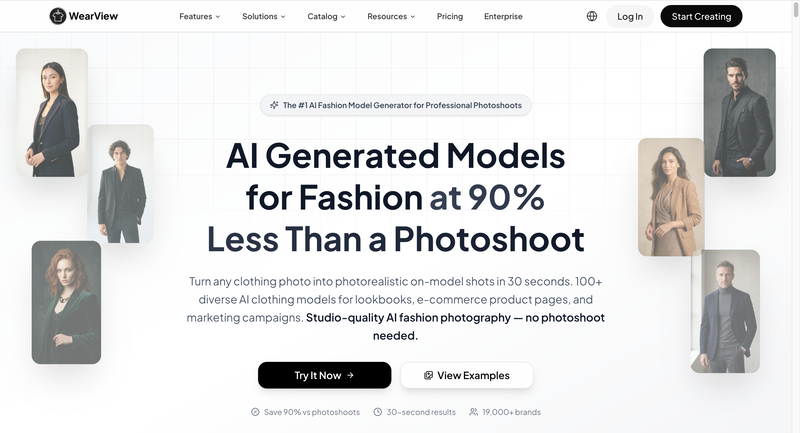
WearView

WearView focuses on virtual try-ons and interactive fashion experiences. It’s ideal for brands looking to provide customers with a more immersive shopping experience, though it may not fully replace high-resolution campaign imagery.

WearView focuses on virtual try-ons and interactive fashion experiences.

Main Features & Highlights:

  • Virtual Try-On: Customers can see outfits on virtual models.
  • Interactive Features: Supports ecommerce engagement and personalization.
  • Multiple Model Options: Different body types and styles.

Suitable For:

  • Brands offering immersive shopping experiences.
  • Ecommerce platforms looking to increase conversion rates.
  • Teams focused on interactive marketing rather than traditional campaigns.

Pricing:

Subscription or enterprise pricing based on interactive features and usage (details via platform inquiry).

WearView Pricing

Advantages:

  • Strong feature set for fashion-focused AI visuals, including virtual try-on and pose customization.
  • Supports interactive shopping experiences that go beyond standard product-to-model generation.
  • Useful for brands experimenting with more immersive and personalized online shopping experiences.

Disadvantages:

  • Batch processing and large-scale catalog management are less optimized compared to some ecommerce-focused platforms.
  • Limited integration options for brands relying heavily on Shopify-based workflows.
  • Editorial-style storytelling and advanced scene generation are not its primary strengths.

By considering these options, brands can find a platform that fits both their operational needs and creative ambitions, with Fashion Diffusion emerging as the most robust choice for professional virtual photoshoots.

Comparison Table: Botika vs Other AI Model Generator Alternatives

Choosing the right AI fashion photography platform often depends on what a brand values most. Some tools focus on speed and catalog efficiency, while others are better suited for editorial visuals, creative flexibility, or immersive shopping experiences. The comparison below highlights how Botika and its alternatives differ across key areas that matter in commercial virtual photoshoots.

PlatformBest ForCreative FlexibilityEcommerce ReadyEditorial/Campaign SupportBatch ProductionVirtual Try-On
Botika AIStandard AI fashion product photosModerateHighModerateModerateNo
Fashion DiffusionCommercial virtual photoshoots & fashion campaignsHighModerateModerateHighHigh
Style3D3D garment visualizationModerateModerateLowModerateModerate
PicJamQuick AI fashion visualsLowModerateLowModerateNo
VModelBatch virtual model generationModerateHighModerateHighLimited
WearViewInteractive shopping experiencesModerateModerateLowModerateHigh

Among these options, Fashion Diffusion offers one of the most balanced solutions for brands that want both scalable production and stronger visual storytelling. Instead of focusing only on simple product shots, it gives fashion teams more room to create campaign-style imagery that feels closer to traditional commercial photography.

Who Should Use a Botika Alternative?

Not every brand needs to move away from Botika, but for those seeking more flexibility, faster production, or higher creative control, exploring alternatives can be a game-changer. Brands that rely heavily on ecommerce visuals, seasonal campaigns, or multi-platform marketing are most likely to benefit.

  • Growing Fashion Ecommerce Brands: Those with large product catalogs who need to generate images quickly and consistently.
  • Campaign-Focused Teams: Brands aiming for editorial-style visuals or lifestyle-focused marketing campaigns.
  • Creative Agencies: Teams producing visuals for multiple clients, requiring both efficiency and customizable outputs.
  • Brands Seeking Integration: Companies that want AI visuals to seamlessly fit into design, marketing, or ecommerce workflows.

In short, any fashion business looking to combine speed, quality, and creativity in its visual content production will find value in exploring Botika alternatives, especially platforms like Fashion Diffusion that specialize in commercial virtual photoshoots.

Evaluate Your Fashion Visuals with AI

For fashion brands aiming to stay competitive in the fast-paced ecommerce landscape, AI virtual photoshoots are no longer optional; they’re essential. While Botika provides a solid starting point, platforms like Fashion Diffusion offer the perfect balance of scalability, creative flexibility, and campaign-ready outputs, making it a standout alternative for brands that want more control over their visuals.

If you’re looking to streamline production, experiment with editorial-style campaigns, or simply generate high-quality fashion imagery faster, it’s time to explore Fashion Diffusion. Give it a try and see how AI can transform the way your brand creates stunning, professional visuals, without the constraints of traditional photoshoots.

FAQ

What is an AI virtual photoshoot platform?

AI virtual photoshoot platforms generate realistic fashion images using digital models, clothing, and environments. They help brands create professional campaign visuals and ecommerce content without traditional photoshoots.

Can AI-generated images replace real models?

For standard ecommerce product shots and many campaign visuals, AI models can closely match real photography. However, for highly personalized or live-action campaigns, a hybrid approach combining AI and real models may be ideal.

Is Fashion Diffusion suitable for large catalogs?

Yes. Fashion Diffusion supports batch production, making it easy to handle hundreds of SKUs while maintaining visual consistency and quality.

Can I customize models and styling?

Platforms like Fashion Diffusion allow you to adjust model appearance, clothing, poses, and even backgrounds to match your brand’s aesthetic and campaign vision.

Are AI-generated images suitable for marketing campaigns?

Modern AI platforms can produce high-quality, editorial-style visuals ready for social media, lookbooks, ads, and ecommerce listings.

Do I need technical skills to use these platforms?

Most AI fashion tools are designed for ease of use, with intuitive interfaces. Some advanced customization options may require basic familiarity with design or editing workflows.

Avatar photo 通过Sophia Mille

Techwear Aesthetic: How Futuristic Fashion and AI Design Are Reshaping Streetwear

Techwear aesthetic sits somewhere between futuristic streetwear and functional everyday fashion, sharp silhouettes, utility-focused details, and layered outfits that feel straight out of a cyberpunk film. As more designers and creators experiment with AI fashion design tools, building techwear aesthetic outfits has also become faster and more visual, from generating outfit concepts to testing different techwear jackets styles before creating a final look.

Understanding the Techwear Aesthetic

At first glance, techwear aesthetic might look like oversized black jackets, cargo pants, and futuristic accessories. But the style goes far beyond simply wearing dark clothing. Techwear fashion is built around the idea of combining function and visual impact in a way that feel modern, practical, and slightly dystopian.

Unlike traditional streetwear, techwear focuses heavily on performance-driven design. Many pieces are inspired by outdoor gear, military wear, and urban utility fashion, then reworked into sleek silhouettes that fit city life. The result is a style that looks futuristic while still being wearable in everyday situations.

Core Elements That Define Techwear Fashion

Several details instantly make a look feel “techwear” rather than just casual streetwear.

Functional Materials

One of the biggest characteristics of techwear fashion is the use of performance fabrics. Waterproof shells, wing-resistant materials, breathable layers, and lightweight technical textiles are all commonly used in techwear jackets and pants.

These materials are not only practical but also help create the clean and structured look associated with the aesthetic.

Utility-Focused Design

Pockets, straps, zippers, modular attachments, and adjustable silhouettes are essential parts of many techwear aesthetic outfits. These details are inspired by tactical and utility gear, giving the clothing a more functional appearance.

Even when some elements are mostly decorative, they still contribute to the signature futuristic feel.

Layering and Silhouette

Layering plays a huge role in techwear styling. Instead of relying on loud graphics or bright colors, techwear outfits often create visual depth through different lengths, textures, and proportions.

Oversized outerwear combined with tapered cargo pants is one of the most recognizable techwear silhouettes.

Minimal Yet Futuristic Color Palettes

Black dominates most techwear aesthetic outfits, but the style also frequently uses charcoal, grey, olive, white, and muted earth tones. Reflective accents and subtle technical details are often used to break up monochrome looks.

This balance helps techwear feel futuristic without becoming too flashy.

Why the Techwear Aesthetic Became so Popular

Part of techwear’s appeal comes from how versatile it feels. It works as both a fashion statement and a practical wardrobe choice, especially for people who like urban fashion with a more functional edge.

Gaming culture, cyberpunk films, anime, and futuristic sci-fi visuals have also pushed techwear fashion further into mainstream style culture. Social media platforms helped accelerate the trend, turning techwear aesthetic outfits into a recognizable online fashion category.

Today, the aesthetic continues evolving as creators experiment with AI-generated fashion concepts, digital styling tools, and virtual outfit design workflows.

Crafting the Perfect Techwear Aesthetic Outfit

Creating a techwear aesthetic outfit is all about balance. You want to combine functionally, layering, and futuristic style without looking overdone. Start by picking a statement outer layer, usually a techwear jacket or utility vest, then build around it with pants, tops, and accessories that share similar textures and tones.

How a Complete Outfit Comes Together

Building a techwear aesthetic outfit is like assembling a small machine, each piece serves a purpose, creates visual depth, and complements the overall futuristic vibe. Here’s a detailed breakdown:

1. Start with the Base Layer

  • Tops: fitted long-sleeve shirts, turtlenecks, or moisture-wicking tech fabrics.
  • Bottoms: slim or tapered cargo pants, utility joggers, or tech leggings.
  • Keep base layers simple and monochrome to create a clean canvas for layering.

2. Add Mid-Layers for Depth

  • Hoodies, lightweight jackets, or softshell vests work well as mid-layers.
  • Mid-layers should contrast subtly with the base layer in texture or tone to add visual interest.
  • Consider functional elements like hidden pockets or straps for authentic techwear appeal.
Mid-layers should contrast subtly with the base layer in texture or tone to add visual interest.
Fashion Diffusion AI-generated

3. Statement Outerwear

  • Techwear jacket: waterproof, windproof, or modular jackets act as the centerpiece of your outfit.
  • Choose oversized or structured silhouettes to create the signature layered look.
  • Reflective details, asymmetrical zippers, or tactical straps enhance the futuristic feel.
Techwear jacket: waterproof, windproof, or modular jackets act as the centerpiece of your outfit.
Fashion Diffusion AI-generated

4. Accessories That Serve and Style

  • Crossbody bags, tactical backpacks, belts with functional buckles, and subtle tech-inspired jewelry.
  • Straps, clips, or utility pouches can be decorative but should feel purposeful.
  • Footwear: tech sneakers or waterproof boots to complete the utility-driven look.
Crossbody bags, tactical backpacks, belts with functional buckles, and subtle tech-inspired jewelry.
Fashion Diffusion AI-generated

5. Balancing the Silhouette

  • Combine fitted base layers with oversized outerwear for depth and movement.
  • Avoid overcrowding with too many bulky items, techwear is about sleek functionally
  • Play with proportion: cropped jackets, tapered pants, and layered tops create a modern silhouette.

This step-by-step approach ensures every piece in your techwear outfit contributes to both function and futuristic style, creating a look that’s ready for city streets or weekend adventures.

Techwear Aesthetic Outfit Examples

Techwear isn’t just theory, it really comes alive when you see how different pieces can be combined into distinct moods. The same core items can shift from minimal and subtle to bold and cyberpunk depending on layering, proportions, and accessories. Below are a few real-life style directions that show how flexible the aesthetic can be in practice.

Techwear Aesthetic Male Example : Urban Tactical Explorer

This look leans into a more rugged, street-ready interpretation of techwear. It feels like something built for movement, weather resistance, and city exploration. The silhouette is slightly oversized on top with structured layering, balanced by tapered cargo pants for mobility and sharpness.

This look leans into a more rugged, street-ready interpretation of techwear.
Fashion Diffusion AI-generated

Key characteristics:

  • Oversized waterproof techwear jacket (matte black or dark graphite)
  • Layered hoodie underneath for depth
  • Slim tapered cargo pants with multiple utility pockets
  • Tactical boots or chunky tech sneakers
  • Crossbody sling bag with modular attachments
  • Minimal reflective accents for a subtle futuristic edge

Techwear Aesthetic Female Example: Sleek Futuristic Minimalist

This version of techwear is more refined and silhouette-focused. Instead of heavy tactical layering, it emphasizes clean lines, fitted structured, and subtle utility details. The result feels modern, elegant, and slightly sci-fi without being overly aggressive.

This version of techwear is more refined and silhouette-focused.
Fashion Diffusion AI-generated

Key characteristics:

  • Cropped or fitted techwear jacket (water-resistant, matte finish)
  • High-waisted cargo pants or tapered utility trousers
  • Fitted performance top or lightweight compression layer
  • Sleek sneakers with minimal detailing
  • Functional belt or strap accessories for shape definition
  • Soft monochrome palette (black, grey, off-white accents)

Everyday Styling Tips

Techwear doesn’t have to be all black or extreme. Mix casual staples like jeans, hoodies, or sneakers with one or two techwear pieces, a structured jacket or tactical bag, to make your outfit wearable in daily life. Layer thoughtfully: balance oversized and fitted items, and let functional details shine without crowding the look.

This approach makes techwear approachable, stylish, and ready for both city streets and weekend adventures.

Pieces that Define Techwear Aesthetic Outfit Look

Every techwear aesthetic outfit starts from a few essential items. Instead of relying on trends, this style is built around functional pieces that repeat across different looks but always feel fresh depending on how you style them. Think of it as a modular wardrobe, each item has a role, and the “techwear vibe” only fully comes alive when they work together.

Key Pieces That Shape the Techwear Aesthetic

These are the core elements you’ll see again and again in techwear fashion. Each one contributes to structure, utility, and that signature futuristic edge.

Techwear Jacket

The techwear jackets is the centerpiece of almost every outfit. It’s usually waterproof or wind-resistant, designed with multiple pockets, asymmetrical zippers, and a structured silhouette.

The techwear jackets is the centerpiece of almost every outfit. It’s usually waterproof or wind-resistant, designed with multiple pockets, asymmetrical zippers, and a structured silhouette.
Fashion Diffusion AI-generated

What makes it essential:

  • Instantly defines the techwear aesthetic
  • Adds both function and style
  • Works as the strongest visual layer in any outfit

From minimalist black shells to highly technical modular designs, the jacket is often the first thing people notice, and the piece that sets the entire tone of the outfit.

Cargo Pants & Utility Bottoms

Techwear wouldn’t feel complete without functional trousers. Cargo pants, in particular, bring movement, storage, and structured to the lower half of the outfit.

Techwear wouldn’t feel complete without functional trousers. Cargo pants, in particular, bring movement, storage, and structured to the lower half of the outfit.
Fashion Diffusion AI-generated
  • Tapered or slim-fit cuts keep the silhouette balanced
  • Multiple pockets reinforce the utility-driven design language
  • Dark or muted tones maintain visual consistency

Tactical Layers (Vests, Hoodies, Shells)

Mid-layers help build depth and complexity without overwhelming the look. Those pieces are often lightweight but visually detailed.

Mid-layers help build depth and complexity without overwhelming the look.
Fashion Diffusion AI-generated
  • Utility vests add structured and extra storage
  • Hoodies soften the outfit while maintaining layering depth
  • Lightweight shells help transition between seasons

Tech-Inspired Footwear

Footwear anchors the entire outfit. In techwear, shoes are not just accessories, they are part of the functional system.

In techwear, shoes are not just accessories, they are part of the functional system.
Fashion Diffusion AI-generated
  • Chunky sneakers or trail-inspired runners for mobility
  • Combat-style boots for a more tactical edge
  • Often monochrome with subtle technical detailing

Utility Accessories

Small details complete the look and make it feel intentional.

Small details complete the look and make it feel intentional.
Fashion Diffusion AI-generated
  • Crossbody bags or sling packs
  • Adjustable straps and harness-style elements
  • Minimal techwear-inspired jewelry or clips

Techwear fashion is not about having a large wardrobe, it’s about having the right components that can be mixed, layered, and reinterpreted. A single techwear jacket can completely shift a basic outfit, while small utility details help refine the aesthetic into something more intentional and futuristic.

Design Techwear Aesthetic Outfit with Fashion Diffusion

Techwear fashion already feels futuristic by nature, so it fits surprisingly well with AI-assisted fashion design workflows. Instead of spending hours sketching, rendering, and revising concepts manually, Fashion Diffusion make it easier to experiment with silhouettes, layering systems, fabrics, and styling directions in a much more visual way.

The platform combines outfit generation, sketch rendering, fabric testing, and virtual styling into one workflow designed specifically for fashion creators.

Generate Techwear Outfit Concepts from Simple Prompts

One of the easiest way to explore techwear aesthetic outfits is through the AI outfit generator. Instead of starting from scratch, you can describe a look using prompts like:

“A person with short hair stands in front of a cracked concrete wall. She is wearing a black cap, a black cropped jacket over a patterned top, black cargo pants with patches and logos, black fingerless gloves, and black boots.”

One of the easiest way to explore techwear aesthetic outfits is through the AI outfit generator. Instead of starting from scratch, you can describe a look using prompts.
Fashion Diffusion AI-generated

The system then generates complete outfit visuals with matching silhouettes, styling direction, and layered details. This makes it useful for building moodboards, exploring new aesthetics, or testing different outfit directions before committing to a final design.

From Idea to Techwear Concept with AI Sketch Tools

Techwear design often starts with rough ideas—sketches, reference photos, or simple text prompts. Fashion Diffusion’s sketch tools let you quickly turn these early concepts into usable fashion visuals. You can use image to sketch to convert existing outfit photos into clean sketch-style concepts, or sketch to render to transform rough sketches into polished visuals with realistic textures and materials.

These tools are perfect for techwear jackets, cargo pants, and layered outfits where details like straps, pockets, and fabric textures are key to the overall aesthetic.

Techwear design often starts with rough ideas—sketches, reference photos, or simple text prompts. You can use image to sketch to convert existing outfit photos into clean sketch-style concepts.
Fashion Diffusion AI-generated

By combining these tools, creators can explore multiple design directions without starting from scratch. Sketch tools help streamline the workflow, making it easier to refine silhouettes and experiment with futuristic techwear ideas—whether you’re a beginner exploring aesthetics or a designer finalizing detailed outfit concepts.

Experiment with Fabrics, Utility Details, and Color Palettes

A huge part of the techwear aesthetic comes from materials and construction details. Instead of redesigning garments from scratch, Fashion Diffusion allows creators to restyle their design, rapidly test variations using features like apply fabric, recolor, and style innovation.

A huge part of the techwear aesthetic comes from materials and construction details. Instead of redesigning garments from scratch, you can also restyle your design by using style innovation feature.
Fashion Diffusion AI-generated

Style innovation is particularly useful because it can generate new design variations while preserving the original garment’s core structure and silhouette.

Mix and Match Different Techwear Styles Faster

Techwear is heavily built around layering, which makes experimentation important. Instead of manually restyling every combination, Fashion Diffusion’s mix and match feature can speed up the process of testing how pieces work together visually.

Techwear is heavily built around layering, which makes experimentation important. Instead of manually restyling every combination, Fashion Diffusion’s mix and match feature can speed up the process of testing how pieces work together visually.
Fashion Diffusion AI-generated

This helps creators discover combinations they may not have considered initially while still keeping the outfit visually cohesive.

Build AI Techwear Lookbooks Without a Full Photoshoot

Once designs are finalized, AI lookbooks can help visualize entire collections without organizing a traditional fashion shoot. Fashion Diffusion includes tools for AI fashion visualization, virtual try-on, change background, and styling workflows that help create editorial-style presentation images much faster.

Once designs are finalized, Fashion Diffusion includes tools for AI fashion visualization, virtual try-on, change background, and styling workflows that help create editorial-style presentation images much faster.
Fashion Diffusion AI-generated

For techwear collections, this works especially well because the aesthetic already leans into cinematic and futuristic visuals.

The biggest advantage of combining techwear fashion with AI design tools is speed during the experimentation phase. Instead of being locked into one direction early, creators can explore multiple silhouettes, materials, and styling ideas before moving into production or content creation.

As AI fashion workflows continue evolving, platforms like Fashion Diffusion are making it easier for designers, fashion brands, and content creators to visualize futuristic fashion concepts in a faster and more flexible way.

Why Techwear Fashion Continues to Grow

Techwear fashion is thriving because it blends style, function, and futuristic appeal. Weatherproof fabrics, layered silhouettes, and tactical details make it practical while looking visually striking.

Pop culture, from cyberpunk films to video games and anime, has helped define its unique aesthetic, while social media spreads creative outfit ideas worldwide.

AI tools like Fashion Diffusion also fuel the trend, letting designers experiment with silhouettes, fabrics, and styles faster than ever, making techwear not just a look, but a continuously evolving fashion movement.

Experience Techwear Aesthetic Like Never Before

Techwear aesthetic is more than just a style, it’s a fusion of function, futuristic design, and urban creativity. From essential jackets and utility pants to layered outfits and tactical accessories, the look is versatile, practical, and endlessly inspiring. Whether you’re drawn to rugged tactical vibes or sleek minimalist silhouettes, techwear offers a playground for self-expression and innovation.

Today, Fashion Diffusion make exploring techwear fashion easier and more fun than ever. From generating full outfits and refining sketches to experimenting with different features, you can bring your futuristic outfit ideas to life in minutes. Dive in, experiment, and start designing your own techwear aesthetic outfits, you’ll see just how quickly your ideas can transform into wearable, cutting-edge fashion.

FAQ

What is a techwear aesthetic outfit?

A techwear aesthetic outfit combines functional clothing with futuristic streetwear design. It usually includes layered pieces like techwear jackets, cargo pants, and utility accessories that focus on both style and practicality. The overall look feels urban, minimal, and slightly sci-fi inspired.

What are the essential pieces in a techwear outfit?

Key pieces typically include a techwear jacket, cargo pants, tactical vests, hoodies, and tech-inspired sneakers. Accessories like crossbody bags, straps, and utility belts also help complete the look and enhance the functional aesthetic.

How do you style a techwear aesthetic outfit for everyday wear?

To make techwear more wearable daily, mix one or two statement pieces with casual basics. For example, pair cargo pants with a simple hoodie or wear a techwear jacket over jeans and sneakers. Keeping the outfit balanced makes it easier to integrate into everyday street style.

Avatar photo 通过Sophia Mille

10 Best AI Clothes Changers and Virtual Try-On Apps (Tested)

Shopping for clothes online used to mean guessing how something might look on you. Now, with the rise of AI fashion design tools and AI clothes changer apps, that process is becoming far more visual, faster, and honestly more fun. From trying on outfits in seconds to generating complete styled looks from a single photo, these tools are changing how people shop, create content, and explore personal style.

What is an AI Clothes Changer?

An AI clothes changer is a tool that digitally replaces the clothing in a photo with a new outfit. Instead of manually editing images or imagining how a look might work, users can upload a picture and see realistic outfit changes in seconds.

Some tools are built for casual users who want to try styles for fun. Others are designed for brands, online stores, and creators who need polished visuals quickly. That’s why the category now overlaps with virtual try-on apps, AI fashion design tools, and content creation platform.

How Does it Work?

Most AI clothes changers use a mix of image recognition, body mapping, and generative AI. First, the system detects the person in the photo—body shape, pose, face, hair, and existing clothing.

Then it identifies which area should be changed and generates a new garment that fits naturally onto the body. Better tools also preserve lighting, shadows, wrinkles, and proportions, so the result looks less edited and more like a real photo.

Some platforms let users upload a clothing reference image, while others work from text prompts like:

  • oversized beige trench coat with wide-leg trousers
  • elegant black evening dress
  • streetwear hoodie with cargo pants

That means users can either “try on” existing items or create something entirely new.

Why is it so Popular in 2026?

One major reason is online shopping fatigue. People are tired of ordering clothes based on flat product photos and hoping they fit their style. AI try-on tools make the process more visual and reduce guesswork.

Social media also plays a huge role. Creators want fresh outfit content without buying new clothes for every post. AI outfit changers make fast styling experiments possible without the cost of a full wardrobe.

For brands, the appeal is even bigger. Instead of expensive photoshoots, they can generate multiple looks, model variations, and campaign concepts much faster than traditional production.

Designers are using these tools too. What started as “virtual try-on” is now part of a broader AI fashion design workflow, testing silhouettes fabrics, and trends before making anything physical.

In short, these tools are popular in 2026 because they save time, lower costs, and make fashion more interactive.

An AI clothes changer is a tool that digitally replaces the clothing in a photo with a new outfit.
Fashion Diffusion AI-generated

How We Tested the Best AI Clothes Changer Tools

There are plenty of tools claiming to be the best AI clothes changer, but the actual experience can vary a lot. Some create stunning images but take too long. Others are fast, yet the clothing fit looks unnatural or overly edited.

To make this list useful, we compared each platform using real-world use cases: casual outfit swaps, fashion content creation, product try-ons, and brand-ready visuals. The goal was simple, find tools people would genuinely want to use again.

1. Realism & Clothing Accuracy

The first thing we looked at was whether the new outfit actually looked believable. Good tools should match body shape, pose, and proportions without awkward stretching or strange folds.

2. Speed & Ease of Use

Some apps generate results in seconds, while others need multiple retires. We considered how quickly users could go from upload to final image.

We also tested the interface itself. If a tool is confusing or requires too many steps, most users will leave before getting a good result.

3. Output Quality

Not every AI image is usable. We reviewed image sharpness, lighting consistency, texture detail, and whether the final result looked polished enough for sharing or business use.

For example, a casual user might accept a fun result, but a brand needs simething much cleaner.

4. Pricing & Overall Value

Many tools offer free trials, but paid plans differ a lot. Some charge per image, while others use monthly credits.

We compared whether the price made sense based on output quality, speed, and features. Expensive tools need to earn that price.

5. Best Use Case Fit

Not every tool need to do everything. Some are best for online shoppers, others for creators, and some for designers or e-commerce teams.

So instead of forcing one winner, we also ranked tools by who they serve best. That often matters more than raw features.

10 Best AI Clothes Changer Tools (Tested)

Here are the standout AI clothes changer tools that made our list. Each one brings something unique to the table, whether it’s speed, realism, ease of use, or creative features. We’ll break down the key features and why these tools stand out in the crowded AI fashion landscape.

1. Fashion Diffusion

Fashion Diffusion is a standout tool for designers and content creators who need more than just virtual try-ons. It allows users to generate entire outfits, explore creative fashion concepts, and simulate different fabrics and textured. This tool gives a high degree of control over styling, making it a great choice for professional projects.

Fashion Diffusion allows users to generate entire outfits, explore creative fashion concepts, and simulate different fabrics and textured.
Fashion Diffusion AI-generated

What Makes it Special:

  • Ideal for designers creating fashion collections or marketing visuals
  • Strong fabric and texture simulations for realistic garment appearance
  • Customizable AI prompt for precise control over design.

Fashion Diffusion is more than just a virtual try on tools, it’s an AI-powered platform for complete outfit creation and digital fashion exploration, perfect for professional fashion workflows.

2. FASHN AI

FASHN AI excels in offering highly accurate and fast virtual try-ons, ideal for e-commerce brands looking to enhance their shopping experience. It’s designed to make the process of showcasing products seamless, providing customers with a realistic idea of how clothes will fit and look.

10 Best AI Clothes Changer Tools (Tested)-Fashn

What Makes it Special:

  • Quick and efficient virtual try-on technology
  • Customizable body types for diverse model representation
  • Seamless integration with e-commerce platforms for real-time updates

With  a focus on accuracy and speed, FASHN AI helps streamline their virtual fitting rooms, making it an essential tool for brands with large product catalogs.

3. KLING AI

KLING AI is perfect for social media creators who need quick and visually appealing outfit changes for their content. With its simple interface and fast output, it’s a great choice for influencers or content creators looking to stay on top of trends without spending hours on editing.

10 Best AI Clothes Changer Tools (Tested)-Kling AI

What Makes it Special:

  • Super-fast outfit generation for social media content
  • Focus on trendy styles that resonate with younger audiences
  • Easy-to-use interface that requires no technology skills

KLING AI allows content creators to quickly test multiple outfits, making it the go-to choice fro generating fast, dynamic fashion content without the need for professional photo shoots.

4. DressX

DressX brings a futuristic twist to the fashion world by focusing on digital-only clothing designed for the metaverse and virtual spaces. It offers users the chance to experiment with digital garments that can be worn in online worlds or featured in social media content.

10 Best AI Clothes Changer Tools (Tested)-DressX

What Makes it Special:

  • Exclusive focus on virtual-only clothing for digital wearables
  • Innovative and forward-thinking designs that push the boundaries of traditional fashion
  • Integration with virtual platforms and gaming environments

Perfect for those exploring virtual fashion, DressX provides a unique opportunity to engage with the growing world of digital-only wearables.

5. Veesual

Veesual is designed for retail brands looking to enhance their customer experience by offering digital model try-ons. It’s a reliable, fast solution for showcasing clothing on models without the need for a photoshoot, making it ideal for large-scale fashion operations.

10 Best AI Clothes Changer Tools (Tested)-Veesual

What Makes it Special:

  • Allows virtual try-ons with customizable models of various body types
  • Excellent for high-volume e-commerce stores
  • Enables quick creation of product images for catalogs

Veesual’s focus on high-volume retail environments makes it a top choice for brands that need to quickly generate multiple outfit images without sacrificing quality.

6. Pippit

Pippit is an innovative virtual try-on tool that helps users mix and match outfits from their digital wardrobe. It focuses on allowing users to experiment with different styles and combinations without needing to try on clothes physically.

10 Best AI Clothes Changer Tools (Tested)-Pippit

What Makes it Special:

  • Virtual wardrobe management with outfit mixing and matching
  • Great for users who want to experiment with various combinations before deciding on an outfit
  • Focuses on personal style exploration and fashion creation

Pippit is more than just a virtual try-on tool, it helps users organize their wardrobe digitally and allows for easy outfit experimentation, making it perfect for those who enjoy exploring different styles or want to visualize their closet in a new way.

7. Canva

Canva has integrated AI tools that allow users to generate fashion visuals quickly. While it’s not solely focused on virtual try-ons, it lets users create promotional posts, fashion mockups, and more using AI-powered outfit generation features.

10 Best AI Clothes Changer Tools (Tested)-Canva

What Makes it Special:

  • Combines AI fashion tools with Canva’s design capabilities
  • Idea for content creators and marketers creating visually engaging fashion posts
  • Quick and easy integration with Canva’s other design elements

Canva is perfect for creators who need a simple yet powerful tool to generate fashion-related content without the steep learning curve of more complex software.

8. Airbrush

Airbrush is a versatile mobile app designed to offer quick and accessible virtual try-ons for everyday users. It allows users to try on different outfits virtually with just a few clicks. It’s perfect for those who want to experiment with their wardrobe quickly without the hassle of physical try-ons.

10 Best AI Clothes Changer Tools (Tested)-Airbrush

What Makes it Special:

  • Quick outfit swaps with real-time results
  • User-friendly, mobile-focused interface
  • Great for casual users and those on-the-go who want a fast fashion experiment

Airbrush is an ideal choice for users looking for a simple and fun way to try on clothes virtually, especially if they want fast results without needing to spend too much time on complex features.

9. Stylist AI

Stylist AI is a tool focused on personal style recommendations, offering virtual try-ons based on users preferences and body types. It’s a great option for anyone looking for personalized outfit suggestions, as the AI generates curated looks that match your style.

10 Best AI Clothes Changer Tools (Tested)-Stylist

What Makes it Special:

  • Personalized style recommendations based on your preferences
  • Virtual try-ons that adapt to your body type
  • Great for those seeking fashion inspiration or specific outfit suggestions

Stylist AI is perfect for users who want tailored, intelligent styling suggestions that go beyond simple outfit swaps. It’s a great tool fro exploring new looks or getting help building a wardrobe that suits your personal taste.

10. Pincel

Pincel is a designer-focused tool that allows users to create and experiment with fashion designs. Whether you’re working on sketching new garments or testing fabric combinations, Pincel provides the flexibility to visualize concepts before bringing them to life.

10 Best AI Clothes Changer Tools (Tested)-Pincel

What Makes it Special:

  • Focus on fashion design, from sketching to fabric testing
  • Offers detailed customization for users to iterate on designs
  • Great for designers looking to digitally visualize their concepts

Pincel is perfect for those who want to turn fashion sketch into more polished, digitally rendered designs, making it an essential tool for fashion students and independent designer.

Best AI Clothes Changer Comparison Table

Here’s a comparison table for the Best AI Clothes Changer Tools. This table highlights key features to help you quickly compare the tools and see which one fits your needs best:

ToolKey FocusIdeal ForKey FeaturesBest For
Fashion DiffusionFashion design, creative outfit generationDesigners, marketers, content creatorsCustomizable AI prompts, fabric simulations, high-quality visualsHigh-end fashion design & marketing
FASHNAIE-commerce virtual try-onsRetailers, e-commerce brandsQuick virtual try-ons, model customization, seamless integration with online storesRetail product visualization
KLINGAIFast outfit swaps for content creatorsSocial media influencers, creatorsQuick outfit generation, trendy styles, easy-to-use interfaceSocial media content creation
DressXVirtual-only fashion for the metaverseVirtual fashion enthusiasts, gamersDigital wearables, futuristic designs, metaverse integrationVirtual fashion & digital wearables
VeesualVirtual try-on for retailOnline retailers, fashion brandsCustomizable virtual models, seamless integration, quick resultsE-commerce virtual fitting rooms
PippitVirtual wardrobe management & outfit creationFashion enthusiasts, casual usersVirtual wardrobe, mixing and matching outfits, style explorationPersonal style experimentation
CanvaFashion content creation & designContent creators, marketersAI outfit generation, easy-to-use design tools, integration with Canva’s platformFashion design & marketing posts
AirbrushCasual virtual try-onsCasual users, mobile usersQuick outfit swaps, real-time try-ons, user-friendly mobile interfaceQuick fashion experiments on mobile
Stylist AIPersonalized outfit suggestions & virtual try-onsFashion explorers, style seekersPersonalized styling, virtual try-on for body types, curated looksPersonalized fashion recommendations
PincelFashion design and garment creationDesigners, studentsOutfit sketching, fabric testing, digital design toolsFashion design & visualization

This comparison should help you easily identify the best tool based on your specific needs, whether you’re looking for a quick outfit try-on, personalized styling, or full fashion design capabilities.

Best AI Clothes Changer Tools for Different Use Cases

Not all AI clothes changers are created equal. Depending on your specific needs, whether you’re a fashion designer, content creator, or e-commerce retailer, different tools will suit you better. Here’s a breakdown of which tools are best for different scenarios:

1. Best for Fashion Designers:

Fashion Diffusion

Great for exploring and generating complete outfits with custom prompts. Ideal for designers working on collections or campaigns with a focus on creativity and fabric simulations.

Pincel

Perfect for sketching and testing digital designs. Allows designers to experiment with fabrics and garment structures before physical creation.

2. Best for E-commerce Retailers:

FASHN AI

A fast and accurate virtual try-on tool, great for e-commerce platforms. It integrates seamlessly with online stored, improving the shopping experience.

Veesual

Perfect for online retailers with large catalogs. Quickly generates virtual try-ons across models and integrates well into product pages for an enhanced shopping experience.

3. Best for Content Creators:

KLING AI

Fast outfit changes for influencers and creators. The app’s trendy looks and quick result make it ideal for social media content creation.

Airbrush

Simple, quick virtual try-ons for content creators on the go. Great for mobile users who want fast, fun outfit experiments for social media.

4. Best for Fashion Exploration:

Stylist AI

Offers personalized outfit recommendations and virtual try-ons based on your preferences and body type. Ideal for exploring new styles and building cohesive wardrobes.

Pippit

A digital wardrobe management tool that allows users to experiment with various outfit combinations and discover new styles without buying new clothes.

5. Best for Virtual-Only Fashion and Metaverse:

DressX

For virtual fashion lovers, DressX offers digital-only garments for the metaverse. Perfect for exploring the future of fashion in digital spaces.

Why Fashion Diffusion Deserve a Spot on this list

Fashion Diffusion stands out in the AI clothes changer category due to its unique combination of creativity, flexibility, and professional-grade features. It’s not just about virtual try-ons; it’s a comprehensive tool for fashion exploration and design. Here’s why it deserves a spot on the list:

Creative Control

Fashion Diffusion allows users to generate complete outfits using customizable AI prompts. You can fine-tune the style, fabric, and even the color palette, making it ideal for designers who need complete control over their creative process.

High-Quality Output

Whether you’re designing for marketing campaign or creating a lookbook, the output is polished and realistic, with a high level of detail. The garment simulation, down to texture and fabric, looks lifelike and professional.

Versatility for Multiple Use Cases

Fashion Diffusion serves not only designers but also marketers, content creators, and fashion enthusiasts. Its ability to create compelling fashion visuals makes it perfect for various scenarios, from online marketing to personal styling.

Fabric and Texture Simulations

Unlike many other tools, Fashion Diffusion excels at fabric and texture simulations. This makes it a powerful asset for fashion designers looking to experiment with materials and see how different fabrics interact in a virtual environment.

User-Friendly yet Powerful

Despite its advanced capabilities, Fashion Diffusion is accessible to users with varying levels of expertise. Whether you’re a professional designer or a beginner, the intuitive interface ensures a smooth experience.

With these features, Fashion Diffusion combines creativity and professionalism, making it a top choice for anyone looking to design, experiment with, or market fashion in 2026.

Embrace the Future of Fashion with AI Clothes Changers

AI clothes changers are transforming how we design, shop, and experiment with fashion. From professional designers to everyday users, these tools provide a unique blend of creativity, efficiency, and accessibility. Whether you’re creating stunning fashion visuals, enhancing customer shopping experiences, or exploring new outfits, AI-powered solutions are leading the charge in revolutionizing the fashion industry.

Among these tools, Fashion Diffusion stands out as a must-have for anyone serious about fashion design or content creation. Its ability to generate realistic, customizable outfits with advanced fabric simulations makes it a powerful tool for professionals. Whether you’re designing for a campaign, experimenting with new styles, or visualizing your next collection, Fashion Diffusion offers the control and quality you need. Embrace the future of fashion today and start experimenting with Fashion Diffusion to elevate your creative process.

FAQ

How does AI clothes changer technology work?

AI clothes changer use advanced computer vision and machine learning algorithms to analyze body shapes, sizes, and textures. They then overlay clothing onto images of users or virtual models, adjusting for fit, color, and fabric details. The technology can also generate outfits from scratch based on user input or trends.

What are the benefits of using AI clothes changers?

Time-saving: You can try on multiple outfits instantly without needing to physically change clothes.
Convenience: Ideal for e-commerce customers, fashion designers, and content creators who want quick access to fashion visuals.
Personalization: AI can provide tailored outfit suggestions based on personal preferences, body type, and style.
Sustainability: By experimenting with virtual outfits, users can reduce physical waste, which is especially beneficial for fashion designers and brands.

Can AI clothes changers be used by anyone, or are they just for professionals?

AI clothes changers are designed for users of all skill levels. Fashion designers and marketers use them for professional tasks, but casual users can also enjoy experimenting with their wardrobe or finding outfit inspiration without needing specialized knowledge.

Are AI clothes changers only for virtual try-ons?

No, while many AI clothes changers focus on virtual try-ons for customers and e-commerce, others are used for creating digital fashion designs, testing different fabrics, or generating promotional content. The range of uses varies by tool, from fashion creation to shopping experiences.

Can AI clothes changers be used for custom clothing design?

Yes. AI tools allow users to create and visualize custom clothing designs. These tools let designers experiment with different styles, fabrics, and textures to bring their concepts to life digitally before committing to physical samples.

Avatar photo 通过Sophia Mille

How to Apply Fabric Textures to Clothing Designs with AI and Make Them Look Real

Designing clothes has always been about more than just silhouettes, it’s about how fabric moves, feels, and comes to life on the body. But visualizing that in early-stage designs isn’t easy. That’s where apply fabric AI is starting to change the game. With the rise of AI fabric texture fashion tools, designers can now quickly apply fabric to clothing designs, test different materials, and see realistic results without going through time-consuming sampling.

Why Fabric Rendering Matters in the Design Process

Fabric is what turns a flat design into something tangible. The same silhouette can look completely different depending on whether it’s made from structured denim, soft knit, or fluid silk. Without seeing the fabric applied, it’s hard to fully evaluate a design.

In traditional workflows, designers often rely on imagination, references, or physical samples to understand how a fabric will behave. This takes time, costs money, and slows down iteration, especially in early design stages.

With apply fabric AI, you can instantly visualize how different materials interact with your design. It bridges the gap between concept and reality, making decisions faster and more informed.

Here’s where fabric simulation AI becomes especially valuable:

  • Faster iteration: test multiple fabrics in minutes instead of days
  • Better decision making: see how texture, weight, and drape affect the design
  • Improved communication: share clearer visuals with teams or clients
  • Reduced sampling costs: minimize the need for physical prototypes

Instead of guessing how a fabric might look, designers can now apply fabric to clothing design digitally and refine their ideas with much more confidence.

Types of Fabric Texture Supported by AI Tools

One of the biggest advantages of using an AI fabric texture tools is the variety of materials you can experiment with. Instead of being limited to a few swatches, you can quickly test a wide range of fabrics across different styles.

Most AI fabric texture fashion tools typically support:

  • Basic fabrics: cotton, denim, linen, wool
  • Soft & fluid materials: silk, satin, chiffon
  • Knit fabrics: ribbed knits, jersey, stretch materials
  • Technical fabrics: nylon, performance blends, coated textiles
Types of Fabric Texture Supported by AI Tools——basic fabric
Fashion Diffusion AI-generated

As fashion continues to evolve, designers are also exploring more innovative materials. If you’re curious about where fabrics are heading next, it’s worth looking into high-tech fashion fabrics, which are becoming increasingly relevant in both performance wear and experimental design.

Beyond materials, patterns are just as important. With apply pattern to clothing AI, you can map different prints directly onto garments without manually adjusting them.

Common pattern types include:

  • Floral and botanical prints
  • Geometric and abstract patterns
  • Stripes, checks, and repeats
  • Custom uploaded designs
Types of Fabric Texture Supported by AI Tools——floral patterns fabric
Fashion Diffusion AI-generated

Some tools also allow you to control how the fabric appears on the garment, such as adjusting scale, alignment, or repetition. This makes it easier to see how a small print vs. a large print can completely change the final look.

Instead of switching between multiple tools, everything, from fabric selection to pattern placement, can be handled in one workflow, making the design process much more flexible and intuitive.

Step-by-Step: How to Apply Fabric to Clothing Designs with AI

Applying fabric with AI is much more straightforward than traditional methods. Tools like Fashion Diffusion simplify the process into just a few steps, allowing you to go from idea to visual in minutes.

Step 1: Upload Fabric Swatch

Start by uploading your fabric texture or pattern. This could be a photo of real fabric, a digital swatch, or a print design.

Start by uploading your fabric texture or pattern. This could be a photo of real fabric, a digital swatch, or a print design.

If you don’t have a pattern prepared, you can generate one using Fashion Diffusion’s seamless pattern generator and integrate it directly into your workflow.

Step 2: Upload Style Image

Next, upload the clothing design you want to work on. This can be a sketch, a flat design, or even a rendered outfit image.

Upload the clothing design you want to work on. This can be a sketch, a flat design, or even a rendered outfit image.

The AI will use this as the base to apply fabric to clothing design, mapping the texture onto the garment structure.

Step 3: Select Modification Area & Adjust Fabric Size

Once both images are uploaded, you can define where the fabric should be applied.

  • Select specific areas (e.g. top, outerwear, bottoms)
  • Adjust fabric scale to control how the texture appears
  • Fine-tune placement for batter alignment
Once both images are uploaded, you can define where the fabric should be applied.

The step is key for making the result look natural rather than overly repetitive or distorted.

Step 4: Generate

After everything is set, simply generate the result. The apply fabric AI system will process the inputs and produce a realistic output, showing how the selected fabric looks on your design, complete with texture mapping and visual depth.

After everything is set, simply generate the result. The apply fabric AI system will process the inputs and produce a realistic output.
Fashion Diffusion AI-generated

Compared to manual mockups or traditional digital fabric rendering, this process is significantly faster and requires far less technical effort, making it easier to experiment and iterate freely.

How Realistic is AI Apply Fabric for Clothing Design?

The realism of AI-generated fabric application has come a long way, but how close can it really get to the look and feel of actual fabric?

AI tools like Fashion Diffusion’s apply fabric feature simulate fabric behavior with impressive accuracy, but there are still some factors to consider. Here’s what makes these tools work well, and where they might need improvement.

What AI Does Well:

In most everyday design scenarios, apply fabric AI performs surprisingly well. It’s especially strong when working with common materials and clear garment structures, helping designers quickly visualize how a fabric will translate onto a finished piece.

  • Texture depth: AI can mimic the texture of fabric, from smooth silks to rough denim, creating a realistic sense of weight and feel.
  • Fabric drape: The way fabric naturally falls and folds is captured, giving a lifelike look to garments in motion or rest.
  • Lighting and shadow: AI tools simulate how fabric interacts with light, adding realism through shadows and highlights on the fabric surface.

Areas for Improvement:

That said, like any evolving technology, there are still some limitations. These tend to show up in more complex materials or highly detailed scenarios where physical accuracy becomes harder to replicate.

  • Extreme fabrics: Very thick materials like heavy leather or intricate materials like lace can be harder for AI to simulate perfectly.
  • Wrinkles and creases: While folds are generated, they may not always look completely natural in highly detailed areas.
  • Custom fabrics: Highly specific or unconventional textures may not translate exactly as expected.

However, for most practical use cases, the level of realism offered by apply fabric AI is more than enough to support design decisions, presentations, and fast iteration.

From Fabric to Full Outfit: Building a Complete Workflow

One of the biggest advantages of using AI in fashion design is the ability to streamline the entire process, from fabric selection to a complete, styled outfit. This helps designers quickly experiment with different fabrics, refine details, and visualize how their designs come to life, all in one integrated workflow.

A typical AI-powered workflow might look like this:

1. Start with a Base Design: Sketch, Flat or Reference Image

The journey begins with uploading your initial garment design. Whether it’s a rough sketch, a flat drawing, or a reference image.

  • With sketch to render functionally, you can easily convert your basic sketch into a detailed rendered image.
With sketch to render functionally, you can easily convert your basic sketch into a detailed rendered image.
Fashion Diffusion AI-generated
  • Alternatively, you can use the AI outfit generator to create a base design by inputting an AI prompt, generating a fully designed garment right from the start.

2. Apply Fabric AI: Test Different Materials and Patterns

Once you have your base design, it’s time to experiment with fabrics. With Apply Fabric AI, you can test a variety of materials, and apply them to your design instantly.

  • With apply fabric AI, you can instantly test various materials like silk, denim, or leather on your garment, and see how different patterns work on the fabric.
  • This step eliminates the guesswork and gives you realistic preview of your design.
With apply fabric AI, you can instantly test various materials like silk, denim, or leather on your garment, and see how different patterns work on the fabric.
Fashion Diffusion AI-generated

3. Refine Details: Adjust Scale, Placement, and Texture

Now that you have a fabric applied to your garment, fine-tune the details.

  • You can adjust the scale, placement, and texture of the fabric to ensure it fits the vision you have.
  • The style innovation features lets you make subtle tweaks to the garment, enhancing its silhouette, texture, and overall look with AI-driven suggestions.
The style innovation features lets you make subtle tweaks to the garment, enhancing its silhouette, texture, and overall look with AI-driven suggestions.
Fashion Diffusion AI-generated

4. Move to Outfit Generator: Build a Full Look Around the Piece

Once you have the garment ready, the next step is to see how it fits into a complete look.

  • Using the virtual try-on tool, you can generate a full outfit with your design and test how it appears on a 3D model.
  • This allows you to visualize the entire outfit in a realistic way before finalizing any decisions.
Using the virtual try-on tool, you can generate a full outfit with your design and test how it appears on a 3D model.
Fashion Diffusion AI-generated

5. Generate Variations: Explore Different Styles, Colors, and Combinations

Finally, you can explore endless possibilities by generating different variations of your design.

  • Try out AI recolor feature or change background feature to see how different colors, materials, and settings affect the overall style.
Try out AI recolor feature or change background feature to see how different colors, materials, and settings affect the overall style.
Fashion Diffusion AI-generated
  • This step lets you experiment freely without needing to start from scratch, making it easy to find the perfect final look.

By combining these AI-driven tools into a workflow, designers can now work faster, iterate more freely, and produce highly polished designs with ease. The ability to seamlessly move from fabric selection to full outfit generation allows for better experimentation,  all while reducing the time and cost traditionally associated with the fashion design process.

Whether you’re a designer, a brand, or a content creator, this AI-powered workflow provides the tools needed to push your designs forward with speed and accuracy.

Who Benefits Most from AI Fabric Application

The value of apply fabric AI isn’t limited to one type of user. Different people in the fashion ecosystem can use it in slightly different ways, depending on their workflow and goals.

Fashion Designers

Designers are often the primary users of AI fabric texture fashion tools. Instead of waiting for physical samples, they can quickly test materials, compare variations, and refine ideas in the early stages.

This helps them:

  • Explore more design directions in less time
  • Reduce dependency on physical sampling
  • Make faster creative decisions

Fashion Brands & Startups

For brands, especially smaller ones, speed and cost efficiency matter a lot. Using apply pattern to clothing AI tools allows teams to visualize collections before investing in production.

This is useful for:

  • Early collection planning
  • Internal design approvals
  • Reducing sampling costs

E-commerce & Marketing Teams

Visual content is essential for selling fashion online. With digital fabric rendering, teams can generate multiple product variations without needing new photoshoots.

They can:

  • Create seasonal campaign visuals
  • Test different fabric styles on the same product
  • Improve product storytelling

Content Creators & Fashion Influencers

Creators can also use AI tools to experiment with styling ideas. Instead of relying only on real garments, they can build visual concept faster and more creatively.

This helps them:

  • Produce more outfit concepts
  • Explore trend-based styling ideas
  • Create visually engaging content

Across all these use cases, the biggest advantage is the same: faster experimentation with lower cost and more creative freedom.

Simplifying Fabric Design with Fashion Diffusion

Applying fabric used to be one of the more time-consuming parts of the design process, especially when accuracy and visualization really mattered. Now, with apply fabric AI, designers and teams can quickly test ideas, refine details, and move forward with much more confidence, all without slowing down their workflow.

Fashion Diffusion make this process even more accessible by bringing everything into one place, from fabric application to full outfit generation. If you’re looking to speed up your design process while still maintaining creative control, it’s definitely worth exploring an AI fabric texture tool and seeing how easily you can apply fabric to clothing design in just a few steps.

Avatar photo 通过Sophia Mille

Quiet Luxury Fashion 2026: How to Build Effortless Outfits with AI & Minimalist Essentials

Quiet luxury fashion in 2026 isn’t just about dressing well, it’s about restraint, intention, and knowing exactly what to leave out. As logos fade and no-logo fashion takes center stage, the focus shifts to materials, tailoring, and subtle styling choices like tonal dressing. At the same time, a new layer is emerging: designers and creators are starting to use AI fashion design tools to refine these minimal looks with precision. From building minimalist wardrobe essentials to experimenting with the modern old money aesthetic, quiet luxury is becoming not only a style, but a system, increasingly shaped by AI fashion design.

What is Quiet Luxury in 2026?

Quiet luxury in 2026 is best understood as understated, high-quality fashion without visible logos. It’s not about looking “rich” in an obvious way, but about wearing pieces that feel refined through fabric, fit, and finish. Think of it as luxury that doesn’t need to announce itself.

What’s changed from previous years is the mindset behind it. Quiet luxury is no longer just a reaction to trend fatigue, it’s becoming a lifestyle-driven approach to dressing. Instead of chasing seasonal aesthetics, people are building wardrobes that feel consistent, intentional, and wardrobe over time.

There’s also a strong connection to the old money aesthetic, but in a more modern, accessible form. You’ll still see:

  • Heritage-inspired silhouettes (tailored blazers, structured coats)
  • A polished look that feels effortless rather than overly styled
  • Neutral palettes and timeless combinations

However, in 2026, quiet luxury is less about signaling a specific social class and more about expressing taste and restraint. To better understand where quiet luxury sits, it helps to compare it with similar concepts:

AspectQuiet LuxuryMinimalismTraditional Luxury
Core IdeaSubtle sophisticationSimplicity & functionStatus & visibility
FocusQuality, fit, materialUtility, reductionBranding, recognition
Emotional ToneWarm, refined, intentionalClean, rationalBold, aspirational
Visual IdentityNo-logo fashion, tonal dressingVery pared-downLogos, statement pieces
Styling ApproachEffortless, slightly relaxedStrict and minimalEye-catching, styled

In short, quiet luxury sits somewhere in between, it borrows the simplicity of minimalism but adds depth, softness, and material richness, while moving away from the overt signals of traditional luxury.

The Core Wardrobe Pieces

At the heart of quiet luxury fashion 2026 is a well-edited wardrobe built on minimalist wardrobe essentials. These are pieces that don’t rely on trends, but on consistency, items you can wear repeatedly without them feeling outdated.

Instead of owning more, the focus is on owning better. Each piece should serve a purpose, layer easily with others, and hold up over time in both quality and style.

Key Items

A quiet luxury wardrobe typically includes:

  • Tailored blazer — structured but slightly relaxed, easy to dress up or down
  • High-quality knitwear — cashmere or fine wool in neutral tones
  • Crisp button-down shirts — clean lines, no unnecessary detailing
  • Wide-leg or straight trousers — fluid, well-fitted, and versatile
  • Minimal dresses or skirts — simple silhouettes with strong drape
  • Timeless outerwear — trench coats, wool coats in classic cuts
  • Leather accessories — structured bags, belts, and understated shoes

These pieces may look simple at first glance, but the difference is in the cut, fabric, and fit, details that quietly elevate the entire outfit.

Core Ideas Behind the Wardrobe

Rather than thinking in outfits, quiet luxury encourages a system-based wardrobe:

  • Fewer, better pieces → prioritize quality over quantity
  • Timeless over seasonal → avoid fast-changing trends
  • Interchangeability → every piece works with multiple others
  • Consistency in tone → makes styling easier and more cohesive

This is why quiet luxury often overlaps with the idea of a capsule wardrobe, but with more emphasis on material richness and subtle refinement, not just simplicity.

In practice, this kind of wardrobe makes getting dressed easier. You’re not starting from scratch each day—you’re working within a system where everything already fits together.

Color & Fabric Guide

If silhouette builds the structure of quiet luxury, then color and fabric are what bring it to life. This is where the difference really becomes visible, not through bold choices, but through subtle control.

Tonal Dressing

A key styling technique in quiet luxury fashion 2026 is tonal dressing, building an outfit around one color family instead of contrasting shades.

Instead of mixing multiple colors, you layer variations of the same tone:

  • Beige with camel and ivory
  • Grey with charcoal and silver
  • Navy with deep blue tones
Quiet luxury fashion 2026 built an outfit around one color family instead of contrasting shades.
Fashion Diffusion AI-generated

This creates depth without looking loud. The outfit feels cohesive, calm, and intentionally put together.

Compared to high-contrast styling, tonal dressing feels more refined and effortless, which is why it’s so closely tied to no-logo fashion, both rely subtlely rather than attention-grabbing elements.

Fabric Matters

In quiet luxury, fabric does most of the talking. Since there are fewer visual distractions (like prints or logos), the material itself becomes the focus.

Common fabric choices include:

  • Cashmere — soft, lightweight, and instantly elevates basics
  • Wool — structured yet breathable, ideal for tailoring
  • Silk — fluid and understand, adds quiet elegance
  • Linen — relaxed but still refined when well-cut
  • Cotton(high-quality) — clean and versatile

What matters most is how the fabric behaves:

  • Does it drape well?
  • Does it hold its shape?
  • Does it look better over time?

Texture Over Print

Instead of bold patterns, quiet luxury relies on texture variation to create interest.

For example:

  • Pairing a soft knit with structured wool trousers
  • Mixing matte and slightly glossy finishes
  • Layering heavier and lighter fabrics

This keeps the outfit visually engaging without breaking the overall calm aesthetic.

Why It Works

Quiet luxury doesn’t remove detail, it just shifts where the detail lives.

By focusing on tonal color palettes and high-quality fabrics, the style:

  • Feels more timeless
  • Looks more expensive without trying
  • Allows small differences to stand out

In a way, it trains the eye to notice the things that are usually overlooked, and that’s exactly what defines the appeal of quiet luxury.

Quiet Luxury Outfit Ideas

Quiet luxury isn’t a single look, it’s a range of subtle moods built around the same principles: restraint, clean silhouettes, and intentional styling. Below are a few distinct outfit directions that show how flexible this aesthetic can be in practice.

1. Effortless Old Money Look

This is the most classic interpretation of the old money aesthetic, refined, understated, and slightly heritage-inspired without feeling costume-like.

This is the most classic interpretation of the old money aesthetic—refined, understated, and slightly heritage-inspired without feeling costume-like.
Fashion Diffusion AI-generated

Key Characteristics:

  • Neutral layering (beige, ivory, camel)
  • Soft knitwear paired with tailored trousers
  • Loafers or minimal leather flats
  • Relaxed but polished silhouette

2. Modern Minimalist City Look

This version leans more urban and structured, closer to contemporary minimalist wardrobe essentials.

This version leans more urban and structured, closer to contemporary minimalist wardrobe essentials.
Fashion Diffusion AI-generated

Key Characteristics:

  • Monochrome or near-monochrome palette (grey, black, navy)
  • Sharp tailoring with clean lines
  • Structured blazer or coat
  • Minimal accessories

3. Soft Feminine Quiet Luxury

A more delicate and fluid interpretation of quiet luxury, focused on softness rather than structure.

A more delicate and fluid interpretation of quiet luxury, focused on softness rather than structure.
Fashion Diffusion AI-generated

Key Characteristics:

  • Flowing skirts or silk trousers
  • Light neutral tones (ivory, soft beige, pale blush)
  • Silk or lightweight fabrics
  • Gentle silhouettes with movement

4. Urban Quiet Luxury Layered Look

A slightly more styled version, combining structure and layering for a city-ready aesthetic.

A slightly more styled version, combining structure and layering for a city-ready aesthetic.
Fashion Diffusion AI-generated

Key Characteristics:

  • Layered blazer + coat combinations
  • Neutral tonal palette with texture contrast
  • Straight trousers or wide-leg pants
  • Structured leather accessories

How Brands Are Designing Quiet Luxury Fashion

As quiet luxury fashion 2026 continues to evolve, brands are no longer designing for immediate attention, they’re designing for longevity. The shift is subtle but significant: instead of creating pieces that stand out instantly, the focus is on garments that reveal their value over time.

No-Logo Fashion

One of the most visible changes is the move toward no-logo fashion. Branding hasn’t disappeared, but it has become far less obvious. Logos are either removed entirely or reduced to nearly invisible details, allowing the product itself to take center stage.

This approach changes how consumers perceive value. Instead of relying on brand recognition, the emphasis is placed on craftsmanship, fabric quality, and overall finish. In many ways, it reflects a more mature kind of luxury, one that doesn’t need validation through visibility.

Precision in Tailoring and Construction

Another defining aspect is the increased focus on precision. Quiet luxury pieces are often built around clean lines, balanced proportions, and careful construction. Small details, like how a sleeve falls, how a shoulder is structured, or how a fabric drapes, become the defining featured of the design.

Because the aesthetic is so minimal, there’s little room for error. Every cut and seam matters, which is why many brands are investing more in pattern-making and material development rather than surface-level design elements.

Material-Led Design

In quiet luxury, fabric is not just a component, it’s the foundation. Many brands are now designing collections starting from the material itself, choosing textiles that naturally convey quality and depth.

This is why we see a consistent use of wool, cashmere, silk, and other natural fibers. These materials don’t need heavy embellishment; their texture and movement already communicate a sense of refinement. It’s a shift from decorative design to material-driven design.

From Trend-Driven to Timeless

Perhaps the biggest industry shift is moving away from fast-changing trends. Quiet luxury aligns more with a long-term wardrobe mindset, where pieces are designed to last across multiple seasons, both in durability and style.

For brands, this means rethinking their design cycles. Instead of constantly introducing new silhouettes, they refine existing ones, adjusting proportions, improving fabrics, and evolving details gradually. The result is clothing that feels consistent, rather than seasonal.

A Response to Overexposure

This entire movement can also be seen as a response to the oversaturation of fashion in the digital space. With social media constantly pushing new trends and visuals, quiet luxury offers an alternative: something calmer, more grounded, and less reactive.

In this context, quiet luxury becomes more than just an aesthetic. It represents a shift in how both brands and consumers approach fashion, less about standing out instantly, and more about building a lasting sense of style.

How to Style Quiet Luxury Outfits with Fashion Diffusion

Styling a quiet luxury outfit may look effortless on the surface, but it actually follows a very specific set of rules. The difference is that these rules are subtle, focused on balance proportion, and restraint rather than obvious styling choices. Once you understand these principles, the process becomes much easier to replicate, especially with tools like Fashion Diffusion.

1. The Core Styling Rules of Quiet Luxury

At the foundation of quiet luxury fashion 2026 is control—over color, silhouette, and visual noise. One of the most important techniques is tonal dressing, where outfits are built around one or two closely related shades. This creates a cohesive look without relying on contrast, allowing the outfit to feel calm and intentional.

Another key element is embracing no-logo fashion. Without visible branding, attention naturally shifts to fit and material. This is why well-tailored pieces are essential—clean lines and proper proportions will always elevate a look more than added design details.

Texture also replaces pattern in quiet luxury styling. Instead of bold prints, combining materials like wool, silk, and cashmere adds depth in a more understand way. The goal isn’t to make the outfit stand out immediately, but to make it feel refined the longer you look at it.

2. Applying These Rules with Fashion Diffusion

Understanding these principles is one thing—applying them consistently is where it usually gets difficult. This is where Fashion Diffusion becomes especially powerful.

Using its AI outfit generator, you can quickly translate abstract styling ideas into visual outputs. For example, instead of imagining how a tonal outfit might look, you can generate multiple variations instantly by adjusting prompts like “beige tonal dressing” or  “soft neutral palette with tailored silhouette”.

AI outfit generator can quickly translate abstract styling ideas into visual outputs.
Fashion Diffusion AI-generated

This make it much easier to experiment with:

  • Different tonal combinations within the same color family
  • Variations in fabric (structured wool vs soft cashmere)
  • Subtle changes in fit (relaxed vs sharp tailoring)

Rather than starting from scratch every time, you’re refining, moving step by step toward a more precise result.

3. From Outfit Ideas to a Complete Wardrobe

One of the biggest advantages of using Fashion Diffusion is the ability to think beyond single outfits. Quiet luxury is not about isolated looks, but about building a cohesive system of minimalist wardrobe essentials. 

With AI, you can:

  • Generate multiple outfits from the same base pieces
  • Test how different items work together visually
  • Build a capsule wardrobe with consistent tone and structure

Beyond that, Fashion Diffusion’s sketch-to-render feature adds another layer to the process. Instead of starting only from text prompts, you can upload a rough sketch or line drawing and instantly convert it into a refined, realistic design. This is especially useful for quiet luxury, where small silhouette decisions, like the cut of a blazer or the drape of trousers, can define the entire look.

Instead of starting only from text prompts, you can upload a rough sketch or line drawing and instantly convert it into a refined, realistic design.
Fashion Diffusion AI-generated

By combining generating outfit ideas with sketch-based inputs, you move from inspiration to a more design-driven workflow, making it easier to develop a complete and consistent wardrobe system.

4. Refining the Details That Matter

Quiet luxury is often defined by small differences, which can be difficult to visualize through traditional methods. With Fashion Diffusion, you can iterate quickly by slightly adjusting prompts and comparing results. 

For example, a single change from “oversized blazer” to “relaxed tailored blazer” can shift the entire feel of an outfit. The same goes for fabric descriptions, color temperature, or styling context. These micro-adjustments are exactly what define quiet luxury, and AI allows you to explore them without the usual time cost.

In addition, the style innovation feature makes this refinement process even more precise. Instead of generating entirely new designs, it allows you to build on an existing look and introduce subtle variations, whether it’s adjusting proportions, refining details, or slightly evolving the overall aesthetic.

Instead of generating new designs, style innovation allows you to build on an existing look, whether it’s refining details or slightly evolving the overall aesthetic.
Fashion Diffusion AI-generated

This is particularly valuable for quiet luxury, where the goal isn’t drastic change, but controlled improvement. By working iteratively on a base design, you can achieve a more polished and cohesive result without losing the original direction.

5. Why This Approach Works

Quiet luxury is not about complexity, it’s about precision. By combining clear styling principles with Fashion Diffusion, the process becomes more structured and repeatable.

Instead of relying on instinct alone, you’re able to:

  • Visualize ideas instantly
  • Refine them with intention
  • Build a consistent aesthetic over time

In that sense, AI doesn’t change what quiet luxury is, it simply makes it easier to achieve.

Embrace Quiet Luxury with Fashion Diffusion

Quiet luxury is more than just a style; it’s a mindset—a shift toward intentional, timeless fashion that values quality, simplicity, and craftmanship. In 2026, this aesthetic is becoming the foundation of a more thoughtful approach to personal style. Whether you’re building a minimalist wardrobe or experimenting with subtle outfit variations, achieving that perfect quiet luxury look doesn’t have to be overwhelming.

Fashion Diffusion empowers you to effortlessly design quiet luxury outfits by providing the tools to experiment with fabric, color, and silhouette variations, all without the need for complex manual designs. Whether you’re a designer looking to refine your collection or someone seeking to enhance your personal wardrobe, this AI tool makes it easier than ever to achieve the perfect balance of elegance, quality, and simplicity. Try it today and take the guesswork out of creating refined, timeless looks.