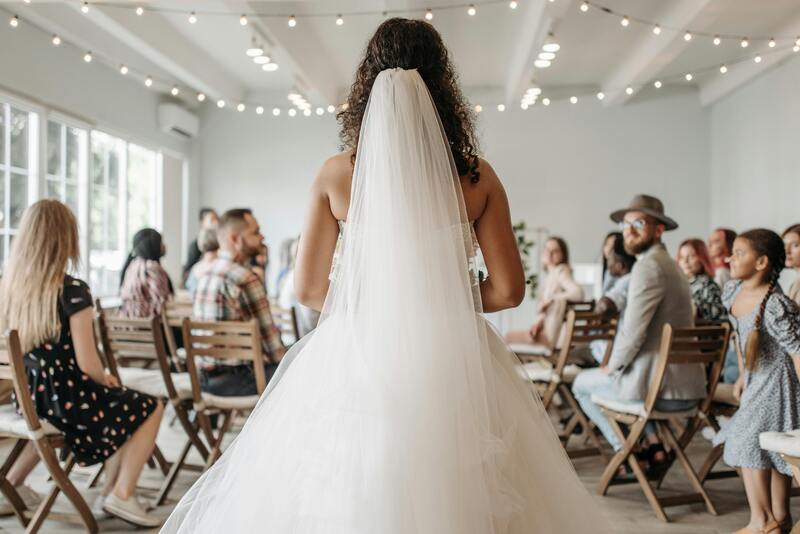

For many brides, the magic moment in a bridal boutique is often replaced by a realization: the perfect dress doesn’t exist on a rack. Maybe the bodice of one gown is stunning, but the skirt belongs on another. Or perhaps the price tag of a custom couture piece is more than the venue itself.
The good news? The digital age has officially entered the bridal suite. Today, you can design your own dress online, taking the reigns of your bridal vision without ever leaving your couch. Here is how to navigate the world of virtual bridal design and turn your imagination into a wearable masterpiece.
Why Design Your Wedding Dress Online
The transition from bridal boutiques to digital studios isn’t just a trend; it’s a shift toward bridal autonomy. Designing online removes the middleman between your imagination and the final stitch. Instead of scrolling through endless catalogs of what exists, you are finally focusing on what is possible. Here is a comparison of the differences between offline wedding dress shopping and online wedding dress design.
Online Design vs. Offline Shopping
| Feature | Online Design | Offline Shopping |
| Selection Range | Infinite; limited only by your imagination. | Limited to the boutique’s curated stock. |
| Customization | Total control over every stitch, seam, and shade. | Minor alterations to existing designs only. |
| Visual Clarity | Instant AI renders. | Requires imagining changes or rough sketches. |
| Price Transparency | Direct-to-consumer pricing with material control. | Includes boutique overhead and designer markups. |
| Sizing | Built to your exact digital proportions. | Usually based on Standard sizes plus expensive tailoring. |
| Convenience | Design anytime, anywhere. | Requires scheduled appointments and travel. |
Why the Digital Approach Wins
This modern approach puts you in the designer’s chair, offering a level of freedom that ensures your dress is a true reflection of your identity.
- Unmatched Uniqueness: Your gown will be one-of-a-kind, reflecting your personal style rather than a mass-produced design. No more showing up to a wedding with a similar dress—your gown will be as unique as your love story.
- Time and Stress Savings: Skip the hassle of booking appointments, sitting through uncomfortable fittings, or settling for a gown that’s close enough. Online design streamlines the process, letting you iterate on ideas quickly and efficiently.
- Budget Flexibility: You control costs by choosing materials, embellishments, and details that fit your budget. Opt for luxury fabrics like silk or lace for a splurge, or more affordable alternatives without compromising on style.
- Accessibility: Brides in rural areas, with mobility restrictions, or tight schedules can access high-quality custom designs without the need to travel to major bridal districts.
- Reduced Regret: By designing every detail yourself, you avoid the disappointment of settling for a gown that’s missing key elements you’ve always wanted. Virtual previews let you tweak designs until they’re perfect.
Meet Fashion Diffusion: Your AI Wedding Dress Design Partner
Designing a wedding dress online sounds exciting, but it can feel daunting if you are not a professional fashion designer. That’s where Fashion Diffusion comes in. As an AI-powered wedding dress design tool, it bridges the gap between your imagination and a wearable gown, making custom design accessible to every bride.
Whether you have a clear vision or need inspiration, Fashion Diffusion’s intuitive platform guides you through the process, turning vague ideas into detailed, realistic designs.
Key Features of Fashion Diffusion
- AI-Powered Style Suggestions: Input your preferences and the tool generates personalized design ideas, helping you refine your vision if you are stuck.
- Realistic Fabric Display: Preview how different fabrics look on your design—complete with texture and light reflection—to ensure it matches your vision.
- Intuitive Editing Tools: Tweak every detail with simple clicks. Adjust necklines, add sleeves, swap skirts, or add embellishments without technical skills.
- High-Resolution Previews: Generate upscale, detailed images of your design to share with seamstresses, friends, or family, ensuring everyone is on the same page before production.
How to Design Your Wedding Dress Online: A Step-by-Step Guide
Designing your wedding dress online with Fashion Diffusion is a straightforward, fun process—even if you’ve never sketched a garment before. Follow these steps to craft your dream gown:
Step 1: Ignite Your Vision & Initial Sketch
Start with your core idea: What’s the overall vibe? Don’t worry about perfection; Fashion Diffusion can turn even a rough idea into reality.
Your Action
Gather inspiration from Pinterest, magazines, or existing dress styles. Identify the silhouette you are leaning towards and the specific details that catch your eye.
Fashion Diffusion Feature: Text-to-Sketch
Begin by describing your vision in words. By using the Text-to-Sketch function, you can input prompts like “Wedding dress, princess ball gown silhouette, strapless style, cathedral train skirt, bow decoration at the waist” to generate a professional fashion illustration.
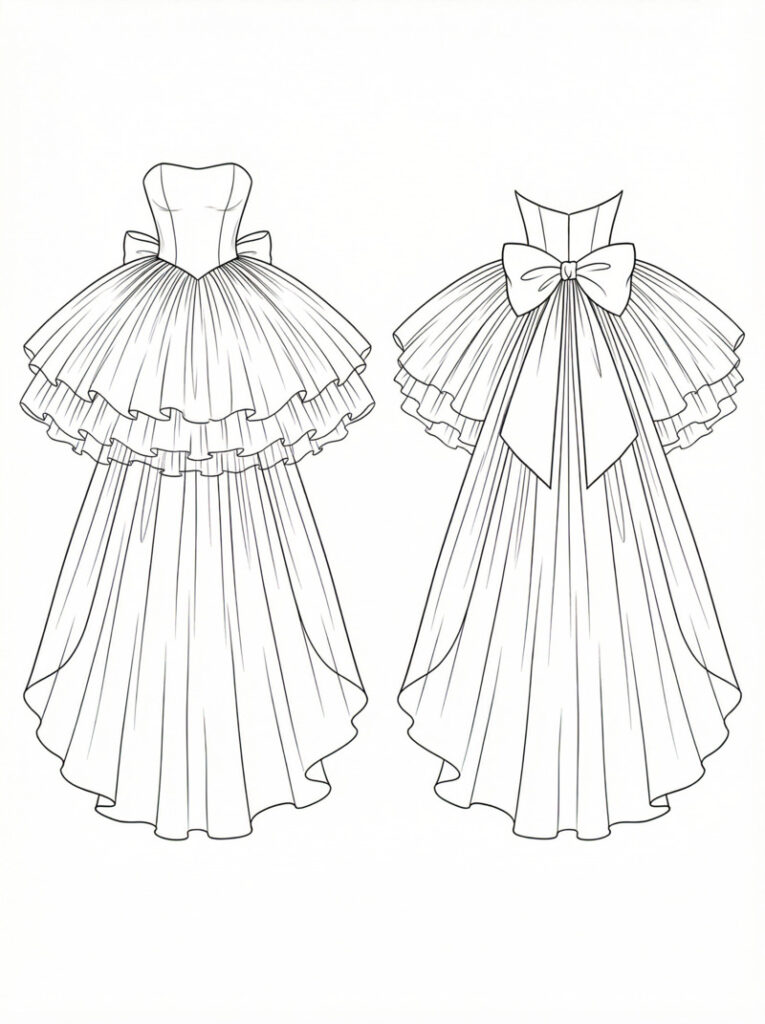
Fashion Diffusion Feature: Sketch-to-Render
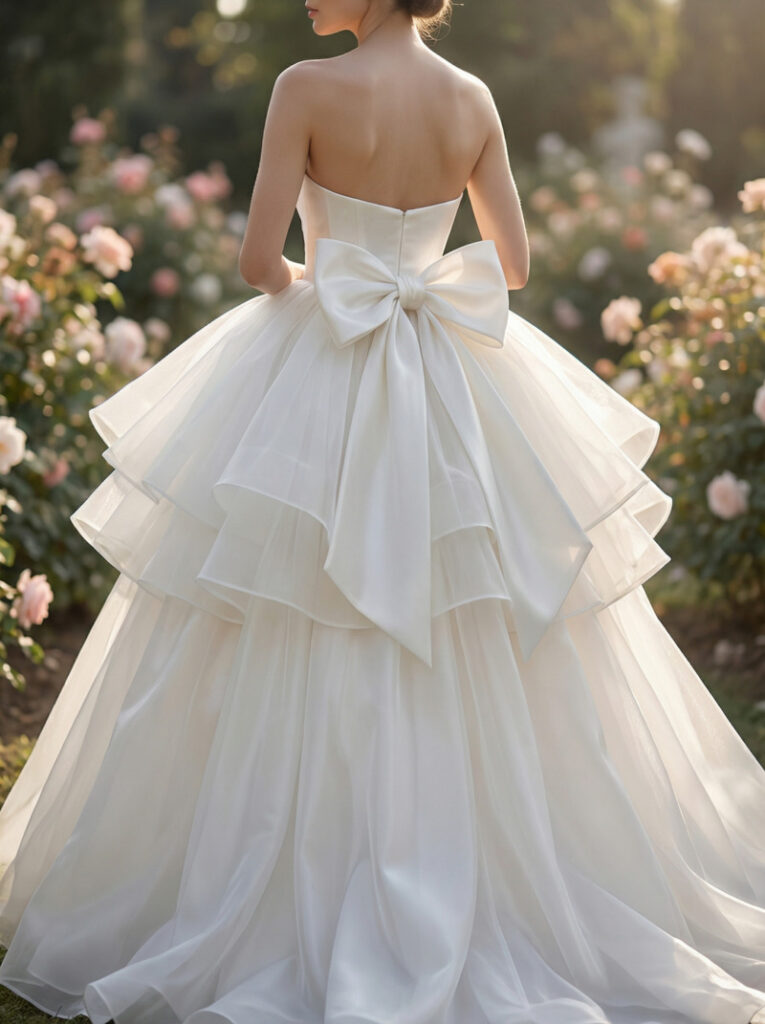
Once you have the perfect outline, whether generated by the AI or uploaded from your own hand-drawn notebook, use Sketch-to-Render. This feature transforms your basic sketch into a sophisticated, high-fidelity initial render, giving life to your first concept. This is where your raw idea takes its first realistic digital form, showing fabric texture and lighting.
You can enter an AI prompt like, “Female model in a white princess-style strapless ball gown, lightweight organza for the outer layer and soft silk for the inner layer, multiple ruffled layers on the skirt, a large bow ornament at the waist on the back, the overall design is dreamy and sweet.”
Step 2: Refine Style & Infuse Innovation
Now that you have your base render, it’s time to push the boundaries of your design. This stage is about moving beyond the basics and injecting unique personality into the gown through high-level AI experimentation.
Your Action
Analyze your initial render. Do you want more drama in the dress? A different lace pattern? This is the moment to experiment with “what if” scenarios to find the perfect balance of modern and traditional.
Fashion Diffusion Feature: Style Innovation
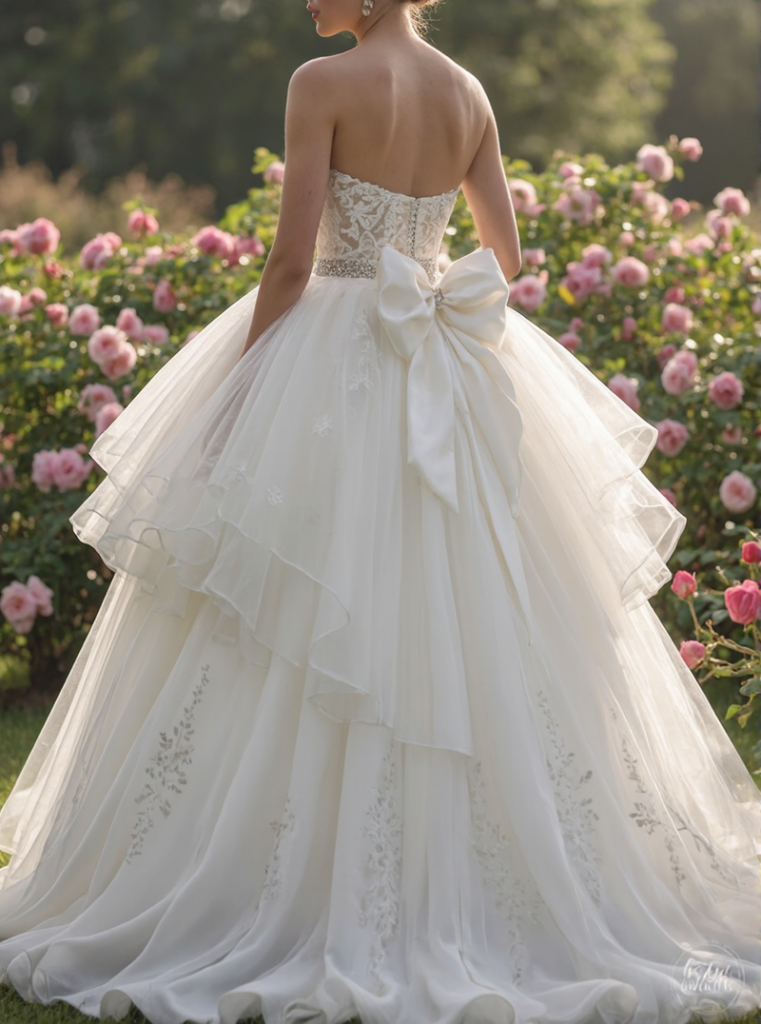
If you feel stuck or want to see a fresh take on your concept, use Style Innovation. This feature takes your core idea and suggests creative variations—perhaps adding a modern architectural bow or a unique structural neckline you hadn’t considered. It’s like having a world-class designer brainstorming alongside you.
The AI prompt may be like this: “Place sparkling crystals on the waist area. Attach sheer lace panels to the bodice. Add delicate floral embroidery on the dress.”
Step 3: Materialize with Fabric & Color
Once the silhouette and style are locked in, you need to define the “touch and feel” of the dress. The right fabric can completely change how a design moves and reflects light.
Your Action
Decide on the texture. Do you want the heavy, regal glow of Mikado silk, or the light, airy transparency of French tulle?
Fashion Diffusion Feature: Apply Fabric
Use the Apply Fabric tool to wrap your 3D design in specific materials. You can instantly swap between lace, satin, or chiffon to see which one best complements your chosen silhouette. It removes the guesswork of how a fabric will drape in real life.
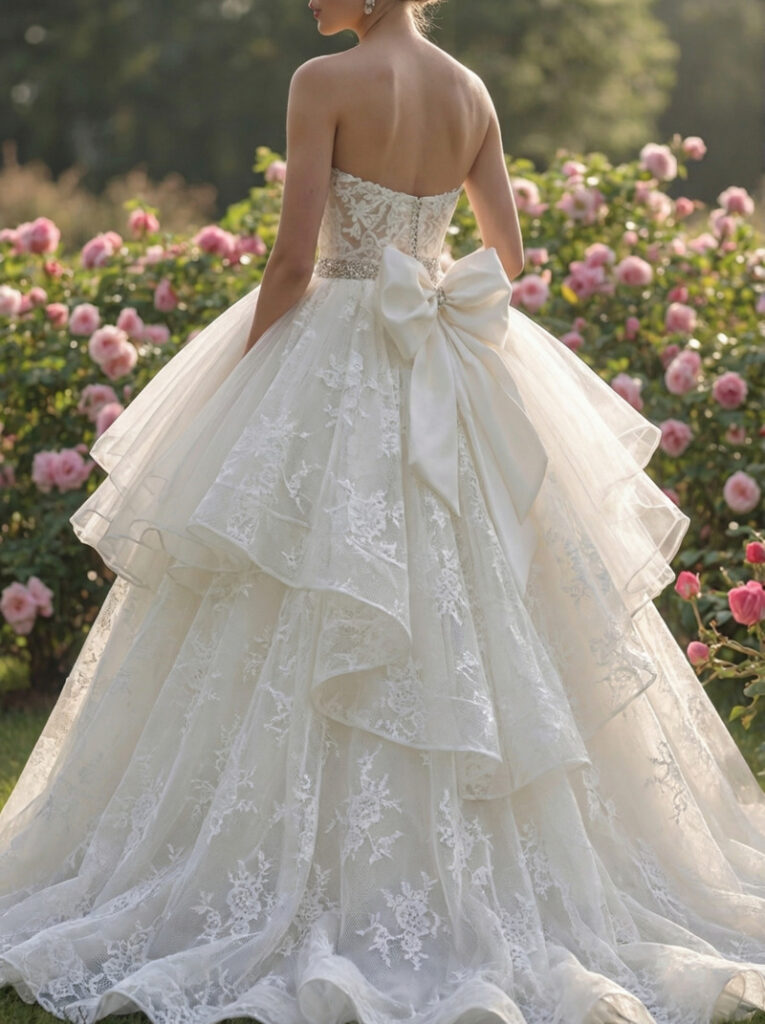
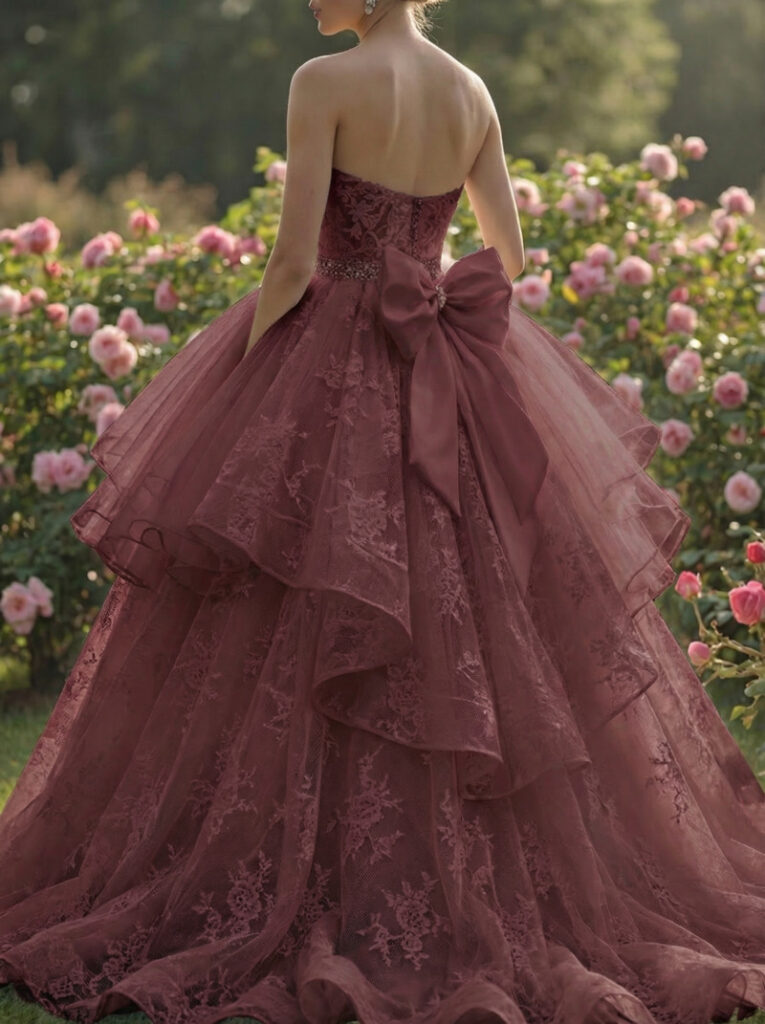
Fashion Diffusion Feature: Recolor
Don’t feel restricted to stark white. Use Recolor to test your design in shades of “Champagne”, “Antique Ivory”, “Nude”, or even a bold “Soft Blue”. This ensures the palette perfectly matches your skin tone and wedding theme before you ever buy a yard of fabric.
Step 4: Visualize & Perfect the Look
With your design refined and fabrics selected, it’s time to move from a flat concept to a living vision. This stage is crucial for understanding how the gown interacts with the human form and your specific aesthetic.
Your Action
Evaluate the overall proportions and flow of the dress. Does the waistline sit where you want it? Does the silhouette flatter the frame?
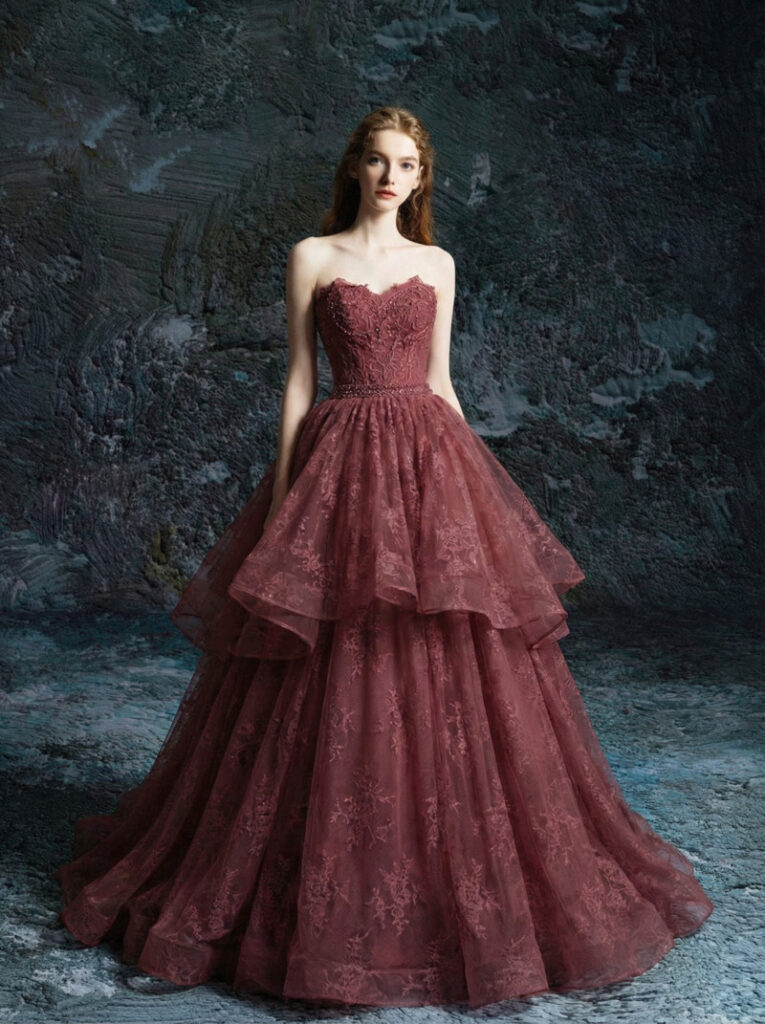
Fashion Diffusion Feature: Virtual Try-On
This is the ultimate sanity check. The Virtual Try-On feature allows you to see your custom design on a model that reflects your body type or preferred aesthetic. It transforms a digital file into a realistic preview, helping you visualize how the hem hits the floor and how the neckline frames the face, ensuring there are no surprises later.
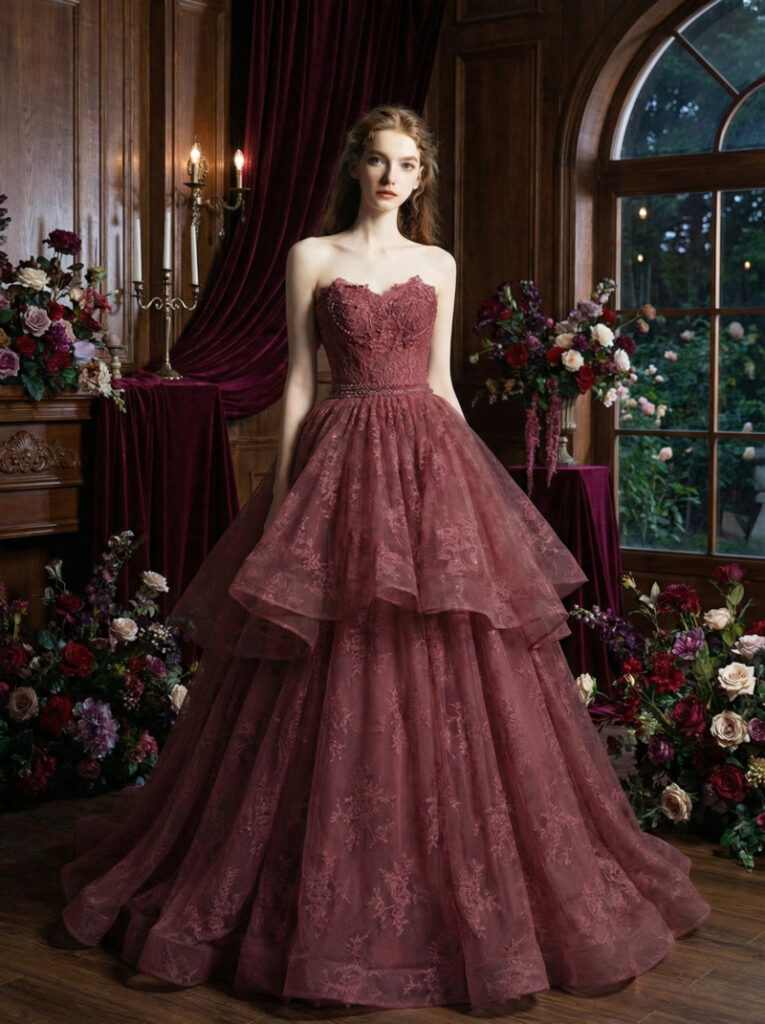
Fashion Diffusion Feature: Change Background
Context is everything. Use Change Background to place your virtual model in a setting that matches your venue, whether it’s a sun-drenched beach, a gothic cathedral, or a modern minimalist loft. Seeing the dress in its natural habitat helps confirm that the design matches the wedding’s overall atmosphere.
Step 5: Present Your Vision Clearly
Once you are satisfied with your design, prepare it for the next step—showing it to a custom dressmaker or tailor.
Your Action
Get a high-quality, clear image of your final design.
Fashion Diffusion Feature: Upscale
Use Upscale to enhance the resolution and detail of your chosen design. This provides a crisp, professional image that highlights every intricate detail for your dressmaker, ensuring they have the best possible reference.
From Screen to Seam: Tips for Consulting Your Tailor with AI Designs
Designing your wedding dress online is an empowering first step, but the journey from a digital image to a walking masterpiece requires careful planning. To ensure your custom experience is seamless, consider these expert tips for the production phase.
1. The Fabric First Rule
In the bridal world, the fabric dictates the movement of the dress. While you can control costs by choosing different materials, you must ensure the textile matches the silhouette.
- Pro Tip: If your design features a structured, architectural skirt, look for heavyweight fabrics like Mikado silk or bonded crepe. For flowy, ethereal designs, prioritize lightweight materials like silk, chiffon, or French tulle.
2. Allow for Couture Lead Times
Even though designing online only takes a few hours, the physical creation of a custom gown is a labor-intensive process.
- Pro Tip: Aim to finalize your online design at least 6 to 9 months before your wedding date. While production typically takes 6-12 weeks, leaving extra time allows for final local alterations once the dress arrives, ensuring a perfect fit without the stress of rush order fees.
3. Communicate with Technical Detail
When you present your design to a tailor or dressmaker, they need to see the bones of the garment.
- Pro Tip: Provide your maker with clear, high-resolution views of the front, back, and profile. Specifically point out details like the type of lace and the exact placement of embellishments or bows to avoid any misinterpretation during the sewing process.
4. Optimize for Real-World Physics
A digital preview helps you visualize the look, but a physical gown requires internal support to stay comfortable throughout an 8-hour event.
- Pro Tip: When discussing your design with a couturier, ask about hidden construction. Designs with open backs or deep necklines often require built-in corsetry or specialized boning that may not be visible in a digital render but are essential for comfort and confidence on the big day.
Empowering Your Bridal Journey with Fashion Diffusion
Designing your wedding dress online is no longer a futuristic concept—it’s a practical reality for the modern, tech-savvy bride. By leveraging tools like Fashion Diffusion, you move past the limitations of traditional shopping and step into the role of the creator.
Your wedding is a celebration of your unique story. Why shouldn’t your dress be just as unique? With a few clicks, you can shape every detail to match your vision perfectly, making your special day unforgettable.
FAQ
Absolutely. Most online design tools let you input your exact measurements and adjust the gown’s fit to flatter your body type. Virtual try-on features also let you visualize how the silhouette will look on your frame, so you can make tweaks before finalizing.
Designing the gown online takes 1-5 hours, depending on how detailed you are. The production process (turning the digital design into a physical gown) takes 6-12 weeks, similar to ordering a pre-made gown from a boutique. For rush orders, some couturiers offer faster turnaround (4-6 weeks) for an additional fee.
Yes—most online tools let you edit your design until you are ready to send it to a tailor. Once production begins, changes may be limited (and costly), so it’s best to finalize all details (fabric, embellishments, fit) before approving the design for manufacturing.
It often is. Online design avoids boutique overhead, so you pay primarily for materials and labor. A custom online-designed gown typically costs $1,500-$5,000, while similar boutique gowns or couture pieces can cost $5,000-$20,000+. You can also lower costs by choosing more affordable fabrics or simplifying embellishments.
No! Tools like Fashion Diffusion are designed for beginners. Intuitive editing tools, AI style suggestions, and pre-made design elements make it easy to create a gown without any fashion expertise.

关于作者