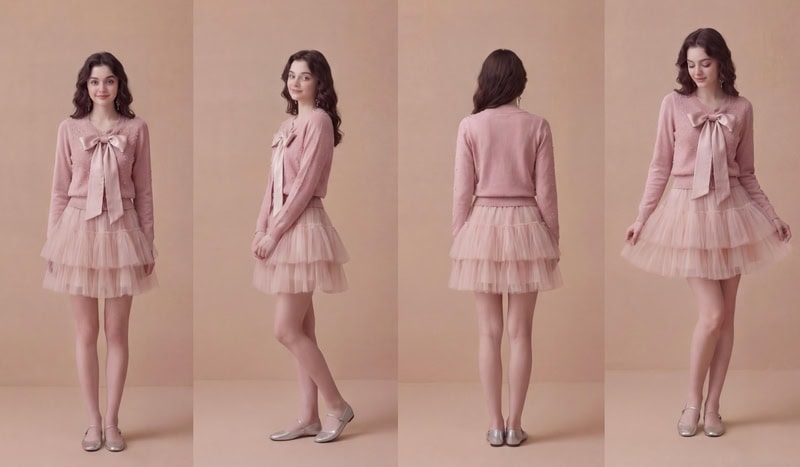
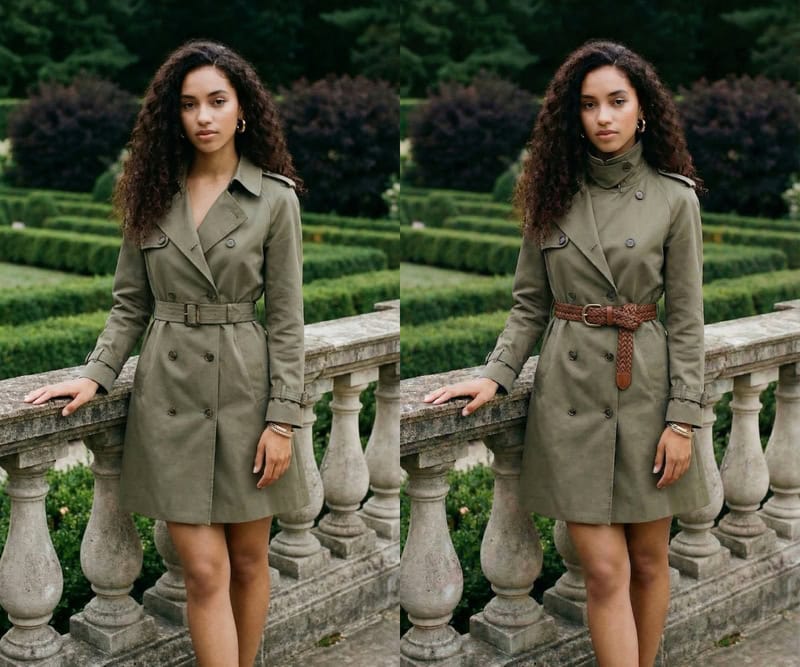
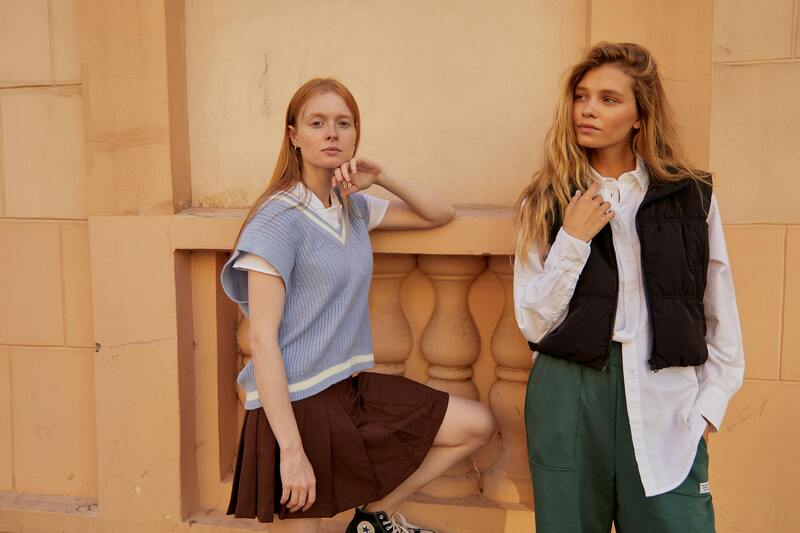
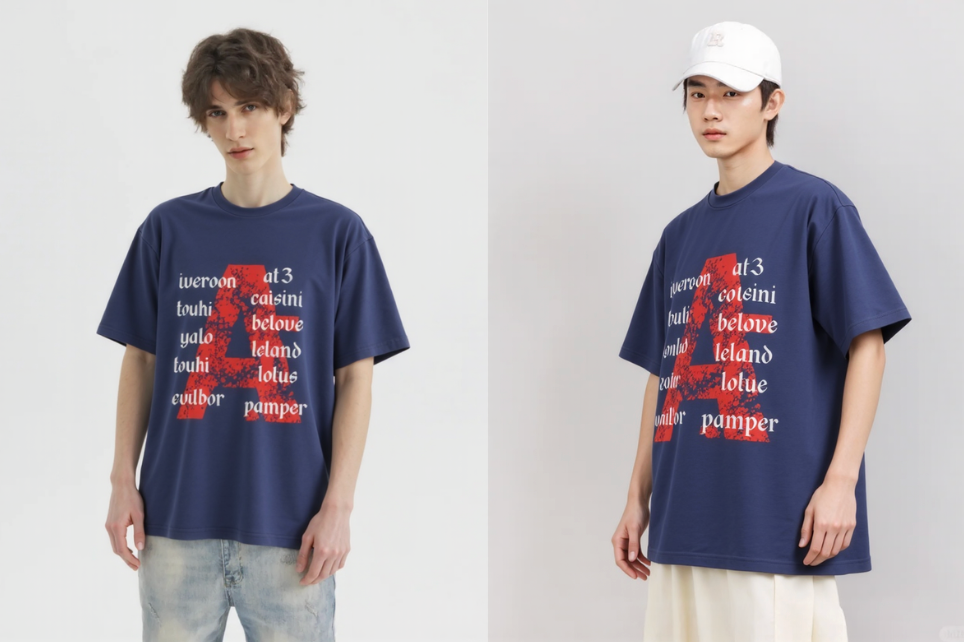
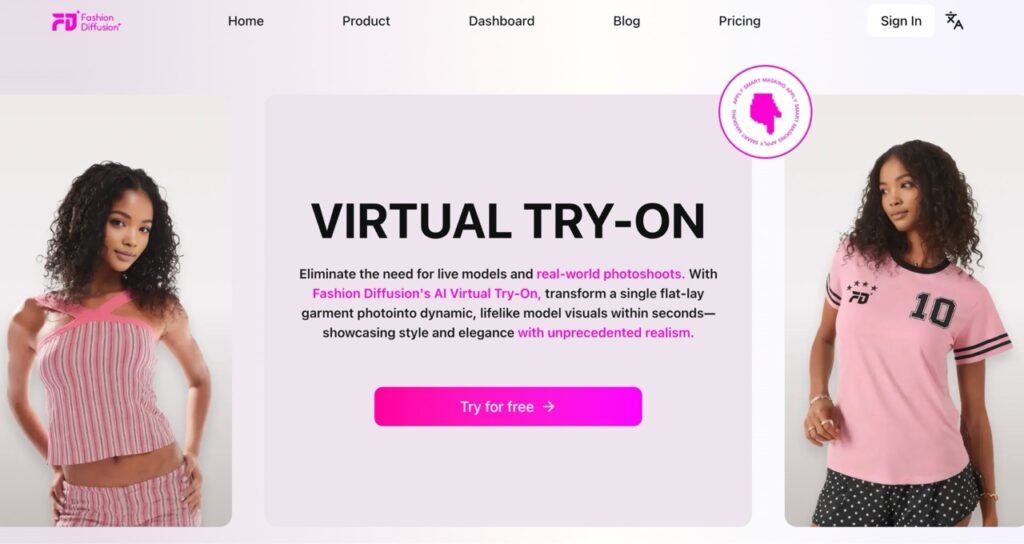
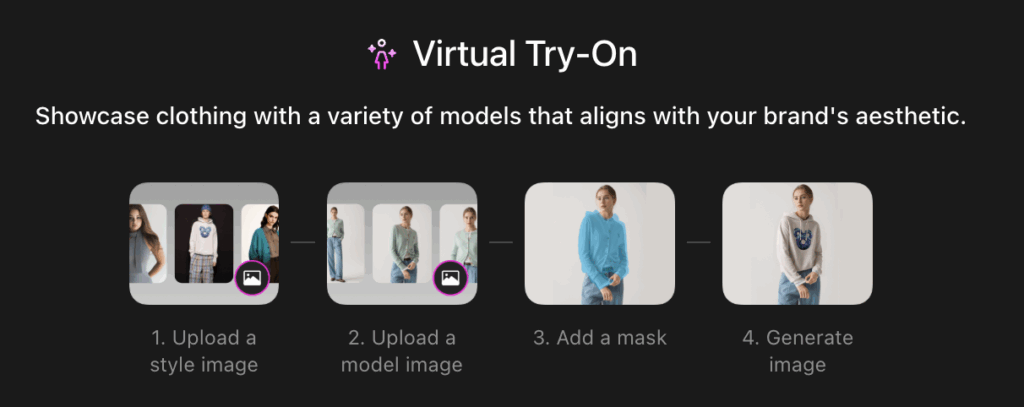
At the very beginning of 2026, the world seemed to hit fast-forward with AI.
Super Bowl commercials now use AI-generated videos, with real-time effects and smart camera systems becoming standard. Tech giants Meta, Google, and Microsoft are competing in AI-powered search platforms, driving billion-dollar market activity. Enterprise AI tools like Notion AI, Jasper AI, and CodeGPT have become common for team collaboration.
Clearly, AI is enhancing creativity and productivity across industries.
Turning our focus to the fashion industry, the real-world adoption of AI tools brings both challenges and rewards:
Companies that know how to use AI have saved hundreds of thousands in costs, while others are still paying the price for bad reviews, like products not matching expectations.
Some professionals worry about being replaced by AI, yet designers who have mastered AI can now generate hundreds of designs daily, dramatically boosting efficiency.
On one hand, the conversation around AI is loud and often overwhelming; on the other, the fashion industry is quietly evolving. So how can we use AI in a way that genuinely improves efficiency without confusion or unnecessary friction?
This article does not dwell on abstract theories. We gathered real insights from fashion designers, pattern makers, e-commerce operators, and factory owners, and selected representative themes. Presented in a Q&A format, it aims to answer the core questions that everyone truly cares about.
Part 1 Why AI-Generated Fashion Looks Fake
Q1: The AI-generated images look obviously fake and fail to meet the demands for commercial-level detail, naturalness, and realism. Is that true?
The answer is—not necessarily. The reason AI images often look fake 90% of the time is due to using the wrong tools or applying them incorrectly.
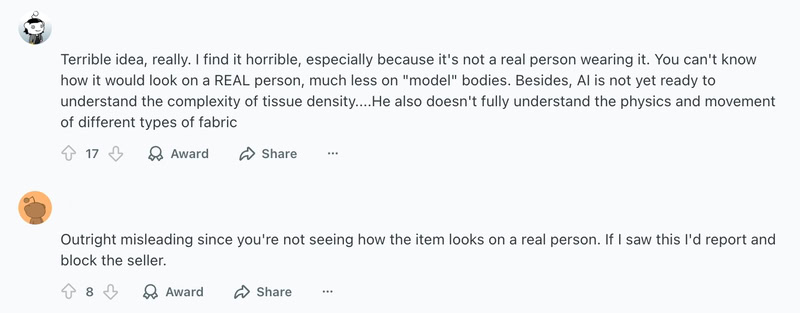
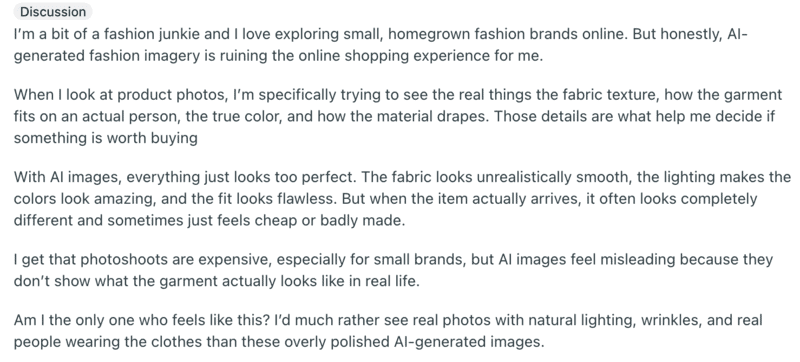
Take a look at the real complaints from consumers below:
This is perhaps the most common frustration among people using AI fashion design tools. But there are some major misconceptions here:
Misconceptions
First, consider whether you are using a general-purpose AI model or a fashion-specific tool. Many widely used AI models are like highly skilled but non-specialist artists. They can produce striking conceptual visuals, but often struggle to accurately capture a garment’s structure, drape, folds, and fabric texture.
Second, if you’ve tried fashion-specific AI tools before, don’t let a single product or an experience from years ago shape your perception of what’s possible today.
AI fashion design tools have evolved rapidly over the past few years. Many of the issues that once caused frustration, such as mannequin-like figures, floating fabrics, or structural inconsistencies, have been significantly reduced thanks to more advanced underlying models.
Today’s AI fashion tools are far more capable than they were just a few years ago, and you may find that the problems you once encountered are no longer dealbreakers.
Part 2 Why the AI Fashion Design Tool Feels Complicated
Q2: AI doesn’t actually improve efficiency—constant revisions and regenerations make the process even more exhausting. What should we do?
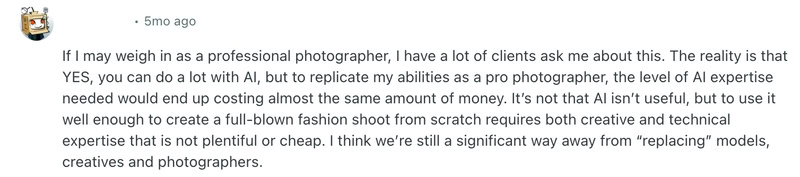
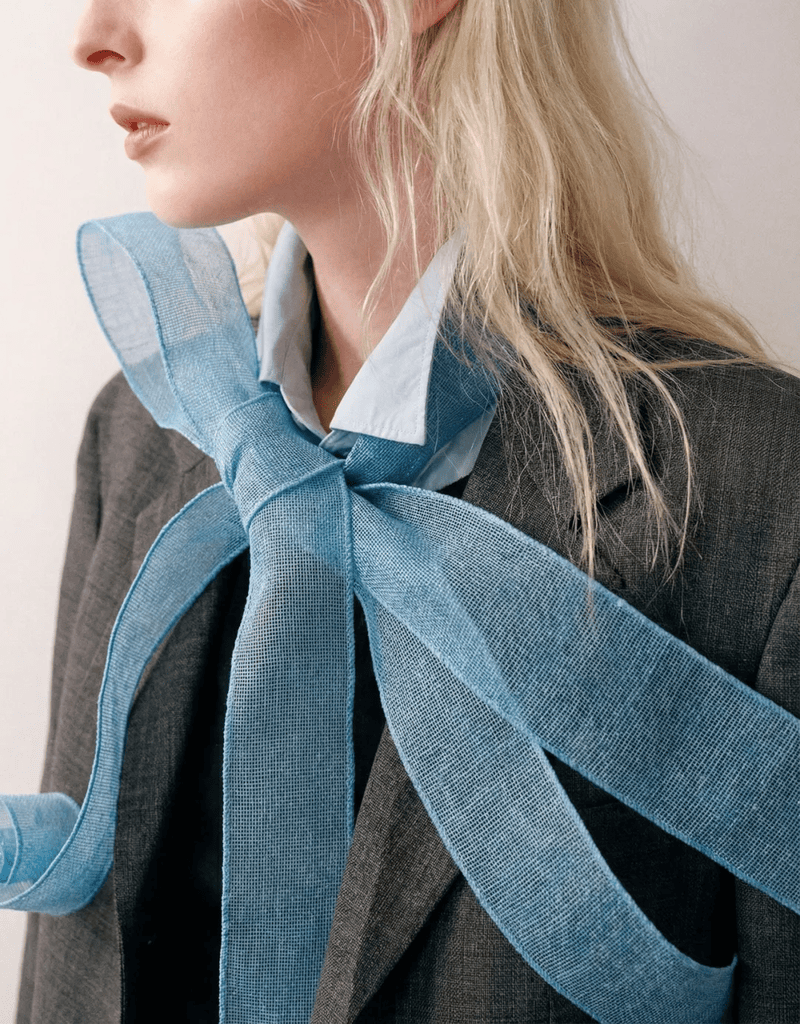
Just as the photographer said in the image above, AI can do a lot, but matching professional fashion photography still requires similar levels of skill and cost.
Many designers complain that using AI design tools involves a complicated workflow:
launch the tool;
enter prompts;
filter results;
fixi flaws;
remove watermarks;
tweak prompts;
adjust details…
And in many cases, customization options are still limited. After going through the entire process, it can feel even more tiring than designing manually.
But think about it—when you first used AI tools to draft things like annual reports or performance reviews, didn’t it often feel like the AI misunderstood your instructions?
The solution is actually quite simple. If you browse platforms like Reddit, Quora, or TikTok, you’ll find countless prompt-writing techniques for different scenarios. By copying and slightly modifying these prompts, or even asking ChatGPT to refine them, your AI fashion design tool can quickly become a much more responsive and reliable assistant.
At its core, the issue of feeling cumbersome and inefficient using AI is often not about the tool itself, but about the lack of guidance and unfamiliarity with how to use it effectively.
Example
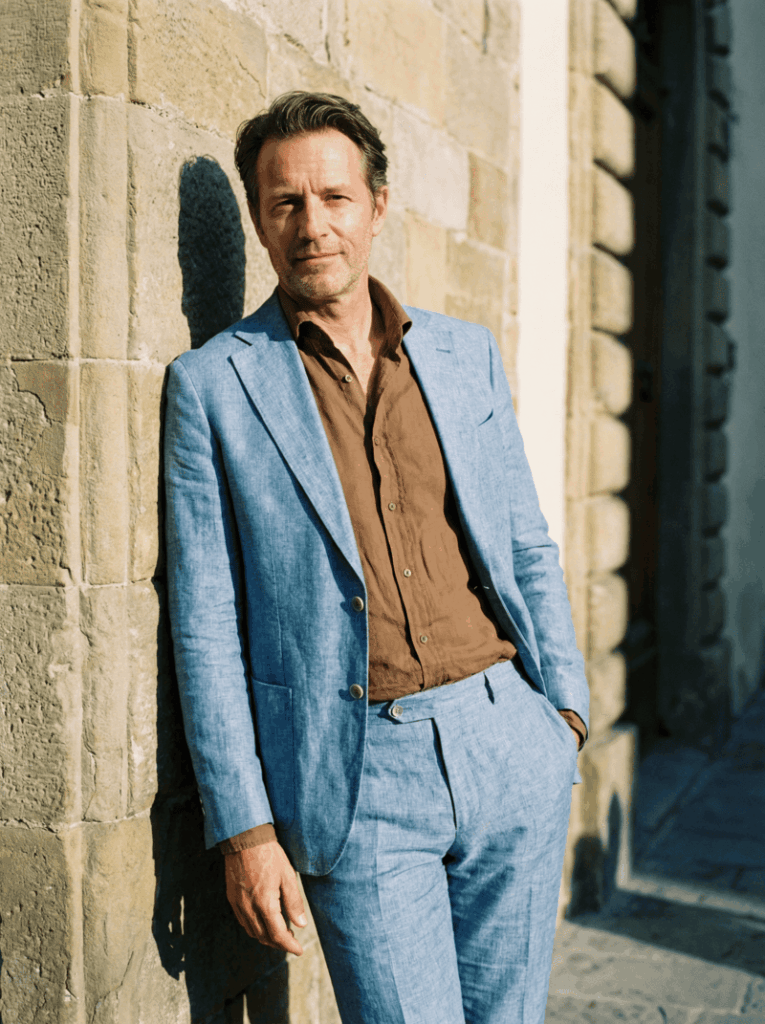
Take a simple example of generating outfit visuals from text prompts. The difference in results can be significant:
Unrefined prompt: A man wearing a light blue suit and a brown shirt.
Fashion Diffusion AI-generated
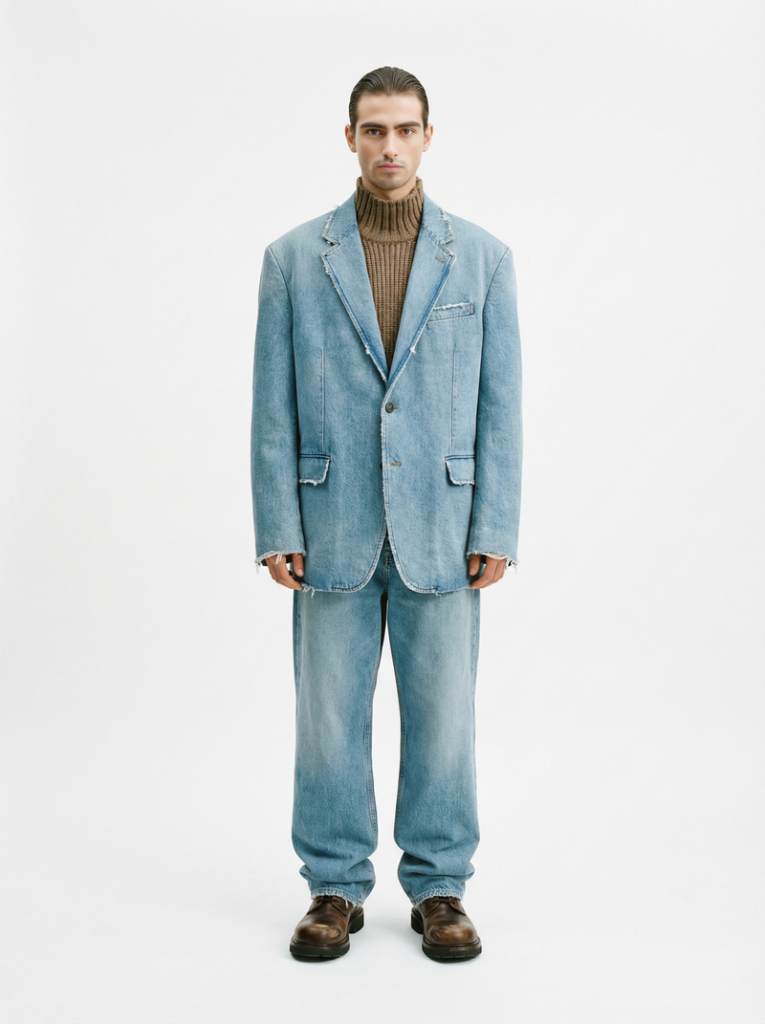
Refined prompt: Generate a light blue suit made of denim fabric, paired with a brown knit sweater featuring a semi-turtleneck. The style should resemble Balenciaga. A male model is wearing the outfit, set against a clean white background.
Fashion Diffusion AI-generated
You can easily compare the results yourself. The better you understand how to write AI outfit prompts, the more effectively you can use AI design tools.
While AI fashion tools can feel complicated at first, some platforms simplify the entire process. Take Fashion Diffusion, for example, it offers not just a product but a complete service system to guide you step by step:
Built-in intelligent prompt generation system and tutorial videos;
Dedicated 1-on-1 support to guide you through the process and answer questions;
Training sessions with step-by-step guidance to help you generate precise results and fully master the tool.
Part3 Do Better AI Images Lead to More Returns
Q3: The better AI-generated product images look, the higher the return rates? When expectations are set too high, and the actual product falls short, how can brands strike a balance?
Concerns about AI-generated product images are easy to find online.
Issues like mismatched expectations, color discrepancies, and differences between images and the actual product are common pain points that can lead to returns, and high return rates are something no business wants to see.
Just as the rise of ChatGPT sparked concerns about authenticity in writing and information, it’s inevitable that AI fashion, as a new form of productive technology, will face skepticism.
However, it’s still important to stay clear on one point: AI in design is not meant for over-enhancement or deception, but for reducing costs and improving efficiency.
What AI fashion design tools aim for is not an unrealistic level of beauty that exceeds the actual product, but a more cost-effective form of realism.
Fashion Diffusion AI-generated
Part 4 How to Choose the Right AI Tool
Q4: With so many AI fashion tools on the market, affordable options often fall short, while the more capable ones can be expensive. Some are easy to learn but hard to put into practice, while others are powerful but not user-friendly. How should I choose?
For fashion professionals, the cost of trial and error is extremely high, covering time, labor, team morale, and even potential risks to orders. So choosing the right AI fashion design tool is very important.
While we offer Fashion Diffusion, an AI design tool tailored for the fashion industry, we are not here to put down other products or oversell our own. Instead, we believe the choice should be yours.
Fashion Diffusion offers four core capabilities:
AI image generation;
Precise style editing;
Cost-efficient design testing and iteration;
AI-powered commercial photography.
It also supports 4K image output, AI video generation, complex fabric rendering on models, virtual models, and a wide range of advanced features.
Examples
Below are some examples of commercial visuals created with Fashion Diffusion. With the Virtual Try-On feature, garments can be seamlessly applied to models, providing a clear and realistic view of how the clothing looks when worn, including fabric behavior and fit.
Fashion Diffusion AI-generated
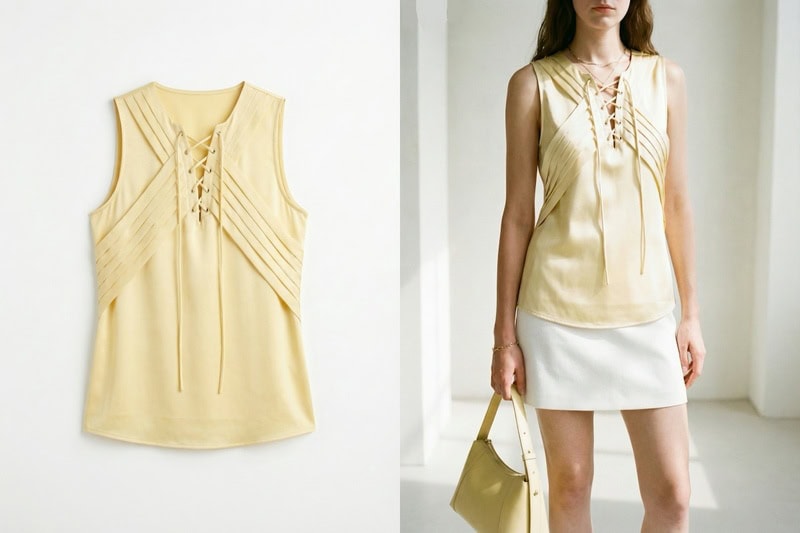
Even flat-lay designs are rendered with a high level of accuracy, preserving garment construction details and fabric characteristics. This allows consumers to better understand the actual wearing effect, helping reduce returns caused by mismatched expectations.
Another key feature is AI Lookbook generation. Fashion Diffusion can produce a full set of product images within minutes.
A single design can be presented from multiple angles, with flexible options to adjust model poses, swap models, change backgrounds, and highlight specific details, making it easy to create versatile, scenario-based, and highly customized visuals.
Fashion Diffusion AI-generated
If further refinement is needed, AI Inpainting can be used to adjust specific areas, or users can upload reference images of similar styles for Style Innovation.
Fashion Diffusion AI-generated
Fashion Diffusion is more than just a tool for design and commercial visuals. It serves as a connected system for inspiration capture, AI generation, and trend validation, helping turn data-driven insights into successful, market-ready designs.
Part 5 What AI Really Brings to Fashion Businesses
Q5: AI is often overhyped, but what tangible impact can it actually bring to fashion businesses?
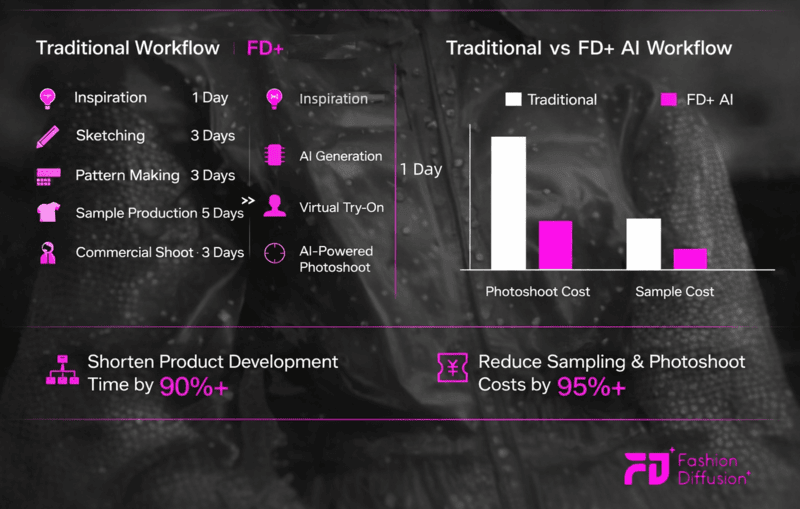
To answer this question, the image below provides a clear explanation:
The traditional design process is often complex, with mass production taking several weeks. From creating sketches to producing sample garments and conducting model-based commercial shoots, every step can be both time-consuming and expensive.
For fashion businesses operating across borders, coordinating international models and securing appropriate shooting locations adds an extra layer of challenge. And even with all that time and financial investment, sales are never guaranteed.
What AI tools offer is a significantly shorter production cycle, along with cost savings of over 95%.
Whether for product launches or testing new designs, AI enables a more cost-effective approach. For both business owners and front-line professionals, it’s a win-win solution.
Conclusion
AI is no longer just a concept—it’s a new driver of productivity.
Yet fashion has its own rules: fabric, fit, craftsmanship, models, production, and trust. These fundamentals cannot be bypassed by AI. The resistance isn’t to AI itself, but to AI that feels impractical, unprofessional, overly complex, risky, or unsupported.
Fashion Diffusion was created to change that. It’s an AI design partner that truly understands fashion, production, and you. We are here to guide you through this shift in fashion design and commercial production, helping you move forward with clarity and confidence.
If you’ve been exploring AI fashion or feel limited by the tools you’ve tried, there’s no better time to see what’s possible. Experience Fashion Diffusion and discover the difference for yourself!
AI is rapidly transforming how fashion is designed, visualized, and sold. Whether you are a designer creating runway concepts, an e-commerce brand testing product images, or simply someone experimenting with daily outfits, the right best AI outfit generator can dramatically speed up your workflow.
Not all tools are built for the same purpose. Some focus on professional design pipelines. Others specialize in virtual try-on. And some are lightweight browser-based tools ideal for beginners looking for the best AI clothing generator.
Instead of just listing tools, this guide categorizes the top 12 platforms by real use cases, so you can quickly find the best AI outfit generator for your needs.
What Is an AI Outfit Generator
An AI outfit generator is a tool that uses artificial intelligence to create clothing designs, outfit combinations, or realistic garment visuals based on text prompts, reference images, or uploaded sketches. These platforms analyze fashion data, fabric patterns, and styling rules to generate outfits that range from casual daily looks to production-ready fashion concepts.
In recent years, AI fashion design has evolved from simple image generation into full creative workflows. Whether used by designers, brands, or everyday users, the best AI outfit generator can significantly reduce design time while expanding creative possibilities.
How We Evaluated the Best AI Outfit Generator
According to industry analysts at McKinsey’s State of Fashion report, from the year of 2026 to 2028, generative AI could add between $150 to $275 billion to the apparel and fashion sector by accelerating design cycles and reducing sampling costs. That shift means AI fashion design tools must now be evaluated not just on aesthetics, but on business impact.
For this guide, we assessed each AI clothing generator using five core criteria.
Generation Quality & Realism
Customization Depth
Commercial Readiness
Workflow Integration
Accessibility & Free Options
By applying these standards consistently across all platforms, we aim to provide a balanced and practical comparison, helping designers, brands, and creators identify the best AI outfit generator for their specific goals.
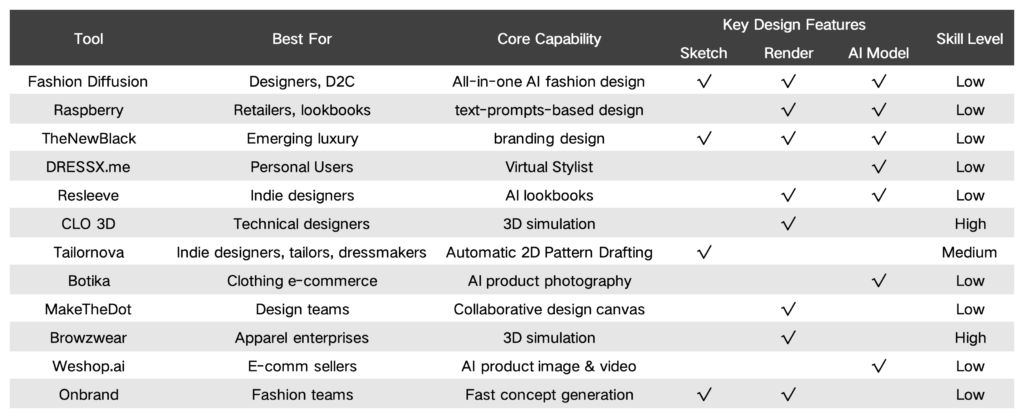
Comparison Table: 12 Best AI Outfit Generators at a Glance
With dozens of AI tools for clothing design entering the market, choosing the best AI clothing generator can quickly become overwhelming. To help you compare features quickly, the table below summarizes the 12 best AI clothing generators based on their primary use case, free availability, and core strengths.
Tool
Best For
Free Plan
Key Strength
Fashion Diffusion
Full AI Fashion Design Workflow
Limited Trial
Text-to-design, fabric simulation, virtual try-on
Style3D AI
3D Garment Production
Demo
3D pattern making & realistic garment rendering
Fashn.ai
Creative AI Look Generation
No
High-end editorial fashion visuals
Krea
AI Creative Image & Video Generation
Limited Free Credits
Multi-format AI visuals
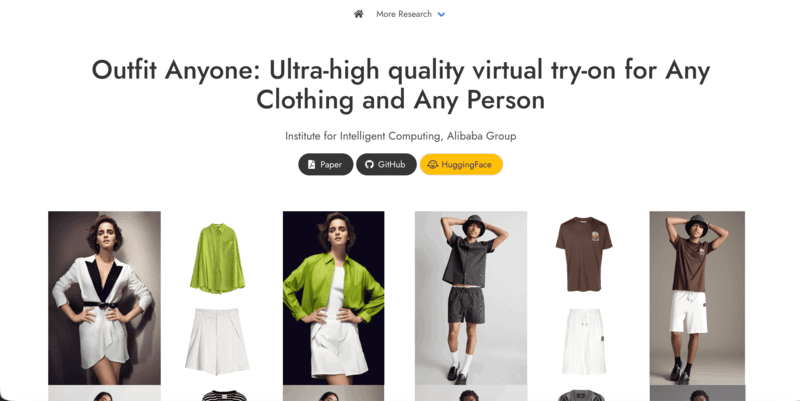
Outfit Anyone
Virtual Try-On
Yes
Realistic clothing overlay on human models
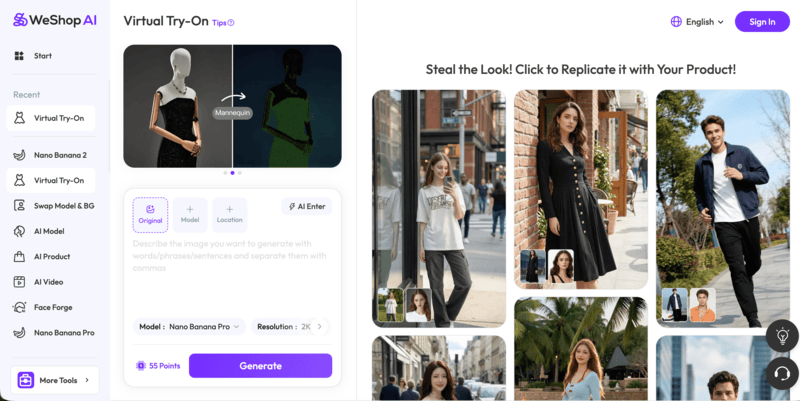
WeShop
E-commerce Virtual Try-On
Yes
AI try-on optimized for product listings
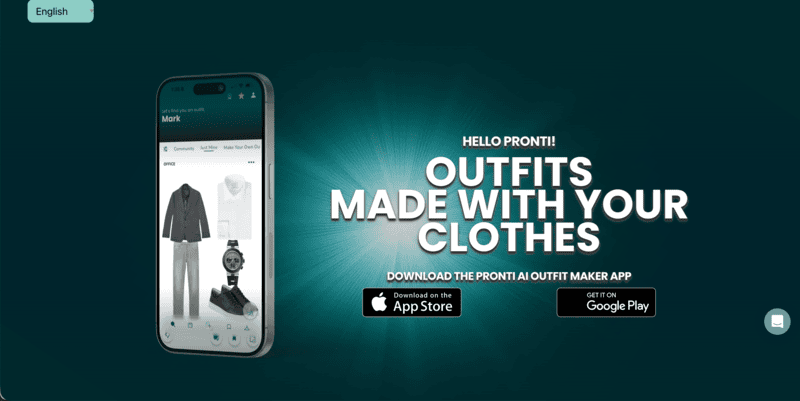
Pronti AI
Personal Styling
Yes
Daily outfit suggestions based on wardrobe
Cladwell
Capsule Wardrobe Planning
Yes
Minimalist outfit automation
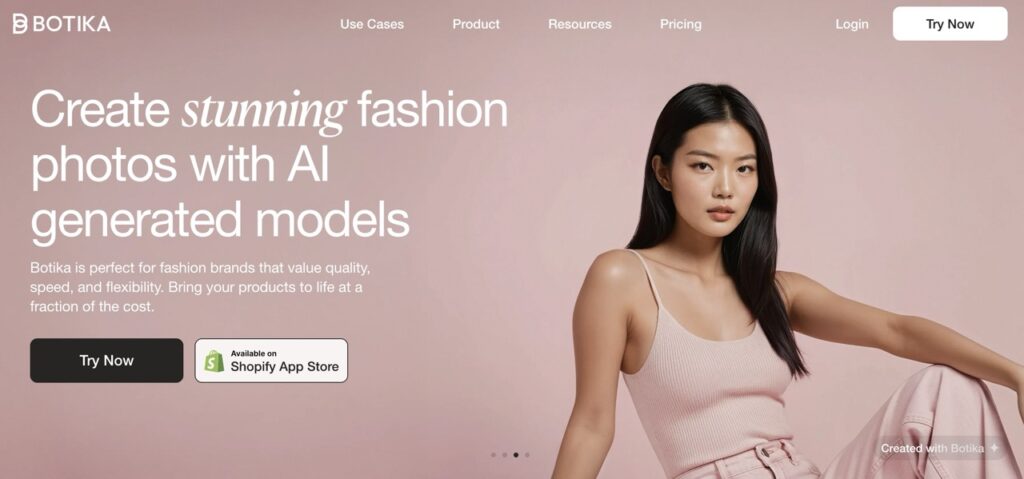
Botika
E-commerce Model Generation
No
AI fashion models for product photos
insMind
Social Media Outfit Editing
Yes
Quick apparel mockups & background edits
MyEdit
Free Online AI Clothing Generator
Yes
Beginner-friendly outfit generation
createimg
Free Text-to-Outfit Generator
Yes
Simple prompt-based AI clothing visuals
Detailed Breakdown: Which AI Outfit Generator Is Right for You
Choosing the right AI clothing generator depends on what you are trying to achieve. Are you building a fashion brand, experimenting with digital styling, or creating product visuals for online stores?
The sections below will help you quickly identify which AI outfit generator matches your specific workflow and skill level.
Best for Professional & Creative Use
These AI outfit generators are ideal for AI fashion design workflows that go beyond simple image generation.
Fashion Diffusion
Fashion Diffusion is built specifically for fashion creation workflows. It allows designers to generate garments from text prompts, transform sketches into realistic renders, experiment with color variations, and refine visual outputs.
Rather than acting as a general AI image tool, it supports iterative collection development, helping teams quickly test silhouettes, materials, and styling directions before production.
Fashion Diffusion AI-generated
Fashion Diffusion’s core strengths include:
Text-to-outfit generation with high realism;
Advanced customization of silhouette, fabric, and details;
Virtual try-on and design iteration in one workflow;
Suitable for concept development and brand-level production.
Style3D AI
Style3D AI focuses on 3D garment creation and digital sampling. It enables designers to work with patterns, simulate fabrics, and visualize garments in a technically accurate environment.
This makes it particularly valuable for brands that require structural precision and realistic draping simulation during the development phase.
Style 3D’s core strengths include:
3D pattern-based garment construction;
Realistic fabric simulation;
Production-level rendering;
Integration with manufacturing workflows.
Fashn.ai
Fashn.ai functions as a scalable AI fashion studio for creative production. Its strength lies in enabling brands to generate consistent, high-quality fashion visuals across collections and campaigns.
It supports controlled styling outputs, ensuring visual coherence across seasonal drops and lookbooks.
Fashn.ai’s core strengths include:
Consistent fashion image generation;
Scalable campaign visual production;
Controlled styling direction;
Brand-level visual consistency.
Krea
Krea is a comprehensive AI creative suite designed for professionals and creators. It enables generation and editing of high-quality images, videos, and 3D objects with precise control over style, composition, and resolution.
For designers and creative teams, Krea supports rapid prototyping of visual concepts, asset creation for campaigns, and fine-tuning custom models for brand-specific styles.
Krea’s core strengths include:
Text-to-image, image-to-image, and real-time image generation;
AI video creation, animation, and frame interpolation;
3D object generation and text-to-3D capabilities;
Generative editing for images and videos.
Best for Virtual Try-On
If your goal is to visualize how clothing looks on real people, these tools focus on digital fitting and garment overlay. They prioritize realism, body mapping, and fast outfit simulation.
Outfit Anyone
Outfit Anyone is purpose-built for AI-powered virtual try-on. Users can upload clothing images and apply them to different models or personal photos to preview fit and appearance.
It focuses on realism, supporting various poses and body types to improve garment visualization accuracy.
Outfit Anyone’s core strengths include:
Realistic clothing overlay;
Body-type adaptability;
Fast try-on rendering;
Simple image-based workflow.
WeShop
WeShop is a browser‑based AI tool designed specifically for realistic clothing visuals. Users can upload garment photos, and the AI will automatically map and fit the clothing onto diverse digital models with believable proportions and fabric behavior.
It goes beyond simple overlays by analyzing body shape, lighting, and texture to create natural‑looking try‑on visuals suitable for product listings, catalogs, and promotional content.
AI Clothes Changer for outfit swaps on the same model and scene;
Outputs optimized for e‑commerce product images and marketing visuals;
Fully online tool with no downloads or technical barriers.
Best for Personal Styling & Daily Looks
These platforms are designed for everyday users who want help planning outfits, organizing their wardrobe, or experimenting with new looks. The emphasis here is on convenience rather than technical garment development.
Pronti
Pronti focuses on wardrobe management and daily outfit recommendations. Instead of generating new garments, it helps users maximize what they already own. By analyzing clothing items and occasions, it simplifies daily styling decisions.
Pronti’s core strengths include:
AI wardrobe organization;
Personalized outfit suggestions;
Occasion-based recommendations;
Daily style planning.
Cladwell
Cladwell emphasizes capsule wardrobe planning and sustainable styling. It encourages users to create mix-and-match combinations from essential pieces. The platform is structured around long-term wardrobe efficiency rather than trend-driven experimentation.
Cladwell’s core strengths include:
Capsule wardrobe building;
Minimalist outfit combinations;
Style system organization;
Sustainable fashion focus.
Best for E-commerce & Social Media
For brands and online sellers, speed and visual consistency matter most. These AI clothing generators help create product visuals, model photos, and marketing-ready assets with minimal production cost.
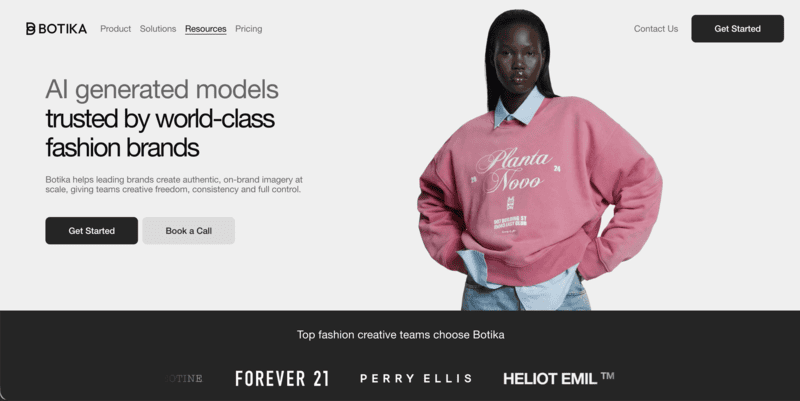
Botika
Botika specializes in AI-generated fashion models for product listings. It enables brands to create professional model imagery without traditional photoshoots. The platform improves product presentation while reducing production costs.
Botika’s core strengths include:
AI fashion model creation;
Scalable e-commerce visuals;
Diverse model representation;
Product-listing optimization.
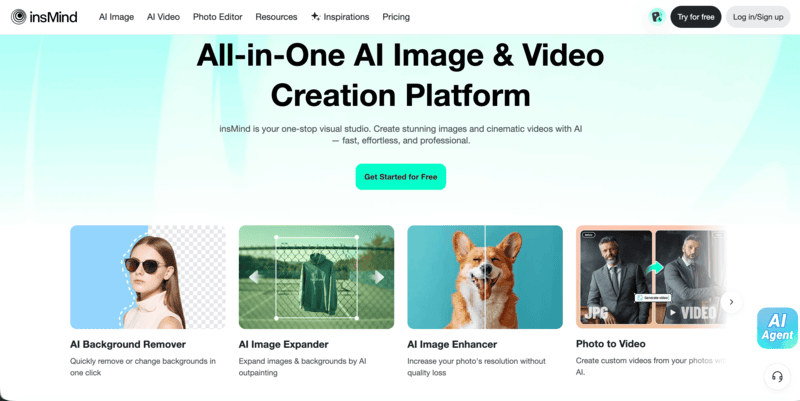
insMind
InsMind provides browser-based AI outfit editing and background replacement tools tailored for quick content creation. Its simplicity makes it especially useful for social media visuals and promotional content.
InsMind’s core strengths include:
Outfit change feature;
Background replacement;
Social-ready image export;
Lightweight online access.
Best Free AI Clothing Generator Online
If you are just starting out or experimenting casually, these free AI outfit generators offer accessible entry points without requiring professional software or complex setup.
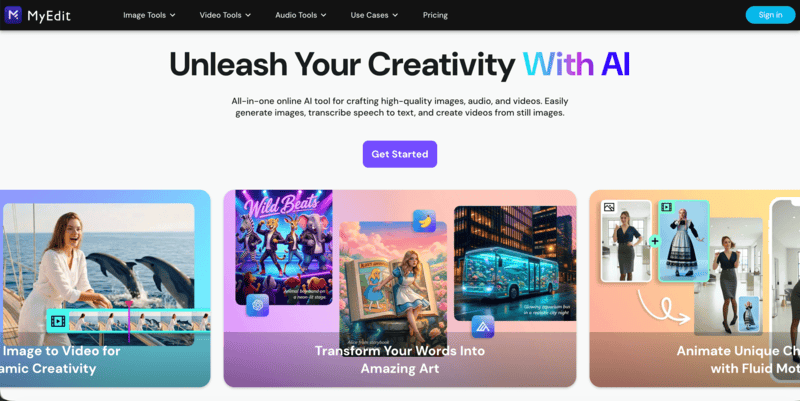
MyEdit
MyEdit provides accessible AI outfit generation within a browser-based image editor. It’s designed for quick experimentation rather than professional workflow integration. Users can test prompts and create simple fashion visuals without advanced skills.
MyEdit’s core strengths include:
Free browser access;
Prompt-based generation;
Beginner-friendly interface;
Quick creative testing.
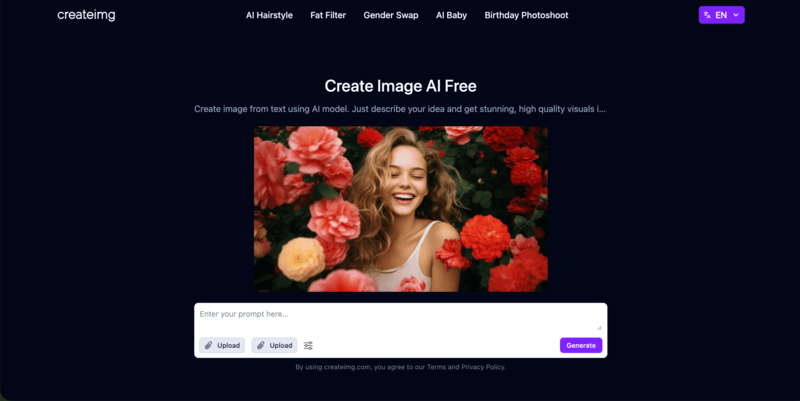
Createimg
Createimg offers a free AI outfit generator that lets anyone generate stylish outfit visuals from simple text prompts. It’s useful for personal fashion exploration, moodboarding, or even inspiration before shopping.
Createimg’s core strengths include:
Free and browser-based. No software installation or account is required;
Text-based generation. AI visualizes it for you in seconds;
Trend & occasion variety. Create looks for any theme.
From Prompt to Runway: Generating Outfits with Fashion Diffusion
Each AI outfit generator offers something different, from quick concept rendering to virtual try-on capabilities. If your goal is to generate fully styled outfits directly from text descriptions, Fashion Diffusion provides one of the most streamlined workflows.
Here’s how the process unfolds from prompt to finished visual.
Step 1: Enter the Text-to-Image Workspace
After logging in, navigate to the AI Outfit Generator module.
This is where you input your outfit description and configure generation settings such as:
Image resolution;
Style strength;
Model type;
Background control.
Step 2: Structure Your Outfit Prompt
To get professional-quality results, your prompt should clearly define:
Garment type;
Silhouette;
Fabric or material;
Color palette;
Lighting style;
Photography context
A strong AI outfit generator prompt usually follows this structure:
Once your prompt is structured, click generate. Within seconds, Fashion Diffusion generates based on your input. This process allows designers to move from rough concept to presentation-ready visual without leaving the platform. Below are some prompt examples.
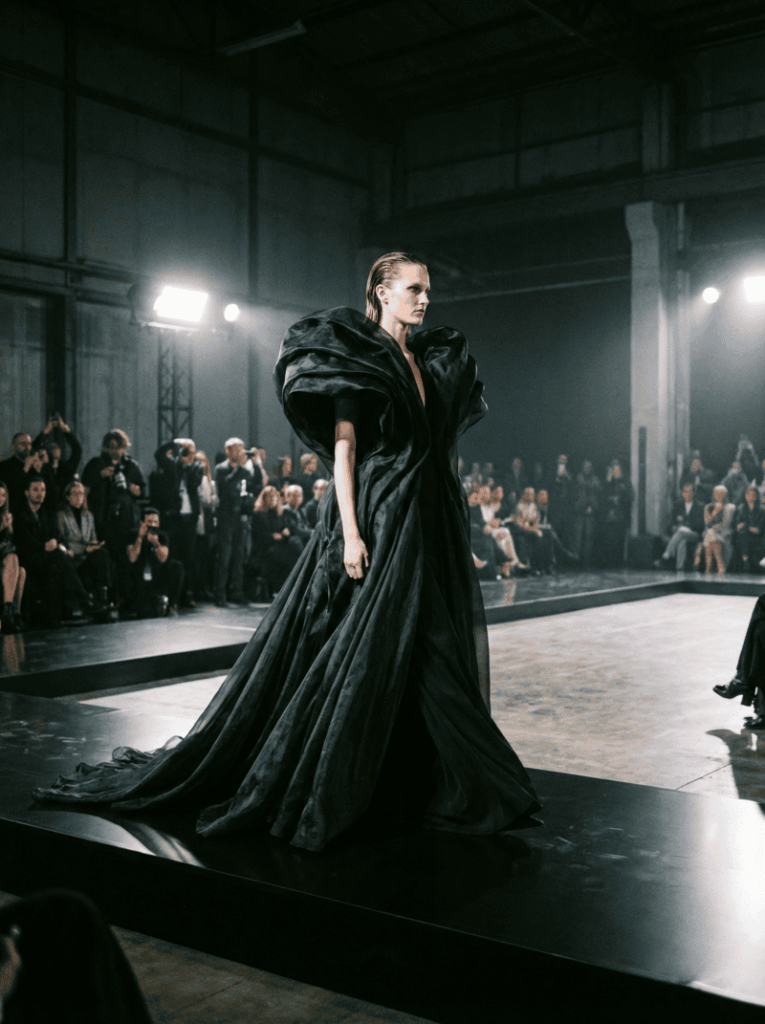
Editorial Runway Concept
Prompt: Avant-garde sculptural black gown with exaggerated shoulders, layered silk organza, dramatic flowing silhouette, high contrast cinematic lighting, fashion week runway setting, ultra-realistic editorial photography.
Fashion Diffusion AI-generated
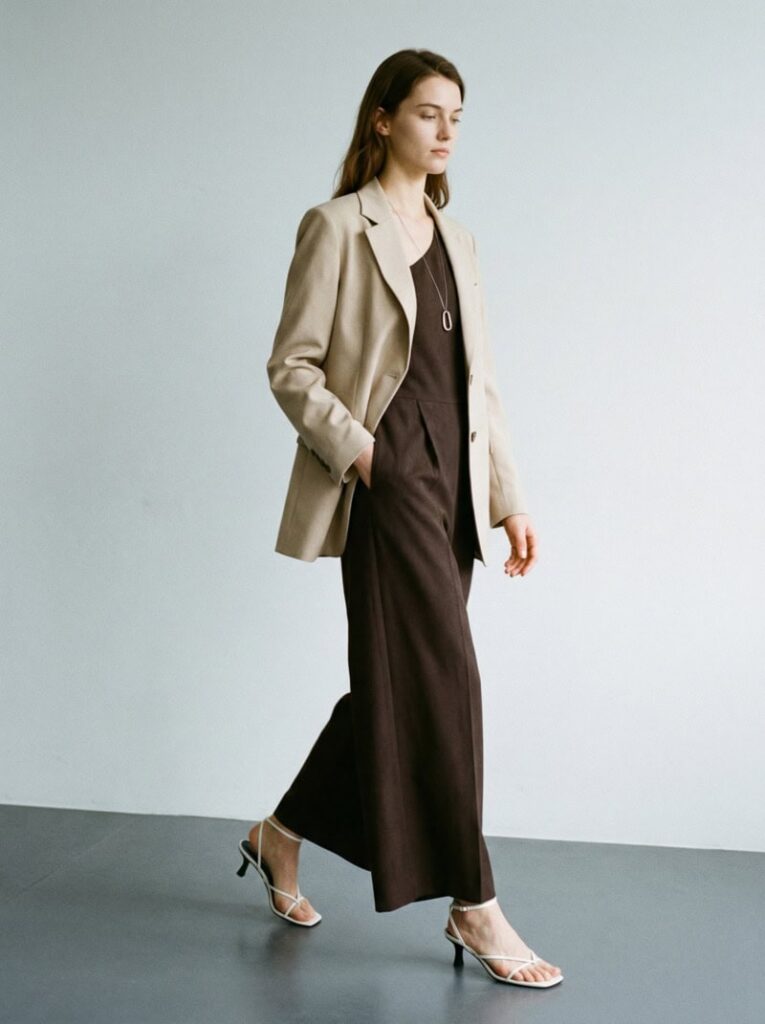
Minimalist Commercial Look
Prompt: A woman is wearing a beige blazer over a dark-colored jumpsuit. There is a necklace around her neck. She is also wearing white strappy high-heeled sandals. The background is a plain light-colored wall and a dark floor.
Fashion Diffusion AI-generated
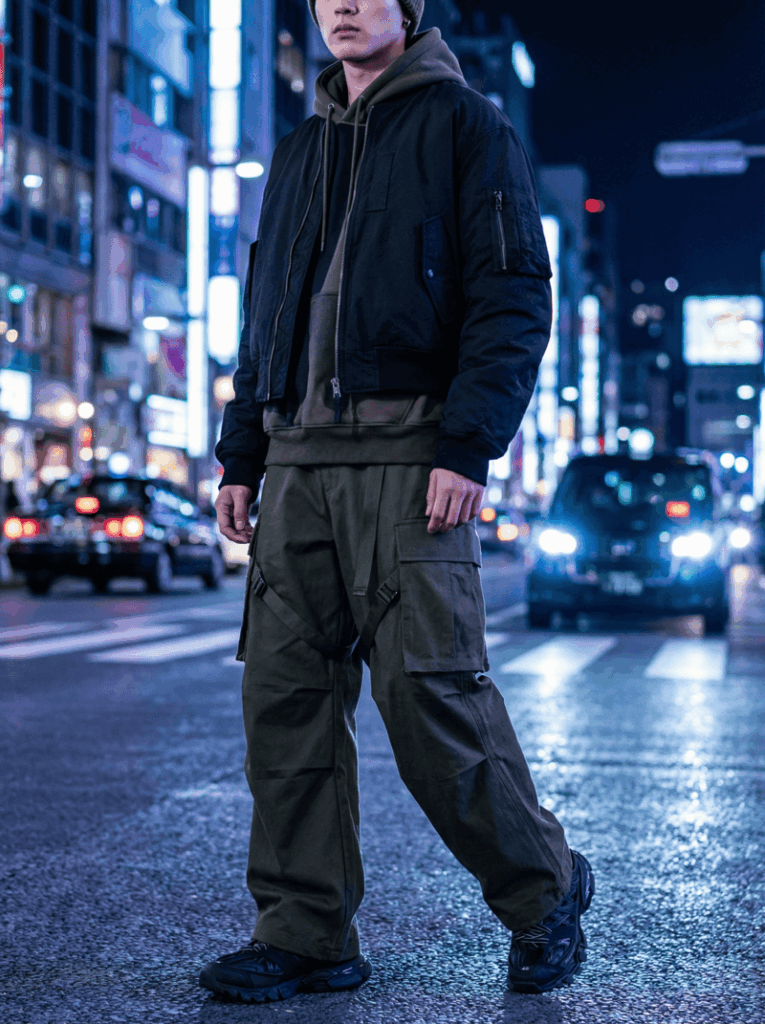
Trend-Driven Streetwear
Prompt: Modern streetwear outfit, cropped black bomber jacket, wide cargo pants, technical fabric texture, night city background, dramatic lighting, high detail fashion photography.
Fashion Diffusion AI-generated
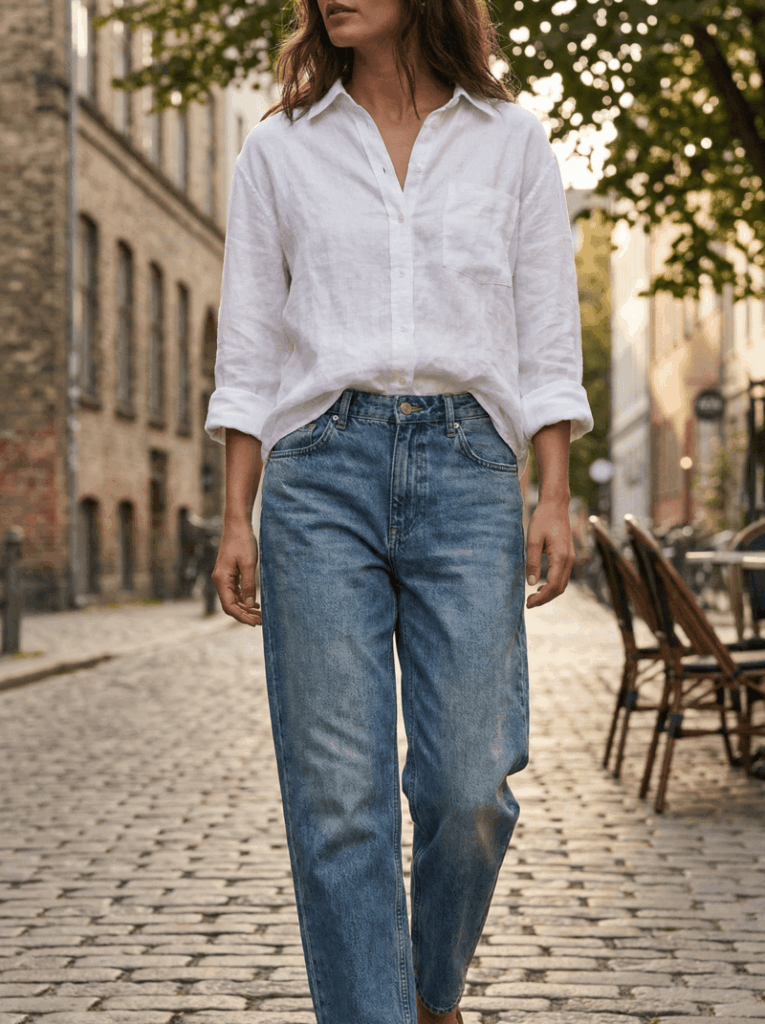
Casual Lifestyle Outfit
Prompt: Oversized white linen shirt with relaxed denim jeans, natural fabric texture, soft sunlight, urban street background, lifestyle fashion photography, realistic rendering.
Fashion Diffusion AI-generated
The Future of AI Outfit Generators: From Inspiration to Creation
AI outfit generators are no longer just experimental tools. They’ve become practical design assistants for creators, fashion brands, content producers, and entrepreneurs. From quick concept exploration to fully styled commercial visuals, these tools significantly reduce the time between idea and execution.
Whether you are developing a collection concept, building a digital lookbook, or simply exploring new outfit ideas, the ability to generate and refine designs in minutes changes the creative process entirely.
If you are ready to experiment with new silhouettes, fabrics, and styling directions, Fashion Diffusion offers a practical way to turn imagination into runway-ready visuals.
Start with a prompt, and see where your next outfit idea takes you.
FAQ
What is the best AI outfit generator?
The best AI outfit generator depends on your goal. For professional AI fashion design workflows, tools like Fashion Diffusion offer advanced customization and realistic rendering. For virtual try-on, platforms like Outfit Anyone or WeShop focus on garment visualization.
Are there any free AI clothing generators available?
Yes. Several platforms offer free plans or browser-based access. MyEdit and Createimg provide simple prompt-based outfit generation without requiring professional software. However, advanced features such as high-resolution rendering or commercial workflows may require paid plans.
How does an AI outfit generator work?
An AI outfit generator uses machine learning models trained on fashion datasets to interpret text prompts or images. By analyzing garment structure, fabric simulation, and styling rules, the system generates realistic outfit visuals that can range from casual looks to runway-ready designs.
Can AI clothing generators be used for commercial fashion brands?
Yes. Many AI clothing generators now support commercial workflows, including product visualization, digital sampling, and marketing imagery. Tools designed for professional use allow brands to reduce sampling costs, accelerate design cycles, and test visual concepts before production.
How can I write a better AI outfit generator prompt?
To improve results, structure your prompt clearly by specifying garment type, silhouette, fabric, color palette, lighting, and photography style. Detailed prompts produce more consistent and professional outputs compared to vague descriptions.
The way T-shirt designs are created is changing fast. What once required advanced design skills, expensive software, and hours of revisions can now be done in minutes using an AI T-shirt design generator.
Whether you are running a print-on-demand store, launching a fashion brand, or simply experimenting with apparel graphics, AI fashion design tools are rapidly becoming part of the workflow.
But what exactly is an AI T-shirt design generator? Is it truly better than traditional design methods? This guide breaks it down clearly on how it works, why it’s gaining traction, how we evaluate these tools, and what you should look for before choosing one.
What Is an AI T-shirt Design Generator?
An AI T-shirt design generator is a tool that uses artificial intelligence to create shirt graphics, mockups, or even full apparel visuals based on text prompts, uploaded images, or design inputs.
Depending on the platform, it can:
Generate graphic artwork from text prompts;
Create typography-based layouts;
Produce realistic T-shirt mockups;
Instantly recolor or edit designs;
Export print-ready files.
Unlike traditional design software that requires manual creation, AI-based design tools rely on machine learning models trained on massive visual datasets. You just describe what you want, and the tool generates visual outputs within seconds.
Some platforms focus on graphics, while others specialize in apparel-specific rendering, including fabric texture, folds, lighting, and product mockups. The key difference is that AI T-shirt design shifts the workflow from manual execution to creative direction.
Why Designers Are Switching from Traditional T-shirt Design to AI
Fashion brands are increasingly utilizing generative AI tools in design studios to boost creativity, speed up workflows, and improve efficiency.
This shift isn’t just about speed. It’s about efficiency, scalability, and accessibility.
The Traditional Workflow Challenges
Traditional T-shirt design often involves:
Learning complex tools like Illustrator or Photoshop;
Manually creating every variation;
Outsourcing to freelancers;
Iterating multiple times for color and layout changes;
Rebuilding mockups separately.
Even a relatively simple design can take hours. Creating multiple colorways for testing can double or triple the workload. For brands running frequent drops, the process quickly becomes time-consuming and expensive.
Instant variations: Multiple styles and colorways at once;
Lower cost: No need for constant outsourcing;
Mockup integration: Realistic previews without manual setup;
Experimentation freedom: Test bold ideas without heavy investment.
Here’s a simple comparison:
Aspect
Traditional Design
AI T-shirt Design
Time per Design
2 to 5 hours per design
2 to 5 minutes
Skill Requirement
Requires advanced design software skills
Prompt-based workflow
Color Variations
Manual recoloring and adjustments
Instant variations generated automatically
Mockup Creation
Requires separate mockup tools
Often includes integrated mockup generation
Cost Structure
Higher outsourcing or software costs
Lower ongoing design cost
12 AI T-shirt Design Generators Worth Trying
Below are 12 AI T-shirt design generators that can help you create graphics faster, experiment with new styles, and streamline your apparel workflow. Whether you need printable artwork, realistic mockups, or full outfit visualization, these tools offer different strengths to support your design process.
1. Fashion Diffusion
Unlike general AI image generators that focus only on artwork, Fashion Diffusion supports a complete T-shirt design workflow, from generating graphic concepts to applying them onto garments with realistic visualization.
Fashion Diffusion AI-generated
Key Features
AI Outfit Generator: Turn inspiration into production-ready fashion visuals in four steps: Enter your prompt → Optional image-to-prompt → Choose output ratio → Generate outfit. For example, you can create a custom team logo or an event-based design concept. The generated output can then serve as the base artwork for your T-shirt.
AI Inpainting: Edit fabrics, colors, silhouettes, and details without reshooting in 3 steps: Upload image → Describe change → Regenerate. This makes it possible to adjust logo size, placement, color, and integration with fabric.
Best Use Case
Entrepreneurs, teams, and fashion brands who want to:
Generate custom T-shirt logos or graphics;
Apply designs directly onto garments;
Create realistic mockups for e-commerce;
Test multiple colorways and placements quickly.
2. Canva
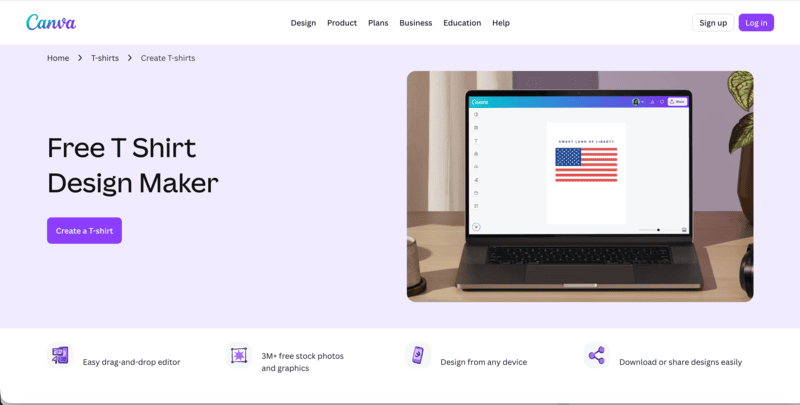
Canva approaches T-shirt design from a template-first perspective. Instead of relying heavily on advanced AI generation, it provides an accessible T-shirt maker that allows users to create custom shirt designs for brands, organizations, events, or personal projects.
Users can start from scratch or choose from hundreds of ready-to-print, fully customizable T-shirt templates. The platform combines drag-and-drop editing with built-in graphics, fonts, and layout tools, making the design process simple and beginner-friendly.
How It Works
Launch Canva: Search for T-shirts to access design templates. You can begin immediately or log in to save and manage your designs.
Choose a Template: Browse through pre-designed T-shirt layouts that can be customized to match your brand, event, or theme.
Add and Customize Elements: Insert text, icons, illustrations, and graphics. Adjust fonts, colors, and positioning to personalize your design.
Refine and Personalize: Further edit layout details, spacing, and style to match your intended aesthetic.
Order or Export: Download your design for printing or order directly through Canva’s integrated printing services.
3. createimg
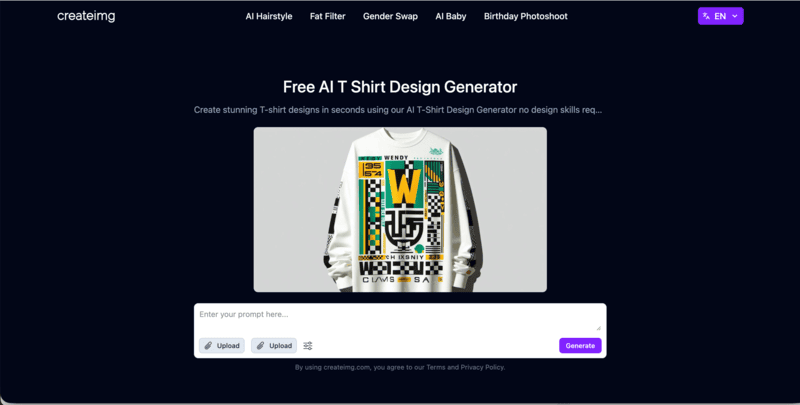
Createimg is built around fast AI-powered T-shirt design creation. It allows users to generate unique shirt graphics simply by describing what they want. Instead of working with templates, the platform focuses on text-to-design generation, making it easy to turn ideas into visual concepts within seconds.
This makes createimg particularly suitable for users who want to explore creative directions quickly without using complex design software.
Key Capabilities
Text-to-T-shirt Generation: Create unique T-shirt designs instantly by entering a short description of your idea.
Style Flexibility: Experiment with different visual directions, from graphic-heavy designs to clean and minimal layouts.
Quick Customization: Adjust colors, fonts, and graphic elements to better match your concept.
Fast Export and Sharing: Download designs for printing or share them online for feedback and promotion.
Createimg works best as a rapid concept generator for print-on-demand sellers, entrepreneurs testing niches, or individuals who want a quick and accessible AI T-shirt design solution.
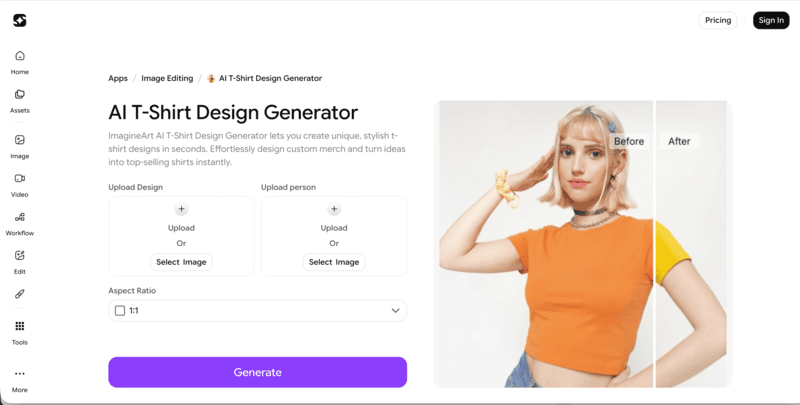
4. ImagineArt
ImagineArt positions itself clearly as an AI T-shirt design generator built for creating custom merch visuals quickly. It allows users to upload a blank T-shirt image or template, add inspiration images or text ideas, and generate polished shirt designs within seconds.
The platform also supports uploading sketches, reference graphics, or concept images, which the AI blends into a refined T-shirt design. The output can then be downloaded in high resolution for printing, e-commerce listings, or promotional use.
Key Capabilities
Upload-Based Workflow: Start by uploading a blank T-shirt or template to ensure accurate placement and crisp design output.
Inspiration Blending: Combine sketches, text ideas, or reference images into a unified, ready-to-preview shirt design.
Fast, Repeatable Output: Create multiple designs quickly for campaigns, events, or product drops.
Beginner-Friendly Access: Suitable for hobbyists, students, and small business owners experimenting with custom shirts.
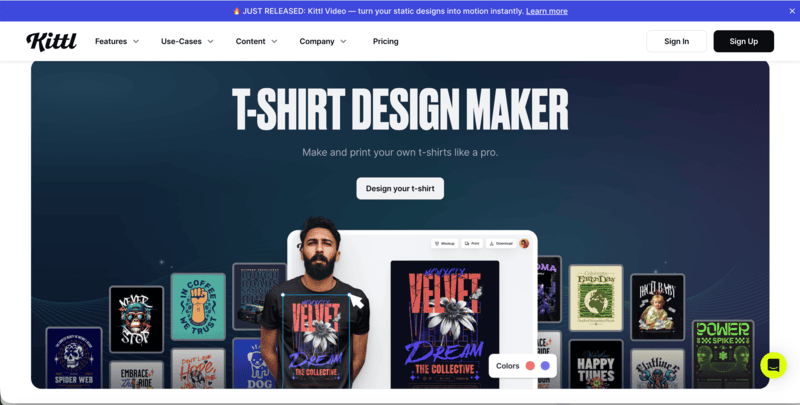
5. Kittl
Kittl focuses on typography-driven and style-rich T-shirt design. It combines professionally designed templates, exclusive font collections, and AI-generated artwork, making it especially suitable for creators who want bold quote tees, vintage aesthetics, or brand-focused merchandise.
Key Features
Exclusive Font Library: Access a wide range of distinctive fonts, ideal for impactful quote-based and retro-inspired T-shirt designs.
Template-Based Workflow: Choose from thousands of professionally designed T-shirt templates or start from scratch.
AI Artwork Generation: Create custom AI graphics in various styles to enhance and modernize your designs.
Brand-Ready Design: Upload logos to quickly produce company shirts or cohesive merchandise collections.
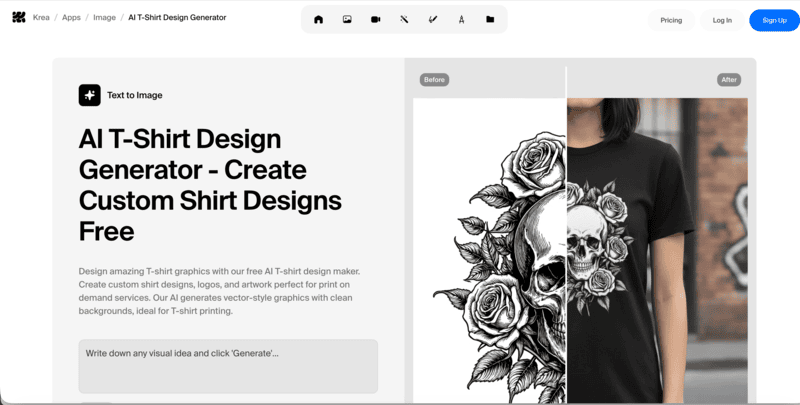
6. Krea
Krea is an AI T-shirt design generator designed to create clean, print-ready graphics perfect for T-shirts and merchandise.
It excels at producing vector-style designs with transparent backgrounds, making it ideal for print-on-demand services or local printing. Users can generate a wide range of styles, from minimalist line art and bold geometric graphics to retro logos and colorful illustrations.
How It Works
Describe Your Design: Write a clear prompt specifying your concept, style, colors, and theme, from vintage logos and motivational quotes to artistic illustrations.
Generate Your T-shirt Graphic: Click generate to see your idea transformed into a high-quality vector-style design with a clean background, ready for printing.
Download & Print: Save the AI-generated design and take it to any print shop or upload it to a print-on-demand platform.
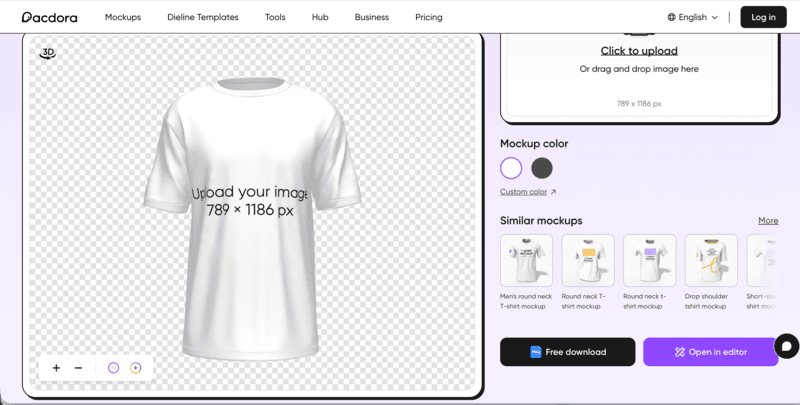
7. Pacdora
Pacdora is a T-shirt maker designed for creating stylish, ready-to-print apparel quickly. The platform offers a wide range of shirt styles, from classic crewnecks to oversized drop-shoulder tees, allowing users to combine comfort, personality, and modern aesthetics in their designs.
How It Works
Choose a T-shirt Type: Select your preferred style from Pacdora’s collection, including round-neck, v-neck, pocket tees, and sweatshirts.
Upload and Customize: Add images, logos, or graphics, adjust colors, and modify material textures to match your vision.
Download Your Design: Export your finished T-shirt as a high-quality PNG, JPG, or even MP4 video for sharing, printing, or online promotion.
Pacdora emphasizes ease of use while providing flexibility in style, color, and fabric, making it a practical solution for anyone looking to design eye-catching, personalized T-shirts.
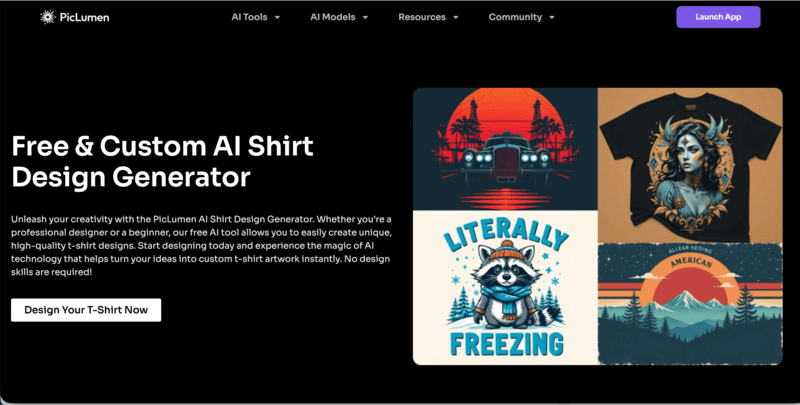
8. PicLumen
PicLumen is an AI T-shirt design generator that focuses on creative flexibility and style exploration. Users can generate designs in a wide range of aesthetics. The more specific the prompt, the more tailored and unique the design output becomes, making it ideal for custom shirts that reflect individual style or brand identity.
How It Works
Explore Styles: Enter a detailed description of your T-shirt concept, specifying style, theme, and colors to generate multiple AI design options.
Enhance Designs: Use PicLumen’s Image Upscaler tool to improve resolution and maintain crisp, professional-quality graphics for printing.
Download and Apply: Save the final design for printing, online promotion, or sharing, ensuring high-quality visuals for any T-shirt project.
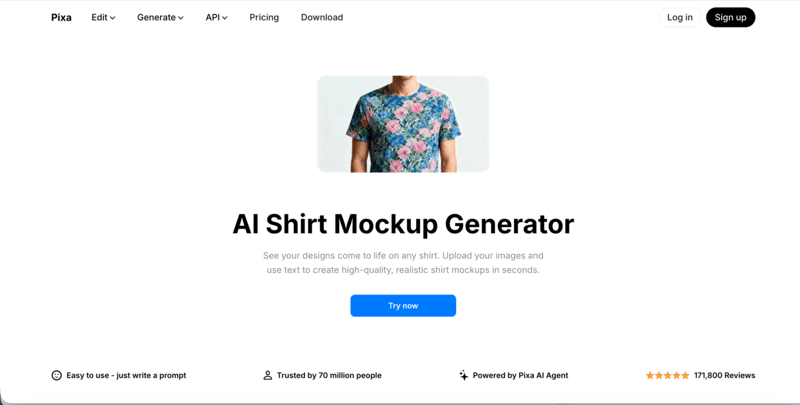
9. Pixa
Pixa focuses on realistic AI-powered shirt mockups, letting designers and brands see their graphics on actual apparel. Its AI handles fabric folds, shadows, and perspective to produce professional-quality mockups in seconds.
Core Features
Instant, Realistic Mockups: Upload your T-shirt image and design, then enter a prompt for placement. Generate high-resolution mockups ready for e-commerce, social media, or presentations.
All-Over Prints and Complex Designs: Apply intricate patterns or full-coverage prints across the shirt. Preview bold colors and designs on different shirt styles before printing.
Professional E-commerce Use: Create product galleries without photoshoots, perfect for print-on-demand stores or online boutiques.
Pixa stands out for turning designs into polished, realistic T-shirt mockups quickly and effortlessly.
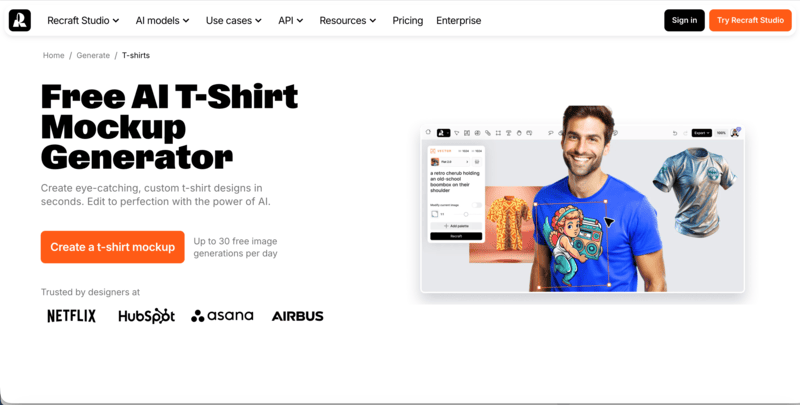
10. Recraft
Recraft is a free AI T-shirt mockup generator that allows users to create eye-catching, hyper-realistic designs in seconds. It focuses on applying custom graphics to T-shirts with precise placement, accurate proportions, and natural shadows and curves, making every mockup look professional and polished.
Core Features
Quick Mockup Generation: Produce personalized T-shirt mockups in under a minute.
Hyper-realistic Details: Designs maintain correct proportions, shadows, and curves for a lifelike appearance.
Community Inspiration: Explore a gallery of high-quality designs from other users for ideas and reference.
Enhanced Resolution: Use AI upscaling to add extra detail and clarity to your mockups.
Recraft is ideal for designers, print-on-demand sellers, and creators who need fast, professional, and visually striking T-shirt previews.
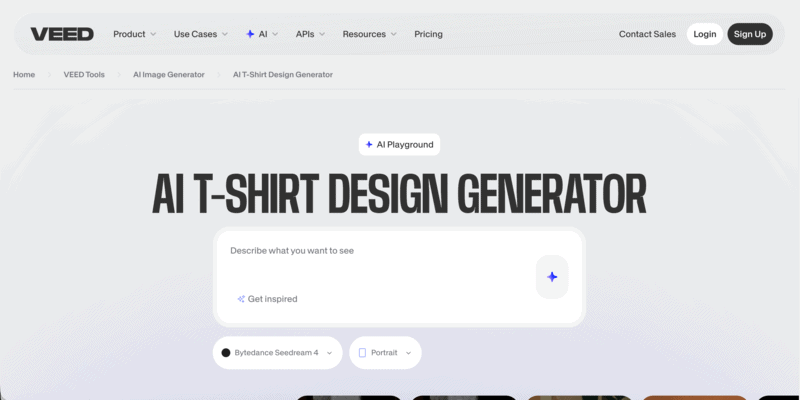
11. VEED
VEED offers an AI T-shirt design generator that transforms simple text prompts into instant T-shirt graphics. Whether you are creating merch for an online store, graphics for a YouTube channel, or company and event shirts, VEED makes the process straightforward.
Core Features
Prompt-Based Image Generation: Type your idea into the prompt box and generate shirt graphics instantly.
Style Experimentation: Test different visual directions such as vibrant colors, bold symbols, or delicate line art.
Video Editor Integration: Seamlessly turn your shirt designs into promotional videos or engaging social content within the same platform.
VEED stands out for combining AI image generation with built-in video editing, making it especially useful for creators who want to design merch and promote it in one streamlined workflow.
12. Xinva
Xinva is a text-to-AI T-shirt design generator built to help store owners and entrepreneurs create unique shirt graphics instantly. By simply entering a creative prompt, users can generate stylish, sales-ready designs without hiring a professional designer.
Key Capabilities
Text-to-Design Generation: Enter a prompt and let the AI create original T-shirt graphics within seconds.
Background Removal: One-click Remove BG function for easy application to T-shirt mockups.
Commercial-Ready Downloads: Export designs for direct use in your online store or printing workflow.
Xinva is ideal for entrepreneurs who need consistent, AI-generated T-shirt designs at scale without ongoing designer costs.
Practical Comparison of 12 AI T-Shirt Design Generators
Choosing the right AI T-shirt design tool depends on what you need most. Below is a practical side-by-side comparison of 12 AI T-shirt design generators, highlighting their core strengths and ideal use cases to help you decide faster.
Even with the most powerful AI T-shirt design tools, your results will improve significantly if you follow a few practical strategies:
Use Clear and Specific Prompts
The more detailed your text or image input, the better the AI can understand your vision. Include style, color palette, garment type, and any key elements you want featured.
Experiment with Styles and Layouts
Don’t settle for the first output. Test different prompts, layouts, and visual styles. AI tools can generate multiple variations in seconds, allowing you to explore bold ideas without additional cost.
Optimize for Printing and Mockups
Even high-quality AI fashion designs may need minor adjustments for printing. Check resolution, color contrast, and placement. Tools with built-in mockup previews let you see exactly how your graphics will appear on T-shirts before production.
Iterate and Refine
Treat AI fashion design tools as creative partners, not just one-shot solutions. Refine your prompts or use inpainting/editing features to tweak details, adjust colors, or reposition logos until the design matches your vision.
Leverage Tool-Specific Strengths
Each platform has its niche. For example, some excel at full outfit visualization (Fashion Diffusion), others at realistic mockups (Pixa, Recraft), or fast text-to-design generation (createimg, Xinva). Use the tool that aligns with your specific goal for the best results.
Start Designing Your Next T-Shirt with Fashion Diffusion
AI is transforming T-shirt design, making it faster, more creative, and accessible to everyone. Designers, brands, and enthusiasts can now bring ideas to life without advanced software or long production cycles, exploring endless styles and concepts in minutes.
With Fashion Diffusion, you can take this creative freedom even further. Its AI Outfit Generator and Inpainting tools let you generate full designs, refine fabrics, colors, and details, and visualize your graphics directly on garments. Whether it’s custom team shirts, event apparel, or your next fashion project, Fashion Diffusion empowers you to experiment, iterate, and create production-ready T-shirt designs effortlessly.
FAQ
Can I use AI-generated T-shirt designs for commercial purposes?
Yes. Most AI T-shirt design generators allow you to use your designs for commercial projects, including selling online or printing for clients. Always check the platform’s licensing terms to be sure.
Do I need design skills to use these AI tools?
No. These tools are built for beginners and professionals alike. You just need to provide a text prompt or image inspiration, and the AI will generate your design automatically.
How can I make my AI T-shirt designs unique?
Be specific with your prompts, experiment with different styles, colors, and layouts, and use editing features to refine details. Iterating multiple times can produce truly original results.
Can AI replace a professional T-shirt designer?
AI tools are great for speed, experimentation, and initial concepts. While they can produce high-quality designs, human designers are still valuable for complex branding, creativity, and nuanced visual decisions.
Which AI tool is best for realistic mockups?
Platforms like Fashion Diffusion, Pixa, and Recraft excel at creating photorealistic T-shirt mockups, allowing you to visualize your designs on garments before printing.
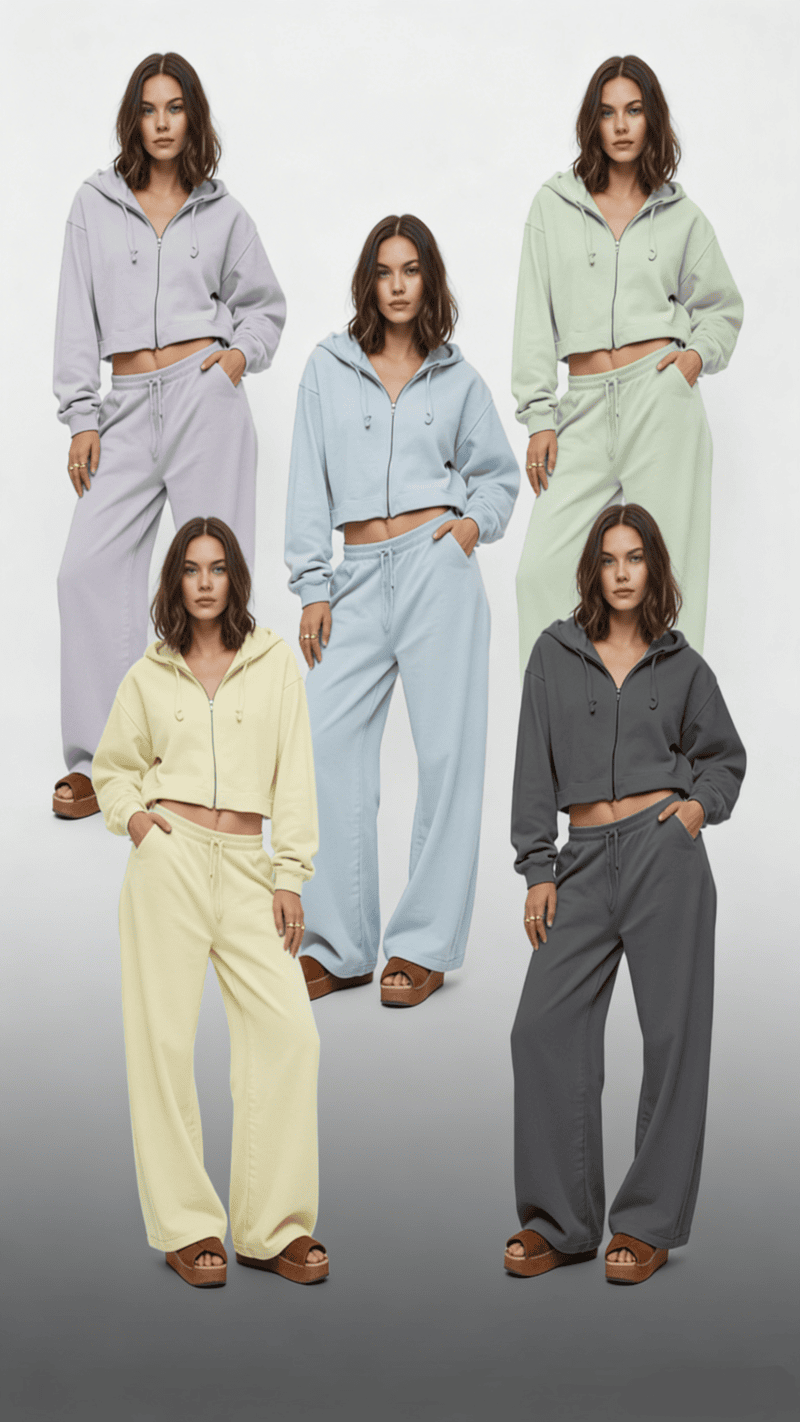
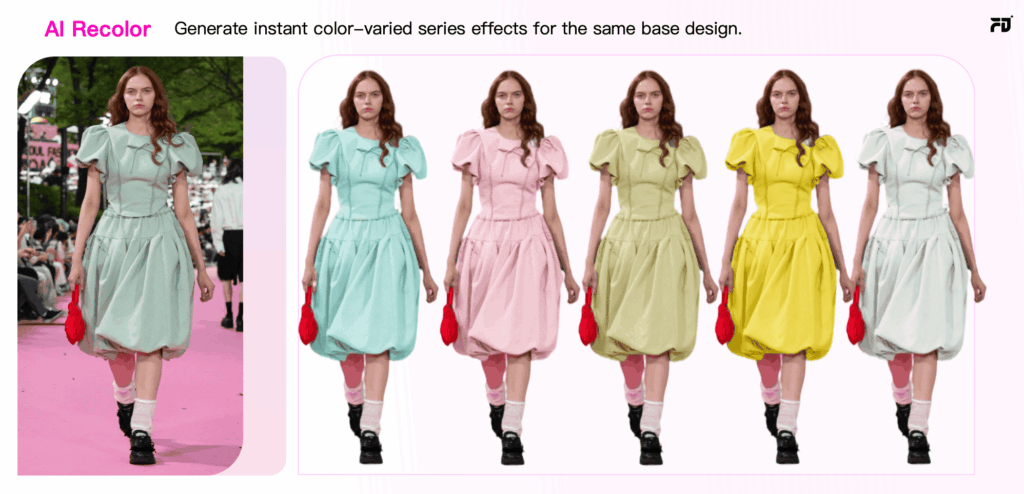
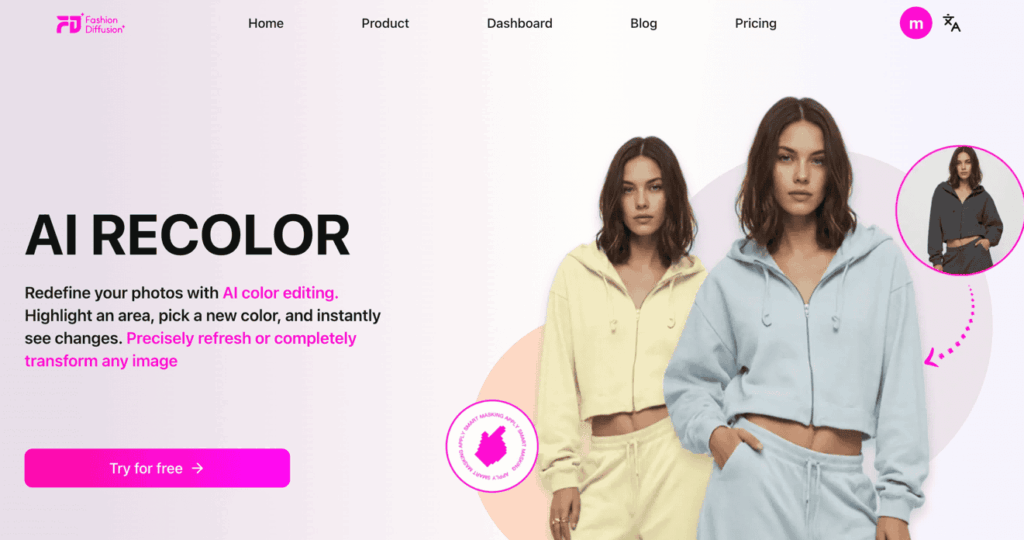
Imagine recoloring an entire collection in the time it takes to catch your breath. Say goodbye to the soul-crushing grind of manual edits and let AI recolor tools handle the heavy lifting. Whether you are perfecting a lookbook or streamlining your sampling process, this guide reveals how to leverage AI fashion design tools to achieve hyper-realistic fabric finishes and flawless color accuracy with just a few clicks.
What Is AI Recolor
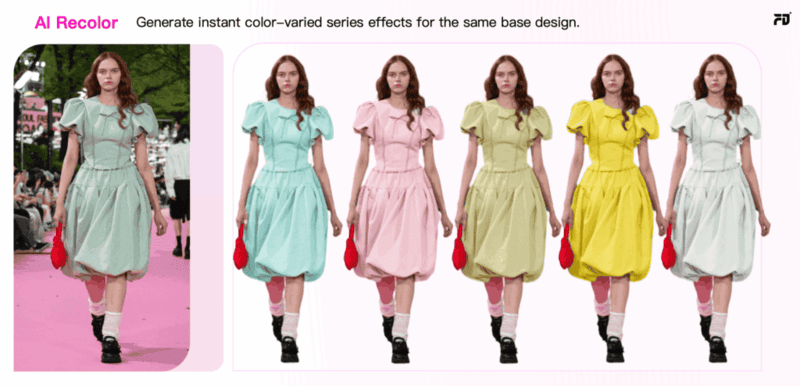
AI recolor is an intelligent color-changing technology driven by artificial intelligence, specifically designed to automatically modify the color of clothing within digital images.
Unlike basic color replacement tools, it retains critical visual details, including fabric texture, natural lighting, soft shadows, garment folds, and material opacity, ensuring the recolored result remains photorealistic and consistent with the original scene.
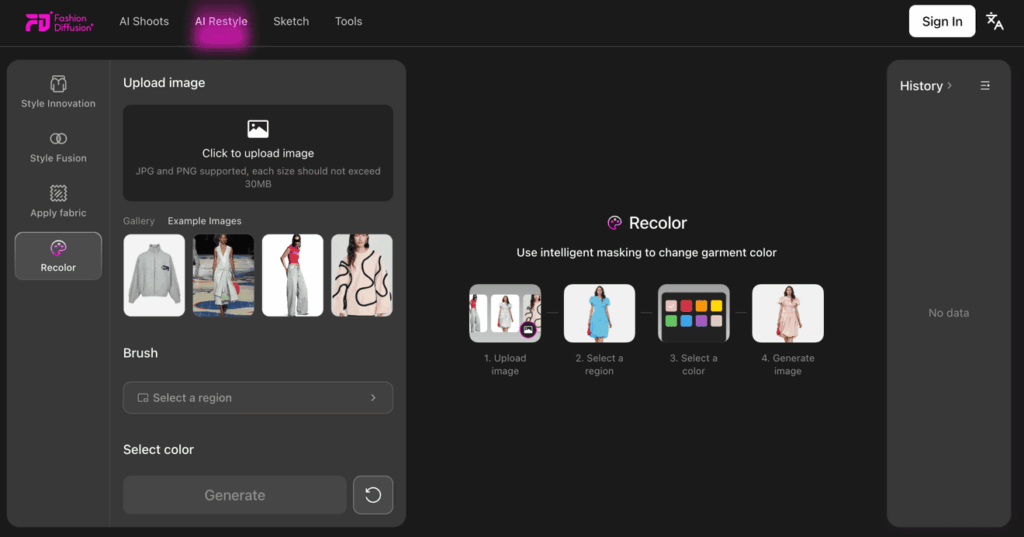
In simple terms, the entire process follows a straightforward, user-friendly flow: Upload image → Select target color → Generate recolored version → Download the final output.
Built for accessibility and speed, AI recolor tools operate directly in web browsers without requiring complex software installation or prior design expertise, making professional-grade clothing color editing available to everyday users and fashion practitioners alike.
The Problem with Traditional Clothing Recoloring
Before AI recolor online tools became accessible, changing the color of clothing in images was either a manual process or required advanced editing software. Both approaches come with significant limitations.
Manual Recoloring Is Slow and Inconsistent
The most traditional approach to recoloring clothing images involves manually editing each color variation. This is not only time-consuming but also prone to inconsistency.
For example:
Produce 8 samples: If a product is available in 8 different colors, brands typically need to manufacture a sample for each color.
Photograph each variation: After samples are produced, each color must be photographed individually.
Retouch each image manually: Once the photos are taken, each image needs to be individually retouched to match the brand’s standards, including adjustments to lighting, shadows, and color balance.
This method leads to:
Increased production time for each product variation;
Higher photography costs due to multiple shoots;
Risk of inconsistencies between images.
As the number of color variations increases, this process becomes unsustainable. This is why traditional recoloring, particularly for larger businesses, can quickly become unmanageable.
Traditional Editing SoftwareRequires Expertise
Professional tools such as Photoshop offer powerful color editing capabilities, but they are not designed for speed or simplicity.
To properly recolor clothing in Photoshop, users typically need to:
Create precise layer masks;
Use adjustment layers (Hue/Saturation, Color Balance, Selective Color);
Manually refine edges;
Rebuild shadows and highlights;
Understand blending modes.
This demands technical knowledge and experience. For many e-commerce sellers, designers, and small businesses, hiring a skilled editor or learning advanced software adds unnecessary cost and complexity.
Additionally:
Photoshop requires installation;
Subscription fees apply;
Batch processing is not automated;
Each image must be edited individually.
When dealing with large catalogs or frequent product updates, traditional editing software slows down production cycles significantly. This is exactly where AI recolor tools create a fundamental shift by eliminating manual effort and reducing technical barriers entirely.
How AI Recolor Solves Traditional Problems in Seconds
AI recolor tools provide a revolutionary shift in how clothing images are recolored, effectively addressing the key challenges in traditional manual recoloring and software-based editing. Here’s a breakdown of how AI solves these inefficiencies in seconds:
1. Automatic Clothing Detection
Traditional manual recoloring requires precise masking and selection of the clothing area to ensure accurate color application. However, this is tedious and time-consuming, especially when dealing with complex garments or large image sets.
With AI recolor, the system automatically detects the clothing area using machine learning algorithms. This is achieved by:
Image segmentation: The AI scans the image and understands which regions correspond to clothing, even in images with complex backgrounds or intricate designs.
No manual input required: The tool selects and isolates the clothing automatically, freeing users from the need to manually outline or mask the garment area.
2. Realistic Color Application and Texture Preservation
One of the most significant challenges with traditional software is ensuring that the color change looks natural.
AI recolor ensures realistic color application in the following ways:
Color preservation with deep learning: The AI understands the fabric’s texture, folds, and the light interaction on the garment. It adjusts the color in a way that is consistent with the natural lighting and shadows in the original photo.
No loss of detail: AI recolor does not result in flat, lifeless images. The system retains fabric grain, folds, and lighting contrasts, making recolored garments appear just as they would in the original shot.
3. User-Friendly and No Technical Expertise Needed
Unlike Photoshop and other traditional software, which require users to have a deep understanding of editing tools, blending modes, and adjustment layers, AI recolor tools are designed to be intuitive and easy to use. No technical expertise is necessary.
For example:
Simple color selection: Users simply choose the color from a palette or input a hex code, and the AI tool does the rest.
Minimal editing: The AI handles the complex tasks such as masking, color adjustment, and texture preservation, leaving the user with only a few clicks to make.
In general, with the advantages above, AI recolor is designed to streamline the recoloring process and, by doing so, cut down the time and costs associated with traditional methods. As a result, businesses can allocate resources to other important areas, such as marketing, product development, and customer service.
Practical Use Cases of AI Recolor for Clothing
AI recolor tools are transforming the way both individual designers and fashion brands approach color management, offering a quick and scalable solution for creating multiple variations of designs.
For Independent Designers
AI recolor online tools offer a quick and cost-effective way to experiment with color variations for independent designers. Designers can instantly generate multiple color options for their designs without the need for physical samples or time-consuming photoshoots.
Faster Design Iteration: Designers can try out different color schemes quickly, speeding up the creative process without waiting for new samples or re-shoots.
Cost-Effective Mockups: AI recolor eliminates the need for physical prototypes, allowing designers to generate realistic color mockups in seconds, saving both time and money.
Portfolio Expansion: Easily create a variety of color options for each design, giving designers more versatility and a broader portfolio to showcase to potential clients.
With AI recolor, independent designers can focus more on creativity and less on time-consuming production processes.
For Brands and Businesses
For fashion brands and companies, AI recolor is a strategic tool that improves speed, reduces cost, and supports data-driven decisions. Instead of producing separate samples and photoshoots for every colorway, brands can generate multiple realistic variations from one approved product image.
Faster Go-to-Market: Create 5 to 10 color options in minutes, enabling quicker e-commerce uploads and marketing campaigns.
Smarter Inventory Planning: Test digital colorways online, analyze engagement or pre-order data, and prioritize high-demand colors before mass production.
Imagine you run a fast fashion brand preparing to launch a new sneaker in 8 to 12 colorways. Instead of producing and photographing every variation, you generate digital previews from one master image using AI recolor and test them on your website or app.
By tracking engagement data, you can move forward with high-performing colorways and refine or eliminate low-demand options. This approach reduces sampling and inventory risk while making product launches faster, more cost-efficient, and data-driven.
8 Best AI Recolor Tools Compared
If you’re searching for practical AI recolor tools, the best choice depends on what you actually need: quick edits, e-commerce mockups, creative experimentation, or professional retouching. Below is a tool-by-tool guide highlighting each platform’s core strength and ideal use case.
1. Fashion Diffusion
Unlike general editing tools, Fashion Diffusion is built specifically for fashion design. It is not just a hue-replacement system. It’s a specialized platform for generating and modifying garments using AI.
What it does best:
Designed specifically for clothing and fashion workflows;
Prompt-based generation of garment variations;
Advanced control over style, silhouette, and color direction;
Strong for concept development and collection ideation.
Rather than simply helping users change clothes color online for free, Fashion Diffusion supports broader design exploration. It allows designers to experiment with colorways as part of a larger AI-driven fashion creation process.
Best for fashion designers, creative directors, and design teams exploring AI-assisted collection development.
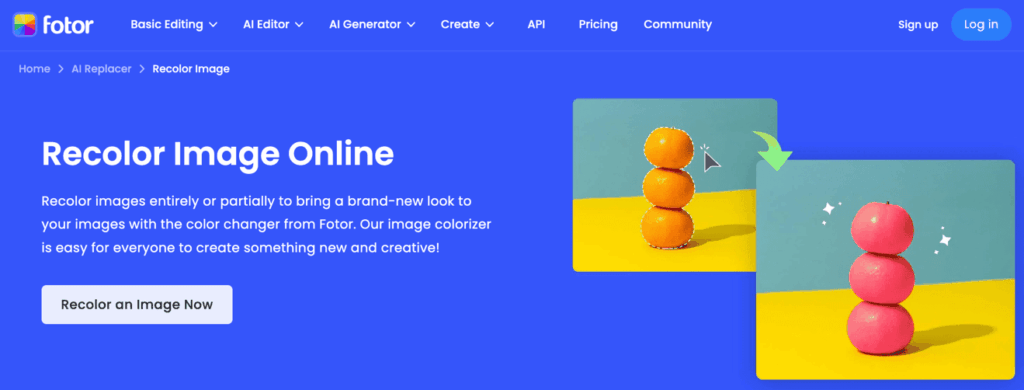
2. Fotor
Fotor is built for users who want to change clothes color online for free without technical steps. It automatically detects garments and applies color adjustments with minimal setup.
What it does best:
One-click AI recolor workflow;
Beginner-friendly interface;
Quick generation of simple color variations;
Supports limited AI recolor free credits.
Best for small sellers, quick mockups, casual users.
3. insMind
insMind focuses specifically on product photos. Its recolor function is optimized for clean backgrounds and consistent lighting, making outputs suitable for marketplaces.
What it does best:
SKU color expansion from one product image;
Consistent lighting retention;
Clean catalog-style output;
Practical for scaling color variations.
Best for online apparel stores managing multiple colorways.
4. Canva
Canva integrates AI editing into its design ecosystem. While not a dedicated clothing recolor engine, it allows users to recolor clothes online for free within layouts and promotional visuals.
What it does best:
Fast campaign edits;
Template-based workflow;
Easy collaboration;
Suitable for lightweight recolor tasks.
Best for marketing teams and social media content creation.
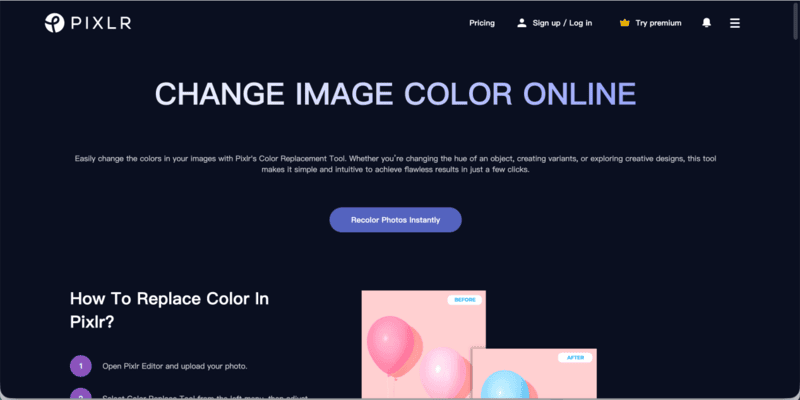
5. Pixlr
Pixlr balances automation and manual adjustment. Users can recolor objects using selection tools while refining edges manually if needed.
What it does best:
No installation required;
Manual fine-tuning options;
Flexible for creative experimentation;
Accessible free tier.
Best for bloggers and creators who want moderate control.
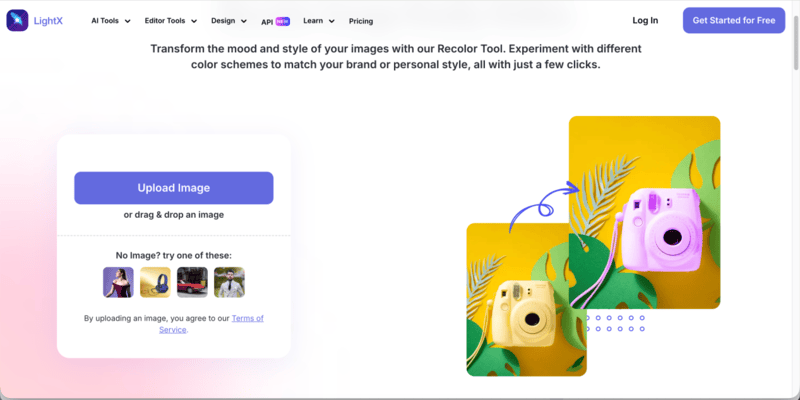
6. LightX
LightX prioritizes ease of use. It enables fast garment color swaps through a simplified interface.
What it does best:
Quick edits;
Beginner-friendly workflow;
Works across web and mobile;
Basic AI recolor free functionality.
Best for casual users and quick visual adjustments.
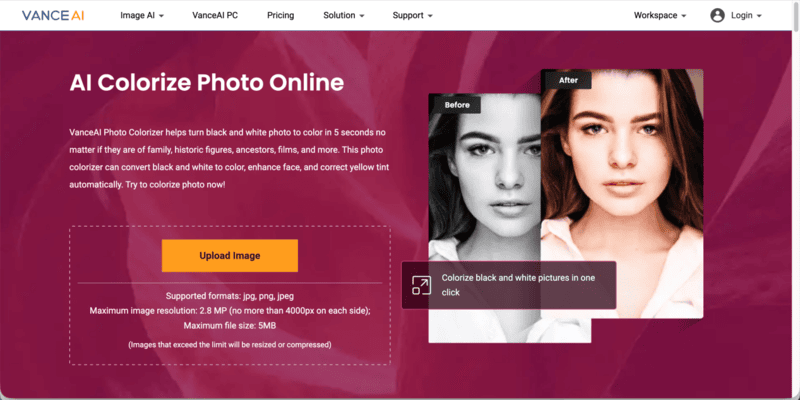
7. VanceAI
VanceAI Photo Colorizer is primarily designed to convert black and white photos into realistic color images within seconds. Rather than focusing on garment recoloring, it specializes in restoring historical, family, and archival photographs using AI.
What it does best:
Automatically convert black and white photos to color in seconds;
Enhance facial details during the colorization process;
Correct yellow tint and aged photo discoloration;
One-click AI workflow with minimal manual input.
Best for restoring vintage fashion photography, historical portraits, and archival imagery.
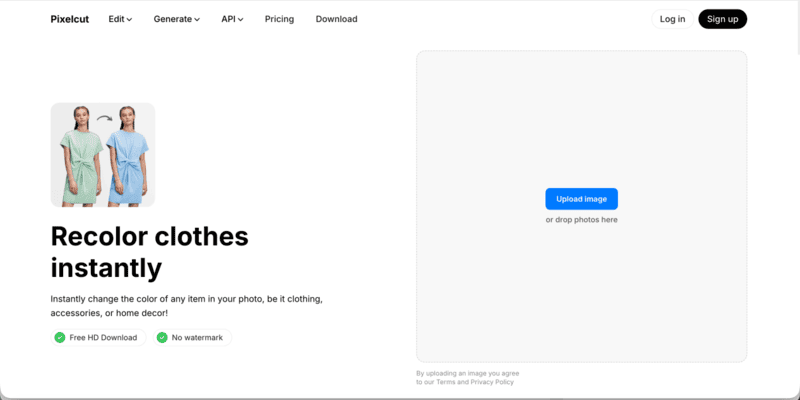
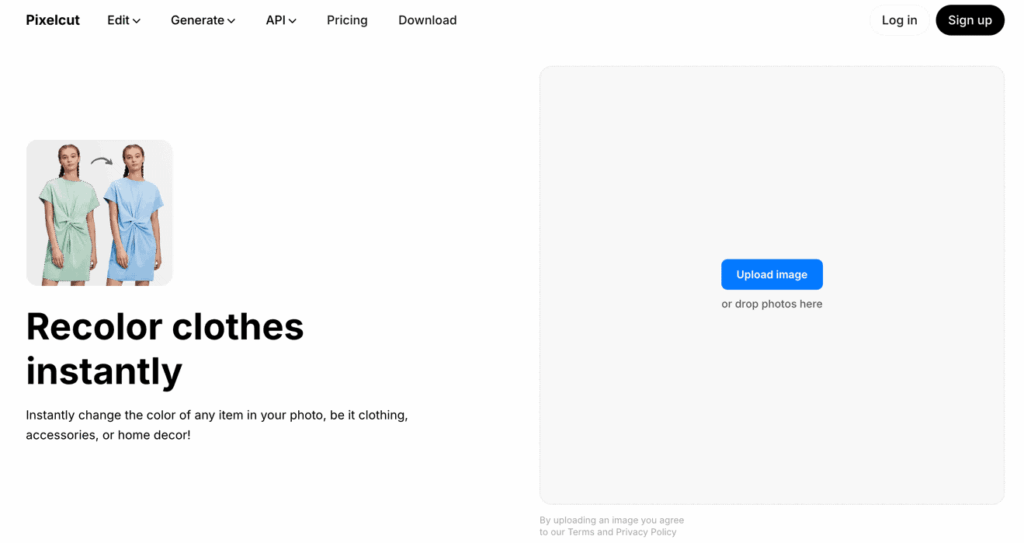
8. Pixelcut
Pixelcut is an AI-powered creative platform designed to help individuals, small businesses, and online sellers produce professional-looking product images quickly. Beyond background removal and product enhancement, it also enables users to apply fast clothing color adjustments directly within product photos.
What it does best:
Generate clean, marketplace-ready product images;
Instantly change clothing colors for product variations;
Combine recolor with background removal and AI enhancement;
Streamlined workflow for social media and e-commerce visuals.
Best for e-commerce product shots and quick clothing color updates for online listings.
How to Recolor Clothes with Fashion Diffusion (Step-by-Step)
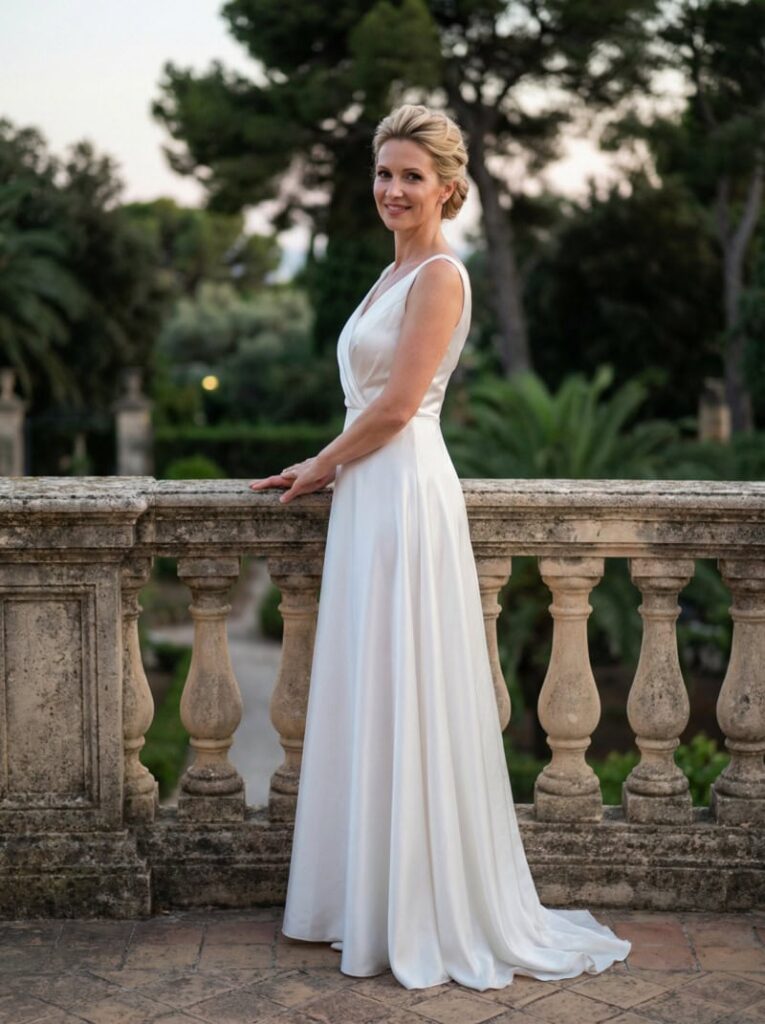
Unlike basic tools that simply shift hue to change clothes color, Fashion Diffusion is designed specifically for fashion workflows. It allows you to recolor garments while maintaining fabric structure, lighting, and design integrity.
Follow the steps below to recolor clothes using Fashion Diffusion efficiently.
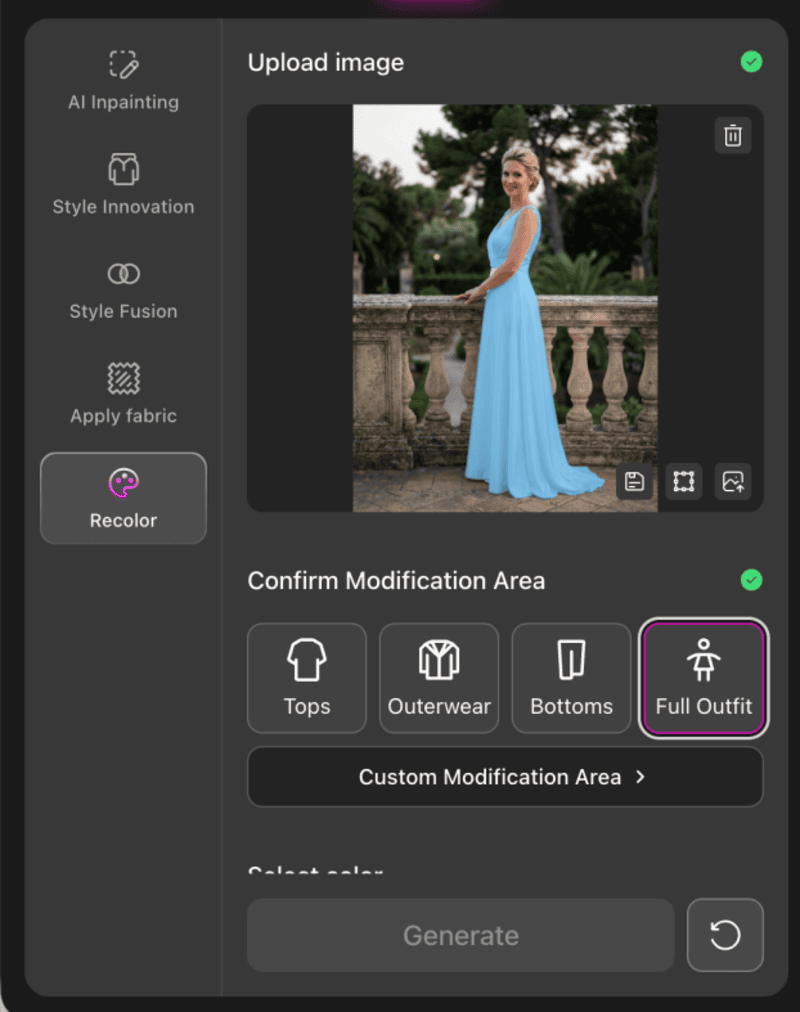
Step 1: Upload your image
Select your garment photo (JPG or PNG, under 30MB).
Fashion Diffusion AI-generated
For best results:
Use a clear, well-lit image;
Make sure the garment is fully visible;
Avoid heavy shadows or cluttered backgrounds.
A clean image allows the AI to detect clothing boundaries more accurately.
Step 2: Select the Modification Area
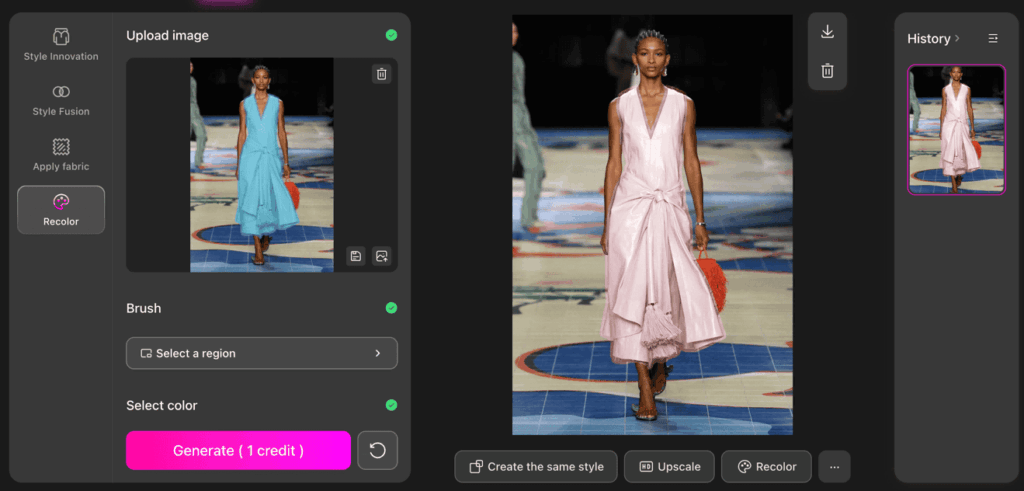
Under the Confirm Modification Area, choose the targeted garment category: Tops, Outerwear, Bottoms, or Full Outfit. You can also click Custom Modification Area for manual selection.
Fashion Diffusion applies intelligent masking to the selected region, meaning the AI isolates only the clothing area while preserving skin tones, background, and lighting. This step is what differentiates it from basic AI recolor free tools that apply broad color overlays.
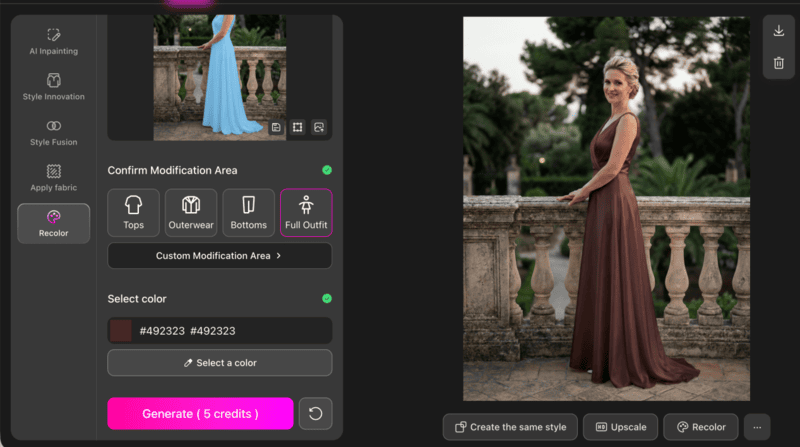
Step 3: Select a Color and Generate
Choose your desired color from the palette, then click Generate.
The system will:
Apply the new color to the selected garment area;
Maintain folds, shadows, and texture;
Keep lighting direction consistent;
The result is a realistic garment recolor rather than a flat color replacement.
Tips for Perfect Clothing Recoloring with AI
Even the best AI recolor tool won’t automatically guarantee perfect results. The difference between an average output and a production-ready image often lies in small strategic decisions.
1. Choose Colors That Respect Fabric Physics
AI preserves highlights, shadows, and texture from the original garment. That means the new color must behave realistically within those lighting conditions.
For example:
Deep tones usually maintain fabric depth better than ultra-light pastels.
Highly saturated neon colors can overpower texture and flatten folds.
Very light shades applied to already bright garments may reduce contrast and make the image look washed out.
A useful approach is to stay within a similar brightness range as the original garment first, then gradually test lighter or darker variations. This keeps shading logic intact and produces more natural results.
2. Think in Color Systems, Not Single Swaps
Professionals rarely generate just one color option. Instead, they test controlled variations within the same color family.
For example:
Beige → Camel → Chocolate
Dusty blue → Steel blue → Midnight blue
This structured testing does two things:
It preserves consistency across product catalogs.
It makes comparison easier when selecting final colorways for e-commerce or marketing visuals.
Random color jumps often feel disconnected. Series-based recoloring feels intentional and brand-aligned.
3. Align Recoloring with Commercial Intent
The best color is not always the most visually striking one. It’s the one that fits the product’s purpose.
Consider:
Luxury positioning → muted, deep, refined tones;
Youth or street-wear → high-contrast or bold shades;
Seasonal collections → warmer tones for fall, lighter palettes for spring.
If recoloring is used for product listings, make sure the new variation still matches your overall brand palette. Inconsistent tones across a catalog can reduce perceived professionalism.
AI makes color testing easy. Strategic thinking makes it valuable.
Is AI Recolor the Future of Fashion Editing
Yes! Fashion has always moved fast, but digital workflows are now moving even faster.
AI recolor is reshaping how designers, brands, and online sellers approach color development. What once required physical samples, re-dyeing, or multiple reshoots can now be tested in minutes. From early concept validation to e-commerce colorway expansion, AI makes experimentation scalable.
More importantly, it lowers the barrier to creativity. Independent designers can explore broader palettes. Brands can test seasonal variations before committing to production. Small businesses can offer multiple color options without increasing inventory risk.
If you are ready to explore professional-grade clothing recoloring built specifically for fashion workflows, try Fashion Diffusion and start experimenting with your next colorway today.
FAQ
Are there any AI recolor free tools available?
Yes, several platforms offer limited free credits or trial access for AI recolor. These versions usually support basic clothing color changes but may restrict resolution, export quality, or daily usage limits. For professional or large-scale use, paid plans provide more flexibility.
Will AI recolor affect skin tone or background?
Most dedicated clothing recolor tools isolate the garment area automatically. This ensures that skin tones, backgrounds, and lighting remain unchanged. Accurate masking is one of the main advantages of AI over manual editing.
What makes Fashion Diffusion different from basic AI recolor tools?
Fashion Diffusion is built specifically for fashion workflows. Instead of only changing hue, it allows structured garment modification and color experimentation within a design-focused environment, making it more suitable for designers and creative teams.
Can AI recolor replace traditional product photography?
Not completely. AI recolor can reduce the need for separate photoshoots for every color variation by generating multiple digital colorways from one base image. However, original photography is still important for capturing real fabric texture, fit, and lighting. In practice, many brands use one professional shoot and then apply AI recolor to expand color options efficiently.
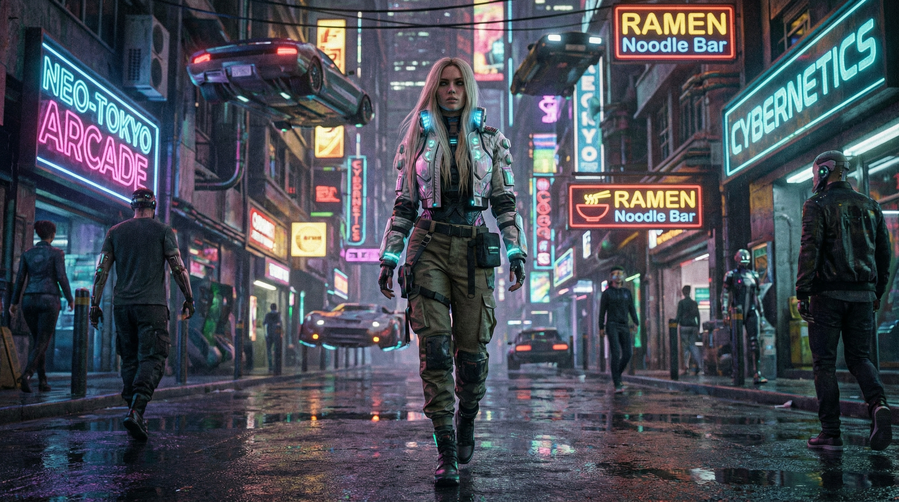
Cyberpunk aesthetic clothing feels like stepping into a future that is already here. It blends high-tech style with a gritty urban edge, creating looks that are both imaginative and surprisingly wearable. Whether seen in cinema, across social feeds, or on the streets of major global cities, this aesthetic possesses a magnetic appeal that continues to evolve.
Rooted in speculative fiction but branching into everyday street style, this fashion movement speaks to a generation fascinated by technology, self-expression, and the digital frontier. From luminous accents to utilitarian hardware, it is more than a trend—it is a cultural pulse, now accelerated by the rise of AI fashion design tools.
What is Cyberpunk Aesthetic Clothing
Cyberpunk fashion is defined by the collision of technology and humanity. It draws inspiration from neon-drenched megacities and a spirit of rebellion against rigid systems. Visually, it mixes dark industrial tones with experimental details to create outfits that feel edgy and slightly dystopian.
The Origins of Cyberpunk Aesthetic Fashion
The origins of cyberpunk aesthetic fashion can be traced back to sci-fi literature and films from the late 20th century, where characters dressed for survival in high-tech but broken societies. These visuals slowly influenced real-world fashion, evolving into what we now recognize as cyberpunk futuristic fashion and futuristic cyberpunk clothing. Over time, designers and streetwear communities reinterpreted those ideas into wearable forms, blending imagination with practicality.
Today, cyberpunk aesthetic clothing goes beyond costumes or cosplay. It has become a flexible fashion language, often overlapping with techwear cyberpunk, where function, technology, and style coexist. It’s less about dressing like the future, and more about expressing how the future already feels.
Key elements that Define Cyberpunk Aesthetic Clothing
Dark Base with Neon Accents:Most cyberpunk aesthetic clothing starts with black, grey, or muted tones, layered with neon highlights or reflective details. This contrast mirrors futuristic cityscapes and gives cyberpunk aesthetic outfits their signature visual tension.
Tech-Inspired Materials and Textures:Fabrics often look technical or experimental, such as coated textiles, synthetic leather, or metallic finishes. These materials reinforce the cyberpunk clothing aesthetic by visually connecting fashion with technology.
Utility-Driven Design:Straps, pockets, zippers, and modular elements are not just decorative. Borrowed from techwear cyberpunk, these features emphasize function and adaptability, making futuristic cyberpunk clothing feel purposeful and wearable.
Futuristic Silhouettes:Asymmetry, layered construction, and sharp lines are common in cyberpunk aesthetic clothing. These shapes move away from traditional fashion norms, reflecting the influence of cyberpunk futuristic fashion and its experimental mindset.
Digital and Industrial Details:Graphic prints, glitch-inspired patterns, and industrial hardware add a digital edge. These subtle details help cyberpunk aesthetic outfits feel connected to virtual worlds and modern urban environments.
Cyberpunk Aesthetic Outfits: How the Style Evolves
Cyberpunk outfits have undergone a significant transformation, shifting from their exaggerated, costume-like origins into a sophisticated fashion language. This evolution reflects a blend of rebellious attitude and personal interpretation, moving away from sci-fi caricatures toward wearable urban aesthetics.
Women Cyberpunk Aesthetic Outfits: Futuristic Style with a Personal Edge
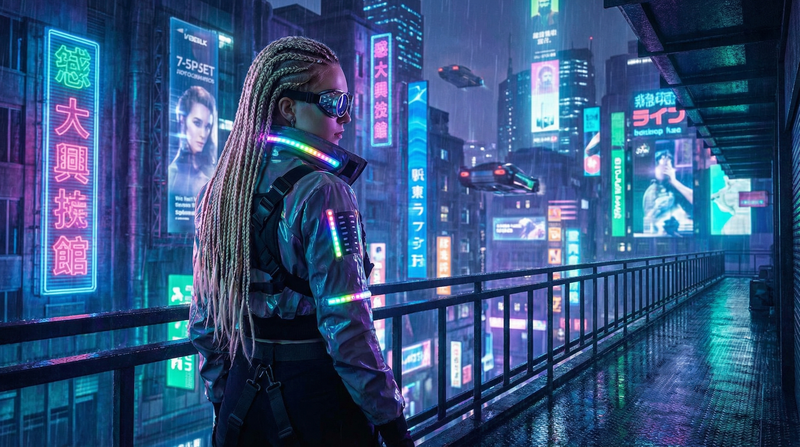
Women cyberpunk aesthetic outfits blend futuristic details with street-ready wear, creating a look that is bold, versatile, and expressive. Designers and fashion enthusiasts often experiment with asymmetry, layered textures, and metallic or reflective accents, giving outfits a sense of motion and tech-driven energy. Neon trims, LED-inspired prints, and holographic fabrics are popular ways to add visual interest and that unmistakable cyberpunk glow.
Some popular examples include:
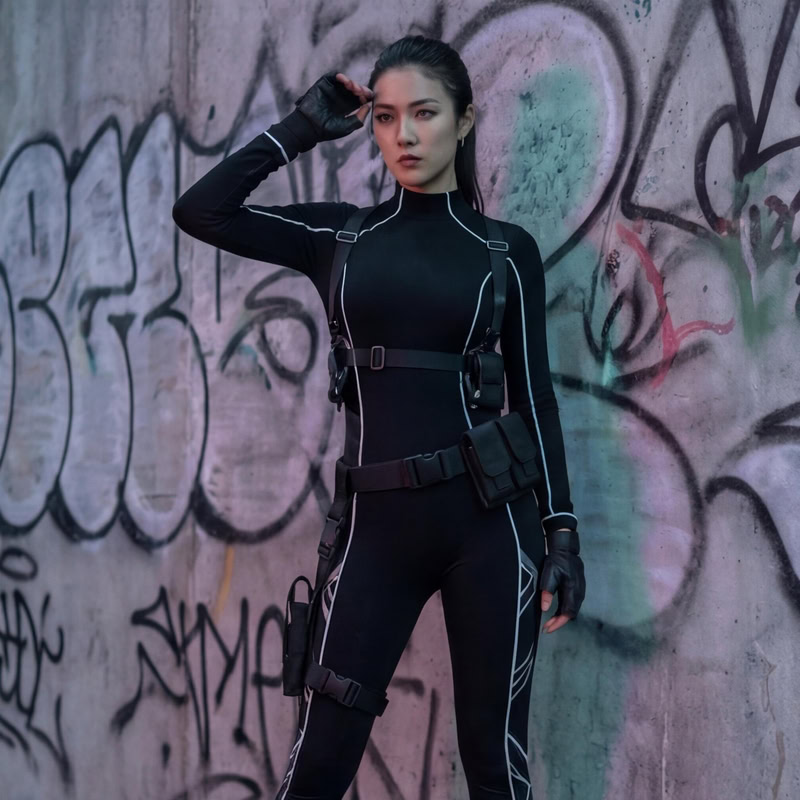
Sleek Mobility & Tech-Lines:The use of fitted bodysuits with utility harnesses creates a streamlined, efficient base. Thin reflective lines often trace the body’s silhouette, adding a subtle futuristic glow without being overpowering.
Asymmetry & Layered Textures:Key pieces like asymmetrical skirts or cropped jackets create visual tension and a sense of motion. Combining soft fabrics with metallic or holographic accents transforms a simple outfit into a statement of tech-driven energy.
Statement Accessories:The look is often anchored by functional yet theatrical items, such as glowing visors, modular bags, and heavy combat boots.
The beauty of cyberpunk aesthetic clothing for women lies in its adaptability. A single key piece, like a reflective jacket or a holographic skirt, can transform a simple outfit into a statement cyberpunk aesthetic look. Layering, asymmetry, and texture mixing are central to making each ensemble unique, allowing for a personal interpretation of cyberpunk futuristic fashion while remaining practical for real-life wear.
Below are some examples of cyberpunk aesthetic outfit ideas for women:
1. Sleek Techwear
Core Elements: Fitted black bodysuit, modular pouches, and reflective detailing.
Analysis: This look prioritizes mobility and efficiency. The sharp, controlled silhouette shows how cyberpunk can be elegant and restrained rather than just bulky gear.
Fashion Diffusion AI-generated
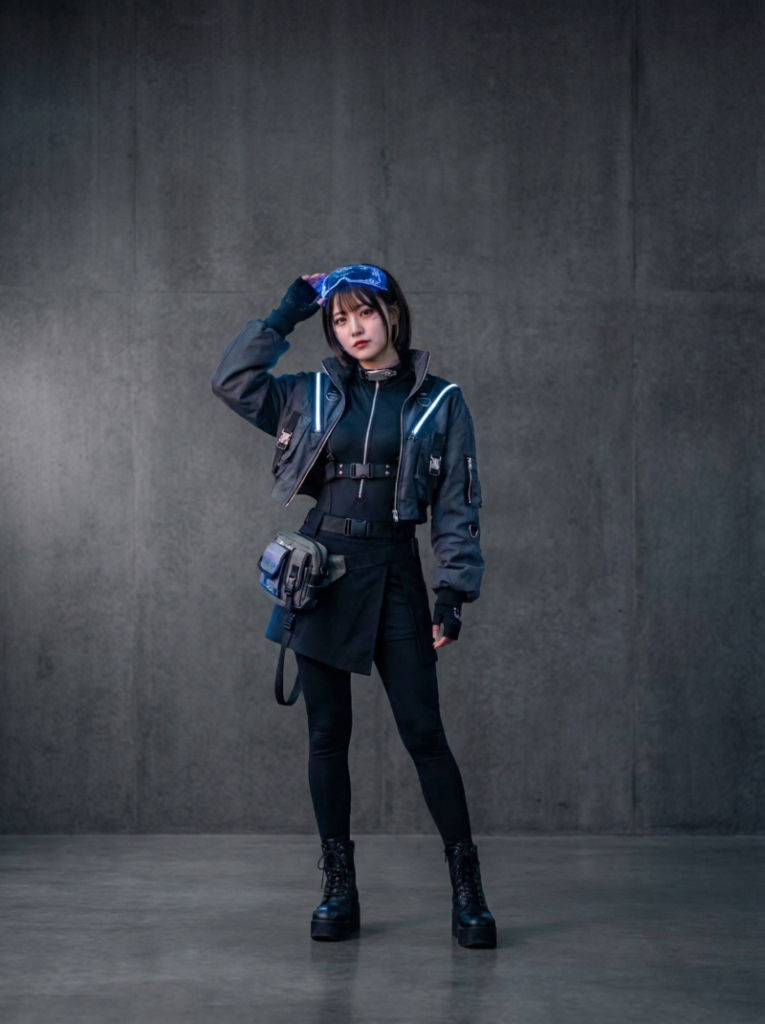
2. Futuristic Streetwear
Core Elements: Cropped illuminated jacket, utility pouch, and combat boots.
Analysis: A perfect blend of everyday wear and sci-fi. The soft glow of the jacket connects the wearer to the neon visual language of a megacity.
Fashion Diffusion AI-generated
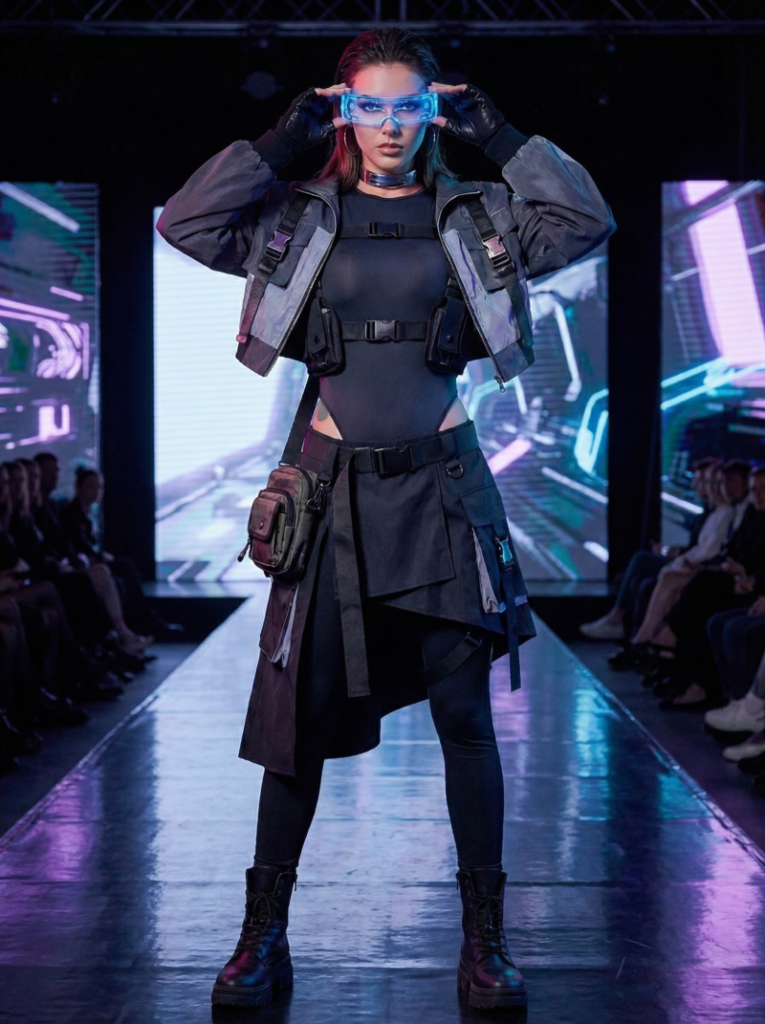
3. Runway Tech
Core Elements: Asymmetrical skirt, tactical belt, and glowing visor.
Analysis: This ensemble uses visual tension and movement to anchor the look in high-end futuristic fashion. It is theatrical yet grounded by heavy modular elements.
Fashion Diffusion AI-generated
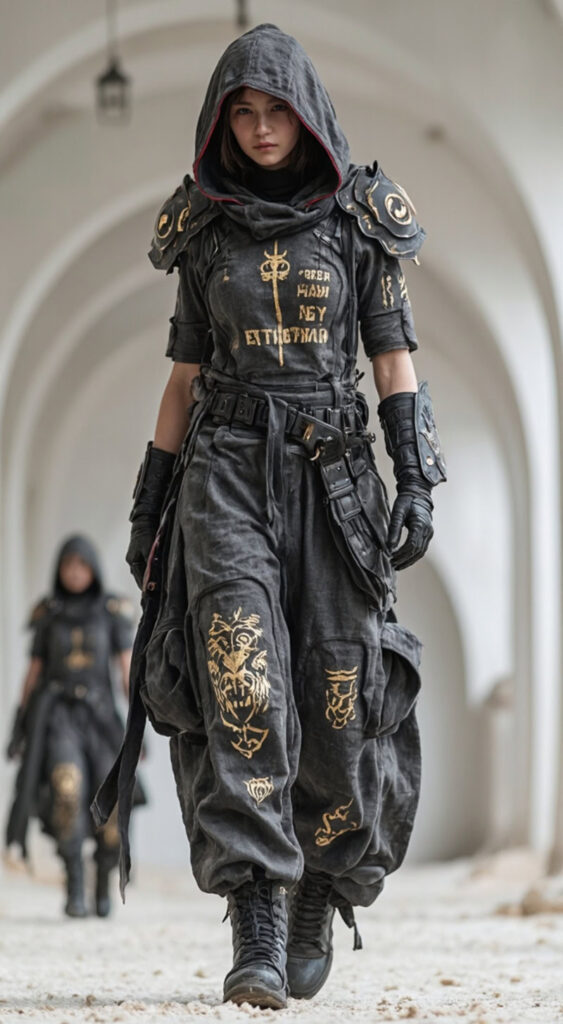
4. Dystopian Grime
Core Elements: Hooded armor, distressed textures, and graphic symbols.
Analysis: Rooted in “survival-driven” design, this look uses muted tones and heavy boots to tell a story of a history shaped by conflict and scarcity.
Fashion Diffusion AI-generated
Men Cyberpunk Aesthetic Outfits: Rugged, Functional, and Futuristic
Men cyberpunk aesthetic outfits focus on functionality, structure, and layered silhouettes, creating a look that is both edgy and utilitarian. Dark tones like black, charcoal, and muted metallics dominate, often accented with neon piping, reflective panels, or tech-inspired hardware. The style blends streetwear, techwear cyberpunk elements, and futuristic silhouettes to create outfits that feel ready for an urban dystopia.
Some popular examples include:
Modular Tactical Gear:The focus is on functionality, featuring tactical jackets with multiple zippers, straps, and cargo pockets. Layering hoodies under utility vests adds necessary dimension for an urban-ready feel.
High-Visibility & Faction Identity:Modern interpretations include high-visibility pieces, like neon-yellow jackets with patch detailing, evoking the image of a cyberpunk courier or an underground fixer.
Dystopian Hardcore:At its darkest, the style leans into a militarized look—all-black leather, reinforced armor panels, and hooded silhouettes that emphasize anonymity and protection beyond the system.
Men outfits in the cyberpunk aesthetic encourage experimentation with proportion, texture, and tech-inspired details. The layering of garments, combined with functional accessories, gives each outfit a dynamic, urban-ready feel. Just like the women side, a few key pieces — a modular jacket or a harness vest — can transform a simple outfit into a fully realized futuristic cyberpunk clothing ensemble.
These examples highlight popular cyberpunk aesthetic outfit ideas for men:
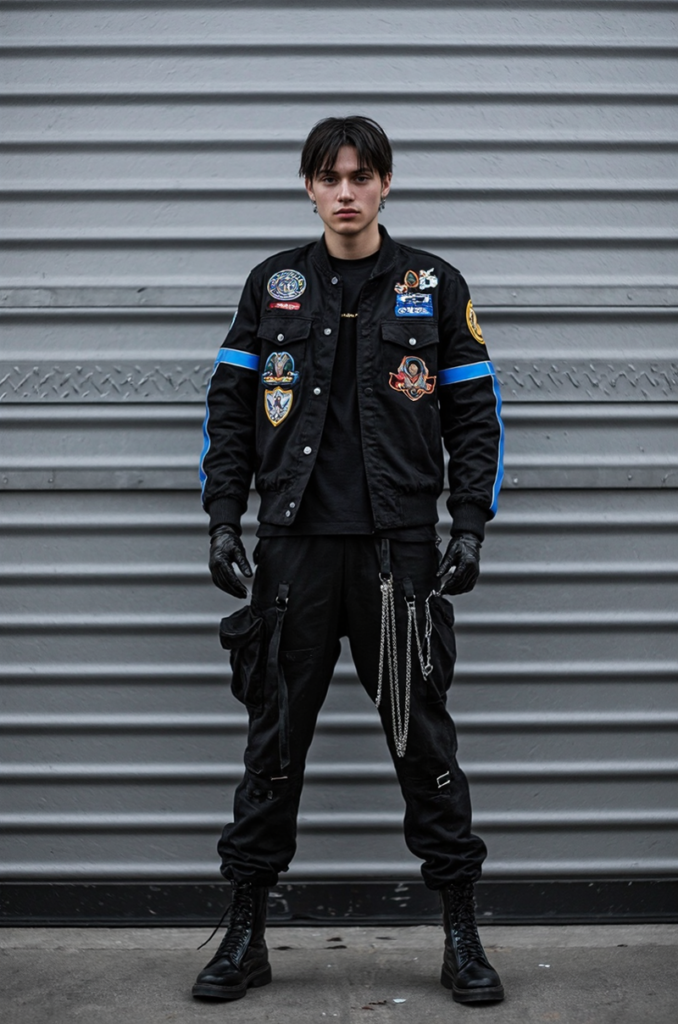
1. Street Militarized
Core Elements: Patch-heavy jacket, hanging chains, and leather gloves.
Analysis: This “covert” vibe features faction-like patches reminiscent of city gangs. It emphasizes a hardened street-warrior image over polished heroics.
Fashion Diffusion AI-generated
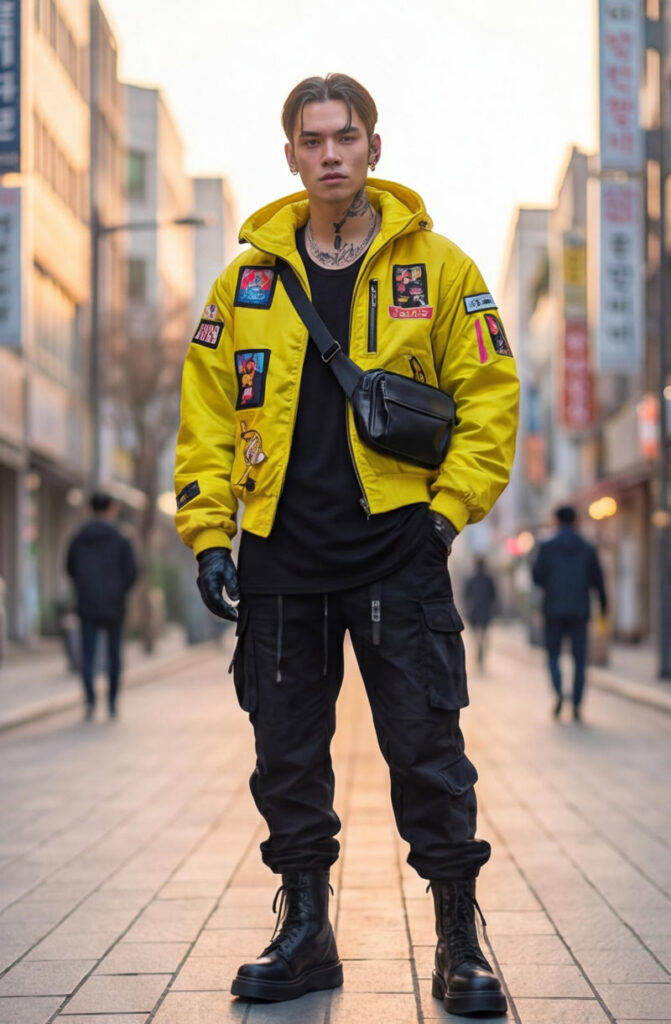
2. High-Vis Tech
Core Elements: Neon yellow signal jacket, crossbody bag, and tactical pants.
Analysis: Designed for high visibility in a concrete jungle. The “hacker-meets-motorcyclist” aesthetic feels perfect for someone navigating a crowded sprawl at dusk.
Fashion Diffusion AI-generated
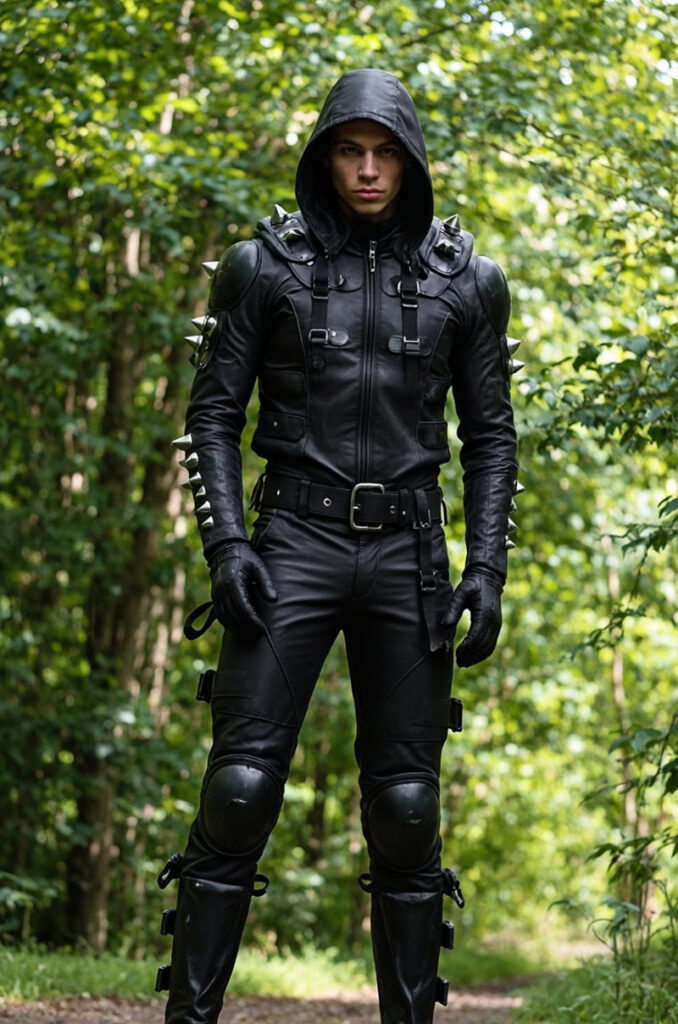
3. Hardcore Combat
Core Elements: Spiked leather armor, reinforced panels, and an anonymity hood.
Analysis: Cyberpunk at its most militarized. This second-skin effect emphasizes dominance and survival “beyond the system”.
Fashion Diffusion AI-generated
Cyberpunk Aesthetic Clothing in The Age of Digital Fashion and AI
As fashion moves deeper into the digital space, cyberpunk aesthetic clothing feels more relevant than ever. The style’s roots in virtual worlds, futuristic cities, and speculative design align naturally with digital fashion and AI-generated visuals. Cyberpunk futuristic fashion no longer lives only on the runway or in films—it now exists as concepts, renders, and virtual outfits shared online.
AI fashion design tools have made it easier to explore futuristic cyberpunk clothing without physical limits. Designers can test bold silhouettes, experimental materials, and extreme cyberpunk aesthetic outfits in a digital-first environment, where creativity isn’t restricted by production costs. This shift has pushed the cyberpunk clothing aesthetic further into conceptual and visual storytelling.
At the same time, digital platforms are redefining how people engage with cyberpunk aesthetic clothing. Virtual try-on, AI-generated fashion imagery, and digital collections allow both creators and audiences to experience cyberpunk fashion in new ways. If you’re curious about how these ideas connect to modern fashion culture, this breakdown of what cyberpunk fashion means today offers a deeper look at its evolution.
Embracing the Future with Cyberpunk Aesthetic Clothing
Cyberpunk aesthetic clothing is a way to express individuality and a vision of what lies ahead. Whether you are looking for wearable everyday pieces or conceptual digital art, the tools to create your own future are now at your fingertips.
Fashion Diffusion make it easy to bring these imaginative ideas to life. You can design your own digital cyberpunk wardrobe or use AI to visualize entirely new futuristic looks. Step into the future and start building your cyberpunk identity today.
AI is reshaping fashion design at unprecedented speed, with sketch generators becoming indispensable for creators in 2026. Traditional sketching’s tedious hours, skill barriers, and limited iterations are a thing of the past. Today’s AI sketch generator transforms text prompts or reference images into polished sketches in minutes, freeing designers to focus on creativity over repetition.
These tools don’t replace human artistry; they enhance it. Solutions like Fashion Diffusion, built specifically for fashion’s unique needs, streamline concept-to-render workflows with intuitive features tailored to designers, brands, and students.
Below is a breakdown of how these AI fashion design tools work, real brand success stories, top tool recommendations, and tips to keep AI outputs aligned with your brand aesthetic. Dive into 2026’s design revolution—where speed meets creativity.
What Is an AI Sketch Generator
An AI sketch generator is an AI-driven tool harnessing neural networks and deep learning to swiftly craft sketches, line drawings, or hand-drawn-style illustrations from user inputs like text descriptions or reference pictures, without requiring professional drawing skills.
Unlike manual sketching, an AI sketch generator turns abstract ideas into visual sketches in seconds, mimicking human styles to ensure consistent quality and customization for users of all levels.
Its core value is in democratizing creativity, saving time/costs, and providing versatility. It lets untrained users create high-quality sketches instantly, slashes manual work time, cuts illustrator/art supply costs, and offers diverse styles for needs like character design or social media. For pros, it breaks creative barriers and streamlines workflows as a rapid prototyping tool.
Although these benefits make AI sketch generators highly useful, their ability to produce natural and polished results depends on sophisticated underlying technology. To better understand how they turn simple inputs into refined sketches, let’s delve into how AI sketch generators work.
How an AI Sketch Generator Works
The AI sketch generator turns creative ideas into structured sketches via a streamlined 4-step workflow, using deep learning to ensure speed and alignment with user intent. Here’s a concise breakdown:
1. Input Handling & Intent Understanding
The AI parses user input to grasp creative needs. For text prompts (e.g., “minimalist blouse sketch”), it uses multimodal models to identify key design elements and style. For rough drafts or reference images, it extracts core shapes and edges. User controls (bounding boxes, masks) add precision for design-specific adjustments.
2. Latent Embedding & Creative Planning
The parsed input is converted into a latent embedding, a numerical format that the AI can process. A transformer or LLM then plans stroke order (mimicking human designers, e.g., outlining a silhouette first, then details) to ensure coherent proportions and flow.
Most generators use diffusion models: starting with random noise, they iteratively denoise it into a sketch, guided by the latent embedding. Raster sketches become distinct lines, while vector sketches (ideal for fashion) turn into smooth, scalable Bézier curves. The process is fast, enabling rapid design iterations.
4. Refinement & Output
The AI polishes the sketch by smoothing jagged lines, correcting proportions, and removing redundant marks. It then outputs the final sketch in common formats and supports further edits via new prompts or controls, fitting practical design needs.
AI Sketch Generator vs Traditional Sketching
Today’s fashion industry is seeing a quiet but impactful shift in how designs begin. Traditional fashion design starts with a designer’s inspiration, which they then sketch by hand, a process that requires strong drawing skills, careful attention to detail, and plenty of time.
But with the rise of AI, fashion design tools are changing this: designers simply input a text description of their vision, and the AI sketch generator instantly outputs multiple clothing sketch styles, speeding up the initial ideation process.
AI offers speed, efficiency, and endless possibilities, letting designers iterate quickly without needing strong hand-drawing skills. Traditional sketching, on the other hand, brings craftsmanship, emotion, and unique, irreplaceable strokes, each line reflecting the designer’s personal technique and creativity. A detailed comparison table below outlines the strengths, weaknesses, and ideal use cases of both approaches.
Comparison Table
Criteria
AI Sketch Generator
Traditional Sketching
Speed
Instant. Generates high-quality sketches in seconds or minutes.
Time-Consuming. Requires hours, days, or even weeks to complete a detailed piece.
Skill Requirement
Low. No drawing skills needed. Requires proficiency in writing effective prompts.
High. Demands mastery of perspective, shading, composition, and hand-eye coordination.
Creative Control
Indirect. You guide the AI through text; results can be unpredictable.
Absolute. Every line, stroke, and detail is directly controlled by the artist’s hand.
Originality & Style
Derivative. Mimics styles based on training data; risk of generic results or accidental plagiarism.
Unique. Style is a direct reflection of the artist’s personal technique and emotional expression.
Iteration
Unlimited. Generate dozens of variations instantly to explore different concepts.
Limited. Redrawing or modifying requires starting over or physically altering the artwork.
Emotional Connection
Result-Oriented. The focus is on the final image; the process feels more technical.
Process-Oriented. The act of drawing is meditative and expressive; imperfections add character.
Fine art, life drawing, building foundational skills, detailed illustrations, personal journals.
The comparison highlights a clear contrast: An AI sketch generator excels in speed, iteration, and accessibility, while traditional sketching offers unmatched creative control, originality, and emotional depth. For many fashion professionals, the choice is no longer between one or the other, but how to integrate both into a more efficient and versatile design workflow.
Why Fashion Designers Are Switching to AI Sketch Generator in 2026
Against this backdrop of evolving tools and shifting workflows, it is becoming increasingly clear why AI is emerging as a dominant force in fashion design.
The advantages of AI sketch generators—speed, scalability, and the ability to explore hundreds of ideas in minutes—are reshaping how designers approach their creative process. As the industry moves into 2026, more fashion creators are turning to AI not just as a convenience, but as a fundamental part of their design toolkit.
Key Use Cases: AI Sketch Generator in Fashion Design
AI is transforming the design workflow by enabling creators to manipulate visual elements with unprecedented precision. Beyond just generating images, these tools are being used to solve specific, high-stakes design challenges:
Rapid Silhouette Iteration: Designers can instantly test how a garment’s structure changes when modified—expanding a shoulder, cinching a waist, or altering the length. It allows for the rapid refinement of the core shape before any fabric is cut.
Fabric and Texture Experimentation: AI excels at rendering complex textures. Designers use it to overlay different materials onto a base sketch to see which combination creates the most striking visual impact.
Cohesive Collection Visualization: Maintaining a consistent theme across an entire collection is simplified. By using a consistent seed image or prompt style, designers can ensure that 20 different looks feel like they belong to the same story.
To see these use cases in action, below are real-world examples of how leading fashion brands leveraged those AI sketch generators to bring creative visions to life.
G-Star Raw x MidJourney
Dutch denim brand G-Star Raw harnessed the power of MidJourney to develop an avant-garde denim collection, inputting prompts focused on sculptural silhouettes and futuristic denim details.
The tool generated 12 distinct sketch concepts, from structured jackets to innovative boots, in just a few days. It is a process that traditionally would have taken weeks of hand-drawing and brainstorming. Designers selected one concept for full production, streamlining the initial ideation phase and accelerating time-to-market for the new line.
Tapestry, the parent company of Kate Spade New York, integrated Adobe Firefly Customised Models into its design workflow to scale creativity while preserving the brand’s iconic, playful, and polished aesthetic. The team trained Firefly on Kate Spade’s archival patterns, textures, and silhouettes, allowing designers to generate on-brand sketch concepts in minutes rather than weeks.
Handbag and accessories designer Gurashish Kaur noted that Firefly’s realistic renderings made collaboration with product development and marketing teams faster, eliminating lengthy back-and-forth over hand-drawn sketches and reducing revision cycles.
In July 2025, Mango launched Mango Stylist, an AI-powered virtual fashion assistant integrated into its e-commerce platform and Instagram. Beyond delivering personalized outfit recommendations via natural conversation, the tool’s user preference data (e.g., favored silhouettes, fabric textures, or print styles) directly informs the brand’s design team, guiding AI sketch iterations for future collections.
This aligns with Mango’s broader AI strategy, complementing its 15+ machine learning tools to bridge consumer insights with rapid sketch ideation across nine key markets.
American e-retailer Revolve experimented with AI sketch generators during New York’s first AI Fashion Week, using MidJourney and Stable Diffusion to create initial sketches for potential new designs. The brand generated dozens of sketch variations for trend-driven pieces, then tested customer response to the AI-created concepts online.
Only the sketches that resonated with consumers were selected for full production, minimizing overproduction risk and ensuring the final line aligned with customer demand. This approach reduced waste and improved efficiency, as Revolve avoided investing resources in designs with little market interest.
H&M Studio x Digital Twins
H&M Studio is exploring emerging technologies like generative AI to amplify creativity and reimagine how we showcase fashion. The technology offers an opportunity to enhance storytelling and find new ways to connect with our customers, while staying true to H&M Studio’s style-led, human-centric identity. We remain committed to empowering self-expression and liberating fashion for the many.
By leveraging AI to generate initial design sketches, the design team can rapidly explore a multitude of creative directions and refine silhouettes at an unprecedented pace. It allows the studio to minimize waste by testing concepts virtually before physical production.
To find the best fit for your fashion design workflow, the top 10 AI sketch generators online tailored to the industry are curated below. Each tool offers unique features to meet different needs, from beginner-friendly interfaces to production-ready outputs and seamless integration with 3D prototyping or collaborative workflows.
AI-Powered Sketch Generators (Ideal for Concept Ideation)
Fashion Diffusion: An AI platform for designers/brands, with core features like Image to Sketch, Text to Sketch, and Sketch to Render, speeding up concept development with high-quality visuals.
Style3D AI: A 3D visualization tool that converts flat sketches to 3D, simulates fabric movement, and bridges concept and production stages.
OpenArt: A beginner-friendly AI platform for creative exploration, generating sketches from text prompts and aiding mood board creation for early-stage ideation.
Professional Vector Tools (Ideal for Technical Precision)
Adobe Illustrator: A subscription-based classic for precise vector flats, technical drawings, and production-ready visuals.
Affinity Designer: A one-time purchase alternative to Illustrator, offering professional vector sketching and flats with a lighter, easier-to-learn interface.
Digital Hand-Drawing Tools (Ideal for Natural, Freehand Sketches)
Sketchbook: Intuitive freehand tool with diverse brushes and layers, perfect for natural, loose, early-concept sketches.
MediBang Paint: A free, lightweight tool for quick, detailed sketches, with cloud storage and simple controls, great for students and independent designers.
Template & Presentation Tools (Ideal for Fast, Structured Workflows)
Canva: User-friendly platform for mood boards and concept presentations (drag-and-drop, no design background needed—not for detailed sketches).
Repsketch: A fashion-specific tool with industry-standard templates, streamlining professional sketch creation and maintaining proportion consistency.
Pret-a-Template: Low-learning-curve tool with ready-made body/garment templates, speeding up early concept planning and consistent design exploration.
Benefits of Using Fashion Diffusion for Fashion Designers
Among the AI-powered tools supporting fashion sketching workflows, Fashion Diffusion focuses on addressing common pain points throughout the design process.
Designed to reduce tedious manual work while maintaining a practical level of precision, its core features work together to streamline creative and operational efficiency, serving as a useful tool for designers, students, and brands.
Text-to-Sketch
Many designers struggle to translate verbal concepts into initial sketches, and this is where the AI sketch generator from text adds practical value. To use it, simply input a clear design description (e.g., “asymmetrical off-shoulder dress with ruffled hem” or “oversized denim jacket with cargo pockets”) into the tool. The AI processes the text and generates stylistically consistent sketches that capture core design details, even for users with no advanced drawing experience.
When you are stuck for ideas on what to write, you can also use the AI prompts provided by the tool to generate text content.
Key advantages:
Turns abstract ideas into tangible visuals in a short time.
Enables quick exploration of multiple design directions.
Helps design students bridge the idea-to-sketch gap before moving to manual drafting.
Provides usable silhouettes for early concepts.
Image-to-Sketch
Fashion inspiration often starts with visuals—fabric swatches, street style photos, vintage garment shots, or fabric drape images. Translating these references into clean line drawings traditionally requires hours of manual tracing, but Image to Sketch simplifies the process: upload any reference image, and the AI automatically extracts key design elements to generate customizable line drawings.
No complex editing skills are needed, and the output serves as a ready-to-refine foundation for further tweaks.
Key advantages:
Cuts down on repetitive tracing work, saving time for students and textile designers alike.
Maintains garment structure and detail accuracy, with clean outlines that minimize rework.
Works seamlessly with simple geometrics and basic prints.
Eliminates the need to start technical drawings from scratch.
Sketch-to-Render
After completing sketch creation, whether via Image to Sketch, Text to Sketch, or manual drafting, Fashion Diffusion offers a seamless next step: transforming those rough line drawings into production-ready, presentation-worthy visuals with Sketch to Render.
Rough sketches often fail to convey fabric texture, color, or depth, which can hinder communication with clients or production teams. This tool solves that by adding customizable colors, fabric details, and subtle shadows to bring designs to life.
The workflow is intuitive: upload a finished sketch, enter desired fabric properties and color palettes, and the AI elevates the draft into a high-fidelity render. This completes the design cycle, taking a concept from an initial reference or text idea, through structured sketching, to a polished visual ready for real-world use.
Key advantages:
Creates intuitive, lifelike visuals that help clients better understand design proposals.
Reduces sampling costs by enabling buyer approvals before physical samples are produced.
Streamlines the transition from concept sketch to production-ready or presentation-worthy visualization.
AI Outfit Generator
The AI Outfit Generator simplifies crafting effective design prompts, ensuring users get precise visual results. For those unsure how to phrase ideas, the tool suggests detailed, fashion-specific prompts. Alternatively, upload an existing image (mood board snippet, garment photo, reference sketch), and the AI reverse-engineers a precise prompt that captures the image’s style, silhouette, and details.
How to Ensure AI-Generated Sketches Match the Brand’s Aesthetic
Maintaining brand consistency is crucial for fashion labels. AI sketch generators, while powerful, can produce generic results if not guided strategically. Below is a streamlined framework to align AI outputs with your brand’s unique aesthetic, ensuring every sketch feels authentic.
1. Define Your Brand Aesthetic Blueprint
First, codify your brand’s visual DNA into an actionable blueprint to guide the AI:
Style Vibe: Capture the emotional tone (e.g., “whimsical feminine,” “futuristic techwear”) with references from past collections to avoid vague direction.
2. Craft Brand-Specific Prompts
Vague prompts lead to generic results. So, refine your input with brand-centric details:
Anchor with Brand Identity: Start prompts with your brand name (e.g., “Kate Spade New York-style crossbody bag”).
Avoid Generic Terms: Replace broad words (e.g., “trendy”) with precise language (e.g., “utilitarian cargo pockets,” “brass hardware”).
3. Use Reference Images as AI Guides
Supplement prompts with visual anchors from your brand’s portfolio:
Upload a “Seed Image”: Select a best-selling piece that embodies your aesthetic, then prompt the AI to build on it (e.g., “Generate a new [Brand Name] dress using this seed image’s silhouette, with summer lace sleeves”).
Adjust Reference Influence: Control how closely the AI mimics the reference (e.g., 70% influence for core consistency + new details).
4. Add Human Refinement
AI sketches are a starting point. The next step is injecting brand personality with human tweaks:
Edit in Professional Tools: Import AI outputs into Adobe Illustrator or Affinity Designer to adjust proportions, add signature details, or align colors with your exact palette.
Incorporate Hand-Drawn Elements: Add irreplaceable brand signatures (e.g., custom logos, hand-stitched details) that AI can’t replicate.
Embrace the Future of Fashion Designwith Fashion Diffusion
AI sketch generators are not just a trend. Instead, they are the new foundation of efficient, boundary-pushing fashion creation. By turning text prompts and reference images into polished sketches in seconds, streamlining iterations, and bridging concept to production, these tools free creators to focus on what truly matters: innovation, brand storytelling, and emotional resonance.
So, ready to revolutionize your design process? Try Fashion Diffusion now. Experiment with fabric textures, iterate on silhouettes, and transform rough drafts into production-ready renders—effortlessly.
The future of fashion design is fast, creative, and accessible—and it starts with your first sketch!
FAQ
Are free AI sketch generators reliable for professional fashion design?
Free AI sketch generators are great for early-stage concept ideation, mood boards, or student projects. However, for professional production, premium tools are more reliable: they provide higher resolution, customizable styles, and integration with industry-standard workflows. Free tools may have limitations like watermarks, limited iterations, or generic results.
Can AI sketch generators replace fashion designers?
No. AI sketch generators are productivity tools, not replacements for designers. They handle repetitive tasks and break creative blocks, but lack the human ability to interpret trends emotionally, inject brand storytelling, or make nuanced design decisions. The most effective workflow combines AI’s speed with designers’ creativity.
Do I need technical skills to use AI sketch generators for fashion?
No. Most tools are designed for low technical barriers. Beginners only need to: 1) Write clear prompts; 2) Upload reference images; 3) Adjust basic settings. For advanced use (e.g., custom models, 3D integration), basic familiarity with design software (e.g., Illustrator) helps, but it’s not mandatory—many brands train teams on AI tools in 1-2 sessions.
How to avoid copyright issues when using AI sketch generators?
To mitigate copyright risks: 1) Use tools trained on licensed data; 2) Avoid inputting copyrighted reference images; 3) Train custom models with your brand’s original archive; 4) Modify AI outputs significantly to ensure originality; 5) Check tool terms of service—some require attribution for commercial use.
Ever dreamt of creating your own dress, but felt held back by a lack of design skills?
In 2025, AI has changed the game. What was once exclusive to designers is now accessible to anyone. Today’s AI fashion design tools can interpret your ideas, generate drafts, refine details, and even visualize the finished look.
In this guide, we’ll highlight the 12 best AI dress design tools of 2025. Whether you’re a beginner, hobbyist, or aspiring designer, these platforms offer an easier—and far more inspiring—way to bring your ideas to life.
Why Online Dress Design Is Exploding in 2025
Online dress design is experiencing a major surge in 2025, driven by a combination of shifting consumer expectations and rapid advances in Generative AI.
Shoppers today want pieces that feel personal—unique silhouettes, custom colors, and designs that reflect their own style rather than mass-produced products. This demand for personalization and made-to-order fashion has never been higher.
Meanwhile, AI has dramatically lowered the barrier to designing. Traditional formal design training is now replaced by AI fashion design platforms that guide users through the design process effortlessly.
This shift has encouraged rapid adoption among D2C brands, emerging labels, and independent designers who are all looking for faster ways to prototype and refine ideas.
Together, these changes have sparked a surge in online dress design. And with online AI fashion design tools like Fashion Diffusion, anyone—from total beginners to seasoned creators—can produce professional-looking designs within minutes.
Top 12 AI tools for dress design in 2025
AI is reshaping fashion design end-to-end, from sketches and renders to final product visuals. As these capabilities mature, a new generation of specialized AI fashion design platforms has emerged.
Below are the 12 best AI tools for dress design in 2025, chosen for their unique strengths, practical value, and ability to turn ideas into polished designs with ease.
1. Fashion Diffusion
Best for: Designers and D2C brands who want a complete, end-to-end AI fashion design solution.
Unlike general-purpose image generators, Fashion Diffusion is an AI fashion design platform built specifically for apparel creation. Rigorously trained on a vast dataset of clothing images, it handles fabric details, textures, and styling with a high level of accuracy.
By offering a full suite of design functions—concept sketching, rendering, recoloring, applying fabric, and virtual try-on—it establishes itself as the premier one-stop solution for online dress design.
Key features:
AI Sketch—Generate professional fashion sketches using prompts, uploaded images, or rough outlines—no manual drawing needed.
Sketch-to-Render —Turn any AI sketch or hand-drawn outline into a refined, detailed fashion render that clearly presents silhouette, construction, and material choices.
Photorealistic Visualization —Access virtual try-on, apply fabric, AI recolor, background change, and other visual enhancements that help you explore design variations quickly.
While many AI tools cover fragments of the fashion design workflow, Fashion Diffusion is the only solution that offers a complete end-to-end experience: sketch creation, AI model generation, and fully rendered on-body visuals—all in one place.
This seamless design pipeline allows designers, creators, and beginners alike to turn ideas into production-ready imagery without juggling different platforms or losing consistency along the way.
2. Raspberry AI
Best for: Apparel retailers that prioritize a quick product overview, all using text prompts.
Raspberry AI is an AI design-to-market platform built for fashion and retail. It supports sketch visualization, prototyping, and marketing assets generation.
Primarily relying on text prompts, it allows fashion brands and retailers to generate product visuals quickly. However, extremely precise, pixel-level adjustments can be challenging using this platform.
Key features:
Sketch to Render —Transform sketches into renders in seconds— no need to wait for physical samples or expensive photoshoots.
Design editor —Upload an image and refine details using natural language commands, adjusting elements like buttons, trims, and colors.
Product & Lifestyle Photography — Describe the scene in plain text, and Raspberry generates product visuals or lifestyle shots that match your instructions.
On-body Try-on —Upload a model and product image, specify the fit, styling, or pose, and easily produce consistent try-on images in batches.
3. The New Black
Best for: Fashion brands aiming to speed up ideation and produce designs that set their brand apart.
The New Black is an AI-driven platform for fashion design and brand creation, enabling users to generate apparel and accessory concepts from text prompts, craft cohesive brand identities, and showcase designs using virtual models.
Key features:
AI techpack maker —Generate sketches, create back views, apply fabric patterns, and compile all necessary details into professional, printable PDF technical documents.
AI fashion design —Transforms text, sketches, or reference images into realistic fashion designs and 3D clothing models.
AI fashion model & virtual try-on — Generate realistic AI models wearing the products, ideal for brands to showcase their collections and customers to try on outfits online.
AI Stylist — Recommend customized outfits for any occasion, tailored to the user’s body shape and style.
AI Fashion Branding —Manage cohesive AI mood boards, unique logos, brand names, and slogans to quickly define a brand’s visual and conceptual identity.
4. DRESSX.me
Best for: Personal users who want a simple, fast, and fun way to change outfits or try new styles.
DRESSX.me is an AI-powered “virtual stylist” platform that transforms your photos by changing outfits, face swapping, or generating entirely new styled looks based on your prompts or selections.
Key features:
AI Dress Up —Upload a photo and either select from a large catalogue of predefined styles or describe what you want via text prompts. The AI then overlays a new outfit on your photo.
Outfit Try-on — Upload your photo and a target style image to see how different clothes would look on your own body.
5. Resleeve
Best for: Indie designers and boutiques who need to compress research, design development, and visual production into a fast, fully digital workflow.
Resleeve is an AI fashion creation platform that aims to replace the slow, traditional design cycle—research, moodboards, sampling, and photoshoots—with an instant digital process.
Built for the realities of modern fashion teams, Resleeve helps brands and indie designers explore trends, visualize ideas, create renders, and produce campaign-ready images.
Key features:
Trend Research —Generate visual trend reports and decks to speed up early-stage creative exploration.
CAD to render — Turn flat sketches or CAD files into high-quality renders.
Render to photoshoot — Convert renders into photorealistic product or on-model shots.
6. CLO 3D
Best for: Technical fashion designers that rely on industry-standard 3D garment simulation, pattern making, and virtual prototyping.
CLO 3D is one of the industry’s leading 3D garment design platforms, built to help fashion teams create, test, and refine clothing in a fully digital environment. Known for its hyper-realistic rendering, CLO3D allows users to visualize fit, drape, and construction long before producing physical samples.
Key features:
3D Garment Simulation —Create hyper-realistic garment models with accurate physics, draping, and fabric behavior.
Collaboration and Workflow Integration —Bring global teams together with a connected digital workflow—from materials and design to 3D samples, reviews, and final market delivery.
7. Tailornova
Best for: Indie designers and custom dressmakers offering made-to-measure or on-demand apparel in need of automated 2D Pattern Generation.
Tailornova is an online 3D fashion design and pattern-making platform. It uses automation to turn design ideas into production-ready patterns and 3D garment previews.
Based on user-provided measurements, it creates personalized sewing patterns and allows for easy adjustment, all available for instant download, cutting, and sewing.
Key features:
2D Flat Sketches —Generate vector flat sketches you can download and open in Adobe Illustrator or CorelDRAW for further editing. Instantly apply colors or fabrics to preview your design ideas.
3D FitModel(coming soon)—Generate patterns tailored to specific measurements and instantly get custom patterns ready to cut and sew.
8. Botika
Best for: Fashion entrepreneurs and small-to-medium clothing brands under pressure to rapidly generate clothing visuals.
Botika is an online Generative AI platform that helps clothing brands and retailers optimize and scale product imagery for e-commerce. It quickly swaps new garments onto existing or AI-generated models, allowing brands to refresh catalogs with unprecedented speed and cost efficiency.
Key features:
AI fashion model —Produce highly realistic visual effects of the product being worn on a selected AI virtual model.
AI Video generation —Transform static photos into dynamic fashion videos that showcase how your products move, fit, and feel.
9. Makethedot
Best for: Design teams looking for a fast, collaborative, end-to-end digital workflow.
Makethedot is an integrated online fashion design platform that streamlines the entire design-to-sample process. It enables designers and teams to go from initial inspiration to design — all within one environment.
Key features:
Collaborative canvas —A shared virtual workspace where teams can brainstorm ideas, gather inspiration, create moodboards, and collaborate in real time.
Fabric Library & Textile Color Palette —Browse, manage, and source fabrics and textile swatches directly in the platform.
10. Browzwear
Best for: Large fashion enterprises and supply chain partners seeking accurate 3D garment simulation, virtual sampling, and digital supply chain collaboration.
Browzwear is a professional 3D garment-design and visualization company that serves fashion brands and manufacturers through its core software, VStitcher and Lotta.
It enables users to draft technical patterns, apply fabrics, simulate drape and fit in 3D, and create realistic digital garments — all before any physical prototype is made.
Key features:
3D Prototyping —Design garments in 3D with realistic fabric behavior, drape, seams, and fit.
Efficiency and Collaboration —Allow for real-time collaboration between designers, pattern makers, and suppliers.
11. Weshop AI
Best for: Online fashion sellers who handle lots of SKUs and need to quickly generate product images in different sizes, model types, and poses.
WeShop AI is an AI fashion e-commerce creative tool for generating product and model visuals without traditional photoshoots. It converts flat-lay images into polished on-model photos, helping e-commerce sellers cut production costs.
Key features:
Virtual Try-On Clothes —Create images of virtual models wearing products. Easily swap backgrounds, adjust poses, and create multiple on-brand looks without reshoots.
AI Video Agent —Generate professional videos from a single photo or a brief text prompt, ideal for showcasing product movement, storytelling, or marketing content at scale.
12. Onbrand
Best for: Fashion teams aiming to rapidly generate new styles, refine bestsellers, and collaborate on ideas.
Onbrand AI design is a fashion-focused AI platform that produces photorealistic garments from text, sketches, or images, seamlessly integrated into PLM workflows.
Key features:
Design generation —Transforms text or sketches into visual mockups to accelerate the entire fashion ideation process.
Design exploration — Skip the brainstorm. Instantly generate colorways, views, and design variations using text prompts.
Shared canvas —One canvas for the whole team to work in. Leave feedback, exchange ideas, and compare different versions.
Connect to PLM —Allow one-click transfer of designs directly into Onbrand PLM, streamlining tech pack creation.
How to Design Your Own Dress Online with AI
Designing your own dress using AI is a straightforward process that converts a simple idea into a polished, professional dress design. Here is a practical, step-by-step guide on how to leverage AI fashion design tools:
1. Start With a Clear Concept
Before accessing any tool, take a moment to define what you want, including style, silhouette, length, fabric, texture, vibe, or occasion, and so on.
You don’t need to sketch—just having a mental moodboard or short description helps the AI produce the right direction from the start.
2. Pick the Right AI Fashion Design Tool
Given that different AI dress design tools excel in distinct areas, choose your tool carefully based on your specific needs:
This “try-on” step bridges concept and execution, showing how the dress will look and feel when worn.
Pro Tips for AI Dress Design
Using AI tools can dramatically speed up your design process—but the best results come from knowing how to guide the AI design tool.
Here are practical tips to help you get outputs that match your vision:
Write specific prompts —Be highly specific in your descriptions. Add materials, construction details, and color palettes to get closer to the final look.
Use Reference Images wisely —When providing a sketch or inspiration photo, be clear about what the AI should replicate and prevent it from mixing unwanted elements.
Understand Material Behavior —AI visuals may look stunning, but not every design is production-ready. Keep in mind how real fabrics behave and refine unrealistic outputs.
Refine Details in Layers —Avoid using one extremely long, complex prompt. Instead, generate the core design with a clear prompt, then use subsequent prompts or editing tools to refine details in layers.
Try Multiple Variations —Don’t settle on the first result. Generate several options through the style innovation tool. Exploring variations often leads to your strongest final design.
Verify Technical Feasibility —Remember that AI is a visualization tool. Always review the final design for real-world viability.
Conclusion
AI is reshaping how designers bring ideas to life, making dress design faster, more flexible, and more accessible than ever. With tools like Fashion Diffusion, you can sketch, refine, visualize on models, and explore endless variations—all in one platform.
Whether you’re a beginner experimenting with your first concept or a professional streamlining your design workflow, AI gives you the freedom to create with more confidence and creativity.
The future of AI fashion design is open, hyper-personalized, and digitally driven. Try Fashion Diffusion now to transform your imagination into reality.
FAQs
What is the best AI tool for designing clothing?
The “best” AI tool depends on your needs. For an all-in-one workflow, Fashion Diffusion is highly recommended. It allows you to generate sketches, refine details, visualize fabrics, and explore multiple style variations in one platform.
Is there any free AI clothing generator?
Yes. Fashion Diffusion AI provides free tools for sketching, coloring, and visualizing dresses without requiring payment up front.
Can I design a dress online without any design experience?
Absolutely. AI design tools like Fashion Diffusion are built for all skill levels. You can start with simple text prompts or inspiration images, and the AI will generate professional-quality sketches and renders.
Can AI-generated designs be used for business or production purposes?
Yes, AI-generated designs can be used commercially, including for selling products, marketing, or manufacturing.
Are AI design tools suitable for professional designers or only hobbyists?
They are suitable for both. Professionals can use AI to accelerate workflows, generate new concepts, and test variations quickly. Hobbyists and beginners can create polished designs without advanced technical skills.
When Louis Vuitton featured the virtual model Lightning in a campaign, it wasn’t a stunt. It was a clear signal that fashion is rapidly moving toward AI-powered modeling and visual production.
Today, virtual models are revolutionizing fashion e-commerce—enabling brands to generate on-model product images instantly, digitally fit clothing, and scale content creation without studios, logistics, or costly reshoots.
This article provides a complete guide to AI virtual models, covering what they are, how they work, their key benefits, and practical steps to create them.
What Is an AI Virtual Model?
AI Virtual Models form the digital foundation of visual content in fashion e-commerce. They are hyper-realistic, human-form digital assets created entirely by AI, designed specifically for the professional display of clothing and accessories.
Key Concept
An AI Virtual Model is a photorealistic, three-dimensional (3D) human likeness created using Generative Artificial Intelligence to replace live photoshoots.
Unlike traditional models, AI virtual models are fully digitized assets—from skin texture to every strand of hair. They’re not retouched photographs; they are infinitely customizable digital humans whose appearance, body type, pose, and expression can be adjusted on demand.
Three Main Types of AI Virtual Models
Although all are digital human representations, virtual models generally fall into three key categories based on how they’re used in fashion:
1. Product Display Models
These virtual models are built to serve Product Detail Pages (PDPs) and large-scale e-commerce workflows. Their purpose is to showcase clothing accurately—capturing fit, drape, texture, and proportions across different body types and sizes.
They prioritize realism, consistency, and repeatability, without the need for personalities, stories, or social media presence.
2. Virtual Try-On for Customers
Virtual try-on (VTO) allows shoppers to visualize how a garment looks and fits on their own body shape or a personalized digital double, often using Augmented Reality (AR) or AI body mapping.
The key value is 1:1 personalization and maximizing fit accuracy. This is a direct tool to boost purchasing confidence and reduce return rates. For instance, major platforms like Google Shopping have integrated VTO capabilities, allowing users to virtually ‘try on’ clothes directly within the search environment.
3. Virtual Fashion Influencers
These models act as digital brand ambassadors, designed for campaigns, storytelling, and social engagement. They are given distinct personalities, aesthetics, and narratives. The goal is to build audience affinity and community, giving brands a fully controlled representative who can appear in campaigns, videos, and influencer-style content.
One of the most globally recognized examples is Lil Miquela, a fictional, computer-generated influencer created by the robotics and AI firm Brud in 2016. With millions of followers on Instagram, she has successfully partnered with luxury brands such as Prada and Calvin Klein.
Understanding the mechanics behind AI virtual models is crucial for brands selecting the right content production strategy. Currently, two primary technological streams are used to create these digital assets: CGI and Generative AI, both offering different trade-offs in control, speed, and cost.
However, the efficiency, scalability, and lower technical barriers have made AI virtual modeling the dominant choice for high-volume fashion e-commerce today.
CGI Virtual Models
This method relies on Computer-Generated Imagery (CGI) and 3D graphics software. Professional 3D artists manually sculpt and texture the virtual model, creating a detailed digital skeleton (rig) and skin. The garment is either designed digitally or recreated from a physical scan, then digitally “dressed” onto the rig.
It offers the highest level of precision and control over every detail, ensuring perfect anatomical accuracy and lighting. However, the drawbacks are significant. The process is highly labor-intensive, requires specialized artistic and technical skills, and results in high upfront costs and slow production cycles.
AI Virtual Models
This is the cutting-edge method that makes virtual modeling accessible and scalable. It leverages advanced Diffusion Models to merge existing product images with generated human forms.
Unlike CGI’s reliance on manual 3D modeling, Generative AI uses Image-to-Image synthesis techniques to create the final visual. The central concept is the decoupling of the garment from the model.
AI is extensively trained on vast datasets to understand textile behavior and how those textiles interact with the human form. When a user provides a flat-lay image and a text prompt, the AI performs two critical tasks:
Model Generation: Generates a high-quality digital human figure matching the user’s prompt (pose, light, and features).
Garment Fitting: It intelligently extracts the texture and pattern from the flat-lay image. Then it projects it onto the generated digital figure, adjusting for perspective and simulating realistic wrinkles and folds based on the model’s pose.
Generative AI may occasionally require minor post-production cleanup and offers less absolute control than bespoke CGI. However, its advantages in speed, scalability, and cost-efficiency cement its status as the superior choice for high-volume fashion e-commerce today.
Benefits for Fashion Brands & E-commerce
AI Virtual Models aren’t just a new way to produce visuals—they solve long-standing challenges in fashion e-commerce, from production bottlenecks to consistency issues across SKUs.
For brands managing large assortments or frequent drops, AI virtual models create a faster, more controllable, and more cost-effective workflow.
Operational Efficiency
The immediate gains from using virtual models are seen in the streamlining of the content production pipeline, directly addressing the pain points of physical photography.
Lower Production Costs
Virtual models remove many of the major expenses tied to traditional photoshoots—model fees, studio rentals, travel, and constant reshoots. Once the core digital model is created, producing new images becomes a predictable, low-cost process, especially for large catalogs.
Quick Turnaround Time
By eliminating the need for casting, scheduling, travel, makeup, and physical studio time, brands can generate thousands of modeled images in hours, not weeks. This speed allows for quicker reactions to market trends, inventory changes, and immediate product launches.
Full SKU Coverage
With a reusable virtual model, brands can generate on-model imagery for every item in the collection—including colorways, replenishments, and products still awaiting final samples. This solves the common problem of mismatched or incomplete PDP visuals during new drops.
Brand Visuals
Virtual models empower brands to deliver a more effective and ethical visual experience to their customers, directly impacting conversion and loyalty.
Visual Consistency
Virtual assets guarantee uniformity in every image. Lighting, angle, pose, and background can be perfectly replicated across hundreds of product pages. This gives e-commerce sites a cleaner, more professional look and builds greater trust for first-time buyers.
Inclusive Representation
Fashion Diffusion AI-Generated
Brands can easily adjust a virtual model’s body type, skin tone, and features to reflect different customer segments. This allows shoppers to better visualize fit and styling, which often leads to higher engagement and fewer returns.
Strategic Growth
Beyond operational gains, virtual models offer critical long-term benefits related to brand strategy and corporate responsibility.
Marketing Control and Safety
Brands maintain absolute control over the virtual model’s persona, eliminating the risk of reputational damage, social media scandals, or contractual issues associated with human influencers and public figures.
Sustainable Development
By reducing the need for travel, shipping samples, and physical resources, virtual content creation significantly lowers the brand’s carbon footprint, aligning with growing consumer demand for sustainable practices.
Creative Expression
Virtual environments are unconstrained by physics. Brands can achieve highly creative, hyper-realistic, or abstract visual effects, poses, and settings that would be either impossible or prohibitively expensive to capture in a physical studio.
How to Create Virtual Models Using FashionDiffusion.ai
Creating professional, photorealistic virtual models has never been easier. With Fashion Diffusion, fashion e-commerce brands can transform sketches, flat-lays, or product photos into on-model visuals in just a few steps.
4 Steps to Create a Virtual Model
The process of bringing your apparel to life with AI is fluid and simple, designed to maximize both speed and creative control without learning curves:
1. Upload Source Image
Start by uploading your garment’s source image—whether it’s a standard flat-lay photograph or an existing model photo. The AI instantly scans and identifies the crucial clothing contours and fabric details.
With Fashion Diffusion’s image/text to sketch tools, even hand-drawn designs or just text descriptions can become professional assets—laying the groundwork for virtual try-on.
2. Select Your AI Model
Next, find the perfect model for your garment. Browse the platform’s diverse virtual model library, featuring various body types, skin tones, genders, and poses. Whether you’re showcasing casual wear or high-fashion collections, there’s a model to match every style.
For brand consistency, the Face Swap feature allows you to apply brand-specific facial aesthetics. You can also customize body shape, skin tone, and hairstyle, ensuring your virtual models reflect your target audience and diversity goals. All models are saved in your personal gallery for reuse in future collections, keeping visuals consistent across campaigns.
3. Apply Smart Masking
To achieve lifelike results, guide the AI using masking tools to lock the garment areas. The system then automatically optimizes alignment, ensuring natural folds, realistic draping, and zero awkward distortions.
This step guarantees that every on-model image looks authentic, giving your customers a clear view of fit and style, just like a professional photoshoot.
4. Generate AI Fashion Photos
Finally, hit “Generate” and watch the AI work its magic. The platform seamlessly combines your model’s pose, the clothing dynamics, and lighting settings to produce HD, photorealistic renders in seconds.
These images are ready to deploy across product pages, social media, or marketing campaigns. With FashionDiffusion, brands can quickly scale content production, showcase every SKU, and experiment with creative visuals without the costs or delays of traditional photography.
The Future of AI Virtual Models
AI virtual models are no longer experimental visuals—they are rapidly becoming the new standard for fashion e-commerce. Adopting AI virtual modeling today is not merely about cutting costs. It’s about future-proofing visual strategy and investing in the immersive, personalized shopping experiences that customers will soon demand.
Looking ahead, the evolution of AI modeling will accelerate beyond static images. We anticipate a shift toward high-quality AI-generated video, personalized Virtual Try-On (VTO) experiences, and seamless integration into AR and the Metaverse.
For fashion brands and e-commerce teams, now is the moment to build the foundation. Try Fashion Diffusion.ai to adopt virtual models without technical barriers—reducing production costs, accelerating launches, and expanding creative possibilities from day one.
FAQs
What is an AI virtual model?
An AI virtual model is a photorealistic digital human used to display clothing online, allowing brands to produce scalable, consistent on-model images without physical photoshoots.
What is an AI-generated influencer?
An AI-generated influencer is a computer-created personality that produces photos, videos, and social content, allowing brands to run campaigns without relying on real creators.
Are there any free AI fashion virtual model generators?
Yes. You can find AI tools that offer a free trial to generate virtual models for product displays, letting brands test outfits, build lookbooks, and create marketing visuals at no cost.
How are virtual models used for clothes and jewelry?
Virtual models display clothing and jewelry in realistic poses, helping brands showcase fit, styling, and details without physical shoots—ideal for e-commerce, lookbooks, and social campaigns.
How to make an AI virtual model?
You can create an AI virtual model by uploading reference images, choosing a base model, and customizing body type, face, and style using virtual try-on tools like FashionDiffusion.ai.
Just a few years ago, changing a single product’s color required 20 minutes of manual masking in Photoshop. Today, the latest AI Recolor tools complete the same task in seconds, often with a single click.
This technology has rapidly evolved from a designer’s convenience to an industry standard. Whether it’s individual creators perfecting portraits or fashion brands generating endless product variations, AI recolor now powers faster, cheaper, and more creative visual production.
As AI transforms design and image editing, several free AI recolor tools now make professional-grade recoloring available to everyone. Let’s explore the top AI color changers online shaping this trend in 2025.
What is AI Recolor?
AI Recolor (or AI Color Changer Online) refers to a new generation of image-editing technology that uses artificial intelligence to identify and modify colors automatically. Instead of manually selecting areas and adjusting hue or saturation, AI analyzes the entire image—detecting objects, materials, and lighting—to recolor them with realistic precision.
In practical terms, this means turning a red dress blue, changing a car’s paint tone, or testing different product colorways—all without complex Photoshop skills.
Typically, AI recolor is simple and intuitive: users either type a prompt describing the desired change (e.g., “turn the dress emerald green”) or manually select an area of the image, then choose a new color from the palette.
Rather than existing as standalone apps, AI recolor is now often integrated into comprehensive image-editing platforms—alongside tools for background removal, upscaling, object replacement, and lighting enhancement. This integration allows users to complete multiple editing tasks within one workflow, streamlining production while ensuring consistency across all visuals.
Benefits of Using AI Recolor
AI recolor offers far more than convenience — they’ve revolutionized how creators, marketers, and designers approach visual editing.
Speed and Efficiency
Tasks that once took hours in Photoshop can now be completed in seconds. AI automates color adjustments, eliminating the need for manual masking, layering, or parameter tuning.
Consistent and Professional Results
Advanced AI models preserve lighting, shading, and texture accuracy, ensuring every recolored image looks natural and high-quality — essential for maintaining brand consistency.
Creative Flexibility
AI recolor makes it easy to explore endless color combinations, seasonal themes, and branding variations. Multiple versions can be previewed instantly before final selection.
High-Volume E-commerce Ready
The technology is scalable, allowing merchants to quickly update entire product catalogs with new color options, ensuring visual consistency and speed-to-market.
Key Criteria for Selecting the Top AI Recolor Tools
Choosing the right AI recolor tool isn’t just about speed — it’s about how well the technology aligns with your creative or business needs. The following key factors should be considered when evaluating each tool:
1. Color Accuracy and Natural Look
A top-tier AI recolor tool must do more than simply swap colors — it should blend the new hue naturally while preserving texture and lighting realism.
Texture Preservation: Retains original fabric texture, surface details, and material folds after recoloring.
Lighting and Shadow Integrity: Maintains realistic lighting and shadow depth, avoiding flat or artificial visuals.
2. Object Detection and Precision Control
The precision with which AI isolates objects determines edge quality and overall output credibility.
Automatic Segmentation: Accurately identifies complex elements like layered fabrics or hair without manual input.
Manual Refinement: Provides intuitive tools (brushes, erasers, or masks) for fine-tuning selected areas when needed.
3. Speed and Efficiency
For professional or e-commerce workflows, rapid processing and multitasking capability are essential.
Processing Speed: Generates high-quality recolors within seconds, minimizing turnaround time.
Bulk Capability: Efficiently handles multiple images at once — ideal for brands managing large product libraries.
4. Ease of Use and Editing Experience
A great AI recolor tool combines power with simplicity, supporting both casual users and design professionals.
Input Flexibility: Accepts prompts, palette selection, or direct area selection for intuitive color changes.
Granular Control: Offers advanced adjustments (like hue, saturation, and luminance sliders) for fine-tuned color output.
5. Pricing and Accessibility
The overall value depends on how much quality and freedom the tool offers under its pricing model.
Free Access Model: Evaluates the generosity of free tiers and fairness of credit-based systems.
Output Quality: Considers resolution, watermark policies, and whether downloads are suitable for professional use.
Top 7 Free AI Recolor Tools in 2025
Over the past few years, a wide range of AI recolor tools have emerged to meet diverse user needs, offering various features and free trial. The following 7 tools have consistently delivered top performance:
Tool
Best For
Category
Free Trial
Recolor Quality
Ease of Use
Fashion Diffusion
E-commerce & Apparel
Specialized Fashion AI
YES
Excellent
Excellent
Pixelcut
Instant Clothing Recolor
Image & Video Editing
YES
Good
Excellent
AIEASE
Portrait Recolor
General AI Editor
YES
Good
Excellent
Fotor
Quick & Low-Fidelity Recolor
AI Image Editor
YES
Fair
Good
Limewire
Quick, Simple Recolor
File Sharing & Editing platform
YES
Low
Low
Media.io
Color Augmentation
General Media Editor
YES
Fair
Excellent
Vheer
Low-Fidelity Swaps
AI Image Editor
YES
Fair
Good
1. Fashion Diffusion
Fashion Diffusion AI is an advanced AI-powered assistant built specifically for fashion designers, e-commerce brands, and commercial photography professionals. Its core function is to empower designers and brands to recolor products, experiment with styles, create high-quality visuals, and achieve substantial production cost reductions.
Best for:E-commerce Visual Generation andHigh-Precision Apparel Recolor
Key Strengths
Fashion Diffusion AI integrates its recolor tool as part of the broader AI Restyle suite:
Precise AI Selection: Detects and isolates clothing areas with exceptional accuracy, outperforming most other AI recolor tools.
Fashion-Focused Training: Trained on extensive fashion industry image datasets, it delivers realistic apparel recoloring while preserving fabric texture and natural shading in HD quality.
High-Speed Processing: Handles bulk tasks efficiently, delivering fast results even when processing multiple images simultaneously.
How to Use Fashion Diffusion’s AI Recolor:
Select the Object: Use AI auto-detection to select garments, or manually refine the area with the Brush tool.
Choose a New Color: Pick your desired color from the palette or enter a custom value.
Generate: Click the Generate button to apply instant, AI-powered recoloring.
Fashion Diffusion isn’t merely an image recolor tool—it’s a revolutionary AI fashion design platform built around the entire fashion creation workflow, offering integrated tools for styling, editing, and visual generation.
2. Pixelcut
Pixelcut is a popular AI-powered creative platform trusted by millions, primarily focused on helping individuals, small businesses, and e-commerce sellers create professional-quality product and social media visuals quickly.
Best for:E-commerce Product Shots& Instant Clothing Color Changes
Why it stands out:
Rather than relying on complex text prompts, Pixelcut AI Recolor excels at automatically detecting multiple, independent objects in a single photo.
Key Limitations:
Resolution Barrier: The free plan limits output resolution to standard quality, which may be insufficient for professional prints.
Processing Speed: For images with high complexity or multiple objects, the AI item detection process may take a significant amount of time.
Commercial Use Restriction: Images processed with the free plan cannot be used for commercial purposes; a Pro upgrade is required for a commercial license.
3. AIEASE
AIEASE is a comprehensive, all-in-one AI platform that offers a wide spectrum of tools for image, portrait, and video manipulation.
Best for:Portrait Photography&Instant Hair/Apparel Color Changes
Why it stands out:
Offer a unique hybrid control system for recoloring. Users can either select from preset object options (like “Hair,” “Top,” “Dress”) for quick edits or use the text prompt feature to customize any detail.
Ensure smooth edges and natural color blending due to its advanced object detection technology.
Key Limitations:
Optimized primarily for portraits: Less effective when recoloring other photo types.
Resolution Barrier: Free plan downloads are severely limited to low resolution (1064 X 682 px).
Daily Credit Expiration: Free usage relies on a strict daily credit system, with 5 daily bonus credits that expire every 24 hours.
4. Fotor
Fotor is an all-in-one online photo editing and design platform, offering tools that range from basic image manipulation to sophisticated AI content generation.
Best for:Quick Color Swaps Where Photorealism Is Not Critical
Why it stands out:
Fotorprovides a dual-approach to recoloring, combining traditional HSL control (Hue, Saturation, Lightness) with a powerful AI Replacer feature that allows users to change colors using text prompts.
Key Limitations:
Paywall for Premium: Many advanced AI features, along with high-resolution,ad removal and downloads, are restricted to the Pro or Pro+ subscription tiers.
Credit System: Using the advanced AI Replacer mode typically consumes platform AI credits, limiting its free-tier usage frequency.
Recolor Realism: While object detection is accurate, the resulting color replacement can sometimes appear artificial or unnaturally flat.
5. LimeWire
LimeWire is a file-sharing platform that allows individuals and businesses to securely upload, create, and transfer files of any size across every device. It provides a wide range of powerful tools to edit any type of content, including images, music, video and documents.
Best for: Quick, Object-Specific Color Replacement
Why it stands out:
Offer powerful editing tools for every file format including images, and ensure high-definition results.
Key Limitations:
Credit System: Free usage is managed via a credit system; each recolor operation costs 6 credits. Users start with 60 initial credits.
Prompt-Based Editing: Unlike simple click-and-select tools, achieving desired results requires users to craft effective text prompts to guide the AI, introducing a learning curve.
6. Media.io
Media.io is a powerful online media processing suite offering a vast collection of AI-powered tools for video, image, and audio editing.
Best for:General Image Enhancement and Color Correction
Why it stands out:
Instead of only focusing on recoloring, Media.io leverages AI for effortless one-click restoration of old, faded, or black-and-white photos, infusing them with vibrant hues.
Key Limitations:
Credit System: The free plan provides a limited amount of daily credits (3 credits via daily login bonus), allowing for three recolor operations per day.
Weak Recolor Function: The tool’s primary strength is in general enhancement; its dedicated recoloring capability is less robust and precise compared to specialized color-swap tools.
7. Vheer
Vheer is an AI image generating and editing platform that offers a wide array of tools, ranging from standard text-to-image generation to highly niche tools.
Best for: High-Volume, Low-Fidelity Recolor Needs
Why it stands out:
Offers unlimited access to the recolor function, with usage restrictions only applying to the output quality.
Features simple, user-friendly prompt inputs often accompanied by clear usage examples.
Key Limitations:
Standard Free Quality: The free model outputs a standard quality result, which may be sufficient for quick previews but lacks the sharpness or detail needed for professional use.
Final Recommendation: Which Tool Wins?
It’s clear that not all AI recolor tools are created equal. Some focus on simple, fast edits for casual users, while others are built with professional-grade precision and scalability in mind.
For businesses and fashion brands that rely on accurate apparel recoloring, Fashion Diffusion AI stands out as the best-suited option. It’s specifically trained on large fashion image datasets, allowing it to recognize fabric folds, textures, and materials with remarkable precision.
Along with its other design-driven features such as Sketch-to-Render, Virtual Try-On, Apply Fabric, and Swap Face, Fashion Diffusion enables designers and fashion brands to streamline the entire creative workflow — from concept sketches to final campaign visuals — saving time and cutting substantial production costs.
Don’t let manual editing limit your creativity. Explore Fashion Diffusion to unlock new levels of efficiency and visual innovation in fashion design.
FAQs
Does AI recolor require design skills?
No. Modern AI recolor tools like Fashion Diffusion are designed for both beginners and professionals, with intuitive interfaces, one-click recoloring, and optional manual adjustments.
Can AI tools help one virtually try on or dress up outfits?
Yes! Fashion Diffusion includes a Virtual Try-On feature that allows you to change clothing colors, apply new fabrics, or experiment with complete outfits on a model or uploaded image.
Is AI recolor better than manual color editing in Photoshop?
AI recolor is faster, requires no advanced skills, and can handle bulk images. It preserves textures and lighting automatically, reducing editing time from hours to seconds.
Is AI recolor free to use?
It varies. Most platforms offer a free trial, but usage is often limited by restricting the output quality, or by imposing a usage limit via daily credits or a cap on the number of operations.
The fashion industry has always been synonymous with creativity, but as we step into 2025, a powerful new collaborator is reshaping the design landscape: Artificial Intelligence (AI). AI Fashion Design is no longer a futuristic concept; it’s a present-day reality that is fundamentally altering how clothing is conceived, designed, and produced.
This comprehensive guide explores the current state of AI Fashion Design, the essential tools available, key trends, and how designers can integrate AI into their creative workflow.
What Is AI Fashion Design?
AI fashion design is the use of artificial intelligence technologies—like machine learning, computer vision, and generative design—to assist or automate parts of the fashion creation process. Instead of starting from a blank sketchpad, designers can now collaborate with AI systems that generate new silhouettes, predict trends, or even simulate materials in 3D.
Common AI applications in fashion design include:
Generative AI tools that create design concepts and color palettes.
AI pattern-making systems that optimize fabric usage.
Trend prediction algorithms that analyze global data to forecast what’s next.
Virtual design studios that visualize outfits in real time.
AI doesn’t replace human creativity—it amplifies it. Designers gain more time for storytelling and innovation while AI handles repetitive or data-heavy tasks.
How AI Is Transforming Fashion Design in 2025
The year 2025 marks a critical inflection point where Artificial Intelligence (AI) ceases to be a novelty and becomes foundational to the creative and commercial success of the fashion industry. The transformation is defined by five synergistic shifts:
1. Data-Driven Creativity and Trend Mastery
AI acts as a tireless trend forecasting engine, analyzing massive, siloed datasets—from global runway archives and social media sentiment to minute-by-minute sales and search queries. This capability allows designers to move beyond mere intuition; they gain predictive mastery.
AI identifies emerging aesthetics and consumer desires with precision, ensuring that creative collections resonate powerfully with the market upon launch, minimizing commercial risk.
2. Radical Acceleration of Design Cycles
Design cycles that once took months can now happen in days. AI tools can instantly create dozens of mood board variations, sketch silhouettes, and even simulate how fabrics behave in motion.
This doesn’t just save time; it allows brands to react quickly to cultural shifts. Whether it’s a viral TikTok aesthetic or a new seasonal trend, designers can turn concepts into visuals in hours using AI outfit generators like Fashion Diffusion.
For independent creators or small labels, this speed levels the playing field—enabling them to compete with larger brands that once dominated production timelines.
3. Hyper-Personalization at Scale
AI fashion design is making mass personalization a reality. Instead of designing for general demographics, brands can design for individuals.
By analyzing a user’s preferences, purchase history, or body measurements, AI can generate personalized outfit recommendations or even custom clothing designs. This bridges the gap between creative vision and consumer demand—delivering pieces that feel uniquely “you.”
It also strengthens brand loyalty. When customers feel that a design understands their style, they’re far more likely to engage, purchase, and advocate for the brand.
4. Mandating Sustainable Innovation
AI serves as the industry’s most powerful ally in addressing the global sustainability crisis. It drives efficiency by optimizing fabric cutting patterns to achieve zero-waste layouts and streamlines supply chains to minimize carbon emissions. Furthermore, sophisticated generative models can simulate new, eco-friendly materials and rigorously test their durability and performance digitally, moving the industry toward a truly circular design process.
5. The Rise of Phygital Fashion and Virtual Commerce
Through AI outfit generators and increasingly accurate Virtual Try-On (VTO) experiences, customers can preview designs on personalized 3D avatars before making a physical purchase. This innovation significantly lowers return rates and aligns with the massive growth of digital fashion as a viable product category within gaming, Augmented Reality (AR), and metaverse ecosystems, blurring the lines between physical and virtual apparel.
Top AI Fashion Design Tools in 2025
The ecosystem of AI fashion tools is growing rapidly. Below are some of the most promising platforms in 2025 that empower designers and brands to innovate faster and smarter:
Tool
Core Feature / Strength
Best For / Use Case
Fashion Diffusion
Text/sketch to photorealistic design visuals, virtual try-on, recolor, background change
Photorealistic fashion visuals, brand-style training
Indie designers & marketing visuals
CLO 3D
True-to-life 3D garment simulation and fitting
Technical designers, pattern makers
Browzwear
End-to-end 3D workflow with accurate fabric physics
Brands focusing on production-ready 3D
Botika
AI on-model generation for e-commerce photos
Fashion retailers needing scalable visuals
YesPlz
ChatGPT-powered AI stylist & visual discovery
Online stores optimizing user experience
Designovel
AI trend forecasting & design analytics
Brands using data to guide creative decisions
Makethedot
AI-assisted pattern generation & grading
Technical design and production teams
Ablo
Collaborative AI design platform
Startups & co-creation teams
Vue.ai
AI personalization, styling & virtual try-on
E-commerce fashion platforms
Heuritech
Predictive trend analytics from social data
Trend and merchandising departments
Lalaland.ai
AI-generated diverse virtual models
Inclusive fashion e-commerce and campaigns
Reface AI
Face-swap & digital modeling for campaign creation
Creative marketing and virtual shoots
Artbreeder
Generative AI for creative concept exploration
Fashion concept artists & mood board ideation
Why Fashion Diffusion Leads the New Wave of AI Fashion Design
At the center of the next-generation AI design landscape, Fashion Diffusion stands out as a complete creative ecosystem built specifically for fashion designers, brands, and visual creators. It’s not just another AI generator—it’s a platform designed to accelerate every stage of the creative process, from concept to campaign.
Beyond visual generation, Fashion Diffusion also offers:
Text-to-Sketch & Sketch-to-Render: Turn text prompts or sketches into multiple design variations and photorealistic visuals within seconds.
AI Image Editing: Built-in tools for recoloring, background removal, model swap, and upscaling—ideal for e-commerce and social visuals.
Fabric Simulation: Upload fabric patterns or textures and preview realistic materials directly on your AI designs.
Virtual Try-On: Generate lifelike model shots, switch backgrounds, or test garments on different body types instantly.
Style Innovation & Fusion: Modify design strength or combine two styles to explore new creative directions effortlessly.
Fashion Diffusion helps creators design faster, visualize better, and reduce production costs—enabling a more efficient and sustainable fashion workflow.
How to Integrate AI into Your Fashion Design Workflow
Embracing AI doesn’t mean abandoning traditional design skills. It’s about blending creativity with technology. Here’s a practical roadmap to help you get started:
Step 1: Define Your Goals
Decide what role AI will play in your process. Are you using it for creative exploration, production efficiency, or marketing visuals? The clearer your goal, the easier it is to choose the right tools.
Step 2: Experiment and Iterate
Start small. Use tools like Fashion Diffusion to generate outfit ideas or test visual directions. Treat AI as a digital sketchbook—a space to brainstorm, not to finalize.
Step 3: Combine AI with Human Creativity
AI can generate ideas, but it’s your artistic vision that gives them meaning. Refine what AI creates. Adjust proportions, play with materials, and infuse emotion into the concept.
Step 4: Train AI on Your Brand Data
Advanced tools allow brands to “teach” AI their visual identity—from color palettes to signature silhouettes. Over time, the system becomes an extension of your creative DNA.
Step 5: Stay Ethical and Transparent
As AI becomes part of fashion storytelling, transparency matters. Disclose when AI is used in imagery or campaigns, and ensure that data sources respect copyright and diversity.
Now Is the Time to Embrace AI in Fashion
The global fashion market is more competitive than ever. Consumers expect innovation, personalization, and sustainability—all at once. Brands that integrate AI early will have a clear advantage: faster creativity, smarter insights, and deeper audience connections.
Whether you’re an established label or an emerging designer, AI fashion design tools like Fashion Diffusion can help you unlock creative freedom. With just a few words or images, you can visualize fresh ideas, explore new aesthetics, and bring your imagination to life.
FAQ
Can AI really design clothes from text prompts?
Yes. Modern AI outfit generators like Fashion Diffusion can transform short text prompts into detailed digital outfits within seconds. Designers can use these visuals for ideation, concept testing, or marketing campaigns without needing manual sketches.
What is the difference between generative AI fashion design and 3D simulation tools?
Generative AI tools (like Fashion Diffusion) create new design ideas, color palettes, and visual concepts from text or images. 3D simulation tools (like CLO 3D or Browzwear) focus on technical garment construction and virtual fitting. Many brands combine both to move seamlessly from creative ideation to production.
Are AI fashion tools suitable for small brands or independent designers?
Absolutely. Many AI fashion design tools are cloud-based and affordable, making them accessible for small teams and solo creators. Tools like Fashion Diffusion and Resleeve.ai let emerging designers produce professional-grade visuals without expensive software or equipment.
Can AI replace human fashion designers?
No—AI can assist, but not replace, human creativity. It can analyze data and generate visuals, but true fashion design still relies on human intuition, cultural understanding, and artistic storytelling. AI is best viewed as a co-creator, not a competitor.
Where can I try AI fashion design tools for free?
You can experiment with Fashion Diffusion—an easy-to-use AI fashion design platform that lets you generate and refine digital outfits instantly. It’s ideal for testing ideas, creating campaign visuals, or speeding up your design workflow.