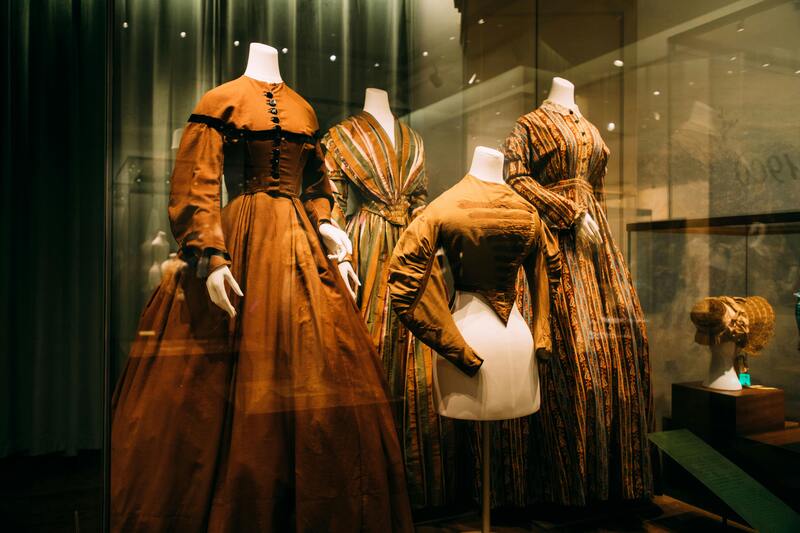

In fashion e-commerce, great product photos can directly impact sales. Customers want to see how clothing looks when worn, but traditional photoshoots with models or mannequins can be expensive and time-consuming.
That’s why ghost mannequin photography has become a popular solution. The invisible mannequin effect shows the natural shape of garments while keeping the focus on the product itself.
Today, an AI ghost mannequin generator makes this process even easier. With an AI fashion design tool, brands can remove mannequins and generate clean product images in minutes.
This guide explains what an AI ghost mannequin generator is, why fashion brands are adopting it, and how to create ghost mannequin clothes from an image using AI.
What Is an AI Ghost Mannequin Generator
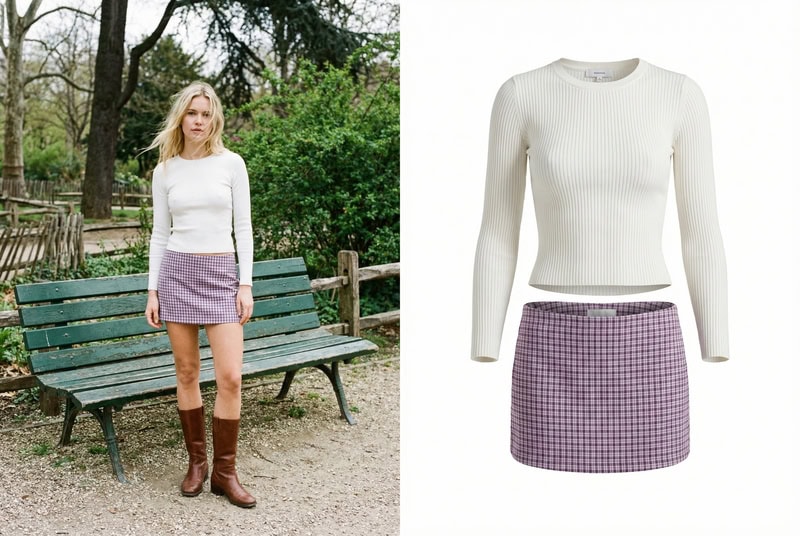
An AI ghost mannequin generator is a tool that uses artificial intelligence and computer vision to create clothing product images with an invisible mannequin effect. It automatically removes mannequins, models, or backgrounds from clothing photos, producing a three-dimensional “hollow” look that highlights the natural shape of the garment.
Many specialized AI ghost mannequin generators have emerged, and a growing number of fashion design tools also include this feature, enabling users to produce clean and realistic ghost mannequin results with minimal editing.
This technique, often referred to as ghost mannequin photography, invisible mannequin photography, or the hollow man effect, is widely used in fashion e-commerce to present garments in a clear and professional way.
AI Ghost Mannequin Generator vs Flat Lay vs Model Photography
Fashion brands use different types of product photography depending on their goals. Some images focus on simplicity, while others highlight how garments look when worn.
Today, clothing visuals can be created through methods such as flat lay photography, model photography, or AI ghost mannequin photography. In addition, emerging technologies like AI model generation are also expanding how fashion products can be presented online. Each approach has its own strengths and works best in different scenarios.
| Method | Key Feature | Advantages | Best For |
| Flat Lay Photography | Clothing photographed on a flat surface | Simple, affordable, quick to produce | Social media, accessories, casual displays |
| Model Photography | Garment worn by a real model | Shows fit and lifestyle appeal | Campaigns, lookbooks, branding |
| AI Ghost Mannequin Photography | Invisible mannequin effect showing garment shape | Clean product focus, scalable with AI | E-commerce product pages, catalogs |
In practice, many fashion brands combine these methods, for example, using ghost mannequin images for product listings, model photos for marketing, and flat lay images for social media or detail shots.
Why Fashion Brands Are Switching to AI Ghost Mannequin Generators
As fashion e-commerce continues to grow, brands need to produce large volumes of consistent product images for online stores, catalogs, and marketplaces. Traditional ghost mannequin photography can effectively showcase the structure of garments, but the process often involves mannequins, multiple photos, and time-consuming editing.
With recent advances in computer vision and AI image editing, many brands are beginning to adopt AI ghost mannequin generators to simplify this workflow. These tools allow clothing images to be processed more efficien tly while maintaining a professional look.
Faster Product Image Production
Creating traditional ghost mannequin images usually requires photographing garments from multiple angles and carefully combining the images during post-production. AI fashion design tools significantly speed up this process by automatically removing mannequins and reconstructing hidden areas of the clothing.
Lower Photography and Editing Costs
Fashion product photography often involves studio setups, mannequins, photographers, and professional retouching. By automating parts of the editing workflow, AI ghost mannequin generators help reduce the amount of manual work required, making the overall production process more cost-efficient.
Scalable for Large Fashion Catalogs
Many fashion brands release seasonal collections with hundreds of products. Maintaining consistent visuals across such large catalogs can be challenging. AI ghost mannequin photography makes it easier to process large batches of clothing images and generate uniform ghost mannequin results across entire product lines.
Cleaner and More Consistent Product Images
Ghost mannequin photography focuses attention entirely on the garment, highlighting its shape and structure without distractions. AI-generated ghost mannequin images help brands maintain consistent backgrounds, lighting styles, and product presentation across their e-commerce platforms.
How to Create Ghost Mannequin Images with Fashion Diffusion
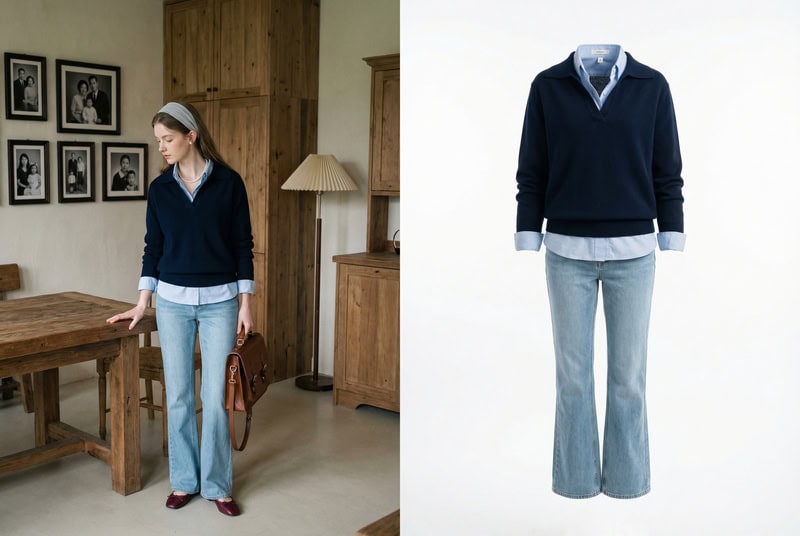
Creating ghost mannequin product images with AI is simple with tools like Fashion Diffusion. By using the AI Inpainting feature, you can remove the mannequin or model from a clothing photo and generate a clean ghost mannequin effect in just a few steps.
Step 1: Upload a Clothing Image
Start by uploading a clothing photo to the AI Inpainting tool. You can choose images in different styles depending on the final look you want to create—for example, studio product photos, model shots, or fashion editorial images. Selecting a clear image with well-defined garment details will help the AI generate a more realistic ghost mannequin effect.
Step 2: Enter a Description Prompt
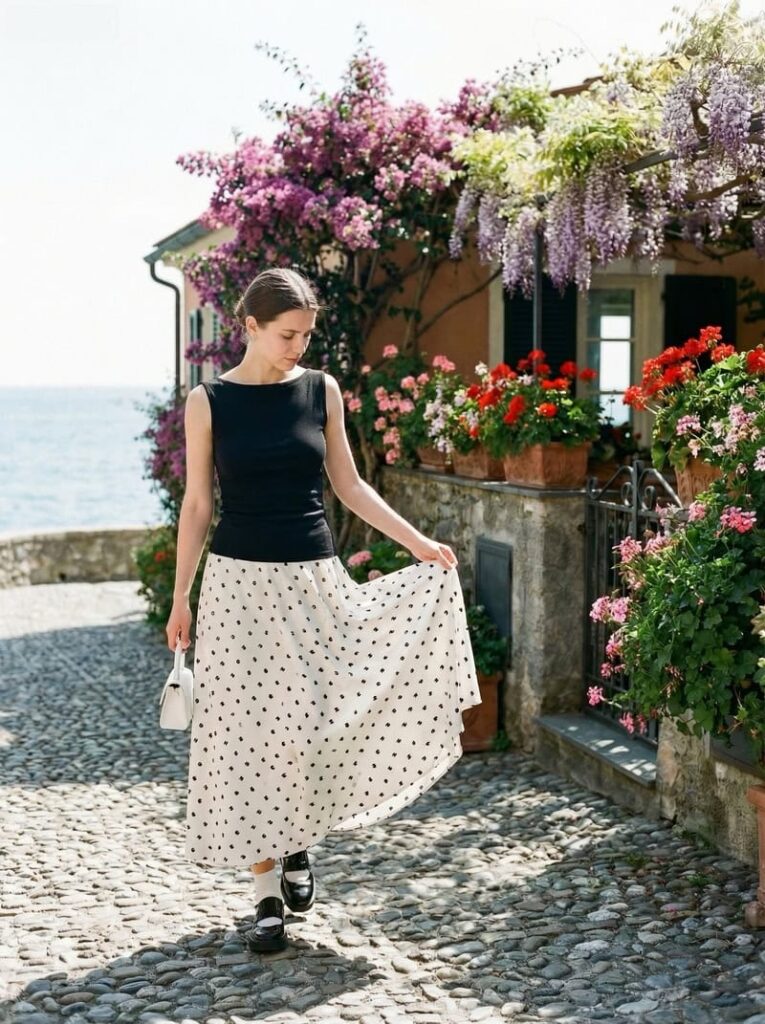
Next, enter a prompt describing the ghost mannequin effect you want to create.
Here is an example prompt:
professional ghost mannequin clothing photography, remove the model completely, hollow invisible mannequin effect, maintain natural garment shape, show inner collar, cuffs and hem details, floating clothing on a clean white studio background, soft studio lighting highlighting fabric texture and folds.
This description helps the AI understand how to reconstruct the garment and generate a realistic invisible mannequin effect.
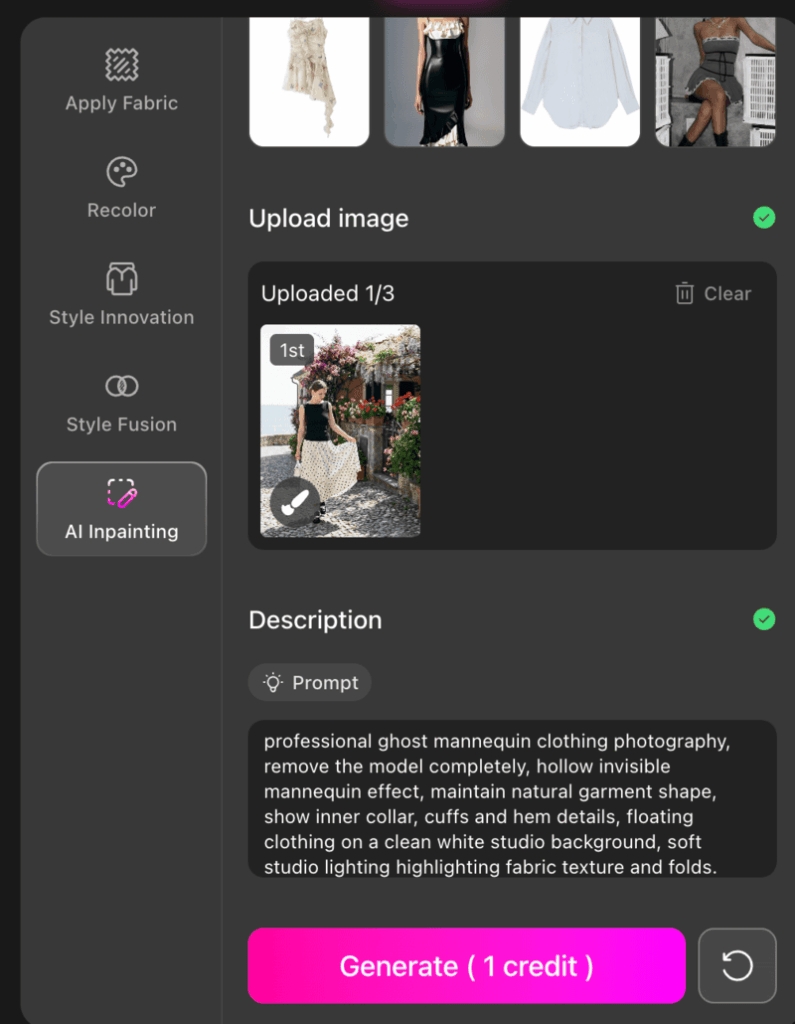
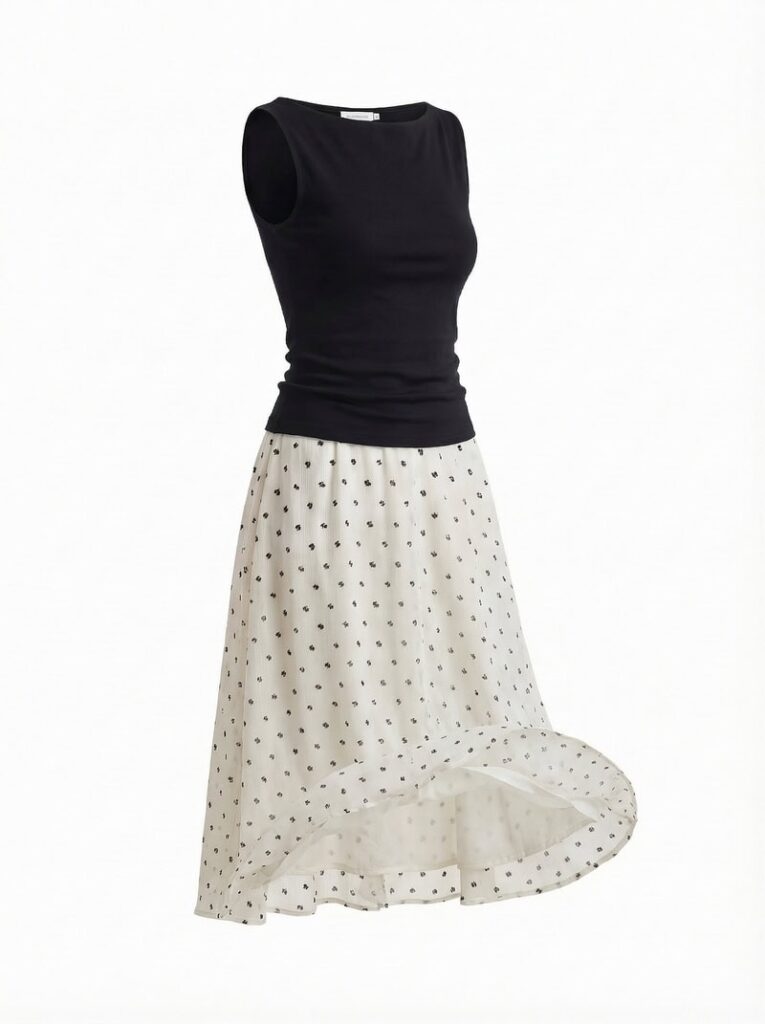
Step 3: Generate the Image
After entering the prompt, simply generate the image. You can create multiple variations and refine the results by adjusting your description, for example, adding details about image ratio, resolution, or lighting style. This allows you to gradually fine-tune the output until it matches the product photography look you want.
Best Use Cases for AI Ghost Mannequin Generators
Ghost mannequin images are widely used across fashion e-commerce because they present clothing in a clean, professional way while still showing the garment’s natural shape. In fact, industry surveys show that about 57.2% of fashion e-commerce brands use ghost mannequin photography as part of their product image strategy.
With the rise of AI image editing tools such as Fashion Diffusion, AI ghost mannequin generators are now being used in several key scenarios across the fashion industry.
E-commerce Product Pages
One of the most common uses for ghost mannequin images is on e-commerce product pages. These images highlight the structure of garments without distractions from mannequins or models. Clear product images are critical for online apparel stores, as 93% of consumers consider visual appearance a key factor in purchase decisions.
Because AI ghost mannequin clothes focus entirely on the garment, they are particularly effective for presenting items like jackets, shirts, dresses, and sweaters.
Large Product Catalog Production
Fashion brands often release seasonal collections that include dozens or even hundreds of products. AI ghost mannequin tools are particularly useful when processing large batches of clothing images, allowing teams to generate consistent product visuals across an entire catalog.
This makes them practical for brands that regularly update inventory or launch new collections.
Marketplace Product Standardization
Online marketplaces and multi-brand stores often require standardized product images. Ghost mannequin visuals provide a consistent presentation style that works well across product grids, making it easier for shoppers to compare garments.
Because the mannequin is removed and the focus remains on the clothing itself, the images appear clean and uniform across different product listings.
Digital Catalogs and Brand Websites
AI Ghost mannequin images are commonly used in digital catalogs and brand websites where the goal is to highlight garment design and structure. In these contexts, the invisible mannequin effect helps present clothing in a clear and professional format without the distraction of models or styling elements.
Tips for Getting Better Results with an AI Ghost Mannequin Generator
While an AI ghost mannequin generator can automate much of the image editing process, a few practical adjustments can significantly improve the final results. From selecting the right input image to refining prompts, these small details help produce more realistic ghost mannequin product photos.
Start with a Clear Garment Image
The quality of the input image directly affects the final result. Choose photos with clear lighting, minimal shadows, and visible garment edges. Images where the clothing structure is clearly defined will help the AI reconstruct the garment more accurately.
Use Detailed but Focused Prompts
When entering a description prompt, include key visual details such as lighting style, background, and garment presentation. However, keep the prompt concise so the AI can clearly interpret the intended effect.
For example, specifying elements like “white studio background”, “ghost mannequin effect”, or “soft studio lighting” can help generate more consistent product images.
Highlight Interior Garment Details
One characteristic of high-quality ghost mannequin photography is the visibility of inner garment details such as the collar interior, sleeve openings, or hems. Including these details in the prompt can help the AI generate more realistic results that resemble professional product photography.
Generate Multiple Variations
AI image generation often produces slightly different outputs each time. Generating several variations allows you to compare results and choose the version that best matches your desired product photography style.
The Future of AI Ghost Mannequin Generators in Fashion E–commerce
AI ghost mannequin generators are reshaping how fashion brands create product images. This guide has covered what they are, why brands are adopting them, how to generate images with AI Inpainting using Fashion Diffusion, and best practices for professional results.
Looking ahead, AI-powered product photography will become faster, more consistent, and increasingly versatile. Advances in computer vision and generative AI will allow brands to produce high-quality ghost mannequin images at scale, reducing costs while maintaining a polished, professional look.
For designers, e-commerce teams, and creative professionals, exploring AI fashion design tools like Fashion Diffusion offers a simple way to generate realistic, clean, and flexible product visuals. Embracing AI ghost mannequin technology today is an opportunity to stay ahead in the competitive world of fashion e-commerce.
FAQ
An AI ghost mannequin generator is a tool that uses artificial intelligence and computer vision to create clothing product images with an invisible mannequin effect. It automatically removes mannequins or models from photos and reconstructs hidden garment areas to highlight the natural shape of the clothing.
Yes. AI ghost mannequin tools work best for garments with defined shapes, such as jackets, shirts, dresses, and sweaters. While they can process most clothing types, very loose or abstract designs may require additional prompt refinement to achieve the desired effect.
Better results can be achieved by starting with high-quality, well-lit input images. When writing prompts, include specific visual descriptions so the AI can better understand the desired look. Finally, adjusting prompt parameters such as image ratio or resolution can further refine the outcome and better match your specific needs.
AI ghost mannequin tools save time, reduce costs, and allow brands to scale product photography efficiently. They are ideal for e-commerce product pages, large catalogs, online marketplaces, and digital marketing materials. Tools like Fashion Diffusion make it easy for designers and e-commerce teams to produce professional, consistent, and realistic garment images.
With tools like Fashion Diffusion, generating a ghost mannequin image typically takes just a few minutes. You can also create multiple variations quickly, making it easy to compare results and select the best version for your product catalog or e-commerce listings.



关于作者