年度归档 2026年2月26日

Avatar photo 通过Sophia Mille

10 Best AI Shirt Color Changers in 2026: Recolor Your Clothes Instantly

We’ve all been there—you take a near-perfect photo, but the color of your shirt just doesn’t pop, or maybe it clashes with the background. In the past, fixing this meant hours of tedious Photoshop work or just giving up on the shot entirely.

Luckily, things have changed. With a modern AI fashion design tool, swapping colors is now as simple as a few clicks. Whether you’re a creator or just someone who wants their feed to look flawless, these AI shirt color changer make digital wardrobe updates feel like actual magic.

Top 10 AI Shirt & Clothes Color Changers

Choosing the right tool depends entirely on what you’re trying to achieve. Some people just want a quick color swap for an Instagram post, while brands need high-end realism for a product catalog. We’ve tested the top contenders to see how they handle textures, shadows, and ease of use.

1. Fashion Diffusion

Fashion Diffusion is purpose-built for the fashion industry, making it more of a professional studio than a simple filter app. It understands fabric physics, ensuring that when you recolor a silk shirt from blue to red, it keeps that specific sheen and drape.
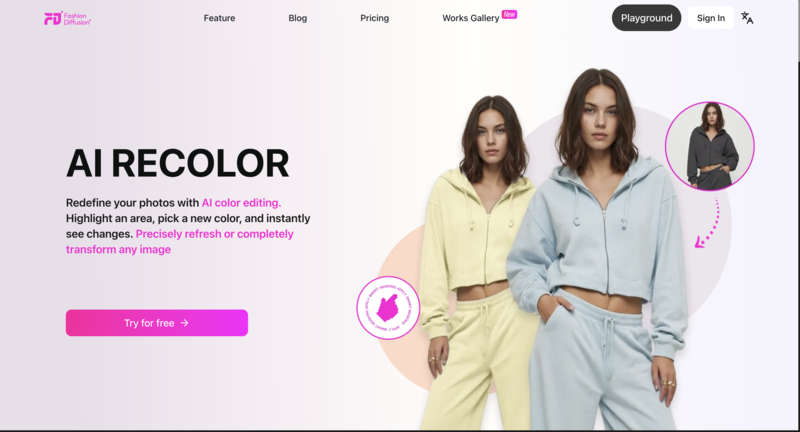
1. AI shirt color changer-Fashion Diffusion
  • Best for: Fashion brands, designers, and high-end content creators.
  • Precision: It uses advanced masking that handles tricky areas like hair strands over shoulders or complex lace.
  • Texture Retention: Unlike generic editors, it preserves the “feel” of the fabric—cotton still looks like cotton.
  • The Workflow: It’s designed to be an all-in-one AI fashion design tool, letting you experiment with professional-grade recoloring or even deep-dive into AI T-shirt design without needing a degree in photo editing.

2. iFoto

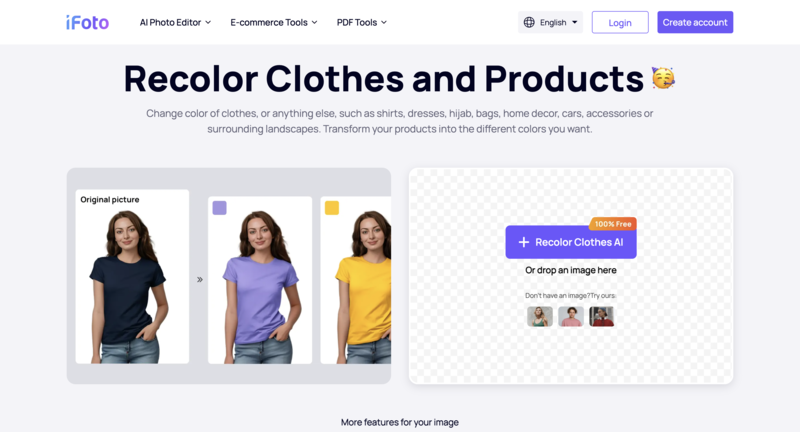
iFoto is a heavy hitter in the e-commerce world. It’s designed specifically to help sellers turn one product photo into a full collection of different colored SKUs without a second photoshoot.
2. AI shirt color changer-iFoto
  • E-commerce Focus: Features built-in tools for ghost mannequins and model swapping alongside color changing.
  • Speed: Very fast processing for bulk uploads, which is a lifesaver for small business owners.
  • AI Realism: It does a great job of maintaining natural lighting and shadows on the clothing.

3. Fotor

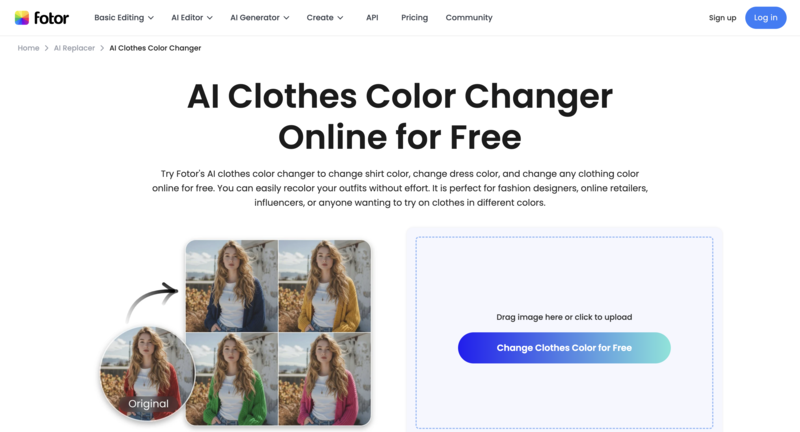
Fotor is the “Swiss Army Knife” of online photo editing. Their AI shirt color changer online tool is incredibly accessible for beginners who don’t want to deal with complex settings.
3. AI shirt color changer-Fotor
  • User Experience: Simple “brush and swap” interface that feels very intuitive.
  • Versatility: Since it’s a full editor, you can tweak the brightness and contrast of the new color immediately.
  • Accessibility: Great for casual users who need a quick, free-to-try solution for social media.

4. Pietra Studio

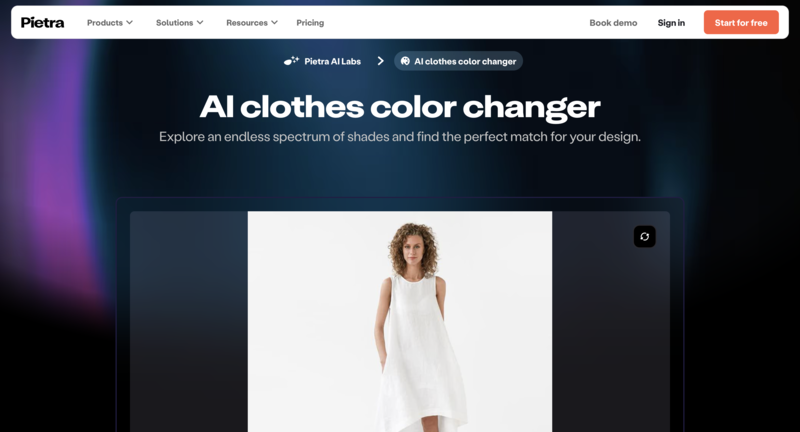
Pietra is more of an end-to-end supply chain platform, but their AI design tools are surprisingly powerful for visualizing new product lines.
4. AI shirt color changer-Pietra Studio
  • Design-Centric: Perfect for seeing how a specific Pantone color would look on a garment before you actually manufacture it.
  • Integration: Connects your digital edits directly to the manufacturing and sampling process.
  • Professionalism: High-quality outputs that look believable in a professional pitch deck.

5. NoteGPT

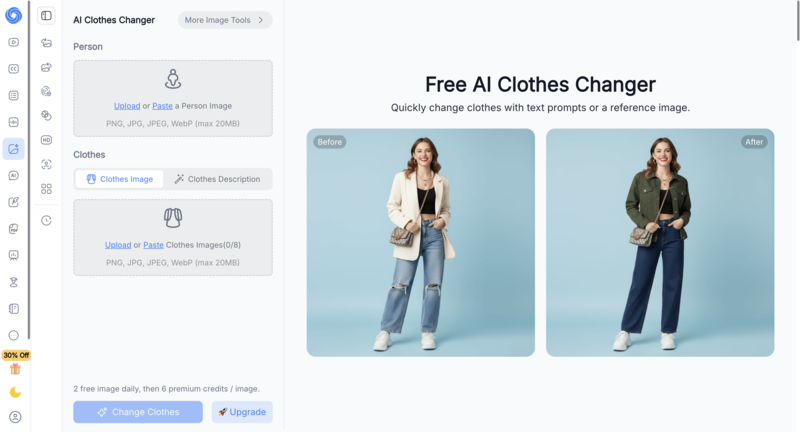
While NoteGPT started as an AI summary tool, it has expanded into creative AI features, including clothing recoloring. It’s a clean, no-fuss option for quick digital edits.
5. AI shirt color changer-NoteGPT
  • Simplicity: The interface is stripped back, making it very fast to load and use.
  • Convenience: Good for users who are already using AI for productivity and want a quick creative fix in the same ecosystem.
  • Output: Best suited for mockups or rough drafts rather than high-resolution print ads.

6. insMind

insMind is a dedicated AI photo design tool that has gained a lot of traction for its “magic” editing capabilities. It’s particularly good at identifying different parts of an outfit automatically.
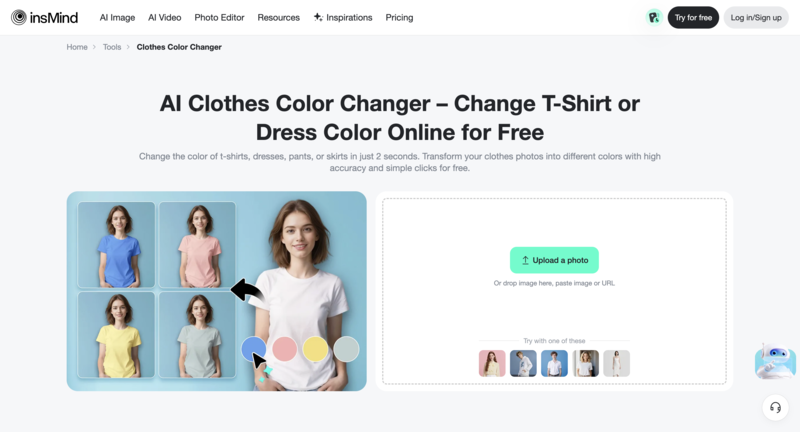
6. AI shirt color changer-Insmind
  • Auto-Detection: It’s quite smart at telling where the shirt ends and the pants begin, reducing the need for manual brushing.
  • Quality: Offers high-definition results that don’t look “pixelated” around the edges.
  • Free Options: A solid choice for someone looking for a high-quality ai shirt color changer free experience.

7. Segmind

Segmind is for the “power users” who like to have control over the underlying AI models. It’s built on Stable Diffusion, giving you deep customization options.
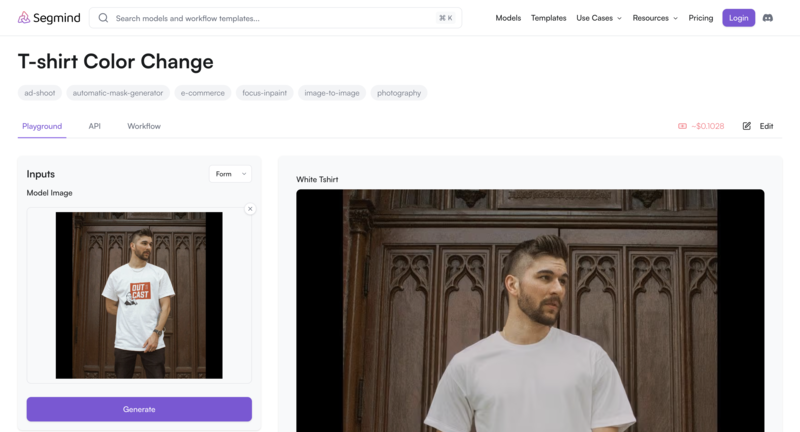
7. AI shirt color changer-Segmind
  • Control: You can use specific prompts to describe exactly how the new color and texture should look.
  • Customization: Great for creators who find “one-click” tools too limiting and want to experiment with different AI models.
  • Technical Edge: It’s slightly more technical but offers some of the most unique results on this list.

8. Airbrush

Airbrush specializes in generating and transforming images with a focus on photography. Its clothes color changer is designed to make the final result look like it came straight out of a camera.
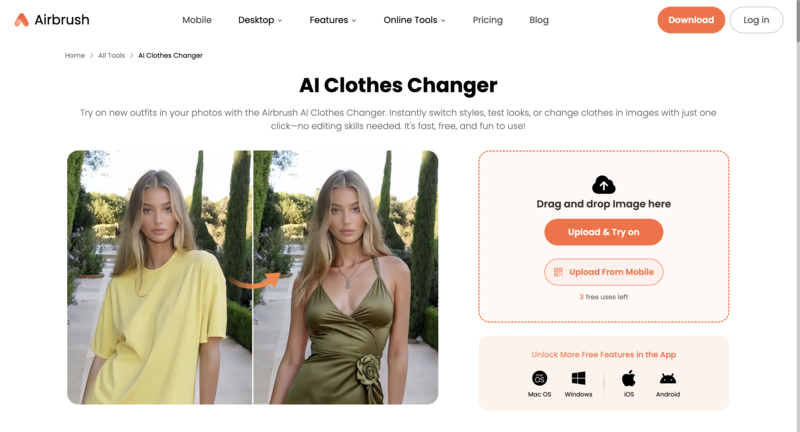
8. AI shirt color changer-Airbrush
  • Natural Lighting: It excels at making the new color interact naturally with the ambient light in the photo.
  • One-Click: Very fast “generate” button that gives you several color variations at once.
  • User Friendly: No steep learning curve—perfect for a 5-minute edit.

9. Evoto

Evoto is an AI photo editor specifically built for portrait photographers. If you are a wedding or fashion photographer with 500 photos to edit, this is your tool.
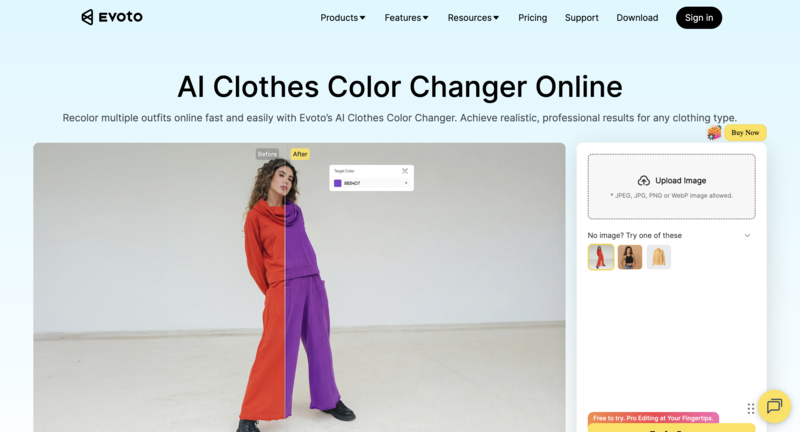
9. AI shirt color changer-Evoto
  • Batch Processing: You can sync your color changes across an entire photoshoot in seconds.
  • Portrait Perfection: Since it’s a portrait tool, it ensures skin tones aren’t affected by the shirt color change.
  • Time Saver: Truly built for professionals who value their time above all else.

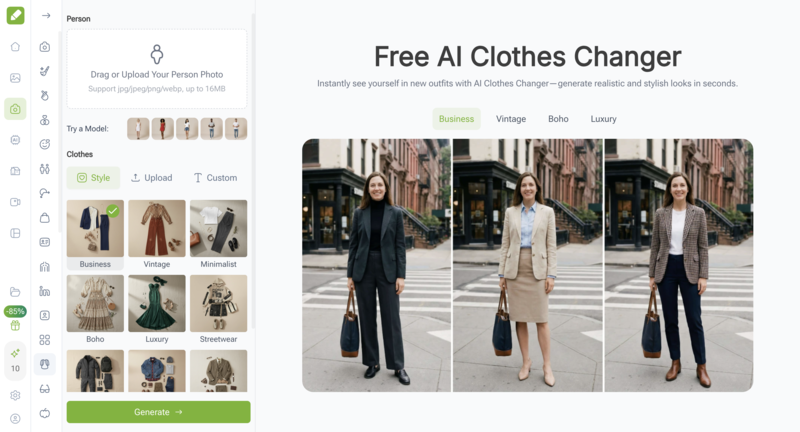
10. VisualGPT

VisualGPT acts as a creative assistant, allowing you to use text commands to change the look of your images. It’s like having a conversation with your editor.
10. AI shirt color changer-VisualGPT
  • Prompt-Based: You can say “change this shirt to a forest green velvet,” and it understands the context.
  • Creative Freedom: Good for exploring “what if” scenarios during the early stages of a fashion project.
  • Interactive: It’s a fun, modern way to edit that feels much more natural than clicking buttons.

Quick Comparison: Top 10 AI Clothing Color Changers at a Glance

Before we dive into the details of each tool, here is a quick breakdown to help you find the one that matches your specific needs, whether you’re looking for a professional studio setup or a quick, free online fix.

ToolFree VersionBest ForDifficultyKey Strength
Fashion DiffusionYes (Trial)Designers & BrandsBeginner FriendlyProfessional fabric realism & high-res output
iFotoYes (Free Tier)E-commerce SellersEasyBatch processing & product variants
FotorYes (Basic)Casual UsersVery EasyOne-click “brush & swap” interface
Pietra StudioLimitedBrand OwnersIntermediateManufacturing-ready color visualization
NoteGPTYesProductivity SeekersVery EasyMinimalist, fast, and no-fuss tool
insMindYes (Credits)Social Media CreatorsEasyExcellent auto-detection of clothing items
SegmindFree (Daily limits)Power Users/TechiesAdvancedHighly customizable via prompt commands
AirbrushYes (Limited)PhotographersEasyNatural lighting & realistic skin tone preservation
EvotoFree to Edit*Portrait ProsIntermediateBatch syncing across entire photoshoots
VisualGPTYes (Basic)Creative ExplorersEasyConversational, prompt-based editing

How to choose the Right AI Color Changer

With so many options out there, picking the right tool usually comes down to what you’re actually planning to do with the photo. A quick edit for a funny meme requires a completely different setup than a high-end fashion campaign.

To help you narrow it down, here are a few things to keep in mind before you hit that upload button.

Texture is Everything

The biggest giveaway of a poor AI edit is when the fabric suddenly looks like plastic. You want a tool that respects the original grain—whether it’s the rough weave of denim or the soft ripples of silk.

Fashion Diffusion and Evoto are particularly good at this, ensuring the “soul” of the garment stays intact while the color shifts. If the tool flattens out the shadows and highlights, the result will look like a 2D sticker.

Speed vs. Precision

If you have a batch of 50 product shots for an online store, you don’t have time to manually brush over every sleeve. In that case, you’ll want a tool with strong auto-detection like iFoto or insMind.

However, if you’re working on a single, complex hero image where the model has hair blowing over their shirt, you’ll need the precision of a tool that allows for manual masking and fine-tuning.

Output Quality and Format

Are you just posting to an Instagram Story, or is this going on a billboard? Many ai shirt color changer free tools are great for mobile viewing but might compress your image, making it look blurry on a larger screen.

Always check if the tool allows for high-resolution exports. For professional work, look for platforms that offer PNG or TIFF formats to keep your edges crisp and your colors vibrant.

Pro Tips For Perfect Results

Getting a believable color swap isn’t just about the AI; it’s about starting with a solid foundation. Even the best AI fashion design tool works better when you give it high-quality data to process.

If you want your digital wardrobe to look like it was actually there during the shoot, keep these three tips in mind.

Start with Neutral Tones

It’s much easier for AI to turn a white, grey, or beige shirt into a vibrant color than it is to turn a pitch-black hoodie into a pastel yellow.

Neutral base colors preserve the highlights and shadows most effectively, giving the AI a clean canvas to apply new pigments without “muddying” the texture.

Watch the Lighting

If your original photo has very harsh, direct sunlight or deep, messy shadows, the AI might struggle to distinguish the fabric from the environment.

Soft, diffused lighting is your best friend. It allows the AI shirt color changer online to see the true folds of the fabric, ensuring the new color wraps around the body naturally.

Mind the Reflected Light

One detail people often overlook is “color spill.” If you’re wearing a bright neon green shirt, that green light will reflect onto your neck and jawline.

When you change that shirt to blue, a high-end tool like Fashion Diffusion helps, but you might still need a quick touch-up on the skin tones to make the scene look 100% authentic.

Elevate Your Visuals with the Right Choice

The days of needing a professional retouching studio just to change an outfit color are officially over. Whether you’re a content creator or a brand owner, having a reliable AI shirt color changer in your digital toolkit saves hours of frustration and opens up endless creative possibilities.

While there are many general editors out there, the best results come from tools that actually understand the nuances of clothing. This is where Fashion Diffusion truly shines, offering the perfect balance between professional-grade realism and a user-friendly interface that anyone can master.

Ready to see the magic for yourself? Head over to Fashion Diffusion today and transform your photos with just a few clicks. It’s the easiest way to ensure your wardrobe always matches your vision—give it a try and let your creativity run wild!

FAQ

Can AI realistically change the color of my clothes?

Yes! Modern tools use advanced “segmentation” to identify fabric folds and shadows. Instead of just “painting” over the shirt, the AI applies a new color layer that respects the original lighting, making it look like the garment was actually that color when the photo was taken.

How do I change the color of a shirt online?

The process is usually very simple:
Upload your photo to an online tool.
Select the shirt or item you want to change (most AI tools will auto-detect this).
Choose your new color or enter a specific HEX code.
Generate and download your high-resolution image.

Will the AI affect my skin tone or the background?

High-quality AI tools are designed to isolate only the clothing. If you use a specialized AI fashion design tool, it will create a “mask” around the shirt, ensuring that your skin, hair, and the background remain completely untouched and natural-looking.

What kind of photos work best for color changing?

For the best results, use high-resolution photos with clear lighting. Solid-colored shirts (like white, grey, or blue) are generally easier to recolor than complex patterns. However, advanced AI can now even handle textures like denim, silk, and wool with ease.
Avatar photo 通过Alexander Wilson

How to Create T-shirt Designs with AI: The Future of Apparel Graphics

What if designing a T-shirt wasn’t about mastering software, but about exploring ideas?

Whether you are an independent creator testing print-on-demand ideas, a streetwear brand exploring rapid drops, or a fashion team experimenting with generative workflows, AI T-shirt design offers a scalable way to move from concept to visual validation.

AI T-shirt design shifts the focus from technical execution to creative experimentation. Instead of being limited by tools, designers can generate multiple graphic concepts instantly, test logo variations, and visualize finished shirts in realistic settings. All within a streamlined workflow.

In this article, you will discover how AI T-shirt design works, how it compares to traditional design methods, and how to create production-ready T-shirt graphics step by step using AI fashion design generators.

What Is AI T-shirt Design

AI T-shirt design refers to the process of using artificial intelligence tools to create and develop T-shirt graphics, logos, and visual concepts. Instead of relying entirely on manual illustration or complex design software, AI systems can generate design ideas based on text prompts, visual inputs, or stylistic references.

Rather than being a single tool, AI fashion design represents a broader shift in how apparel graphics are created, emphasizing speed, experimentation, and digital-first workflows. As demand for faster product cycles and flexible design processes continues to grow, AI-driven design is becoming an increasingly practical solution for creators and brands alike.

Why AI T-shirt Design Is Growing Rapidly

The rapid growth of AI T-shirt design is not accidental. It reflects larger shifts in the fashion and e-commerce landscape, where speed, flexibility, and digital efficiency have become competitive advantages.

Several key factors are driving this momentum:

1. Faster Product Cycles

Fashion trends move quickly, especially in streetwear and online retail. Brands that once launched seasonal collections now release new drops weekly or even daily. AI allows designers to generate and test concepts rapidly, reducing the time between idea and launch.

2. The Rise of Print-on-Demand

Print-on-demand businesses have lowered the barrier to entry for apparel entrepreneurship. However, they require a constant stream of new designs to stay competitive. AI makes it possible to experiment with multiple graphic variations without hiring external designers for every concept.

3. Demand for Customization and Niche Designs

Consumers increasingly expect personalized or niche-focused products. From micro-communities to fandom-based merchandise, small-batch creative output is in high demand. AI enables scalable experimentation across styles, aesthetics, and audience segments.

4. Lower Design Barriers

Traditional T-shirt design often requires advanced tools such as Illustrator or Photoshop. AI reduces the technical barrier, allowing creators to focus on ideas rather than software complexity.

AI T-shirt Design vs Traditional T-shirt Design

To understand why AI adoption is accelerating, it helps to compare it directly with traditional design workflows.

AspectTraditional DesignAI T-shirt Design
Concept DevelopmentManual sketching & draftingPrompt-based generation
Iteration SpeedSlow revision cyclesInstant regeneration
Color VariationsManual recoloringMultiple variations in seconds
Skill RequirementProfessional software knowledgeAccessible to beginners
Product PreviewManual mockup creationInstant on-garment previews

The key difference lies in iteration speed and flexibility. Traditional workflows are often linear, while AI-driven workflows are iterative. This shift is what makes AI design (including AI T-shirt, shirt, sweatshirt design) particularly suited for modern digital commerce environments.

How to Create an AI Tshirt Design (Step-by-Step Workflow)

Creating a high-quality AI T-shirt design can be structured into four focused stages: concept generation, graphic development, placement, and refinement.

Using Fashion Diffusion, you can move efficiently from initial idea to a production-ready T-shirt mockup within a streamlined workflow.

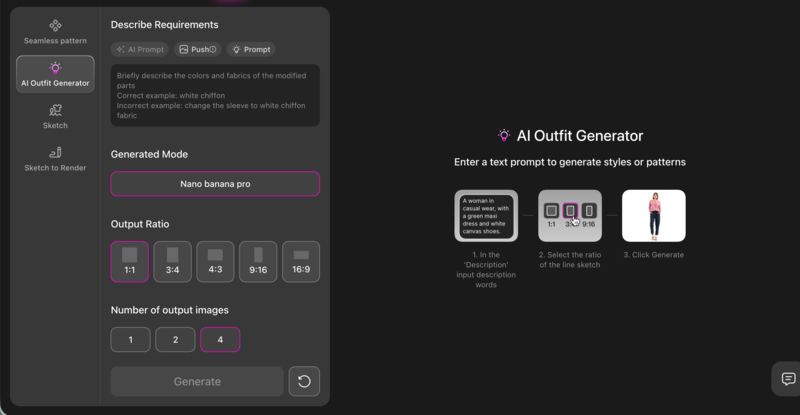
Step 1: Generate the Full T-shirt Concept

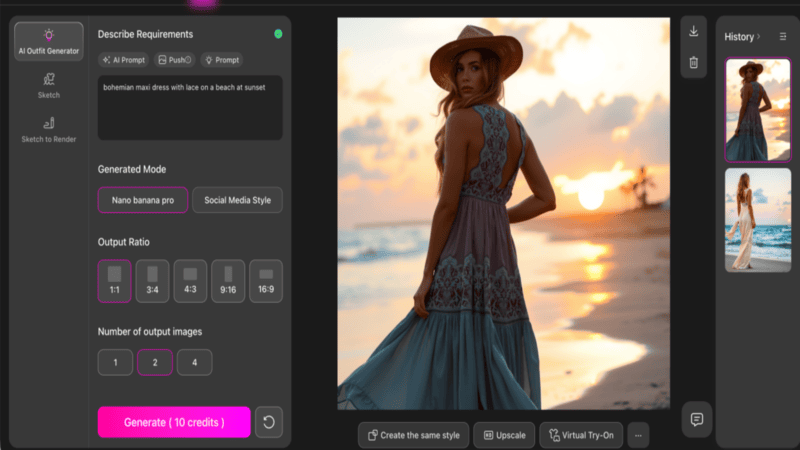
Begin with the AI Outfit Generator and define the overall design direction.

You can use Fashion Diffusion's AI Outfit Generator feature to define the overall design direction.

At this stage, the goal is to establish silhouette, fabric texture, graphic style, and presentation mood in one cohesive concept.

When writing your prompt, clearly describe:

  • Silhouette (oversized, boxy, relaxed, structured);
  • Fabric quality (heavyweight cotton, washed texture, smooth premium finish);
  • Graphic type (abstract, geometric, illustrated, experimental);
  • Presentation style (studio product shot, fashion editorial, ecommerce-ready).

Generate multiple variations and evaluate overall balance, composition, and visual clarity before moving forward.

Below are several strong graphic directions you can explore.

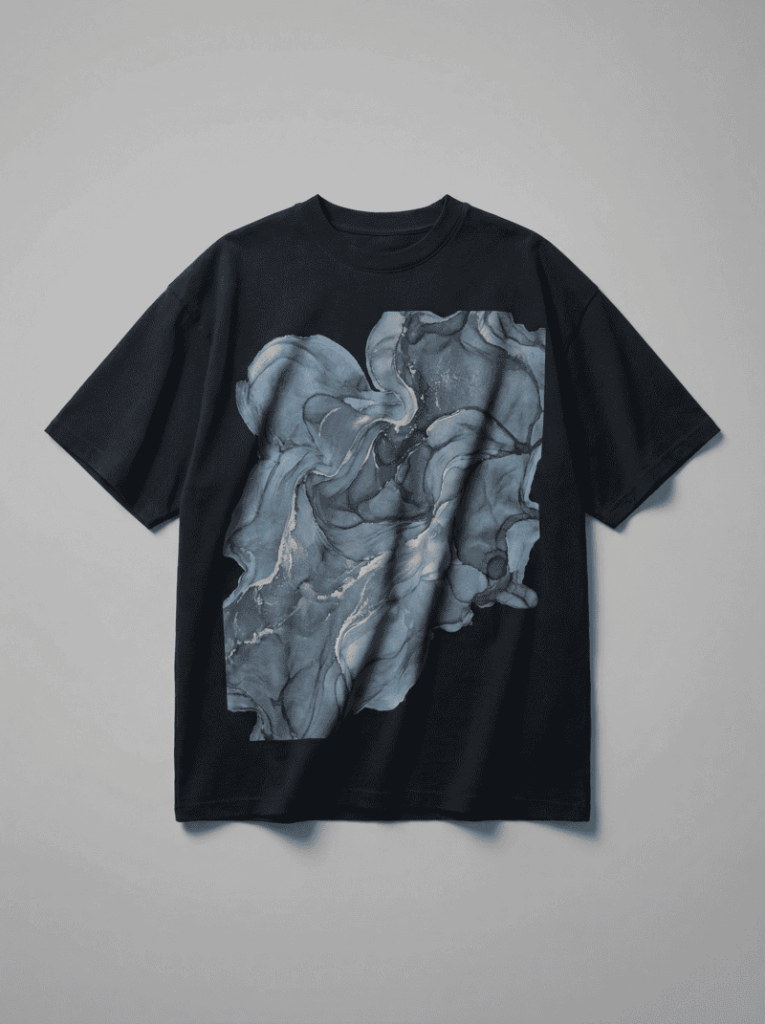
Option 1: Abstract Art Graphic Concept

This direction focuses on expressive abstract composition. Layered organic shapes, fluid transitions, and controlled color palettes create visual depth while maintaining balance. Muted tones or metallic accents can add refinement without overwhelming the garment.

Example prompt: oversized black streetwear t-shirt, large abstract fluid art print on chest, layered organic shapes in muted blue and silver tones, balanced composition, heavyweight cotton texture, realistic fabric folds, soft studio lighting, professional fashion product photography, ultra detailed.

Option 1: Use AI Outfit Generator feature for abstract art graphic concept.
Fashion Diffusion AI-generated

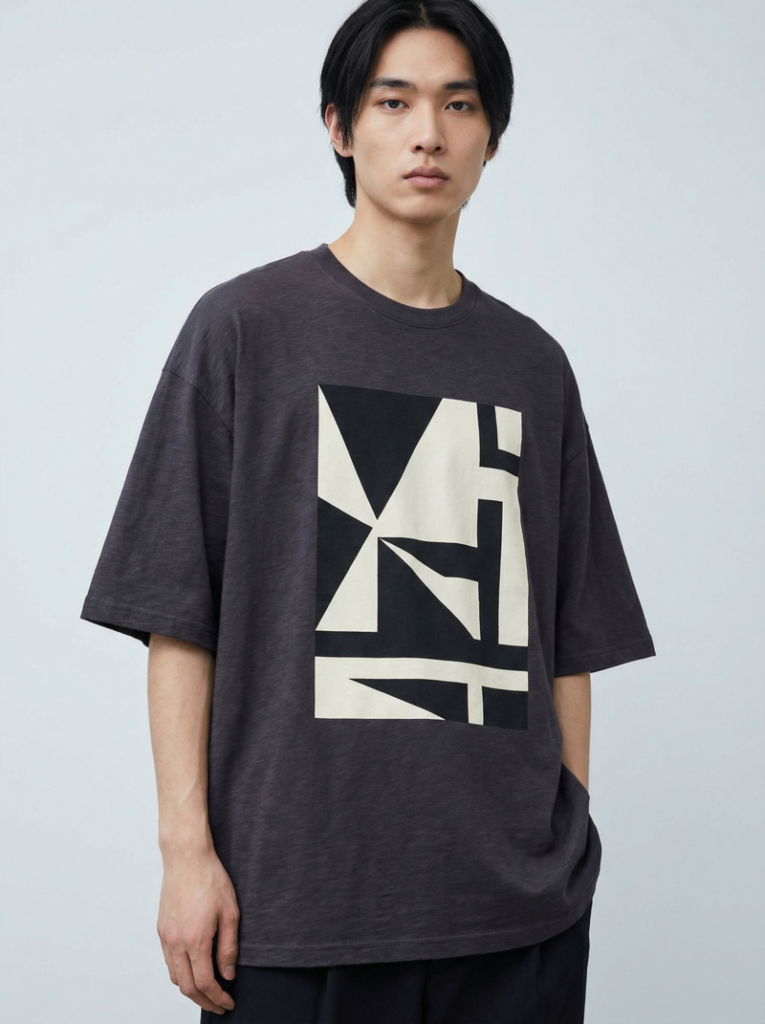
Option 2: Modern Geometric Graphic Design

Geometric compositions emphasize structure and clarity. Clean lines, bold shapes, and asymmetrical layouts create a strong focal point with minimal visual noise. High-contrast palettes enhance print sharpness and readability.

Example prompt: boxy oversized t-shirt in deep charcoal, bold geometric graphic print centered on chest, asymmetrical layout, high contrast black and off-white palette, premium cotton fabric texture, clean studio background, fashion lookbook photography, ultra realistic.

Option 2: Use AI Outfit Generator feature for modern geometric graphic design.
Fashion Diffusion AI-generated

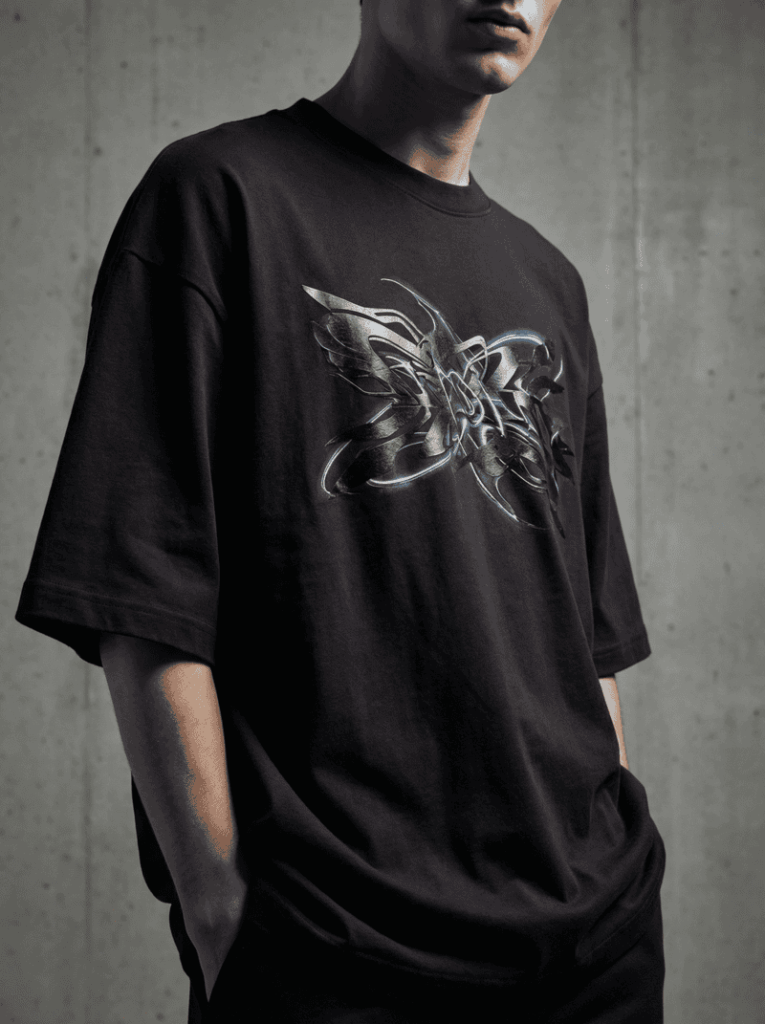
Option 3: Futuristic Abstract Pattern

This direction leans toward experimental and forward-looking aesthetics. Layered textures, metallic finishes, and controlled glow effects create a bold yet cohesive design suitable for contemporary streetwear collections.

Example prompt: oversized streetwear t-shirt in matte black cotton, futuristic abstract pattern print across chest, layered metallic textures and subtle glow accents, strong visual contrast, realistic fabric folds, cinematic studio lighting, fashion editorial photography, 4k detail.

Option 3: Use AI Outfit Generator feature for futuristic abstract pattern.
Fashion Diffusion AI-generated

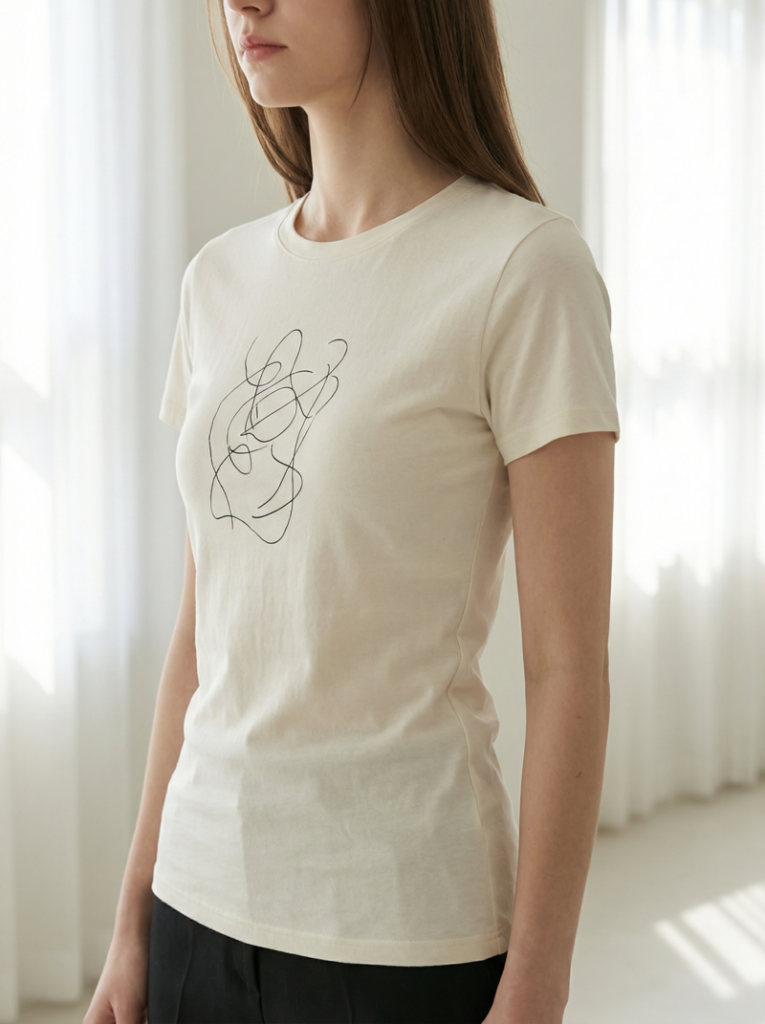
Option 4: Feminine Fitted Minimal

This direction focuses on a refined, body-contouring silhouette with subtle graphic expression. Clean waist shaping, lightweight cotton, and minimal line-based artwork create a modern and wearable design suitable for contemporary womenswear brands.

Example prompt: fitted women’s t-shirt in soft ivory cotton, subtle abstract line art print on chest, slim silhouette with clean waist shaping, smooth lightweight fabric texture, minimal composition, soft natural daylight, modern fashion, high detail.

Option 4: Use AI Outfit Generator feature for feminine fitted minimal vibe.
Fashion Diffusion AI-generated

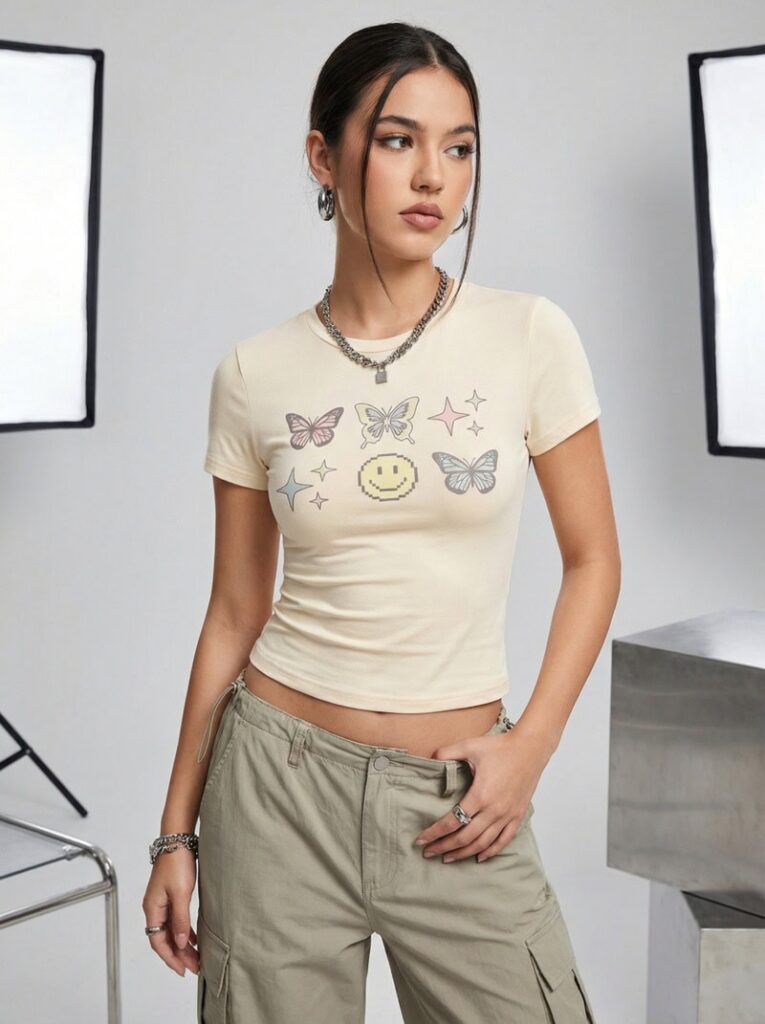
Option 5: Y2K Cropped Baby Tee

Inspired by early 2000s silhouettes, this direction features a cropped length, close fit, and playful graphic placement. Stretch cotton textures and youthful styling create a trend-driven yet commercially viable design.

Example prompt: cropped fitted baby tee in bright white cotton, bold playful graphic illustration centered on chest, slightly stretchy fabric, clean smooth texture, youthful Y2K aesthetic, studio lighting, fashion editorial photography, high resolution.

Option 5: Use AI Outfit Generator feature for Y2K cropped baby tee.
Fashion Diffusion AI-generated

Once a strong base concept is selected, proceed to refinement using AI Inpainting to enhance graphic clarity, adjust fit details, and elevate presentation quality.

Step 2: Develop the Graphic or Logo Structure

At this stage, the goal is to create a clear, scalable graphic mark that works as the visual focal point of the garment. Unlike large abstract prints, logo designs emphasize structure, typography, and recognizability.

When generating logo concepts with AI, define:

  • Logo style (minimal, badge, typographic, monogram, icon-based);
  • Typography direction (bold, condensed, modern sans-serif, etc.);
  • Icon concept or symbolic element;
  • Overall structure and balance.

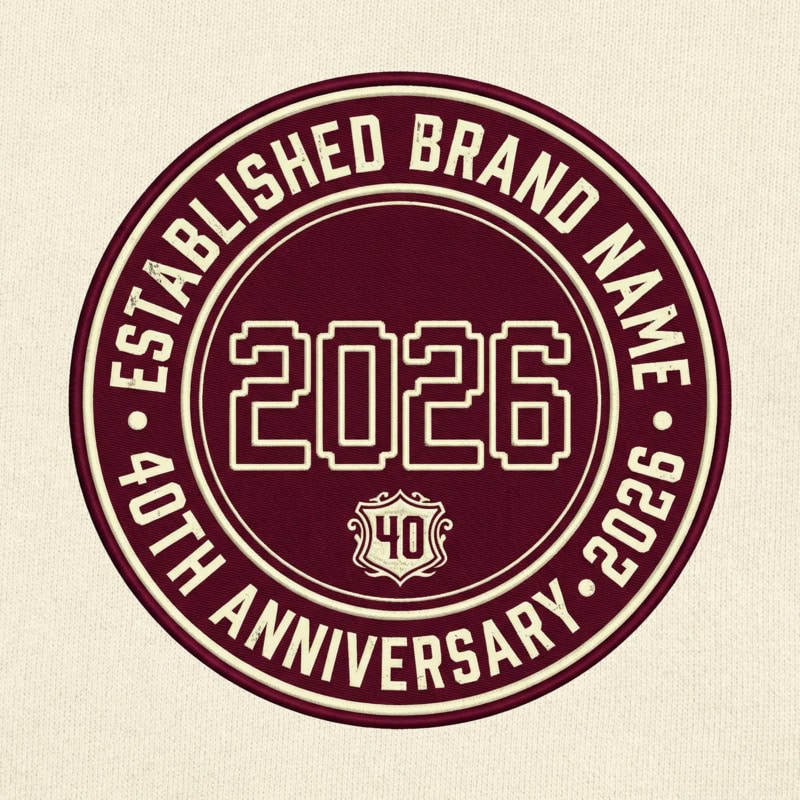
Logo-focused T-shirts are common in company culture shirts, team-building event apparel, startup anniversary tees, as well as campus or community group uniforms. Keep the logo clean, high-contrast, and vector-like to ensure scalability and print compatibility.

Example prompt: circular anniversary t-shirt logo, bold numeric year with brand name around outer ring, balanced badge composition, deep burgundy and cream palette, subtle vintage influence.

Use AI Outfit Generator feature to develop the logo structure.
Fashion Diffusion AI-generated

Generate multiple variations and select the version with the strongest clarity and composition.

Step 3: Apply the Logo onto the T-shirt with AI Inpainting

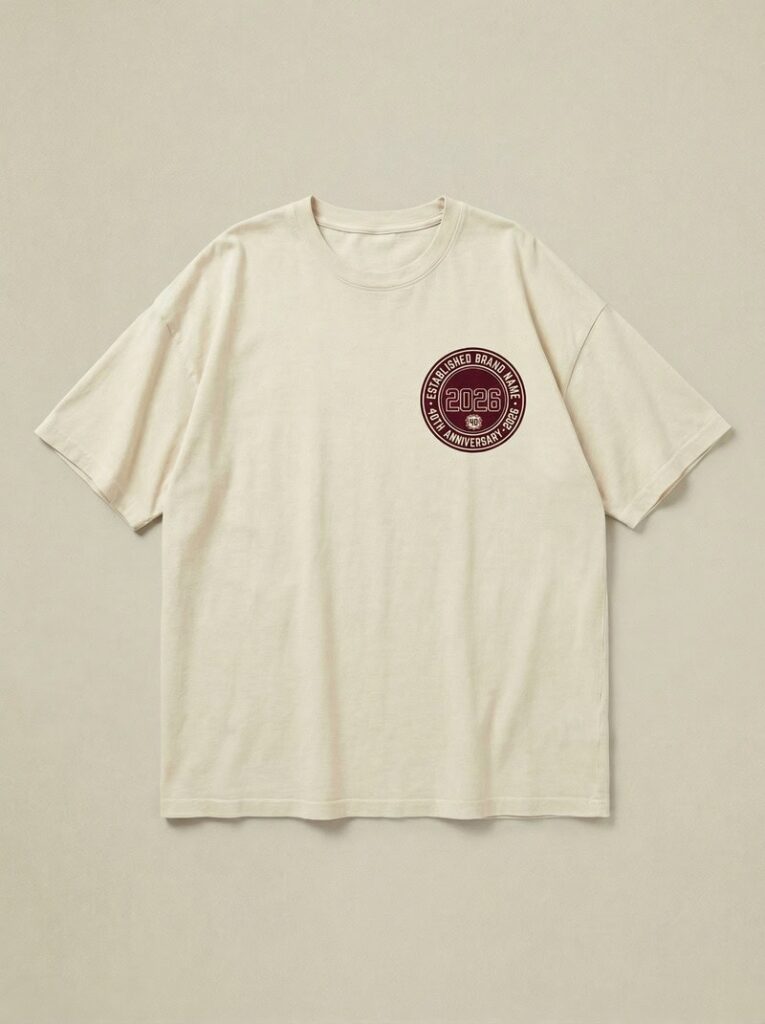
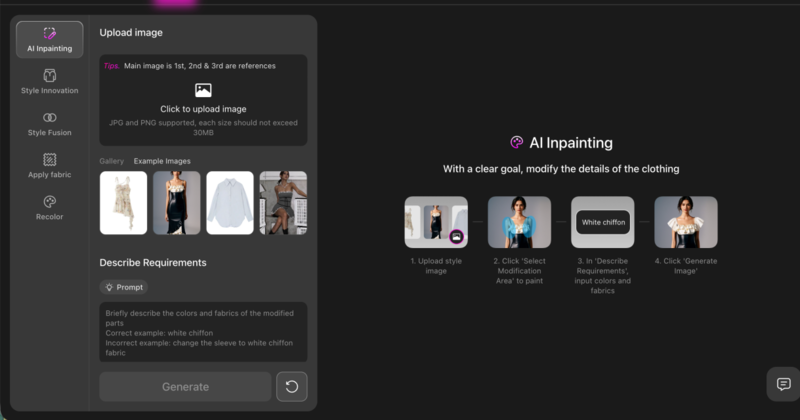
Once the logo is finalized, move to the garment image and use AI Inpainting to place the logo onto the T-shirt.

Select the print area (center chest, small left chest, or back placement) and insert the logo while maintaining realistic proportions and fabric interaction. Ensure the logo aligns naturally with the garment’s folds, lighting, and perspective.

You can apply the logo onto the T-shirt with Fashion Diffusion's AI Inpainting feature.
Fashion Diffusion AI-generated

At this stage, the focus is on correct placement, scale, and integration. The logo should feel printed on the fabric, not layered artificially on top.

Step 4: Refine the Graphic with AI Inpainting

Once a strong base concept is selected, move into targeted refinement.

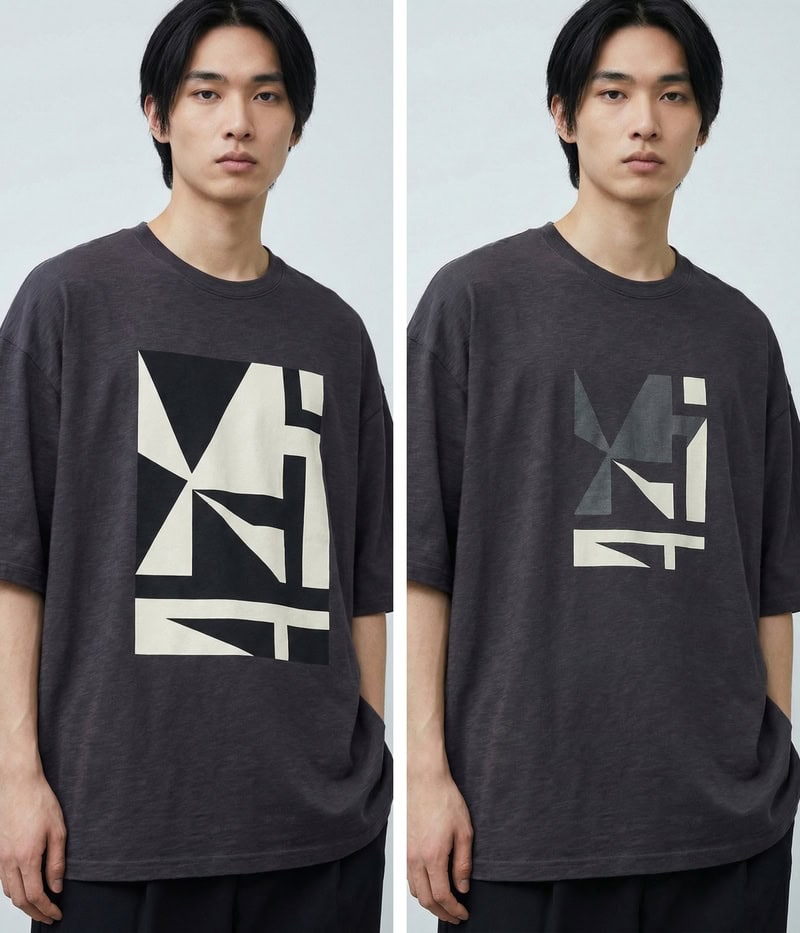
At this stage, focus specifically on the printed area. Select only the graphic region and enhance clarity, contrast, and print realism.

You can refine the graphic with Fashion Diffusion's AI Inpainting feature.

Common refinement goals include:

  • Improving edge sharpness;
  • Increasing contrast between print and fabric;
  • Adjusting color intensity;
  • Enhancing texture realism (screen print, ink texture, subtle distressing).

Example refinement prompt: The icons should be slightly smaller, and the edges and colors need a bit more gray tint.

Use AI Inpainting feature to make the logo smaller and modify its color.
Fashion Diffusion AI-generated

Step 5: Adjust Fit, Fabric, and Construction Details

After refining the print, shift attention to the garment structure.

Use AI Inpainting to select specific areas such as sleeves, neckline, hemline, or body silhouette. Refine these elements to align with your intended positioning.

You can adjust:

  • Sleeve length (short sleeve to extended sleeve);
  • Silhouette (relaxed to tailored fit);
  • Fabric finish (smooth cotton to washed texture);
  • Structural details (ribbed collar, thicker neckline, cropped length)

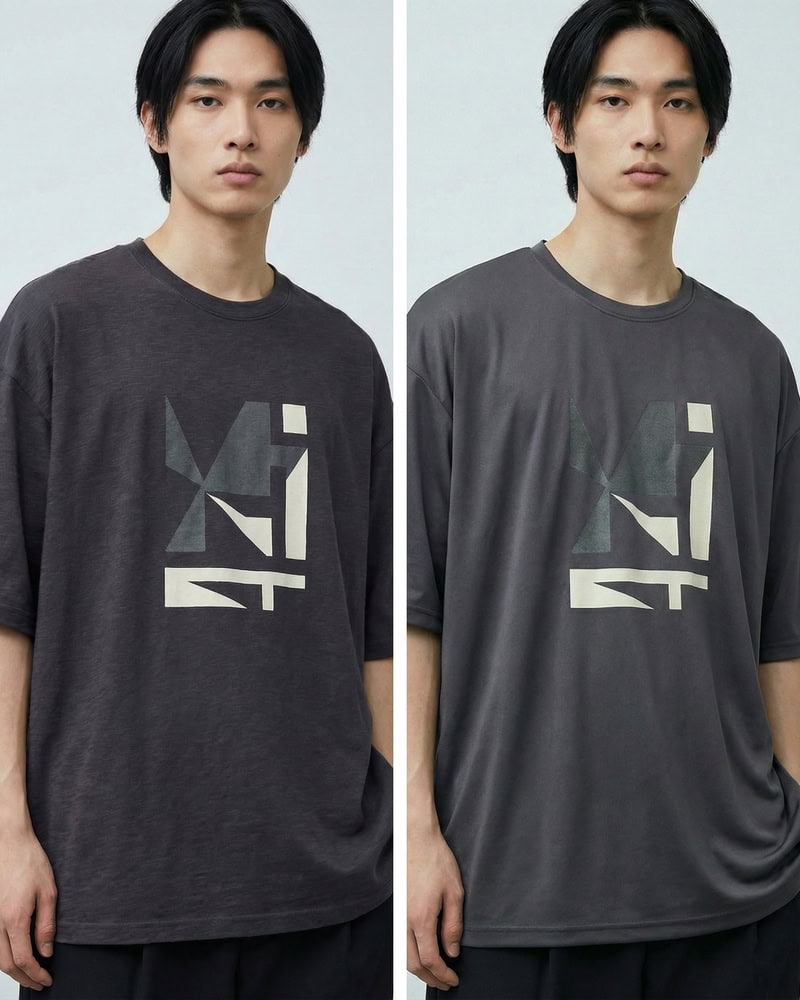
Example prompt 1: Lightweight and breathable fabric suitable for sweatshirts, with a drapey feel and skin-friendly comfort.

Use AI Inpainting to change the fabric of the T-shirt.
Fashion Diffusion AI-generated

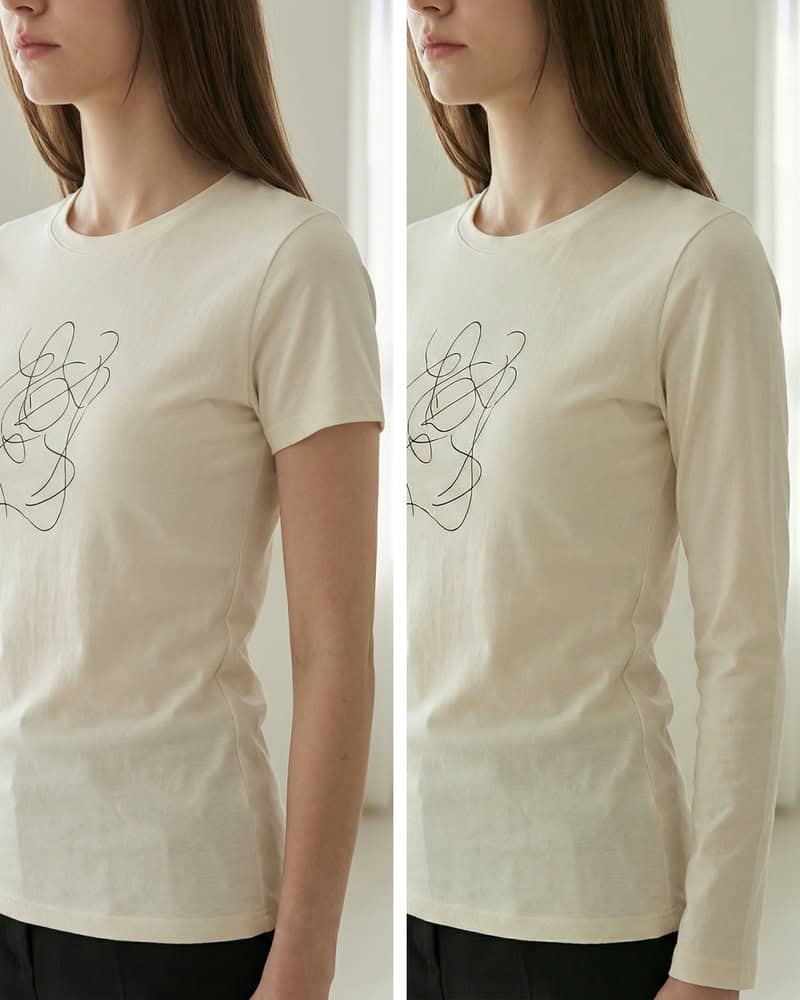
Example prompt 2: Turn short sleeves into long sleeves.

Use AI Inpainting to turn short sleeves into long sleeves.
Fashion Diffusion AI-generated

At this stage, the focus is no longer surface decoration, but garment evolution. By selectively refining sleeves, collars, fabric weight, and overall silhouette, you move from a simple mockup to a fully realized product concept. This is where an AI shirt design generator or an AI sweatshirt designer becomes especially powerful. Small structural adjustments can reposition the same graphic into a different market segment, season, or gender fit, giving your design greater commercial flexibility without starting from scratch.

Step 6: Refine and Regenerate for Final Output

After the logo has been placed onto the T-shirt, move into final refinement. At this stage, the focus is on precision and visual consistency.

Carefully evaluate the logo’s size, positioning, and proportion relative to the garment. Adjust scale if it feels too dominant or too subtle. Ensure alignment is clean and visually balanced with the neckline and overall silhouette.

Edges should appear sharp and print-ready, with strong separation between the logo and fabric color. If needed, slightly adjust color intensity to improve visibility while maintaining harmony with the garment base.
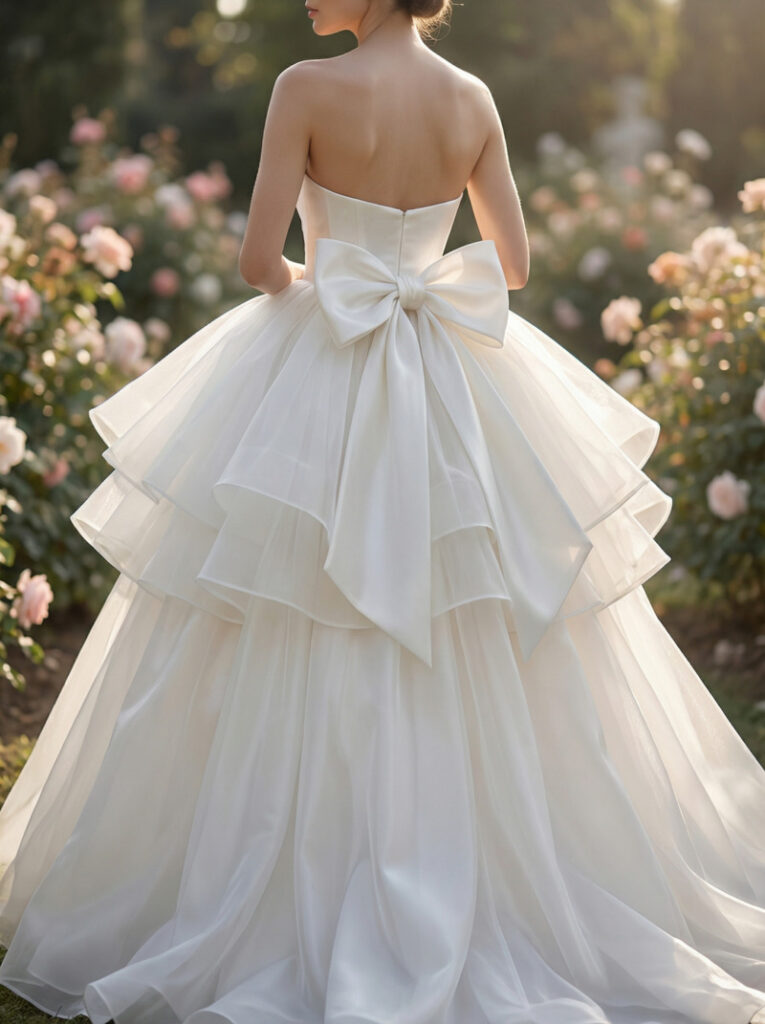
Finally, review the overall composition at different viewing distances. Zoom in to inspect detail quality and zoom out to assess impact. If the balance still feels off, regenerate subtle variations until the design feels cohesive, realistic, and ready for production.

RealWorld Examples: How Leading Fashion Brands Are Using AI Design

AI is no longer a future concept in fashion. Many well-known brands are already integrating generative AI into their creative workflows to spark design innovation and push creative boundaries. These real-world examples show how AI can complement human imagination, rather than replace it, making the design process more exploratory and expressive.

1. Alice + Olivia

Stacey Bendet, founder of Alice + Olivia, has openly embraced AI as a creative tool within her design team. The brand used generative AI platforms such as Leonardo AI and Adobe Firefly to create print designs for a recent collection, exploring new visual ideas based on earlier brand work and feeding those back into the design pipeline. This example shows how AI can spark fresh graphics that designers can refine further.

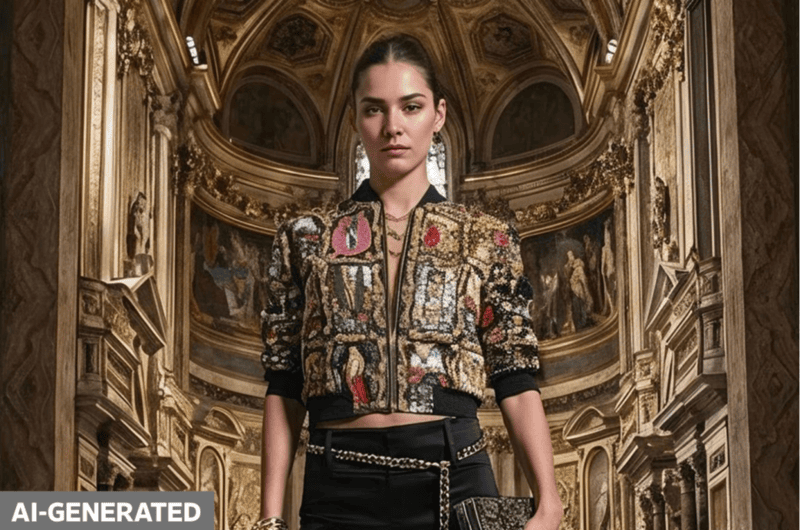
Alice Olivia used generative AI platforms to create print designs for a collection.
Photo from Alice + Olivia 

2. Levis

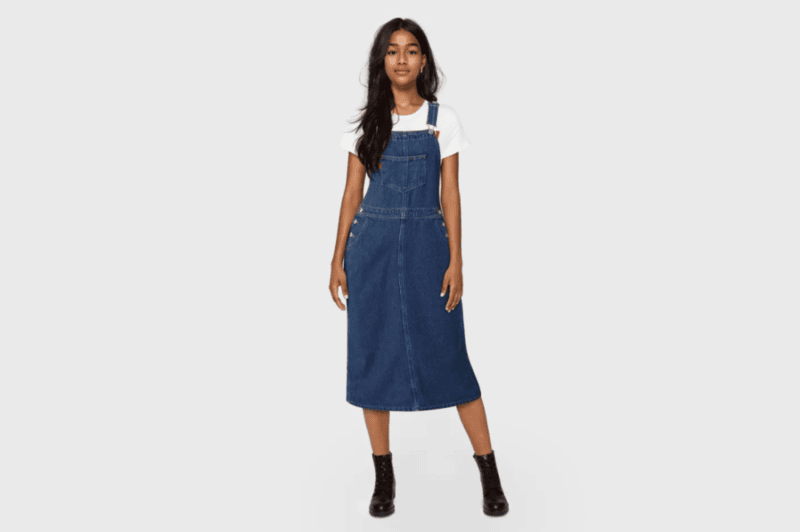
Iconic denim brand Levi’s has incorporated AI into its creative process to generate and refine denim styles. By using generative AI in early design stages, Levi’s can quickly test variations of textures, shapes, and garment concepts before finalizing prototypes, enabling faster iteration while keeping the brand’s heritage intact.

Levi’s incorporated AI into its creative process to generate and refine denim styles.
Photo from Levi Strauss & Co.

3. Moncler

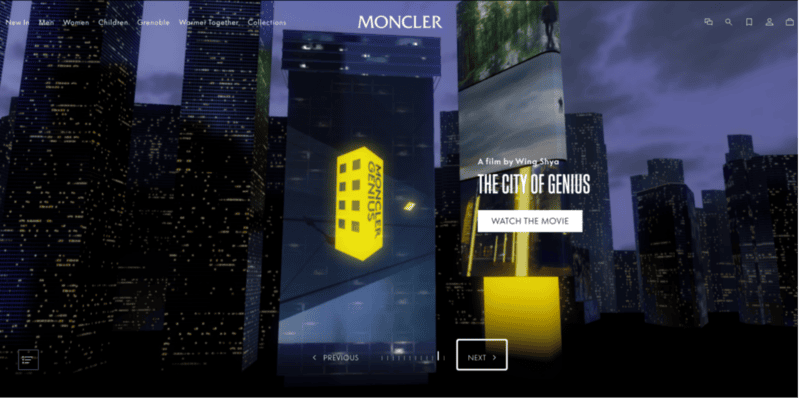
Italian luxury label Moncler worked with AI technology to explore novel garment concepts, including its AI-influenced Genius collection. Generative AI helped produce new ideas for quilted jacket textures and design elements that pushed boundaries beyond conventional methods, demonstrating how AI can influence the actual clothing design process rather than remaining a marketing gimmick.

Moncler worked with AI technology to explore novel garment concepts.
Photo from Moncler

4. Tommy Hilfiger

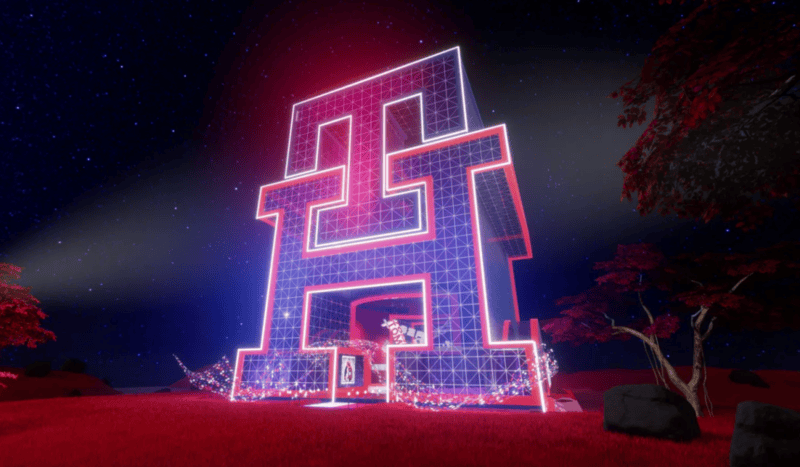
During the Metaverse Fashion Week, Tommy Hilfiger partnered with the Fashion Innovation Agency to let participants create preppy-style garments through prompt-based generative tools. The exercise generated diverse garment concepts and provided insights into emerging preferences, a form of AI-assisted co-creation that directly informs design thinking.

Tommy Hilfiger let participants create garments through prompt-based generative tools.
Photo from Tommy Hilfiger

What These Examples Tell Us

Across these brands, AI is used not as a shortcut to replace designers, but as a creative engine that:

  • Expands the range of design possibilities;
  • Accelerates ideation cycles;
  • Unearths unexpected concepts and visual directions;
  • Fosters collaborative experimentation between humans and machines.

By combining human intuition with generative tools, leading fashion labels are demonstrating that AI can enhance both imagination and output. This is a perspective that’s directly relevant to how you can approach your own AI T-shirt design workflows.

Common Mistakes in AI T-shirt Design

While AI dramatically accelerates the design process, strong results still depend on clarity, intention, and critical evaluation. Many unsatisfactory outputs are not caused by the tool itself, but by avoidable workflow mistakes.

Here are the most common pitfalls in AI T-shirt design, and how to avoid them.

1. Writing Overly Vague Prompts

Prompts like cool graphic t-shirt or modern streetwear design lack specificity. AI systems respond best to structured input.

Instead of general descriptions, define:

  • Silhouette;
  • Fabric type;
  • Graphic scale and placement;
  • Color relationship;
  • Intended presentation (ecommerce, editorial, product shot).

Specific prompts produce consistent, production-ready results.

2. Ignoring GarmentGraphic Balance

A strong graphic does not automatically make a strong T-shirt.

Common imbalance issues include:

  • Oversized prints overwhelming slim silhouettes;
  • High-detail graphics placed too small to read clearly;
  • Low contrast between print and base garment.

Always evaluate composition at both close range and thumbnail scale. A design must remain clear in product listings and mobile views.

3. Overcomplicating the Design

AI makes it easy to generate visually complex outputs. However, excessive layering, glow effects, or intricate textures may not translate well to physical printing.

If the design will be screen printed or DTG printed, consider:

  • Color count;
  • Edge sharpness;
  • Contrast clarity;
  • Print feasibility.

Simplification often improves commercial viability.

4. Neglecting Fabric Realism

Flat, textureless garments reduce perceived quality. If fabric weight, folds, or material finish are inconsistent, the design feels artificial.

Even subtle refinements, including adjusting cotton texture, adding natural fabric drape, or enhancing lighting consistency, significantly improve realism and perceived value.

5. Skipping Iterative Evaluation

AI design is not a one-click process. Strong results typically emerge through controlled iteration.

Instead of accepting the first output:

  • Generate multiple variations;
  • Compare composition and clarity;
  • Refine specific areas using targeted adjustments;
  • Reassess overall cohesion.

Professional AI T-shirt design relies on direction and decision-making, not randomness.

By avoiding these mistakes, you transform AI from a novelty tool into a structured creative system. The difference between average and production-ready output lies in intentional refinement.

Learn More About AI Fashion Design with Fashion Diffusion

AI fashion design is not about replacing creativity. It is about expanding it. The real advantage lies in how quickly ideas can be visualized, tested, refined, and repositioned within a structured workflow.

From graphic experimentation to silhouette adjustments, from fabric simulation to market-ready mockups, AI fashion generators enable designers to move beyond static concepts and explore dynamic iterations with unprecedented speed. As generative workflows continue to evolve, those who learn to direct AI tools effectively will gain a powerful competitive edge in modern apparel design.

If you are ready to push your creative boundaries, explore new graphic directions, and streamline your T-shirt development process, start experimenting with AI fashion design tools like Fashion Diffusion. The next breakthrough in your design workflow may begin with a single prompt.

FAQ

What is AI T-shirt design and how does it work?

AI T-shirt design refers to the use of generative AI systems to create apparel graphics, logos, and on-garment mockups through descriptive prompts or visual references. Instead of manually building artwork, designers guide the system with structured input describing silhouette, fabric, and graphic direction. The AI then produces visual concepts that can be refined through iterative adjustments.

Can AI-generated T-shirt designs be used for commercial purposes?

In most cases, AI-generated designs can be used commercially, but usage rights depend on the platform’s licensing policy. Before launching products, it is important to confirm that your chosen AI shirt design generator allows commercial use and provides sufficient image resolution for production. When properly licensed, an AI T-shirt design can support print-on-demand stores, independent brands, and e-commerce businesses.

Is an AI shirt design generator suitable for beginners?

Yes. One of the key advantages of an AI shirt design generator is accessibility. AI tools focus on structured prompting and refinement. Beginners can concentrate on defining aesthetic direction and garment style rather than mastering technical execution. However, achieving strong results still requires clear input and thoughtful evaluation.

How is an AI sweatshirt designer different from a standard AI T-shirt workflow?

An AI sweatshirt designer typically emphasizes heavier fabrics, thicker construction details, and seasonal silhouettes. While the core generative process is similar, sweatshirt design requires attention to ribbed collars, sleeve volume, fleece texture, and garment weight.

How can designers get better results from AI T-shirt design tools?

To improve results with AI T-shirt design, focus on clear concepts and small refinements. Define the silhouette, fabric, and graphic direction first, then generate multiple variations to compare. Instead of starting over each time, adjust placement, contrast, and texture step by step. This structured approach helps an AI shirt design generator produce more consistent and commercially usable outcomes.

Avatar photo 通过Ethan Davis

How to Recolor Clothes with AI: Complete Guide for Fashion Designers & Brands

Imagine recoloring an entire collection in the time it takes to catch your breath. Say goodbye to the soul-crushing grind of manual edits and let AI recolor tools handle the heavy lifting. Whether you are perfecting a lookbook or streamlining your sampling process, this guide reveals how to leverage AI fashion design tools to achieve hyper-realistic fabric finishes and flawless color accuracy with just a few clicks.

What Is AI Recolor

AI recolor is an intelligent color-changing technology driven by artificial intelligence, specifically designed to automatically modify the color of clothing within digital images.

Unlike basic color replacement tools, it retains critical visual details, including fabric texture, natural lighting, soft shadows, garment folds, and material opacity, ensuring the recolored result remains photorealistic and consistent with the original scene.

In simple terms, the entire process follows a straightforward, user-friendly flow: Upload image → Select target color → Generate recolored version → Download the final output.

Built for accessibility and speed, AI recolor tools operate directly in web browsers without requiring complex software installation or prior design expertise, making professional-grade clothing color editing available to everyday users and fashion practitioners alike.

The Problem with Traditional Clothing Recoloring

Before AI recolor online tools became accessible, changing the color of clothing in images was either a manual process or required advanced editing software. Both approaches come with significant limitations.

Manual Recoloring Is Slow and Inconsistent

The most traditional approach to recoloring clothing images involves manually editing each color variation. This is not only time-consuming but also prone to inconsistency.

For example:

  • Produce 8 samples: If a product is available in 8 different colors, brands typically need to manufacture a sample for each color.
  • Photograph each variation: After samples are produced, each color must be photographed individually.
  • Retouch each image manually: Once the photos are taken, each image needs to be individually retouched to match the brand’s standards, including adjustments to lighting, shadows, and color balance.

This method leads to:

  • Increased production time for each product variation;
  • Higher photography costs due to multiple shoots;
  • Risk of inconsistencies between images.

As the number of color variations increases, this process becomes unsustainable. This is why traditional recoloring, particularly for larger businesses, can quickly become unmanageable.

Traditional problem — Manual recoloring is slow and inconsistent.

Traditional Editing Software Requires Expertise

Professional tools such as Photoshop offer powerful color editing capabilities, but they are not designed for speed or simplicity.

To properly recolor clothing in Photoshop, users typically need to:

  • Create precise layer masks;
  • Use adjustment layers (Hue/Saturation, Color Balance, Selective Color);
  • Manually refine edges;
  • Rebuild shadows and highlights;
  • Understand blending modes.

This demands technical knowledge and experience. For many e-commerce sellers, designers, and small businesses, hiring a skilled editor or learning advanced software adds unnecessary cost and complexity.

Additionally:

  • Photoshop requires installation;
  • Subscription fees apply;
  • Batch processing is not automated;
  • Each image must be edited individually.

When dealing with large catalogs or frequent product updates, traditional editing software slows down production cycles significantly. This is exactly where AI recolor tools create a fundamental shift by eliminating manual effort and reducing technical barriers entirely.

How AI Recolor Solves Traditional Problems in Seconds

AI recolor tools provide a revolutionary shift in how clothing images are recolored, effectively addressing the key challenges in traditional manual recoloring and software-based editing. Here’s a breakdown of how AI solves these inefficiencies in seconds:

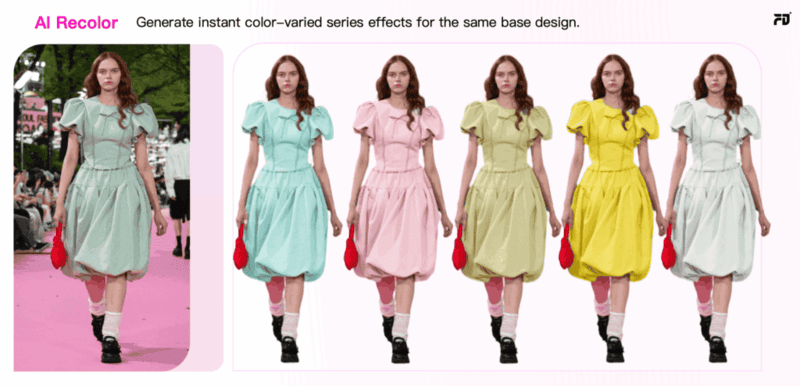
AI recolor tool can generate instant color-varied series effects for the same base design.

1. Automatic Clothing Detection

Traditional manual recoloring requires precise masking and selection of the clothing area to ensure accurate color application. However, this is tedious and time-consuming, especially when dealing with complex garments or large image sets.

With AI recolor, the system automatically detects the clothing area using machine learning algorithms. This is achieved by:

  • Image segmentation: The AI scans the image and understands which regions correspond to clothing, even in images with complex backgrounds or intricate designs.
  • No manual input required: The tool selects and isolates the clothing automatically, freeing users from the need to manually outline or mask the garment area.

2. Realistic Color Application and Texture Preservation

One of the most significant challenges with traditional software is ensuring that the color change looks natural.

AI recolor ensures realistic color application in the following ways:

  • Color preservation with deep learning: The AI understands the fabric’s texture, folds, and the light interaction on the garment. It adjusts the color in a way that is consistent with the natural lighting and shadows in the original photo.
  • No loss of detail: AI recolor does not result in flat, lifeless images. The system retains fabric grain, folds, and lighting contrasts, making recolored garments appear just as they would in the original shot.

3. User-Friendly and No Technical Expertise Needed

Unlike Photoshop and other traditional software, which require users to have a deep understanding of editing tools, blending modes, and adjustment layers, AI recolor tools are designed to be intuitive and easy to use. No technical expertise is necessary.
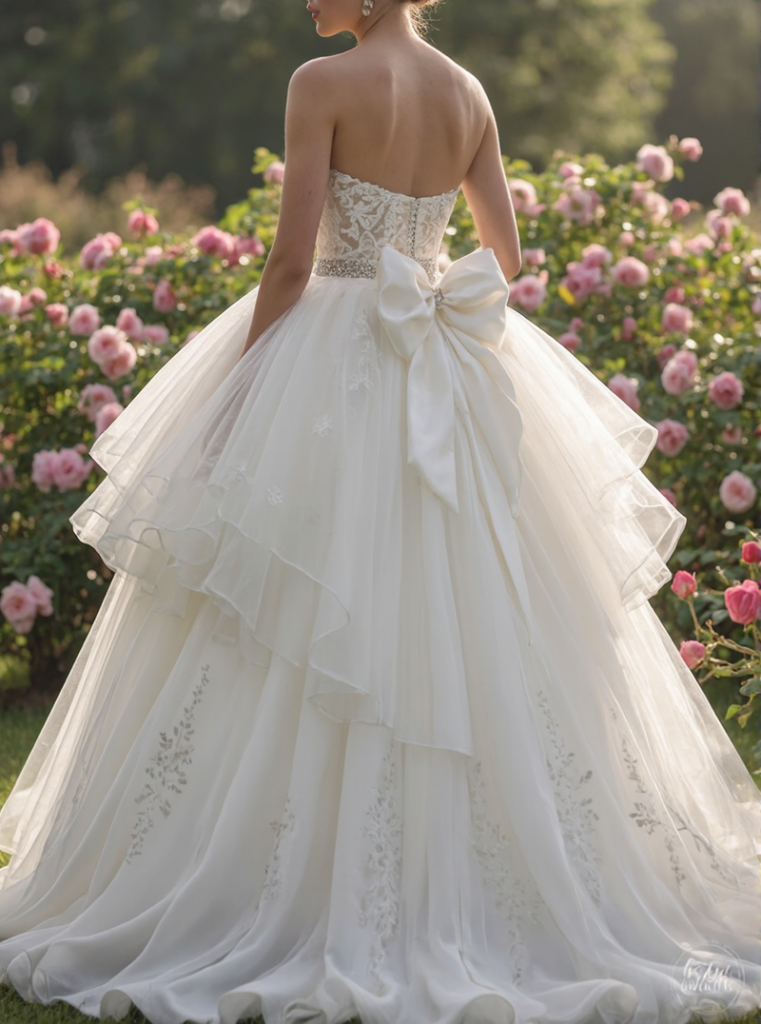
For example:

  • Simple color selection: Users simply choose the color from a palette or input a hex code, and the AI tool does the rest.
  • Minimal editing: The AI handles the complex tasks such as masking, color adjustment, and texture preservation, leaving the user with only a few clicks to make.
In general, with the advantages above, AI recolor is designed to streamline the recoloring process and, by doing so, cut down the time and costs associated with traditional methods. As a result, businesses can allocate resources to other important areas, such as marketing, product development, and customer service.
Practical Use Cases of AI Recolor for Clothing

AI recolor tools are transforming the way both individual designers and fashion brands approach color management, offering a quick and scalable solution for creating multiple variations of designs.

For Independent Designers

AI recolor online tools offer a quick and cost-effective way to experiment with color variations for independent designers. Designers can instantly generate multiple color options for their designs without the need for physical samples or time-consuming photoshoots.

  • Faster Design Iteration: Designers can try out different color schemes quickly, speeding up the creative process without waiting for new samples or re-shoots.
  • Cost-Effective Mockups: AI recolor eliminates the need for physical prototypes, allowing designers to generate realistic color mockups in seconds, saving both time and money.
  • Portfolio Expansion: Easily create a variety of color options for each design, giving designers more versatility and a broader portfolio to showcase to potential clients.

With AI recolor, independent designers can focus more on creativity and less on time-consuming production processes.

For Brands and Businesses

For fashion brands and companies, AI recolor is a strategic tool that improves speed, reduces cost, and supports data-driven decisions. Instead of producing separate samples and photoshoots for every colorway, brands can generate multiple realistic variations from one approved product image.

  • Faster Go-to-Market: Create 5 to 10 color options in minutes, enabling quicker e-commerce uploads and marketing campaigns.
  • Smarter Inventory Planning: Test digital colorways online, analyze engagement or pre-order data, and prioritize high-demand colors before mass production.

Imagine you run a fast fashion brand preparing to launch a new sneaker in 8 to 12 colorways. Instead of producing and photographing every variation, you generate digital previews from one master image using AI recolor and test them on your website or app.

By tracking engagement data, you can move forward with high-performing colorways and refine or eliminate low-demand options. This approach reduces sampling and inventory risk while making product launches faster, more cost-efficient, and data-driven.

8 Best AI Recolor Tools Compared

If you’re searching for practical AI recolor tools, the best choice depends on what you actually need: quick edits, e-commerce mockups, creative experimentation, or professional retouching. Below is a tool-by-tool guide highlighting each platform’s core strength and ideal use case.
1. Fashion Diffusion

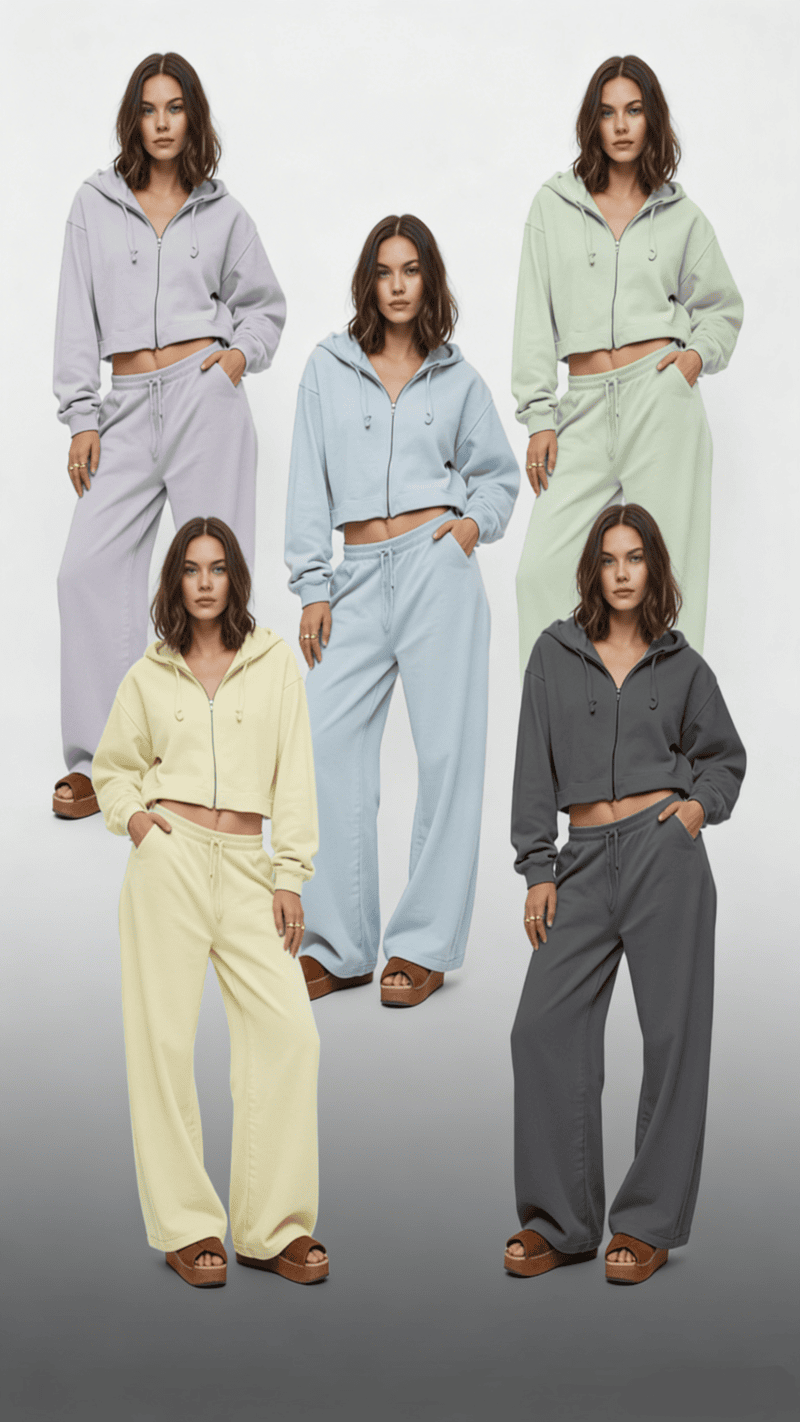
Generated by Fashion Diffusion's AI Recolor tool.

Unlike general editing tools, Fashion Diffusion is built specifically for fashion design. It is not just a hue-replacement system. It’s a specialized platform for generating and modifying garments using AI.

What it does best:

  • Designed specifically for clothing and fashion workflows;
  • Prompt-based generation of garment variations;
  • Advanced control over style, silhouette, and color direction;
  • Strong for concept development and collection ideation.

Rather than simply helping users change clothes color online for free, Fashion Diffusion supports broader design exploration. It allows designers to experiment with colorways as part of a larger AI-driven fashion creation process.

Best for fashion designers, creative directors, and design teams exploring AI-assisted collection development.

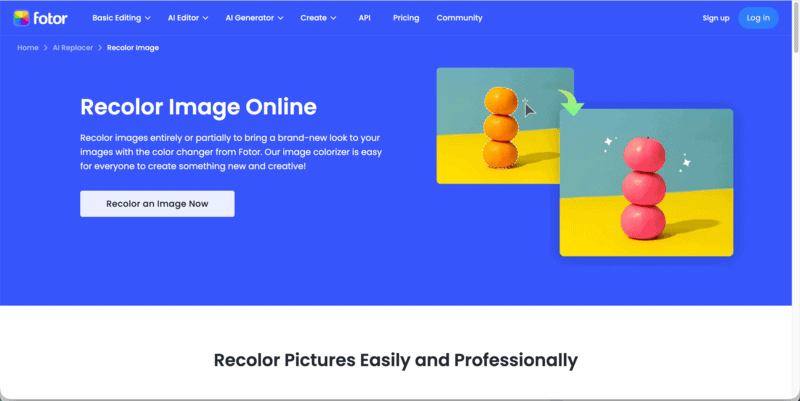
2. Fotor

Best AI recolor tool — Fotor.

Fotor is built for users who want to change clothes color online for free without technical steps. It automatically detects garments and applies color adjustments with minimal setup.

What it does best:

  • One-click AI recolor workflow;
  • Beginner-friendly interface;
  • Quick generation of simple color variations;
  • Supports limited AI recolor free credits.

Best for small sellers, quick mockups, casual users.

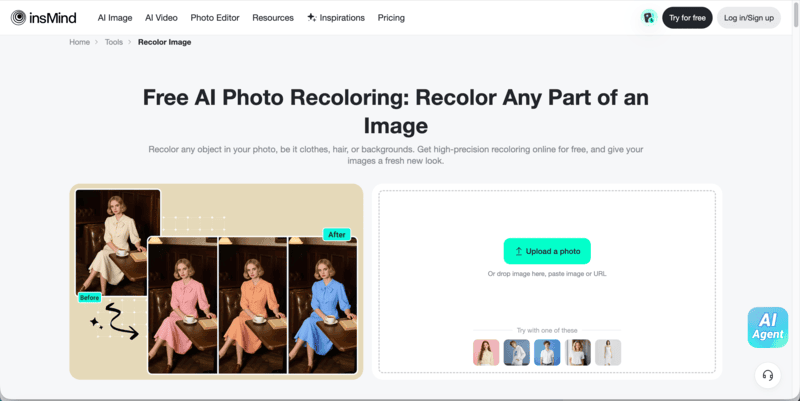
3. insMind

Best AI recolor tool — insMind.

insMind focuses specifically on product photos. Its recolor function is optimized for clean backgrounds and consistent lighting, making outputs suitable for marketplaces.

What it does best:

  • SKU color expansion from one product image;
  • Consistent lighting retention;
  • Clean catalog-style output;
  • Practical for scaling color variations.

Best for online apparel stores managing multiple colorways.

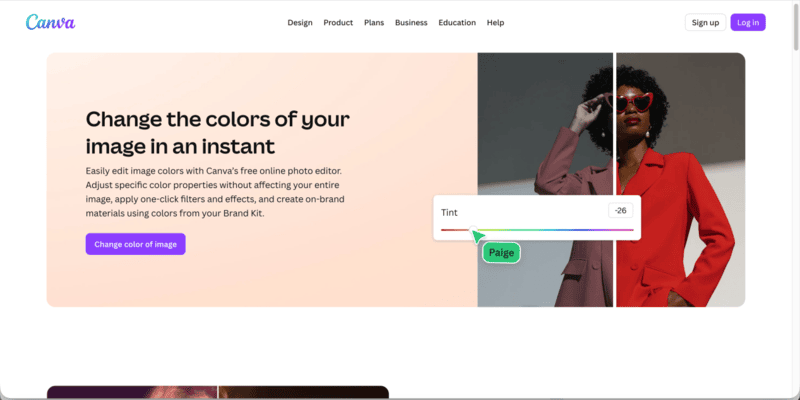
4. Canva

Best AI recolor tool — Canva.

Canva integrates AI editing into its design ecosystem. While not a dedicated clothing recolor engine, it allows users to recolor clothes online for free within layouts and promotional visuals.

What it does best:

  • Fast campaign edits;
  • Template-based workflow;
  • Easy collaboration;
  • Suitable for lightweight recolor tasks.

Best for marketing teams and social media content creation.

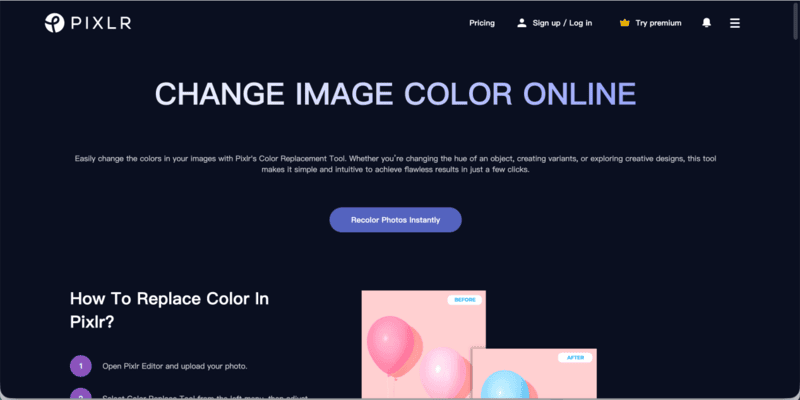
5. Pixlr

Best AI recolor tool — Pixlr.

Pixlr balances automation and manual adjustment. Users can recolor objects using selection tools while refining edges manually if needed.

What it does best:

  • No installation required;
  • Manual fine-tuning options;
  • Flexible for creative experimentation;
  • Accessible free tier.

Best for bloggers and creators who want moderate control.

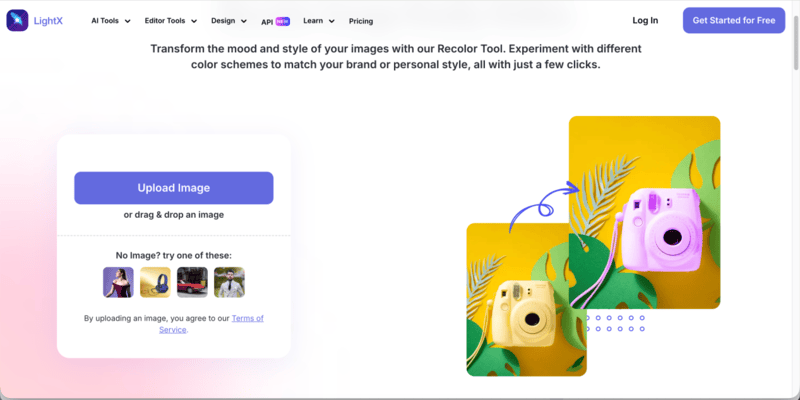
6. LightX

Best AI recolor tool — LightX.

LightX prioritizes ease of use. It enables fast garment color swaps through a simplified interface.
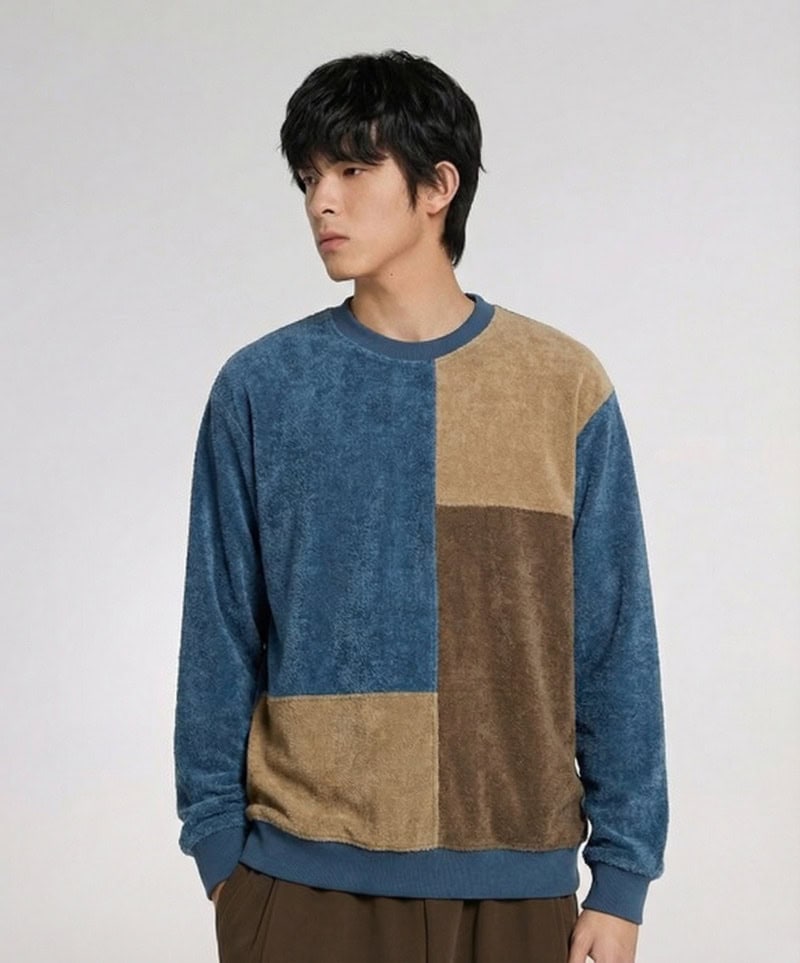
What it does best:

  • Quick edits;
  • Beginner-friendly workflow;
  • Works across web and mobile;
  • Basic AI recolor free functionality.

Best for casual users and quick visual adjustments.

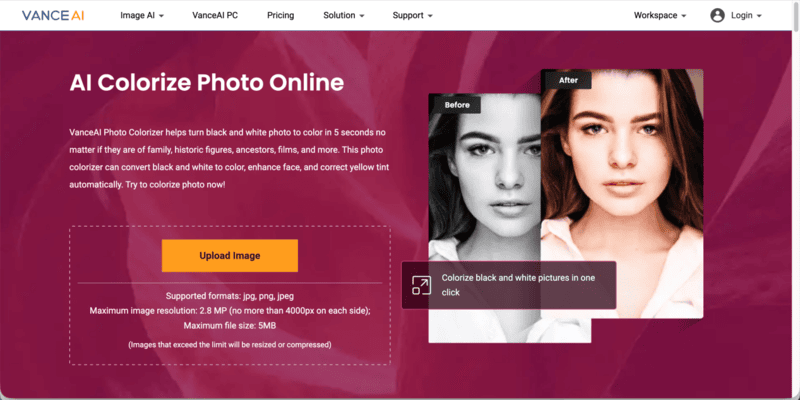
7. VanceAI

Best AI recolor tool — VanceAI.

VanceAI Photo Colorizer is primarily designed to convert black and white photos into realistic color images within seconds. Rather than focusing on garment recoloring, it specializes in restoring historical, family, and archival photographs using AI.

What it does best:

  • Automatically convert black and white photos to color in seconds;
  • Enhance facial details during the colorization process;
  • Correct yellow tint and aged photo discoloration;
  • One-click AI workflow with minimal manual input.

Best for restoring vintage fashion photography, historical portraits, and archival imagery.

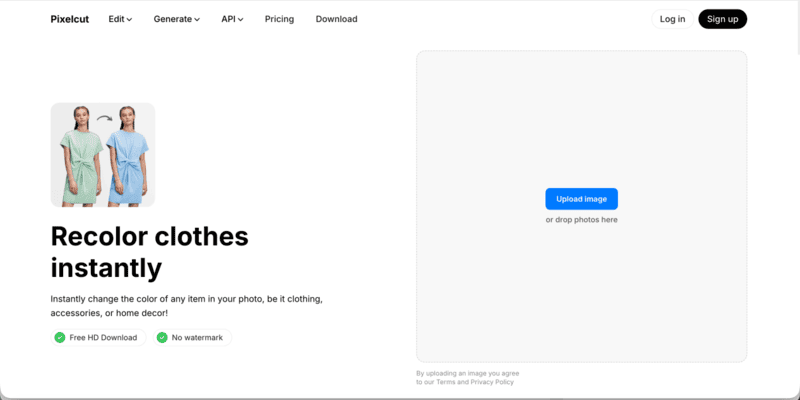
8. Pixelcut

Best AI recolor tool — Pixelcut.

Pixelcut is an AI-powered creative platform designed to help individuals, small businesses, and online sellers produce professional-looking product images quickly. Beyond background removal and product enhancement, it also enables users to apply fast clothing color adjustments directly within product photos.

What it does best:

  • Generate clean, marketplace-ready product images;
  • Instantly change clothing colors for product variations;
  • Combine recolor with background removal and AI enhancement;
  • Streamlined workflow for social media and e-commerce visuals.

Best for e-commerce product shots and quick clothing color updates for online listings.

How to Recolor Clothes with Fashion Diffusion (Step-by-Step)

Unlike basic tools that simply shift hue to change clothes color, Fashion Diffusion is designed specifically for fashion workflows. It allows you to recolor garments while maintaining fabric structure, lighting, and design integrity.

Follow the steps below to recolor clothes using Fashion Diffusion efficiently.

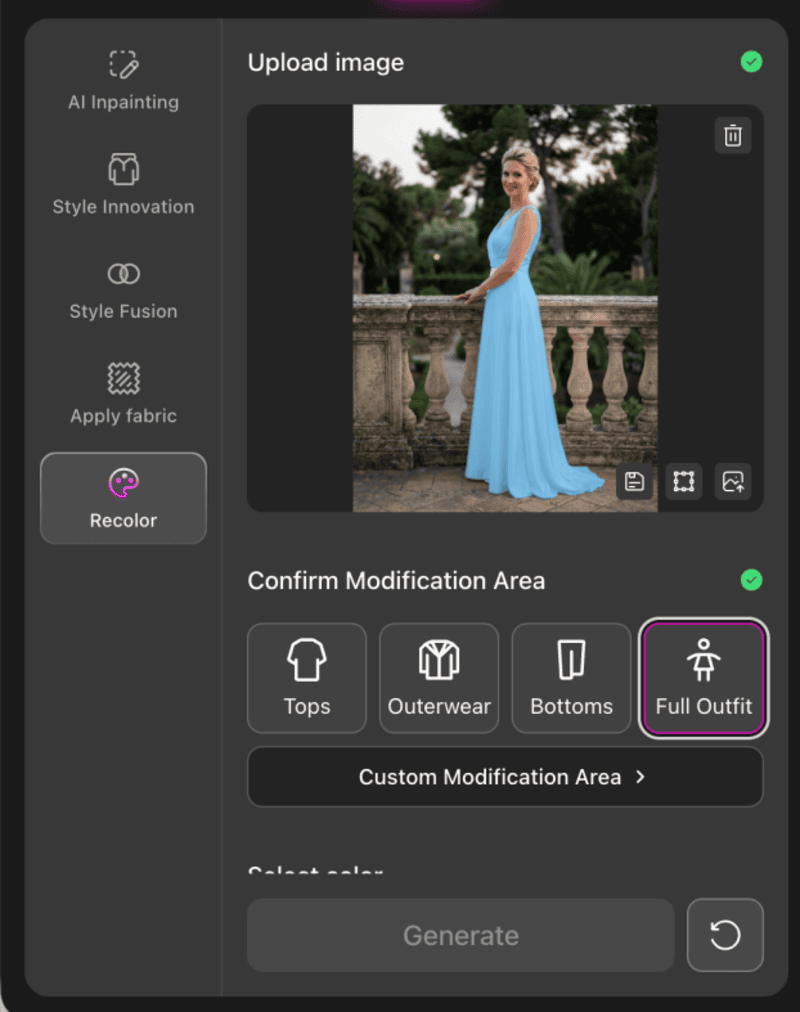
Step 1: Upload your image

Select your garment photo (JPG or PNG, under 30MB).

Step 1: Upload your image.
Fashion Diffusion AI-generated

For best results:

  • Use a clear, well-lit image;
  • Make sure the garment is fully visible;
  • Avoid heavy shadows or cluttered backgrounds.

A clean image allows the AI to detect clothing boundaries more accurately.

Step 2: Select the Modification Area

Under the Confirm Modification Area, choose the targeted garment category: Tops, Outerwear, Bottoms, or Full Outfit. You can also click Custom Modification Area for manual selection.

Step 2: Select the modification area.

Fashion Diffusion applies intelligent masking to the selected region, meaning the AI isolates only the clothing area while preserving skin tones, background, and lighting. This step is what differentiates it from basic AI recolor free tools that apply broad color overlays.

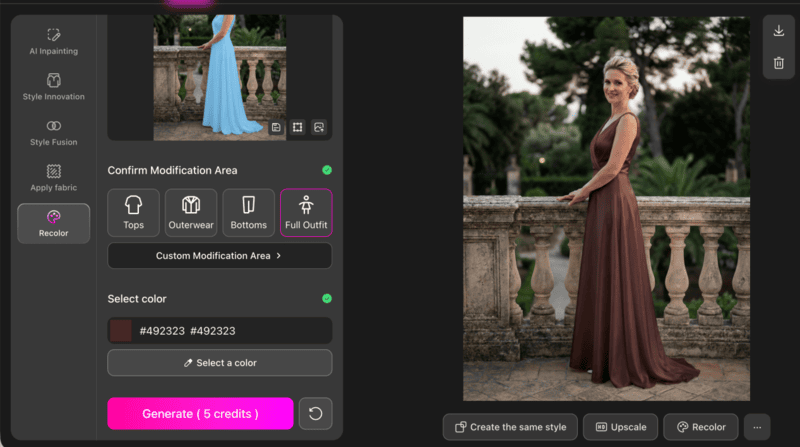
Step 3: Select a Color and Generate

Choose your desired color from the palette, then click Generate.

The system will:

  • Apply the new color to the selected garment area;
  • Maintain folds, shadows, and texture;
  • Keep lighting direction consistent;

The result is a realistic garment recolor rather than a flat color replacement.

Step 3: Select a color and generate.

Tips for Perfect Clothing Recoloring with AI

Even the best AI recolor tool won’t automatically guarantee perfect results. The difference between an average output and a production-ready image often lies in small strategic decisions.

1. Choose Colors That Respect Fabric Physics

AI preserves highlights, shadows, and texture from the original garment. That means the new color must behave realistically within those lighting conditions.

For example:

  • Deep tones usually maintain fabric depth better than ultra-light pastels.
  • Highly saturated neon colors can overpower texture and flatten folds.
  • Very light shades applied to already bright garments may reduce contrast and make the image look washed out.

A useful approach is to stay within a similar brightness range as the original garment first, then gradually test lighter or darker variations. This keeps shading logic intact and produces more natural results.

2. Think in Color Systems, Not Single Swaps

Professionals rarely generate just one color option. Instead, they test controlled variations within the same color family.

For example:

  • Beige → Camel → Chocolate
  • Dusty blue → Steel blue → Midnight blue

This structured testing does two things:

  • It preserves consistency across product catalogs.
  • It makes comparison easier when selecting final colorways for e-commerce or marketing visuals.

Random color jumps often feel disconnected. Series-based recoloring feels intentional and brand-aligned.

3. Align Recoloring with Commercial Intent

The best color is not always the most visually striking one. It’s the one that fits the product’s purpose.

Consider:

  • Luxury positioning → muted, deep, refined tones;
  • Youth or street-wear → high-contrast or bold shades;
  • Seasonal collections → warmer tones for fall, lighter palettes for spring.

If recoloring is used for product listings, make sure the new variation still matches your overall brand palette. Inconsistent tones across a catalog can reduce perceived professionalism.

AI makes color testing easy. Strategic thinking makes it valuable.

Is AI Recolor the Future of Fashion Editing

Yes! Fashion has always moved fast, but digital workflows are now moving even faster.

AI recolor is reshaping how designers, brands, and online sellers approach color development. What once required physical samples, re-dyeing, or multiple reshoots can now be tested in minutes. From early concept validation to e-commerce colorway expansion, AI makes experimentation scalable.

More importantly, it lowers the barrier to creativity. Independent designers can explore broader palettes. Brands can test seasonal variations before committing to production. Small businesses can offer multiple color options without increasing inventory risk.

If you are ready to explore professional-grade clothing recoloring built specifically for fashion workflows, try Fashion Diffusion and start experimenting with your next colorway today.

FAQ

Are there any AI recolor free tools available?

Yes, several platforms offer limited free credits or trial access for AI recolor. These versions usually support basic clothing color changes but may restrict resolution, export quality, or daily usage limits. For professional or large-scale use, paid plans provide more flexibility.

Will AI recolor affect skin tone or background?

Most dedicated clothing recolor tools isolate the garment area automatically. This ensures that skin tones, backgrounds, and lighting remain unchanged. Accurate masking is one of the main advantages of AI over manual editing.

What makes Fashion Diffusion different from basic AI recolor tools?

Fashion Diffusion is built specifically for fashion workflows. Instead of only changing hue, it allows structured garment modification and color experimentation within a design-focused environment, making it more suitable for designers and creative teams.

Can AI recolor replace traditional product photography?

Not completely. AI recolor can reduce the need for separate photoshoots for every color variation by generating multiple digital colorways from one base image. However, original photography is still important for capturing real fabric texture, fit, and lighting. In practice, many brands use one professional shoot and then apply AI recolor to expand color options efficiently.

Avatar photo 通过Sophia Mille

Design Your Wedding Dress Online: Skip the Store, Craft Your Perfect Gown

For many brides, the magic moment in a bridal boutique is often replaced by a realization: the perfect dress doesn’t exist on a rack. Maybe the bodice of one gown is stunning, but the skirt belongs on another. Or perhaps the price tag of a custom couture piece is more than the venue itself.

The good news? The digital age has officially entered the bridal suite. Today, you can design your own dress online, taking the reigns of your bridal vision without ever leaving your couch. Here is how to navigate the world of virtual bridal design and turn your imagination into a wearable masterpiece.

Why Design Your Wedding Dress Online

The transition from bridal boutiques to digital studios isn’t just a trend; it’s a shift toward bridal autonomy. Designing online removes the middleman between your imagination and the final stitch. Instead of scrolling through endless catalogs of what exists, you are finally focusing on what is possible. Here is a comparison of the differences between offline wedding dress shopping and online wedding dress design.

Online Design vs. Offline Shopping

FeatureOnline DesignOffline Shopping
Selection RangeInfinite; limited only by your imagination.Limited to the boutique’s curated stock.
CustomizationTotal control over every stitch, seam, and shade.Minor alterations to existing designs only.
Visual ClarityInstant AI renders.Requires imagining changes or rough sketches.
Price TransparencyDirect-to-consumer pricing with material control.Includes boutique overhead and designer markups.
SizingBuilt to your exact digital proportions.Usually based on Standard sizes plus expensive tailoring.
ConvenienceDesign anytime, anywhere.Requires scheduled appointments and travel.

Why the Digital Approach Wins

This modern approach puts you in the designer’s chair, offering a level of freedom that ensures your dress is a true reflection of your identity.

  • Unmatched Uniqueness: Your gown will be one-of-a-kind, reflecting your personal style rather than a mass-produced design. No more showing up to a wedding with a similar dress—your gown will be as unique as your love story.
  • Time and Stress Savings: Skip the hassle of booking appointments, sitting through uncomfortable fittings, or settling for a gown that’s close enough. Online design streamlines the process, letting you iterate on ideas quickly and efficiently.
  • Budget Flexibility: You control costs by choosing materials, embellishments, and details that fit your budget. Opt for luxury fabrics like silk or lace for a splurge, or more affordable alternatives without compromising on style.
  • Accessibility: Brides in rural areas, with mobility restrictions, or tight schedules can access high-quality custom designs without the need to travel to major bridal districts.
  • Reduced Regret: By designing every detail yourself, you avoid the disappointment of settling for a gown that’s missing key elements you’ve always wanted. Virtual previews let you tweak designs until they’re perfect.

Meet Fashion Diffusion: Your AI Wedding Dress Design Partner

Designing a wedding dress online sounds exciting, but it can feel daunting if you are not a professional fashion designer. That’s where Fashion Diffusion comes in. As an AI-powered wedding dress design tool, it bridges the gap between your imagination and a wearable gown, making custom design accessible to every bride.

Whether you have a clear vision or need inspiration, Fashion Diffusion’s intuitive platform guides you through the process, turning vague ideas into detailed, realistic designs.

Key Features of Fashion Diffusion

  • AI-Powered Style Suggestions: Input your preferences and the tool generates personalized design ideas, helping you refine your vision if you are stuck.
  • Realistic Fabric Display: Preview how different fabrics look on your design—complete with texture and light reflection—to ensure it matches your vision.
  • Intuitive Editing Tools: Tweak every detail with simple clicks. Adjust necklines, add sleeves, swap skirts, or add embellishments without technical skills.
  • High-Resolution Previews: Generate upscale, detailed images of your design to share with seamstresses, friends, or family, ensuring everyone is on the same page before production.

How to Design Your Wedding Dress Online: A Step-by-Step Guide

Designing your wedding dress online with Fashion Diffusion is a straightforward, fun process—even if you’ve never sketched a garment before. Follow these steps to craft your dream gown:

Step 1: Ignite Your Vision & Initial Sketch

Start with your core idea: What’s the overall vibe? Don’t worry about perfection; Fashion Diffusion can turn even a rough idea into reality.

Your Action

Gather inspiration from Pinterest, magazines, or existing dress styles. Identify the silhouette you are leaning towards and the specific details that catch your eye.

Fashion Diffusion Feature: Text-to-Sketch

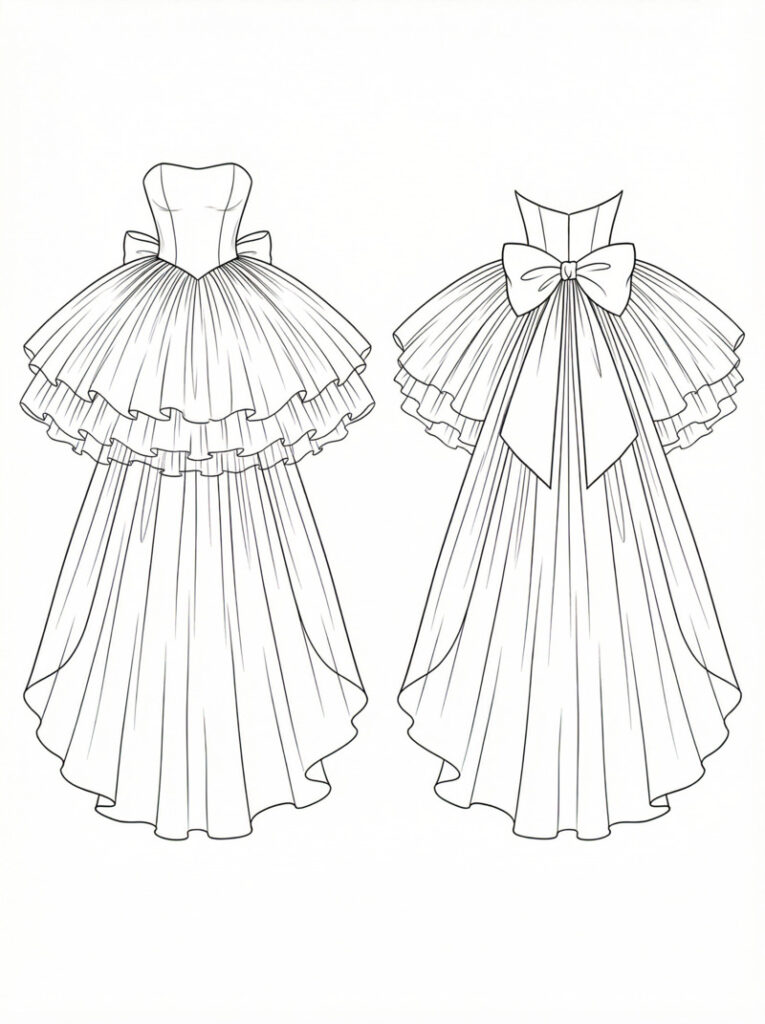
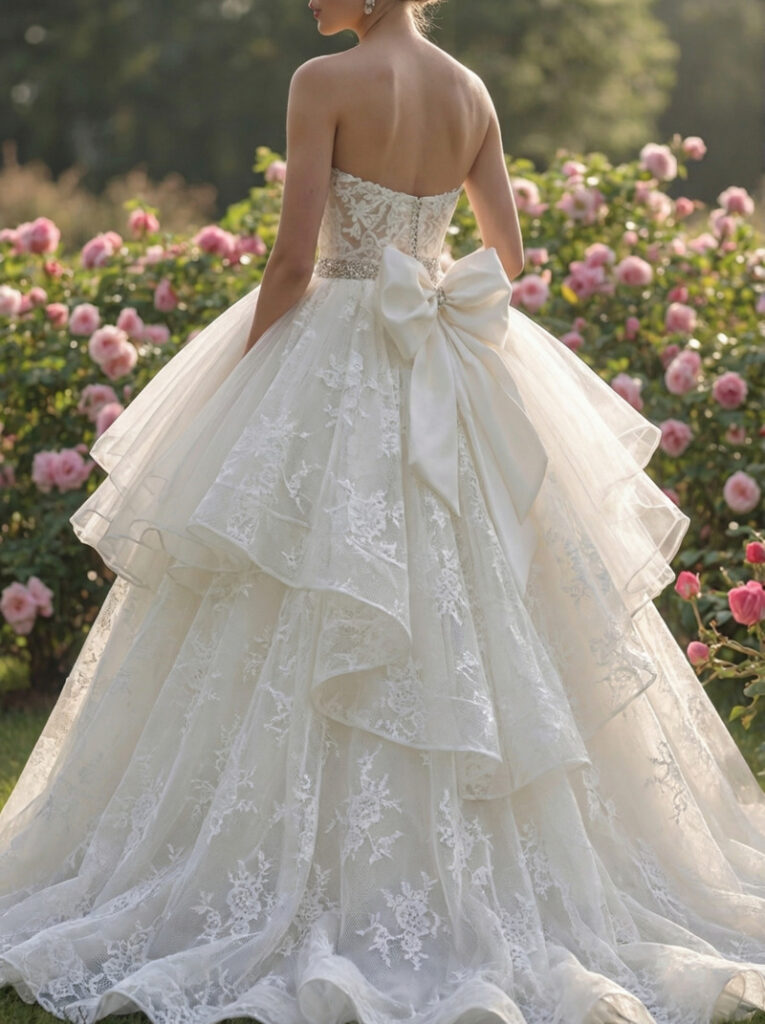
Begin by describing your vision in words. By using the Text-to-Sketch function, you can input prompts like “Wedding dress, princess ball gown silhouette, strapless style, cathedral train skirt, bow decoration at the waist” to generate a professional fashion illustration.

Generate the initial sketch with Fashion Diffusion's Text-to-Sketch function.
Fashion Diffusion AI-generated

Fashion Diffusion Feature: Sketch-to-Render

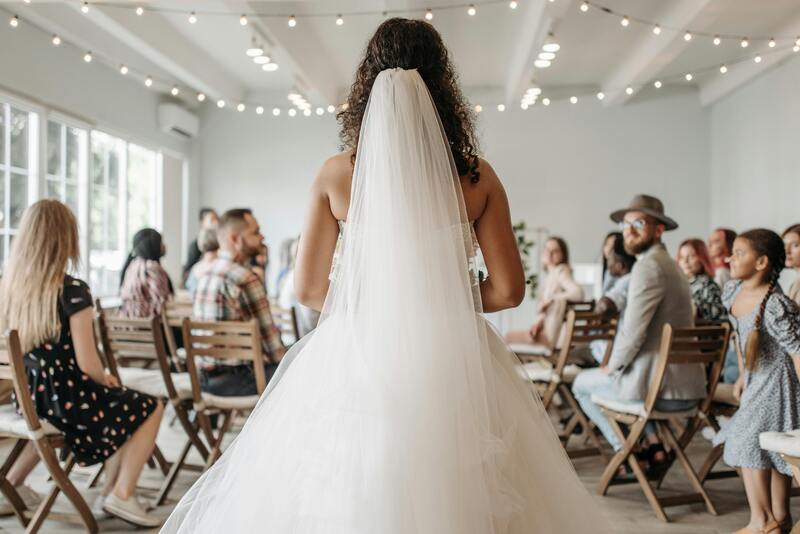
Once you have the perfect outline, whether generated by the AI or uploaded from your own hand-drawn notebook, use Sketch-to-Render. This feature transforms your basic sketch into a sophisticated, high-fidelity initial render, giving life to your first concept. This is where your raw idea takes its first realistic digital form, showing fabric texture and lighting. 

You can enter an AI prompt like, “Female model in a white princess-style strapless ball gown, lightweight organza for the outer layer and soft silk for the inner layer, multiple ruffled layers on the skirt, a large bow ornament at the waist on the back, the overall design is dreamy and sweet.”

Turn the initial sketch to render with Fashion Diffusion's Sketch-to Render function.
Fashion Diffusion AI-generated

Step 2: Refine Style & Infuse Innovation

Now that you have your base render, it’s time to push the boundaries of your design. This stage is about moving beyond the basics and injecting unique personality into the gown through high-level AI experimentation.

Your Action

Analyze your initial render. Do you want more drama in the dress? A different lace pattern? This is the moment to experiment with “what if” scenarios to find the perfect balance of modern and traditional.

Fashion Diffusion Feature: Style Innovation

If you feel stuck or want to see a fresh take on your concept, use Style Innovation. This feature takes your core idea and suggests creative variations—perhaps adding a modern architectural bow or a unique structural neckline you hadn’t considered. It’s like having a world-class designer brainstorming alongside you.

The AI prompt may be like this: “Place sparkling crystals on the waist area. Attach sheer lace panels to the bodice. Add delicate floral embroidery on the dress.”

Create variations of your wedding dress with Fashion Diffusion's Style Innovation function.
Fashion Diffusion AI-generated

Step 3: Materialize with Fabric & Color

Once the silhouette and style are locked in, you need to define the “touch and feel” of the dress. The right fabric can completely change how a design moves and reflects light.

Your Action

Decide on the texture. Do you want the heavy, regal glow of Mikado silk, or the light, airy transparency of French tulle?

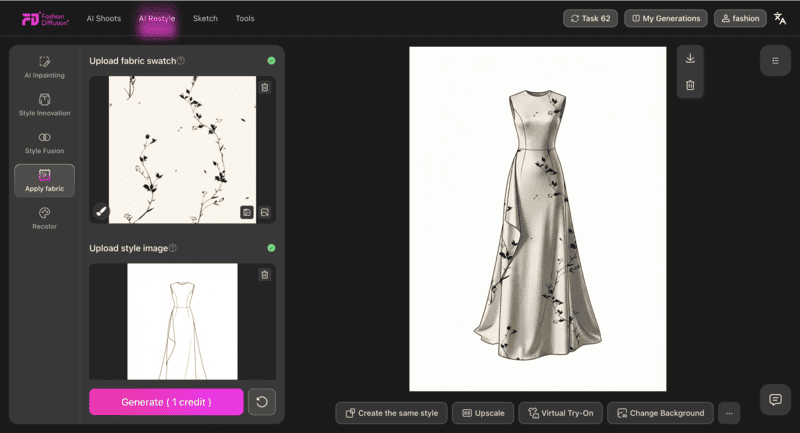
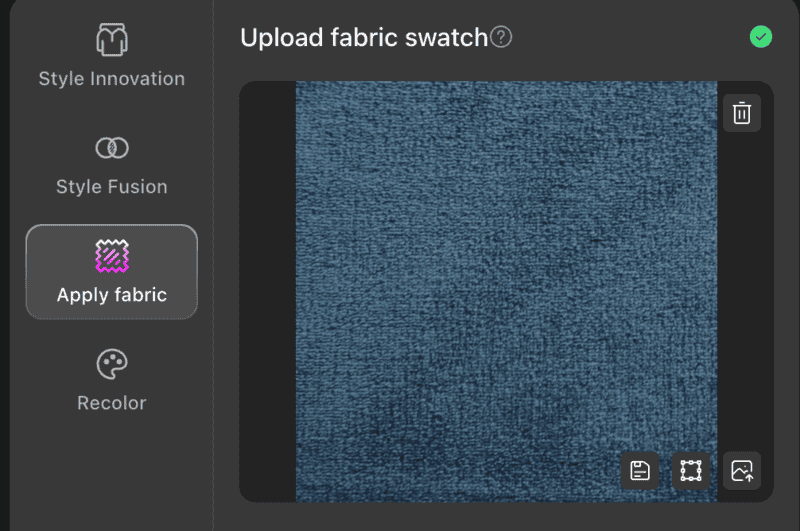
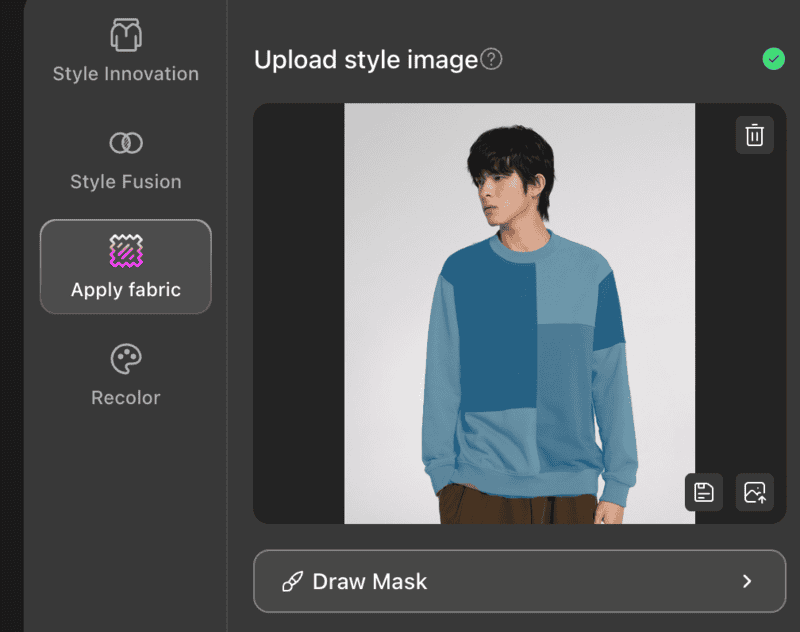
Fashion Diffusion Feature: Apply Fabric

Use the Apply Fabric tool to wrap your 3D design in specific materials. You can instantly swap between lace, satin, or chiffon to see which one best complements your chosen silhouette. It removes the guesswork of how a fabric will drape in real life.

See how the dress looks like in your desired fabric with Fashion Diffusion's Apply Fabric function.
Fashion Diffusion AI-generated

Fashion Diffusion Feature: Recolor

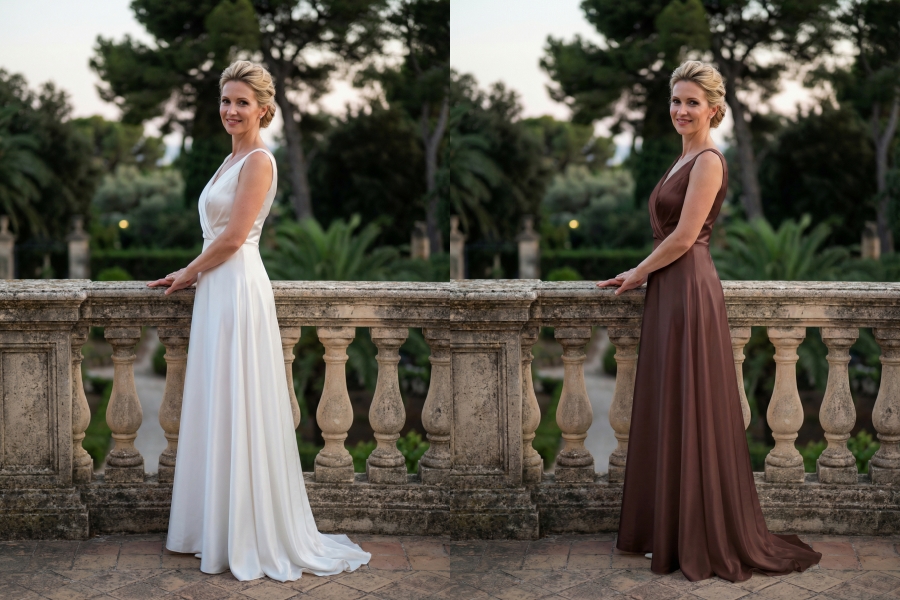
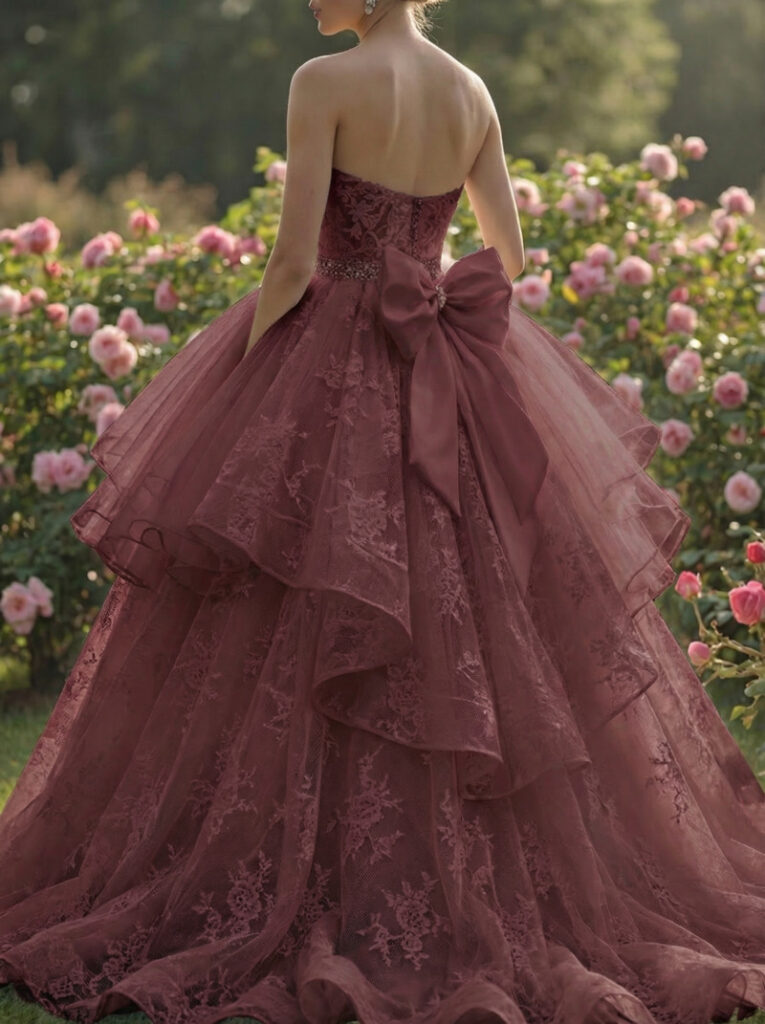
Don’t feel restricted to stark white. Use Recolor to test your design in shades of “Champagne”, “Antique Ivory”, “Nude”, or even a bold “Soft Blue”. This ensures the palette perfectly matches your skin tone and wedding theme before you ever buy a yard of fabric.

Switch the color of your dress with Fashion Diffusion's Recolor function.
Fashion Diffusion AI-generated

Step 4: Visualize & Perfect the Look

With your design refined and fabrics selected, it’s time to move from a flat concept to a living vision. This stage is crucial for understanding how the gown interacts with the human form and your specific aesthetic.

Your Action

Evaluate the overall proportions and flow of the dress. Does the waistline sit where you want it? Does the silhouette flatter the frame?

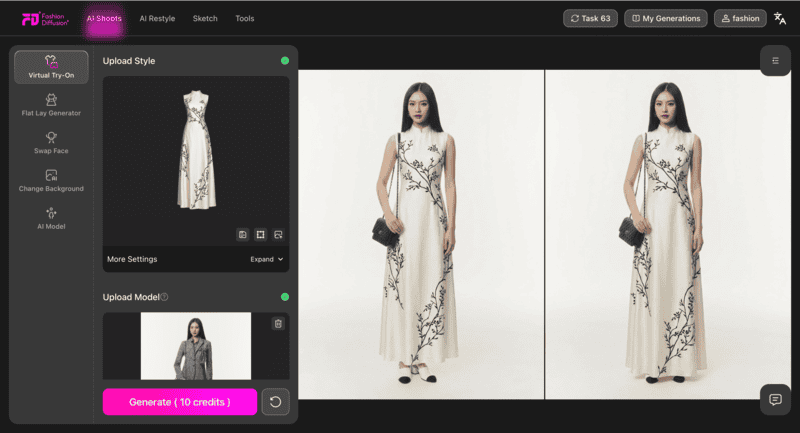
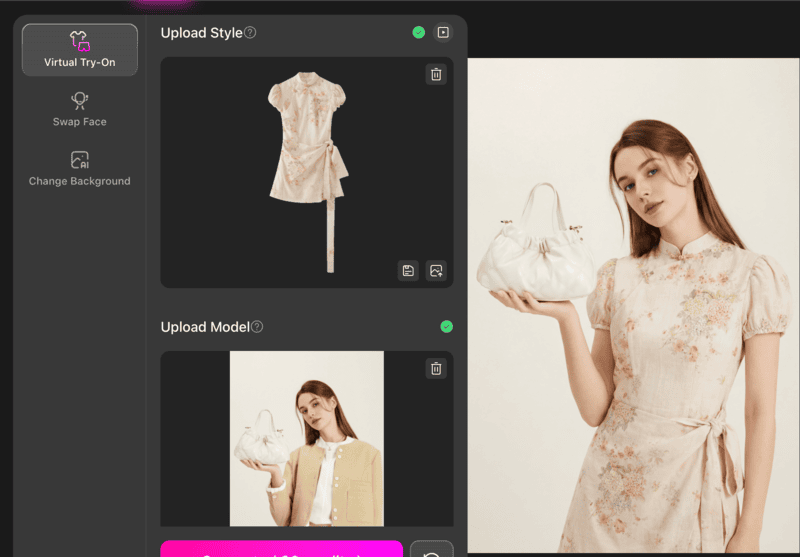
Fashion Diffusion Feature: Virtual Try-On

This is the ultimate sanity check. The Virtual Try-On feature allows you to see your custom design on a model that reflects your body type or preferred aesthetic. It transforms a digital file into a realistic preview, helping you visualize how the hem hits the floor and how the neckline frames the face, ensuring there are no surprises later.

See your custom design on a model with Fashion Diffusion's Virtual Try-on function.
Fashion Diffusion AI-generated

Fashion Diffusion Feature: Change Background

Context is everything. Use Change Background to place your virtual model in a setting that matches your venue, whether it’s a sun-drenched beach, a gothic cathedral, or a modern minimalist loft. Seeing the dress in its natural habitat helps confirm that the design matches the wedding’s overall atmosphere.

Put your design into a specific context with Fashion Diffusion's Change Background function.
Fashion Diffusion AI-generated

Step 5: Present Your Vision Clearly

Once you are satisfied with your design, prepare it for the next step—showing it to a custom dressmaker or tailor.

Your Action

Get a high-quality, clear image of your final design.

Fashion Diffusion Feature: Upscale

Use Upscale to enhance the resolution and detail of your chosen design. This provides a crisp, professional image that highlights every intricate detail for your dressmaker, ensuring they have the best possible reference.

From Screen to Seam: Tips for Consulting Your Tailor with AI Designs

Designing your wedding dress online is an empowering first step, but the journey from a digital image to a walking masterpiece requires careful planning. To ensure your custom experience is seamless, consider these expert tips for the production phase.

1. The Fabric First Rule

In the bridal world, the fabric dictates the movement of the dress. While you can control costs by choosing different materials, you must ensure the textile matches the silhouette.

  • Pro Tip: If your design features a structured, architectural skirt, look for heavyweight fabrics like Mikado silk or bonded crepe. For flowy, ethereal designs, prioritize lightweight materials like silk, chiffon, or French tulle.

2. Allow for Couture Lead Times

Even though designing online only takes a few hours, the physical creation of a custom gown is a labor-intensive process.

  • Pro Tip: Aim to finalize your online design at least 6 to 9 months before your wedding date. While production typically takes 6-12 weeks, leaving extra time allows for final local alterations once the dress arrives, ensuring a perfect fit without the stress of rush order fees.

3. Communicate with Technical Detail

When you present your design to a tailor or dressmaker, they need to see the bones of the garment.

  • Pro Tip: Provide your maker with clear, high-resolution views of the front, back, and profile. Specifically point out details like the type of lace and the exact placement of embellishments or bows to avoid any misinterpretation during the sewing process.

4. Optimize for Real-World Physics

A digital preview helps you visualize the look, but a physical gown requires internal support to stay comfortable throughout an 8-hour event.

  • Pro Tip: When discussing your design with a couturier, ask about hidden construction. Designs with open backs or deep necklines often require built-in corsetry or specialized boning that may not be visible in a digital render but are essential for comfort and confidence on the big day.

Empowering Your Bridal Journey with Fashion Diffusion

Designing your wedding dress online is no longer a futuristic concept—it’s a practical reality for the modern, tech-savvy bride. By leveraging tools like Fashion Diffusion, you move past the limitations of traditional shopping and step into the role of the creator.

Your wedding is a celebration of your unique story. Why shouldn’t your dress be just as unique? With a few clicks, you can shape every detail to match your vision perfectly, making your special day unforgettable.

FAQ

Is online wedding dress design suitable for all body types?

Absolutely. Most online design tools let you input your exact measurements and adjust the gown’s fit to flatter your body type. Virtual try-on features also let you visualize how the silhouette will look on your frame, so you can make tweaks before finalizing.

How long does it take to design and create an online wedding dress?

Designing the gown online takes 1-5 hours, depending on how detailed you are. The production process (turning the digital design into a physical gown) takes 6-12 weeks, similar to ordering a pre-made gown from a boutique. For rush orders, some couturiers offer faster turnaround (4-6 weeks) for an additional fee.

Can I make changes after I’ve finalized my design?

Yes—most online tools let you edit your design until you are ready to send it to a tailor. Once production begins, changes may be limited (and costly), so it’s best to finalize all details (fabric, embellishments, fit) before approving the design for manufacturing.

Is online design more affordable than buying a boutique gown?

It often is. Online design avoids boutique overhead, so you pay primarily for materials and labor. A custom online-designed gown typically costs $1,500-$5,000, while similar boutique gowns or couture pieces can cost $5,000-$20,000+. You can also lower costs by choosing more affordable fabrics or simplifying embellishments.

Do I need fashion design experience to use online tools?

No! Tools like Fashion Diffusion are designed for beginners. Intuitive editing tools, AI style suggestions, and pre-made design elements make it easy to create a gown without any fashion expertise.

Avatar photo 通过Ethan Davis

Cyberpunk Aesthetic Clothing: From Dystopian Visions to Wearable Future

Cyberpunk aesthetic clothing feels like stepping into a future that is already here. It blends high-tech style with a gritty urban edge, creating looks that are both imaginative and surprisingly wearable. Whether seen in cinema, across social feeds, or on the streets of major global cities, this aesthetic possesses a magnetic appeal that continues to evolve.

Rooted in speculative fiction but branching into everyday street style, this fashion movement speaks to a generation fascinated by technology, self-expression, and the digital frontier. From luminous accents to utilitarian hardware, it is more than a trend—it is a cultural pulse, now accelerated by the rise of AI fashion design tools.

What is Cyberpunk Aesthetic Clothing

Cyberpunk fashion is defined by the collision of technology and humanity. It draws inspiration from neon-drenched megacities and a spirit of rebellion against rigid systems. Visually, it mixes dark industrial tones with experimental details to create outfits that feel edgy and slightly dystopian.

The Origins of Cyberpunk Aesthetic Fashion

The origins of cyberpunk aesthetic fashion can be traced back to sci-fi literature and films from the late 20th century, where characters dressed for survival in high-tech but broken societies. These visuals slowly influenced real-world fashion, evolving into what we now recognize as cyberpunk futuristic fashion and futuristic cyberpunk clothing. Over time, designers and streetwear communities reinterpreted those ideas into wearable forms, blending imagination with practicality.

Today, cyberpunk aesthetic clothing goes beyond costumes or cosplay. It has become a flexible fashion language, often overlapping with techwear cyberpunk, where function, technology, and style coexist. It’s less about dressing like the future, and more about expressing how the future already feels.

cyberpunk aesthetic clothing

Key elements that Define Cyberpunk Aesthetic Clothing

  • Dark Base with Neon Accents:Most cyberpunk aesthetic clothing starts with black, grey, or muted tones, layered with neon highlights or reflective details. This contrast mirrors futuristic cityscapes and gives cyberpunk aesthetic outfits their signature visual tension.
  • Tech-Inspired Materials and Textures:Fabrics often look technical or experimental, such as coated textiles, synthetic leather, or metallic finishes. These materials reinforce the cyberpunk clothing aesthetic by visually connecting fashion with technology.
  • Utility-Driven Design:Straps, pockets, zippers, and modular elements are not just decorative. Borrowed from techwear cyberpunk, these features emphasize function and adaptability, making futuristic cyberpunk clothing feel purposeful and wearable.
  • Futuristic Silhouettes:Asymmetry, layered construction, and sharp lines are common in cyberpunk aesthetic clothing. These shapes move away from traditional fashion norms, reflecting the influence of cyberpunk futuristic fashion and its experimental mindset.
  • Digital and Industrial Details:Graphic prints, glitch-inspired patterns, and industrial hardware add a digital edge. These subtle details help cyberpunk aesthetic outfits feel connected to virtual worlds and modern urban environments.

Cyberpunk Aesthetic Outfits: How the Style Evolves

Cyberpunk outfits have undergone a significant transformation, shifting from their exaggerated, costume-like origins into a sophisticated fashion language. This evolution reflects a blend of rebellious attitude and personal interpretation, moving away from sci-fi caricatures toward wearable urban aesthetics.

Women Cyberpunk Aesthetic Outfits: Futuristic Style with a Personal Edge

Women cyberpunk aesthetic outfits blend futuristic details with street-ready wear, creating a look that is bold, versatile, and expressive. Designers and fashion enthusiasts often experiment with asymmetry, layered textures, and metallic or reflective accents, giving outfits a sense of motion and tech-driven energy. Neon trims, LED-inspired prints, and holographic fabrics are popular ways to add visual interest and that unmistakable cyberpunk glow.

Some popular examples include:

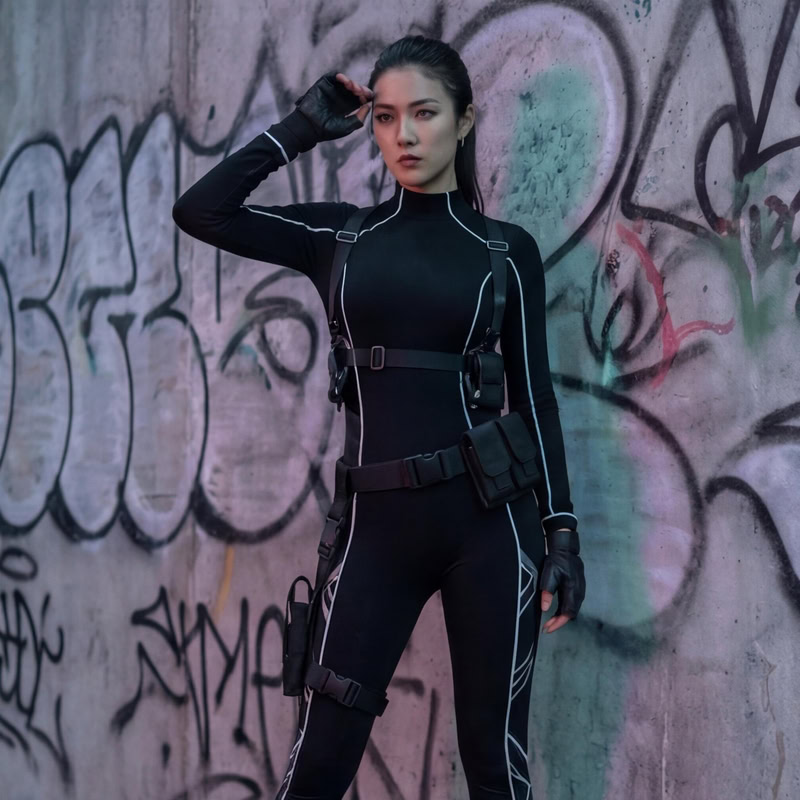
  • Sleek Mobility & Tech-Lines:The use of fitted bodysuits with utility harnesses creates a streamlined, efficient base. Thin reflective lines often trace the body’s silhouette, adding a subtle futuristic glow without being overpowering.
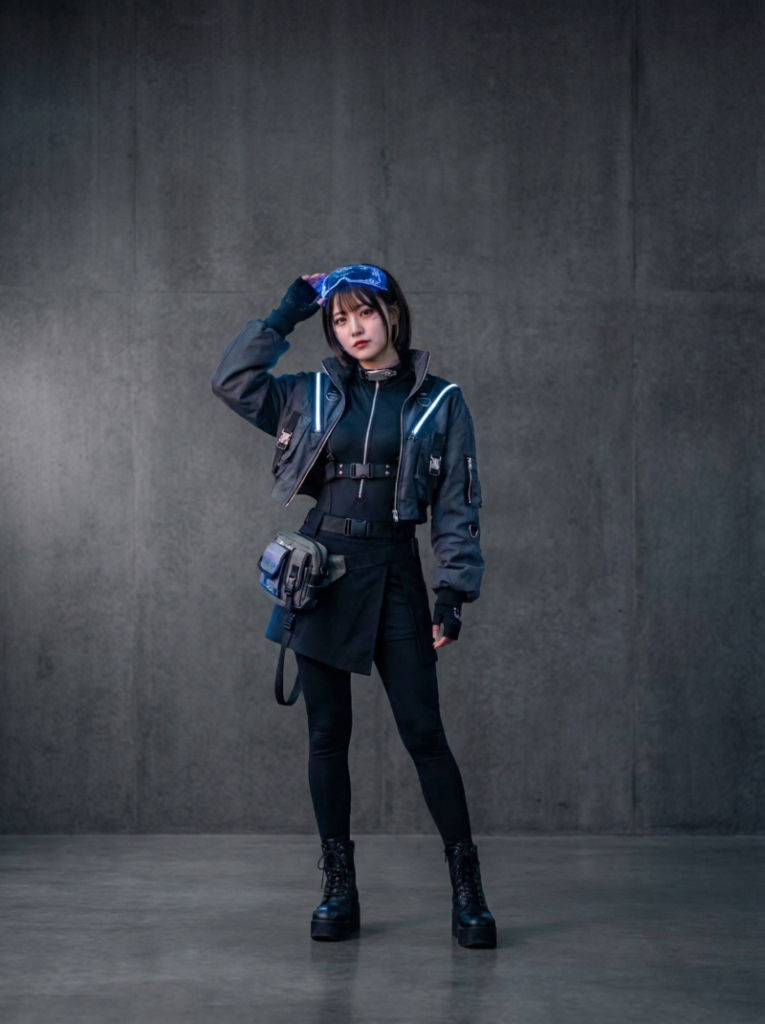
  • Asymmetry & Layered Textures:Key pieces like asymmetrical skirts or cropped jackets create visual tension and a sense of motion. Combining soft fabrics with metallic or holographic accents transforms a simple outfit into a statement of tech-driven energy.
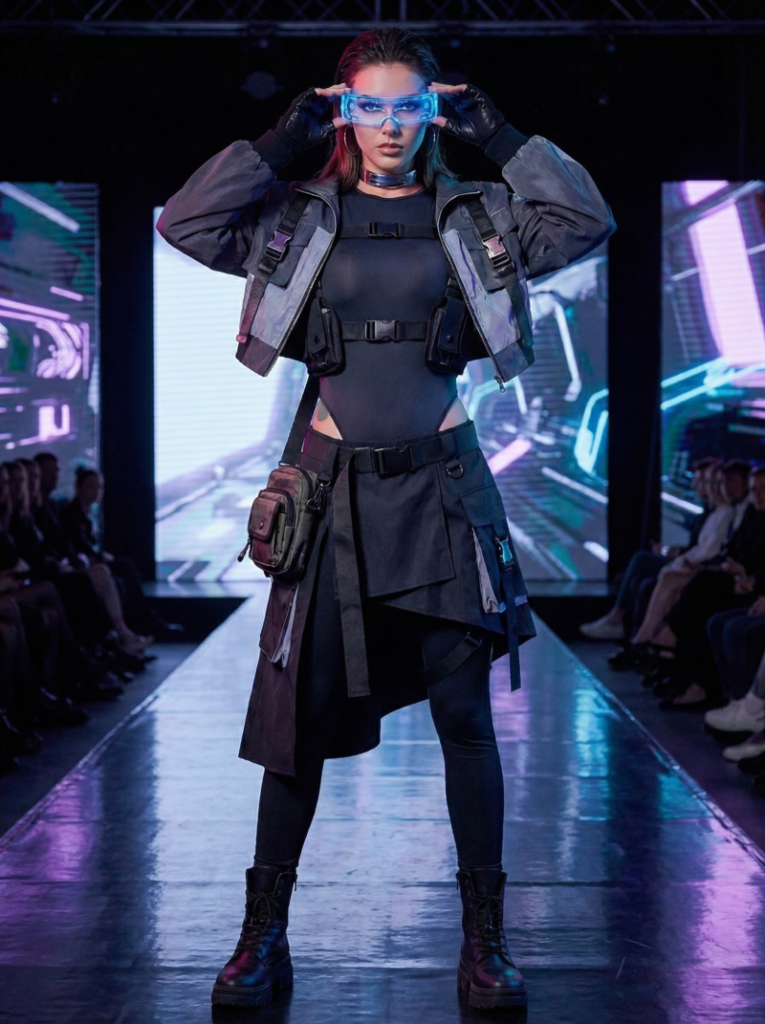
  • Statement Accessories:The look is often anchored by functional yet theatrical items, such as glowing visors, modular bags, and heavy combat boots.

The beauty of cyberpunk aesthetic clothing for women lies in its adaptability. A single key piece, like a reflective jacket or a holographic skirt, can transform a simple outfit into a statement cyberpunk aesthetic look. Layering, asymmetry, and texture mixing are central to making each ensemble unique, allowing for a personal interpretation of cyberpunk futuristic fashion while remaining practical for real-life wear.

Below are some examples of cyberpunk aesthetic outfit ideas for women:

1. Sleek Techwear

Core Elements: Fitted black bodysuit, modular pouches, and reflective detailing.

Analysis: This look prioritizes mobility and efficiency. The sharp, controlled silhouette shows how cyberpunk can be elegant and restrained rather than just bulky gear.

cyberpunk aesthetic clothing——Sleek Techwear
Fashion Diffusion AI-generated

2. Futuristic Streetwear

Core Elements: Cropped illuminated jacket, utility pouch, and combat boots.

Analysis: A perfect blend of everyday wear and sci-fi. The soft glow of the jacket connects the wearer to the neon visual language of a megacity.

cyberpunk aesthetic clothing——futuristic streetwear
Fashion Diffusion AI-generated

3. Runway Tech

Core Elements: Asymmetrical skirt, tactical belt, and glowing visor.

Analysis: This ensemble uses visual tension and movement to anchor the look in high-end futuristic fashion. It is theatrical yet grounded by heavy modular elements.

cyberpunk aesthetic clothing——Runway Tech
Fashion Diffusion AI-generated

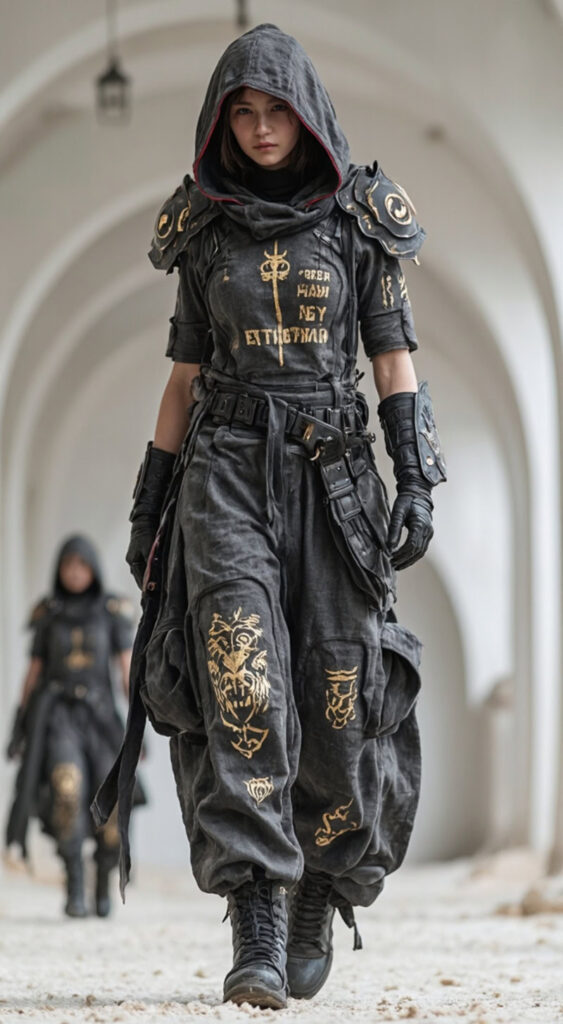
4. Dystopian Grime

Core Elements: Hooded armor, distressed textures, and graphic symbols.

Analysis: Rooted in “survival-driven” design, this look uses muted tones and heavy boots to tell a story of a history shaped by conflict and scarcity.

cyberpunk aesthetic clothing——Dystopian Grime
Fashion Diffusion AI-generated

Men Cyberpunk Aesthetic Outfits: Rugged, Functional, and Futuristic

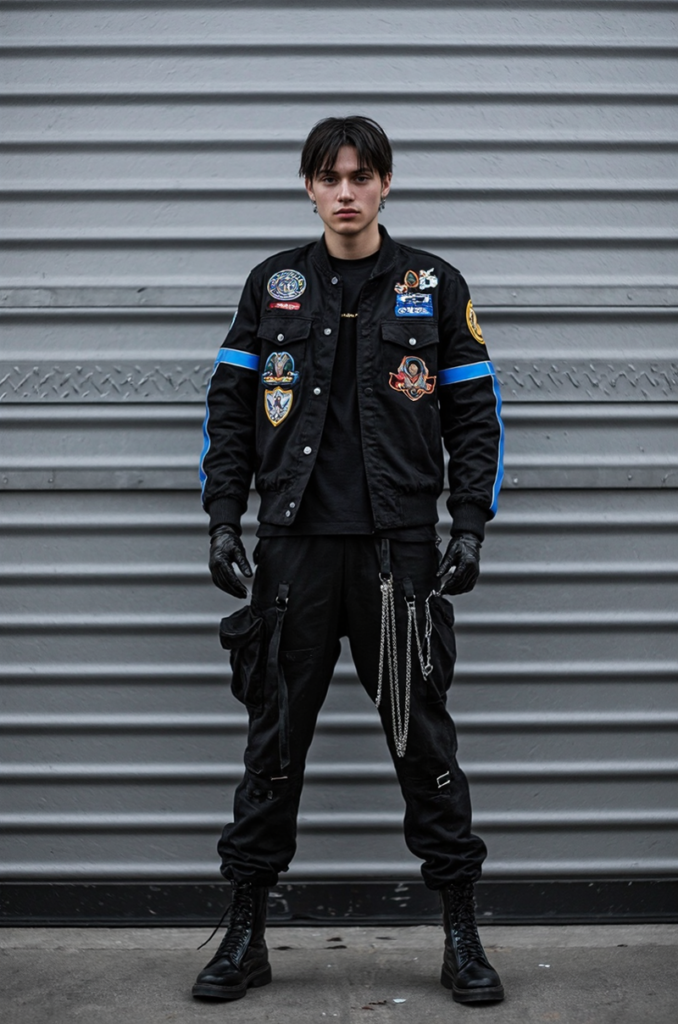
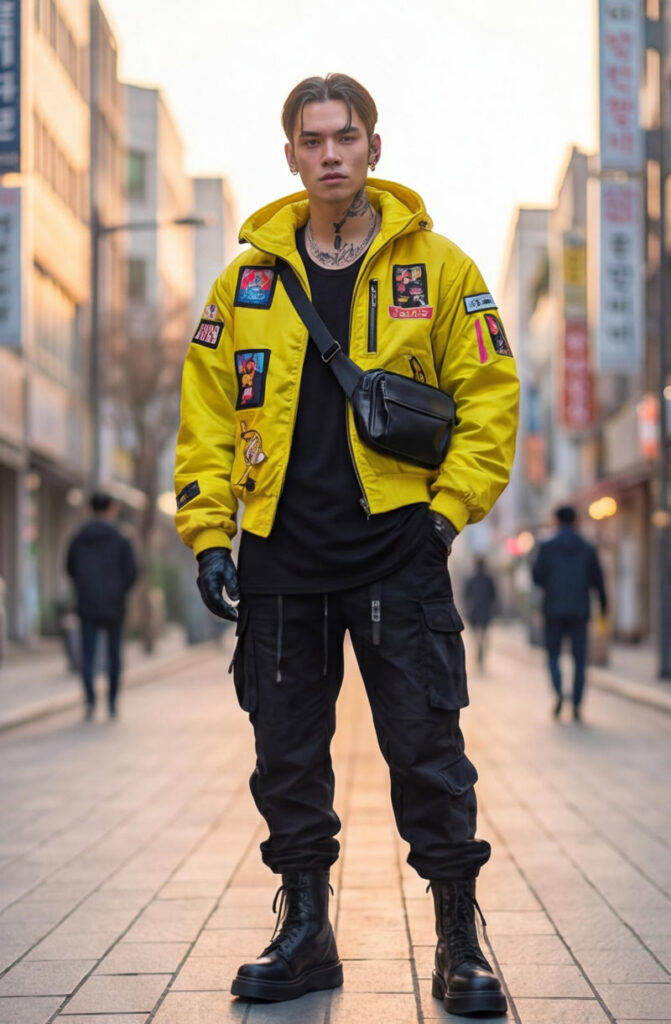
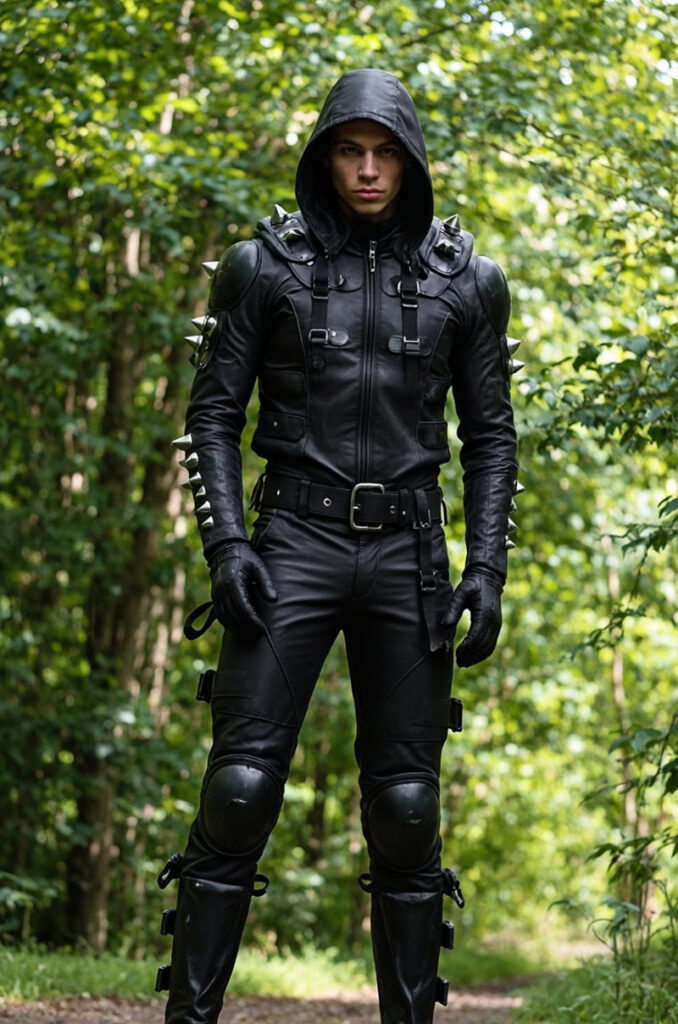
Men cyberpunk aesthetic outfits focus on functionality, structure, and layered silhouettes, creating a look that is both edgy and utilitarian. Dark tones like black, charcoal, and muted metallics dominate, often accented with neon piping, reflective panels, or tech-inspired hardware. The style blends streetwear, techwear cyberpunk elements, and futuristic silhouettes to create outfits that feel ready for an urban dystopia.

Some popular examples include:

  • Modular Tactical Gear:The focus is on functionality, featuring tactical jackets with multiple zippers, straps, and cargo pockets. Layering hoodies under utility vests adds necessary dimension for an urban-ready feel.
  • High-Visibility & Faction Identity:Modern interpretations include high-visibility pieces, like neon-yellow jackets with patch detailing, evoking the image of a cyberpunk courier or an underground fixer.
  • Dystopian Hardcore:At its darkest, the style leans into a militarized look—all-black leather, reinforced armor panels, and hooded silhouettes that emphasize anonymity and protection beyond the system.

Men outfits in the cyberpunk aesthetic encourage experimentation with proportion, texture, and tech-inspired details. The layering of garments, combined with functional accessories, gives each outfit a dynamic, urban-ready feel. Just like the women side, a few key pieces — a modular jacket or a harness vest — can transform a simple outfit into a fully realized futuristic cyberpunk clothing ensemble.

These examples highlight popular cyberpunk aesthetic outfit ideas for men:

1. Street Militarized

Core Elements: Patch-heavy jacket, hanging chains, and leather gloves.

Analysis: This “covert” vibe features faction-like patches reminiscent of city gangs. It emphasizes a hardened street-warrior image over polished heroics.

cyberpunk aesthetic clothing——Street Militarized
Fashion Diffusion AI-generated

2. High-Vis Tech

Core Elements: Neon yellow signal jacket, crossbody bag, and tactical pants.

Analysis: Designed for high visibility in a concrete jungle. The “hacker-meets-motorcyclist” aesthetic feels perfect for someone navigating a crowded sprawl at dusk.

cyberpunk aesthetic clothing——High-Vis Tech
Fashion Diffusion AI-generated

3. Hardcore Combat

Core Elements: Spiked leather armor, reinforced panels, and an anonymity hood.

Analysis: Cyberpunk at its most militarized. This second-skin effect emphasizes dominance and survival “beyond the system”.

cyberpunk aesthetic clothing——Hardcore Combat
Fashion Diffusion AI-generated

Cyberpunk Aesthetic Clothing in The Age of Digital Fashion and AI

As fashion moves deeper into the digital space, cyberpunk aesthetic clothing feels more relevant than ever. The style’s roots in virtual worlds, futuristic cities, and speculative design align naturally with digital fashion and AI-generated visuals. Cyberpunk futuristic fashion no longer lives only on the runway or in films—it now exists as concepts, renders, and virtual outfits shared online.

AI fashion design tools have made it easier to explore futuristic cyberpunk clothing without physical limits. Designers can test bold silhouettes, experimental materials, and extreme cyberpunk aesthetic outfits in a digital-first environment, where creativity isn’t restricted by production costs. This shift has pushed the cyberpunk clothing aesthetic further into conceptual and visual storytelling.

At the same time, digital platforms are redefining how people engage with cyberpunk aesthetic clothing. Virtual try-on, AI-generated fashion imagery, and digital collections allow both creators and audiences to experience cyberpunk fashion in new ways. If you’re curious about how these ideas connect to modern fashion culture, this breakdown of what cyberpunk fashion means today offers a deeper look at its evolution.

Embracing the Future with Cyberpunk Aesthetic Clothing

Cyberpunk aesthetic clothing is a way to express individuality and a vision of what lies ahead. Whether you are looking for wearable everyday pieces or conceptual digital art, the tools to create your own future are now at your fingertips.

Fashion Diffusion make it easy to bring these imaginative ideas to life. You can design your own digital cyberpunk wardrobe or use AI to visualize entirely new futuristic looks. Step into the future and start building your cyberpunk identity today.

Avatar photo 通过Sophia Mille

Best AI Tools for Clothing Design: Top 10 Picks to Elevate Your Creative Workflow

In 2026, how will AI redefine the DNA of fashion design? The answer is already unfolding: artificial intelligence has become the invisible thread weaving through every stage of clothing creation, from sketch to runway. No longer a futuristic fantasy, AI tools for fashion design now empower designers at every level to break free from traditional constraints, slash development cycles, and explore creative realms once deemed impossible.

But with a growing landscape of options, how do you choose the right AI companion for your design journey? This guide cuts through the noise by curating the best AI for clothing design online, dissecting their core functionalities, and providing clear comparisons.

Why AI Is No Longer Optional for Clothing Design

Gone are the days of spending weeks on hand-drawn sketches, struggling with color matching, or wasting resources on physical prototyping. An AI fashion design generator streamlines workflows, solves common pain points, and bridges the gap between creativity and practicality. Here’s why those AI tools for fashion design are necessary:

  • Cut down design time from weeks to days: AI generates sketches, patterns, and color schemes in seconds, freeing up designers to focus on core creativity.
  • Reduce costs: Minimize physical sample waste, avoid expensive reworks, and lower labor costs for repetitive tasks like line art optimization.
  • Boost creativity: Overcome designer’s block with AI-generated inspiration, style variations, and trend-aligned concepts.
  • Improve practicality: Many tools support vector conversion, fabric simulation, and production-ready outputs, ensuring designs can be easily mass-produced.
  • Stay competitive: 80% of top fashion brands now use AI fashion design generators to speed up new product development and avoid homogenization.

10 Best AI Tools for Clothing Design

With so many options on the market, finding the best AI tools for clothing design can be overwhelming. Therefore, we’ve tested and categorized the top tools to simplify your decision.

1. Fashion Diffusion

As a leading all-in-one AI clothing design platform, Fashion Diffusion stands out from generic AI tools with its industry-specific advantages, tailored for fashion designers, brands, and content creators.

Best AI Tools for Clothing Design - Fashion Diffusion
Fashion Diffusion AI-generated

Below are its core highlights and key features:

  • All-In-One Workflow Functions: Converts text/sketches/images into production-ready designs. Also supports AI sketching, virtual sampling, virtual try-on, and batch design. There is no need for multiple tools.
  • Fast Design & Cost Savings: Generates customizable designs in a short time, cuts design cycles by 70%, slashes physical sampling costs by 30%, and saves brands up to 3 months of work yearly.
  • Easy-to-Use for All Skill Levels: No coding/Photoshop/advanced design skills needed. Customize fabric/style via simple tags; pros can integrate with Photoshop/Illustrator seamlessly, which balances simplicity and professionalism.
  • Ideal User Groups: Professional fashion designers, small-to-medium clothing brands, fashion content creators, and design students.

2. NewArc.ai

NewArc.ai is a user-friendly tool built for apparel, footwear, and accessories designers, specializing in 10-second sketch-to-photorealistic visual generation. It turns simple inputs into high-quality visuals, with features to test colors, materials, patterns, and fine-tune designs.

NewArc.ai

Here’s how its core functions work:

  • Sketch-to-Image: Upload any design input (hand-drawn sketch, Adobe Illustrator technical drawing, fashion illustration, or collage). It converts the input into a high-quality photo within seconds, saving time on manual rendering. It also helps designers quickly visualize ideas and create clear visuals for presentations or marketing materials.
  • Image-to-Video: Upload a static design image, select a video type (e.g., 360-degree spin), and the tool generates the animation automatically. The generated animation is smooth and realistic, making it easier to display design details.
  • Materials: Upload your design sketch together with a photo of your desired fabric or texture. The tool applies the material to the sketch, allowing you to adjust and refine details. It also ensures the final visuals match your brand’s aesthetic without complex editing.

3. Style 3D AI

Style 3D is an AI-powered platform focused on end-to-end fashion design and marketing, integrating 3D simulation and AI technology to streamline workflows and reduce costs.

Style 3D

Below are its core functions, including their key benefits and simple operation process:

  • AI Creative Design: Quickly converts sketches into realistic 3D fashion pieces, cutting physical sample-making costs while accelerating design iteration. To use it, simply upload hand-drawn sketches or type text prompts to describe your design vision, then leverage reference-based 3D rendering to generate updated versions of existing top designs.
  • AI Photoshoot: Eliminates the need for on-site photoshoots to save time and labor costs. The operation is straightforward: select desired looks to simulate a real photo set, swap models with a few clicks to adapt to local or cross-border business scenarios, and switch between numerous realistic backgrounds instantly.
  • Agents: It simplifies complex design workflows with intuitive chat commands. Simply use chat commands to control the entire process, from pattern creation, model try-on to marketing video generation, all completed on one platform.

4. Resleeve

Resleeve is an AI tool for fashion design that compresses research, moodboards, sampling, and shoots into minutes, freeing teams for creativity and standout proposals. It eliminates visual bottlenecks across design stages with intuitive, fast AI solutions.

Resleeve

Here’s what you can do with Resleeve:

  • Trend Research: Get visual trend reports in minutes.
  • Create Moodboard: Generate brand-aligned moodboards instantly.
  • CAD to Render: Turn flat CADs into detailed, high-fidelity renders.
  • Render to Photoshoot: Transform renders into editorial-quality campaign images.
  • Explore Colorways and Fabric: Test colors and fabrics virtually to refine designs.
  • Get Technical Flat: Secure precise technical flats for production-ready docs.
  • Show Different Angles: Display designs from multiple perspectives for comprehensive evaluation.

5. WGSN

WGSN is a trend forecasting, consumer insight, and design intelligence platform for fashion and apparel businesses. Available via subscription or bespoke consultancy, it collects data from runways, retail inventory, social media, e-commerce, and consumer surveys, then combines it with expert analysis to deliver actionable forecasts, reports, and design guidance.

WGSN

Below are what you can get using the WGSN fashion design tool:

  • Clear Trend Roadmaps for Future Collections: Access seasonal reports covering styles, silhouettes, colors, fabrics, prints, and buying trends. These reports turn scattered market signals into actionable direction, letting you know exactly what to design or stock for upcoming seasons.
  • Streamlined Creative Design Resources: Tap into curated tools to accelerate ideation, including color libraries, print/graphic archives, CADs/flat sketches, and 2D/3D assets.
  • Data-Backed Buying & Merchandising Guidance: Leverage practical tools to make smart inventory decisions. Get support for determining optimal product categories, order volumes, and launch timelines, balancing supply and demand to minimize risks.
  • Long-Term Consumer & Market Insights: Gain a deep understanding of global consumer behavior, retail data, and buying patterns. You may identify macro consumer trends and demand shifts to align your strategies with long-term market needs.

6. CLO 3D

CLO 3D is a leading technical 3D fashion design generator trusted by global brands, redefining fashion creation and production through virtual garment technology. It enables designers to craft and refine true-to-life 3D garments before physical production and slashes physical sampling cycles with realistic physics simulation.

CLO 3D

As a game-changer for the fashion industry’s digital transformation, CLO 3D’s core capabilities and strengths streamline the entire design-to-manufacturing workflow, with key features including:

  • Create and alter true-to-life 3D garments to perfect design ideas prior to production.
  • Accelerate design start with pattern blocks and avatar sketching for automatic pattern piece generation.
  • Deliver true-to-pattern 3D garment development for precise digital-physical design consistency.
  • Offer realistic fabric drape simulation and virtual fit evaluation.
  • Seamlessly integrate with manufacturing pipelines, bridging digital design and actual production processes.

7. OpenArt

OpenArt is a free AI clothing generator that unlocks endless fashion design possibilities, letting you craft stylish and original outfits with just a simple click. No professional design skills required to turn creative fashion ideas into vivid visual designs effortlessly.

OpenArt

This best free AI for clothing design streamlines the fashion creation process into easy, actionable steps, making it accessible for both design beginners and professionals to experiment and iterate quickly:

  • Select a model: Pick an AI model that matches your desired fashion style.
  • Input a prompt: Provide a creative text prompt to guide the clothing design generation.
  • Adjust settings: Tweak advanced parameters to refine output effects.
  • Generate: Click the generate button and watch the AI create your custom clothing design in real time.
  • Iterate: Experiment with different prompts and settings repeatedly to perfect your ideal fashion design.

8. Browzwear

Browzwear is a powerful digital product creation and development platform, recognized as one of the best AI tools for clothing design. It focuses on rapid apparel development to help fashion brands and manufacturers optimize their workflows, improve design accuracy, and accelerate time to market.

Browzwear

As a comprehensive solution, it integrates advanced technologies to simplify every link of apparel design and development, and its core advantages lie in the following specific aspects:

  • High Fit Accuracy: Powered by AI-driven fit validation, Browzwear enables leading fashion brands to achieve 95% First Time Right fit rates, effectively cutting sampling costs.
  • Virtual Twin Foundation: Users can start their fashion product development with a trusted virtual twin, perfect the fit and overall look of garments, then quickly create high-quality renders by syncing data to the cloud.
  • Advanced Design & Simulation Tools: It is equipped with professional 2D and 3D design tools, supports simulated display with unmatched realism.
  • Data-Backed Collaboration: As a flexible and open platform, Browzwear drives data-backed design and operation decisions, strengthening collaboration between brands and vendors.

9. Botika

As one of the most practical AI tools for fashion design, Botika focuses on AI-generated models and is trusted by world-class fashion brands, helping leading fashion brands create authentic, on-brand imagery at scale while giving design and marketing teams creative freedom, consistency, and full control over their visual content.

Botika

It perfectly solves the pain points of traditional fashion photography, such as high cost, time-consuming production, and limited flexibility, and its core functions that benefit fashion brands are as follows:

  • High-Quality AI-Generated Models: Botika provides realistic AI fashion models built specifically for leading brands, which can pose, move, and showcase clothing collections just like real professional models. Its diverse model portfolio covers different body types, helping brands reach a wider audience.
  • Flat Lay Photo Transformation: For brands stuck with only flat lay product photos, Botika can turn these static flat lay images into vivid on-model photos in minutes, enhancing product appeal without additional shoots.
  • Mannequin Photography Upgrade: It only takes a few clicks to convert ordinary mannequin photography into stunning on-model images, saving brands a lot of time and labor costs while ensuring visual quality.
  • Rapid Fashion Video Creation: Botika can turn static product photos into scroll-stopping AI fashion videos quickly, with no need for professional shoots or complex video editing.

10. The New Black

The New Black is an AI fashion design platform crafted for designers and fashion houses in need of rapid concept generation and distinctive brand-defining pieces. It empowers the development of signature aesthetics and campaign-ready artistic concepts, emerging as a robust tool for fashion brands that prioritize storytelling in their creative process.

The New Black

The platform has four core studios, each with specialized functions to cover the entire fashion design and presentation process:

  • AI Fashion Design: Design clothes, jewelry and accessories; experiment with fabrics, sketches and other design elements; enable fast design iteration for efficient creative polishing.
  • AI Virtual Try On: Realize digital try-on of clothes with high precision, and provide users with full creative control over the try-on effect.
  • AI Fashion Models: Generate AI models for showcasing clothing, jewelry and accessories; skip traditional e-commerce photoshoots while retaining complete creative control of product display.
  • AI Stylist and Outfit Generator: Create personalized outfits that match individual style; offer professional styling recommendations from the AI stylist, with designs tailored to personal taste.

Direct Comparison of Best AI Tools for Clothing Design

Tool NameCore FocusIdeal UsersSkill Level
Fashion DiffusionAll-in-one AI clothing design Designers, brands, content creators, studentsLow
NewArc.aiSketch-to-photorealistic visualsApparel/footwear/accessories designersLow
Style 3D AI3D + AI end-to-end design & marketingBrands, design/marketing teamsHigh
ResleeveFull design pipeline streamliningDesign teams, creative departmentsLow
WGSNFashion trend forecasting & intelligenceBrands, retailers, merchandisersLow
CLO 3DTechnical 3D virtual garment designGlobal brands, technical designersHigh
OpenArtFree AI clothing generationBeginners, hobbyists, studentsLow
BrowzwearDigital apparel developmentBrands, manufacturersHigh
BotikaAI-generated fashion modelsGlobal brands, marketing/e-commerce teamsLow
The New BlackBrand-defining concept generationFashion houses, luxury brands, creative designersLow

Dive into AI Clothing Design with Fashion Diffusion

If you are still hesitant about which AI clothing design tool to choose, just start your exploration with Fashion Diffusion!

You can unlock all-in-one workflow features here, from sketch generation to virtual try-on. There is no need to switch between multiple tools for the entire process from concept to launch. User-friendly for all skill levels, beginners can customize fabrics and styles via simple tags, while professionals can seamlessly integrate with Photoshop or Illustrator.

Whether you are a designer, small-to-medium brand, content creator, or student, it adapts to your needs. Try Fashion Diffusion for free today, let AI fuel your fashion creativity, and stay ahead in the dynamic design landscape!

FAQ

Can free AI clothing generators produce commercial-use designs, and are there hidden limitations?

Yes, some free tools allow commercial use. OpenArt permits commercial use for free-tier outputs. Common limitations of free tools include daily generation caps, lower resolution for free outputs, and limited access to advanced tools like 3D simulation. Always review terms for commercial rights and feature restrictions.

Do AI clothing design tools require professional design skills, and how user-friendly are they for beginners?

Most top AI tools are beginner-friendly with no need for professional skills. Tools like Fashion Diffusion let users upload sketches or type simple prompts to generate photorealistic visuals in seconds. Even complex 3D tools like CLO 3D offer basic free trials with guided workflows, making AI accessible to all skill levels.

What’s the difference between 2D and 3D AI clothing design tools, and which should I choose?

2D-focused tools excel at quick visual generation—ideal for sketch-to-render workflows, moodboards, or marketing visuals, with fast output. 3D tools offer end-to-end functionality: fabric simulation, virtual fitting, and production-ready prototyping, cutting physical sampling costs but requiring a steeper learning curve. Choose 2D tools for ideation or small-scale projects; 3D tools if you need to test fit, drape, or scale to mass production.

How do AI clothing design tools streamline workflows for brands, and what tangible benefits do they deliver?

AI tools transform brand workflows by reducing time, costs, and inefficiencies. For example, Fashion Diffusion slashes design cycles by 70% and saves brands up to 3 months yearly. Key benefits include: minimizing physical sample waste (30% cost reduction via Fashion Diffusion), eliminating on-site photoshoots (Style3D AI’s virtual photoshoots), and data-backed trend alignment (WGSN’s AI-driven forecasting). Most top brands now use these tools to speed up new product launches.

Avatar photo 通过Alexander Wilson

How to Design a Garment:Step-by-Step for Beginners

Designing a garment can feel overwhelming at first—sketching, fabrics, patterns, fit… Where do you even begin? The good news is that garment design becomes much more approachable when you break it down into clear, manageable steps.

Today, many beginners also use different kind of AI fashion design tools to visualize ideas faster and reduce trial-and-error. In this guide, we’ll walk through how to design a garment step-by-step, combining classic fashion design principles with modern AI-assisted workflows.

Design a Garment Step-by-Step by using AI fashion design tools

1. Find Inspiration & Define your Concept

Every garment starts with a clear idea, but inspiration doesn’t come out of nowhere. Most designers collect references before sketching anything. Common inspiration sources include Pinterest, Instagram, runway shows, street style photos, fashion blogs, and vintage archives.

At this stage, focus on:

  • What type of garment you’re designing (dress, top, jacket, etc.)
  • Who it’s for and when it will be worn
  • The overall mood, silhouette, and style

For beginners, AI tools can help organize scattered ideas into something visual. By combining reference images or keywords, Fashion Diffusion allows you to quickly explore different design directions and refine your concept before moving into sketching.

AI fashion design tools helps to organize scattered idea into visual.

2. Sketch the Garment

Sketching transforms your concept into a visual design. You don’t need advanced drawing skills—your sketch simply needs to show shape, proportion, and key details.

Traditionally, designers sketch on croquis templates. Today, beginners increasingly rely on AI sketch generator to speed up this process. If you’re still exploring different options, this overview of the best AI tools to design a dress online can help you understand which features matter most at this stage.

With AI-assisted tools, you can:

  • Generate garment sketches from text prompts
  • Convert reference images into clean fashion sketches
  • Explore multiple design variations in minutes

Using an AI sketch generator reduces the pressure of hand drawing and lets you focus on design decisions rather than illustration technique.

Generate garment sketches directly with an AI sketch generator

3. Choose Fabric & Materials

Fabric choice plays a major role in how a garment looks and feels. The same design can appear structured, flowing, casual, or formal depending on the material.

When choosing fabrics, consider:

  • Weight and drape
  • Texture and stretch
  • Comfort and seasonality

AI-powered visualization tools make this step much clearer for beginners. Instead of guessing, you can digitally apply different fabrics and colors to your design and immediately see how they affect the overall look—helping you make smarter decisions before physical sampling.

Apply different fabrics or color to your design and see the design look

4. Develop the Pattern & Structure

Pattern making turns your design into something wearable. This step defines how flat fabric becomes a three-dimensional garment.

For beginners, pattern development often feels abstract. Having a clear digital render generated with AI tools helps bridge that gap. Visual references allow you to better understand:

  • Garment structure and panel placement
  • Proportions and balance
  • Basic construction logic

Even if patterns are drafted manually, AI-generated visuals provide guidance and reduce trial-and-error during the technical phase.

Develop your design form flat fabric to 3D garment

5. Visualize Fit with Virtual Try-On

Before finalizing a garment, it’s crucial to understand how it fits on the body. Traditionally, this requires sewing a physical sample.

With Fashion Diffusion virtual try-on tool, designers can now preview fit and proportions digitally. Virtual try-on allows you to:

  • See how the garment looks on different body types
  • Evaluate length, volume, and silhouette
  • Identify potential fit issues early

This step is especially valuable for beginners who are still developing an eye for fit and proportion.

Virtual Try-On allows to see how the garment looks on models

6. Finalize the Garment Design

Once the design feels right, it’s time to finalize everything:

  • Lock in fabric, color, and design details
  • Refine construction elements
  • Prepare visuals for presentation or production

High-quality AI-generated renders can be used for portfolios, lookbooks, or online showcases, making your garment design feel complete—even before physical production begins. If you’d like to see a practical example of this workflow, this guide on how to design your own dress online walks through the entire process step by step using digital tools.

Finalized garment design and prepare visuals for production
Fashion Diffusion AI-generated

Tips for Beginners Designing Their First Garment

Start simple before attempting complex silhouettes

When designing your first garment, simplicity matters. Basic silhouettes like T-shirts, skirts, or simple dresses help you understand construction and proportion without getting lost in details. Mastering simple designs builds confidence and creates a solid foundation for more complex pieces later.

Focus on learning the process, not perfection

Beginner designers often get stuck trying to make everything perfect from the start. In reality, garment design is an iterative process. Early sketches, renders, and samples are meant to be improved, not finalized. Each version teaches you something new.

Use visual tools to test ideas quickly

Seeing a design is much more effective than imagining it. Visual tools—especially digital sketching, fabric application, and rendering—allow you to test ideas fast and make adjustments without starting over. This encourages experimentation and reduces hesitation.

Study existing garments to understand structure

Looking closely at real garments helps you understand how designs work in practice. Pay attention to seams, panels, and how fabric behaves on the body. Reverse-engineering existing pieces is one of the fastest ways to improve your design thinking.

Don’t skip fit visualizationit saves time later

Fit plays a huge role in whether a garment looks polished or unfinished. Even if you’re not sewing a physical sample yet, visualizing how a design sits on the body—through virtual try-on or renders—can reveal proportion and balance issues early on.

From Concept to Creation: Designing with Confidence

Learning how to design a garment is less about talent and more about understanding the process. By breaking garment design into clear steps, beginners can move from abstract ideas to realistic designs with much more confidence.

Today, combining traditional design thinking with digital tools makes this journey smoother. Visualizing sketches, fabrics, and fit early on helps reduce uncertainty and allows you to focus on creative decisions rather than technical roadblocks.

If you’re ready to take your first idea beyond imagination, start using Fashion Diffusion to experience your first garment design—from concept to visualization, all in one workflow.

Avatar photo 通过Ethan Davis

AI Sketch Generator: Revolutionize Your Design Workflow in 2026

AI is reshaping fashion design at unprecedented speed, with sketch generators becoming indispensable for creators in 2026. Traditional sketching’s tedious hours, skill barriers, and limited iterations are a thing of the past. Today’s AI sketch generator transforms text prompts or reference images into polished sketches in minutes, freeing designers to focus on creativity over repetition.

These tools don’t replace human artistry; they enhance it. Solutions like Fashion Diffusion, built specifically for fashion’s unique needs, streamline concept-to-render workflows with intuitive features tailored to designers, brands, and students.

Below is a breakdown of how these AI fashion design tools work, real brand success stories, top tool recommendations, and tips to keep AI outputs aligned with your brand aesthetic. Dive into 2026’s design revolution—where speed meets creativity.

What Is an AI Sketch Generator

An AI sketch generator is an AI-driven tool harnessing neural networks and deep learning to swiftly craft sketches, line drawings, or hand-drawn-style illustrations from user inputs like text descriptions or reference pictures, without requiring professional drawing skills.

Unlike manual sketching, an AI sketch generator turns abstract ideas into visual sketches in seconds, mimicking human styles to ensure consistent quality and customization for users of all levels.

Its core value is in democratizing creativity, saving time/costs, and providing versatility. It lets untrained users create high-quality sketches instantly, slashes manual work time, cuts illustrator/art supply costs, and offers diverse styles for needs like character design or social media. For pros, it breaks creative barriers and streamlines workflows as a rapid prototyping tool.

Although these benefits make AI sketch generators highly useful, their ability to produce natural and polished results depends on sophisticated underlying technology. To better understand how they turn simple inputs into refined sketches, let’s delve into how AI sketch generators work.

How an AI Sketch Generator Works

The AI sketch generator turns creative ideas into structured sketches via a streamlined 4-step workflow, using deep learning to ensure speed and alignment with user intent. Here’s a concise breakdown:

1. Input Handling & Intent Understanding

The AI parses user input to grasp creative needs. For text prompts (e.g., “minimalist blouse sketch”), it uses multimodal models to identify key design elements and style. For rough drafts or reference images, it extracts core shapes and edges. User controls (bounding boxes, masks) add precision for design-specific adjustments.

2. Latent Embedding & Creative Planning

The parsed input is converted into a latent embedding, a numerical format that the AI can process. A transformer or LLM then plans stroke order (mimicking human designers, e.g., outlining a silhouette first, then details) to ensure coherent proportions and flow.

3. Sketch Generation (Denoising & Stroke Formation)

Most generators use diffusion models: starting with random noise, they iteratively denoise it into a sketch, guided by the latent embedding. Raster sketches become distinct lines, while vector sketches (ideal for fashion) turn into smooth, scalable Bézier curves. The process is fast, enabling rapid design iterations.

4. Refinement & Output

The AI polishes the sketch by smoothing jagged lines, correcting proportions, and removing redundant marks. It then outputs the final sketch in common formats and supports further edits via new prompts or controls, fitting practical design needs.

AI Sketch Generator vs Traditional Sketching

How ai sketch generators work

Today’s fashion industry is seeing a quiet but impactful shift in how designs begin. Traditional fashion design starts with a designer’s inspiration, which they then sketch by hand, a process that requires strong drawing skills, careful attention to detail, and plenty of time.

But with the rise of AI, fashion design tools are changing this: designers simply input a text description of their vision, and the AI sketch generator instantly outputs multiple clothing sketch styles, speeding up the initial ideation process.

AI offers speed, efficiency, and endless possibilities, letting designers iterate quickly without needing strong hand-drawing skills. Traditional sketching, on the other hand, brings craftsmanship, emotion, and unique, irreplaceable strokes, each line reflecting the designer’s personal technique and creativity. A detailed comparison table below outlines the strengths, weaknesses, and ideal use cases of both approaches.

Comparison Table

CriteriaAI Sketch GeneratorTraditional Sketching
SpeedInstant. Generates high-quality sketches in seconds or minutes.Time-Consuming. Requires hours, days, or even weeks to complete a detailed piece.
Skill RequirementLow. No drawing skills needed. Requires proficiency in writing effective prompts.High. Demands mastery of perspective, shading, composition, and hand-eye coordination.
Creative ControlIndirect. You guide the AI through text; results can be unpredictable.Absolute. Every line, stroke, and detail is directly controlled by the artist’s hand.
Originality & StyleDerivative. Mimics styles based on training data; risk of generic results or accidental plagiarism.Unique. Style is a direct reflection of the artist’s personal technique and emotional expression.
IterationUnlimited. Generate dozens of variations instantly to explore different concepts.Limited. Redrawing or modifying requires starting over or physically altering the artwork.
Emotional ConnectionResult-Oriented. The focus is on the final image; the process feels more technical.Process-Oriented. The act of drawing is meditative and expressive; imperfections add character.
ToolsDigital. Requires a device and internet.Physical. Requires paper, pencils, erasers, etc.
CostSubscription fees may apply for premium tools.Costs accumulate with material consumption.
Best Use CasesConcept art, fashion design ideation, storyboarding, generating references, exploring new styles.Fine art, life drawing, building foundational skills, detailed illustrations, personal journals.

The comparison highlights a clear contrast: An AI sketch generator excels in speed, iteration, and accessibility, while traditional sketching offers unmatched creative control, originality, and emotional depth. For many fashion professionals, the choice is no longer between one or the other, but how to integrate both into a more efficient and versatile design workflow.

Why Fashion Designers Are Switching to AI Sketch Generator in 2026

Against this backdrop of evolving tools and shifting workflows, it is becoming increasingly clear why AI is emerging as a dominant force in fashion design.

The advantages of AI sketch generators—speed, scalability, and the ability to explore hundreds of ideas in minutes—are reshaping how designers approach their creative process. As the industry moves into 2026, more fashion creators are turning to AI not just as a convenience, but as a fundamental part of their design toolkit.

Key Use Cases: AI Sketch Generator in Fashion Design

AI is transforming the design workflow by enabling creators to manipulate visual elements with unprecedented precision. Beyond just generating images, these tools are being used to solve specific, high-stakes design challenges:

  • Rapid Silhouette Iteration: Designers can instantly test how a garment’s structure changes when modified—expanding a shoulder, cinching a waist, or altering the length. It allows for the rapid refinement of the core shape before any fabric is cut.
  • Fabric and Texture Experimentation: AI excels at rendering complex textures. Designers use it to overlay different materials onto a base sketch to see which combination creates the most striking visual impact.
  • Cohesive Collection Visualization: Maintaining a consistent theme across an entire collection is simplified. By using a consistent seed image or prompt style, designers can ensure that 20 different looks feel like they belong to the same story.

To see these use cases in action, below are real-world examples of how leading fashion brands leveraged those AI sketch generators to bring creative visions to life.

G-Star Raw x MidJourney

Dutch denim brand G-Star Raw harnessed the power of MidJourney to develop an avant-garde denim collection, inputting prompts focused on sculptural silhouettes and futuristic denim details.

The tool generated 12 distinct sketch concepts, from structured jackets to innovative boots, in just a few days. It is a process that traditionally would have taken weeks of hand-drawing and brainstorming. Designers selected one concept for full production, streamlining the initial ideation phase and accelerating time-to-market for the new line.

G-Star Raw x MidJourney
Photo from G-star

Kate Spade New York x Adobe Firefly

Tapestry, the parent company of Kate Spade New York, integrated Adobe Firefly Customised Models into its design workflow to scale creativity while preserving the brand’s iconic, playful, and polished aesthetic. The team trained Firefly on Kate Spade’s archival patterns, textures, and silhouettes, allowing designers to generate on-brand sketch concepts in minutes rather than weeks.

Handbag and accessories designer Gurashish Kaur noted that Firefly’s realistic renderings made collaboration with product development and marketing teams faster, eliminating lengthy back-and-forth over hand-drawn sketches and reducing revision cycles.

Kate Spade New York x Adobe Firefly
Photo from Adobe for Business

Mango x Mango Stylist  

In July 2025, Mango launched Mango Stylist, an AI-powered virtual fashion assistant integrated into its e-commerce platform and Instagram. Beyond delivering personalized outfit recommendations via natural conversation, the tool’s user preference data (e.g., favored silhouettes, fabric textures, or print styles) directly informs the brand’s design team, guiding AI sketch iterations for future collections.

This aligns with Mango’s broader AI strategy, complementing its 15+ machine learning tools to bridge consumer insights with rapid sketch ideation across nine key markets.

Mango x Mango Stylist
Photo from Mango Pressroom

Revolve x MidJourney/Stable Diffusion  

American e-retailer Revolve experimented with AI sketch generators during New York’s first AI Fashion Week, using MidJourney and Stable Diffusion to create initial sketches for potential new designs. The brand generated dozens of sketch variations for trend-driven pieces, then tested customer response to the AI-created concepts online.

Only the sketches that resonated with consumers were selected for full production, minimizing overproduction risk and ensuring the final line aligned with customer demand. This approach reduced waste and improved efficiency, as Revolve avoided investing resources in designs with little market interest.

H&M Studio x Digital Twins

H&M Studio is exploring emerging technologies like generative AI to amplify creativity and reimagine how we showcase fashion. The technology offers an opportunity to enhance storytelling and find new ways to connect with our customers, while staying true to H&M Studio’s style-led, human-centric identity. We remain committed to empowering self-expression and liberating fashion for the many.

By leveraging AI to generate initial design sketches, the design team can rapidly explore a multitude of creative directions and refine silhouettes at an unprecedented pace. It allows the studio to minimize waste by testing concepts virtually before physical production.

H&M Studio x Digital Twins
Photo from H&M News

Best AI Sketch Generator for Fashion

To find the best fit for your fashion design workflow, the top 10 AI sketch generators online tailored to the industry are curated below. Each tool offers unique features to meet different needs, from beginner-friendly interfaces to production-ready outputs and seamless integration with 3D prototyping or collaborative workflows.

AI-Powered Sketch Generators (Ideal for Concept Ideation)

  • Fashion Diffusion: An AI platform for designers/brands, with core features like Image to Sketch, Text to Sketch, and Sketch to Render, speeding up concept development with high-quality visuals.
  • Style3D AI: A 3D visualization tool that converts flat sketches to 3D, simulates fabric movement, and bridges concept and production stages.
  • OpenArt: A beginner-friendly AI platform for creative exploration, generating sketches from text prompts and aiding mood board creation for early-stage ideation.      

Professional Vector Tools (Ideal for Technical Precision)

  • Adobe Illustrator: A subscription-based classic for precise vector flats, technical drawings, and production-ready visuals.
  • Affinity Designer: A one-time purchase alternative to Illustrator, offering professional vector sketching and flats with a lighter, easier-to-learn interface.    

Digital Hand-Drawing Tools (Ideal for Natural, Freehand Sketches)

  • Sketchbook: Intuitive freehand tool with diverse brushes and layers, perfect for natural, loose, early-concept sketches.
  • MediBang Paint: A free, lightweight tool for quick, detailed sketches, with cloud storage and simple controls, great for students and independent designers.

Template & Presentation Tools (Ideal for Fast, Structured Workflows)

  • Canva: User-friendly platform for mood boards and concept presentations (drag-and-drop, no design background needed—not for detailed sketches).
  • Repsketch: A fashion-specific tool with industry-standard templates, streamlining professional sketch creation and maintaining proportion consistency.
  • Pret-a-Template: Low-learning-curve tool with ready-made body/garment templates, speeding up early concept planning and consistent design exploration.

Benefits of Using Fashion Diffusion for Fashion Designers

Among the AI-powered tools supporting fashion sketching workflows, Fashion Diffusion focuses on addressing common pain points throughout the design process.

Designed to reduce tedious manual work while maintaining a practical level of precision, its core features work together to streamline creative and operational efficiency, serving as a useful tool for designers, students, and brands.

Text-to-Sketch

Many designers struggle to translate verbal concepts into initial sketches, and this is where the AI sketch generator from text adds practical value. To use it, simply input a clear design description (e.g., “asymmetrical off-shoulder dress with ruffled hem” or “oversized denim jacket with cargo pockets”) into the tool. The AI processes the text and generates stylistically consistent sketches that capture core design details, even for users with no advanced drawing experience.

When you are stuck for ideas on what to write, you can also use the AI prompts provided by the tool to generate text content.

Fashion Diffusion-Text to Sketch

Key advantages:

  • Turns abstract ideas into tangible visuals in a short time.
  • Enables quick exploration of multiple design directions.
  • Helps design students bridge the idea-to-sketch gap before moving to manual drafting.
  • Provides usable silhouettes for early concepts.

Image-to-Sketch

Fashion inspiration often starts with visuals—fabric swatches, street style photos, vintage garment shots, or fabric drape images. Translating these references into clean line drawings traditionally requires hours of manual tracing, but Image to Sketch simplifies the process: upload any reference image, and the AI automatically extracts key design elements to generate customizable line drawings.

No complex editing skills are needed, and the output serves as a ready-to-refine foundation for further tweaks.

Fashion Diffusion-Image to Sketch

Key advantages:

  • Cuts down on repetitive tracing work, saving time for students and textile designers alike.
  • Maintains garment structure and detail accuracy, with clean outlines that minimize rework.
  • Works seamlessly with simple geometrics and basic prints.
  • Eliminates the need to start technical drawings from scratch.

Sketch-to-Render

After completing sketch creation, whether via Image to Sketch, Text to Sketch, or manual drafting, Fashion Diffusion offers a seamless next step: transforming those rough line drawings into production-ready, presentation-worthy visuals with Sketch to Render.

Rough sketches often fail to convey fabric texture, color, or depth, which can hinder communication with clients or production teams. This tool solves that by adding customizable colors, fabric details, and subtle shadows to bring designs to life.

The workflow is intuitive: upload a finished sketch, enter desired fabric properties and color palettes, and the AI elevates the draft into a high-fidelity render. This completes the design cycle, taking a concept from an initial reference or text idea, through structured sketching, to a polished visual ready for real-world use.

Fashion Diffusion-Sketch to Render

Key advantages:

  • Creates intuitive, lifelike visuals that help clients better understand design proposals.
  • Reduces sampling costs by enabling buyer approvals before physical samples are produced.
  • Streamlines the transition from concept sketch to production-ready or presentation-worthy visualization.

AI Outfit Generator

The AI Outfit Generator simplifies crafting effective design prompts, ensuring users get precise visual results. For those unsure how to phrase ideas, the tool suggests detailed, fashion-specific prompts. Alternatively, upload an existing image (mood board snippet, garment photo, reference sketch), and the AI reverse-engineers a precise prompt that captures the image’s style, silhouette, and details.

How to Ensure AI-Generated Sketches Match the Brands Aesthetic

Maintaining brand consistency is crucial for fashion labels. AI sketch generators, while powerful, can produce generic results if not guided strategically. Below is a streamlined framework to align AI outputs with your brand’s unique aesthetic, ensuring every sketch feels authentic.

1. Define Your Brand Aesthetic Blueprint

First, codify your brand’s visual DNA into an actionable blueprint to guide the AI:

  • Core Visual Elements: Document signature silhouettes (e.g., “oversized fits,” “fitted waistlines”), brand-exclusive color palettes (primary/secondary/accent hues to prioritize/avoid), key textures (e.g., “distressed denim,” “matte organic cotton”), and recurring details (e.g., “embroidered logos,” “ruffled hems”).
  • Style Vibe: Capture the emotional tone (e.g., “whimsical feminine,” “futuristic techwear”) with references from past collections to avoid vague direction.

2. Craft Brand-Specific Prompts

Vague prompts lead to generic results. So, refine your input with brand-centric details:

  • Anchor with Brand Identity: Start prompts with your brand name (e.g., “Kate Spade New York-style crossbody bag”).
  • Weave in Blueprint Cues: Combine silhouette, color, and texture descriptors (e.g., “[Brand Name] minimalist linen shirt, oversized fit, cream color, subtle chest pocket, matte texture”).
  • Avoid Generic Terms: Replace broad words (e.g., “trendy”) with precise language (e.g., “utilitarian cargo pockets,” “brass hardware”).

3. Use Reference Images as AI Guides

Supplement prompts with visual anchors from your brand’s portfolio:

  • Upload a “Seed Image”: Select a best-selling piece that embodies your aesthetic, then prompt the AI to build on it (e.g., “Generate a new [Brand Name] dress using this seed image’s silhouette, with summer lace sleeves”).
  • Adjust Reference Influence: Control how closely the AI mimics the reference (e.g., 70% influence for core consistency + new details).

4. Add Human Refinement

AI sketches are a starting point. The next step is injecting brand personality with human tweaks:

  • Edit in Professional Tools: Import AI outputs into Adobe Illustrator or Affinity Designer to adjust proportions, add signature details, or align colors with your exact palette.
  • Incorporate Hand-Drawn Elements: Add irreplaceable brand signatures (e.g., custom logos, hand-stitched details) that AI can’t replicate.

Embrace the Future of Fashion Design with Fashion Diffusion

AI sketch generators are not just a trend. Instead, they are the new foundation of efficient, boundary-pushing fashion creation. By turning text prompts and reference images into polished sketches in seconds, streamlining iterations, and bridging concept to production, these tools free creators to focus on what truly matters: innovation, brand storytelling, and emotional resonance.

So, ready to revolutionize your design process? Try Fashion Diffusion now. Experiment with fabric textures, iterate on silhouettes, and transform rough drafts into production-ready renders—effortlessly.

The future of fashion design is fast, creative, and accessible—and it starts with your first sketch!

FAQ

Are free AI sketch generators reliable for professional fashion design?

Free AI sketch generators are great for early-stage concept ideation, mood boards, or student projects. However, for professional production, premium tools are more reliable: they provide higher resolution, customizable styles, and integration with industry-standard workflows. Free tools may have limitations like watermarks, limited iterations, or generic results.

Can AI sketch generators replace fashion designers?

No. AI sketch generators are productivity tools, not replacements for designers. They handle repetitive tasks and break creative blocks, but lack the human ability to interpret trends emotionally, inject brand storytelling, or make nuanced design decisions. The most effective workflow combines AI’s speed with designers’ creativity.

Do I need technical skills to use AI sketch generators for fashion?

No. Most tools are designed for low technical barriers. Beginners only need to: 1) Write clear prompts; 2) Upload reference images; 3) Adjust basic settings. For advanced use (e.g., custom models, 3D integration), basic familiarity with design software (e.g., Illustrator) helps, but it’s not mandatory—many brands train teams on AI tools in 1-2 sessions.

How to avoid copyright issues when using AI sketch generators?

To mitigate copyright risks: 1) Use tools trained on licensed data; 2) Avoid inputting copyrighted reference images; 3) Train custom models with your brand’s original archive; 4) Modify AI outputs significantly to ensure originality; 5) Check tool terms of service—some require attribution for commercial use.

Avatar photo 通过Sophia Mille

Fashion Designer Unveiled: Roles,Types, Examples & AI Transformation

In a world where style is both self-expression and cultural storytelling, fashion designers stand as the architects of what we wear. They turn fleeting inspirations into tangible pieces that shape trends, empower identities, and mirror the spirit of the times. Behind every garment lies a journey of research, creativity, technical precision, and adaptability.

Today, this journey is being redefined: traditional craftsmanship meets cutting-edge AI, opening new doors for both seasoned pros and self-taught visionaries.

This guide pulls back the curtain on everything you need to know about fashion designers: their roles, their specialties, the legends who shaped the industry, and how AI fashion design tool is making design more accessible, efficient, and bold than ever before.

Define Fashion Designer: What Is a Fashion Design Person

A Fashion Designer is a creative professional who conceptualizes, develops, and brings clothing and accessories to life. They are the visionaries behind the garments we wear, responsible for everything from the initial spark of inspiration to the final product hanging on a rack.

At the core of their work, fashion designers study current trends, sketch designs, select fabrics and colors, and oversee the technical process of turning those sketches into wearable items. They must balance artistic expression with practical considerations like comfort, functionality, and production costs.

Ultimately, a fashion designer is a storyteller. Through silhouettes, textures, and colors, they communicate ideas, reflect cultural shifts, and help individuals express their personal identity through style.

What Does a Fashion Designer Do

A fashion designer’s role extends far beyond sketching pretty pictures. It is a multifaceted profession that combines artistic vision with technical know-how and business acumen. The day-to-day responsibilities can vary widely depending on whether they work for a large brand, a small boutique, or as a freelancer. However, the core workflow typically encompasses the following key areas.

Research and Trend Analysis

Before a single line is drawn, fashion designers immerse themselves in research to identify inspiration and forecast future trends. This involves analyzing market data, studying consumer behavior, and observing cultural, social, and artistic movements. They attend trade shows, visit fabric suppliers, and pore over fashion publications to gather information on upcoming colors, textiles, and silhouettes. This research phase is crucial as it informs the designer’s creative direction and ensures that the final collection will resonate with the target audience.

Concept Development and Sketching

Once the research is complete, fashion designers translate their ideas into visual concepts. This begins with creating mood boards—collages of images, fabrics, and colors that establish the aesthetic theme of the collection. From there, they move on to sketching designs, either by hand or using digital tools. These sketches outline the garment’s silhouette, construction details, and overall style. During this stage, designers experiment with different combinations of materials and trims to refine their vision.

Fabric Selection and Sourcing

Selecting the right fabric is one of the most critical decisions a fashion designer makes, as it dictates how a garment looks, feels, and drapes. Designers must have an intimate knowledge of textiles, understanding the properties of different fibers (such as cotton, silk, or synthetics) and how they react to dyeing and sewing. They source swatches from suppliers, feel the texture, and test the drape to ensure it aligns with their design concept. This process often involves negotiating with vendors to balance quality with production costs.

Technical Design and Pattern Making

Turning a 2D sketch into a 3D garment requires precise technical skills. A fashion designer works closely with pattern makers to create a blueprint of the garment. They specify measurements, seam allowances, and construction techniques to ensure the garment fits correctly. Designers must be able to read and interpret technical drawings to communicate their vision accurately to the production team. This phase often involves multiple rounds of adjustments to perfect the fit and proportions.

Production Oversight and Quality Control

Once the pattern is finalized, a sample garment is created. After the sample is approved, the design moves into mass production. Fashion designers oversee this process to ensure that the final products match the sample. They work with manufacturers to establish production schedules, source bulk materials, and resolve any technical issues that arise. Designers also perform quality control checks, inspecting finished garments for defects in stitching, fabric, or color. They must ensure that the production runs efficiently while maintaining the brand’s quality standards.

Different Types of Fashion Designers

The fashion industry is a vast and varied landscape, far more complex than just the glitz of the runway. Every piece of clothing in your wardrobe, from the high-performance sneakers you wear to the office, to the couture gown on the red carpet, was conceptualized by a specialist.

Fashion designers don’t just make clothes; they solve problems, define eras, and cater to distinct lifestyles. Whether it’s creating a one-of-a-kind masterpiece for a billionaire or a $20 dress for the masses, each role requires a unique set of skills. Let’s explore different types of fashion designers.

  • Haute Couture Designers: Create one-of-a-kind, custom-fitted garments for elite clients. To qualify as haute couture, designers must meet strict criteria (e.g., a Paris atelier, minimum staff, seasonal collections) set by the French government. Examples include iconic houses like Chanel and Dior.
  • Luxury Fashion Designers: Craft high-quality, exclusive pieces using premium materials. Luxury designs balance artistry and wearability, targeting affluent consumers. Brands like Gucci and Prada fall into this category.
  • Ready-to-Wear Designers: Design mass-produced garments in standard sizes for broad audiences. These pieces are trend-driven, accessible, and showcased at major fashion weeks. Most mainstream brands (e.g., Zara, Kate Spade) focus on ready-to-wear.
  • Fast Fashion Designers: Create affordable, trend-forward garments that replicate high-end runway styles. Fast fashion prioritizes quick production and low costs, though it faces criticism for sustainability issues.
  • Sportswear Designers: Specialize in functional, stylish clothing for athletic or active lifestyles. Brands like Nike and Adidas rely on these designers to blend performance (e.g., moisture-wicking fabrics) with fashion trends.
  • Accessories/Footwear Designers: Focus on non-clothing items like bags, belts, shoes, or jewelry. Accessories are a major revenue stream for luxury brands, as they offer accessible luxury to consumers.
  • Lingerie & Loungewear Designers: Craft intimate apparel or comfortable at-home wear. The rise of remote work has boosted demand for loungewear that balances comfort and style.

8 Famous Fashion Designers and Their Work

Throughout history, certain designers have transcended the role of creator to become visionaries, shaping trends, redefining beauty standards, and leaving an indelible mark on the industry. Below are 8 iconic fashion designers and their most influential work.

1. Coco Chanel (18831971)

As a pioneer of modern women’s fashion, Coco Chanel revolutionized style by rejecting the restrictive, ornate clothing of the early 20th century. She was in favor of simplicity, comfort, and elegance. She believed fashion should empower women, not constrain them.

Fashion designer-Coco Chanel
Photo from Getty Images

Her most iconic contributions include the little black dress (LBD). It was introduced in 1926, and became a timeless staple, hailed by Vogue as “a uniform for all women of taste”. Chanel also popularized the Chanel suit: a tailored wool jacket with gold buttons and a matching skirt, paired with pearls and ballet flats, embodying understated luxury.

Additionally, she launched Chanel No. 5 in 1921, the first perfume to bear a designer’s name, which remains one of the best-selling fragrances of all time. Her legacy lies in making casual chic a global aesthetic.

2. Christian Dior (19051957)

Christian Dior revived Parisian fashion after World War II. His debut 1947 collection was called the New Look. He rejected the plain, boxy styles of the war. Instead, he celebrated femininity. His designs featured cinched waists, soft shoulders, and full skirts. Some skirts used up to 20 yards of fabric. The silhouette was glamorous and opulent.

Fashion designer-Christian Dior
Photo from Getty Images

His most famous collections include Corolle (1947), which launched the New Look, and Envol (1948), featuring flowing, ethereal gowns.

Dior expanded into accessories, cosmetics, and fragrances. Miss Dior (1947) became a classic symbol of romance. Although his career was short, his brand endures. It is a cornerstone of high fashion. New directors build on his tradition of luxury.

3. Yves Saint Laurent (19362008)

Yves Saint Laurent, once Dior’s protégé, became a trailblazer for gender-fluid fashion and cultural diversity.

Fashion designer-Yves Saint Laurent
Photo from Getty Images

In 1966, he introduced the Le Smoking tuxedo, a sleek, androgynous suit for women. It challenged traditional gender norms and redefined power dressing. Another iconic creation was the Mondrian dress (1965), a shift dress inspired by Piet Mondrian’s geometric paintings, featuring bold blocks of primary colors and black lines.

Saint Laurent also drew inspiration from global cultures. His 1967 African Collection celebrated traditional African textiles and silhouettes, while his 1971 Opium perfume (and its controversial advertising) became a cultural phenomenon. He made high fashion accessible by launching ready-to-wear lines, proving that luxury could be worn daily.

4. Gianni Versace (19461997)

Gianni Versace was synonymous with bold, glamorous, and unapologetic luxury. His designs celebrated excess, with vibrant prints, metallic fabrics, leather, and daring cuts that embodied the jet set lifestyle of the 1980s and 1990s.

Fashion designer-Gianni Versace
Photo from Getty Images

His most iconic pieces include the Medusa head logo (a symbol of power and allure), the safety-pin dress (worn by Elizabeth Hurley to the 1994 premiere of Four Weddings and a Funeral, catapulting both her and the brand to fame), and baroque-inspired prints that blended classical art with modern edge.

Versace also blurred the line between fashion and pop culture, collaborating with celebrities like Madonna and Elton John. After his tragic death, his sister Donatella Versace took over the brand, preserving his bold aesthetic while adding her own contemporary twist.

5. Karl Lagerfeld (19332019)

A prolific creative force, Karl Lagerfeld was the creative director of Chanel and Fendi for decades, and also helmed his eponymous brand. Known for his signature white ponytail, sunglasses, and black suits, Lagerfeld was a master of reinterpreting heritage brands for modern audiences.

Fashion designer-Karl Lagerfeld
Photo from Getty Images

At Chanel, he reimagined classic pieces. He turned the tweed suit into a playful, versatile staple, launched the Chanel Boy Bag (2011) to appeal to younger consumers. He also staged elaborate runway shows (e.g., a supermarket-themed show in 2014) that became cultural events.

At Fendi, he popularized the FF logo (Fendi Fendi) and revolutionized fur design by treating it as a luxury fabric for ready-to-wear. Lagerfeld’s work was defined by his ability to balance tradition and innovation, keeping iconic brands relevant for generations.

6. Alexander McQueen (19692010)

Alexander McQueen was a visionary whose designs were equal parts art, drama, and provocation. Known as the enfant terrible of fashion, he pushed boundaries with dark, theatrical runway shows and unconventional techniques.

Fashion designer-Alexander McQueen
Photo from Getty Images

His most famous creations include the Armadillo Shoes (2010), towering, sculptural heels that became a symbol of his avant-garde aesthetic. The Plato’s Atlantis collection (2010), which blended futuristic silhouettes with digital prints and was live-streamed globally, breaking new ground for fashion accessibility. The Highland Rape collection (1995), a controversial exploration of Scottish history and female vulnerability.

McQueen’s work often addressed themes of identity, mortality, and beauty, cementing his status as one of the most influential designers of the 21st century.

7. Miuccia Prada (b. 1949)

Miuccia Prada, the granddaughter of Prada’s founder, transformed the family brand from a luxury leather goods company into a leading force in high fashion. As a former political science student, her designs are defined by intellectualism, minimalism, and a rejection of overt glamour.

Fashion designer-Miuccia Prada
Photo from Getty Images

In the 1980s, she reintroduced the Prada nylon tote, a simple, utilitarian bag that became a status symbol, proving that quiet luxury could be just as desirable as flashy designs. She also launched Miu Miu (1993), a younger, more playful line that embraces retro aesthetics and feminine details.

Prada’s most iconic collections include her 1996 minimalist ready-to-wear line, which popularized neutral tones and clean lines. Her collaboration with Raf Simons (starting in 2020), blending her intellectual vision with his modern edge. She is celebrated for making fashion thoughtful, not just fashionable.

8. Stella McCartney (b. 1971)

Stella McCartney is a pioneer of sustainable fashion, proving that luxury and eco-consciousness can coexist. Since launching her eponymous brand in 2001, she has refused to use fur or leather, instead using innovative materials like recycled polyester, vegan leather, and organic cotton.

Fashion designer-Stella McCartney
Photo from Getty Images

Her most iconic designs include the Stella McCartney Falabella tote (made from recycled materials, a bestseller that combines sustainability with timeless style) and her tailored blazers and dresses, which balance femininity and edge. 

McCartney has also collaborated with brands like Adidas (launching a line of sustainable activewear) and H&M (creating a mass-market sustainable collection), making ethical fashion accessible to all.

Her work has shifted the industry’s mindset, inspiring other designers to prioritize sustainability, and she remains a vocal advocate for environmental and animal rights. Her legacy is not just in her designs, but in her mission to make fashion a force for good.

How AI Empowers Fashion Designers

Fashion designers do more than just draw. They create unique looks. They also manage production from start to finish. To succeed, they need creativity, craftsmanship, and business sense. The competition is fierce. Icons like Coco Chanel set timeless standards. They blended art with market needs. Their vision changed the industry.

Today, however, technology is reshaping the industry’s fundamentals. Artificial intelligence has emerged as a game-changing tool that amplifies designers’ core strengths.

Rather than overshadowing human creativity, AI solutions like Fashion Diffusion are re-imagining the design journey, helping designers streamline tedious processes, unlock fresh creative avenues, and keep pace with rapidly shifting consumer trends. Below is a breakdown of how AI empowers fashion designers at every stage, from initial ideation to final production.

Turn Concepts into Visuals Instantly: Text/Images to Sketches & Renderings

The initial stage of translating abstract ideas into tangible visuals often involves tedious manual revisions and fabric texture visualization challenges. Fashion Diffusion eliminates this bottleneck in seconds.

Designers can input simple text prompts (e.g., “bohemian maxi dress with lace on a beach at sunset”) or upload rough hand-drawn/digital sketches. The AI instantly converts text to structured sketches, polishes messy line art into professional illustrations, and adds realistic fabric textures (silk sheen, denim ruggedness) and color gradients.

Fashion Diffusion's AI outfit generator tool

For example, a quick blazer sketch can become a high-fidelity rendering with customizable lapels and draping in minutes—tasks that once took hours.

This accelerates concept development. Designers can iterate on 5-10 variations in the time it used to take to finalize one, and test bold fabric combinations (e.g., velvet + mesh) risk-free.

Streamline Virtual Prototyping: Cut Sample Costs & Revisions

Physical sampling is costly and time-consuming—one sample can cost hundreds, with revisions extending timelines by weeks. Fashion Diffusion’s AI virtual try-on and visualization tools replace this with flexible digital prototyping.

Test garments on customizable AI models (body type, skin tone, pose) or use Swap Face with uploaded images to evaluate fit across diverse silhouettes, fabric drape, and color accuracy in real time. No physical sewing required. A sportswear brand, for instance, can test 10 waistband designs and 8 fabric blends on 5 body types in a day. This reduces sample costs and validates designs early, avoiding costly late-stage rework.

Fashion Diffusion's Virtual try-on tool

Automate Repetitive Tasks: Save 35 Hours Per Design

Fashion designers waste hours on non-creative work: resizing sketches, recoloring garments, or upscaling images. Fashion Diffusion’s AI automates these tasks, freeing time for creativity.

Saving 3–5 hours per design adds up to 50+ hours for a 20-piece collection—time to brainstorm new ideas or refine existing ones.

Simplify Professional Output: No AI Expertise Needed

Technical barriers—like complex AI workflows or coding requirements—often prevent designers from leveraging advanced tools, but Fashion Diffusion breaks this mold: its intuitive interface mirrors familiar design software (e.g., Photoshop, Procreate), requiring zero coding or AI expertise while unlocking high-barrier capabilities that were once exclusive to technical teams.

Designers interact naturally: upload sketches/fabric swatches for AI adaptation, or use plain language prompts (e.g., “make the skirt flowy” or “add ivory lace neckline”).

This accessibility extends to all users: new graduates can create portfolio-worthy renderings and virtual try-ons in days, while veteran designers at brands seamlessly integrate these high-barrier tools into their existing workflows—leveraging professional-grade features without disrupting their creative process.

Getting Started as a Self-Taught Fashion Designer With Fashion Diffusion

Even as a self-taught designer, without formal training in technical drafting, fabric science, or professional rendering, you can turn creative vision into polished, production-ready work with Fashion Diffusion. No need to let skill gaps or limited access to industry tools hold you back. This platform simplifies high-barrier AI capabilities into an intuitive workflow that meets you where you are.

Start your free trial today: Upload your first idea, experiment with trend-aligned variations, and bring your designs to life—seamlessly, accessibly, and professionally.

FAQ

What does a fashion designer do?

A fashion designer creates original clothing, footwear, and accessories by researching trends, sketching concepts, selecting fabrics, and overseeing production, blending artistic vision with technical skills to develop collections for various markets, from luxury to mass retail, influencing style from initial idea to finished product.

How long does it take to become a fashion designer?

Becoming a fashion designer typically takes 2 to 4 years for formal education (Associate/Bachelor’s degree), but the full journey to a successful career, including skills development, internships, and building a portfolio, can extend to 4-5 years or more, with self-taught routes varying greatly depending on dedication, networking, and market entry. Shorter certificates (6-12 months) exist for specific skills, while Master’s degrees add 1-2 years for advanced study.

Is fashion design a good career?

Fashion design can be a rewarding, creative career with diverse opportunities, but it’s also highly competitive, demanding long hours, and often comes with lower entry-level pay and high pressure, requiring significant passion, strong skills (technical and creative), and adaptability to evolving trends and digital demands. While potential for growth and earnings exist, success hinges on perseverance and navigating stiff competition.

How can AI help fashion designers?

AI acts as a powerful collaborator that amplifies human creativity. It helps designers overcome technical barriers by instantly transforming text descriptions or rough sketches into polished visuals. AI tools like Fashion Diffusion streamline tedious tasks such as pattern drafting, fabric simulation, and colorway generation, allowing designers to iterate faster, reduce sample costs, and bring their visions to life more efficiently.

Do I need to know how to draw to use AI fashion tools?

No, advanced drawing skills are not a prerequisite. AI fashion design platforms are designed to be intuitive and accessible. Users can input ideas through simple text prompts (describing the garment, style, and fabric) or upload basic line art. The AI handles the technical rendering, making it possible for self-taught designers or those without formal illustration training to create professional-quality designs.

Avatar photo 通过Sophia Mille

High-Tech Fashion Fabrics:2026’s Most Exciting Fashion Revolution

Your clothes can cool you down, repel stains, and even adapt to your body’s needs—all thanks to high-tech fashion fabrics. This isn’t sci-fi; it’s the future of fashion, already here.

Fashion is no longer just a visual statement. It’s a fusion of technology and functionality, with high-tech fashion fabrics at the forefront of this evolution. These innovative textiles are redefining the relationship between clothing, the human body, and the environment, merging performance, sustainability, and style in ways traditional fabrics never could.

Read on to discover how these materials are reshaping fashion, enhancing daily life, and driving sustainability, and how you can virtually explore their fit using Fashion Diffusion.

What are High-Tech Fashion Fabrics

High-tech fashion fabrics are innovative textiles that move beyond traditional design aesthetics to serve as a functional bridge between the body, environment, and performance. They integrate advanced technology with practical utility to solve specific problems, such as UV protection, moisture control, temperature regulation, self-cleaning, and enhanced durability, while often incorporating adaptive features like shape-memory or biodegradability.

Types of New Fabric Materials for Clothes

  • Smart Fabrics: Integrate electronics, sensors, or LEDs to respond to environmental stimuli (such as heat or movement) or biometric data (like heart rate). Common applications include smartwatches, fitness trackers, and illuminated apparel.
  • Phase-Change Materials (PCMs): Absorb or release thermal energy to maintain a stable microclimate, providing adaptive cooling or warming effects.
  • Moisture-Wicking Synthetics: Pull sweat away from the skin’s surface to facilitate rapid evaporation, keeping the wearer dry and comfortable.
  • Nano-Engineered Fabrics: Leverage nanotechnology to enhance attributes such as breathability, water repellency, and self-cleaning capabilities.
  • Biodegradable & Bio-Based Materials: Sustainable alternatives, including pineapple leaf fiber and bulrush-based down substitutes, designed to minimize environmental impact.
  • Thermo-Reactive Fabrics: Alter their color or texture in response to temperature fluctuations, adding a dynamic visual element.

Core Advantages of High-Tech Fashion Fabrics Over Traditional Fabrics

To understand the transformative impact of high-tech fabrics, let’s compare their performance directly against conventional materials across seven critical dimensions.

DimensionShortcomings of Traditional FabricsCore Advantages of High-Tech Fabrics
FunctionalitySingle function; poor resistance to harsh weather (e.g., easy to get wet, insufficient warmth retention)Multi-functional integration; superior environmental adaptability and body microclimate regulation
DurabilityProne to wear, tearing and deformation; fragile (e.g., delicate silk, easily damaged linen)Exceptional physical strength; wear-resistant, tear-resistant, and shape-retaining; longer service life
Ease of CareRequires special care (e.g., dry cleaning); easy to wrinkle; slow dryingLow maintenance cost; easy to care for; adapts to fast-paced lifestyles
ComfortPoor elasticity; heavy (e.g., thick wool is warm but bulky)Ergonomic fit; lightweight without compromising performance
Hygiene & HealthAbsorbs sweat easily; breeds bacteria and causes unpleasant odors; may trigger skin allergies (e.g., raw wool)Active antibacterial and odor-resistant; hypoallergenic; reduces washing frequency
Aesthetics & DesignTextures and silhouettes are limited by natural fiber properties; drape and shape are predictableBreaks through the limitations of natural fibers; enables innovative visual effects and structural designs
SustainabilityHigh resource consumption (e.g., cotton farming uses massive water) and severe pollution (e.g., traditional dyeing)Supports circular economy; achieves clean production; reduces environmental impact

A Fresh Look at 2026 Fabric Trends

With a valuation of USD 255.12 billion in 2025 and a projected increase to USD 271.83 billion in 2026, the global technical fabrics market is clearly in a phase of significant expansion.

This growth is underpinned by rapid innovation and strong governmental backing, reflecting a global shift towards apparel that is both stylish and technologically advanced, as high-tech fabrics become integral to modern fashion.

For 2026, three key trends are set to shape the landscape of technical textiles, blending functionality, sustainability, and sophistication in ways that feel both visionary and wearable.

Smart Fabrics Rise: From Passive to Active

Smart fabrics are textiles designed to sense environmental stimuli, such as thermal, chemical, or mechanical changes, and respond automatically. Encompassing e-textiles with integrated computing elements, these advanced materials can alter their shape, regulate temperature, and are deployed in diverse fields from sportswear to medical apparel.

Unlike passive textiles, which rely solely on their physical structure, active smart fabrics utilize electricity to power sensors and actuators. These electronic components enable the fabric to detect touch and temperature, while also processing vast amounts of environmental data. As such, they form the technological backbone of modern smart textile development.

Specific smart fabrics and their functionality:

  • E-textiles: Integrated computing elements, sensors, and actuators woven into the fabric.
  • Conductive Threads (e.g., Silver-plated Nylon): Transmit electrical signals to power sensors and processing units.
  • Shape-memory Alloys/Polymers: Alter physical shape or structure in response to thermal or electrical stimuli.
  • Phase Change Materials: Absorb, store, and release heat to regulate body temperature automatically.

Sustainability as the New Standard

With the EU enforcing extended producer responsibility and strict eco-design rules, the fashion industry is entering a new era of accountability. By 2026, using eco-friendly fabrics and meeting rigorous sustainability criteria will no longer be optional, but a critical standard for market access.

Many brands are leading the way in sustainable fashion, with Patagonia, Eileen Fisher, and Afends consistently recognized for their use of eco-friendly materials, ethical production, and circularity programs. 

Gucci is committed to seamlessly integrating sustainability with superior technical performance to ensure the final product meets the exacting standards expected of a luxury house. Under this commitment, Gucci has been sourcing scientifically traceable cotton and silk made through regenerative and organic practices.

GUCCI- sustainability
Image source from GUCCI_Equilibrium_2024impactreport

Designing for Wearable Sophistication

Beyond functionality and sustainability, 2026’s technical fabric trends are increasingly leaning into wearable sophistication. 

No longer confined to niche sport or medical scenarios, high-tech fabrics are now being re-imagined through a design lens that prioritizes wearability, texture, and visual harmony, making cutting-edge technology accessible to everyday luxury and contemporary fashion segments.

The fusion of high-tech and aesthetics is giving birth to Futuristic Elegance, a vision of tomorrow that is clean, polished, and purposeful, rejecting the cluttered, theatrical style often linked to cyberpunk.

FD-futuristic elegance
Fashion Diffusion AI-generated

Supported High-Tech Fabrics:

  • Liquid Metal & Metallic Coated Fabrics
  • Smart Thermo-Regulation & PCM Fabrics
  • Bio-Based Super Leather
  • 3D Printing & Additive Manufacturing
  • Photochromic & Electrochromic Fabrics
  • Supercritical Fluid Dyed Fabrics

Scenario-Adapted Recommendations for Men High-Tech Fashion Fabrics

The core design of men’s high-tech fashion fabrics lies in matching advanced materials with daily lifestyle needs. Grasping key demand scenarios (e.g., business commuting, outdoor adventure, and sports fitness) is essential for selecting fabrics that balance functionality, comfort, and style. Below is a concise breakdown of scenario-specific fabric recommendations and brand cases to highlight their practical value.   

Business: Wrinkle-Resistant & Breathable Suit Fabrics

For business commuting, a polished look and all-day comfort are essential. That’s why high-tech suit fabrics, which are lightweight, breathable, and wrinkle-resistant, are the perfect choice. Usually blending modified synthetics (like polyester or polyamide) with natural fibers (such as wool or cotton), these materials stay crisp without constant ironing. Plus, their breathability improves airflow, keeping you cool and comfortable whether you’re in the office or on the move.

FD-men business scenario
Fashion Diffusion AI-generated

Outdoor Adventure: Waterproof & Protective Fabrics

Outdoor adventures expose men to unpredictable weather and harsh environments, requiring protective functional fabrics with waterproof, moisture-wicking, UV-protective, and antibacterial properties. Achieved via membrane lamination or hydrophobic treatments, waterproof and moisture-wicking features repel rain and wick sweat to keep the body dry. UV protection (via fiber additives/coatings) blocks UVA/UVB rays, while antibacterial treatments inhibit sweat-induced bacteria and odors, ensuring hygiene during long outdoor activities.

FD-men outdoor scenario
Fashion Diffusion AI-generated

For outdoor enthusiasts, The North Face leverages GORE-TEX, a premium waterproof and breathable membrane fabric, in its men’s outdoor jackets. This advanced fabric effectively repels rain and wind while wicking away sweat, rendering the jackets ideal for hiking, camping, and other outdoor adventures where weather protection is paramount.

Sports Fitness: Stretchable & Quick-Drying Fabrics

Sports and fitness demand fabrics that enable free movement while effectively managing sweat. High-performance options like four-way stretch polyester, moisture-wicking mesh, and quick-drying recycled nylon stand out. Four-way stretch (infused with spandex or via warp-knit technology) allows unrestricted motion for running, gym sessions, or yoga. These fabrics use capillary action to draw sweat away from the skin to the surface for rapid evaporation, keeping the body dry and cool. Premium picks often integrate cooling fabrics such as Coolcore, enhancing comfort during intense workouts.

FD-men sports scenario
Fashion Diffusion AI-generated

In the sports and fitness realm, Lululemon’s men’s activewear features Nulu™ fabric, a high-tech material known for its buttery softness, stretchability, and moisture-wicking capabilities. This fabric supports a full range of motion during workouts like running, gym training, or yoga, while efficiently wicking away sweat to keep the body dry, elevating the overall fitness experience.

How to Source High-Tech Fashion Fabrics Online

The digital era has drastically simplified the sourcing process for high-tech fashion fabrics, enabling designers, brands, and even hobbyists to access cutting-edge textiles from across the globe without stepping out of their studios.

However, the convenience of online sourcing comes with its own challenges, from verifying the authenticity of performance claims to ensuring the fabric aligns with design needs. To navigate this landscape successfully, a strategic approach that combines rigorous evaluation, smart tool usage, and targeted channel selection is essential.

1. Core Evaluation Dimensions for High-Tech Fashion Fabrics

Successful online sourcing hinges on a data-driven due diligence process. To cut through marketing hype, focus on three critical pillars: Quantifiable Performance Metrics, Authoritative Certifications, and Contextual User Feedback.

Prioritize Quantifiable Performance Metrics

Reject vague descriptors like “breathable” or “stretchy”. Insist on objective technical specifications that correlate directly with end-use functionality:

  • Stretch Recovery Rate: A benchmark for activewear; target >90% to ensure garments maintain their shape.

Verify Authoritative Certifications

Credentials are only valuable if they are verifiable. Reputable suppliers will provide access to third-party lab reports. Key standards to verify include:

  • OEKO-TEX® Standard 100: Confirms the absence of harmful substances (check for Class I, II, III, or IV classification).

Tip: Always cross-reference the certificate number with the issuing body’s database to ensure authenticity.

Conduct Contextual User Review Analysis

Look beyond the star rating. Scrutinize 1-3 star reviews to identify recurring issues such as color fading, pilling, or inconsistent yardage. For B2B purchases, request test swatches to conduct your own tactile and shrinkage tests.

1-3 star reviews

2. AI Tools: Visualize Fabric Before Purchase

Online fabric sourcing often leaves designers guessing—will that technical fabric’s texture, pattern, or drape translate to the finished garment? AI visualization tools solve this pain point by letting you test fabrics digitally, and Fashion Diffusion stands out as a top choice, thanks to its standout fabric-focused function, Apply Fabric.

Apply Fabric is a dedicated tool to preview high-tech fabrics (e.g., waterproof membranes, recycled performance knits) on your desired garment silhouette. It turns flat fabric swatches into realistic, customizable previews, helping you avoid mismatched expectations.

How to Use Apply Fabric (4 Simple Steps):

Upload your fabric swatch: Supports JPG/PNG files (up to 30MB), ideal for testing technical textiles like stretch knits or textured synthetics.

Apply fabric-upload fabric swatch

Add a style image: Upload a garment sketch, silhouette photo, or reference design (e.g., a jacket outline, activewear mockup).

Apply fabric-upload style image

Tweak custom settings:

  • Pattern type: Choose “Repeatable” (for prints) or “Non-repeatable” (for unique textures).
  • Scale (20–100): Adjust how the fabric’s pattern/texture appears (e.g., shrink a bold print or enlarge a subtle weave).
  • Opacity (40–100): Perfect for sheer technical fabrics (e.g., lightweight breathable layers) or layered designs.
  • Rotation (-30–30°): Align patterns (e.g., stripes, geometric tech prints) with your garment’s lines.

Generate & preview: Click Generate to see your fabric applied seamlessly to the design.

Apply fabric-generate and preview
Fashion Diffusion AI-generated

Key Advantages for High-Tech Fabric Sourcing:

  • Eliminates guesswork: Visualize drape, texture, and technical details such as a fabric’s water-resistant sheen before making a purchase. This is critical for performance textiles where function and design go hand in hand.
  • Saves time and resources: Reduce the need for sample orders by testing multiple fabrics digitally upfront.
  • User-friendly: No advanced skills are needed, making it suitable for brands, independent designers, and hobbyists alike.

3. Reliable Online Channels for High-Tech Fashion Fabrics

Not all online marketplaces are created equal. For high-tech textiles, you need channels that cater to technical specifications and B2B transactions.

Specialized B2B Tech Fabric Marketplaces

These platforms are curated for performance textiles and often have strict supplier verification processes.

  • Thomasnet: A goldmine for industrial and technical fabrics. It allows you to filter suppliers by material composition (e.g., “Gore-Tex”, “Spandex”, “Carbon Fiber”) and request quotes directly.
  • Alibaba: While vast, it requires careful vetting. Look for the Trade Assurance badge and suppliers with a high On-Time Delivery rate. Focus on suppliers specializing in Functional Fabrics or Activewear Materials.
  • Fashion Snoops: Although primarily a trend service, it offers direct links to verified mills producing cutting-edge textiles.

Direct-to-Consumer (DTC) Tech Fabric Retailers

Ideal for small-batch designers or hobbyists who need yardage rather than container loads.

  • Spandex House (NYC): A staple for performance fabrics, offering a wide range of activewear knits, neoprene, and technical shells.
  • Minerva Crafts (UK/EU): Known for its extensive range of high-quality fabrics, including sustainable tech options like recycled polyester and waterproof membranes.
  • Stoff & Stil (Scandinavia): A great source for European-designed technical fabrics with a focus on sustainability and outdoor performance.

Brand Direct Sourcing

Many major performance brands now sell their signature fabrics directly to designers.

  • Invista: The inventors of Lycra offer a Fabric Finder tool to locate authorized mills producing their technologies.
  • Schoeller Textiles: A leader in innovative fabrics (e.g., 3XDRY, Coldblack). Their website provides a list of distributors worldwide.

Key Takeaway

Always start with a small sample order (1-5 yards) regardless of the channel. This allows you to conduct physical tests (burn tests for fiber content, wash tests for durability) before scaling up.

Unlock the Full Potential of High-Tech Fashion Fabrics With Fashion Diffusion

The era of passive clothing is over. 2026 is the year where your wardrobe becomes an extension of your lifestyle, that is smart, sustainable, and seamlessly functional. From the boardroom to the backcountry, high-tech fabrics are not just an upgrade; they are a revolution in how we experience fashion.

But why imagine the possibilities when you can see them firsthand?

Don’t let the limitations of traditional sourcing hold back your innovation. Unlock the potential of these cutting-edge materials and bring your most ambitious designs to life. Use Fashion Diffusion to visualize the future of fabric today.

FAQ

What are high-tech fabrics?

High-tech fabrics are engineered textiles designed for specific functions beyond aesthetics, offering properties like moisture-wicking, waterproofing, durability, temperature regulation, and even embedded electronics, using advanced technologies such as nanotechnology and biotechnology for applications in sports, healthcare, workwear, and aerospace.

What is a fashion fabric?

A fashion fabric is the primary material used for the visible, outer part of a garment, chosen for its look, feel, and how it drapes, stretches, or holds shape to achieve a specific design, distinguishing it from linings or interfacing, and it encompasses everything from everyday cotton to luxury silks, tailored to current trends or timeless styles.

What is the fabric trend in 2026?

The fabric trends for 2026 blend sustainability with luxurious textures and bold statements, emphasizing eco-friendly materials (organic cotton, hemp, recycled fibers) and innovative tech fabrics alongside tactile options like velvet, bouclé, and fuzzy furs, plus a return to bold prints, sheer fabrics, and metallics, all focused on feeling, function, and future-forward design for both fashion and interiors.

Are high-tech fabrics more expensive than regular fabrics?

Generally, yes. High-tech fabrics often require advanced manufacturing processes, specialized materials, or research and development, which can increase costs, though prices vary based on the technology and application.