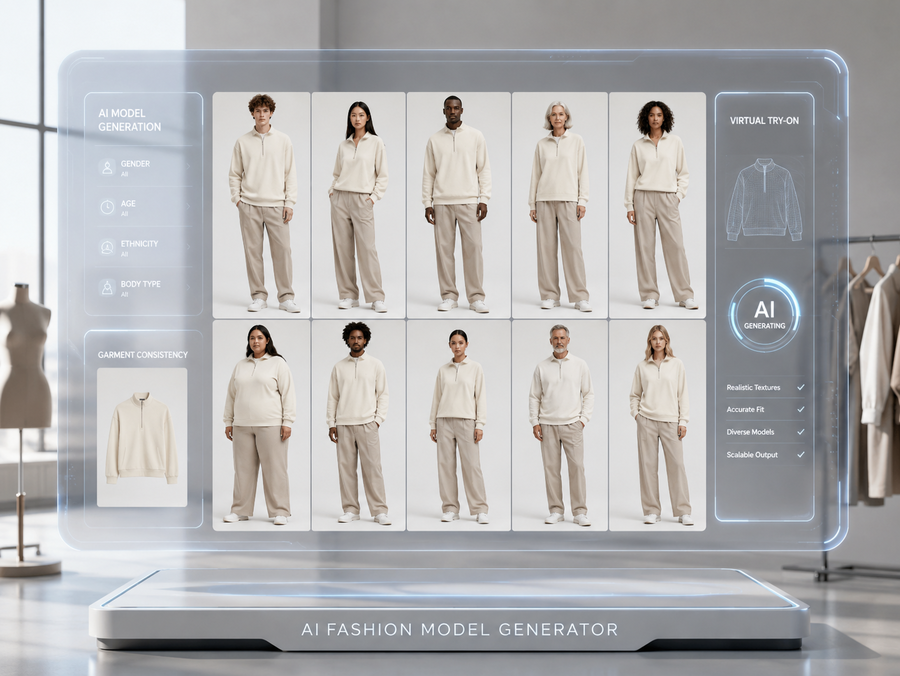
作者归档 Alexander Wilson

Avatar photo 通过Alexander Wilson

The Best AI Fashion Model Generators in 2026: Which One Actually Fits Your Workflow

Traditional on-model photoshoots for 100 SKUs cost $4,000–$15,000 and take four to six weeks. In 2026, AI fashion model generators produce comparable output in under a minute per image. The market now includes dozens of platforms — most produce a convincing single image, but far fewer can maintain garment consistency across a full catalog or handle the pipeline from concept to published product shot.

This guide covers 10 tools in depth: what each is genuinely best at, where it falls short, and how to choose based on your catalog size, budget, and workflow stage.

The Two Types of AI Fashion Model Generator

Before comparing tools, it’s worth understanding what the AI Overview in Google correctly identified: there are two fundamentally different use cases.

Type 1 — Flat-lay / garment-to-model: You have a photo of a physical garment (flat lay, mannequin, or packshot) and want to see it on a realistic AI model. The AI preserves your actual product and generates a model wearing it. This is the dominant use case for e-commerce product photography.

Type 2 — Text-to-model / concept generation: You describe what you want and the AI generates a fashion visual from scratch — or you take a sketch and render it as a photorealistic model shot. This is used in design concepting, lookbook creation, and campaign visualization before physical samples exist.

Most tools specialize in one. A few, including Fashion Diffusion, handle both within the same platform. Knowing which you need narrows the field significantly.

Quick Comparison: Best AI Fashion Model Generators 2026

For a full design-to-photography workflow, Fashion Diffusion covers the most ground in a single platform. For high-volume batch processing, Uwear leads. For the most affordable entry point, Style3D.ai ($8.9/mo) or WeShop AI ($9.9/mo with 200 free credits). For catalog consistency at scale, Modelia or WearView.

ToolBest ForStarting PriceFree TierBatchVideo
Fashion DiffusionFull workflow: design to photography$12/mo
UwearBatch processing + shopper try-on$0.10/credit
WearViewFashion-only workspace with ghost mannequin$29/mo
Claid.aiBroader product photography + API workflows$15/mo✅ (50 credits)
BotikaMid-to-large brands, high SKU volume$22/mo
Style3D.aiMulti-category try-on + e-commerce visuals$8.9/mo✅ (50 credits)
WeShop AIAll-in-one AI fashion content$9.9/mo✅ (200 credits)
FASHN.aiVirtual try-on + developer API$19/mo✅ (10 credits)Limited
ModeliaConsistent model identity, catalog retailers$35/mo✅ (20 credits, watermarked)
PhotoroomGeneral product photography + mobile sellers$12.99/mo

What Separates Good AI Fashion Model Generators from the Rest

Most comparison posts evaluate these tools by uploading one garment and judging the output image. That’s not how fashion brands actually use them. The criteria that matter for real-world catalog production are:

  • Garment fidelity  — Does the AI preserve fabric texture, color, print, and stitching? Or does it reimagine details? This varies most between tools.
  • Catalog consistency  — Can you maintain the same model identity — face, proportions, lighting — across 50+ SKUs? This separates professional tools from consumer-grade generators.
  • Input flexibility  — Does the platform accept flat-lays, mannequin shots, packshots, and sketches? Or only one format?
  • Batch processing  — Can you process hundreds of SKUs at once via CSV or API? Essential for large catalogs.
  • Workflow coverage  — Does the tool only handle model photography, or does it also cover design concepting, recoloring, background changes, and video?
  • Commercial rights  — Are generated images cleared for use on product pages, ads, and social media?
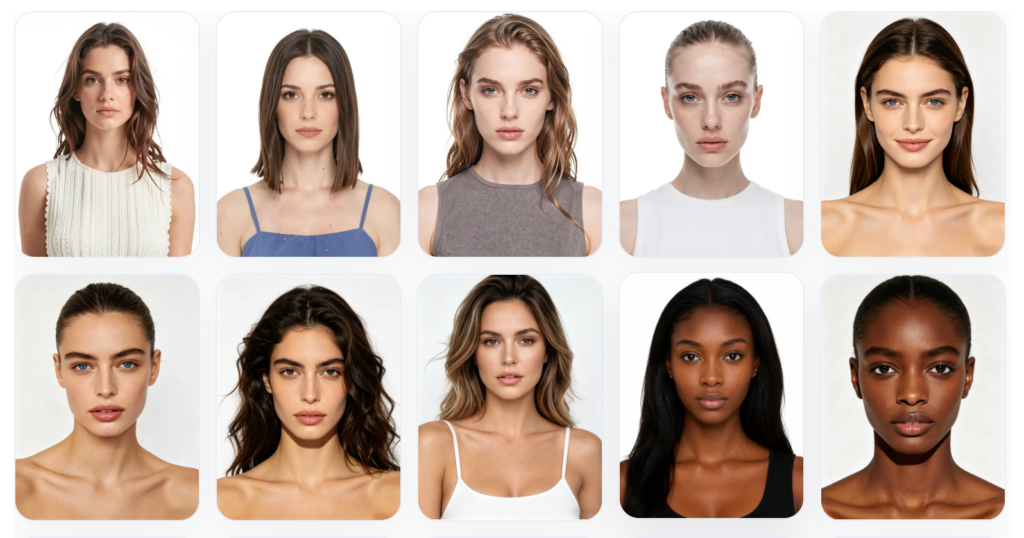
example of fashion diffusion AI fashion models, helping brands create authentic, on-brand imagery

1. Fashion Diffusion — Best AI Fashion Model Generator for Full Workflow

Best for: Fashion brands, designers, and e-commerce teams who need design concepting and product photography in one platform.

Fashion Diffusion is an AI fashion design and photography platform that covers more of the workflow than any other tool on this list. The AI Model Generator takes an existing garment photo and generates it on a new AI model — different gender, age, skin tone, and body type — while keeping the garment itself unchanged.
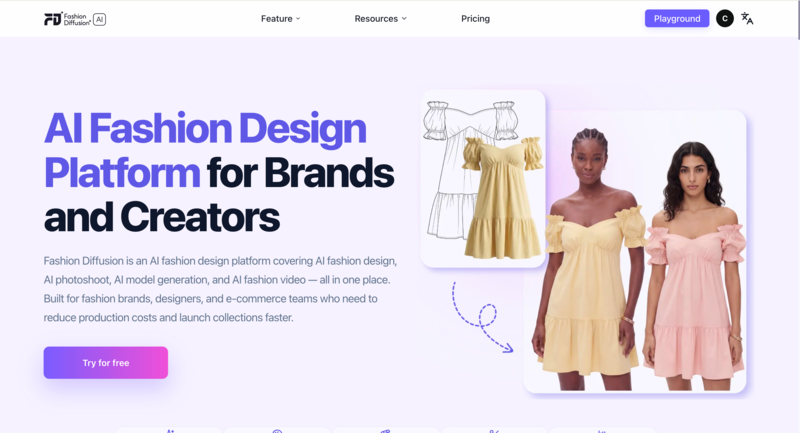
Fashion Diffusion AI interface showing sketch-to-render, virtual try-on, and fashion model generation workflow

Pricing: From $12/month. Free trial available.

Key features

  • Virtual Try-On  — Upload a flat-lay and get a studio-quality on-model photo in seconds. No mannequin, no photographer, no studio booking.
  • AI Model Generator  — Change gender, age, skin tone, or body type while the clothing stays unchanged. Useful for regional campaigns and size-inclusive catalogs.
  • Sketch to Render  — Turn a hand-drawn concept sketch into a photorealistic fashion visual before a single sample is cut.
  • Recolor  — Test a garment in six colorways from one photo. No reshooting, no physical samples per color.
  • AI Fashion Video  — One still image becomes TikTok content, Reels, and product page video in minutes.

Strengths

  • Changing the model doesn’t change the garment — fabric texture, print alignment, and construction details stay intact across every variation, which is what makes the output usable for actual product pages
  • Most tools handle one stage of the visual workflow. Fashion Diffusion handles the whole thing — from early concept to published image — which matters for small teams that can’t afford to stitch together five subscriptions
  • Output is ready to publish without a detour through Photoshop — background removal and upscaling are built in

Limitations

  • Free trial has usage limits; high-volume catalog production requires a paid plan
  • Best results require reasonably clean input photos — heavily textured or very dark garments take more iteration

2. Uwear — Best for High-Volume Batch Processing

Best for: Fashion brands processing hundreds to thousands of SKUs needing batch generation at scale, plus shopper-facing virtual try-on.

Uwear is built for volume. The platform accepts CSV uploads of up to 10,000 items in a single batch, with configurable AI models, poses, and backgrounds per product. Its pay-as-you-go pricing ($0.10/credit, no subscription required) suits brands with seasonal or inconsistent photography needs — credits don’t expire.
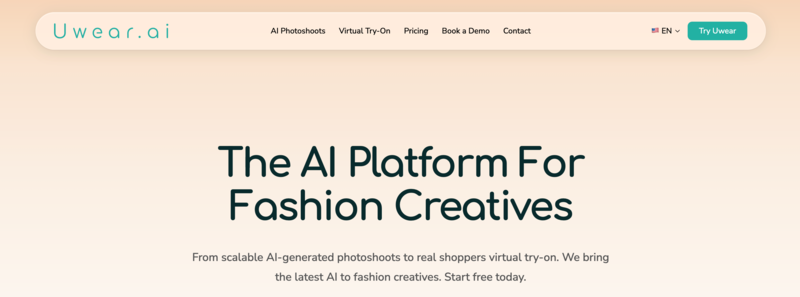
AI fashion model generator platform Uwear for scalable virtual fashion photoshoots and ecommerce product images

Pricing: $0.10/credit, pay-as-you-go. No subscription required. Free tier available.

Key features

  • Batch generation via CSV  — upload up to 10,000 items in a single batch with individually configurable models, poses, and backgrounds per product
  • “Drape” AI engine  — proprietary technology designed to preserve garment construction details (stitching, lapels, fabric structure) through model generation
  • Shopper-facing virtual try-on  — covers both brand-side catalog generation and customer-facing try-on in one platform
  • API access  for custom pipeline integration; video generation and background removal included

Strengths

  • Industry-leading batch processing (10,000 items via CSV)
  • Pay-as-you-go with credits that never expire — suited to seasonal brands
  • Both brand-side catalog generation and shopper-facing try-on in one platform

Limitations

  • Credit consumption can be unpredictable — Trustpilot reviewers note “decent images but there are a lot of throw away images that don’t render correctly,” requiring regeneration
  • Model consistency is imperfect: Uwear states “body shapes or haircuts aren’t always 100% consistent from one image to the next”
  • Base output resolution is 704×1024; upscaling required for higher quality output

3. WearView — Best for Fashion-Only Workspace with Ghost Mannequin

Best for: Fashion brands that want a dedicated fashion-only workspace, including ghost mannequin capability.

WearView is a fashion-only AI photography platform that combines virtual try-on, ghost mannequin processing, video generation, and pose control in a single workspace. It does not offer a free tier. Its ghost mannequin feature is a genuine differentiator: few competitors handle this format natively.
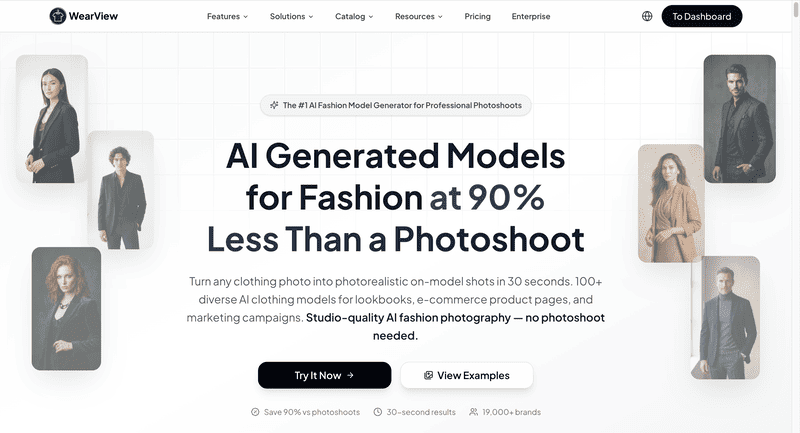
WearView AI generated fashion models for ecommerce product visuals and online store photography

Pricing: From $29/month. No free tier.

Key features

  • Ghost mannequin processing  — removes mannequins and reconstructs the garment interior (collar lining, sleeve openings, hem) for clean catalog images
  • Text-to-model generation  — describe ethnicity, age, body type, and pose in text; generates a photorealistic model image in ~30 seconds
  • Pose control via reference images  — upload a reference photo to replicate the same pose consistently across your entire catalog
  • Consistent model identity  — lock a model’s face and proportions to appear identically across multiple SKU generations

Strengths

  • Ghost mannequin capability built in — uncommon among AI model generators
  • Fashion-only workspace covering virtual try-on, model creation, video, and pose control
  • Up to 15 team members on the Advanced plan

Limitations

  • Credit usage varies by resolution: Lite plan ($29/mo) is limited to HD output and 50 credits per month; 4K is gated to the Advanced plan ($99/mo)
  • Add-on credits cost $0.29–$0.40 each; video at 1080p costs 20 credits — monthly spend is hard to predict
  • No free tier; paid plan required before testing output quality

4. Claid.ai — Best for Broader Product Photography and API Workflows

Best for: Developers building fashion photography automation pipelines, and brands needing background removal and lighting correction alongside model generation.

Claid.ai started as a background removal and image enhancement platform, and has since added AI fashion model generation with batch capabilities. Its core strength is the broader product photography suite: background removal, lighting correction, image upscaling, and model generation under one API. The free tier offers 50 credits — enough for meaningful testing.
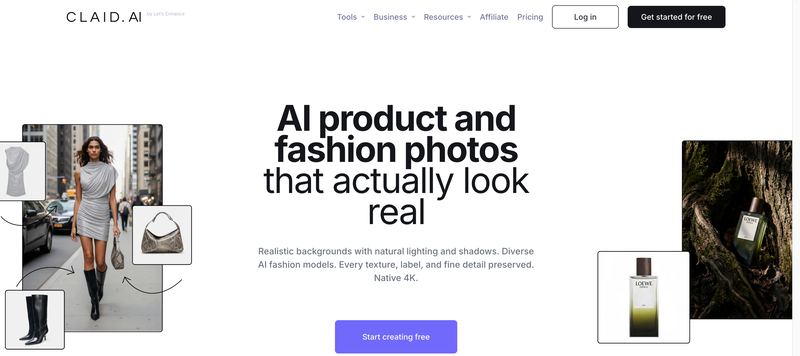
Claid AI dashboard showing AI product and fashion photos

Pricing: From $19/month. Free tier includes 50 credits. Resolution-based credit costs (4 credits for standard, 10 for studio, 24 for 4K).

Key features

  • AI Fashion Models  — generates on-model product shots from flat-lay, ghost mannequin, or packshot input; supports custom AI model training for brand-consistent catalog imagery
  • Full photo enhancement suite  — background removal, lighting correction, upscaling, and outpainting in one platform
  • Enterprise API  — batch automation at scale; 200M+ images processed, 10,000+ business customers
  • Custom AI model training  — build and reuse a brand-specific model identity across your entire catalog

Strengths

  • Best-in-class API for enterprise automation: 200M+ images processed, 10,000+ business customers; businesses report 80% reduction in image processing costs
  • Full photo enhancement suite reduces tool sprawl for teams needing both model generation and photo editing
  • Batch processing with generous free tier (50 credits)

Limitations

  • Claid’s core product is photo enhancement; fashion model generation is a newer add-on — the learning curve is steep for mid-market retailers without technical resources
  • Creative mode might alter product angles or compositions, which may not always be desired. See Toolradar
  • Low-quality input images significantly limit AI output quality

5. Botika — Best for Mid-to-Large Brands with High SKU Volume

Best for: Mid-to-large fashion brands needing on-model imagery with built-in retouching, batch processing, and model diversity at volume.

Botika converts flat-lay and mannequin photos into on-model images with built-in retouching. It supports batch processing for high-SKU catalogs and includes video generation. Unlike most tools, Botika has no free tier — better suited to brands that have already validated their need for AI model photography.
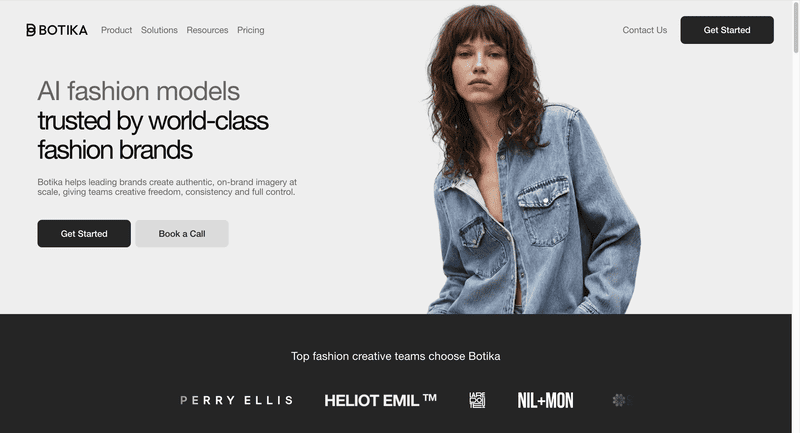
Botika AI fashion photography homepage showcasing on-model image generation and automated product photo enhancement

Pricing: From $22/month. No free tier.

Key features

  • On-model generation  — transforms flat-lay, mannequin, and packshot inputs into on-model imagery; works with headless shots and any angle or pose
  • Built-in AI retouching  — applied automatically alongside model generation, not as a separate step
  • Diverse AI model library  — customizable ethnicity, body type, age, and gender with no licensing limitations
  • Batch processing  and video generation included

Strengths

  • G2 users consistently praise ease of use: “very easy to use, integrates directly with your Shopify catalogue, good quality image as result” (G2 reviews)
  • Built-in retouching and up to 90% cost reduction compared to traditional photoshoots

Limitations

  • Image quality has been inconsistent post-upgrade: Shopify App Store reviews (overall rating 2.5/5 as of 2026) include complaints that “results were completely unusable; many details looked off”
  • Limited pose control; quality can be inconsistent with complex garments, layered outfits, or detailed prints
  • No free tier — paid plan required before testing

6. Style3D.ai — Best for Multi-Category Try-On and Broad Product Coverage

Best for: E-commerce sellers needing broad product category coverage across multiple item types at a low entry price.

Style3D.ai is a multi-category virtual try-on and e-commerce visual content platform. At $8.9/month with 50 free credits, it offers one of the most affordable entry points in this category. The one notable gap is video generation, which is not available.
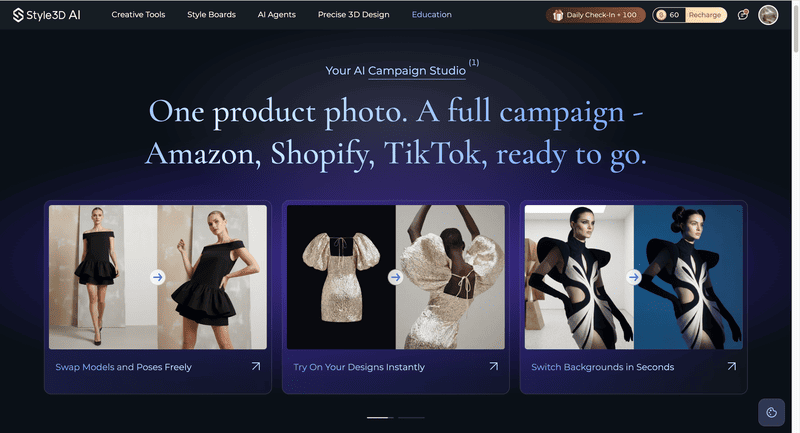
Style3D.ai homepage showcasing on-model image generation

Pricing: From $8.9/month. Free tier includes 50 credits.

Key features

  • Multi-category virtual try-on  — covers apparel, accessories, footwear, and more, not limited to standard fashion garments
  • Garment detail preservation  — keeps stitch lines, zipper reflections, and fabric structure consistent across different model poses
  • Batch processing  with background removal and image upscaling included
  • 50 free credits  — enough for meaningful quality testing before committing

Strengths

  • Most affordable starting price for a multi-feature platform at $8.9/month
  • Avoids the flat “painted-on” effect common in general-purpose AI tools

Limitations

  • Less established community and documentation than larger platforms

7. WeShop AI — Best All-in-One AI Fashion Content for E-Commerce Teams

Best for: E-commerce teams needing a broad AI content suite with a generous free allowance.

WeShop AI is an all-in-one AI fashion content platform at $9.9/month. The 200 welcome credits make it the most generous free-tier offering on this list. It covers virtual try-on, AI model generation, background removal, image upscaling, and video generation.
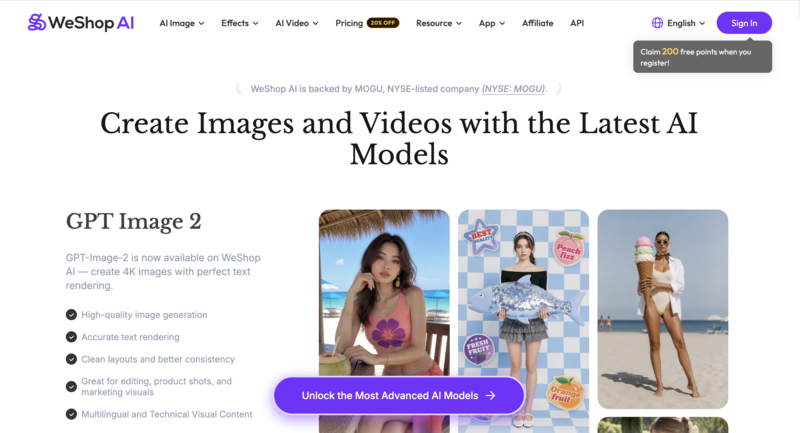
WeShop AI dashboard interface showing product photography tools for ecommerce sellers

Pricing: From $9.9/month. Free tier includes 200 welcome credits.

Key features

  • AI Model Shooting  — generates realistic human models in under 60 seconds; covers unlimited nationalities, ages, and gender identities, plus 200+ global model representations
  • AI Product Shooting  — professional-grade product photography with 100+ background templates; turns a single garment image into a full range of marketing assets
  • AI Video Agent  — turns a single product photo or text prompt into a publish-ready video with cuts, transitions, effects, and background music

Strengths

  • 200 free welcome credits — the most generous free allowance on this list
  • Strong for mannequin conversion, particularly reliable at turning mannequin shots into lifelike human model images

Limitations

  • UI is somewhat cluttered; the AI occasionally struggles with complex hand placements or intricate lace details
  • Credit-based system can burn through budget quickly when experimenting

8. FASHN.ai — Best for Virtual Try-On and Developer API

Best for: E-commerce teams and developers prioritizing virtual try-on accuracy with API integration.

FASHN.ai develops in-house AI models specifically for fashion virtual try-on. Its primary strength is garment rendering precision and a developer-friendly API structure. It supports virtual try-on, AI model generation, and background removal.
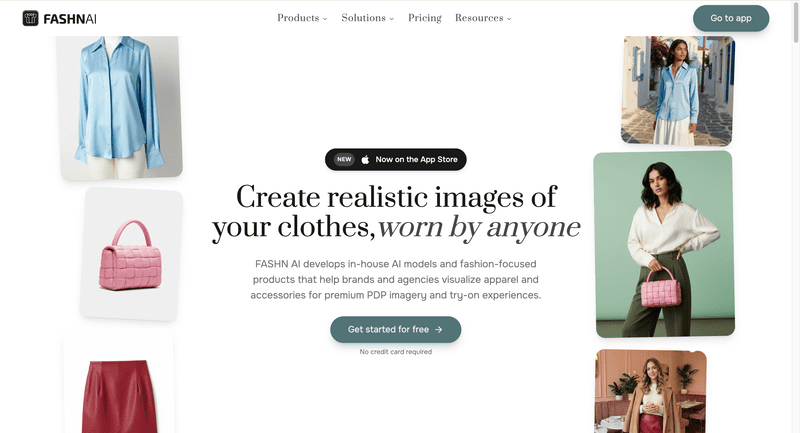
FASHN AI homepage showing virtual try-on technology and developer API for AI fashion image generation and ecommerce integration

Pricing: From $19/month. Free tier includes 10 credits.

Key features

  • Proprietary virtual try-on AI  — in-house v1.5 architecture trained specifically for fashion; garment drape looks natural rather than composited
  • Model swap  — re-dress an existing model photo with a different garment while preserving pose, lighting, and setting
  • Reusable model identity  — build a consistent AI model that appears identically across all generations
  • Developer API  via fal.ai at $0.075/generation — one of the most accessible per-use API prices in this category

Strengths

  • Garment rendering is among the most accurate in the category, with fabric drape that looks natural rather than painted on
  • Developer-friendly API with transparent per-use pricing via fal.ai

Limitations

  • Narrow focus on try-on and model swap only — no lifestyle scenes, no composition standardization
  • Interface can feel unclear for beginners unfamiliar with API-oriented tools
  • Limited batch processing

9. Modelia — Best for Consistent Model Identity Across Large Catalogs

Best for: Scaling brands and catalog-heavy retailers who need the same model identity maintained across hundreds of SKUs.

Modelia‘s key differentiator is consistent character identity — maintaining the same model face, proportions, and styling across your entire catalog. It supports batch processing, video generation, and has a Shopify app. The free tier offers 20 credits, but these are watermarked and non-commercial.
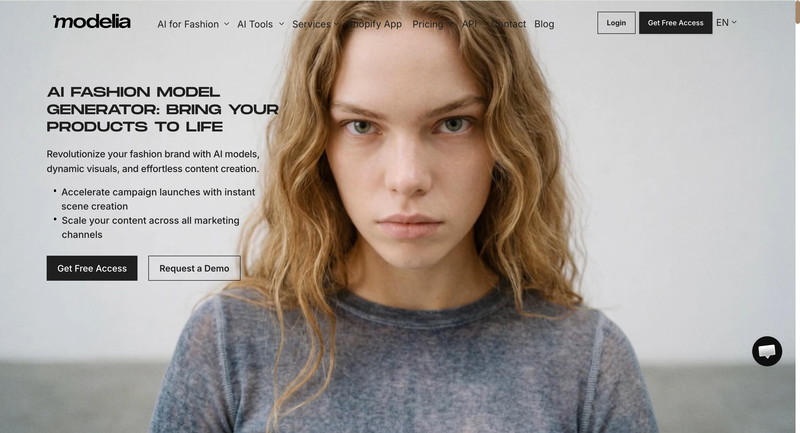
Modelia AI fashion video generator showing garment image input and video output options with Shopify integration for ecommerce product publishing

Pricing: $12 one-time Project plan (50 credits, commercial rights). Subscription plans from $35/month (Basic). Free tier includes 20 credits (watermarked, non-commercial).

Key features

  • Consistent character identity  — locks the same model face, body proportions, and styling across your entire catalog; avoids the inconsistent-model problem common in other tools
  • Shopify app  — generate and publish model images without leaving the store admin
  • Batch processing  and video generation included
  • Free tier available  — but 20 credits are watermarked and non-commercial; a paid plan is required before any output can be published

Strengths

  • Consistent model identity across large catalogs — the most developed character consistency feature in this comparison
  • Output quality is solid for basic product images and the interface is beginner-friendly

Limitations

  • Free tier is watermarked and non-commercial — paid plan required before publishing any output
  • Higher starting price at $35/month compared to most alternatives
  • Less suited for high-complexity garments or brands needing advanced pose control

10. Photoroom — Best for Mobile Sellers and General Product Photography

Best for: Marketplace sellers (Etsy, Poshmark, Depop) and general product photography workflows on mobile.

Photoroom is primarily an AI product photography editing platform with over 150 million downloads. Its Virtual Model feature sits alongside background removal, AI staging, and batch export — making it a broad-purpose tool rather than a dedicated fashion AI platform.
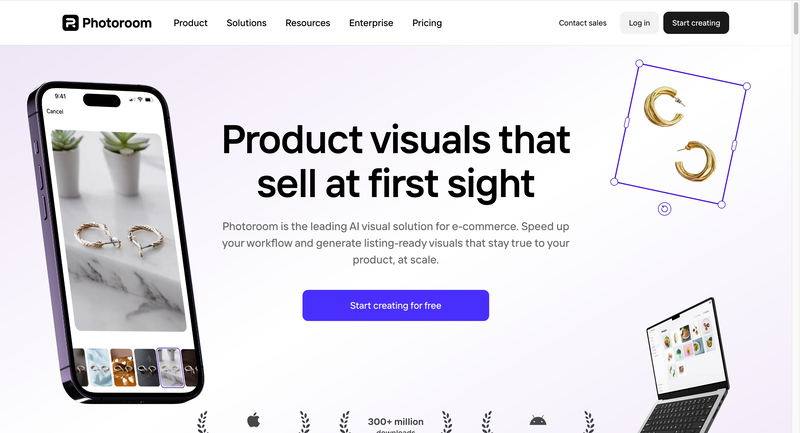
Photoroom AI visual solution for ecommerce product photography and background editing at scale

Pricing: Free tier (with watermark). Pro at $12.99/month.

Key features

  • Virtual Model  — places clothing onto photorealistic AI models with accurate fabric drape and color preservation; supports diverse model options
  • Multi-garment generation  — combines up to 4 clothing items in a single generation for complete outfit styling
  • Mobile app  (iOS and Android) — the strongest mobile workflow in this category; recently integrated OpenAI’s gpt-image-1
  • Full product photography suite  — background removal, AI staging, batch export, and image retouching (no video generation)

Strengths

  • Most affordable paid entry point at $12.99/month; strongest mobile app in the category
  • Full product photo editing suite beyond model generation reduces the number of separate tools needed
  • Supports up to 4 garments in a single generation for outfit styling

Limitations

  • Virtual Model is one feature in a general photo editor — fashion model generation is not the core focus
  • Batch mode starts at $99/month, pricing out smaller sellers
  • No video generation

How to Choose the Right AI Fashion Model Generator

These tools solve different problems. Choosing the wrong tool doesn’t just waste budget — it slows down your workflow exactly where speed matters most. Here are the key signals to help you narrow your options.

  • Large catalog (200+ SKUs): You need batch processing. Uwear (up to 10K items via CSV) or Claid.ai (batch + API) are the strongest options.
  • Full design-to-photography workflow: If you need both concept visualization (sketches, colorways, fabric testing) and product photography, Fashion Diffusion covers the complete pipeline without tool-switching.
  • Ghost mannequin requirement: WearView is the only platform on this list with native ghost mannequin processing.
  • Tight budget: Style3D.ai ($8.9/mo) and WeShop AI ($9.9/mo with 200 free credits) are the most affordable options with meaningful feature sets.
  • Developer building a pipeline: FASHN.ai or Claid.ai offer the most flexible APIs. Uwear also provides API access for larger-scale integrations.

Try Fashion Diffusion’s AI Model Generator

If you’re looking for a more complete solution than standalone tools, Fashion Diffusion’s AI Model Generator brings everything together in one workflow. It’s designed for fashion brands, ecommerce teams, and creatives who want to move faster while maintaining visual consistency across product images and campaigns.

Try the AI Model Generator free →

FAQ

What is the best AI fashion model generator in 2026?

The best tool depends on your use case. For a full design-to-photography workflow, Fashion Diffusion leads. For high-volume batch processing, Uwear is the strongest option. For ghost mannequin capability, WearView. For the lowest entry price, Style3D.ai at $8.9/month or WeShop AI at $9.9/month with 200 free credits.

What is the difference between an AI fashion model generator and virtual try-on?

AI fashion model generators produce catalog-ready product images by placing garments on AI models — used for brand-side product photography. Virtual try-on lets individual shoppers see how a specific garment would look on their own body before purchasing. Both technologies use similar AI, but serve different audiences and purposes. Some platforms, including Fashion Diffusion and Uwear, offer both.

Can I use AI-generated fashion model images commercially?

Yes, on paid plans. All tools on this list grant commercial usage rights on paid plans. Note that Modelia’s free tier is explicitly non-commercial and watermarked. Always verify the specific terms before publishing free-tier output.

How accurate are AI fashion model generators at preserving garment details?

In 2026, the best tools preserve fabric texture, color, and construction accurately for standard garment types (t-shirts, dresses, jackets, trousers). Challenging items — sheer fabrics, intricate embroidery, fine patterns, very dark garments — still require quality review. Testing with your specific product mix during a free trial is the most reliable evaluation approach.

Is there a free AI fashion model generator?

Yes. WeShop AI offers 200 free welcome credits — the most generous on this list. Style3D.ai and Claid.ai each offer 50 free credits. Fashion Diffusion, FASHN.ai, and Modelia (watermarked, non-commercial) also offer free tiers. Photoroom has a permanently free tier with watermarked output.

What’s the best AI fashion model generator for Shopify?

Botika and Modelia both have Shopify apps. Botika requires a paid plan before testing; Modelia’s $12 one-time Project plan is the lowest barrier to entry. For merchants needing more flexibility, Fashion Diffusion and WearView operate as standalone platforms but export in formats Shopify requires.
Avatar photo 通过Alexander Wilson

Après Style: The Sporty-Chic Trend Defining Summer 2026

Après Style is having a major moment. Striped knit vests, modified polo shirts, and sporty micro-skirts are showing up everywhere — from Miu Miu’s runway to ZARA’s shelves to street style feeds worldwide. This isn’t just a fleeting microtrend. It’s a lifestyle shift.

This guide breaks down every key piece, styling formula, and how AI tools can help you visualize and shoot the look.

What Is Après Style?

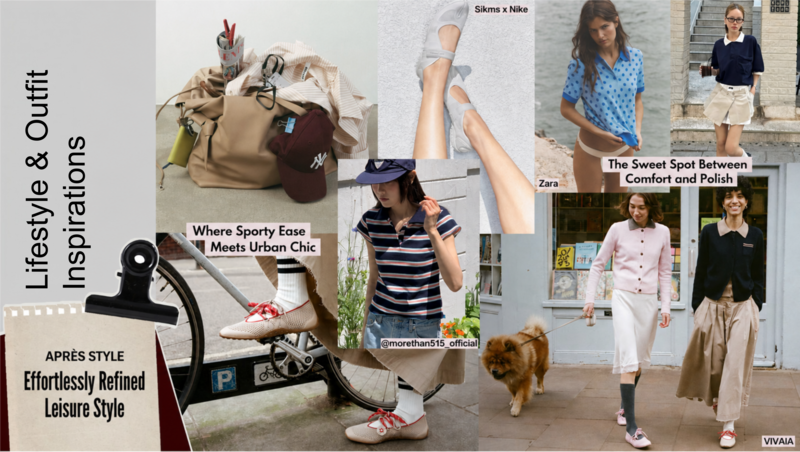
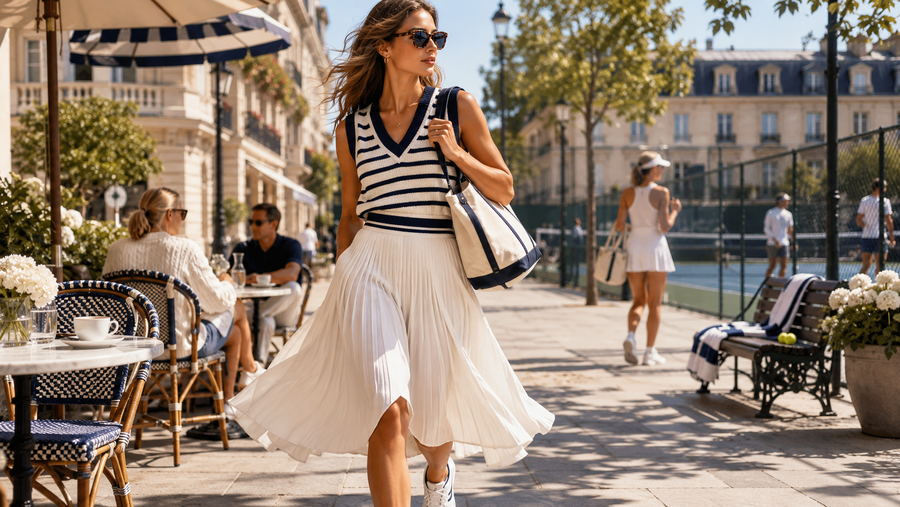
Overview of the Après Style trend featuring knit vests, polo shirts and sporty skirts

The name says it all. Après — French for “after” — captures that effortless energy between activity and social life. It blends athletic utility with relaxed city dressing. The result is a look that feels comfortable, put-together, and slightly playful all at once.

Two lifestyle tensions define this trend:

  • Sport meets urban ease — think cycling shorts under a striped polo, or knit vests worn over a basic tee on the street
  • Comfort meets formality — structured enough for a café, relaxed enough for a park

The target consumer is active, social, and doesn’t want to change outfits three times a day. Après Style solves that perfectly.

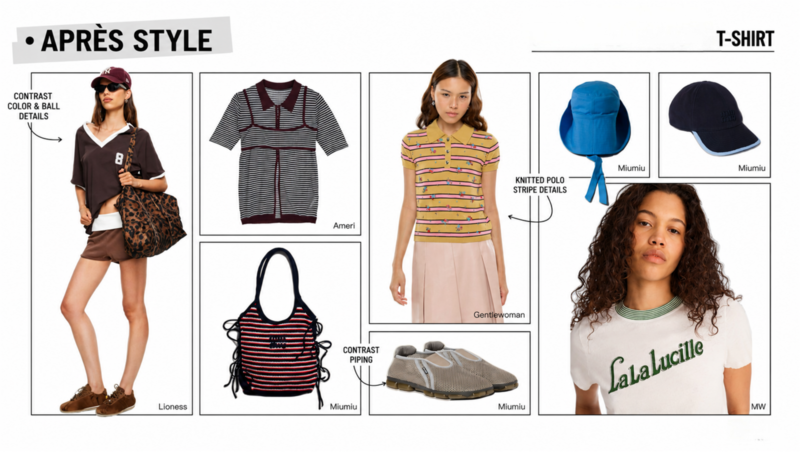
Color Palette

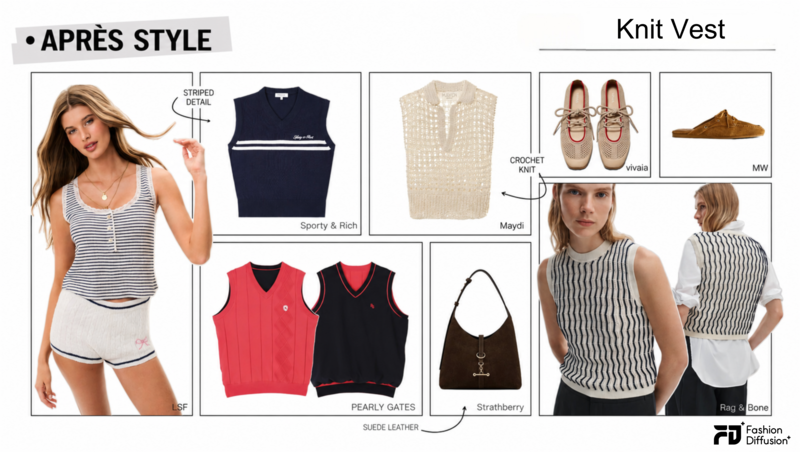
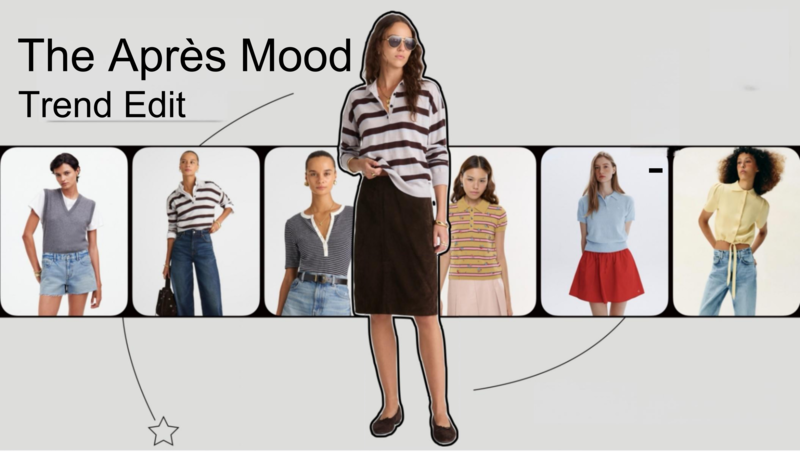
Moodboard showcasing key Après Style pieces including knit vests, polo shirts and sporty skirts for Summer 2026

The color mood is direct: high contrast, sporty, and retro-referencing.

Core colors:

  • Navy + white (the non-negotiable)
  • Chocolate brown + cream
  • Saturated cyan and electric blue
  • Candy pink as an accent
  • Warm grey as the neutral base

This palette works because it reads simultaneously athletic and preppy. It nods to 1970s sportswear without feeling costume-y.

The Essential Knit Vests

Essential knit vests featuring striped, preppy, and contrast-trim designs in the Après Style trend

Vests are the hero piece of Après Style. They layer easily, signal the aesthetic immediately, and work across price points.

Preppy V-neck Sweater Vest

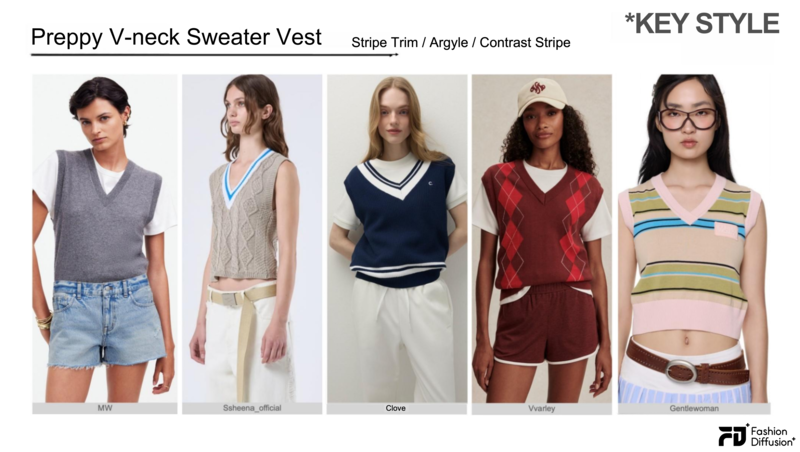
Preppy V-neck sweater vest with striped trim and contrast color blocking, a key knitwear piece in the Après Style trend

This is the most recognizable Après silhouette. Features include striped trim at the V-neck, argyle or diamond pattern, and contrast color blocking. Brands leading this: MW, Ssheena, Clove, Vvarley, Gentlewoman.

How to style it: Layer over a white fitted tee. Pair with denim shorts or a tennis skirt. Add a baseball cap to complete the prep-sport crossover look.

Collared Knit Vest

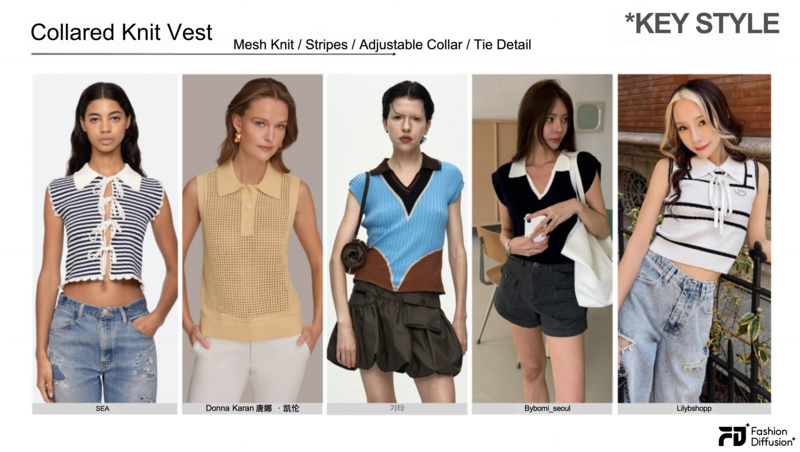
Collared knit vest with an open polo collar and sleeveless design, a key knitwear piece in the Après Style trend

A sleeveless polo with an open collar — it’s more relaxed than the collegiate vest. Key details include mesh or crochet fabric, adjustable neckline, and lace-up trim. Brands: SEA, Donna Karan, Bybomi_seoul, Lilybshopp.

How to style it: Works alone as a top. Tuck into high-waisted trousers for a more polished take. Leave untucked over flare jeans for a casual street look.

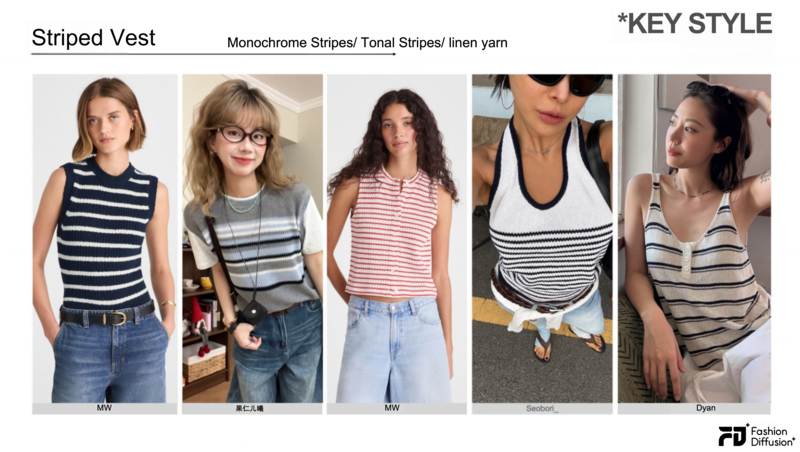
Striped Vest

Striped knit vest with a clean and minimal design, a key knitwear piece in the Après Style trend

Clean, simple, endlessly wearable. Single-color stripes, tonal stripes, and linen-blend textures dominate here. Brands: MW, Seobori_, Deng Xiqing Dyan.

How to style it: The most versatile option in the category. Pairs with everything from tailored shorts to wide-leg denim.

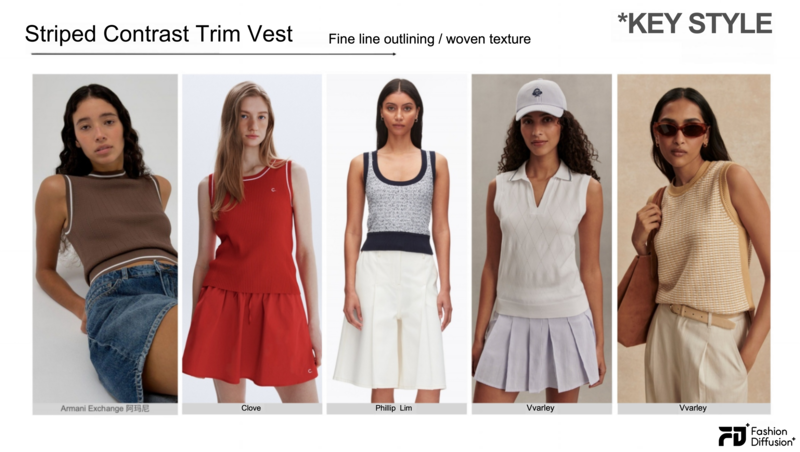
Striped Contrast Trim Vest

Striped knit vest with contrast trim detailing, a key knitwear piece in the Après Style trend

A more refined take — fine-line stitching outlines the silhouette and creates a subtle “knit muscle” texture. Brands: Armani Exchange, Clove, Phillip Lim, Vvarley.

How to style it: Pair with a pleated tennis skirt or white shorts. This version reads dressier, so it works for daytime events.

The Essential Tops

Essential tops including polo shirts, jersey tees, and contrast-collar styles in the Après Style trend

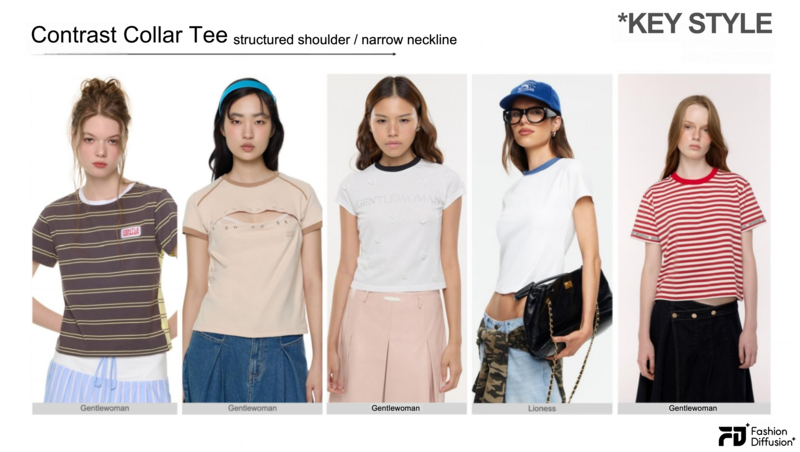
Contrast-Collar T-Shirt

Contrast-collar T-shirt with a fitted silhouette and ribbed neckline, a key top in the Après Style trend

A baby tee with a contrast rib collar. Structured shoulder silhouette, fitted body, small crew or round neck. Brands: Gentlewoman, Lioness.

How to style it: Wear with a midi skirt for a retro-sport look, or with baggy jeans to balance the fitted top.

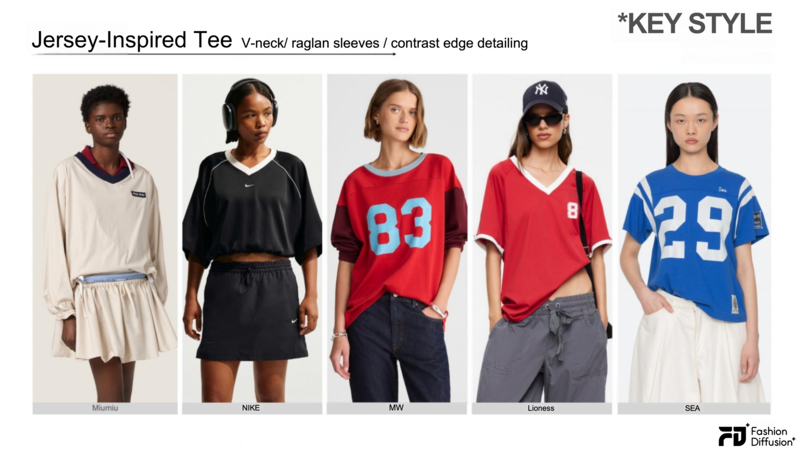
Sport-Inspired Jersey Tee

Sport-inspired jersey tee with a V-neck and contrast trim, a key top in the Après Style trend

V-neck body with set-in sleeves and contrast edge trim. Number graphics optional but fun. Brands: Miumiu, NIKE, MW, Lioness, SEA.

How to style it: Style oversized with micro-shorts or a pleated skirt. The contrast trim elevates it beyond a basic gym tee.

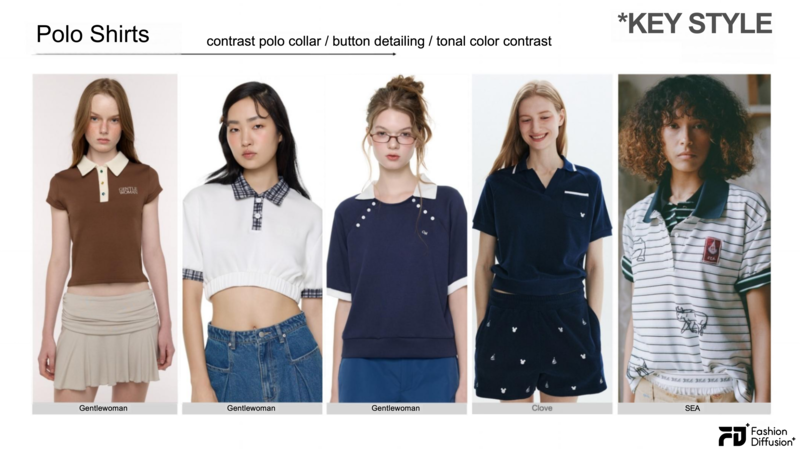
Polo Shirt

Polo shirt with contrast collar detailing, a key top in the Après Style trend

The polo shirt, but updated. Key details: contrast collar flip, button decoration, light-dark contrast throughout. Brands: Gentlewoman, Clove, SEA.

How to style it: Tuck into a high-waisted skirt for a clean, preppy silhouette. Or half-tuck into wide-leg trousers for something more relaxed.

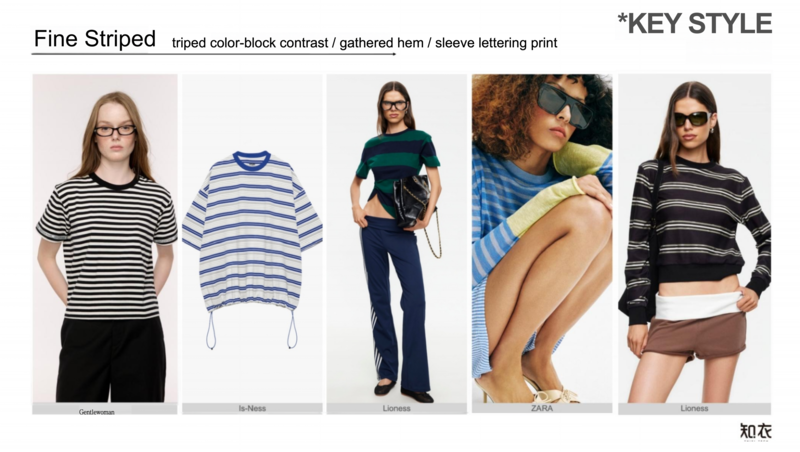
Fine-Striped Tee

Fine-striped tee with color-block stripe detailing, a key top in the Après Style trend

Stripe color blocking, gathered hem, sleeve letter embroidery. Brands: Gentlewoman, Is-Ness, Lioness, ZARA.

How to style it: The most wearable piece in this category. Layer under a knit vest for the full Après look.

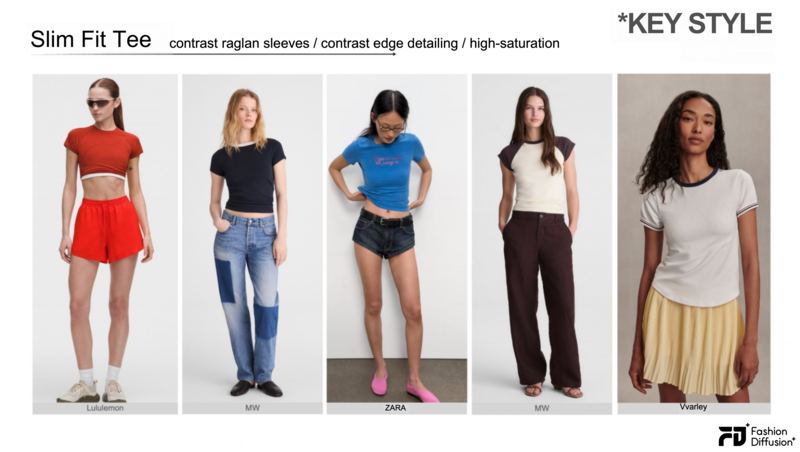
Slim Fit Tee

Slim fit tee with contrast trim accents, a key top in the Après Style trend

Set-in sleeve contrast color, edge contrast trim, high-saturation blue as a key colorway. Brands: Lululemon, MW, ZARA, Vvarley.

How to style it: Pair with athletic shorts or a sports skirt for an on-trend workout-to-street look.

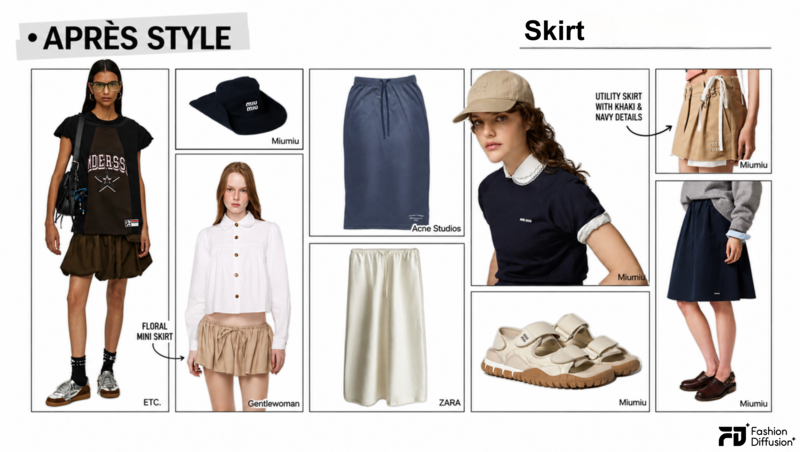
The Essential Skirts

Essential skirt featuring flaired, midi, mini in the Après Style trend

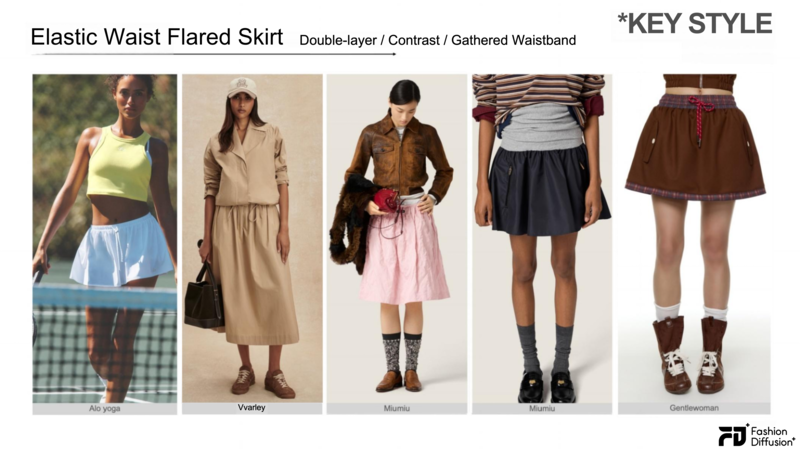
Elastic Waist Flared Skirt

Elastic waist flared skirt with a contrast waistband, a key skirt in the Après Style trend

Double waistband, contrast waistband, waistband pleating. Brands: Alo Yoga, Vvarley, Miumiu, Gentlewoman.

How to style it: The most versatile skirt shape in Après Style. Works with everything from cropped knit tops to polo shirts. Add white socks and sneakers for the full sporty look.

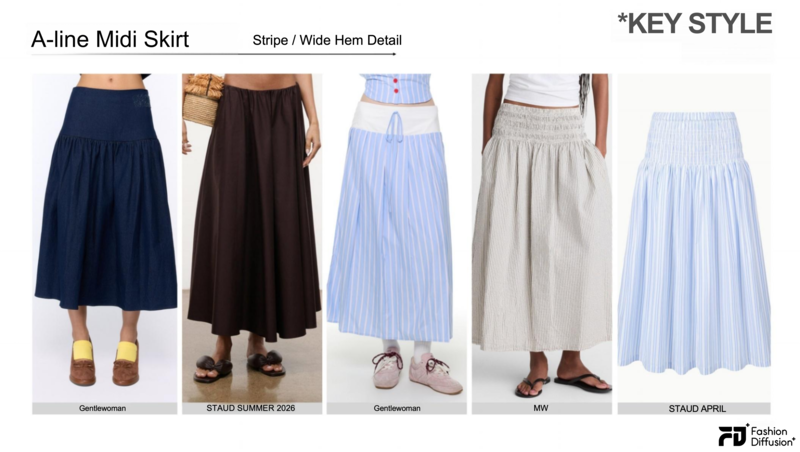
A-line Midi Skirt

A-line midi skirt with contrast hem detailing, a key skirt in the Après Style trend

Wide contrast hem, wide-hem pleating, blue-white stripe fabric. Brands: Gentlewoman, STAUD, MW.

How to style it: A more relaxed, feminine take on the trend. Pairs beautifully with a fitted stripe tee or crop vest.

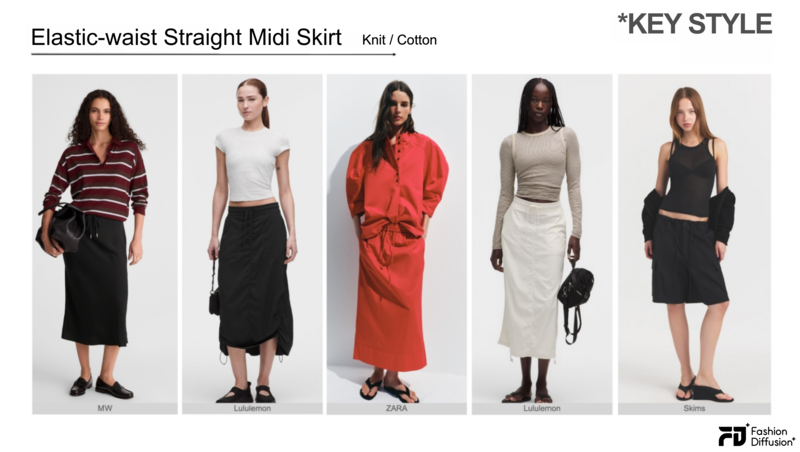
Elastic-waist Straight Midi Skirt

Elastic-waist straight midi skirt with a streamlined silhouette, a key skirt in the Après Style trend

Knit or cotton fabric, midi length, straight silhouette. Brands: MW, Lululemon, ZARA, Skims.

How to style it: The straight midi is the most sophisticated skirt option. It grounds a sporty top and creates a balanced proportional look.

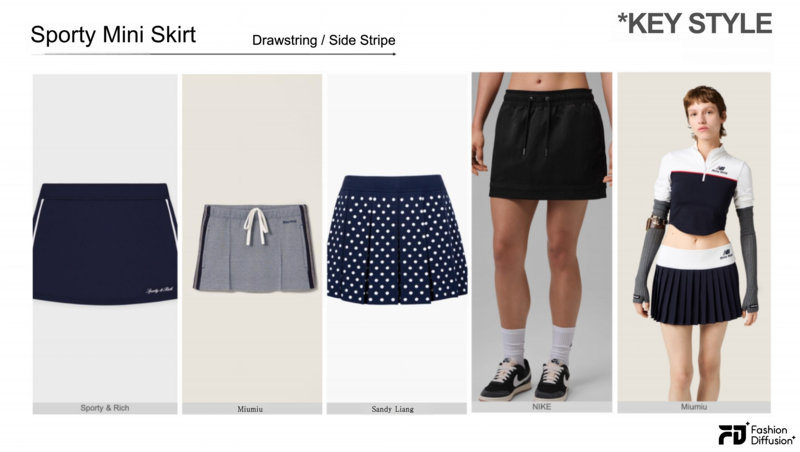
Sporty Mini Skirt 

Sporty mini skirt with a drawstring waist and side stripe detailing, a key skirt in the Après Style trend

Drawstring waist, side stripe, wide waistband. Brands: Sporty & Rich, Miumiu, Sandy Liang, NIKE.

How to style it: Pure sport-to-street. Wear with a polo or knit vest. Add crew socks and chunky trainers.

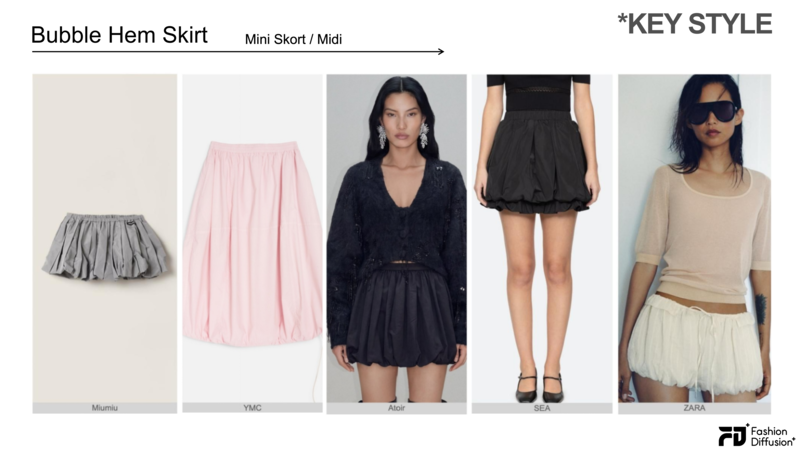
Bubble Hem Skirt

Bubble hem skirt with a voluminous silhouette, a key skirt in the Après Style trend

Ultra-short bubble skirt or midi bubble skirt. Brands: Miumiu, YMC, Atoir, SEA, ZARA.

How to style it: The most fashion-forward skirt in the category. Keep the rest of the look minimal — the shape does all the work.

3 Complete Après Style Outfits

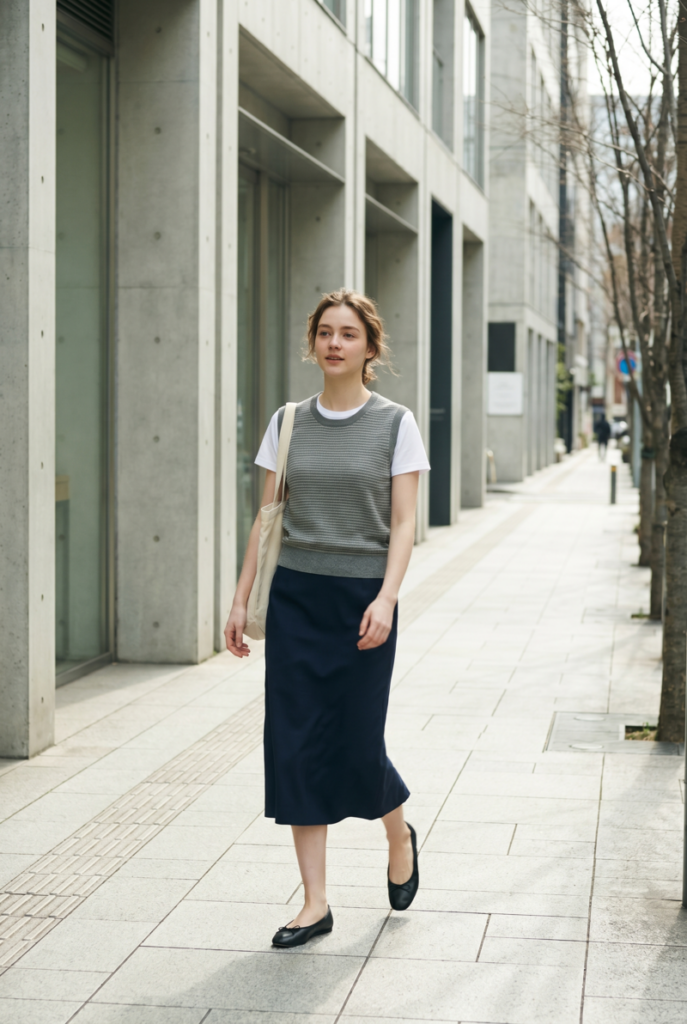
Look 1 — Weekday Errands

Grey striped knit vest + white fitted tee + navy straight midi skirt + ballet flats. Relaxed, polished, effortless.

Après Style weekday errands outfit with knit vest, midi skirt and ballet flats in a sporty chic style
Fashion Diffusion AI-generated

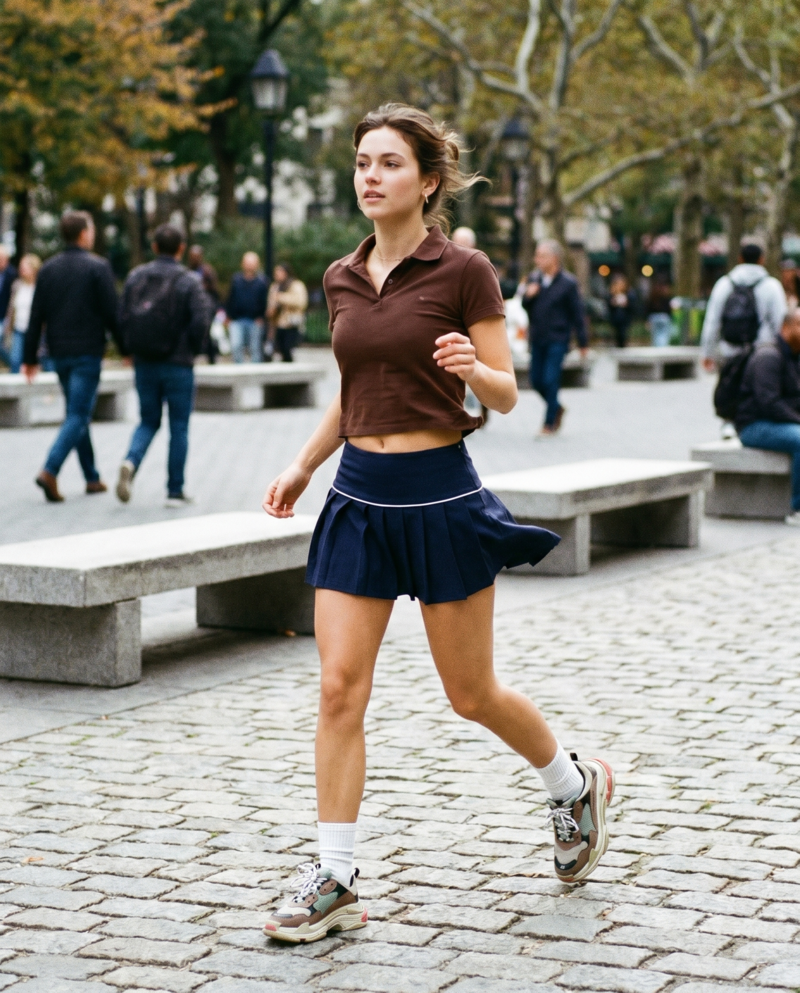
Look 2 — Active Weekend

Fitted crop polo tee in chocolate brown + navy sporty mini skirt + white crew socks + chunky sneakers. Full sport-to-street energy.

Après Style active weekend outfit featuring a cropped polo top, sporty mini skirt, and sneakers for a sporty chic athleisure look
Fashion Diffusion AI-generated

Look 3 — Casual Evening Out

Cream short-sleeve polo + bubble skirt in pink + suede mules + small leather shoulder bag. Playful and put-together.

Après Style casual evening outfit featuring a polo top, bubble skirt, and mules for a playful sporty chic look
Fashion Diffusion AI-generated

Après Style vs. Sporty Chic: What’s the Difference?

Both aesthetics share athletic DNA. The difference is energy.

Sporty Chic often skews louder — bolder logos, more performance-visible materials, stronger streetwear influence. Après Style is quieter. It pulls from country club prep, vintage sportswear, and relaxed European dressing simultaneously. The colors are more considered. The silhouettes are more feminine.

Think of Sporty Chic as the gym. Think of Après Style as where you go after.

This distinction is increasingly visible in how fashion is being styled in real life. As highlighted by Who What Wear, fashion people are mixing sporty elements with denim and relaxed staples, signaling a shift toward more effortless, wearable dressing.

How to Wear, Shoot, and Sell Après Style with Fashion Diffusion

Après Style moves fast — and keeping up used to mean expensive photoshoots, long sampling cycles, and a content team stretched thin. AI changes that equation entirely. Fashion Diffusion brings the full production workflow into one platform, so whether you’re putting together a personal look or launching a capsule collection, you spend less time waiting and more time creating.

For Shoppers

Après Style is a proportion game — a stripe vest that hits at the hip reads completely differently from one that sits at the waist, and a bubble skirt lives or dies by what you pair it with. Fashion Diffusion’s Virtual Try-On lets you see exactly how any piece lands on your actual frame before you buy. It covers clothing, shoes, bags, and sunglasses — so you can preview a complete Après outfit in one go.

For Brands and E-Commerce Teams

Après Style has a short trend window. By the time a silhouette peaks on social, brands that needed three months to sample, shoot, and publish are already late. Fashion Diffusion cuts that cycle down to days — without booking a studio, casting models, or waiting on physical samples.

  • Design before you sample. Use Sketch to Render to turn design concepts into photorealistic visuals, and Recolor to validate every colorway — before a single unit goes into production.
  • Shoot without a studio. Virtual Try-On, AI Model Generator, and Flat Lay Generator generate on-model and product shots at scale — across body types, colorways, and markets, at up to 95% less than traditional photoshoot costs.
  • Publish the same day. AI Fashion Video turns your product shots into TikTok and Instagram Reels-ready content immediately — no video crew, no editing software.

Start Creating Your Après Style Collection Today

Après Style moves fast — and your workflow should too. Fashion Diffusion lets you design, visualize, and bring complete Après-inspired looks to life in minutes, without the delays of sampling, photoshoots, or traditional production.

From shoppers exploring new silhouettes to brands scaling seasonal drops, Fashion Diffusion turns Après Style ideas into ready-to-wear and ready-to-publish visuals — moving seamlessly from concept to content in record time.

Start your Après Style collection →


All runway and brand imagery used for editorial reference only. To explore AI-powered fashion visualization, visit fashiondiffusion.ai.

FAQ

What is Après Style in fashion?

Après Style is a fashion aesthetic that blends athletic clothing with relaxed urban dressing. Key pieces include striped knit vests, modified polo shirts, sports micro-skirts, and elasticated midi skirts. The trend is prominent through 2025–2026, driven by brands like Miumiu, Gentlewoman, and Vvarley.

Which brands are doing Après Style best in 2026?

Miumiu, Gentlewoman, Vvarley, STAUD, Sporty & Rich, SEA, and MW are the leading brands. ZARA and Lululemon offer accessible interpretations.

How do I know if an Après Style piece will suit my body type?

Proportion is everything in Après Style. AI try-on tools like Fashion Diffusion let you preview garments on your own body before buying, making it much easier to judge fit and balance.

Is Après Style appropriate for work?

Depends on your workplace. The midi skirt + knit vest + fitted polo combination works for casual offices. Sports micro-minis and athletic crop tees are better suited to weekends and social occasions.

Avatar photo 通过Alexander Wilson

AI Human Generator for Fashion: A Complete Guide to Creating Models Without Photoshoots

Fashion brands today need far more visual content than before. A single collection may require product photos, social media creatives, campaign banners, marketplace thumbnails, and localized ads.

The problem is that traditional photoshoots are expensive and difficult to scale. Even a small campaign can involve model casting, studio rentals, lighting setups, post-production editing, and repeated revisions for different platforms.

That’s why more brands are starting to use AI human generators as part of their content workflow. Instead of organizing an entire production process from scratch, teams can now create realistic AI-generated people for fashion campaigns, product marketing, and online stores within minutes.

In this guide, we compare the best AI human generator tools in 2026, walk through a real fashion content workflow using Fashion Diffusion, and share practical tips for getting professional-quality results.

What Is an AI Human Generator?

An AI human generator is a tool that creates realistic human images using artificial intelligence. Depending on the workflow, users can generate AI models from text descriptions, clothing photos, or existing model references.

In fashion, these tools are commonly used to create:

  • on-model apparel visuals
  • campaign imagery
  • product page content
  • social media creatives
  • lookbook-style photography

Modern AI generation tools are also becoming much better at handling realistic skin texture, lighting, body proportions, and fabric rendering, which makes them more practical for commercial fashion content than earlier AI image models.

Some platforms focus on simple AI human generator text workflows, while others support more advanced features like AI human generator from photo generation and realistic full-body fashion model rendering.

The biggest shift is that brands no longer need to create every visual asset through traditional photography. Existing product images can now become reusable inputs for generating multiple campaign variations across different audiences and platforms.

Why AI Human Generators Are Being Adopted in Fashion E-Commerce

AI human generators are increasingly being tested and integrated into fashion e-commerce workflows, especially for product visualization and digital marketing content.

While adoption is still evolving, AI is no longer experimental in the fashion industry. Instead, it is gradually becoming part of production pipelines, particularly where brands need to generate large volumes of visual content quickly.

Industry Adoption and Shift Toward AI Visual Content

AI adoption in fashion is accelerating. According to The State of Fashion 2025 by McKinsey & Company and The Business of Fashion, marketing, product discovery, and creative processes are now among the leading generative AI use cases in fashion.

Traditional fashion photography still requires significant coordination across casting, studio production, image retouching, and campaign variations, which becomes increasingly difficult to scale for brands with large product catalogs.

As a result, AI human generators are being explored as a way to support faster visual production without relying heavily on traditional photoshoots. Large retailers have also started experimenting with AI-assisted workflows. For example, Inditex (Zara’s parent company) has tested AI-generated fashion imagery to speed up content creation while keeping human oversight in production.

Cost and Workflow Benefits for E-Commerce

The main reason AI human generators are gaining adoption is practical: they reduce time and cost in fashion content production.

Traditional fashion photography involves:

  • model booking
  • studio setup
  • multiple shoot variations
  • post-production work

AI-generated models simplify this process by allowing brands to quickly produce multiple visual variations from the same product input—useful for testing ad creatives, adapting visuals for different audiences, creating social media content, and scaling product imagery across platforms. AI-assisted workflows have been reported to significantly improve production speed, especially for fast-moving e-commerce brands.

Best AI Human Generator Tools in 2026

As AI image generation matures, platforms are specializing in different workflows. For fashion brands, the most important factors are clothing consistency, realistic body proportions, workflow speed, apparel rendering quality, and scalability. Here is a comparison of the most widely used tools today:

ToolFocus AreaPricingBest ForSkill Level
Fashion DiffusionFashion-specificPaid (free trial)E-commerce, catalogsBeginner–Pro
Generated PhotosPortrait & full-bodyFree + PaidMarketing, mockupsBeginner
Adobe FireflyCreative controlPaid (Creative Cloud)Design teamsIntermediate
SynthesiaAI video avatarsPaidEnterprise videoPro
PixelcutQuick generationFree + PaidSocial media, adsBeginner
HeyGenTalking avatarsPaidSales/marketing videoIntermediate
ArtguruCreative portraitsFree + PaidCreative/socialBeginner

Quick Recommendation:

For fashion e-commerce and catalog production, Fashion Diffusion leads in apparel consistency. For free experimentation, Generated Photos or Pixelcut are good starting points. For enterprise video content, Synthesia or HeyGen are purpose-built.

Fashion Diffusion

Fashion Diffusion is built specifically for fashion image generation and apparel visualization.

Unlike general-purpose AI image tools, it focuses more on creating realistic on-model fashion imagery from existing apparel photos or campaign visuals. This makes it especially useful for fashion e-commerce, social media campaigns, and catalog production.

In addition to AI model generation, the platform also supports workflows such as:

  • virtual try-on
  • apparel recoloring
  • flat lay generation
  • background replacement

Because the workflow is fashion-focused, clothing details and garment consistency are often more reliable than in broader AI image generation platforms.

Comparison image generated by Fashion Diffusion's AI Model Generator feature.
Fashion Diffusion AI-generated

Generated Photos

Generated Photos Human Generator is known for generating highly customizable AI people with controllable attributes such as age, gender, ethnicity, hairstyle, and facial features.
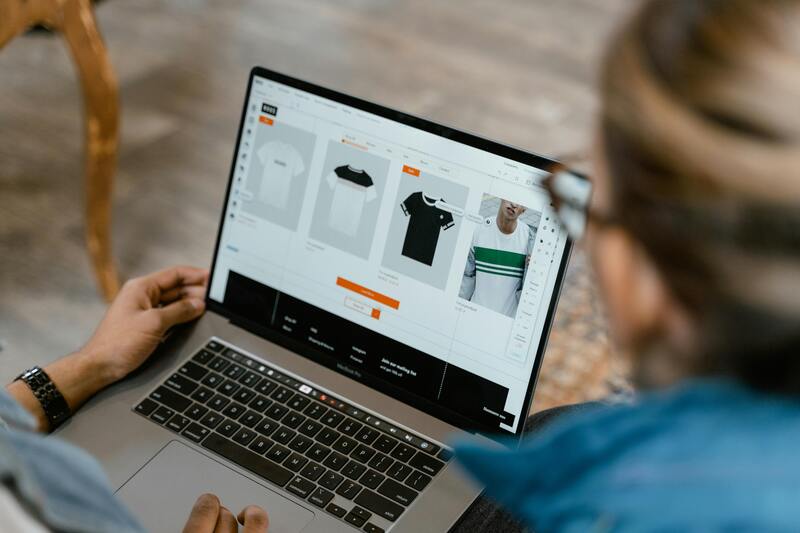
Generated Photos's product page.

One of its biggest advantages is realism and flexibility for commercial use cases. Users can generate unique human faces and full-body characters without relying on stock photography, making it popular for marketing, design mockups, and digital product visuals.
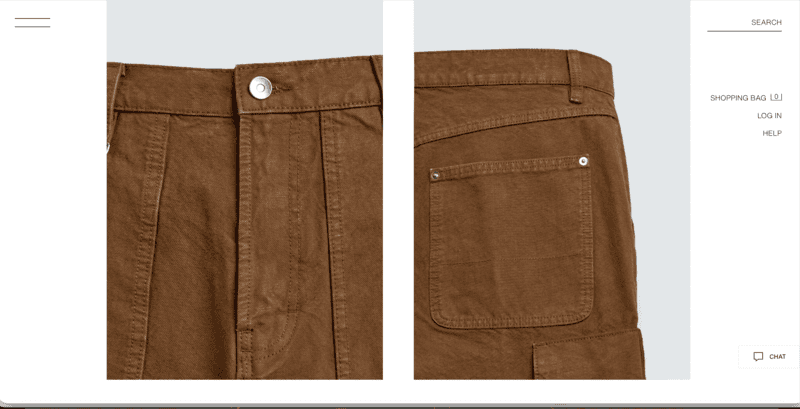
The platform is especially useful for teams that need large numbers of diverse AI-generated people with consistent customization options.
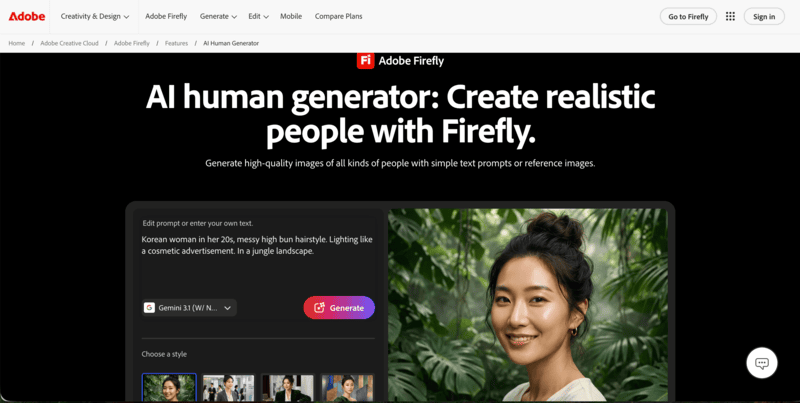
Adobe Firefly

Adobe Firefly AI Human Generator focuses heavily on creative control and integration within Adobe’s design ecosystem.

Adobe Firefly's product page.

Users can generate realistic people from text prompts, sketches, or reference images while editing details such as:

  • pose
  • clothing
  • lighting
  • facial expression
  • background

One of Adobe Firefly’s biggest advantages is its workflow integration with tools like Adobe Photoshop and Adobe Illustrator, which makes it appealing for professional creative teams already working inside Adobe products.

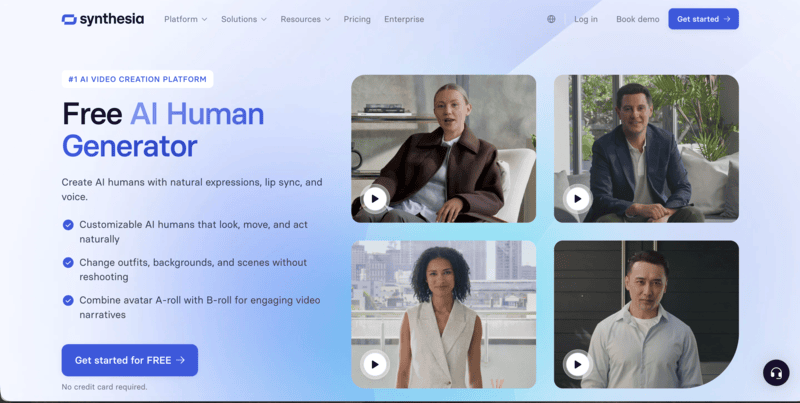
Synthesia

Synthesia AI Human Generator is primarily focused on AI avatars and video generation rather than static fashion imagery.

Synthesia's product page.

The platform allows users to create realistic talking avatars, customizable AI presenters, and multilingual video content. Synthesia is especially known for:

  • realistic avatar movement
  • natural speech generation
  • customizable avatar outfits and scenes
  • enterprise video workflows

The platform also offers a large library of ready-made AI avatars and custom avatar creation tools, making it widely used for training videos, presentations, and marketing content.

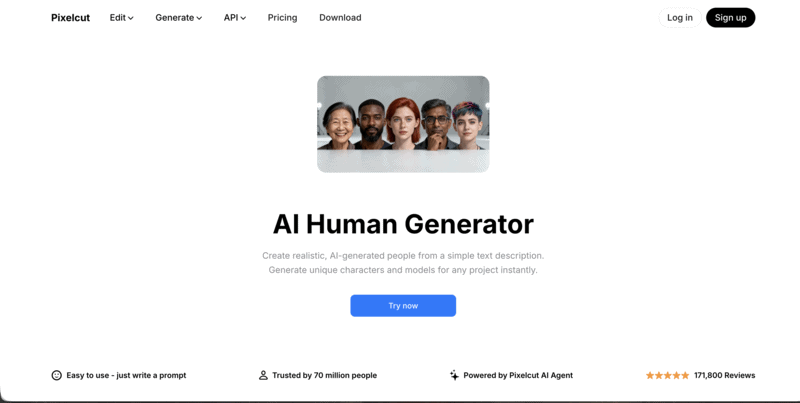
Pixelcut

Pixelcut AI Human Generator is designed more for fast and accessible content generation, particularly for creators, online sellers, and social media workflows.

Pixelcut's product page.

Its interface is relatively simple compared to more advanced AI platforms, making it useful for users who want quick AI-generated people without complicated prompt engineering.

The platform is commonly used for:

  • product marketing visuals
  • social media content
  • ad creatives
  • lightweight e-commerce design workflows

Because of its speed and ease of use, Pixelcut is popular among smaller brands and creators producing high volumes of short-form content.

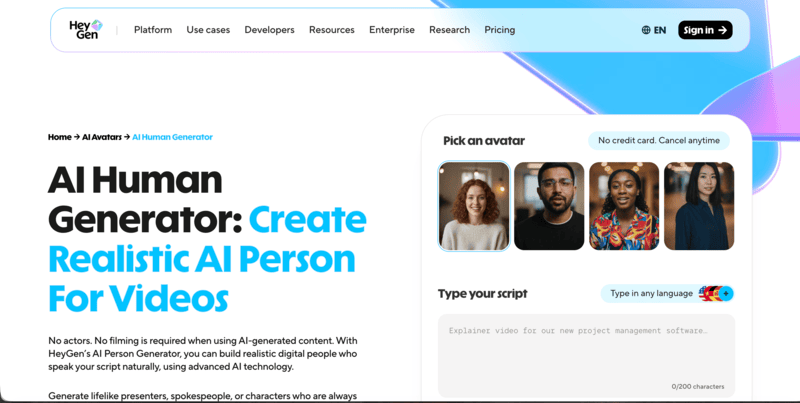
HeyGen

HeyGen AI Human Generator focuses heavily on realistic AI avatars for video-based content.

HeyGen's product page.

The platform is widely used for:

  • marketing videos
  • AI spokesperson content
  • personalized video campaigns
  • multilingual business communication

One of its strengths is the ability to generate lifelike AI presenters with natural facial movement and speech synchronization. Compared to traditional video production, this allows brands to create scalable talking-head content much faster.

HeyGen is especially popular among marketing and sales teams producing personalized video content at scale.

Artguru

Artguru AI Human Generator is more focused on creative and accessible AI portrait generation. The platform allows users to generate AI humans from prompts while experimenting with different artistic styles, appearances, and visual aesthetics.

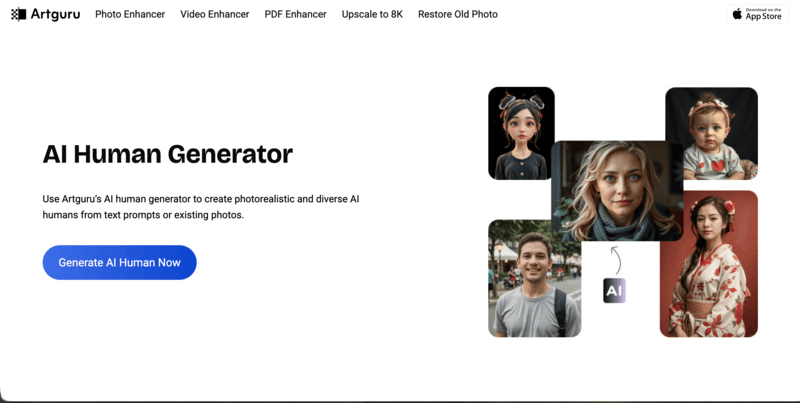
Artguru's product page.

Compared to more enterprise-oriented platforms, Artguru is often used for:

  • creative experimentation
  • social media visuals
  • stylized portraits
  • casual AI image generation

Its workflow is relatively beginner-friendly, making it approachable for users who are newer to AI-generated human imagery.

Are Free AI Human Generators Good Enough for Professional Fashion Use?

This is one of the most common questions from brands evaluating AI tools. The short answer: it depends on your volume and consistency requirements.

Free AI human generators, such as Pixelcut’s free tier, Artguru, or Generated Photos’s free plan, are genuinely useful for:

  • Early-stage testing and proof-of-concept visuals
  • One-off social media content with low brand consistency requirements
  • Exploring what AI-generated model imagery looks like for your products

However, for consistent branding, apparel accuracy, and scalable e-commerce workflows, most fashion brands eventually move to paid specialized tools. The primary limitations of free tiers typically include lower output resolution, watermarks, limited generation volume, and less reliable clothing consistency across variations.

For brands building a real production pipeline around AI fashion model imagery, tools built specifically for fashion e-commerce—like Fashion Diffusion—offer better results for garment visualization and campaign scalability.

How Fashion Brands Create AI Models With Fashion Diffusion: Step-by-Step

Fashion Diffusion’s AI Model Generator is designed to help fashion brands generate realistic on-model imagery from existing apparel photos or campaign visuals. Here is a complete walkthrough of the workflow:

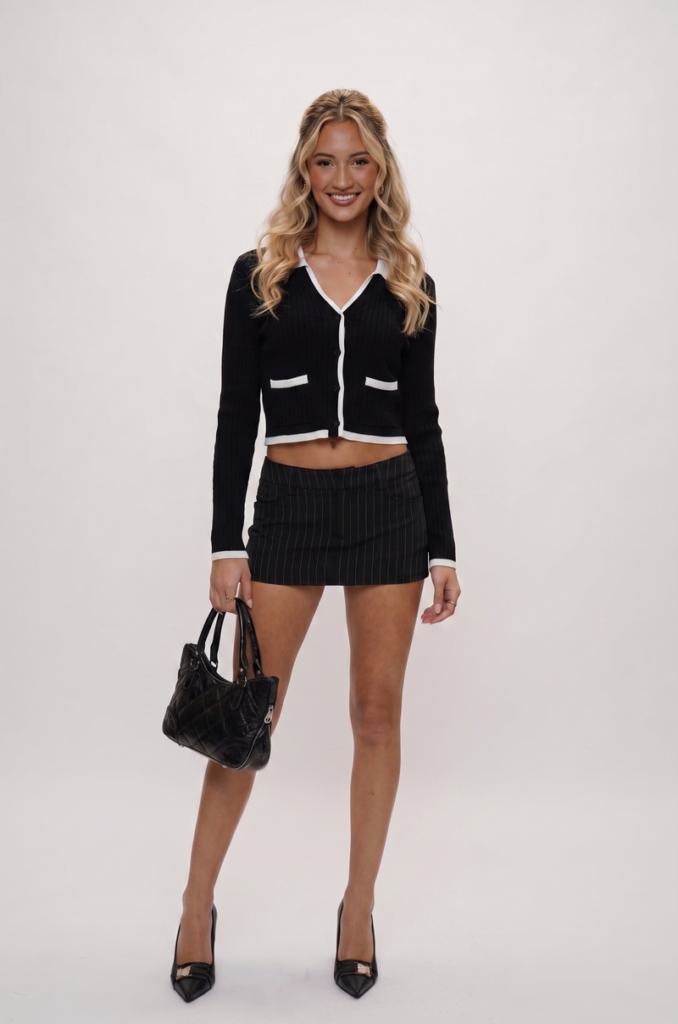
Step 1: Upload the Original Model Image

The workflow starts with uploading an original model image.

This image serves as the foundation of the generation and helps define:

  • clothing appearance
  • overall pose structure
  • visual composition

It can be an existing campaign photo or a product image already used in marketing or e-commerce listings.

Upload the source image.
Fashion Diffusion AI-generated

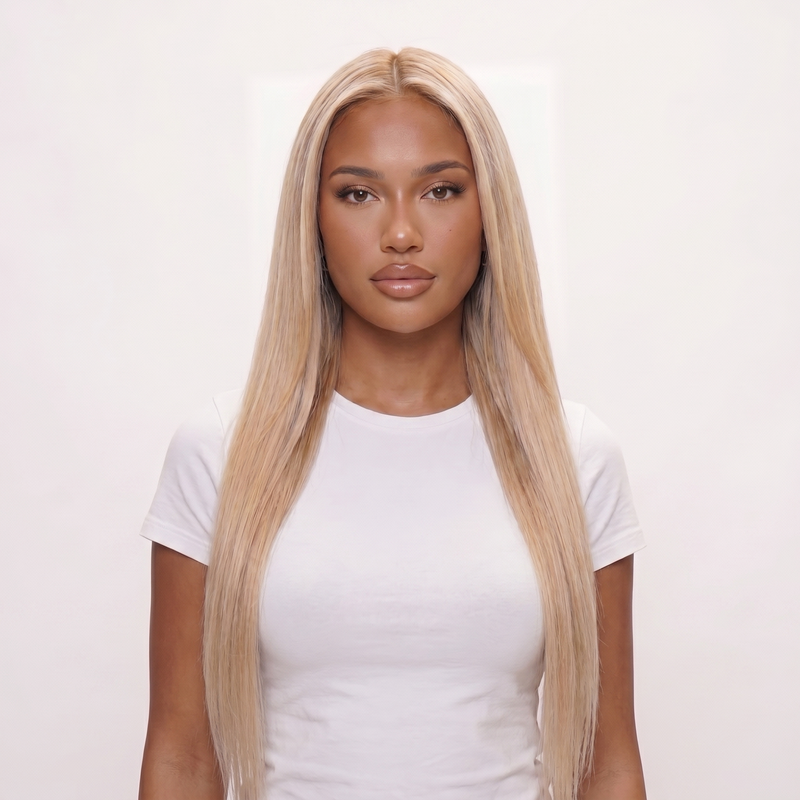
Step 2: Add a Target Model Reference Image

Next, users upload a target model reference Image to guide the direction of the new generated model.

This reference helps define the intended look and feel of the output, including:

  • facial structure
  • hairstyle direction
  • skin tone style
  • overall model aesthetic

Using a reference image helps the system produce more controlled and visually aligned results compared to prompt-only generation.

Upload the target model image for reference.
Fashion Diffusion AI-generated

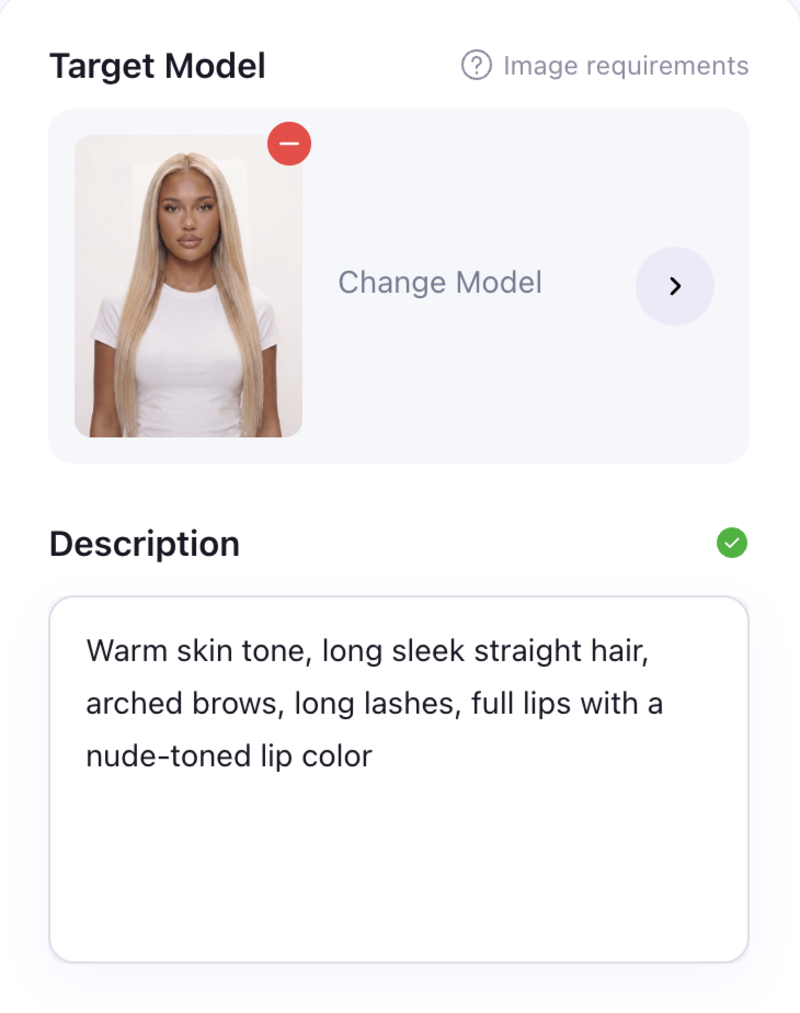
Step 3: Enter a Detailed AI Human Generator Prompt

After uploading images, users refine the output using an AI human generator prompt.

This prompt typically describes key model attributes such as gender, age, skin tone, hairstyle, facial features, and overall style direction.

Enter your prompt.

More detailed prompts usually help improve alignment between the desired model appearance and the final generated result, especially for fashion-focused visuals where consistency matters.

Step 4: Generate AI Fashion Model Variations

Once all inputs are ready, the system generates new AI fashion model variations while keeping the original apparel presentation relatively consistent.

This allows fashion brands to create updated visual assets from existing imagery without needing additional photoshoots or rebuilding campaign setups from scratch, making it easier to scale content production across e-commerce and marketing channels.

Generate the final AI fashion model.
Fashion Diffusion AI-generated

Tips for Creating More Realistic AI Fashion Models

Even with advanced AI tools, output quality still depends on how inputs and settings are prepared. Here are practical tips based on real workflow experience:

What To DoWhy It Matters
Use clear, high-resolution reference imagesLow-quality inputs produce inconsistent outputs; resolution matters for fabric detail
Keep lighting natural and balanced in source imagesMismatched lighting between source and reference creates unrealistic results
Avoid cluttered backgroundsClean backgrounds improve model isolation and garment rendering accuracy
Keep prompts structured, not overly complexToo many competing instructions can reduce coherence in the output
Maintain consistent model proportionsInconsistent body proportions undermine realism in full-body fashion imagery

Start Creating AI Fashion Models for Your Brand

AI human generators are becoming a practical part of modern fashion content production, especially for brands managing large amounts of e-commerce and marketing imagery.

Instead of relying entirely on traditional photoshoots, fashion teams can now create realistic model visuals faster, test different campaign directions more efficiently, and scale product imagery across multiple platforms.

For brands looking to streamline fashion content creation, Fashion Diffusion offers a workflow designed specifically for generating realistic AI fashion models from apparel and campaign imagery.

FAQ

What is the best AI human generator?

The best AI human generator depends on the use case. General tools like Adobe Firefly or Generated Photos are good for flexible human image creation, while fashion-focused tools like Fashion Diffusion are better suited for consistent apparel visualization.

Can AI human generators create full-body fashion models?

Yes. Many modern platforms support AI person generator full-body workflows, allowing users to generate complete fashion model compositions for e-commerce and campaign visuals.

How can I make AI fashion models look more realistic?

More realistic AI fashion models usually come from better inputs rather than complex prompts. Using clear reference images, natural lighting, and simple backgrounds helps improve consistency and realism in the final output.

Are free AI human generators good enough for professional use?

Free AI human generators are often useful for experimentation and early-stage testing. However, for consistent branding, apparel accuracy, and scalable e-commerce workflows, many brands eventually move to more specialized tools with better control and output stability.

Avatar photo 通过Alexander Wilson

Flat Lay vs. On-Model Photos: Which Converts Better for Fashion E-Commerce

When it comes to fashion e-commerce, if your product images aren’t converting, your image format might be the reason.

Most fashion sellers struggle with the same question: should you use flat lay images or on-model photos? The answer directly affects click-through rate, conversion rate, and even return rates.

Flat lays are fast, clean, and scalable—especially with an AI flat lay generator. On the other hand, on-model visuals build trust and help customers understand fit, which is why many brands now rely on AI virtual try-on to create realistic on-model fashion photos without the cost of traditional shoots.

But here’s the real problem: choosing the wrong format can quietly hurt your sales.

In this guide, we break down what actually works—based on conversion data, product types, and real e-commerce use cases—so you can choose the right strategy and start creating the best product photos for clothing immediately.

Flat Lay vs. On-Model Photos: Key Differences

Before diving into performance, it’s important to understand what each format does best.

  • Flat lay photography presents clothing laid out on a surface, focusing on shape, texture, and details.
  • On-model photos show garments worn by a person, highlighting fit, movement, and styling.

In terms of fashion product photography types, flat lays are typically used for clarity and efficiency, while on-model images are used for emotional connection and context.

This distinction is key when thinking about on-model photos vs flat lay performance in e-commerce.

What the data says about conversion rates

When comparing flat lay vs on-model photos in fashion e-commerce, multiple industry studies show a consistent pattern:

On-model images tend to increase conversion rates for apparel, while flat lay images perform better in browsing and discovery contexts.

According to BigCommerce, 78% of online shoppers want photographs that bring products to life, such as images showing items in use or on a model, as these visuals help them better understand the product before purchasing.

Similarly, research cited by Shopify shows that high-quality product images are one of the most important factors influencing purchase decisions, with better visual presentation directly impacting conversion rates and reducing hesitation.

User behavior data from Salsify further reinforces the importance of product imagery: consumers say product content is extremely or very important when deciding to buy, with 61% of them considering images and videos ranking as the most influential elements on product pages.

Category Differences

While the impact of flat lay and on-model photography varies across fashion e-commerce, the effectiveness of each format largely depends on the product type. Different categories require different levels of context, fit visibility, and detail emphasis to maximize conversion.

Here’s how performance typically breaks down:

  • Dresses and fit-dependent apparel: On-model photos perform best because customers need to evaluate fit, silhouette, and movement. These products rely heavily on visualizing how the item behaves on a real body, making contextual imagery essential for conversion.
  • Tops and everyday apparel: A combination of flat lay and on-model images works best. Flat lays help users quickly compare styles and details, while on-model photos provide clarity on fit and styling, supporting final purchase decisions.
  • Accessories and detail-focused products: Flat lay images often perform equally well or better. Since these products are less dependent on fit, customers focus more on design, texture, and visual details, making clean, distraction-free imagery more effective.

When Flat Lay Photos Win

Flat lay photography conversion rate is most effective when the priority is clarity, scalability, and fast visual understanding rather than emotional or lifestyle storytelling. It is widely used in catalog-heavy and browsing-driven environments where users need to quickly compare products.

Detail-Focused Products (Texture, Print, Pattern)

Flat lay images work particularly well for showcasing fabric quality, surface detail, and print accuracy without visual distraction from styling or environment.

Flat lay clothing image highlighting fabric texture and details.

This is especially useful in categories like basics, streetwear, or textile-driven designs where material clarity influences purchase decisions more than fit visualization.

Marketplace Thumbnail Optimization

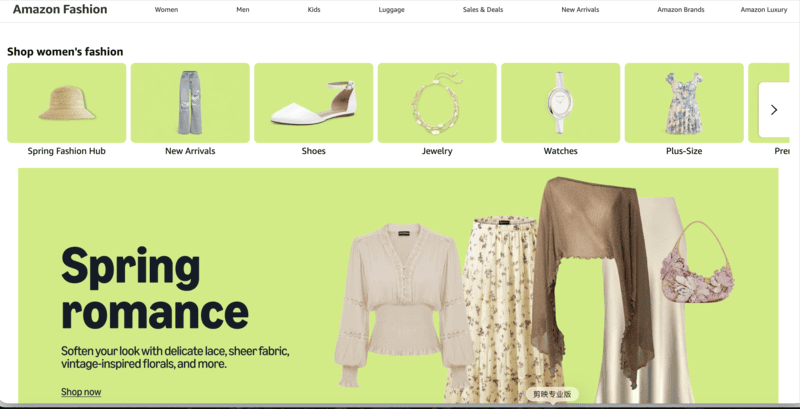
In grid-based environments such as Amazon, Etsy, or search result pages, products are often first evaluated at very small sizes. Flat lay or clean product-centered images improve readability and help products stand out during fast scanning behavior.

Fashion marketplace product thumbnail with clean flat lay presentation.

This aligns with general e-commerce image guidelines that emphasize clarity and simplicity for small-format product discovery.

Cost Efficiency for Large Catalogs

Flat lay photography is widely used in large-scale product catalogs because it significantly reduces production complexity, time, and cost compared to model-based shoots.

Large fashion catalog flat lay product photography workflow.

This makes it a practical choice for brands managing high SKU volumes where consistency and operational efficiency are more important than lifestyle storytelling.

When On-Model Photos Win

On-model photography becomes more effective when the goal is to increase purchase confidence, communicate fit, and create emotional or aspirational context around the product.

It is the dominant format in most modern fashion product detail pages.

Fit and Proportion Communication

On-model images help customers understand how clothing behaves on the body, including silhouette, length, drape, and proportion, which are key factors that cannot be communicated through flat lay alone.

Model wearing fashion apparel for fit and silhouette visualization.

This reduces uncertainty, which is one of the primary drivers of hesitation in fashion e-commerce.

Lifestyle and Brand Storytelling

Many fashion brands use on-model photography to create a visual identity and emotional connection beyond the product itself.

Brands such as Everlane, COS, and Reformation consistently rely on model-based imagery across their product pages to reinforce brand positioning and styling context.

Lifestyle fashion photography for brand storytelling and styling context.

This approach shifts the product from a standalone item to part of a broader aesthetic narrative.

Higher-Ticket Items

For premium or higher-priced fashion products, on-model imagery plays a critical role in reducing perceived purchase risk and increasing conversion confidence.

Premium fashion item displayed with on-model photography.

Customers are more likely to convert when they can clearly visualize how a high-value item looks in real-world usage conditions.

A High-Converting Product Image Strategy for Fashion E-Commerce

Instead of choosing between flat lay and on-model photos, the highest-performing fashion e-commerce brands structure their product images to guide users through the buying journey.

That is, on-model images attract and convert, while flat lays and detail shots support evaluation and decision-making.

This layered approach is widely used across modern product pages, where the first image captures attention, and subsequent images provide clarity and reassurance.

Fashion e-commerce product gallery combining on-model and flat lay images.

Use On-Model Images as Your Primary Visual

Your primary image should focus on immediate impact and clarity.

On-model photos work best here because they:

  • Show fit and proportion instantly;
  • Create a stronger first impression;
  • Help users visualize the product in real life.

This is especially important in feeds, ads, and product listings where users decide in seconds whether to click.

Support with Flat Lay and Detail Images

After the initial click, users shift from browsing to evaluating. This is where flat lay and detail images play a critical role.

They help:

  • Highlight fabric, texture, and construction;
  • Provide clean, distraction-free views;
  • Reinforce product quality and accuracy.

Together, these images reduce uncertainty and support the final purchase decision.

Make It Scalable with AI

One of the biggest barriers to implementing this strategy has always been cost and production complexity.

Now, AI makes it practical.

With an AI flat lay generator, you can produce consistent flat lay images across large catalogs without manual setups. And with AI virtual try-on, you can generate realistic on-model fashion photos without organizing photoshoots or hiring models.

This allows brands to build a complete, conversion-focused image system—without the traditional overhead.

How to Generate High-Converting Product Images with AI

Creating both flat lay and on-model product images used to require separate photoshoots, multiple teams, and significant production time.

Now, with AI fashion design tools like Fashion Diffusion, you can generate both formats from a single product image, reducing production time from days to minutes.

Step 1: Generate Flat Lay Images for Catalog and Detail Views

Start by creating clean, high-quality flat lay images that can be used for product galleries, marketplace listings, and detail-focused views.

With Fashion Diffusion, there are two practical ways to generate flat lay visuals depending on your needs.

Option 1: Generate Clean White-Background Flat Lays Instantly

Use the AI flat lay generator to quickly convert your original product image into a clean, white-background flat lay.

The product page of Fashion Diffusion's Flat Lay Generator feature.

This approach is ideal for:

  • Marketplace listings (Amazon, Etsy);
  • Standardized product catalogs;
  • Bulk image generation.

Time Consumption: about 40 seconds per image.

AI-generated flat lay clothing images for fashion catalogs.
Fashion Diffusion AI-generated

Option 2: Create Flat Lay + Detail Shots with AI Lookbook

For more visually rich outputs, you can use the AI Lookbook feature in Fashion Diffusion.

Simply select the Flat Lay with Detail Shots template and upload a product image to generate a set of flat lay visuals along with close-up detail images.

The product page of Fashion Diffusion's Goods Detail Pic feature.

This approach works best for:

  • Product detail pages;
  • Marketing visuals;
  • Showcasing texture and craftsmanship.

Time consumption: 1 to 2 minutes per image.

AI Lookbook flat lay and detail shots for fashion products.
Fashion Diffusion AI-generated

Step 2: Create On-Model Photos with AI Virtual Try-On

Next, generate on-model images to support conversion-focused use cases such as product detail pages, ads, and hero visuals.

Using AI virtual try-on, you can place your product onto a model and generate realistic on-body images that show fit, proportion, and styling.

The product page of Fashion Diffusion's Virtual Try-On feature.

Time comparison:

  • Traditional model shoot: 1–2 days (casting, shooting, coordination);
  • AI virtual try-on: about 1 minute per image.

This eliminates the need for reshooting across different models, poses, or variations.

AI virtual try-on fashion model visualization.
Fashion Diffusion AI-generated

Step 3: Combine Both into a High-Converting Product Page

Once both image types are generated, structure them strategically to guide users through the buying journey.

  • Primary image → on-model (for clicks and conversion);
  • Secondary images → flat lay + detail shots (for evaluation).

Time impact:

  • Traditional workflow (planning + shooting + editing): several days;
  • AI workflow: complete image set in under an hour.

This makes it possible to test, iterate, and scale visual content much faster.

Start Creating High-Converting Product Images Today

Choosing between flat lay and on-model photos isn’t really the goal.

The most effective fashion e-commerce brands combine both—using on-model visuals to capture attention and drive conversions, and flat lay images to provide clarity, detail, and product understanding.

The challenge has always been production—until now.

With tools like an AI flat lay generator, you can quickly create clean, consistent product images for catalogs and listings at scale. And with AI virtual try-on, you can generate realistic on-model fashion photos that help customers better understand fit and styling.

Instead of choosing one format over the other, you can now build a complete, high-performing product image system—faster, more affordably, and at scale.

Start generating your first flat lay or on-model image today and see the difference it makes!

FAQ

What type of photos sell best online?

The best-selling photos online often feature authentic, high-quality images of people in candid, emotional, or diverse scenarios, alongside versatile business, technology, and lifestyle content. Popular stock often features authentic, high-quality images.

What is the 20-60-20 rule in photography?

The 20-60-20 rule in photography, popularized by wildlife photographer Paul Nicklen, is a time-management and creative strategy designed to maximize the quality and artistic value of a photoshoot. It involves spending the first 20% of time getting safe, technically perfect shots, the middle 60% exploring creative experiments, and the final 20% taking high-risk, artistic risks.

What are common flatlay mistakes?

Common flatlay mistakes include using harsh, direct lighting, overcrowding the frame, and neglecting to create a clear focal point or narrative. Other errors, as outlined in some e-commerce clothing photo guides, involve poor focus, distracting background clutter, and improper editing (e.g., over-sharpening or wrong white balance).

What are the two types of photography for e-commerce?

The two primary types of e-commerce photography are studio (white background) shots and lifestyle photography. These approaches cover both practical product clarity and emotional, brand-driven storytelling, essential for enhancing sales.

Avatar photo 通过Alexander Wilson

How to Create On-Model Fashion Photos Without Hiring a Photographer

Creating professional on-model photos for your fashion products can be both expensive and time-consuming.

A small fashion brand planning to launch a 10-piece collection might spend hundreds or even thousands of dollars just to hire models, book a studio, and pay a photographer for a single day of shooting. Multiply that across multiple color variants, seasonal updates, or additional SKUs, and the costs and logistics quickly become overwhelming.

Fortunately, today’s AI fashion design tools make it possible to create on-model fashion photos without photographers, saving you time, money, and effort while producing images that actually drive sales.

Why On-Model Photos Convert Better Than Flat Lay Product Images

Industry benchmarks show that on-model images outperform flat-lay photos in click-through rate and conversion. For example, listings featuring on-model photos can achieve 25-35% higher CTR on collection pages and 20-30% higher conversion rates on product pages compared with flat-lay images.

This performance gap highlights a clear trend: customers prefer seeing clothes on a real or virtual model rather than just flat or mannequin shots. But why is that the case?

Customers Need to Visualize Fit and Silhouette

Shoppers want to see how clothing drapes, fits, and moves on a body. On-model images communicate proportions much more effectively than flat-lays.

On-Model Images Reduce Purchase Uncertainty

By seeing the garment on a model, customers can better imagine themselves wearing it. This lowers hesitation and reduces the likelihood of returns.

Real-Life Wear Drives Engagement

Customers naturally engage more with visuals that demonstrate clothing in context—showing pose, movement, and styling cues that flat-lays simply cannot provide.

Why Traditional Fashion Photography No Longer Scales for E-commerce Sellers

Traditional fashion photography may work for a small number of products, but it quickly becomes difficult to scale as your catalog grows. For e-commerce sellers managing frequent product launches, multiple colorways, and seasonal updates, the traditional workflow often means higher costs, longer timelines, and inconsistent results.

Every new SKU typically requires model booking, studio rental, photographer fees, styling, and post-production. When multiplied across dozens or even hundreds of products, the cost and effort increase rapidly.

High Cost Per SKU

Each product variation often needs its own shoot. Different colors, styles, or campaign needs can all mean additional model and studio costs, making photography one of the biggest operational expenses for fashion sellers.

Slow Turnaround Time

Traditional shoots take time to plan, schedule, edit, and deliver. This can delay product launches and make it harder to respond quickly to market trends.

Difficult to Maintain Consistency

Different models, lighting setups, and photographers can lead to inconsistencies across product pages, which may affect the overall look and professionalism of your store.

The Best Fashion Photography Alternative: AI Virtual Try-On

For e-commerce sellers, the biggest advantage of AI virtual try-on is how simple the workflow is compared with a traditional photoshoot.

Instead of coordinating a model, studio, photographer, and post-production team, the process can be completed in just a few steps:

Upload your product image → Choose a model → Generate the final result.

In most cases, the entire process takes only a few minutes, making it a much faster and more scalable fashion photography alternative for growing product catalogs.

This simplicity is especially valuable for brands that need to launch new SKUs quickly or test multiple styles and colorways at scale.

Quality Comparison: From Flat Lay to On-Model in Seconds

The biggest question for most sellers is: Can AI-generated results actually look professional enough for e-commerce?

The answer is increasingly yes.

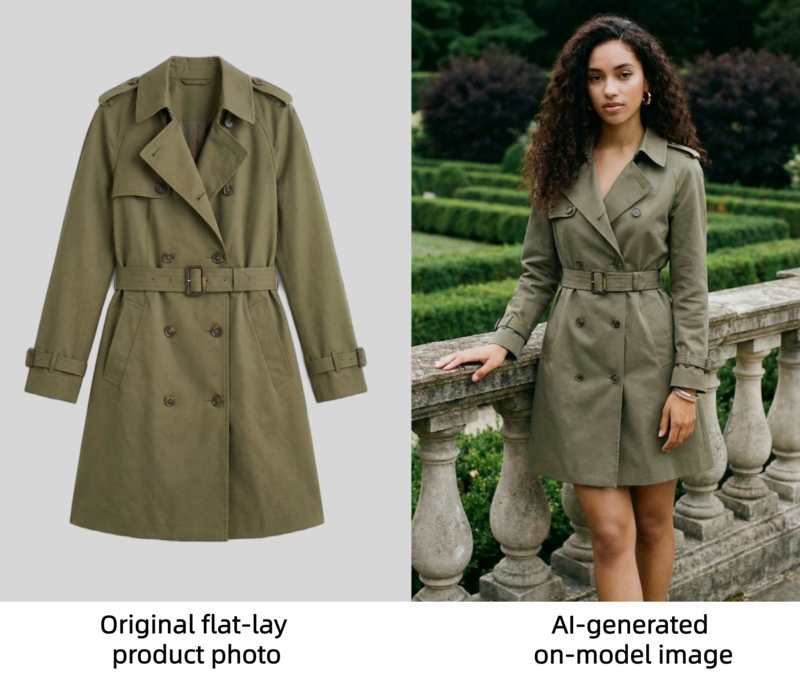
Recent virtual try-on examples from commercial tools show highly realistic outputs, including preserved fabric texture, print details, drape, and garment proportions.

For example, WeShop AI demonstrates a clear before-and-after workflow where a flat-lay product image is transformed into a studio-style model photo in around 30 seconds.

For additional inspiration, platforms like Fashion Diffusion also show how AI can generate photo-realistic clothing visuals across different body types and sizes. Below is a direct comparison: the texture of the clothing in the AI-generated on-model image clearly captures the details from the flat lay image.

A comparison showing an original flat-lay product photo of a trench coat next to an AI-generated on-model image.

Supported Garment Types

AI virtual try-on tools now support a wide range of fashion categories, including:

  • dresses;
  • tops and blouses;
  • T-shirts and hoodies;
  • jackets and coats;
  • pants and denim;
  • skirts;
  • knitwear;
  • activewear;
  • two-piece sets.

Many tools also work well with:

  • ghost mannequin photos;
  • flat-lay images;
  • clean white-background product photos.

This makes AI clothing photography especially practical for fashion brands, Shopify sellers, and marketplace stores.

Step-by-Step: How to Create AI Model Photos for Clothing with Fashion Diffusion

Now that you’ve seen how simple AI virtual try-on can be, let’s walk through the actual process step by step.

Using Fashion Diffusion, you can turn a flat-lay or product image into a professional on-model photo online in just a few clicks.

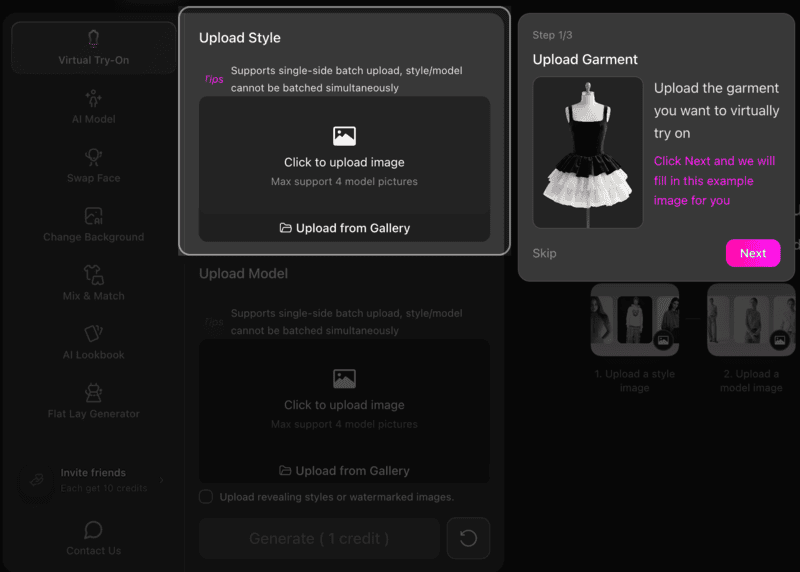
Step 1: Upload Your Product Image

Start by uploading a clear product photo.

For the best results, use:

  • a flat-lay image;
  • a ghost mannequin image;
  • a clean white-background product photo.
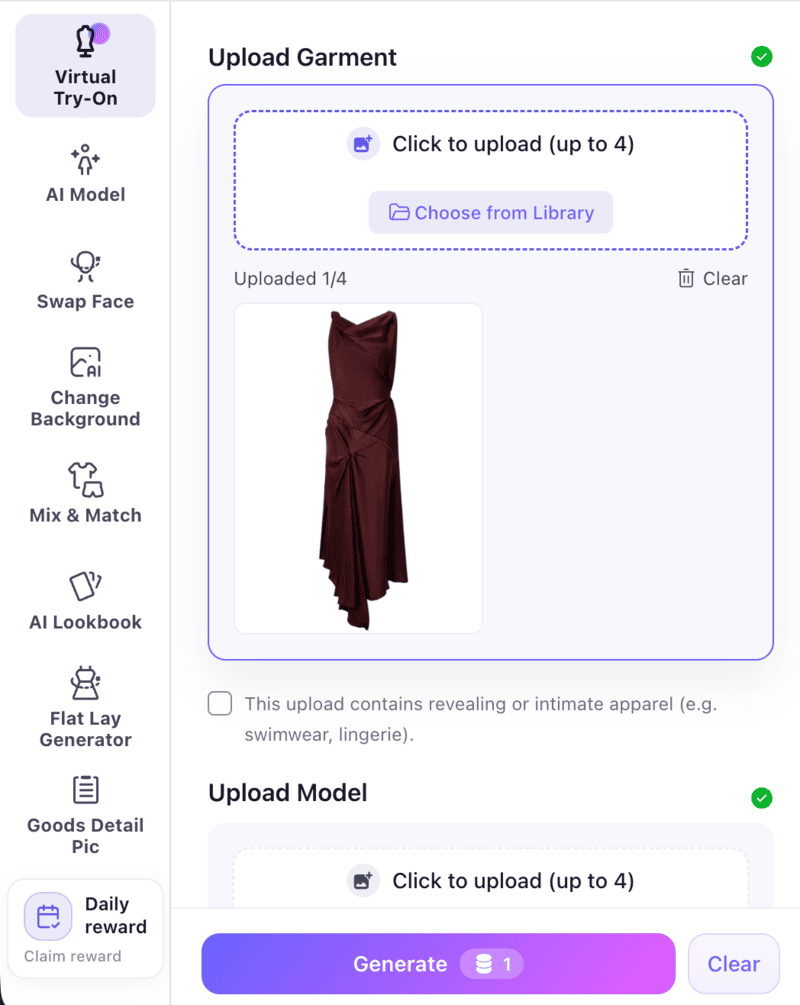
Interface of Fashion Diffusion showing the Upload Garment step for virtual try-on.

Make sure the garment is fully visible and front-facing. High-resolution images with clear fabric details will help the AI preserve texture, shape, and fit more accurately.

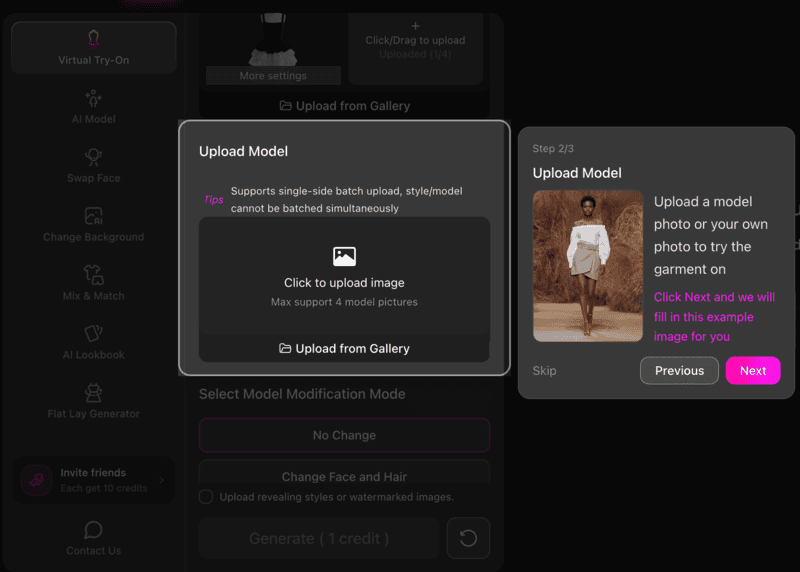
Step 2: Select a Model

Next, choose the model image or model style you want to use.

This is where the AI virtual try-on workflow becomes especially useful for e-commerce sellers.

You can quickly test:

  • different poses;
  • body types;
  • genders;
  • campaign aesthetics.
Interface of Fashion Diffusion showing the Upload Model step to select a model for the garment.

This makes it easy to create visuals for different audiences without reshooting the product.

Step 3: Generate the On-Model Result

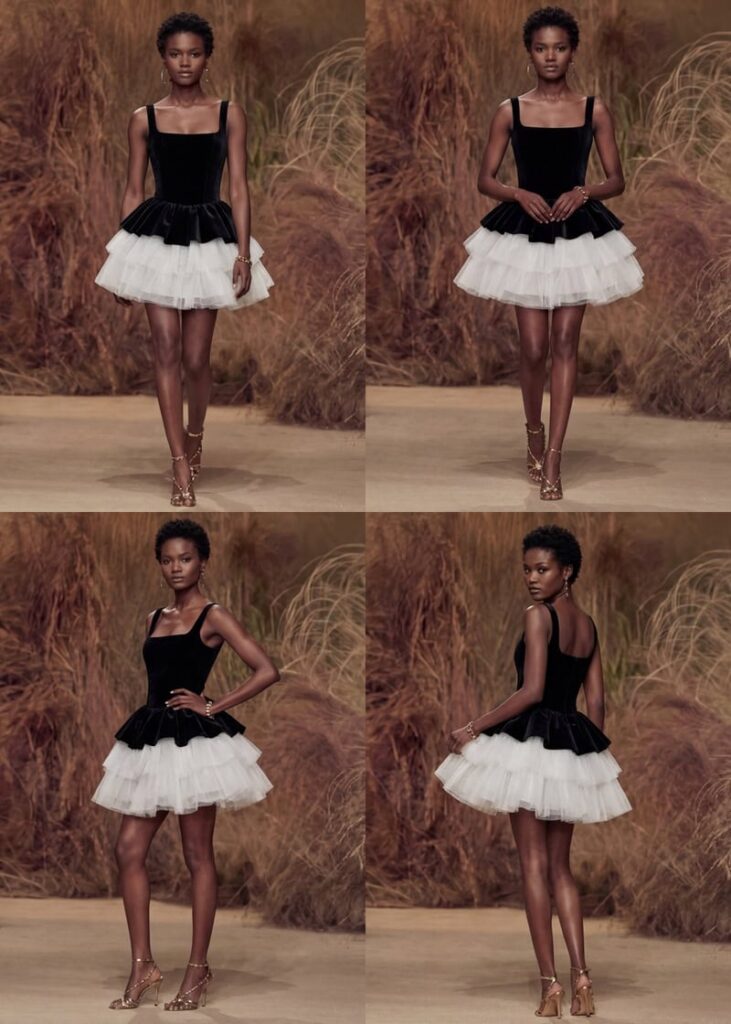
Once both images are uploaded, click generate. You may choose the generation mode before. Generating a single image or a set of 4 business photos with different angles is supported.

The AI will automatically place the garment onto the selected model and create a realistic on-model image. In most cases, the result is ready within seconds.

A set of AI-generated professional photos showing a black and white dress on a model from different angles.
Fashion Diffusion AI-generated

This is one of the fastest ways to try on clothes online for product photography and catalog creation.

Tips for Better Results

To get the most realistic output from an AI fashion photography tool, keep these best practices in mind:

  • Use bright, evenly lit product images;
  • Keep the clothing centered;
  • Avoid folded garments;
  • Preserve sleeves, collars, and hems clearly;
  • Use clean background images.

The better the input, the more realistic the generated model photo will look.

Step 4: Refine and Export

After generation, review the output and make any necessary refinements.

For example, you may want to:

  • Adjust the fit;
  • Improve garment alignment;
  • Regenerate with another model;
  • Create multiple angles for listing pages.

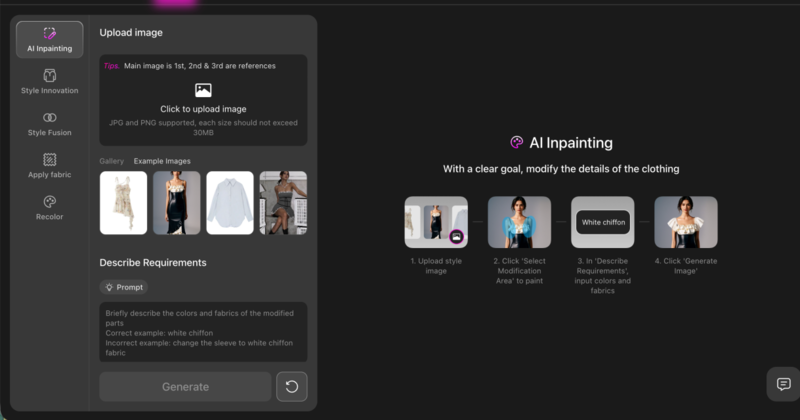
If you need more precise control, Fashion Diffusion also offers advanced features such as AI Inpainting, and Recolor, allowing you to further refine the styling, modify specific garment details, or test different color variations until the final result matches your expectations.

Once satisfied, export the image for use across Shopify, Amazon, TikTok Shop, social ads, and PDP pages.

Best Use Cases for AI Virtual Try-On in E-Commerce

AI-generated on-model fashion photos without photographers are particularly valuable for e-commerce sellers who need professional-looking product visuals without the cost and complexity of traditional photography. Here’s who benefits most:

Small e-commerce brands with limited photography budgets

For new or boutique brands, hiring models and booking studios for every SKU can be expensive. AI virtual try-on lets these sellers create professional on-model images at a fraction of the cost, helping them compete with larger retailers visually.

Independent sellers looking to scale quickly

Independent sellers often launch new products frequently. Traditional photography can’t keep up, but AI tools enable sellers to generate multiple on-model images in minutes. Today, many AI platforms specifically support sellers on marketplaces by turning a single product photo into multiple on-model images within minutes.

Stores with multiple SKUs or color variants

Fashion items often come in multiple colors and styles, each requiring separate photography. AI virtual try-on makes it easier to generate consistent visuals across all variants without photographers. Platforms built for large fashion catalogs now specifically position this as a solution for scaling product imagery.

Marketing and social media campaigns

AI-generated on-model images are also ideal for social media, lookbooks, and ad campaigns. Brands can quickly produce content for different platforms without scheduling multiple photoshoots, maintaining consistent style and quality.

Start Creating High-Converting On-Model Photos Today

Creating high-converting fashion product images no longer needs to involve expensive photoshoots, model bookings, and long production timelines.

With AI virtual try-on, e-commerce sellers can now turn flat-lay product photos without models into realistic on-model images in minutes.

Whether you are a growing Shopify brand, an independent marketplace seller, or a team managing large-scale product launches, AI clothing photography offers a faster, more scalable way to produce professional visuals that help drive clicks, conversions, and customer confidence.

If you are ready to create on-model fashion photos without photographers, now is the perfect time to explore AI virtual try-on. Try Fashion Diffusion’s AI fashion photography tool today, and see how quickly you can transform a single product image into high-quality virtual model photos e-commerce for your store, ads, and social campaigns!

FAQ

Do AI-generated model photos work for e-commerce stores?

Yes, AI-generated model photos work extremely well for e-commerce. They are widely used for Shopify stores, Amazon listings, TikTok Shop, and other online marketplaces. By showing how garments fit and drape on a real or virtual model, these images help customers better visualize the product, which can improve conversions.

What types of clothing can be used with AI virtual try-on?

AI virtual try-on tools support a wide range of clothing categories, including dresses, tops, T-shirts, hoodies, jackets, pants, skirts, knitwear, and activewear. In most cases, any product with a clear front-facing image and visible garment details can be used.

How long does it take to generate an AI on-model photo?

In most cases, generating an AI on-model image takes only a few seconds to a few minutes, depending on the platform and the selected output mode. Some tools like Fashion Diffusion also allow you to generate multiple professional business photos with different angles in a single workflow, which further speeds up catalog production.

Can I edit the AI-generated fashion photos after creation?

Yes. After the initial image is generated, you can continue refining the result using advanced features. These features allow you to adjust the fit, improve garment alignment, modify specific design details, and test multiple color variations until the final output meets your expectations.

Is AI virtual try-on better than traditional fashion photography?

For many e-commerce sellers, AI virtual try-on is often the more practical option. It is faster, more scalable, and significantly more affordable than traditional photoshoots, especially for brands managing multiple SKUs and frequent product launches. While traditional photography may still be suitable for campaign-level editorial content, AI is often the better solution for everyday product listings and catalog expansion.

Avatar photo 通过Alexander Wilson

How to Create Ghost Mannequin Images with AI: A Step-by-Step Guide for Fashion E-commerce Brands

Ghost mannequin photography is the industry standard for presenting clothing in e-commerce. It gives garments a clean, three-dimensional look without the cost and complexity of a full model photoshoot.

But traditional ghost mannequin editing in Photoshop can take 15 to 30 minutes per image, and that adds up fast when you have hundreds of SKUs.

Today, an AI ghost mannequin generator makes this process even easier. With an AI fashion design tool, brands can remove mannequins and generate clean product images in minutes.

This guide covers everything you need to know: what ghost mannequin photography is, how the traditional process works, how AI has changed it, and how to create ghost mannequin images using Fashion Diffusion’s Flat Lay Generator.

AI ghost mannequin generator transforming a model outfit into invisible mannequin clothing product image.
Fashion Diffusion AI-generated

What Is an AI Ghost Mannequin Generator

An AI ghost mannequin generator is a tool that uses artificial intelligence and computer vision to create clothing product images with an invisible mannequin effect. It automatically removes mannequins, models, or backgrounds from clothing photos, producing a three-dimensional “hollow” look that highlights the natural shape of the garment.

Many specialized AI ghost mannequin generators have emerged, and a growing number of fashion design tools also include this feature, enabling users to produce clean and realistic ghost mannequin results with minimal editing.

Ghost mannequin images are widely used across e-commerce product pages, wholesale catalogs, and marketplace listings because they are:

  • Consistent: no variation in model pose or expression.
  • Scalable: easy to process hundreds of products at the same volume.
  • Cost-effective: no recurring model fees required.
  • Focused: the garment, not the person, stays at the center of the frame.

Traditional Ghost Mannequin Photography vs. AI: Key Differences

Before diving into the AI workflow, it helps to understand what the traditional process involves, and where AI removes the friction.

How Traditional Ghost Mannequin Photography Works

The classic process requires shooting a garment on a mannequin, then capturing the interior details separately in a second shot. In Photoshop, the editor composites the two images together, masks out the mannequin piece by piece, and reconstructs the hidden areas of the garment.

A well-executed edit on a single image typically takes 15 to 30 minutes. For brands processing 100 or more products per season, this adds up to hundreds of hours of editing time.

How AI Ghost Mannequin Photography Works

AI tools analyze the garment in a photo, and automatically reconstruct the invisible mannequin effect. The model is removed, interior garment details are filled in, and the background is cleaned up, all in seconds.

 Traditional MethodAI Method
Time per image15 to 30 minutesUnder 1 minute
Equipment neededMannequin, studio, cameraA garment photo
Editing skill requiredAdvanced PhotoshopNone
CostStudio + retoucher feesLow per-image cost
ScalabilityLimited by editor capacityBatch processing
Best forPremium, high-complexity garmentsE-commerce at scale

For most e-commerce workflows, AI handles the bulk of catalog production efficiently. For very high-end editorial work where pixel-perfect precision matters, traditional retouching still has a role.

Ghost Mannequin vs. Flat Lay vs. Model Photography

Choosing the right visual style depends on your goals for each image.

MethodKey FeatureBest For
Ghost MannequinShows garment shape and structureE-commerce product pages, catalogs
Flat LayClothing photographed on a flat surfaceSocial media, accessories, casual display
Model PhotographyShows fit and lifestyle appealLookbooks, campaigns, brand storytelling

Most fashion brands use all three — ghost mannequin for product listings, model photos for marketing, and flat lay for social content. The ghost mannequin format works particularly well for structured garments like jackets, shirts, and dresses where shape and fit are key purchasing factors.

Why Fashion Brands Are Adopting AI Ghost Mannequin Generators

As fashion e-commerce continues to grow, brands need to produce large volumes of consistent product images for online stores, catalogs, and marketplaces. Traditional ghost mannequin photography can effectively showcase the structure of garments, but the process often involves mannequins, multiple photos, and time-consuming editing.

With recent advances in computer vision and AI image editing, many brands are beginning to adopt AI ghost mannequin generators to simplify this workflow. These tools allow clothing images to be processed more efficien tly while maintaining a professional look.

Faster Product Image Production

Creating traditional ghost mannequin images usually requires photographing garments from multiple angles and carefully combining the images during post-production. AI fashion design tools significantly speed up this process by automatically removing mannequins and reconstructing hidden areas of the clothing.

Lower Photography and Editing Costs

Fashion product photography often involves studio setups, mannequins, photographers, and professional retouching. By automating parts of the editing workflow, AI ghost mannequin generators help reduce the amount of manual work required, making the overall production process more cost-efficient.

Scalable for Large Fashion Catalogs

Many fashion brands release seasonal collections with hundreds of products. Maintaining consistent visuals across such large catalogs can be challenging. AI ghost mannequin photography makes it easier to process large batches of clothing images and generate uniform ghost mannequin results across entire product lines.

Cleaner and More Consistent Product Images

Ghost mannequin photography focuses attention entirely on the garment, highlighting its shape and structure without distractions. AI-generated ghost mannequin images help brands maintain consistent backgrounds, lighting styles, and product presentation across their e-commerce platforms.

AI ghost mannequin generator example turning a styled outfit photo into clean clothing product image.
Fashion Diffusion AI-generated

How to Create Ghost Mannequin Images with Fashion Diffusion

Creating ghost mannequin product images with AI is simple with tools like Fashion Diffusion. By using the AI Inpainting feature, you can remove the mannequin or model from a clothing photo and generate a clean ghost mannequin effect in just a few steps.

Step 1: Upload a Clothing Image

Start by uploading a clothing photo to the AI Inpainting tool. You can choose images in different styles depending on the final look you want to create—for example, studio product photos, model shots, or fashion editorial images. Selecting a clear image with well-defined garment details will help the AI generate a more realistic ghost mannequin effect.

Select a style image before uploading it to the AI Inpainting feature.
Fashion Diffusion AI-generated

Step 2: Enter a Description Prompt

Next, enter a prompt describing the ghost mannequin effect you want to create.

Here is an example prompt:

professional ghost mannequin clothing photography, remove the model completely, hollow invisible mannequin effect, maintain natural garment shape, show inner collar, cuffs and hem details, floating clothing on a clean white studio background, soft studio lighting highlighting fabric texture and folds.

This description helps the AI understand how to reconstruct the garment and generate a realistic invisible mannequin effect.

Fashion Diffusion's product page when entering the description prompt.

Step 3: Generate the Image

After entering the prompt, simply generate the image. You can create multiple variations and refine the results by adjusting your description, for example, adding details about image ratio, resolution, or lighting style. This allows you to gradually fine-tune the output until it matches the product photography look you want.

After result created with Fashion Diffusion's AI Inpainting feature.
Fashion Diffusion AI-generated

Best Use Cases for AI Ghost Mannequin Generators

Ghost mannequin images are widely used across fashion e-commerce because they present clothing in a clean, professional way while still showing the garment’s natural shape. In fact, industry surveys show that about 57.2% of fashion e-commerce brands use ghost mannequin photography as part of their product image strategy.

With the rise of AI image editing tools such as Fashion Diffusion, AI ghost mannequin generators are now being used in several key scenarios across the fashion industry.

E-commerce Product Pages

One of the most common uses for ghost mannequin images is on e-commerce product pages. These images highlight the structure of garments without distractions from mannequins or models. Clear product images are critical for online apparel stores, as 93% of consumers consider visual appearance a key factor in purchase decisions.

Because AI ghost mannequin clothes focus entirely on the garment, they are particularly effective for presenting items like jackets, shirts, dresses, and sweaters.

Large Product Catalog Production

Fashion brands often release seasonal collections that include dozens or even hundreds of products. AI ghost mannequin tools are particularly useful when processing large batches of clothing images, allowing teams to generate consistent product visuals across an entire catalog.

This makes them practical for brands that regularly update inventory or launch new collections.

Marketplace Product Standardization

Online marketplaces and multi-brand stores often require standardized product images. Ghost mannequin visuals provide a consistent presentation style that works well across product grids, making it easier for shoppers to compare garments.

Because the mannequin is removed and the focus remains on the clothing itself, the images appear clean and uniform across different product listings.

Digital Catalogs and Brand Websites

AI Ghost mannequin images are commonly used in digital catalogs and brand websites where the goal is to highlight garment design and structure. In these contexts, the invisible mannequin effect helps present clothing in a clear and professional format without the distraction of models or styling elements.

Tips for Getting Better Results with an AI Ghost Mannequin Generator

While an AI ghost mannequin generator can automate much of the image editing process, a few practical adjustments can significantly improve the final results. From selecting the right input image to refining prompts, these small details help produce more realistic ghost mannequin product photos.

Start with a Clear Garment Image

The quality of the input image directly affects the final result. Choose photos with clear lighting, minimal shadows, and visible garment edges. Images where the clothing structure is clearly defined will help the AI reconstruct the garment more accurately.

Use Detailed but Focused Prompts

When entering a description prompt, include key visual details such as lighting style, background, and garment presentation. However, keep the prompt concise so the AI can clearly interpret the intended effect.

For example, specifying elements like “white studio background”, “ghost mannequin effect”, or “soft studio lighting” can help generate more consistent product images.

Highlight Interior Garment Details

One characteristic of high-quality ghost mannequin photography is the visibility of inner garment details such as the collar interior, sleeve openings, or hems. Including these details in the prompt can help the AI generate more realistic results that resemble professional product photography.

Generate Multiple Variations

AI image generation often produces slightly different outputs each time. Generating several variations allows you to compare results and choose the version that best matches your desired product photography style.

The Future of AI Ghost Mannequin Generators in Fashion Ecommerce

AI ghost mannequin generators are reshaping how fashion brands create product images. This guide has covered what they are, why brands are adopting them, how to generate images with AI Inpainting using Fashion Diffusion, and best practices for professional results.

Looking ahead, AI-powered product photography will become faster, more consistent, and increasingly versatile. Advances in computer vision and generative AI will allow brands to produce high-quality ghost mannequin images at scale, reducing costs while maintaining a polished, professional look.

For designers, e-commerce teams, and creative professionals, exploring AI fashion design tools like Fashion Diffusion offers a simple way to generate realistic, clean, and flexible product visuals. Embracing AI ghost mannequin technology today is an opportunity to stay ahead in the competitive world of fashion e-commerce.

FAQ

What is an AI ghost mannequin generator?

An AI ghost mannequin generator is a tool that uses artificial intelligence and computer vision to create clothing product images with an invisible mannequin effect. It automatically removes mannequins or models from photos and reconstructs hidden garment areas to highlight the natural shape of the clothing.

Can I use AI ghost mannequin generators for all types of clothing?

Yes. AI ghost mannequin tools work best for garments with defined shapes, such as jackets, shirts, dresses, and sweaters. While they can process most clothing types, very loose or abstract designs may require additional prompt refinement to achieve the desired effect.

How can I improve the results of AI-generated ghost mannequin images?

Better results can be achieved by starting with high-quality, well-lit input images. When writing prompts, include specific visual descriptions so the AI can better understand the desired look. Finally, adjusting prompt parameters such as image ratio or resolution can further refine the outcome and better match your specific needs.

Why should fashion brands consider AI ghost mannequin generators?

AI ghost mannequin tools save time, reduce costs, and allow brands to scale product photography efficiently. They are ideal for e-commerce product pages, large catalogs, online marketplaces, and digital marketing materials. Tools like Fashion Diffusion make it easy for designers and e-commerce teams to produce professional, consistent, and realistic garment images.

How long does it take to generate ghost mannequin clothes from an image with AI?

With tools like Fashion Diffusion, generating a ghost mannequin image typically takes just a few minutes. You can also create multiple variations quickly, making it easy to compare results and select the best version for your product catalog or e-commerce listings.

Avatar photo 通过Alexander Wilson

How to Create T-shirt Designs with AI: The Future of Apparel Graphics

What if designing a T-shirt wasn’t about mastering software, but about exploring ideas?

Whether you are an independent creator testing print-on-demand ideas, a streetwear brand exploring rapid drops, or a fashion team experimenting with generative workflows, AI T-shirt design offers a scalable way to move from concept to visual validation.

AI T-shirt design shifts the focus from technical execution to creative experimentation. Instead of being limited by tools, designers can generate multiple graphic concepts instantly, test logo variations, and visualize finished shirts in realistic settings. All within a streamlined workflow.

In this article, you will discover how AI T-shirt design works, how it compares to traditional design methods, and how to create production-ready T-shirt graphics step by step using AI fashion design generators.

What Is AI T-shirt Design

AI T-shirt design refers to the process of using artificial intelligence tools to create and develop T-shirt graphics, logos, and visual concepts. Instead of relying entirely on manual illustration or complex design software, AI systems can generate design ideas based on text prompts, visual inputs, or stylistic references.

Rather than being a single tool, AI fashion design represents a broader shift in how apparel graphics are created, emphasizing speed, experimentation, and digital-first workflows. As demand for faster product cycles and flexible design processes continues to grow, AI-driven design is becoming an increasingly practical solution for creators and brands alike.

Why AI T-shirt Design Is Growing Rapidly

The rapid growth of AI T-shirt design is not accidental. It reflects larger shifts in the fashion and e-commerce landscape, where speed, flexibility, and digital efficiency have become competitive advantages.

Several key factors are driving this momentum:

1. Faster Product Cycles

Fashion trends move quickly, especially in streetwear and online retail. Brands that once launched seasonal collections now release new drops weekly or even daily. AI allows designers to generate and test concepts rapidly, reducing the time between idea and launch.

2. The Rise of Print-on-Demand

Print-on-demand businesses have lowered the barrier to entry for apparel entrepreneurship. However, they require a constant stream of new designs to stay competitive. AI makes it possible to experiment with multiple graphic variations without hiring external designers for every concept.

3. Demand for Customization and Niche Designs

Consumers increasingly expect personalized or niche-focused products. From micro-communities to fandom-based merchandise, small-batch creative output is in high demand. AI enables scalable experimentation across styles, aesthetics, and audience segments.

4. Lower Design Barriers

Traditional T-shirt design often requires advanced tools such as Illustrator or Photoshop. AI reduces the technical barrier, allowing creators to focus on ideas rather than software complexity.

AI T-shirt Design vs Traditional T-shirt Design

To understand why AI adoption is accelerating, it helps to compare it directly with traditional design workflows.

AspectTraditional DesignAI T-shirt Design
Concept DevelopmentManual sketching & draftingPrompt-based generation
Iteration SpeedSlow revision cyclesInstant regeneration
Color VariationsManual recoloringMultiple variations in seconds
Skill RequirementProfessional software knowledgeAccessible to beginners
Product PreviewManual mockup creationInstant on-garment previews

The key difference lies in iteration speed and flexibility. Traditional workflows are often linear, while AI-driven workflows are iterative. This shift is what makes AI design (including AI T-shirt, shirt, sweatshirt design) particularly suited for modern digital commerce environments.

How to Create an AI Tshirt Design (Step-by-Step Workflow)

Creating a high-quality AI T-shirt design can be structured into four focused stages: concept generation, graphic development, placement, and refinement.

Using Fashion Diffusion, you can move efficiently from initial idea to a production-ready T-shirt mockup within a streamlined workflow.

Step 1: Generate the Full T-shirt Concept

Begin with the AI Outfit Generator and define the overall design direction.

You can use Fashion Diffusion's AI Outfit Generator feature to define the overall design direction.

At this stage, the goal is to establish silhouette, fabric texture, graphic style, and presentation mood in one cohesive concept.

When writing your prompt, clearly describe:

  • Silhouette (oversized, boxy, relaxed, structured);
  • Fabric quality (heavyweight cotton, washed texture, smooth premium finish);
  • Graphic type (abstract, geometric, illustrated, experimental);
  • Presentation style (studio product shot, fashion editorial, ecommerce-ready).

Generate multiple variations and evaluate overall balance, composition, and visual clarity before moving forward.

Below are several strong graphic directions you can explore.

Option 1: Abstract Art Graphic Concept

This direction focuses on expressive abstract composition. Layered organic shapes, fluid transitions, and controlled color palettes create visual depth while maintaining balance. Muted tones or metallic accents can add refinement without overwhelming the garment.

Example prompt: oversized black streetwear t-shirt, large abstract fluid art print on chest, layered organic shapes in muted blue and silver tones, balanced composition, heavyweight cotton texture, realistic fabric folds, soft studio lighting, professional fashion product photography, ultra detailed.

Option 1: Use AI Outfit Generator feature for abstract art graphic concept.
Fashion Diffusion AI-generated

Option 2: Modern Geometric Graphic Design

Geometric compositions emphasize structure and clarity. Clean lines, bold shapes, and asymmetrical layouts create a strong focal point with minimal visual noise. High-contrast palettes enhance print sharpness and readability.

Example prompt: boxy oversized t-shirt in deep charcoal, bold geometric graphic print centered on chest, asymmetrical layout, high contrast black and off-white palette, premium cotton fabric texture, clean studio background, fashion lookbook photography, ultra realistic.

Option 2: Use AI Outfit Generator feature for modern geometric graphic design.
Fashion Diffusion AI-generated

Option 3: Futuristic Abstract Pattern

This direction leans toward experimental and forward-looking aesthetics. Layered textures, metallic finishes, and controlled glow effects create a bold yet cohesive design suitable for contemporary streetwear collections.

Example prompt: oversized streetwear t-shirt in matte black cotton, futuristic abstract pattern print across chest, layered metallic textures and subtle glow accents, strong visual contrast, realistic fabric folds, cinematic studio lighting, fashion editorial photography, 4k detail.

Option 3: Use AI Outfit Generator feature for futuristic abstract pattern.
Fashion Diffusion AI-generated

Option 4: Feminine Fitted Minimal

This direction focuses on a refined, body-contouring silhouette with subtle graphic expression. Clean waist shaping, lightweight cotton, and minimal line-based artwork create a modern and wearable design suitable for contemporary womenswear brands.

Example prompt: fitted women’s t-shirt in soft ivory cotton, subtle abstract line art print on chest, slim silhouette with clean waist shaping, smooth lightweight fabric texture, minimal composition, soft natural daylight, modern fashion, high detail.

Option 4: Use AI Outfit Generator feature for feminine fitted minimal vibe.
Fashion Diffusion AI-generated

Option 5: Y2K Cropped Baby Tee

Inspired by early 2000s silhouettes, this direction features a cropped length, close fit, and playful graphic placement. Stretch cotton textures and youthful styling create a trend-driven yet commercially viable design.

Example prompt: cropped fitted baby tee in bright white cotton, bold playful graphic illustration centered on chest, slightly stretchy fabric, clean smooth texture, youthful Y2K aesthetic, studio lighting, fashion editorial photography, high resolution.

Option 5: Use AI Outfit Generator feature for Y2K cropped baby tee.
Fashion Diffusion AI-generated

Once a strong base concept is selected, proceed to refinement using AI Inpainting to enhance graphic clarity, adjust fit details, and elevate presentation quality.

Step 2: Develop the Graphic or Logo Structure

At this stage, the goal is to create a clear, scalable graphic mark that works as the visual focal point of the garment. Unlike large abstract prints, logo designs emphasize structure, typography, and recognizability.

When generating logo concepts with AI, define:

  • Logo style (minimal, badge, typographic, monogram, icon-based);
  • Typography direction (bold, condensed, modern sans-serif, etc.);
  • Icon concept or symbolic element;
  • Overall structure and balance.

Logo-focused T-shirts are common in company culture shirts, team-building event apparel, startup anniversary tees, as well as campus or community group uniforms. Keep the logo clean, high-contrast, and vector-like to ensure scalability and print compatibility.

Example prompt: circular anniversary t-shirt logo, bold numeric year with brand name around outer ring, balanced badge composition, deep burgundy and cream palette, subtle vintage influence.

Use AI Outfit Generator feature to develop the logo structure.
Fashion Diffusion AI-generated

Generate multiple variations and select the version with the strongest clarity and composition.

Step 3: Apply the Logo onto the T-shirt with AI Inpainting

Once the logo is finalized, move to the garment image and use AI Inpainting to place the logo onto the T-shirt.

Select the print area (center chest, small left chest, or back placement) and insert the logo while maintaining realistic proportions and fabric interaction. Ensure the logo aligns naturally with the garment’s folds, lighting, and perspective.

You can apply the logo onto the T-shirt with Fashion Diffusion's AI Inpainting feature.
Fashion Diffusion AI-generated

At this stage, the focus is on correct placement, scale, and integration. The logo should feel printed on the fabric, not layered artificially on top.

Step 4: Refine the Graphic with AI Inpainting

Once a strong base concept is selected, move into targeted refinement.

At this stage, focus specifically on the printed area. Select only the graphic region and enhance clarity, contrast, and print realism.

You can refine the graphic with Fashion Diffusion's AI Inpainting feature.

Common refinement goals include:

  • Improving edge sharpness;
  • Increasing contrast between print and fabric;
  • Adjusting color intensity;
  • Enhancing texture realism (screen print, ink texture, subtle distressing).

Example refinement prompt: The icons should be slightly smaller, and the edges and colors need a bit more gray tint.

Use AI Inpainting feature to make the logo smaller and modify its color.
Fashion Diffusion AI-generated

Step 5: Adjust Fit, Fabric, and Construction Details

After refining the print, shift attention to the garment structure.

Use AI Inpainting to select specific areas such as sleeves, neckline, hemline, or body silhouette. Refine these elements to align with your intended positioning.

You can adjust:

  • Sleeve length (short sleeve to extended sleeve);
  • Silhouette (relaxed to tailored fit);
  • Fabric finish (smooth cotton to washed texture);
  • Structural details (ribbed collar, thicker neckline, cropped length)

Example prompt 1: Lightweight and breathable fabric suitable for sweatshirts, with a drapey feel and skin-friendly comfort.

Use AI Inpainting to change the fabric of the T-shirt.
Fashion Diffusion AI-generated

Example prompt 2: Turn short sleeves into long sleeves.

Use AI Inpainting to turn short sleeves into long sleeves.
Fashion Diffusion AI-generated

At this stage, the focus is no longer surface decoration, but garment evolution. By selectively refining sleeves, collars, fabric weight, and overall silhouette, you move from a simple mockup to a fully realized product concept. This is where an AI shirt design generator or an AI sweatshirt designer becomes especially powerful. Small structural adjustments can reposition the same graphic into a different market segment, season, or gender fit, giving your design greater commercial flexibility without starting from scratch.

Step 6: Refine and Regenerate for Final Output

After the logo has been placed onto the T-shirt, move into final refinement. At this stage, the focus is on precision and visual consistency.

Carefully evaluate the logo’s size, positioning, and proportion relative to the garment. Adjust scale if it feels too dominant or too subtle. Ensure alignment is clean and visually balanced with the neckline and overall silhouette.

Edges should appear sharp and print-ready, with strong separation between the logo and fabric color. If needed, slightly adjust color intensity to improve visibility while maintaining harmony with the garment base.

Finally, review the overall composition at different viewing distances. Zoom in to inspect detail quality and zoom out to assess impact. If the balance still feels off, regenerate subtle variations until the design feels cohesive, realistic, and ready for production.

RealWorld Examples: How Leading Fashion Brands Are Using AI Design

AI is no longer a future concept in fashion. Many well-known brands are already integrating generative AI into their creative workflows to spark design innovation and push creative boundaries. These real-world examples show how AI can complement human imagination, rather than replace it, making the design process more exploratory and expressive.

1. Alice + Olivia

Stacey Bendet, founder of Alice + Olivia, has openly embraced AI as a creative tool within her design team. The brand used generative AI platforms such as Leonardo AI and Adobe Firefly to create print designs for a recent collection, exploring new visual ideas based on earlier brand work and feeding those back into the design pipeline. This example shows how AI can spark fresh graphics that designers can refine further.

Alice Olivia used generative AI platforms to create print designs for a collection.
Photo from Alice + Olivia 

2. Levis

Iconic denim brand Levi’s has incorporated AI into its creative process to generate and refine denim styles. By using generative AI in early design stages, Levi’s can quickly test variations of textures, shapes, and garment concepts before finalizing prototypes, enabling faster iteration while keeping the brand’s heritage intact.

Levi’s incorporated AI into its creative process to generate and refine denim styles.
Photo from Levi Strauss & Co.

3. Moncler

Italian luxury label Moncler worked with AI technology to explore novel garment concepts, including its AI-influenced Genius collection. Generative AI helped produce new ideas for quilted jacket textures and design elements that pushed boundaries beyond conventional methods, demonstrating how AI can influence the actual clothing design process rather than remaining a marketing gimmick.

Moncler worked with AI technology to explore novel garment concepts.
Photo from Moncler

4. Tommy Hilfiger

During the Metaverse Fashion Week, Tommy Hilfiger partnered with the Fashion Innovation Agency to let participants create preppy-style garments through prompt-based generative tools. The exercise generated diverse garment concepts and provided insights into emerging preferences, a form of AI-assisted co-creation that directly informs design thinking.

Tommy Hilfiger let participants create garments through prompt-based generative tools.
Photo from Tommy Hilfiger

What These Examples Tell Us

Across these brands, AI is used not as a shortcut to replace designers, but as a creative engine that:

  • Expands the range of design possibilities;
  • Accelerates ideation cycles;
  • Unearths unexpected concepts and visual directions;
  • Fosters collaborative experimentation between humans and machines.

By combining human intuition with generative tools, leading fashion labels are demonstrating that AI can enhance both imagination and output. This is a perspective that’s directly relevant to how you can approach your own AI T-shirt design workflows.

Common Mistakes in AI T-shirt Design

While AI dramatically accelerates the design process, strong results still depend on clarity, intention, and critical evaluation. Many unsatisfactory outputs are not caused by the tool itself, but by avoidable workflow mistakes.

Here are the most common pitfalls in AI T-shirt design, and how to avoid them.

1. Writing Overly Vague Prompts

Prompts like cool graphic t-shirt or modern streetwear design lack specificity. AI systems respond best to structured input.

Instead of general descriptions, define:

  • Silhouette;
  • Fabric type;
  • Graphic scale and placement;
  • Color relationship;
  • Intended presentation (ecommerce, editorial, product shot).

Specific prompts produce consistent, production-ready results.

2. Ignoring GarmentGraphic Balance

A strong graphic does not automatically make a strong T-shirt.

Common imbalance issues include:

  • Oversized prints overwhelming slim silhouettes;
  • High-detail graphics placed too small to read clearly;
  • Low contrast between print and base garment.

Always evaluate composition at both close range and thumbnail scale. A design must remain clear in product listings and mobile views.

3. Overcomplicating the Design

AI makes it easy to generate visually complex outputs. However, excessive layering, glow effects, or intricate textures may not translate well to physical printing.

If the design will be screen printed or DTG printed, consider:

  • Color count;
  • Edge sharpness;
  • Contrast clarity;
  • Print feasibility.

Simplification often improves commercial viability.

4. Neglecting Fabric Realism

Flat, textureless garments reduce perceived quality. If fabric weight, folds, or material finish are inconsistent, the design feels artificial.

Even subtle refinements, including adjusting cotton texture, adding natural fabric drape, or enhancing lighting consistency, significantly improve realism and perceived value.

5. Skipping Iterative Evaluation

AI design is not a one-click process. Strong results typically emerge through controlled iteration.

Instead of accepting the first output:

  • Generate multiple variations;
  • Compare composition and clarity;
  • Refine specific areas using targeted adjustments;
  • Reassess overall cohesion.

Professional AI T-shirt design relies on direction and decision-making, not randomness.

By avoiding these mistakes, you transform AI from a novelty tool into a structured creative system. The difference between average and production-ready output lies in intentional refinement.

Learn More About AI Fashion Design with Fashion Diffusion

AI fashion design is not about replacing creativity. It is about expanding it. The real advantage lies in how quickly ideas can be visualized, tested, refined, and repositioned within a structured workflow.

From graphic experimentation to silhouette adjustments, from fabric simulation to market-ready mockups, AI fashion generators enable designers to move beyond static concepts and explore dynamic iterations with unprecedented speed. As generative workflows continue to evolve, those who learn to direct AI tools effectively will gain a powerful competitive edge in modern apparel design.

If you are ready to push your creative boundaries, explore new graphic directions, and streamline your T-shirt development process, start experimenting with AI fashion design tools like Fashion Diffusion. The next breakthrough in your design workflow may begin with a single prompt.

FAQ

What is AI T-shirt design and how does it work?

AI T-shirt design refers to the use of generative AI systems to create apparel graphics, logos, and on-garment mockups through descriptive prompts or visual references. Instead of manually building artwork, designers guide the system with structured input describing silhouette, fabric, and graphic direction. The AI then produces visual concepts that can be refined through iterative adjustments.

Can AI-generated T-shirt designs be used for commercial purposes?

In most cases, AI-generated designs can be used commercially, but usage rights depend on the platform’s licensing policy. Before launching products, it is important to confirm that your chosen AI shirt design generator allows commercial use and provides sufficient image resolution for production. When properly licensed, an AI T-shirt design can support print-on-demand stores, independent brands, and e-commerce businesses.

Is an AI shirt design generator suitable for beginners?

Yes. One of the key advantages of an AI shirt design generator is accessibility. AI tools focus on structured prompting and refinement. Beginners can concentrate on defining aesthetic direction and garment style rather than mastering technical execution. However, achieving strong results still requires clear input and thoughtful evaluation.

How is an AI sweatshirt designer different from a standard AI T-shirt workflow?

An AI sweatshirt designer typically emphasizes heavier fabrics, thicker construction details, and seasonal silhouettes. While the core generative process is similar, sweatshirt design requires attention to ribbed collars, sleeve volume, fleece texture, and garment weight.

How can designers get better results from AI T-shirt design tools?

To improve results with AI T-shirt design, focus on clear concepts and small refinements. Define the silhouette, fabric, and graphic direction first, then generate multiple variations to compare. Instead of starting over each time, adjust placement, contrast, and texture step by step. This structured approach helps an AI shirt design generator produce more consistent and commercially usable outcomes.

Avatar photo 通过Alexander Wilson

How to Design a Garment:Step-by-Step for Beginners

Designing a garment can feel overwhelming at first—sketching, fabrics, patterns, fit… Where do you even begin? The good news is that garment design becomes much more approachable when you break it down into clear, manageable steps.

Today, many beginners also use different kind of AI fashion design tools to visualize ideas faster and reduce trial-and-error. In this guide, we’ll walk through how to design a garment step-by-step, combining classic fashion design principles with modern AI-assisted workflows.

Design a Garment Step-by-Step by using AI fashion design tools

1. Find Inspiration & Define your Concept

Every garment starts with a clear idea, but inspiration doesn’t come out of nowhere. Most designers collect references before sketching anything. Common inspiration sources include Pinterest, Instagram, runway shows, street style photos, fashion blogs, and vintage archives.

At this stage, focus on:

  • What type of garment you’re designing (dress, top, jacket, etc.)
  • Who it’s for and when it will be worn
  • The overall mood, silhouette, and style

For beginners, AI tools can help organize scattered ideas into something visual. By combining reference images or keywords, Fashion Diffusion allows you to quickly explore different design directions and refine your concept before moving into sketching.

AI fashion design tools helps to organize scattered idea into visual.

2. Sketch the Garment

Sketching transforms your concept into a visual design. You don’t need advanced drawing skills—your sketch simply needs to show shape, proportion, and key details.

Traditionally, designers sketch on croquis templates. Today, beginners increasingly rely on AI sketch generator to speed up this process. If you’re still exploring different options, this overview of the best AI tools to design a dress online can help you understand which features matter most at this stage.

With AI-assisted tools, you can:

  • Generate garment sketches from text prompts
  • Convert reference images into clean fashion sketches
  • Explore multiple design variations in minutes

Using an AI sketch generator reduces the pressure of hand drawing and lets you focus on design decisions rather than illustration technique.

Generate garment sketches directly with an AI sketch generator

3. Choose Fabric & Materials

Fabric choice plays a major role in how a garment looks and feels. The same design can appear structured, flowing, casual, or formal depending on the material.

When choosing fabrics, consider:

  • Weight and drape
  • Texture and stretch
  • Comfort and seasonality

AI-powered visualization tools make this step much clearer for beginners. Instead of guessing, you can digitally apply different fabrics and colors to your design and immediately see how they affect the overall look—helping you make smarter decisions before physical sampling.

Apply different fabrics or color to your design and see the design look

4. Develop the Pattern & Structure

Pattern making turns your design into something wearable. This step defines how flat fabric becomes a three-dimensional garment.

For beginners, pattern development often feels abstract. Having a clear digital render generated with AI tools helps bridge that gap. Visual references allow you to better understand:

  • Garment structure and panel placement
  • Proportions and balance
  • Basic construction logic

Even if patterns are drafted manually, AI-generated visuals provide guidance and reduce trial-and-error during the technical phase.

Develop your design form flat fabric to 3D garment

5. Visualize Fit with Virtual Try-On

Before finalizing a garment, it’s crucial to understand how it fits on the body. Traditionally, this requires sewing a physical sample.

With Fashion Diffusion virtual try-on tool, designers can now preview fit and proportions digitally. Virtual try-on allows you to:

  • See how the garment looks on different body types
  • Evaluate length, volume, and silhouette
  • Identify potential fit issues early

This step is especially valuable for beginners who are still developing an eye for fit and proportion.

Virtual Try-On allows to see how the garment looks on models

6. Finalize the Garment Design

Once the design feels right, it’s time to finalize everything:

  • Lock in fabric, color, and design details
  • Refine construction elements
  • Prepare visuals for presentation or production

High-quality AI-generated renders can be used for portfolios, lookbooks, or online showcases, making your garment design feel complete—even before physical production begins. If you’d like to see a practical example of this workflow, this guide on how to design your own dress online walks through the entire process step by step using digital tools.

Finalized garment design and prepare visuals for production
Fashion Diffusion AI-generated

Tips for Beginners Designing Their First Garment

Start simple before attempting complex silhouettes

When designing your first garment, simplicity matters. Basic silhouettes like T-shirts, skirts, or simple dresses help you understand construction and proportion without getting lost in details. Mastering simple designs builds confidence and creates a solid foundation for more complex pieces later.

Focus on learning the process, not perfection

Beginner designers often get stuck trying to make everything perfect from the start. In reality, garment design is an iterative process. Early sketches, renders, and samples are meant to be improved, not finalized. Each version teaches you something new.

Use visual tools to test ideas quickly

Seeing a design is much more effective than imagining it. Visual tools—especially digital sketching, fabric application, and rendering—allow you to test ideas fast and make adjustments without starting over. This encourages experimentation and reduces hesitation.

Study existing garments to understand structure

Looking closely at real garments helps you understand how designs work in practice. Pay attention to seams, panels, and how fabric behaves on the body. Reverse-engineering existing pieces is one of the fastest ways to improve your design thinking.

Don’t skip fit visualizationit saves time later

Fit plays a huge role in whether a garment looks polished or unfinished. Even if you’re not sewing a physical sample yet, visualizing how a design sits on the body—through virtual try-on or renders—can reveal proportion and balance issues early on.

From Concept to Creation: Designing with Confidence

Learning how to design a garment is less about talent and more about understanding the process. By breaking garment design into clear steps, beginners can move from abstract ideas to realistic designs with much more confidence.

Today, combining traditional design thinking with digital tools makes this journey smoother. Visualizing sketches, fabrics, and fit early on helps reduce uncertainty and allows you to focus on creative decisions rather than technical roadblocks.

If you’re ready to take your first idea beyond imagination, start using Fashion Diffusion to experience your first garment design—from concept to visualization, all in one workflow.

Avatar photo 通过Alexander Wilson

10 Inspiring Pop Style Fashion Trends from K-Pop to Streetwear in 2025

Pop style fashion has become a significant influence in the global fashion industry. From the vibrant aesthetics of K-pop to the dynamic energy of streetwear, pop culture has shaped modern fashion trends. In this article, we explore 10 inspiring pop style fashion trends and how Fashion Diffusion’s AI Fashion Design Tool helps designers and brands bring these trends to life efficiently.

Top Pop Style Fashion Trends

Inspiring Pop Style Fashion Trends

1. K-Pop Inspired Outfits

pop has turned fashion into a stage performance. Groups like BLACKPINK and BTS often wear custom pieces from brands such as Chanel, Dior, and Louis Vuitton during performances. Sequins, metallic fabrics, oversized jackets, and sneakers are now central to K-pop inspired fashion design.

K-Pop Inspired Outfits

2. Streetwear Meets Pop Culture

Streetwear now blends with anime, comic art, and gaming. Brands like Supreme and BAPE frequently collaborate with franchises such as Naruto or Marvel. Oversized hoodies, cargo pants, and graphic prints make these collaborations popular among Gen Z. This mix of streetwear and pop culture keeps designs fresh and widely recognizable.

3. Bright Color Blocking

Modern pop fashion trends often use strong contrasts. K-pop idols such as Red Velvet are known for outfits combining neon green with hot pink or red with cobalt blue during concerts. Color blocking is not limited to music idols—brands like Balenciaga and Versace also highlight this trend in runway shows.

4. Gender-Fluid Fashion

Pop fashion design is breaking gender rules. Idols like G-Dragon from BIGBANG wear skirts, oversized blazers, or pearl jewelry that blur gender lines. Luxury brands such as Gucci and Thom Browne promote unisex tailoring in their collections. This shows how pop culture in fashion design values freedom and inclusivity.

5. Retro 2000s Revival

Y2K fashion is back. Olivia Rodrigo and Dua Lipa have made crop tops, low-rise jeans, and shiny butterfly accessories trendy again. Retailers like Urban Outfitters and ASOS now sell capsule collections that directly reference the early 2000s. Nostalgia remains a strong driver of pop culture in fashion.

6. Layered Street Aesthetics

Layering is central to pop style clothing ideas. Artists like Billie Eilish often combine oversized hoodies, jackets, and baggy pants for her signature look. In Asia, layering jackets over hoodies with statement accessories is popular among streetwear fans in Tokyo and Seoul. This trend allows individuals to build flexible, unique pop style outfits.

7. Pop Icons as Fashion Symbols

Global stars influence collections worldwide. For example, NewJeans collaborated with Levi’s for its 150th anniversary, creating denim looks that went viral on social media. Similarly, BTS’s partnership with Louis Vuitton boosted luxury brand appeal among younger fans. These collaborations show how pop style outfits can shape global demand.

8. Bold Accessories and Statement Pieces

Modern pop fashion trends emphasize standout items. Rosé from BLACKPINK is known for pairing simple black dresses with oversized jewelry, while Travis Scott made chunky sneakers like the Nike Air Jordan 1 Cactus Jack iconic. Accessories define the outfit and often set new fashion waves.

9. Digital and Virtual Fashion

Pop culture in fashion design is entering the digital world. In 2022, Gucci launched virtual clothing on Roblox, and Nike introduced Nikeland for gamers to dress avatars in branded sneakers. Virtual fashion is now part of pop style clothing ideas, showing how Gen Z values digital identity as much as physical outfits.

10. Sustainability in Pop Style Fashion

Eco-conscious design is shaping pop fashion. Brands like Stella McCartney and Pangaia use recycled fabrics and eco-friendly dyes. In K-pop, groups like Twice have worn costumes made with sustainable materials during tours, highlighting how ethics and style can coexist. Pop style fashion is now linked with responsibility as much as creativity.

How Fashion Diffusion Transforms Pop Style Fashion for Brands

Fashion Diffusion is revolutionizing fashion design by providing brands with powerful AI tools to streamline the creative process. With its intuitive platform, designers can quickly transform concepts into market-ready visuals, enabling faster trend adaptation and more cohesive collections.

AI Fashion Design Tool | Fashion Diffusion

Core Features of Fashion Diffusion

Text-to-Sketch & Sketch-to-Render

Generate fashion sketches from text prompts or refine hand-drawn designs into polished digital illustrations. This accelerates the ideation process, allowing designers to explore multiple concepts rapidly.

Fabric Simulation

Upload fabric samples or textures to visualize them on your designs. This feature aids in assessing how different materials interact with various styles, enhancing the design’s realism.

Virtual Try-On

Create realistic model visuals by applying your designs to virtual avatars. This tool is invaluable for e-commerce, enabling customers to see how garments fit and move without physical samples.

Style Innovation

Experiment with design transformations using the Style Innovation slider. This feature encourages creative exploration and innovation.

AI Image Editing

Enhance your visuals with tools for background removal, recoloring, face swapping, and upscaling. These capabilities streamline the creation of marketing materials and product images.

Benefits for Brands to Use AI Fashion Design Tool

  • Accelerated Design Process: Reduce the time from concept to final design, enabling quicker response to emerging trends.
  • Cost Efficiency: Minimize expenses related to physical samples, photoshoots, and extensive revisions.
  • Enhanced Creativity: Access a suite of tools that foster innovation and experimentation within the design process.
  • Cohesive Collections: Maintain consistency across designs and marketing materials, ensuring a unified brand identity.

Final Thoughts

Pop style fashion is constantly evolving, shaped by music, street culture, digital trends, and sustainability. By understanding these key trends and leveraging tools like Fashion Diffusion’s AI Fashion Design Tool, brands can move faster from concept to collection, experiment with new styles, and create cohesive, market-ready outfits that resonate with global audiences.

Whether you’re drawing inspiration from K-pop, streetwear, or virtual fashion, integrating AI into your design workflow ensures creativity, efficiency, and relevance in today’s fast-paced fashion world.

👉 Explore Fashion Diffusion to turn pop style fashion trends into sellable products and elevate your brand with AI-powered design.

Pop Fashion Trends FAQs

What is pop style fashion?

Pop style fashion refers to clothing inspired by popular culture, music, and entertainment. It often includes bold colors, K-pop inspired outfits, and modern streetwear designs that appeal to younger generations.

How is K-pop influencing modern pop fashion trends?

K-pop idols such as BTS and BLACKPINK often wear unique stage outfits designed by luxury brands like Dior and Chanel. Their styles—oversized jackets, sequins, and bold sneakers—quickly become global pop style clothing ideas that fans adopt.

What are examples of pop culture in fashion design?

Pop culture influences fashion through collaborations and cultural references. For example, Supreme and Marvel, Gucci on Roblox, and NewJeans with Levi’s are examples of pop culture shaping fashion design.

How can brands create pop style outfits?

Brands can combine streetwear elements like hoodies and cargo pants with bold accessories, color blocking, or digital fashion designs. Adding sustainability, such as recycled fabrics, can also make pop style outfits more appealing to conscious consumers.

What are the key modern pop fashion trends in 2025?

The main trends include K-pop inspired fashion design, gender-fluid styles, Y2K revival, bold accessories, layered streetwear, digital fashion, and sustainable pop style clothing ideas.