首页

Avatar photo 通过Ethan Davis

Best WearView Alternatives for AI Fashion Photography (2026)

Virtual try-on works. AI photography scales. But ask any head of fashion ecommerce in 2026: the hardest part isn’t generating the first image — it’s generating consistently across your entire catalog, without losing quality or breaking the bank.

Tools like WearView have helped brands solve this initial challenge of creating high-quality AI fashion imagery. But as teams grow, their needs evolve — broader creative tools beyond photography, better API integration, multi-category support for footwear and accessories, or more flexible pricing.

This guide compares the best WearView alternatives in 2026, covering features, pricing, pros and cons, and use cases — all to help you find the right fit.

What Is WearView?

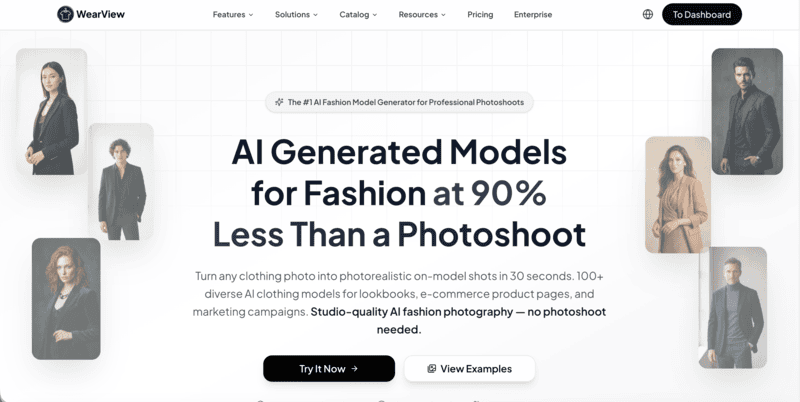
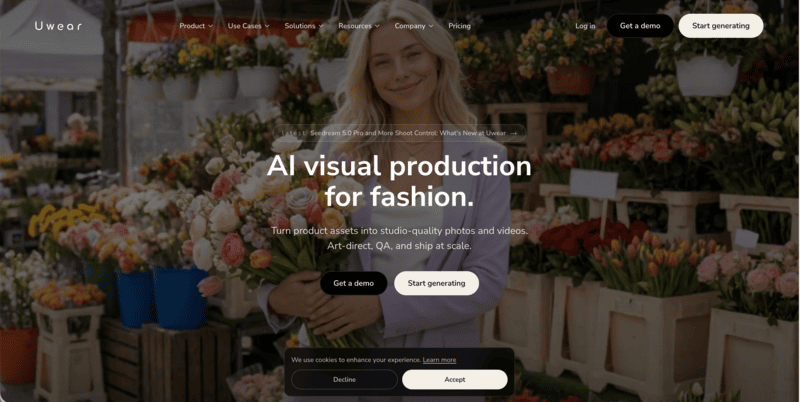
WearView is an AI fashion photography platform designed for e-commerce brands to generate on-model product imagery from flat-lays, ghost mannequin shots, and packshots. Its core capability is converting garment images into on-model visuals with AI-generated models, enabling brands to create scalable fashion photography content without traditional photoshoots.

However, WearView is less suited for end-to-end product editing workflows such as catalog-ready product images, standardized white-background listing images, and high-volume SKU image variants commonly required in fashion e-commerce operations.

Why Users Are Exploring WearView Alternatives

WearView covers a solid range of AI fashion photography tools, but several recurring reasons lead brands to explore alternatives:

  • No design tools. WearView focuses entirely on photography output — it does not offer sketch-to-render, recolor, fabric application, or outfit generation. Brands that need both design ideation and photography generation must use separate platforms.
  • No ghost mannequin tool on the entry plan. Ghost mannequin functionality is only available from the Pro plan ($49/month) upward, which can be a barrier for smaller brands.
  • Credit limits can feel tight for large catalogs. At HD resolution, the Lite plan yields roughly 25 images per month on 50 credits. High-volume sellers processing hundreds of SKUs may find the credit model restrictive.
  • Limited batch processing at scale. WearView does not emphasize enterprise batch workflows or API-first integration, which matters for teams building automated pipelines.
  • The pricing tiers are quite steep. The jump from $29 (Lite) to $49 (Pro) is significant, especially for features like video and ghost mannequin, which some brands may need from day one.

Best WearView Alternatives: A Brief Overview

  • Fashion Diffusion — Best Overall for AI Fashion Photography
    Combines AI fashion design, AI photography, and video generation in a single workflow. Built for fashion brands and designers. Starting at $12/month.
  • FASHN AI — Best for Virtual Try-On Quality and API Integration
    Delivers some of the most accurate virtual try-on results on the market, with strong fabric-detail preservation and a developer-friendly API for custom integrations.
  • Botika — Best for High-Volume E-Commerce Model Photography
    Converts flat-lay and mannequin photos into professional model imagery at scale, backed by a unique human retouching service for additional quality assurance.
  • Style3D.ai — Best for Multi-Category Try-On and Ecommerce Content
    Supports virtual try-on across apparel, shoes, bags, and accessories, making it a versatile choice for marketplace sellers and multi-category ecommerce brands.
  • Modelia — Best for Consistent Model Identity and Catalog Production
    Features Consistent Character technology that maintains the same AI model across large product catalogs, helping brands create cohesive storefront imagery.

Quick overview:

ToolKey StrengthStarting PriceBest For
Fashion DiffusionBroadest feature set: photography + full design suite$12/monthBrands needing design + photography in one platform
FASHN AIBest-in-class virtual try-on accuracy + developer API$19/monthE-commerce teams & developers needing API integration
BotikaHigh-quality on-model imagery with built-in retouching$33/month (annual)Mid-to-large brands with high SKU volume
Style3D.aiMulti-category try-on + ecommerce visual content suite$8.9/monthEcommerce sellers needing broad product category coverage
ModeliaConsistent model identity across large catalogsFree / $35/monthScaling brands and catalog-heavy retailers

How WearView Compares to the Top Alternatives

The table below compares feature availability across WearView and its five alternatives. “Yes” indicates the feature is available. “Limited” indicates partial functionality. “No” indicates the feature is not available.

FeatureWearViewFashion DiffusionFASHN AIBotikaStyle3D.aiModelia
Virtual Try-OnYesYesYes (flagship)NoYesYes
AI Model CreationYesYesYesNoNoYes
Product-to-ModelYesYesYesYesYesYes
Flatlay-to-ModelYesYesYesYesYesYes
Ghost Mannequin to ModelYesYesYesYesNoYes
Consistent ModelsYesYesYes (Face Ref.)YesNoYes (Character)
Ghost Mannequin EffectYes (Pro+)YesNoNoNoNo
AI Model SwapYesYesYesNoYesYes
Pose ControlYesYesLimitedNoYesYes (Repose)
AI Video GenerationYes (720p/1080p)Yes (1080p, all plans)Yes (720p–1080p)Yes (Pro+)YesYes
Background RemovalNoYesYesNoYesYes
Image UpscalingNoYes (4K)Yes (4K)Yes (4K, Advanced)Yes (8K)Yes (4K)
Batch ProcessingNoLimitedYesYesNoYes (Basic+)
Output ResolutionHD / 2K / 4KUp to 4KUp to 4KHD / 2K / 4KUp to 8KUp to 4K
Design ToolsNoYes (full suite)NoNoYesLimited
Team CollaborationYes (Pro: 5, Adv: 15)NoYes (all plans)Yes (Advanced+)NoYes (Pro: unlimited)
API AccessNo (enterprise)NoYes (separate)No (enterprise)NoYes (Basic+)
Starting Price$29/month$12/month$19/month$33/month (annual)$8.9/monthFree / $35/month

WearView Alternative Reviews

1. Fashion Diffusion — Best Overall for AI Fashion Photography

Fashion Diffusion is an AI-powered fashion design and photography platform built for fashion brands, designers, and creative teams. Unlike WearView, which focuses primarily on photography, Fashion Diffusion spans the broader creative workflow, from design ideation and sketch rendering to on-model photography and AI video. It is one of the few alternatives on this list that combines a design suite with an AI photography workflow in a single subscription.

Fashion Diffusion AI platform combining fashion design tools, AI fashion photography generation and fashion video generation

Key Features

  • Photography: Virtual try-on, on-model, flat lay, and background variations
  • Model Generator: Create AI fashion models with control over appearance, body type, and poses
  • Design Tools: outfit generation, sketch-to-render, restyle, recolor, and pattern design
  • Video: AI Fashion Video (1080p) included on all plans

Best Use Cases

  • Fashion brands and D2C labels that need design prototyping and commercial photography from a single platform.
  • Designers who want to turn sketches into rendered fashion visuals and generate on-model photography without switching tools.
  • Teams creating editorial and campaign content who need creative flexibility — recolor, fabric application, style exploration — alongside catalog photography.
  • Agencies managing multiple fashion clients who need a wide toolset on a single subscription.

Pricing

  • Starter: $12/month — 50 credits, all AI tools, 4K upscaling, AI video at 1080p.
  • Creator: $29/month — 160 credits, all tools, 4K generation.
  • Pro: $59/month — 380 credits, all tools.
  • Studio: $199/month — 1,400 credits. Annual billing saves 2 months on all plans.

Pros

  • Fashion-specific AI trained on fashion imagery — not generic image generation.
  • A broad feature set combining both AI photography and design tools within a single platform.
  • AI video (1080p) included on all plans, including the $12 Starter.
  • 4K image generation and upscaling on all plans.
  • Provides a low-cost entry point at $12/month with a relatively broad set of tools.

Cons

  • No dedicated managed retouching service (human-reviewed image fixes).
  • Team collaboration not prominently featured in public plan details.

2. FASHN AI — Best for Virtual Try-On Quality and API Integration

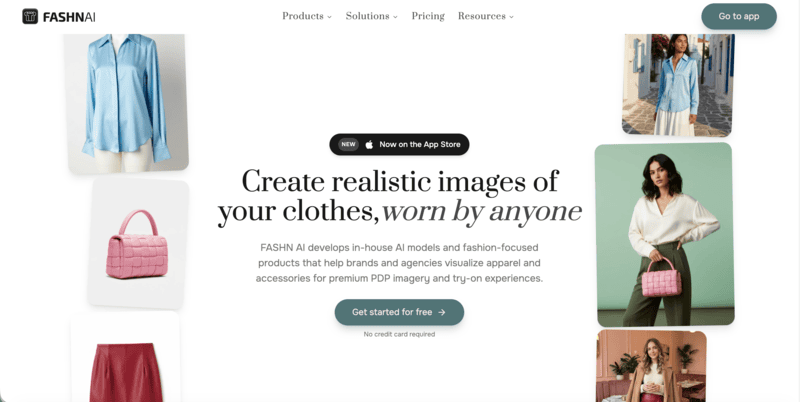
FASHN AI is an AI-first fashion platform built on best-in-class virtual try-on accuracy. Its Try-On Studio generates realistic on-model images that preserve fabric drape, garment prints, and fine textile details at up to 4K resolution. Beyond try-on, FASHN AI covers product-to-model, model creation, model swap, background removal, and AI video generation.

Among AI fashion tools, it stands out for its developer-focused infrastructure, including a full REST API and SDKs for TypeScript and Python. This allows fashion brands to embed virtual try-on and on-model photography into their existing workflows and storefronts. For a full comparison, see what we covered earlier about Fashn AI alternatives.

FASHN AI homepage showing virtual try-on technology and developer API for AI fashion image generation and ecommerce integration

Key Features

  • Virtual Try-On: Available for flat-lay, ghost mannequin, and on-model garment inputs.
  • Product-to-Model: Transform flat product photos into realistic on-model shots with customizable model appearance, pose, and background.
  • Model Creation & Consistent Identity: Generate diverse AI fashion models from prompts or reference images; Face Reference feature maintains consistent model identity across outputs.
  • Model Swap: Swap models in existing photos while preserving garments, poses, and backgrounds.
  • AI Video: Generate short fashion videos from static images at 720p (Basic) or 1080p (Pro+).
  • API: Comprehensive REST API with documentation, SDKs, and usage dashboard for developer integration.
  • iOS App: All tools accessible through a mobile chat-based interface.

Best Use Cases

  • E-commerce brands that need the highest-quality virtual try-on for shopper-facing product pages.
  • Development teams building fashion AI features — virtual try-on, model generation — into their own apps or platforms via API.
  • Fashion brands that want to run model swap at scale to refresh existing catalog photos without new shoots.
  • Teams that need organization management with shared credits across multiple users.

Pricing

  • Basic: $19/month — 200 credits, all core AI tools, up to 4K, AI video 720p, 2 team members.
  • Pro: $49/month — 750 credits + 50 daily credits, 1080p video, 5 team members, priority support.
  • Agency: $99/month — 1,500 credits + 100 daily credits, custom face references, 10 team members.
  • Agency 2×: $199/month — 3,000 credits + 200 daily credits. Annual plans: 10 months billed. Top-ups at $0.10/credit.

Pros

  • Delivers high-quality virtual try-on results with strong garment detail preservation.
  • Most comprehensive developer API of any tool on this list.
  • Team collaboration included on all plans.
  • iOS app for mobile-first workflows.
  • Daily credits on Pro/Agency plans reduce month-end credit anxiety.

Cons

  • No design tools.
  • No ghost mannequin effect tool — WearView and Fashion Diffusion cover this.
  • No free tier; the Basic plan at $19/month is the lowest entry point.

3. Botika — Best for High-Volume E-Commerce Model Photography

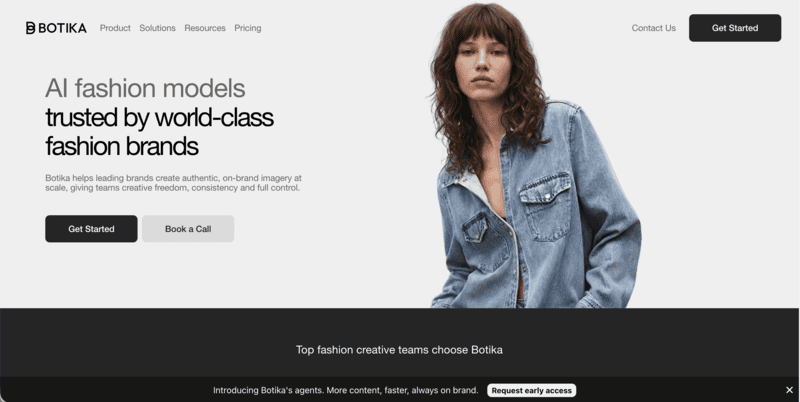
Botika is an AI fashion photography platform purpose-built for e-commerce brands that need large volumes of on-model images efficiently. Its workflow transforms flat-lay, mannequin, or product photos into professional model imagery using a diverse AI model library across ethnicities, body types, and ages.

A key differentiator is Botika’s built-in retouching service: on Pro and Advanced plans, Botika’s team will review and fix generated images that do not meet quality standards within 48 hours (Pro) or 24 hours (Advanced), at no additional cost. This quality safety net is unique among the tools reviewed here. For a full comparison, see our guide to Botika alternatives.

Botika AI fashion photography homepage showcasing on-model image generation and automated product photo enhancement for ecommerce brands

Key Features

  • On-Model Generation: Transform flat-lay, mannequin, or packshot images into on-model photos using diverse AI models.
  • Diverse Model Library: Full library of AI models across ethnicities, body types, and ages — full access on Pro and Advanced plans.
  • AI Video: Generate short motion clips from model images on the Pro plan and above.
  • Built-in Retouching: Human-assisted photo fixing on Pro (2 rounds, 48h) and Advanced (3 rounds, 24h) plans.
  • Team Collaboration: Available on the Advanced plan.
  • Shopify App: Native integration for direct catalog management.

Best Use Cases

  • Mid-to-large e-commerce brands with high SKU counts that need consistent, professional model imagery at volume.
  • Brands that value human-reviewed output quality and want a retouching safety net built into their plan.
  • Brands focused on model diversity for inclusive product presentation.
  • Shopify-native brands looking for seamless catalog integration.

Pricing (Monthly Billing)

  • Lite: $22/month — Limited selection of AI models and backgrounds
  • Pro: $35/month — all models, all backgrounds, 2K resolution, video
  • Advanced: $230/month — 4K resolution, team collaboration, custom background colors
  • Enterprise: Custom pricing

Pros

  • Excellent on-model image quality with one of the widest AI model libraries.
  • Unique built-in retouching service for quality assurance — not available on any other tool reviewed here.
  • Unlimited credit rollover while subscribed.

Cons

  • No AI design tools.
  • 4K resolution only on the highest consumer plan.
  • Custom model creation from text prompts not supported.

4. Style3D.ai — Best for Multi-Category Try-On and Ecommerce Visual Content

Style3D AI is an ecommerce-focused fashion photography platform built for marketplace sellers, Shopify brands, TikTok Shop teams, and solo online sellers. It stands out for its breadth of product category coverage — virtual try-on extends beyond garments to shoes, bags, and hats, making it well-suited for fashion retailers with diverse catalog needs.

The platform also includes a full image toolbox with background removal and upscaling up to 8K, plus fashion design tools for sketch-to-design, colorways, and print generation — positioning it as a broad ecommerce visual content solution rather than a photography-only tool.

Key Features

  • Model Photography: Virtual Garment Try-On, Virtual Shoe Try-On, Virtual Bag Try-On, Virtual Hat Try-On, Change Model & BG, Change Pose, Model Variations, Outfit Try-On, Generate Views.
  • Product Photography: Garment to Flat Lay, Flat to 3D, Garment Detail Shots, Fabric Try-On.
  • Video: Image to Video (static fashion images to short product display videos), Reference to Video (smoother model videos with stable motion).
  • Image Toolbox: Background Remover, Image Upscaler (up to 8K), Photo Enhancer, Garment Retouching, Object Remover, Inpainting, Expand Image.
  • Fashion Design Tools: Text to Design, Sketch to Design, Extract Technical Drawing, Design Variations, Change Colors, AI Print Generator.

Best Use Cases

  • Multi-category fashion ecommerce sellers managing catalogs that include garments, footwear, bags, and accessories — needing try-on imagery for all product types in one platform.
  • Marketplace brands (Amazon, Shopify, TikTok Shop) needing fast, listing-ready visual content without a studio.
  • Sellers wanting high-resolution output (up to 8K) at an entry-level price point.
  • Brands needing basic design iteration tools — colorways, sketch visualization, print generation — alongside product photography.

Pricing

  • Basic: $8.9/month (regular $12, 25% off) — 300 credits, ~300 images, generate 2 images/videos at once, rollover credits.
  • Advanced: $53.9/month (regular $80, 32% off) — 2,000 credits, ~2,000 images, generate 4 images/videos at once, rollover credits, all VIP features.

Pros

  • Most affordable entry point on this list at $8.9/month for 300 credits.
  • Broadest product category try-on coverage: garments, shoes, bags, and hats in a single subscription.
  • Image upscaling up to 8K.
  • Includes fashion design tools (sketch to design, colorways, print generation).
  • Rollover credits on both plans.

Cons

  • No API access or team collaboration features.
  • No ghost mannequin effect or consistent model identity tool.
  • Batch processing limited — 2–4 images at once rather than a full bulk pipeline.
  • No built-in retouching service.

5. Modelia — Best for Consistent Model Identity and Catalog Production

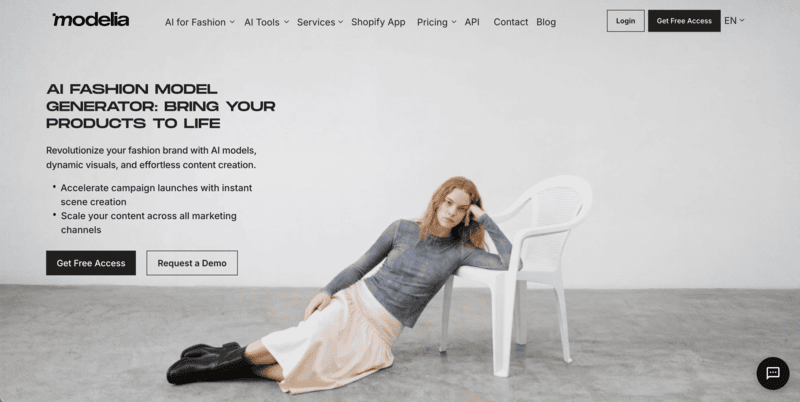
Modelia is an all-in-one AI fashion visual platform covering the full product imagery workflow — from flat-lay and mannequin images through to on-model photos, video, and accessory styling. Its standout capability is the Consistent Character feature, which generates the same AI model across multiple garments, poses, and backgrounds for a unified catalog aesthetic.

API access and batch generation are available from the Basic plan, making it practical for scaling brands building automated content pipelines. A free Starter plan includes access to all tools, making it the lowest-risk option to test with real products.

Key Features

  • Flatlay-to-Model, Mannequin-to-Model, Model-to-Model: Full conversion workflow from any garment source to on-model imagery.
  • Virtual Try-On: Apply garments to specific model photos with realistic fit rendering.
  • Consistent Character: Generate and reuse the same AI model identity across entire catalogs — up to 1 (Project), 3 (Basic), 6 (Pro), or unlimited (Business).
  • Repose: Change model poses in existing photos.
  • Outfit Generator & Smart Styler: Create full outfit combinations with AI accessory styling.
  • AI Video Generator: Create 5-second or 10-second fashion videos from static images.
  • Batch Generation & API Access: Available from the Basic plan for workflow automation.
  • Upscaler: Up to 4K image exports on all paid plans.

Best Use Cases

  • Scaling e-commerce brands that need consistent model identity across large product catalogs.
  • Retailers managing seasonal collections who want to build a signature AI model and use it across hundreds of images.
  • Teams that need batch processing and API access without enterprise-level pricing.
  • Brands looking for a free entry point to test AI fashion photography before committing to a paid plan.

Pricing

  • Starter: Free — 20 credits/month, all tools, watermarked, non-commercial.
  • Project: $12 one-time — 50 credits, commercial rights, 4K exports, 1 consistent character.
  • Basic: $35/month — 250 credits, rollover, commercial rights, 3 consistent characters, batch, API, 4K.
  • Pro: $85/month — 750 credits, 6 consistent characters, unlimited team seats, API.
  • Business: $300/month — 3,000 credits, unlimited consistent characters. Annual billing saves 20%.

Pros

  • Maintains consistent model appearance across multiple outputs.
  • Free tier with access to all tools — lowest barrier to entry.
  • API and batch generation from the $35/month plan.
  • Broad feature coverage: photography, video, pose control, accessory styling.
  • Unlimited team seats on the Pro plan.

Cons

  • Free tier images include watermarks and are non-commercial — paid plan required for brand use.
  • No design tools (sketch-to-render, recolor, outfit generation from text).
  • No ghost mannequin effect.
  • Video generation is credit-intensive (25 credits for a 5-second video).

Which Fashion AI Tools Should You Use?

For Fashion Brands That Need Design and Photography in One Platform

Choose Fashion Diffusion if you want to go from concept creation to production-ready visuals in a single workflow. It combines AI fashion design, AI photography, and video generation in one platform.

For Ecommerce Teams Focused on Virtual Try-On

Choose FASHN AI or Fashion Diffusion for realistic virtual try-on results, or Style3D.ai if you need virtual try-on across apparel, footwear, bags, and accessories.

For High-Volume Product Image Production

Choose Botika if your priority is generating large volumes of professional on-model images with an added layer of human quality assurance.

For Brands Building a Consistent AI Model Identity

Choose Modelia if you want the same AI model to appear consistently across an entire catalog, campaign, or seasonal collection.

The Future of WearView Alternatives in Fashion

AI fashion visuals are evolving toward higher realism, multi-category try-on, and video-first content, with AR and real-time personalization emerging as the next frontier.

Reuters reports that online fashion retailers such as Zalando are already using AI-generated product imagery and virtual try-on to improve efficiency, reduce costs, and increase conversion through more accurate sizing.

For brands navigating this shift, the right solution depends on catalog size and creative needs. Fashion Diffusion is one such option, combining fashion photography, a creative design suite, and AI video generation.

Try the free trial →

FAQ

What is the best alternative to WearView for fashion brands?

Fashion Diffusion serves as a versatile alternative to WearView, combining AI fashion photography with a design suite starting at $12/month. For teams prioritizing specific needs, FASHN AI focuses on virtual try-on accuracy, while Modelia is often used for scalable and consistent AI model generation.

WearView vs Fashion Diffusion: Which is better for fashion?

Fashion Diffusion is a strong fit for teams that want an integrated workflow for both design and AI photography. Compared to WearView’s focus on AI on-model imagery, it expands into design tools and features like ghost mannequin and pose control for more complete fashion content creation.

Can WearView be used for fashion design?

No. WearView is a photography-only platform and does not include fashion design capabilities. Fashion Diffusion combines both design and photography. Its design tools cover concept development such as sketch-to-render and AI outfit generation. It also includes material editing tools like fabric application and recoloring, as well as print-focused features such as seamless pattern creation and pattern extraction.

Is WearView free?

No. WearView is not fully free. It offers a 10-credit trial after sign-up, but there is no permanent free plan. For users looking for ongoing free access, Modelia provides a Starter plan with 20 monthly credits, though outputs are watermarked and limited to non-commercial use. Fashion Diffusion and FASHN AI also includes complimentary credits for new users.

Which WearView alternative has the best pricing?

Style3D AI offers the lowest entry at $8.9/month. Fashion Diffusion at $12/month delivers better value if you need design tools alongside photography. Modelia offers a permanently free Starter plan for non-commercial testing.

Avatar photo 通过Ethan Davis

7 Best Free AI Recolor Tools for Fashion and E-Commerce (2026)

Just a few years ago, changing a single product’s color required 20 minutes of manual masking in Photoshop. Today, the latest AI Recolor tools complete the same task in seconds, often with a single click.

This technology has rapidly evolved from a designer’s convenience to an industry standard. Whether it’s individual creators perfecting portraits or fashion brands generating endless product variations, AI recolor now powers faster, cheaper, and more creative visual production.

As AI transforms design and image editing, several free AI recolor tools now make professional-grade recoloring available to everyone. Let’s explore the top AI color changers online shaping this trend in 2025.

AI Recolor: Fashion Diffusion

Quick Comparison: Best AI Recolor Tools for Clothes

The best free AI recolor tools for clothes in 2026 are Fashion Diffusion (best for fashion brands and e-commerce), Pixelcut (best for instant color swaps), and AIEASE (best for portrait and hair recoloring). All three offer free access with no credit card required. For high-volume, production-ready apparel recoloring, Fashion Diffusion leads on fabric accuracy and output quality.

ToolBest ForRecolor QualityFree Access
Fashion DiffusionFashion brands & e-commerceExcellentFree trial
PixelcutInstant clothing color swapsGoodFree (limited)
AIEASEPortrait & hair recoloringGoodFree (limited)
FotorQuick, low-fidelity swapsFairFree (limited)
LimeWirePrompt-based recoloringLowFree
Media.ioPhoto restoration & colorizingFair3-day free trial
VheerHigh-volume, low-fidelity editsFairFree for personal use

What Makes a Good AI Recolor Tool for Clothes

A good AI recolor tool for clothes is one that accurately changes a garment’s color while preserving the original fabric texture, lighting conditions, and material properties — without requiring manual masking or Photoshop skills. General-purpose image editors often handle solid objects well but struggle with fabric folds, layered garments, and the nuanced way light interacts with textile surfaces. According to G2’s AI image editing category data, the most-cited user complaints for recolor tools are texture flattening (the output looks painted rather than fabric) and edge bleed (color spills into the background or adjacent garment areas). When evaluating a tool for clothing recolor specifically, four things matter:

  • Fabric texture preservation — Does the recolored output still look like the original material (cotton, silk, denim), or does it flatten to a uniform tone?
  • Edge accuracy — How cleanly does the AI isolate the garment from the background, especially around fine details like lace, hair, or loose threads?
  • Output resolution — Is the free-tier output usable for product listings, or watermarked and low-res?
  • Speed at scale — Can it handle a full catalog efficiently, or does it slow down with complex images?

1. Fashion Diffusion — Best AI Recolor Tool for Fashion and E-Commerce

Best for: Fashion brands, designers, and e-commerce sellers who need accurate, high-volume apparel recoloring.

Fashion Diffusion is an AI recolor tool built specifically for fashion and e-commerce workflows, trained on large apparel datasets to preserve fabric texture, lighting, and material properties through color changes. Unlike general image editors, it recognizes fabric structures — the sheen of silk, the matte finish of cotton, the stretch of knit — and maintains them accurately in the recolored output.

The workflow is straightforward: open Fashion Diffusion’s Recolor tool, select the garment area using AI auto-detection or the manual brush, choose a color from the palette or enter a HEX code, and generate. Output is watermark-free and ready for product pages or social media.

Fashion Diffusion AI recolor tool interface showing image color changer UI for fashion garments

Strengths

  • Trained on fashion-specific datasets — handles fabric folds, texture, and garment edges better than general-purpose tools
  • Produces watermark-free, high-resolution output on the free trial
  • Part of a full fashion design workflow: pair Recolor with Apply Fabric to test specific fabric swatches, or Virtual Try On to see the recolored garment on a model

Limitations

  • Free trial has usage limits; high-volume catalog work requires a paid plan
  • Optimized for fashion — less suited to non-apparel image editing

2. Pixelcut — Best for Instant Clothing Color Changes

Best for: E-commerce product shots and quick individual color swaps.

Pixelcut is an AI-powered creative platform that automatically detects multiple objects in a single image and recolors them independently — without manual selection. Useful when a product shot contains multiple garments or accessories that each need separate treatment.

AI Recolor: Pixelcut

Strengths

  • Automatically identify and recolor multiple objects within a single image — useful for product shots with multiple garments or accessories
  • Works on both phone and desktop, supports batch processing across multiple photos
  • Clean interface with minimal learning curve; widely used by eBay and Etsy sellers

Limitations

  • Free plan limits output resolution — insufficient for professional print or high-res marketplace requirements
  • Only works with static images — no AI video generation or animated product showcases
  • Commercial use requires a Pro upgrade; check terms before publishing free-tier output

3. AIEASE — Best for Portrait and Hair Recoloring

Best for: Portrait photographers and users who frequently recolor hair or personal styling.

AIEASE is an all-in-one AI image editing platform that offers a hybrid recolor control system — preset object categories (Hair, Top, Dress) for quick edits, or text prompts for more specific changes. Its object detection handles smooth edges and natural color blending well, particularly for portrait photography.

AIEASE

Strengths

  • Preset object categories (Hair, Top, Dress) make common recolor tasks fast with no setup
  • Free tier includes watermark-free downloads and is rated legitimate with a high trust score on ScamAdviser
  • Covers a wide range of editing tasks beyond recolor — useful as an all-in-one editing suite

Limitations

  • Recoloring struggles with complex shading or layered materials, per independent technical analysis — works well when boundaries are clear, less so for textured or multi-layer garments
  • Free tier downloads are capped at 1064 × 682px — too low for most e-commerce listing requirements

• Users report occasional slow processing and errors, particularly during peak usage; requires a stable internet connection with no offline mode (Firmsuggest user reviews)

4. Fotor — Best for Quick, Low-Fidelity Color Swaps

Best for: Casual users who need a fast color preview and don’t require photorealistic output.

Fotor is an online photo editing platform that combines traditional HSL controls (Hue, Saturation, Lightness) with an AI Replacer feature accepting text prompts for color changes. The dual approach gives flexibility, though AI output can look flat compared to specialized fashion tools.

AI Recolor: Fotor

Strengths

  • Combines HSL manual controls with AI text prompt recoloring — useful for users who want both quick AI edits and manual fine-tuning
  • No account required for basic use; straightforward interface with no learning curve
  • Good for photo restoration and colorization of old or faded images alongside recolor tasks

Limitations

  • Credit system is a recurring user complaint: credits are consumed even for unsatisfactory results, and the rules for credit consumption are unclear, per Capterra and Software Advice reviews
  • AI recolor output can look “artificially flat” — one independent 2026 review describes Fotor as occupying “an awkward middle ground: too limited for serious photo work”
  • High-resolution downloads and advanced AI features require a Pro subscription ($10.99/month).

5. LimeWire — Best for Prompt-Based Recoloring

Best for: Users comfortable writing text prompts who need quick, object-specific color replacement.

LimeWire is a file-sharing and AI editing platform whose recolor function is entirely prompt-driven — users describe the color change they want in text, and the AI applies it. Each operation costs 6 credits; new users start with 60, giving approximately 10 free recolor operations.

AI Recolor: LimeWire

Strengths

  • Handles a wide range of file formats; supports large file sizes up to 200GB on paid plans
  • Free tier provides 60 credits — enough to test the tool meaningfully before committing
  • Simple drag-and-drop interface; most users find it easy after a short learning period

Limitations

  • Multiple Capterra and Software Advice reviewers describe the product as “feels cobbled-together” — the combination of file sharing, AI tools, and a token system creates an unclear identity
  • UI can be laggy or crashy on browser-heavy tasks, per user reports
  • The AI recolor function is an add-on to a file-sharing platform, not a purpose-built tool. Output quality is noticeably lower than dedicated recolor tools

6. Media.io — Best for Photo Restoration and Colorizing

Best for: Restoring old or faded photos, not precision apparel recoloring.

Media.io is a general media processing suite offering AI tools for video, image, and audio editing, with its recolor strength focused on one-click restoration of old or black-and-white photos rather than precise garment color-swapping. As a dedicated clothing recolor tool, it’s weaker than the specialized options above.

Media.io

Strengths

  • Excellent for restoring old, faded, or black-and-white photos with AI colorization
  • Broad media suite covers many editing tasks beyond recolor

Limitations

  • Free exports include a watermark
  • Dedicated recolor function is less precise than fashion-focused tools
  • Not built for e-commerce apparel workflows

7. Vheer — Best for High-Volume, Low-Fidelity Recolor

Best for: Users who need unlimited access to recoloring and can accept lower output quality.

Vheer is an AI image editing platform that offers unlimited recolor operations on its free plan, with quality restrictions rather than usage caps. It’s practical for generating many quick color previews, but output resolution isn’t suitable for professional product listings or client deliverables.

AI Recolor: Vheer

Strengths

  • Genuinely unlimited free image generation with no watermark — rare in this category
  • No signup required; workspace is ad-free, which gives it a more professional feel than many free tools
  • Added a Flux Kontext Editor in late 2025 for color changes, style transfer, and object replacement

Limitations

  • Independent testing in 2026 found that the tool struggles with hyper-realistic anatomy and complex shading, while performing better with artistic styles than photorealistic garment recoloring
  • Output quality is inconsistent: some results look polished, others show visible glitches, and “some prompts require refinement” for acceptable results
  • Not purpose-built for fashion or e-commerce recoloring; better suited to creative experimentation than professional catalog use

Which AI Recolor Tool Should You Use?

The right tool depends on what you’re producing and at what volume. With global e-commerce apparel sales projected to exceed $1 trillion by 2027 (Statista), the ability to show products in multiple colorways quickly has become a practical competitive requirement, not a nice-to-have.

For fashion brands and e-commerce sellers who need accurate, watermark-free, production-ready images: Fashion Diffusion is the clear choice. Its fashion-specific training produces results that other general-purpose tools can’t match for apparel, and the free trial lets you test the output quality before committing.

For individual creators doing occasional portrait or lifestyle recoloring: AIEASE or Pixelcut cover most use cases at no cost, as long as you stay within their daily limits.

For quick internal previews where output quality doesn’t matter: Vheer’s unlimited free access makes it practical for rapid iteration before moving to a higher-quality tool for final output.

For photo restoration rather than fashion recolor: Media.io handles colorizing old or faded photos better than any other tool on this list.

Start Recoloring Your Fashion Products with AI

Testing colorways digitally eliminates the cost and time of physical samples. One garment photo can become a complete range of color options — ready for product pages, social media, or a buyer presentation — in minutes.

Try Fashion Diffusion’s AI Recolor tool free →

FAQ

What is the best free AI recolor tool for clothes in 2026?

Fashion Diffusion leads for fashion and e-commerce use — it’s trained specifically on apparel images, preserves fabric texture accurately, and produces watermark-free output on the free trial. For portrait and casual recoloring, AIEASE and Pixelcut are strong free alternatives within their daily limits.

Can AI recolor tools handle multiple clothing items in one image?

Yes. Pixelcut and AIEASE both automatically detect multiple objects in a single image. Fashion Diffusion also supports manual brush selection to isolate specific garments in complex shots.

Is AI recolor better than Photoshop for clothing color changes?

For speed and ease, yes. AI recolor tools automate the masking and color replacement process that takes 15–30 minutes manually in Photoshop. They preserve fabric texture and lighting automatically. For very precise adjustments requiring fine manual control, Photoshop still offers more granular editing options.

Are AI-recolored clothing images suitable for Amazon or Shopify?

Yes, provided the output accurately represents the actual product color and meets platform image quality requirements. Fashion Diffusion produces high-resolution, watermark-free output on its free trial that meets standard marketplace requirements.

How does Fashion Diffusion’s Recolor work?

Upload your garment image, use AI auto-detection or the manual brush to select the clothing area you want to recolor, choose a color from the palette or enter a HEX code, and click Generate. Output is ready within seconds — no Photoshop skills required.

Can I use free AI recolor tools for commercial purposes?

It depends on the tool. Fashion Diffusion’s free trial output is commercial-use ready. Pixelcut’s free plan explicitly restricts commercial use — a Pro upgrade is required. Always check each platform’s terms before using free-tier output in commercial contexts.

Do AI recolor tools work on all fabric types?

Specialized fashion tools like Fashion Diffusion handle a wide range of fabric types — cotton, silk, denim, knit, lace — with texture preserved through the color change. General-purpose tools tend to flatten fabric texture, which is more noticeable on textured or sheer materials.

Avatar photo 通过Sophia Mille

6 Best AI Fashion Video Generators for Ecommerce (Real Cost Per Clip Tested in 2026)

Your product photos are doing most of the work. Your competitors’ videos are doing the rest.

AI fashion video generators can turn any garment image into a publish-ready clip in minutes — no studio, no crew. But not every tool delivers what ecommerce actually needs: garment detail that holds under motion, formats that publish without reformatting, and licensing that covers paid ads.

We tested the 6 best AI fashion video generators against real ecommerce workflows — product pages, TikTok, catalog scale, and paid social — and scored each on garment fidelity, workflow fit, commercial licensing, and true cost per usable clip. Here is what actually works.

What to Look for in an AI Fashion Video Generator

Infographic showing six evaluation dimensions for AI fashion video generators: garment fidelity, input flexibility, output channel fit, workflow integration, licensing, and cost per asset
The six dimensions we used to evaluate every tool

Not all AI video tools are built for fashion ecommerce. These are the six dimensions that actually determine whether a tool fits your workflow.

  • Garment fidelity. Does garment detail — logos, prints, fabric texture — hold under motion? This is where fashion-specific tools consistently outperform general models.
  • Input flexibility. Can it accept flat-lays, on-model photos, and AI-generated renders? The wider the input range, the less upstream prep work required.
  • Output-to-channel fit. Does it natively support 1:1 for product pages and 9:16 for TikTok? Reformatting after generation adds friction and time.
  • Workflow integration. Can it process existing assets without a separate import step? For high-SKU brands, per-asset manual preparation is the real bottleneck.
  • Commercial licensing. Is the output cleared for paid ads and marketplace listings? Licensing terms vary significantly between tools and pricing tiers.
  • Cost per usable asset. Headline price divided by credits tells you little. What matters is how many publish-ready videos you actually get per month, after iteration.

We used these six dimensions to evaluate every tool below. Here is what we found.

Best AI Fashion Video Generators: A Quick Overview

We reviewed the most widely used tools on the market and selected six that are purpose-built — or genuinely proven — for fashion ecommerce video production.

ToolBest ForKey StrengthEcommerce FitVideo Generation PricingCost per clip(depends on plan)
Fashion DiffusionTeams with existing AI image workflowPrompt-Driven Motion ControlGarment-First Animation;Asset continuityExcellentFree trial; From $12/month ≈ $1.20–$1.40 
WearViewTemplate-driven catalog videoTemplate-based fashion video with flexible model and pose controlExcellentFrom $40/month≈ $1.5–$3.0 
ModeliaShopify brandsNative Shopify app — photo, video, and publish in one flowVery GoodFrom $12/month5s: $6 10s: $9–10  
Pic CopilotPaid social and TikTok ShopCommercial licensing; built-in musicVery GoodFrom $7.99/month≈ $0.056
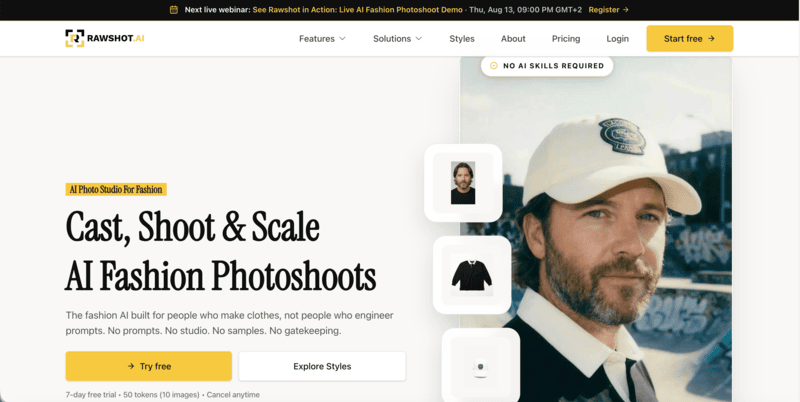
RAWSHOTAgencies and large catalogsClick-driven UI, C2PA compliant,team project managementVery GoodFrom $9/month$1.12 – $2.25  
Kling AI 3.0Cinematic lookbook and hero videoHigh-quality fabric motion and realistic texture rendering for cinematic-style fashion contentGoodFrom $6.99/month≈ $0.21 / clip (720p)

The 6 Best AI Fashion Video Generators for Ecommerce

1. Fashion Diffusion — Best for Teams With an Existing Model Image

Fashion Diffusion turns garment images into video using text prompts — no re-upload needed.

Fashion Diffusion is an AI fashion design and photography platform. Its AI fashion video feature animates any garment image into a publish-ready video using a short text prompt.

Upload a flat-lay, model shot, virtual try-on image. Describe the motion and camera style you want. The video is ready in minutes.

The key advantage: any image generated elsewhere in Fashion Diffusion feeds into the video step without re-uploading. Same session, no extra steps.

Key Features (Ecommerce Workflow)

  • Image-to-video from any garment input: flat-lay, model shot, or any AI-generated image
  • Prompt-driven motion control: describe camera style, motion type, and mood in plain text — runway stride, fabric reveal, lifestyle moment
  • Direct publish formats: product page (1:1, 4:3) and social (9:16) aspect ratios, high resolution, no reformatting needed
  • Session continuity: Integrated with Fashion Diffusion’s AI virtual try-on and Model generation
  • Multiple variations per session: different motion prompts on the same image produce different video outputs in one sitting

Pricing: Free trial available. Tiered plans for solo designers to brand teams. From $12.00/ month

Who it’s for: Ecommerce teams generating product imagery with AI who want video from the same assets. DTC brands managing catalog video at volume. Not for: long-form brand film.

gif image showing a garment animated as an AI fashion video using Fashion Diffusion
Fashion Diffusion AI-generated

Ecommerce Workflow Assessment

DimensionRatingWhat it means for your workflow
Garment fidelityStrongFabric texture and silhouette preserved; optimised for fashion inputs
Input flexibilityExcellentAll major garment image types accepted natively
Output-to-channel fitStrongProduct page and social formats supported; direct publish, no reformatting
Workflow integrationExcellentUnique on this list: own-platform assets feed in without export
Commercial licensingIncludedCommercial use covered on paid tiers
Cost per usable assetEfficientLow iteration rate when input quality is good; free trial available

2. WearView — Best for Template-Driven On-Model Video at Catalog Scale

WearView AI fashion video generator interface showing pre-built animation templates including walk cycle and pose transition options for ecommerce product video

WearView is a fashion ecommerce platform for AI model creation, virtual try-on, and video. Its video feature uses pre-built animation templates designed for garment presentation.

Choose a walk cycle, pose transition, or turn template. Generate a structured, repeatable video from your model image. Output is consistent across every SKU.

If you already use WearView for AI model photos, the video feature uses the same model — no identity mismatch between your stills and your videos.

Key Features (Ecommerce Workflow)

  • Fashion animation templates: walk cycles, pose transitions, and turns built for garment showcase — no random motion
  • Consistent model identity: same AI model appears in stills and video; visual coherence across your full catalog
  • Multiple aspect ratios: 1:1, 3:4, 4:3, 9:16, 16:9 — product page and social formats in one generation
  • Resolution options: 720p standard; 1080p on Pro and Advanced plans
  • Integrated workflow: connects to WearView’s model creation and virtual try-on — no asset export needed

Pricing: From $40/month for video generation (720p); $82/month for 1080p.

Who it’s for: Brands using WearView for AI model photography who want video from the same models. Teams that need visual consistency across stills and video at catalog scale.

Not for: free-form motion control or brands outside the WearView ecosystem.

Ecommerce Workflow Assessment

DimensionRatingWhat it means for your workflow
Garment fidelityStrongTemplate-controlled motion keeps garment detail stable
Input flexibilityStrongWorks from WearView models or imported on-model photos
Output-to-channel fitStrongAll major aspect ratios built in; 720p and 1080p options
Workflow integrationStrongFully integrated with WearView model creation and try-on
Commercial licensingIncludedCommercial use covered
Cost per usable assetPlan-dependent10 credits (720p) or 20 credits (1080p) per video

3. Modelia — Best for Shopify Brands Combining Photo and Video in One Flow

Modelia AI fashion video generator showing garment image input and video output options with Shopify integration for ecommerce product publishing

Modelia is a Shopify-native fashion AI tool. Upload a garment image, generate an on-model photo, and animate it into a 5 or 10-second video.

The native Shopify app connects directly to your product listings. Generated stills and videos publish to your store without leaving the platform.

The AI model stays consistent between the photo and the video, so your product page imagery is visually coherent without any manual coordination.

Key Features (Ecommerce Workflow)

  • Flat-lay to on-model photo and video: full content generation from a single garment image
  • 5-second and 10-second clip options: practical lengths for product pages and social snippets
  • Native Shopify app: generated content publishes directly to product listings — no manual upload
  • Consistent character identity: same AI model in stills and video across the catalog
  • Pose variation and background options: additional content types from the same session

Pricing: Free plan available (non-commercial, watermarked). Paid plans from $35/month. One-time credit pack at $12 (50 credits)”. Video: 25 credits for 5 seconds, 40 credits for 10 seconds. Credits roll over on paid plans.

Who it’s for: Shopify brands that want AI model photography and video with direct store publishing in one workflow. Not for: non-Shopify stores, long-form video, or editorial-quality motion.

Ecommerce Workflow Assessment

DimensionRatingWhat it means for your workflow
Garment fidelityGoodFashion-trained; test complex prints before committing at scale
Input flexibilityGoodFlat-lay, mannequin, and on-model inputs accepted
Output-to-channel fitGood5s and 10s clips; Shopify-native publishing; social formats available
Workflow integrationExcellentBest Shopify integration on this list — photo, video, publish in one flow
Commercial licensingIncludedCommercial use covered on paid plans
Cost per usable assetMonitor usage25 credits (5s) or 40 credits (10s); plan credit limits apply

4. Pic Copilot — Best for Paid Social and TikTok Shop Campaigns

Pic Copilot Fashion Reels interface showing AI avatar selection, video template options, and built-in music for social commerce video generation

Pic Copilot‘s Fashion Reels feature turns garment photos into short-form video built for social commerce. AI avatars, licensed music, and commercial rights are included in the output.

It is optimised for TikTok Shop, Instagram Reels, and marketplace platforms. The output is ad-ready on download — no separate licensing or music rights step.

Key Features (Ecommerce Workflow)

  • Fashion Reels: garment photos to social-ready video with AI avatar models in one step
  • Built-in licensed music: music included in the output — no separate music rights management
  • Commercial licensing at output: among the clearest ad-use documentation of any tool on this list
  • Platform-optimised exports: TikTok, Instagram Reels, and YouTube Shorts formats natively
  • Credit refund policy: Pcoins refunded for low-quality results — reduces wasted spend on testing

Pricing: Free plan with basic tools. Video generation starts from $7.99/month. 7-day free trial on paid plans.

Who it’s for: Brands running paid social and TikTok Shop campaigns who need commercially licensed video without a separate rights step. Not for: product page video or multi-platform workflows beyond social commerce.

Ecommerce Workflow Assessment

DimensionRatingWhat it means for your workflow
Garment fidelityGoodSufficient for social commerce; less suited for product page close-ups
Input flexibilityGoodStandard garment photo inputs; AI avatar generation built in
Output-to-channel fitExcellentSocial-optimised exports natively; TikTok and Reels formats built in
Workflow integrationModerateStrong for social and marketplace; no Shopify or product page workflow
Commercial licensingExplicitStrongest commercial licensing clarity on this list
Cost per usable assetEfficientRefund policy on poor outputs; free plan for initial testing

5. RAWSHOT — Best for Agencies and High-Volume Catalog Production

RAWSHOT AI fashion video generator showing click-driven interface with dropdown controls for model selection, camera style, motion type, and aspect ratio — no text prompts required

RAWSHOT is a B2B fashion photography and video platform built for scale. Every creative variable — model, camera style, background, lighting, motion — is a UI control, not a text prompt.

This click-driven approach means no prompt engineering skill is required. Outputs are consistent across large catalogs because the same settings reproduce the same results.

Every output carries C2PA metadata — machine-readable provenance that satisfies EU AI Act labelling requirements coming into effect August 2026.

Key Features (Ecommerce Workflow)

  • Click-driven interface: model, camera, background, and motion selected from menus — no text prompts needed
  • 600-plus synthetic models: 28 configurable body attributes; 150-plus camera styles; 1,500-plus background templates
  • Video formats: 9:16, 1:1, 4:5, 16:9; 720p and 1080p; PDP and social formats in one session
  • Collaborative approval workflow: collaborative project and approval workspace
  • C2PA compliance: every output carries embedded provenance metadata for EU AI Act requirements (August 2026)

Pricing: From $9/month. 7-day free trial with 50 tokens.

Who it’s for: Agencies managing fashion clients and brands with 200-plus SKUs that need structured, team-based content production. Not for: solo operators who want free-form creative motion control.

Ecommerce Workflow Assessment

DimensionRatingWhat it means for your workflow
Garment fidelityStrongGenerate-from-scratch architecture preserves fabric drape and detail
Input flexibilityStrongStandard garment photos; all major input formats supported
Output-to-channel fitStrongAll major aspect ratios; PDP and social formats covered
Workflow integrationExcellentBatch processing, team approvals, and API — built for scale
Commercial licensingFull rightsFull commercial rights included; C2PA metadata for compliance
Cost per usable assetEfficient~$0.22 per second of video; pay for actual usage, not a fixed seat

6. Kling AI 3.0 — Best for Cinematic Lookbook and Hero Campaign Video

Kling AI 3.0 image-to-video interface showing garment photo upload, motion prompt input, and generated fashion video output with fabric movement

Kling AI 3.0 is a general-purpose video model that ranks among the top performers in AI video benchmarks. For fashion, its fabric physics are the strongest available — drape, fold, and flow under motion look physically real.

It supports both image-to-video and text-to-video. The Multi-Shot feature connects up to six shots with consistent lighting and character identity — useful for short fashion films.

It is not built for ecommerce workflows. There is no model management, no batch processing, and no format presets. Expect to iterate 2-3 times per clip to get a publish-ready result.

Key Features (Ecommerce Workflow)

  • Best-in-class fabric physics: drape, weight, and movement that reads as physically real — the quality gap versus fashion-specific tools is visible
  • Image-to-video and text-to-video: animate an existing product photo or generate a fashion scene from a description alone
  • Multi-Shot: up to six connected shots with consistent lighting and character identity — for short fashion films
  • Native audio generation: sound effects, ambient audio, and dialogue in one pass — useful for social campaign content
  • Character reference: upload up to four reference images to lock visual identity across multiple generations

Pricing: Free tier available for non-commercial use only. Standard plan: $6.99/month (1080p).

Who it’s for: Creative teams producing lookbook video or campaign hero content where motion quality justifies iteration cost. Not for: catalog-scale product video, high-volume social content, or teams without prompt experience.

Ecommerce Workflow Assessment

DimensionRatingWhat it means for your workflow
Garment fidelityBest-in-classStrongest fabric physics on this list; complex motion handled realistically
Input flexibilityStrongImage-to-video and text-to-video; character reference for consistency
Output-to-channel fitManualNo ecommerce format presets; aspect ratio set manually per generation
Workflow integrationLimitedNo batch, no fashion workflow; assets managed externally
Commercial licensingCoveredCommercial use included on Standard plan and above
Cost per usable assetHigh3 iterations of 10s at 1080p costs ~360 credits; Standard plan covers ~2 polished clips/month

How to Choose the Right Tool

 Every tool on this list works. The question is which one fits how your team actually operates. Match your situation below.

Your situationBest matchWhy
Already generating AI product imagesFashion DiffusionYour existing assets feed into video — no new workflow or re-upload
Need consistent on-model video across a catalogWearViewTemplate animations lock model identity across every SKU
On Shopify — want photo, video, and publish in one flowModeliaNative Shopify app connects content creation to your store directly
Running paid social or TikTok Shop campaignsPic CopilotCommercial licensing confirmed at output; music included
Agency or 200-plus SKU catalog productionRAWSHOTBatch workflow, team approvals, and C2PA compliance built in
Cinematic lookbook or hero campaign videoKling AI 3.0Strongest fabric physics on this list — worth the prompt investment
No prompt experience neededWearView or RAWSHOTBoth use templates or click-driven controls — no text prompts required

The Bottom Line

Use the comparison table and workflow assessments above to match your situation to the right tool.

If you are already generating product imagery with AI, using an ecommerce video content tool is the natural next step — same assets, no new workflow.


It helps e-commerce teams create and test visual content faster, while keeping product storytelling consistent across channels.

About Fashion Diffusion: Fashion Diffusion is an AI-powered fashion design and visual creation platform. It helps designers and brands create campaign-ready visuals 95% faster than traditional production.

Explore the AI fashion video feature →

FAQs

What is an AI fashion video generator?

An AI fashion video generator turns static garment images into short, publish-ready videos — no studio, no crew, no editing software. Upload a product photo, describe the motion or style you want, and the AI produces a clip ready for your product page, TikTok, Instagram Reels, or paid ads. Fashion-specific tools preserve fabric texture and garment detail in motion, making them more reliable for ecommerce than general-purpose AI video models.

Can AI fashion videos preserve logos and print patterns in motion?

Yes, but it depends on motion complexity and tool type. Prompt-driven tools like Fashion Diffusion and Kling give more creative range per asset — useful when motion variety matters more than pattern precision. Template-driven tools like WearView and click-driven tools like RAWSHOT constrain movement by design, making them the safer choice for logo-heavy and pattern-heavy SKUs. For any tool, always QA your most complex SKUs before publishing at scale.

What input type produces the best results?

Clean, well-lit on-model photos with simple backgrounds work best across all tools. Flat-lays perform well in fashion-specific tools like Fashion Diffusion, RAWSHOT, and Modelia. Ghost mannequin inputs can introduce animation artefacts — convert to on-model first if possible.

Are AI fashion videos cleared for paid advertising?

Commercial licensing is included on paid tiers for all six tools on this list. Pic Copilot provides the clearest documentation at the point of output. For all other tools, verify that your specific plan tier covers paid advertising before running any commercial placement.

How do I calculate the real cost of an AI fashion video?

Divide your monthly plan cost by the number of publish-ready videos you actually get, not the number of generations. Tools with consistent first-pass quality like Fashion Diffusion, WearView, and RAWSHOT waste fewer credits per usable output. Prompt-driven tools like Kling typically need 2-3 iterations per polished clip, which multiplies the effective cost. For token-based tools like RAWSHOT, cost per second of video ($0.22) gives you a more accurate budget figure than the monthly subscription price alone.

Does EU AI Act compliance matter for AI fashion video?

From August 2026, EU AI Act requirements include machine-readable labelling for AI-generated content. Of the six tools on this list, RAWSHOT is the only one that publicly documents C2PA implementation. Worth factoring in now if you sell into EU markets.

Avatar photo 通过Sophia Mille

AI Bikini Generator: How to Design and Visualize Swimwear Online with AI (2026)

Creating swimwear content used to mean booking a studio, flying in models, and waiting weeks for edited shots. Today, you can get design concepts, on-model photos, diverse body type variations, and campaign visuals — all from a browser, in minutes.

This guide covers the full AI bikini workflow using Fashion Diffusion: how to generate designs from scratch, visualize them on AI models, create product-ready photography, and turn images into video content.

What Is an AI Bikini Generator?

fashion diffusion AI bikini design generator screenshot

An AI bikini generator uses artificial intelligence to create swimwear visuals — either as original design concepts, or as on-model product photos from existing garment images.

Most tools only handle one of these. The distinction matters:

  • Design generators take a text prompt and produce bikini concepts: silhouette, fabric, color, and print. Useful for ideation and exploring new directions before sampling.
  • Photography generators take an existing garment photo (flat lay or mannequin) and place it on a realistic AI model. Used for product listing images and catalog photography.

Fashion Diffusion covers both. You can design a swimwear concept from a text prompt, then take it directly into Virtual Try-On to see it on a model — without switching tools.

How to Create Swimwear Designs with the AI Bikini Generator

Step 1: Generate a Bikini Design from a Text Prompt

Open the AI Bikini Generator and describe the swimwear you want. The AI produces a photorealistic design concept based on your description.

Your prompt should specify:

  • Silhouette: triangle bikini, bandeau top, one-piece, high-waist bottom, cut-out swimsuit
  • Fabric and texture: matte, metallic, ribbed knit, mesh, neoprene, sustainable recycled material
  • Color palette: specific colors, gradients, bold contrasts
  • Print or pattern: tropical, geometric, solid, tie-dye, abstract
  • Details: ring hardware, lace-up ties, ruching, underwire, adjustable straps
  • Styling direction: minimalist, resort, editorial, sport, vintage-inspired

Example prompts:

A halter bikini top with adjustable gold ring details and high-waist bottoms, in deep terracotta with ribbed texture. Resort-ready, clean studio background.

A structured bandeau bikini in glossy black with architectural boning and minimal hardware. Editorial fashion photography, soft studio lighting.

A sustainable one-piece in sage green recycled fabric, with asymmetric cut-out at the waist and wide straps. Minimalist luxury aesthetic.

A Brazilian-cut bikini with tropical watercolor print, string ties, and sarong wrap bottom. Lifestyle beach photography mood.

Generate multiple variations from the same prompt. Small changes — matte to metallic, string ties to clip hardware — produce meaningfully different designs.

AI generating multiple bikini design variations from text prompt
Fashion Diffusion AI-generated

Step 2: Refine Colors, Fabrics, and Patterns

Once you have a base design, iterate without starting over:

  • Recolor — Change the color palette while keeping the silhouette and fabric intact. Test the same cut in five colorways in minutes.
  • Apply Fabric — Upload a fabric swatch and apply it to your design to see how a specific print looks on the actual garment shape.
  • AI Inpainting — Edit specific areas: change strap style, adjust hardware, or modify the cut without regenerating the whole image.

Step 3: Put Your Bikini on an AI Model

When the design is ready, use Virtual Try-On to place it on a realistic AI model. Upload the design, select your model parameters, and generate. Fashion Diffusion renders the garment with accurate fabric behavior — drape, texture, print alignment, and strap placement.

For product listings, use a white or neutral background with a full-body shot. This meets format requirements for Amazon, Shopify, and most marketplaces.

For editorial and campaign content, use Change Background to place your model in a beach setting or poolside environment after generating the on-model shot.

Virtual try-on of orange bikini on realistic AI model
Fashion Diffusion AI-generated

Step 4: Show Your Swimwear on Diverse Body Types

AI model generation lets you show a design across different body types, skin tones, and sizes — without booking multiple models.

Using the AI Model Generator, specify:

  • Body type and size range
  • Skin tone and ethnicity
  • Hair style and length
  • Pose and framing (full body, waist up, detail crop)
  • Background and lighting

The bikini design stays consistent — same fabric, same print, same hardware — while the model changes. This is the most practical way to build a size-inclusive catalog without extra shoots.

Same bikini design shown on different body types and skin tones
Fashion Diffusion AI-generated

Step 5: Turn Your Swimwear Photos into Video Content

Static photos get you onto a marketplace listing. Video drives engagement on TikTok, Instagram Reels, and product pages.

Fashion Diffusion’s AI Fashion Video takes any bikini image — a flat lay, a model shot, a Virtual Try-On result — and animates it into a publish-ready video. No filming, no editing, no production team.

How it works:

  1. Upload your swimwear image (the on-model shot from Step 3 works directly)
  2. Describe the motion — fabric movement, camera style, scene direction
  3. Generate and publish

Prompt examples for swimwear video:

“Slow camera pan across the model, fabric rippling gently in a beach breeze, golden hour light, lifestyle mood”

“Model turns to show the back of the swimsuit, poolside setting, soft natural light”

“Close-up of fabric texture moving in wind, showcasing the print detail, white background”

The AI preserves garment detail — fabric texture, print, strap placement — through the motion. Customers can see how the swimwear moves and drapes, which static images can’t show.

One image can produce multiple video variations in a single session — different motions, different moods, different crops. A single bikini shot becomes a full week of content.

Who Benefits Most from an AI Bikini Generator

Complete AI generated swimwear collection with multiple designs and models
Fashion Diffusion AI-generated

E-Commerce Sellers: Product Photography at Scale

For sellers managing large catalogs, traditional photography doesn’t scale — one round of on-model shots can cost $5,000–$15,000 and repeats every season. AI reduces per-image cost to under $1, and you can update imagery for a single colorway or restocked style without scheduling a new shoot.

Fashion Designers: Concept to Presentation in Hours

Traditional swimwear design means hand-sketching, mood boards, and physical sampling before presenting to buyers. With Sketch to Render, upload a hand-drawn sketch and get a photorealistic rendering in seconds.

Now designers can stay ahead of trends. They can quickly respond to looks like those featured in ELLE’s 2026 swimwear trends report.

Swimwear Startups: Launch Visuals Before Production

You don’t need manufactured products to launch. AI-generated imagery lets you build a complete visual collection — multiple designs, on-model photos, diverse sizing — before committing to production. Use it for crowdfunding campaigns, pre-orders, or investor pitches.

Content Creators: Campaign Visuals Without a Shoot

Describe the styling direction, generate the visuals, and adapt them for different platforms within the same session. No location, no crew, no scheduling.

AI Bikini Generator Prompt Guide: How to Get Better Results

Put the Garment First

Describe what the bikini is before describing the model or background. The AI prioritizes garment accuracy when garment details come first.

Weak: “A model on the beach wearing a stylish bikini”

Strong: “A string bikini with gold O-ring hardware, burnt orange with subtle tiger print, model on white sand beach. Natural light. Full body shot.”

Use Fabric Names, Not Just Adjectives

Specific fabric names produce more accurate texture rendering.

Instead ofTry
“shiny”metallic spandex, foil-printed lycra
“flowy”chiffon sarong, lightweight mesh overlay
“sporty”matte neoprene, compression knit
“textured”ribbed pointelle knit, crochet cotton

Add a Photography Style

Photography context helps the AI calibrate lighting, framing, and background.

  • “E-commerce product photo, white background, full body, natural studio light”
  • “Editorial fashion photography, beach location, golden hour light, lifestyle crop”
  • “Lookbook image, poolside setting, soft fill light, upper body framing”

Keep Collections Consistent

When generating multiple designs, use one base prompt and vary a single element at a time. This creates a cohesive catalog look while still showing range.

AI Bikini Generator vs. Traditional Swimwear Photography

AI bikini generator vs traditional photoshoot comparison
 Traditional PhotoshootAI Bikini Generator
Cost per image$50–$200+Under $1 at scale
Time to first imageDays to weeksMinutes
Model diversityLimited by budgetUnlimited variations
Design iterationPhysical samples requiredInstant from prompt
Platform adaptationRe-shoot or extensive editingOne-click background change
Seasonal updatesFull production cycleUpdate individual SKUs same day
Pre-production visualsNot possibleFull collection before manufacturing

Traditional photography still has a role — for influencer collaborations and high-end editorial work where the photography itself is the brand signal. For product listings, catalog photography, size representation, and design iteration, AI is faster and significantly cheaper.

Start Designing Your Swimwear Collection with AI

Create bikini designs, AI model photos, and videos in minutes.

No studio. No photographer. No physical samples needed.

👉Try AI Bikini Generator free

FAQ

Can I create video content from my AI bikini photos?

Yes. Fashion Diffusion’s AI Fashion Video tool animates any bikini or swimwear image into a publish-ready video. Upload the on-model shot, describe the motion, and generate. Output publishes directly to TikTok, Instagram Reels, YouTube Shorts, or embeds on product pages.

Is there a free AI bikini generator?

Fashion Diffusion offers a free trial covering the core bikini generation tools — AI Bikini Generator, Virtual Try-On, and AI Model Generator. No credit card required. Paid plans unlock higher volume and resolution exports.

Can I use AI-generated bikini photos for Amazon or Shopify?

Yes. AI-generated product photography is permitted on Amazon, Shopify, and most major marketplaces, provided the images accurately represent the product and comply with platform content policies. For marketplace listings, use a clean white background, full-body framing, and the garment filling at least 85% of the frame.

How do I write better prompts for an AI bikini generator?

Very specific prompts produce significantly better results. Include cut, fabric, color, print, hardware, and photography style. A vague prompt like “a nice bikini on the beach” produces generic output. A detailed prompt like “structured bandeau top with underwire, matte terracotta ribbed fabric, high-waist bottoms, gold clip hardware, white studio background, full body e-commerce shot” produces results close to a professional brief.

Avatar photo 通过Sophia Mille

Lilla P × Fashion Diffusion AI: How to a Women’s Fashion Brand Turns On-Model Photos Into Flat Lay With AI

Your product photos are already an asset. Here’s how one contemporary women’s label used Fashion Diffusion AI to get more formats — and more value — out of photography it had already produced.

What Is Lilla P?

Lilla P webshop

Lilla P is a women’s fashion brand founded in New York in 1998. Built around elevated basics and relaxed contemporary styling — tops, knits, dresses, trousers, and outerwear — the brand has grown into a full seasonal collection with a loyal following across the US market.

Like most fashion brands at this stage, Lilla P produces regular product photography to support its seasonal catalog. Every new piece needs to be shot, edited, and made ready for use — a continuous production commitment that grows as the collection grows.

The Challenge: The Same Garment, Multiple Format Requirements

Product photography is not a one-size-fits-all deliverable. A single garment may need to appear in several different formats depending on how and where it is being presented — and not every format can be repurposed from another.

On-Model Photography Doesn’t Always Transfer

On-model photography is the standard format for direct-to-consumer channels. It shows the garment in context, on a body, in a way that helps customers understand fit, proportion, and styling. For a brand’s own webshop and marketing materials, it is the obvious choice.

On-model photography introduces more variables. The model, background, and styling can all affect consistency. This makes the images harder to reuse across different channels. When brands need a clean and neutral product image, on-model photos often need to be replaced instead of repurposed.

Flat Lay Photography Has Always Required a Separate Shoot — Until Now

Flat lay imagery — a clean, overhead photograph of the garment laid flat — is the format that removes those variables. The garment is the subject. Nothing else competes for attention. Fabric texture, construction detail, and silhouette are all clearly readable.

Historically, producing flat lay meant a separate shoot. Different setup, different lighting, different post-production requirements. For brands that need both formats across a full catalog, that has traditionally meant running two parallel production tracks — doubling the time and cost of imagery for every piece in the collection.

A Growing Catalog Makes the Problem Bigger

Lilla P releases new pieces continuously across the season. Every new arrival adds to the production queue. The broader the catalog, the more the dual-format requirement compounds — and the more pressure it puts on the team to keep imagery current without proportionally expanding the photography budget.

How Lilla P Uses Fashion Diffusion AI to Extend Its Photography

Lilla P uses a single Fashion Diffusion AI feature — the Flat Lay Generator — to derive flat lay imagery directly from existing product photography. It is a practical application of the broader shift toward AI-driven fashion workflows that allows brands to produce more from the assets they already have.

AI Flat Lay Generator — Convert Any Product Photo Into a Clean Flat Lay

Flat Lay Generator takes an existing garment image — including on-model shots — and renders a clean, realistic flat lay version. Accurate fabric texture, clear construction detail, consistent presentation. The output reads as a purpose-shot flat lay, not a processed version of the original.

This is not background removal. It is not a crop. It is a generated flat lay built from an existing image — a new format derived from a source that already existed.

Flat Lay Generator — More Formats From Photography You Already Have

Before: Every Product Required Two Separate Photography Sessions

Previously, getting both an on-model image and a flat lay for the same piece meant two separate production sessions. Two different setups, two rounds of editing, twice the time per SKU. For a single garment, manageable. Across a full seasonal catalog, it adds up quickly — and creates a continuous scheduling dependency that slows down how fast new pieces can be fully ready.

The New Workflow: One Product Shoot, On-Model and Flat Lay Both Ready

Now, a garment gets photographed once. The flat lay version is generated from that same source image using the Flat Lay Generator. Both formats come from a single shoot, processed in sequence rather than in parallel — turning what used to be two separate production sessions into one continuous workflow.

Consistent Flat Lay Imagery Across Every Product Category

One practical advantage of AI-generated flat lay is consistency across different product types. A knit cardigan, a woven shirt, a structured jacket — each presents differently as a physical garment, and human photographers inevitably approach each one slightly differently. AI applies the same rendering logic to every piece, producing a consistent visual presentation across the full catalog.

For brands managing multiple product categories across every season, consistency matters. A cohesive image library makes every product feel connected. It creates a stronger brand identity, even when items were photographed at different times or in different formats.

Getting More From Photography Already Produced

The core outcome for Lilla P is straightforward: existing product photography now yields two usable formats instead of one.

Existing Product Photography Yields More Than One Format

Every on-model photograph in Lilla P’s archive is now a potential source for flat lay imagery. Photography that was produced for one purpose can serve a second purpose — without being reshot, restaged, or re-edited from scratch. The value of the original shoot extends beyond its original use.

New Arrivals Get Both Image Formats Ready at the Same Time

When flat lay is derived from on-model photography rather than shot separately, both formats are ready at the same time. New pieces don’t wait in a queue for a second production session. They move through the workflow once and come out ready for every context they need to appear in.

Fashion Catalog Management Gets Simpler as SKU Volume Grows

Eliminating a parallel production track doesn’t just save time on individual pieces — it reduces the coordination overhead that compounds across a full season. Fewer scheduling dependencies, fewer post-production queues, fewer handoffs between teams. As the catalog grows, the workflow stays manageable rather than becoming proportionally more complex.

Your product photography is already an investment. The question is how much you’re getting out of it — and whether the same image could be doing more than one job.

Generate 3D clothing images with Flat Lay Generator

Start Generating Flat Lay From Your Existing Product Photos

Lilla P is one of a growing number of fashion brands using Fashion Diffusion AI to extend the value of photography they have already produced.

If you have a catalog of on-model or hanging product shots and need clean flat lay versions, the Flat Lay Generator derives them directly — without a second shoot.

Pair it with Change Background to adapt the same imagery for different presentation contexts, or Upscale to bring generated assets to full web-ready resolution. For a broader view of how brands are rethinking their imagery workflows with AI, the Fashion Diffusion design guide covers the wider landscape.

Try Fashion Diffusion AI free →

Some details have been presented as representative of typical use patterns and may not reflect the full scope of Lilla P’s operations. If you have questions about the content of this article or would like to clarify any information, please contact us at support@fashiondiffusion.ai.

Avatar photo 通过Sophia Mille

Katherine Hooker × Fashion Diffusion AI: How a Luxury Coat Atelier Replaced Swatch Guesswork With AI Fabric Visualisation

From swatch books to instant visualisation — how one of London’s most celebrated custom outerwear designers brought the fabric selection process into the digital age with Fashion Diffusion AI.

What Is Katherine Hooker?

Katherine Hooker

Katherine Hooker London is a British luxury fashion house specialising in custom-made coats and jackets, handcrafted one at a time in an East London studio. The brand has built its reputation on exceptional natural materials — British wool, Italian cashmere, washed linen, and silk — sourced from small-batch mills and selected by hand each season. Every piece is cut and tailored by the same small team who have worked with Katherine for over twenty years. It is a brand defined by a timeless, fabric-led aesthetic — structured, considered, and built to last.

The business runs on consultation. Clients visit the studio or attend one of the brand’s trunk shows — held across the UK and the United States — where they choose from over 150 fabric swatches and work with the team to design a coat that reflects their personal style. There is no off-the-shelf equivalent. Each garment is made once, for one person, from first appointment to delivery in four to six weeks.

The Challenge: Clients Are Choosing a Fabric They Can’t Yet See on a Coat

The custom clothing process is built on trust. A client selects a style and a fabric, agrees on trimmings, and then waits four to six weeks for a garment they have never seen on a body. Unlike ready-to-wear, where a customer can see a garment on a body before buying, bespoke clients are committing to a finished piece they can only imagine. That gap between decision and delivery is where client uncertainty lives — and managing it is one of the central challenges of any made-to-order fashion business.

Clients Are Choosing a Fabric They Can't Yet See on a Coat

Fabric Is the Design — But a Swatch Can’t Show the Full Picture

At Katherine Hooker, fabric choice isn’t a finishing detail. It defines the entire character of a coat. A structured tweed reads formal and architectural. A draped cashmere feels entirely different on the body. A washed linen has its own weight and movement. None of that comes through in a swatch.

When a client is choosing between two similar fabrics — two wools, two tweeds — the decision often comes down to instinct rather than a clear visual reference. Some clients walk away confident. Others don’t, and that uncertainty sits with them for the full four to six weeks until their coat arrives.

Remote Clients Make High-Stakes Decisions Without Physical Reference

The challenge is sharper still for clients who order online or attend trunk shows in the US. They may never have visited the London studio or handled the physical swatches. They are committing to a significant investment based on digital images and a designer’s guidance alone. The higher the price point, the more that gap between selection and delivery matters.

A Visual Library That Traditional Photography Can’t Solve

The natural fix would be a comprehensive sample archive — every fabric photographed on every coat style. But with 150+ fabrics and multiple coat styles, the permutations are too many and the costs too high. And any archive would be outdated the moment a new fabric arrived. What the brand needed was a way to show any fabric — and any colorway variation — on any coat style, on demand, without making the garment first.

How Katherine Hooker Uses Fashion Diffusion AI

Katherine Hooker uses a single Fashion Diffusion AI feature — Apply Fabric — with a clarity of purpose that reflects how the brand operates: one tool, used precisely, in service of a well-defined problem.

The Tool: AI Apply Fabric

Apply Fabric takes an existing garment image and renders it in a different fabric. The output isn’t a flat colour overlay — it shows the texture, drape, and weight of the chosen material on the actual coat silhouette. The way a tweed sits at the shoulder. The way cashmere falls at the hem. The way linen creases at the sleeve. It is part of Fashion Diffusion’s broader AI Design capability — a set of tools designed to help brands experiment with fabric, colour, and style without making physical samples.

For a brand whose entire process hinges on fabric selection, this is a direct answer to the most consequential step in the consultation.

Apply Fabric takes an existing garment image and renders it in a different fabric

Before: What the Consultation Used to Rely On

Previously, the team worked with what bespoke fashion has always used: physical swatches, reference photographs of past garments, and years of expertise guiding clients toward the right choice. This worked — but it asked clients to make a leap. From a fabric square on a table to a finished coat on their body. For confident clients, that leap is manageable. For those who were less certain, or ordering remotely, it was a real source of doubt.

The New Workflow: Building a Visual Reference Library

Rather than generating visualisations reactively per client, the Katherine Hooker team used Apply Fabric to build a reference library — systematically applying the full range of available fabrics to their core coat styles. The usage data reflects this: multiple sessions over several weeks, each applying a different fabric to the same base garment, working through the entire material palette.

The result is a growing set of images that shows the same coat in navy tweed, olive cashmere, rust linen — each rendered with enough fidelity to make a genuine comparison. A resource that simply didn’t exist before, and couldn’t have been built through traditional photography at any reasonable cost.

In the Consultation: From Description to Demonstration

With this library in place, the consultation shifts. When a client hesitates between two fabrics, the team can show both — side by side, same style, same scale. When a remote client asks what a particular tweed looks like on the Braid coat, the answer is an image. Not a description, not a reassurance — an image.

The conversation moves from “I think you’d love how this tweed looks on the coat” to showing the client the coat in that tweed. That’s a meaningfully different kind of conversation.

What Changes When Clients Can See Before They Commit

The impact here isn’t measured in units or cost savings. It shows up in the quality of the moment when a client says yes.

Clients Decide With Confidence, Not Hope

A client who has seen a rendered image of their coat — in their exact fabric, on their exact style — arrives at their decision differently. The uncertainty that normally sits between selection and delivery narrows. They have a visual reference they can return to during the four to six weeks of production. What they receive feels like what they chose, because they actually saw it first.

Remote Consultations Become Genuinely Visual

For international clients, the shift is more significant. A client in New York who can see a rendered image of their coat, shared digitally before the order is placed, has a very different experience from a client working from swatches alone. The distance between London studio and US client shrinks. The investment feels better-anchored.

The visualisation doesn’t replace the consultation — it deepens it. It gives the team a shared visual language with clients who can’t be in the same room.

The Website Gains a New Kind of Content

The library built through Apply Fabric isn’t just a consultation tool. It’s content. A potential client browsing the Katherine Hooker website who can see the same coat rendered across multiple fabrics — navy tweed, ivory cashmere, sage linen — has a richer experience of the brand’s range. Images that start as studio reference assets become part of the full customer journey, from first discovery to order confirmation. And with Upscale, those assets can be brought to full web-ready resolution before they go live — making them ready for the kind of AI fashion photography workflow that high-end brands now use to produce professional imagery at scale.
Bring Your Custom Fabric Consultations to Life

Katherine Hooker is one of a growing number of bespoke and made-to-order fashion brands using Fashion Diffusion AI to help clients visualise custom orders before production begins.

Whether you run studio appointments, trunk shows, or an online custom order process, Apply Fabric gives you a way to show every client what their garment will look like in their chosen material — before the first stitch is made.

Try Fashion Diffusion AI free →

Some details have been presented as representative of typical use patterns and may not reflect the full scope of Mayo Chix’s operations. If you have questions about the content of this article or would like to clarify any information, please contact us at support@fashiondiffusion.ai.

Avatar photo 通过Ethan Davis

Best CLO 3D Alternatives for Fashion Design in 2026: 3D Tools, AI Tools & Free Options

CLO 3D can build highly accurate digital garments, but accuracy isn’t always the bottleneck. Subscription costs add up quickly, and the software takes time to learn. Turning a finished 3D sample into usable ecommerce or campaign imagery still takes significant manual work, especially for smaller fashion teams.

Traditional 3D design tools still matter for fit and production. But many newer AI tools focus less on simulation and more on quicker visual creation.

This guide compares the best CLO 3D alternatives in 2026, covering professional 3D garment design software, AI fashion visualization tools, and free options. We evaluated each tool on pattern validation, garment simulation, visual output speed, ecommerce usability, learning curve, and pricing.

Two Types of CLO 3D Alternatives

CLO 3D does two things. It helps teams build digital garments from patterns, and it helps them visualize those garments on avatars.

Most CLO 3D alternatives focus on a specific part of the workflow. A 2025 McKinsey report on fashion’s digital shift found that brands investing in digital product creation reduced sampling costs by up to 30%. But the right tool depends on which part of the process you’re trying to improve.

The tools below are grouped by their primary use case: garment construction or visual output. Some tools, including Style3D, now cover both. Where that’s the case, we’ve noted the overlap in the tool description.

Category A — 3D Tools Built Around Garment Construction

Browzwear, Style3D, Marvelous Designer, Optitex, and Tukatech all fall into this category.

These tools turn 2D patterns into fully simulated 3D garments. Designers can test fit, fabric drape, and construction details before producing a physical sample. They work best for brands with complex production pipelines or teams trying to reduce sampling rounds and improve fit accuracy. The tradeoff is a learning curve similar to CLO 3D itself.

Category B — AI Fashion Visualization Tools

Fashion Diffusion AI, Raspberry AI, Refabric, FASHN AI, Botika, and Resleeve are examples of this approach.

This category focuses on fast image creation rather than 3D design. These tools generate realistic fashion visuals directly from sketches, flat lays, or even prompts. The final output looks closer to a real product photo than a technical render. You can pick up most AI tools without professional design knowledge.

Not sure which fits your workflow? We’ll break that down after comparing the tools.

How CLO 3D compares to Top 3D Design Alternatives

If your workflow depends on pattern validation, fit testing, or reducing physical samples, these are some of the closest alternatives to CLO 3D.

Unlike AI fashion tools, they focus on garment construction and simulation.

ToolKey StrengthBest ForFree OptionStarting PriceLearning Curve
CLO 3DAll-round garment simulationFashion brands & designers14-day trial~$50/moHigh
BrowzwearFabric accuracy & enterprise collaborationLarge brands & manufacturersLearner license (students only)$75 /moHigh
Style3DAI + 3D fashion design in one platformDesigners switching from CLO 3DNoCustomMedium
Marvelous DesignerCloth simulation with keyframe animation and schematic rendering3D artists, gaming & CGI studios14-day trialFrom $39/moMedium
OptitexPattern design, marker making & Adobe Illustrator integrationTechnical designers & manufacturersNoCustomHigh
TukatechPattern making to physical cutting, software and hardwareManufacturers with full production pipelineNoCustomHigh

Browzwear — Best for Enterprise & Fabric Accuracy

Browzwear 3D fashion design software interface showing fabric simulation

Browzwear is widely used by large apparel companies with complex production pipelines. Its biggest strength is fabric and fit accuracy across seasons.

Like CLO 3D, it still takes time to learn and requires structured workflow to get consistent results.

Best for: Large brands and manufacturers with dedicated 3D teams.

Style3D — Closest to the CLO 3D Experience

Style3D garment simulation interface as CLO 3D alternative

Style3D Studio is the product most comparable to CLO 3D, covering digital garment modeling and fabric simulation. In our testing, designers familiar with CLO 3D were able to complete their first garment simulation within a few hours — the interface is similar enough that the transition feels manageable.

Worth noting: Style3D has expanded beyond simulation. Style3D AI covers concept generation and marketing visuals, and Style3D Fabric adds physical fabric digitalization for manufacturers.

Best for: Designers who want CLO-style garment simulation at a lower price point.

Marvelous Designer — Strong for Visual Work

Marvelous Designer Interface

Marvelous Designer is popular in gaming, animation, and CGI for its cloth simulation in motion. Recent updates added keyframe animation and schematic rendering, making it more useful for visual storytelling and concept presentation. For fashion production, it remains stronger for visual output than technical apparel development.

Best for: 3D artists and animation teams

Optitex & Tukatech — Built Around Manufacturing

Both platforms cover pattern drafting, grading, and 3D visualization with a focus on production integration.

Optitex covers 2D/3D pattern design, grading, and marker making, with CutPlan for production-level cutting optimization. A notable differentiator is 3D Design for Illustrator — designers can visualize garments in 3D directly inside Adobe Illustrator without switching tools. O/Cloud adds cloud-based collaboration across teams.

Best for: Technical designers and manufacturers who work across pattern development and production planning.

Optitex software interface

Tukatech covers the full pre-production workflow: automatic pattern making (TUKA APM), grading, marker making, and fabric cutting — including hardware solutions for the cutting room. TUKA3D adds virtual fit and 3D design visualization for teams that need both.

Tukatech interface showing its fashion design technology

Best for: Manufacturers managing pattern-to-production workflows.

Like CLO 3D, these tools still rely on a traditional 3D workflow. Creating the garment is only part of the process — teams often still need rendering, styling, and post-production before assets are ready for ecommerce or marketing.

AI fashion tools take a very different approach.

How CLO 3D compares to Top AI Fashion Alternatives

Instead of building garments through simulation and pattern drafting, the AI tools below generate commercial-ready fashion visuals in minutes. None produce technical documentation or support production handoff.

ToolSketch to renderOn-Body
try on
Model customizationRecolorAI videoLearning curveFree trialStarting price
CLO 3DNoNoNoNoNoHighYes$50/mo
Fashion Diffusion AIYesYesYesYesYesLowYes$12/mo
Raspberry AIYesYesNoYesYesMediumYes$49/mo
RefabricYesYesNoYesNoLowYes$38/mo
FASHN AINoYesYesNoYesLowYes$19/mo
BotikaNoYesYesNoYesLowYes$18/mo
ResleeveYesYesYesPartialNoLowYes$19/mo

Fashion Diffusion AI— Sketch to Commercial Visual

Fashion Diffusion AI is an AI fashion design and visual creation platform. Unlike the tools above, it covers the full workflow from concept through campaign content in one place — accepting text prompts, sketches, and garment photos as input.

We tested the sketch-to-render feature by inputting a hand-drawn dress sketch. The image was ready in about one minutes.

Fashion design workflow from hand-drawn sketch to AI-generated on-model photo
Fashion Diffusion AI-generated

Best for: Independent designers and brands who want to go from sketch to commercial-ready visuals without multiple subscriptions or studio setups.

Key features:

Concept → Render: AI Outfit Generator, Text to Sketch, and Sketch to Render cover early ideation through photorealistic output

Design iteration: Swap fabrics, recolor, or edit specific areas with AI inpainting, without redesign from scratch.

On-model photography: Virtual Try-On and AI Model Generator with customizable ethnicity, pose, and styling

Pattern & textile: Seamless Pattern Generator and AI Pattern Extractor

Output: Flat Lay Generation, Change Background, Upscale, and AI Fashion Video

Pricing: From $12/month. Free trial available

Pros:

  • End-to-end workflow from sketch to marketing visuals in a single platform
  • Inputs include prompt, sketch, and garment photo — usable at any workflow stage
  • Pattern and textile tools not available in other tools on this list

Cons:

  • High-end editorial campaigns may still benefit from traditional photography
  • Full feature set takes time to explore

Virtual try-on is one area where AI tools differ significantly. For a detailed side-by-side, see how Fashion Diffusion AI and Botika compare on on-model output.

Earlier in process — Raspberry AI / Refabric

Both tools focus on early-stage concept visualization — turning sketches or reference images into photorealistic garment visuals. The core use case is the same: replace early concept sample rounds.

Raspberry AI covers the full design-to-marketing workflow including on-body visualization, lifestyle photography, and motion content, with integrations for Browzwear, Adobe, and Coloro. Refabric is more focused on design exploration and fabric/texture visualization, with brand-trainable AI for consistent aesthetic output.

Best for: Design teams replacing early concept sample rounds and internal design reviews.

Key features:

·  On-body virtual try on

·  Raspberry: motion content + tool integrations (Browzwear, Adobe, Coloro)

·  Refabric: brand-specific AI training

Pricing: 

· Raspberry AI: Free trial available. Individual plan starts at $49/month.

· Refabric: Free trial available. Starts at $38/month.

Pros:

·  Refabric has a free entry point

·  Raspberry includes dedicated onboarding for all plans

Cons:

·  Raspberry has no self-serve entry

·  Output fidelity depends on input quality

Later in process — FASHN AI / Botika / Resleeve

All three take an existing garment image and generate on-model visuals. All require a real garment photo — none can generate from a sketch.

FASHN AI covers on-model visual creation — virtual try-on, product-to-model conversion, model swap, and consistent AI model creation. Short videos add motion to try-on outputs, and an API supports high-volume processing. In our testing, a standard flat-lay photo generated on-model variations in roughly one minute per image.

Botika is designed primarily for Shopify sellers doing high-volume catalog conversion, with no pose changer or custom model maker.

Resleeve operates as a managed production studio — brands submit a brief and receive finished stills, video, and channel-ready exports.

Best for: Ecommerce teams converting existing product photography to on-model imagery at scale.

Key features:

  • FASHN AI: virtual try-on, product to model, model swap, consistent models, short videos
  • Botika: Shopify integration, batch catalog processing
  • Resleeve: fully managed production, video, channel-ready exports

Pricing:

  • FASHN AI: from $19/month.
  • Botika: from $18/month.
  • Resleeve: from $19/month.

Pros:

  • Offer a free trial.
  • FASHN AI and Botika are self-serve solutions with quick turnaround.
  • Resleeve provides full-service production for teams without in-house capacity.

Cons:

  • Botika lacks pose control and custom model option
  • Resleeve is not self-serve — not suited for quick one-off outputs

Which CLO 3D Alternative Is Right for You?

Find Your CLO 3D Alternative by your priority and use case.

I am…My priority is…Best pick
Student / indie designerLow cost, fast learningFashion Diffusion AI or Refabric
Freelance designerConcept visualization, no samplingFashion Diffusion AI or Raspberry AI
Fashion brand, design teamReplace early sample roundsFashion Diffusion AI or Raspberry AI
E-commerce teamOn-model imagery at scaleFASHN AI or Fashion Diffusion AI
Manufacturer / technical teamFit validation, pattern gradingBrowzwear or Style3D
Enterprise, full pipeline3D simulation + production handoffBrowzwear or Optitex
Need free 3D simulationCLO-style workflow, no budgetMarvelous Designer free trial
Need free AI visual toolFast visuals, no budgetFashion Diffusion AI or Refabric

Our Recommendation: Test Before You Commit

The best way to evaluate any of these tools is to test them inside your own workflow — with your actual files and requirements.

Fashion Diffusion AI offers a free trial, so you can test your own sketches, generate fashion visuals, and evaluate whether the workflow fits your team before committing.

Whether you’re testing early concepts, refining garment visuals, or preparing ecommerce assets, hands-on testing gives you a clearer sense of which tool fits your workflow.

FAQ

What is the best free or low-cost alternative to CLO 3D?

For 3D simulation, there is currently no strong free alternative to CLO 3D. For AI fashion design tools, all tools on this list — Fashion Diffusion AI, Raspberry AI, Refabric, FASHN AI, Botika, and Resleeve — offer a free trial. Check each platform directly for current credit limits and restrictions.

Can AI tools really replace CLO 3D?

Partially. AI fashion tools like Fashion Diffusion AI, FASHN AI, and Raspberry AI can replace CLO 3D’s visual output — generating on-model imagery from sketches or garment photos without 3D modeling. What they cannot replace is CLO 3D’s core function: pattern validation, fabric physics simulation, and fit grading for complex garment construction. If your goal is commercial visuals, AI tools are a credible alternative. If your goal is technical fit development, they are not.

What is the easiest CLO 3D alternative for beginners?

For beginners interested in 3D simulation, Style3D has the most familiar interface for anyone coming from CLO 3D, with a shorter learning curve than CLO 3D. For beginners who want to skip 3D entirely, Fashion Diffusion AI and other tools require no technical background — most users produce their first garment visual within minutes of signing up.

What do professional fashion brands use instead of CLO 3D?

Enterprise brands typically use Browzwear or Optitex for technical development and production integration. For visual content and ecommerce photography, mid-size and growing brands are increasingly replacing traditional photoshoots with AI visual tools — using platforms like Fashion Diffusion AI to go from sketch to campaign-ready imagery without the overhead of a full 3D pipeline or studio budget.

Can I use a CLO 3D alternative for ecommerce product photography?

Yes. This is where AI alternatives have a clear advantage over CLO 3D. AI fashion design tools generate on-model product imagery directly from flat-lay or garment photos, without a photoshoot or 3D modeling. Fashion Diffusion AI supports flat lay generation, background swapping, and AI model customization — all common ecommerce content requirements.

Avatar photo 通过Sophia Mille

Mayo Chix × Fashion Diffusion AI: How a Fashion Brand with 60+ Stores Stopped Waiting on Photography

From studio bottleneck to same-day publishing — how a 35-year-old fashion brand with 60+ stores rebuilt its content production workflow with Fashion Diffusion AI.

What Is Mayo Chix?

Mayo Chix webshop

Mayo Chix is Hungary’s largest homegrown women’s fashion brand. Established in 1989, the brand has grown steadily for more than 30 years. It now runs over 60 standalone stores covering all major shopping malls in Hungary, plus nearly 120 wholesale partners throughout Central and Eastern Europe.

Unlike most fashion brands that rely on external manufacturers and suppliers, Mayo Chix handles all design and production in-house. Its team of three designers creates original styles across multiple lines: dresses, denim, knitwear, blazers, outerwear and event outfits New arrivals hit the catalog on a rolling basis throughout the season.

Thanks to its in-house design process, vast product range and extensive sales network, creating product visuals has become one of the most challenging operational tasks for the brand.

The Challenge: Studio Photography Can’t Keep Pace With a Growing Catalog

With in-house collection design, plus a retail network of 60+ stores and 120 wholesale partners, Mayo Chix faces nonstop demand for product visuals. Every new style requires more than basic white-background product shots. It needs fully styled, contextual imagery and complete outfit pairings to show shoppers exactly how to wear each piece.

For Mayo Chix, the traditional studio photography model created three compounding problems.

Traditiona Fashion Product Photography Takes Days

Booking a studio, coordinating models and stylists, and completing post-production takes days — sometimes longer. For a brand pushing new arrivals continuously, that delay means products sitting in a queue while demand builds. Wholesale partners waiting on assets can’t activate new listings. The gap between a piece being ready and its imagery being finished has a direct cost.

Studio Photography Costs Scale With Every SKU

Traditional photography costs scale linearly with output. Every additional SKU adds to the budget. Showing outfit combinations — the same blouse styled three different ways with different bottoms from the same collection — multiplies the requirement again. At studio rates, comprehensive outfit merchandising is simply not viable across a full catalog.

One Product Shoot Produces One Version

Once a studio shoot is done, the imagery is fixed. Adapting it for different channels — a clean white background for the webshop, a lifestyle scene for social media, a seasonal setup for wholesale partner materials — means either reshooting or compromising on quality.

For a brand competing in a regional market alongside multinational fast-fashion chains with substantially larger production budgets, these constraints weren’t just inconvenient. They were a structural disadvantage.

Traditional Studio vs Fashion Diffusion AI

How Mayo Chix Uses Fashion Diffusion AI

Mayo Chix integrated Fashion Diffusion AI into their product content workflow in May 2026, using it to process a full batch of new season arrivals across multiple categories in under a week. Here is how each feature contributes to the workflow.

1. Virtual Try-On — Show the Garment, Not Just the Product

On-model imagery is the highest-converting format in fashion e-commerce — but it has always been the most expensive to produce. The moment a customer can see how a garment fits, drapes, and moves on a body, the purchase decision becomes real. Without that, a product page is asking shoppers to imagine too much.

Virtual Try-On makes on-model photography available for every piece in the catalog, without any of the costs that have traditionally made it selective. New arrivals no longer have to wait in a queue until a studio session can be arranged.

Conversion-ready product imagery is available the same day a product is cleared for listing. For brands constantly rolling out new inventory across 60+ stores and a wholesale network, this changes the economics of their entire content operation.

Virtual try on clothing online with Fashion Diffusion AI

2. Mix & Match — Turn Individual Pieces Into Shoppable Outfits

Fashion customers do not buy garments in isolation. They buy outfits. The product page that shows a blouse on its own communicates less than the page that shows it paired with three different bottoms from the same collection — and converts accordingly.

Outfit merchandising has always been the part of fashion content production that gets cut when budgets are tight, because shooting every possible combination multiplies studio costs quickly. Mix & Match removes that constraint. We can create full outfit visuals for every item in the catalog, not just key styles. These visuals clearly show how pieces from the latest collection match perfectly as complete looks.

At Mayo Chix, shoppers browse a wide range of items across different categories. This lets every product page deliver more value: it helps customers find matching pieces and gives them clear styling context to make purchases easily.

Mix & Match — Turn Individual Pieces Into Shoppable Outfits

3. Flat Lay Generator — Professional Catalog Imagery for Every Category

Not every garment tells its story best on a model. Knitwear, accessories, fabric-forward pieces, and wardrobe basics often communicate more clearly as a flat lay — where the texture, pattern, and construction of the garment are the focus, without a body competing for attention. Wholesale partners, too, frequently prefer flat lay imagery for catalog listings and lookbooks.

Flat lay production has traditionally required its own studio setup, separate from model photography — adding cost and time to an already complex workflow. Having AI-generated flat lay imagery as part of the same pipeline means Mayo Chix can cover every category of their catalog in the format that suits it best, without managing two separate production tracks.

Flat Lay Generator — Professional Catalog Imagery for Every Category

4. Change Background — One Shoot, Every Channel

A strong product image should work across every channel a fashion brand uses — from ecommerce stores and social media to seasonal campaigns and wholesale marketing materials. But in reality, brands often have to choose between expensive reshoots or reusing images that were never designed for those different contexts.

Change Background gives Mayo Chix’s existing product imagery a second and third life without any additional photography. A clean webshop image becomes a lifestyle scene for social. A lifestyle scene becomes a seasonal backdrop for a wholesale partner’s campaign.

For a brand distributing assets to 120 wholesale partners — all with different channel and content requirements — this flexibility has a major operational impact. It helps partners launch new products faster, keeps branding more consistent across every sales channel, and reduces the constant need for custom reshoots and reformatted assets.

Change Background with AI

5. AI Recolor — Explore Colorways Without a Second Shoot

When a garment comes in multiple colorways, showing each one properly has traditionally meant shooting each one separately — doubling or tripling the photography requirement for a single SKU. For brands planning pre-season presentations or updating webshop pages to reflect full colorway availability, that cost adds up quickly.

Fashion Diffusion’s Recolor tool generates accurate colorway variations from a single source image, making it practical to show every version of a product without additional studio time. For Mayo Chix’s wholesale presentations and webshop listings, this means colorway pages can be complete from launch — rather than filling in as additional photography becomes available.

AI Recolor — Explore Colorways Without a Second Shoot

From Multi-Week Backlog to a Streamlined AI Photography Workflow

The most significant outcome from Mayo Chix’s Fashion Diffusion AI workflow is one that doesn’t show up in a single metric: the compression of the entire content production cycle.

Under a traditional studio photography model, processing a batch of new season arrivals across multiple categories — dresses, denim, knitwear, outerwear, occasion wear — would require multiple studio days, model bookings, and a post-production window before a single image is ready to publish. The imagery for a full new arrivals batch might take two to three weeks from sample availability to webshop-ready assets.

Mayo Chix delivered its full catalog asset set—including Mix & Match outfit looks, flat lay catalog shots, channel-specific background variations, virtual on-model try-on imagery, and all colorway variants—through one streamlined workflow, managed entirely by a single team member.

The downstream effects compound from there. New arrivals go live on the webshop faster. Wholesale partners receive assets sooner, which means faster listing activation across the partner network. The in-house design team can see how a new collection looks in finished imagery earlier in the process, creating more room to adjust styling direction before stock hits the stores.

For a 35-year-old brand with a regional footprint competing in a fast-moving market, speed to imagery is speed to market — and that matters.

Start Your Own AI Imagery Workflow

Mayo Chix joins countless fashion brands that leverage Fashion Diffusion AI. It helps create high-quality product visuals far more quickly, while slashing costs compared to traditional studio photography.

No matter you have 50 or 5,000 products in your catalog, this solution fits perfectly with your business scale. The all-in-one platform supports full-featured needs: outfit matching, flat lay shots, model wear visuals, background adjustment and different color variant previews.

Try Fashion Diffusion AI free →

Some details have been presented as representative of typical use patterns and may not reflect the full scope of Mayo Chix’s operations. If you have questions about the content of this article or would like to clarify any information, please contact us at support@fashiondiffusion.ai.

Avatar photo 通过Sophia Mille

How to Turn a Fashion Sketch into a Stunning Render in 2026

Creating professional fashion renders from simple sketches used to require advanced drawing skills or expensive 3D software. Today, artificial intelligence rendering is changing the game. With modern sketch to render AI tools, designers can convert a hand-drawn sketch to photo-realistic render in minutes.

This technology helps fashion designers, students, and even brands bring their ideas to life in realistic detail—without needing deep technical expertise.

What is an AI Sketch-to-Render Tool?

An AI sketch to render tool uses machine learning to understand the lines and shapes in your drawing. It then generates a high-quality, realistic image from that input.

For fashion, this means you can upload a simple garment sketch, and the AI from sketch to render engine will produce a photorealistic render with textures, shadows, and lighting.

These platforms are not only for professionals. Many now offer sketch to render AI free versions so that anyone can experiment. The workflow is simple: upload a sketch, add details such as fabric type or color, and let AI rendering do the rest.

5 AI Fashion Tools to Turn a Sketch into Render

There’s a vibrant ecosystem of tools tailored specifically for sketch-to-render workflows:

1. Fashion Diffusion

Accepts sketches, mood boards, or text descriptions and converts them into high-quality fashion visuals quickly.

Fashion Diffusion

Main Features:

  • Accepts sketches, mood boards, or text prompts as inputs.
  • Produces high-quality fashion renders quickly.
  • Prioritizes fabric realism and commercial usability.
  • Simple, user-friendly interface.

Best for: E-commerce sellers, fast-fashion brands, and design teams needing visuals for lookbooks, ads, or sketch to image market testing.

2. Reelmind.ai

Transforms rough sketches into polished designs, supports multi-frame visuals, style experimentation, and even custom model training.

ReelMind

Main Features:

  • Transforms hand-drawn sketches or CAD flats into polished renders.
  • Supports multi-frame visualization (different angles or poses).
  • Offers style experimentation (textures, fabrics, artistic directions).
  • Allows custom model training, ideal for brands with a consistent design language.

Best for: Professional designers, studios, and brands that need customized sketch to render AI.

3. NewArc.ai

Lets you upload simple line sketches and enrich them with text prompts (e.g., “emerald silk evening gown with sheer overlay”).

NewArc

Main Features:

  • Upload hand sketches or CAD drawings to generate renders.
  • Uses Stable Diffusion + ControlNet for accurate sketch alignment.
  • Text prompts for fabrics (e.g., silk, denim), colors, and style details.
  • Built-in brush and eraser tools for fine-tuning outputs.

Best for: Independent designers, students, and startups needing fast, low-entry AI sketch to render.

4. The Fabricant

Upload sketches, add reference aesthetics, then tweak with style sliders and AI prompts for refined, photoreal outcomes.

The Fabricant

Main Features:

  • Upload sketches and combine them with aesthetic reference images (mood boards, fashion photography).
  • Provides style sliders and AI prompts for iterative refinement.
  • Focuses on artistic, high-fashion visuals (suitable for digital fashion shows).
  • Generates virtual fashion assets for integration with 3D avatars.

Best for: High-fashion designers, digital artists, and brands working on virtual wearables, NFTs, and AI rendering architecture projects.

5. Raspberry AI

A fast, intuitive AI tool for turning 2D sketches into lifelike renders.

Resleeve

Main Features:

  • Easy-to-use workflow for turning sketches into photorealistic 2D renders.
  • Outputs are close to real-life garment photography.
  • Beginner-friendly interface, minimal learning curve.
  • Gaining investor traction, with strong future potential.

Best for: Indie designers, startups, and studios that want AI from sketch to render results for presentations or client pitches.

How to Use Fashion Diffusion to Convert Your Fashion Sketch

Turning your fashion ideas into reality with Fashion Diffusion AI is a straightforward process. With just two steps, you can transform your creative vision into professional-quality results.

Step 1: Prepare Your Fashion Sketch

Start with a clear sketch. You can either use a line drawing you’ve already created, or generate one instantly with Fashion Diffusion’s Sketch AI Tool. This tool supports two powerful methods:

Image to Sketch

If you already have a photo of a garment, this feature instantly converts it into a precise fashion sketch. The AI extracts key visual elements and creates clean, customizable line art—no advanced editing skills required.

Text to Sketch

If you don’t have an existing sketch or garment photo, the text-to-sketch tool will surprise you. Simply describe your design idea, and our AI will generate a professional fashion sketch in seconds. This speeds up your creative process and allows you to explore multiple design directions.

Example: Enter a prompt like “A long dress, flowing skirt, puff sleeves, fitted bodice, sweetheart neckline, floor-length hem, sleeveless design, draped silhouette, minimalistic style.”

Using Fashion Diffusion to Convert Your Fashion Sketch
Fashion Diffusion AI-generated

Step 2: Generate a Fashion Render

Once your sketch is ready, use the Sketch to Render AI tool to create a high-quality fashion render. Just upload your sketch, add a description of your desired fabrics, colors, or style, and let the AI bring your concept to life. If the first result isn’t perfect, you can easily refine your inputs and regenerate the image until you achieve the exact look you want.

This process saves time and effort. It allows designers to test different ideas and share concepts with clients quickly.

Why AI-Enhanced Sketch Rendering Is a Game-Changer in Fashion

AI-powered sketch rendering is revolutionizing the fashion industry, making the design process faster and more flexible. This technology offers several key benefits:

  • Accelerated Ideation: Quickly generate countless variations of a single design in seconds. This allows for rapid prototyping and faster decision-making.
  • Increased Accessibility: AI tools lower the barrier to entry, so you don’t need to be an expert artist or 3D modeler. A simple sketch is all you need to get a photorealistic render.
  • Enhanced Realism: AI adds complex details like realistic textures, shadows, and lighting. This high level of detail helps designers and clients visualize the final product with greater accuracy.
  • Cost and Time Efficiency: The traditional rendering process is expensive and time-consuming. Using AI saves money and frees up time for designers to focus on other creative tasks.

Co-creating the Future of AI Fashion Design with Fashion Diffusion

AI tools are becoming smarter and more accessible. Whether you’re using sketch to render AI free versions or advanced platforms, the goal is the same: to enhance creativity, not replace it.

The ability to go from sketch to render with AI means fashion designers can spend more time innovating and less time on technical work. The rise of sketch to image AI is making the industry more efficient, affordable, and creative than ever.

👉 Try Fashion Diffusion today—see how effortlessly you can go from sketch to stunning render, experiment with fabrics, style variations, and visualization, and create visuals that inspire and sell.

Frequently Asked Questions

What is Fashion Diffusion AI and how does it work?

Fashion Diffusion AI is an all-in-one AI fashion design tool that helps designers, brands, and students turn creative ideas into professional-quality fashion visuals. Instead of relying on costly photoshoots, manual rendering, or advanced 3D modeling skills, Fashion Diffusion uses generative AI to transform sketches, text prompts, or reference images into realistic clothing designs and campaign-ready imagery.

Can I create a fashion sketch without drawing skills?

Yes. With the text-to-sketch generator, you don’t need any drawing experience. Simply describe your design (e.g., “silk blouse with puff sleeves and ruffled collar”), and the AI will instantly create a professional fashion sketch for you.

How accurate are the AI-generated fashion renders?

The AI fashion render is highly realistic and customizable. By refining prompts (fabrics, colors, style details), you can adjust the output to match your vision. Designers often use the tool to quickly explore multiple variations before finalizing their collection.

Can I edit or refine the AI-generated designs?

Yes. After generating a fashion render, you can modify your sketch or text prompts and regenerate the image. This iterative process ensures you get the exact look, fabric, and silhouette you need.

Avatar photo 通过Ethan Davis

10 Best Clothing Design Apps in 2026 (Free & Paid)

In 2026, there’s a specialized tool for every stage of the clothing design workflow — from first sketch to finished product listing. The challenge isn’t finding apps. It’s knowing which ones are worth your time and money.

This guide compares the 10 best clothing design apps in 2026 — from free sketching tools to AI platforms like Fashion Diffusion that take designs from concept to product photography — with pricing, real pros and cons, and a workflow guide to help you build the right stack for your budget.

Quick Comparison: Best Clothing Design Apps at a Glance

AppCategoryBest ForStarting Price
Fashion DiffusionAI design + photographyEnd-to-end AI fashion workflowFree trial
$12/mo
Adobe IllustratorTechnical designFactory-ready tech packs$22.99/mo
ProcreateSketchingiPad fashion illustration$12.99 one-time
CLO3D3D prototypingVirtual sampling and fit testing~$50/mo
CanvaVisual designMood boards and social contentFree
Style3D3D + collaborationDistributed design teamsFree trial
~$49/mo
Adobe FrescoDigital paintingFashion illustration with live brushesFree
BrowzwearEnterprise 3DLarge brands with PLM integration$75 /mo
ValentinaPattern makingBudget-conscious pattern draftersFree
SketchbookSketchingCross-platform concept sketchingFree

How We Evaluated These Clothing Design Apps

We assessed each clothing design app across six dimensions:

  • Ease of use — how quickly a new user can produce usable output
  • Workflow coverage — how many stages of the design process the tool handles
  • AI capabilities — sketch generation, model photography, virtual try-on
  • Production readiness — whether output is accepted by factories and platforms
  • Collaboration features — multi-user editing, sharing, and team access
  • Pricing and value — cost relative to what each tool actually delivers

Tools were evaluated based on direct product use and documented feature sets as of May 2026.

Why AI Is Changing the Clothing Design App Landscape

Traditional fashion workflows required a separate tool for every stage:

  • Sketching software for ideation
  • Technical CAD for production files
  • Studio shoots for product photography
  • Image editing for post-processing

In 2026, AI platforms are collapsing these stages. Instead of Sketch → Sample → Shoot → Edit, designers can now move through Sketch → Generate → Publish in a single platform.

The biggest shift is at product photography. AI tools like Fashion Diffusion now generate studio-quality model shots from a single flat-lay photo, in a minute, at a fraction of the cost. Adobe Illustrator is still the standard for tech packs. CLO3D still leads for 3D sampling.

But for independent designers and small brands, AI has removed the biggest cost and time barriers that previously made professional-quality product imagery inaccessible.

Fashion Diffusion Sketch to Render: Hand sketch vs AI photorealistic fashion design 2026
Fashion Diffusion AI-Generated

How to Choose the Right Clothing Design App

Before diving into individual tools, it helps to understand what stage of the design process you’re optimizing for. Most designers need more than one app — the question is which combination fits your workflow and budget.

By workflow stage

The clothing design process typically runs through five stages:

Stage 1 — Concept and sketching:  Translating ideas into visual form. Best tools: Procreate, Adobe Fresco, Sketchbook.

Stage 2 — Technical design:  Creating flat drawings, construction specs, and measurement documents manufacturers need. Best tools: Adobe Illustrator, Valentina.

Stage 3 — 3D prototyping:  Building virtual garments to test fit, fabric behavior, and construction. Best tools: CLO3D, Style3D, Browzwear.

Stage 4 — AI fashion photography:  Turning finished garments into product shots and model photos without a photoshoot. Best tools: Fashion Diffusion.

Stage 5 — Marketing and presentation:  Mood boards, lookbooks, and social content. Best tools: Canva, Adobe Fresco.

5 Stage Clothing Design Workflow 2026 - From Sketching to AI Photography and Marketing

1. Fashion Diffusion — Best AI Clothing Design App for End-to-End Workflows

Fashion Diffusion is an AI-powered fashion design and photography platform that covers more of the clothing design workflow than any other tool on this list. Where most apps specialize in a single stage — sketching, or 3D, or photography — Fashion Diffusion connects them all: sketch a design, visualize it on an AI model, generate a flat lay, and produce product photography in one place, without stitching together five separate subscriptions.

Best for: Independent designers and brands who want to go from sketch to product-ready visuals without expensive studio setups.

Fashion Diffusion Flat Lay Generator: Model photo to professional flat lay and ghost mannequin 2026

Key features

  • Sketch to Render:  Upload a hand-drawn or digital sketch and the AI generates polished, photorealistic fashion visuals. Iterate on fabrics, colors, and silhouettes without touching a physical sample.
  • Virtual Try-On:  Place any garment on a realistic AI model from a flat-lay photo, with accurate fabric draping, texture, and fit.
  • AI Model Generator:  Generate diverse AI model photos from text prompts. Customize ethnicity, pose, and styling without booking a model.
  • Flat Lay Generator:  Produce clean flat lay and 3D ghost mannequin product images directly from model photos or garment shots.
  • Change Background:  Swap backgrounds on existing product photos to adapt images for different platforms or campaigns.

Who gets the most value

  • Independent designers who couldn’t afford professional photoshoots can now generate studio-quality model shots from a single flat-lay photo
  • Multi-platform brands can adapt one source image for Amazon, Shopify, Instagram, and wholesale catalogs without re-shooting
  • Designers who iterate frequently can sketch a new concept and see it on a photorealistic model in minutes via Sketch to Render

Pricing: Free trial available; paid plans for higher volume and advanced features.

Pros

  • Covers the widest range of the design workflow in a single platform
  • Sketch to Render makes early-stage concept visualization fast and cost-effective
  • Virtual Try-On maintains fabric texture and detail accuracy for credible product imagery
  • Flat Lay Generator produces ghost mannequin results from model photos without prompts or Photoshop

Cons

  • AI-generated imagery is best suited for e-commerce and social content; high-end editorial campaigns may still benefit from traditional photography
  • Full feature set takes time to explore; new users typically start with one or two tools and expand from there

2. Adobe Illustrator — Best Clothing Design Software for Technical Flats

Adobe Illustrator is the industry standard for technical fashion design — not because it’s the most intuitive, but because factories worldwide expect files in its format. Illustrator’s vector tools give you the precision needed for garment specs, seam placement, and construction documentation that survives resizing without quality loss.

That said, real users consistently note it’s not purpose-built for fashion: it lacks a native Pantone library (Adobe removed it in a controversial 2022 update), and its Recolor Artwork tool handles subtle shades of black, white, and gray poorly. For many designers, learning Illustrator means learning to work around its quirks.

Access Illustrator on the web

Best for: Professional fashion designers creating tech packs and production drawings for manufacturers.

Key features

  • Precision vector drawing for garment silhouettes and construction details
  • Measurement and annotation tools for factory-ready tech packs
  • Textile pattern and repeat design for print development
  • Round-trip integration with Photoshop and other Adobe CC apps
  • Scalable output that prints cleanly at any size

Pricing: 7-day free trial. Single app $22.99/month (annual) or $34.49/month (monthly). All Apps plan $59.99/month.

Pros

  • Universal factory acceptance — the file format manufacturers worldwide work with
  • Vector output maintains quality from business card to billboard scale
  • 2025–2026 updates improved launch speed and save performance significantly

Cons

  • Not purpose-built for fashion: no native Pantone library, weak color tools for neutral shades
  • Demands significant hardware — 16GB RAM recommended; older systems will struggle
  • Subscription cost adds up fast; according to G2 user reviews, many long-term users wish it were a one-time purchase

3. Procreate — Best App to Design Clothes on iPad

Procreate has a near-cult following among fashion designers for good reason: drawing on it with an Apple Pencil genuinely feels like working with physical media. The pressure sensitivity is responsive, the brush engine is extensive, and the interface stays out of your way.

The one-time $12.99 purchase price remains remarkably low for the level of professional-quality work it enables. Where users run into friction is at the edges of its scope — it’s a sketching tool, not a production tool. You can’t output vector files for tech packs, exporting PSD files with masks intact is a known limitation, and layer count drops as canvas resolution increases.
Best for: Fashion illustrators and designers who want a natural sketching experience on iPad.

Key features

  • Brush engine with 200+ options, including pressure, tilt, and flow sensitivity
  • Layer-based system for building fashion illustrations with editable components
  • Time-lapse recording for process documentation and portfolio content
  • Symmetry and QuickShape tools for clean garment silhouettes
  • Offline functionality — no internet required to work

Pricing: $12.99 one-time purchase. iPad only.

Pros

  • One-time payment with no subscription — the strongest value proposition on this list
  • Natural drawing feel that consistently outperforms web-based sketching tools on iPad
  • Works completely offline, useful for sketching anywhere without connectivity

Cons

  • iPad only — no Android, Windows, or macOS version; some users buy an iPad specifically for Procreate
  • Layer count drops as canvas resolution increases, limiting large-format print work
  • No vector output and limited PSD export compatibility — a known issue flagged by Capterra reviewers — making handoff to Illustrator clunkier than it should be

4. CLO3D — Best Clothing Design App for 3D Prototyping

CLO3D is the most trusted 3D garment simulation tool in the fashion industry. Its fabric physics engine handles drape, weight, and stretch with enough fidelity to catch fit problems before you cut fabric. Real users consistently report 30–50% reductions in physical sampling costs after adoption.

The trade-off is performance: once you lower particle distance and stack complex layers of fabric physics, simulations slow down considerably. Custom avatar compatibility is also a known friction point — converting third-party avatars often distorts shape when you try to make them size-editable. CLO3D is best understood as a virtual sampling platform. Teams typically adopt it when physical sample costs become operationally painful, around 5–10 samples per season.

CLO3D 3D garment simulation and virtual prototyping for clothing design

Best for: Brands and designers who want to test fit and construction virtually before committing to physical samples.

Key features

  • Physics-accurate fabric simulation covering drape, weight, stretch, and layering
  • Virtual fit testing on adjustable body avatars across multiple sizes
  • Pattern import from Illustrator and 2D CAD tools
  • Animation and turntable rendering for presentations and buying reviews
  • Transparent subscription pricing with monthly or annual options, cancelable anytime

Pricing: Free trial available. Individual plans from $50/month.

Pros

  • Realistic simulation quality that production teams actually trust for fit decisions
  • Transparent pricing — stated clearly on the website, manageable for freelancers
  • Large community of tutorials; CLO is responsive to user feature requests

Cons

  • Simulation slows significantly with complex multi-layer garments — consistently reported in G2 user reviews
  • Custom avatar conversion is frustrating — converted avatars often lose shape editing or can’t use native accessories
  • Requires a high-spec machine; 16GB RAM is a practical minimum for comfortable performance

Fashion Diffusion vs CLO3D: Which do you need

These two tools are often compared, but they solve different problems.

FeatureFashion DiffusionCLO3D
AI model generationYesNo
Virtual try-onYesLimited
3D fabric simulationNoYes
Product photographyYesNo
Sketch to renderYesNo
Pattern makingNoYes
Learning curveLowHigh
Starting priceFree trial~$50/mo
Best forPhotography & visualizationFit testing & sampling

If your bottleneck is product photography — use Fashion Diffusion. If your bottleneck is physical sampling costs — use CLO3D. Many growing brands use both: CLO3D for development, Fashion Diffusion for catalog production.

5. Canva — Best Free Clothes Design App for Mood Boards and Marketing

Canva is genuinely excellent at what it’s designed for: fast, template-based visual communication. For mood boards, wholesale presentations, and social content, it’s the quickest path from idea to shareable asset. The free tier is permanently available and unusually generous for design software. Where users hit limits is when they need professional design control — layer management, blending modes, and masking are thin compared to dedicated tools. A recurring complaint is the lack of PSD export, which makes it difficult to pass work to a professional designer for refinement. Output also has a recognizable ‘Canva look’ that can work against brand differentiation. For fashion brands specifically, it has no garment-specific tools — it’s a communication and presentation layer, not a design tool.
Canva Interface

Best for: Designers and brands who need mood boards, lookbook layouts, and social media content without a steep learning curve.

Key features

  • 250,000+ templates covering social media, presentations, and print formats
  • Drag-and-drop interface that requires no design background
  • Brand Kit (Pro) for maintaining consistent fonts, colors, and logos across assets
  • Magic Studio AI tools for image generation and background removal
  • One-click resize to adapt a design across multiple platform formats

Pricing: Free tier permanent and fully functional. Canva Pro $15–$18/mo (or ~$144/year).

Pros

  • Free tier is the most generous in its category — not a trial, not feature-locked
  • Productive within minutes; no learning curve for basic use cases
  • Cross-format resize saves real time when adapting content across platforms

Cons

  • No PSD export — difficult to hand off work to professional tools without workarounds
  • Layer control, masking, and blending modes are shallow compared to Illustrator or Photoshop
  • Output has a recognizable template aesthetic that requires deliberate customization to avoid

6. Style3D — Best Clothing Design App for Distributed Teams

Style3D has rapidly gained ground on CLO3D, particularly among designers who prioritize speed, modern UI, and cloud sharing over manufacturing-grade export depth. Its simulation quality now rivals CLO3D in most garment categories, and its native asset library — covering hairstyles, avatars, fabrics, and scene settings — is more extensive out of the box than CLO3D’s.

The key differentiator is its cloud-first architecture. The honest limitation is on the manufacturing side: Style3D is still missing some export formats that CLO3D has championed. It also has limited Mac support.

As of 2026, Style3D offers both a free individual tier and lower-cost creator plans, making it one of the most accessible professional-grade 3D fashion platforms for students, freelancers, and growing brands.

Best for: Design teams working across multiple offices or time zones who need real-time 3D collaboration.

Key features

  • Cloud-based 3D garment design with real-time multi-user collaboration
  • Simulation quality comparable to CLO3D across most fabric types
  • Richer native asset library (avatars, hairstyles, fabrics, scenes) than CLO3D
  • Smoother animation and Blender export workflow than CLO3D
  • Free individual tier available

Pricing: Free tier available. Paid plans: $99+/mo for basic plans.

Pros

  • Free tier makes it accessible to students and independent designers without upfront cost
  • Modern interface with faster onboarding than CLO3D for new users
  • Better animation and Blender export workflow than CLO3D

Cons

  • Missing some manufacturing export formats that CLO3D supports — less suitable for factory-direct handoff
  • Limited Mac support, which affects Apple-first design studios
  • Smaller professional community than CLO3D; fewer industry tutorials and third-party resources

7. Adobe Fresco — Best Free App for Fashion Illustration

Adobe Fresco sits between Procreate and Illustrator — it handles the painterly, expressive illustration work that neither does well. Its Live Brushes genuinely simulate watercolor bleed and oil paint mixing. The free tier includes a working brush set and unlimited canvas use.

The friction point users raise consistently is platform availability: Fresco works on iPad and Windows, but there’s no macOS standalone app, forcing Mac desktop users to skip it entirely. It’s a pure illustration tool — no vector output, no pattern making, nothing that feeds directly into a manufacturing workflow.

Best for: Fashion designers and illustrators who want realistic traditional media simulation in a digital tool.
Key features

  • Live Brushes that simulate physical watercolor bleeding and oil paint layering
  • Combined raster and vector tools on one canvas
  • Round-trip editing with Illustrator and Photoshop via Creative Cloud
  • Apple Pencil and Surface Pen support with pressure and tilt sensitivity
  • Free tier with no time limit and a functional brush set

Pricing: Free tier with core brushes. $34.99/mo for individuals.

Pros

  • Live Brush watercolor and oil simulation is more convincing than Procreate’s equivalent
  • Free tier is genuinely usable without pushing users toward an upgrade
  • Tight integration with Illustrator and Photoshop for designers already in the Adobe ecosystem

Cons

  • No macOS standalone app — Mac desktop users are effectively excluded
  • Strictly an illustration tool; no path to production files or manufacturing documentation
  • Advanced features are gated behind the full Creative Cloud subscription

8. Browzwear — Best Clothing Design Software for Enterprise Teams

Browzwear is built for organizations where 3D fashion design needs to connect directly into supply chain systems. Its VStitcher tool handles detailed garment construction with certified fabric physics, and its PLM integrations are genuinely deeper than what CLO3D or Style3D offer at enterprise scale — a distinction covered by Delogue’s industry comparison of the four leading 3D fashion platforms.

The honest caveat is accessibility: there’s no public pricing, no self-serve trial. For independent designers or small brands, the answer is simply don’t — the tool is not built for that context.
Best for: Large fashion brands and manufacturers managing 100+ SKUs per season with PLM integration needs.

Key features

  • VStitcher for detailed 3D garment creation with certified fabric properties
  • Lotta for rapid design visualization and merchandising presentations
  • PLM integration with major fashion industry platforms
  • Certified digital fabric library for the most accurate material simulation available
  • End-to-end workflow from concept to production-ready output

Pricing: Freelancer ~$75/mo ($750/yr), FreelancerPlus ~$150/mo, Teams ~$3,950/yr, and Enterprise custom.

Pros

  • PLM integrations go deeper than any other tool on this list
  • Certified fabric digitization is the most accurate material simulation in fashion software
  • Built specifically for the operational complexity of large-scale brand workflows

Cons

  • No public pricing or self-serve access — requires an enterprise sales process
  • Long onboarding period; teams new to 3D tools often take months to reach full productivity
  • Not a practical option for any team under approximately 10 designers

9. Valentina — Best Free Clothing Design Software for Pattern Making

Valentina is a free, open-source pattern-making application that handles parametric drafting — the same process done in commercial CAD tools that cost hundreds per month. You input body measurements, build pattern blocks, and Valentina automatically grades them across multiple sizes. The honest picture from its user community is that it does the core job well, but it feels unpolished: the interface is dated, documentation is sparse, and troubleshooting often means digging through forums.

For designers who need pattern-making capability and can’t justify commercial CAD costs, Valentina removes the financial barrier entirely.

Best for: Independent designers and students who need professional-level pattern drafting without the cost of commercial CAD software.

Key features

  • Parametric pattern drafting based on custom body measurements
  • Automatic multi-size grading from a single pattern
  • Layout tools for optimizing fabric usage and minimizing waste
  • Export to DXF, SVG, and PDF for cutting and production
  • Cross-platform: Windows, macOS, and Linux

Pricing: Free and open source. No subscription, no premium tier.

Pros

  • Zero cost with no hidden tiers — full pattern-making capability at no expense
  • Parametric grading automates what would otherwise be done manually per size
  • Cross-platform including Linux, which no commercial fashion tool supports

Cons

  • Interface feels significantly dated compared to commercial alternatives
  • Documentation is thin; learning relies heavily on community forums
  • No 3D visualization — patterns exist only as 2D geometry until you move to another tool

10. Sketchbook — Best Free Cross-Platform Clothing Design App

Autodesk Sketchbook is the most capable free sketching tool that works across iPad, Android, Windows, and macOS. For designers who sketch on multiple devices, or who want professional drawing tools without committing to the Apple ecosystem Procreate requires, Sketchbook is the practical answer. Users who compare the two directly note that Sketchbook’s brush feel on iPad is slightly behind Procreate — more mechanical, less pressure-responsive at the subtle end. But for concept sketching, silhouette work, and quick ideation, the cross-platform freedom is Sketchbook’s genuine advantage.

Sketchbook is the capable free sketching tool

Best for: Designers who need a free, cross-platform sketching tool that works across devices.

Key features

  • Full brush engine with pressure and tilt sensitivity across all platforms
  • Layer support for building complex fashion illustrations
  • Predictive Stroke for clean geometric outlines and garment edges
  • Symmetry tools for balanced garment and pattern visualization
  • Available on iPad, Android, Windows, and macOS

Pricing: Legacy Autodesk version had free elements. Sketchbook Pro (post-Autodesk) is a one-time purchase (~$19.99–$24.99) for full features on desktop. Mobile may differ.

Pros

  • Genuinely free with no feature-locked premium tier or usage caps
  • Works on any device you already own — no ecosystem lock-in
  • Usable immediately with no setup or account required

Cons

  • Brush response on iPad is less nuanced than Procreate at fine pressure levels
  • No vector output — not suitable for tech packs or factory documentation
  • Smaller community than Procreate; fewer fashion-specific brush packs and tutorials

Building Your Clothing Design App Stack

No single app covers the entire clothing design workflow. Most professional designers and brands use a combination of two to four tools, each doing what it does best. Here are three practical stacks based on budget and scale.

Starter stack (free to under $15)

For beginners and designers just getting started:

  • Sketchbook (free) or Procreate ($12.99 one-time) for concept sketching
  • Canva (free) for mood boards and presentations
  • Fashion Diffusion (free trial, $12/month starter plan) for visualizing designs on AI models and generating initial product imagery

This stack covers concept through visualization without a recurring monthly spend. It’s enough to take a collection from sketch to product images for a small launch.

Professional stack ($35/month)

For independent designers and small brands producing for market:

  • Procreate ($12.99 one-time) for sketching and illustration
  • Adobe Illustrator ($22.99/month) for tech packs and production drawings
  • Fashion Diffusion (paid plan starting at $12/month) for AI model photography and product visualization

This covers the complete workflow from initial sketch through factory-ready documentation and product photography.

Growth stack (~$60+/month)

For brands scaling catalog volume and needing 3D capabilities:

  • Adobe Illustrator for tech packs
  • CLO3D (~$50/month) or Style3D (free trial + enterprise plans) for virtual sampling
  • Fashion Diffusion for product photography and AI model shoots at scale

The key investment here is the 3D tool, which pays for itself by reducing physical sample rounds. Fashion Diffusion handles the photography end, eliminating per-image retouching costs at catalog scale.

Free Clothing Design Apps Worth Knowing

Several tools on this list offer genuinely useful free tiers — not just feature-locked previews. If you’re building a workflow on a minimal budget:

  • Adobe Fresco (free tier): A strong brush set for fashion illustration; the free version includes Live Brushes and is not time-limited.
  • Sketchbook: Fully functional cross-platform sketching app with no premium tier or hidden costs.
  • Canva (free tier): Fashion presentation, mood boards, and social content with thousands of templates.
  • Valentina: Completely free open-source pattern-making software; parametric grading included at no cost.
  • Fashion Diffusion (free trial): A free trial covers Sketch to Render, Virtual Try-On, and Flat Lay Generator.

Choosing the Right Clothing Design App for Your Workflow

The clothing design app landscape in 2026 is more capable and more affordable than it has ever been. Free tools like Sketchbook, Valentina, and Canva remove the cost barrier for getting started. Professional tools like Illustrator and CLO3D remain the industry standard where precision matters. And AI platforms like Fashion Diffusion have closed the gap between having a design and having product-ready photography — without a studio, a model, or a Photoshop license.

The most effective approach isn’t to find one app that does everything. It’s to build a small stack where each tool does one thing well. Sketch in Procreate. Produce tech packs in Illustrator. Visualize and photograph in Fashion Diffusion. That combination covers the full workflow from concept to published listing, at a cost most independent designers and small brands can sustain.

FAQ

What is the best clothing design app in 2026?

Fashion Diffusion is the best AI clothing design app for sketch-to-photo workflows; Procreate is the best for iPad sketching; Adobe Illustrator is the standard for tech packs. The right choice depends on your workflow stage — most designers use two or three tools together.

What is the best app to design your own clothes from scratch?

The most practical combination: Procreate for sketching, Fashion Diffusion for AI visualization and product photography, and Adobe Illustrator if you’re going to production. Fashion Diffusion’s Sketch to Render is particularly useful for designers who want to see hand-drawn concepts as photorealistic fashion visuals quickly.

Which clothing design app is best for beginners?

Procreate (iPad) or Sketchbook (any device) for sketching; Fashion Diffusion for seeing your designs on AI models immediately; Canva for presentations. Avoid Adobe Illustrator and CLO3D until you have a basic workflow in place — both have steep learning curves.

Do I need a separate app for clothing photography?

No — Fashion Diffusion generates AI model shots, flat lays, and ghost mannequin images directly from garment photos, within the same platform you use for design. For high-end editorial campaigns, traditional photography still has a role; for e-commerce listings and social content, AI handles the majority of use cases.

Which 3D clothing design software is better: CLO3D or Style3D?

CLO3D for solo or co-located teams; Style3D for remote or distributed teams. CLO3D has a larger community and longer track record, and is the stronger choice when manufacturing-grade export formats matter. Style3D has better real-time collaboration, a more modern interface, and a free tier for students and independent designers.

Is AI replacing traditional clothing design tools?

For product photography, largely yes. Fashion Diffusion handles this faster and at a fraction of traditional costs. For technical design and 3D simulation, AI augments rather than replaces — the precision of Illustrator and CLO3D isn’t yet replicated by generation alone. The most effective workflow combines both.