年度归档 2026年4月2日

Avatar photo 通过Alexander Wilson

How to Create On-Model Fashion Photos Without Hiring a Photographer

Creating professional on-model photos for your fashion products can be both expensive and time-consuming.

A small fashion brand planning to launch a 10-piece collection might spend hundreds or even thousands of dollars just to hire models, book a studio, and pay a photographer for a single day of shooting. Multiply that across multiple color variants, seasonal updates, or additional SKUs, and the costs and logistics quickly become overwhelming.

Fortunately, today’s AI fashion design tools make it possible to create on-model fashion photos without photographers, saving you time, money, and effort while producing images that actually drive sales.

Why On-Model Photos Convert Better Than Flat Lay Product Images

Industry benchmarks show that on-model images outperform flat-lay photos in click-through rate and conversion. For example, listings featuring on-model photos can achieve 25-35% higher CTR on collection pages and 20-30% higher conversion rates on product pages compared with flat-lay images.

This performance gap highlights a clear trend: customers prefer seeing clothes on a real or virtual model rather than just flat or mannequin shots. But why is that the case?

Customers Need to Visualize Fit and Silhouette

Shoppers want to see how clothing drapes, fits, and moves on a body. On-model images communicate proportions much more effectively than flat-lays.

On-Model Images Reduce Purchase Uncertainty

By seeing the garment on a model, customers can better imagine themselves wearing it. This lowers hesitation and reduces the likelihood of returns.

Real-Life Wear Drives Engagement

Customers naturally engage more with visuals that demonstrate clothing in context—showing pose, movement, and styling cues that flat-lays simply cannot provide.

Why Traditional Fashion Photography No Longer Scales for E-commerce Sellers

Traditional fashion photography may work for a small number of products, but it quickly becomes difficult to scale as your catalog grows. For e-commerce sellers managing frequent product launches, multiple colorways, and seasonal updates, the traditional workflow often means higher costs, longer timelines, and inconsistent results.

Every new SKU typically requires model booking, studio rental, photographer fees, styling, and post-production. When multiplied across dozens or even hundreds of products, the cost and effort increase rapidly.

High Cost Per SKU

Each product variation often needs its own shoot. Different colors, styles, or campaign needs can all mean additional model and studio costs, making photography one of the biggest operational expenses for fashion sellers.

Slow Turnaround Time

Traditional shoots take time to plan, schedule, edit, and deliver. This can delay product launches and make it harder to respond quickly to market trends.

Difficult to Maintain Consistency

Different models, lighting setups, and photographers can lead to inconsistencies across product pages, which may affect the overall look and professionalism of your store.

The Best Fashion Photography Alternative: AI Virtual Try-On

For e-commerce sellers, the biggest advantage of AI virtual try-on is how simple the workflow is compared with a traditional photoshoot.

Instead of coordinating a model, studio, photographer, and post-production team, the process can be completed in just a few steps:

Upload your product image → Choose a model → Generate the final result.

In most cases, the entire process takes only a few minutes, making it a much faster and more scalable fashion photography alternative for growing product catalogs.

This simplicity is especially valuable for brands that need to launch new SKUs quickly or test multiple styles and colorways at scale.

Quality Comparison: From Flat Lay to On-Model in Seconds

The biggest question for most sellers is: Can AI-generated results actually look professional enough for e-commerce?

The answer is increasingly yes.

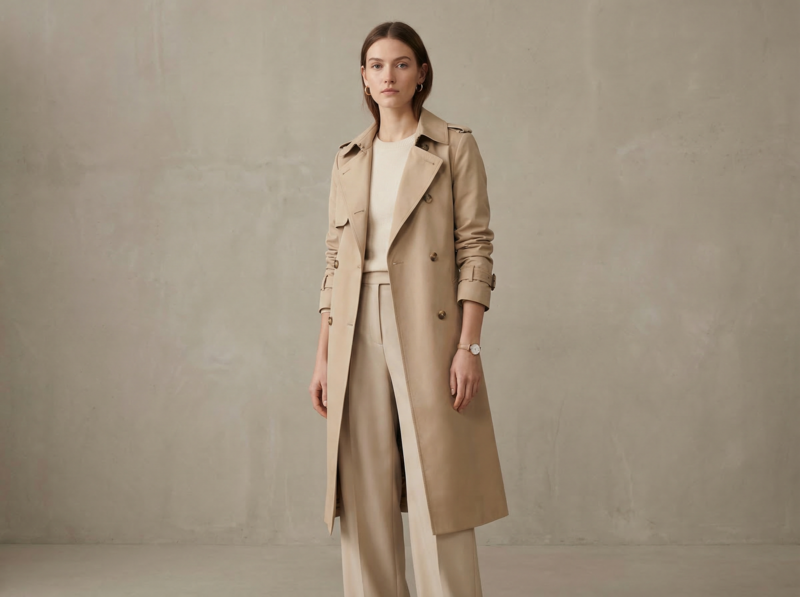
Recent virtual try-on examples from commercial tools show highly realistic outputs, including preserved fabric texture, print details, drape, and garment proportions.

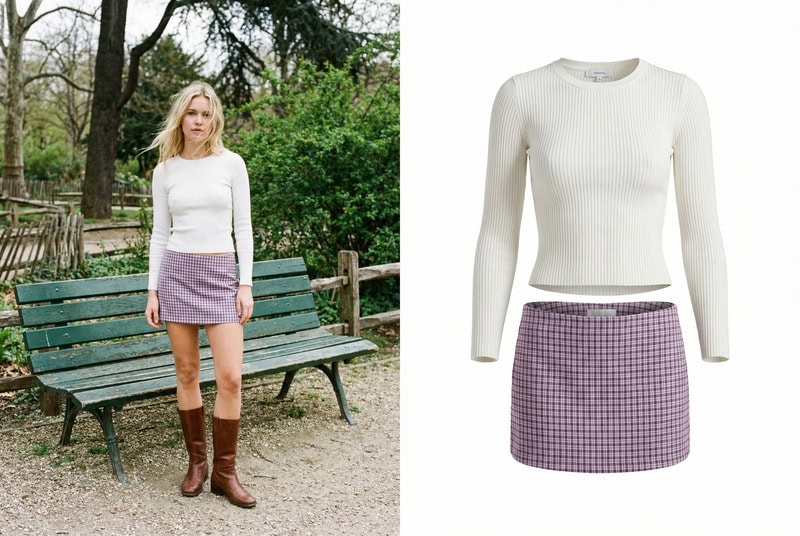
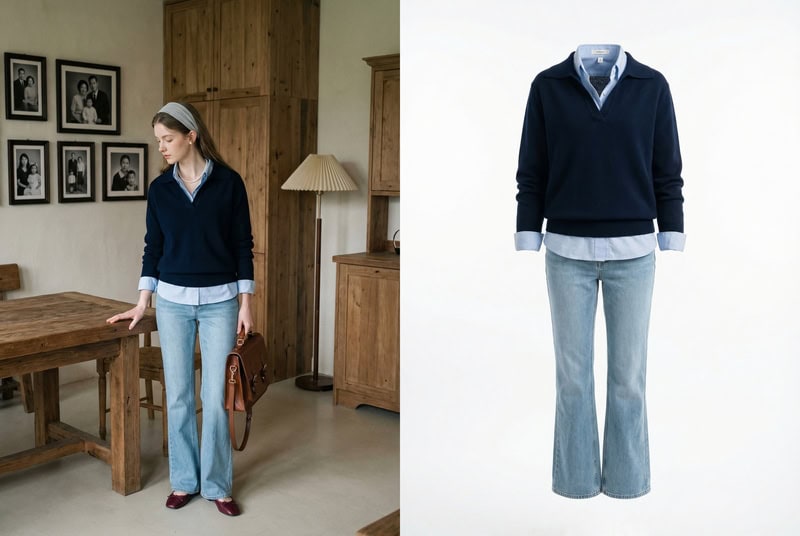
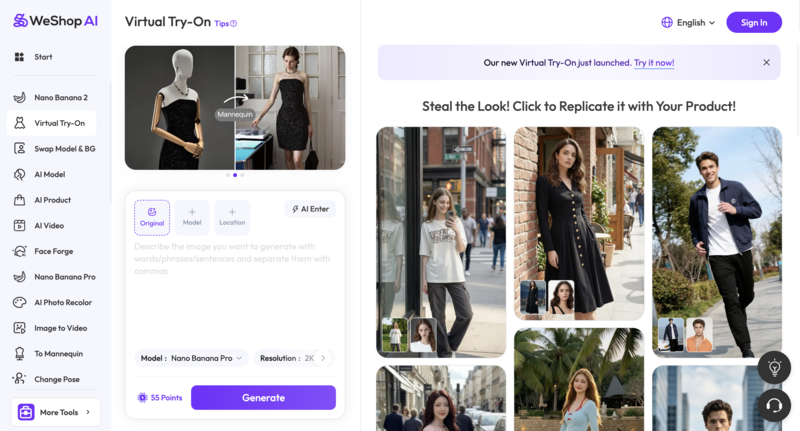
For example, WeShop AI demonstrates a clear before-and-after workflow where a flat-lay product image is transformed into a studio-style model photo in around 30 seconds.

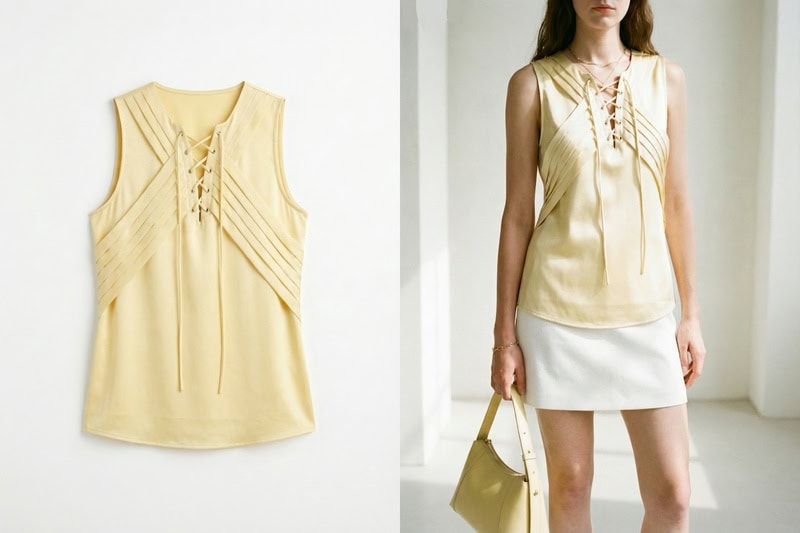
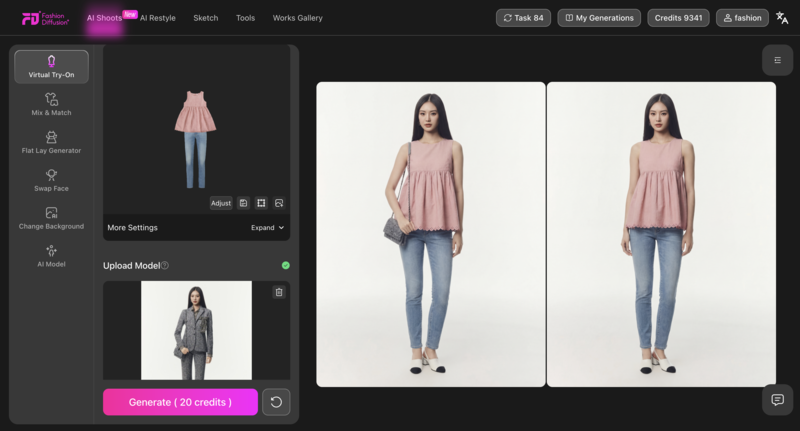
For additional inspiration, platforms like Fashion Diffusion also show how AI can generate photo-realistic clothing visuals across different body types and sizes. Below is a direct comparison: the texture of the clothing in the AI-generated on-model image clearly captures the details from the flat lay image.
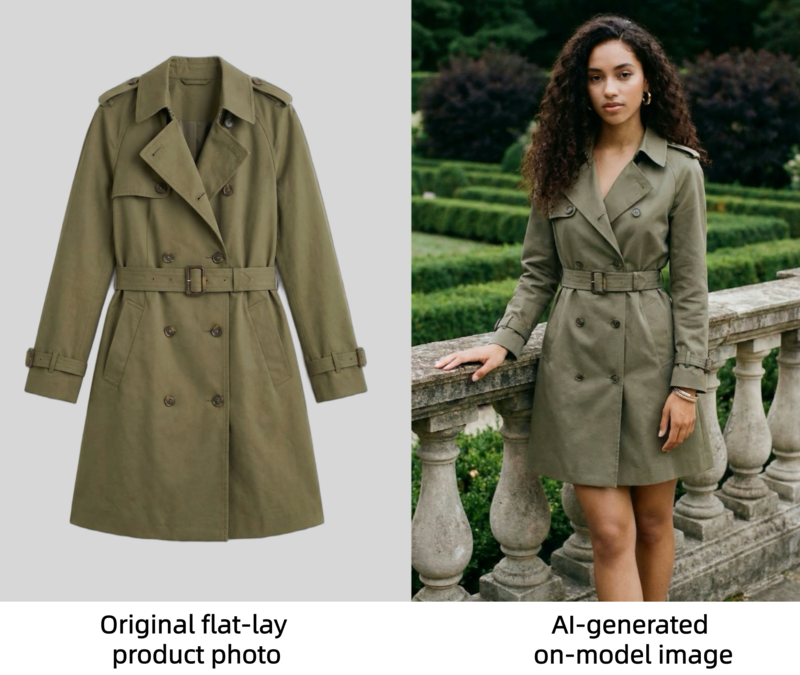
A comparison showing an original flat-lay product photo of a trench coat next to an AI-generated on-model image.

Supported Garment Types

AI virtual try-on tools now support a wide range of fashion categories, including:

  • dresses;
  • tops and blouses;
  • T-shirts and hoodies;
  • jackets and coats;
  • pants and denim;
  • skirts;
  • knitwear;
  • activewear;
  • two-piece sets.

Many tools also work well with:

  • ghost mannequin photos;
  • flat-lay images;
  • clean white-background product photos.

This makes AI clothing photography especially practical for fashion brands, Shopify sellers, and marketplace stores.

Step-by-Step: How to Create AI Model Photos for Clothing with Fashion Diffusion

Now that you’ve seen how simple AI virtual try-on can be, let’s walk through the actual process step by step.

Using Fashion Diffusion, you can turn a flat-lay or product image into a professional on-model photo online in just a few clicks.

Step 1: Upload Your Product Image

Start by uploading a clear product photo.

For the best results, use:

  • a flat-lay image;
  • a ghost mannequin image;
  • a clean white-background product photo.
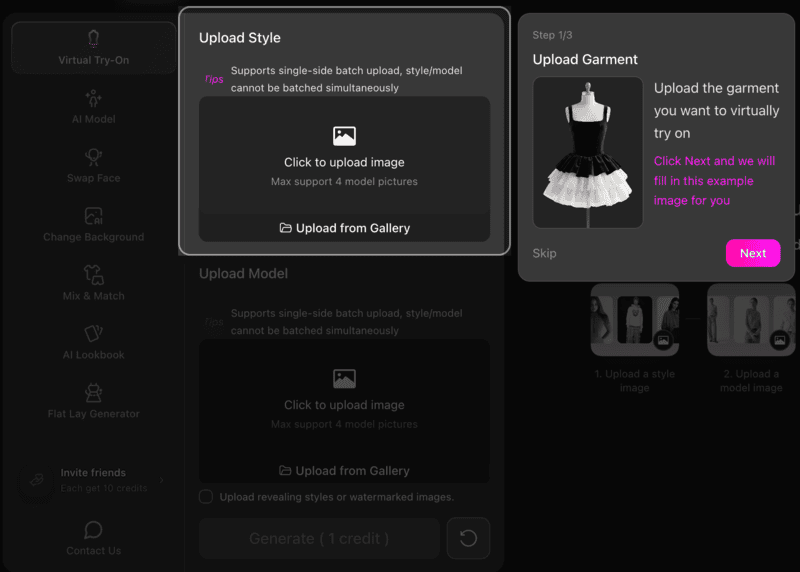
Interface of Fashion Diffusion showing the Upload Garment step for virtual try-on.

Make sure the garment is fully visible and front-facing. High-resolution images with clear fabric details will help the AI preserve texture, shape, and fit more accurately.

Step 2: Select a Model

Next, choose the model image or model style you want to use.

This is where the AI virtual try-on workflow becomes especially useful for e-commerce sellers.

You can quickly test:

  • different poses;
  • body types;
  • genders;
  • campaign aesthetics.
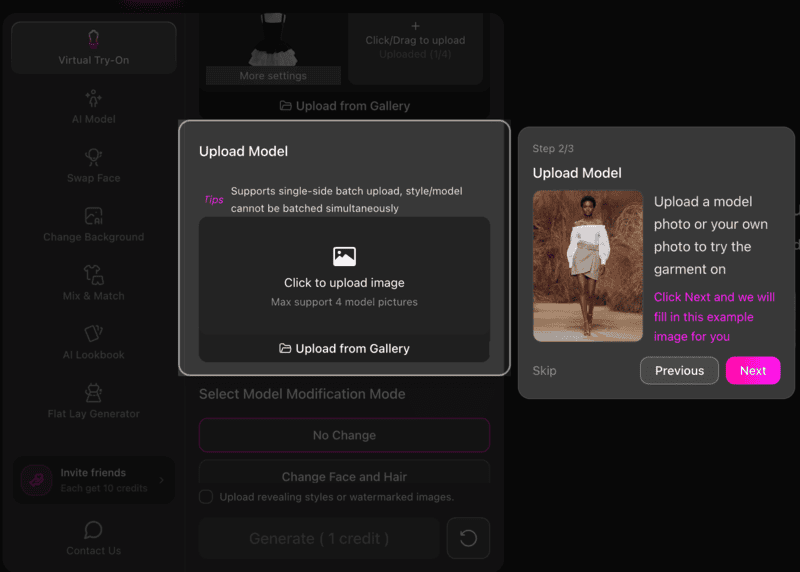
Interface of Fashion Diffusion showing the Upload Model step to select a model for the garment.

This makes it easy to create visuals for different audiences without reshooting the product.

Step 3: Generate the On-Model Result

Once both images are uploaded, click generate. You may choose the generation mode before. Generating a single image or a set of 4 business photos with different angles is supported.

The AI will automatically place the garment onto the selected model and create a realistic on-model image. In most cases, the result is ready within seconds.
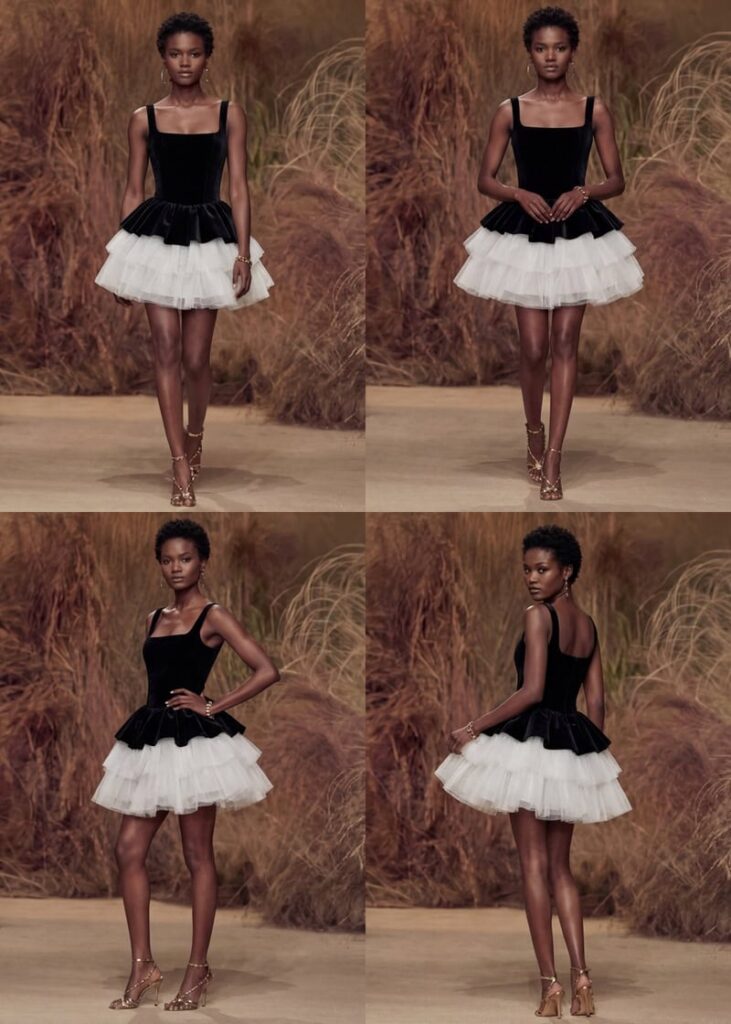
A set of AI-generated professional photos showing a black and white dress on a model from different angles.
Fashion Diffusion AI-generated

This is one of the fastest ways to try on clothes online for product photography and catalog creation.

Tips for Better Results

To get the most realistic output from an AI fashion photography tool, keep these best practices in mind:

  • Use bright, evenly lit product images;
  • Keep the clothing centered;
  • Avoid folded garments;
  • Preserve sleeves, collars, and hems clearly;
  • Use clean background images.

The better the input, the more realistic the generated model photo will look.

Step 4: Refine and Export

After generation, review the output and make any necessary refinements.

For example, you may want to:

  • Adjust the fit;
  • Improve garment alignment;
  • Regenerate with another model;
  • Create multiple angles for listing pages.

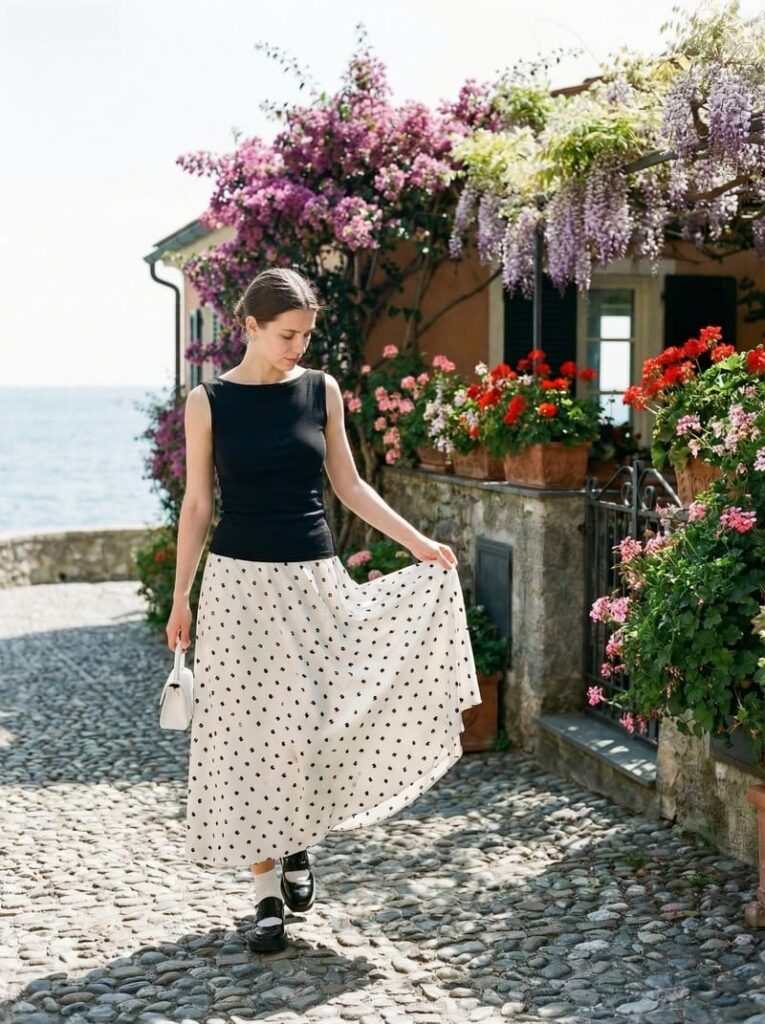
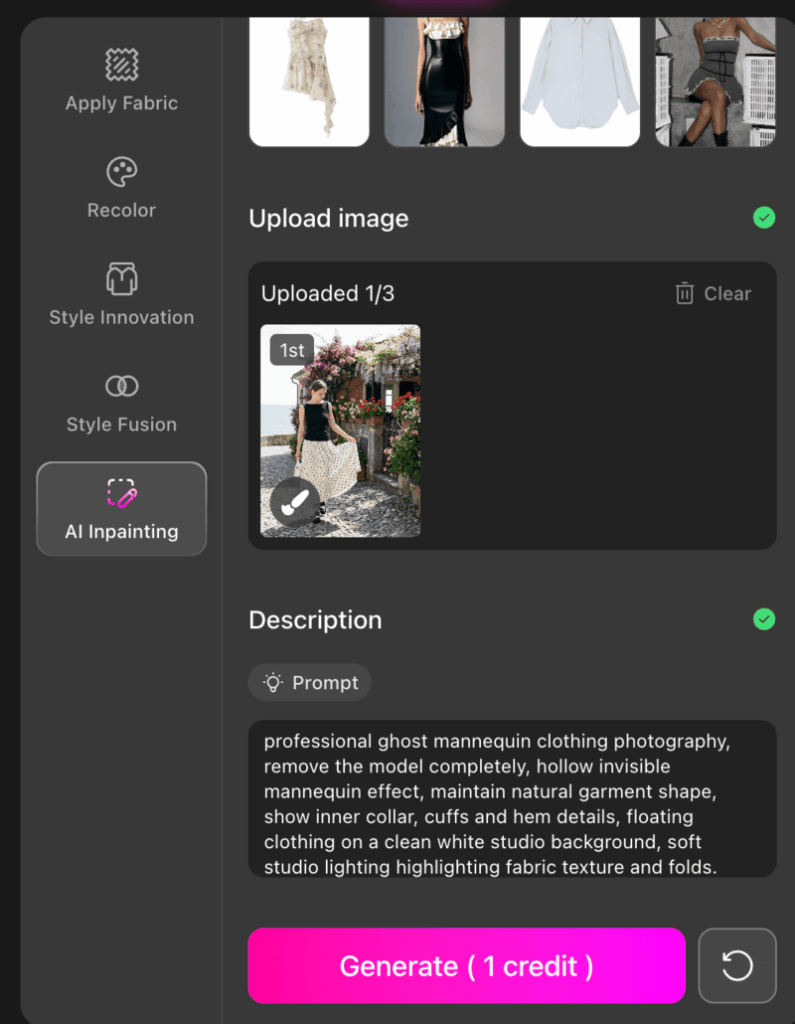
If you need more precise control, Fashion Diffusion also offers advanced features such as AI Inpainting, and Recolor, allowing you to further refine the styling, modify specific garment details, or test different color variations until the final result matches your expectations.

Once satisfied, export the image for use across Shopify, Amazon, TikTok Shop, social ads, and PDP pages.

Best Use Cases for AI Virtual Try-On in E-Commerce

AI-generated on-model fashion photos without photographers are particularly valuable for e-commerce sellers who need professional-looking product visuals without the cost and complexity of traditional photography. Here’s who benefits most:

Small e-commerce brands with limited photography budgets

For new or boutique brands, hiring models and booking studios for every SKU can be expensive. AI virtual try-on lets these sellers create professional on-model images at a fraction of the cost, helping them compete with larger retailers visually.

Independent sellers looking to scale quickly

Independent sellers often launch new products frequently. Traditional photography can’t keep up, but AI tools enable sellers to generate multiple on-model images in minutes. Today, many AI platforms specifically support sellers on marketplaces by turning a single product photo into multiple on-model images within minutes.

Stores with multiple SKUs or color variants

Fashion items often come in multiple colors and styles, each requiring separate photography. AI virtual try-on makes it easier to generate consistent visuals across all variants without photographers. Platforms built for large fashion catalogs now specifically position this as a solution for scaling product imagery.

Marketing and social media campaigns

AI-generated on-model images are also ideal for social media, lookbooks, and ad campaigns. Brands can quickly produce content for different platforms without scheduling multiple photoshoots, maintaining consistent style and quality.

Start Creating High-Converting On-Model Photos Today

Creating high-converting fashion product images no longer needs to involve expensive photoshoots, model bookings, and long production timelines.

With AI virtual try-on, e-commerce sellers can now turn flat-lay product photos without models into realistic on-model images in minutes.

Whether you are a growing Shopify brand, an independent marketplace seller, or a team managing large-scale product launches, AI clothing photography offers a faster, more scalable way to produce professional visuals that help drive clicks, conversions, and customer confidence.

If you are ready to create on-model fashion photos without photographers, now is the perfect time to explore AI virtual try-on. Try Fashion Diffusion’s AI fashion photography tool today, and see how quickly you can transform a single product image into high-quality virtual model photos e-commerce for your store, ads, and social campaigns!

FAQ

Do AI-generated model photos work for e-commerce stores?

Yes, AI-generated model photos work extremely well for e-commerce. They are widely used for Shopify stores, Amazon listings, TikTok Shop, and other online marketplaces. By showing how garments fit and drape on a real or virtual model, these images help customers better visualize the product, which can improve conversions.

What types of clothing can be used with AI virtual try-on?

AI virtual try-on tools support a wide range of clothing categories, including dresses, tops, T-shirts, hoodies, jackets, pants, skirts, knitwear, and activewear. In most cases, any product with a clear front-facing image and visible garment details can be used.

How long does it take to generate an AI on-model photo?

In most cases, generating an AI on-model image takes only a few seconds to a few minutes, depending on the platform and the selected output mode. Some tools like Fashion Diffusion also allow you to generate multiple professional business photos with different angles in a single workflow, which further speeds up catalog production.

Can I edit the AI-generated fashion photos after creation?

Yes. After the initial image is generated, you can continue refining the result using advanced features. These features allow you to adjust the fit, improve garment alignment, modify specific design details, and test multiple color variations until the final output meets your expectations.

Is AI virtual try-on better than traditional fashion photography?

For many e-commerce sellers, AI virtual try-on is often the more practical option. It is faster, more scalable, and significantly more affordable than traditional photoshoots, especially for brands managing multiple SKUs and frequent product launches. While traditional photography may still be suitable for campaign-level editorial content, AI is often the better solution for everyday product listings and catalog expansion.
Avatar photo 通过Sophia Mille

Master AI Prompts for Fashion Photography: 12 Examples to Elevate Your Visuals

Why wait for the perfect shoot when you can generate it? Skip the costly production and go straight to the “wow” factor with our AI fashion photography prompts. Using Fashion Diffusion’s AI outfit generator, content creators and designers can experiment with wild ideas and high-fashion looks without any barriers. Ready to transform your creative process? Let’s dive in.

What is Fashion Photography

Fashion photography is all about telling a story through clothing—it captures mood, identity, and style in a single frame. But behind those polished images, traditional shoots often require large budgets, full teams, and hours (or even days) of coordination just to get one perfect shot.

That’s where things start to shift. In a fast-moving digital world, brands and creators don’t always have the time or resources for that kind of process. The demand for faster content, constant experimentation, and lower production costs has made traditional photography feel increasingly limiting.

What are AI Prompts for Fashion Photography

AI prompts for fashion photography are detailed text instructions that guide tools like an AI outfit generator to create visuals from scratch. Today, creators can even design fashion clothes with AI before turning those ideas into full visuals, making the entire process more flexible and accessible.

Instead of setting up a studio, you simply describe the outfit, lighting, pose, and mood—and the AI builds the image for you.

The biggest advantage? Speed and freedom. You can test multiple concepts in minutes, explore styles that would be impossible (or too expensive) to shoot in real life, and refine ideas without starting from zero every time. It turns fashion photography from a production process into a creative playground.

When should you Use AI Fashion Photography

AI fashion photography isn’t just a replacement—it’s a smarter way to create, test, and explore ideas before committing to a full shoot. Here are a few moments where it really shines:

  • Concept Testing Before Production: Quickly visualize ideas before investing in a real photoshoot. It’s perfect for testing styles, colors, and creative directions without the upfront cost.
  • Social Media & Content Creation: Need fresh visuals consistently? AI helps you generate scroll-stopping fashion images in minutes, keeping your content pipeline consistent and on-trend.
  • Lookbook & Campaign Mockups: Create draft versions of campaigns or lookbooks to present ideas to clients or teams before final production.
  • Creative Experimentation: Try bold concepts—futuristic outfits, surreal environments, or unusual lighting—that would be difficult or expensive to achieve in real life.
  • E-commerce & Quick Visual Assets: Generate clean, styled product visuals without setting up a full studio, especially useful for small brands or early-stage collections.

12 AI Prompts for Fashion Photography

Here are 12 diverse and detailed AI prompts you can use with Fashion Diffusion’s AI Outfit Generator to create stunning fashion visuals. Each prompt focuses on a different style, mood, or concept—perfect for experimenting and inspiring your own creative visuals.

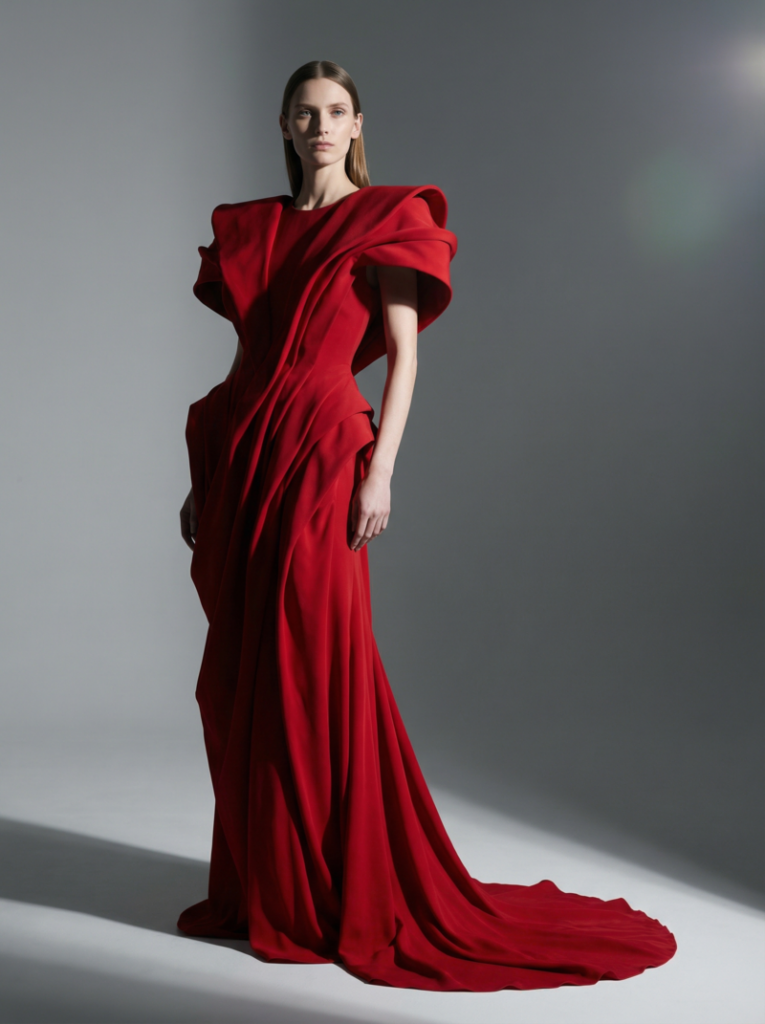
1. High-Fashion Editorial Studio

Style: Bold, editorial look suitable for magazines.
This style emphasizes drama, elegance, and visual storytelling. It focuses on striking poses, exaggerated garments, and controlled studio lighting to create images that feel cinematic and magazine-ready.

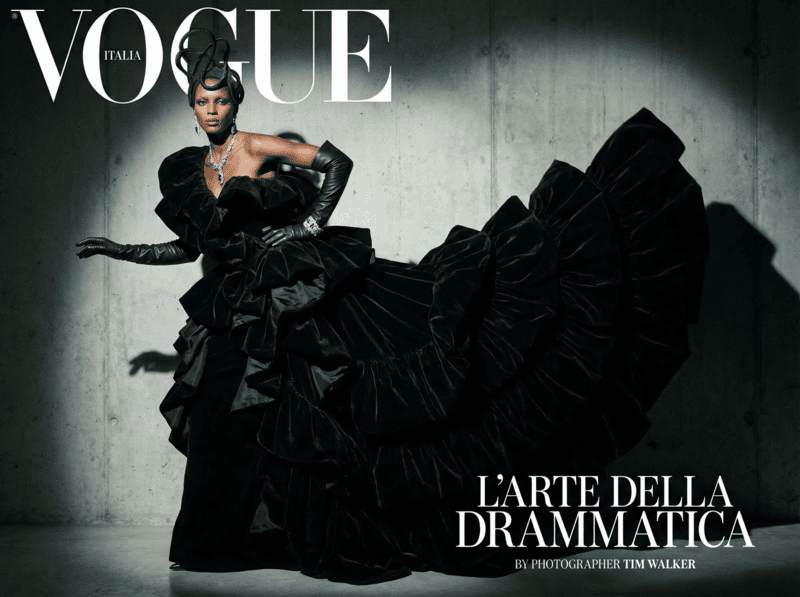
Female model wearing a dramatic red avant-garde gown with exaggerated shoulders, captured in a minimalist studio with sharp studio lighting and a gray background, fashion editorial style.
Fashion Diffusion AI-generated

Prompt: “A tall female model posing in a minimalist studio, wearing a dramatic avant-garde red gown with exaggerated shoulders and flowing fabric, sharp studio lighting highlighting textures, neutral gray background, cinematic shadows, full-length shot, glossy high-fashion editorial style, 85mm lens, shallow depth of field, subtle lens flare.”

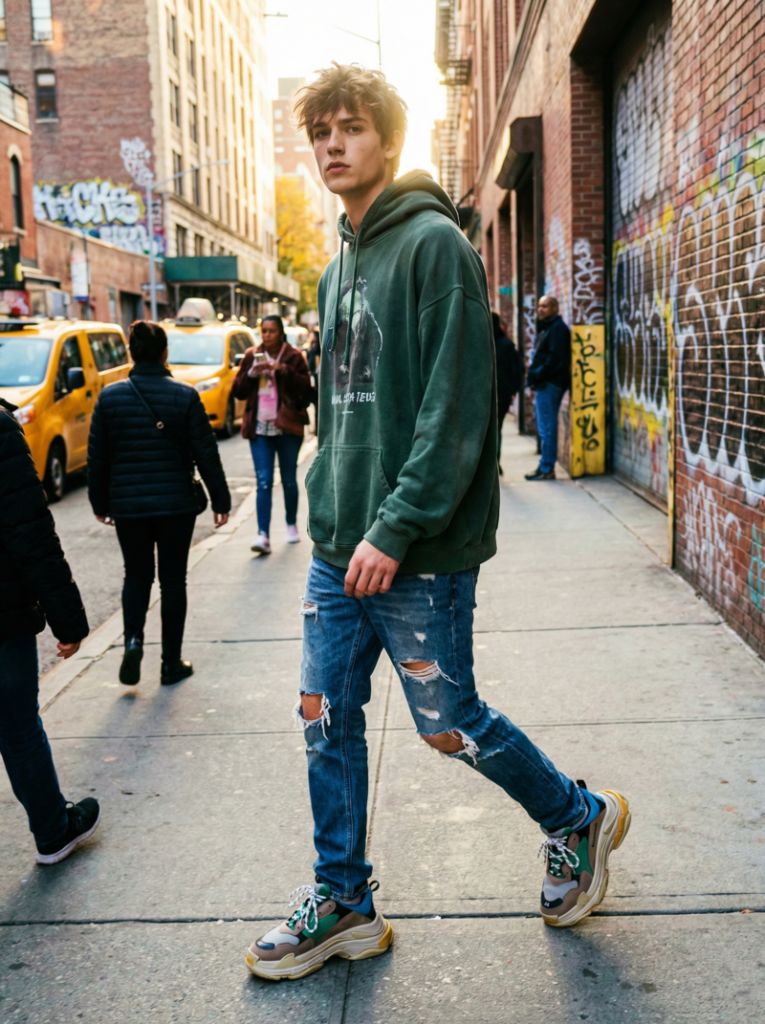
2. Streetwear Candid Urban

Style: Casual street fashion, urban vibe.
Streetwear photography captures the energy of everyday urban life, highlighting casual clothing, dynamic movement, and authentic street settings. The mood is lively, approachable, and trend-focused, often using natural light and candid poses.

Young male model walking in an urban street, dressed in an oversized hoodie, distressed jeans, and chunky sneakers, with vibrant graffiti walls and natural sunlight highlighting the scene
Fashion Diffusion AI-generated

Prompt: “Young male model walking on a busy city street, wearing oversized hoodie, distressed jeans, chunky sneakers, natural daylight, urban graffiti walls in the background, candid photography style, slight motion blur, low-angle shot, vibrant colors, lens flare from sun, capturing a dynamic streetwear mood.”

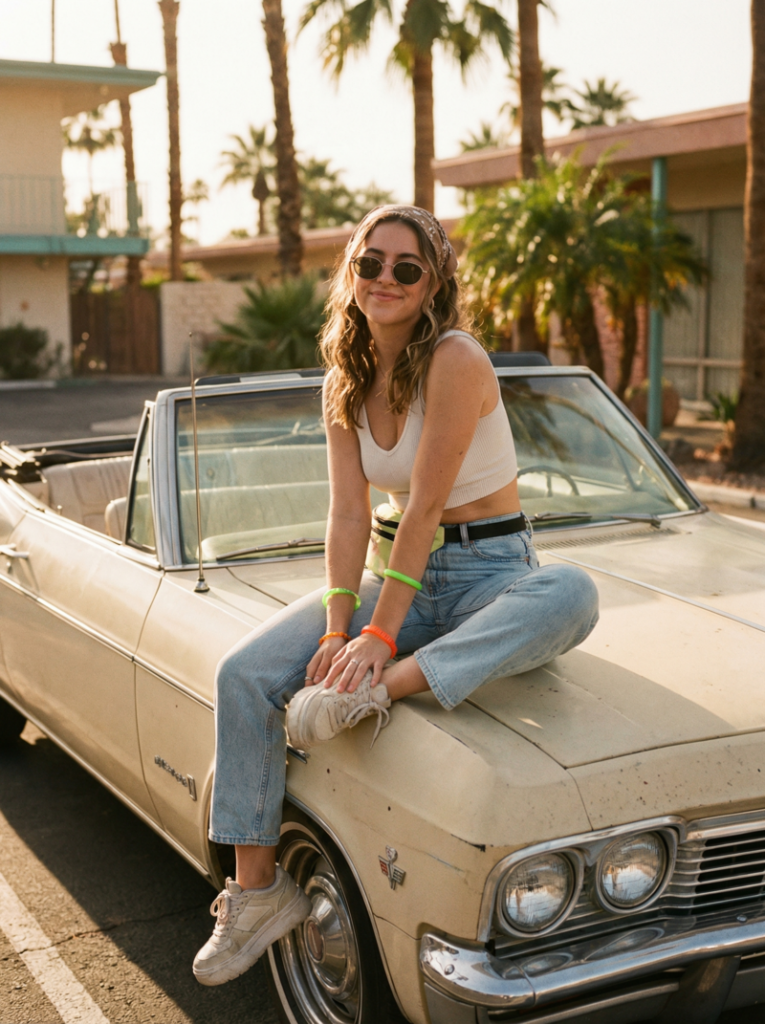
3. Vintage 90s Throwback

Style: Retro fashion inspired by the 1990s.
This style brings nostalgia with iconic 90s clothing, colors, and accessories. The images often have warm tones, soft film-like textures, and playful poses reminiscent of the era’s fashion photography.

Female model sitting on a vintage convertible car, wearing high-waist denim jeans, crop top, and platform shoes, with a retro 90s vibe and sunlit afternoon setting.
Fashion Diffusion AI-generated

Prompt: “Female model sitting on a vintage convertible car, wearing high-waist denim jeans, crop top, platform shoes, bright neon accessories, sunlit afternoon, retro 90s film photography look, warm color grading, slightly grainy texture, soft natural shadows, 50mm lens, playful pose.”

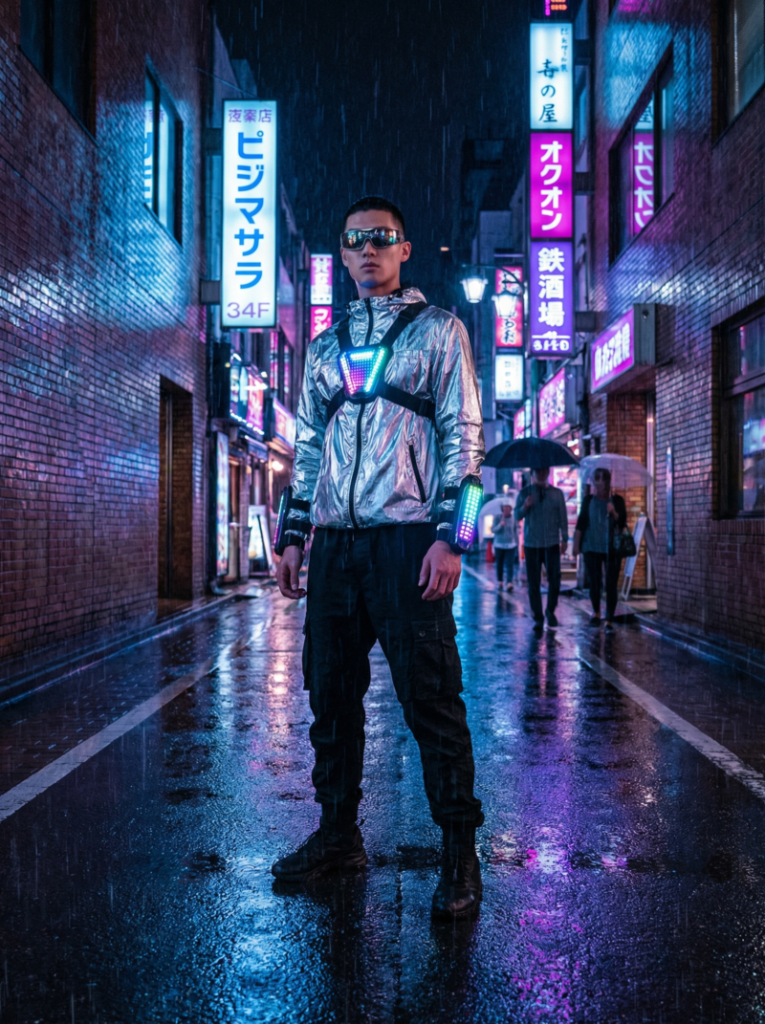
4. Futuristic Cyberpunk

Style: Sci-fi, edgy, neon-soaked fashion.
Cyberpunk fashion combines high-tech aesthetics with gritty urban environments. Neon lights, reflective fabrics, and dramatic contrasts create a futuristic, edgy, and highly stylized look.

Male model standing under neon lights in a rainy cyberpunk city alley, dressed in a metallic silver jacket, black cargo pants, with reflective sunglasses and dramatic lighting.
Fashion Diffusion AI-generated

Prompt: “Male model standing under neon signs in a rainy city alley, wearing metallic silver jacket, black cargo pants, reflective sunglasses, cyberpunk accessories, blue and magenta neon reflections, dramatic wet street reflections, cinematic wide-angle, moody lighting, futuristic high-fashion editorial.”

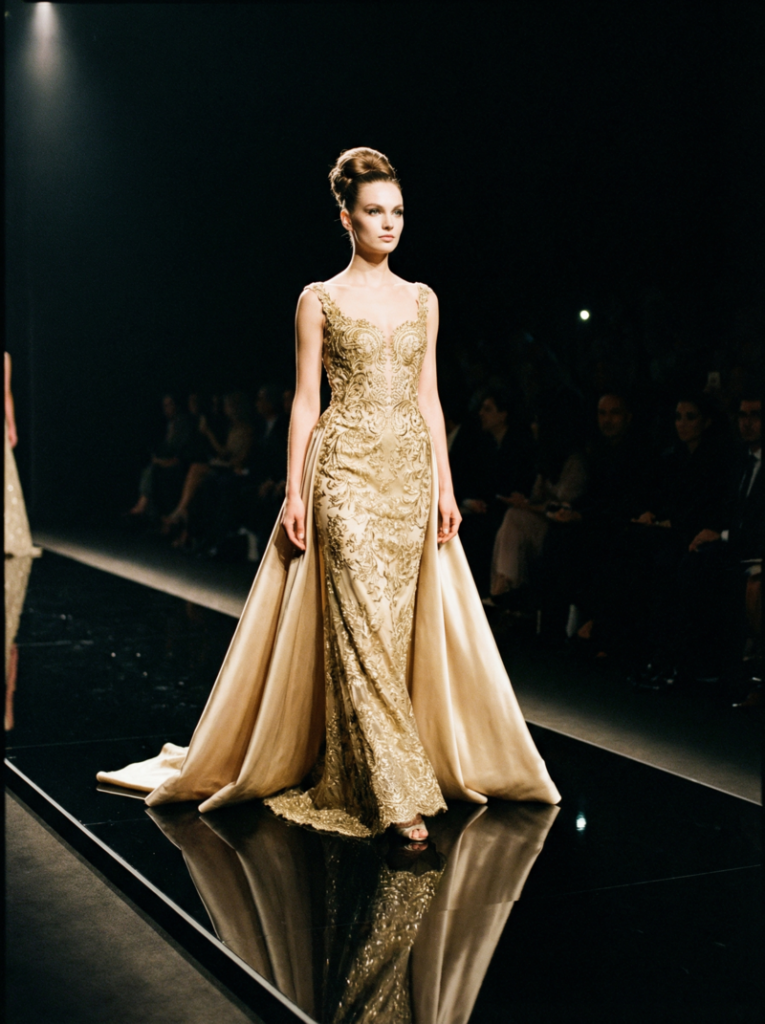
5. Luxury Runway Glamour

Style: High-end couture, classic runway look.
This style focuses on elegance, sophistication, and luxury. The garments are opulent, the lighting is dramatic, and the composition emphasizes grace, posture, and the exclusivity of high-fashion runway imagery.

Female model walking down a luxurious runway in a gold-embroidered gown with a silk train, spotlight on the model with a dark audience silhouette in the background.
Fashion Diffusion AI-generated

Prompt: “Female model walking down an opulent runway, wearing gold embroidered gown with silk train, elegant updo hairstyle, spotlight on model, dark background with subtle audience silhouettes, glossy runway reflection, dramatic high-fashion lighting, full-length shot, sophisticated and glamorous mood.

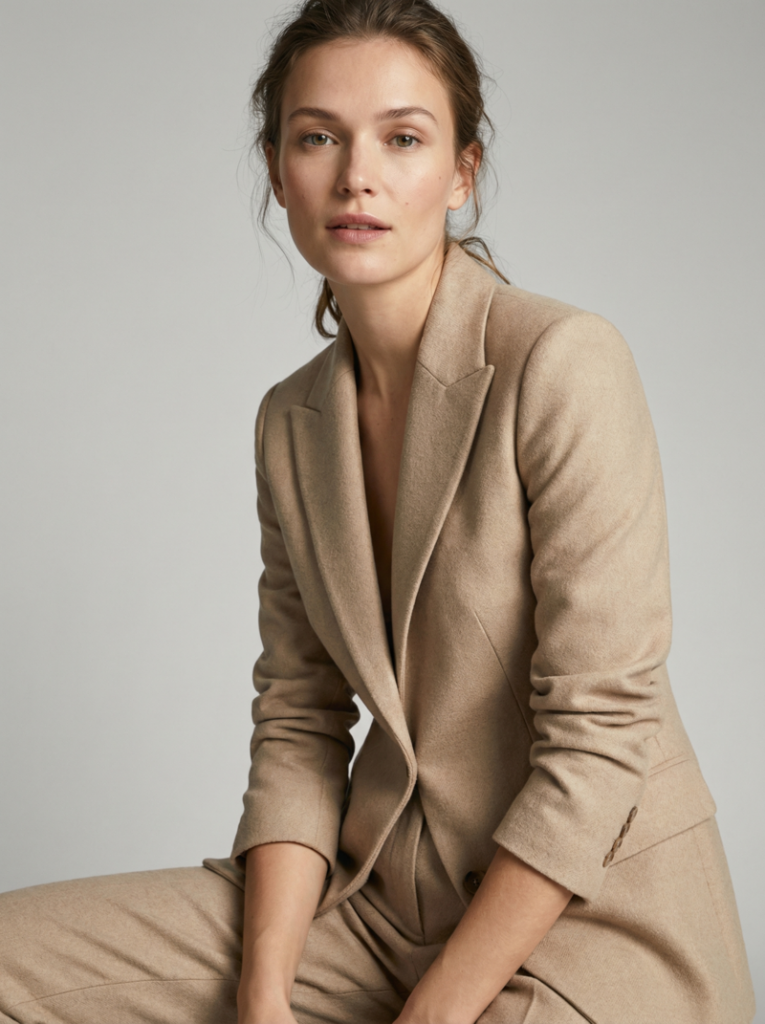
6. Minimalist Studio Portrait

Style: Clean, simple, modern minimalism.
Minimalist fashion photography strips away distractions to highlight the outfit and model. Soft, diffused lighting, neutral backgrounds, and straightforward compositions emphasize clean lines, textures, and modern style.

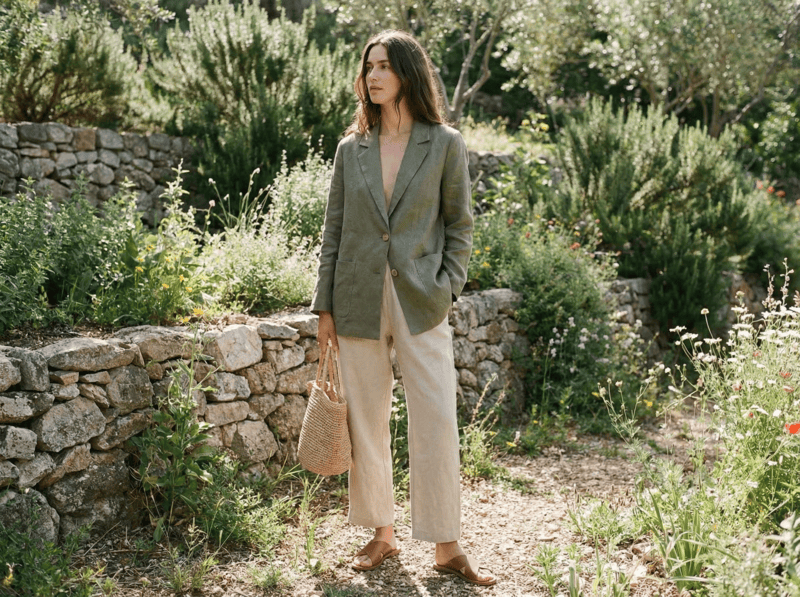
Close-up portrait of a female model in a white studio, wearing a sleek beige blazer and tailored trousers, with soft diffused lighting highlighting her natural beauty and minimalist style.
Fashion Diffusion AI-generated

Prompt: “Close-up of a female model in a white studio, wearing a sleek beige blazer and tailored trousers, soft diffused light, neutral seamless background, minimal makeup, sharp focus on face and outfit details, high-resolution fashion photography, natural pose, contemporary editorial style.”

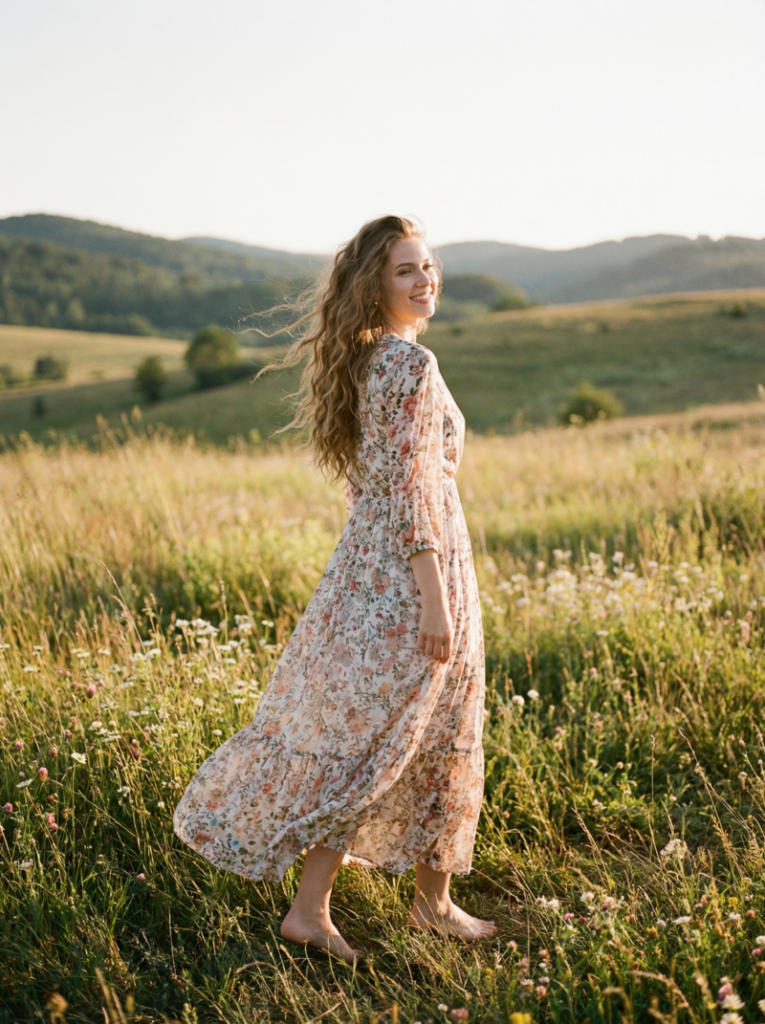
7. Bohemian Outdoor

Style: Free-spirited, nature-inspired fashion.
Bohemian fashion photography captures a carefree and romantic mood. Flowing garments, natural settings, and warm sunlight create a dreamy, relaxed, and earthy aesthetic.

Female model standing in a sunlit meadow, wearing a flowy floral maxi dress, barefoot, with long wavy hair, captured during golden hour with a warm, bohemian vibe.
Fashion Diffusion AI-generated

Prompt: “Female model in a flowy floral maxi dress standing in a sunlit meadow, barefoot, long wavy hair, golden hour light, soft wind movement, natural shadows, candid lifestyle fashion photography, warm earthy tones, wide-angle shot capturing landscape and outfit, bohemian romantic vibe.

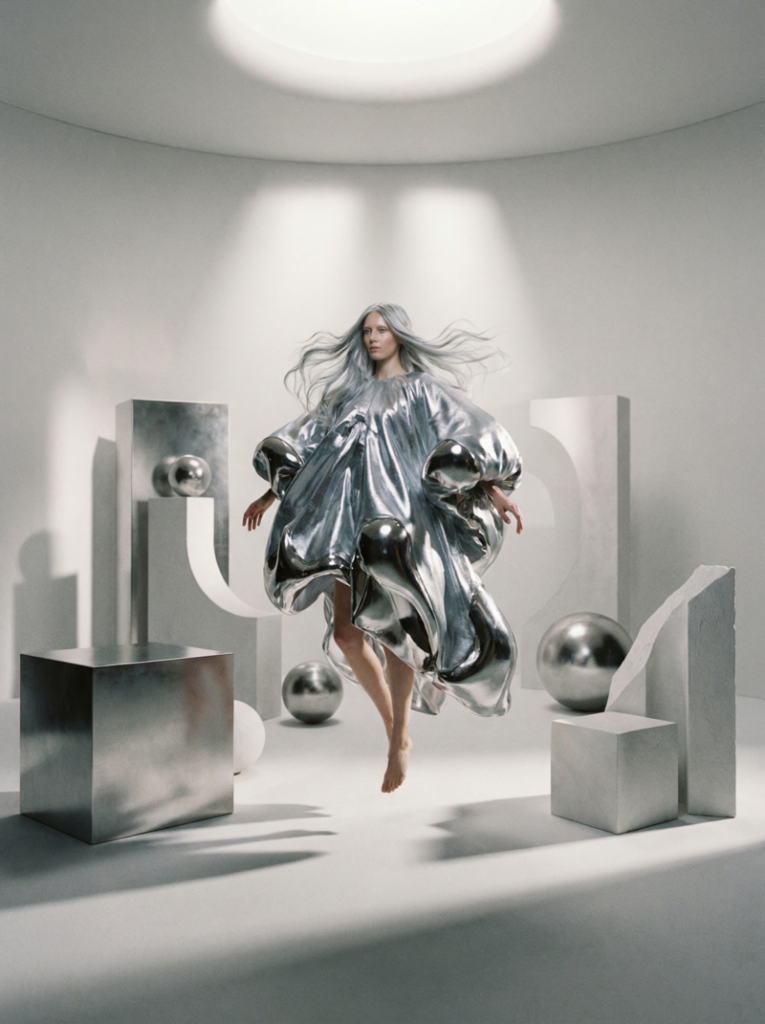
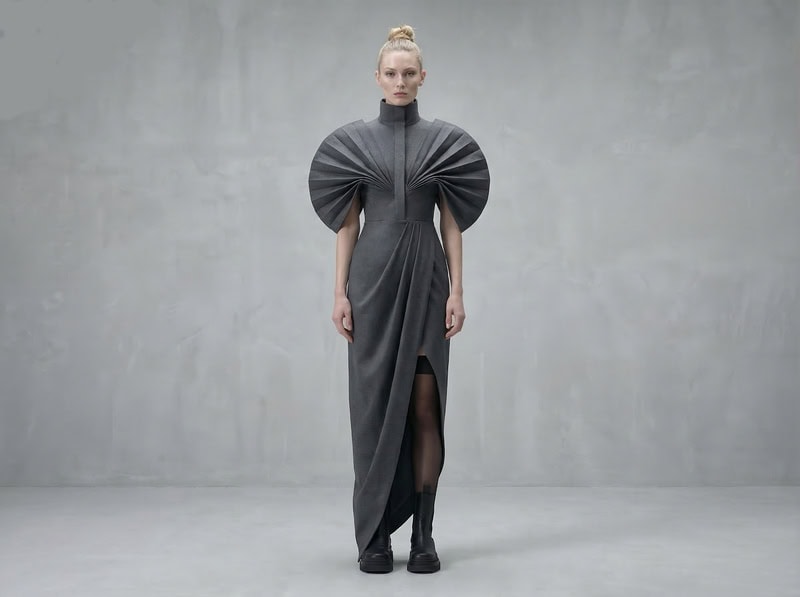
8. Avant-Garde Conceptual

Style: Experimental, artistic, imaginative fashion.
Avant-garde photography pushes boundaries and explores abstract ideas. It often uses unconventional garments, props, and poses to create striking, artistic, and thought-provoking visuals.

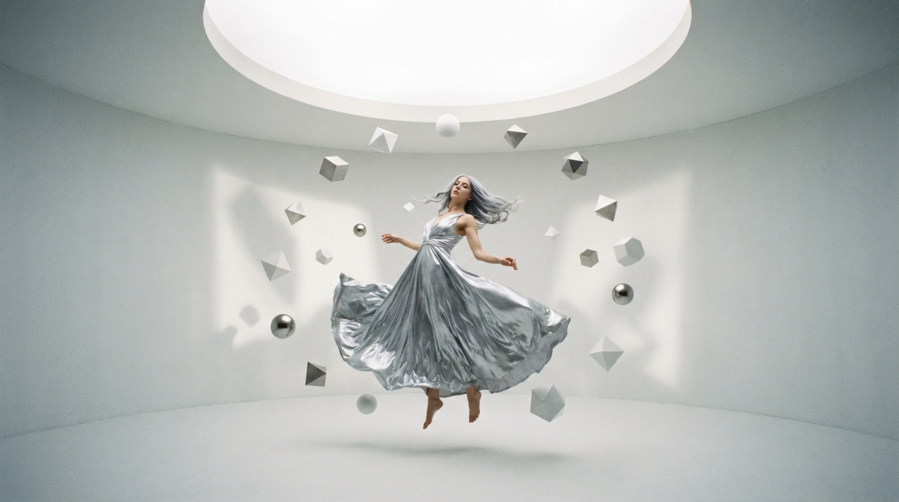
Female model in a surreal, abstract white room, wearing an oversized sculptural metallic garment, surrounded by geometric props and soft spotlighting for an avant-garde fashion look.
Fashion Diffusion AI-generated

Prompt: “Female model floating in a surreal white room, wearing oversized sculptural garment made of metallic fabric, abstract geometric props around, soft spotlighting creating dramatic shadows, ethereal fashion photography, futuristic avant-garde styling, full-body shot, high-detail textures, artistic editorial concept.”

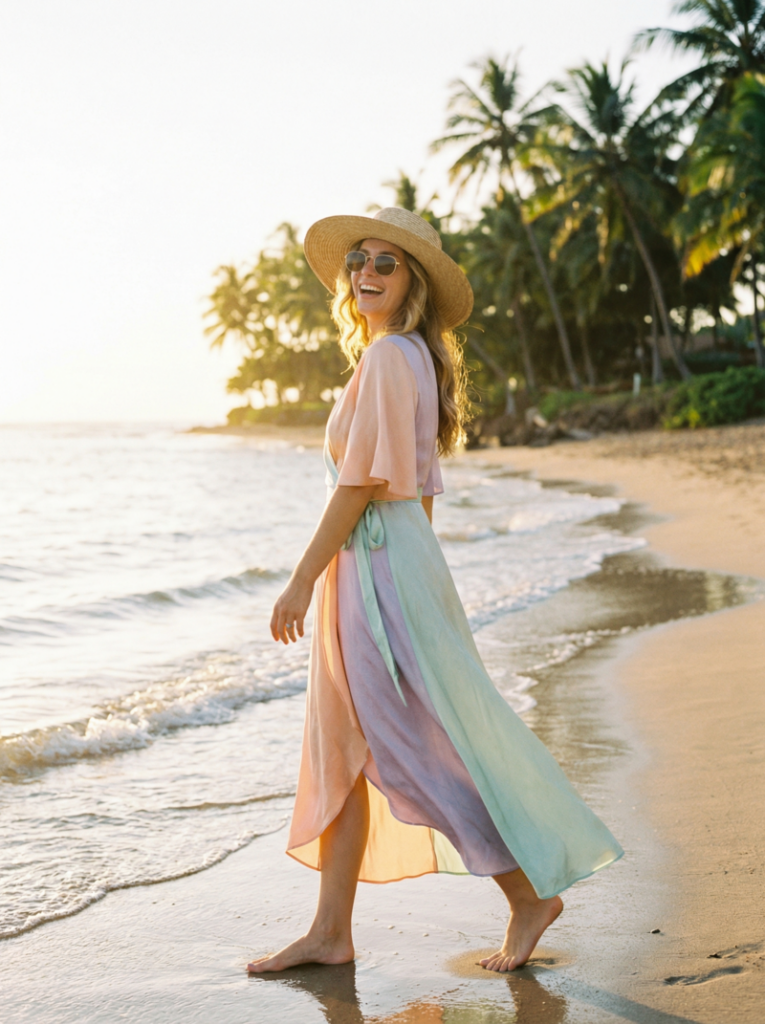
9. Beach Resort Summer

Style: Light, breezy, vacation-ready fashion.
This style is bright, relaxed, and vibrant. The focus is on light fabrics, warm sunlight, and natural landscapes, evoking a carefree summer or holiday vibe.

Female model walking along a tropical beach in a pastel-colored silk wrap dress, wearing a straw hat and sunglasses, with the sun casting a warm glow on the ocean background.
Fashion Diffusion AI-generated

Prompt: “Female model walking along a tropical beach, wearing a pastel-colored silk wrap dress, straw hat, sunglasses, sunlit afternoon, gentle ocean waves in the background, soft natural lighting, golden hour highlights, candid lifestyle photography, relaxed summer vibe, 35mm lens.”

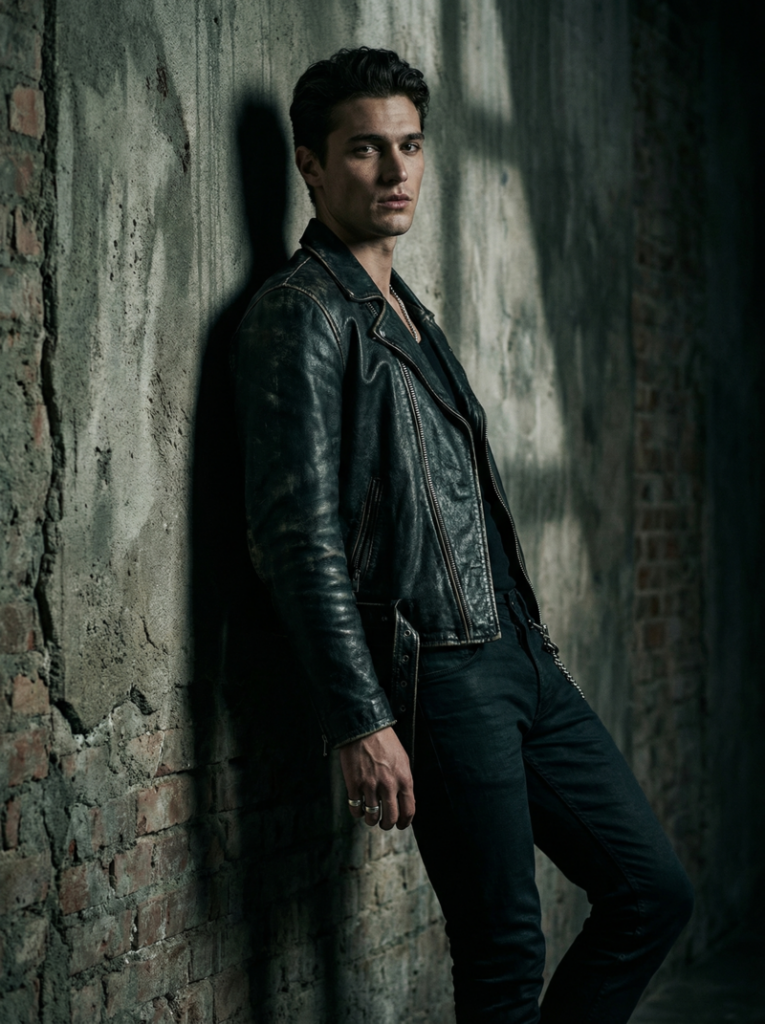
10. Dark Moody Portrait

Style: Gothic, mysterious, cinematic.
Dark, moody fashion photography uses shadows, contrast, and muted tones to create dramatic, intense, and emotionally charged imagery. The aesthetic often feels cinematic or storytelling-focused.

Male model leaning against a textured wall in dim light, wearing a black leather jacket and fitted trousers, with dramatic shadows and moody lighting creating a gothic, cinematic feel.
Fashion Diffusion AI-generated

Prompt: “Male model leaning against a textured wall in dim light, wearing black leather jacket, fitted trousers, subtle accessories, dramatic shadows, moody cinematic lighting, deep contrast, high-detail textures, close-up fashion portrait, mysterious high-fashion editorial style.”

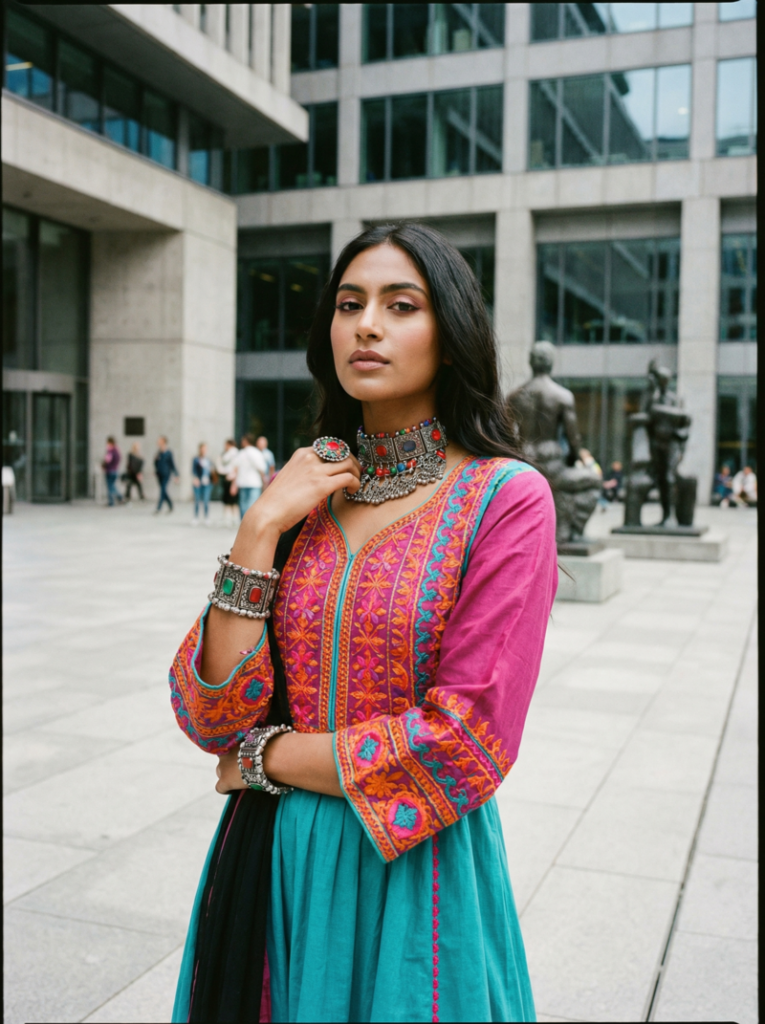
11. Cultural Fusion Fashion

Style: Blending traditional and modern fashion elements.
This style combines heritage garments or motifs with contemporary silhouettes and styling. The result is visually rich, culturally inspired, and modernly wearable fashion photography.

Female model in an urban square, wearing a modern dress inspired by South Asian traditional embroidery, with bold accessories and a mix of vibrant colors, blending cultural influences with contemporary style.
Fashion Diffusion AI-generated

Prompt: “Female model posing in a modern urban square, wearing a contemporary dress inspired by South Asian traditional embroidery, bold accessories, vibrant colors, soft natural daylight, medium shot capturing outfit details, fashion editorial photography style, cultural fusion aesthetic, stylish and eye-catching.”

12. Athleisure Action Shot

Style: Sporty, dynamic, energetic fashion photography.
Athleisure photography captures movement, energy, and casual sporty style. It highlights functional clothing in dynamic poses, often outdoors or in urban environments, conveying vitality and modern lifestyle.

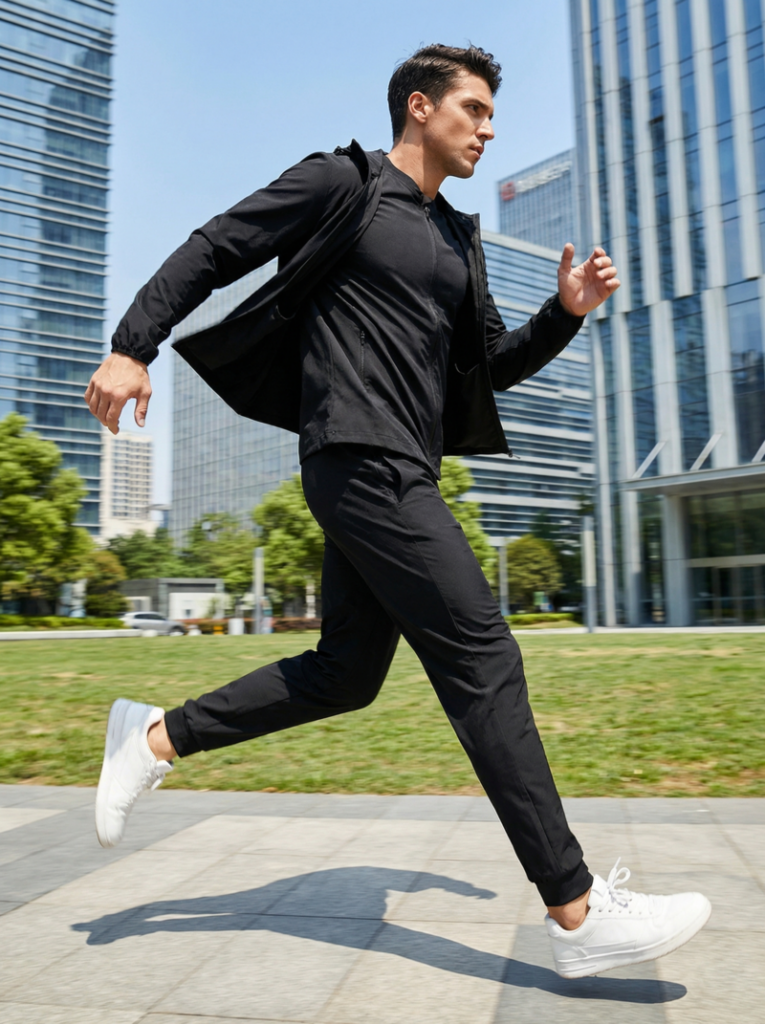
Male model running in a city park, wearing a sleek black tracksuit and white sneakers, with dynamic motion blur and bright daylight highlighting his energetic athleisure outfit.
Fashion Diffusion AI-generated

Prompt: “Male model in a sleek black tracksuit and white sneakers running in a city park, wide-angle shot in bright daylight, dynamic motion blur, modern urban background; energetic athleisure fashion photography emphasizing sharp focus on movement and fabric flow, capturing outfit details and action.”

How to Write Better AI Prompt

Writing a good prompt isn’t about being fancy—it’s about being clear and intentional. The more specific you are, the better your result will match your vision. Here are some practical tips you can apply right away:
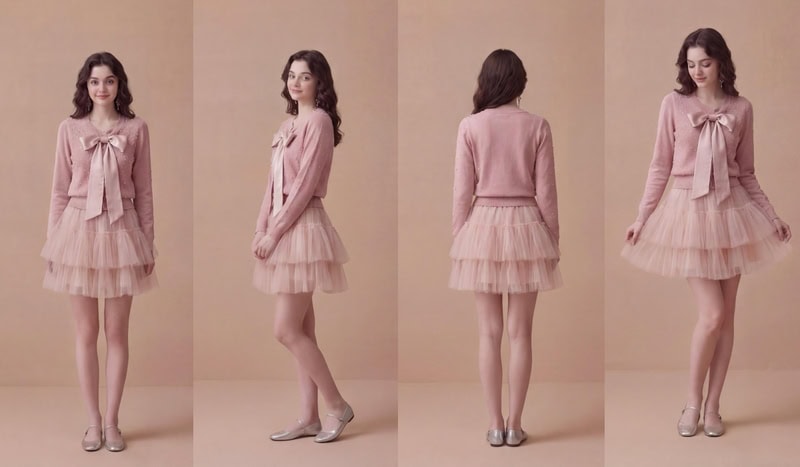
  • Be Specific with Details: Instead of saying “a model in a dress”, describe the fabric, color, fit, and styling. Small details like “silk”, “oversized”, or “structured” make a huge difference.
  • Describe the Lighting Clearly: Lighting sets the entire mood of the image. Use terms like “soft diffused light”, “golden hour”, or “dramatic studio lighting” to guide the AI.
  • Include Camera & Composition: Mention angles and lenses such as “low-angle shot”, “close-up portrait”, or “85mm lens”. This helps create more realistic, photography-style results.
  • Define the Mood or Aesthetic: Words like “Moody”, “minimalist”, “editorial”, or “cinematic” help shape the overall feeling of the image. Think about how you want the viewer to feel.
  • Layer Your Prompt (Don’t Keep it Flat): Combine multiple elements: outfit + environment + lighting + mood. This creates richer, more visually interesting outputs.
  • Iterate and Refine: Don’t expect perfection in one try. Adjust your prompt step by step—change lighting, tweak styling, or refine the setting to improve results.
  • Avoid Being Too Vague: Prompts like “cool outfit” or “nice background” won’t give strong results. The AI needs direction, so clarity always beats simplicity.

From Idea to Image: Why AI Prompts Matter

AI is changing how fashion visuals are created—but the real power lies in how you describe your ideas. Strong AI prompts for fashion photography give you control over every detail, from styling to lighting to mood, without the usual limits of time, budget, or location.
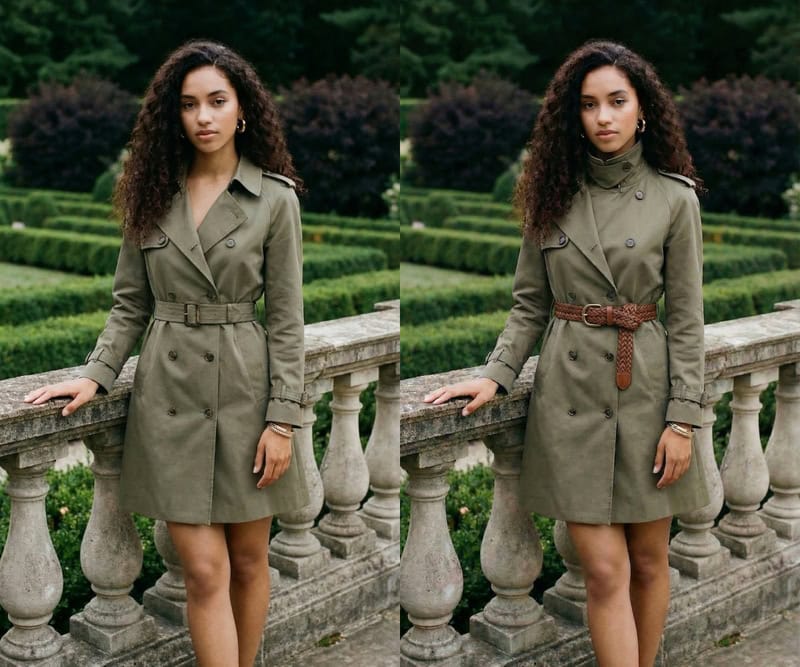
With Fashion Diffusion’s AI Outfit Generator, what used to take an entire tea, can now start with a single sentence. You can explore more ideas, iterate faster, and bring concepts to life almost instantly.

At the end of the day, it’s not about replacing creativity—it’s about unlocking more of it. The better your prompts, the closer your vision becomes reality.

FAQ

Can AI replace traditional fashion photography?

Not entirely. AI is best used for concept creation, experimentation, and fast content generation, while traditional photography still plays a role in final production and branding.

Do I need design experience to use AI outfit generators?

No. That’s one of the biggest advantages—anyone can create professional-looking fashion visuals with the right prompts.

What is the best way to improve my AI-generated images?

Start by refining your prompts, then iterate. You can also enhance results further using additional tools like editing, recoloring, or detail adjustments.

Avatar photo 通过Sophia Mille

The New Black AI Alternatives: Comparing the Best AI Fashion Design Tools

The fashion industry is evolving fast, with AI fashion design tools becoming essential for modern workflows. They allow designers to generate ideas and visualize garments quickly without relying on physical samples. Whether you’re a brand or creator, choosing the right tool can greatly improve both efficiency and creative output.

What is The New Black AI?

The New Black AI is a popular AI-powered platform designed to assist fashion designers and brands in creating, visualizing, and refining clothing designs. It offers an all-in-one workflow, combining design generation, virtual modeling, and branding tools in a single ecosystem. By leveraging AI, it aims to reduce the time and cost of bringing fashion concepts from idea to presentation.
Key Features:

Before diving into comparisons, it’s helpful to understand the main features that make The New Black AI stand out:

  • AI Design Generation: Transform text prompts, sketches, or reference images into detailed clothing concepts.
  • Virtual Models & Try-On: Visualize garments on realistic AI-generated models to see how designs fit and move.
  • Branding Tools: Generate moodboards, logos, and content to support brand identity alongside design work.
  • Production Outputs: Export techpacks and other specifications to support manufacturing workflows.
  • Collaboration: Multi-user support for teams to streamline feedback and iteration.
Strengths:

The platform has a number of advantages that appeal to professional designers and brands:

  • Comprehensive all-in-one ecosystem covering design to branding.
  • Strong visualization capabilities for realistic presentations and lookbooks.
  • Reduce need for physical samples and photoshoots, saving time and cost.
  • Suitable for teams managing multiple stages of fashion development.

Limitations:

While The New Black AI is powerful, it also comes with some challenges:

  • Steep learning curve due to the wide range of features.
  • The “all-in-one” approach may lack depth in specific areas compared to specialized tools.
  • Some outputs can feel structured or less flexible for highly experimental designs.
  • Primary concept-focused, with less emphasis on creative-first ideation.

Why People Look for The New Black AI Alternatives

Even though The New Black AI offers a wide range of features, not every designer or brands finds it to be the perfect fit. Different users have unique goals, workflows, and creative needs, which can make them explore other options. Alternatives often provide more flexibility, faster iteration, or specialized capabilities that better match certain design priorities.

Common reasons for seeking alternatives:

  • Complexity: The platform’s extensive features can be overwhelming for beginners or solo designers.
  • Workflow Friction: Some users find the multi-step process slower than desired for quick ideation.
  • Limited Flexibility: Structured outputs may restrict highly experimental or unconventional designs.
  • Specific Use Cases: Certain designers prioritize speed, creativity, or specialized visualization that The New Black AI may not fully address.
  • Team vs Individual Needs: Smaller teams or independent creators might prefer simpler, more intuitive tools.

What Makes a Good Alternative

When designers look beyond The New Black AI, they often have specific criteria in mind that help them choose a tool that better fits their workflow and creative goals. A good alternative is not necessarily about replacing every feature, but rather about matching the user’s priorities and providing a smoother, more focused experience.

Key criteria for evaluating alternatives:

  • Ease of Use: Intuitive interface and low learning curve for faster adoption.
  • Speed of Iteration: Ability to quickly generate, modify, and explore multiple design ideas.
  • Creative Flexibility: Support for unconventional or highly experimental design concepts.
  • Output Quality: High-quality visuals or technical specifications suitable for presentations or production.
  • Workflow Focus: Tools that cater to specific needs, such as visualization, virtual try-on, or rapid prototyping.
  • Accessibility: Cloud-based or platform-independent solutions that are easy to access anywhere.
  • Collaboration Support: Features for team feedback or multi-user projects when relevant.

Top 10 The New Black AI Alternatives (Compared)

There are now numerous AI fashion design tools on the market, each offering unique features, workflows, and strengths. While The New Black AI provides an all-in-one solution, many alternatives focus on specialized areas such as fast creative ideation, realistic visualizations, virtual try-on, on trend-driven designs.

The following comparison highlights a selection of these tools and shows how they complement or differ from The New Black AI, helping designers and brands find the right fit for their needs.

1. Fashion Diffusion

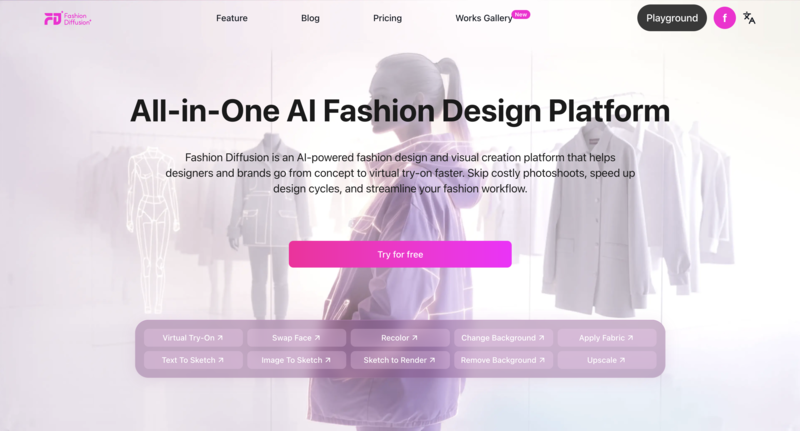
Fashion Diffusion is an AIpowered fashion design and visual creation platform that helps designers, brands, and ecommerce teams go from concept to highquality visuals quickly.

Unlike more narrowly focused tools, it combines design generation, visualization, virtual tryon, and image editing in one streamlined workflow to support creativity and practical output.

The New Black AI Alternatives 1--Fashion Diffusion

Key Highlights:

  • Turn text prompts or images into fashion sketches and detailed renders instantly, accelerating concept development.
  • Virtual tryon and model customization help evaluate fit, proportions, and styling without physical samples.
  • Builtin AI image editing tools—such as recolor, apply fabric, change background,  upscale, and others—produce polished visuals for ecommerce or marketing.
  • Helps save time and costs by reducing the need for traditional photoshoots and repetitive manual revisions.

2. Resleeve AI

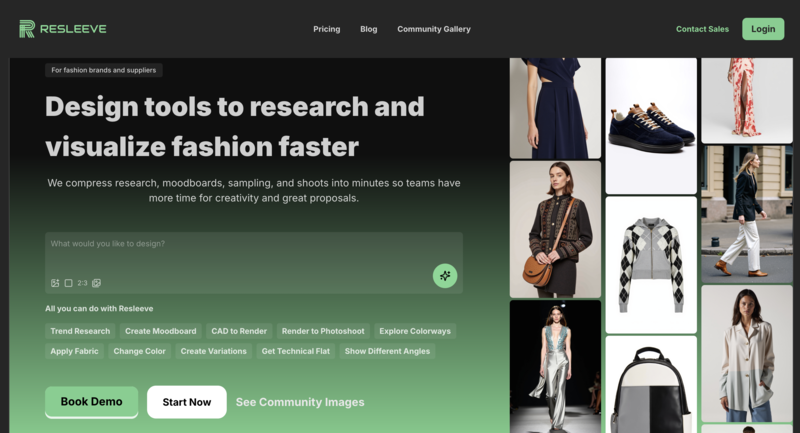
Resleeve AI specializes in high-quality photorealistic garment visualization. While The New Black AI provides an all-in-one solution, Resleeve excels in turning sketches or AI concepts into realistic images suitable for portfolios or presentations.

The New Black AI Alternatives 2--Resleeve AI

Key Highlights:

  • Convert rough sketches into detailed, lifelike renders
  • Strong visual output for lookbooks or investors presentations
  • Complements structured workflows by enhancing presentation quality
  • Best for designers prioritizing realism over speed

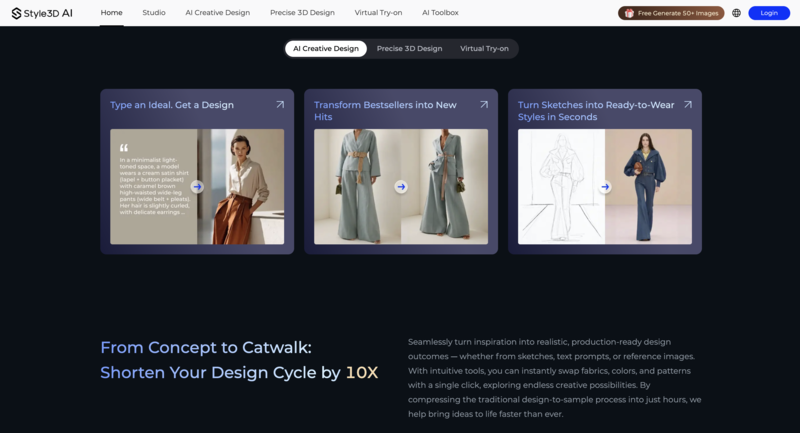
3. Style3D AI

Style3D AI focuses on the end-to-end fashion production pipeline, combining 3D garment modeling with technical specifications. It is ideal for teams that need to move designs from concept to production, something The New Black AI handles partially but less specialized.

The New Black AI Alternatives 3--Style3D AI

Key Highlights:

  • 3D garment modeling and digital draping
  • Supports production-ready outputs and techpacks
  • Streamlines design-to-manufacturing workflow
  • Perfect for brands and manufacturers needing accurate prototypes

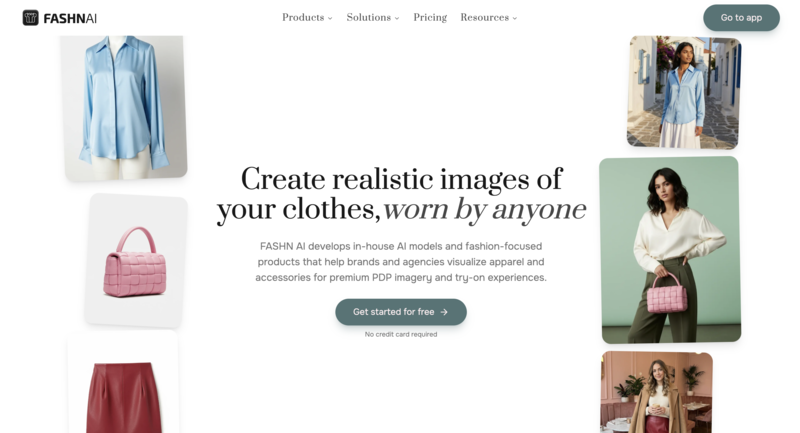
4. FASHN AI

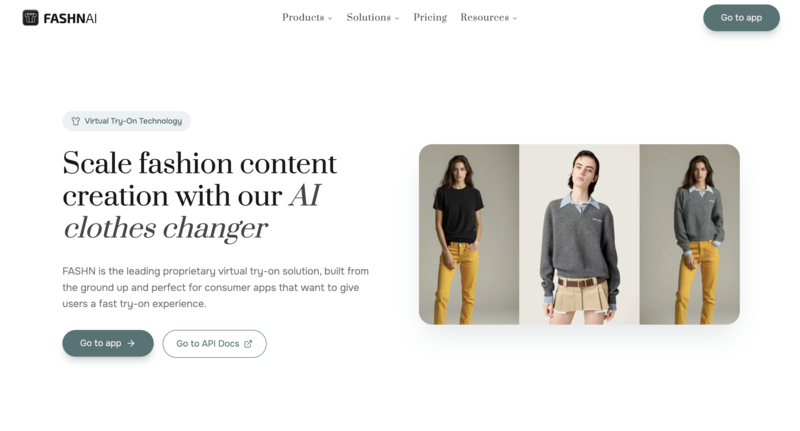
FASHN AI is geared towards virtual try-on and e-commerce applications. It allows users to visualize clothing on AI-generated models, making it a strong complement for The New Black AI when the focus is on marketing or consumer-facing visuals.

The New Black AI Alternatives 4--FASHN AI

Key Highlights:

  • Virtual try-on with realistic model generation
  • Optimized for e-commerce and social media content
  • Supports rapid product visualization for online store
  • Great for marketing teams and visual merchandisers

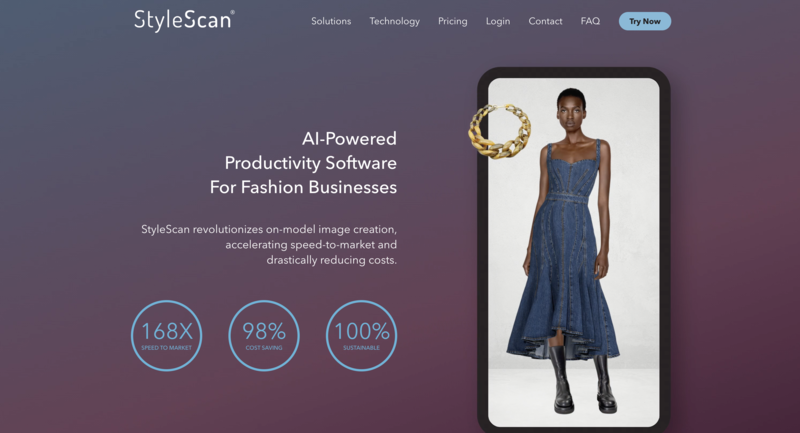
5. StyleScan

StyleScan is designed specifically for fashion brands and retailers that need high-quality, on-model visuals without traditional photoshoots. Instead of focusing on design generation like The New Black AI, it allows users to place garments onto models and create polished marketing images quickly and efficiently.

The New Black AI Alternatives 5--StyleScan

Key Highlights:

  • Drag-and-drop outfit styling on real or AI-generated models
  • Studio-quality visuals without physical photoshoots
  • Optimized for e-commerce, lookbooks and campaigns
  • Complements design tools by focusing on final presentation and marketing visuals

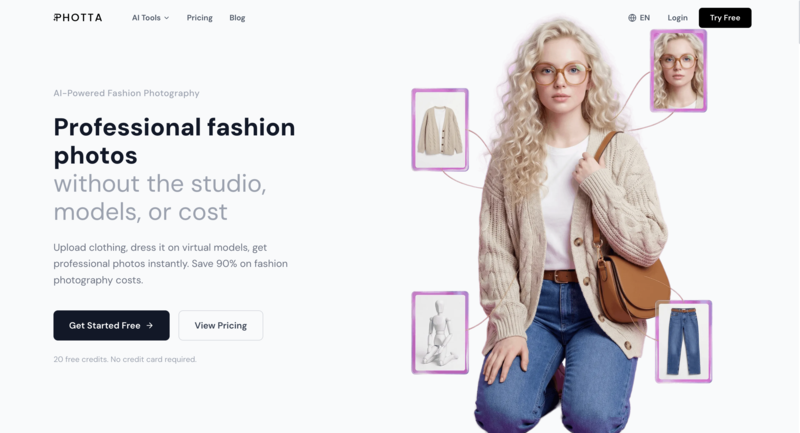
6. Photta

Photta emphasizes AI-powered fashion photoshoots, generating realistic model images and garment photography. It pairs well with The New Black AI by transforming concept designs into visually appealing content without a physical photoshoot.

The New Black AI Alternatives 6--Photta

Key Highlights:

  • AI model and scene generation for realistic photography
  • Helps brands create professional visuals quickly
  • Complements concept-focused design tools with marketing-ready content

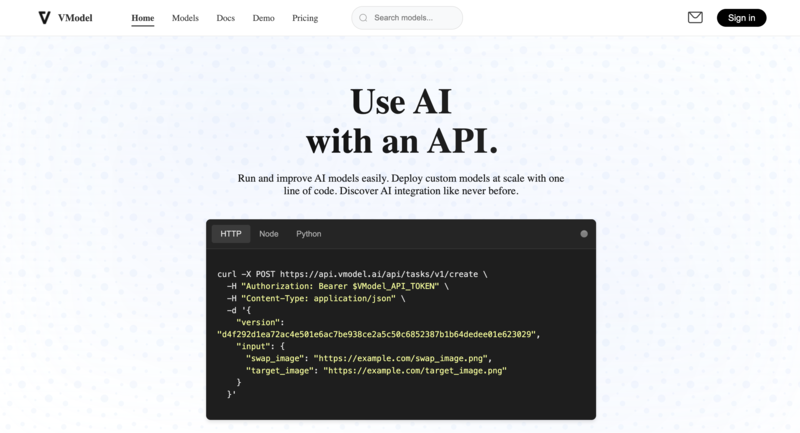
7. VModel

VModel is a flexible AI model deployment platform that enables fashion brands and developers to integrate AI-powered visual tools quickly. While it’s more developer-oriented than The New Black AI, it excels in virtual try-ons, product image generation, and customizable AI applications, making it a strong option for tech-driven fashion workflows.

The New Black AI Alternatives 7--VModel

Key Highlights:

  • Wide range of pre-trained AI models accessible via a simple API
  • Supports virtual try-on, model swaps, and automated product image generation
  • Pay-as-you-go credit system for flexible usage without subscriptions
  • Ideal for brands or teams wanting customizable AI solutions for e-commerce and content creation

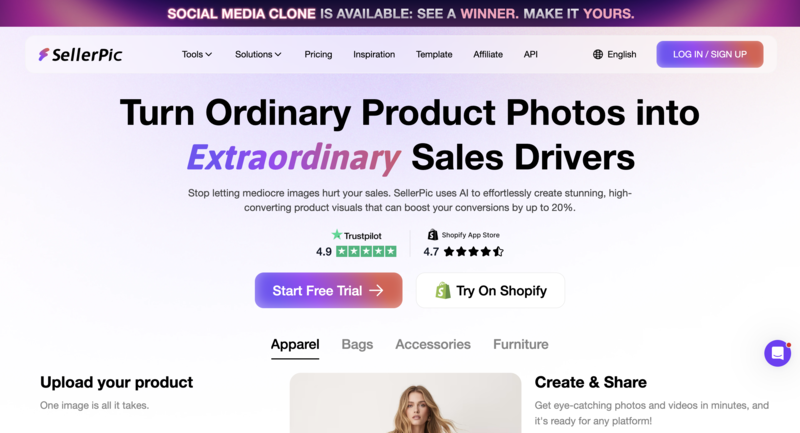
8. Sellerpic

Sellerpic automates product image creation for online marketplaces. While The New Black AI focuses on concept and design, Sellerpic is more specialized in delivering polished, ready-to-use product visuals at scale.

The New Black AI Alternatives 8--Sellerpic

Key Highlights:

  • Bulk generation of product images
  • Optimized fro e-commerce platforms
  • Complements design tools with high-volume visual content

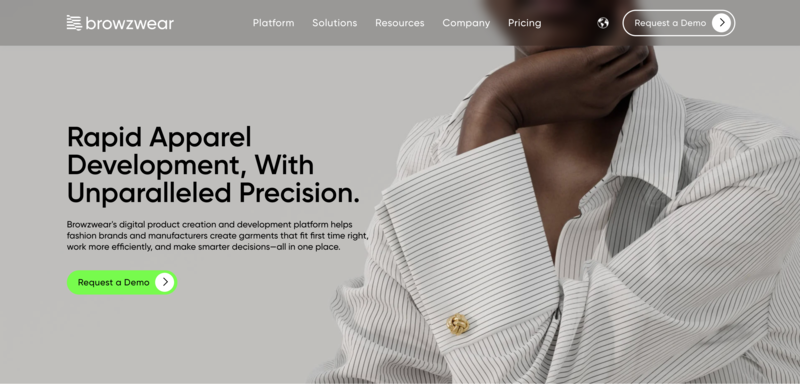
9. Browzwear

Browzwear is a professional 3D fashion design tool widely used by large brands. It offers precise garment simulation and production-ready outputs, making it a high-end complement to The New Black AI for teams requiring industrial-grade accuracy.

The New Black AI Alternatives 9--Browzwear

Key Highlights:

  • Advanced 3D modeling and simulation
  • Accurate technical outputs for manufacturing
  • Ideal for enterprise-level design and production workflows

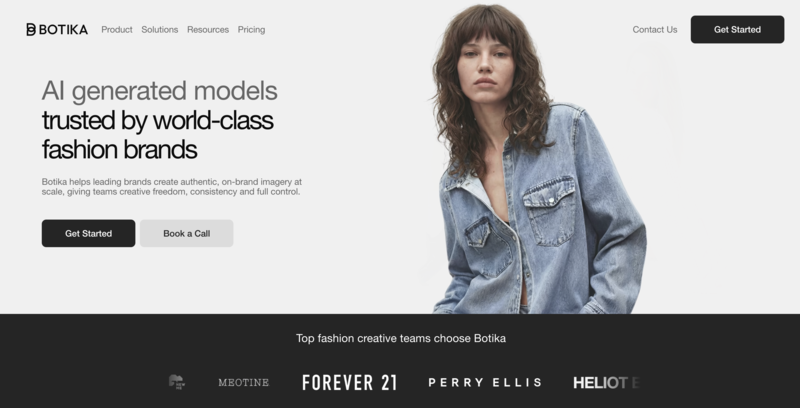
10. Botika

Botika combines AI design generation with analytics for trend prediction. Its strength lies in identifying emerging fashion trends and generating concept designs based on predictive insights, complementing The New Black AI’s more generalized workflow.

The New Black AI Alternatives 10--Botika

Key Highlights:

  • Trend-driven AI design suggestions
  • Supports data-informed creative decisions
  • Useful for brands looking to align collections with market trends

Comparing The New Black AI and Its Alternatives: Key Differences at a Glance

With so many AI fashion tools available, it can be difficult to quickly understand how each platform differs. While some tools focus on creative ideations, others specialize in production workflows or e-commerce visuals.

The table below highlights the key differences across major platforms, making it easier to identify which tool aligns best with your specific needs.

ToolPrimary FocusKey StrengthEase of UseSpeedBest For
The New Black AIAll-in-one platformWide feature set (design + branding)MediumMediumTeams needing a full workflow
Fashion DiffusionCreative design + visualizationFast sketchtorender + virtual tryonHighHighRapid design exploration & visuals
Resleeve AIVisual renderingPhotorealistic outputsMediumMediumPortfolio & concept presentation
Style3D AI3D & productionEnd-to-end garment workflowLowLowBrands & manufacturers
FASHN AIVirtual try-onRealistic model visualizationHighHighE-commerce & marketing
StyleScanVisual stylingOn-model outfit visualizationHighHighRetail & lookbook creation
PhottaAI photoshootStudio-quality fashion imagesHighHighMarketing content creation
VModelAI integration & virtual try-onCustomizable models, API accessMediumHighTech-driven brands & e-commerce
SellerpicProduct imagesBulk image generationHighHighMarketplace sellers
Browzwear3D designPrecision & simulationLowLowEnterprise design teams
BotikaTrend-driven AIData-informed design insightsMediumMediumTrend-focused brands

Which Alternative is Right for You?

Choosing the right tool ultimately depends on your goals, workflow, and level of experience. Rather than looking for a single “best” option, it’s more useful to identify which platform aligns with how you design, create, and present your work.

If you want fast creative exploration:

  • Fashion Diffusion is a strong choice for quickly generating and experimenting with new design ideas.
  • Its prompt-based workflow makes it easy to iterate and explore different styles without complexity.

If you need an all-in-one workflow:

  • The New Black AI or Style3D AI are better suited for managing multiple stages, from concept to production.
  • These tools are more structured and useful for teams handling full design pipelines.

If your focus is high-quality visuals:

  • Resleeve AI and Browzwear are ideal for producing realistic, presentation-ready designs.
  • They work well for portfolios, client presentations, or technical validation.

If you work in e-commerce or marketing:

  • FASHN AI, StyleScan, Photta, VModel, and Sellerpic offer strong capabilities for product visualization and content creation.
  • These tools help generate model images, campaigns, and marketplace-ready visuals efficiently.

If you rely on trends and data-driven design:

  • Botika can help guide creative decisions with trend-based insights and AI-assisted recommendations.

In many cases, designers and brands may even combine multiple tools—using one for ideation and another for visualization or production—to build a workflow that fits their specific needs.

Finding the Right Fit for Your Creative Workflow

With the rapid growth of AI in fashion design, there is no single tool that fits every need. The New Black AI offers a comprehensive ecosystem, while others focus on specific areas such as visualization, production, or e-commerce content. The key is to understand your own workflow and choose tools that align with how you create, iterate, and present your designs.

Designers who prioritize rapid iteration and creative flexibility will find Fashion Diffusion a practical choice for exploring ideas with minimal complexity. Instead of replacing every tool, it takes a unique approach—focusing on experimentation and speed. Often, combining multiple tools proves to be the most effective strategy, helping you transition from concept to final presentation more efficiently.

FAQ

Is The New Black AI good?

I gave it a shot! Most tools I’ve used before basically eat my patterns or stretch them into oblivion, but The New Black AI actually kept the fabric design looking like the original most of the time.

What is The New Black AI used for?

The New Black AI is an AI-powered fashion design platform used to generate clothing concepts, create virtual try-on visuals, and support branding and production workflows. It is commonly used by designers and brands looking for an all-in-one solution.

Which AI tool is best for beginners in fashion design?

Beginner-friendly tools are usually those with simple interfaces and fast results. Fashion Diffusion is often a good choice for beginners because it allows users to generate designs quickly without a steep learning curve.

Is there a free alternative to The New Black AI?

Some AI fashion tools offer free trials or limited free versions. Some platforms may provide accessible entry points for users who want to experiment with AI-generated designs before committing to a paid plan.


Avatar photo 通过Ethan Davis

The Truth About AI in Fashion: Real Answers from the Industry

At the very beginning of 2026, the world seemed to hit fast-forward with AI.

Super Bowl commercials now use AI-generated videos, with real-time effects and smart camera systems becoming standard. Tech giants Meta, Google, and Microsoft are competing in AI-powered search platforms, driving billion-dollar market activity. Enterprise AI tools like Notion AI, Jasper AI, and CodeGPT have become common for team collaboration.

Clearly, AI is enhancing creativity and productivity across industries.

Turning our focus to the fashion industry, the real-world adoption of AI tools brings both challenges and rewards:

  • Companies that know how to use AI have saved hundreds of thousands in costs, while others are still paying the price for bad reviews, like products not matching expectations.
  • Some professionals worry about being replaced by AI, yet designers who have mastered AI can now generate hundreds of designs daily, dramatically boosting efficiency.

On one hand, the conversation around AI is loud and often overwhelming; on the other, the fashion industry is quietly evolving. So how can we use AI in a way that genuinely improves efficiency without confusion or unnecessary friction?

This article does not dwell on abstract theories. We gathered real insights from fashion designers, pattern makers, e-commerce operators, and factory owners, and selected representative themes. Presented in a Q&A format, it aims to answer the core questions that everyone truly cares about.

Part 1 Why AI-Generated Fashion Looks Fake

Q1: The AI-generated images look obviously fake and fail to meet the demands for commercial-level detail, naturalness, and realism. Is that true?

The answer is—not necessarily. The reason AI images often look fake 90% of the time is due to using the wrong tools or applying them incorrectly.

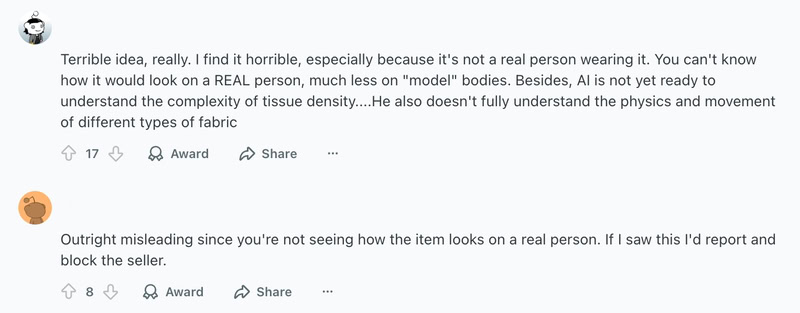
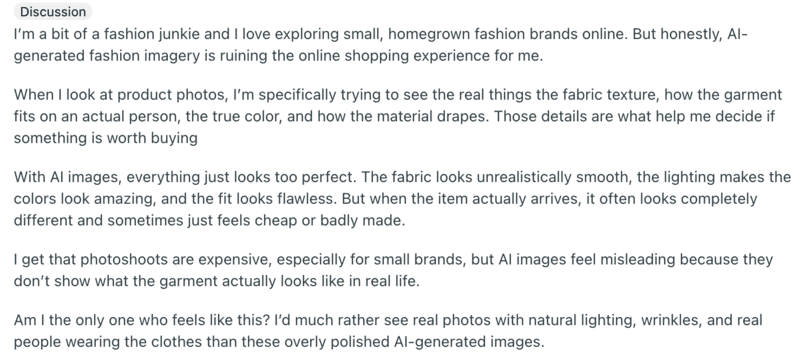
Take a look at the real complaints from consumers below:

User complaints about unrealistic AI-generated fashion images.

This is perhaps the most common frustration among people using AI fashion design tools. But there are some major misconceptions here:

Misconceptions

  • First, consider whether you are using a general-purpose AI model or a fashion-specific tool. Many widely used AI models are like highly skilled but non-specialist artists. They can produce striking conceptual visuals, but often struggle to accurately capture a garment’s structure, drape, folds, and fabric texture.
  • Second, if you’ve tried fashion-specific AI tools before, don’t let a single product or an experience from years ago shape your perception of what’s possible today.

AI fashion design tools have evolved rapidly over the past few years. Many of the issues that once caused frustration, such as mannequin-like figures, floating fabrics, or structural inconsistencies, have been significantly reduced thanks to more advanced underlying models.

Today’s AI fashion tools are far more capable than they were just a few years ago, and you may find that the problems you once encountered are no longer dealbreakers.

Part 2 Why the AI Fashion Design Tool Feels Complicated

Q2: AI doesn’t actually improve efficiency—constant revisions and regenerations make the process even more exhausting. What should we do?

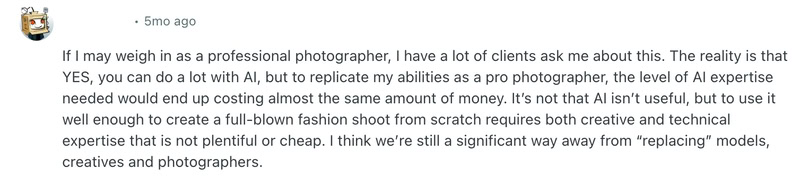
A photography's words on AI accuracy.

Just as the photographer said in the image above, AI can do a lot, but matching professional fashion photography still requires similar levels of skill and cost.

Many designers complain that using AI design tools involves a complicated workflow:

  • launch the tool;
  • enter prompts;
  • filter results;
  • fixi flaws;
  • remove watermarks;
  • tweak prompts;
  • adjust details…

And in many cases, customization options are still limited. After going through the entire process, it can feel even more tiring than designing manually.

But think about it—when you first used AI tools to draft things like annual reports or performance reviews, didn’t it often feel like the AI misunderstood your instructions?

The solution is actually quite simple. If you browse platforms like Reddit, Quora, or TikTok, you’ll find countless prompt-writing techniques for different scenarios. By copying and slightly modifying these prompts, or even asking ChatGPT to refine them, your AI fashion design tool can quickly become a much more responsive and reliable assistant.

At its core, the issue of feeling cumbersome and inefficient using AI is often not about the tool itself, but about the lack of guidance and unfamiliarity with how to use it effectively.

Example

Take a simple example of generating outfit visuals from text prompts. The difference in results can be significant:

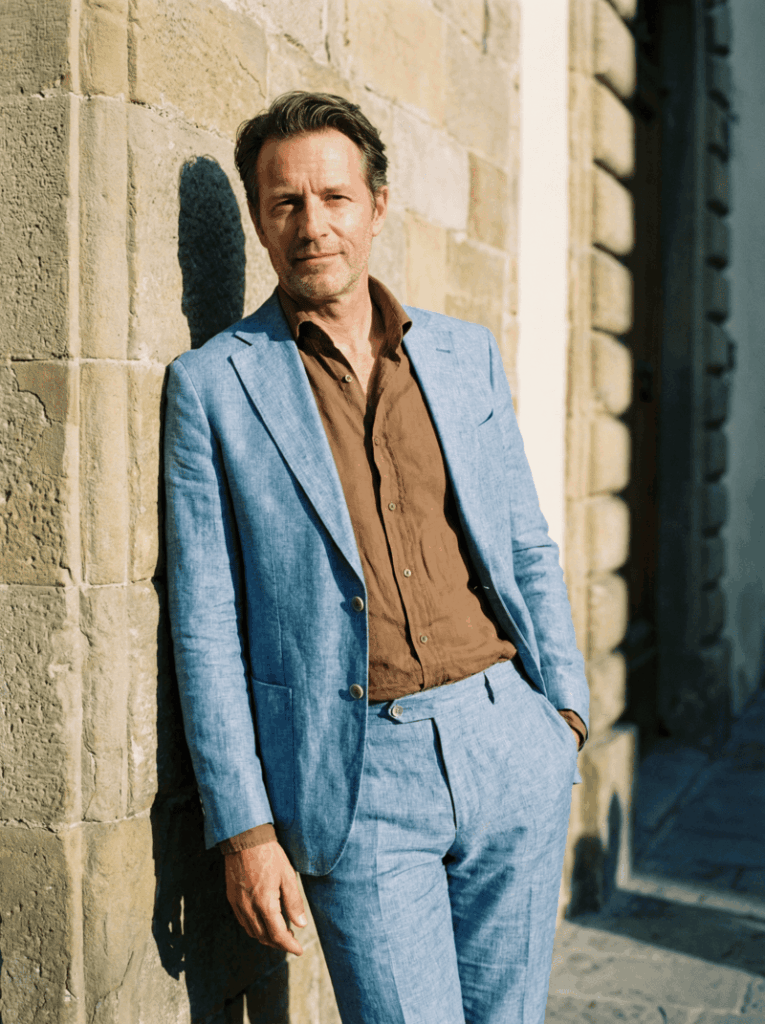
Unrefined prompt: A man wearing a light blue suit and a brown shirt.

Image generated from unrefined AI outfit prompt.
Fashion Diffusion AI-generated

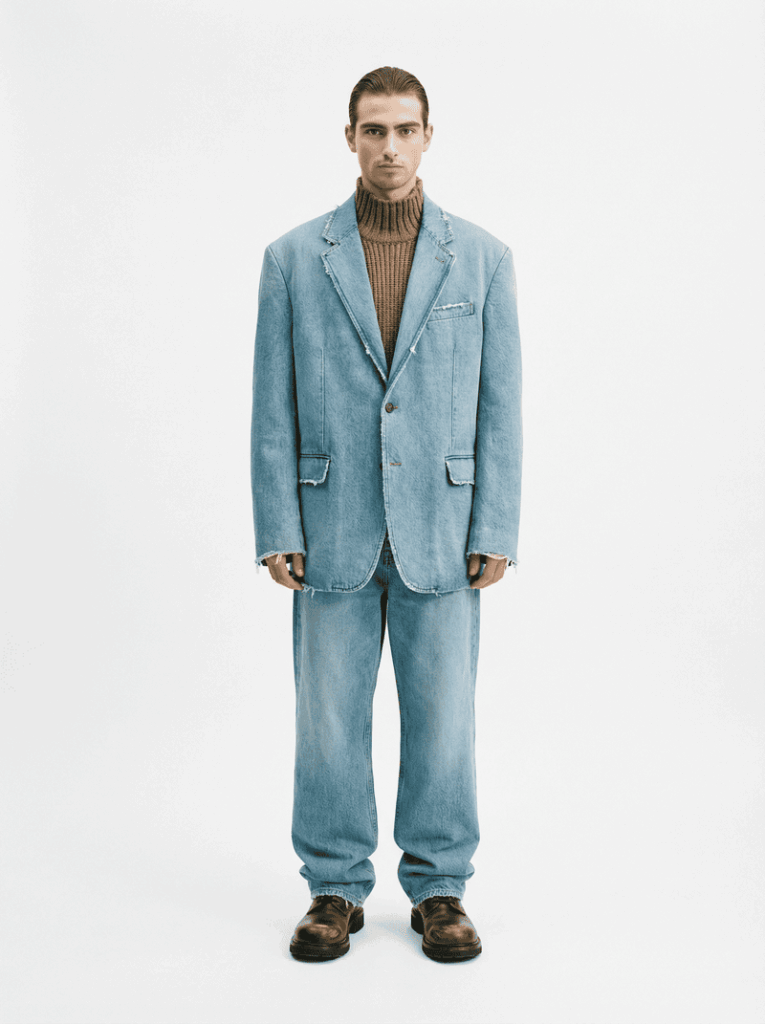
Refined prompt: Generate a light blue suit made of denim fabric, paired with a brown knit sweater featuring a semi-turtleneck. The style should resemble Balenciaga. A male model is wearing the outfit, set against a clean white background.

Image generated from refined AI outfit prompt.
Fashion Diffusion AI-generated

You can easily compare the results yourself. The better you understand how to write AI outfit prompts, the more effectively you can use AI design tools.

While AI fashion tools can feel complicated at first, some platforms simplify the entire process. Take Fashion Diffusion, for example, it offers not just a product but a complete service system to guide you step by step:

  • Built-in intelligent prompt generation system and tutorial videos;
  • Dedicated 1-on-1 support to guide you through the process and answer questions;
  • Training sessions with step-by-step guidance to help you generate precise results and fully master the tool.

Part 3 Do Better AI Images Lead to More Returns

Q3: The better AI-generated product images look, the higher the return rates? When expectations are set too high, and the actual product falls short, how can brands strike a balance?

Concerns about AI fashion images and product mismatch.

Concerns about AI-generated product images are easy to find online.

Issues like mismatched expectations, color discrepancies, and differences between images and the actual product are common pain points that can lead to returns, and high return rates are something no business wants to see.

Just as the rise of ChatGPT sparked concerns about authenticity in writing and information, it’s inevitable that AI fashion, as a new form of productive technology, will face skepticism.

However, it’s still important to stay clear on one point: AI in design is not meant for over-enhancement or deception, but for reducing costs and improving efficiency.

What AI fashion design tools aim for is not an unrealistic level of beauty that exceeds the actual product, but a more cost-effective form of realism.

AI-generated fashion image with realistic presentation.
Fashion Diffusion AI-generated

Part 4 How to Choose the Right AI Tool

Q4: With so many AI fashion tools on the market, affordable options often fall short, while the more capable ones can be expensive. Some are easy to learn but hard to put into practice, while others are powerful but not user-friendly. How should I choose?

For fashion professionals, the cost of trial and error is extremely high, covering time, labor, team morale, and even potential risks to orders. So choosing the right AI fashion design tool is very important.

While we offer Fashion Diffusion, an AI design tool tailored for the fashion industry, we are not here to put down other products or oversell our own. Instead, we believe the choice should be yours.

Fashion Diffusion offers four core capabilities:

  • AI image generation;
  • Precise style editing;
  • Cost-efficient design testing and iteration;
  • AI-powered commercial photography.

It also supports 4K image output, AI video generation, complex fabric rendering on models, virtual models, and a wide range of advanced features.

Examples

Below are some examples of commercial visuals created with Fashion Diffusion. With the Virtual Try-On feature, garments can be seamlessly applied to models, providing a clear and realistic view of how the clothing looks when worn, including fabric behavior and fit.

AI model fashion image generated from Fashion Diffusion's virtual try-on feature.
Fashion Diffusion AI-generated

Even flat-lay designs are rendered with a high level of accuracy, preserving garment construction details and fabric characteristics. This allows consumers to better understand the actual wearing effect, helping reduce returns caused by mismatched expectations.

Another key feature is AI Lookbook generation. Fashion Diffusion can produce a full set of product images within minutes.

A single design can be presented from multiple angles, with flexible options to adjust model poses, swap models, change backgrounds, and highlight specific details, making it easy to create versatile, scenario-based, and highly customized visuals.

AI fashion commercial photography output.
Fashion Diffusion AI-generated

If further refinement is needed, AI Inpainting can be used to adjust specific areas, or users can upload reference images of similar styles for Style Innovation.

AI Inpainting or Style innovation feature can be used to adjust specific areas.
Fashion Diffusion AI-generated

Fashion Diffusion is more than just a tool for design and commercial visuals. It serves as a connected system for inspiration capture, AI generation, and trend validation, helping turn data-driven insights into successful, market-ready designs.

Part 5 What AI Really Brings to Fashion Businesses

Q5: AI is often overhyped, but what tangible impact can it actually bring to fashion businesses?

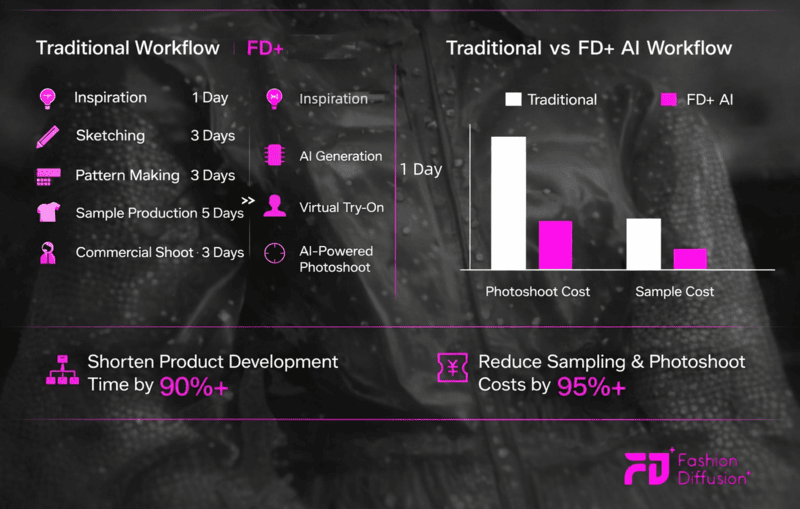
To answer this question, the image below provides a clear explanation:

Traditional vs Fashion Diffusion workflow diagram.

The traditional design process is often complex, with mass production taking several weeks. From creating sketches to producing sample garments and conducting model-based commercial shoots, every step can be both time-consuming and expensive.

For fashion businesses operating across borders, coordinating international models and securing appropriate shooting locations adds an extra layer of challenge. And even with all that time and financial investment, sales are never guaranteed.

What AI tools offer is a significantly shorter production cycle, along with cost savings of over 95%.

Whether for product launches or testing new designs, AI enables a more cost-effective approach. For both business owners and front-line professionals, it’s a win-win solution.

Conclusion

AI is no longer just a concept—it’s a new driver of productivity.

Yet fashion has its own rules: fabric, fit, craftsmanship, models, production, and trust. These fundamentals cannot be bypassed by AI. The resistance isn’t to AI itself, but to AI that feels impractical, unprofessional, overly complex, risky, or unsupported.

Fashion Diffusion was created to change that. It’s an AI design partner that truly understands fashion, production, and you. We are here to guide you through this shift in fashion design and commercial production, helping you move forward with clarity and confidence.

If you’ve been exploring AI fashion or feel limited by the tools you’ve tried, there’s no better time to see what’s possible. Experience Fashion Diffusion and discover the difference for yourself!

Avatar photo 通过Sophia Mille

Y2K Fashion Explained: A Complete Guide to the Aesthetic, Trends & Styling

Y2K fashion is back! From TikTok feeds to runway collections, this bold and playful style has become one of the most talked-about y2k fashion trends today. But beyond the hype, many people are still asking: what is y2k fashion, and why does it feel so relevant again?

What makes this revival even more interesting is how it blends with AI fashion design tools, allowing creators to reimagine the classic y2k fashion aesthetic in new ways. In this guide, we’ll break down its origins, key elements, and how to style Y2K outfits using an AI outfit generator in today’s fashion landscape.

What is Y2K Fashion

When people ask what y2k fashion is, they’re usually referring to a bold, nostalgic style inspired by the late 1990s and early 2000s. The y2k fashion aesthetic blends futuristic elements with playful, sometimes experimental designs—think shiny fabrics, low-rise silhouettes, and statement accessories. It reflects a time when fashion was heavily influenced by pop culture, technology, and a growing digital world.

Origin & History

Y2K fashion emerged around the turn of the millennium, a period shaped by excitement (and uncertainty) about the future. The rise of the internet, early mobile phones, and digital culture influenced how people dressed, leading to a mix of tech-inspired looks and casual streetwear. This is why metallic fabrics, sporty outfits, and bold colors became key parts of early y2k fashion trends.

At the same time, celebrity culture played a huge role in shaping the style. Music videos, red carpets, and paparazzi photos helped popularize signature looks, making Y2K fashion more accessible to the public. Unlike today’s algorithm-driven trends, this era was defined by a smaller group of cultural icons who set the tone for what was considered fashionable.

Over time, the y2k fashion aesthetic faded as minimalism and more subdued styles took over in the late 2000s. However, with the rise of social media and nostalgia-driven trends, Y2K fashion has made a strong comeback—now reinterpreted through a modern lens and even reshaped by tools like AI fashion design.

Key Characteristics of Y2K Fashion

The y2k fashion aesthetic is instantly recognizable for its bold, playful, and slightly futuristic vibe. Unlike minimal styles, y2k fashion embraces contrast, experimentation, and a mix of influences—from pop culture to early tech-inspired visuals.

Silhouettes

One of the most defining features of y2k fashion is the contrast in proportions. Outfits often combine tight and revealing pieces with oversized elements.

  • Low-rise jeans and mini skirts
  • Crop tops, baby tees, and fitted tanks
  • Baggy pants, cargo trousers, oversized jackets

This mix creates a look that feels both effortless and intentionally styled.

simple y2k style

Colors & Materials

Color plays a huge role in shaping the y2k fashion aesthetic. Instead of muted tones, this style leans into bold, eye-catching palettes and experimental textures.

  • Bright colors like hot pink, lime green , and electric blue
  • Metallic, holographic, and glossy fabrics
  • Denim, velour, and shiny synthetics

These elements reflect the early 2000s fascination with the “future” and digital culture.

Accessories

In y2k fashion, accessories are not just an add-on—they’re essential to completing the look. Often, they’re what make an outfit feel truly “Y2K”.

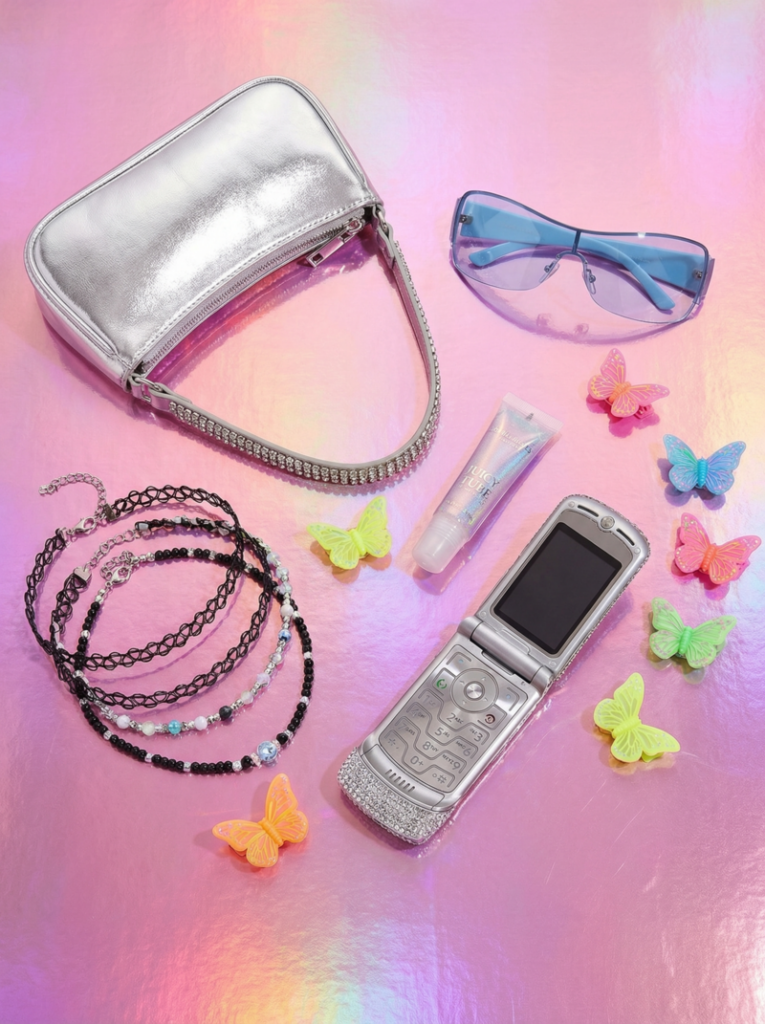
  • Tiny sunglasses
  • Chunky belts
  • Butterfly clips and hair accessories
  • Mini shoulder bags
  • Platform shoes
Y2K accessories

Overall, the y2k fashion is about having fun with style. It’s expressive, a little chaotic, and unapologetically bold—qualities that continue to define why it stands out in today’s fashion landscape.

Iconic Y2K Fashion Pieces

To really understand y2k fashion, it helps to look at the key pieces that defined the era. These items are the foundation of the y2k fashion aesthetic, and many of them are now returning as major y2k fashion trends.

Tops

Y2K tops are often fitted, playful, and designed to stand out. They highlight the upper body and are usually paired with looser bottoms for balance.

  • Baby tees with graphic prints
  • Crop tops and halter tops
  • Tube tops and camisoles

These pieces create that signature early 2000s silhouette—simple, but eye-catching.

Bottoms

Bottoms in y2k fashion are all about attitude. Whether fitted or oversized, they help define the overall vibe of the outfit.

  • Low-rise jeans
  • Cargo pants with multiple pockets
  • Mini skirts (especially denim or pleated styles)

Low-rise cuts, in particular, are one of the most recognizable elements of y2k fashion trends.

Outerwear

Outerwear in the Y2K era often added texture and personality to an outfit. It wasn’t just functional—it was part of the statement.

  • Velour tracksuits
  • Cropped jackets
  • Denim jackets

These pieces reflect the mix of casual comfort and glam that defines the y2k fashion aesthetic.

Shoes

Footwear plays a big role in completing a Y2K look. Most styles are bold and slightly exaggerated.

  • Chunky sneakers
  • Platform sandals
  •  Heeled boots

Overall, these iconic pieces show how y2k fashion combines casual wear with standout details, making it both wearable and expressive even today.

Celebrity Influence & Pop Culture

Celebrity culture was at the core of y2k fashion. Before social media, trends were shaped by music videos, red carpet appearances, and paparazzi shots. This made the y2k fashion aesthetic feel aspirational yet highly visible, as fans constantly recreated looks worn by their favorite stars.

Artists like Britney Spears and Paris Hilton helped define some of the most iconic y2k fashion trends, from denim-on-denim outfits to velour tracksuits and rhinestone accessories. At the same time, Aaliyah brought a more relaxed, streetwear-inspired edge with baggy pants, crop tops, and sporty silhouettes.

Pop culture platforms like MTV, early reality TV, and teen movies also played a huge role in spreading these styles. Unlike today’s fast-moving trend cycles, Y2K fashion was shaped by a smaller group of influential figures, which gave it a more distinct and recognizable identity

Today, many of these looks are being rediscovered and reinterpreted. The influence of early 2000s celebrities continues to inspire modern y2k fashion trends, proving how powerful pop culture can be in shaping long-term style movements.

How to Style Y2K Fashion

Styling y2k fashion today is all about balancing nostalgia with a modern touch. While the original y2k fashion aesthetic was bold and sometimes experimental, you can easily adapt it to fit current y2k fashion trends without feeling overdone.

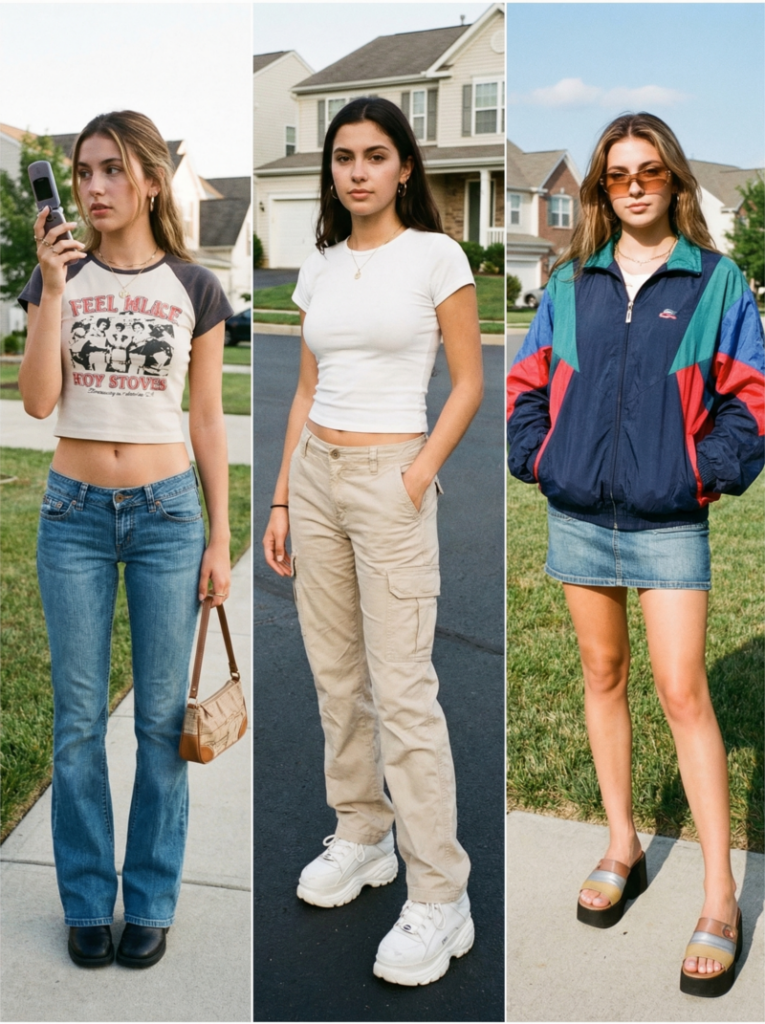
Basic Outfit Formulas

If you are not sure where to start, these simple combinations can help you build a Y2K-inspired look:

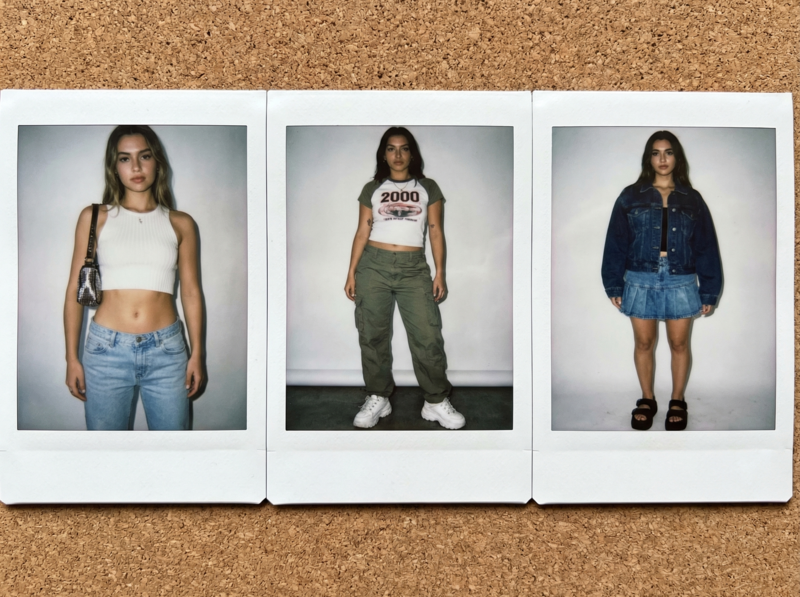
  • Low-rise jeans + crop top + mini shoulder bag
  • Cargo pants + baby tee + chunky sneakers
  • Mini skirt + oversized jacket + platform shoes
Simple Y2K style
Fashion Diffusion AI-generated

These formulas reflect the classic Y2K balance between fitted and oversized pieces.

Styling Tips

To make your outfit feel authentic while still wearable today, focus on a few key details:

  • Mix proportions ( tight tops with loose bottoms)
  • Add at least one statement accessory
  • Don’t avoid bold colors or playful textures
  • Keep the look slightly effortless, not overly styled

The goal is not to copy the past exactly, but to reinterpret the y2k fashion aesthetic in a way that feels natural.

Modern Approach

One reason y2k fashion trends are so popular right now is their flexibility. You can go full Y2K with bold pieces, or simply add subtle elements like a mini bag or tinted sunglasses to a more minimal outfit.

This adaptability makes y2k fashion easy to experiment with, whether you prefer a statement look or something more understated.

Y2K Fashion Styling with AI

As y2k fashion continues to evolve, AI fashion design tools like the AI outfit generator are changing how people approach styling. Instead of relying only on physical try-ons, you can now experiment with the y2k fashion aesthetic digitally—testing different silhouettes, colors, and combinations in seconds.

Fashion Diffusion makes it easier to recreate classic y2k fashion trends or mix them with modern influences. If you’re new to writing prompts, you can also explore structured AI outfit prompt examples to better understand how small changes in wording can completely transform an outfit result.

AI Prompts for Different Y2K Styles

Here are several detailed prompts to help you generate a variety of Y2K-inspired looks:

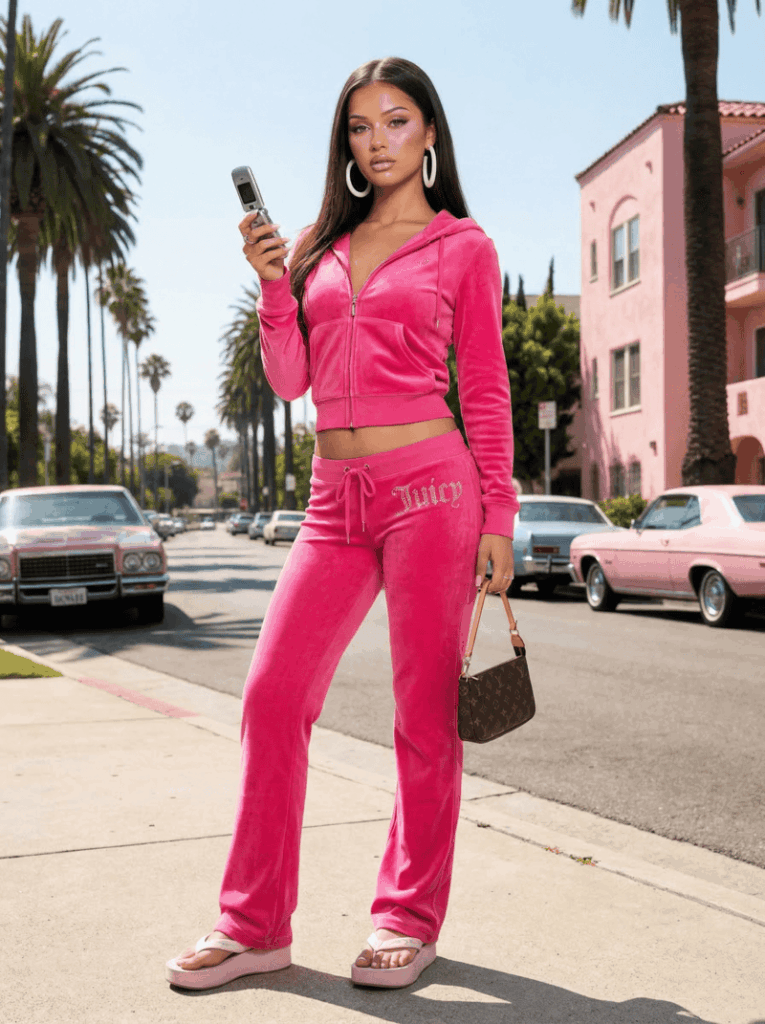
1. McBling / Juicy Couture

A full-body fashion photograph of a young woman in an early 2000s McBling outfit. She is wearing a hot pink velour zip-up hoodie and matching low-rise track pants with “JUICY” spelled out in white rhinestones on the back. Accessories include large white plastic hoop earrings, chunky platform flip-flops, and a tiny silver flip phone in her hand. The background is a glamorous, sun-drenched Los Angeles street. Studio lighting, great detail, 8k.

Y2K fashion 1.McBling : Juicy Couture
Fashion Diffusion AI-generated

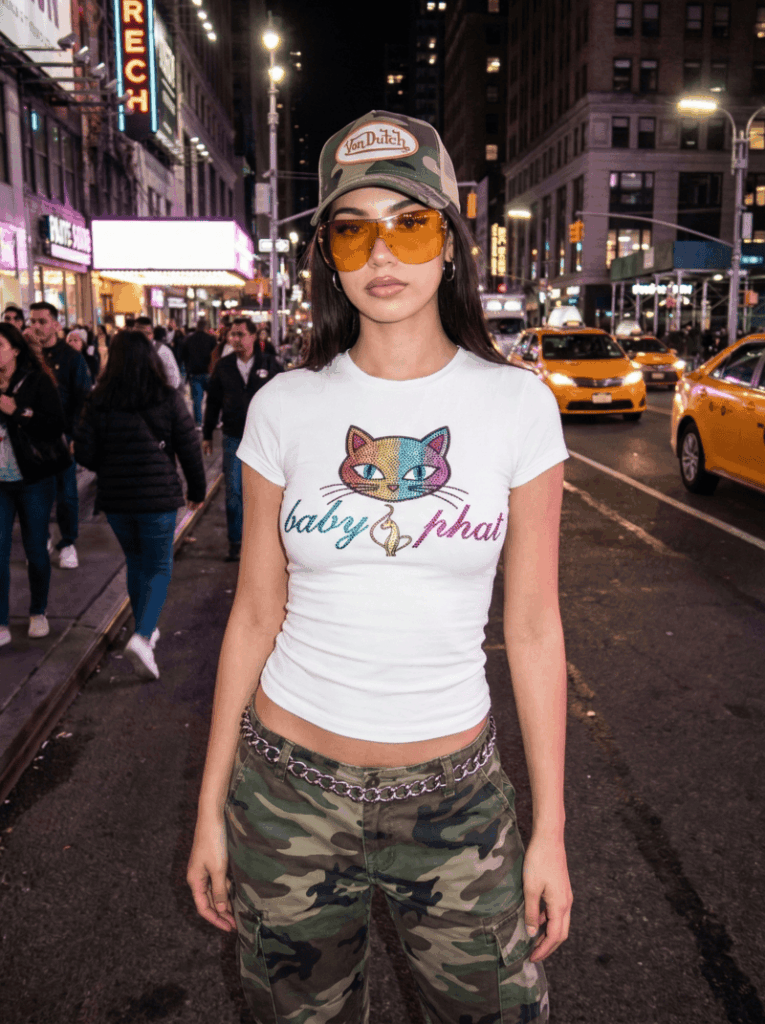
2. Streetwear Y2K

A full-body shot of a woman in a Y2K logomania outfit. She wears a tight white baby tee with a large, colorful Baby Phat or Von Dutch logo on the front. Bottoms are low-rise camouflage print cargo pants. Accessories include a chunky silver chain belt, a trucker hat with a logo, and oversized tinted shield sunglasses. The setting is a bustling city street, flash photography style.

Y2K fashion 2.Streetwear Y2K
Fashion Diffusion AI-generated

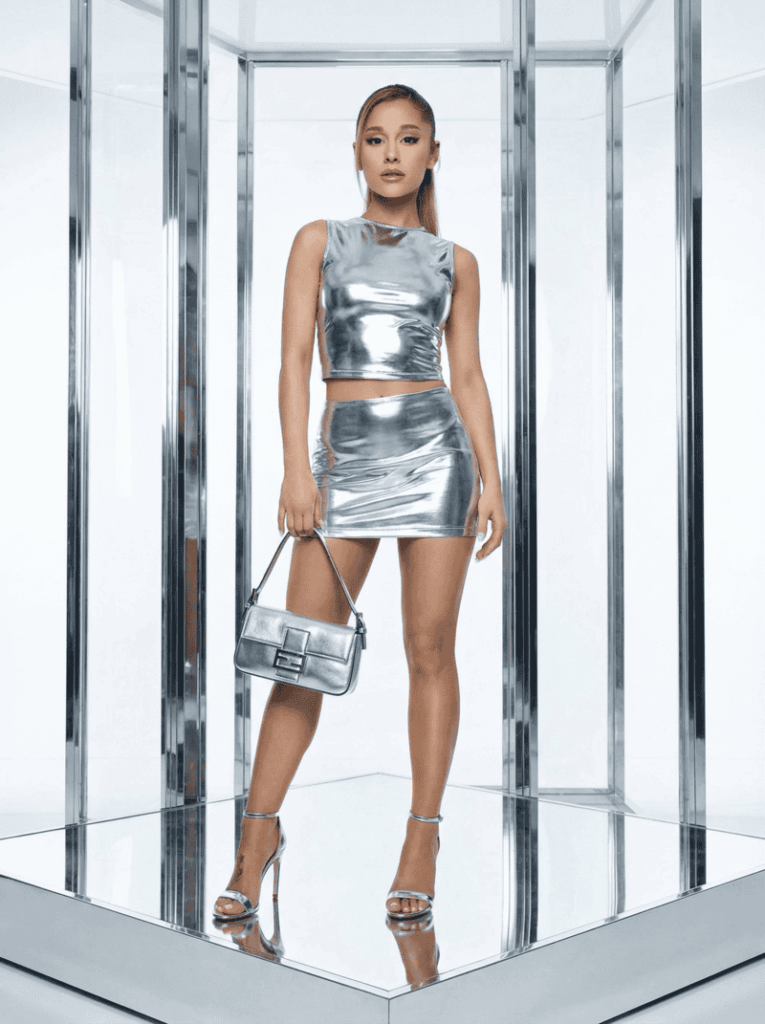
3. Metallic Pop Star (Futuristic Glam)

A full-length glamour shot of a pop star in a futuristic Y2K performance outfit. She wears a silver chrome, high-neck, sleeveless top with a matching micro mini skirt. The fabric is highly reflective and glossy. She has strappy silver metallic stiletto heels and carries a small silver Fendi Baguette-style bag. Hair is slicked back in a high ponytail. The background is a bright, white, futuristic set with reflective surfaces. Glossy magazine style, sharp focus.

Y2K fashion 3.Metallic Pop Star (Futuristic Glam)
Fashion Diffusion AI-generated

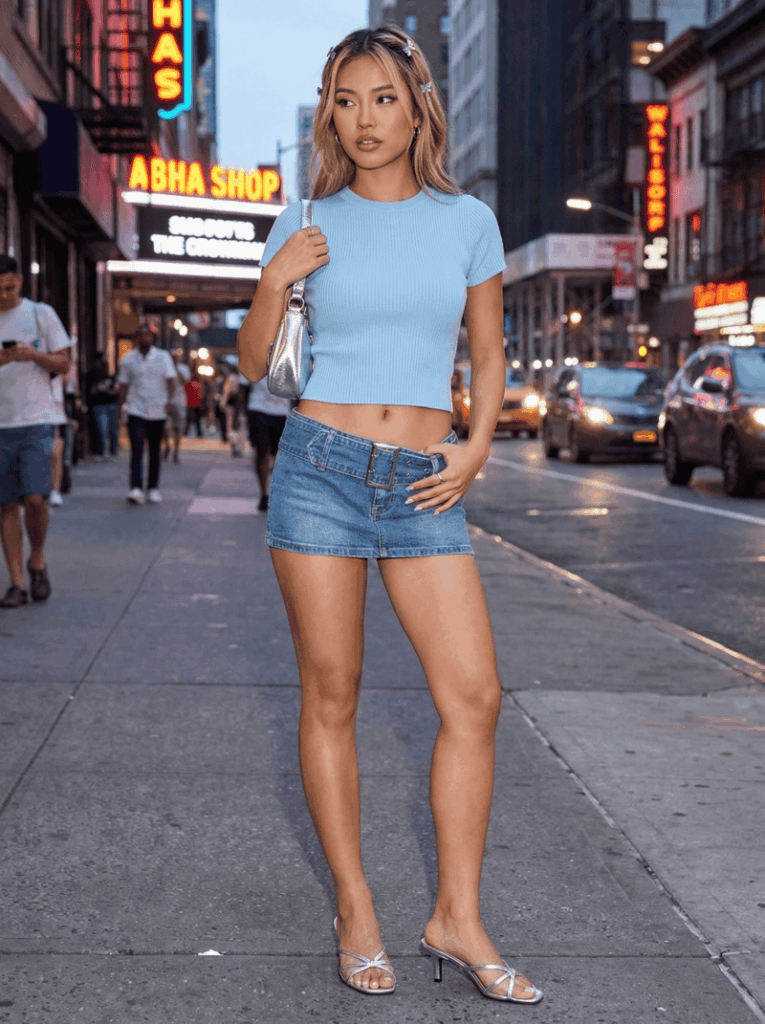
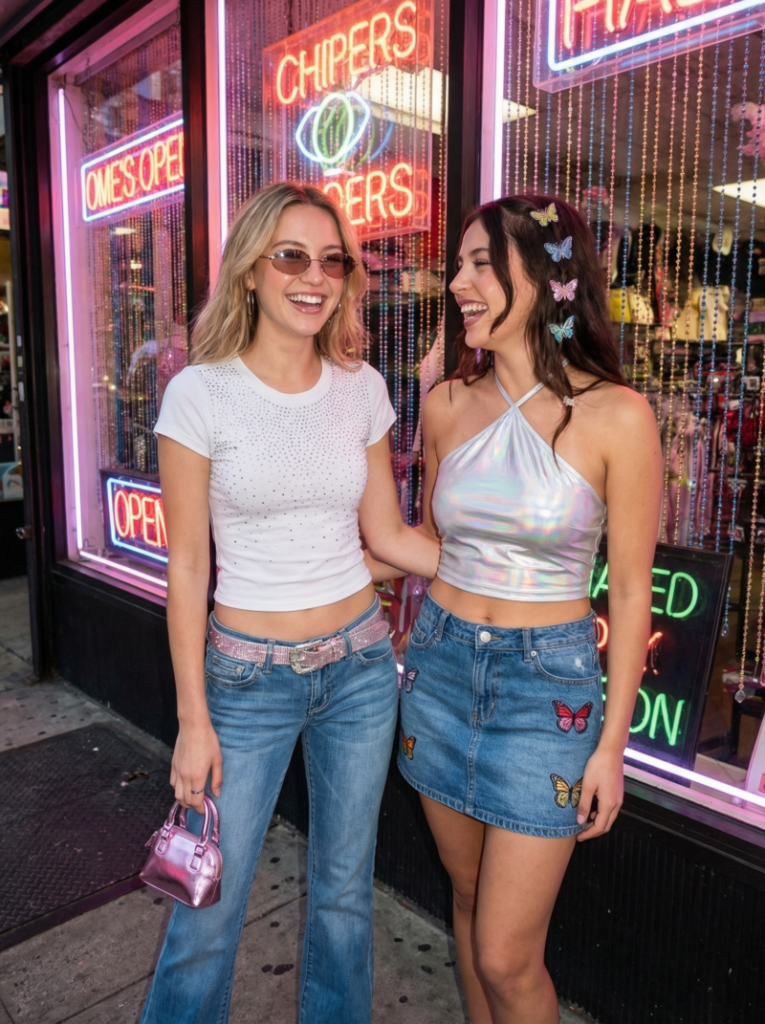
4. Mini Skirt & Crop Top Combo

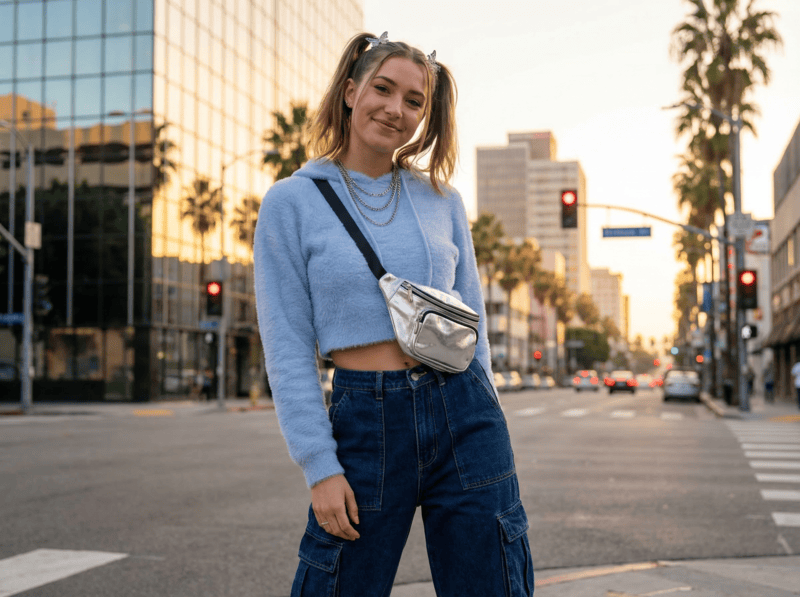
A full-body fashion photo of a woman in a classic Y2K going-out outfit. She wears a baby blue ribbed knit baby tee and a very short denim mini skirt with a large, chunky silver belt buckle. On her feet are strappy silver kitten-heeled mules. Hair has chunky blonde highlights and is accessorized with small butterfly clips. She holds a tiny silver shoulder bag. The background is a vibrant nightclub or a city street at dusk.

Y2K Fashion 4.Mini Skirt & Crop Top Combo
Fashion Diffusion AI-generated

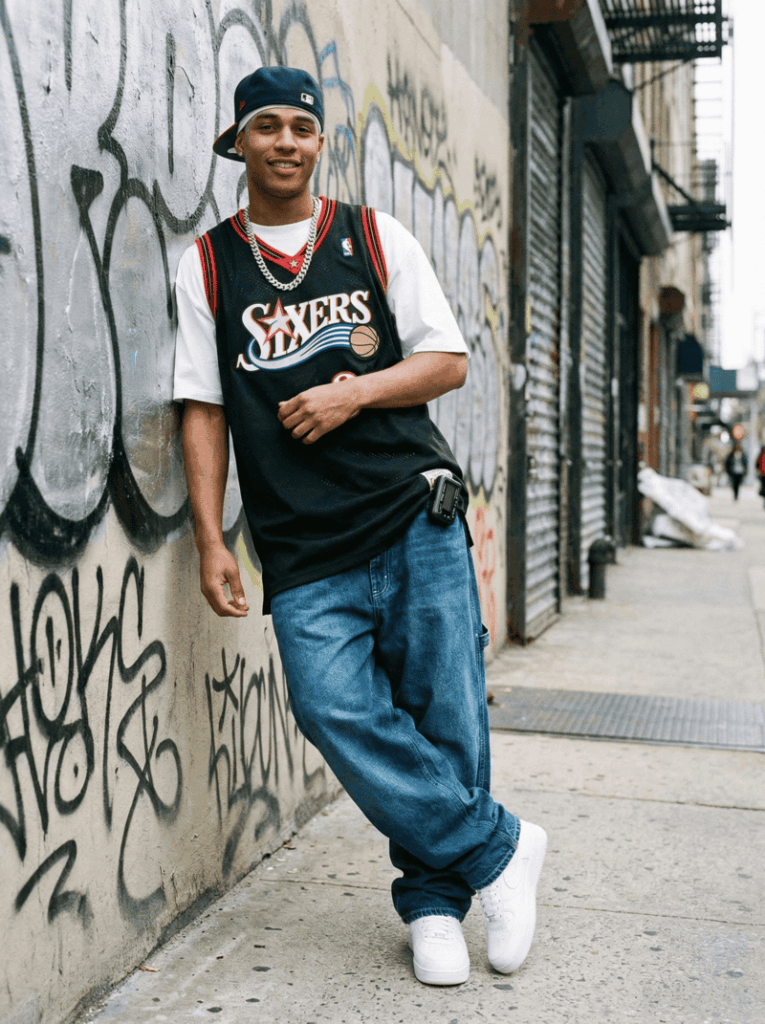
5. Men’s Y2K Hip-Hop Style

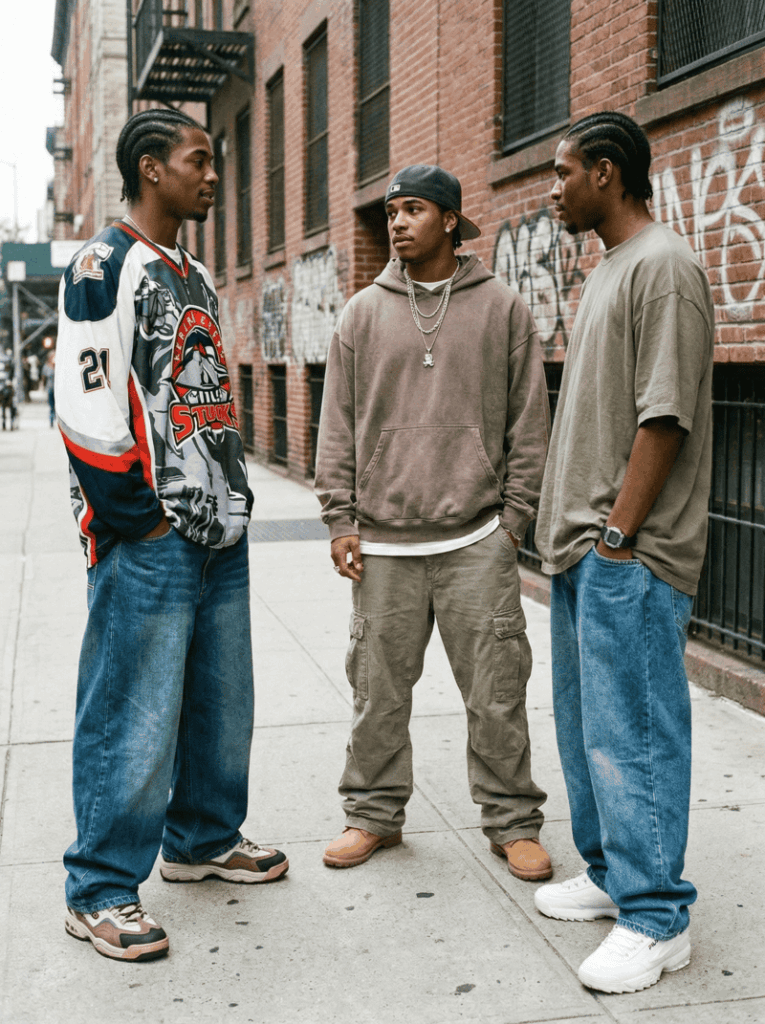
A male model is standing in a street setting with graffiti walls in the background. He is wearing an oversized sports jersey with baggy denim jeans. The outfit is styled with a chain necklace and classic sneakers. His pose is relaxed, and the overall vibe reflects early 2000s hip-hop culture. This look highlights the more street-driven side of y2k fashion trends for men.

Y2K fashion 5.Men’s Y2K Hip-Hop Style
Fashion Diffusion AI-generated

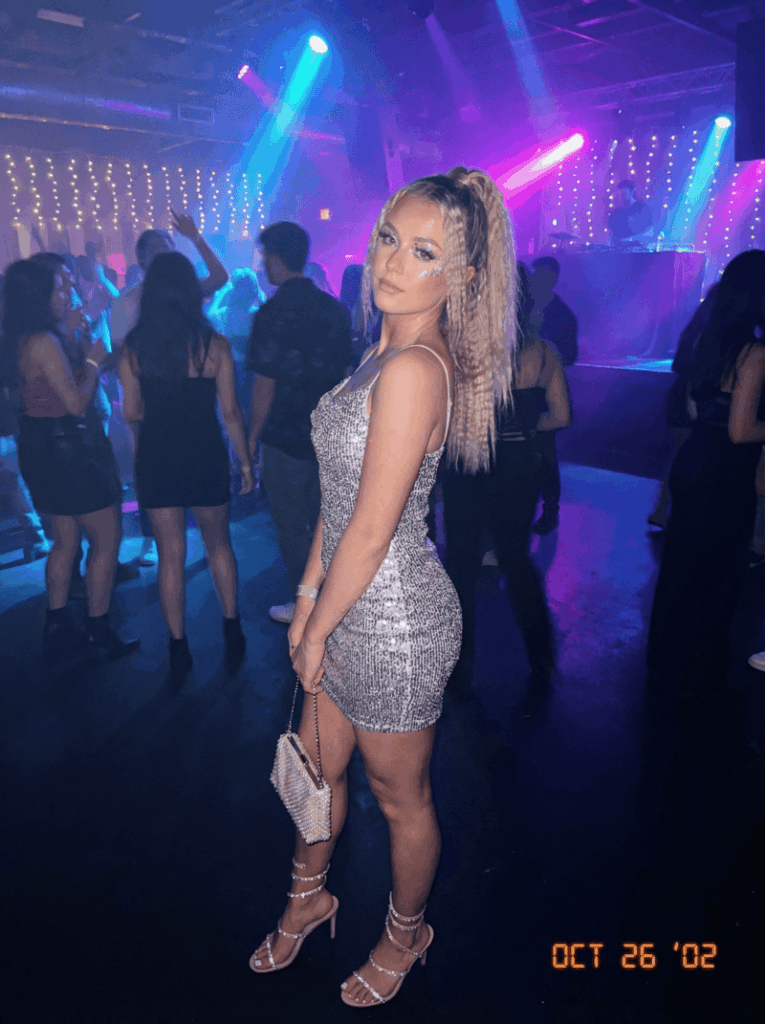
6. Party/Night-Out Y2K

A model is standing in a dimly lit nightlife environment. She is wearing a shiny metallic mini dress that reflects the light, paired with strappy heels. Her makeup includes glitter details, and she holds a small clutch bag. The background suggests a club or party setting with low lighting and a lively atmosphere. The look captures the bold and glamorous side of the y2k fashion aesthetic.

Y2K Fashion 6.Party:Night-Out Y2K
Fashion Diffusion AI-generated

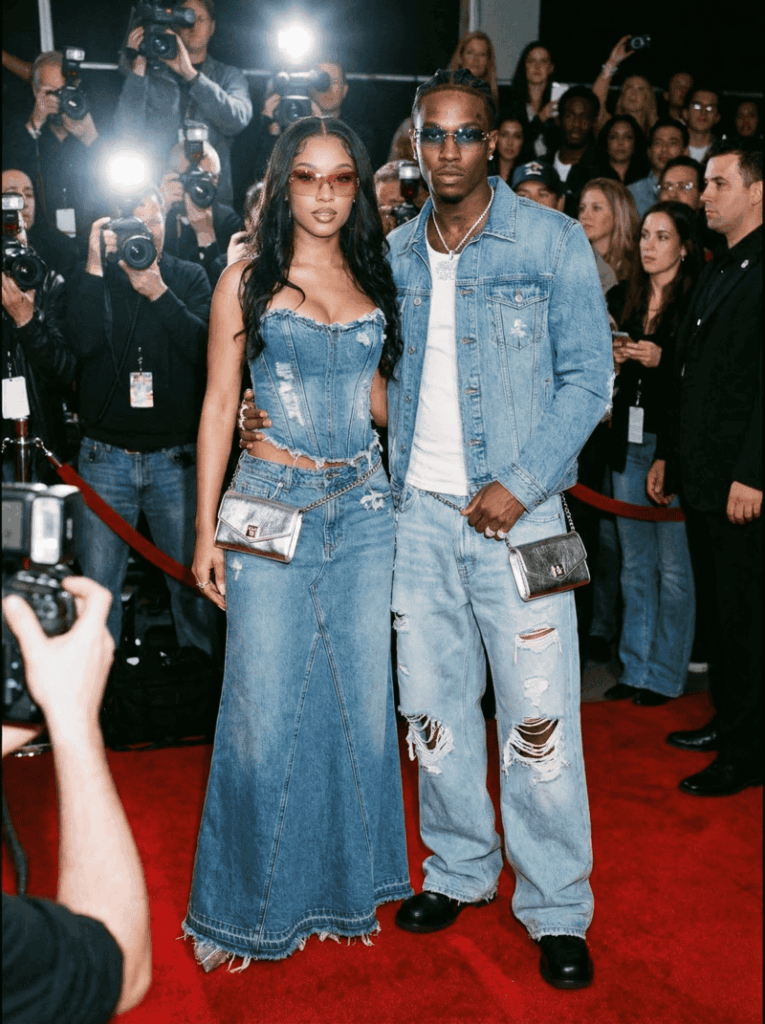
7. Denim-on-Denim Y2K Iconic Look

A full-body fashion portrait of a couple wearing iconic Y2K double denim outfits. She wears a distressed denim corset top and a long denim maxi skirt with frayed hem. He wears a matching denim jacket over a white t-shirt and baggy light-wash denim jeans with rips. Both wear matching silver chain wallets and tinted sunglasses. The background is a red carpet event with flash photography.

Y2K fashion 7.Denim-on-Denim Y2K Iconic Look
Fashion Diffusion AI-generated

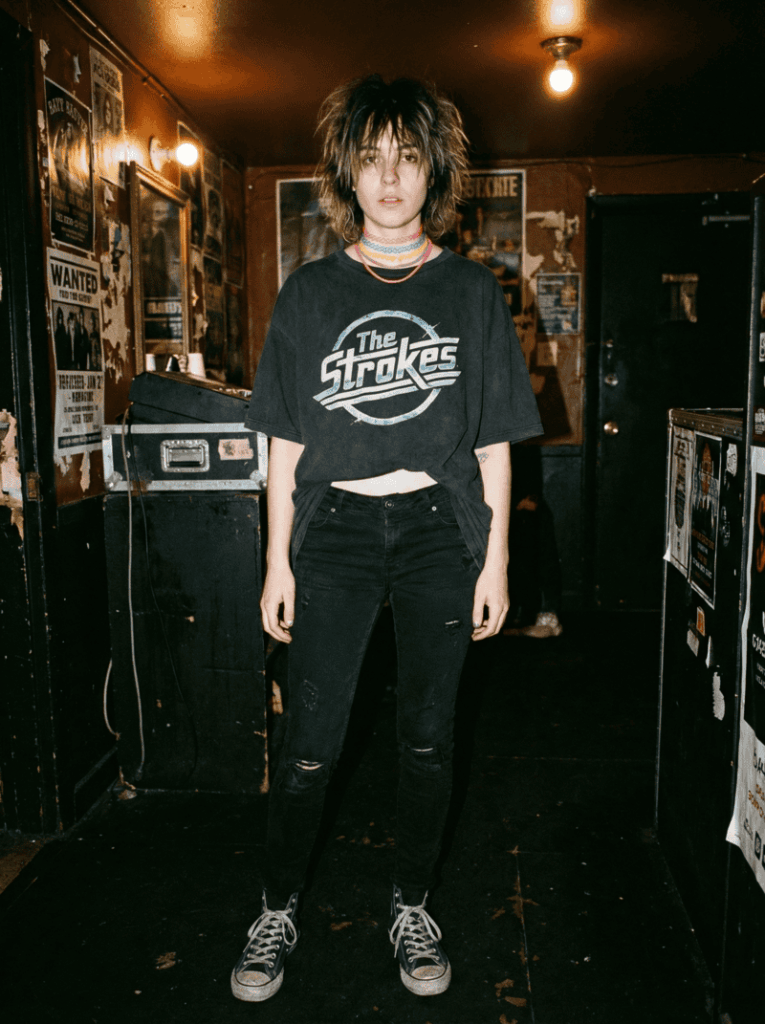
8. Indie Sleaze / Grunge Y2K

A full-body, slightly grainy photograph of a person in a gritty, indie Y2K outfit. They wear a faded, oversized The Strokes concert t-shirt over a pair of low-rise black skinny jeans with rips. On their feet are dirty black Converse or pointy-toed flat boots. Accessories include a stack of colorful rubber “tattoo” chokers and messy, unkempt hair with dark roots. The setting is a dimly lit dive bar or a backstage area.

Y2K fashion 8.Indie Sleaze : Grunge Y2K
Fashion Diffusion AI-generated

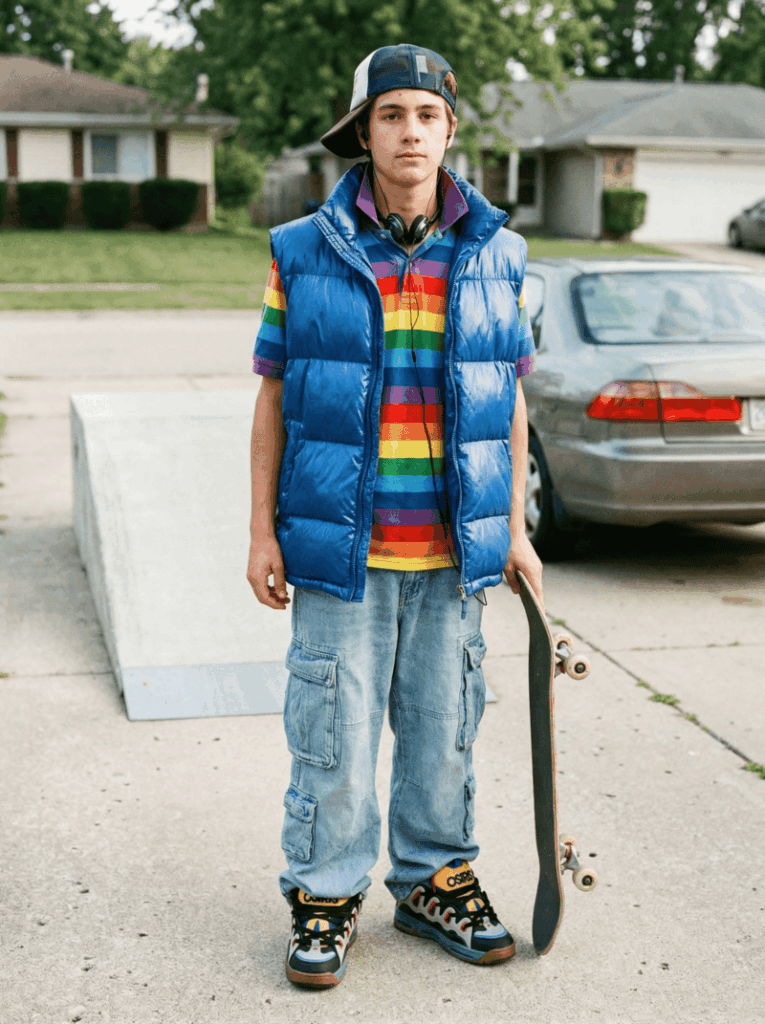
9. Casual Prep / MTV Cribs Style

A full-body snapshot of a teenager in a casual Y2K outfit. He wears a colorful striped polo shirt with the collar popped, under an oversized puffer vest. Bottoms are wide-leg, pale-wash cargo pants with many pockets. On his feet are chunky, colorful skate shoes (like Osiris D3s). Accessories include a backwards snapback trucker hat and wired headphones around his neck. The setting is a suburban driveway or a skate park, with natural daylight.

Y2K fashion 9.Casual Prep : MTV Cribs Style
Fashion Diffusion AI-generated

Using these prompts, you can explore different directions of y2k fashion trends without limitations. AI doesn’t replace personal style—it simply gives you a faster, more flexible way to discover what works and refine your own version of y2k fashion aesthetic.

Y2K Fashion: Women & Men styles

While y2k fashion shares a common aesthetic, the way it’s expressed in women’s and men’s styles can feel quite different. Both are rooted in early 2000s culture, but they emphasize different silhouettes, styling choices, and overall moods within the same y2k fashion aesthetic.

Women’s Y2K Style

Women’s y2k fashion is often more playful, body-conscious, and detail-driven. It leans into bold colors, fitted silhouettes, and statement accessories that make the outfit stand out.

  • Fitted tops like baby tees, halter tops, and crop tops
  • Low-rise jeans, mini skirts, and form-fitting pieces
  • Bright colors, glitter, rhinestones, and glossy fabrics
  • Accessories like mini bags, hair clips, and tinted sunglasses
Women's style Y2K outfit
Fashion Diffusion AI-generated

Overall, the women’s y2k fashion aesthetic focuses on mixing glam with casual elements, creating looks that feel both effortless and eye-catching.

Men’s Y2K Style

In contrast, men’s y2k fashion trends are more relaxed and heavily influenced by hip-hop, sportswear, and street culture. Comfort and oversized fits play a bigger role here.

  • Oversized T-shirts, jerseys, and hoodies
  • Baggy jeans or loose-fit cargo pants
  • Sneakers are the main footwear choice
  • Accessories like chains, caps, and watches
Men's style Y2K outfit
Fashion Diffusion AI-generated

The overall vibe is more understated but still expressive, with a strong emphasis on attitude and personal style.

Key Differences

The main difference between men’s and women’s y2k fashion lies in how proportions and details are used. Women’s styles often highlight the body and incorporate more decorative elements, while men’s styles focus on loose silhouettes and a more laid-back approach.

That said, modern y2k fashion trends are becoming more fluid. Many outfits today mix elements from both sides, reflecting a more flexible and individual way of styling the y2k fashion aesthetic.

Why Y2K Fashion is Trending Again

The return of y2k fashion is not random—it follows a natural cycle in the fashion industry. Trends often come back every 20 years, and the early 2000s are now being rediscovered by a new generation. This explains why so many y2k fashion trends are reappearing in both street style and high fashion.

Social media has also played a huge role in reviving the y2k fashion aesthetic. Platforms like TikTok and Instagram have made it easier for users to share outfit ideas, thrift finds, and styling inspiration. What once belonged to a specific era is now constantly being reinterpreted and reshaped online.

At the same time, there’s a strong sense of nostalgia attached to Y2K fashion. For some, it’s about revisiting the past, while for others, it’s about discovering it for the first time. Combined with the rise of digital tools and AI fashion design tools, Y2K fashion is no longer just a comeback—it’s an evolution.

Y2K Fashion Today: From Nostalgia to New Creativity

From its origins in early 2000s pop culture to its modern revival, y2k fashion has proven to be more than just a passing trend. Its bold silhouettes, playful details, and experimental nature continue to define the y2k fashion aesthetic, making it one of the most expressive styles in today’s fashion landscape.

What makes it even more relevant now is how easily it adapts to new technology. With tools like Fashion Diffusion, you’re no longer limited to imagining outfits—you can actually visualize and refine them. Whether you’re exploring classic y2k fashion trends or creating your own version of the look, AI opens up a more flexible and creative way to style.

If you’re looking to experiment with Y2K fashion in a faster and more intuitive way, trying out Fashion Diffusion is a great place to start. It’s not just about following trends—it’s about creating your own interpretation of the y2k fashion aesthetic.

Avatar photo 通过Sophia Mille

Explore 12 AI Outfit Prompts: Generate Fashion Ideas with AI

Imagine turning a simple text description into a full-fledged fashion outfit without sketching, sewing, or photoshoots. In today’s AI-driven world, designers, creators, and fashion enthusiasts can explore endless style possibilities by using outfit prompts. 

The quality of your clothing prompt determines how accurate, stylish, and creative the final outfit will be. Well-crafted outfit prompts allow you to experiment with styles, colors, materials, and even the scene in which the outfit is displayed, saving you time and sparking new ideas. 

For anyone looking to transform words into wearable fashion, AI fashion design tools like Fashion Diffusion make it possible to bring your outfit prompts to life instantly, turning creative visions into realistic fashion designs.

What Are Outfit Prompts

In the rapidly evolving world of AI fashion design, text-based instructions have become a powerful way to create innovative clothing visuals. These instructions, known as outfit prompts, allow designers and creators to communicate style ideas directly to AI systems.

To be specific, an outfit prompt is a detailed text description that instructs AI on how to generate a fashion design. It typically includes:

  • Clothing type (e.g., jacket, dress, streetwear);
  • Style or aesthetic (e.g., minimalist, cyberpunk, vintage);
  • Materials and textures (e.g., silk, leather, embroidery);
  • Colors or palettes (e.g., pastel tones, monochrome);
  • Scene or model context (e.g., runway, street photography, studio).

The better your clothing prompt, the more likely the AI will produce an outfit that matches your vision. Poorly written prompts can result in generic or unrealistic designs. Using AI outfit prompts effectively allows designers, content creators, and fashion enthusiasts to maximize the potential of AI fashion design tools.

How to Turn Outfit Prompts into AI-Generated Fashion

Creating a great outfit with AI is not just about writing a clothing prompt. It’s about guiding the AI to generate visuals that match your vision. With tools like Fashion Diffusion’s AI outfit generator, the process becomes straightforward, even for beginners.

1. Start with a Clear Concept

Before typing anything, decide what you want to generate: a casual streetwear look, a futuristic outfit, or a high-fashion gown. Having a mental picture helps you write a more precise prompt and reduces guesswork in the AI output.

2. Write a Detailed Outfit Prompt

Combine the key elements—clothing type, style, materials, colors, and scene—but focus on creativity rather than repeating definitions.

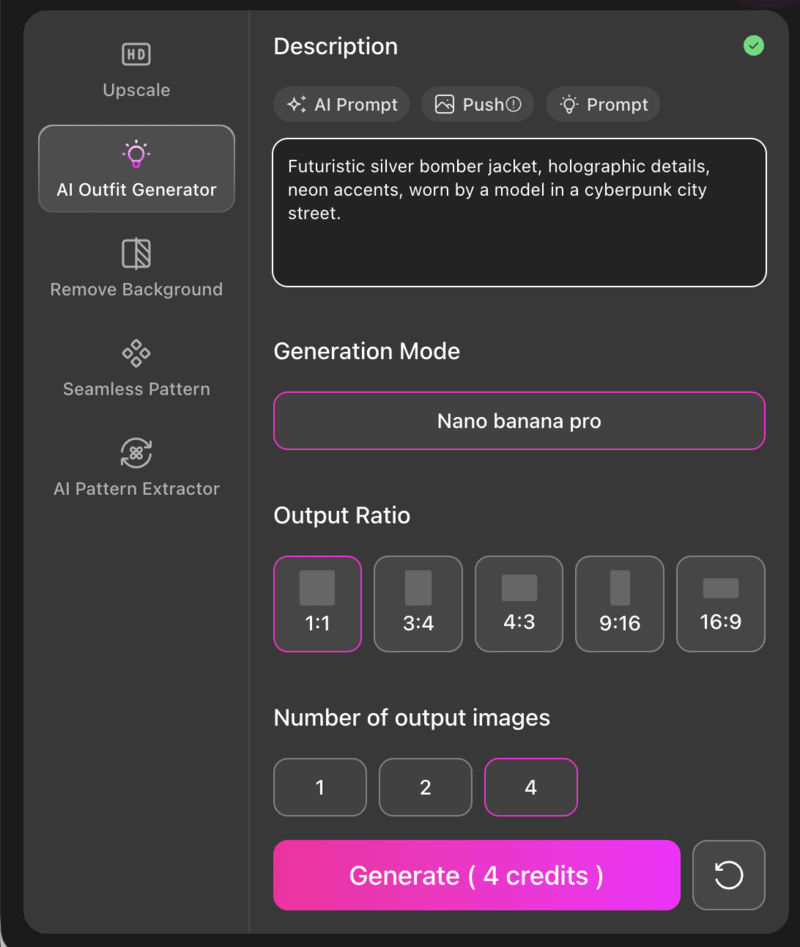
For example, “Futuristic silver bomber jacket, holographic details, neon accents, worn by a model in a cyberpunk city street.” This prompt gives the AI enough information to generate a visually compelling outfit.

Fashion Diffusion's AI Outfit Generator usage page.

3. Review and Refine the Results

AI-generated images may not always be perfect on the first try. Review the output and identify what works and what doesn’t. Adjust your prompt by adding more details, changing the style, or specifying colors and textures to guide the AI closer to your vision. 

4. Experiment with Variations

Don’t hesitate to try multiple prompts or tweak existing ones. You can explore seasonal versions, color variations, or alternative fabrics—all within Fashion Diffusion. Iteration is key to discovering unique fashion ideas quickly.

12 Outfit Prompt Examples for AI Fashion Generation

Explore 12 carefully curated fashion styles, each with a ready-to-use prompt. These outfit prompts are designed to spark creativity and can be used with Fashion Diffusion’s AI outfit generator to instantly bring your fashion ideas to life.

1. Futuristic Elegance

Futuristic elegance is a sleek, forward-looking style that combines metallic textures, minimalist cuts, and neon accents. Ideal for designers exploring sci-fi-inspired collections or runway concepts with a tech-forward aesthetic.

Prompt:

“A model is wearing a gray dress. The dress features a high-neck design with exaggerated ruffle details on the shoulders and an asymmetrical slit hem, revealing one side of her leg. Her hair is tied back, and she poses with an upright posture against a simple gray background. The overall style is futuristic minimalist.”

AI futuristic outfit with gray high-neck dress and asymmetrical slit in a minimalist setting.
Fashion Diffusion AI-generated

2. Urban Street Vibes

Urban street style is casual, edgy, and youthful; oversized silhouettes and graphic prints dominate. Perfect for streetwear enthusiasts and brands looking to capture a vibrant urban energy.

Prompt:

“Oversized streetwear hoodie and cargo pants, bold graphic prints, chunky sneakers, skateboard park background, relaxed pose.”

Streetwear outfit with oversized hoodie and cargo pants in a skate park.
Fashion Diffusion AI-generated

3. Minimalist Chic

Minimalist chic emphasizes clean lines, neutral palettes, and simple tailoring, offering an understated yet sophisticated aesthetic suitable for modern everyday wear.

Prompt:

“Minimalist beige trench coat outfit, neutral tones, streamlined tailoring, studio lighting, model with simple accessories.”

Minimalist AI fashion outfit with beige trench coat in a studio setting.
Fashion Diffusion AI-generated

4. Athletic Outfits

Athletic outfits focus on sporty, functional clothing designed for movement and comfort, combining performance fabrics with modern, stylish cuts suitable for workouts, casual wear, or athleisure looks.

Prompt:

“A woman stands on a tennis court. She has long, wavy hair and is wearing a white tennis dress with black-trimmed straps. There is a small logo on the dress. She holds a tennis racket in one hand and places the other hand on her abdomen. The tennis net is visible behind her.”

AI tennis outfit with white dress and racket on a tennis court.
Fashion Diffusion AI-generated

5. Champagne Couture

Champagne couture celebrates elegant evening wear with sparkling details and flowing silhouettes that command attention on the runway. This style emphasizes luxurious fabrics, intricate beadwork, and subtle shimmer, perfect for high-fashion events, gala appearances, or editorial photoshoots.

Prompt:

“A model is walking on a runway. She is wearing a floor-length, champagne-colored gown. The gown features a beaded and sequined bodice with a deep V-neckline and thin straps. The sheer skirt has a slightly layered effect and shimmers with sequins. The background includes a stone-like wall and some windows.”

AI-generated couture outfit with champagne beaded gown on a runway.
Fashion Diffusion AI-generated

6. Boho Summer Breeze

Boho summer breeze captures a light, playful, and free-spirited look, using flowing fabrics, floral prints, and bright colors for warm-weather or festival-ready outfits.

Prompt:

“Flowing cotton summer dress with floral patterns, pastel palette, sunhat and sandals, outdoor sunny park scene.”

AI boho outfit with floral summer dress in a sunny park.
Fashion Diffusion AI-generated

7. Vintage Revival

Vintage revival style brings nostalgic, retro-inspired outfits with a modern twist, perfect for celebrating past decades while staying contemporary.

Prompt:

“Vintage 1970s bohemian outfit, suede jacket, wide-leg pants, layered accessories, warm sunset lighting.”

AI vintage outfit with suede jacket and wide-leg pants at sunset.
Fashion Diffusion AI-generated

8. Avant-Garde Artistry

Avant-garde artistry fashion features experimental, sculptural, and visually striking pieces, playing with unconventional shapes, layers, and bold contrasts for artistic editorials or runway innovation.

Prompt:

“Avant-garde sculptural dress with asymmetrical layers, bold color contrasts, dramatic studio lighting, artistic pose.”

AI-generated avant-garde outfit with sculptural dress and bold colors in studio.
Fashion Diffusion AI-generated

9. Cozy Winter Layers

Cozy winter layers style focuses on warmth and comfort, using oversized knits, coats, and scarves, ideal for seasonal collections or lifestyle fashion in colder climates.

Prompt:

“Chunky knit sweater layered with wool coat, earth-tone scarf, boots, snowy urban street background.”

Winter outfit with knit sweater, coat, and scarf on a snowy street.
Fashion Diffusion AI-generated

10. High-Fashion Editorial Glam

High-fashion editorial glam style delivers dramatic, magazine-ready looks focused on styling, lighting, and pose, perfect for editorial spreads or social media campaigns.

Prompt:

“Dramatic ruffled gown in black velvet, high-fashion accessories, editorial studio lighting, posed for fashion magazine shoot.”

AI fashion editorial outfit with black velvet ruffled gown in studio.
Fashion Diffusion AI-generated

11. Ecological Sustainability

Eco-sustainability fashion blends modern, eco-conscious design with earthy tones, sustainable fabrics, and minimalist shapes, appealing to designers and brands emphasizing sustainability.

Prompt:

“Eco-friendly linen blazer and pants set, earthy tones, natural textures, outdoor garden background, minimalistic styling.”

AI ecological sustainable outfit with linen blazer and pants in a garden.
Fashion Diffusion AI-generated

12. Neo-Y2K Glam

Neo-Y2K glam reinvents the early 2000s aesthetic with a modern twist, featuring shiny materials, bold colors, cropped tops, low-rise bottoms, and playful accessories. This style is perfect for social media content, or festival fashion, combining nostalgia with contemporary trends.

Prompt:

“Modern Y2K street look with a cropped hoodie, baggy cargo pants, and shiny belt bag, accessorized with layered chain necklaces. Sunset urban background, youthful, fun, and fashionable aesthetic.”

AI Y2K outfit with cropped hoodie and cargo pants in an urban sunset.
Fashion Diffusion AI-generated

Practical Applications of AI Outfit Prompts

AI outfit prompts are not just theoretical. Many real fashion creators, brands, and tools are already using prompt‑based systems to generate fashion visuals, explore trends, and support design workflows. Here are concrete examples you can reference:

AI Fashion Visual Generation for Editorial and Lookbook Inspiration

Tools like the AI Outfit Generator let designers instantly transform detailed prompt descriptions into high‑quality fashion visuals. Designers can iterate on looks for editorial spreads, social content, or seasonal lookbooks without traditional photoshoots.

Style Exploration with Prompt Examples

Platforms such as Fashion Diffusion showcase how structured prompts produce diverse styles, from modern streetwear to minimalist commercial outfits, helping creative teams visualize concepts rapidly.

Brand Case Studies Where AI Influenced Physical Collections

Forward‑thinking fashion brands are using AI outputs as creative inspiration. For instance, Collina Strada fed past collections into a generative model and experimented with new prompts to develop unique prints and silhouettes that were later featured in their runway looks.

AI in Fashion Weeks and Industry Events

At events like New York Fashion Week 2025, designers used AI not only to generate supporting visuals but also to blend virtual fashion elements with physical presentations, showing how AI prompts and generated imagery can contribute to storytelling.

Community-Driven Prompt Creation

On creative platforms and forums (e.g., Reddit communities for AI fashion), artists share real prompts and results, like entire Christmas outfit prompt sets or editorial look prompts that illustrate how prompt engineering directly impacts the output quality and style direction.

Tips for Getting Better Results with AI Outfit Prompts

Once you understand the basics of writing outfit prompts, these strategies can help you create more polished, creative, and realistic AI-generated fashion designs.

Use Mood and Storytelling

Instead of just listing clothing items, describe the mood, theme, or narrative behind the outfit.

For example: “Romantic evening gown with flowing chiffon, soft candlelit ambiance, model gazing thoughtfully out a window.” Adding context helps the AI generate a more cohesive and visually engaging scene.

Emphasize Fabric Movement and Fit

Specify how materials behave: drape, stretch, shine, or texture.

For example: “Silk wrap dress with soft shimmer, flowing movement as if caught in a gentle breeze.” This creates more natural and dynamic clothing visuals.

Combine Unexpected Styles

Experiment with hybrid aesthetics or contrasting elements to create standout designs.

For example: “Cyberpunk-inspired tailored blazer with neon stitching and vintage floral lining, worn in a futuristic cafe setting.” Encourages unique, editorial-ready outfits rather than generic looks.

Play with Lighting and Scene Details

Include subtle cues about lighting, background, or environment to enhance realism.

For example: “Soft afternoon sunlight filtering through a loft window, casting warm shadows on a minimalist monochrome outfit.” It helps the AI match garment textures and colors to the scene naturally.

Bring Your Fashion Ideas to Life with Fashion Diffusion

AI outfit prompts have transformed the way designers, creators, and fashion enthusiasts approach clothing design. By turning detailed text descriptions into realistic fashion visuals, these fashion design tools save time, spark creativity, and unlock endless styling possibilities. From experimenting with bold new aesthetics to refining subtle details like fabric movement and lighting, the potential of AI in fashion design is enormous.

If you are ready to bring your ideas to life, tools like Fashion Diffusion make it easy to explore, experiment, and visualize your fashion concepts instantly. Whether you are designing for editorial shoots, social media content, or personal inspiration, AI outfit generators can help you turn your creative vision into stunning, ready-to-use designs.

Start experimenting today and see how your words can become wearable fashion!

FAQ

What is an AI outfit prompt?

An AI outfit prompt is a detailed text description that guides AI tools to generate fashion designs. It typically includes clothing type, style, materials, colors, and scene context to produce accurate and creative visuals.

Do I need design experience to use Fashion Diffusion?

No. Fashion Diffusion is beginner-friendly and allows anyone to create professional-looking outfits by simply describing what they want in words.

Can AI-generated outfits be used for commercial purposes?

Yes, but usage rights may depend on the AI tool’s terms and conditions. Always check the licensing policy of the platform you are using.

How detailed should my prompt be?

The more specific your prompt, the better the AI can generate your desired outfit. Include details about style, materials, colors, accessories, and scene or lighting when possible.

Where can I find inspiration for prompts?

You can use fashion magazines, runway shows, social media trends, or past collections as references. Adding a mood, theme, or story to your prompt also helps create unique, engaging designs.

Avatar photo 通过Alexander Wilson

How to Create Ghost Mannequin Images with AI: A Step-by-Step Guide for Fashion E-commerce Brands

Ghost mannequin photography is the industry standard for presenting clothing in e-commerce. It gives garments a clean, three-dimensional look without the cost and complexity of a full model photoshoot.

But traditional ghost mannequin editing in Photoshop can take 15 to 30 minutes per image, and that adds up fast when you have hundreds of SKUs.

Today, an AI ghost mannequin generator makes this process even easier. With an AI fashion design tool, brands can remove mannequins and generate clean product images in minutes.

This guide covers everything you need to know: what ghost mannequin photography is, how the traditional process works, how AI has changed it, and how to create ghost mannequin images using Fashion Diffusion’s Flat Lay Generator.

AI ghost mannequin generator transforming a model outfit into invisible mannequin clothing product image.
Fashion Diffusion AI-generated

What Is an AI Ghost Mannequin Generator

An AI ghost mannequin generator is a tool that uses artificial intelligence and computer vision to create clothing product images with an invisible mannequin effect. It automatically removes mannequins, models, or backgrounds from clothing photos, producing a three-dimensional “hollow” look that highlights the natural shape of the garment.

Many specialized AI ghost mannequin generators have emerged, and a growing number of fashion design tools also include this feature, enabling users to produce clean and realistic ghost mannequin results with minimal editing.

Ghost mannequin images are widely used across e-commerce product pages, wholesale catalogs, and marketplace listings because they are:

  • Consistent: no variation in model pose or expression.
  • Scalable: easy to process hundreds of products at the same volume.
  • Cost-effective: no recurring model fees required.
  • Focused: the garment, not the person, stays at the center of the frame.

Traditional Ghost Mannequin Photography vs. AI: Key Differences

Before diving into the AI workflow, it helps to understand what the traditional process involves, and where AI removes the friction.

How Traditional Ghost Mannequin Photography Works

The classic process requires shooting a garment on a mannequin, then capturing the interior details separately in a second shot. In Photoshop, the editor composites the two images together, masks out the mannequin piece by piece, and reconstructs the hidden areas of the garment.

A well-executed edit on a single image typically takes 15 to 30 minutes. For brands processing 100 or more products per season, this adds up to hundreds of hours of editing time.

How AI Ghost Mannequin Photography Works

AI tools analyze the garment in a photo, and automatically reconstruct the invisible mannequin effect. The model is removed, interior garment details are filled in, and the background is cleaned up, all in seconds.

 Traditional MethodAI Method
Time per image15 to 30 minutesUnder 1 minute
Equipment neededMannequin, studio, cameraA garment photo
Editing skill requiredAdvanced PhotoshopNone
CostStudio + retoucher feesLow per-image cost
ScalabilityLimited by editor capacityBatch processing
Best forPremium, high-complexity garmentsE-commerce at scale

For most e-commerce workflows, AI handles the bulk of catalog production efficiently. For very high-end editorial work where pixel-perfect precision matters, traditional retouching still has a role.

Ghost Mannequin vs. Flat Lay vs. Model Photography

Choosing the right visual style depends on your goals for each image.

MethodKey FeatureBest For
Ghost MannequinShows garment shape and structureE-commerce product pages, catalogs
Flat LayClothing photographed on a flat surfaceSocial media, accessories, casual display
Model PhotographyShows fit and lifestyle appealLookbooks, campaigns, brand storytelling

Most fashion brands use all three — ghost mannequin for product listings, model photos for marketing, and flat lay for social content. The ghost mannequin format works particularly well for structured garments like jackets, shirts, and dresses where shape and fit are key purchasing factors.

Why Fashion Brands Are Adopting AI Ghost Mannequin Generators

As fashion e-commerce continues to grow, brands need to produce large volumes of consistent product images for online stores, catalogs, and marketplaces. Traditional ghost mannequin photography can effectively showcase the structure of garments, but the process often involves mannequins, multiple photos, and time-consuming editing.

With recent advances in computer vision and AI image editing, many brands are beginning to adopt AI ghost mannequin generators to simplify this workflow. These tools allow clothing images to be processed more efficien tly while maintaining a professional look.

Faster Product Image Production

Creating traditional ghost mannequin images usually requires photographing garments from multiple angles and carefully combining the images during post-production. AI fashion design tools significantly speed up this process by automatically removing mannequins and reconstructing hidden areas of the clothing.

Lower Photography and Editing Costs

Fashion product photography often involves studio setups, mannequins, photographers, and professional retouching. By automating parts of the editing workflow, AI ghost mannequin generators help reduce the amount of manual work required, making the overall production process more cost-efficient.

Scalable for Large Fashion Catalogs

Many fashion brands release seasonal collections with hundreds of products. Maintaining consistent visuals across such large catalogs can be challenging. AI ghost mannequin photography makes it easier to process large batches of clothing images and generate uniform ghost mannequin results across entire product lines.

Cleaner and More Consistent Product Images

Ghost mannequin photography focuses attention entirely on the garment, highlighting its shape and structure without distractions. AI-generated ghost mannequin images help brands maintain consistent backgrounds, lighting styles, and product presentation across their e-commerce platforms.

AI ghost mannequin generator example turning a styled outfit photo into clean clothing product image.
Fashion Diffusion AI-generated

How to Create Ghost Mannequin Images with Fashion Diffusion

Creating ghost mannequin product images with AI is simple with tools like Fashion Diffusion. By using the AI Inpainting feature, you can remove the mannequin or model from a clothing photo and generate a clean ghost mannequin effect in just a few steps.

Step 1: Upload a Clothing Image

Start by uploading a clothing photo to the AI Inpainting tool. You can choose images in different styles depending on the final look you want to create—for example, studio product photos, model shots, or fashion editorial images. Selecting a clear image with well-defined garment details will help the AI generate a more realistic ghost mannequin effect.

Select a style image before uploading it to the AI Inpainting feature.
Fashion Diffusion AI-generated

Step 2: Enter a Description Prompt

Next, enter a prompt describing the ghost mannequin effect you want to create.

Here is an example prompt:

professional ghost mannequin clothing photography, remove the model completely, hollow invisible mannequin effect, maintain natural garment shape, show inner collar, cuffs and hem details, floating clothing on a clean white studio background, soft studio lighting highlighting fabric texture and folds.

This description helps the AI understand how to reconstruct the garment and generate a realistic invisible mannequin effect.

Fashion Diffusion's product page when entering the description prompt.

Step 3: Generate the Image

After entering the prompt, simply generate the image. You can create multiple variations and refine the results by adjusting your description, for example, adding details about image ratio, resolution, or lighting style. This allows you to gradually fine-tune the output until it matches the product photography look you want.

After result created with Fashion Diffusion's AI Inpainting feature.
Fashion Diffusion AI-generated

Best Use Cases for AI Ghost Mannequin Generators

Ghost mannequin images are widely used across fashion e-commerce because they present clothing in a clean, professional way while still showing the garment’s natural shape. In fact, industry surveys show that about 57.2% of fashion e-commerce brands use ghost mannequin photography as part of their product image strategy.

With the rise of AI image editing tools such as Fashion Diffusion, AI ghost mannequin generators are now being used in several key scenarios across the fashion industry.

E-commerce Product Pages

One of the most common uses for ghost mannequin images is on e-commerce product pages. These images highlight the structure of garments without distractions from mannequins or models. Clear product images are critical for online apparel stores, as 93% of consumers consider visual appearance a key factor in purchase decisions.

Because AI ghost mannequin clothes focus entirely on the garment, they are particularly effective for presenting items like jackets, shirts, dresses, and sweaters.

Large Product Catalog Production

Fashion brands often release seasonal collections that include dozens or even hundreds of products. AI ghost mannequin tools are particularly useful when processing large batches of clothing images, allowing teams to generate consistent product visuals across an entire catalog.

This makes them practical for brands that regularly update inventory or launch new collections.

Marketplace Product Standardization

Online marketplaces and multi-brand stores often require standardized product images. Ghost mannequin visuals provide a consistent presentation style that works well across product grids, making it easier for shoppers to compare garments.

Because the mannequin is removed and the focus remains on the clothing itself, the images appear clean and uniform across different product listings.

Digital Catalogs and Brand Websites

AI Ghost mannequin images are commonly used in digital catalogs and brand websites where the goal is to highlight garment design and structure. In these contexts, the invisible mannequin effect helps present clothing in a clear and professional format without the distraction of models or styling elements.

Tips for Getting Better Results with an AI Ghost Mannequin Generator

While an AI ghost mannequin generator can automate much of the image editing process, a few practical adjustments can significantly improve the final results. From selecting the right input image to refining prompts, these small details help produce more realistic ghost mannequin product photos.

Start with a Clear Garment Image

The quality of the input image directly affects the final result. Choose photos with clear lighting, minimal shadows, and visible garment edges. Images where the clothing structure is clearly defined will help the AI reconstruct the garment more accurately.

Use Detailed but Focused Prompts

When entering a description prompt, include key visual details such as lighting style, background, and garment presentation. However, keep the prompt concise so the AI can clearly interpret the intended effect.

For example, specifying elements like “white studio background”, “ghost mannequin effect”, or “soft studio lighting” can help generate more consistent product images.

Highlight Interior Garment Details

One characteristic of high-quality ghost mannequin photography is the visibility of inner garment details such as the collar interior, sleeve openings, or hems. Including these details in the prompt can help the AI generate more realistic results that resemble professional product photography.

Generate Multiple Variations

AI image generation often produces slightly different outputs each time. Generating several variations allows you to compare results and choose the version that best matches your desired product photography style.

The Future of AI Ghost Mannequin Generators in Fashion E–commerce

AI ghost mannequin generators are reshaping how fashion brands create product images. This guide has covered what they are, why brands are adopting them, how to generate images with AI Inpainting using Fashion Diffusion, and best practices for professional results.

Looking ahead, AI-powered product photography will become faster, more consistent, and increasingly versatile. Advances in computer vision and generative AI will allow brands to produce high-quality ghost mannequin images at scale, reducing costs while maintaining a polished, professional look.

For designers, e-commerce teams, and creative professionals, exploring AI fashion design tools like Fashion Diffusion offers a simple way to generate realistic, clean, and flexible product visuals. Embracing AI ghost mannequin technology today is an opportunity to stay ahead in the competitive world of fashion e-commerce.

FAQ

What is an AI ghost mannequin generator?

An AI ghost mannequin generator is a tool that uses artificial intelligence and computer vision to create clothing product images with an invisible mannequin effect. It automatically removes mannequins or models from photos and reconstructs hidden garment areas to highlight the natural shape of the clothing.

Can I use AI ghost mannequin generators for all types of clothing?

Yes. AI ghost mannequin tools work best for garments with defined shapes, such as jackets, shirts, dresses, and sweaters. While they can process most clothing types, very loose or abstract designs may require additional prompt refinement to achieve the desired effect.

How can I improve the results of AI-generated ghost mannequin images?

Better results can be achieved by starting with high-quality, well-lit input images. When writing prompts, include specific visual descriptions so the AI can better understand the desired look. Finally, adjusting prompt parameters such as image ratio or resolution can further refine the outcome and better match your specific needs.

Why should fashion brands consider AI ghost mannequin generators?

AI ghost mannequin tools save time, reduce costs, and allow brands to scale product photography efficiently. They are ideal for e-commerce product pages, large catalogs, online marketplaces, and digital marketing materials. Tools like Fashion Diffusion make it easy for designers and e-commerce teams to produce professional, consistent, and realistic garment images.

How long does it take to generate ghost mannequin clothes from an image with AI?

With tools like Fashion Diffusion, generating a ghost mannequin image typically takes just a few minutes. You can also create multiple variations quickly, making it easy to compare results and select the best version for your product catalog or e-commerce listings.

Avatar photo 通过Sophia Mille

What Is an AI Recolor Tool & How to Change Clothes Color Online with AI

The traditional fashion photography workflow has long been time-consuming and expensive, often requiring multiple samples, model changes, and heavy post-production to show one design in different colors. Today, brands are shifting to a smarter approach where a single high-quality image can represent an entire collection. With an AI recolor clothes tool, brands can change clothes color online quickly and accurately—visualizing and marketing multiple colorways without relying on physical samples.

What Is an AI Recolor Tool

Unlike basic filters that simply overlay a tint, an AI clothes color changer online tool uses deep learning to understand the geometry of a garment. It identifies the relationship between light and shadow, ensuring that the new pigment sits deep within the fibers rather than floating awkwardly on top. This “spatial awareness” is what allows the tool to maintain the integrity of the original show while completely altering its palette.

How AI Distinguishes Fabric Textures

The AI doesn’t just see pixels; it recognizes patterns. By training on millions of fashion images, it learns to differentiate the soft matte finish of organic cotton from the sharp, directional highlights of silk or satin. When you use an AI clothes recolor feature, the algorithm preserves these micro-details, like the fuzziness of wool or the crispness of linen—so the final result looks physically authentic.

Why AI Outperforms Traditional Photoshop

While Photoshop has been the industry standard for decades, it relies on manual manipulation that often struggles with the complex physics of light. AI, however, performs “relighting”—it doesn’t just change the color; it recalculates how that specific color should react to the environment.

FeatureAI Recolor ToolsTraditional Photoshop
SpeedInstant (Second per image)Slow (15-30 mins per images)
Texture DetailAutomatically preservedOften flattened or blurred
Shadow/HighlightDynamically adjustedRequires manual brushing
Skill LevelBeginner-friendlyProfessional expertise required
Edge PrecisionAI-detected (Perfect edges)Manual masking (Error-prone)

Why do Designers and Brands use AI to Change Clothing Color

Today, AI has become a core technology for many fashion brands. Studies show that over 72% of fashion companies use AI for tasks. In this context, adopting an AI recolor clothes strategy is no longer just about editing—it’s about optimizing the entire lifecycle of a garment. From the design room to the storefront, professional tools help brands bypass traditional bottlenecks and scale their visual content more efficiently.

Rapid Palette Exploration

Designers can rapidly create various color schemes for a single design, particularly when using AI fashion sketch tools that visualize concepts before production, eliminating the wait for physical fabric swatches. This allows for instant experimentation with seasonal trends, ensuring the collection feels cohesive before a single stitch is made.

Drastic Reduction in Production Costs

By using an AI clothes changer online, you eliminate the need to manufacture, ship, and photograph samples for every single colorway. Capturing one “master” shot of a neutral-colored garment and recoloring it digitally can save thousands of dollars in studio fees and model bookings.

Data-Driven Market Testing

Instead of guessing which colors will sell, brands can create high-fidelity visuals of various options using an AI outfit generator to test on social media or pre-order pages. Analyzing which colors get the most clicks helps businesses predict demand and avoid the costly mistake of overproducing unpopular shades.

Accelerated Time-to-Market

In fashion, speed is everything. Being able to change clothes color online allows marketing teams to start building campaigns and product listings months before the physical stock arrives in the warehouse. This ensures that your storefront is ready the moment the collection drops.

How to use AI to Recolor Clothes

At Fashion Diffusion, we’ve redesigned the recoloring workflow to be intuitive yet professional. You no longer need to deal with complex layers or manual masking; instead, our platform handles the heavy lifting of fabric detection and light physics. This allows you to transform a single base photo into an e-commerce-ready visual asset in just a few clicks.

1. Smart Upload and Auto-Detection

Once you upload your image, the recolor feature automatically identifies the garment’s silhouette. Fashion Diffusion is designed to distinguish between the fabric, the model’s skin, and the background, ensuring the new color only applies to the clothing without any bleeding or messy edges.

AI recolor clothes-upload image

2. Precision Color Matching

You can define your new look by uploading a reference image or entering specific HEX codes. This level of control is essential for brands that need to match exact Pantone shades, ensuring your digital storefront remains consistent with the physical inventory.

3. Instant Rendering and Texture Retention

After selecting your color, the AI processes the image in seconds. It recalibrates the highlights and shadows to suit the new hue while keeping the original fabric texture intact.

4. High-Resolution Export

The final step is downloading your high-quality assets, ready for your product pages or social media feeds. This efficient way to change clothes color online means your marketing team can move from a single photo to a full-color collection in minutes.

AI recolor clothes final result
Fashion Diffusion AI-generated

Creative ways to use AI Clothing Recolor Tool

An AI clothes recolor tool isn’t just for editing images—it can reshape how brands market and present their collections. With a few strategies, a single photoshoot can support multiple campaigns and create a more personalized shopping experience.

Multi-Season Inventory Lifecycle

A great design doesn’t have to disappear after one season. With an AI recolor clothes tool, brands can refresh summer campaign images with fall tones like burnt orange or emerald—extending the life of existing assets without new photoshoots.

Inclusive Skin Tone Representation

Color perception changes across skin tones. Using a change clothes color tool, brands can display the same outfit in multiple shades, helping more shoppers visualize how the piece will look on them.

Interactive Consumer Experiences

Some e-commerce stores now let shoppers toggle between colors directly on the product page, a feature made possible by AI recoloring technology that helps shoppers visualize different options while reducing returns caused by unexpected color differences.

At the same time, AI-powered visual tools are transforming online shopping more broadly—research shows that about 68% of retailers now integrate AI technologies, including virtual fitting rooms and personalized recommendations, to improve the overall customer experience.

Strategic Social Media Teasers

Brands can create quick “this or that” polls on Instagram by showing the same outfit in two different colors. It’s a simple way to boost engagement while collecting valuable feedback.

Material Cheat Sheet: How Different Fabrics React to AI

Not all fabrics behave the same when you recolor the clothes. The texture and how a material reflects light determine the final realism. Here is a quick guide to help you manage your expectations and choose the best base images.

Easy: Cotton, Linen & Jersey

Fabric Traits: These have “matte” surfaces with predictable shadows.

What to Expect: High-fidelity outcomes. The AI recolor clothes process is almost always perfect for basics like T-shirts and hoodies.

Different Fabric Recolor:Hoodie

Medium: Silk, Satin & Leather

Fabric Traits: These feature “specular highlights” (distinct shiny spots and reflections).

What to Expect: Requires AI that can isolate and preserve the “sheen” so the fabric doesn’t look like flat plastic after the color swap.

Different Fabric Recolor:Silk

Advanced: Knits, Lace & Sequins

Fabric Traits: Complex textures with thousands of tiny shadows or multi-directional reflective points.

What to Expect: Requires a high-end AI clothes color changer tool to map colors into every micro-crevice without losing the 3D depth of the weave. 

Different Fabric Recolor:Sequins

The “Pro Secret”:

If possible, always photograph your “master” shot in Mid-Gray. This neutral tone holds the most light information, making it the easiest for AI to transform into any other color accurately.

The Future of AI Color Design in Fashion

The potential of AI recolor clothes technology is just beginning to unfold. We are moving toward a world where “static” product photography becomes a thing of the past. Soon, we expect to see real-time video recoloring and AR-powered try-on mirrors where shoppers can cycle through an entire palette instantly as they move.

Furthermore, the integration of AI will likely lead to hyper-personalized shopping. Imagine a storefront that automatically detects your favorite colors based on past purchases and updates every product image to match your aesthetic. This shift from “one-size-fits-all” imagery to dynamic, AI-driven visuals will redefine the relationship between brands and consumers.

AI Recolor Clothes: Efficiency Meets Aesthetics

AI clothes recoloring has officially moved beyond a “fun tool” into a professional-grade necessity. By using the AI clothes color changer online tool, brands can now bridge the gap between physical samples and digital storefronts with incredible speed. Instead of spending weeks on production, teams can recolor their clothes in minutes.

Still, the best results come from combining AI speed with a designer’s eye. While the AI handles complex light physics and texture preservation, human judgement ensures the final colors match the brand’s aesthetic. By using these tools thoughtfully, brands can test trends more quickly, create more visually appealing content, and keep pace with the rapid evolution of digital fashion.

Experience the next generation of high-fidelity AI tools and see how easy it is to bring your collection to life. Explore Fashion Diffusion today and start creating at the speed of thought.

FAQ

Can I change a black garment to a white one using AI?

While possible, it is the most challenging transition because black absorbs most light detail. For the best results, start with a mid-gray garment to ensure the AI can render clean highlights.

Will the AI affect the model’s skin tone during the recolor?

Not with professional tools like Fashion Diffusion. Our AI recolor clothes engine uses precise masking to isolate only the fabric, leaving skin and backgrounds untouched.

Is the output high enough quality for professional e-commerce?

Absolutely. When using a professional-grade AI clothes color changer online, the texture and lighting are preserved at high resolutions, making them perfect for Shopify, Amazon, or social media ads.

Can I use specific brand colors or Pantone shades?

Yes, you can change the clothes color online by entering specific HEX codes or uploading a reference image. This ensures your digital assets match your physical inventory with 100% color accuracy, which is vital for maintaining brand consistency.

Avatar photo 通过Sophia Mille

Best AI Virtual Try-On Tools in 2026: Top 8 Platforms Compared

In 2026, the “click and pray” era of online shopping—where you buy a shirt and hope it actually fits—is officially over. The fashion industry has undergone a massive digital transformation, and at the heart of it is AI Virtual Try-On.

Whether you are a consumer looking for the perfect fit or a brand aiming to slash return rates, these tools have become the gold standard. Here is your comprehensive guide to the top virtual try-on tools dominating the scene in 2026.

Why Virtual Try-On Tool is a Must-Have in 2026

The shift from 2024’s “clunky 3D avatars” to 2026’s “hyper-realistic generative AI” has made virtual try-on indispensable for three main reasons:

  • Sustainability & Reduced Returns: “Bracketing” (buying multiple sizes to return most) is a thing of the past. VTO reduces return rates by up to 40%, significantly cutting down the carbon footprint of logistics by ensuring the first choice is the right one.
  • Fabric Physics: Modern AI now understands how silk drapes versus how heavy denim structures itself. You aren’t just seeing a “sticker” on a photo; you’re seeing a physics-based simulation of fit that reacts to movement and body contours.
  • Hyper-Personalization: Shoppers can now use their own selfies to create their own style fashion, allowing them to see exactly how a silhouette complements their specific body type. This is especially useful when experimenting with vibrant trends, as it allows users to visualize how bold colors cuts harmonize with their unique skin tone and personal aesthetic before committing to a bold new look.

Top 8 Virtual Try On Tools

Navigating the landscape of AI fashion in 2026 can be overwhelming given the sheer pace of innovation. To help you find the right fit for your needs—whether you are a brand looking to scale your catalog or a shopper refining your personal style—we have curated the eight most influential tools currently defining the industry.

These platforms represent the pinnacle of generative AI, offering everything from hyper-realistic textures to dynamic video simulations.

1. Fashion Diffusion

Fashion Diffusion Virtual Try On Example

Fashion Diffusion is a powerhouse in generative image synthesis, specifically designed for high-fidelity garment swapping. Its standout feature is the ability to maintain texture and lighting consistency.

When you swap a silk blouse onto a model, the AI calculates how the surrounding light would naturally reflect off the fabric’s sheen. This makes it ideal for brands that need their digital assets to look indistinguishable from traditional studio photography.

2. FASHN.ai

2. Virtual Try On-FASHN

Fashn.ai is highly regarded for its segmentation-free processing and pixel-perfect accuracy. Unlike older tools, it processes the model and the garment in a single step, which significantly improves the fit of complex items like baggy jeans or layered outerwear.

It is particularly strong at handling fine details and occlusions, such as hair strands falling over a shoulder or cultural garments like hijabs. This makes it a top choice for developers and agencies that require high-resolution (up to 4K) outputs and diverse model representation.

3. Kolors Virtual

3. Virtual Try On-Kolors Virtual

Powered by the advanced Kolors image generation model, this tool is the gold standard for SKU preservation. Unlike many AI tools that “hallucinate” or simplify patterns, Kolors excels at keeping intricate details like brand logos, complex embroidery, and specific textile prints perfectly intact.

It uses sophisticated human-pose adjustment algorithms, ensuring that even if the source image has a challenging angle, the garment will wrap realistically around the body while retaining every stitch of the original design.

4. Bandy AI

4. Virtual Try On-Bandy

Bandy AI is essentially a conversational creative studio for fashion. Its unique “Chat-to-Image” feature allows users to refine results using natural language, such as “make the pose more relaxed” or “change the background to a minimalist studio.”

Beyond just shirts and dresses, it offers specialized modules for accessory try-ons (bags, sunglasses, hats) and “Mannequin-to-Model” conversion, which breathes life into flat product shots by mapping them onto dynamic AI-generated models with realistic drape and movement.

5. FitRoom

5. Virtual Try On-Fitroom

FitRoom shifts the focus toward the personal digital wardrobe. Available as a mobile-first platform, it allows users to build a “Smart AI Closet” by uploading their own photos to see how new items pair with their existing collection.

Its core technology focuses on accurate body-mapping; by analyzing a single selfie, the AI creates a virtual twin that helps shoppers understand how specific silhouettes—like oversized vs. tailored fits—will actually look on their unique frame before they hit the “buy” button.

6. WeShop AI

6. Virtual Try On-Weshop

Specifically engineered for e-commerce efficiency, WeShop AI is the go-to tool for cross-border sellers and small brands. It can transform a simple “flat-lay” or mannequin photo into a professional campaign featuring diverse AI models of different ages, genders, and ethnicities.

This eliminates the need for expensive location shoots and model hiring, allowing brands to generate hundreds of high-quality marketing assets for their entire SKU catalog in just a few clicks.

7. Kling AI

7. Virtual Try On-Kling

Kling AI represents the “next frontier” by moving from static images to Dynamic Video Try-On. Leveraging its powerful image-to-video capabilities, it can generate short clips of a model moving, walking, or turning while wearing the garment. This is crucial for high-fashion items where the “swing” of a skirt or the “flow” of a trench coat is a key selling point. It provides a level of fabric physics that static images simply cannot match, offering a 360-degree look at the garment in motion.

8. Camclo

8. Virtual Try On-CamClo3D

Camclo is an emerging leader focused on brand consistency and video versatility. One of its most impressive features is “Consistent Models,” which allows a brand to use the same AI-generated face and body type across an entire product catalog for a unified visual identity.

Beyond static photos, Camclo integrates seamlessly with video models like Kling or Veo, allowing users to turn a single garment photo into a high-definition cinematic video. It is a favorite for e-commerce teams that need both studio-ready stills and social-ready video content.

Comparative analysis: A quick look table

Here’s a quick overview to help you identify which one best fits your needs—whether you want a professional studio-style setup or just a fast, free online solution.

ToolBest ForKey FeatureOutput Type
Fashion DiffusionAccuracyRealistic lighting & shadowsHigh-Res Image
Kolors VirtualBrandingPrecise SKU/Logo preservationImage
Bandy AICreativityConversational pose/scene editingImage
FitRoomPersonal UseDigital closet & outfit matchingImage
Weshop AIB2B/SellersBulk AI model generationImage
Kling AIRealismDynamic fabric movementVideo
FitsConvenienceIntegration with Google ShoppingImage
VybeInfluencersSocial media trend templatesImage/Short Clip

Virtual Try-On Tips: How to Get More Accurate Results

To ensure your virtual try-on looks like a high-end professional photoshoot rather than an AI-generated glitch, it’s important to understand how to “collaborate” with the AI. Here is how to maximize the output quality of these platforms:

Optimize Your “Base” Photo

The quality of the AI’s output is heavily dependent on the “Input” image. If you are creating a Digital Twin, stand in a space with soft, natural lighting—ideally facing a window. Shadows or harsh overhead lights can confuse the AI’s understanding of your body contours.

Additionally, wear form-fitting base layers (like a simple tank top or leggings) for your profile photo. If the AI has to “guess” your silhouette under a bulky hoodie, the resulting try-on may look distorted or unnaturally scaled.

Master the “Drape” and Material Physics

Not all garments are created equal in the digital space. When using tools like Kling AI or Fashion Diffusion, pay attention to the fabric settings. For instance, if you are trying on a heavy wool coat, ensure the AI is not treating it like thin silk.

In 2026, many of these tools allow you to toggle “Fabric Weight” or “Fit Tension.” Adjusting these settings ensures that a “Slim Fit” shirt actually looks tight around the chest, while an “Oversized” hoodie retains its characteristic bulk and drop-shoulder effect.

Leverage “Scene Fusion” for Context

Virtual try-on is no longer just about the clothes; it’s about the vibe. Use the background-swapping features in tools like Bandy AI to place yourself in a relevant context.

Trying on a cocktail dress? Switch the background to a high-end lounge. Testing out hiking gear? Swap to a mountain trail. This “contextual try-on” helps you better visualize if the garment’s color and style actually suit the environment where you intend to wear it.

The “Multi-Angle” Verification

Don’t rely on a single front-facing shot. The most sophisticated users in 2026 use 3rd-party body-mapping or upload at least three angles (front, side, and 45-degree).

This allows the AI to build a 3D understanding of how the garment wraps around your waist and shoulders. For high-stakes purchases like wedding guest attire or tailored suits, this multi-angle approach is the only way to ensure a “perfect fit” before the physical item arrives.

Finding the Most Realistic AI Virtual Try-On Experience

The fashion landscape of 2026 has proven that the gap between digital convenience and physical reality is narrower than ever. Virtual try-on technology is no longer a futuristic novelty; it is an essential tool for the modern, conscious consumer and the forward-thinking brand. By eliminating the guesswork of online shopping, we are entering an era of higher confidence, fewer returns, and a more sustainable fashion cycle.

While the market is filled with various options, Fashion Diffusion stands out as the definitive leader for those who prioritize professional-grade accuracy and stunning visual fidelity. Whether you are a creator looking to visualize a new wardrobe or a business aiming to provide customers with an unparalleled shopping experience, Fashion Diffusion’s superior lighting engine and texture mapping offer the most realistic results available today. Don’t just imagine how you’ll look—experience it with precision.

Ready to transform your digital wardrobe? Start your journey with Fashion Diffusion today and see the difference that high-fidelity AI can make.

FAQ

How accurate is Virtual Try-On in 2026?

With the integration of generative AI and physics engines, accuracy has reached over 90%. Tools like Fashion Diffusion don’t just mimic shapes; they simulate how fabric drapes and reflects light based on the environment.

Do I need a professional 3D body scanner?

No. Most 2026 tools require only a standard 2D selfie. While wearing form-fitting clothes for your base photo helps the AI map your silhouette more accurately, advanced algorithms can now “see through” bulky clothing to estimate your true dimensions.

Can these tools handle accessories and layering?

Yes. Modern platforms like Camclo and Fashn.ai support multi-layering. For accessories like glasses, they use real-time facial anchors to ensure items move naturally with your head.

Avatar photo 通过Sophia Mille

How to Design Your Own Dress Online for Free with a Step-by-Step Guide

Designing your own dress has never been easier. With the rise of AI-powered tools and online fashion platforms, anyone can bring their fashion vision to life without a hefty price tag or formal design training. Whether you’re looking for a unique outfit for a special occasion or want to explore your creativity, designing your own dress online for free is now accessible to everyone.

Why Design Your Own Dress Online

Creating a custom dress allows you to express your personal style in ways that off-the-rack fashion cannot. Traditional dressmaking can be time-consuming and expensive, requiring pattern-making, sewing skills, and materials. Online design tools remove these barriers, giving you the freedom to experiment with colors, fabrics, silhouettes, and details instantly.

Using platforms like Fashion Diffusion, you can harness advanced AI to generate dress designs tailored to your preferences. These tools not only speed up the design process but also provide professional-quality results that reflect current fashion trends.

Why Fashion Diffusion Outperforms Other Free Dress Design Tools

While there are many free design tools available online, Fashion Diffusion stands out as a platform built specifically for fashion. Its advanced AI and fashion-focused workflow make it the ultimate choice for anyone serious about dress design.

  • Fashion-smart AI: Unlike generic art generators, Fashion Diffusion AI understands real fashion terms like A-line and chiffon drape, producing polished, realistic designs instead of flat illustrations.
  • All-in-one platform: Sketch, apply fabric, adjust colors, and render—all in one place. No need to switch between separate apps or tools.
  • Trusted by professionals: Used by over 3,000 fashion brands and agencies worldwide, it delivers reliable, high-quality results for students, creators, and design teams alike.

Step-by-Step Guide to Designing Your Dress Online

Step 1: Define Your Dress Vision (Start with Inspiration)

Every great dress design begins with a clear concept. Before logging into Fashion Diffusion, ask yourself:

  • Style: Do you want a bohemian maxi dress, a sleek cocktail dress, a casual sundress, or a vintage-inspired A-line?
  • Details: What neckline (V-neck, sweetheart, off-the-shoulder), sleeve length (cap, long, sleeveless), and hemline (midi, floor-length, mini) appeal to you?
  • Fabric & Color: Are you imagining flowy chiffon, structured cotton, or luxe satin? Do you prefer bold hues, pastels, or neutral tones?
  • Occasion: Is the dress for a wedding, beach day, office event, or everyday wear?

Jot down these details or collect reference images (e.g., from fashion blogs or social media)—they’ll guide your design choices on Fashion Diffusion.

Step 2: Create a Custom Dress Base with AI Sketching Tool

Every great design starts with a solid foundation. Fashion Diffusion features an industry-leading AI fashion sketch generator that provides three versatile ways to kickstart your online dress design process:

Text to Sketch

Have a dress idea in mind, but can’t draw it?

Just describe it (for example, “A vacation-style light tulle dress with butterfly elements.”), and Fashion Diffusion’s AI will instantly generate a clean, professional sketch that visualizes your concept. Perfect for turning text prompts into realistic fashion designs.

A professional AI-generated fashion sketch of a vacation-style tulle dress with intricate butterfly elements, created using Fashion Diffusion's Text to Sketch tool.
Fashion Diffusion AI-generated

Image to Sketch

Already have a reference photo or runway look you’d like to modify?

Upload it, and the AI will convert it into a detailed, editable sketch. You can adjust design elements such as sleeves, hemline, or fabric texture to make it your own.

Upload Your Own Sketch

If you’ve already drawn your design (digitally or scanned from paper), upload it directly. Fashion Diffusion enhances and refines your sketch, allowing you to add color, fabric detail, and realistic finishing touches.

With a free account, you can experiment with all three tools and experience how Fashion Diffusion makes professional dress design easy, fast, and inspiring.

Step 3: Use “Sketch to Render” for Realistic Fashion Visualization

After creating your initial sketch—whether drawn by hand or generated using the Text to Sketch tool—you can bring it to life with Sketch to Render. This AI-powered feature transforms your sketch into a detailed, full-color visualization, complete with realistic fabric textures, lighting, and shading. It’s perfect for previewing your design in a professional, ready-to-present format.

A high-fidelity 3D fashion render of a butterfly-themed tulle dress, showing realistic fabric textures and lighting converted from a base sketch.
Fashion Diffusion AI-generated

Step 4: Refine Your Design with AI Fabric, Recolor, and Inpainting

The final stage is where you perfect the details. Fashion Diffusion provides a suite of AI-powered fashion editing tools to polish your design:

Apply Fabric

Use the “Apply Fabric” tool to explore a diverse material library, including chiffon, satin, lace, cotton, and denim. When you apply a fabric, the AI automatically adjusts the drape, texture, and lighting to reflect how it behaves on the body. For example, changing a long cotton gown to chiffon instantly creates a softer, more fluid silhouette.

Recolor

Test different color palettes with the AI recolor tool. Simply click on any part of your sketch—like the bodice, skirt, or trim—and experiment with various hues. You can instantly see how your design transforms, whether you’re shifting from neutral tones to vibrant accents or exploring pastel gradients.

AI Inpainting

This is the ultimate tool for precision editing, allowing you to remove, replace, and reimagine any part of a fashion image instantly. Simply describe your changes in text:

  • Remove & Replace Elements: Instantly change specific design features. Request to “change sleeves to puffed sleeves” or “replace the round neck with a deep V-neck.”
  • Seamless AI Integration: The AI automatically matches the original lighting, perspective, and fabric texture, ensuring every modification blends flawlessly with the overall design.
Using AI Inpainting to modify dress length and recolor fabric from pastel yellow to sage green on a custom dress design.
Fashion Diffusion AI-generated

With these advanced yet beginner-friendly tools, Fashion Diffusion empowers you to turn simple sketches into professional-quality fashion visuals—all accessible for free once you sign up.

Step 5: Preview Your Dress with Virtual Try-On

One of the biggest challenges in online fashion design is visualizing how your creation will look “in real life.” Fashion Diffusion eliminates that uncertainty with advanced, free AI-powered visualization tools—helping you see your design in motion, on real body shapes, and within realistic settings.

Virtual Try-On

Use the Virtual Try-On tool to preview your dress on a variety of virtual models. You can easily switch between different body types, heights, and proportions to see how your design adapts—ensuring it’s inclusive, flattering, and well-balanced.

Fashion Diffusion AI model customization showing the same custom dress design on two different AI models to visualize fit and style.
Fashion Diffusion AI-generated

Change Background

Skip costly photoshoots with the Change Background tool. Instantly generate realistic environments that complement your design’s style or occasion—such as a serene beach for a sundress, a grand ballroom for an evening gown, or a modern cityscape for streetwear. The AI seamlessly blends your model and dress into the background, producing a polished, editorial-quality preview.

AI-powered background synthesis demonstrating a custom-designed butterfly dress in a European street setting and a tropical beach environment.
Fashion Diffusion AI-generated

Upscale for High-Quality Output

Once you’re satisfied with your design, use the Upscale tool to enhance image resolution without losing quality. This ensures your final render is crisp and print-ready—perfect for sharing on social media, fashion portfolios, or e-commerce listings.

With these visualization tools, Fashion Diffusion gives you the ability to see, refine, and present your dress as if it were already part of a professional photoshoot—all for free once you sign up.

Step 6: Finalize, Share & Bring Your Dress Design to Life

Your custom dress design is now complete—time to save, share, and turn your digital creation into reality. With Fashion Diffusion, every step is simple and flexible, from downloading your visuals to collaborating or producing a real dress.

Download for Free

Easily download high-resolution versions of your design—including the sketch, rendered fabric version, and virtual try-on preview—completely free. Save your files in JPG or PNG format to use in portfolios, mood boards, or production planning.

Bring It to Life

If you want to create a physical version of your design, share the render with a local tailor or fashion manufacturer. The visual reference helps communicate your design intent clearly—allowing the maker to understand your color choices, fabric preferences, and style direction before production.

Fashion Diffusion empowers anyone—from aspiring designers to small fashion brands—to take their dress concepts from idea to execution quickly and creatively.

Final Tips for Successful Free Online Dress Design

Getting started with free online dress design is easy—but mastering it comes with creativity and experimentation. Here are a few expert tips to help you make the most of Fashion Diffusion:

  • Start Simple: If you’re new to design, begin with a clean, classic silhouette (such as a sheath or A-line dress). Once you’re comfortable, gradually layer on details like fabrics, colors, or accessories.
  • Experiment Freely: Take advantage of AI’s limitless creativity. Try multiple versions of your concept—five different fabrics, ten color schemes, or varied necklines—and compare results instantly. There’s no extra cost or time wasted.
  • Use Reference Images: Upload a photo of a dress you admire, even if it’s not perfect. This gives the AI a strong starting point for customization, helping you refine your design faster and achieve the exact look you want.

Conclusion: The Future of Dress Design Is AI-Powered

Designing your own dress online no longer requires advanced skills, expensive software, or a design team. With Fashion Diffusion, you can turn your ideas into realistic, professional-quality dress designs in minutes—completely free.

Ready to start your creative journey?

👉 Try Fashion Diffusion for free and design your dream dress today.

FAQs: Free Online Dress Design with Fashion Diffusion

Can I really design a dress online for free?

Yes. Fashion Diffusion AI offers free tools for sketching, coloring, and visualizing dresses without requiring payment up front.

Do I need any design experience?

No. The AI understands natural descriptions like
“silk wrap dress with puff sleeves,” turning your ideas into professional sketches automatically.

Can I upload my own design or photo?

Absolutely. You can upload a hand-drawn sketch or reference image, and Fashion Diffusion will refine it for further customization.

How is Fashion Diffusion different from other dress design sites?

It’s powered by fashion-trained AI, not generic art models—so results include realistic fabric texture, proportions, and garment construction.

Can I use my designs for business or manufacturing?

Yes. You can download your final designs in high resolution and share them with tailors, suppliers, or clients for production or presentation.

What types of dresses can I design?

From evening gowns to casual sundresses, AI supports all fashion categories—just describe your preferred silhouette, color, and fabric.

Does Fashion Diffusion AI support 3D or virtual try-on?

Yes. You can preview your dress on diverse AI-generated models to visualize real-life fit and styling before finalizing.