分类归档 未分类

Avatar photo 通过Ethan Davis

7 Best Modelia Alternatives for AI Fashion Photography (2026)

AI fashion photography has gone mainstream. According to McKinsey, generative AI could add $150–$275 billion in value to apparel, fashion, and luxury over the next few years. Zalando has also reported significant reductions in image-production costs through AI-generated visuals, reflecting wider adoption across fashion ecommerce workflows.

Modelia helped many brands ship their first on-model image. But as catalogs grow, teams keep hitting the same wall — a watermarked free tier, no real design tools, and credits that drain fast on video.

This guide compares the seven best Modelia alternatives for 2026. You’ll find pricing, features, pros and cons, and recommendations based on different fashion photography workflows.

What Is Modelia AI?

Modelia is an AI fashion imaging platform for apparel and ecommerce brands. It turns garment photos, flat lays, mannequin shots, and sketches into photorealistic on-model visuals, and it produces both images and short videos.

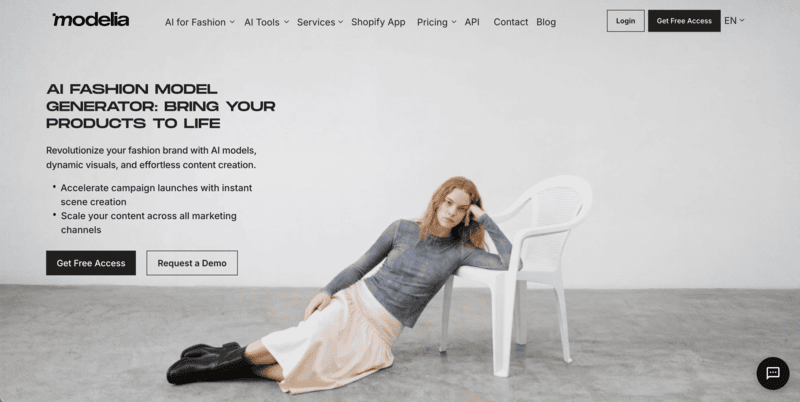
Modelia AI fashion photography tool for generating on-model product images from flat lays and mannequin shots

The platform bundles fashion-specific workflows: flatlay-to-model, mannequin-to-model, model swap, virtual try-on, repose, outfit generation, and accessory tools for hats, bags, glasses, and shoes. A Consistent Character feature reuses the same AI model across an entire catalog. Modelia also ships a native Shopify app, so brands can generate product imagery inside their store workflow.
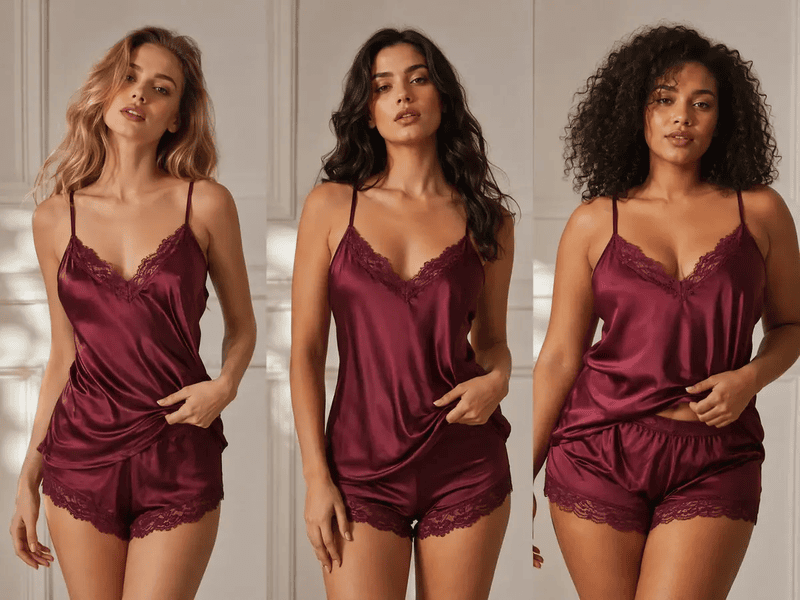
Its free Starter tier gives 20 credits a month, which is enough to test some tools before paying.

Why Look for a Modelia Alternative?

Modelia covers a lot of ground. But it is a broad image toolkit first and a focused fashion studio second. Several recurring gaps push brands to compare alternatives.

  • The free tier is watermarked and non-commercial. Starter gives 20 credits a month, capped at 10 a day, but every output carries a watermark and can’t be used commercially. You need a paid plan for store-ready images.
  • No design or ideation tools. Modelia generates photos, not concepts. There’s no sketch-to-render, recolor, fabric swap, or text-to-outfit, so design-led teams still reach for a second platform.
  • No dedicated ghost mannequin effect. Brands that lean on clean ghost-mannequin listings won’t find a built-in tool for it.
  • Video burns credits fast. A five-second clip costs 25 credits; ten seconds costs 40. On smaller plans, a handful of videos can wipe out a month’s budget.
  • Tool sprawl. Around 18 tools — including general utilities like image describer, color changer, and facial-expression editor — add interface weight when your day-to-day is catalog production.

None of this makes Modelia a bad tool. It just means a more specialized, better-value, or design-inclusive platform may suit your workflow better.

7 Best Modelia AI Alternatives — A Brief Overview

  • Fashion Diffusion — Best overall for AI fashion design and photography. Combines a full design suite, on-model photography, and 1080p video in one workflow. From $12/month.
  • FASHN AI — Best for virtual try-on quality and developer API. Industry-leading try-on accuracy plus a full REST API for custom integrations. From $19/month.
  • Botika — Best for high-volume on-model photography on Shopify. Turns flat lays and mannequin shots into model imagery, with a built-in human retouching safety net. From $22/month.
  • Veeton — Best for outfit styling and AI photoshoots. Mix-and-match outfits with camera, lighting, and background control. From $29.99/month.
  • Rawshot AI — Best for prompt-free control and compliance. Click-based art direction with provenance logs and full commercial rights. From $9/month.
  • Photoroom — Best for general ecommerce visuals at scale. Class-leading background removal, batch editing, and an image API across every product category. From $12.99/month.
  • Picjam — Best for managed, agency-style production. A self-serve studio plus a fully managed “visual production agent” option with quality assurance. From $3 (3-day trial).
ToolKey StrengthBest ForStarting Price
Fashion DiffusionDesign + photography + video in one platformBrands and designers who need concept-to-campaign in one platform$12/mo
FASHN AIVirtual try-on + full APIEcommerce teams and developers embedding try-on$19/mo
BotikaHigh-volume on-model + human retouchingShopify brands with large SKU counts$22/mo
VeetonOutfit mix-and-match + photoshoot controlsBrands shooting full styled looks$29.99/mo
Rawshot AIClick-based control + compliance/provenanceEU brands and precise art direction$9/mo
PhotoroomBackground removal + batch at scaleMulti-channel sellers across categories$12.99/mo
PicjamManaged visual-production agentEstablished brands wanting hands-off output$3 (trial); $99/mo

These picks draw on each platform’s documented capabilities and pricing, plus aggregated user feedback across G2, Capterra, Trustpilot, and the Shopify App Store. We weighted garment fidelity, fashion-specific features, video support, and value for ecommerce teams.

How the Top Modelia Alternatives Compare on Features

The table below compares core capabilities.

FeatureModeliaFashion DiffusionFASHN AIBotikaVeetonRawshot AIPhotoroomPicjam
Free access20/mo or 10/day (watermarked) Trial available10 signup creditsNo free planTrial available7-day free trialFree tier (watermarked)$3 / 3-day trial
Max resolution4K4K4KUp to 4K (Advanced)Not stated2–4K2K–4KNot stated
Diverse modelsYesYes40 facesYesYes600+YesCustom + branded
Batch processingYes (Basic+)LimitedYesYesYesYesYesYes
Video generationYes (5–10s)Yes (1080p, all plans)YesYes (Pro+)YesYesYesYes
API accessYesNoYesYesNoYesYesNo

The 7 Best Modelia Alternatives, Reviewed

1. Fashion Diffusion — Best Overall for AI Fashion Design and Photography

Fashion Diffusion spans the whole fashion workflow, from first sketch to finished campaign. Where Modelia stops at photography, it adds a full design suite, on-model shoots, model generation, and AI video in one subscription. The models are trained on fashion imagery rather than generic stock, so garment detail tends to hold up better on apparel.

Fashion Diffusion AI interface showing sketch-to-render, virtual try-on, and fashion model generation workflow

Key Features

  • Design studio: AI outfit generator, style innovation, AI Sketch, apply fabric, recolor, AI inpainting, seamless patterns, and print and pattern extraction.
  • Photoshoot tools: virtual try-on, mix & match, AI lookbook, flat lay generator, change background, product detail shots, remove background, and 4K upscale.
  • Models and video: swap to any AI model or face, then animate stills into 1080p fashion clips with motion control.

Best Use Cases

  • Brands and D2C labels that want design prototyping and commercial photography in one place.
  • Designers turning sketches into rendered visuals, then straight into on-model shots.
  • Teams producing editorial and campaign content who need recolor, fabric swaps, and style exploration alongside catalog images.
  • Agencies juggling several fashion clients on a single toolset.

Pricing

  • Starter: $12/mo — 50 credits, all tools, 4K generation and upscaling, 1080p video.
  • Creator: $29/mo — 160 credits (most popular).
  • Pro: $59/mo — 380 credits.
  • Studio: $199/mo — 1,400 credits.

Pros

  • Combines design tools, AI fashion photography, and video generation in a single platform.
  • Fashion-trained models designed for apparel workflows, not generic image generation.
  • 4K image output and 1080p AI video available across all plans, including entry-level tiers.
  • Low-cost starting point at $12/month with a broad feature set.

Cons

  • No managed human-retouching service.
  • Team-collaboration features aren’t detailed in public plans.
  • No permanent free tier — a trial and bonus credits instead.

2. FASHN AI — Best for Virtual Try-On Quality and Developer API

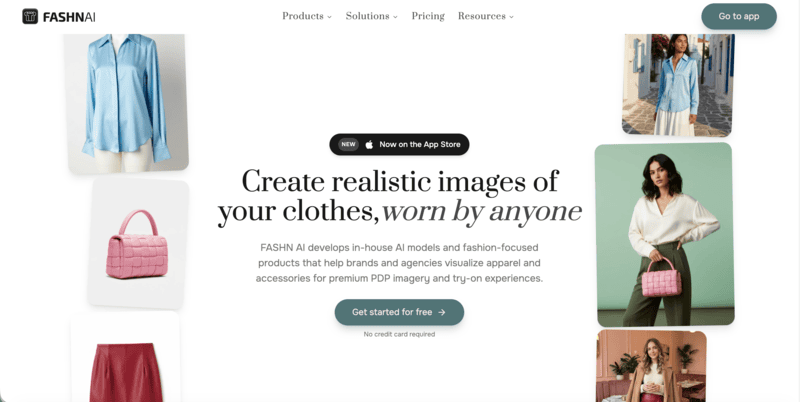
FASHN AI is built around best-in-class virtual try-on. Its diffusion engine wraps garments onto models with strong fabric and print fidelity, and a Face Reference feature keeps the same model identity across a catalog. Beyond the app, it ships a full REST API with TypeScript and Python SDKs, so dev teams can embed try-on and model generation directly into a storefront.
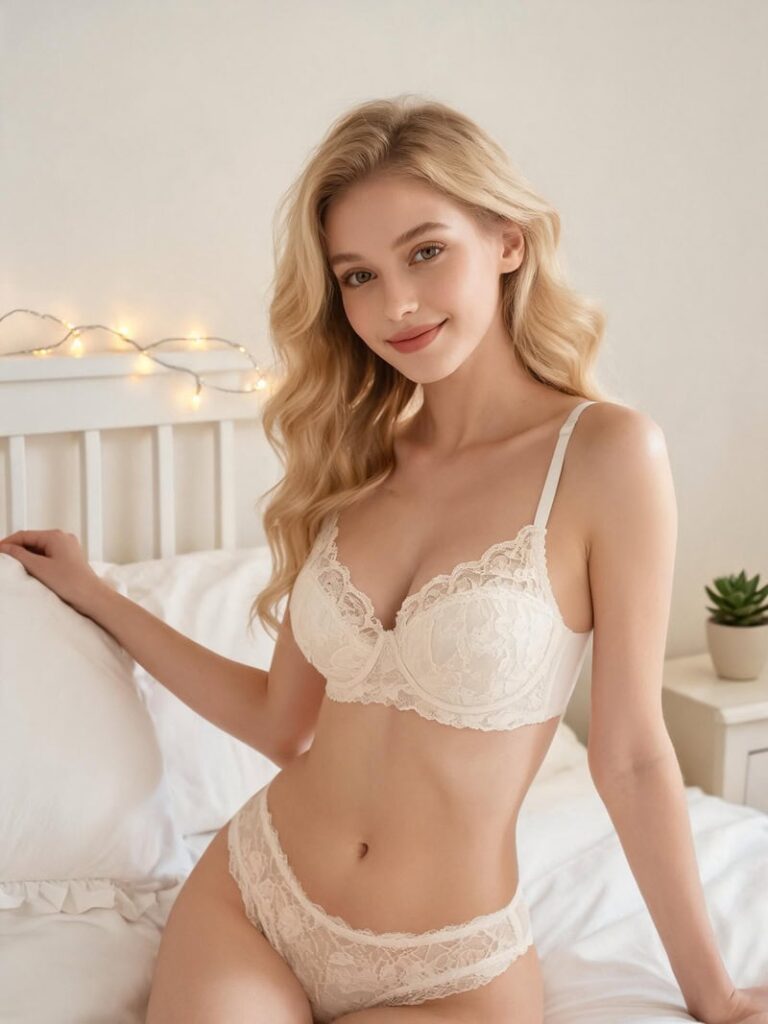
FASHN AI virtual try-on platform with high-accuracy garment rendering and REST API for ecommerce integration

Key Features

  • Virtual try-on, product-to-model, model creation, model swap, and face-to-model, all in one studio.
  • Face Reference for consistent identity, with a 40-face library and custom faces on Agency.
  • AI video up to 1080p, background removal, upscaling, and parallel generations (3 on Basic, up to 11 on Agency).
  • Full developer API with a usage dashboard, plus a chat-based iOS app.

Best Use Cases

  • Ecommerce teams that need the most realistic try-on for shopper-facing product pages.
  • Developers integrating try-on or model generation into their own apps via API.
  • Brands refreshing existing catalogs through model swap, without new shoots.
  • Agencies that need shared credits across a team.

Pricing

  • Basic: $19/mo — 200 credits, 4K images, two seats.
  • Pro: $49/mo — 750 monthly plus 50 daily credits, five seats.
  • Agency: $99/mo — 1,500 monthly plus 100 daily credits, 1080p video, custom faces, ten seats.
  • The developer API is billed separately at $0.075 per credit, dropping at volume. Every account starts with 10 free credits; there’s no permanent free plan.

Pros

  • Among the most realistic virtual try-on on the market.
  • The most complete developer API in this lineup.
  • Daily credits on Pro and Agency ease month-end limits.
  • Commercial rights on all outputs.

Cons

  • No design tools and no dedicated ghost mannequin.
  • Base try-on resolution is modest, so you’ll often upscale for Amazon or large listings.
  • No native Shopify app — integration is via API.
  • No free tier; $19 is the floor.

3. Botika — Best for High-Volume On-Model Photography on Shopify

Botika turns flat-lay, mannequin, and packshot photos into professional on-model images, built for brands that need volume. Its model library spans ethnicities, body types, and ages, and credits roll over while you stay subscribed.

The standout is a built-in human retouching service. On paid plans, Botika’s team fixes images that miss the mark, at no extra cost.

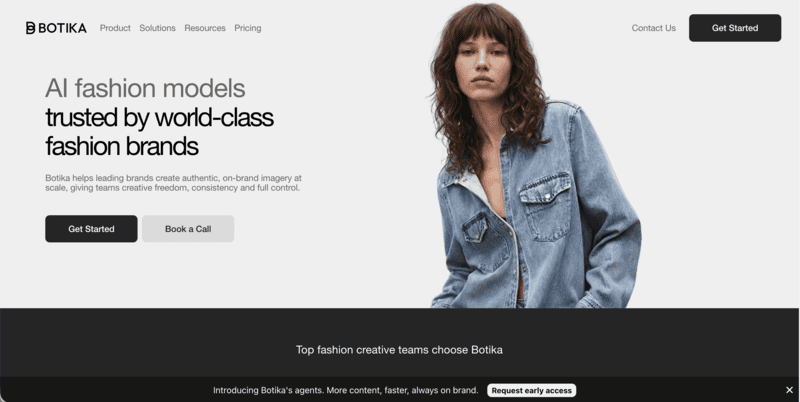
Botika AI fashion photography tool for Shopify converting flat lays and mannequins into on-model product images with retouching support

Key Features

  • On-model generation from flat lays, mannequins, or packshots.
  • A wide, diverse AI model library, with full access on Pro and Advanced.
  • Human retouching: two rounds within 48 hours on Pro, three within 24 hours on Advanced.
  • AI video on Pro and above, plus a native Shopify app and credit rollover.

Best Use Cases

  • Mid-to-large Shopify brands with high SKU counts needing consistent model imagery.
  • Teams that want a human-reviewed quality safety net built into the plan.
  • Brands prioritizing model diversity for inclusive presentation.

Pricing

  • Lite: $22/mo — limited model and background selection.
  • Pro: $35/mo — all models and backgrounds, 2K, video, and retouching.
  • Advanced: $230/mo — 4K, team collaboration, and custom background colors.
  • Enterprise: custom. Annual billing lowers the effective rate.

Pros

  • Strong on-model quality with one of the widest model libraries.
  • Built-in human retouching — unique in this list.
  • Credit rollover while subscribed.
  • Native Shopify app.

Cons

  • No design tools or text-to-model creation.
  • 4K only on the top consumer plan.
  • Some users report delivery delays and slow support during demand spikes.

4. Veeton — Best for Outfit Styling and AI Photoshoots

Veeton is an AI photoshoot studio built around full-outfit styling. You mix and match tops, bottoms, and accessories, then control camera angle, lighting, and background like a virtual studio. It also cleans up rough product shots into flat-lay or ghost-mannequin visuals, and it exports without a watermark, even on the entry plan.

Veeton AI fashion photoshoot tool for outfit styling with adjustable lighting, camera angles, and background control

Key Features

  • AI photoshoot with mix-and-match outfit styling.
  • Custom AI models or a ready-made portfolio, plus model swapping.
  • Dedicated visuals for shoes and eyewear.
  • Batch generation from 2 to 100+ SKUs, AI video, and product recoloring.

Best Use Cases

  • Brands that routinely shoot full styled looks rather than single garments.
  • Teams wanting photoshoot-style controls at the generation step.
  • Footwear and eyewear sellers needing category-specific shots.

Pricing

  • Starter: $29.99/mo — 30 credits, no watermark, AI editing, recoloring, model swap, and video.
  • Pro: $69.99/mo — 70 credits, unlimited team members, and a custom model generator.
  • Studio: custom, for large volumes. No credit card needed to start.

Pros

  • Outfit mix-and-match with real photoshoot controls.
  • No watermark, even on Starter.
  • Footwear and eyewear specialization.
  • Unlimited team members on Pro.

Cons

  • Low monthly credit allowance on Starter.
  • No design tools.
  • No public API.

5. Rawshot AI — Best for Prompt-Free Control and Compliance

Rawshot AI replaces text prompts with direct, click-based control. You set camera, pose, lighting, and background through buttons and presets, which suits teams that want repeatable art direction over prompt roulette.

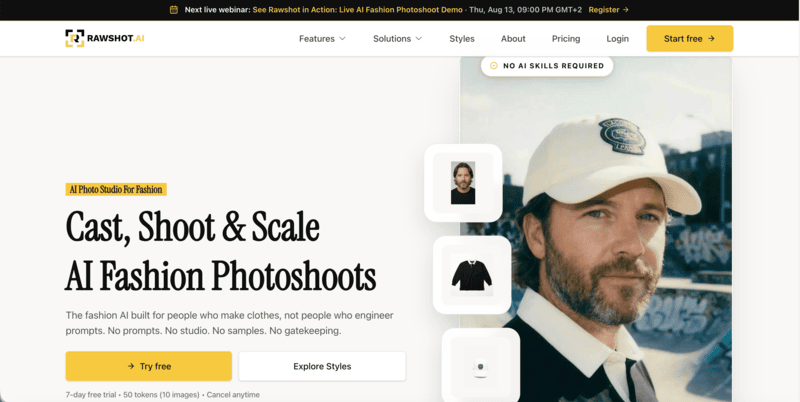
Rawshot AI prompt-free fashion generation tool with click-based control, provenance tracking, and commercial usage rights

Built in the EU, it adds provenance logs, AI labeling, and full commercial rights — useful for brands with compliance requirements.

Key Features

  • Click-driven control over camera, pose, lighting, and background.
  • 600+ synthetic models and 1,500+ backgrounds, across fashion, plus-size, lingerie, and jewelry.
  • Shoot types from lookbook and catalog to editorial and campaign.
  • Video and ad formats — shorts, commercials, UGC — at 2–4K, with API access.

Best Use Cases

  • Teams that prefer sliders and presets to writing prompts.
  • Brands needing audit-ready imagery with provenance and clear AI labeling.
  • EU brands prioritizing GDPR compliance and commercial-rights clarity.

Pricing

  • Starter: $9/mo — 80 tokens (about 16 images).
  • Growth: $39/mo — 400 tokens (about 80 images).
  • Pro: $89/mo — 960 tokens (about 192 images).
  • Business: $179/mo — 2,000 tokens (about 400 images). All plans include video, full commercial rights, and GDPR compliance.

Pros

  • Prompt-free, click-based art direction.
  • Strong garment fidelity and catalog-consistency focus.
  • Compliance and provenance built in.
  • Low $9 entry with commercial rights on every plan.

Cons

  • The token model is tight on Starter — about 16 images.
  • No design ideation tools.
  • No Shopify-native app.

6. Photoroom — Best for General Ecommerce Visuals at Scale

Photoroom is a broad ecommerce visual editor, not a fashion-only tool. Its background removal is among the fastest and most accurate anywhere, and batch processing handles hundreds of images in one pass. A Virtual Model feature adds AI fashion try-on, but it sits inside a wider product-photography suite rather than a design platform.

Photoroom ecommerce image editing tool for batch background removal and multi-category product photo optimization

Key Features

  • Industry-leading background removal, AI shadows, recolor, and product staging.
  • AI Virtual Model for fashion, plus ghost mannequin, at 2K and 4K.
  • Batch processing, brand kit, instant resize, and video templates for Reels and TikTok.
  • Image API, Shopify publishing, and marketplace feeds.

Best Use Cases

  • Multi-channel sellers managing visuals across fashion, beauty, home, and more.
  • Teams that need background removal and listing-ready images at high volume.
  • Sellers wanting white-background or marketplace-spec images fast.

Pricing

  • Free: watermarked exports for testing.
  • Pro: $12.99/mo — advanced AI tools, 500 batch exports, and 1,000+ templates.
  • Max: $34.99/mo — better models, 1,500 batch exports, and Shopify publishing.
  • Ultra: $99/mo — 5,000 batch exports and the fastest processing. Enterprise adds API access and SOC 2.

Pros

  • Best-in-class background removal.
  • Deep batch processing and a flexible image API.
  • A huge template and format library with instant resize.

Cons

  • General-purpose, not a fashion design suite — the virtual model is one feature.
  • Less specialized garment control than dedicated fashion tools.
  • Some users report frustration with billing and mid-plan credit changes.

7. Picjam — Best for Managed, Agency-Style Production

Picjam positions itself as a visual production agent for established brands. You can run it self-serve or hand the work to Picjam’s team through a managed Concierge tier with a four-point quality check. The toolkit covers AI models, fashion photography, ghost-mannequin removal, lifestyle and listing shots, poses, video, and UGC.

Managed AI visual production platform offering self-serve tools and agency-style content creation with quality assurance

Key Features

  • AI virtual model, fashion photography, and ghost-mannequin removal.
  • Lifestyle and listing photos, pose adjustment, and product close-ups.
  • Video and UGC generation, plus StyleWith for styling garments together.
  • Batch generation, clean-up, upscaling, background removal, and SEO keyword tools.

Best Use Cases

  • Established brands wanting a hands-off, managed production option.
  • High-volume SKU catalogs needing batch output with human QA.
  • Teams that want listing visuals and SEO support in one place.

Pricing

  • Studio Trial: $3 for 3 days — 400 one-time credits, full Studio access, commercial license.
  • Studio: $99/mo — 2,000 credits, custom and branded models, video, and UGC.
  • Concierge: custom — fully managed by Picjam, with QA and high-volume processing.

Pros

  • Low-risk $3 three-day trial.
  • A managed Concierge option with a four-point QA system.
  • Video and UGC included, plus SEO keyword tooling.

Cons

  • No permanent free tier — trial only.
  • Self-serve jumps to $99/mo.
  • No design ideation tools, and Concierge is custom-priced.

How to Choose the Right Modelia Alternative

Start with one question: do you need fashion design tools alongside photography, or photography alone?

  • If you need design and photography in one platform, Fashion Diffusion covers sketch-to-render, recolor, outfit generation, and on-model photography without a second subscription.
  • If you need on-model imagery at scale, Botika and Veeton are strong options. Botika is well suited to ecommerce catalogs that benefit from credit rollover and optional human retouching, while Veeton offers more control over styling, camera angles, and lighting.
  • If virtual try-on quality or API access is your priority, FASHN AI stands out for garment preservation and developer-friendly integrations, including a REST API.
  • If you need broader ecommerce content tools or a more managed workflow, Photoroom supports multi-category batch editing and background removal, while Picjam includes built-in quality review processes.
  • If budget is the main factor, Rawshot AI starts at $9/month, includes commercial usage rights and provenance tracking, and requires minimal setup.

Switching from Modelia: AI Fashion Workflow Setup

Start with clean inputs — well-lit flat lays or ghost-mannequin shots on a plain background give the AI more to work with and reduce re-rolls. Be specific upfront: define body type, pose, lighting, and background before generating to keep outputs consistent without wasting credits.

Stage your workflow before committing. Use a short trial or free tier to test concepts, then move final assets into a fashion-trained platform for production output. Upscale only the images you plan to publish.

If you want design, photography, and video in one place, Fashion Diffusion starts at $12/month with a free trial. Upload a garment, generate on-model images, and export a 1080p reel — no separate tools or subscriptions needed.

FAQ

What is the best Modelia alternative for fashion brands?

Fashion Diffusion is the strongest all-round Modelia AI alternative — it pairs AI photography with a full design suite from $12 a month, which Modelia doesn’t offer. For pure virtual try-on precision, FASHN AI is the specialist pick. For Shopify brands needing high-volume on-model imagery with human QA built in, Botika is worth a direct comparison.

Modelia vs Fashion Diffusion — which is better for ecommerce brands?

Depends on what you need. Modelia is stronger for consistent-character catalog production and has a native Shopify app. Fashion Diffusion is the broader platform: it adds a full design suite — sketch-to-render, outfit generation, style innovation— alongside AI photography and 1080p video on every plan.

How do I turn flat-lay photos into on-model images with AI?

Upload the flat-lay or ghost-mannequin photo, choose an AI model, set a background and pose, and the platform maps the garment onto the model automatically. Fashion Diffusion, FASHN AI, Botika, and Rawshot AI all support this workflow natively. Clean, well-lit flat lays on a plain background produce the most accurate garment fidelity with the fewest re-rolls.

Can I use AI-generated fashion model images commercially?

Yes, on any paid plan. Fashion Diffusion, FASHN AI, Botika, Veeton, Rawshot AI, Photoroom, and Picjam all grant commercial rights on their subscriptions. The exception is Modelia’s free Starter tier, which outputs watermarked, non-commercial images. Always confirm the license terms for the specific plan you’re on before publishing.

Which Modelia alternatives support AI fashion video and reel generation?

Most do. Fashion Diffusion generates 1080p fashion video on every plan, including the $12 Starter. FASHN AI, Veeton, Rawshot AI, and Picjam all produce video or UGC-style clips. Botika adds video on Pro and above. Photoroom offers branded video templates for Reels and TikTok. Modelia generates video too, but clips cost 25–40 credits each.

Which Modelia alternative is best for Shopify sellers?

Botika is well suited for Shopify-based fashion catalogs, offering a native integration, credit rollover, and optional human retouching for high-volume product workflows. Photoroom may be a better fit if you also sell across marketplaces like Amazon or Etsy, since it supports batch background removal and multi-category product editing beyond fashion.

How much does AI fashion photography cost compared with a traditional photoshoot?

AI fashion photography is dramatically cheaper. A standard shoot runs $5,000–$15,000 per session; AI tools generate comparable on-model images for a few cents to around $1 per image — a potential 90% or greater cost reduction. Complex garments like sheer fabrics and fine embroidery still benefit from a manual quality check.

Avatar photo 通过Sophia Mille

How to Create Fashion Videos for TikTok Using AI no Filming: A Step-by-Step Guide for Brands

Fashion brands creating fashion videos for TikTok face a specific problem: the platform rewards frequency. Posting once a week isn’t enough. The algorithm favors accounts that publish consistently — ideally daily — and the content that performs best tends to be short, visually immediate, and product-forward.

The traditional answer to this was a production team. A camera, a model, a location, a lighting setup, and an editor. That workflow costs time and money most brands don’t have available on a daily basis.

AI fashion video changes the equation. One product photo becomes a TikTok-ready video in minutes — no crew, no filming, no editing software. This guide covers exactly how to do it, and how to build a content workflow around it.

Why Fashion Brands Need More TikTok Video Content Than They Can Film

TikTok’s algorithm is built around consistency and recency. A single high-production video published once a month will consistently underperform compared to simpler content published daily. For fashion brands, this creates a real operational tension.

A standard product photoshoot produces 20–40 images and maybe one or two short video clips. Those assets get spread across a full season of content — and they run out fast. Brands that publish video content daily see meaningfully higher organic reach than those on a weekly cadence. When they do, most brands go quiet, post recycled content, or fall back on generic trending audio with static images. None of these work as well as fresh product video.

The math doesn’t favor traditional production. But it does favor AI.

What an AI Fashion Video Generator Does for Fashion Brands

An AI fashion video generator is a tool that converts a static product image into a short animated video with realistic motion — ready to publish on TikTok, Instagram Reels, or product pages without filming or editing. The garment moves, the scene is animated, and the output looks like it was filmed, not generated.

Fashion Diffusion’s AI Fashion Video tool is built specifically for this workflow. You upload an existing product image, and it generates a short video ready for TikTok, Instagram Reels, or your product pages. No camera. No crew. No editing.

The key difference from general AI video tools: garment fidelity. General video AI tools often distort fabric texture, change print patterns, or blur detail when animating. Fashion-specific tools are trained to keep those details intact — which matters for e-commerce, where the video has to accurately represent the product.

Step-by-Step: How to Create TikTok Fashion Videos with AI

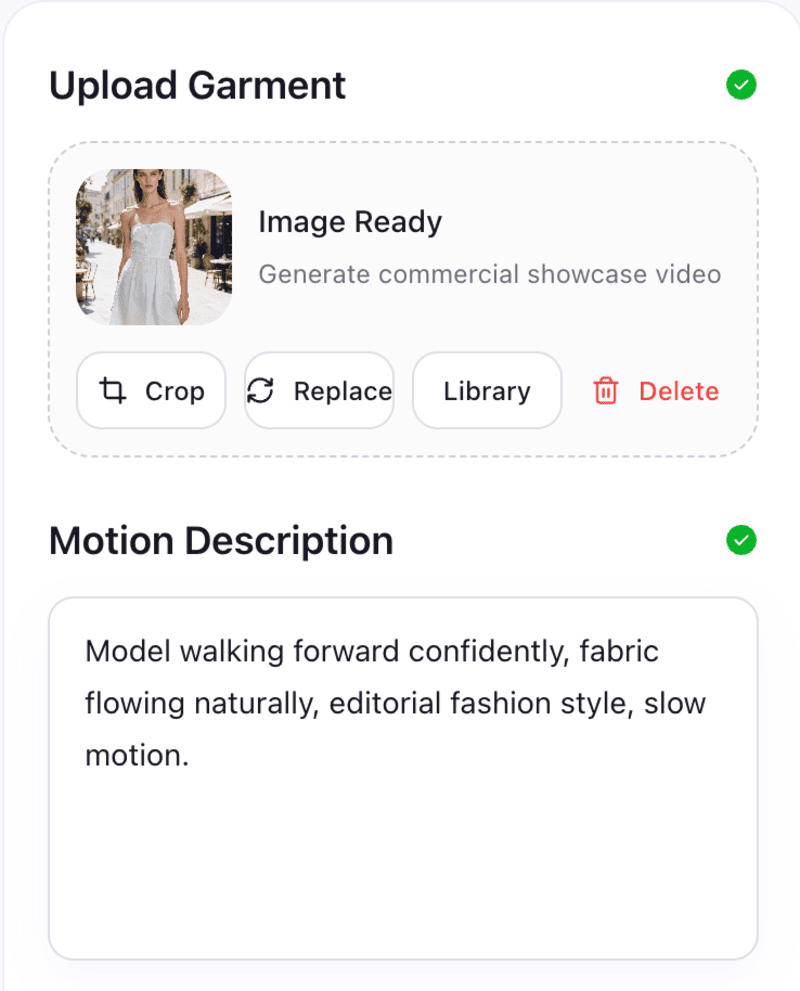
Upload a product photo to Fashion Diffusion‘s AI Fashion Video tool, choose a motion style (fabric movement, camera pan, or model walk), generate a 5–15 second clip, then add hook text and trending audio in TikTok’s native editor. No crew, no filming, no editing software required.

Step 1: Choose Your Source Image

Your input determines your output quality. For TikTok, the best source images are:

  • On-model shots — a model wearing the garment, ideally with a clean or simple background
  • Flat-lay photos — garments laid flat with clear fabric texture and color
  • Existing campaign images — repurpose photography you already have

Avoid heavily cropped images, very dark backgrounds, or shots with multiple people — the AI has less to work with and quality drops accordingly.

For a 9:16 vertical output (TikTok native format), a portrait-orientation source image gives better results than a landscape crop.

Step 2: Open Fashion Diffusion’s AI Fashion Video Tool

Navigate to AI Fashion Video and upload your image. Sign up for a free account and you’ll receive free credits to test the output quality on your specific product before committing.

Navigate to AI Fashion Video and upload your image

Step 3: Set Your Output Parameters

Choose the motion style and duration. For TikTok, the effective range is 5–15 seconds — long enough to show the product clearly, short enough to hold attention.

Write a prompt to describe the scene, mood, and motion you want. Be specific about the setting and movement. The more detail you give, the closer the output matches your creative direction.

Motion styles to consider:

  • Fabric movement — subtle wind or body movement, fabric flows naturally. Works best for dresses, lightweight tops, and flowing garments.
  • Camera pan — slow zoom or pan across the product. Works well for structured pieces like jackets and tailored separates.
  • Model walk — the model moves through the scene. Strong for full-look shots and outfit reveals.

Pick one motion style per video. Mixing motion types in a 10-second clip tends to feel rushed.

Step 4: Generate and Review

The AI produces your video clip in seconds. Watch it through once and check:

  • Does the fabric texture look accurate — no warping or distortion?
  • Is the color consistent with your source image?
  • Does the motion feel natural, not mechanical?

If anything looks off, adjust the motion parameters and regenerate. Iteration is instant.

Step 5: Add Your Hook and Audio in TikTok

AI fashion video gives you the visual. TikTok’s native editor adds the rest:

  • Hook text — overlay text in the first 2 seconds. The hook is what stops the scroll. Make it specific: “This dress sold out in 48 hours” performs better than “New arrival.” Tell people something they need to know.
  • Audio — use trending audio that fits the visual mood. TikTok’s algorithm surfaces content with trending sounds more aggressively. Check the Sounds tab for trending audio in your category.
  • Captions — TikTok auto-generates captions from any voiceover. Add a voiceover describing the product (fabric, fit, occasion) and let TikTok caption it. This improves accessibility and boosts discoverability.

Below are examples of TikTok videos created with our AI fashion video tool:

5 TikTok Fashion Video Formats That Drive Engagement

The AI video handles the product visual. What you do with it determines performance. These are the five formats that consistently drive engagement for fashion brands on TikTok.

Outfit Reveal

Start with a flat-lay or packshot, then cut to the AI-generated on-model video. The format creates a before/after moment that naturally drives replays and saves.

Length: 8–12 seconds.  Hook: “Wait until you see this on” / “The flat lay doesn’t do it justice.”

New Drop Announcement

A 6–10 second AI fashion video of a new product, with hook text announcing the drop date or availability. Simple, high-frequency, effective for building anticipation.

Length: 6–10 seconds.  Hook: Drop date + “only X left” or “launching [day].”

Colorway Series

Generate the same garment in multiple colorways using Recolor, then animate each version as an AI fashion video. Cut them together as a fast-paced colorway reveal. One product, one shoot day, multiple pieces of content.

Length: 10–15 seconds.  Hook: “Which colorway are you?” or show all colorways with a “pick yours” text overlay.

Behind-the-Brief

Show your AI-generated design concept next to the finished product. Brands that show their process consistently outperform those that only show finished looks — TikTok’s audience has developed strong filters for promotional content.

Length: 15–30 seconds.  Hook: “This started as an AI sketch.”

Trend Styling

Take an existing product video and restyle it around a TikTok trend — a specific aesthetic, occasion, or cultural moment. Use Change Background to adapt the setting, then animate with AI Fashion Video.

Length: 8–15 seconds.  Hook: Reference the trend directly in the first frame.

Building a High-Volume TikTok Content Workflow

The value of AI fashion video isn’t producing one video — it’s producing enough to post consistently without a production team.

Here’s a weekly workflow for a brand posting 5 days per week:

DayContent TypeSourceTool
MondayNew drop announcementProduct photoAI Fashion Video
TuesdayColorway revealSame product, recoloredRecolor → AI Fashion Video
WednesdayOutfit on modelFlat-lay → model shotVirtual Try-On → AI Fashion Video
ThursdayBackground variantMonday’s video baseChange Background → AI Fashion Video
FridayBehind-the-briefSketch or concept imageSketch to Render → AI Fashion Video

Every piece of content starts from a single product photo. The AI handles the variations — model, color, background, motion. The brand handles the hook text and audio selection.

This workflow produces 20+ pieces of unique content per month from what might be 4–5 source images. Traditional production can’t match that economics at the same quality level.

TikTok Video Specs for AI Fashion Content

Get these right before publishing your AI fashion videos. Wrong specs reduce quality and can hurt distribution.

SpecRecommended
Aspect ratio9:16 (vertical)
Resolution1080 × 1920px minimum
Duration5–30 seconds for discovery content
File formatMP4
Hook text positionUpper third of frame, first 2 seconds
Product visibleBy second 1 — don’t bury the lead

TikTok’s algorithm penalizes low-resolution uploads. Make sure your AI video output is at full resolution before uploading. Fashion Diffusion outputs at production-ready resolution by default.

What Makes a Good AI Fashion Video Generator for E-Commerce

Not all AI video tools produce usable fashion content. The distinction matters for fashion brands and e-commerce sellers:

  • Garment accuracy: Does the fabric texture remain consistent through the motion? Does a floral print stay a floral print, or does it blur and shift? Fashion-specific AI tools handle this. General video tools often don’t.
  • Motion appropriateness: A chiffon dress needs different motion treatment than a structured leather jacket. Fashion-trained AI understands these distinctions. Generic AI applies the same motion parameters regardless of material.
  • Output for e-commerce: The video needs to accurately represent the product — not just look good. A beautiful AI video that misrepresents the fabric color or garment silhouette creates returns and erodes trust.

Fashion Diffusion’s AI Fashion Video is built for fashion e-commerce, not general video production. The difference is visible in the output.

Create TikTok Fashion Videos with AI

Most fashion brands already have the raw material — product photos, campaign images, flat-lays. The gap isn’t content ideas or creative direction. It’s production capacity. AI fashion video closes that gap: one image becomes multiple formats, every product in your catalog becomes publishable video, and your TikTok presence stops being limited by how often you can book a shoot.Start with one product photo. See what it becomes.

Try AI Fashion Video free →

FAQs

What is an AI fashion video generator?

An AI fashion video generator takes a static image — a product photo, flat-lay, or model shot — and produces a short animated video with realistic motion. For fashion brands, this means turning existing product photography into TikTok and Instagram Reels content without filming new footage.

How long should TikTok fashion videos be?

For discovery content (reaching new audiences), 5–15 seconds consistently performs best. Longer videos (15–30 seconds) work for formats where storytelling is the point — behind-the-scenes, process content, or tutorial-style posts. Hook text in the first 2 seconds is critical regardless of length.

Do I need a studio or camera to create TikTok fashion videos with AI?

No. AI fashion video tools like Fashion Diffusion’s AI Fashion Video generate video from a product photo you already have. If you have product images — flat-lays, on-model shots, or campaign photography — you have everything you need to start.

Can AI fashion video accurately show my product’s fabric and color?

Yes, if you use a fashion-specific AI video tool. General AI video generators often distort fabric texture and shift colors during animation. Fashion Diffusion is trained on fashion imagery and designed to preserve garment details — fabric texture, print accuracy, and color — through the motion generation process.

How many TikTok videos can I create from one product photo?

Using Fashion Diffusion’s full toolkit: multiple motion styles from the same image, multiple colorways via Recolor, multiple background settings via Change Background, and multiple model variants via AI Model Generator. A single product image can realistically produce 8–12 unique pieces of TikTok content.

What’s the best TikTok format for fashion brands in 2026?

Outfit reveals, new drop announcements, and colorway series consistently perform well for fashion brands. The common thread: the product is the main character, the hook is specific (not generic), and the video is short enough to replay without friction. AI fashion video works particularly well for these formats because you can produce them in volume without a production crew.

Avatar photo 通过Alexander Wilson

Best 6 Free AI Bikini Try-On Tools in 2026 (Tested & Compared)

Most “best AI try-on” lists treat swimwear like any other garment. It isn’t. Bikinis show more skin, more fabric detail, and more fit nuance than a t-shirt — and several popular try-on tools either handle this badly or don’t support it at all.

AI bikini try-on uses artificial intelligence to generate realistic on-model swimwear photos from a single product image — no photoshoot or model booking required.

We tested six tools that offer free or low-cost access to AI bikini try-on in 2026. This guide covers what each free tier actually gives you, where the output holds up, and where it falls short.

Quick Comparison: Free AI Bikini Try-On Tools

 Fashion Diffusion is the strongest free option for usable results — its free credits cover body type variation, which every other tool gates behind a paid plan. Kolors Virtual is genuinely free with no signup, useful for a quick test, but output quality is inconsistent and lacks model variation.

ToolFree AccessBody Type VariationSwimwear Support
Fashion DiffusionFree credits✅ Included free
Kolors Virtual (Hugging Face)Unlimited, no signup
SellerPic20 credits, no cardPaid only
CamClo3DFree trial, no cardPaid only
Botika8 photo creditsPaid onlyFilter issues reported
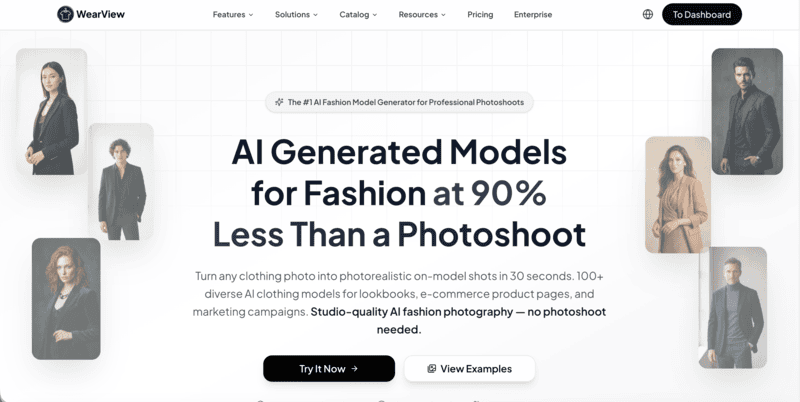
WearViewNone (from $29/mo)✅ Paid

What to Look for in a Free AI Bikini Try-On Tool

Before comparing tools, it helps to know what actually matters for swimwear specifically — most general try-on reviews don’t cover this. Testing a free tier costs nothing, but picking the wrong tool costs time: swimwear has tighter fabric, print, and fit tolerances than most categories, so a tool that works fine for t-shirts may fall short here.

  • Does the tool support swimwear at all? Some platforms exclude swimwear and lingerie from their training data entirely. Check before you upload.
  • Does the free tier produce usable output, or just a preview? Some “free” tiers apply heavy watermarks or cap resolution below what’s usable for a product page.
  • How many free generations do you actually get? Credit counts range from “unlimited” to “enough for one test.”
  • Does it preserve fabric and print accuracy? This matters more for swimwear than most categories — a print that shifts or a strap that renders wrong is immediately obvious.
  • Can you generate different body types? For swimwear, this is one of the most requested features — and most free tiers don’t include it.
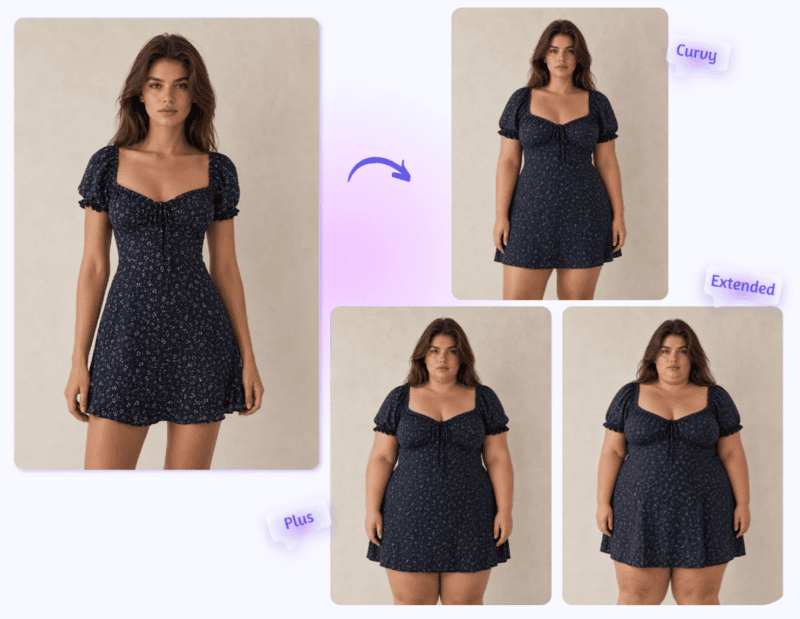
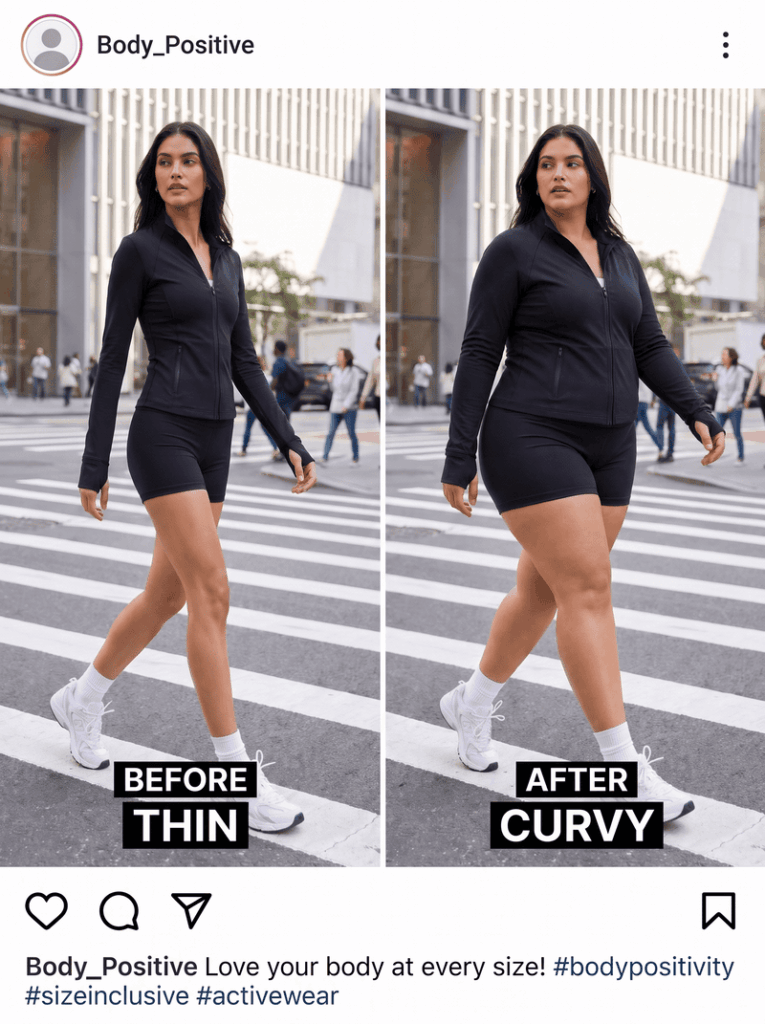
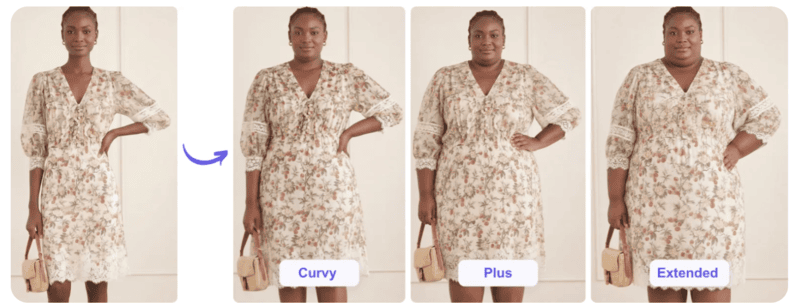
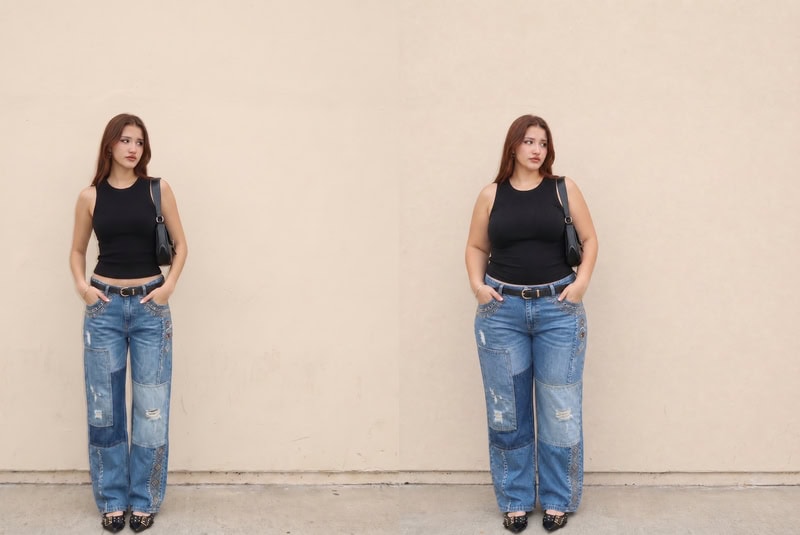
AI bikini try-on showing the same swimwear on multiple body types, from slim to plus-size models
Fashion Diffusion AI-generated

1. Fashion Diffusion — Best Free AI Bikini Try-On with Full Workflow

Best for: Swimwear brands and sellers who want try-on plus design, recoloring, and video using free credits.

Fashion Diffusion’s Virtual Try-On generates on-model bikini images from a flat-lay or product photo. New users get free credits that cover the core try-on and model generation tools.

Fashion Diffusion free AI bikini try-on platform showing virtual swimwear fitting and AI fashion design workflow

What can you do for free?

  • Virtual Try-On from a flat-lay or product photo

Strengths

  • The only tool on this list where try-on connects directly into a design and content workflow — recolor, background, and video all run on the same try-on output
  • Free credits cover both try-on and body type variation, which most competitors split across paid tiers
  • No watermark on output generated with free credits

Limitations

  • Free credits are limited in number; high-volume catalog work requires a paid plan
  • Best results depend on a clean, well-lit source photo

For a full walkthrough of the workflow — including prompt examples and how to extend results into colorways and video — see our AI bikini generator guide.

2. Kolors Virtual — Best Genuinely Free AI Bikini Try-On, No Signup

Best for: Quick, no-commitment tests before choosing a paid tool.

Kolors Virtual Try-On is an open-source model, available through free Hugging Face Spaces. You upload a person image and a garment image, and it generates a try-on result — no account, no credits, no payment.

Kolors Virtual Try-On Hugging Face Space providing free AI bikini virtual try-on

What can you do for free?

  • Unlimited try-on generations on public Hugging Face Spaces
  • No signup, no credit card, no usage cap
  • Open-source model — multiple community-hosted versions available if one is busy

Strengths

  • The most genuinely free option available — no account required at all
  • Good baseline for testing whether AI try-on works for your specific garment before committing to a paid tool

Limitations

  • Output is stochastic — the same inputs can produce noticeably different results on different runs
  • Public Hugging Face Spaces can have long queue times during peak usage
  • No body type selection, no editing tools, no batch processing — it’s a single-image demo, not a workflow

3. SellerPic — Best Free AI Bikini Try-On Credits for E-Commerce

Best for: Shopify, Etsy, and Amazon sellers who want try-on alongside other product photo tools.

SellerPic‘s free plan includes 20 credits with no credit card required — enough to generate around 20 images and evaluate output quality on your own products.

sellerpic UI showing tools to generate E-commerce photo

What can you do for free?

  • 20 credits (roughly 20 image generations)
  • Access to Virtual Try-On alongside background removal, color changer, and other editing tools under one credit system
  • 5 scheduled posts and 1 concurrent video generation

Strengths

  • 20 free credits is enough to test multiple SKUs, not just one image
  • One credit system covers try-on plus a broad editing toolkit — useful if you need more than just try-on

Limitations

  • Some users report credits being consumed on failed or unsatisfactory generations
  • Paid plans start at $29/month for 500 credits — a notable jump from the free tier
  • Free tier output may include a watermark; commercial use requires a paid plan

4. CamClo3D — Best AI Bikini Try-On for Catalog-Scale Workflows

Best for: Brands evaluating whether a full AI photography platform fits their catalog before subscribing.

CamClo3D offers a no-credit-card free trial across its virtual try-on and product photography suite, including model swap, pose generation, and background changes.

CamClo3D AI product photography platform featuring virtual try-on, model generation, and background replacement tools

What can you do for free?

  • Free trial access without a credit card
  • Virtual try-on from flat-lay images
  • Access to model swap and pose generator tools for testing variation quality

Strengths

  • Trial covers the broader toolkit, not just try-on — useful for evaluating a full catalog workflow before paying
  • No card required to start testing

Limitations

  • Trial generation limits are lower than dedicated free-credit tools like SellerPic
  • Best suited to brands already planning to evaluate a paid platform, rather than one-off use

5. Botika — Free AI Bikini Try-On Credits for Shopify, with a Caveat

Best for: Shopify merchants already using Botika for general product photography.

Botika is available directly from the Shopify App Store, with the first 8 photo credits free. It’s built for “upload and generate” simplicity within Shopify admin.

Botika AI fashion photography homepage showcasing on-model image generation and automated product photo enhancement for ecommerce brands

What can you do for free?

  • 8 free photo credits, no separate signup outside Shopify
  • On-model generation and background swap from flat-lay or mannequin photos

Strengths

  • Native Shopify integration — generate without leaving store admin
  • Simple workflow with no learning curve for non-technical users

Limitations

  • Independent reviews note that Botika’s “rigid NSFW filters can sometimes interfere with lingerie or swimwear cataloging” — worth testing with your specific products before relying on it for a swimwear catalog
  • At $22/month for the next tier, the per-image cost is higher than several alternatives on this list
  • No pose changer or custom model options

6. WearView — AI Bikini Try-On with No Free Tier, but Worth Knowing About

Best for: Brands that need the widest model diversity and are ready to pay from day one.

WearView doesn’t offer a free tier — plans start at $29/month. We’re including it because it’s frequently recommended for swimwear specifically, and it’s worth knowing what you’d be paying for if free options don’t meet your needs.

Strengths

  • Strong model diversity across ethnicities, body types, and age groups
  • Converts flat-lays to on-model shots quickly, with consistent model identity across a catalog

Limitations

  • No free tier — there’s no way to test output quality on your own products before subscribing
  • Entry-level plan is priced higher than the free-tier options on this list

Free Tier Limits at a Glance

ToolFree GenerationsCard RequiredWatermark on Free Output
Fashion DiffusionFree credits (limited)NoNo
Kolors VirtualUnlimitedNoNo
SellerPic20 creditsNoLikely (paid plan for commercial use)
CamClo3DFree trial (limited)NoVaries
Botika8 creditsNoVaries
WearViewN/A — no free tierN/AN/A

Try Fashion Diffusion’s AI Bikini Try-On Free

Upload one swimwear photo and see it on a realistic AI model — then extend it into colorways, backgrounds, and video, all using free credits.

Try Virtual Try-On free →

FAQ

What is the best free AI bikini try-on tool in 2026?

Fashion Diffusion and Kolors Virtual are the most accessible free options. Fashion Diffusion’s free credits cover try-on plus body type variation and downstream editing tools. Kolors Virtual is completely free with no signup, but output quality varies between runs.

Is there a completely free AI bikini try-on tool with no signup?

Yes — Kolors Virtual, available through Hugging Face Spaces, requires no account, no credit card, and no credits. It’s open-source and unlimited, though output quality is less consistent than paid alternatives.

Do free AI try-on tools work well for swimwear specifically?

Most do, but not all. Botika’s NSFW filters have been reported to interfere with swimwear cataloging in some cases. Some general-purpose try-on platforms also exclude swimwear and lingerie from their training data entirely. Test with your specific products before committing to any tool.

Can free AI bikini try-on tools generate different body types?

Some can. Fashion Diffusion’s free credits cover AI Model Generator, which produces the same swimwear on different body types and skin tones from one source photo. Most free tiers from other tools don’t include this — it’s typically gated to paid plans.

Can I use free AI bikini try-on images commercially?

It depends on the tool. Output generated with Fashion Diffusion’s free credits has no watermark. SellerPic’s free tier likely requires a paid plan for commercial use and watermark-free output. Always check each platform’s terms before publishing free-tier images.

What photo should I upload for the best AI bikini try-on results?

A flat-lay or mannequin photo with even lighting, a neutral background, and the full garment visible — including straps and back details. Avoid heavy wrinkles or cropped views.

Why do some AI try-on tools not support swimwear or lingerie?

Some platforms deliberately exclude these categories from training data for content safety reasons. Others apply filters that can flag swimwear images even when the intent is standard e-commerce photography. This varies by platform — always test before relying on a tool for your catalog.
Avatar photo 通过Ethan Davis

Best AI Outfit Generator: 12 Tools Compared in 2026

AI is rapidly transforming how fashion is designed, visualized, and sold. Whether you are a designer creating runway concepts, an e-commerce brand testing product images, or simply someone experimenting with daily outfits, the right best AI outfit generator can dramatically speed up your workflow.

Not all tools are built for the same purpose. Some focus on professional design pipelines. Others specialize in virtual try-on. And some are lightweight browser-based tools ideal for beginners looking for the best AI clothing generator.

Instead of just listing tools, this guide categorizes the top 12 platforms by real use cases, so you can quickly find the best AI outfit generator for your needs.

What Is an AI Outfit Generator

An AI outfit generator is a tool that uses artificial intelligence to create clothing designs, outfit combinations, or realistic garment visuals based on text prompts, reference images, or uploaded sketches. These platforms analyze fashion data, fabric patterns, and styling rules to generate outfits that range from casual daily looks to production-ready fashion concepts.

In recent years, AI fashion design has evolved from simple image generation into full creative workflows. Whether used by designers, brands, or everyday users, the best AI outfit generator can significantly reduce design time while expanding creative possibilities.

How We Evaluated the Best AI Outfit Generator

According to industry analysts at McKinsey’s State of Fashion report, from the year of 2026 to 2028, generative AI could add between $150 to $275 billion to the apparel and fashion sector by accelerating design cycles and reducing sampling costs. That shift means AI fashion design tools must now be evaluated not just on aesthetics, but on business impact.

For this guide, we assessed each AI clothing generator using five core criteria.

  • Generation Quality & Realism
  • Customization Depth
  • Commercial Readiness
  • Workflow Integration
  • Accessibility & Free Options

By applying these standards consistently across all platforms, we aim to provide a balanced and practical comparison, helping designers, brands, and creators identify the best AI outfit generator for their specific goals.

Comparison Table: 12 Best AI Outfit Generators at a Glance

With dozens of AI tools for clothing design entering the market, choosing the best AI clothing generator can quickly become overwhelming. To help you compare features quickly, the table below summarizes the 12 best AI clothing generators based on their primary use case, free availability, and core strengths.

ToolBest ForFree PlanKey Strength
Fashion DiffusionFull AI Fashion Design WorkflowLimited TrialText-to-design, fabric simulation, virtual try-on
Style3D AI3D Garment ProductionDemo3D pattern making & realistic garment rendering
Fashn.aiCreative AI Look GenerationNoHigh-end editorial fashion visuals
KreaAI Creative Image & Video GenerationLimited Free CreditsMulti-format AI visuals
Outfit AnyoneVirtual Try-OnYesRealistic clothing overlay on human models
WeShopE-commerce Virtual Try-OnYesAI try-on optimized for product listings
Pronti AIPersonal StylingYesDaily outfit suggestions based on wardrobe
CladwellCapsule Wardrobe PlanningYesMinimalist outfit automation
BotikaE-commerce Model GenerationNoAI fashion models for product photos
insMindSocial Media Outfit EditingYesQuick apparel mockups & background edits
MyEditFree Online AI Clothing GeneratorYesBeginner-friendly outfit generation
createimgFree Text-to-Outfit GeneratorYesSimple prompt-based AI clothing visuals

Detailed Breakdown: Which AI Outfit Generator Is Right for You

Choosing the right AI clothing generator depends on what you are trying to achieve. Are you building a fashion brand, experimenting with digital styling, or creating product visuals for online stores?

The sections below will help you quickly identify which AI outfit generator matches your specific workflow and skill level.

Best for Professional & Creative Use

These AI outfit generators are ideal for AI fashion design workflows that go beyond simple image generation.

Fashion Diffusion

Fashion Diffusion is built specifically for fashion creation workflows. It allows designers to generate garments from text prompts, transform sketches into realistic renders, experiment with color variations, and refine visual outputs.

Rather than acting as a general AI image tool, it supports iterative collection development, helping teams quickly test silhouettes, materials, and styling directions before production.

Fashion Diffusion AI-generated model, wearing a brown jacket and blue wide-leg jeans.
Fashion Diffusion AI-generated

Fashion Diffusion’s core strengths include:

  • Text-to-outfit generation with high realism;
  • Advanced customization of silhouette, fabric, and details;
  • Virtual try-on and design iteration in one workflow;
  • Suitable for concept development and brand-level production.

Style3D AI

Style3D AI focuses on 3D garment creation and digital sampling. It enables designers to work with patterns, simulate fabrics, and visualize garments in a technically accurate environment.

This makes it particularly valuable for brands that require structural precision and realistic draping simulation during the development phase.

The homepage of Style3D’s official website.

Style 3D’s core strengths include:

  • 3D pattern-based garment construction;
  • Realistic fabric simulation;
  • Production-level rendering;
  • Integration with manufacturing workflows.

Fashn.ai

Fashn.ai functions as a scalable AI fashion studio for creative production. Its strength lies in enabling brands to generate consistent, high-quality fashion visuals across collections and campaigns.

It supports controlled styling outputs, ensuring visual coherence across seasonal drops and lookbooks.

The homepage of Fashn.ai’s official website.

Fashn.ai’s core strengths include:

  • Consistent fashion image generation;
  • Scalable campaign visual production;
  • Controlled styling direction;
  • Brand-level visual consistency.

Krea

Krea is a comprehensive AI creative suite designed for professionals and creators. It enables generation and editing of high-quality images, videos, and 3D objects with precise control over style, composition, and resolution.

For designers and creative teams, Krea supports rapid prototyping of visual concepts, asset creation for campaigns, and fine-tuning custom models for brand-specific styles.

The homepage of Krea’s official website.

Krea’s core strengths include:

  • Text-to-image, image-to-image, and real-time image generation;
  • AI video creation, animation, and frame interpolation;
  • 3D object generation and text-to-3D capabilities;
  • Generative editing for images and videos.

Best for Virtual Try-On

If your goal is to visualize how clothing looks on real people, these tools focus on digital fitting and garment overlay. They prioritize realism, body mapping, and fast outfit simulation.

Outfit Anyone

Outfit Anyone is purpose-built for AI-powered virtual try-on. Users can upload clothing images and apply them to different models or personal photos to preview fit and appearance.

It focuses on realism, supporting various poses and body types to improve garment visualization accuracy.

The homepage of Outfit Anyone’s official website.

Outfit Anyone’s core strengths include:

  • Realistic clothing overlay;
  • Body-type adaptability;
  • Fast try-on rendering;
  • Simple image-based workflow.

WeShop

WeShop is a browser‑based AI tool designed specifically for realistic clothing visuals. Users can upload garment photos, and the AI will automatically map and fit the clothing onto diverse digital models with believable proportions and fabric behavior.

It goes beyond simple overlays by analyzing body shape, lighting, and texture to create natural‑looking try‑on visuals suitable for product listings, catalogs, and promotional content.

The homepage of WeShop’s official website.

WeShop’s core strengths include:

  • Highly realistic AI‑powered virtual try‑on rendering;
  • Simple upload workflow;
  • AI Clothes Changer for outfit swaps on the same model and scene;
  • Outputs optimized for e‑commerce product images and marketing visuals;
  • Fully online tool with no downloads or technical barriers.

Best for Personal Styling & Daily Looks

These platforms are designed for everyday users who want help planning outfits, organizing their wardrobe, or experimenting with new looks. The emphasis here is on convenience rather than technical garment development.

Pronti

Pronti focuses on wardrobe management and daily outfit recommendations. Instead of generating new garments, it helps users maximize what they already own. By analyzing clothing items and occasions, it simplifies daily styling decisions.

The homepage of Pronti’s official website.

Pronti’s core strengths include:

  • AI wardrobe organization;
  • Personalized outfit suggestions;
  • Occasion-based recommendations;
  • Daily style planning.

Cladwell

Cladwell emphasizes capsule wardrobe planning and sustainable styling. It encourages users to create mix-and-match combinations from essential pieces. The platform is structured around long-term wardrobe efficiency rather than trend-driven experimentation.

The homepage of Cladwell’s official website.

Cladwell’s core strengths include:

  • Capsule wardrobe building;
  • Minimalist outfit combinations;
  • Style system organization;
  • Sustainable fashion focus.

Best for E-commerce & Social Media

For brands and online sellers, speed and visual consistency matter most. These AI clothing generators help create product visuals, model photos, and marketing-ready assets with minimal production cost.

Botika

Botika specializes in AI-generated fashion models for product listings. It enables brands to create professional model imagery without traditional photoshoots. The platform improves product presentation while reducing production costs.

The homepage of Botika’s official website.

Botika’s core strengths include:

  • AI fashion model creation;
  • Scalable e-commerce visuals;
  • Diverse model representation;
  • Product-listing optimization.

insMind

InsMind provides browser-based AI outfit editing and background replacement tools tailored for quick content creation. Its simplicity makes it especially useful for social media visuals and promotional content.

The homepage of insMind’s official website.

InsMind’s core strengths include:

  • Outfit change feature;
  • Background replacement;
  • Social-ready image export;
  • Lightweight online access.

Best Free AI Clothing Generator Online

If you are just starting out or experimenting casually, these free AI outfit generators offer accessible entry points without requiring professional software or complex setup.

MyEdit

MyEdit provides accessible AI outfit generation within a browser-based image editor. It’s designed for quick experimentation rather than professional workflow integration. Users can test prompts and create simple fashion visuals without advanced skills.

The homepage of MyEdit’s official website.

MyEdit’s core strengths include:

  • Free browser access;
  • Prompt-based generation;
  • Beginner-friendly interface;
  • Quick creative testing.

Createimg

Createimg offers a free AI outfit generator that lets anyone generate stylish outfit visuals from simple text prompts. It’s useful for personal fashion exploration, moodboarding, or even inspiration before shopping.

The homepage of Createimg’s official website.

Createimg’s core strengths include:

  • Free and browser-based. No software installation or account is required;
  • Text-based generation. AI visualizes it for you in seconds;
  • Trend & occasion variety. Create looks for any theme.

The Future of AI Outfit Generators: From Inspiration to Creation

AI outfit generators are no longer just experimental tools. They’ve become practical design assistants for creators, fashion brands, content producers, and entrepreneurs. From quick concept exploration to fully styled commercial visuals, these tools significantly reduce the time between idea and execution.

Whether you are developing a collection concept, building a digital lookbook, or simply exploring new outfit ideas, the ability to generate and refine designs in minutes changes the creative process entirely.

If you are ready to experiment with new silhouettes, fabrics, and styling directions, Fashion Diffusion offers a practical way to turn imagination into runway-ready visuals.

Start with a prompt, and see where your next outfit idea takes you.

FAQ

What is the best AI outfit generator?

The best AI outfit generator depends on your goal. For professional AI fashion design workflows, tools like Fashion Diffusion offer advanced customization and realistic rendering. For virtual try-on, platforms like Outfit Anyone or WeShop focus on garment visualization.

Are there any free AI clothing generators available?

Yes. Several platforms offer free plans or browser-based access. MyEdit and Createimg provide simple prompt-based outfit generation without requiring professional software. However, advanced features such as high-resolution rendering or commercial workflows may require paid plans.

How does an AI outfit generator work?

An AI outfit generator uses machine learning models trained on fashion datasets to interpret text prompts or images. By analyzing garment structure, fabric simulation, and styling rules, the system generates realistic outfit visuals that can range from casual looks to runway-ready designs.

Can AI clothing generators be used for commercial fashion brands?

Yes. Many AI clothing generators now support commercial workflows, including product visualization, digital sampling, and marketing imagery. Tools designed for professional use allow brands to reduce sampling costs, accelerate design cycles, and test visual concepts before production.

How can I write a better AI outfit generator prompt?

To improve results, structure your prompt clearly by specifying garment type, silhouette, fabric, color palette, lighting, and photography style. Detailed prompts produce more consistent and professional outputs compared to vague descriptions.

Avatar photo 通过Sophia Mille

How to Create a Fashion Lookbook with AI: A Complete Guide for Fashion Brands

A great fashion lookbook used to require weeks of production: a photographer, a model, a studio, a stylist, and a post-production team. The result was expensive, inflexible, and slow to update when the collection changed.

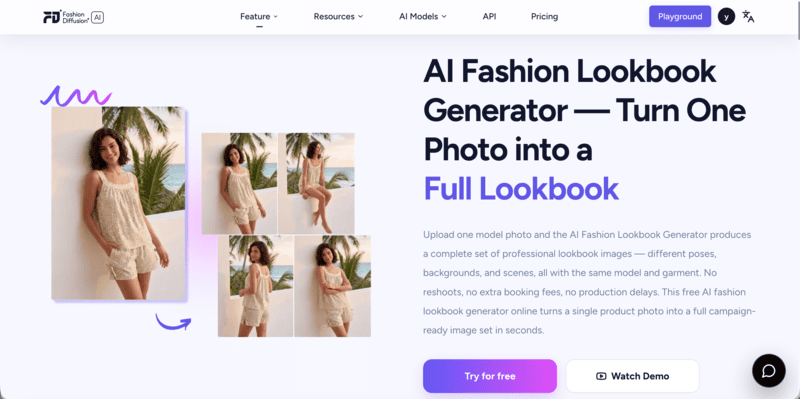
In 2026, brands are producing full AI fashion lookbooks in days — on-model, story-driven, and ready to publish — directly from a browser. This guide walks through exactly how, using Fashion Diffusion’s AI Lookbook Generator.

What Is an AI Fashion Lookbook Generator

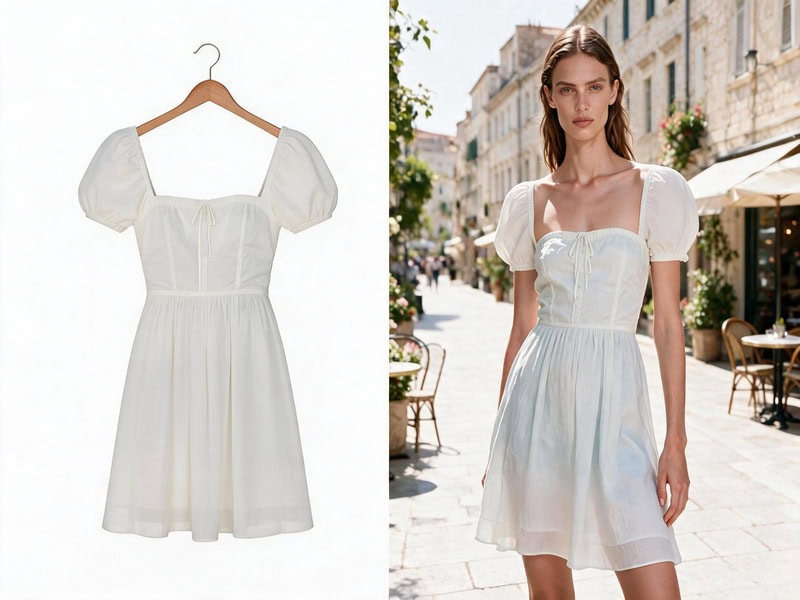
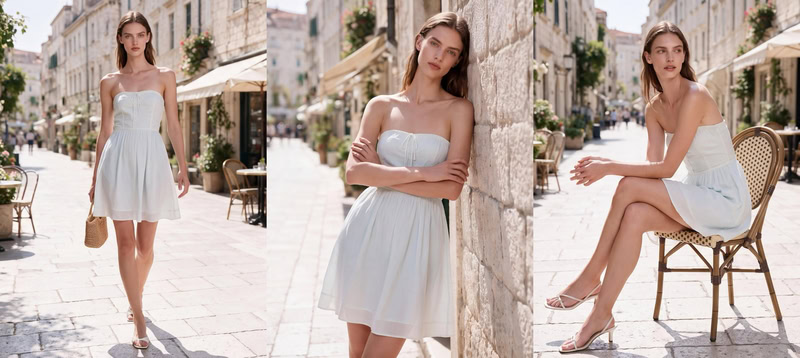
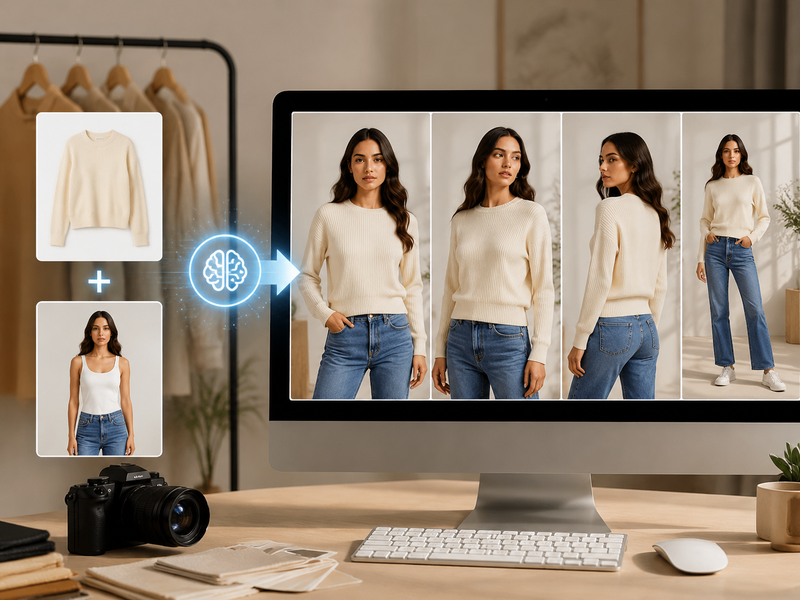
An AI fashion lookbook generator is a tool that creates a complete set of on-model lookbook images from a single photo — multiple poses, backgrounds, and scenes — while keeping the model, garment, and visual style consistent throughout.

The key distinction from a standard AI image tool: it’s not generating a new model each time. It’s generating multiple variations of the same model in the same outfit. That consistency is what makes a set of images read as a cohesive lookbook rather than a collection of unrelated photos.

user-interface-AI-generated fashion lookbook images featuring the same garment across multiple poses, locations, and editorial fashion photography scenes.

Why Brands Are Switching to AI Lookbook Production

The shift isn’t just about cost. It’s about what becomes possible when the production barrier drops — faster seasonal cycles, more colorway coverage, and the ability to test creative directions before committing to a full campaign. These are the three reasons brands are making the switch.

Traditional fashion lookbook production process using printed editorial layouts and professional fashion campaign photography.

Dramatically Lower Production Cost

A traditional lookbook shoot for a 20-piece collection runs $5,000–$25,000. It takes 4–8 weeks from brief to final images. Every time a colorway changes or a new piece is added, the process starts again.

Turnaround in Hours, Not Weeks

AI lookbook production changes the unit economics. You generate from one photo per garment. Turnaround is hours, not weeks. When a product changes, you regenerate that item — not the whole shoot.

Iterate Your AI Lookbook Until It’s Right

Traditional shoots give you one chance to get the creative direction right. AI keeps the process open: adjust the prompt, swap the background, regenerate until you’re satisfied. It’s no coincidence that McKinsey’s State of Fashion 2026 names AI as the single biggest operational opportunity for fashion brands this year, with 35% of executives already using generative AI for image creation.

How to Write a Mood Brief for Your AI Fashion Lookbook

The biggest mistake in AI lookbook production is skipping the brief. Without one, you generate images that look individually strong but don’t cohere as a brand story.

Write a single paragraph that captures the world your lookbook lives in:

  • Season and occasion  — summer resort? autumn workwear? festive eveningwear?
  • Emotional tone  — aspirational and minimal? vibrant and playful? moody and editorial?
  • Setting  — white studio? sun-drenched coast? urban street? countryside?
  • Customer  — who is wearing these clothes, and what does their world look like?

Example brief:

“Late summer on the Italian coast. White-washed walls, terracotta tiles, late afternoon light. Relaxed and effortlessly stylish. Linen fabrics, natural shadows, warm Mediterranean palette.”

This becomes the anchor for every prompt you write. Every image should feel like it belongs to the world in that paragraph.

Step 1: Prepare Your Photo for the AI Lookbook Generator

Input garment image prepared for an AI Fashion Lookbook Generator before creating model-based fashion lookbook visuals.
Fashion Diffusion AI-generated

The quality of your output depends on the quality of your input. Fashion Diffusion’s AI Lookbook Generator works from a single model photo — here’s what makes a strong one:

  • Clean, well-lit photo  — natural or studio lighting works best; avoid heavy shadows across the garment
  • Full garment visible  — the AI needs to read fabric, construction, and fit accurately; partial or obscured garments produce inconsistent results
  • Neutral or plain background  — the AI generates new backgrounds, and a plain input makes that process more accurate
  • One garment per generation  — run each outfit separately to maintain per-item consistency across your full catalog

You don’t need a professional shoot for the input. A clean product photo on a model — even from a fitting session — is enough to start.

Step 2: Set Your AI Lookbook Style Direction

Go to  the AI Lookbook Generator and describe the visual direction you want. This is where your mood brief becomes a prompt.

Your style prompt should specify:

  • Setting:  ‘sun-drenched rooftop’, ‘minimalist white studio’, ‘urban street at golden hour’
  • Mood:  ‘editorial’, ‘lifestyle’, ‘relaxed’, ‘aspirational’
  • Lighting:  ‘soft natural light’, ‘golden hour side lighting’, ‘clean studio fill’
  • Tone:  ‘cinematic’, ‘warm’, ‘high-fashion’, ‘approachable’

Prompt examples that produce strong results:

“Relaxed Mediterranean lifestyle, sun-drenched terrace, late afternoon golden light, warm and editorial”

“Clean minimalist studio, white background, soft fill lighting, e-commerce product focus”

“Urban street style, overcast natural light, documentary editorial aesthetic”

“Aspirational beach resort, soft sea breeze, lifestyle photography, warm tones”

The same input photo produces completely different results depending on the prompt — which is why the brief you wrote in the previous step matters. Use it directly.

Step 3: Generate Your AI Fashion Lookbook Images

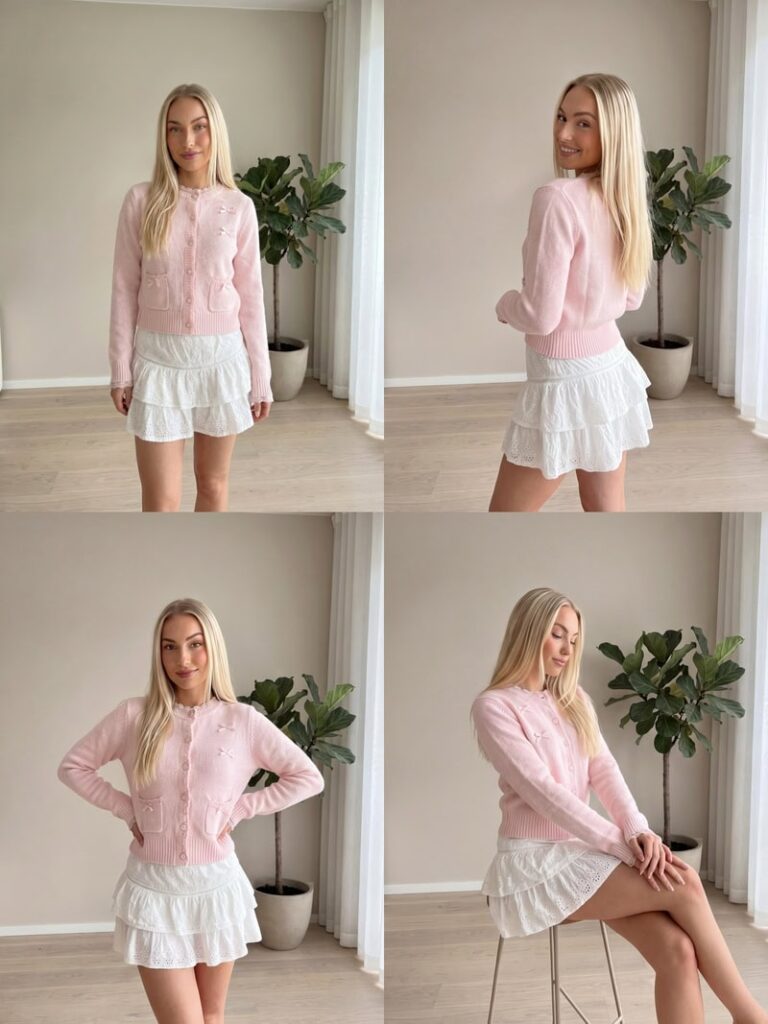
AI-generated fashion lookbook images featuring the same garment across multiple poses, locations, and editorial fashion photography scenes.
Fashion Diffusion AI-generated

Click generate. Fashion Diffusion produces a full set of lookbook images from your single photo:

  • Multiple poses  — standing, seated, walking, turned profile, detail crop
  • Multiple backgrounds  — matching your style direction
  • Consistent model  — same face, body, and garment throughout
  • Consistent style  — all images match the visual direction you described

For each garment, generate 3–5 variations. Select the best 1–2 per piece. Edit your selections together before finalizing — images that work individually may not flow as a sequence. Adjust the prompt and regenerate if anything feels off; the iteration cost is zero. If you need the same garment on a different model, AI Model Generator handles that as a separate step without reshooting.

Step 4: Extend Your Lookbook with Additional Tools

The AI Lookbook Generator produces your core image set. Fashion Diffusion’s broader toolkit lets you extend it further.

Adapt for Different Platforms

Use Change Background to create platform-ready versions from a single model shot. Your main lookbook might use a Mediterranean setting. Your product pages need a clean white background. Your Instagram needs a lifestyle urban scene. One image, three destinations.

Test Colorway Variations

Use Recolor when the same garment comes in multiple colors. Apply each colorway to the same image — same model, same pose, same setting — and get a consistent set across your full range without additional production time.

Add Short-Form Video

Use AI Fashion Video to animate any lookbook image — fabric movement, camera pan, lifestyle moment — into a publish-ready clip for TikTok, Reels, and product page embeds.

Generate Flat Lay Alternatives

Use Flat Lay Generator when a channel requires flat lay or ghost mannequin format alongside on-model shots. Generate both from the same workflow without a separate production run.

Step 5: Arrange Images Into a Narrative

A lookbook is a story. The order of images matters as much as the images themselves.

Classic lookbook structure:

PositionPurpose
OpeningEstablish mood — hero shot, wide environment, aspirational
EarlyIntroduce key pieces — let each item read clearly
Mid-sectionOutfit combinations, styling range, brand depth
ClimaxYour strongest look — the centerpiece of the collection
ClosePull back to mood — lifestyle close-out, brand statement

Practical arrangement tips:

  • Alternate between full-length and close-up or detail shots — it creates visual rhythm
  • Balance color distribution — don’t cluster all your neutrals or all your statement pieces
  • Let images breathe — resist filling every space; restraint reads as editorial
  • Create transitions — adjacent images should share a visual element (color, setting, tone)

For a 20-image lookbook, aim for 8–10 paired spreads with 2–3 single-page hero moments.

How to Keep Your AI Lookbook Visually Consistent

Traditional fashion lookbook production with printed editorial spreads showcasing model photography, styling concepts, and campaign imagery.

This is where many AI lookbooks fall apart. Individual images look strong in isolation, but together they feel like five different aesthetics.

When selecting images from each generation, check: does the garment detail (fabric texture, color, stitching) look accurate? Does the lighting match your brief? Does the pose feel on-brand? Does the setting match your intended world? If any of these are off, adjust and regenerate before moving on.

Across the full set, keep these variables locked:

  • Color temperature  — warm-toned or cool-toned throughout, not mixed
  • Lighting style  — soft diffused or directional, pick one and keep it
  • Background palette  — similar tones and environments across every image
  • Pose energy  — don’t mix high-drama editorial with casual street-snap energy
  • Full look styling  — the whole image (not just the hero garment) should signal your brand

The brand test:  Cover your logo on every page. Would your regular customer still know it’s you? If not, the consistency work isn’t done.

Seasonal vs. Evergreen AI Fashion Lookbooks: Which to Make First

Not all lookbooks serve the same purpose. Understanding the difference helps you plan production and prioritize.

Seasonal Lookbooks

Tied to SS (Spring/Summer), AW (Autumn/Winter), or retail moments like holiday or back-to-school.

  • Typically 20–40 images
  • Anchor asset for broader campaign: ads, email, social
  • Higher stakes, longer shelf life (3–6 months)
  • AI advantage: iterate the seasonal narrative before full campaign launch; swap a colorway or setting that isn’t working without reshooting

Evergreen Lookbooks

Core collection lookbooks for timeless or perennial products — basics, workwear, staples.

  • Typically 8–16 images
  • Used as ongoing sales tools, wholesale assets, website resources
  • Updated as the core range evolves
  • AI advantage: extremely low cost to produce and update; add a new colorway and regenerate in hours

Where to start:  If you’re new to AI lookbook production, begin with an evergreen lookbook for your core collection. The workflow is simpler, the creative pressure is lower, and it builds the brand consistency practice before you tackle a high-stakes seasonal campaign.

Common AI Fashion Lookbook Mistakes to Avoid

Most AI lookbook problems don’t come from the tool — they come from the workflow. These are the five mistakes that consistently show up in first-time productions, and how to sidestep each one.

Skipping the Mood Brief

The fastest way to produce a beautiful mess. Images with no brief behind them look individually strong but fall apart as a set.

Changing the Prompt Between Garments

If your first garment used ‘warm Mediterranean lifestyle’ and your fifth uses ‘editorial studio,’ the two images will look like they’re from different campaigns. Lock your base prompt before you start generating.

Not Culling Aggressively

A 15-image lookbook where every spread is strong beats a 30-image lookbook padded with B-tier shots. Edit ruthlessly.

Ignoring the Full Look

The hero garment is only part of the image. Background, setting, and general styling signal your brand world. Include these in your prompt, not just the clothing description.

Skipping the Narrative Pass

Even great images can feel random without intentional sequencing. Spend time on the arrangement — it’s the difference between a product grid and a lookbook.

AI Fashion Lookbook vs. Traditional Photoshoot

Traditional photography still has its place — for high-end editorial campaigns where the shoot itself is part of the brand story, or for hero imagery that will run across a full season of advertising. For everything else — catalog updates, colorway expansions, platform-specific variations, and pre-season concepting — AI is faster, cheaper, and easier to iterate. The comparison below reflects where the difference is most significant.

 Traditional ShootAI Lookbook (Fashion Diffusion)
Cost$5,000–$25,000 per collectionFraction of traditional cost
Turnaround4–8 weeks6–11 hours
IterationsOne chance to get it rightAdjust and regenerate instantly
Colorway updatesFull re-shoot requiredRegenerate with Recolor
Video contentSeparate productionAnimate stills with AI Fashion Video
ConsistencyDepends on crew and conditionsControlled variables throughout

Create Your First AI Fashion Lookbook

You don’t need a production budget to tell your brand story visually. One photo per garment, a clear mood brief, and the right tools are enough to produce a seasonal lookbook that competes with brands spending 10 times more on production.

Try Fashion Diffusion’s AI Lookbook Generator free →

FAQ

What is an AI fashion lookbook generator?

An AI fashion lookbook generator takes a single model photo and produces a complete set of lookbook images — multiple poses, backgrounds, and scenes — with the model’s face, body, and garment staying consistent throughout. Fashion Diffusion’s AI Lookbook tool generates a full image set from one upload in seconds.

Can I create lookbook images without a model?

Yes. Fashion Diffusion’s Virtual Try-On generates on-model images from a flat-lay or packshot — so you don’t need a model photo as input at all. You can start from a flat garment and get a full lookbook image set.

Is Fashion Diffusion’s AI Lookbook Generator free?

Yes. Fashion Diffusion offers a free trial that covers the AI Lookbook Generator. No credit card required. Paid plans unlock higher volume.

Can I create video content from my lookbook images?

Yes. Fashion Diffusion’s AI Fashion Video animates any lookbook image into a short-form video — fabric movement, camera pan, lifestyle moment. Output is ready to publish directly to TikTok, Instagram Reels, or embed on product pages.

What’s the difference between a lookbook and a product catalog?

A product catalog shows each item clearly and consistently — it’s a reference document. A lookbook tells a brand story — it creates an aspirational world and shows how pieces fit together. Both serve different purposes. AI makes it practical to maintain both: the AI Lookbook Generator for narrative imagery, and standard product generation for catalog-format shots.

Do I need professional photos to use the AI Lookbook Generator?

No. A clean, well-lit model photo is enough — even from a fitting session or a simple indoor shoot. The AI generates new backgrounds and poses from your input. The main requirement is that the garment is clearly visible and not obscured.

How do I keep all my lookbook images consistent?

Use the same base prompt for every garment in your collection — only change the garment description. Keep your lighting, setting, and mood descriptors identical across every generation. If a prompt variation produces images that feel off, return to your locked base prompt.

Avatar photo 通过Alexander Wilson

The Best AI Fashion Model Generators in 2026: Which One Actually Fits Your Workflow

Traditional on-model photoshoots for 100 SKUs cost $4,000–$15,000 and take four to six weeks. In 2026, AI fashion model generators produce comparable output in under a minute per image. The market now includes dozens of platforms — most produce a convincing single image, but far fewer can maintain garment consistency across a full catalog or handle the pipeline from concept to published product shot.

This guide covers 10 tools in depth: what each is genuinely best at, where it falls short, and how to choose based on your catalog size, budget, and workflow stage.

The Two Types of AI Fashion Model Generator

Before comparing tools, it’s worth understanding what the AI Overview in Google correctly identified: there are two fundamentally different use cases.

Type 1 — Flat-lay / garment-to-model: You have a photo of a physical garment (flat lay, mannequin, or packshot) and want to see it on a realistic AI model. The AI preserves your actual product and generates a model wearing it. This is the dominant use case for e-commerce product photography.

Type 2 — Text-to-model / concept generation: You describe what you want and the AI generates a fashion visual from scratch — or you take a sketch and render it as a photorealistic model shot. This is used in design concepting, lookbook creation, and campaign visualization before physical samples exist.

Most tools specialize in one. A few, including Fashion Diffusion, handle both within the same platform. Knowing which you need narrows the field significantly.

Quick Comparison: Best AI Fashion Model Generators 2026

For a full design-to-photography workflow, Fashion Diffusion covers the most ground in a single platform. For high-volume batch processing, Uwear leads. For the most affordable entry point, Style3D.ai ($8.9/mo) or WeShop AI ($9.9/mo with 200 free credits). For catalog consistency at scale, Modelia or WearView.

ToolBest ForStarting PriceFree TierBatchVideo
Fashion DiffusionFull workflow: design to photography$12/mo
UwearBatch processing + shopper try-on$0.10/credit
WearViewFashion-only workspace with ghost mannequin$29/mo
Claid.aiBroader product photography + API workflows$15/mo✅ (50 credits)
BotikaMid-to-large brands, high SKU volume$22/mo
Style3D.aiMulti-category try-on + e-commerce visuals$8.9/mo✅ (50 credits)
WeShop AIAll-in-one AI fashion content$9.9/mo✅ (200 credits)
FASHN.aiVirtual try-on + developer API$19/mo✅ (10 credits)Limited
ModeliaConsistent model identity, catalog retailers$35/mo✅ (20 credits, watermarked)
PhotoroomGeneral product photography + mobile sellers$12.99/mo

What Separates Good AI Fashion Model Generators from the Rest

Most comparison posts evaluate these tools by uploading one garment and judging the output image. That’s not how fashion brands actually use them. The criteria that matter for real-world catalog production are:

  • Garment fidelity  — Does the AI preserve fabric texture, color, print, and stitching? Or does it reimagine details? This varies most between tools.
  • Catalog consistency  — Can you maintain the same model identity — face, proportions, lighting — across 50+ SKUs? This separates professional tools from consumer-grade generators.
  • Input flexibility  — Does the platform accept flat-lays, mannequin shots, packshots, and sketches? Or only one format?
  • Batch processing  — Can you process hundreds of SKUs at once via CSV or API? Essential for large catalogs.
  • Workflow coverage  — Does the tool only handle model photography, or does it also cover design concepting, recoloring, background changes, and video?
  • Commercial rights  — Are generated images cleared for use on product pages, ads, and social media?
example of fashion diffusion AI fashion models, helping brands create authentic, on-brand imagery

1. Fashion Diffusion — Best AI Fashion Model Generator for Full Workflow

Best for: Fashion brands, designers, and e-commerce teams who need design concepting and product photography in one platform.

Fashion Diffusion is an AI fashion design and photography platform that covers more of the workflow than any other tool on this list. The AI Model Generator takes an existing garment photo and generates it on a new AI model — different gender, age, skin tone, and body type — while keeping the garment itself unchanged.

Fashion Diffusion AI interface showing sketch-to-render, virtual try-on, and fashion model generation workflow

Pricing: From $12/month. Free trial available.

Key features

  • Virtual Try-On  — Upload a flat-lay and get a studio-quality on-model photo in seconds. No mannequin, no photographer, no studio booking.
  • AI Model Generator  — Change gender, age, skin tone, or body type while the clothing stays unchanged. Useful for regional campaigns and size-inclusive catalogs.
  • Sketch to Render  — Turn a hand-drawn concept sketch into a photorealistic fashion visual before a single sample is cut.
  • Recolor  — Test a garment in six colorways from one photo. No reshooting, no physical samples per color.
  • AI Fashion Video  — One still image becomes TikTok content, Reels, and product page video in minutes.

Strengths

  • Changing the model doesn’t change the garment — fabric texture, print alignment, and construction details stay intact across every variation, which is what makes the output usable for actual product pages
  • Most tools handle one stage of the visual workflow. Fashion Diffusion handles the whole thing — from early concept to published image — which matters for small teams that can’t afford to stitch together five subscriptions
  • Output is ready to publish without a detour through Photoshop — background removal and upscaling are built in

Limitations

  • Free trial has usage limits; high-volume catalog production requires a paid plan
  • Best results require reasonably clean input photos — heavily textured or very dark garments take more iteration

2. Uwear — Best for High-Volume Batch Processing

Best for: Fashion brands processing hundreds to thousands of SKUs needing batch generation at scale, plus shopper-facing virtual try-on.

Uwear is built for volume. The platform accepts CSV uploads of up to 10,000 items in a single batch, with configurable AI models, poses, and backgrounds per product. Its pay-as-you-go pricing ($0.10/credit, no subscription required) suits brands with seasonal or inconsistent photography needs — credits don’t expire.

AI fashion model generator platform Uwear for scalable virtual fashion photoshoots and ecommerce product images

Pricing: $0.10/credit, pay-as-you-go. No subscription required. Free tier available.

Key features

  • Batch generation via CSV  — upload up to 10,000 items in a single batch with individually configurable models, poses, and backgrounds per product
  • “Drape” AI engine  — proprietary technology designed to preserve garment construction details (stitching, lapels, fabric structure) through model generation
  • Shopper-facing virtual try-on  — covers both brand-side catalog generation and customer-facing try-on in one platform
  • API access  for custom pipeline integration; video generation and background removal included

Strengths

  • Industry-leading batch processing (10,000 items via CSV)
  • Pay-as-you-go with credits that never expire — suited to seasonal brands
  • Both brand-side catalog generation and shopper-facing try-on in one platform

Limitations

  • Credit consumption can be unpredictable — Trustpilot reviewers note “decent images but there are a lot of throw away images that don’t render correctly,” requiring regeneration
  • Model consistency is imperfect: Uwear states “body shapes or haircuts aren’t always 100% consistent from one image to the next”
  • Base output resolution is 704×1024; upscaling required for higher quality output

3. WearView — Best for Fashion-Only Workspace with Ghost Mannequin

Best for: Fashion brands that want a dedicated fashion-only workspace, including ghost mannequin capability.

WearView is a fashion-only AI photography platform that combines virtual try-on, ghost mannequin processing, video generation, and pose control in a single workspace. It does not offer a free tier. Its ghost mannequin feature is a genuine differentiator: few competitors handle this format natively.

WearView AI generated fashion models for ecommerce product visuals and online store photography

Pricing: From $29/month. No free tier.

Key features

  • Ghost mannequin processing  — removes mannequins and reconstructs the garment interior (collar lining, sleeve openings, hem) for clean catalog images
  • Text-to-model generation  — describe ethnicity, age, body type, and pose in text; generates a photorealistic model image in ~30 seconds
  • Pose control via reference images  — upload a reference photo to replicate the same pose consistently across your entire catalog
  • Consistent model identity  — lock a model’s face and proportions to appear identically across multiple SKU generations

Strengths

  • Ghost mannequin capability built in — uncommon among AI model generators
  • Fashion-only workspace covering virtual try-on, model creation, video, and pose control
  • Up to 15 team members on the Advanced plan

Limitations

  • Credit usage varies by resolution: Lite plan ($29/mo) is limited to HD output and 50 credits per month; 4K is gated to the Advanced plan ($99/mo)
  • Add-on credits cost $0.29–$0.40 each; video at 1080p costs 20 credits — monthly spend is hard to predict
  • No free tier; paid plan required before testing output quality

4. Claid.ai — Best for Broader Product Photography and API Workflows

Best for: Developers building fashion photography automation pipelines, and brands needing background removal and lighting correction alongside model generation.

Claid.ai started as a background removal and image enhancement platform, and has since added AI fashion model generation with batch capabilities. Its core strength is the broader product photography suite: background removal, lighting correction, image upscaling, and model generation under one API. The free tier offers 50 credits — enough for meaningful testing.

Claid AI dashboard showing AI product and fashion photos

Pricing: From $19/month. Free tier includes 50 credits. Resolution-based credit costs (4 credits for standard, 10 for studio, 24 for 4K).

Key features

  • AI Fashion Models  — generates on-model product shots from flat-lay, ghost mannequin, or packshot input; supports custom AI model training for brand-consistent catalog imagery
  • Full photo enhancement suite  — background removal, lighting correction, upscaling, and outpainting in one platform
  • Enterprise API  — batch automation at scale; 200M+ images processed, 10,000+ business customers
  • Custom AI model training  — build and reuse a brand-specific model identity across your entire catalog

Strengths

  • Best-in-class API for enterprise automation: 200M+ images processed, 10,000+ business customers; businesses report 80% reduction in image processing costs
  • Full photo enhancement suite reduces tool sprawl for teams needing both model generation and photo editing
  • Batch processing with generous free tier (50 credits)

Limitations

  • Claid’s core product is photo enhancement; fashion model generation is a newer add-on — the learning curve is steep for mid-market retailers without technical resources
  • Creative mode might alter product angles or compositions, which may not always be desired. See Toolradar
  • Low-quality input images significantly limit AI output quality

5. Botika — Best for Mid-to-Large Brands with High SKU Volume

Best for: Mid-to-large fashion brands needing on-model imagery with built-in retouching, batch processing, and model diversity at volume.

Botika converts flat-lay and mannequin photos into on-model images with built-in retouching. It supports batch processing for high-SKU catalogs and includes video generation. Unlike most tools, Botika has no free tier — better suited to brands that have already validated their need for AI model photography.

Botika AI fashion photography homepage showcasing on-model image generation and automated product photo enhancement

Pricing: From $22/month. No free tier.

Key features

  • On-model generation  — transforms flat-lay, mannequin, and packshot inputs into on-model imagery; works with headless shots and any angle or pose
  • Built-in AI retouching  — applied automatically alongside model generation, not as a separate step
  • Diverse AI model library  — customizable ethnicity, body type, age, and gender with no licensing limitations
  • Batch processing  and video generation included

Strengths

  • G2 users consistently praise ease of use: “very easy to use, integrates directly with your Shopify catalogue, good quality image as result” (G2 reviews)
  • Built-in retouching and up to 90% cost reduction compared to traditional photoshoots

Limitations

  • Image quality has been inconsistent post-upgrade: Shopify App Store reviews (overall rating 2.5/5 as of 2026) include complaints that “results were completely unusable; many details looked off”
  • Limited pose control; quality can be inconsistent with complex garments, layered outfits, or detailed prints
  • No free tier — paid plan required before testing

6. Style3D.ai — Best for Multi-Category Try-On and Broad Product Coverage

Best for: E-commerce sellers needing broad product category coverage across multiple item types at a low entry price.

Style3D.ai is a multi-category virtual try-on and e-commerce visual content platform. At $8.9/month with 50 free credits, it offers one of the most affordable entry points in this category. The one notable gap is video generation, which is not available.

Style3D.ai homepage showcasing on-model image generation

Pricing: From $8.9/month. Free tier includes 50 credits.

Key features

  • Multi-category virtual try-on  — covers apparel, accessories, footwear, and more, not limited to standard fashion garments
  • Garment detail preservation  — keeps stitch lines, zipper reflections, and fabric structure consistent across different model poses
  • Batch processing  with background removal and image upscaling included
  • 50 free credits  — enough for meaningful quality testing before committing

Strengths

  • Most affordable starting price for a multi-feature platform at $8.9/month
  • Avoids the flat “painted-on” effect common in general-purpose AI tools

Limitations

  • Less established community and documentation than larger platforms

7. WeShop AI — Best All-in-One AI Fashion Content for E-Commerce Teams

Best for: E-commerce teams needing a broad AI content suite with a generous free allowance.

WeShop AI is an all-in-one AI fashion content platform at $9.9/month. The 200 welcome credits make it the most generous free-tier offering on this list. It covers virtual try-on, AI model generation, background removal, image upscaling, and video generation.

WeShop AI dashboard interface showing product photography tools for ecommerce sellers

Pricing: From $9.9/month. Free tier includes 200 welcome credits.

Key features

  • AI Model Shooting  — generates realistic human models in under 60 seconds; covers unlimited nationalities, ages, and gender identities, plus 200+ global model representations
  • AI Product Shooting  — professional-grade product photography with 100+ background templates; turns a single garment image into a full range of marketing assets
  • AI Video Agent  — turns a single product photo or text prompt into a publish-ready video with cuts, transitions, effects, and background music

Strengths

  • 200 free welcome credits — the most generous free allowance on this list
  • Strong for mannequin conversion, particularly reliable at turning mannequin shots into lifelike human model images

Limitations

  • UI is somewhat cluttered; the AI occasionally struggles with complex hand placements or intricate lace details
  • Credit-based system can burn through budget quickly when experimenting

8. FASHN.ai — Best for Virtual Try-On and Developer API

Best for: E-commerce teams and developers prioritizing virtual try-on accuracy with API integration.

FASHN.ai develops in-house AI models specifically for fashion virtual try-on. Its primary strength is garment rendering precision and a developer-friendly API structure. It supports virtual try-on, AI model generation, and background removal.

FASHN AI homepage showing virtual try-on technology and developer API for AI fashion image generation and ecommerce integration

Pricing: From $19/month. Free tier includes 10 credits.

Key features

  • Proprietary virtual try-on AI  — in-house v1.5 architecture trained specifically for fashion; garment drape looks natural rather than composited
  • Model swap  — re-dress an existing model photo with a different garment while preserving pose, lighting, and setting
  • Reusable model identity  — build a consistent AI model that appears identically across all generations
  • Developer API  via fal.ai at $0.075/generation — one of the most accessible per-use API prices in this category

Strengths

  • Garment rendering is among the most accurate in the category, with fabric drape that looks natural rather than painted on
  • Developer-friendly API with transparent per-use pricing via fal.ai

Limitations

  • Narrow focus on try-on and model swap only — no lifestyle scenes, no composition standardization
  • Interface can feel unclear for beginners unfamiliar with API-oriented tools
  • Limited batch processing

9. Modelia — Best for Consistent Model Identity Across Large Catalogs

Best for: Scaling brands and catalog-heavy retailers who need the same model identity maintained across hundreds of SKUs.

Modelia‘s key differentiator is consistent character identity — maintaining the same model face, proportions, and styling across your entire catalog. It supports batch processing, video generation, and has a Shopify app. The free tier offers 20 credits, but these are watermarked and non-commercial.
Modelia AI fashion video generator showing garment image input and video output options with Shopify integration for ecommerce product publishing

Pricing: $12 one-time Project plan (50 credits, commercial rights). Subscription plans from $35/month (Basic). Free tier includes 20 credits (watermarked, non-commercial).

Key features

  • Consistent character identity  — locks the same model face, body proportions, and styling across your entire catalog; avoids the inconsistent-model problem common in other tools
  • Shopify app  — generate and publish model images without leaving the store admin
  • Batch processing  and video generation included
  • Free tier available  — but 20 credits are watermarked and non-commercial; a paid plan is required before any output can be published

Strengths

  • Consistent model identity across large catalogs — the most developed character consistency feature in this comparison
  • Output quality is solid for basic product images and the interface is beginner-friendly

Limitations

  • Free tier is watermarked and non-commercial — paid plan required before publishing any output
  • Higher starting price at $35/month compared to most alternatives
  • Less suited for high-complexity garments or brands needing advanced pose control

10. Photoroom — Best for Mobile Sellers and General Product Photography

Best for: Marketplace sellers (Etsy, Poshmark, Depop) and general product photography workflows on mobile.

Photoroom is primarily an AI product photography editing platform with over 150 million downloads. Its Virtual Model feature sits alongside background removal, AI staging, and batch export — making it a broad-purpose tool rather than a dedicated fashion AI platform.

Photoroom AI visual solution for ecommerce product photography and background editing at scale

Pricing: Free tier (with watermark). Pro at $12.99/month.

Key features

  • Virtual Model  — places clothing onto photorealistic AI models with accurate fabric drape and color preservation; supports diverse model options
  • Multi-garment generation  — combines up to 4 clothing items in a single generation for complete outfit styling
  • Mobile app  (iOS and Android) — the strongest mobile workflow in this category; recently integrated OpenAI’s gpt-image-1
  • Full product photography suite  — background removal, AI staging, batch export, and image retouching (no video generation)

Strengths

  • Most affordable paid entry point at $12.99/month; strongest mobile app in the category
  • Full product photo editing suite beyond model generation reduces the number of separate tools needed
  • Supports up to 4 garments in a single generation for outfit styling

Limitations

  • Virtual Model is one feature in a general photo editor — fashion model generation is not the core focus
  • Batch mode starts at $99/month, pricing out smaller sellers
  • No video generation

How to Choose the Right AI Fashion Model Generator

These tools solve different problems. Choosing the wrong tool doesn’t just waste budget — it slows down your workflow exactly where speed matters most. Here are the key signals to help you narrow your options.

  • Large catalog (200+ SKUs): You need batch processing. Uwear (up to 10K items via CSV) or Claid.ai (batch + API) are the strongest options.
  • Full design-to-photography workflow: If you need both concept visualization (sketches, colorways, fabric testing) and product photography, Fashion Diffusion covers the complete pipeline without tool-switching.
  • Ghost mannequin requirement: WearView is the only platform on this list with native ghost mannequin processing.
  • Tight budget: Style3D.ai ($8.9/mo) and WeShop AI ($9.9/mo with 200 free credits) are the most affordable options with meaningful feature sets.
  • Developer building a pipeline: FASHN.ai or Claid.ai offer the most flexible APIs. Uwear also provides API access for larger-scale integrations.

Try Fashion Diffusion’s AI Model Generator

If you’re looking for a more complete solution than standalone tools, Fashion Diffusion’s AI Model Generator brings everything together in one workflow. It’s designed for fashion brands, ecommerce teams, and creatives who want to move faster while maintaining visual consistency across product images and campaigns.

Try the AI Model Generator free →

FAQ

What is the best AI fashion model generator in 2026?

The best tool depends on your use case. For a full design-to-photography workflow, Fashion Diffusion leads. For high-volume batch processing, Uwear is the strongest option. For ghost mannequin capability, WearView. For the lowest entry price, Style3D.ai at $8.9/month or WeShop AI at $9.9/month with 200 free credits.

What is the difference between an AI fashion model generator and virtual try-on?

AI fashion model generators produce catalog-ready product images by placing garments on AI models — used for brand-side product photography. Virtual try-on lets individual shoppers see how a specific garment would look on their own body before purchasing. Both technologies use similar AI, but serve different audiences and purposes. Some platforms, including Fashion Diffusion and Uwear, offer both.

Can I use AI-generated fashion model images commercially?

Yes, on paid plans. All tools on this list grant commercial usage rights on paid plans. Note that Modelia’s free tier is explicitly non-commercial and watermarked. Always verify the specific terms before publishing free-tier output.

How accurate are AI fashion model generators at preserving garment details?

In 2026, the best tools preserve fabric texture, color, and construction accurately for standard garment types (t-shirts, dresses, jackets, trousers). Challenging items — sheer fabrics, intricate embroidery, fine patterns, very dark garments — still require quality review. Testing with your specific product mix during a free trial is the most reliable evaluation approach.

Is there a free AI fashion model generator?

Yes. WeShop AI offers 200 free welcome credits — the most generous on this list. Style3D.ai and Claid.ai each offer 50 free credits. Fashion Diffusion, FASHN.ai, and Modelia (watermarked, non-commercial) also offer free tiers. Photoroom has a permanently free tier with watermarked output.

What’s the best AI fashion model generator for Shopify?

Botika and Modelia both have Shopify apps. Botika requires a paid plan before testing; Modelia’s $12 one-time Project plan is the lowest barrier to entry. For merchants needing more flexibility, Fashion Diffusion and WearView operate as standalone platforms but export in formats Shopify requires.

Avatar photo 通过Sophia Mille

Best 5 WeShop Alternatives for AI Fashion and Product Photography (2026)

If you’ve been using WeShop AI for product photography and feel like it’s not quite matching your fashion workflow needs — you’re not alone. Many apparel brands and online sellers are actively looking for a WeShop AI alternative that offers deeper specialization, more creative control, or better value per image.

This guide covers five of the strongest options, with verified pricing, real trade-offs, and a decision framework to help you pick the right fit.

What Is WeShop AI

WeShop AI is a broad platform for creating e-commerce images and videos, with a focus on fashion products and presentation. Its fashion tools let sellers generate model photos from garment shots, swap model appearances, adjust poses, and clean up product images. The most-used features for fashion sellers include:

  • Virtual Try-On — place garments onto selected AI models from uploaded product photos
  • AI Fashion Model — showcase clothing on a diverse model library spanning body types and ethnicities
  • AI Product Photography — generate styled product images from flat-lay or raw garment shots
  • Change Pose — switch model poses to create varied, natural-looking catalog shots
  • Model To Mannequin — convert on-model images into ghost mannequin outputs for cleaner catalog presentation
WeShop AI dashboard interface showing product photography tools for ecommerce sellers

WeShop AI’s pricing ranges from a Free Trial, Pro ($9.99/month), Ultra ($45/month), to Enterprise ($457/month). The entry plan is relatively affordable, but programmatic API access is structured by tier. Only the Enterprise plan includes access to both Standard and Premium Agents APIs. For fashion photography–focused brands, this is an important consideration when comparing alternatives.

Why Look for a WeShop AI Alternative

Split screen showing limitations of general AI fashion tools including limited creative control, API restrictions, and lack of compliance features

The platform is generalist, not fashion-first. WeShop combines apparel photography tools with general AI features like face effects, third-party model integrations (Midjourney, Kling), and video generation. An apparel brand running seasonal catalog shoots often ends up paying for capabilities it doesn’t use, while the fashion-specific tooling stays less developed than on dedicated platforms.

Creative control is limited for art-directed work. A fashion label needing specific lighting setups, controlled camera angles, or consistent model identity across collections will find WeShop’s output less predictable. Structured fashion photography platforms expose those controls explicitly; WeShop’s interface doesn’t.

Enterprise pricing is the unlock for meaningful API use. An e-commerce operation wanting to automate virtual try-on or AI model generation at catalog scale needs API access — which on WeShop starts at $457/month. Most competitors in this comparison provide API access at significantly lower tiers.

Best 5 WeShop AI Alternatives — A Brief Overview

ToolKey StrengthStarting PriceBest For
Fashion DiffusionFull fashion pipeline from sketch to e-commerce photography$12/monthFashion brands and designers needing design + photography in one workflow
Claid.aiHigh-volume catalog automation with API-first batch processing$9/month (API: $0.059/credit)Enterprise teams automating thousands of SKUs programmatically
Rawshot AIClick-driven creative control with C2PA compliance built in$9/monthFashion brands needing structured direction and EU-compliant AI imagery
SellerPicFast model imagery with Shopify sync for marketplace sellersFree tier; from $29/monthAmazon and Shopify sellers needing quick, scalable product visuals
Vue.aiFull enterprise retail automation across content, personalization, and inventoryCustomLarge omnichannel retailers with full tech stacks and integration resources

How WeShop AI Compares to the Top Alternatives

The table below compares feature availability across its five alternatives.

FeatureFashion DiffusionClaid.aiRawshot AISellerPicVue.ai
On-model image generationYesYesYesYesYes
Virtual try-onYesYesYesYesYes
Sketch-to-renderYesNoNoNoNo
Flat lay / ghost mannequin inputYesYesYesYesYes
Consistent ModelsYesYesYesNoYes
Pose controlYesYesYesNoYes
Background removalYesYesNoYesNo
AI video generationYesYesYesYesNo
API accessNoYesYesNoYes
Shopify integrationNoNoNoYesYes
Free TrialYesYesYesYesDemo only
Starting price$12/month$15/month$9/monthFree tier; from $29/monthCustom

1. Fashion Diffusion — Best Overall for Fashion Brands and Designers

Where WeShop covers apparel photography as one module among many general AI tools, Fashion Diffusion treats the full fashion visual creation pipeline as its entire product. It’s more of a fashion workflow tool that brings everything together—sketching, turning sketches into renders, virtual try-ons, recoloring, applying fabrics, creating AI models, and editing images—all in one place.

Capterra’s listing flags virtual try-on, sketch-to-render, and background editing as its standout differentiators in the Generative AI category.

Fashion Diffusion AI interface showing sketch-to-render, virtual try-on, and fashion model generation workflow

Key Features

  • AI model generator: control body type, skin tone, pose, and regional variants for market-specific catalogs
  • Virtual try-on + mix-and-match styling across body types
  • AI Sketch tools, outfit design, and inpainting for upstream design validation
  • Flat lay generator, background change, remove background, and 4K upscaling
  • AI fashion video at 1080p included on all plans

Best Use Cases

  • Independent fashion labels and mid-market brands producing seasonal catalogs without booking studios
  • Designers testing colorways and garment concepts before committing to physical samples
  • E-commerce teams and agencies that need design-stage and photography-stage tools in a single subscription

Pricing 

  • Starter: $12/mo — 50 credits (~50 images)
  • Creator: $29/mo — 160 credits (~160 images)
  • Pro: $59/mo — 380 credits (~380 images)
  • Studio: $199/mo — 1,400 credits (~1,400 images)

Pros

  • Fashion-native AI covers the full production pipeline, not just on-model generation
  • A broad feature set combining both AI photography and design tools within a single platform.
  • AI video (1080p) included on all plans.
  • Provides a low-cost entry point at $12/month with a relatively broad set of tools.

Cons

  • No Shopify or marketplace native integration for direct listing sync
  • Team collaboration not prominently featured in public plan details.

2. Claid.ai — Best for Fashion Production and Catalog-Scale Automation

Compared to WeShop, Claid.ai places stronger emphasis on automation and API-driven workflows, while also offering a broader set of generation tools beyond traditional image editing. Claid.ai helps e-commerce teams enhance product images—background removal, lighting, upscaling, color fixes—and even offers AI fashion models and photoshoot features.

It’s API-first and great for large catalogs. Toolradar’s April 2026 review highlights its specialization in product photography — preserving prints, and logos when generating on-model variants. However, if you need fabric-level editing, Claid.ai isn’t built for that. Its pricing is credit-based, with API usage at approximately $0.059 per credit.

Claid AI dashboard showing AI product and fashion photos

Key Features

  • AI Fashion Models: 100+ diverse models including plus-size and kid
  • Flat-lay / Ghost Mannequin to On-Model Conversion
  • AI Background Generation for studio and lifestyle scenes
  • Enhances image quality, removes backgrounds, and corrects colors

Best Use Cases

  • Enterprise e-commerce operations running automated image pipelines for thousands of monthly SKUs
  • Marketplace sellers (Amazon, Zalando) who need platform-compliant images processed programmatically
  • Technical teams embedding product photography into their existing retail management systems

Pricing 

  • API: $0.059 per credit (pay-as-you-go)
  • Web app: from $9/mo (credit-based);
  • Professional from $39/mo with custom background templates and outpainting
  • Enterprise: custom pricing and SLAs

Pros

  • Automates image editing at scale
  • Offers advanced control with brand-approved backgrounds and colors.
  • API available for large-scale automation

Cons

  • Creative mode might alter product angles or compositions, which may not always be desired.
  • Some features, such as AI Photoshoot, may not offer unlimited image generation.
  • Creative outputs may require refinement for strict brand guidelines

3. Rawshot AI — Best for Structured Creative Direction and EU Compliance

Rawshot AI replaces text prompts with a click-driven interface that exposes camera angle, lighting, pose, background, and visual style through buttons, sliders, and presets. That structure makes outputs predictable and repeatable without prompt engineering — a friction point fashion teams frequently raise with WeShop and other prompt-based platforms. Built and hosted in the EU, it includes C2PA-signed provenance metadata, cryptographic watermarking, and GDPR-compliant processing that no other tool in this comparison offers.

On production volume, Rawshot covers 600+ synthetic models, 150+ camera styles, and 1,500+ background templates.

Rawshot AI interface showing AI Fashion Photoshoots

Key Features

  • Click-driven creative controls: camera, pose, lighting, background, and visual style via UI — no prompts
  • 600+ synthetic models with diverse body types, ethnicities, and ages
  • 150+ camera styles and 1,500+ background templates across photography categories
  • C2PA provenance metadata, AI labeling, cryptographic watermarking, and audit-ready generation logs
  • Multi-product compositions (up to 4 items), AI video generation, and API access

Best Use Cases

  • Fashion brands that need structured creative direction without prompt engineering overhead
  • EU-based or regulated brands that require C2PA-compliant AI imagery and GDPR-hosted processing
  • Mid-market brands building consistent model identity across large seasonal catalogs

Pricing 

  • Starter: $9/mo — 80 tokens (~16 images)
  • Growth: $39/mo — 400 tokens (~80 images)
  • Pro: $89/mo — 960 tokens (~192 images)
  • Business: $179/mo — 2,000 tokens (~400 images)

Pros

  • Only platform in this comparison with C2PA provenance and full compliance infrastructure
  • Click-driven interface produces predictable, art-directed outputs without prompt experimentation
  • Tokens never expire; 7-day free trial with no credit card

Cons

  • less emphasis on advanced creative control or high-end fashion studio requirements.
  • No upstream design tools

4. SellerPic — Best for Marketplace Sellers Who Need Speed and Shopify Sync

SellerPic is optimized for e-commerce sellers who need model imagery quickly and want it connected directly to marketplace listings. Its Shopify native sync — which no other tool in this comparison provides — reduces the steps between asset creation and a live product page. which accurately frames its positioning relative to deeper fashion-photography tools.

Where SellerPic falls short versus Fashion Diffusion is creative depth: there’s no sketch-to-render, no inpainting, and limited pose control. Credits also reset monthly with no rollover, which creates pressure for teams with irregular production schedules.

sellerpic UI showing E-commerce photos and shoppable videos

Key Features

  • AI Model Image: generate on-model shots from flat-lay or ghost mannequin inputs
  • AI Product Image: lifestyle scenes and styled backgrounds for product listings
  • Virtual Try-On: visualize clothing on AI models for direct listing use
  • Shopify native integration: sync AI-generated images directly to storefronts
  • AI Video: short product videos, lip-sync, and 20+ video templates (Growth plan+)
  • UHD downloads and commercial usage rights on all paid plans

Best Use Cases

  • Shopify sellers who need direct storefront sync from image creation to live listing
  • Amazon and marketplace sellers managing regular new arrivals with quick turnaround requirements
  • Small fashion brands testing AI photography at accessible entry pricing with a free tier available

Pricing 

  • Free: 20 credits/mo, 1 video at a time, 1 custom model
  • Starter: $29/mo — 200 credits, UHD, commercial use
  • Growth: $79/mo — 600 credits, lip-sync video, 20+ video templates, 5 custom models
  • Advanced: $99/mo — 3,000 credits, priority support

Pros

  • Shopify native sync is unique in this comparison — reduces steps between creation and live listing
  • Fast, accessible interface designed for non-designers and solo sellers

Cons

  • Credits expire monthly
  • Built primarily for ecommerce image  generation rather than high-end fashion creative production
  • No pose control, consistent model identity below Growth tier, or garment recoloring

5. Vue.ai — Best for Enterprise Retailers Running Omnichannel Operations

Vue.ai is not a dedicated fashion photography tool, but an enterprise retail AI platform where on-model imagery is one module within a broader system that includes personalization, styling, catalog automation, and inventory intelligence.

Its relevance as an alternative to WeShop AI is primarily in enterprise environments. For most small and mid-sized apparel sellers, Vue.ai’s enterprise deployment model and integration requirements make it less suitable as a direct plug-and-play photography solution.

Enterprise retail automation platform combining AI product imagery, personalization, and inventory systems

Key Features

  • On-model imagery
  • Size variant generation: display a single product on multiple body sizes without separate shoots
  • Color variant generation from a single source image
  • Mix-and-match outfit styling
  • Virtual dressing room for shopper-facing size visualization and try-on
  • AI product tagging, catalog automation, personalized journeys, and inventory forecasting

Best Use Cases

  • Large-scale omnichannel retailers needing AI across content, personalization, and inventory in one platform
  • Enterprise teams with dedicated IT and integration resources that can deploy and maintain a complex system

Pricing: Custom

Pros

  • Covers content production, personalization, and inventory automation
  • Documented conversion improvements from customer deployments
  • Multi-size and multi-color variant generation from a single input image

Cons

  • Enterprise-only pricing puts it out of reach for small and mid-market fashion brands
  • Requires significant technical resources to deploy and integrate

Which AI Fashion Photography Platform is Right for You

If you need end-to-end fashion visuals

Choose Fashion Diffusion to go from concept validation to production-ready catalog visuals in a single workflow. It combines sketch-to-render, virtual try-on, AI model photography, and 4K output — with credits that carry over rather than resetting each month.

If you need scalable catalog automation

Claid.ai is the right fit for teams processing thousands of SKUs through automated workflows. Its API pricing is transparent and accessible without an Enterprise paywall, and its custom model training enforces brand consistency at scale.

If you need consistent models across many products

Rawshot AI suits fashion teams that want click-driven control over camera settings, lighting, poses, and model presentation without relying heavily on prompt engineering.

If you need affordable e-commerce fashion visuals

SellerPic works well for Shopify-native sellers who need model imagery quickly and want direct sync with Shopify listings. Its free tier and accessible interface lower the barrier to entry for smaller operations.

If you need full retail automation

Vue.ai fits large omnichannel retailers that need AI across content production, personalization, merchandising, and inventory operations — and have the resources to support a broader retail AI platform.

How to Switch from WeShop AI to a Better Alternative

Teams switching from WeShop AI to Fashion Diffusion or similar tools should first align their shot types, including on-model, flat lay, and ghost mannequin, with the closest formats in the new platform. Export key garment assets in a clean, consistent background so they can be used immediately.

Next, set up AI model profiles early. Define basic attributes such as body type, skin tone, and demographic settings to keep outputs consistent across the catalog. Before scaling, test garment fidelity on a small set of core SKUs to confirm quality and consistency.
With Fashion Diffusion’s low-cost entry, teams can explore AI fashion image generation risk-free, with no large upfront commitment. Fashion teams can check the official site for the latest features, pricing, and output examples to decide if it fits their needs.

FAQ

WeShop vs Fashion Diffusion: which is better for fashion?

WeShop AI approaches apparel tools as one use case within a broader general AI suite. Fashion Diffusion is purpose-built for fashion with 10 design tools and 12 fashion photography tools including virtual try-on, AI models and fashion videos. If you focus primarily on AI Fashion Photography, Fashion Diffusion is the better choice. If you want a broader e-commerce image tool for virtual try-on, mannequin conversion and background editing, WeShop AI may suffice. 

Which WeShop AI alternative offers AI fashion models?

Several WeShop AI alternatives offer AI fashion models, including Fashion Diffusion and Rawshot AI. Fashion Diffusion stands out by combining AI models, virtual try-on, and fashion design tools in a single platform, making it easier for brands to create consistent on-model product images.

What is the cheapest alternative to WeShop AI?

SellerPic currently offers a free plan, making it one of the cheapest WeShop AI alternatives. For paid options, Rawshot AI starts at around $9/month and supports on-model image generation from flat-lay or ghost mannequin inputs. Fashion Diffusion starts at $12/month and includes its all AI fashion tools such as AI fashion models and 4K image generation & upscaling.

Which WeShop AI alternative is best for Shopify stores?

For Shopify sellers, the best WeShop AI alternative depends on workflow priorities. SellerPic is ideal for direct Shopify integration and fast product publishing. Fashion Diffusion, Claid.ai, and Rawshot AI are better for AI fashion photography, offering higher model consistency, stronger visual quality, and scalable catalog generation for conversion-focused Shopify stores.

Do WeShop AI alternatives support bulk product image generation for e-commerce?

Yes. Tools like Claid.ai and Rawshot AI are designed for high-volume SKU processing, making them suitable for large catalogs. Fashion Diffusion also supports scalable generation with consistent AI models and 4K outputs, making it suitable for brands needing both bulk efficiency and strong brand-level visual consistency.

Avatar photo 通过Ethan Davis

How to Use AI Virtual Try On for Plus Size Fashion (And Actually Get It Right)

For plus size shoppers, AI virtual try on is solving one of online shopping’s oldest frustrations: you can’t tell how a garment will actually look on your body until it arrives. Size charts don’t tell you how a fabric drapes across your shoulders, and the model in the photo doesn’t share your proportions. Return rates for ill-fitting plus size purchases run between 30 and 40 percent — and this is what changes that.

This guide walks you through how the technology works, how to get accurate results on your body, and how to use it across the situations where plus size fit matters most.

Why Standard Virtual Try On Often Fails Plus Size Shoppers

Most tools approach virtual try-on the same way: take the garment image, scale it up, and layer it over your photo. For straight sizes, the distortion is manageable. For plus size bodies, it falls apart fast.

The overlay problem

Basic virtual try-on tools don’t recalculate fit — they reposition. The garment image gets stretched or scaled to roughly match your frame, but the fabric physics don’t change. A wrap dress that drapes softly on a size 8 model gets mechanically enlarged onto a size 20 body without any recalculation of how the fabric would actually behave. The result looks pasted-on because it is.

Proportions aren’t linear

Standard sizing assumes that going up in size means scaling up uniformly. Real plus size bodies don’t work that way — the relationship between bust, waist, hip, and shoulder width shifts as size increases, and no two size 18s carry their measurements the same way. Tools that work from a size template rather than reading your actual body miss this entirely.

What accurate tools do differently

Body contour recognition changes the output quality. Instead of overlaying, the AI maps your specific silhouette from your photo — shoulder width, waist curve, hip volume — and regenerates how the garment would sit against those measurements. Fabric drape, stretch, and proportion are calculated from your shape outward. Fashion Diffusion’s AI virtual try on uses this approach, which is why results at size 16 and above look substantially different from what basic overlay tools produce.

How to Use AI Virtual Try On for Plus Size Fashion: Step by Step

The process takes under two minutes once you have the right inputs. Here’s what to do.

How to Use AI Virtual Try-On for Plus Size Fashion

Step 1: Prepare your photo for AI virtual try on

Upload a clear, full-body photo of yourself. You don’t need a professional shot — a photo taken against a plain wall in natural light works well. A few things that improve accuracy:

  • Stand straight and face forward. Side angles or poses with crossed arms make it harder for the AI to read your body contours correctly.
  • Wear fitted clothing. Baggy layers obscure your silhouette and reduce accuracy. A simple T-shirt and jeans give the AI a clean read on your shape.
  • Use a plain background. Busy backgrounds can interfere with edge detection. A white wall or neutral backdrop is ideal. If your photo background isn’t clean, you can use Fashion Diffusion’s background remover to fix it before uploading.
  • Include your full body in the frame. Cut-off feet or heads reduce the quality of the proportion mapping.

Step 2: Upload the garment you want to try

You can use an image from anywhere: a product page, a brand website, an Instagram post. The best garment photos for accurate results are:

  • Flat-lay or hanger shots, where the full garment is visible
  • On-model photos from the front, showing how the item is meant to be styled
  • High resolution images, where fabric texture and cut details are clearly visible

Avoid cropped images, heavily stylized editorial shots, or photos where most of the garment is obscured. Don’t have a clean product image? Fashion Diffusion’s flat lay generator turns any garment photo into a studio-ready flat lay instantly.

Step 3: Generate your virtual try on preview

Once both images are uploaded, Fashion Diffusion’s AI processes your photo and renders the garment onto your body — think of it as your own plus size virtual fitting room, available any time without a queue. Fashion Diffusion typically generates results within seconds. The output shows the garment fitted to your specific proportions — not scaled up from a smaller template.

Step 4: Evaluate the fit before you buy

Look at the preview critically. Check how the neckline sits, where the waist hits, whether the hem falls where you’d expect. If something looks off, try a different garment photo or adjust your input image. One accurate preview is more useful than five rushed ones.

When you’re confident in the fit, you have the visual evidence to shop with intention rather than optimism.

3 Ways Plus Size Shoppers Use AI Virtual Try On

See how a garment's cut and proportion actually land on your body

Beyond the basic buy-before-you-try use case, there are a few specific ways plus size shoppers are getting the most out of this technology.

See how a garment’s cut and proportion actually land on your body

Where the waist sits, how the neckline falls, whether the hem hits at the knee or above it — these details don’t show up in a size chart, but they’re exactly what determines whether a piece looks intentional on your body or just present. Upload the product image and see how the cut and length land on your specific frame before you commit. If you’re a brand looking to show products on plus size bodies at scale, Fashion Diffusion’s AI model generator handles that without a photoshoot.

Style for a specific occasion before you commit

Event dressing is high stakes, and return windows often expire before the occasion arrives. Using the virtual try-on tool lets you run through multiple options in one sitting — compare a wrap dress against a midi skirt against a jumpsuit — and arrive with confidence rather than a backup option still in your car.

Experiment with trends your instinct would have skipped

Plus size shoppers learn early which silhouettes “work” and stick to them, passing on things they can’t visualize on themselves. Try the barrel-leg trousers, the asymmetric hem, the sheer overlay — see it on your body before deciding whether to dismiss it. The styles you’ve been skipping for years might be exactly the ones that work. You just haven’t seen them on your body yet.

AI Virtual Try On Is Changing How Plus Size Shoppers Buy Online

Plus size fashion has always deserved better than the guessing game online shopping turned it into. The wrong size chart, the model who doesn’t share your proportions, the dress that looked nothing like the photo — these aren’t small frustrations, they’re the reason so many purchases end up returned or sitting unworn in a wardrobe.

AI virtual try-on doesn’t fix the fashion industry, but it shifts the balance back in your favor. With Fashion Diffusion, you see the cut, the proportion, the length — on your body, before you spend anything. That’s a meaningfully different way to shop.

Try Fashion Diffusion‘s plus size virtual try on and see what actually works on you!

FAQs

Does AI virtual try-on actually work for plus size bodies?

Yes — but the quality depends heavily on how the tool is built. Basic overlay tools that paste a garment image onto your photo without recalculating fit are not accurate for any body type, and the inaccuracy is more visible at larger sizes where proportional differences are more pronounced. Tools built on body contour recognition — where the AI reads your specific silhouette and re-renders the garment against your measurements — produce results that are genuinely useful for plus size shoppers. Fashion Diffusion’s virtual try-on uses this approach.

Is AI virtual try-on free for plus size users?

Yes, Fashion Diffusion offers free access to the virtual try-on tool. You can upload your photo and try on garments without creating an account. Higher-volume usage and additional features are available on paid plans, but the core try-on functionality is accessible without payment.

What kind of photo gives the best results?

A clear, full-body photo taken from the front, in natural light, against a plain background, wearing fitted clothing. The AI uses your silhouette to calculate how the garment will sit on your body — the cleaner it can read your outline, the more accurate the result. Photos that are blurry, heavily filtered, taken at an angle, or show you in bulky layers will produce less accurate previews.

Can I try on clothes from any online store?

Yes. You can upload a garment image from any source — a product page, a brand website, a saved screenshot. The tool isn’t limited to a specific retailer catalog. As long as the garment image is clear and shows the full item, the AI can use it.
Does it work for all plus sizes, including 3X and above?

Yes. The tool reads your body from the photo you upload, rather than working from a preset size range. This means it adapts to whatever proportions are in your image, including larger sizes that many standard try-on tools handle poorly. The accuracy depends on the quality of your input photo, not on where your size falls on a chart.

Can fashion brands use this for plus size model content?

Yes. Fashion Diffusion’s virtual try-on is also used by fashion brands and e-commerce sellers who need to show their products on diverse body types without running separate photoshoots for every size. You can generate on-model imagery across a range of sizes from a single flat-lay product photo. This is particularly useful for brands that want to show their plus size range on representative bodies without the cost of extended-size model sessions.

Avatar photo 通过Sophia Mille

Futuristic Fashion: Outfit Ideas and How to Design Them with AI (2026)

Futuristic fashion in 2026 isn’t about costume or sci-fi theatrics. It’s a wearable aesthetic — metallic fabrics, architectural silhouettes, holographic prints, and smart materials — that sits at the intersection of design precision and technological possibility.

This guide covers what futuristic fashion actually looks like today, the five defining outfit directions of 2026, and how to use AI to design and visualize your own futuristic looks — from first concept to photorealistic model shot.

What Is Futuristic Fashion?

what is Futuristic Fashion
Fashion Diffusion AI-generated

Futuristic fashion is a design aesthetic built around clean lines, advanced materials, and subtle technology — not the exaggerated, dystopian look of science fiction. Think of it as dressing for a version of tomorrow that is still elegant and wearable today.

The simplest way to understand it:

Futuristic Fashion = Minimalism + Advanced Materials + Precision Tailoring

It’s defined by what it removes as much as what it adds. Excessive ornamentation is replaced by structural form. Traditional fabrics give way to metallics, iridescent weaves, and smart textiles. Hardware becomes invisible or architectural.

How Futuristic Fashion Differs from Sci-Fi or Cyberpunk Style

A common confusion is treating futuristic fashion and cyberpunk as the same aesthetic. They’re not.

Futuristic FashionCyberpunk / Sci-Fi Style
WearabilityHigh — designed for real-world luxury contextsLow — theatrical, often costume-like
AestheticClean, minimalist, polished, tailoredGritty, dystopian, maximalist
TechnologySubtly integrated, enhances functionOvert — exposed wires, visible tech
MaterialsMetallics, smart fabrics, sustainable techIndustrial, raw, synthetic

Futuristic fashion belongs in luxury showrooms and editorial shoots. Cyberpunk belongs on a film set. Both are interesting — but they serve completely different creative purposes.

Key Elements of Futuristic Fashion

1. Clean Lines and Architectural Silhouettes

Futuristic fashion favors precision. Cuts are sharp. Silhouettes are structural. The garment’s form is the statement — not embellishment, not print, not layering.
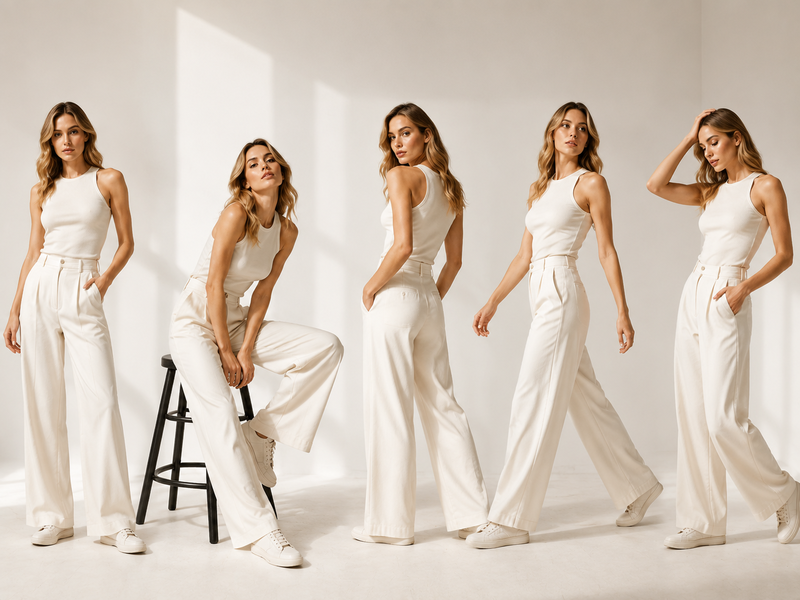
This is where AI design tools are particularly useful. Generating clean architectural silhouettes from a prompt or sketch takes seconds, letting designers explore dozens of structural variations before committing to a direction.
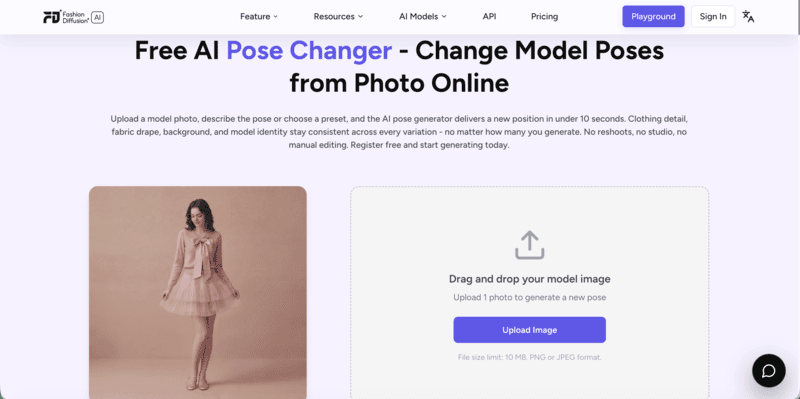
2. Metallic and Iridescent Fabrics

Chrome, liquid silver, holographic weaves, and color-shifting iridescent fabrics are the signature materials of the aesthetic. They interact with light dynamically — the garment looks different from every angle, in every setting.

For e-commerce and editorial use, these materials are notoriously difficult to photograph accurately. Apply Fabric lets you upload a metallic or iridescent fabric swatch and apply it directly to any garment silhouette, making it possible to see how a holographic piece will look without a physical sample.

3. Smart and Sustainable Materials

In 2026, tech-integrated clothing is moving from novelty to function. Smart fabrics can regulate temperature, respond to movement, and wick away moisture without changing how clothes look or feel — through conductive yarns, responsive fibers, and embedded sensors.

Futuristic fashion incorporates these materials into elevated silhouettes: lab-grown silk with thermal regulation, recycled ocean plastics engineered to a luxurious finish, biodegradable polymers cut like high-end tailoring.

4. A Disciplined Color Palette

The base is almost always neutral: deep black, glowing white, refined gray. Color comes from metallics and holographic effects — not from print or pigment. The contrast between the neutral structure and the light-reactive surface treatment is what gives the look its signature tension.

5 Futuristic Fashion Outfit Ideas for 2026

The aesthetic spans a wide range — from understated metallic minimalism to bold holographic statements. What follows are five distinct directions, each grounded in the core principles of clean silhouettes, advanced materials, and deliberate restraint. Use them as a starting point for your own designs, or as a reference for what’s shaping the futuristic fashion conversation in 2026.

1. Minimalist Metallic Ensemble

The look: A sleek silver column dress or chrome-finish trouser suit in liquid metal fabric. Minimal seaming. No visible hardware. The garment’s surface does all the work.

Styling direction: Keep accessories architectural — geometric earrings, a single cuff. Let the fabric be the focus.

Minimalist Metallic Ensemble
Fashion Diffusion AI-generated

2. Holographic and Digital Print Statement

The look: A structured jacket or dress in holographic fabric that shifts between iridescent blue, silver, and pale gold as it moves. Paired with clean matte black separates underneath to let the surface effect breathe.

Styling direction: One holographic piece per outfit. Pair with matte, structural separates — the contrast makes the iridescent piece hit harder.

Holographic and Digital Print Statement
Fashion Diffusion AI-generated

3. Architectural Smart-Fabric Suiting

The look: A precisely tailored suit in temperature-regulating or adaptive fabric — structured enough for formal settings, technical enough to signal the futuristic aesthetic. Sharp lapels, clean trouser break, no excess fabric.

Styling direction: Minimal hardware, invisible closures. The sophistication is in the construction, not the accessories.

Architectural Smart-Fabric Suiting
Fashion Diffusion AI-generated

4. Eco-Tech Layered Look

The look: A biodegradable polymer outerwear piece over a recycled-material base layer — both in the futuristic neutrals palette (white, pale gray, off-black). The construction shows deliberate sustainability: visible seam structure, functional pockets, no decorative elements.

Styling direction: Let the construction details tell the sustainability story — visible seams, raw edges treated with precision rather than hidden.

Eco-Tech Layered Look
Fashion Diffusion AI-generated

5. Digital Pattern and 3D-Print Detailing

The look: A garment featuring AI-generated geometric patterning or 3D-printed structural detailing — textures that couldn’t exist with traditional manufacturing. The base form is clean and minimal; the surface complexity is the design statement.

Styling direction: Let the pattern or texture carry the outfit. Keep silhouette simple — fitted, column, or structured — so the surface complexity reads clearly.

Digital Pattern and 3D-Print Detailing
Fashion Diffusion AI-generated

How to Create Futuristic Fashion Looks with AI

The five outfit directions above illustrate what’s possible. Here’s a practical workflow for building your own futuristic fashion visuals from start to finish using Fashion Diffusion.

Step 1: Generate the Concept

Start with a text description of the look you want. Be specific about silhouette, fabric, color, and construction:

“A structured midi dress in holographic silver-blue iridescent fabric, architectural neckline, invisible seaming, editorial fashion photography quality, soft studio lighting.”

Use AI Outfit Generator for full-look generation, or AI Text to Sketch if you want to start with a line drawing you can develop further.

Use Fashion Diffusion AI to develop creative concepts

Step 2: Develop the Design

Once you have a base concept, iterate:

  • Sketch to Render — Convert a hand-drawn or digital sketch into a photorealistic fashion image
  • Apply Fabric — Test metallic, holographic, or smart fabric swatches on your design
  • Recolor — Explore the neutral + metallic accent palette without redrawing
  • Seamless Pattern Generator — Create geometric or AI-generated prints to apply to the garment
Use Fashion Diffusion AI to develop the design

Step 3: AI try on a Model

Take the finished design into Virtual Try-On. Upload a flat-lay of the garment, pick a model, and generate a studio-quality on-model photo in seconds.

Visualize on a Model

Step 4: Create Campaign Visuals

For editorial or social content, use Change Background to place the model in a minimalist studio, urban architecture setting, or abstract digital environment — whichever fits the campaign direction.

Turn the final image into video content with AI Fashion Video: describe the motion (slow pan, fabric ripple, structural turn) and generate a publish-ready clip for TikTok or Instagram Reels.

Create Campaign Visuals
Fashion Diffusion AI-generated

Why AI Is the Right Tool for Futuristic Fashion Design

Futuristic fashion is hard to design conventionally. The materials don’t exist in swatchbooks. The silhouettes require precision that sketching by hand approximates at best. Physical sampling of metallic or smart-fabric garments is expensive and slow.

AI removes these friction points:

  • Speed: A new silhouette concept takes seconds to generate, not hours to sketch and render manually
  • Material visualization: Metallic, holographic, and iridescent fabrics render accurately without physical samples
  • Iteration cost: Testing 10 colorways or 5 silhouette variations costs the same as testing one
  • Photography: On-model product shots and campaign visuals are generated within the same platform, without a studio

For designers working in this aesthetic, the creative bottleneck isn’t ideas — it’s production. AI closes that gap.

Design Your Own Futuristic Fashion Look with AI

Whether you’re developing a collection concept, creating product visuals for a metallic capsule, or exploring new silhouette directions — AI removes the friction between the idea and the image.

Fashion Diffusion covers the full futuristic fashion workflow: from text prompt to finished design, on-model photography, and campaign video. No studio, no samples, no waiting.

Start designing with Fashion Diffusion — free trial →

Futuristic Elegance FAQs

What is futuristic fashion?

Futuristic fashion is a wearable aesthetic built around clean architectural silhouettes, metallic and iridescent fabrics, smart materials, and subtle technology integration. Unlike sci-fi or cyberpunk style, it prioritizes sophistication and real-world wearability over theatrical effect.

What are the key futuristic fashion trends for 2026?

The dominant directions in 2026 are metallic minimalism (chrome, liquid silver, holographic fabrics), smart-fabric suiting with performance properties, eco-tech layering using sustainable advanced materials, AI-generated geometric patterning, and architectural 3D-printed detailing. All share the same foundation: clean silhouettes with technically advanced surfaces.

How is futuristic fashion different from cyberpunk?

Futuristic fashion is polished, minimalist, and luxury-adjacent — designed for real-world wear in elevated contexts. Cyberpunk is gritty, maximalist, and dystopian — closer to costume than clothing. The two aesthetics share an interest in technology and the future, but diverge entirely in execution and intention.

What fabrics are used in futuristic fashion?

The signature materials are metallics (chrome, liquid silver, foil-printed fabrics), iridescent and holographic weaves that shift color with light and movement, smart fabrics with thermal regulation or adaptive properties, and sustainable innovations like lab-grown silk and biodegradable polymers finished to a luxury standard.

Can I design futuristic fashion outfits with AI?

Yes — AI tools like Fashion Diffusion are well-suited to this aesthetic. You can generate metallic and holographic garment visuals from text prompts, apply specific fabric swatches to silhouettes, create AI-generated geometric patterns, and visualize the finished look on a realistic AI model. The full workflow from concept to photorealistic model shot takes minutes.

Avatar photo 通过Ethan Davis

Best WearView Alternatives for AI Fashion Photography (2026)

Virtual try-on works. AI photography scales. But ask any head of fashion ecommerce in 2026: the hardest part isn’t generating the first image — it’s generating consistently across your entire catalog, without losing quality or breaking the bank.

Tools like WearView have helped brands solve this initial challenge of creating high-quality AI fashion imagery. But as teams grow, their needs evolve — broader creative tools beyond photography, better API integration, multi-category support for footwear and accessories, or more flexible pricing.

This guide compares the best WearView alternatives in 2026, covering features, pricing, pros and cons, and use cases — all to help you find the right fit.

What Is WearView?

WearView is an AI fashion photography platform designed for e-commerce brands to generate on-model product imagery from flat-lays, ghost mannequin shots, and packshots. Its core capability is converting garment images into on-model visuals with AI-generated models, enabling brands to create scalable fashion photography content without traditional photoshoots.

However, WearView is less suited for end-to-end product editing workflows such as catalog-ready product images, standardized white-background listing images, and high-volume SKU image variants commonly required in fashion e-commerce operations.

Why Users Are Exploring WearView Alternatives

WearView covers a solid range of AI fashion photography tools, but several recurring reasons lead brands to explore alternatives:

  • No design tools. WearView focuses entirely on photography output — it does not offer sketch-to-render, recolor, fabric application, or outfit generation. Brands that need both design ideation and photography generation must use separate platforms.
  • No ghost mannequin tool on the entry plan. Ghost mannequin functionality is only available from the Pro plan ($49/month) upward, which can be a barrier for smaller brands.
  • Credit limits can feel tight for large catalogs. At HD resolution, the Lite plan yields roughly 25 images per month on 50 credits. High-volume sellers processing hundreds of SKUs may find the credit model restrictive.
  • Limited batch processing at scale. WearView does not emphasize enterprise batch workflows or API-first integration, which matters for teams building automated pipelines.
  • The pricing tiers are quite steep. The jump from $29 (Lite) to $49 (Pro) is significant, especially for features like video and ghost mannequin, which some brands may need from day one.

Best WearView Alternatives: A Brief Overview

  • Fashion Diffusion — Best Overall for AI Fashion Photography
    Combines AI fashion design, AI photography, and video generation in a single workflow. Built for fashion brands and designers. Starting at $12/month.
  • FASHN AI — Best for Virtual Try-On Quality and API Integration
    Delivers some of the most accurate virtual try-on results on the market, with strong fabric-detail preservation and a developer-friendly API for custom integrations.
  • Botika — Best for High-Volume E-Commerce Model Photography
    Converts flat-lay and mannequin photos into professional model imagery at scale, backed by a unique human retouching service for additional quality assurance.
  • Style3D.ai — Best for Multi-Category Try-On and Ecommerce Content
    Supports virtual try-on across apparel, shoes, bags, and accessories, making it a versatile choice for marketplace sellers and multi-category ecommerce brands.
  • Modelia — Best for Consistent Model Identity and Catalog Production
    Features Consistent Character technology that maintains the same AI model across large product catalogs, helping brands create cohesive storefront imagery.

Quick overview:

ToolKey StrengthStarting PriceBest For
Fashion DiffusionBroadest feature set: photography + full design suite$12/monthBrands needing design + photography in one platform
FASHN AIBest-in-class virtual try-on accuracy + developer API$19/monthE-commerce teams & developers needing API integration
BotikaHigh-quality on-model imagery with built-in retouching$33/month (annual)Mid-to-large brands with high SKU volume
Style3D.aiMulti-category try-on + ecommerce visual content suite$8.9/monthEcommerce sellers needing broad product category coverage
ModeliaConsistent model identity across large catalogsFree / $35/monthScaling brands and catalog-heavy retailers

How WearView Compares to the Top Alternatives

The table below compares feature availability across WearView and its five alternatives. “Yes” indicates the feature is available. “Limited” indicates partial functionality. “No” indicates the feature is not available.

FeatureWearViewFashion DiffusionFASHN AIBotikaStyle3D.aiModelia
Virtual Try-OnYesYesYes (flagship)NoYesYes
AI Model CreationYesYesYesNoNoYes
Product-to-ModelYesYesYesYesYesYes
Flatlay-to-ModelYesYesYesYesYesYes
Ghost Mannequin to ModelYesYesYesYesNoYes
Consistent ModelsYesYesYes (Face Ref.)YesNoYes (Character)
Ghost Mannequin EffectYes (Pro+)YesNoNoNoNo
AI Model SwapYesYesYesNoYesYes
Pose ControlYesYesLimitedNoYesYes (Repose)
AI Video GenerationYes (720p/1080p)Yes (1080p, all plans)Yes (720p–1080p)Yes (Pro+)YesYes
Background RemovalNoYesYesNoYesYes
Image UpscalingNoYes (4K)Yes (4K)Yes (4K, Advanced)Yes (8K)Yes (4K)
Batch ProcessingNoLimitedYesYesNoYes (Basic+)
Output ResolutionHD / 2K / 4KUp to 4KUp to 4KHD / 2K / 4KUp to 8KUp to 4K
Design ToolsNoYes (full suite)NoNoYesLimited
Team CollaborationYes (Pro: 5, Adv: 15)NoYes (all plans)Yes (Advanced+)NoYes (Pro: unlimited)
API AccessNo (enterprise)NoYes (separate)No (enterprise)NoYes (Basic+)
Starting Price$29/month$12/month$19/month$33/month (annual)$8.9/monthFree / $35/month

WearView Alternative Reviews

1. Fashion Diffusion — Best Overall for AI Fashion Photography

Fashion Diffusion is an AI-powered fashion design and photography platform built for fashion brands, designers, and creative teams. Unlike WearView, which focuses primarily on photography, Fashion Diffusion spans the broader creative workflow, from design ideation and sketch rendering to on-model photography and AI video. It is one of the few alternatives on this list that combines a design suite with an AI photography workflow in a single subscription.

Fashion Diffusion AI platform combining fashion design tools, AI fashion photography generation and fashion video generation

Key Features

  • Photography: Virtual try-on, on-model, flat lay, and background variations
  • Model Generator: Create AI fashion models with control over appearance, body type, and poses
  • Design Tools: outfit generation, sketch-to-render, restyle, recolor, and pattern design
  • Video: AI Fashion Video (1080p) included on all plans

Best Use Cases

  • Fashion brands and D2C labels that need design prototyping and commercial photography from a single platform.
  • Designers who want to turn sketches into rendered fashion visuals and generate on-model photography without switching tools.
  • Teams creating editorial and campaign content who need creative flexibility — recolor, fabric application, style exploration — alongside catalog photography.
  • Agencies managing multiple fashion clients who need a wide toolset on a single subscription.

Pricing

  • Starter: $12/month — 50 credits, all AI tools, 4K upscaling, AI video at 1080p.
  • Creator: $29/month — 160 credits, all tools, 4K generation.
  • Pro: $59/month — 380 credits, all tools.
  • Studio: $199/month — 1,400 credits. Annual billing saves 2 months on all plans.

Pros

  • Fashion-specific AI trained on fashion imagery — not generic image generation.
  • A broad feature set combining both AI photography and design tools within a single platform.
  • AI video (1080p) included on all plans, including the $12 Starter.
  • 4K image generation and upscaling on all plans.
  • Provides a low-cost entry point at $12/month with a relatively broad set of tools.

Cons

  • No dedicated managed retouching service (human-reviewed image fixes).
  • Team collaboration not prominently featured in public plan details.

2. FASHN AI — Best for Virtual Try-On Quality and API Integration

FASHN AI is an AI-first fashion platform built on best-in-class virtual try-on accuracy. Its Try-On Studio generates realistic on-model images that preserve fabric drape, garment prints, and fine textile details at up to 4K resolution. Beyond try-on, FASHN AI covers product-to-model, model creation, model swap, background removal, and AI video generation.

Among AI fashion tools, it stands out for its developer-focused infrastructure, including a full REST API and SDKs for TypeScript and Python. This allows fashion brands to embed virtual try-on and on-model photography into their existing workflows and storefronts. For a full comparison, see what we covered earlier about Fashn AI alternatives.

FASHN AI homepage showing virtual try-on technology and developer API for AI fashion image generation and ecommerce integration

Key Features

  • Virtual Try-On: Available for flat-lay, ghost mannequin, and on-model garment inputs.
  • Product-to-Model: Transform flat product photos into realistic on-model shots with customizable model appearance, pose, and background.
  • Model Creation & Consistent Identity: Generate diverse AI fashion models from prompts or reference images; Face Reference feature maintains consistent model identity across outputs.
  • Model Swap: Swap models in existing photos while preserving garments, poses, and backgrounds.
  • AI Video: Generate short fashion videos from static images at 720p (Basic) or 1080p (Pro+).
  • API: Comprehensive REST API with documentation, SDKs, and usage dashboard for developer integration.
  • iOS App: All tools accessible through a mobile chat-based interface.

Best Use Cases

  • E-commerce brands that need the highest-quality virtual try-on for shopper-facing product pages.
  • Development teams building fashion AI features — virtual try-on, model generation — into their own apps or platforms via API.
  • Fashion brands that want to run model swap at scale to refresh existing catalog photos without new shoots.
  • Teams that need organization management with shared credits across multiple users.

Pricing

  • Basic: $19/month — 200 credits, all core AI tools, up to 4K, AI video 720p, 2 team members.
  • Pro: $49/month — 750 credits + 50 daily credits, 1080p video, 5 team members, priority support.
  • Agency: $99/month — 1,500 credits + 100 daily credits, custom face references, 10 team members.
  • Agency 2×: $199/month — 3,000 credits + 200 daily credits. Annual plans: 10 months billed. Top-ups at $0.10/credit.

Pros

  • Delivers high-quality virtual try-on results with strong garment detail preservation.
  • Most comprehensive developer API of any tool on this list.
  • Team collaboration included on all plans.
  • iOS app for mobile-first workflows.
  • Daily credits on Pro/Agency plans reduce month-end credit anxiety.

Cons

  • No design tools.
  • No ghost mannequin effect tool — WearView and Fashion Diffusion cover this.
  • No free tier; the Basic plan at $19/month is the lowest entry point.

3. Botika — Best for High-Volume E-Commerce Model Photography

Botika is an AI fashion photography platform purpose-built for e-commerce brands that need large volumes of on-model images efficiently. Its workflow transforms flat-lay, mannequin, or product photos into professional model imagery using a diverse AI model library across ethnicities, body types, and ages.

A key differentiator is Botika’s built-in retouching service: on Pro and Advanced plans, Botika’s team will review and fix generated images that do not meet quality standards within 48 hours (Pro) or 24 hours (Advanced), at no additional cost. This quality safety net is unique among the tools reviewed here. For a full comparison, see our guide to Botika alternatives.

Botika AI fashion photography homepage showcasing on-model image generation and automated product photo enhancement for ecommerce brands

Key Features

  • On-Model Generation: Transform flat-lay, mannequin, or packshot images into on-model photos using diverse AI models.
  • Diverse Model Library: Full library of AI models across ethnicities, body types, and ages — full access on Pro and Advanced plans.
  • AI Video: Generate short motion clips from model images on the Pro plan and above.
  • Built-in Retouching: Human-assisted photo fixing on Pro (2 rounds, 48h) and Advanced (3 rounds, 24h) plans.
  • Team Collaboration: Available on the Advanced plan.
  • Shopify App: Native integration for direct catalog management.

Best Use Cases

  • Mid-to-large e-commerce brands with high SKU counts that need consistent, professional model imagery at volume.
  • Brands that value human-reviewed output quality and want a retouching safety net built into their plan.
  • Brands focused on model diversity for inclusive product presentation.
  • Shopify-native brands looking for seamless catalog integration.

Pricing (Monthly Billing)

  • Lite: $22/month — Limited selection of AI models and backgrounds
  • Pro: $35/month — all models, all backgrounds, 2K resolution, video
  • Advanced: $230/month — 4K resolution, team collaboration, custom background colors
  • Enterprise: Custom pricing

Pros

  • Excellent on-model image quality with one of the widest AI model libraries.
  • Unique built-in retouching service for quality assurance — not available on any other tool reviewed here.
  • Unlimited credit rollover while subscribed.

Cons

  • No AI design tools.
  • 4K resolution only on the highest consumer plan.
  • Custom model creation from text prompts not supported.

4. Style3D.ai — Best for Multi-Category Try-On and Ecommerce Visual Content

Style3D AI is an ecommerce-focused fashion photography platform built for marketplace sellers, Shopify brands, TikTok Shop teams, and solo online sellers. It stands out for its breadth of product category coverage — virtual try-on extends beyond garments to shoes, bags, and hats, making it well-suited for fashion retailers with diverse catalog needs.

The platform also includes a full image toolbox with background removal and upscaling up to 8K, plus fashion design tools for sketch-to-design, colorways, and print generation — positioning it as a broad ecommerce visual content solution rather than a photography-only tool.

Key Features

  • Model Photography: Virtual Garment Try-On, Virtual Shoe Try-On, Virtual Bag Try-On, Virtual Hat Try-On, Change Model & BG, Change Pose, Model Variations, Outfit Try-On, Generate Views.
  • Product Photography: Garment to Flat Lay, Flat to 3D, Garment Detail Shots, Fabric Try-On.
  • Video: Image to Video (static fashion images to short product display videos), Reference to Video (smoother model videos with stable motion).
  • Image Toolbox: Background Remover, Image Upscaler (up to 8K), Photo Enhancer, Garment Retouching, Object Remover, Inpainting, Expand Image.
  • Fashion Design Tools: Text to Design, Sketch to Design, Extract Technical Drawing, Design Variations, Change Colors, AI Print Generator.

Best Use Cases

  • Multi-category fashion ecommerce sellers managing catalogs that include garments, footwear, bags, and accessories — needing try-on imagery for all product types in one platform.
  • Marketplace brands (Amazon, Shopify, TikTok Shop) needing fast, listing-ready visual content without a studio.
  • Sellers wanting high-resolution output (up to 8K) at an entry-level price point.
  • Brands needing basic design iteration tools — colorways, sketch visualization, print generation — alongside product photography.

Pricing

  • Basic: $8.9/month (regular $12, 25% off) — 300 credits, ~300 images, generate 2 images/videos at once, rollover credits.
  • Advanced: $53.9/month (regular $80, 32% off) — 2,000 credits, ~2,000 images, generate 4 images/videos at once, rollover credits, all VIP features.

Pros

  • Most affordable entry point on this list at $8.9/month for 300 credits.
  • Broadest product category try-on coverage: garments, shoes, bags, and hats in a single subscription.
  • Image upscaling up to 8K.
  • Includes fashion design tools (sketch to design, colorways, print generation).
  • Rollover credits on both plans.

Cons

  • No API access or team collaboration features.
  • No ghost mannequin effect or consistent model identity tool.
  • Batch processing limited — 2–4 images at once rather than a full bulk pipeline.
  • No built-in retouching service.

5. Modelia — Best for Consistent Model Identity and Catalog Production

Modelia is an all-in-one AI fashion visual platform covering the full product imagery workflow — from flat-lay and mannequin images through to on-model photos, video, and accessory styling. Its standout capability is the Consistent Character feature, which generates the same AI model across multiple garments, poses, and backgrounds for a unified catalog aesthetic.

API access and batch generation are available from the Basic plan, making it practical for scaling brands building automated content pipelines. A free Starter plan includes access to all tools, making it the lowest-risk option to test with real products.

Key Features

  • Flatlay-to-Model, Mannequin-to-Model, Model-to-Model: Full conversion workflow from any garment source to on-model imagery.
  • Virtual Try-On: Apply garments to specific model photos with realistic fit rendering.
  • Consistent Character: Generate and reuse the same AI model identity across entire catalogs — up to 1 (Project), 3 (Basic), 6 (Pro), or unlimited (Business).
  • Repose: Change model poses in existing photos.
  • Outfit Generator & Smart Styler: Create full outfit combinations with AI accessory styling.
  • AI Video Generator: Create 5-second or 10-second fashion videos from static images.
  • Batch Generation & API Access: Available from the Basic plan for workflow automation.
  • Upscaler: Up to 4K image exports on all paid plans.

Best Use Cases

  • Scaling e-commerce brands that need consistent model identity across large product catalogs.
  • Retailers managing seasonal collections who want to build a signature AI model and use it across hundreds of images.
  • Teams that need batch processing and API access without enterprise-level pricing.
  • Brands looking for a free entry point to test AI fashion photography before committing to a paid plan.

Pricing

  • Starter: Free — 20 credits/month, all tools, watermarked, non-commercial.
  • Project: $12 one-time — 50 credits, commercial rights, 4K exports, 1 consistent character.
  • Basic: $35/month — 250 credits, rollover, commercial rights, 3 consistent characters, batch, API, 4K.
  • Pro: $85/month — 750 credits, 6 consistent characters, unlimited team seats, API.
  • Business: $300/month — 3,000 credits, unlimited consistent characters. Annual billing saves 20%.

Pros

  • Maintains consistent model appearance across multiple outputs.
  • Free tier with access to all tools — lowest barrier to entry.
  • API and batch generation from the $35/month plan.
  • Broad feature coverage: photography, video, pose control, accessory styling.
  • Unlimited team seats on the Pro plan.

Cons

  • Free tier images include watermarks and are non-commercial — paid plan required for brand use.
  • No design tools (sketch-to-render, recolor, outfit generation from text).
  • No ghost mannequin effect.
  • Video generation is credit-intensive (25 credits for a 5-second video).

Which Fashion AI Tools Should You Use?

For Fashion Brands That Need Design and Photography in One Platform

Choose Fashion Diffusion if you want to go from concept creation to production-ready visuals in a single workflow. It combines AI fashion design, AI photography, and video generation in one platform.

For Ecommerce Teams Focused on Virtual Try-On

Choose FASHN AI or Fashion Diffusion for realistic virtual try-on results, or Style3D.ai if you need virtual try-on across apparel, footwear, bags, and accessories.

For High-Volume Product Image Production

Choose Botika if your priority is generating large volumes of professional on-model images with an added layer of human quality assurance.

For Brands Building a Consistent AI Model Identity

Choose Modelia if you want the same AI model to appear consistently across an entire catalog, campaign, or seasonal collection.

The Future of WearView Alternatives in Fashion

AI fashion visuals are evolving toward higher realism, multi-category try-on, and video-first content, with AR and real-time personalization emerging as the next frontier.

Reuters reports that online fashion retailers such as Zalando are already using AI-generated product imagery and virtual try-on to improve efficiency, reduce costs, and increase conversion through more accurate sizing.

For brands navigating this shift, the right solution depends on catalog size and creative needs. Fashion Diffusion is one such option, combining fashion photography, a creative design suite, and AI video generation.

Try the free trial →

FAQ

What is the best alternative to WearView for fashion brands?

Fashion Diffusion serves as a versatile alternative to WearView, combining AI fashion photography with a design suite starting at $12/month. For teams prioritizing specific needs, FASHN AI focuses on virtual try-on accuracy, while Modelia is often used for scalable and consistent AI model generation.

WearView vs Fashion Diffusion: Which is better for fashion?

Fashion Diffusion is a strong fit for teams that want an integrated workflow for both design and AI photography. Compared to WearView’s focus on AI on-model imagery, it expands into design tools and features like ghost mannequin and pose control for more complete fashion content creation.

Can WearView be used for fashion design?

No. WearView is a photography-only platform and does not include fashion design capabilities. Fashion Diffusion combines both design and photography. Its design tools cover concept development such as sketch-to-render and AI outfit generation. It also includes material editing tools like fabric application and recoloring, as well as print-focused features such as seamless pattern creation and pattern extraction.

Is WearView free?

No. WearView is not fully free. It offers a 10-credit trial after sign-up, but there is no permanent free plan. For users looking for ongoing free access, Modelia provides a Starter plan with 20 monthly credits, though outputs are watermarked and limited to non-commercial use. Fashion Diffusion and FASHN AI also includes complimentary credits for new users.

Which WearView alternative has the best pricing?

Style3D AI offers the lowest entry at $8.9/month. Fashion Diffusion at $12/month delivers better value if you need design tools alongside photography. Modelia offers a permanently free Starter plan for non-commercial testing.