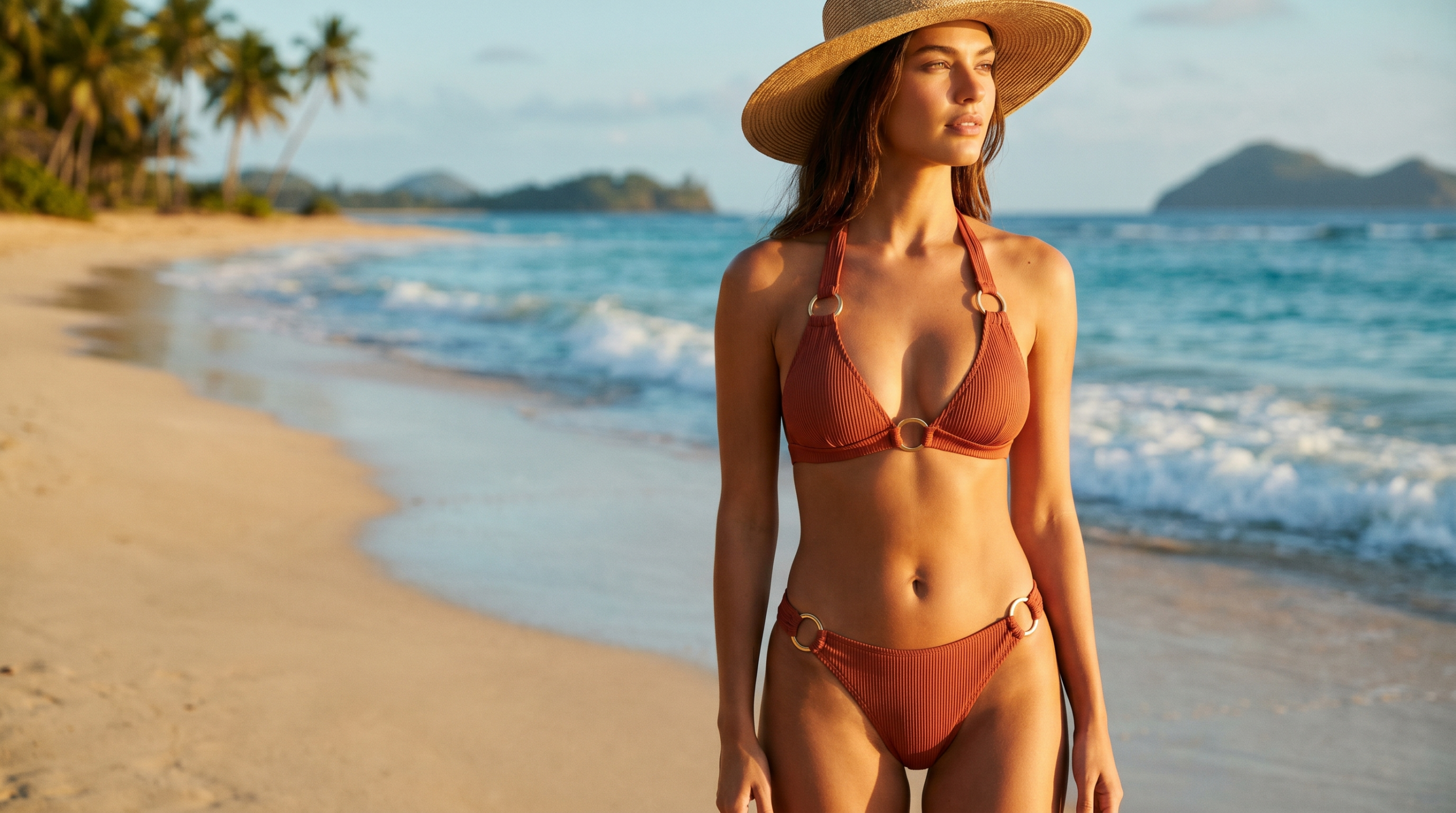
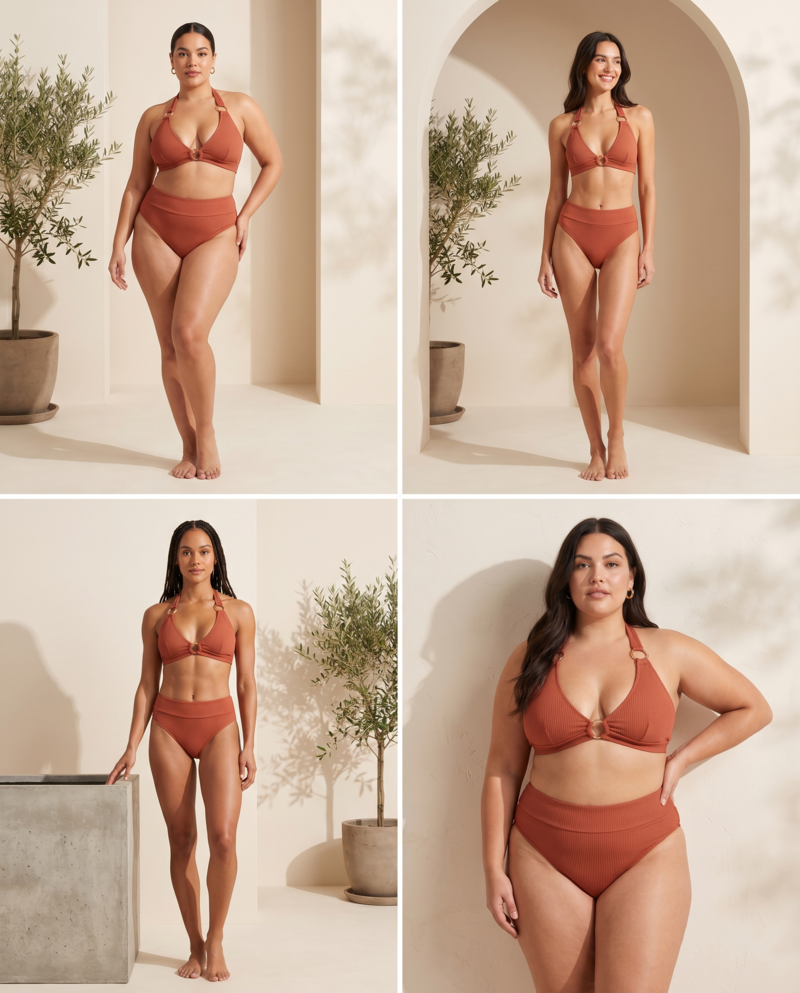
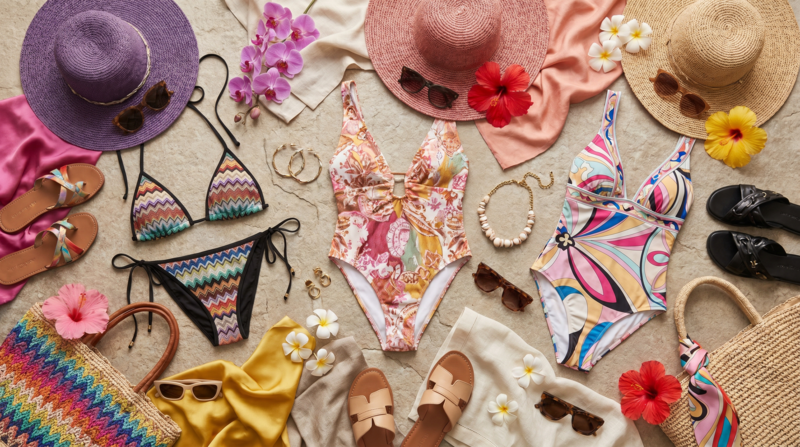
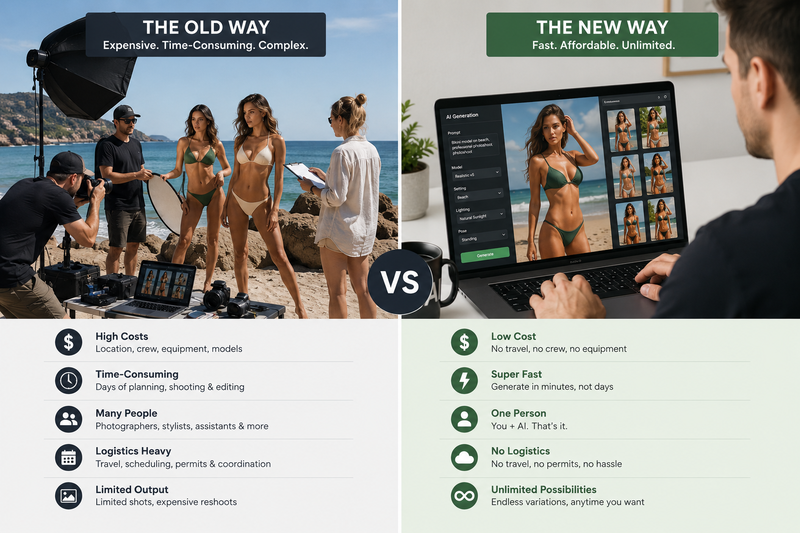
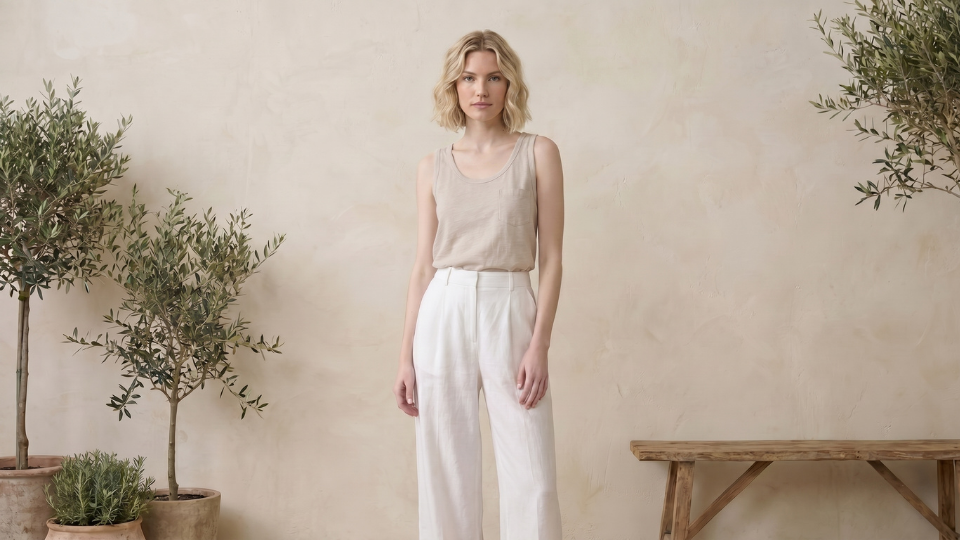
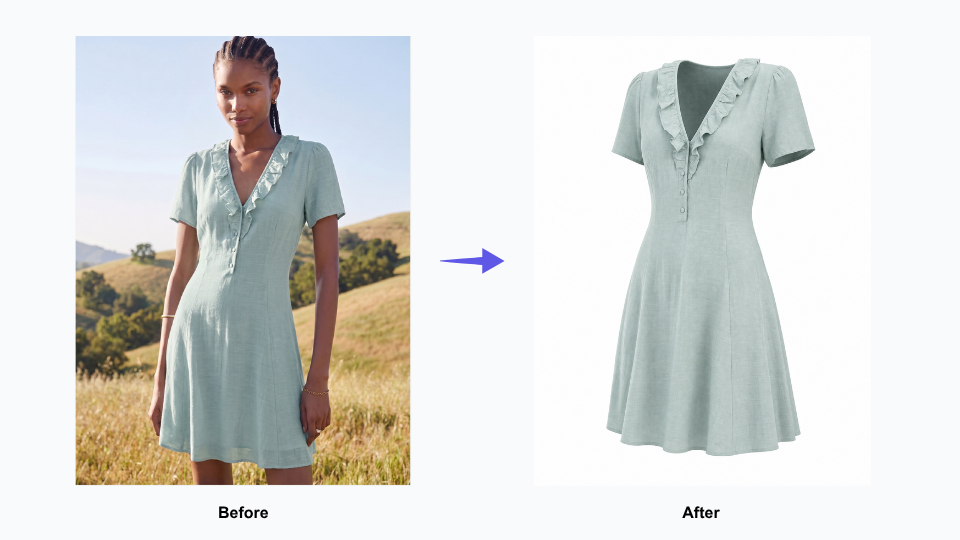
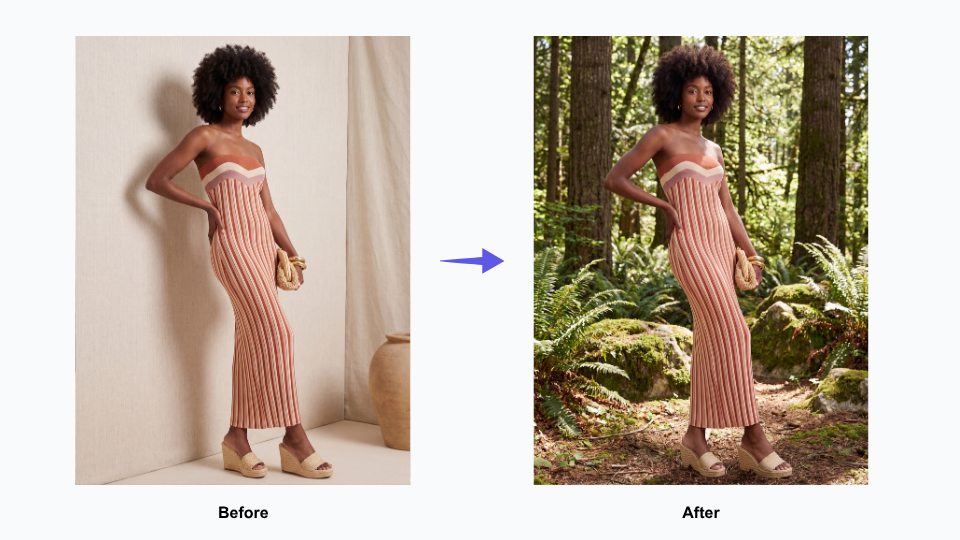
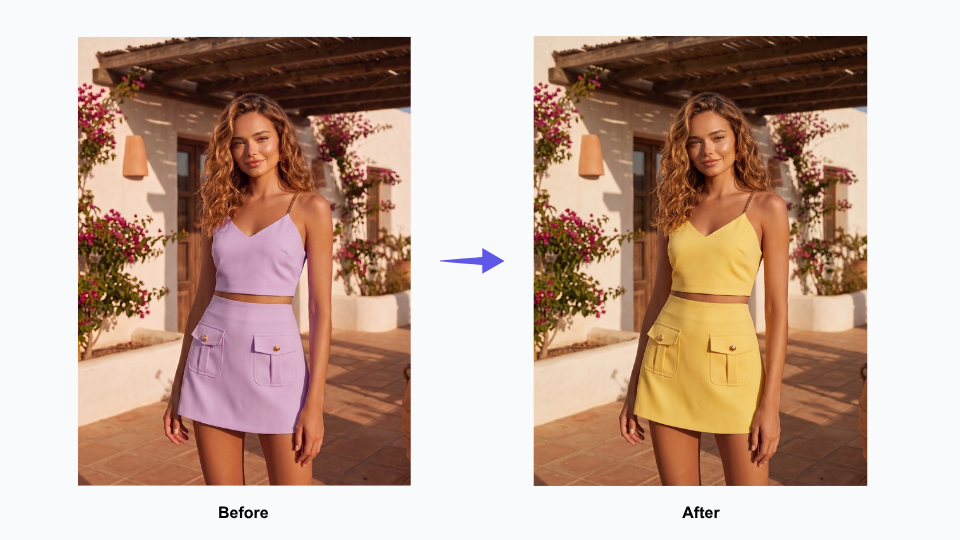
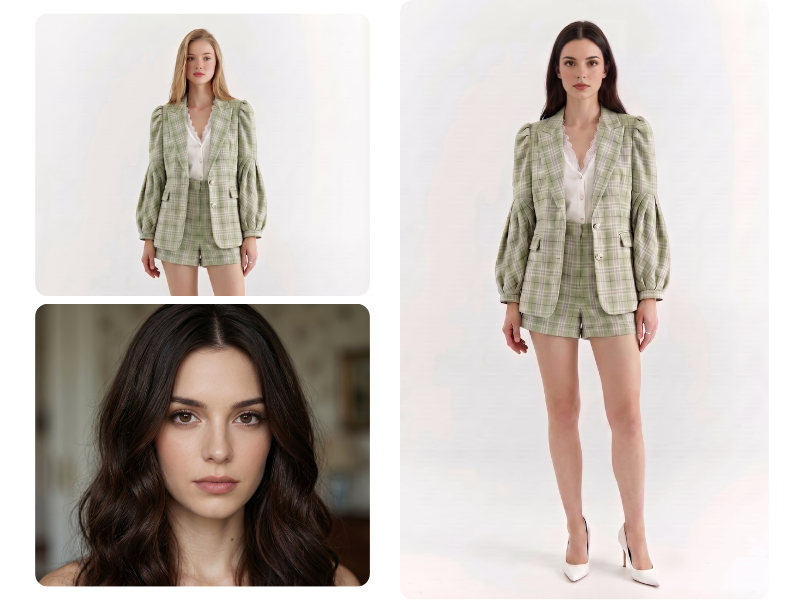
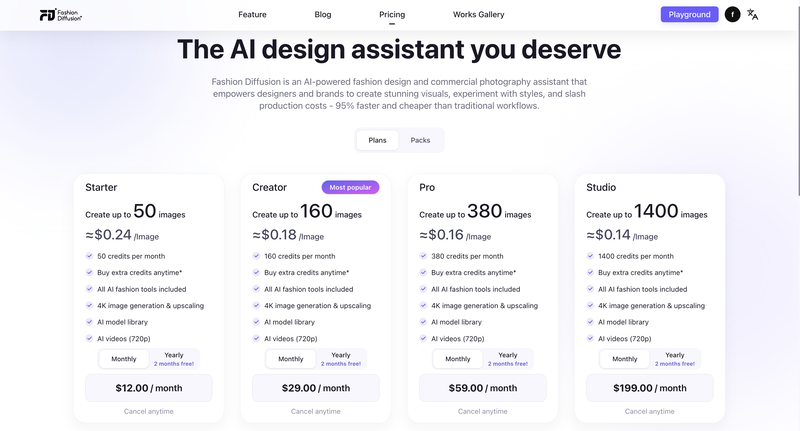
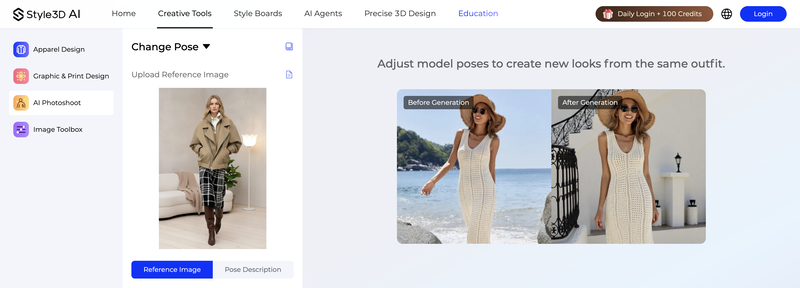
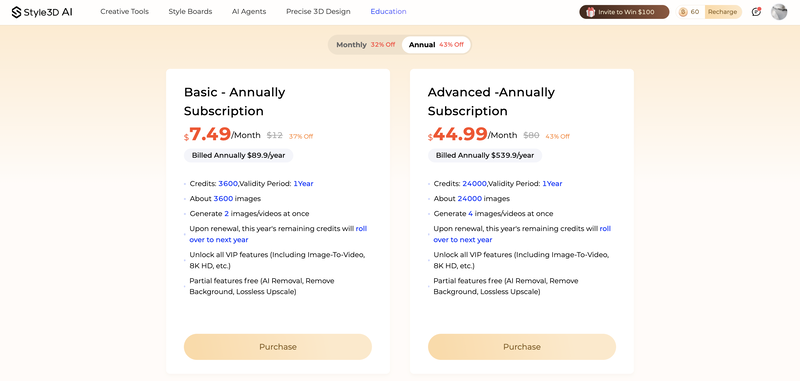
Creating swimwear content used to mean booking a studio, flying in models, and waiting weeks for edited shots. Today, you can get design concepts, on-model photos, diverse body type variations, and campaign visuals — all from a browser, in minutes.
This guide covers the full AI bikini workflow using Fashion Diffusion: how to generate designs from scratch, visualize them on AI models, create product-ready photography, and turn images into video content.
What Is an AI Bikini Generator?
An AI bikini generator uses artificial intelligence to create swimwear visuals — either as original design concepts, or as on-model product photos from existing garment images.
Most tools only handle one of these. The distinction matters:
Design generators take a text prompt and produce bikini concepts: silhouette, fabric, color, and print. Useful for ideation and exploring new directions before sampling.
Photography generators take an existing garment photo (flat lay or mannequin) and place it on a realistic AI model. Used for product listing images and catalog photography.
Fashion Diffusion covers both. You can design a swimwear concept from a text prompt, then take it directly into Virtual Try-On to see it on a model — without switching tools.
How to Create Swimwear Designs with the AI Bikini Generator
Step 1: Generate a Bikini Design from a Text Prompt
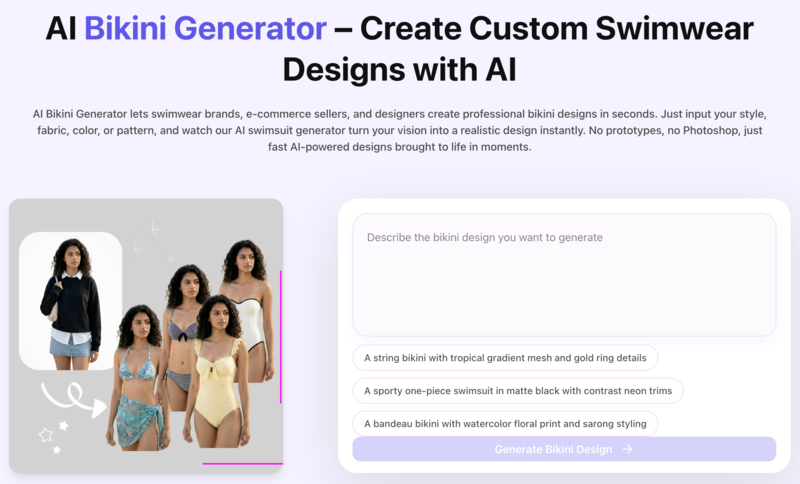
Open the AI Bikini Generator and describe the swimwear you want. The AI produces a photorealistic design concept based on your description.
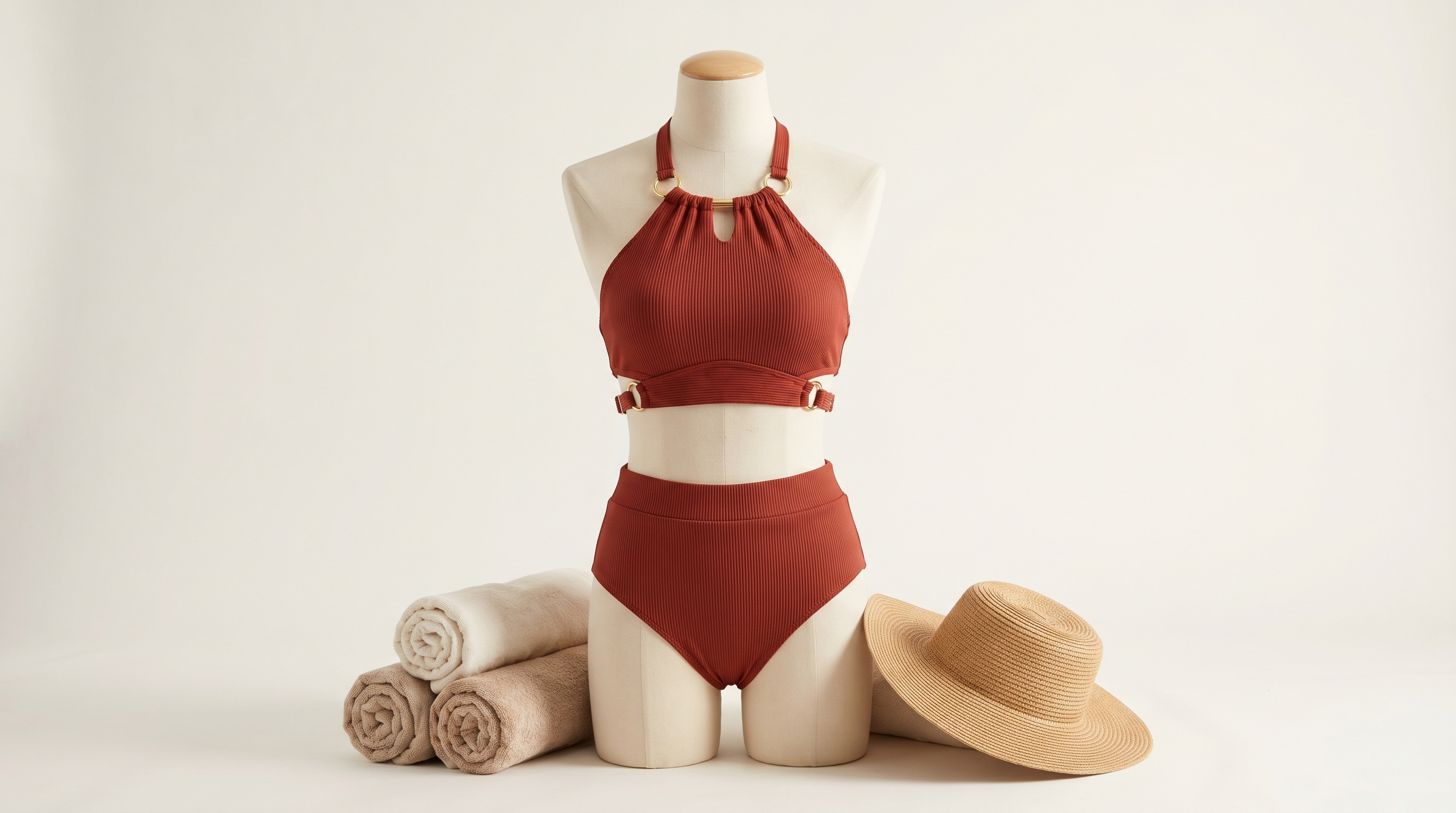
A halter bikini top with adjustable gold ring details and high-waist bottoms, in deep terracotta with ribbed texture. Resort-ready, clean studio background.
A structured bandeau bikini in glossy black with architectural boning and minimal hardware. Editorial fashion photography, soft studio lighting.
A sustainable one-piece in sage green recycled fabric, with asymmetric cut-out at the waist and wide straps. Minimalist luxury aesthetic.
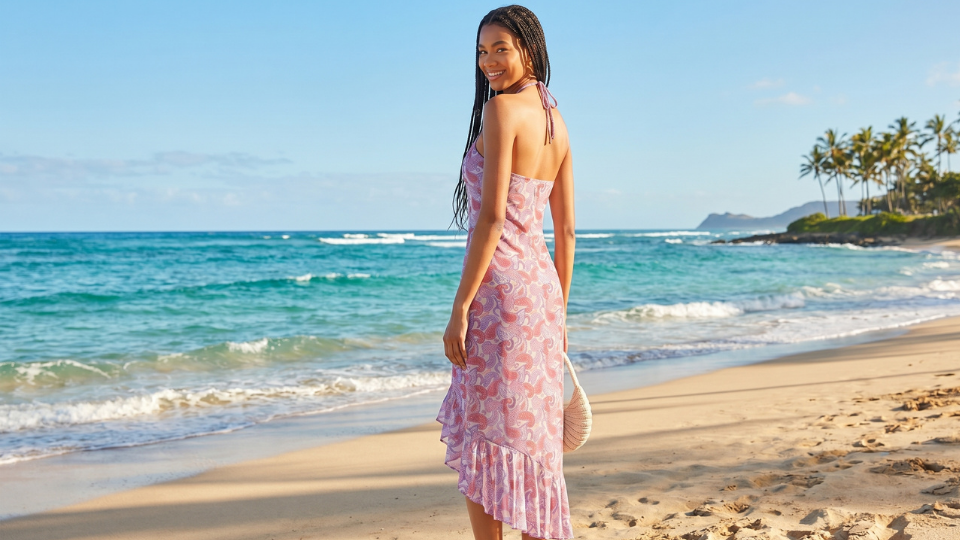
A Brazilian-cut bikini with tropical watercolor print, string ties, and sarong wrap bottom. Lifestyle beach photography mood.
Generate multiple variations from the same prompt. Small changes — matte to metallic, string ties to clip hardware — produce meaningfully different designs.
Fashion Diffusion AI-generated
Step 2: Refine Colors, Fabrics, and Patterns
Once you have a base design, iterate without starting over:
Recolor — Change the color palette while keeping the silhouette and fabric intact. Test the same cut in five colorways in minutes.
Apply Fabric — Upload a fabric swatch and apply it to your design to see how a specific print looks on the actual garment shape.
AI Inpainting — Edit specific areas: change strap style, adjust hardware, or modify the cut without regenerating the whole image.
Step 3: Put Your Bikini on an AI Model
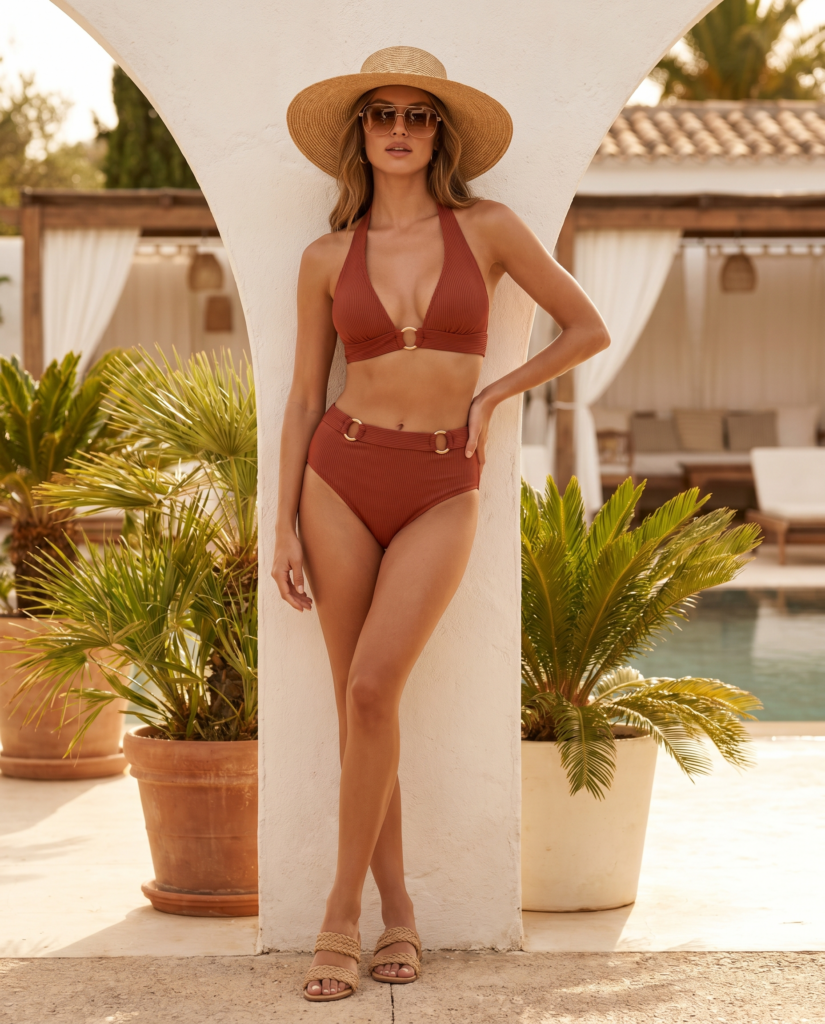
When the design is ready, use Virtual Try-On to place it on a realistic AI model. Upload the design, select your model parameters, and generate. Fashion Diffusion renders the garment with accurate fabric behavior — drape, texture, print alignment, and strap placement.
For product listings, use a white or neutral background with a full-body shot. This meets format requirements for Amazon, Shopify, and most marketplaces.
For editorial and campaign content, use Change Background to place your model in a beach setting or poolside environment after generating the on-model shot.
Fashion Diffusion AI-generated
Step 4: Show Your Swimwear on Diverse Body Types
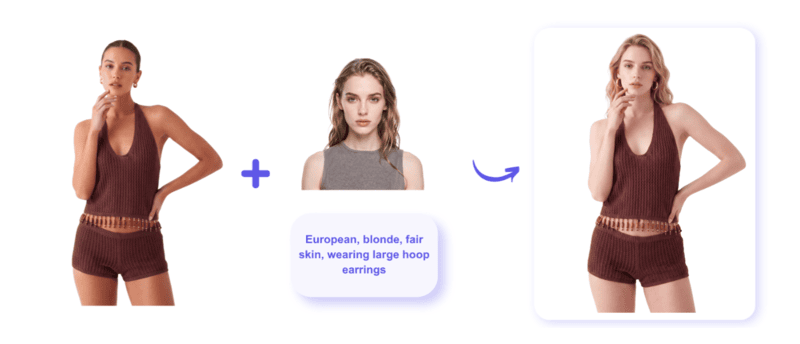
AI model generation lets you show a design across different body types, skin tones, and sizes — without booking multiple models.
Pose and framing (full body, waist up, detail crop)
Background and lighting
The bikini design stays consistent — same fabric, same print, same hardware — while the model changes. This is the most practical way to build a size-inclusive catalog without extra shoots.
Fashion Diffusion AI-generated
Step 5: Turn Your Swimwear Photos into Video Content
Static photos get you onto a marketplace listing. Video drives engagement on TikTok, Instagram Reels, and product pages.
Fashion Diffusion’s AI Fashion Video takes any bikini image — a flat lay, a model shot, a Virtual Try-On result — and animates it into a publish-ready video. No filming, no editing, no production team.
How it works:
Upload your swimwear image (the on-model shot from Step 3 works directly)
Describe the motion — fabric movement, camera style, scene direction
Generate and publish
Prompt examples for swimwear video:
“Slow camera pan across the model, fabric rippling gently in a beach breeze, golden hour light, lifestyle mood”
“Model turns to show the back of the swimsuit, poolside setting, soft natural light”
“Close-up of fabric texture moving in wind, showcasing the print detail, white background”
The AI preserves garment detail — fabric texture, print, strap placement — through the motion. Customers can see how the swimwear moves and drapes, which static images can’t show.
One image can produce multiple video variations in a single session — different motions, different moods, different crops. A single bikini shot becomes a full week of content.
Who Benefits Most from an AI Bikini Generator
Fashion Diffusion AI-generated
E-Commerce Sellers: Product Photography at Scale
For sellers managing large catalogs, traditional photography doesn’t scale — one round of on-model shots can cost $5,000–$15,000 and repeats every season. AI reduces per-image cost to under $1, and you can update imagery for a single colorway or restocked style without scheduling a new shoot.
Fashion Designers: Concept to Presentation in Hours
Traditional swimwear design means hand-sketching, mood boards, and physical sampling before presenting to buyers. With Sketch to Render, upload a hand-drawn sketch and get a photorealistic rendering in seconds.
Now designers can stay ahead of trends. They can quickly respond to looks like those featured in ELLE’s 2026 swimwear trends report.
Swimwear Startups: Launch Visuals Before Production
You don’t need manufactured products to launch. AI-generated imagery lets you build a complete visual collection — multiple designs, on-model photos, diverse sizing — before committing to production. Use it for crowdfunding campaigns, pre-orders, or investor pitches.
Content Creators: Campaign Visuals Without a Shoot
Describe the styling direction, generate the visuals, and adapt them for different platforms within the same session. No location, no crew, no scheduling.
AI Bikini Generator Prompt Guide: How to Get Better Results
Put the Garment First
Describe what the bikini is before describing the model or background. The AI prioritizes garment accuracy when garment details come first.
Weak: “A model on the beach wearing a stylish bikini”
Strong: “A string bikini with gold O-ring hardware, burnt orange with subtle tiger print, model on white sand beach. Natural light. Full body shot.”
Use Fabric Names, Not Just Adjectives
Specific fabric names produce more accurate texture rendering.
Instead of
Try
“shiny”
metallic spandex, foil-printed lycra
“flowy”
chiffon sarong, lightweight mesh overlay
“sporty”
matte neoprene, compression knit
“textured”
ribbed pointelle knit, crochet cotton
Add a Photography Style
Photography context helps the AI calibrate lighting, framing, and background.
“E-commerce product photo, white background, full body, natural studio light”
“Editorial fashion photography, beach location, golden hour light, lifestyle crop”
“Lookbook image, poolside setting, soft fill light, upper body framing”
Keep Collections Consistent
When generating multiple designs, use one base prompt and vary a single element at a time. This creates a cohesive catalog look while still showing range.
AI Bikini Generator vs. Traditional Swimwear Photography
Traditional Photoshoot
AI Bikini Generator
Cost per image
$50–$200+
Under $1 at scale
Time to first image
Days to weeks
Minutes
Model diversity
Limited by budget
Unlimited variations
Design iteration
Physical samples required
Instant from prompt
Platform adaptation
Re-shoot or extensive editing
One-click background change
Seasonal updates
Full production cycle
Update individual SKUs same day
Pre-production visuals
Not possible
Full collection before manufacturing
Traditional photography still has a role — for influencer collaborations and high-end editorial work where the photography itself is the brand signal. For product listings, catalog photography, size representation, and design iteration, AI is faster and significantly cheaper.
Start Designing Your Swimwear Collection with AI
Create bikini designs, AI model photos, and videos in minutes.
No studio. No photographer. No physical samples needed.
Can I create video content from my AI bikini photos?
Yes. Fashion Diffusion’s AI Fashion Video tool animates any bikini or swimwear image into a publish-ready video. Upload the on-model shot, describe the motion, and generate. Output publishes directly to TikTok, Instagram Reels, YouTube Shorts, or embeds on product pages.
Is there a free AI bikini generator?
Fashion Diffusion offers a free trial covering the core bikini generation tools — AI Bikini Generator, Virtual Try-On, and AI Model Generator. No credit card required. Paid plans unlock higher volume and resolution exports.
Can I use AI-generated bikini photos for Amazon or Shopify?
Yes. AI-generated product photography is permitted on Amazon, Shopify, and most major marketplaces, provided the images accurately represent the product and comply with platform content policies. For marketplace listings, use a clean white background, full-body framing, and the garment filling at least 85% of the frame.
How do I write better prompts for an AI bikini generator?
Very specific prompts produce significantly better results. Include cut, fabric, color, print, hardware, and photography style. A vague prompt like “a nice bikini on the beach” produces generic output. A detailed prompt like “structured bandeau top with underwire, matte terracotta ribbed fabric, high-waist bottoms, gold clip hardware, white studio background, full body e-commerce shot” produces results close to a professional brief.
Your product photos are already an asset. Here’s how one contemporary women’s label used Fashion Diffusion AI to get more formats — and more value — out of photography it had already produced.
What Is Lilla P?
LillaP is a women’s fashion brand founded in New York in 1998. Built around elevated basics and relaxed contemporary styling — tops, knits, dresses, trousers, and outerwear — the brand has grown into a full seasonal collection with a loyal following across the US market.
Like most fashion brands at this stage, Lilla P produces regular product photography to support its seasonal catalog. Every new piece needs to be shot, edited, and made ready for use — a continuous production commitment that grows as the collection grows.
The Challenge: The Same Garment, Multiple Format Requirements
Product photography is not a one-size-fits-all deliverable. A single garment may need to appear in several different formats depending on how and where it is being presented — and not every format can be repurposed from another.
On-Model Photography Doesn’t Always Transfer
On-model photography is the standard format for direct-to-consumer channels. It shows the garment in context, on a body, in a way that helps customers understand fit, proportion, and styling. For a brand’s own webshop and marketing materials, it is the obvious choice.
On-model photography introduces more variables. The model, background, and styling can all affect consistency. This makes the images harder to reuse across different channels. When brands need a clean and neutral product image, on-model photos often need to be replaced instead of repurposed.
Flat Lay Photography Has Always Required a Separate Shoot — Until Now
Flat lay imagery — a clean, overhead photograph of the garment laid flat — is the format that removes those variables. The garment is the subject. Nothing else competes for attention. Fabric texture, construction detail, and silhouette are all clearly readable.
Historically, producing flat lay meant a separate shoot. Different setup, different lighting, different post-production requirements. For brands that need both formats across a full catalog, that has traditionally meant running two parallel production tracks — doubling the time and cost of imagery for every piece in the collection.
A Growing Catalog Makes the Problem Bigger
Lilla P releases new pieces continuously across the season. Every new arrival adds to the production queue. The broader the catalog, the more the dual-format requirement compounds — and the more pressure it puts on the team to keep imagery current without proportionally expanding the photography budget.
How Lilla P Uses Fashion Diffusion AI to Extend Its Photography
Lilla P uses a single Fashion Diffusion AI feature — the Flat Lay Generator — to derive flat lay imagery directly from existing product photography. It is a practical application of the broader shift toward AI-driven fashion workflows that allows brands to produce more from the assets they already have.
AI Flat Lay Generator — Convert Any Product Photo Into a Clean Flat Lay
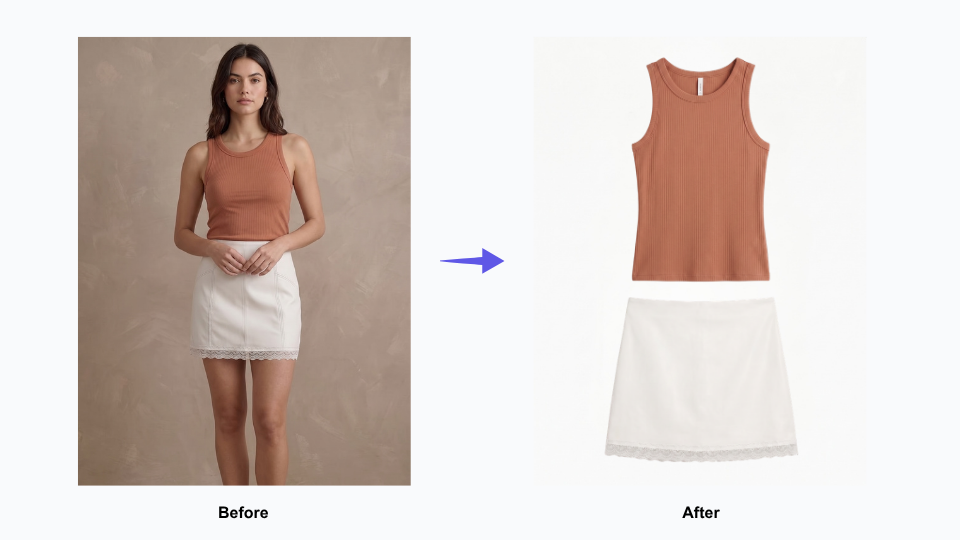
Flat Lay Generator takes an existing garment image — including on-model shots — and renders a clean, realistic flat lay version. Accurate fabric texture, clear construction detail, consistent presentation. The output reads as a purpose-shot flat lay, not a processed version of the original.
This is not background removal. It is not a crop. It is a generated flat lay built from an existing image — a new format derived from a source that already existed.
Before: Every Product Required Two Separate Photography Sessions
Previously, getting both an on-model image and a flat lay for the same piece meant two separate production sessions. Two different setups, two rounds of editing, twice the time per SKU. For a single garment, manageable. Across a full seasonal catalog, it adds up quickly — and creates a continuous scheduling dependency that slows down how fast new pieces can be fully ready.
The New Workflow: One Product Shoot, On-Model and Flat Lay Both Ready
Now, a garment gets photographed once. The flat lay version is generated from that same source image using the Flat Lay Generator. Both formats come from a single shoot, processed in sequence rather than in parallel — turning what used to be two separate production sessions into one continuous workflow.
Consistent Flat Lay Imagery Across Every Product Category
One practical advantage of AI-generated flat lay is consistency across different product types. A knit cardigan, a woven shirt, a structured jacket — each presents differently as a physical garment, and human photographers inevitably approach each one slightly differently. AI applies the same rendering logic to every piece, producing a consistent visual presentation across the full catalog.
For brands managing multiple product categories across every season, consistency matters. A cohesive image library makes every product feel connected. It creates a stronger brand identity, even when items were photographed at different times or in different formats.
Getting More From Photography Already Produced
The core outcome for Lilla P is straightforward: existing product photography now yields two usable formats instead of one.
Existing Product Photography Yields More Than One Format
Every on-model photograph in Lilla P’s archive is now a potential source for flat lay imagery. Photography that was produced for one purpose can serve a second purpose — without being reshot, restaged, or re-edited from scratch. The value of the original shoot extends beyond its original use.
New Arrivals Get Both Image Formats Ready at the Same Time
When flat lay is derived from on-model photography rather than shot separately, both formats are ready at the same time. New pieces don’t wait in a queue for a second production session. They move through the workflow once and come out ready for every context they need to appear in.
Fashion Catalog Management Gets Simpler as SKU Volume Grows
Eliminating a parallel production track doesn’t just save time on individual pieces — it reduces the coordination overhead that compounds across a full season. Fewer scheduling dependencies, fewer post-production queues, fewer handoffs between teams. As the catalog grows, the workflow stays manageable rather than becoming proportionally more complex.
Your product photography is already an investment. The question is how much you’re getting out of it — and whether the same image could be doing more than one job.
Start Generating Flat Lay From Your Existing Product Photos
Lilla P is one of a growing number of fashion brands using Fashion Diffusion AI to extend the value of photography they have already produced.
If you have a catalog of on-model or hanging product shots and need clean flat lay versions, the Flat Lay Generator derives them directly — without a second shoot.
Pair it with Change Background to adapt the same imagery for different presentation contexts, or Upscale to bring generated assets to full web-ready resolution. For a broader view of how brands are rethinking their imagery workflows with AI, the Fashion Diffusion design guide covers the wider landscape.
Some details have been presented as representative of typical use patterns and may not reflect the full scope of Lilla P’s operations. If you have questions about the content of this article or would like to clarify any information, please contact us at support@fashiondiffusion.ai.
From swatch books to instant visualisation — how one of London’s most celebrated custom outerwear designers brought the fabric selection process into the digital age with Fashion Diffusion AI.
What Is Katherine Hooker?
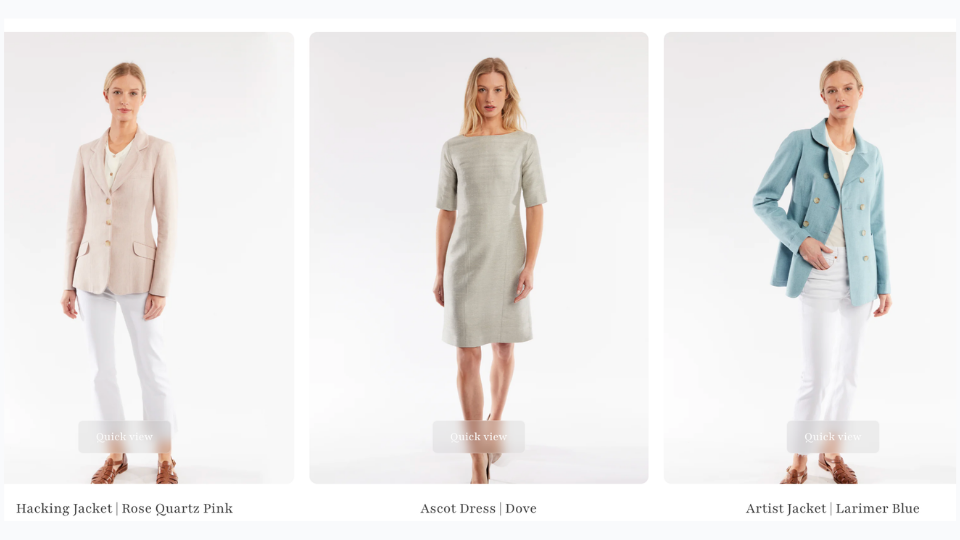
Katherine Hooker London is a British luxury fashion house specialising in custom-made coats and jackets, handcrafted one at a time in an East London studio. The brand has built its reputation on exceptional natural materials — British wool, Italian cashmere, washed linen, and silk — sourced from small-batch mills and selected by hand each season. Every piece is cut and tailored by the same small team who have worked with Katherine for over twenty years. It is a brand defined by a timeless, fabric-led aesthetic — structured, considered, and built to last.
The business runs on consultation. Clients visit the studio or attend one of the brand’s trunk shows — held across the UK and the United States — where they choose from over 150 fabric swatches and work with the team to design a coat that reflects their personal style. There is no off-the-shelf equivalent. Each garment is made once, for one person, from first appointment to delivery in four to six weeks.
The Challenge: Clients Are Choosing a Fabric They Can’t Yet See on a Coat
The custom clothing process is built on trust. A client selects a style and a fabric, agrees on trimmings, and then waits four to six weeks for a garment they have never seen on a body. Unlike ready-to-wear, where a customer can see a garment on a body before buying, bespoke clients are committing to a finished piece they can only imagine. That gap between decision and delivery is where client uncertainty lives — and managing it is one of the central challenges of any made-to-order fashion business.
Fabric Is the Design — But a Swatch Can’t Show the Full Picture
At Katherine Hooker, fabric choice isn’t a finishing detail. It defines the entire character of a coat. A structured tweed reads formal and architectural. A draped cashmere feels entirely different on the body. A washed linen has its own weight and movement. None of that comes through in a swatch.
When a client is choosing between two similar fabrics — two wools, two tweeds — the decision often comes down to instinct rather than a clear visual reference. Some clients walk away confident. Others don’t, and that uncertainty sits with them for the full four to six weeks until their coat arrives.
Remote Clients Make High-Stakes Decisions Without Physical Reference
The challenge is sharper still for clients who order online or attend trunk shows in the US. They may never have visited the London studio or handled the physical swatches. They are committing to a significant investment based on digital images and a designer’s guidance alone. The higher the price point, the more that gap between selection and delivery matters.
A Visual Library That Traditional Photography Can’t Solve
The natural fix would be a comprehensive sample archive — every fabric photographed on every coat style. But with 150+ fabrics and multiple coat styles, the permutations are too many and the costs too high. And any archive would be outdated the moment a new fabric arrived. What the brand needed was a way to show any fabric — and any colorway variation — on any coat style, on demand, without making the garment first.
How Katherine Hooker Uses Fashion Diffusion AI
Katherine Hooker uses a single Fashion Diffusion AI feature — Apply Fabric — with a clarity of purpose that reflects how the brand operates: one tool, used precisely, in service of a well-defined problem.
The Tool: AI Apply Fabric
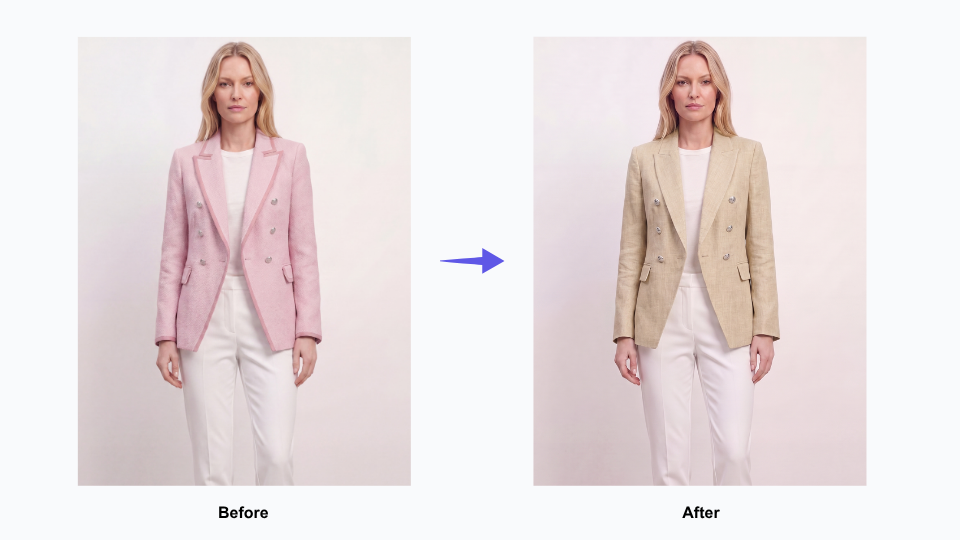
Apply Fabric takes an existing garment image and renders it in a different fabric. The output isn’t a flat colour overlay — it shows the texture, drape, and weight of the chosen material on the actual coat silhouette. The way a tweed sits at the shoulder. The way cashmere falls at the hem. The way linen creases at the sleeve. It is part of Fashion Diffusion’s broader AI Design capability — a set of tools designed to help brands experiment with fabric, colour, and style without making physical samples.
For a brand whose entire process hinges on fabric selection, this is a direct answer to the most consequential step in the consultation.
Before: What the Consultation Used to Rely On
Previously, the team worked with what bespoke fashion has always used: physical swatches, reference photographs of past garments, and years of expertise guiding clients toward the right choice. This worked — but it asked clients to make a leap. From a fabric square on a table to a finished coat on their body. For confident clients, that leap is manageable. For those who were less certain, or ordering remotely, it was a real source of doubt.
The New Workflow: Building a Visual Reference Library
Rather than generating visualisations reactively per client, the Katherine Hooker team used Apply Fabric to build a reference library — systematically applying the full range of available fabrics to their core coat styles. The usage data reflects this: multiple sessions over several weeks, each applying a different fabric to the same base garment, working through the entire material palette.
The result is a growing set of images that shows the same coat in navy tweed, olive cashmere, rust linen — each rendered with enough fidelity to make a genuine comparison. A resource that simply didn’t exist before, and couldn’t have been built through traditional photography at any reasonable cost.
In the Consultation: From Description to Demonstration
With this library in place, the consultation shifts. When a client hesitates between two fabrics, the team can show both — side by side, same style, same scale. When a remote client asks what a particular tweed looks like on the Braid coat, the answer is an image. Not a description, not a reassurance — an image.
The conversation moves from “I think you’d love how this tweed looks on the coat” to showing the client the coat in that tweed. That’s a meaningfully different kind of conversation.
What Changes When Clients Can See Before They Commit
The impact here isn’t measured in units or cost savings. It shows up in the quality of the moment when a client says yes.
Clients Decide With Confidence, Not Hope
A client who has seen a rendered image of their coat — in their exact fabric, on their exact style — arrives at their decision differently. The uncertainty that normally sits between selection and delivery narrows. They have a visual reference they can return to during the four to six weeks of production. What they receive feels like what they chose, because they actually saw it first.
Remote Consultations Become Genuinely Visual
For international clients, the shift is more significant. A client in New York who can see a rendered image of their coat, shared digitally before the order is placed, has a very different experience from a client working from swatches alone. The distance between London studio and US client shrinks. The investment feels better-anchored.
The visualisation doesn’t replace the consultation — it deepens it. It gives the team a shared visual language with clients who can’t be in the same room.
The Website Gains a New Kind of Content
The library built through Apply Fabric isn’t just a consultation tool. It’s content. A potential client browsing the Katherine Hooker website who can see the same coat rendered across multiple fabrics — navy tweed, ivory cashmere, sage linen — has a richer experience of the brand’s range. Images that start as studio reference assets become part of the full customer journey, from first discovery to order confirmation. And with Upscale, those assets can be brought to full web-ready resolution before they go live — making them ready for the kind of AI fashion photography workflow that high-end brands now use to produce professional imagery at scale.
Bring Your Custom Fabric Consultations to Life
Katherine Hooker is one of a growing number of bespoke and made-to-order fashion brands using Fashion Diffusion AI to help clients visualise custom orders before production begins.
Whether you run studio appointments, trunk shows, or an online custom order process, Apply Fabric gives you a way to show every client what their garment will look like in their chosen material — before the first stitch is made.
Some details have been presented as representative of typical use patterns and may not reflect the full scope of Mayo Chix’s operations. If you have questions about the content of this article or would like to clarify any information, please contact us at support@fashiondiffusion.ai.
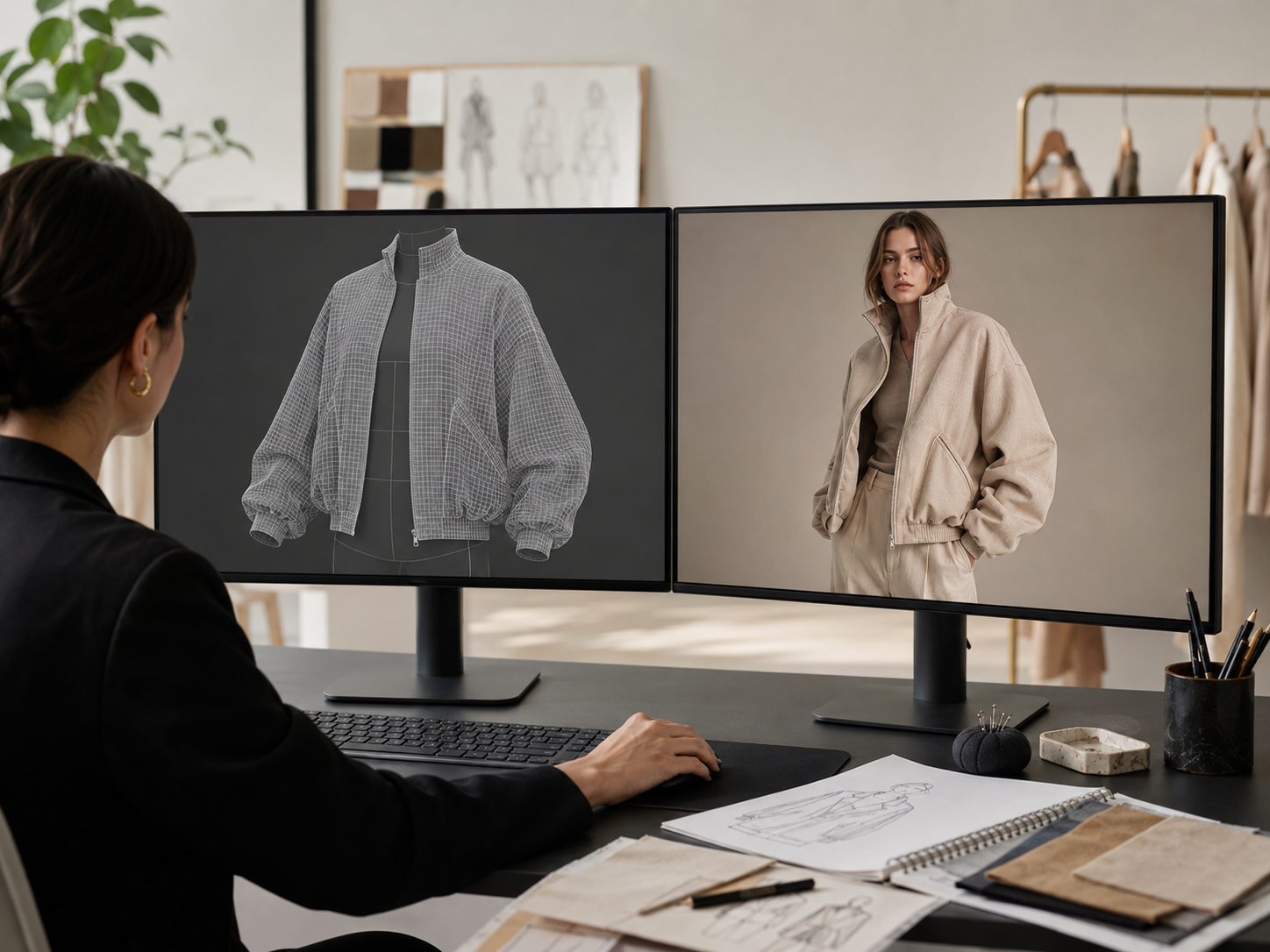
CLO 3D can build highly accurate digital garments, but accuracy isn’t always the bottleneck. Subscription costs add up quickly, and the software takes time to learn. Turning a finished 3D sample into usable ecommerce or campaign imagery still takes significant manual work, especially for smaller fashion teams.
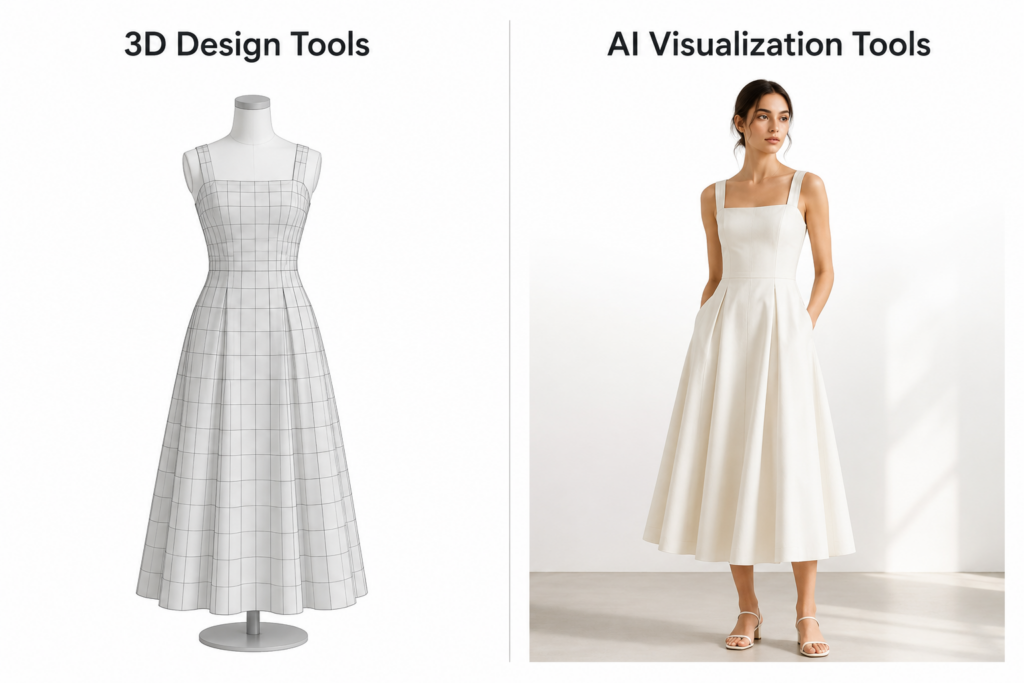
Traditional 3D design tools still matter for fit and production. But many newer AI tools focus less on simulation and more on quicker visual creation.
This guide compares the best CLO 3D alternatives in 2026, covering professional 3D garment design software, AI fashion visualization tools, and free options. We evaluated each tool on pattern validation, garment simulation, visual output speed, ecommerce usability, learning curve, and pricing.
Two Types of CLO 3D Alternatives
CLO 3D does two things. It helps teams build digital garments from patterns, and it helps them visualize those garments on avatars.
Most CLO 3D alternatives focus on a specific part of the workflow. A 2025 McKinsey report on fashion’s digital shift found that brands investing in digital product creation reduced sampling costs by up to 30%. But the right tool depends on which part of the process you’re trying to improve.
The tools below are grouped by their primary use case: garment construction or visual output. Some tools, including Style3D, now cover both. Where that’s the case, we’ve noted the overlap in the tool description.
Category A — 3D Tools Built Around Garment Construction
Browzwear, Style3D, Marvelous Designer, Optitex, and Tukatech all fall into this category.
These tools turn 2D patterns into fully simulated 3D garments. Designers can test fit, fabric drape, and construction details before producing a physical sample. They work best for brands with complex production pipelines or teams trying to reduce sampling rounds and improve fit accuracy. The tradeoff is a learning curve similar to CLO 3D itself.
Category B — AI Fashion Visualization Tools
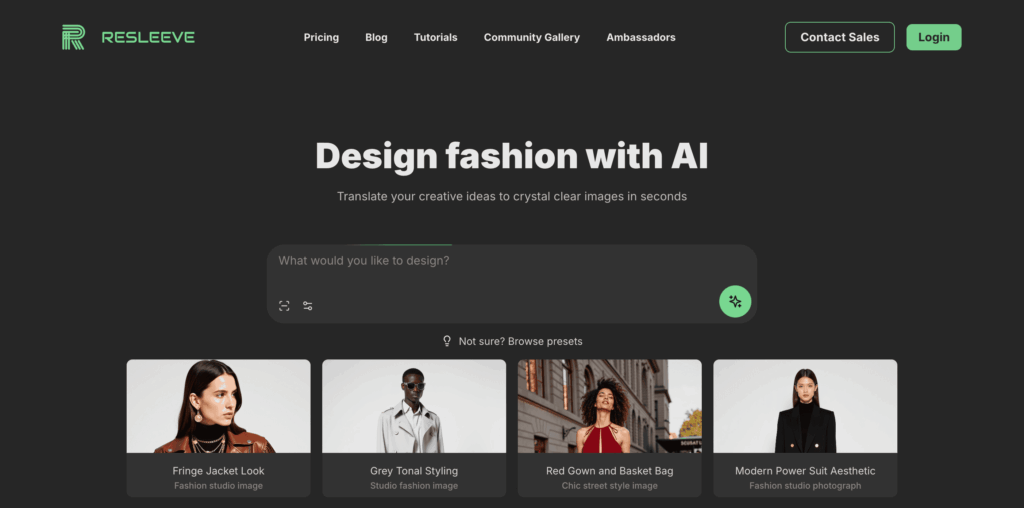
Fashion Diffusion AI, Raspberry AI, Refabric, FASHN AI, Botika, and Resleeve are examples of this approach.
This category focuses on fast image creation rather than 3D design. These tools generate realistic fashion visuals directly from sketches, flat lays, or even prompts. The final output looks closer to a real product photo than a technical render. You can pick up most AI tools without professional design knowledge.
Not sure which fits your workflow? We’ll break that down after comparing the tools.
How CLO3D compares to Top 3D Design Alternatives
If your workflow depends on pattern validation, fit testing, or reducing physical samples, these are some of the closest alternatives to CLO 3D.
Unlike AI fashion tools, they focus on garment construction and simulation.
Tool
Key Strength
Best For
Free Option
Starting Price
Learning Curve
CLO 3D
All-round garment simulation
Fashion brands & designers
14-day trial
~$50/mo
High
Browzwear
Fabric accuracy & enterprise collaboration
Large brands & manufacturers
Learner license (students only)
$75 /mo
High
Style3D
AI + 3D fashion design in one platform
Designers switching from CLO 3D
No
Custom
Medium
Marvelous Designer
Cloth simulation with keyframe animation and schematic rendering
3D artists, gaming & CGI studios
14-day trial
From $39/mo
Medium
Optitex
Pattern design, marker making & Adobe Illustrator integration
Technical designers & manufacturers
No
Custom
High
Tukatech
Pattern making to physical cutting, software and hardware
Manufacturers with full production pipeline
No
Custom
High
Browzwear — Best for Enterprise & Fabric Accuracy
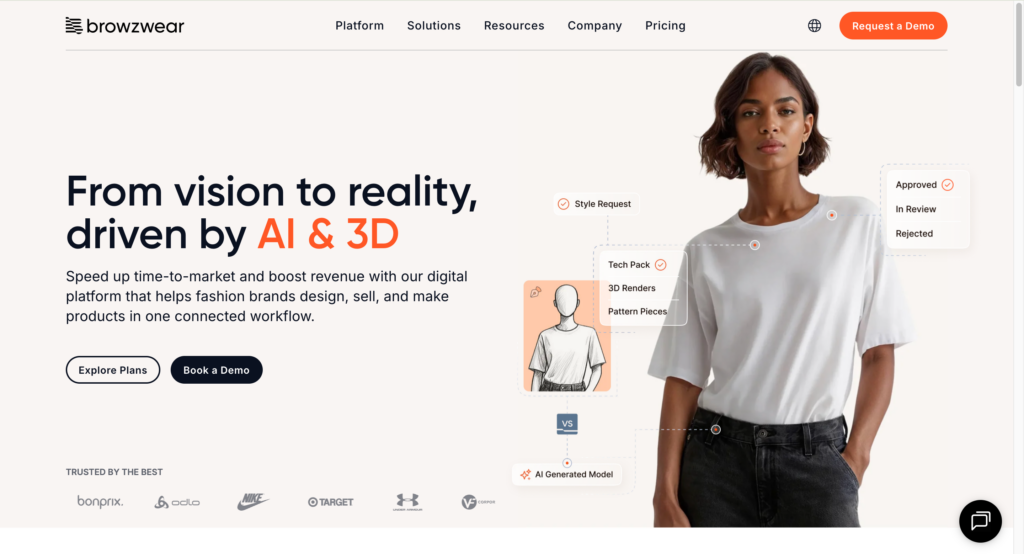
Browzwearis widely used by large apparel companies with complex production pipelines. Its biggest strength is fabric and fit accuracy across seasons.
Like CLO 3D, it still takes time to learn and requires structured workflow to get consistent results.
Best for: Large brands and manufacturers with dedicated 3D teams.
Style3D — Closestto the CLO 3D Experience
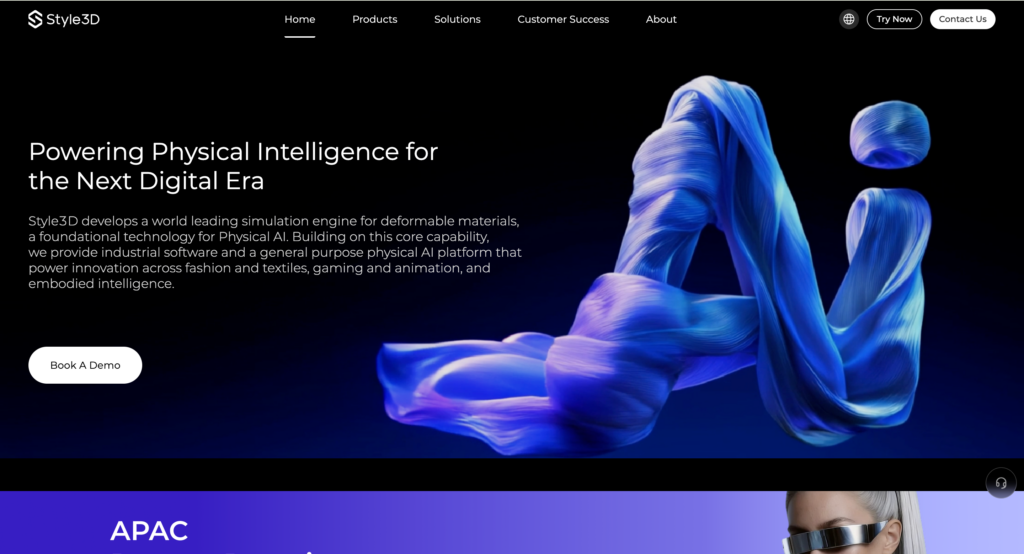
Style3D Studio is the product most comparable to CLO 3D, covering digital garment modeling and fabric simulation. In our testing, designers familiar with CLO 3D were able to complete their first garment simulation within a few hours — the interface is similar enough that the transition feels manageable.
Worth noting: Style3D has expanded beyond simulation. Style3D AI covers concept generation and marketing visuals, and Style3D Fabric adds physical fabric digitalization for manufacturers.
Best for: Designers who want CLO-style garment simulation at a lower price point.
Marvelous Designer — Strong for Visual Work
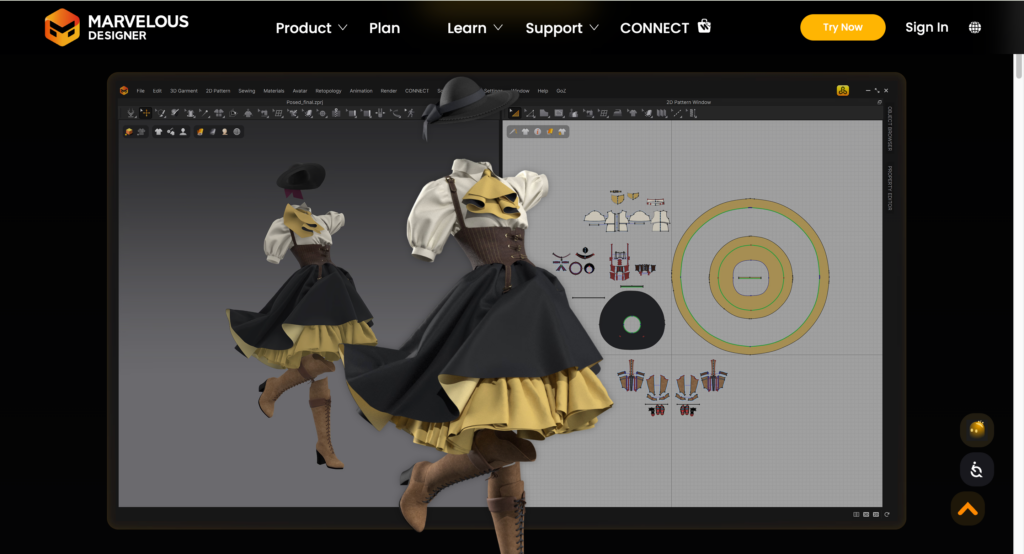
Marvelous Designer is popular in gaming, animation, and CGI for its cloth simulation in motion. Recent updates added keyframe animation and schematic rendering, making it more useful for visual storytelling and concept presentation. For fashion production, it remains stronger for visual output than technical apparel development.
Best for:3D artists and animation teams
Optitex & Tukatech — Built Around Manufacturing
Both platforms cover pattern drafting, grading, and 3D visualization with a focus on production integration.
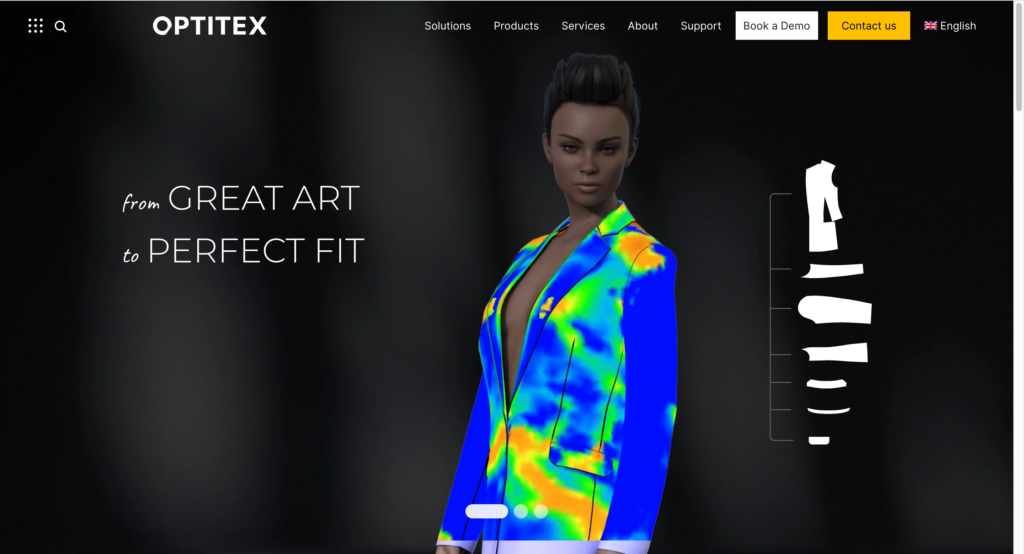
Optitex covers 2D/3D pattern design, grading, and marker making, with CutPlan for production-level cutting optimization. A notable differentiator is 3D Design for Illustrator — designers can visualize garments in 3D directly inside Adobe Illustrator without switching tools. O/Cloud adds cloud-based collaboration across teams.
Best for: Technical designers and manufacturers who work across pattern development and production planning.
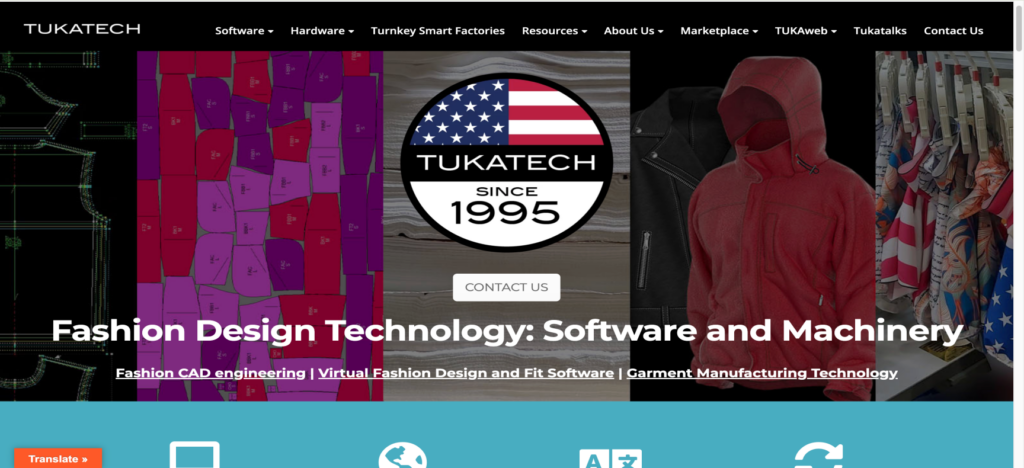
Tukatech covers the full pre-production workflow: automatic pattern making (TUKA APM), grading, marker making, and fabric cutting — including hardware solutions for the cutting room. TUKA3D adds virtual fit and 3D design visualization for teams that need both.
Best for: Manufacturers managing pattern-to-production workflows.
Like CLO 3D, these tools still rely on a traditional 3D workflow. Creating the garment is only part of the process — teams often still need rendering, styling, and post-production before assets are ready for ecommerce or marketing.
AI fashion tools take a very different approach.
How CLO3D compares to Top AI Fashion Alternatives
Instead of building garments through simulation and pattern drafting, the AI tools below generate commercial-ready fashion visuals in minutes. None produce technical documentation or support production handoff.
Tool
Sketch to render
On-Body try on
Model customization
Recolor
AI video
Learning curve
Free trial
Starting price
CLO 3D
No
No
No
No
No
High
Yes
$50/mo
Fashion Diffusion AI
Yes
Yes
Yes
Yes
Yes
Low
Yes
$12/mo
Raspberry AI
Yes
Yes
No
Yes
Yes
Medium
Yes
$49/mo
Refabric
Yes
Yes
No
Yes
No
Low
Yes
$38/mo
FASHN AI
No
Yes
Yes
No
Yes
Low
Yes
$19/mo
Botika
No
Yes
Yes
No
Yes
Low
Yes
$18/mo
Resleeve
Yes
Yes
Yes
Partial
No
Low
Yes
$19/mo
Fashion Diffusion AI— Sketch to Commercial Visual
Fashion Diffusion AI is an AI fashion design and visual creation platform. Unlike the tools above, it covers the full workflow from concept through campaign content in one place — accepting text prompts, sketches, and garment photos as input.
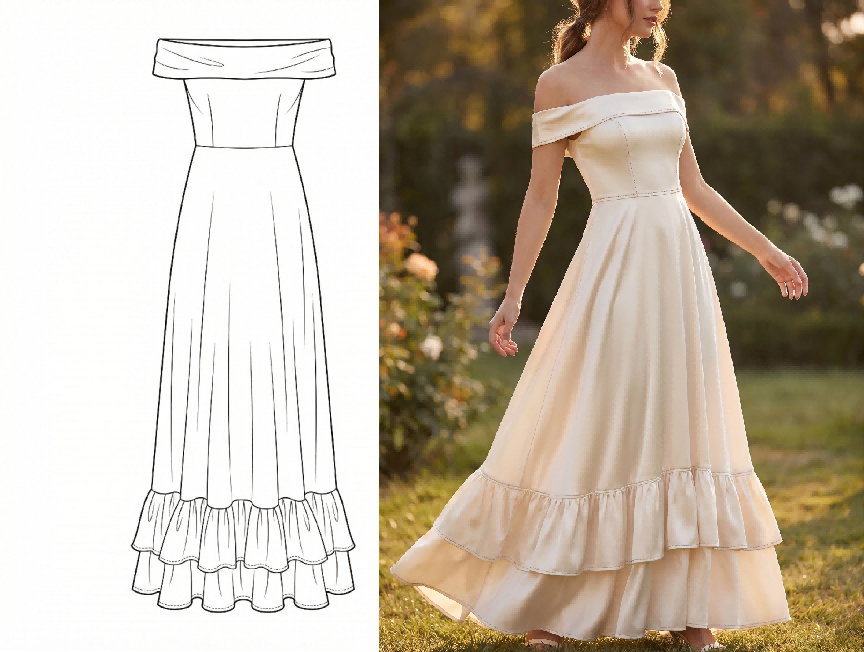
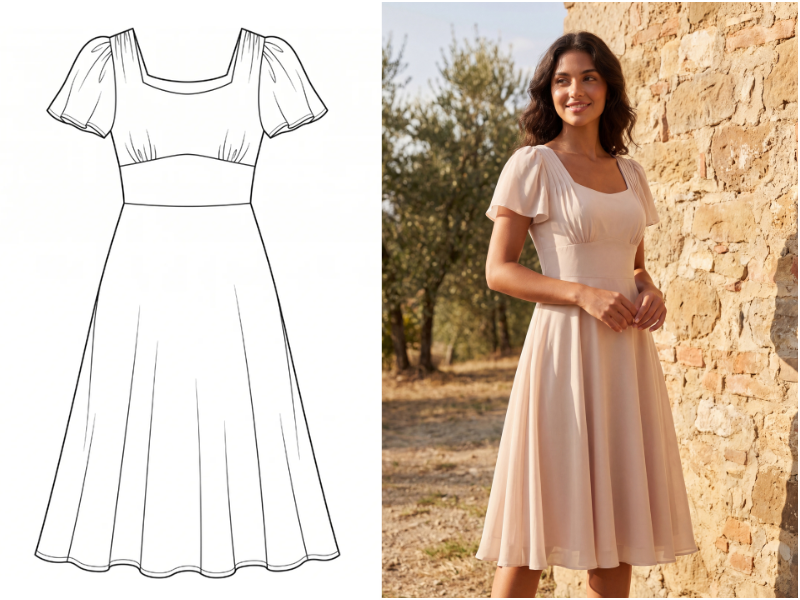
We tested the sketch-to-render feature by inputting a hand-drawn dress sketch. The image was ready in about one minutes.
Fashion Diffusion AI-generated
Best for: Independent designers and brands who want to go from sketch to commercial-ready visuals without multiple subscriptions or studio setups.
End-to-end workflow from sketch to marketing visuals in a single platform
Inputs include prompt, sketch, and garment photo — usable at any workflow stage
Pattern and textile tools not available in other tools on this list
Cons:
High-end editorial campaigns may still benefit from traditional photography
Full feature set takes time to explore
Virtual try-on is one area where AI tools differ significantly. For a detailed side-by-side, see how Fashion Diffusion AI and Botika compare on on-model output.
Earlier in process — Raspberry AI / Refabric
Both tools focus on early-stage concept visualization — turning sketches or reference images into photorealistic garment visuals. The core use case is the same: replace early concept sample rounds.
Raspberry AI covers the full design-to-marketing workflow including on-body visualization, lifestyle photography, and motion content, with integrations for Browzwear, Adobe, and Coloro. Refabricis more focused on design exploration and fabric/texture visualization, with brand-trainable AI for consistent aesthetic output.
Best for: Design teams replacing early concept sample rounds and internal design reviews.
· Raspberry AI: Free trial available. Individual plan starts at $49/month.
· Refabric: Free trial available. Starts at $38/month.
Pros:
· Refabric has a free entry point
· Raspberry includes dedicated onboarding for all plans
Cons:
· Raspberry has no self-serve entry
· Output fidelity depends on input quality
Later in process — FASHN AI / Botika / Resleeve
All three take an existing garment image and generate on-model visuals. All require a real garment photo — none can generate from a sketch.
FASHN AI covers on-model visual creation — virtual try-on, product-to-model conversion, model swap, and consistent AI model creation. Short videos add motion to try-on outputs, and an API supports high-volume processing. In our testing, a standard flat-lay photo generated on-model variations in roughly one minute per image.
Botika is designed primarily for Shopify sellers doing high-volume catalog conversion, with no pose changer or custom model maker.
Resleeve operates as a managed production studio — brands submit a brief and receive finished stills, video, and channel-ready exports.
Best for: Ecommerce teams converting existing product photography to on-model imagery at scale.
Key features:
FASHN AI: virtual try-on, product to model, model swap, consistent models, short videos
FASHN AI and Botika are self-serve solutions with quick turnaround.
Resleeve provides full-service production for teams without in-house capacity.
Cons:
Botika lacks pose control and custom model option
Resleeve is not self-serve — not suited for quick one-off outputs
Which CLO 3D Alternative Is Right for You?
Find Your CLO 3D Alternative by your priority and use case.
I am…
My priority is…
Best pick
Student / indie designer
Low cost, fast learning
Fashion Diffusion AI or Refabric
Freelance designer
Concept visualization, no sampling
Fashion Diffusion AI or Raspberry AI
Fashion brand, design team
Replace early sample rounds
Fashion Diffusion AI or Raspberry AI
E-commerce team
On-model imagery at scale
FASHN AI or Fashion Diffusion AI
Manufacturer / technical team
Fit validation, pattern grading
Browzwear or Style3D
Enterprise, full pipeline
3D simulation + production handoff
Browzwear or Optitex
Need free 3D simulation
CLO-style workflow, no budget
Marvelous Designer free trial
Need free AI visual tool
Fast visuals, no budget
Fashion Diffusion AI or Refabric
Our Recommendation: Test Before You Commit
The best way to evaluate any of these tools is to test them inside your own workflow — with your actual files and requirements.
Fashion Diffusion AI offers a free trial, so you can test your own sketches, generate fashion visuals, and evaluate whether the workflow fits your team before committing.
Whether you’re testing early concepts, refining garment visuals, or preparing ecommerce assets, hands-on testing gives you a clearer sense of which tool fits your workflow.
FAQ
What is the best free or low-cost alternative to CLO 3D?
For 3D simulation, there is currently no strong free alternative to CLO 3D. For AI fashion design tools, all tools on this list — Fashion Diffusion AI, Raspberry AI, Refabric, FASHN AI, Botika, and Resleeve — offer a free trial. Check each platform directly for current credit limits and restrictions.
Can AI tools really replace CLO 3D?
Partially. AI fashion tools like Fashion Diffusion AI, FASHN AI, and Raspberry AI can replace CLO 3D’s visual output — generating on-model imagery from sketches or garment photos without 3D modeling. What they cannot replace is CLO 3D’s core function: pattern validation, fabric physics simulation, and fit grading for complex garment construction. If your goal is commercial visuals, AI tools are a credible alternative. If your goal is technical fit development, they are not.
What is the easiest CLO 3D alternative for beginners?
For beginners interested in 3D simulation, Style3D has the most familiar interface for anyone coming from CLO 3D, with a shorter learning curve than CLO 3D. For beginners who want to skip 3D entirely, Fashion Diffusion AI and other tools require no technical background — most users produce their first garment visual within minutes of signing up.
What do professional fashion brands use instead of CLO 3D?
Enterprise brands typically use Browzwear or Optitex for technical development and production integration. For visual content and ecommerce photography, mid-size and growing brands are increasingly replacing traditional photoshoots with AI visual tools — using platforms like Fashion Diffusion AI to go from sketch to campaign-ready imagery without the overhead of a full 3D pipeline or studio budget.
Can I use a CLO 3D alternative for ecommerce product photography?
Yes. This is where AI alternatives have a clear advantage over CLO 3D. AI fashion design tools generate on-model product imagery directly from flat-lay or garment photos, without a photoshoot or 3D modeling. Fashion Diffusion AI supports flat lay generation, background swapping, and AI model customization — all common ecommerce content requirements.
From studio bottleneck to same-day publishing — how a 35-year-old fashion brand with 60+ stores rebuilt its content production workflow with Fashion Diffusion AI.
What Is Mayo Chix?
Mayo Chix is Hungary’s largest homegrown women’s fashion brand. Established in 1989, the brand has grown steadily for more than 30 years. It now runs over 60 standalone stores covering all major shopping malls in Hungary, plus nearly 120 wholesale partners throughout Central and Eastern Europe.
Unlike most fashion brands that rely on external manufacturers and suppliers, Mayo Chix handles all design and production in-house. Its team of three designers creates original styles across multiple lines: dresses, denim, knitwear, blazers, outerwear and event outfits New arrivals hit the catalog on a rolling basis throughout the season.
Thanks to its in-house design process, vast product range and extensive sales network, creating product visuals has become one of the most challenging operational tasks for the brand.
The Challenge: Studio Photography Can’t Keep Pace With a Growing Catalog
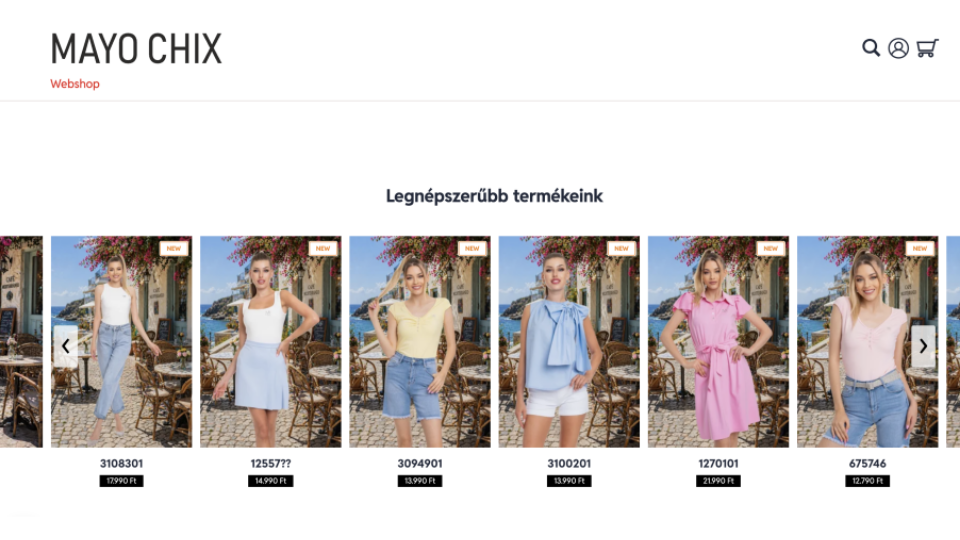
With in-house collection design, plus a retail network of 60+ stores and 120 wholesale partners, Mayo Chix faces nonstop demand for product visuals. Every new style requires more than basic white-background product shots. It needs fully styled, contextual imagery and complete outfit pairings to show shoppers exactly how to wear each piece.
For Mayo Chix, the traditional studio photography model created three compounding problems.
TraditionaFashion Product Photography Takes Days
Booking a studio, coordinating models and stylists, and completing post-production takes days — sometimes longer. For a brand pushing new arrivals continuously, that delay means products sitting in a queue while demand builds. Wholesale partners waiting on assets can’t activate new listings. The gap between a piece being ready and its imagery being finished has a direct cost.
Studio Photography Costs Scale With Every SKU
Traditional photography costs scale linearly with output. Every additional SKU adds to the budget. Showing outfit combinations — the same blouse styled three different ways with different bottoms from the same collection — multiplies the requirement again. At studio rates, comprehensive outfit merchandising is simply not viable across a full catalog.
One Product Shoot Produces One Version
Once a studio shoot is done, the imagery is fixed. Adapting it for different channels — a clean white background for the webshop, a lifestyle scene for social media, a seasonal setup for wholesale partner materials — means either reshooting or compromising on quality.
For a brand competing in a regional market alongside multinational fast-fashion chains with substantially larger production budgets, these constraints weren’t just inconvenient. They were a structural disadvantage.
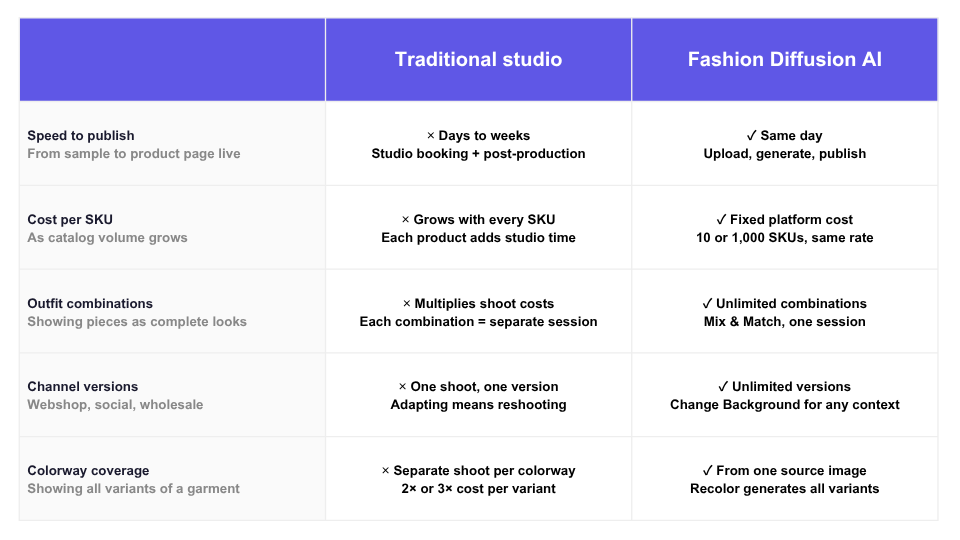
Traditional Studio vs Fashion Diffusion AI
How Mayo Chix Uses Fashion Diffusion AI
Mayo Chix integrated Fashion Diffusion AI into their product content workflow in May 2026, using it to process a full batch of new season arrivals across multiple categories in under a week. Here is how each feature contributes to the workflow.
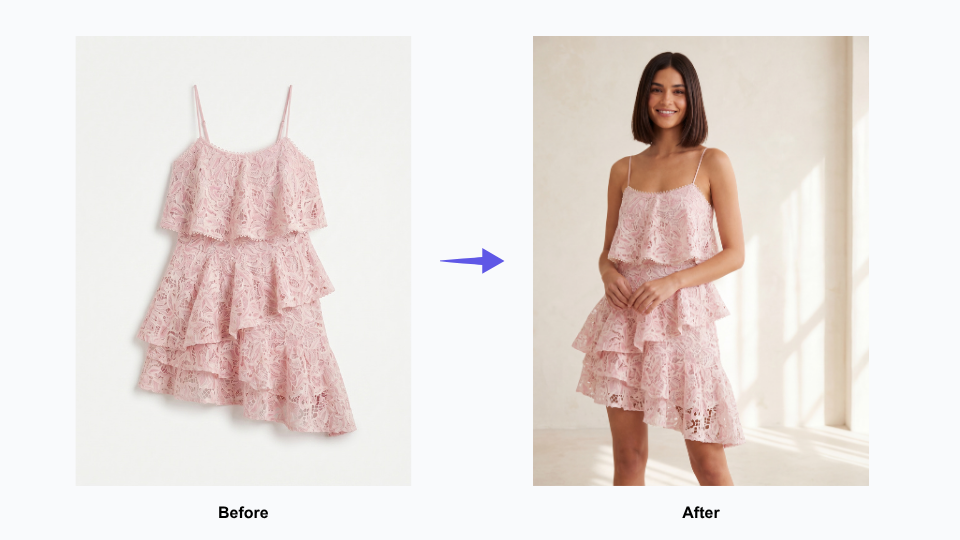
1. Virtual Try-On — Show the Garment, Not Just the Product
On-model imagery is the highest-converting format in fashion e-commerce — but it has always been the most expensive to produce. The moment a customer can see how a garment fits, drapes, and moves on a body, the purchase decision becomes real. Without that, a product page is asking shoppers to imagine too much.
Virtual Try-On makes on-model photography available for every piece in the catalog, without any of the costs that have traditionally made it selective. New arrivals no longer have to wait in a queue until a studio session can be arranged.
Conversion-ready product imagery is available the same day a product is cleared for listing. For brands constantly rolling out new inventory across 60+ stores and a wholesale network, this changes the economics of their entire content operation.
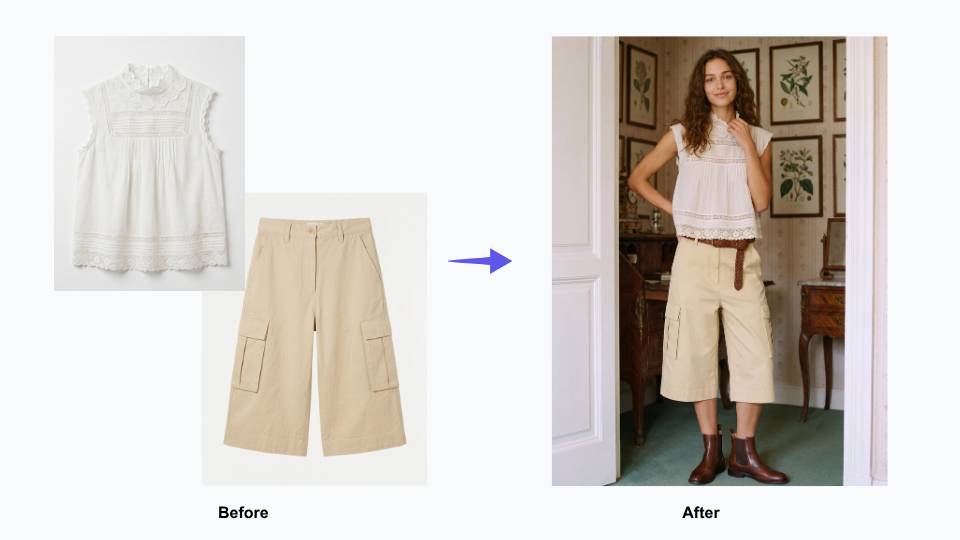
2. Mix & Match — Turn Individual Pieces Into Shoppable Outfits
Fashion customers do not buy garments in isolation. They buy outfits. The product page that shows a blouse on its own communicates less than the page that shows it paired with three different bottoms from the same collection — and converts accordingly.
Outfit merchandising has always been the part of fashion content production that gets cut when budgets are tight, because shooting every possible combination multiplies studio costs quickly. Mix & Match removes that constraint. We can create full outfit visuals for every item in the catalog, not just key styles. These visuals clearly show how pieces from the latest collection match perfectly as complete looks.
At Mayo Chix, shoppers browse a wide range of items across different categories. This lets every product page deliver more value: it helps customers find matching pieces and gives them clear styling context to make purchases easily.
3. Flat Lay Generator — Professional Catalog Imagery for Every Category
Not every garment tells its story best on a model. Knitwear, accessories, fabric-forward pieces, and wardrobe basics often communicate more clearly as a flat lay — where the texture, pattern, and construction of the garment are the focus, without a body competing for attention. Wholesale partners, too, frequently prefer flat lay imagery for catalog listings and lookbooks.
Flat lay production has traditionally required its own studio setup, separate from model photography — adding cost and time to an already complex workflow. Having AI-generated flat lay imagery as part of the same pipeline means Mayo Chix can cover every category of their catalog in the format that suits it best, without managing two separate production tracks.
4. Change Background — One Shoot, Every Channel
A strong product image should work across every channel a fashion brand uses — from ecommerce stores and social media to seasonal campaigns and wholesale marketing materials. But in reality, brands often have to choose between expensive reshoots or reusing images that were never designed for those different contexts.
Change Background gives Mayo Chix’s existing product imagery a second and third life without any additional photography. A clean webshop image becomes a lifestyle scene for social. A lifestyle scene becomes a seasonal backdrop for a wholesale partner’s campaign.
For a brand distributing assets to 120 wholesale partners — all with different channel and content requirements — this flexibility has a major operational impact. It helps partners launch new products faster, keeps branding more consistent across every sales channel, and reduces the constant need for custom reshoots and reformatted assets.
5. AI Recolor — Explore Colorways Without a Second Shoot
When a garment comes in multiple colorways, showing each one properly has traditionally meant shooting each one separately — doubling or tripling the photography requirement for a single SKU. For brands planning pre-season presentations or updating webshop pages to reflect full colorway availability, that cost adds up quickly.
Fashion Diffusion’s Recolor tool generates accurate colorway variations from a single source image, making it practical to show every version of a product without additional studio time. For Mayo Chix’s wholesale presentations and webshop listings, this means colorway pages can be complete from launch — rather than filling in as additional photography becomes available.
From Multi-Week Backlog to a Streamlined AI Photography Workflow
The most significant outcome from Mayo Chix’s Fashion Diffusion AI workflow is one that doesn’t show up in a single metric: the compression of the entire content production cycle.
Under a traditional studio photography model, processing a batch of new season arrivals across multiple categories — dresses, denim, knitwear, outerwear, occasion wear — would require multiple studio days, model bookings, and a post-production window before a single image is ready to publish. The imagery for a full new arrivals batch might take two to three weeks from sample availability to webshop-ready assets.
Mayo Chix delivered its full catalog asset set—including Mix & Match outfit looks, flat lay catalog shots, channel-specific background variations, virtual on-model try-on imagery, and all colorway variants—through one streamlined workflow, managed entirely by a single team member.
The downstream effects compound from there. New arrivals go live on the webshop faster. Wholesale partners receive assets sooner, which means faster listing activation across the partner network. The in-house design team can see how a new collection looks in finished imagery earlier in the process, creating more room to adjust styling direction before stock hits the stores.
For a 35-year-old brand with a regional footprint competing in a fast-moving market, speed to imagery is speed to market — and that matters.
Start Your Own AI Imagery Workflow
Mayo Chix joins countless fashion brands that leverage Fashion Diffusion AI. It helps create high-quality product visuals far more quickly, while slashing costs compared to traditional studio photography.
No matter you have 50 or 5,000 products in your catalog, this solution fits perfectly with your business scale. The all-in-one platform supports full-featured needs: outfit matching, flat lay shots, model wear visuals, background adjustment and different color variant previews.
Some details have been presented as representative of typical use patterns and may not reflect the full scope of Mayo Chix’s operations. If you have questions about the content of this article or would like to clarify any information, please contact us at support@fashiondiffusion.ai.
Creating professional fashion renders from simple sketches used to require advanced drawing skills or expensive 3D software. Today, artificial intelligence rendering is changing the game. With modern sketch to render AI tools, designers can convert a hand-drawn sketch to photo-realistic render in minutes.
This technology helps fashion designers, students, and even brands bring their ideas to life in realistic detail—without needing deep technical expertise.
What is an AI Sketch-to-Render Tool?
An AI sketch to render tool uses machine learning to understand the lines and shapes in your drawing. It then generates a high-quality, realistic image from that input.
For fashion, this means you can upload a simple garment sketch, and the AI from sketch to render engine will produce a photorealistic render with textures, shadows, and lighting.
These platforms are not only for professionals. Many now offer sketch to render AI free versions so that anyone can experiment. The workflow is simple: upload a sketch, add details such as fabric type or color, and let AI rendering do the rest.
5 AI Fashion Toolsto Turn aSketch into Render
There’s a vibrant ecosystem of tools tailored specifically for sketch-to-render workflows:
Gaining investor traction, with strong future potential.
Best for:Indie designers, startups, and studios that want AI from sketch to render results for presentations or client pitches.
How to Use Fashion Diffusion to Convert Your Fashion Sketch
Turning your fashion ideas into reality with Fashion Diffusion AI is a straightforward process. With just two steps, you can transform your creative vision into professional-quality results.
Step 1: Prepare Your Fashion Sketch
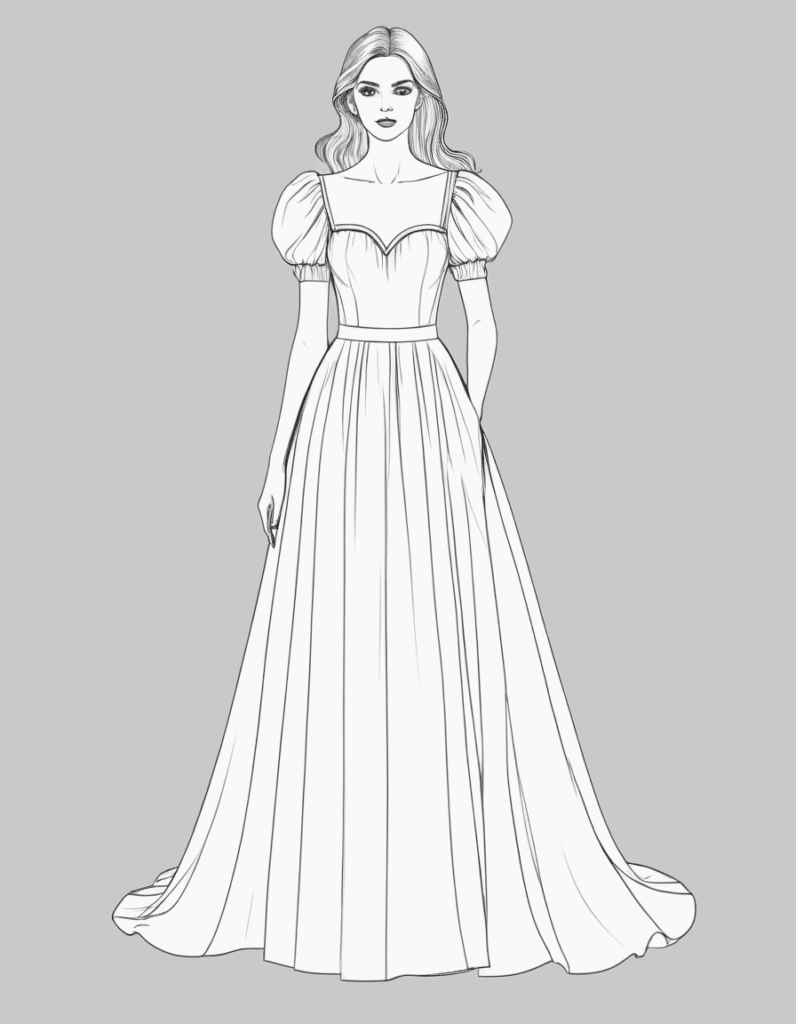
Start with a clear sketch. You can either use a line drawing you’ve already created, or generate one instantly with Fashion Diffusion’s Sketch AI Tool. This tool supports two powerful methods:
Image to Sketch
If you already have a photo of a garment, this feature instantly converts it into a precise fashion sketch. The AI extracts key visual elements and creates clean, customizable line art—no advanced editing skills required.
Text to Sketch
If you don’t have an existing sketch or garment photo, the text-to-sketch tool will surprise you. Simply describe your design idea, and our AI will generate a professional fashion sketch in seconds. This speeds up your creative process and allows you to explore multiple design directions.
Example: Enter a prompt like “A long dress, flowing skirt, puff sleeves, fitted bodice, sweetheart neckline, floor-length hem, sleeveless design, draped silhouette, minimalistic style.”
Fashion Diffusion AI-generated
Step 2: Generate a Fashion Render
Once your sketch is ready, use the Sketch to Render AI tool to create a high-quality fashion render. Just upload your sketch, add a description of your desired fabrics, colors, or style, and let the AI bring your concept to life. If the first result isn’t perfect, you can easily refine your inputs and regenerate the image until you achieve the exact look you want.
This process saves time and effort. It allows designers to test different ideas and share concepts with clients quickly.
Why AI-Enhanced Sketch Rendering Is a Game-Changer in Fashion
AI-powered sketch rendering is revolutionizing the fashion industry, making the design process faster and more flexible. This technology offers several key benefits:
Accelerated Ideation: Quickly generate countless variations of a single design in seconds. This allows for rapid prototyping and faster decision-making.
Increased Accessibility: AI tools lower the barrier to entry, so you don’t need to be an expert artist or 3D modeler. A simple sketch is all you need to get a photorealistic render.
Enhanced Realism: AI adds complex details like realistic textures, shadows, and lighting. This high level of detail helps designers and clients visualize the final product with greater accuracy.
Cost and Time Efficiency: The traditional rendering process is expensive and time-consuming. Using AI saves money and frees up time for designers to focus on other creative tasks.
Co-creating the Future of AI Fashion Design with Fashion Diffusion
AI tools are becoming smarter and more accessible. Whether you’re using sketch to render AI free versions or advanced platforms, the goal is the same: to enhance creativity, not replace it.
The ability to go from sketch to render with AI means fashion designers can spend more time innovating and less time on technical work. The rise of sketch to image AI is making the industry more efficient, affordable, and creative than ever.
👉 Try Fashion Diffusion today—see how effortlessly you can go from sketch to stunning render, experiment with fabrics, style variations, and visualization, and create visuals that inspire and sell.
Frequently Asked Questions
What is Fashion Diffusion AI and how does it work?
Fashion Diffusion AI is an all-in-one AI fashion design tool that helps designers, brands, and students turn creative ideas into professional-quality fashion visuals. Instead of relying on costly photoshoots, manual rendering, or advanced 3D modeling skills, Fashion Diffusion uses generative AI to transform sketches, text prompts, or reference images into realistic clothing designs and campaign-ready imagery.
Can I create a fashion sketch without drawing skills?
Yes. With the text-to-sketch generator, you don’t need any drawing experience. Simply describe your design (e.g., “silk blouse with puff sleeves and ruffled collar”), and the AI will instantly create a professional fashion sketch for you.
How accurate are the AI-generated fashion renders?
The AI fashion render is highly realistic and customizable. By refining prompts (fabrics, colors, style details), you can adjust the output to match your vision. Designers often use the tool to quickly explore multiple variations before finalizing their collection.
Can I edit or refine the AI-generated designs?
Yes. After generating a fashion render, you can modify your sketch or text prompts and regenerate the image. This iterative process ensures you get the exact look, fabric, and silhouette you need.
In 2026, there’s a specialized tool for every stage of the clothing design workflow — from first sketch to finished product listing. The challenge isn’t finding apps. It’s knowing which ones are worth your time and money.
This guide compares the 10 best clothing design apps in 2026 — from free sketching tools to AI platforms like Fashion Diffusion that take designs from concept to product photography — with pricing, real pros and cons, and a workflow guide to help you build the right stack for your budget.
Quick Comparison: Best Clothing Design Apps at a Glance
App
Category
Best For
Starting Price
Fashion Diffusion
AI design + photography
End-to-end AI fashion workflow
Free trial $12/mo
Adobe Illustrator
Technical design
Factory-ready tech packs
$22.99/mo
Procreate
Sketching
iPad fashion illustration
$12.99 one-time
CLO3D
3D prototyping
Virtual sampling and fit testing
~$50/mo
Canva
Visual design
Mood boards and social content
Free
Style3D
3D + collaboration
Distributed design teams
Free trial ~$49/mo
Adobe Fresco
Digital painting
Fashion illustration with live brushes
Free
Browzwear
Enterprise 3D
Large brands with PLM integration
$75 /mo
Valentina
Pattern making
Budget-conscious pattern drafters
Free
Sketchbook
Sketching
Cross-platform concept sketching
Free
How We Evaluated These Clothing Design Apps
We assessed each clothing design app across six dimensions:
Ease of use — how quickly a new user can produce usable output
Workflow coverage — how many stages of the design process the tool handles
AI capabilities — sketch generation, model photography, virtual try-on
Production readiness — whether output is accepted by factories and platforms
Collaboration features — multi-user editing, sharing, and team access
Pricing and value — cost relative to what each tool actually delivers
Tools were evaluated based on direct product use and documented feature sets as of May 2026.
Why AI Is Changing the Clothing Design App Landscape
Traditional fashion workflows required a separate tool for every stage:
Sketching software for ideation
Technical CAD for production files
Studio shoots for product photography
Image editing for post-processing
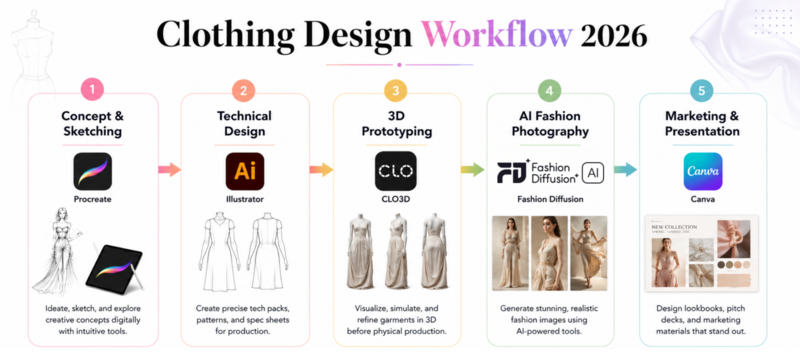
In 2026, AI platforms are collapsing these stages. Instead of Sketch → Sample → Shoot → Edit, designers can now move through Sketch → Generate → Publish in a single platform.
The biggest shift is at product photography. AI tools like Fashion Diffusion now generate studio-quality model shots from a single flat-lay photo, in a minute, at a fraction of the cost. Adobe Illustrator is still the standard for tech packs. CLO3D still leads for 3D sampling.
But for independent designers and small brands, AI has removed the biggest cost and time barriers that previously made professional-quality product imagery inaccessible.
Fashion Diffusion AI-Generated
How to Choose the Right Clothing Design App
Before diving into individual tools, it helps to understand what stage of the design process you’re optimizing for. Most designers need more than one app — the question is which combination fits your workflow and budget.
By workflow stage
The clothing design process typically runs through five stages:
Stage 1 — Concept and sketching: Translating ideas into visual form. Best tools: Procreate, Adobe Fresco, Sketchbook.
Stage 2 — Technical design: Creating flat drawings, construction specs, and measurement documents manufacturers need. Best tools: Adobe Illustrator, Valentina.
Stage 3 — 3D prototyping: Building virtual garments to test fit, fabric behavior, and construction. Best tools: CLO3D, Style3D, Browzwear.
Stage 4 — AI fashion photography: Turning finished garments into product shots and model photos without a photoshoot. Best tools: Fashion Diffusion.
Stage 5 — Marketing and presentation: Mood boards, lookbooks, and social content. Best tools: Canva, Adobe Fresco.
1. Fashion Diffusion — Best AI Clothing Design App for End-to-End Workflows
Fashion Diffusion is an AI-powered fashion design and photography platform that covers more of the clothing design workflow than any other tool on this list. Where most apps specialize in a single stage — sketching, or 3D, or photography — Fashion Diffusion connects them all: sketch a design, visualize it on an AI model, generate a flat lay, and produce product photography in one place, without stitching together five separate subscriptions.
Best for: Independent designers and brands who want to go from sketch to product-ready visuals without expensive studio setups.
Key features
Sketch to Render: Upload a hand-drawn or digital sketch and the AI generates polished, photorealistic fashion visuals. Iterate on fabrics, colors, and silhouettes without touching a physical sample.
Virtual Try-On: Place any garment on a realistic AI model from a flat-lay photo, with accurate fabric draping, texture, and fit.
AI Model Generator: Generate diverse AI model photos from text prompts. Customize ethnicity, pose, and styling without booking a model.
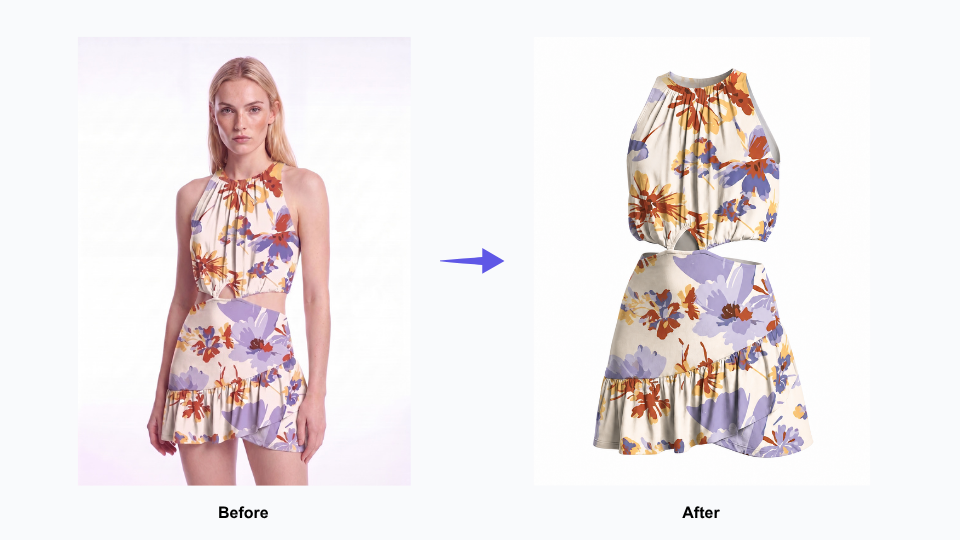
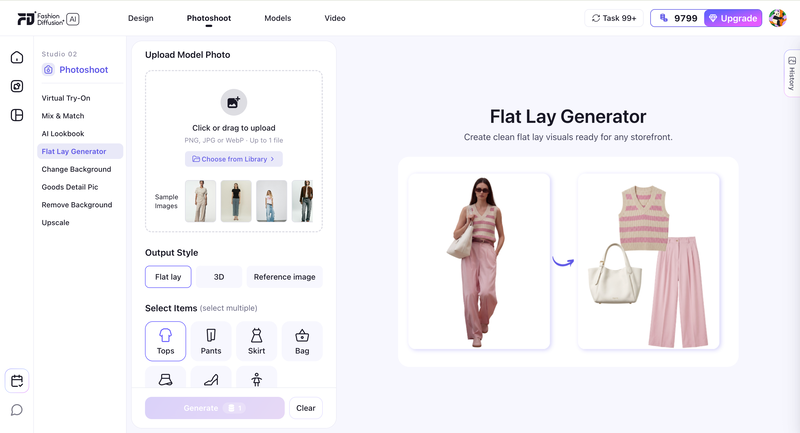
Flat Lay Generator: Produce clean flat lay and 3D ghost mannequin product images directly from model photos or garment shots.
Change Background: Swap backgrounds on existing product photos to adapt images for different platforms or campaigns.
Who gets the most value
Independent designers who couldn’t afford professional photoshoots can now generate studio-quality model shots from a single flat-lay photo
Multi-platform brands can adapt one source image for Amazon, Shopify, Instagram, and wholesale catalogs without re-shooting
Designers who iterate frequently can sketch a new concept and see it on a photorealistic model in minutes via Sketch to Render
Pricing: Free trial available; paid plans for higher volume and advanced features.
Pros
Covers the widest range of the design workflow in a single platform
Sketch to Render makes early-stage concept visualization fast and cost-effective
Virtual Try-On maintains fabric texture and detail accuracy for credible product imagery
Flat Lay Generator produces ghost mannequin results from model photos without prompts or Photoshop
Cons
AI-generated imagery is best suited for e-commerce and social content; high-end editorial campaigns may still benefit from traditional photography
Full feature set takes time to explore; new users typically start with one or two tools and expand from there
2. Adobe Illustrator — Best Clothing Design Software for Technical Flats
Adobe Illustrator is the industry standard for technical fashion design — not because it’s the most intuitive, but because factories worldwide expect files in its format. Illustrator’s vector tools give you the precision needed for garment specs, seam placement, and construction documentation that survives resizing without quality loss.
That said, real users consistently note it’s not purpose-built for fashion: it lacks a native Pantone library (Adobe removed it in a controversial 2022 update), and its Recolor Artwork tool handles subtle shades of black, white, and gray poorly. For many designers, learning Illustrator means learning to work around its quirks.
Best for: Professional fashion designers creating tech packs and production drawings for manufacturers.
Key features
Precision vector drawing for garment silhouettes and construction details
Measurement and annotation tools for factory-ready tech packs
Textile pattern and repeat design for print development
Round-trip integration with Photoshop and other Adobe CC apps
Scalable output that prints cleanly at any size
Pricing: 7-day free trial. Single app $22.99/month (annual) or $34.49/month (monthly). All Apps plan $59.99/month.
Pros
Universal factory acceptance — the file format manufacturers worldwide work with
Vector output maintains quality from business card to billboard scale
2025–2026 updates improved launch speed and save performance significantly
Cons
Not purpose-built for fashion: no native Pantone library, weak color tools for neutral shades
Demands significant hardware — 16GB RAM recommended; older systems will struggle
Subscription cost adds up fast; according to G2 user reviews, many long-term users wish it were a one-time purchase
3. Procreate — Best App to Design Clothes on iPad
Procreate has a near-cult following among fashion designers for good reason: drawing on it with an Apple Pencil genuinely feels like working with physical media. The pressure sensitivity is responsive, the brush engine is extensive, and the interface stays out of your way.
The one-time $12.99 purchase price remains remarkably low for the level of professional-quality work it enables. Where users run into friction is at the edges of its scope — it’s a sketching tool, not a production tool. You can’t output vector files for tech packs, exporting PSD files with masks intact is a known limitation, and layer count drops as canvas resolution increases.
Best for: Fashion illustrators and designers who want a natural sketching experience on iPad.
Key features
Brush engine with 200+ options, including pressure, tilt, and flow sensitivity
Layer-based system for building fashion illustrations with editable components
Time-lapse recording for process documentation and portfolio content
Symmetry and QuickShape tools for clean garment silhouettes
Offline functionality — no internet required to work
Pricing: $12.99 one-time purchase. iPad only.
Pros
One-time payment with no subscription — the strongest value proposition on this list
Natural drawing feel that consistently outperforms web-based sketching tools on iPad
Works completely offline, useful for sketching anywhere without connectivity
Cons
iPad only — no Android, Windows, or macOS version; some users buy an iPad specifically for Procreate
Layer count drops as canvas resolution increases, limiting large-format print work
No vector output and limited PSD export compatibility — a known issue flagged byCapterra reviewers — making handoff to Illustrator clunkier than it should be
4. CLO3D — Best Clothing Design App for 3D Prototyping
CLO3D is the most trusted 3D garment simulation tool in the fashion industry. Its fabric physics engine handles drape, weight, and stretch with enough fidelity to catch fit problems before you cut fabric. Real users consistently report 30–50% reductions in physical sampling costs after adoption.
The trade-off is performance: once you lower particle distance and stack complex layers of fabric physics, simulations slow down considerably. Custom avatar compatibility is also a known friction point — converting third-party avatars often distorts shape when you try to make them size-editable. CLO3D is best understood as a virtual sampling platform. Teams typically adopt it when physical sample costs become operationally painful, around 5–10 samples per season.
Best for: Brands and designers who want to test fit and construction virtually before committing to physical samples.
Key features
Physics-accurate fabric simulation covering drape, weight, stretch, and layering
Virtual fit testing on adjustable body avatars across multiple sizes
Pattern import from Illustrator and 2D CAD tools
Animation and turntable rendering for presentations and buying reviews
Transparent subscription pricing with monthly or annual options, cancelable anytime
Pricing: Free trial available. Individual plans from $50/month.
Pros
Realistic simulation quality that production teams actually trust for fit decisions
Transparent pricing — stated clearly on the website, manageable for freelancers
Large community of tutorials; CLO is responsive to user feature requests
Cons
Simulation slows significantly with complex multi-layer garments — consistently reported in G2 user reviews
Custom avatar conversion is frustrating — converted avatars often lose shape editing or can’t use native accessories
Requires a high-spec machine; 16GB RAM is a practical minimum for comfortable performance
Fashion Diffusion vs CLO3D: Which do you need
These two tools are often compared, but they solve different problems.
Feature
Fashion Diffusion
CLO3D
AI model generation
Yes
No
Virtual try-on
Yes
Limited
3D fabric simulation
No
Yes
Product photography
Yes
No
Sketch to render
Yes
No
Pattern making
No
Yes
Learning curve
Low
High
Starting price
Free trial
~$50/mo
Best for
Photography & visualization
Fit testing & sampling
If your bottleneck is product photography — use Fashion Diffusion. If your bottleneck is physical sampling costs — use CLO3D. Many growing brands use both: CLO3D for development, Fashion Diffusion for catalog production.
5. Canva — Best Free Clothes Design App for Mood Boards and Marketing
Canva is genuinely excellent at what it’s designed for: fast, template-based visual communication. For mood boards, wholesale presentations, and social content, it’s the quickest path from idea to shareable asset. The free tier is permanently available and unusually generous for design software. Where users hit limits is when they need professional design control — layer management, blending modes, and masking are thin compared to dedicated tools. A recurring complaint is the lack of PSD export, which makes it difficult to pass work to a professional designer for refinement. Output also has a recognizable ‘Canva look’ that can work against brand differentiation. For fashion brands specifically, it has no garment-specific tools — it’s a communication and presentation layer, not a design tool.
Best for: Designers and brands who need mood boards, lookbook layouts, and social media content without a steep learning curve.
Key features
250,000+ templates covering social media, presentations, and print formats
Drag-and-drop interface that requires no design background
Brand Kit (Pro) for maintaining consistent fonts, colors, and logos across assets
Magic Studio AI tools for image generation and background removal
One-click resize to adapt a design across multiple platform formats
Pricing: Free tier permanent and fully functional. Canva Pro $15–$18/mo (or ~$144/year).
Pros
Free tier is the most generous in its category — not a trial, not feature-locked
Productive within minutes; no learning curve for basic use cases
Cross-format resize saves real time when adapting content across platforms
Cons
No PSD export — difficult to hand off work to professional tools without workarounds
Layer control, masking, and blending modes are shallow compared to Illustrator or Photoshop
Output has a recognizable template aesthetic that requires deliberate customization to avoid
6. Style3D — Best Clothing Design App for Distributed Teams
Style3D has rapidly gained ground on CLO3D, particularly among designers who prioritize speed, modern UI, and cloud sharing over manufacturing-grade export depth. Its simulation quality now rivals CLO3D in most garment categories, and its native asset library — covering hairstyles, avatars, fabrics, and scene settings — is more extensive out of the box than CLO3D’s.
The key differentiator is its cloud-first architecture. The honest limitation is on the manufacturing side: Style3D is still missing some export formats that CLO3D has championed. It also has limited Mac support.
As of 2026, Style3D offers both a free individual tier and lower-cost creator plans, making it one of the most accessible professional-grade 3D fashion platforms for students, freelancers, and growing brands.
Best for: Design teams working across multiple offices or time zones who need real-time 3D collaboration.
Key features
Cloud-based 3D garment design with real-time multi-user collaboration
Simulation quality comparable to CLO3D across most fabric types
Richer native asset library (avatars, hairstyles, fabrics, scenes) than CLO3D
Smoother animation and Blender export workflow than CLO3D
Free individual tier available
Pricing: Free tier available. Paid plans: $99+/mo for basic plans.
Pros
Free tier makes it accessible to students and independent designers without upfront cost
Modern interface with faster onboarding than CLO3D for new users
Better animation and Blender export workflow than CLO3D
Cons
Missing some manufacturing export formats that CLO3D supports — less suitable for factory-direct handoff
Limited Mac support, which affects Apple-first design studios
Smaller professional community than CLO3D; fewer industry tutorials and third-party resources
7. Adobe Fresco — Best Free App for Fashion Illustration
Adobe Fresco sits between Procreate and Illustrator — it handles the painterly, expressive illustration work that neither does well. Its Live Brushes genuinely simulate watercolor bleed and oil paint mixing. The free tier includes a working brush set and unlimited canvas use.
The friction point users raise consistently is platform availability: Fresco works on iPad and Windows, but there’s no macOS standalone app, forcing Mac desktop users to skip it entirely. It’s a pure illustration tool — no vector output, no pattern making, nothing that feeds directly into a manufacturing workflow.
Best for: Fashion designers and illustrators who want realistic traditional media simulation in a digital tool.
Key features
Live Brushes that simulate physical watercolor bleeding and oil paint layering
Combined raster and vector tools on one canvas
Round-trip editing with Illustrator and Photoshop via Creative Cloud
Apple Pencil and Surface Pen support with pressure and tilt sensitivity
Free tier with no time limit and a functional brush set
Pricing: Free tier with core brushes. $34.99/mo for individuals.
Pros
Live Brush watercolor and oil simulation is more convincing than Procreate’s equivalent
Free tier is genuinely usable without pushing users toward an upgrade
Tight integration with Illustrator and Photoshop for designers already in the Adobe ecosystem
Cons
No macOS standalone app — Mac desktop users are effectively excluded
Strictly an illustration tool; no path to production files or manufacturing documentation
Advanced features are gated behind the full Creative Cloud subscription
8. Browzwear — Best Clothing Design Software for Enterprise Teams
Browzwear is built for organizations where 3D fashion design needs to connect directly into supply chain systems. Its VStitcher tool handles detailed garment construction with certified fabric physics, and its PLM integrations are genuinely deeper than what CLO3D or Style3D offer at enterprise scale — a distinction covered by Delogue’s industry comparison of the four leading 3D fashion platforms.
The honest caveat is accessibility: there’s no public pricing, no self-serve trial. For independent designers or small brands, the answer is simply don’t — the tool is not built for that context.
Best for: Large fashion brands and manufacturers managing 100+ SKUs per season with PLM integration needs.
Key features
VStitcher for detailed 3D garment creation with certified fabric properties
Lotta for rapid design visualization and merchandising presentations
PLM integration with major fashion industry platforms
Certified digital fabric library for the most accurate material simulation available
End-to-end workflow from concept to production-ready output
Pricing: Freelancer ~$75/mo ($750/yr), FreelancerPlus ~$150/mo, Teams ~$3,950/yr, and Enterprise custom.
Pros
PLM integrations go deeper than any other tool on this list
Certified fabric digitization is the most accurate material simulation in fashion software
Built specifically for the operational complexity of large-scale brand workflows
Cons
No public pricing or self-serve access — requires an enterprise sales process
Long onboarding period; teams new to 3D tools often take months to reach full productivity
Not a practical option for any team under approximately 10 designers
9. Valentina — Best Free Clothing Design Software for Pattern Making
Valentina is a free, open-source pattern-making application that handles parametric drafting — the same process done in commercial CAD tools that cost hundreds per month. You input body measurements, build pattern blocks, and Valentina automatically grades them across multiple sizes. The honest picture from its user community is that it does the core job well, but it feels unpolished: the interface is dated, documentation is sparse, and troubleshooting often means digging through forums.
For designers who need pattern-making capability and can’t justify commercial CAD costs, Valentina removes the financial barrier entirely.
Best for: Independent designers and students who need professional-level pattern drafting without the cost of commercial CAD software.
Key features
Parametric pattern drafting based on custom body measurements
Automatic multi-size grading from a single pattern
Layout tools for optimizing fabric usage and minimizing waste
Export to DXF, SVG, and PDF for cutting and production
Cross-platform: Windows, macOS, and Linux
Pricing: Free and open source. No subscription, no premium tier.
Pros
Zero cost with no hidden tiers — full pattern-making capability at no expense
Parametric grading automates what would otherwise be done manually per size
Cross-platform including Linux, which no commercial fashion tool supports
Cons
Interface feels significantly dated compared to commercial alternatives
Documentation is thin; learning relies heavily on community forums
No 3D visualization — patterns exist only as 2D geometry until you move to another tool
10. Sketchbook — Best Free Cross-Platform Clothing Design App
Autodesk Sketchbook is the most capable free sketching tool that works across iPad, Android, Windows, and macOS. For designers who sketch on multiple devices, or who want professional drawing tools without committing to the Apple ecosystem Procreate requires, Sketchbook is the practical answer. Users who compare the two directly note that Sketchbook’s brush feel on iPad is slightly behind Procreate — more mechanical, less pressure-responsive at the subtle end. But for concept sketching, silhouette work, and quick ideation, the cross-platform freedom is Sketchbook’s genuine advantage.
Best for: Designers who need a free, cross-platform sketching tool that works across devices.
Key features
Full brush engine with pressure and tilt sensitivity across all platforms
Layer support for building complex fashion illustrations
Predictive Stroke for clean geometric outlines and garment edges
Symmetry tools for balanced garment and pattern visualization
Available on iPad, Android, Windows, and macOS
Pricing: Legacy Autodesk version had free elements. Sketchbook Pro (post-Autodesk) is a one-time purchase (~$19.99–$24.99) for full features on desktop. Mobile may differ.
Pros
Genuinely free with no feature-locked premium tier or usage caps
Works on any device you already own — no ecosystem lock-in
Usable immediately with no setup or account required
Cons
Brush response on iPad is less nuanced than Procreate at fine pressure levels
No vector output — not suitable for tech packs or factory documentation
Smaller community than Procreate; fewer fashion-specific brush packs and tutorials
Building Your Clothing Design App Stack
No single app covers the entire clothing design workflow. Most professional designers and brands use a combination of two to four tools, each doing what it does best. Here are three practical stacks based on budget and scale.
Starter stack (free to under $15)
For beginners and designers just getting started:
Sketchbook (free) or Procreate ($12.99 one-time) for concept sketching
Canva (free) for mood boards and presentations
Fashion Diffusion (free trial, $12/month starter plan) for visualizing designs on AI models and generating initial product imagery
This stack covers concept through visualization without a recurring monthly spend. It’s enough to take a collection from sketch to product images for a small launch.
Professional stack ($35/month)
For independent designers and small brands producing for market:
Procreate ($12.99 one-time) for sketching and illustration
Adobe Illustrator ($22.99/month) for tech packs and production drawings
Fashion Diffusion (paid plan starting at $12/month) for AI model photography and product visualization
This covers the complete workflow from initial sketch through factory-ready documentation and product photography.
Growth stack (~$60+/month)
For brands scaling catalog volume and needing 3D capabilities:
Adobe Illustrator for tech packs
CLO3D (~$50/month) or Style3D (free trial + enterprise plans) for virtual sampling
Fashion Diffusion for product photography and AI model shoots at scale
The key investment here is the 3D tool, which pays for itself by reducing physical sample rounds. Fashion Diffusion handles the photography end, eliminating per-image retouching costs at catalog scale.
Free Clothing Design Apps Worth Knowing
Several tools on this list offer genuinely useful free tiers — not just feature-locked previews. If you’re building a workflow on a minimal budget:
Adobe Fresco (free tier): A strong brush set for fashion illustration; the free version includes Live Brushes and is not time-limited.
Sketchbook: Fully functional cross-platform sketching app with no premium tier or hidden costs.
Canva (free tier): Fashion presentation, mood boards, and social content with thousands of templates.
Valentina: Completely free open-source pattern-making software; parametric grading included at no cost.
Fashion Diffusion (free trial): A free trial covers Sketch to Render, Virtual Try-On, and Flat Lay Generator.
Choosing the Right Clothing Design App for Your Workflow
The clothing design app landscape in 2026 is more capable and more affordable than it has ever been. Free tools like Sketchbook, Valentina, and Canva remove the cost barrier for getting started. Professional tools like Illustrator and CLO3D remain the industry standard where precision matters. And AI platforms like Fashion Diffusion have closed the gap between having a design and having product-ready photography — without a studio, a model, or a Photoshop license.
The most effective approach isn’t to find one app that does everything. It’s to build a small stack where each tool does one thing well. Sketch in Procreate. Produce tech packs in Illustrator. Visualize and photograph in Fashion Diffusion. That combination covers the full workflow from concept to published listing, at a cost most independent designers and small brands can sustain.
FAQ
What is the best clothing design app in 2026?
Fashion Diffusion is the best AI clothing design app for sketch-to-photo workflows; Procreate is the best for iPad sketching; Adobe Illustrator is the standard for tech packs. The right choice depends on your workflow stage — most designers use two or three tools together.
What is the best app to design your own clothes from scratch?
The most practical combination: Procreate for sketching, Fashion Diffusion for AI visualization and product photography, and Adobe Illustrator if you’re going to production. Fashion Diffusion’s Sketch to Render is particularly useful for designers who want to see hand-drawn concepts as photorealistic fashion visuals quickly.
Which clothing design app is best for beginners?
Procreate (iPad) or Sketchbook (any device) for sketching; Fashion Diffusion for seeing your designs on AI models immediately; Canva for presentations. Avoid Adobe Illustrator and CLO3D until you have a basic workflow in place — both have steep learning curves.
Do I need a separate app for clothing photography?
No — Fashion Diffusion generates AI model shots, flat lays, and ghost mannequin images directly from garment photos, within the same platform you use for design. For high-end editorial campaigns, traditional photography still has a role; for e-commerce listings and social content, AI handles the majority of use cases.
Which 3D clothing design software is better: CLO3D or Style3D?
CLO3D for solo or co-located teams; Style3D for remote or distributed teams. CLO3D has a larger community and longer track record, and is the stronger choice when manufacturing-grade export formats matter. Style3D has better real-time collaboration, a more modern interface, and a free tier for students and independent designers.
Is AI replacing traditional clothing design tools?
For product photography, largely yes. Fashion Diffusion handles this faster and at a fraction of traditional costs. For technical design and 3D simulation, AI augments rather than replaces — the precision of Illustrator and CLO3D isn’t yet replicated by generation alone. The most effective workflow combines both.
Fashion brands today need far more visual content than before. A single collection may require product photos, social media creatives, campaign banners, marketplace thumbnails, and localized ads.
The problem is that traditional photoshoots are expensive and difficult to scale. Even a small campaign can involve model casting, studio rentals, lighting setups, post-production editing, and repeated revisions for different platforms.
That’s why more brands are starting to use AI human generators as part of their content workflow. Instead of organizing an entire production process from scratch, teams can now create realistic AI-generated people for fashion campaigns, product marketing, and online stores within minutes.
In this guide, we compare the best AI human generator tools in 2026, walk through a real fashion content workflow using Fashion Diffusion, and share practical tips for getting professional-quality results.
What Is an AI Human Generator?
An AI human generator is a tool that creates realistic human images using artificial intelligence. Depending on the workflow, users can generate AI models from text descriptions, clothing photos, or existing model references.
In fashion, these tools are commonly used to create:
on-model apparel visuals
campaign imagery
product page content
social media creatives
lookbook-style photography
Modern AI generation tools are also becoming much better at handling realistic skin texture, lighting, body proportions, and fabric rendering, which makes them more practical for commercial fashion content than earlier AI image models.
Some platforms focus on simple AI human generator text workflows, while others support more advanced features like AI human generator from photo generation and realistic full-body fashion model rendering.
The biggest shift is that brands no longer need to create every visual asset through traditional photography. Existing product images can now become reusable inputs for generating multiple campaign variations across different audiences and platforms.
Why AI Human Generators Are Being Adopted in Fashion E-Commerce
AI human generators are increasingly being tested and integrated into fashion e-commerce workflows, especially for product visualization and digital marketing content.
While adoption is still evolving, AI is no longer experimental in the fashion industry. Instead, it is gradually becoming part of production pipelines, particularly where brands need to generate large volumes of visual content quickly.
Industry Adoption and Shift Toward AI Visual Content
AI adoption in fashion is accelerating. According to The State of Fashion 2025 by McKinsey & Company and The Business of Fashion, marketing, product discovery, and creative processes are now among the leading generative AI use cases in fashion.
Traditional fashion photography still requires significant coordination across casting, studio production, image retouching, and campaign variations, which becomes increasingly difficult to scale for brands with large product catalogs.
As a result, AI human generators are being explored as a way to support faster visual production without relying heavily on traditional photoshoots. Large retailers have also started experimenting with AI-assisted workflows. For example, Inditex (Zara’s parent company) has tested AI-generated fashion imagery to speed up content creation while keeping human oversight in production.
Cost and Workflow Benefits for E-Commerce
The main reason AI human generators are gaining adoption is practical: they reduce time and cost in fashion content production.
Traditional fashion photography involves:
model booking
studio setup
multiple shoot variations
post-production work
AI-generated models simplify this process by allowing brands to quickly produce multiple visual variations from the same product input—useful for testing ad creatives, adapting visuals for different audiences, creating social media content, and scaling product imagery across platforms. AI-assisted workflows have been reported to significantly improve production speed, especially for fast-moving e-commerce brands.
Best AI Human Generator Tools in 2026
As AI image generation matures, platforms are specializing in different workflows. For fashion brands, the most important factors are clothing consistency, realistic body proportions, workflow speed, apparel rendering quality, and scalability. Here is a comparison of the most widely used tools today:
Tool
Focus Area
Pricing
Best For
Skill Level
Fashion Diffusion
Fashion-specific
Paid (free trial)
E-commerce, catalogs
Beginner–Pro
Generated Photos
Portrait & full-body
Free + Paid
Marketing, mockups
Beginner
Adobe Firefly
Creative control
Paid (Creative Cloud)
Design teams
Intermediate
Synthesia
AI video avatars
Paid
Enterprise video
Pro
Pixelcut
Quick generation
Free + Paid
Social media, ads
Beginner
HeyGen
Talking avatars
Paid
Sales/marketing video
Intermediate
Artguru
Creative portraits
Free + Paid
Creative/social
Beginner
Quick Recommendation:
For fashion e-commerce and catalog production, Fashion Diffusion leads in apparel consistency. For free experimentation, Generated Photos or Pixelcut are good starting points. For enterprise video content, Synthesia or HeyGen are purpose-built.
Fashion Diffusion
Fashion Diffusion is built specifically for fashion image generation and apparel visualization.
Unlike general-purpose AI image tools, it focuses more on creating realistic on-model fashion imagery from existing apparel photos or campaign visuals. This makes it especially useful for fashion e-commerce, social media campaigns, and catalog production.
In addition to AI model generation, the platform also supports workflows such as:
virtual try-on
apparel recoloring
flat lay generation
background replacement
Because the workflow is fashion-focused, clothing details and garment consistency are often more reliable than in broader AI image generation platforms.
Fashion Diffusion AI-generated
Generated Photos
Generated Photos Human Generator is known for generating highly customizable AI people with controllable attributes such as age, gender, ethnicity, hairstyle, and facial features.
One of its biggest advantages is realism and flexibility for commercial use cases. Users can generate unique human faces and full-body characters without relying on stock photography, making it popular for marketing, design mockups, and digital product visuals.
The platform is especially useful for teams that need large numbers of diverse AI-generated people with consistent customization options.
Users can generate realistic people from text prompts, sketches, or reference images while editing details such as:
pose
clothing
lighting
facial expression
background
One of Adobe Firefly’s biggest advantages is its workflow integration with tools like Adobe Photoshop and Adobe Illustrator, which makes it appealing for professional creative teams already working inside Adobe products.
Synthesia
Synthesia AI Human Generator is primarily focused on AI avatars and video generation rather than static fashion imagery.
The platform allows users to create realistic talking avatars, customizable AI presenters, and multilingual video content. Synthesia is especially known for:
realistic avatar movement
natural speech generation
customizable avatar outfits and scenes
enterprise video workflows
The platform also offers a large library of ready-made AI avatars and custom avatar creation tools, making it widely used for training videos, presentations, and marketing content.
Pixelcut
Pixelcut AI Human Generator is designed more for fast and accessible content generation, particularly for creators, online sellers, and social media workflows.
Its interface is relatively simple compared to more advanced AI platforms, making it useful for users who want quick AI-generated people without complicated prompt engineering.
The platform is commonly used for:
product marketing visuals
social media content
ad creatives
lightweight e-commerce design workflows
Because of its speed and ease of use, Pixelcut is popular among smaller brands and creators producing high volumes of short-form content.
One of its strengths is the ability to generate lifelike AI presenters with natural facial movement and speech synchronization. Compared to traditional video production, this allows brands to create scalable talking-head content much faster.
HeyGen is especially popular among marketing and sales teams producing personalized video content at scale.
Artguru
Artguru AI Human Generator is more focused on creative and accessible AI portrait generation. The platform allows users to generate AI humans from prompts while experimenting with different artistic styles, appearances, and visual aesthetics.
Compared to more enterprise-oriented platforms, Artguru is often used for:
creative experimentation
social media visuals
stylized portraits
casual AI image generation
Its workflow is relatively beginner-friendly, making it approachable for users who are newer to AI-generated human imagery.
Are Free AI Human Generators Good Enough for Professional Fashion Use?
This is one of the most common questions from brands evaluating AI tools. The short answer: it depends on your volume and consistency requirements.
Free AI human generators, such as Pixelcut’s free tier, Artguru, or Generated Photos’s free plan, are genuinely useful for:
Early-stage testing and proof-of-concept visuals
One-off social media content with low brand consistency requirements
Exploring what AI-generated model imagery looks like for your products
However, for consistent branding, apparel accuracy, and scalable e-commerce workflows, most fashion brands eventually move to paid specialized tools. The primary limitations of free tiers typically include lower output resolution, watermarks, limited generation volume, and less reliable clothing consistency across variations.
For brands building a real production pipeline around AI fashion model imagery, tools built specifically for fashion e-commerce—like Fashion Diffusion—offer better results for garment visualization and campaign scalability.
How Fashion Brands Create AI Models With Fashion Diffusion: Step-by-Step
Fashion Diffusion’s AI Model Generator is designed to help fashion brands generate realistic on-model imagery from existing apparel photos or campaign visuals. Here is a complete walkthrough of the workflow:
Step 1: Upload the Original Model Image
The workflow starts with uploading an original model image.
This image serves as the foundation of the generation and helps define:
clothing appearance
overall pose structure
visual composition
It can be an existing campaign photo or a product image already used in marketing or e-commerce listings.
Fashion Diffusion AI-generated
Step 2: Add a Target Model Reference Image
Next, users upload a target model reference Image to guide the direction of the new generated model.
This reference helps define the intended look and feel of the output, including:
facial structure
hairstyle direction
skin tone style
overall model aesthetic
Using a reference image helps the system produce more controlled and visually aligned results compared to prompt-only generation.
Fashion Diffusion AI-generated
Step 3: Enter a Detailed AI Human Generator Prompt
After uploading images, users refine the output using an AI human generator prompt.
This prompt typically describes key model attributes such as gender, age, skin tone, hairstyle, facial features, and overall style direction.
More detailed prompts usually help improve alignment between the desired model appearance and the final generated result, especially for fashion-focused visuals where consistency matters.
Step 4: Generate AI Fashion Model Variations
Once all inputs are ready, the system generates new AI fashion model variations while keeping the original apparel presentation relatively consistent.
This allows fashion brands to create updated visual assets from existing imagery without needing additional photoshoots or rebuilding campaign setups from scratch, making it easier to scale content production across e-commerce and marketing channels.
Fashion Diffusion AI-generated
Tips for Creating More Realistic AI Fashion Models
Even with advanced AI tools, output quality still depends on how inputs and settings are prepared. Here are practical tips based on real workflow experience:
What To Do
Why It Matters
Use clear, high-resolution reference images
Low-quality inputs produce inconsistent outputs; resolution matters for fabric detail
Keep lighting natural and balanced in source images
Mismatched lighting between source and reference creates unrealistic results
Avoid cluttered backgrounds
Clean backgrounds improve model isolation and garment rendering accuracy
Keep prompts structured, not overly complex
Too many competing instructions can reduce coherence in the output
Maintain consistent model proportions
Inconsistent body proportions undermine realism in full-body fashion imagery
Start Creating AI Fashion Models for Your Brand
AI human generators are becoming a practical part of modern fashion content production, especially for brands managing large amounts of e-commerce and marketing imagery.
Instead of relying entirely on traditional photoshoots, fashion teams can now create realistic model visuals faster, test different campaign directions more efficiently, and scale product imagery across multiple platforms.
For brands looking to streamline fashion content creation, Fashion Diffusion offers a workflow designed specifically for generating realistic AI fashion models from apparel and campaign imagery.
FAQ
What is the best AI human generator?
The best AI human generator depends on the use case. General tools like Adobe Firefly or Generated Photos are good for flexible human image creation, while fashion-focused tools like Fashion Diffusion are better suited for consistent apparel visualization.
Can AI human generators create full-body fashion models?
Yes. Many modern platforms support AI person generator full-body workflows, allowing users to generate complete fashion model compositions for e-commerce and campaign visuals.
How can I make AI fashion models look more realistic?
More realistic AI fashion models usually come from better inputs rather than complex prompts. Using clear reference images, natural lighting, and simple backgrounds helps improve consistency and realism in the final output.
Are free AI human generators good enough for professional use?
Free AI human generators are often useful for experimentation and early-stage testing. However, for consistent branding, apparel accuracy, and scalable e-commerce workflows, many brands eventually move to more specialized tools with better control and output stability.
In fashion ecommerce, creating eye-catching product visuals quickly is key. Fashn AI helps generate outfits and styling ideas, but many brands seek alternatives with higher-quality outputs or advanced virtual try-on features. Exploring Fashn AI alternatives can open new creative possibilities for commercial virtual shoots, from photorealistic 3D renders to studio-ready visuals.
What is Fashn AI
Fashn AI is an AI-powered platform designed for fashion creators, brands, and ecommerce businesses. It focuses on generating outfit combinations, visualizing new designs, and producing high-quality product imagery. The tool allows users to experiment with styles without needing professional photography setups. Essentially, it’s a creative assistant that brings fashion ideas to life digitally.
How Fashn AI Powers Virtual Fashion Shoots
Fashn AI goes beyond simple outfit suggestions. Its intelligent style matching, virtual models, and pose customization allow brands to create realistic on-model imagery digitally. Users can upload garments, mix and match pieces, and instantly generate visuals suitable for marketing or online catalogs. This workflow saves time, reduces production costs, and gives teams more creative flexibility.
Why Brands Choose Fashn AI
Brands appreciate Fashn AI for its ability to:
Quickly generate multiple outfit options while maintaining brand aesthetics.
Produce consistent, high-quality visuals for ecommerce and social media.
Test new designs or concepts without investing in full photoshoots.
Combine virtual models and custom poses to showcase garments realistically.
When Fashn AI Might Not be Enough
Despite its strengths, some brands encounter limitations:
Virtual try-on options are limited compared to platforms with 3D fitting rooms.
Complex fabrics or intricate textures may not render perfectly in some scenarios.
Output resolution may not meet high-end commercial photography standards.
Beauty product try-on (makeup, skincare, hair) sits outside Fashn AI’s clothing-focused scope — brands selling these categories typically integrate a separate AR SDK like Makeup Software Virtual Try-On from Banuba for real-time try-on of lipstick, eyeshadow, foundation, and other makeup products.
Why Users are Exploring Fashn AI Alternatives
Even though Fashn AI offers a solid starting point, many brands and creators look for alternatives to better fit their workflow. The goal is often faster, more flexible, and higher-quality virtual product creation.
The key reasons include:
Advanced Virtual Try-On: Some tools offer realistic 3D fittings and pose control for a more lifelike presentation.
Higher-Resolution Outputs: commercial ecommerce often demands studio-grade images that are crisp and polished.
Creative Flexibility: Brands want more options for customizing fabrics, patterns, and complex styles.
Workflow Integration: Tools that integrate seamlessly with ecommerce platforms or design pipelines save time.
Exploring alternatives allows brands to enhance their virtual shoots, experiment with new styles, and deliver visuals that truly stand out in a crowded online market.
Top 5 Fashn AI Alternatives for Commercial Virtual Fashion Shoots in 2026
For brands and creators looking to elevate their fashion visuals, exploring alternatives to Fashn AI can unlock new possibilities. Whether it’s generating photorealistic product images, experimenting with virtual try-on, or producing creative concept designs, the right AI tool can save time and enhance quality.
In this section, we’ll dive into five standout platforms that offer unique features to help fashion businesses create stunning commercial visuals efficiently.
Fashion Diffusion
Fashion Diffusion is a versatile AI platform designed to streamline fashion photography and virtual product visualization. It allows brands to create high-quality outfit renders, virtual try-on experiences, and photorealistic 3D images without a full studio setup. From conceptual designs to ready-to-publish visuals, Fashion Diffusion caters to both small creators and large ecommerce brands looking to scale their content production efficiently.
Main features & Highlights:
AI-powered virtual try-on with realistic fitting and draping.
High-resolution studio-quality output for ecommerce and marketing.
Ecommerce brands need professional product visuals.
Fashion designers are testing new concepts without photoshoots.
Content creators producing social media-ready fashion visuals.
Teams looking to scale virtual photoshoots efficiently.
Pricing:
Fashion Diffusion offers tiered plans based on output resolution and usage volume, including options for individual creators and enterprise users.
Advantages:
Produces high-resolution, photorealistic images suitable for commercial use.
Virtual try-on is highly realistic, allowing garments to be visualized on different body types and poses.
Supports flexible outfit generation, letting teams test multiple combinations with consistent style.
Streamlined workflow reduces production time and the need for traditional photoshoots.
Disadvantages:
Initial users may need to manually experiment to achieve the desired outfit combinations.
Prioritizing visual quality over rapid concept generation, making it less suitable for quickly testing a large number of outfit ideas.
Airbrush
Airbrush is a versatile AI-powered platform designed to enhance fashion visuals with ease. It offers image enhancement, AI retouch, and other tools, allowing brands and creators to polish product photos, refine textures, and quickly improve visual quality. Perfect for editing clothing images, Airbrush helps fashion teams save time while maintaining professional visuals.
Main Features & Highlights:
AI-powered image enhancer to improve clarity, lighting, and color balance.
AI retouch for garment details, skin, and background adjustments.
Quick edits for style, color, and pattern variations.
Intuitive interface for both desktop and web users.
Suitable for:
Fashion brands are experimenting with style variations.
Social media content creators need quick edits.
Designers testing multiple patterns or colors.
Small businesses without access to large photo studios.
Pricing:
Airbrush offers two main options:
Airbrush Studio—a full-featured desktop application for advanced edits.
Web Online Editor—a lightweight online editor for quick retouching and image enhancement.
Advantages:
Quick and easy garment edits.
Supports creative experimentation without photoshoots.
User-friendly interface for beginners.
Efficient workflow for social media content.
Disadvantages:
Virtual try-on realism is limited.
Some advanced features are limited in the web version.
Rawshot.ai
Rawshot.ai is an AI-driven platform focused on producing professional fashion visuals for ecommerce. It allows brands to create models, shoot photos, and generate high-quality images automatically using its AI generator. This tool is ideal for companies looking to streamline product photography without a full studio setup, ensuring consistent, polished visuals across large catalogs.
Main Features & Highlights:
Create a model feature for realistic virtual mannequins and clothing fitting.
Rawshot.ai offers tiered plans based on output resolution and batch processing limits, with enterprise options for large-scale catalogs.
Advantages:
High-resolution images suitable for professional use.
Saves time and cost compared to traditional photography.
Batch processing for efficiency.
Clean, consistent visuals are ideal for ecommerce.
Disadvantages:
Limited creative flexibility for outfit variations.
Not focused on virtual try-on or 3D visualizations.
Vue.ai
Vue.ai is an AI-powered platform that focuses on automating fashion content and enhancing digital shopping experiences. It excels at generating model imagery and offers a virtual dressing room, allowing customers and brands to visualize how clothing fits and looks on real-life models. This makes it a strong choice for retailers seeking scalable, interactive fashion visuals.
Main Features & Highlights:
AI-generated model imagery for realistic product displays.
Multi-angle product shots for comprehensive visualization.
Automated catalog and content management for ecommerce.
Suitable for:
Large-scale fashion retailers manage many SKUs.
Brands seeking 3D product visualization.
Ecommerce teams need automated content workflows.
Companies aiming for the fastest time-to-market for new products.
Pricing:
Vue.ai is an enterprise-focused pricing based on the number of products and features required, with custom quotes available.
Advantages:
Scales efficiently for large catalogs.
Reduces manual effort in content production.
Supports multi-angle 3D visualization.
Integrates with ecommerce systems seamlessly.
Disadvantages:
Not designed for creative outfit concept generation.
High learning curve for small teams.
MidJourney
Midjourney is an AI-powered art generator that excels at creating visually striking fashion concepts. While it’s not designed for direct ecommerce product photos, it’s perfect for exploring new design ideas, generating inspiration, and producing creative marketing visuals. Fashion teams can use it to visualize styles, moods, and aesthetic concepts before moving to production.
Main Features & Highlights:
AI art generated for imaginative fashion visuals.
High-quality, artistic renderings suitable for marketing.
Customizable style, color, and mood settings.
Rapid concept visualization for campaigns or portfolios.
Suitable for:
Designers exploring new fashion ideas.
Marketing teams are creating attention-grabbing visuals.
Social media content creators seeking unique style images.
Brands is experimenting with conceptual fashion campaigns.
Pricing:
Subscription-based, with tiered plans offering different access levels and render limits.
Advantages:
Highly creative and flexible for concept design.
Fast visual ideation for campaigns.
Supports multiple artistic styles and moods.
Great for social media and branding.
Disadvantages:
Not focused on photorealistic product shots.
Limited practical use for direct ecommerce catalog images.
Comparison Table: Key Features of Fashn AI and Its Alternatives
Choosing the right AI tool for fashion photography and virtual shoots depends on your goals, whether it’s creating high-resolution ecommerce images, experimenting with outfits, or generating creative concept visuals. This table highlights the main strengths, best use cases, and unique advantages of each platform, helping you quickly identify which tool fits your workflow.
E-commerce brands, designers, social media content
Realistic fitting
High
Airbrush
Image enhancement & AI retouch
AI image enhancer, AI retouch, fast edits
Designers, small brands, social media creators
Limited
Medium
Rawshot.ai
High-resolution e-commerce photos
AI generator, create models, batch processing
Online stores, large catalogs, marketing teams
No
Very High
Vue.ai
On-model imagery & virtual dressing room
On model imagery, virtual dressing room, catalog automation
Large retailers, e-commerce teams, interactive shopping
Limited
High
MidJourney
Creative fashion concepts
AI art generator, style exploration, concept visuals
Designers, marketing, social media campaigns
No
Medium-High
Elevate Your Fashion Visuals with The Right AI Tool
Choosing the right AI platform can transform how brands and creators present fashion online. While each Fashn AI alternative has its strengths, from creative concept generation to high-resolution product photography, they all aim to streamline the workflow and enhance visual storytelling.
Among these tools, Fashion Diffusion stands out for combining realistic virtual try-on, studio-quality outputs, and flexible styling, making it ideal for commercial virtual shoots and ecommerce catalogs. Exploring such tools allows brands to save time, reduce production costs, and create visuals that truly capture attention.
Whether you’re designing new outfits, preparing marketing campaigns, or building a complete online catalog, experimenting with these AI platforms can unlock new creative possibilities. Don’t wait, try Fashion Diffusion today and see how your fashion visuals can reach the next level.
FAQ
Can I use Fashn AI or its alternatives for ecommerce product photos?
Yes! These tools are designed to produce high-resolution, studio-quality images perfect for online stores.
Are these tools beginner-friendly?
Most are designed to be accessible. Some are easy to use for quick edits and outfit generator, some may require more learning to fully leverage advanced features.
Which tool is best for commercial virtual fashion shoots?
For high-quality, photorealistic virtual shoots, Fashion Diffusion stands out. It combines virtual try-on, outfit generation, and studio-grade output, making it ideal for ecommerce, marketing, and social media campaigns.
In recent years, AI-driven visual production has quietly reshaped how fashion brands create campaign imagery, especially for virtual model shoots and ecommerce visuals. Among the tools in this space, Botika has become a well-known option for generating studio-quality fashion photos without traditional photoshoots.
But as brands scale and visual demands become more diverse, many are exploring Botika Alternatives that offer greater flexibility, creative control, and production efficiency for commercial virtual photography workflows.
What is Botika AI
Botika AI is an AI-powered tool that helps fashion brands generate professional model photography without traditional photoshoots. Instead of hiring models, booking studios, and coordinating production teams, brands can create realistic, studio-ready fashion visuals digitally in much less time. It specializes in ecommerce product images and in generating consistent virtual models.
How Botika Works for Fashion Brands
At its core, Botika simplifies the process of producing fashion campaign visuals. Brands typically upload their product images, and the AI places them onto virtual models in clean, styled environments.
This makes it especially useful for brands that need frequent content updates for online stores or seasonal campaigns.
Why Brands Choose Botika
Many fashion ecommerce teams turn to Botika because it removes much of the traditional production friction. Instead of coordinating logistics, they can focus on speed and scalability.
Key advantages include:
Faster turnaround compared to traditional photoshoots.
Lower production costs for model photography.
Consistent visual style across product catalogs.
Scalable output for large SKU collections.
For growing brands, this balance between quality and efficiency is often the main reason they adopt AI virtual photoshoot tools.
When Botika Might Not Be Enough
While Botika is effective for standard ecommerce imagery, it can feel limiting in more creative or brand-driven campaigns. As brands evolve, they often look for more flexibility in styling and visual storytelling.
Common limitations include:
Less control over highly creative or editorial-style scenes.
Limited customization in complex fashion narratives.
Visual outputs can feel similar across different brands.
Not always ideal for high-concept campaign storytelling.
This is exactly where many teams start exploring Botika alternatives that offer more creative freedom and advanced AI fashion production capabilities.
Key Considerations When Choosing an Alternative
When exploring alternatives to Botika, brands should keep several factors in mind to ensure the tool aligns with their production and creative goals:
Customization Options: Look for platforms that let you tweak model appearance, poses, backgrounds, and lighting to match your brand identity.
Scalability & Speed: The tool should handle large product catalogs efficiently without compromising visual quality.
Creative Flexibility: Consider solutions that support both standard ecommerce shots and more editorial or campaign-driven visuals.
Ease of Integration: Seamless compatibility with your existing workflow, design software, ecommerce platforms, or marketing tools can save significant time.
By evaluating alternatives through these lenses, brands can find a solution that combines efficiency with richer creative potential.
Top Botika Alternatives for AI Fashion Photography in 2026
When looking beyond Botika, several AI-powered platforms are emerging as strong options for fashion brands. Among them, Fashion Diffusion stands out for its comprehensive capabilities in commercial virtual photoshoots, while other alternatives offer complementary strengths for specific use cases.
Fashion Diffusion
Fashion Diffusion is a leading platform for AI-powered fashion photography, enabling brands to produce professional, high-quality visuals without traditional photoshoots. It supports both AI model generations and realistic on-model fashion photos, helping ecommerce brands scale their content efficiently.
Main Features & Highlights:
AI Model Generations: Create photorealistic models in multiple poses and outfits.
Customizable Styling: Adjust clothing, accessories, and model appearances to match brand aesthetics.
Batch Production: Efficiently handle large SKU collections for catalog consistency.
Campaign-Ready Outputs: Produce editorial-style visuals, lifestyle setups, and lookbooks.
Flexible Backgrounds & Lighting: Simulate studio or natural environments.
Virtual Try-On Support: Offer customers interactive virtual try on experiences.
Ecommerce brands need consistent, high-quality images.
Marketing teams are creating seasonal campaigns or social media content.
Creative agencies producing visuals for multiple clients.
Brands seeking editorial-style, lifestyle, or interactive imagery.
Pricing:
Fashion Diffusion offers subscription-based pricing with tiers depending on image volume, features, and usage needs (details available via platform inquiry)
Advantages:
Built specifically for AI fashion photography, from clean ecommerce shots to campaign-style visuals.
Supports scalable AI model generations for large fashion catalogs and fast campaign production.
Produces polished on-model fashion photos without requiring traditional studio shoots.
Flexible styling, backgrounds, and lighting controls for more brand-specific visuals.
Includes virtual try-on capabilities for brands exploring more interactive shopping experiences.
Disadvantages:
Focuses more on AI fashion photography and campaign visuals rather than interactive shopping features.
Does not prioritize ultra-simple one-click workflows like some catalog-focused AI tools.
Style3D
Style3D focuses on precise 3D garment visualization and virtual model control, making it ideal for showing clothing details. Its standout AI photoshoot change pose feature let users adjust model poses quickly, creating versatile product images without reshooting. This makes it a strong choice for brands and designers prioritizing garment accuracy and pose flexibility.
Main Features & Highlights:
3D Garment Simulation: Realistic folds, drapes, and fabric behavior.
AI Photoshoot Change Pose: Adjust model poses efficiently.
Model Animations: Simple movement previews for dynamic presentation.
Multiple View Angles: Rotate and showcase garments from various perspectives.
Suitable For:
Designers focusing on garment details.
Brands needing technical visualization of fabrics.
Fashion teams creating product catalogs with consistent model poses.
Pricing:
Style3D offers subscription plans with different tiers; some features are available in enterprise packages (exact pricing via inquiry)
Advantages:
Strong 3D garment visualization with realistic fabric simulation.
Useful for showcasing folds, textures, and garment construction details.
The AI Photoshoot “Change Pose” feature makes it easier to create multiple product angles without reshooting.
Supports more precise pose control compared to many basic AI photography tools.
Disadvantages:
Focuses more on garment visualization than full AI fashion campaign generation.
Lifestyle, editorial, and social-first visuals are less flexible compared to platforms built specifically for AI fashion photography.
PicJam
PicJam is a simpler AI image generation tool that helps create basic virtual model photos quickly. It’s suitable for small brands or rapid testing of visuals, though it offers less depth in styling and creative control.
Main Features & Highlights:
Quick Image Generation: Fast output for product visuals.
Preset Model Styles: Choose from limited model types and poses.
Basic Backgrounds: Simple studio or plain backgrounds for ecommerce.
Suitable For:
Small ecommerce brands.
Teams are testing AI-generated visuals for new products.
Brands needing rapid prototype imagery.
Pricing:
PicJam offers pay-per-image or subscription packages (affordable entry-level pricing)
Advantages:
Simple workflow that makes AI fashion image generation accessible for smaller brands.
Repeatable presets help maintain a more consistent catalog style across products.
Lower entry pricing compared to other AI fashion photography platforms.
Disadvantages:
More focused on basic ecommerce product visuals than high-end AI fashion photography.
Limited support for advanced features like consistent AI model identity or detailed virtual try-on experiences.
VModel
VModel is an AI platform focused on virtual model generation and batch fashion photography, making it ideal for brands with large product catalogs that need consistent and realistic visuals.
Main Features & Highlights:
Photorealistic Virtual Models: Multiple poses and outfits.
Batch Catalog Productions: Efficient for hundreds of SKUs.
Moderate Styling Options: Customize model appearance and clothing.
Simple Campaign Support: Can produce basic lifestyle or editorial images.
Suitable For:
Ecommerce brands with large product catalogs.
Teams needing high-volume image generation.
Agencies producing consistent visuals across multiple clients.
Pricing:
Subscription-based pricing depending on the number of images or models generated (contact platform for details)
Advantages:
Efficient batch generation for large fashion catalogs, making it suitable for scaling ecommerce operations.
Produces consistent virtual model outputs across multiple SKUs for unified product listings.
Supports moderate customization of model appearance and styling for brand alignment.
Disadvantages:
Creative control is more limited compared to platforms focused on AI fashion photography and campaign generation.
Virtual try-on and interactive shopping features are not a core focus.
Output variety can feel more standardized when producing large batches of images.
WearView
WearView focuses on virtual try-ons and interactive fashion experiences. It’s ideal for brands looking to provide customers with a more immersive shopping experience, though it may not fully replace high-resolution campaign imagery.
Main Features & Highlights:
Virtual Try-On: Customers can see outfits on virtual models.
Interactive Features: Supports ecommerce engagement and personalization.
Multiple Model Options: Different body types and styles.
Suitable For:
Brands offering immersive shopping experiences.
Ecommerce platforms looking to increase conversion rates.
Teams focused on interactive marketing rather than traditional campaigns.
Pricing:
Subscription or enterprise pricing based on interactive features and usage (details via platform inquiry).
Advantages:
Strong feature set for fashion-focused AI visuals, including virtual try-on and pose customization.
Supports interactive shopping experiences that go beyond standard product-to-model generation.
Useful for brands experimenting with more immersive and personalized online shopping experiences.
Disadvantages:
Batch processing and large-scale catalog management are less optimized compared to some ecommerce-focused platforms.
Limited integration options for brands relying heavily on Shopify-based workflows.
Editorial-style storytelling and advanced scene generation are not its primary strengths.
By considering these options, brands can find a platform that fits both their operational needs and creative ambitions, with Fashion Diffusion emerging as the most robust choice for professional virtual photoshoots.
Comparison Table: Botika vs Other AI Model Generator Alternatives
Choosing the right AI fashion photography platform often depends on what a brand values most. Some tools focus on speed and catalog efficiency, while others are better suited for editorial visuals, creative flexibility, or immersive shopping experiences. The comparison below highlights how Botika and its alternatives differ across key areas that matter in commercial virtual photoshoots.
Among these options, Fashion Diffusion offers one of the most balanced solutions for brands that want both scalable production and stronger visual storytelling. Instead of focusing only on simple product shots, it gives fashion teams more room to create campaign-style imagery that feels closer to traditional commercial photography.
Who Should Use a Botika Alternative?
Not every brand needs to move away from Botika, but for those seeking more flexibility, faster production, or higher creative control, exploring alternatives can be a game-changer. Brands that rely heavily on ecommerce visuals, seasonal campaigns, or multi-platform marketing are most likely to benefit.
Growing Fashion Ecommerce Brands: Those with large product catalogs who need to generate images quickly and consistently.
Campaign-Focused Teams: Brands aiming for editorial-style visuals or lifestyle-focused marketing campaigns.
Creative Agencies: Teams producing visuals for multiple clients, requiring both efficiency and customizable outputs.
Brands Seeking Integration: Companies that want AI visuals to seamlessly fit into design, marketing, or ecommerce workflows.
In short, any fashion business looking to combine speed, quality, and creativity in its visual content production will find value in exploring Botika alternatives, especially platforms like Fashion Diffusion that specialize in commercial virtual photoshoots.
Evaluate Your Fashion Visuals with AI
For fashion brands aiming to stay competitive in the fast-paced ecommerce landscape, AI virtual photoshoots are no longer optional; they’re essential. While Botika provides a solid starting point, platforms like Fashion Diffusion offer the perfect balance of scalability, creative flexibility, and campaign-ready outputs, making it a standout alternative for brands that want more control over their visuals.
If you’re looking to streamline production, experiment with editorial-style campaigns, or simply generate high-quality fashion imagery faster, it’s time to explore Fashion Diffusion. Give it a try and see how AI can transform the way your brand creates stunning, professional visuals, without the constraints of traditional photoshoots.
FAQ
What is an AI virtual photoshoot platform?
AI virtual photoshoot platforms generate realistic fashion images using digital models, clothing, and environments. They help brands create professional campaign visuals and ecommerce content without traditional photoshoots.
Can AI-generated images replace real models?
For standard ecommerce product shots and many campaign visuals, AI models can closely match real photography. However, for highly personalized or live-action campaigns, a hybrid approach combining AI and real models may be ideal.
Is Fashion Diffusion suitable for large catalogs?
Yes. Fashion Diffusion supports batch production, making it easy to handle hundreds of SKUs while maintaining visual consistency and quality.
Can I customize models and styling?
Platforms like Fashion Diffusion allow you to adjust model appearance, clothing, poses, and even backgrounds to match your brand’s aesthetic and campaign vision.
Are AI-generated images suitable for marketing campaigns?
Modern AI platforms can produce high-quality, editorial-style visuals ready for social media, lookbooks, ads, and ecommerce listings.
Do I need technical skills to use these platforms?
Most AI fashion tools are designed for ease of use, with intuitive interfaces. Some advanced customization options may require basic familiarity with design or editing workflows.